Get access to free 808 VST instruments to enhance your music production creativity. These virtual sound modules can help you create stunning rhythmic patterns and soundscapes with their simulated drum sounds and effects.
Are you an aspiring music producer? Or maybe you’re already an established artist looking for ways to elevate your craft. Whatever your level of expertise, these free 808 VST instruments can give your music productions the boost it needs. With their wide range of drum and percussion sounds, you can experiment with different beats, rhythms, and textures to create unique tracks and enhance your sound.
Whether you prefer classic 808 sounds or modern variations, these instruments offer a variety of sonic options to choose from. Check out available free 808 VST instruments online and take your music production to the next level.
Credit: bedroomproducersblog.com
Best 808 Vst Instruments
Discover the top free 808 VST instruments for creating heavy, bass-rich music. These plugins offer professional-grade sound quality and a range of advanced features that make it easier than ever to craft your perfect track.
If you are a music producer or beatmaker, you probably know how important the 808 bass sound is. Getting that perfect bass sound can be a challenge, but thanks to the best 808 VST instruments available in the market, it has become easier to create that perfect 808 bass sound. In this post, we will discuss the top 5 best 808 VST instruments.
808 Studio
When it comes to creating the perfect 808 bass sound, first on the list is 808 Studio. This VST plugin has been around for a long time and is the go-to plugin for many producers. It is loaded with a variety of bass sounds and comes with a clean interface. You can also tweak various settings to create your unique sound.
Trax
TRAX is another excellent VST instrument for 808 bass sounds. It has an intuitive interface, making it easy to adjust and mix the sound. TRAX has a vast library of sounds, including traditional 808 bass sounds, dubstep wobbles, and even sound effects. TRAX also includes a built-in sequencer that adds a whole new level of creativity to your music production.
Sublab
If you’re looking for a VST plugin that features both synthesized and acoustic 808 bass sounds, SubLab has got you covered. It is regarded as one of the best 808 VST plugins on the market because of its user-friendly interface and intuitive controls. SubLab has plenty of bass presets to choose from. You can also adjust the modulation, filtering, and distortion settings, and even add effects like reverb, delay, or compression to create your perfect sound.
808 Bass Module Iii
808 Bass Module III is yet another great VST instrument for producing 808 bass sounds. It features over 200 presets that are divided into several categories, including traditional 808 bass, hip hop, techno, and trap. It also has various sound shaping tools, including filters, envelopes, and LFOs, which allow you to adjust the sound to fit your specific style.
Izotope Iris 2
Izotope Iris 2 is more than just an 808 VST instrument. It is a powerful sound design tool that lets you create unique sounds from scratch. It features a vast library of samples and presets, including 808 bass sounds. With its advanced spectral filtering, modulation, and effects, you have the power to create a sound that nobody has heard. In conclusion, the 808 bass sound is an essential aspect of music production. With the best 808 VST instruments discussed above, you can create your perfect bass sound. These VST plugins provide you with limitless possibilities to create sounds that stand out from the crowd.
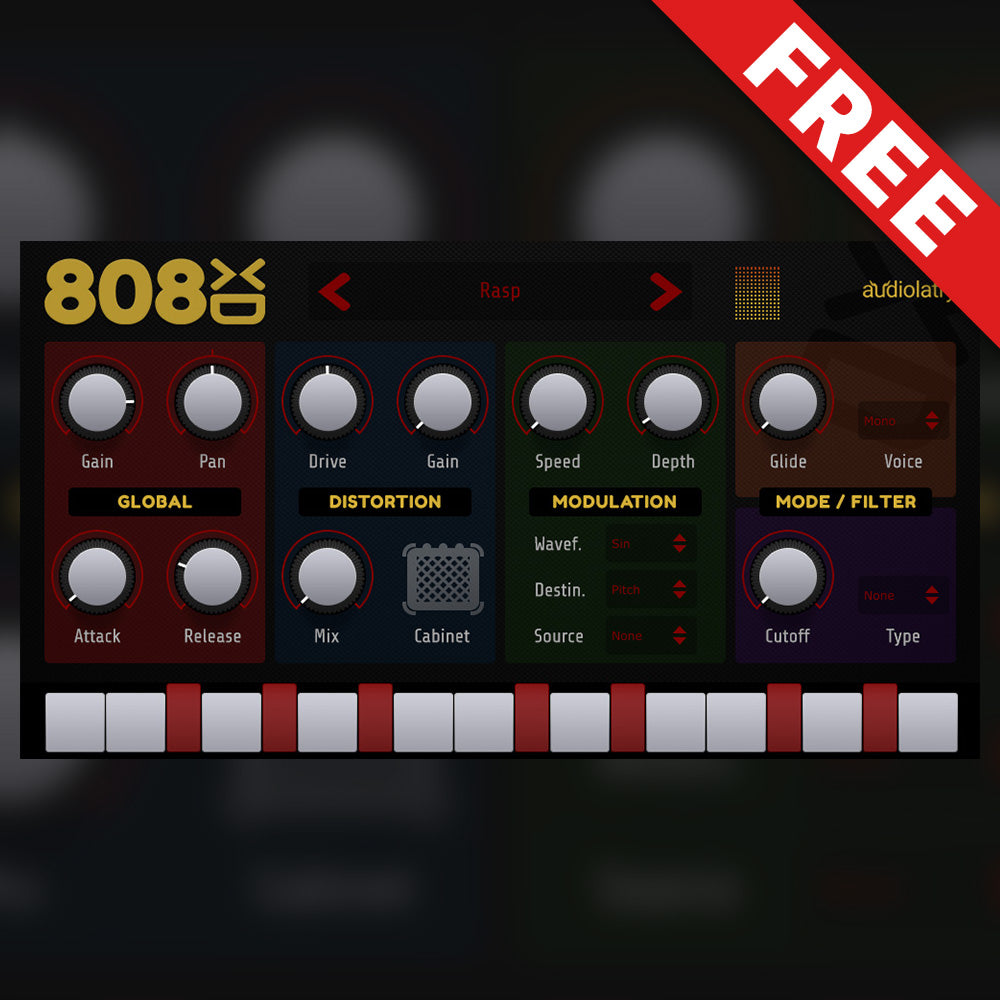
Credit: audiolatry.com
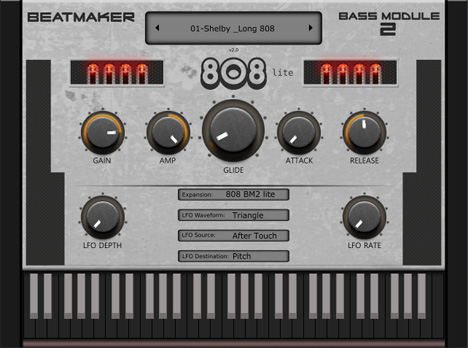
Credit: plugins4free.com
Frequently Asked Questions On Free 808 Vst Instruments
Is There A Vst For 808s?
Yes, there are several VST plugins available for 808s. These plugins can be used for producing electronic music and adding heavy bass to the tracks. Some popular VSTs for 808s include Serum, Massive, and Kontakt.
Where To Download Vst Instruments?
You can download VST instruments from various websites such as Splice, VST4Free, and Native Instruments. Ensure you only download from reputable sites to avoid malware and viruses.
What Are 808 Vst Instruments?
808 Vst instruments are virtual drum machines that emulate the iconic Roland TR-808 drum machine. They come as plugins you can use within a DAW to create music tracks.
Are There Any Free 808 Vst Instruments?
Yes, there are many free 808 Vst instruments available online. They offer a range of features and sounds that you can use to create music without spending any money on virtual drum machines.
Conclusion
After exploring several options, we have found some of the best free 808 VST instruments out there. Whether you are a seasoned musician or a beginner, these plugins are perfect for adding that extra punch to your music productions. The best part is, they are completely free! So why wait?
Download and start using them today to elevate your music to the next level. Happy producing!
To use Send Effects in audio production software, select the desired track and send it to a bus or auxiliary channel. This allows you to apply effects to multiple tracks at once.
Send Effects play a crucial role in audio production by making it possible to apply effects to multiple tracks at once. By sending a track to a bus or auxiliary channel, you create a path that allows you to apply effects to that track, as well as other tracks that are also sent to that same bus or channel.
This technique can save time and processing power, as you only need to apply the effect to one channel instead of multiple individual tracks. Additionally, using Send Effects can result in a more cohesive and polished mix, as all the tracks that are sent to the same bus or channel can have a similar sound or effect applied to them.
Credit: www.productionmusiclive.com
Setting Up A Send Effect
If you want to make your tracks sound more polished and professional, setting up a send effect is a great way to do so. Send effects are used to apply an effect uniformly to multiple tracks or individual instruments within a mix. In this guide, we will walk you through how to set up a send effect to add depth and dimension to your tracks.
Selecting A Send Channel
Before creating your send effect, you need to select a send channel to route the effect to. This channel will act as a bus that mixes all the effects from the individual tracks. Here’s how to select a send channel:
Open your digital audio workstation (DAW) and load your project.
Locate the mixer or routing section of your DAW where you can find the send channels.
Choose an available channel where you want to route your send effect.
Label it accordingly to avoid confusion, such as “Reverb Send” or “Delay Send”.
Creating The Send Effect
Now that you have selected your send channel, it’s time to create the send effect and apply it to individual tracks. Here’s how to do it:
Select the track you want to add the send effect to.
Locate the send section in the mixer or routing area.
From the drop-down menu, choose the send channel you just created.
Adjust the send level to determine how much of the effect you want to apply to the track.
Insert your desired effect plugin into the send channel.
Adjust the effect parameters to achieve the desired sound.
Repeat steps 1-6 for each track you want to apply the send effect to.
By following these simple steps, you can add depth and cohesion to your tracks using send effects. Experiment with different effects and levels to achieve your desired sound.
Choosing The Right Send Effect
If you’re using Send Effects, one of the most critical steps is choosing the right one. There are many options, and each effect can drastically alter the sound you’re creating. To help you select the perfect effect, we’ve created this guide, where we’ll break down the different types of effects and provide some guidance on how to apply them.
Understanding Different Types Of Effects
Before you dive in and start applying different effects, you need to understand the various types and their uses. There are three main categories of effects: Time-based, Modulation, and Dynamics. Here are some examples of each:
Effect Type
Examples
Time-based
Delay, Reverb, Echo
Modulation
Chorus, Flanger, Phaser
Dynamics
Compressor, Limiter, Gate
Time-based effects modify or create a sense of space when applied to the audio, while modulation effects alter the signal’s harmonic content. Finally, dynamics effects control how much a sound’s volume changes over time, which impacts the overall loudness and clarity.
Applying The Effect
Once you understand the different types of effects, it’s time to apply them. It’s helpful to keep in mind that too much of any effect can be a bad thing. To avoid overdoing it, start with the effect’s default settings and adjust gradually until you get the desired result.
If you’re not sure which effect to use, try a delay or reverb as these effects work well with most instruments. When applying the effects, pay attention to how they interact with the rest of the audio elements. If something’s not working, try changing the effect type, parameters, or removing it altogether.
Remember that the right effect can take a bland recording and turn it into a masterpiece, and the wrong one can make even the best audio sound terrible. Take your time when selecting and applying effects, and you’ll be rewarded with a fantastic final product.
Using Send Effects In A Mix
If you want to achieve a professional-sounding mix, you need to learn how to use send effects in a mix. Sending a track to an effect like reverb or delay can add depth, space and texture to your mix. However, it’s important to use send effects carefully as they can also affect the clarity of your mix.
Balancing The Dry/wet Mix
When using send effects, it’s crucial to balance the dry and wet mix. The dry signal is the original sound of your track, whereas the wet signal is the processed sound as it comes back from the effect. The goal is to blend these two signals seamlessly to achieve a cohesive sound.
You can adjust the balance of the dry and wet signal by increasing or decreasing the send level. The send level determines the amount of signal being sent to the effect. It’s important to make sure the volume of your wet signal is not overpowering the dry signal.
Automating Sends
A useful technique is to automate sends in your mix. This means that you can adjust the amount of effect on a track over time. For example, you may want a vocal to be dry during the verse, but gradually increase the reverb as the chorus comes in.
To automate sends, it’s important to enable automation on your send effects. This will allow you to create keyframes that adjust the send level at specific points in your song. By automating sends, you can add movement and dynamics to your mix.
In Conclusion
Using send effects in a mix can take your production to the next level. Remember to carefully balance the dry and wet mix and use automation to add interest to your mix. By mastering send effects, you can achieve a polished and professional sound.
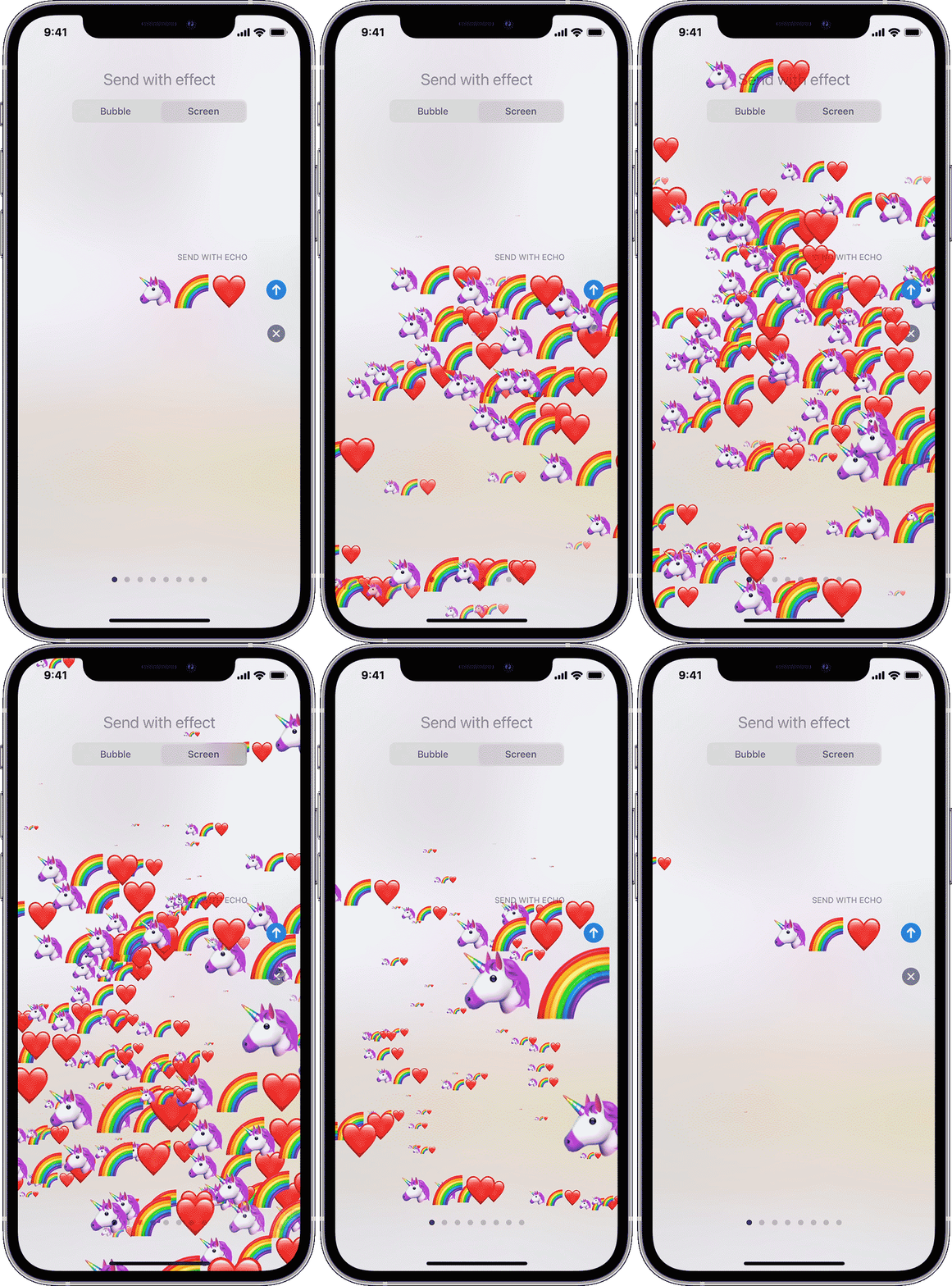
Credit: support.apple.com
Common Mistakes To Avoid
Send effects are a great way to add depth and character to your audio mix. However, there are some common mistakes to avoid when using send effects. Preventing these mistakes, will help you create professional and polished mixes.
Using Too Many Send Effects
One of the most common mistakes when using send effects is using too many. It’s essential to keep in mind that send effects are meant to complement and add depth to your mix, not to fill it with unnecessary effects.
Having too many send effects can cause confusion, drowning the essential elements of your mix. It can also make it challenging to control each effect’s parameter and can lead to phase cancellation and cluttered audio.
Instead of using a send effect on everything, only apply the effect to tracks that need it. Listen to each element of your mix carefully and determine which ones can benefit from a send effect.
Overusing The Send Effect
Another common mistake is overusing the send effect. Applying too much effect can lead to an unnatural-sounding mix. It can also take away from the dynamics and balance of your mix.
The best way to avoid overusing the send effect is to control it precisely. You can try reducing the wet/dry mix to achieve a more subtle effect. Another option is to utilize automation to control the send effect’s intensity throughout the track.
Finally, it’s essential to trust your ears when using send effects. Listen to your mix critically and adjust the send effect accordingly. With practice, you’ll be able to discern when a send effect is appropriately used in a mix.
Tips And Tricks
Learn how to use send effects like a pro with these simple tips and tricks! Whether you’re new to audio mixing or a seasoned pro, you’ll find useful insights and techniques to help you create the perfect sound for your next project.
Tips and Tricks – How To Use Send Effects Using send effects is a great way to enhance the audio quality of your mix. By using parallel processing and creating unique sounds, you can take your tracks to the next level. Here are some tips and tricks on how to use send effects like a pro. Parallel Processing One great technique is parallel processing, also known as New York Compression. You can use this technique to add punch and dynamic to your sound. To do this, you need to route your track to a duplicate track and apply compression. By blending the compressed track with the original track, you can achieve a more dynamic and impactful sound. Creating Unique Sounds Another tip is to use sends to create unique sounds. By sending the original track to a reverb, delay or any other effect, you can create a unique sound that sits well in the mix. An essential point here is to ensure that you don’t over-use sends. Subtle use of effect sends is usually more effective than heavy-handed. Some other effective tips to use send effects are: – Use an EQ on your send effects to shape the sound. – Make sure reverb tails and delays don’t overlap in a busy mix. – Use automation on send effects to create smoother transitions between different sections of the song. Conclusion In conclusion, using sends is a powerful and flexible technique that can help you create a unique and polished sound. By using parallel processing and creating unique sounds, you can enhance the overall audio quality of your mix. By following some of these tips and tricks, you can take your production skills to the next level.
Credit: www.youtube.com
Frequently Asked Questions Of How To Use Send Effects
How Do You Use Reverb Sends?
Reverb sends are used in mixing to apply reverb to multiple tracks simultaneously. To use them, create a new channel with a reverb plugin, route the desired tracks to the new channel using send controls, adjust the amount of reverb with the send level, and fine-tune the reverb settings on the new channel.
This adds depth and space to your mix.
What Is The Difference Between Insert And Send Effects?
Insert effects are added directly to a track or channel, affecting the overall sound. Send effects are added to a separate send channel and blended with the original sound, allowing for greater control over the effect’s level and overall mix.
What Is The Difference Between Send And Return In Mixing?
Send refers to the audio signal being sent out of a certain track or channel to an effects processor or another device. Return, on the other hand, refers to the processed audio signal that is sent back to the mixing console to be blended or combined with the original audio signal.
What Is The Difference Between Insert And Send On Mixer?
Insert sends an audio signal directly to a channel’s audio path, while Send sends a copy of the audio signal to an auxiliary channel, allowing the user to adjust the volume and add effects separately. So, Insert affects the original signal, while Send affects a copy of the signal.
Conclusion
As you’ve learned, send effects offer a great way to enhance your audio tracks and add depth to your music projects. By carefully experimenting with different settings, you can create unique and professional sounding recordings that truly stand out. Remember to start with a plan, adjust your levels carefully, and don’t be afraid to try out new settings until you find the perfect fit.
With consistent practice, you’ll master send effects in no time and take your music to the next level. Happy mixing!
To make sample packs, choose a theme, create a sample library, and customize the content. Sample packs are essential for producers to experiment with different sounds and inspirations.
Let’s explore how to make sample packs that meet the needs of producers, providing them with a valuable source of inspiration and creativity. Whether you specialize in music, sound design, visual effects, or game development, sample packs can help you save time while enhancing your productions.
We’ll explore the steps to create a successful sample pack and how to market it. Additionally, you’ll learn how to choose suitable sample pack software and design an effective branding strategy for your products. Let’s get started!
Credit: www.productionmusiclive.com
Why Sample Packs Are Important
Sample packs are crucial for music producers and sound designers as they provide a collection of sounds that can be used to create a unique masterpiece. To make a sample pack, producers need to record various sounds, organize them into categories, and edit them to ensure they are of high quality.
Sample packs are a crucial part of any musician or producer’s toolkit. They are a collection of various sounds and samples organized to help upcoming talents understand the music industry and create tracks more professionally. In this article, we will discuss why sample packs are essential and how they can benefit you.
Building Customer Trust
When you offer quality sample packs, you successfully build trust with your customers. Trust is of paramount importance in the music industry, and if your customers don’t trust you, you can’t sell your products successfully. By offering premium quality sounds, you show your customers that you value their time, money, and effort. It is wise to offer some free samples, which are a great way to attract new customers.
Maximizing Revenue
Selling sample packs is an excellent way to maximize your revenue. The music industry is big on collaborations, and collaborating with other artists using your sample packs can bring in big bucks. You must provide various options to customers, including multiple pricing plans for your sample packs to maximize revenue.
Showcasing New Sounds
For any producer, showcasing their work is important to grow their clientele, and sample packs can help achieve this. Sample packs contain unique or rarely used sounds, which showcase a producer’s creativity and uniqueness. The more a producer showcases their uniqueness, the more likely it is for clients to seek their work.
Providing Value To Customers
Even if you have the most expensive and feature-rich sample pack in the market, customers will always prefer products that provide value for their money. Providing high-quality and quantity products is a surefire way to secure customer loyalty and retention. A sample pack that offers diversity, high-sound quality and a vast collection of samples is more appealing and valuable to customers. In conclusion, creating and providing sample packs is not only for making money, but it also provides opportunities to improve product quality, reach new customers, showcase creativity and help upcoming musicians and producers cultivate their skills.
Credit: m.youtube.com
Identifying Your Target Audience
Identifying your target audience is essential when creating sample packs. Determine who your potential customers are and what they are looking for. This ensures your product meets the needs of your target market and helps to attract the right audience.
Before creating a sample pack, it is essential to identify your target audience. Knowing who they are, what they expect, and what they want can help you create something they will find valuable and ultimately lead them to choose your product over others. This segment will focus on Understanding Your Genre, Knowing Your Ideal Customer, and Researching Competitors to help you identify your target audience.
Understanding Your Genre
The first thing you need to do is understand the genre in which you want to create a sample pack. Understanding the genre helps you identify what is expected in the sample pack and what your potential customers are looking for. You can create something unique that stands out from the other sample packs in the market.
Knowing Your Ideal Customer
Knowing your ideal customer is crucial for creating a sample pack that resonates with them. Your ideal customer should be your focus while creating your sample pack. You can identify your ideal customer by examining their age, gender, interests, musical influences, and preferences. Once you have identified your ideal customer, you can create a sample pack that accurately meets their needs.
Researching Competitors
It is essential to research your industry competitors to understand what they are offering and what makes them unique. Analyze what they are providing in their sample packs, including sounds, loops, and other elements, and consider how you can create something unique that stands out from the crowd. By analyzing your competitors, you can create a sample pack that gives your ideal customer a better and more comprehensive experience. In conclusion, understanding your genre, knowing your ideal customer, and researching competitors will aid you in creating a sample pack that resonates with your target audience and sets you apart from your competitors. Now, you are ready to get started on your journey of creating a valuable and unique sample pack.
Creating Your Sample Pack
Learn how to create a sample pack with these easy steps. Start by deciding what products to include, design an attractive packaging and set a fair price. A sample pack is a great way to showcase your products and entice customers to make a purchase.
Creating Your Sample Pack When it comes to creating a sample pack, one of the most critical stages is deciding on the essential sounds that you want to include. In this guide, we’re going to walk you through creating your sample back, starting from choosing essential sounds to editing and mastering, and adding bonus content. H3: Choosing Essential Sounds Before you start creating your sample pack, you need to choose the essential sounds that you want to include. To do this, you must have a clear idea of the genre or sub-genre you’re targeting. For instance, if you’re creating a hip-hop sample pack, you’ll need to include sounds such as drum samples, bass samples, synth loops, and percussion loops. You may also want to include sound effects such as risers, impacts, and sweeps, depending on the direction you want to take. H3: Organizing Loops and One-Shots After choosing essential sounds, you need to organize them systematically based on their category or type. You can separate them into different folders based on their tempo or key. This process is essential to ensure that users can navigate through the sample pack easily and locate the sounds they’re looking for. You can also consider naming each file to reflect its category or genre, making it easier for consumers to recognize the sound. H3: Editing and Mastering After organizing your loops and one-shots, the next step is to edit and master them. Start by cleaning up any unnecessary noise in the samples, then proceed to adjust the levels of each sound. You can apply EQ, reverb, and other effects to make the samples sound more polished. You may also want to experiment with layering different sounds to produce new and unique samples. H3: Adding Bonus Content When you’re satisfied with the samples you’ve created, you can add bonus content to your sample pack. Bonus content can include MIDI files, presets, and other related resources that make the sample pack more appealing to users. You can also consider creating demo songs to give users an idea of how the samples can be incorporated into their production. The goal is to make your sample pack stand out among others in the market. In conclusion, creating a sample pack requires careful consideration of essential sounds, organizing loops and one-shots, editing and mastering, and adding bonus content. Following these steps will help you create a sample pack that is not only appealing to users but also helps elevate their productions.
Designing Your Pack Artwork And Branding
Designing your pack artwork and branding is crucial to making your sample packs stand out in a crowded market. Consider your target audience, choose colors and fonts that align with your brand, and create eye-catching designs that reflect your product’s unique qualities.
Successful artwork and branding help to establish your brand identity and make your sample packs attractive to potential buyers.
Designing Your Pack Artwork and Branding Designing the artwork for your sample pack is crucial as it is one of the first things potential customers will see. This is where branding comes into play. Branding your sample pack creates a visual identity for your product and helps it stand out from the crowd. Here are some tips for designing your pack artwork and branding. Creating Eye-Catching Artwork Your sample pack artwork should be visually appealing and eye-catching to grab the attention of potential customers. You can achieve this by incorporating bold and bright colors that complement one another. A simple and clean design is also effective, as it adds a level of professionalism to your product. Maintaining Consistent Branding Consistent branding is key to creating a strong identity for your sample pack. This includes using the same colors, fonts, and design elements throughout. By maintaining consistent branding, your sample pack will become easily recognizable to your audience and build trust with your potential customers. Choosing the Right Format Choosing the right format for your sample pack is crucial as it can affect the overall look and feel of the product. Common format options include 2×2 inch labels, 4×4 inch pouches, or 6×6 inch cardboard boxes. Consider the size of your product and your branding elements before choosing a format. In conclusion, designing a sample pack requires careful consideration of its pack artwork and branding. By creating eye-catching artwork, maintaining consistent branding, and choosing the right format, you can create a visually distinctive and professional product that will attract potential customers.
Marketing And Promotion
Looking to create sample packs for your marketing and promotional efforts? Consider including your best products, offering discounts and freebies, and showcasing unique features to entice potential customers. With the right approach, sample packs can be a powerful tool in driving sales and building brand recognition.
Creating sample packs is a great way to showcase your music production skills and reach a wider audience. However, before releasing your sample pack, strategic marketing and promotion are crucial to gain maximum exposure and generate sales. In this section, we will discuss some effective marketing strategies to promote your sample packs.
Strategic Release Timing
Choosing the right release date and time for your sample pack is important to maximize visibility and engagement. Consider the target audience and their preferred time zones when releasing your sample pack. Avoid scheduling your release during a major holiday or event to ensure maximum engagement. You can also offer pre-orders to capture early adopters and build anticipation for the upcoming release.
Social Media Advertising
Social media platforms like Facebook, Instagram, Twitter, and LinkedIn are a great way to reach your target audience with ads. Consider investing some budget for paid advertising to reach a wider audience. Use targeted keywords, attractive visuals, and engaging captions to drive more traction. You can also collaborate with social media influencers in the music industry to promote your sample pack to their followers.
Building A Launch Plan
Creating a launch plan is essential to ensure a successful release. Build a launch plan that includes tasks like setting up your website, creating a press release, designing marketing materials, and outlining your social media strategy. Make sure to cover all aspects of promotion in your launch plan and assign responsibilities to each member of your team to avoid confusion and ensure that everything runs smoothly.
By following these marketing strategies, you can effectively promote and sell your sample packs, gain exposure, and expand your audience. Remember to constantly analyze your results and make adjustments to your marketing plan as needed to ensure continued success.
Distributing And Selling Your Sample Pack
Now that you’ve created an amazing sample pack, it’s time to get it out there and start making sales. But how do you go about distributing and selling your sample pack? Below are some key strategies to consider.
Choosing The Right Platform
The first step in distributing and selling your sample pack is to find the right platform to showcase your product. There are a number of options, including:
Platform
Description
Website
Create a dedicated page on your website to sell your sample pack.
Online Marketplace
List your sample pack on a platform like Etsy or Amazon.
Social Media
Promote your sample pack on social media platforms like Facebook and Instagram.
Consider your audience and where they are most likely to shop when choosing the right platform.
Pricing Strategy
One of the most important factors to consider when selling your sample pack is pricing. You don’t want to price it too high that it becomes unaffordable to your target audience or too low that it undermines the value of your product. Below are some pricing strategies to consider:
Cost-plus pricing: Determine the cost of producing the sample pack and add a markup to cover your time and profit margin.
Competitive pricing: Research what other similar sample packs are priced at and price your product accordingly.
Value-based pricing: Set your price based on the perceived value of your product in the market.
Ultimately, the price you choose will depend on a variety of factors, including your target audience and competitive landscape.
Collaborating With Influencers
A great way to promote your sample pack is to collaborate with influencers in your niche. Influencers with large followings can help you gain exposure and credibility. Here are some tips for collaborating with influencers:
Research influencers in your niche and their audience demographics.
Reach out to influencers with a personalized pitch tailored to their interests and followers.
Offer influencers a free sample pack in exchange for a review or feature on their platform.
Track your collaboration results and adjust your approach as needed.
Partnering with influencers is a win-win for both you and the influencer, as they gain access to quality content for their audience and you get additional exposure and potential sales.
Engaging With Customers And Building Loyalty
Making sample packs is an effective way to engage with customers and build loyalty. By providing a selection of your products for customers to try, they can discover new favorites and become more invested in your brand. This can lead to repeat purchases and long-term loyalty.
Customers are the lifeblood of every business, and engaging with them is crucial to building customer loyalty. One way to achieve this is by making sample packs, allowing customers to try your products before they commit to making a purchase. Sample packs demonstrate confidence in your product and can help increase sales. Here are some ways to engage with your customers and build loyalty through sample pack distribution.
Providing Ongoing Support
Once your customers receive their sample packs, ensure that you provide ongoing support. This can be in the form of follow-up emails, phone calls, or a chatbot on your website. Providing support helps customers feel valued and demonstrates your commitment to their satisfaction, which can lead to long-term loyalty.
Creating A Community
Creating a community around your brand can be a powerful way to engage with your customers and build loyalty. Use your social media accounts and website to create a space where customers can share their experiences and interact with each other. By doing so, you create a sense of belonging and help customers feel connected to your brand.
Encouraging User Feedback
Encourage your customers to provide feedback on their sample pack experience. This not only helps you improve your product and service but also demonstrates to your customers that you value their opinions. Make it easy for customers to leave feedback by providing a feedback form or a link to review your product on sites such as Yelp or Google. In conclusion, providing ongoing support, creating a community, and encouraging user feedback are three ways to engage with customers and build loyalty through sample pack distribution. By doing so, you not only increase the likelihood of customers returning to your brand for future purchases but also foster a positive reputation in the industry.
Credit: m.youtube.com
Analyzing Your Results And Planning For Future Packs
To make successful sample packs, it’s important to analyze your results and plan for the future. This includes evaluating customer feedback, determining which products were popular, and brainstorming new ideas for future packs. By doing so, you can improve your sample pack offerings and ensure customer satisfaction.
Once you have successfully launched your sample pack, it’s crucial to analyze the results to determine its effectiveness and to plan for future packs. Analyzing data can give you valuable insights into the effectiveness of your marketing strategy and help you develop a better understanding of your target audience. In this section, we will cover Measuring Sales and Engagement, Adjusting Your Strategy, and Developing your brand.
Measuring Sales And Engagement
To determine the success of your sample pack, you need to analyze sales and engagement data. Monitor your sales to gauge the level of interest in your product and calculate the conversion rate. In addition, you need to track engagement metrics, such as likes, shares, and comments. These metrics can give you an indication of how interested people are in your brand and the potential for future sales. Use Google Analytics or any other tools to analyze data from your website and social media pages.
Adjusting Your Strategy
If the results of your sample pack are not as expected, you need to adjust your marketing strategy. For example, you might need to reconsider your target audience or change the social media platform where you are advertising. It is essential to learn from your mistakes and make necessary improvements for future packs. Be open to feedback from customers, and make any necessary changes to your product or marketing strategy.
Developing Your Brand
Sample packs are an excellent opportunity to develop your brand identity. Use the results from your analysis to understand your target audience and develop your brand. Improve your packaging, product design and develop new products that meet the needs of your target audience. Ensure your branding is consistent across all marketing channels to create a lasting impression on your customers. In conclusion, analyzing and measuring your sample pack’s success is essential for understanding your target audience, improving your product, and planning for future packs. Use the data you have collected to make concrete decisions about your brand and key marketing strategies. Remember to be open to feedback, adjust your strategies when necessary, and consistently develop your brand. With diligence and hard work, you can create successful sample packs that continue to grow your business.
Frequently Asked Questions On How To Make Sample Packs
How Do You Make A Sample Packet?
To create a sample packet, choose the products you want to include, decide on appropriate packaging, and arrange the items in the packaging. Make sure to label the packet clearly and include instructions or information about the products. Additionally, you may want to consider including promotional materials or discounts to encourage future purchases.
How To Create And Sell Sample Packs?
To create and sell sample packs, you need to follow these steps: 1. Identify your audience and their needs. 2. Choose a platform to sell your sample packs. 3. Create original and high-quality content for your sample packs. 4. Price your sample packs appropriately.
5. Market your sample packs through social media and other digital channels.
What Should Be Included In A Sample Pack?
A sample pack should include a selection of your product offerings. This may include individual product samples, product catalogs, informational materials, and any promotional materials. The goal of the sample pack is to provide potential customers with a comprehensive overview of your offerings and to encourage them to make a purchase.
Do Sample Packs Make Money?
Yes, sample packs can make money for businesses as they allow customers to try out products before committing to a larger purchase. This helps build trust and encourages customers to buy more. Additionally, sample packs are a great marketing tool for expanding a business’ customer base and increasing brand awareness.
Conclusion
Creating sample packs is a great way to showcase your products and attract new customers. By following the steps outlined in this blog post, you can create high-quality and attractive sample packs that will captivate your audience. Remember to keep your branding consistent and your products organized, and offer value to your potential customers.
With these tips, you can successfully create sample packs that will help increase your brand recognition and sales. Start experimenting with different combinations of products and designs, and watch your business grow!
Pro Tools First Smart Tool is a feature that allows quick access to commonly used editing tools. Pro Tools First is a free version of Pro Tools software offered by Avid for beginners to learn and use professional music and audio production tools.
Pro Tools First Smart Tool provides an intuitive and efficient way to edit audio clips by allowing the user to resize, trim, and move them without having to manually switch between different editing tools. This feature is particularly helpful for beginners who are still learning how to navigate the software and want to streamline their workflow.
With Pro Tools First Smart Tool, users can focus on their creativity instead of the technicalities of the editing process. We will take a closer look at how to use Pro Tools First Smart Tool and how it can benefit your audio production process.
Credit: www.mixinglessons.com
Navigation Of Smart Tool
The Pro Tools First Smart Tool provides an easy and efficient way to navigate and edit audio files. With its intuitive design, users can quickly access and modify audio clips, adjust volume levels, and add effects all within a few clicks.
If you are using Pro Tools First for audio editing or music production, you would know that Smart Tool is an essential part of the software. Smart Tool in Pro Tools First allows you to perform multiple editing functions with a single tool. However, to make the most of this feature, you need to understand the navigation of Smart Tool. In this post, we will walk you through the different navigation aspects of Smart Tool in Pro Tools First.
Main Toolbar
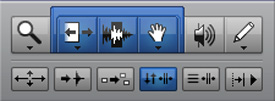
Smart Tool is situated in the Main Toolbar of Pro Tools First. You can access the Main Toolbar by hovering the cursor over the top of the screen, and it will pop-up. You can also customize the Main Toolbar by selecting from a range of different tools and rearranging them according to your preference. When you select the Smart Tool, it will be available in the Main Toolbar, and you can navigate your way through it.
Transport Window
The Transport Window in Pro Tools First is another important area where you can navigate Smart Tool. It provides a visual representation of different editing functions that Smart Tool can perform, such as selecting, trimming, and grabbing. The Transport Window is also customizable, allowing you to select the features you need the most for your editing workflow.
Clip List
Smart Tool navigation is also possible through Clip Lists. The Clip List is a window that lists all the audio or MIDI clips that you have in your project. You can use Smart Tool in the Clip List to select multiple clips or parts of clips and edit them accordingly. You can also customize the Clip List by choosing to display different information, such as the name, start time, or duration of the clip. In conclusion, Smart Tool is an essential feature of Pro Tools First, and knowing how to navigate through it can significantly improve your editing workflow. By mastering the different navigation techniques of Smart Tool in the Main Toolbar, Transport Window, and Clip List, you can perform various editing functions with ease. Try incorporating this tool into your next audio editing or music production session to experience the difference it can make!
Functions Of Smart Tool
The Pro Tools First Smart Tool offers users a variety of functions including trimming, editing, and adjusting volume levels. This tool allows for easier and more efficient audio editing and has become a popular tool among music producers and audio engineers.
Functions of Smart Tool: Editing Audio, MIDI, and Automation If you are a musician, audio engineer, or songwriter, you already know the importance of having the right tools for the job. This is where Pro Tools First comes in handy. One of the most useful features of this music production software is the Smart Tool, which can help you streamline your workflow and simplify your editing process. Editing Audio: The Smart Tool in Pro Tools First allows you to edit audio with ease. By switching between the Trim and Fade modes, you can quickly adjust the length and volume of your audio clips. Additionally, you can use the Grabber tool to move, copy, or paste sections of your audio files. Editing MIDI: Not only can the Smart Tool edit audio, but it can also edit MIDI. With the MIDI pencil tool, you can create or modify MIDI notes, velocity, and duration. You can also duplicate or shift the timing of MIDI notes using the Grabber tool. Editing Automation: Pro Tools First’s Smart Tool also makes editing automation a breeze. By selecting the Automation mode, you can draw in volume, pan, or any other parameter changes with the pencil tool. You can also adjust the curve and shape of each automation point to create smooth transitions between different sections of your music. In conclusion, the Smart Tool in Pro Tools First is a powerful feature that can help you edit audio, MIDI, and automation with ease. Whether you are a seasoned professional or a beginner, this tool can make your music production process smoother and more efficient.
Advanced Features Of Smart Tool
The Pro Tools First Smart Tool comes with advanced features such as customizable keyboard shortcuts, elastic audio enhancements, and advanced automation workflows that make editing and mixing projects easy and efficient. These tools help users achieve high-quality results without compromising on creativity or productivity.
Pro Tools First Smart Tool offers a range of advanced features that can help improve your audio editing workflow. One of the most notable features of Smart Tool is its Multi-Tool functionality.
Multi-tool
Multi-Tool is a feature that enables you to access multiple Smart Tool options in a single click. Using Multi-Tool, you can easily switch between Trim, Selector, and Grabber in one click, saving you time and effort.
Modifiers
Smart Tool has a range of modifiers that can help you perform specific audio editing tasks. You can use modifiers to adjust audio fades, snap-to-grid, and grid mode settings. You can also use modifiers to adjust the speed and volume of audio clips for more control over your audio editing.
Settings
Smart Tool comes with a range of customizable settings that allow you to adjust its functionality based on your needs. You can customize the length of the Trim, Selector, and Grabber functions, and adjust the speed of the cursor movement when using Smart Tool. This level of adjustability gives you complete control over your audio editing, helping you to create high-quality audio projects quickly and easily. Overall, Smart Tool offers a range of advanced features that make audio editing a breeze. From Multi-Tool functionality to customizable settings and special modifiers, Smart Tool has everything you need to create professional-quality audio projects. With these advanced features, you can feel confident knowing that your audio editing is in good hands.
Tips And Tricks
Enhance your Pro Tools First experience with the Smart Tool. With a simple key press, switch from trimming to volume automation or panning. Save time and increase your efficiency with this powerful feature.
If you use Pro Tools First Smart Tool for music production, you know how powerful it can be. However, like any software, it takes time to understand all the features and how to use them effectively. In this article, we will explore some tips and tricks to help you fine-tune and customize the Smart Tool, as well as integrate it with other software.
Fine-tuning
One of the most powerful features of the Smart Tool is its ability to switch between different editing modes. By default, it is set to the Trim mode, which allows you to adjust the length of a clip by dragging the edges. However, you can also switch to the Selector mode, which allows you to select and move clips around the timeline. To do this, simply hold down the Ctrl key (Cmd on Mac) and click on the clip. Another useful tip is to adjust the sensitivity of the Smart Tool. This can be done by going to Edit > Preferences > Editing tab, and adjusting the “Smart Tool Sensitivity” slider. Increasing the sensitivity will make it easier to switch between different modes, while decreasing it will require more precision.
Customization
One of the great things about Pro Tools is the ability to customize the interface. To customize the Smart Tool, go to Options > Smart Tool. Here you can choose which editing modes you want to use, as well as adjust the size and opacity of the Smart Tool icon. You can also customize the Smart Tool by assigning different functions to the modifier keys (Ctrl, Shift, and Alt). To do this, go to Options > Preferences > Editing > Smart Tool. Here you can choose which functions you want to assign to each modifier key.
Integration With Other Software
Finally, let’s talk about how to integrate Pro Tools with other software. One of the great things about Pro Tools is its ability to work with other programs, such as Ableton Live or Logic Pro X. To do this, you will need to set up ReWire. ReWire allows you to stream audio and MIDI data between two programs in real-time. To set it up, first launch Ableton Live (or other ReWire-compatible software). Then, in Pro Tools, go to Setup > Playback Engine and select “ReWire” from the list of options. Finally, go to Options > Preferences > MIDI > MIDI Controllers and select “ReWire” as the input device. In conclusion, Pro Tools Smart Tool is a powerful tool for music production. By fine-tuning and customizing it to your needs, as well as integrating it with other software, you can take your music production to the next level.
Alternatives To Smart Tool In Pro Tools First
Pro Tools First users can try alternative methods to achieve the same functions as the Smart Tool. By utilizing keyboard shortcuts, trackpad gestures and the toolbar, users can easily edit and manipulate their audio tracks without relying heavily on the Smart Tool.
Pro Tools First Smart Tool was introduced to make editing faster, smoother, and more efficient, but it is not the only tool available for editing. The software has three other editing tools that can be used alternatively to Smart Tool, including the Trim Tool, the Selector Tool, and the Grabber Tool.
Trim Tool
Trim Tool is a useful alternative to Smart Tool, especially when it comes to fine-tuning edits. It allows you to easily trim audio clips, whether that means shortening them, extending them, or removing a section altogether. Its default mode is Slip mode, which allows you to shorten and lengthen the audio while still keeping the start and end points of the clip intact.
Selector Tool
Selector Tool is another useful alternative to Smart Tool, particularly when working with groups of clips. The Selector Tool enables you to select individual clips or groups of clips and perform all kinds of actions on them. For instance, you can cut, copy, paste, duplicate, and even change the fade-in and fade-out curves of the clips.
Grabber Tool
Grabber Tool is the most versatile alternative to Smart Tool, which can be used for just about anything in the editing process. It allows you to select, move, and modify clips in your session, as well as perform a range of other editing tasks. The Grabber Tool is particularly useful for moving audio clips from one track to another, copying clips between sessions, and snapping clips to grid markers. In conclusion, while Smart Tool is an excellent editing tool, Pro Tools First also has three other editing tools that can be used alternatively to Smart Tool. Each of these tools has unique features and benefits that can contribute to a smoother and more efficient editing workflow.
Credit: www.mixinglessons.com
Credit: www.production-expert.com
Frequently Asked Questions For Pro Tools First Smart Tool
How Do I Enable Smart Tool In Pro Tools?
To enable smart tools in Pro Tools, you need to go to the toolbar and click on the “Smart Tool” icon. This will activate the Smart Tool, which allows you to easily edit and manipulate audio regions in various ways without having to switch between different editing tools.
Why Is Pro Tools First Discontinued?
Pro Tools First was discontinued because it did not meet the growing needs and expectations of users. Many features and functionalities were missing, and as a result, its popularity declined. Pro Tools First users were advised to upgrade to Pro Tools Standard or Pro Tools Ultimate to access more features and tools.
How Do You Use Smart Tool?
To use a smart tool effectively, you should first identify the purpose of the tool and how it can benefit your task. Use the tool according to the instructions provided, and provide accurate input as required. Make sure to understand the results and take required actions.
Keep practicing to improve your proficiency with the tool.
What Is Included In Pro Tools First?
Pro Tools First is a free version of the renowned digital audio workstation. It comes packed with 16 audio tracks, 16 virtual instrument tracks, and MIDI tracks. It also includes a variety of effects like reverb, EQ, and compression. However, it has limited features compared to the paid Pro Tools version.
Conclusion
Overall, the Pro Tools First Smart Tool is an excellent tool for both beginners and professionals in the music industry. Its simplicity and versatility make it easy for anyone to use, while also providing advanced features for more experienced users.
By using this tool, you can easily create amazing music and recordings that are sure to impress your audience. Whether you are a singer, songwriter, or producer, this tool is a must-have for anyone looking to take their music to the next level.
So, if you want to create high-quality music, the Pro Tools First Smart Tool is the perfect choice for you!
Yes, FL Studio has an autosave function that can be customized to save at specific time intervals. FL Studio is a popular digital audio workstation that is known for its advanced features and customization options.
One of the features that users appreciate is its autosave function. Autosave is a crucial feature for any music producer, as it ensures that no progress is lost in case of a crash or system failure. This function can be customized by users to save at specific time intervals, such as every 5, 10, or 15 minutes.
This feature eliminates the need for manual save, which can be cumbersome and time-consuming. We will explore how to enable and customize FL Studio autosave, its benefits, and its limitations.
Credit: itsgratuitous.com
Credit: m.youtube.com
Frequently Asked Questions Of Does Fl Studio Autosave
How Do I Recover An Unsaved Fl Studio File?
To recover an unsaved FL Studio file, go to File > Open and click “Recent Files. ” If your unsaved file appears, click “Restore. ” If not, go to Options > General Settings and check “Auto Backup. ” FL Studio will now automatically save backups of your projects.
Where Is Fl Studio Autosave?
FL Studio autosave files are saved in the Backup folder in the FL Studio installation directory on your computer. You can find the location by going to Options > File settings > Backup. You can also adjust the autosave settings in this menu.
Does Fl Have Autosave?
Yes, FL, which stands for Adobe Animate CC (formerly Flash Professional), has an autosave feature. The program automatically saves your work at regular intervals to prevent the loss of data in case of any unexpected events like power outages or crashes.
Does Fl Studio 21 Have Autosave?
Yes, FL Studio 21 has an autosave feature that automatically saves your project file at regular intervals, ensuring you don’t lose any of your work in case of a sudden power failure or computer crash.
Conclusion
As a music producer, the last thing you want is losing your progress due to a system failure or human error. Thankfully, FL Studio has an “Autosave” feature that can save your project automatically at the specified interval. This feature helps to prevent data loss, eliminate the need to manually save your work and give you peace of mind.
So, turn on Autosave and create your masterpiece without worrying about losing your work.
Mastering in music is the final step in the music production process where the audio is optimized for distribution. Mastering involves a series of techniques applied to a final mix, including equalization, compression, and limiting, to give the music a polished, cohesive sound.
It is essential to ensure that the audio is consistent in volume, free from errors, and ready for distribution to various platforms, including CDs, streaming services, and broadcasting stations. A mastering engineer works with the mixed audio, using specialized audio processors and software to perfect the mix for its intended audience.
The result is a cohesive, balanced, and optimized sound that delivers the best possible listening experience. Mastering is a crucial part of the music production process that can make or break the final product’s success.
Credit: www.iconcollective.edu
The Art Of Mastering Music
Music is not just an art but a science. Mastering in music is more than just pressing a few buttons on your audio mastering software tool.
Understanding The Concept Of Mastering
Mastering in music production is the final stage of the audio post-production process and the last creative step before a track is distributed for the audience to listen. It is a unique approach to processing music to optimize playback across all systems and formats.
In mastering, the engineer adds a final polish to a mix, ensuring each element sits well with each other. It helps to deliver a cohesive and professional sound suitable for release on CD, streaming services, and other formats.
Evolution Of Mastering In Music Production
Mastering music was once a manual affair performed by skilled engineers and musicians in well-equipped studios. With digital mastering, the process became slightly more accessible, allowing almost anyone to “master” their music at the comfort of their homes.
Today, there are various mastering software tools, which have given rise to a new generation of bedroom producers mastering their music at home. While digital mastering has made it easier to master music, it takes years of experience to perfect the techniques and deliver a high-quality product.
Mastering music requires an analytical mind, a deep understanding of music composition, and math to predict the outcome of the final mix on different systems.
Conclusion
Mastering music is one of the most critical phases of music production. It demands an expert ear, mastery of sound engineering principles, and in-depth knowledge of audio processing tools.
Now that you have an understanding of what mastering in music is, you can appreciate the time and effort it takes to achieve the polished sound you hear on your favorite music streaming services.
Mastering And The Music Production Process
Mastering is a crucial step in the music production process. It involves applying the final touches to a track to ensure it sounds polished and consistent. This involves adjusting the overall volume, EQ, and dynamics of the mix to create a final version that is ready for distribution and consumption by listeners.
Mastering is the final stage of music production where the mix is polished and prepared for distribution. It’s the last chance to make changes before the music is released to the public. The mastering process involves a skilled engineer who uses specialized equipment and software to enhance the final mix. In this post, we’ll explore the role of a mastering engineer and how mastering fits into the music production process.
Role Of A Mastering Engineer
A mastering engineer is responsible for finalizing the mix and making sure it’s ready for distribution to the public. They’re highly skilled in the use of audio equipment and software and have a trained ear for sound. The mastering engineer’s role includes:
Enhancing the overall sonic quality of the mix
Balancing the levels of all tracks to create a cohesive sound
Adjusting the EQ to ensure the tonal balance is right
Adding compression to control the dynamics of the mix
Adding reverb or other effects to enhance the mix
Ensuring the final mix meets technical delivery standards
How Mastering Fits Into The Music Production Process
Mastering is the final stage of the music production process and comes after recording, editing, and mixing. Once the final mix is complete, it’s sent to the mastering engineer for processing. The mastering engineer uses specialized equipment and software to enhance the final mix and ensure it’s ready for distribution to the public. In summary, mastering is a crucial step in the music production process that ensures the final mix is polished and ready for distribution. The role of the mastering engineer is vital in using their skills and specialized equipment to enhance the overall sonic quality of the mix. This stage is the last chance to make changes, so it’s essential to get it right before the music is released to the public.
The Technical Aspects Of Mastering
Mastering in music is the final stage of audio production which focuses on preparing the recording for distribution. It involves technical aspects such as adjusting levels, equalization, and compression, as well as ensuring consistency and coherence across the album.
Mastering is an essential part of the music production process that involves the preparation and optimization of stereo audio tracks for distribution. The process is complex, and it requires specialized technical expertise to achieve the desired results. In this article, we will focus on the technical aspects of mastering, which involves the use of different tools and techniques in mastering, as well as the formats and delivery options available.
Tools And Techniques Used In Mastering
Mastering engineers use a variety of tools and techniques to achieve the best possible sound quality for the final mix. Some of the commonly used tools include equalizers, compressors, limiters, and stereo wideners. These tools help to balance the levels of different frequencies, control dynamics, add punch and clarity, and enhance stereo width. In addition to the tools, mastering engineers also employ various techniques to achieve the desired sound quality. Some of the commonly used techniques include:
Volume Maximization: This involves increasing the overall loudness of the track without introducing distortion.
EQ Adjustment: This involves tweaking the levels of different frequencies to achieve balance and clarity.
Dynamic Control: This involves adjusting the levels of different instruments to ensure that they work well together.
Harmonic Enhancement: This involves adding harmonics to the track to add warmth and depth.
Stereo Imaging: This involves adjusting the width and depth of the stereo field to create a more immersive listening experience.
Mastering Formats And Delivery
Mastering engineers can deliver their work in different formats depending on the needs of the client. The most common formats include:
Format
Description
CD Master
This is the standard format for commercial music releases and is delivered as a RedBook CD master.
Digital Master
This is a high-resolution digital version of the master, which can be used for online distribution.
Vinyl Master
This is a specialized format for vinyl records, and it requires specific EQ and compression settings.
Delivery options include online delivery, physical delivery, and attended sessions. Online delivery involves sending files electronically, while physical delivery involves shipping master copies physically. Attended sessions allow clients to be present during the mastering process and provide real-time feedback. In conclusion, mastering is a crucial part of the music creation process, and it involves the use of various tools and techniques to ensure that the final product is of the highest quality. Mastering engineers use different formats and delivery options to meet the needs of clients in a rapidly evolving music industry.
The Creative Aspects Of Mastering
Mastering is the final and arguably most important step in music production. It is the process of taking a mix and enhancing it to sound more polished, cohesive, and professional. While mastering does involve technical aspects, it is also an art form that requires creativity and a keen ear. In this post, we will explore the creative aspects of mastering and how it can take a song to the next level.
Enhancing The Sound Of A Recording
The main creative aspect of mastering is enhancing the sound of a recording. Mastering engineers use a combination of EQ, compression, and other tools to shape the individual instruments and vocals so that they sit well together in the mix. They also focus on the overall tone and vibe of the song, making it sound more cohesive and balanced.
For example, if a song has a harsh or sibilant vocal, the mastering engineer can use a de-esser to tame the high frequencies. If the low-end is overwhelming, they might use a high-pass filter to remove unwanted bass. These adjustments can make or break a mix and are a significant part of the creative process.
Creative Mastering Techniques
One of the exciting things about mastering is the ability to experiment with different creative techniques. This can range from subtle adjustments to more extreme effects that take the song to a new level. Some common creative mastering techniques include:
Stereo Widening: Using EQ, mid-side processing, or other techniques to make the mix sound wider and more immersive.
Using saturation, distortion, or other processors to add warmth and character to individual tracks or the overall mix.
Dynamic Processing: Using compression and limiting to add punch, impact, or sustain to individual instruments or the overall mix.
These techniques can be used in various combinations and levels to achieve the desired result.
In conclusion, mastering is more than just a technical process. It is an art form that requires a creative approach to bring out the full potential of a song. By enhancing the sound of a recording and using a variety of creative techniques, mastering engineers can take a good mix and make it great.
The Importance Of A Good Mastering Job
Mastering is the final step in music production where technical adjustments are made to the music tracks to ensure that they sound good and consistent across all listening platforms. It is essential for ensuring that the music has the right clarity, tonality, and can compete in the market.
When musicians and producers create music, they put in a lot of time, effort, and creativity. But that’s not the end of the story. Once the recording process is complete, there is still a lot of work left to be done. One of the most critical parts of this process is mastering. Mastering is the final step in the music production process, which involves fine-tuning the tracks and optimizing them to achieve a consistent and balanced sound across all platforms. If a song is not properly mastered, it may not sound as good as it could. In this blog post, we are going to focus on the importance of a good mastering job.
How Mastering Impacts The Listening Experience
Mastering has a significant impact on the way listeners experience music. When a song is properly mastered, it sounds clear, balanced, and polished. Every element, from the vocals to the instruments, is mixed in a way that enhances the overall listening experience. Proper mastering ensures that the song will sound great regardless of the platform it is played on, whether it’s a high-end sound system or a pair of earbuds.
The Benefits Of A Good Mastering Job
There are many benefits of a good mastering job. One significant benefit is that it can bring out the best qualities in a song. A good mastering engineer can help fix any issues with the mix, such as harsh frequencies in the vocals or muddy bass. They can also make adjustments to the overall volume and dynamics of the song, making it sound full and dynamic. Another significant benefit of good mastering is that it can make a song more competitive in the market. With so much music available today, a well-mastered track can stand out and capture listeners’ attention. It can also help a song sound better in different environments, such as a club or on the radio. In conclusion, a good mastering job is critical to creating a great-sounding piece of music. It can enhance the overall listening experience, bring out the best qualities in a song, and make it more competitive in the market. So, if you’re a musician or producer, make sure you invest in a good mastering engineer to put the finishing touches on your music.
Credit: www.productionmusiclive.com
Common Misconceptions About Mastering
Mastering in music is often misunderstood as just making a track louder, but it goes beyond that. Mastering involves making the track polished and balanced in terms of sound quality, frequency and tone, ensuring it is ready for distribution on various platforms.
Mastering, although an integral step in the music production process, is still widely misunderstood. There are many misconceptions about what mastering is and what it entails. In this post, we will explore a few of the most common misconceptions surrounding mastering in music production.
Mastering Vs Mixing
One common misconception is that mastering and mixing are the same things. While they may seem similar, they are actually two distinct processes. Mixing is the process of combining multiple tracks into a cohesive, balanced final mix. Mastering, on the other hand, is the final step before distribution. Its primary goal is to enhance the final mix’s tonal balance, dynamics, stereo width, and overall loudness. Mastering is typically done by a professional mastering engineer with specialized equipment and a computer program.
Mastering And Loudness
Another common misconception is that mastering is all about making a track as loud as possible. While loudness is an essential component of mastering, it is not the only concern. A skilled mastering engineer focuses on balancing the frequency spectrum, stereo image, and dynamic range to achieve a cohesive and balanced sound that translates well on all audio systems. In conclusion, mastering is a crucial step in music production that helps enhance the final mix’s overall tonal balance, dynamics, stereo width, and loudness. Mixing and mastering are two distinct processes that require different skill sets and tools. While loudness is an essential part of mastering, it is not the only concern. A skilled mastering engineer ensures that the tracks are tonally balanced, have a good stereo image, and a dynamic range suitable for the intended market.
Mastering In The Digital Age
Mastering is the final step in music production that involves preparing the mix for distribution. In the past, mastering was done using analog equipment, but with the advancement in technology, digital mastering has become the norm. Digital mastering is the use of software to process and fine-tune the final mix. In this post, we will look at the advantages and challenges of digital mastering and how to ensure consistent mastering quality in the digital age.
The Advantages And Challenges Of Digital Mastering
Digital mastering offers several advantages over analog mastering. It is faster, more cost-effective, and provides better control over the final output. Digital mastering also allows for easy and quick revisions, making it convenient for music producers and artists. However, digital mastering can also pose some challenges, such as the risk of producing a sound that is too compressed or harsh. It requires a high level of expertise to ensure a balanced and polished final mix.
Ensuring Consistent Mastering Quality In The Digital Age
To ensure consistent mastering quality in the digital age, producers and artists should choose a professional mastering engineer who has the necessary expertise and experience. The engineer should possess a good understanding of the different software and tools used in digital mastering and be able to apply them effectively. Additionally, they must ensure that the final mix meets industry standards and is optimized for different playback formats.
There are also several online mastering services available that can provide consistent mastering quality. These services use automated software to process the final mix, resulting in faster turnaround times and lower costs. However, it’s important to note that these services may not offer the same level of customization and attention to detail as hiring a professional mastering engineer.
Conclusion
Mastering in the digital age has revolutionized music production and made it more accessible to producers and artists worldwide. While there are several advantages to digital mastering, it’s important to ensure consistent quality by hiring a professional mastering engineer or using a reliable online mastering service. With the right approach and expertise, digital mastering can produce a balanced and polished final mix that meets industry standards and captivates listeners.
Credit: www.sweetwater.com
Frequently Asked Questions Of What Is Mastering In Music
What Does Mastering Do To A Song?
Mastering is the final step in music production where the tracks of a song are balanced and optimized for playback across different audio systems. It involves adjusting the volume, EQ, compression, and stereo image to enhance the overall sound quality.
This process ensures that the listener hears the music as intended by the artist and that the final product is commercially competitive.
How Is Mastering Different From Mixing?
Mixing is the process of balancing and adjusting individual tracks in a recording to create a cohesive sound. Mastering is the final step of audio post-production, where the final mix is processed and fine-tuned for distribution. Mastering sets the overall volume, EQ, and dynamics of a track or album to ensure it sounds great on all playback systems.
Does Mastering A Song Make A Difference?
Yes, mastering a song can make a significant difference in the overall sound quality. It involves the process of perfecting the mix, enhancing the clarity, boosting the volume, and ensuring that the final version of the song sounds polished and professional.
What Are The Basics Of Mastering?
The basics of mastering involve adhering to certain guidelines, such as keeping sentences brief (with a maximum of 20 words), ensuring writing is SEO-friendly, unique and easy to understand, and written in active voice. It’s important to avoid starting sentences with certain words or phrases and to not write in a passive voice.
Meeting these guidelines can help you effectively master content writing. In short, the basics of mastering include concise writing, SEO optimization, active voice, and avoiding certain common errors.
Conclusion
Mastering is an essential step in the music making process that transforms an audio track into a polished final product. A mastering engineer’s job is to optimize the track’s sonic integrity, balance the frequencies, and enhance its overall loudness to make it sound as professional as possible.
While it is possible for individuals to master their own tracks, it is recommended to hire a professional mastering engineer for the best results. By investing in mastering services, artists can ensure that their music will make the best impression on their audience and stand out in an oversaturated market.
Creative sound design tips involve understanding the intended audience and creating a unique sound that stands out and enhances the project’s message. As a content writer, it is crucial to understand how sound helps convey a message and evoke emotions in the audience.
Incorporating sound design tips will help create a memorable and engaging experience that resonates with the audience long after they finish consuming the content. Additionally, players in the video game and movie industry rely on sound design to create an immersive experience that enhances the story’s plot and builds a connection with the characters.
We will discuss creative sound design tips in-depth, giving you insight into the techniques used by industry professionals to create unique and compelling sound designs.
Credit: m.youtube.com
1. Use Foley Sound Effects
2. Experiment With Synthesis Techniques
Sound design is a critical skill that involves the creation of high-quality audio for various applications. With the increasing demand for unique sounds, sound designers must experiment with synthesis techniques to create new audio landscapes and enhance their productions.
Create Unique Sounds Using Techniques Such As Frequency Modulation
Frequency modulation is a powerful technique that can create a diverse range of sounds. By modulating one frequency with another, you can create complex audio tones that are not achievable through traditional synthesis methods. Experiment with different modulators and carriers to produce unique and interesting sounds that enhance your audio productions.
Layer Synthesized Sounds To Build Complex Audio Landscapes
Layering involves combining multiple sounds to create a rich and complex audio landscape. This technique is commonly used in film and game audio where the sound designer must create an immersive experience for the listener. To achieve this, layer different synthesized sounds, varying their pitch, volume, and timbre. This technique can create an expansive, bespoke audio palette that is unique to your project.
Try Using Unconventional Synthesis Methods For A Truly Distinct Sound
Synthesis covers a wide range of techniques and methods, from standard subtractive techniques to more unconventional ones like granular synthesis and physical modeling. Explore unconventional synthesis techniques to create sounds and textures that have never been heard before. This is a great way to add a unique and captivating sound design to your audio productions.
3. Consider Spatial Audio
Spatial audio is an effective technique for creating immersive sound design. By placing sounds strategically around the listener, you can provide a more engaging and realistic experience. Consider using this technique to enhance your creative audio projects.
Incorporate Binaural Or Surround Sound For A More Immersive Experience
Consider incorporating binaural or surround sound in your sound design to create a more immersive experience for your audience. Binaural sound is designed to create a three-dimensional, 360-degree soundstage, which can be experienced through headphones. Surround sound, on the other hand, is best experienced through a speaker setup, with sounds coming from multiple directions. By using either of these techniques, you can create a more realistic and dynamic soundscape for your project.
Use Panning And Spatialization To Place Sounds In A Virtual Space
Using panning and spatialization techniques, you can place sounds in a virtual space. Panning allows you to move a sound from the left speaker to the right speaker, while spatialization allows you to place a sound at different points within a three-dimensional space. This can help you create a more realistic and immersive soundscape by giving sounds a sense of location and movement.
Experiment With Distance, Direction, And Depth For More Realistic Soundscapes
When designing sounds, it’s important to consider not only where the sound is coming from, but also the distance, direction, and depth of the sound. By adjusting these parameters, you can create a more realistic and engaging soundscape. For example, sounds that are further away will be quieter and have more reverb, while sounds that are closer will be louder and have less reverb. Similarly, sounds that are coming from above or below the listener can create a sense of height and depth. Incorporating spatial audio techniques into your sound design can help you create a more engaging and immersive experience for your audience. Whether you’re working on a film, video game, or VR project, considering the location, movement, and positioning of sounds can help you create a more dynamic and memorable soundscape.
Credit: musictech.com
4. Play With Time And Pitch
Playing with time and pitch is a great way to add texture and depth to any sound design project. By altering the tempo and key of audio samples, you can create unique and dynamic compositions that stand out from the rest.
Experimentation is key when it comes to creative sound design.
4. Manipulate Time And Pitch To Create Interesting And Unique Sounds
Playing with time and pitch is a great way to create unique and interesting sounds to enhance your project. Here are some techniques you can use to manipulate time and pitch:
Use Time Stretching and Pitch Shifting to Match the Pace and Tone of Your Project
One effective way of manipulating time and pitch is by using time stretching and pitch shifting. Time stretching is the process of changing the speed of an audio clip without affecting its pitch, while pitch shifting alters the pitch of sound without changing its duration. These techniques allow you to adjust the pace and tone of your project to create the desired effect.
Experiment with Granular Synthesis for More Precise Control Over Time and Pitch
Another technique you can use to manipulate time and pitch is granular synthesis. It involves splitting sound into tiny particles called grains and then manipulating their duration, pitch, and position to create new sounds. Granular synthesis gives you more precise control over individual grains of sound, allowing you to create unique and complex sounds that are not possible with other techniques.
Combine Different Techniques to Create More Complex Sounds
By combining different techniques, you can create even more complex soundscapes. For example, combining time-stretching and pitch-shifting with granular synthesis can result in extremely atmospheric and otherworldly sounds.
Conclusion
Experimenting with time and pitch is an excellent way to create unique and original sounds. By combining different techniques and tools, you can manipulate sound in endless ways to fit your project’s tone and pace. Try these techniques today to add depth and dimension to your projects!
5. Use Realistic Environments
For a more immersive experience, it’s essential to use realistic environments when creating sound design. Incorporating sounds found in real-life locations and situations will enhance the audience’s engagement and bring your content to life. Keep in mind that the sound should match the setting to emphasize the authenticity of the environment.
Record Sounds In Real Environments To Capture Their Unique Character
One of the simplest yet most effective sound design tips is to record sounds in real environments. Every location has its unique acoustic properties that can contribute to the character of your sounds. For example, recording a car engine in an underground garage would create a different sound compared to recording it in the middle of a field. By capturing real-world sounds, you have an opportunity to make your project more authentic. Recording sounds yourself also eliminates the need to rely on stock sound effects, allowing you to personalize your creations. Remember, even the tiniest sound can make a world of a difference in your project. Here are some real-world sound recording tips to follow:
Pick a quiet location to reduce unwanted background noise
Consider the weather as it can affect the quality of your recording
Move around the environment to capture different perspectives and angles
Use Real World Sounds To Bring Authenticity To Your Projects
Sometimes, recording sounds in real environments may not be an option. In such a case, it is still recommended to use real-world sounds available to you. Using authentic sounds adds a layer of realism and immersion to your project. For example, if you’re designing sound for a jungle scene, using actual recordings of birds or monkeys would be more convincing than generic sound effects. In addition, using real-world sounds can inspire new sound design ideas. It can also be a starting point for creating your unique sounds by manipulating them.
Recreate And Manipulate Real Environments For Artistic Expression
Lastly, recreating and manipulating real environments can open up a whole new world of artistic expression. Sometimes a sound may need to be exaggerated or distorted to emphasize a particular emotion or concept. For instance, adding a metallic reverberation to a sound of a person’s voice can transform it into a futuristic robotic sound. Manipulating sounds not only allows you to be creative but also adds a layer of uniqueness to your project. However, it’s essential to strike a balance between artistic expression and maintaining the authenticity of the sound. In conclusion, using realistic environments can enhance the authenticity and creativity of your sound design. Whether you’re recording sounds in real environments, using real-world sounds, or manipulating them for artistic expression, it’s important to maintain the integrity of the sounds to deliver high-quality audio.
Credit: www.productionmusiclive.com
6. Incorporate Musical Elements
To add dimension to your sound design, incorporating musical elements can bring a new perspective to your work. Utilizing rhythms, melodies, and harmonies can create a more immersive experience for the listener. Don’t be afraid to experiment with music in your sound design toolbox.
Music and sound design go hand in hand, and adding musical elements to your sound design can enhance the emotional impact of your project. Here are some creative sound design tips on how you can incorporate musical elements into your sound design:
Use Musical Instruments Or Melodies To Add Emotion And Depth To Your Sound Design
Music has the power to evoke emotions and set a particular mood, and the same applies to sound design. By incorporating musical instruments or melodies into your sound design, you can create a more captivating and emotional experience for the listener. For example, a subtle piano melody can provide a sense of calm and serenity, while a dramatic orchestral score can add tension and excitement.
Experiment With Music Theory To Create Unique And Fitting Soundscapes
Music theory is an invaluable tool for sound designers. By understanding the principles of melody, harmony, and rhythm, you can create unique and fitting soundscapes that complement the visuals of your project. For example, experimenting with chord progressions or key changes can add complexity and interest to your sound design.
Integrate Musical Elements Into Non-musical Projects For Unexpected And Creative Results
One of the most creative sound design tips is to integrate musical elements into non-musical projects. This can result in unexpected and creative outcomes that add a new dimension to your project. For example, incorporating a musical instrument such as a guitar or a drum into a commercial can add a human touch and make it more relatable to the audience. Incorporating musical elements into your sound design is a great way to add emotion, depth, and creativity to your project. By using musical instruments or melodies, experimenting with music theory, and integrating musical elements into non-musical projects, you can take your sound design to the next level.
7. Take Creative Risks
One key aspect of producing outstanding sound designs is taking creative risks. Pushing boundaries and experimenting with different techniques can help provide fresh and unique sounds, making your work stand out from the rest. Don’t be afraid to step outside your comfort zone!
Taking risks is a crucial part of sound design. It allows you to explore new sounds and techniques that you wouldn’t have thought of otherwise. To create truly unique and original sounds, you need to be willing to take creative risks.
Don’t Be Afraid To Try Unconventional Techniques Or Sounds
One of the ways to take creative risks is by trying unconventional techniques or sounds. Experiment with sound effects that are not usually associated with your project. Tweak and layer sounds to create something totally new and unexpected. You never know what interesting sounds you might stumble upon by trying something new.
Be Willing To Take Your Ideas To The Extreme For Truly Original Results
Pushing your ideas to the extreme can lead to some truly original results. Don’t be afraid to take your sounds and ideas to the limit, even if it means creating something that may not work in the context of your project. The worst that can happen is that your experiment doesn’t work, in which case, you can go back and try something else.
Embrace Mistakes And Accidents To Reveal New Sonic Possibilities
Sometimes mistakes and accidents can lead to new sonic possibilities. Embrace the mistakes you make and turn them into something original. You can always go back and edit later, but sometimes the accidents that happen in sound design can lead to sounds that you never would have thought of otherwise. In conclusion, taking creative risks is an essential part of sound design. By trying unconventional techniques, taking your ideas to the extreme and embracing mistakes and accidents, you can create truly unique and original sounds that will make your project stand out.
8. Collaborate And Learn
Collaborating with other sound designers is a great way to learn new creative sound design techniques. Through collaborating with others, you can learn new approaches to sound design, and find inspiration for your own work.
Collaborating with other sound designers or musicians is an excellent way to share knowledge and ideas. You never know what new approaches you might discover by working with someone else. Brainstorming, experimenting, and exploring new techniques with other sound designers can help improve your skills and take your work to the next level.
Work With Other Sound Designers Or Musicians To Share Knowledge And Ideas
Collaboration can be a powerful tool for creativity, opening up new avenues you may not have thought of before. Working with other sound designers or musicians can inspire you to think outside the box, and you may learn new tricks or techniques that you can incorporate into your own sound design work. Collaboration is a great way to get feedback, and you can offer the same to others in return.
Attend Workshops And Events To Expand Your Skills And Learn New Techniques
Attending workshops and events can be a fantastic way to learn about new techniques and tools in sound design. You can connect with other sound designers, musicians, and audio experts to learn about emerging trends and industry practices. You can also explore and experiment with new tools and software in a hands-on learning environment, gaining valuable insights into the craft.
Be Open To Feedback And Criticism To Improve Your Work
It can be challenging to invite criticism of your work, but it is vital to improving your skills and advancing as a sound designer. Honest feedback can help you identify areas where you need to improve and provide insights into how to take your work to the next level. Always be open to feedback, even when it is hard to hear, and use it as an opportunity to learn and grow. Sound design is an art form that requires constant exploration, experimentation, and collaboration with others. Workshops and events can provide additional learning opportunities while working with others can offer new perspectives and ideas. Being open to feedback and criticism is essential to improving your work and advancing your skills as a sound designer.
Frequently Asked Questions For Creative Sound Design Tips
How Can I Improve My Sound Design Knowledge?
To improve your sound design knowledge, you can start by studying the basics of music theory, learning about different types of sound effects, experimenting with different tools and techniques, and collaborating with other sound designers. You can also attend workshops, seminars, and online courses, and stay up-to-date on the latest sound design trends and technologies.
By practicing regularly and seeking feedback from professionals, you can develop your skills and build a solid foundation in sound design.
What Are The 4 Elements Of Sound Design?
The four elements of sound design are: dialogue, music, sound effects, and silence. These elements work together to create a cohesive and immersive auditory experience for the audience. Proper use of these elements can enhance the overall story and emotional impact of a film, video game, or other media project.
What Are The Given 4 Principles Of Sound Design?
The four principles of sound design are clarity, simplicity, emphasis, and unity. Clarity involves making sure the message is clearly conveyed. Simplicity refers to keeping the design simple and uncluttered. Emphasis involves highlighting the most important aspects of the design.
Unity means ensuring that all elements of the design work together cohesively.
What Is Creative Sound Design?
Creative sound design is the art of creating unique and compelling sound effects, music, and audio landscapes for various media. It involves manipulating and processing audio elements to create a specific mood or ambiance that enhances the overall storytelling experience.
Conclusion
To sum up, sound design is a crucial aspect of any audiovisual project, and incorporating creativity can truly elevate its impact. By focusing on foley, layering, modulation, automation, and experimenting with effects, you can craft immersive soundscapes and add an extra layer of detail that will captivate your audience.
It is important to keep in mind the technical aspects of sound design while also allowing room for experimentation and creative freedom. With these sound design tips in mind, you can bring your project to the next level and impress your audience with your innovative techniques.
The Master Bus is the final stage of mixing audio in a digital audio workstation. It consolidates all individual tracks into a single audio track for output.
When mixing audio in a digital audio workstation, the final stage involves consolidating all individual tracks into a single audio track for output. This stage is called The Master Bus, and it is essential in creating a final mix that sounds polished and professional.
The Master Bus typically includes a variety of processing tools, such as equalizers, compressors, and limiters, which help to balance and enhance the sound of the final mix. Proper use of The Master Bus can significantly improve the overall quality of the audio mix, making it sound more cohesive and full-bodied. We’ll explore The Master Bus in more detail and provide tips for using it effectively in your own audio mixing projects.
Understanding The Components Of A Master Bus
If you are into music production, you might have come across the term “Master Bus”. The Master Bus is the final stereo mix that is sent to the mastering engineer for final processing. It is where you can add, adjust, and fine-tune the overall sound of your mix. However, to fully understand how the Master Bus works, you need to know its main components. In this section, we’ll break down the three main components of a Master Bus: Mix Bus, Master Fader, and Stereo Bus.
Mix Bus
The Mix Bus is where all the tracks in your mix converge. It’s like a central hub where all the individual tracks meet. The Mix Bus typically consists of plugins, which are used to add color, shape, and character to the overall mix. One example of a plugin is a limiter, which helps control the dynamic range of the mix and prevents clipping. Another example is a compressor, which helps balance out the levels of the individual tracks while maintaining their dynamics.
Master Fader
The Master Fader is the control that adjusts the overall level of the mix. It’s like the volume knob for the entire song. Adjusting the Master Fader can make the mix louder or softer. However, it’s important to note that the Master Fader affects the overall level of the mix, not the individual levels of each track. So, if you want to adjust the level of an individual track, you need to do it on that track’s fader, not on the Master Fader.
Stereo Bus
The Stereo Bus is where you can apply stereo processing to the entire mix. Stereo processing involves manipulating the left and right channels of the stereo track independently. One example of stereo processing is stereo widening, which makes the mix sound wider and more spacious. Another example is panning, which involves placing sounds more to the left or right of the stereo field. Stereo processing can help add depth and dimension to your mix.
In conclusion, understanding the components of a Master Bus is crucial for any music producer or audio engineer. By knowing how the Mix Bus, Master Fader, and Stereo Bus work, you can fine-tune your mixes and make them sound more polished and professional.
Master Bus Processing Techniques
Master Bus processing techniques involve using effects and tools on the final bus where all audio tracks converge. This allows for global sound shaping, EQ, compression, and more, giving a cohesive and professional finish to a mix.
Master bus processing is the final stage of the mixing process. It helps to enhance the overall sound and ensure that the mix sounds cohesive. Different mastering techniques, such as mastering bus compression, equalization, limiting, and saturation can be used to achieve this.
Master Bus Compression
Using a compressor on the master bus is a popular technique used by audio engineers. It helps to control the dynamic range of the mix, resulting in a more polished sound. A slow attack and fast release time can be used to glue the mix together. The goal of the master bus compression is to achieve a good balance between the loudest and softest parts of the mix.
Equalization
Equalization can be used on the master bus to shape the overall tonality of the mix. It helps to adjust the frequency balance and bring out certain elements. A subtle boost in the high frequencies can add clarity and bring out the vocals. Cutting the low end can help to prevent muddiness in the final mix.
Limiting
Limiting is a technique used to control the peaks in the mix. It can help to increase the loudness of the track without causing distortion. The output ceiling should be set to around -0.3 dB, leaving enough headroom for playback on various devices.
Saturation
Saturation is an analog-style effect that can be used to add warmth and character to the mix. It can also be used to tame harsh high frequencies and add harmonics to the low end. Saturation should be used sparingly and should not cause any audible distortion or artifacts. Overall, using these mastering bus techniques can help to bring out the best in your mix. With careful use and observation, these techniques can help to achieve a final product that sounds professional, polished, and cohesive.
Tips For Mastering Your Music With A Master Bus
Learn how to master your music like a pro by using the master bus. This powerful tool allows you to make important adjustments to the overall sound of your tracks, giving your music a professional and polished finish. With these tips, you’ll be able to take your music to the next level.
The master bus is a mixing technique used to process the entire mix as a single unit. This technique can help you achieve a cohesive and balanced sound that translates well across different playback systems. However, using the master bus can be tricky if you don’t know what you’re doing. In this article, we will share some tips for mastering your music with a master bus that will help you get the most out of this powerful tool.
Balance Your Mix Before Processing
Before you start processing your mix with the master bus, it’s important to ensure that the individual tracks are balanced and properly leveled. This will prevent you from overloading the master bus and help you get the best possible sound. Make sure that each track has its own space in the frequency spectrum and that no single part is too loud or too soft. You can use a reference track to compare your mix to a professionally mixed song and make sure that your levels are similar.
Use Your Ears To Determine Processing Needs
When processing your mix with the master bus, it’s important to use your ears to determine what needs to be done. Don’t rely on presets or rules of thumb, as every mix is different and requires a unique approach. Listen carefully to the mix and identify any problem areas, such as harshness, muddiness, or lack of clarity. Once you have identified the problem areas, you can use the appropriate tools to address them, such as EQ, compression, or saturation.
Be Subtle With Processing
When processing your mix with the master bus, it’s important to be subtle and avoid over-processing. The goal is to enhance the mix, not to completely transform it. Use gentle settings and make small adjustments until you achieve the desired result. Remember, less is often more, and too much processing can lead to a loss of dynamics and an unnatural sound. Use your ears and trust your instincts to make the right decisions.
Use Reference Tracks
Finally, when processing your mix with the master bus, it’s important to use reference tracks to ensure that your mix translates well on different playback systems. Choose a professionally mixed song that has a similar genre and sound to your mix and compare the two. Pay attention to the overall balance, tonality, and dynamics of the reference track and make adjustments to your mix if needed. This will help you achieve a mix that sounds great on any system. In conclusion, mastering your music with a master bus can be a powerful tool to achieve a professional-sounding mix. However, it’s important to approach it with care and use your ears to make the right decisions. By balancing your mix before processing, using your ears to determine processing needs, being subtle with processing, and using reference tracks, you can achieve a cohesive and balanced sound that brings out the best in your music.
Credit: hub.yamaha.com
Common Mistakes When Using A Master Bus
Using a master bus is a crucial part of creating a great mix, as it is the final stage before exporting your track. However, even experienced producers can make mistakes when using a master bus. Here are some common ones to avoid:
Overprocessing
It’s easy to fall into the trap of thinking that adding more processing to your master bus will make it sound better. However, overprocessing can actually have the opposite effect, leading to a muddy mix, loss of dynamics, and even distortion. Instead, focus on using only the necessary tools and settings to improve your mix, and be sparing with any additional processing.
Not Understanding The Signal Flow
Without a clear understanding of how the signal flows through your master bus, you may inadvertently be working against yourself. Make sure you know the order of your effects and that they are applied in the correct sequence. Misunderstanding the signal flow can lead to an unbalanced mix, which may be challenging to fix later on.
Ignoring Gain Staging
Gain staging is the process of setting the levels of each track in your mix to ensure that they are balanced and not clipping. Neglecting gain staging on your master bus can lead to an overall sound that is too low or too loud, limiting your dynamic range and potentially creating distortion. Be sure to check the levels of all your tracks and use a gain plugin to make any necessary adjustments.
Not Using Reference Tracks
Reference tracks are essential for comparing the sound quality of your mix to professionally mastered tracks. By using a reference, you can get a sense of what your mix should sound like and whether there are any particular issues that need addressing. Not using reference tracks can result in an unbalanced mix that lacks clarity, punch or dynamics.
In conclusion, the mistakes made when using a master bus can impact the overall quality of your mix. By avoiding overprocessing, obsessing gain staging, ignoring the signal flow, and not using reference tracks, you can ensure that your mix is properly balanced, dynamic and highly polished. Keep these tips in mind when working with your master bus, and you’re sure to create great-sounding tracks every time!
Frequently Asked Questions For The Master Bus
What Is The Master Bus?
The master bus, also known as the mix bus or stereo bus, is the final stage in a mixing console where all channels are summed together to create a stereo mix. It’s where effects and processing are applied to the overall sound before sending it to a recording or playback device.
What Effects Should Be On The Master Bus?
Keep it simple. Effects you should consider for the master bus include compression, EQ, reverb, and stereo imaging. These can bring balance, polish, and depth to your mix. Use them wisely, as they significantly impact the overall sound.
What Is The Difference Between Master Bus And Mix Bus?
The master bus refers to the stereo output of the mixing console, while the mix bus is a subgroup output. Master bus applies overall processing and level adjustments, while mixbus processes a subgroup of tracks before sending to the master bus.
What Do You Put On A Master Bus When Mixing?
When mixing, you can put a variety of things on the master bus, including EQ, compression, saturation, reverb, and delay. These effects help to enhance the overall sound of the mix and create a cohesive and polished final product.
Conclusion
To sum up, the Master Bus is an invaluable tool for modern music production. Its ability to unify a mix and add cohesion cannot be overstated. By utilizing this technique, producers and engineers can elevate their mixes and create a more polished and professional sound.
The potential applications of the Master Bus are numerous, making it a key component in any producer’s toolbox. Keep in mind the importance of careful and intentional use, as improper use can lead to negative effects on the final mix.
Overall, the Master Bus technique is a must-have skill for any modern music producer.
Keyscape and Addictive Keys are both high-quality virtual piano plugins. Keyscape is known for its vast library of rare and unique keyboards, while Addictive Keys offers a more versatile and customizable interface.
Both have their own strengths and weaknesses, making it difficult to determine which one is better. We will take a closer look at KeyScape vs Addictive Keys and compare these two popular piano plugins.
Sound Quality
Sound quality is undoubtedly one of the most critical factors to consider when choosing between two popular virtual instruments, Keyscape and Addictive Keys. In this blog post, we will focus on how these two instruments stack up against each other with respect to their sound quality, sample quality, and the types of sounds they offer.
Types Of Sounds
Keyscape offers a wide range of sounds, primarily focusing on classic and vintage keyboards. It has an impressive collection of over 500 presets, including vintage electric pianos, organs, and clavinets. On the other hand, Addictive Keys offers a more diverse range of sounds that cater to different genres of music, including rock, pop, jazz, and hip-hop. Some of the sounds include grand pianos, electric pianos, organs, and synths.
Sample Quality Comparison
Sample quality is essential to achieve a realistic sound. Keyscape offers high-quality samples recorded at 24-bit/44.1kHz resolution, allowing for a dynamic and rich sound. Additionally, it employs various sampling techniques such as round-robin sampling and multi-sampling, resulting in an incredibly authentic sound. Similarly, Addictive Keys also uses multi-sampling and a high sample rate of 24-bit/44.1kHz, ensuring accurate and precise recording of every note.
Final Verdict
If you’re looking for classic keyboard sounds, then Keyscape would be the perfect choice for you. It’s meticulously sampled vintage instruments will take you back in time. However, if you want a more diverse range of sounds that cater to different genres of music, Addictive Keys would be the way to go. Primarily designed for modern pop and rock music, it offers flexibility and creativity in sound design. Ultimately, the choice boils down to your individual needs and preferences.
Credit: www.whippedcreamsounds.com
Features And Functions
Keyscape and Addictive Keys are both popular virtual keyboard instruments for music production. Keyscape offers a larger library of high-quality sounds, while Addictive Keys is more affordable and easier to use. Ultimately, the choice between the two depends on individual preferences and needs.
Features and Functions: When it comes to virtual pianos, two of the most popular choices for music producers are Keyscape and Addictive Keys. Both offer a vast selection of high-quality sounds, but they differ in their features and functions. In this post, we’ll compare these two software and focus on two distinct aspects – sound editing and customization, as well as compatibility and integration – to help you determine which one is the right fit for your music production needs. Sound Editing and Customization: Both Keyscape and Addictive Keys offer versatile sound editing and customization options. One of the key features of Keyscape is its ability to create layered sounds by combining up to four different patches. This powerful function allows you to create unique, complex sounds with incredible depth and dimension. On the other hand, Addictive Keys offers a wide range of effects and processing options, including reverb, chorus, and distortion, giving you the freedom to shape and mold each sound to your liking. Additionally, Addictive Keys comes with a built-in arpeggiator, making it a great choice for electronic and dance music producers looking to add rhythmic complexity to their compositions. Compatibility and Integration: Another important factor to consider when choosing virtual piano software is compatibility and integration. Keyscape is a standalone software that runs on its own, while Addictive Keys is a plugin that runs within your DAW. While this makes Addictive Keys more convenient to use within your workflow, Keyscape also offers the flexibility to use it with any DAW or as a standalone software. Additionally, Keyscape is compatible with both Mac and PC, whereas Addictive Keys is only available for Mac. In conclusion, both Keyscape and Addictive Keys offer advanced sound editing and customization options, as well as seamless integration with your DAW. While Keyscape offers more flexibility in terms of compatibility, Addictive Keys offers a wider array of effects and processing options. Ultimately, the choice between the two comes down to your personal preference and your specific music production needs.
Ease Of Use
Credit: m.youtube.com
Pricing And Value
Keyscape and Addictive Keys both offer high-quality sounds at competitive prices, yet Keyscape has more versatile options. With its vast range of instruments and exceptional sound quality, Keyscape offers more value for musicians seeking to expand their collection of virtual instruments.
When it comes to choosing the best virtual piano software, two of the most popular choices are Keyscape and Addictive Keys. Both offer high-quality sounds and an array of features that can take your music production to the next level. However, when it comes to pricing and value, there are significant differences between the two.
Cost Comparison:
A significant consideration when comparing Keyscape Vs Addictive Keys is the cost. Keyscape is priced at $399, while Addictive Keys ranges from $89 to $149. These prices may seem like a significant difference, but when you consider the vast library of sounds offered by Keyscape, it might just be worth the investment.
Bang For Your Buck:
When it comes to value for money, Keyscape comes out on top. The vast library of sounds, including acoustic and electric pianos, along with vintage keyboards and synths, gives you an extensive amount of options to choose from. Additionally, Keyscape offers a user-friendly interface and customization options that provide an unparalleled music production experience. On the other hand, Addictive Keys is also a valuable option for beginners or those looking for a more affordable piano VST option without compromising on the quality. Addictive Keys offers four different piano instruments, each with its own unique sound and tone, giving you options for various genres. In conclusion, both Keyscape and Addictive Keys are excellent choices for piano VST software. While Keyscape may be more expensive, the extensive library of sounds and user-friendly interface make it worth the investment. For those on a budget, Addictive Keys still provides high-quality sounds at a more affordable price.
User Reviews And Ratings
Keyscape and Addictive Keys are two popular virtual instrument plugins for music production. Deciding between the two can be a tough choice for users. However, user reviews and ratings can provide valuable insights to help make the best decision.
For music producers and enthusiasts, choosing the right virtual instrument can be a daunting task. Keyscape and Addictive Keys are both popular options with their unique features and capabilities. However, user reviews and ratings are crucial in making an informed decision. Let’s dive deeper into the pros and cons and customer feedback of Keyscape and Addictive Keys.
Pros And Cons
Keyscape and Addictive Keys both have their own strengths and weaknesses, making it important to weigh them before deciding which one to use. Here are some pros and cons of each virtual instrument:
Keyscape
Pros
Cons
Over 500 classic and modern keyboard soundsUser-friendly interfaceRealistic and detailed sound quality
Expensive compared to other virtual instrumentsLarge file size which may take time to install
Addictive Keys
Pros
Cons
Reasonably priced virtual instrumentIntuitive and easy to use interfaceSupports various formats including VST, Audio Units, and AAX
Limited sound selection compared to KeyscapeNot as realistic-sounding as Keyscape
Customer Feedback
When considering which virtual instrument to use, customer feedback can provide valuable insight. Here are some comments that users have made about Keyscape and Addictive Keys:
Keyscape
“Keyscape is a game-changer for me. The sounds are incredibly realistic and have saved me so much time in post-production.”
“The price may be a bit steep, but the quality of the instrument is worth it. Keyscape is now my go-to virtual instrument.”
“I had some trouble with installation, but the customer service team was helpful and sorted everything out quickly.”
Addictive Keys
“While it may not have as many sounds as Keyscape, Addictive Keys is perfect for those on a budget.”
“The interface is straightforward and easy to use, making it a great option for beginners.”
“I’ve used other virtual instruments before, but Addictive Keys is by far my favorite for producing music.”
In summary, while Keyscape has a wider selection of sounds and superior sound quality, it comes with a higher price tag and larger file size. Addictive Keys, on the other hand, is more affordable and user-friendly, but has a limited selection of sounds. Ultimately, the choice between the two virtual instruments depends on personal preference and the specific needs of the user.
Credit: www.youtube.com
Frequently Asked Questions For Keyscape Vs Addictive Keys
What Does Addictive Keys Do?
Addictive Keys is a virtual piano instrument that offers high-quality sampled instruments, advanced software features, and a user-friendly interface. It allows users to create realistic piano sounds to use in various applications such as music production, recording, and live performances.
Is Addictive Keys Standalone?
Yes, Addictive Keys is a standalone virtual instrument software that can be used as a plugin in a DAW or as a standalone application on both Mac and Windows operating systems.
Do You Need Keyscape For Omnisphere?
No, Keyscape is not required for Omnisphere. While Keyscape includes additional piano and keyboard samples, Omnisphere has its own library of sounds and can be used independently without Keyscape. However, having both can expand your options for creating music.
Does Keyscape Support Half Pedaling?
Yes, Keyscape does support half-pedaling, allowing for greater expression and nuance in piano performances.
Conclusion
After analyzing both Keyscape and Addictive Keys, it’s clear that both are excellent choices for musicians and producers. Each provides unique features and benefits, making it difficult to definitively choose one over the other. Ultimately, the decision relies on individual preferences, budget, and project needs.
Regardless of which you choose, both Keyscape and Addictive Keys offer unparalleled sound quality and production capabilities. When investing in virtual instruments, it’s crucial to consider factors such as sound quality, versatility, and ease-of-use to ensure that you’re creating the best music possible.
Orchestra Complete 2 is a comprehensive orchestral library that offers a range of instruments and features for composers and music producers. This review will cover its strengths, weaknesses, and overall worth.
For composers and producers alike, having access to a quality orchestral library is crucial. With the vast array of options on the market, it can be difficult to know which one to choose. This is where Orchestra Complete 2 comes in.
This comprehensive orchestral library has been designed to provide users with a wide range of instruments and features, making it an ideal tool for creating professional-quality compositions. In this review, we’ll take a close look at Orchestra Complete 2, examining its strengths, weaknesses, and whether it’s worth investing in.
Credit: www.youtube.com
Features Of Orchestra Complete 2
Orchestra Complete 2 is a comprehensive library of orchestral instruments and sounds that allow users to create authentic compositions. With over 500GB of samples, customizable features, and multiple mic positions, it offers a diverse range of options for music producers and composers.
Orchestra Complete 2 is a virtual musical instrument software developed by Best Service that aims to provide musicians and composers with a comprehensive set of orchestral sounds to use in their productions. The software boasts an extensive range of features that make it a go-to choice for many professionals in the industry. Here’s an overview of the software along with an explanation of the library and instrument groups.
Overview Of The Software
Orchestra Complete 2 is a collection of virtual instruments that boast a wide range of sounds. It is developed by Best Service and uses the Kontakt Player engine. The software comprises 138 different instruments, 50 ensemble presets, and 313 multi patches. It runs on both Mac and Windows systems and supports VST, AU, and AAX plugin formats.
Discussion Of The Library
The library of Orchestra Complete 2 includes a vast array of instruments ranging from brass and winds to strings and percussion. It also includes choirs, ethnic and solo instruments, and soundscapes. The library is meticulously recorded and sampled at the highest quality, ensuring that each note is authentic and true to life. The software provides a wide range of articulations, including legato, staccato, and sustains, giving musicians and composers the freedom to create rich, complex compositions.
Explanation Of The Instrument Groups
Orchestra Complete 2 features various instrument groups, including the string ensembles, brass ensembles, woodwind ensembles, and percussion. The string ensembles comprise violins, violas, cellos, and double basses, each in various articulations and styles, including legato, spiccato, and pizzicato. The brass ensembles include trumpets, horns, trombones, and tubas, while the woodwind ensembles comprise flutes, clarinets, oboes, and bassoons. The percussion group contains an array of instruments, including timpani, cymbals, drums, and gongs. Orchestra Complete 2 is an excellent tool for composers and musicians seeking an all-in-one package for their orchestral production needs. With its extensive library and range of features, it offers a wide range of possibilities to create rich, complex, and authentic compositions.
Credit: www.samplelibraryreview.com
Installation And Interface
Orchestra Complete 2 is a powerful software that offers easy installation and a user-friendly interface. With its intuitive design, users will quickly become familiar with the software, making it a great choice for musicians and producers of all skill levels.
When it comes to complex software solutions, installation can often be a daunting task. However, Orchestra Complete 2 makes it extremely easy to install the software with its user-friendly installation wizard. To install the software, simply follow the step-by-step instructions provided by the wizard. It won’t take more than 5 minutes, and you’ll be up and running in no time.
Installing The Software
The first step in installing Orchestra Complete 2 is to download the software from the official website, and then launch the setup wizard. The wizard will guide you through the installation process, ensuring that the software is installed properly on your system. You will be prompted to choose the installation directory, select the language, and configure any additional settings required for the software to function optimally.
Navigating The Interface
The Orchestra Complete 2 interface is intuitive and easy to navigate. From the main screen, you can easily access all the features of the software. The interface is well-designed, with intuitive icons and clear labels that make it easy to find what you are looking for. You can also customize the layout of the interface to suit your needs. There are several different layout options available, so you can choose the one that works best for you.
Customization Options
One of the most impressive features of Orchestra Complete 2 is the level of customization it offers. You can customize nearly every aspect of the software, from the layout of the interface to the behavior of individual features. You can even configure the software to automatically perform certain actions based on specific triggers. For example, you can set up the software to automatically send an email notification when a certain event occurs. The customization options are nearly endless, making Orchestra Complete 2 a highly versatile tool for any organization. In conclusion, Orchestra Complete 2 is a powerful software solution that offers a user-friendly installation process, intuitive interface, and extensive customization options. Whether you are a musician, music enthusiast, or audio engineer, Orchestra Complete 2 is a must-have tool for all your music production needs.
Sound Quality And Usability
The Orchestra Complete 2 offers exceptional sound quality and usability for those seeking a comprehensive orchestral plugin. With its extensive range of instruments and intuitive interface, musicians and composers alike can easily bring their compositions to life.
Sound Quality Of The Samples
Orchestra Complete 2 has become one of the most popular virtual instrument libraries for composers who are looking for high-quality orchestra sounds. The sound quality of the samples is impressive and has been praised by many professionals in the industry. The library includes over 100 instruments, ranging from strings to brass to percussion, and each of them has been recorded with high-end equipment to provide the best sound possible.
Integration With Other Software
Another great feature of Orchestra Complete 2 is its seamless integration with other software. The library is compatible with most DAWs, including Logic Pro X, Ableton Live, Cubase, and more. The installation process is straightforward, and once installed, it can be easily accessed from any DAW. This makes it an ideal software for composers who are looking for flexibility and convenience.
Ease Of Use For Beginners
Orchestra Complete 2 is not only easy to use for professionals but also for beginners. The interface is user-friendly, and the libraries are well-organized, so even those who are new to composing can navigate through the software easily. The instruments and samples are easy to find, and the library includes tutorials and documentation to help users get started. In conclusion, Orchestra Complete 2 is an excellent virtual instrument library for composers who are looking for high-quality orchestra sounds. Its sound quality, integration with other software, and ease of use for beginners make it a top choice for professionals and aspiring composers alike.
Credit: m.youtube.com
Compatibility And Support
Orchestra Complete 2 offers seamless compatibility with various DAWs, making it easy to integrate into any workflow. It also offers exceptional customer support, ensuring users can get help whenever they need it.
Compatibility With Different Daws
Orchestra Complete 2 is a popular virtual instrument collection suited for a wide range of workstations. It boasts compatibility with popular Digital Audio Workstations (DAWs) including Cubase, Logic Pro, Ableton Live, FL studio, and more. This means users can access a collection of orchestral sounds and cinematic samples in different file formats optimized for different systems.
Technical Support Options
Technical support is an essential aspect of using software. Orchestra Complete 2 offers various support options, including email support and a dedicated user group, where members can ask questions and share experiences. Besides, the virtual instrument collection’s official website has a knowledge base for self-help, covering commonly asked questions, installation issues, and more.
Availability Of Updates, Ensuring
It is important to have access to updates, patches, and bug fixes for your software to ensure optimal performance. Orchestra Complete 2 offers a convenient way of keeping your collection up-to-date. The “Updates” tab on the plugin’s interface allows users to update to the latest version, ensuring bug fixes, feature enhancements, and compatibility patches. In conclusion, Orchestra Complete 2 is a powerful virtual instrument collection that offers a wide range of sounds for different genres and styles. Its compatibility with different DAWs, technical support options, and regular updates make it a popular choice among composers, producers, and sound designers. So, whether you are a seasoned pro or a budding music enthusiast, the Orchestra Complete 2 virtual instrument collection is a great choice for adding orchestral sounds to your projects.
Frequently Asked Questions For Orchestra Complete 2 Review
What Is Orchestra Complete 2?
Orchestra Complete 2 is an all-in-one orchestral software library featuring a vast collection of high-quality instruments, including strings, woodwinds, brass, percussion, and choirs. It’s designed to help musicians create realistic and captivating orchestral music for film, television, and video games.
What Are The System Requirements For Orchestra Complete 2?
The system requirements for Orchestra Complete 2 are relatively modest, with a minimum of 4GB RAM, 25GB of disk space, and a 64-bit operating system. It can be used on both Mac and PC, and supports a wide range of DAWs and plug-in formats, including VST, AU, and AAX.
Can I Use Orchestra Complete 2 To Create Cinematic Music?
Absolutely! Orchestra Complete 2 is the perfect tool for composers looking to create cinematic music, with its vast library of orchestral sounds and intuitive interface. Whether you’re composing for a feature film or an advertisement, Orchestra Complete 2 has everything you need to bring your creative vision to life.
How Easy Is It To Use Orchestra Complete 2?
Orchestra Complete 2 is designed to be user-friendly and intuitive, with a simple and intuitive interface that makes it easy to find the perfect sound for your composition. Whether you’re new to orchestral production or a seasoned pro, you’ll find everything you need to create great music with Orchestra Complete 2.
Conclusion
Overall, Orchestra Complete 2 is a remarkable solution for composers and producers seeking a diverse library of high-quality sounds to enhance their compositions. From its extensive collection of instruments and effects to its intuitive design, this software offers an unrivaled level of flexibility and creativity.
Whether you’re scoring a film or producing a track, Orchestra Complete 2 provides the tools you need to take your music to the next level. So, if you’re ready to bring your compositions to life, give Orchestra Complete 2 a try and see the difference it can make in your work.