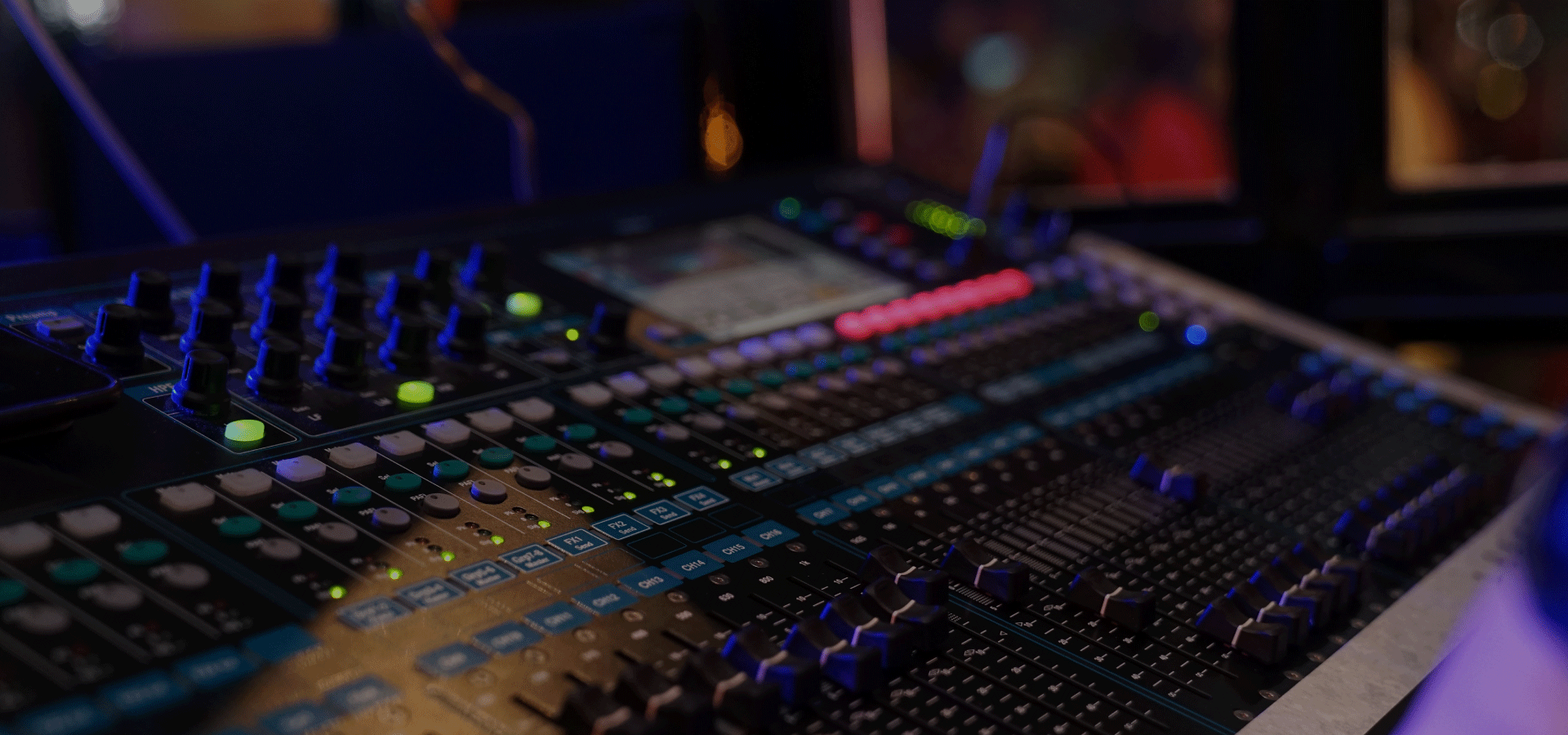
Ableton Live is a popular digital audio workstation (DAW) used by musicians, producers, and DJs for creating and performing music. One of the key features of Ableton Live is its powerful Midi editor, which allows users to create and edit Midi notes with ease. In this article, we will explore the various functionalities of the Midi editor in Ableton Live and how to make the most of this tool.
Getting Started with the Midi Editor
Once you have opened a Midi track in Ableton Live, you can access the Midi editor by clicking on the “MIDI” button located at the bottom of the arrangement view window. The Midi editor will open up, displaying a grid-like interface where you can create and manipulate Midi notes.
Credit: www.youtube.com
Creating and Editing Midi Notes
To create a Midi note, simply click and drag on the grid to draw the note of your desired length. You can adjust the start and end points of the note by dragging the edges, and change the pitch by dragging the note up or down. This allows for precise control over the timing and pitch of each individual note.
Additionally, the Midi editor provides a range of editing tools such as cutting, copying, pasting, and deleting Midi notes. These tools can be accessed from the toolbar located at the top of the Midi editor. When selecting multiple notes, you can also apply batch editing operations, making it efficient to manipulate large sections of Midi data.
Quantization and Groove
Ableton Live’s Midi editor also offers powerful quantization and groove features. Quantization allows you to align Midi notes to a specified grid, ensuring that they fall precisely on the beat. This is especially useful for tightening up performances and achieving a more polished sound.
The groove function, on the other hand, allows you to apply swing and groove patterns to Midi notes. By adjusting the timing and velocity of selected notes, you can introduce a human-like feel to your music, making it sound more organic and groovy.
Using Automation in the Midi Editor
In addition to creating and editing Midi notes, the Midi editor in Ableton Live also allows for automation. Automation is the process of controlling and manipulating various parameters over time. To automate a parameter, simply click on the automation button located next to the parameter you wish to manipulate, and draw in the desired automation curve using the pencil tool.
With the Midi editor’s automation features, you can add dynamic changes to your music, bringing it to life and adding depth and expression to your compositions.
Looping and Iterations
The ability to loop and iterate sections is another powerful feature of the Midi editor in Ableton Live. By highlighting a section of Midi notes, you can easily loop it to repeat and create variations. This allows for experimentation and exploration, helping you to find interesting musical ideas and develop them further.
Credit: www.soundonsound.com
Frequently Asked Questions For Using The Midi Editor In Ableton Live : Mastering Midi Magic
What Are The Main Features Of The Midi Editor In Ableton Live?
The Midi Editor in Ableton Live allows you to create, edit, and arrange MIDI data with precision and flexibility.
How Can I Navigate And Edit Midi Notes In The Midi Editor?
Using the Midi Editor, you can easily navigate and edit MIDI notes by selecting, moving, lengthening, shortening, and duplicating them.
Can I Quantize Midi Notes And Adjust Their Velocities In The Midi Editor?
Absolutely, the Midi Editor enables you to quantize MIDI notes to the grid and adjust their velocities for precise and polished performances.
Is It Possible To Create And Edit Midi Automation In The Midi Editor?
Yes, the Midi Editor offers the functionality to create and edit MIDI automation, allowing for detailed and dynamic control over your music.
Conclusion
The Midi editor in Ableton Live is a versatile and powerful tool for creating and editing Midi notes. With its intuitive interface, extensive editing capabilities, and integrated automation features, it enables musicians, producers, and DJs to craft intricate and expressive musical compositions. Whether you are a beginner or an experienced user, the Midi editor in Ableton Live offers endless possibilities to bring your creative ideas to life.
Distortion is a powerful audio effect that can add character, warmth, and edge to your productions. It is commonly used in various genres such as rock, metal, electronic, and hip-hop to give sounds a gritty and distorted quality. In this article, we will explore how to use distortion in the popular digital audio workstation (DAW), Ableton Live.
Overview of Distortion
Distortion is an audio processing technique that alters the shape of a sound wave by amplifying the signal beyond its normal limits. This results in the creation of harmonic overtones and the introduction of new frequencies, adding richness and complexity to the original audio source.
In Ableton Live, you can find distortion effects in the Audio Effects Rack section of the software. There are several distortion devices available, each offering unique sonic characteristics and controls:
Device
Description
Saturator
A versatile distortion unit offering a wide range of analog-style saturation effects.
Overdrive
Simulates the warm, gritty sound of overdriven guitar amplifiers.
Redux
Quantizes and bit-reduces the audio signal, creating lo-fi, digital distortion.
Credit: www.ableton.com
Using Distortion in Ableton Live
To apply distortion in Ableton Live, follow these steps:
Select the audio or MIDI track you wish to add distortion to.
Click on the “Audio Effects” category in the “Browser” panel on the left side of the screen.
Expand the “Audio Effects Rack” folder.
Drag and drop the desired distortion device onto the track.
Adjust the parameters of the distortion device to achieve your desired effect.
While each distortion device in Ableton Live has its own set of controls, there are some common parameters to keep in mind:
Drive: Controls the amount of distortion applied to the audio signal.
Tone: Adjusts the frequency response of the distorted signal, allowing you to shape its character.
Output Level: Sets the overall volume of the distorted signal.
Experimenting with these parameters will help you achieve different types of distortion, ranging from subtle saturation to extreme fuzziness.
Credit: www.amazon.com
Tips for Using Distortion Creatively
While distortion is often associated with guitars and aggressive music styles, it can be an effective tool in any genre. Here are some creative ways to use distortion in your music:
Layering: Apply distortion to specific elements of your mix, such as vocals or drums, to add grit and presence.
Sound Design: Use distortion to transform ordinary sounds into unique and interesting textures.
Automation: Automate the parameters of the distortion device over time to create dynamic and evolving sonic effects.
Parallel Processing: Blend the distorted signal with the original clean signal using parallel processing techniques to achieve a balanced mix.
Remember, the key to using distortion effectively is to use it tastefully and in moderation. It can enhance your music, but overusing it can result in a harsh and unpleasant listening experience.
Frequently Asked Questions For Using Distortion In Ableton Live: Boost Your Sound Quality
What Are The Basic Types Of Distortion Effects In Ableton Live?
The basic types of distortion effects in Ableton Live include overdrive, fuzz, and saturation. Each type adds its own unique tonal characteristics to the sound.
How Can Distortion Be Used To Enhance Audio In Ableton Live?
Distortion can be used to add warmth, richness, and character to audio in Ableton Live. It can also be used to create a gritty, edgy texture or to make sounds more aggressive and impactful.
What Are Some Recommended Distortion Plugins For Ableton Live?
Some recommended distortion plugins for Ableton Live include CamelCrusher, Audio Damage FuzzPlus 3, and Soundtoys Decapitator. Each plugin offers its own distinct features and sonic possibilities.
In What Ways Can Distortion Be Incorporated Into Music Production In Ableton Live?
Distortion can be incorporated into music production in Ableton Live by layering it subtly to add harmonics, by driving high-energy synth lines, or by adding depth and character to drums and percussion.
Conclusion
Distortion is a versatile audio effect that can add character and energy to your productions. Ableton Live provides a wide range of distortion devices, allowing you to shape your sound with precision. By experimenting with different parameters and applying distortion creatively, you can take your music to the next level.
So why wait? Start exploring the power of distortion in Ableton Live and unleash your creativity!
To prevent vocal plosives, adjust microphone angle and distance, use pop filter, and practice proper mic technique. Vocal plosives can be minimized effectively by implementing these simple techniques.
Vocal plosives are common nuisances in both professional and amateur audio recordings. Plosives often occur when pronouncing consonants like “p” and “b,” leading to unwanted popping sounds in recordings. By understanding how vocal plosives occur and utilizing practical solutions, you can significantly improve the quality of your audio recordings.
This article will explore various strategies to prevent vocal plosives and offer tips on achieving clear and professional audio quality. Whether you are a podcaster, voice-over artist, or musician, mastering methods to minimize vocal plosives is crucial for producing top-notch audio content.
Understanding Vocal Plosives
Learn how to prevent vocal plosives by understanding the causes and techniques to avoid them. Vocal plosives can be minimized by using pop filters, adjusting microphone placement, and practicing proper breathing techniques. Understanding the dynamics of vocal plosives is essential for clear and professional audio recording.
Definition
Vocal plosives are sudden bursts of air produced when certain sounds are articulated. They can cause distortion in vocal recordings if not managed properly.
Causes
Mic Distance: Placing the microphone too close to the mouth can exaggerate plosive sounds.
Pronunciation: Certain consonants like “P” and “B” are more likely to produce plosives.
Breath Control: Inadequate control of breath while speaking can lead to excessive plosives.
Managing vocal plosives is crucial for achieving clear and professional audio recordings. By understanding the causes and implementing appropriate techniques, you can minimize their impact and enhance the quality of your vocal recordings.
Tips For Preventing Vocal Plosives
Vocal plosives can disrupt your audio quality, but with the right techniques, you can minimize them effectively.
Mic Technique
Position your mic slightly to the side to avoid direct airflow.
Use a pop filter to diffuse the air and reduce plosive sounds.
Maintain a consistent distance from the mic while speaking.
Pronunciation Techniques
Practice effective consonant pronunciation techniques.
Focus on gentle articulation to prevent harsh plosive sounds.
Try to relax your lips and jaw to reduce impact on the mic.
Choosing The Right Equipment
When it comes to preventing vocal plosives, choosing the right equipment is essential. The right tools can make a significant difference in minimizing and eliminating unwanted pops and plosives in your vocal recordings. In this guide, we will explore the key equipment you need to consider to prevent vocal plosives effectively.
Pop Filters
Pop filters are essential accessories for preventing vocal plosives. These circular mesh screens are designed to diffuse the force of plosive sounds, such as the harsh breath that occurs when pronouncing ‘P’ and ‘B’ sounds.
Choose a pop filter with a double-layer mesh to provide enhanced protection against plosives.
Ensure the pop filter is adjustable and can be easily positioned in front of the microphone for optimal results.
Consider a pop filter that attaches securely to the microphone stand to maintain a stable position during recording sessions.
Microphone Selection
Investing in the right microphone is crucial for minimizing vocal plosives. The design and type of microphone can significantly impact the amount of plosive sounds captured during recordings.
Choose a microphone with a built-in pop filter or a microphone that is compatible with external pop filters for added protection against plosives.
Consider dynamic microphones as they are less sensitive to plosives compared to condenser microphones.
Look for microphones with a cardioid or supercardioid polar pattern, as they are effective in minimizing plosive sounds by focusing on capturing sound from the front of the microphone.
Vocal Warm-ups And Exercises
Vocal warm-ups and exercises are essential for preventing vocal plosives. These exercises can help improve your breathing technique and enhance articulation, leading to clear and precise vocal delivery. In this section, we will explore two key types of warm-ups and exercises that can significantly reduce vocal plosives: breathing exercises and articulation drills. Let’s dive in!
Breathing Exercises
Proper breath control is crucial for reducing vocal plosives. Here are some simple yet effective breathing exercises that you can incorporate into your warm-up routine:
Belly Breathing: Lie down comfortably on your back. Place one hand on your chest and the other on your belly. Take a deep breath in through your nose, expanding your belly while keeping your chest relatively still. Exhale slowly through your mouth, feeling your belly lower. Repeat this exercise, focusing on deep, diaphragmatic breathing.
4-7-8 Technique: Sit up straight and relax your shoulders. Inhale deeply through your nose for a count of 4, hold your breath for a count of 7, and exhale slowly through your mouth for a count of 8. Repeat this cycle a few times, paying attention to maintaining a steady and controlled flow of air.
Straw Breathing: Take a regular drinking straw and place it between your lips. Inhale deeply through the straw, ensuring that the breath enters from your diaphragm. Exhale through pursed lips, visualizing the flow of air moving smoothly without any sudden bursts. This exercise helps to control your breath and prevent vocal plosives.
Articulation Drills
Clear and precise articulation plays a crucial role in preventing vocal plosives. Here are some exercises to help improve your articulation:
Tongue Twisters: Tongue twisters are excellent for warming up your tongue and improving articulation. Repeat challenging phrases such as “Peter Piper picked a peck of pickled peppers” or “She sells seashells by the seashore” multiple times, ensuring each word is enunciated clearly.
Lip Trills: Gently press your lips together and blow air through them to create a vibrating sound. Start with a simple “brrr” sound and gradually move to longer and more complex phrases. Lip trills engage your articulators, helping you produce smooth and controlled vocal sounds.
Articulation Exercises: Practicing specific articulation drills can further enhance your vocal clarity. Try exercises like repeating sounds such as “pa”, “ta”, “ka” with exaggerated enunciation, gradually increasing speed and precision as you progress.
Integrating these breathing exercises and articulation drills into your vocal warm-up routine can help you prevent vocal plosives and improve the overall quality of your vocal performance. Remember, consistent practice is key to develop solid vocal technique. Now, let’s move on to the next section where we will discuss additional tips and techniques for preventing vocal plosives.
Improving Audio Post-production
To enhance audio post-production quality, focus on minimizing vocal plosives during recording to avoid distracting bursts of air that can impact the overall audio clarity. Using a pop filter or adjusting microphone placement can effectively prevent these plosive sounds from affecting your final audio output.
Improving Audio Post-Production
When it comes to creating high-quality audio recordings, one of the most common challenges is dealing with vocal plosives. These are the harsh popping sounds that can occur when certain consonant sounds, like “p” and “b,” are pronounced too forcefully. Vocal plosives can be a major distraction and can significantly reduce the overall clarity and professionalism of your audio. Fortunately, there are several techniques you can employ during the audio post-production phase to prevent and minimize vocal plosives. In this article, we will explore two effective methods for achieving this: Equalization Techniques and De-essing Methods.
Equalization Techniques
Equalization, also known as EQ, is a powerful tool that enables you to manipulate the frequency balance of an audio recording. By making targeted adjustments to the frequencies that are causing the vocal plosives, you can effectively minimize their impact. Here are some EQ techniques that you can use to achieve this:
Identify the problem frequencies: Start by listening closely to your audio recording and identifying the specific frequencies that are causing the vocal plosives. These frequencies typically fall within the range of 100Hz to 200Hz. Once you have identified them, make a note of their exact values.
Apply a narrow cut: Using a parametric EQ, apply a narrow cut to the problem frequencies. Start with a cut of around -6dB and adjust as needed. The goal is to reduce the volume of the plosives without affecting the overall quality of the voice.
Experiment with different settings: Each recording is unique, so it’s important to experiment with different EQ settings to find the right balance. Try adjusting the cut frequency, bandwidth, and overall gain until you achieve a clear and natural-sounding result.
De-essing Methods
De-essing is another effective technique for preventing vocal plosives. De-essing specifically targets the harsh “s” and “sh” sounds that can contribute to plosive issues. Here are some de-essing methods you can employ:
Use a dedicated de-esser plugin: Many digital audio workstations (DAWs) come with built-in de-esser plugins that are specifically designed to reduce sibilance. These plugins allow you to set the threshold and intensity of the de-essing effect, enabling you to effectively tame the harsh frequency peaks.
Manual de-essing: If you prefer a hands-on approach, you can manually de-ess your audio recordings. This involves identifying the problem areas with excessive sibilance and using a spectral editing tool, such as a waveform editor or a plugin, to reduce the volume of the offending frequencies.
Combine with EQ: To achieve optimal results, consider combining equalization techniques with de-essing methods. By using both techniques in tandem, you can address a broader range of plosive issues and achieve a cleaner, more balanced vocal sound.
By employing these equalization and de-essing techniques during the audio post-production phase, you can effectively prevent and minimize vocal plosives. Remember to carefully listen to your recordings, experiment with different settings, and find the right balance to achieve a clear and professional-sounding result. With consistent practice and attention to detail, you’ll be able to create audio recordings that are free from distracting vocal plosives.
Credit: opensea.io
Credit: opensea.io
Frequently Asked Questions For Prevent Vocal Plosives
How Can I Prevent Vocal Plosives When Speaking Or Singing?
Vocal plosives, such as “p” and “b” sounds, can disrupt your audio recordings. To prevent them, use a pop filter or foam windscreen on your microphone. Additionally, practice proper microphone technique by speaking slightly off-axis or at a slight angle to minimize plosive sounds.
Can Vocal Plosives Be Fixed In Post-production?
Yes, vocal plosives can be reduced or removed in post-production using audio editing software. Use waveform editing tools to identify plosive peaks and apply a de-esser or frequency cut to reduce the harshness. Remember, it’s always best to prevent plosives during recording for cleaner audio quality.
What Causes Vocal Plosives?
Vocal plosives occur when a burst of air hits the microphone during pronunciation of certain sounds, like “p” or “b”. This can happen when speaking or singing close to a microphone without a pop filter, windscreen, or proper technique. Plosives can create unwanted distortion or clicking sounds in audio recordings.
Why Do Vocal Plosives Sound Harsh?
Vocal plosives sound harsh because they produce a sudden burst of energy that can overload the microphone. This overload causes distortion, resulting in the harsh sound. By using proper techniques and equipment, you can minimize plosives and ensure a smoother, more natural audio recording.
Conclusion
In preventing vocal plosives, understanding the causes and implementing the recommended techniques is crucial. By addressing the issue at its root and employing proper microphone placement and filtration, you can significantly diminish the impact of vocal plosives on your recordings or live performances.
Remember to practice proper speech technique to further minimize the occurrence of these disruptive sounds.
Top Ten Mastering Engineers include Bob Ludwig, Ted Jensen, and Emily Lazar. These engineers have mastered iconic albums.
With their expertise, they enhance the sound quality and ensure the tracks are balanced for a premium listening experience. They use cutting-edge technology and techniques to optimize the audio for commercial release. Mastering engineers play a crucial role in the music production process, bringing out the full potential of a recording.
Their attention to detail and ear for perfection make them sought-after professionals in the industry. Let’s explore the top ten mastering engineers who have made a significant impact on the music world.
The Art Of Mastering Engineers
Mastering Defined
Mastering is the final and crucial step in the music production process.
Importance Of Mastering
Mastering enhances the overall sound, ensuring songs are polished and cohesive.
The Role Of Mastering Engineers
Mastering engineers play a crucial role in the final stage of music production, ensuring the audio quality is optimized for listening across various devices and platforms.
Enhancing Audio Quality
Mastering engineers utilize specialized tools and techniques to refine the audio, enhancing the clarity and overall sound of the tracks.
Maintaining Cohesiveness
Ensuring a consistent sound throughout the album, mastering engineers balance the levels and tonal qualities of each track for a seamless listening experience.
Traits Of Top Mastering Engineers
Mastering engineers play a crucial role in the music production process. Their expertise is essential for achieving the perfect sound and ensuring that a recording is optimized for various formats and playback systems. The top mastering engineers possess a unique set of traits that set them apart in the industry. Let’s explore some of these defining characteristics.
Attention To Detail
Mastering engineers have an unparalleled attention to detail. They meticulously scrutinize every aspect of a recording, focusing on nuances such as dynamic range, tonal balance, and overall clarity. Their keen eye and ear for detail ensure that every element of a track is optimized to its fullest potential.
Technical Proficiency
Top mastering engineers demonstrate exceptional technical proficiency. They possess deep knowledge of audio processing tools and equipment, allowing them to make precise adjustments to equalization, compression, and other mastering processes. Their expertise in using specialized software and hardware enables them to achieve the desired sonic characteristics while preserving the integrity of the original recording.
Pioneers In The Field
Elevating the music industry, the top ten mastering engineers have carved out their place as pioneers in the field. Pushing the boundaries of sound and creativity, they are revered for their technical prowess and ability to bring out the best in every track.
Their expertise has left an indelible mark on the world of music.
When it comes to the art of mastering music, there is a select group of individuals who have paved the way for the industry as we know it today. These legendary mastering engineers have not only shaped the sound of some of the biggest hits of all time but have also introduced innovative techniques that have revolutionized the field. In this article, we will take a closer look at the top ten mastering engineers who can be considered true pioneers in the industry.
Legendary Mastering Engineers
In the world of mastering, there are a few names that stand out as true legends. These individuals have not only mastered some of the most iconic albums but have also set the standard for excellence in their craft. Let’s take a look at some of these legendary mastering engineers.
Bob Ludwig: With a career spanning decades, Bob Ludwig has mastered albums for artists like Led Zeppelin, Daft Punk, and Nirvana. His attention to detail and meticulous approach have earned him numerous awards and accolades.
Ted Jensen: Ted Jensen is known for his work with artists such as Madonna, Maroon 5, and Green Day. His ability to bring out the best in a recording and enhance its sonic qualities has made him one of the most sought-after mastering engineers.
Emily Lazar: As the first female mastering engineer to win a Grammy award, Emily Lazar has made significant strides in the industry. Her work with artists like David Bowie, Beck, and Vampire Weekend showcases her versatility and talent.
Sterling Sound: Sterling Sound, founded by Tom Coyne, has been a powerhouse in the mastering world. Their team of engineers, including Chris Gehringer and Ryan Smith, have worked on countless hit albums and have played a vital role in shaping the sound of modern music.
Innovative Techniques
These pioneering mastering engineers have not only mastered albums but have also introduced innovative techniques that have forever changed the industry. Let’s explore some of the techniques that have made these engineers true trailblazers.
Mastering for Streaming: With the rise of music streaming services, mastering engineers have had to adapt their techniques to ensure the best possible sound on digital platforms. These pioneers have been at the forefront of this evolution, understanding the intricacies of various streaming formats and adapting their mastering processes accordingly.
Mastering for Vinyl: Vinyl records have experienced a resurgence in popularity in recent years, and mastering engineers have had to master albums specifically for this medium. These pioneers have explored new techniques to achieve the warm and dynamic sound that vinyl enthusiasts crave.
Dynamic Range Compression: The use of dynamic range compression in mastering has been a controversial topic. However, these engineers have embraced this technique and pushed its boundaries, creating impactful and punchy soundscapes while maintaining the integrity of the original recordings.
Mastering in Surround Sound: With the advancement of technology, mastering engineers have been able to work with surround sound formats, adding a new dimension to the listening experience. These pioneers have harnessed this capability and created immersive soundscapes that captivate the listener.
In conclusion, these legendary mastering engineers have not only left an indelible mark on the music industry, but they have also introduced innovative techniques that continue to shape the field of mastering. Their dedication to their craft and their ability to push the boundaries of what is possible have solidified their place as true pioneers in the industry.
Future Of Mastering Engineering
Discover the top ten mastering engineers shaping the future of the industry with impeccable skills and innovative techniques. These experts are revolutionizing sound production, setting new benchmarks for audio quality and mastering standards. Explore their work for a glimpse into the cutting-edge world of professional audio mastering.
The Future of Mastering Engineering is a topic that continues to generate excitement and curiosity within the music industry. With advancements in technology and the emergence of new trends, mastering engineers are poised to take their craft to a whole new level. In this blog post, we will explore the future of mastering engineering, focusing on two key areas: Advancements in Technology and New Trends.
Advancements In Technology
Harnessing the power of technology has always been a driving force behind the evolution of the music industry. When it comes to mastering engineering, advancements in technology have revolutionized the way audio is processed, enhanced, and optimized.
Advancement
Description
Digital Audio Workstations (DAWs)
DAWs have become the backbone of mastering engineering, allowing professionals to manipulate audio with precision and flexibility.
Artificial Intelligence (AI) Tools
AI-powered tools can analyze audio tracks and suggest enhancements, speeding up the mastering process and optimizing results.
Cloud-based Collaboration
Mastering engineers can now collaborate seamlessly with artists and producers from different locations, making workflow more efficient and convenient.
These technological advancements not only make mastering engineering more accessible but also facilitate a higher level of creativity and experimentation.
New Trends
As the music industry continues to evolve, new trends emerge that shape the future of mastering engineering. These trends not only reflect the changing tastes of listeners but also influence the techniques and approaches used by mastering engineers to deliver exceptional sound quality.
Immersive Audio: With the rise of virtual reality and spatial audio, mastering engineers are exploring new techniques to create immersive sonic experiences.
Vintage Analog Revival: Despite technological advancements, there is a growing demand for the warm, organic sound of vintage analog equipment, leading mastering engineers to incorporate these tools into their workflow.
Personalized Listening: With the advent of streaming services and personalized playlists, mastering engineers are mastering tracks to sound their best on various platforms and devices.
Mastering for Social Media: With social media platforms becoming a prominent medium for music consumption, mastering engineers are adapting their techniques to optimize sound for social media platforms.
These new trends reflect the ever-changing landscape of the music industry and present exciting opportunities for mastering engineers to push the boundaries of their craft.
In conclusion, the future of mastering engineering is filled with endless possibilities. With advancements in technology and the emergence of new trends, mastering engineers will continue to play a pivotal role in shaping the sound of music. Whether it’s exploring the latest tools or embracing innovative techniques, mastering engineers are poised to thrive in this rapidly evolving industry.
Credit: m.facebook.com
Frequently Asked Questions On Top Ten Mastering Engineers
Who Are Some Of The Top Mastering Engineers In The Industry?
Some of the top mastering engineers in the industry include Bob Ludwig, Emily Lazar, and Bernie Grundman. They are known for their exceptional skills in enhancing audio quality, balancing frequencies, and maximizing the impact of the final audio product.
What Qualifications Should A Mastering Engineer Have?
A mastering engineer should have a deep understanding of audio and music production, as well as technical knowledge of mastering software and tools. Strong communication and listening skills are crucial to understand clients’ needs and deliver their vision. It is also beneficial to have experience working with different genres of music.
How Does A Mastering Engineer Enhance Audio Quality?
A mastering engineer enhances audio quality through various techniques such as adjusting levels, equalization, compression, and stereo imaging. They also ensure that the audio is consistent across different playback systems, making it sound balanced and professional. Their expertise lies in making the final product sound cohesive, clear, and refined.
Conclusion
These top ten mastering engineers have proven their expertise and talent in elevating the quality of music. Their contribution to the industry is invaluable, and their innovative techniques continue to shape the sound of music. Working with these masterful engineers can undoubtedly enhance the overall quality of any musical production.
FL Studio is a powerful digital audio workstation used by music producers around the world. One of its notable features is the Step Sequencer, which allows users to easily create drum patterns, melodies, and basslines. In this article, we will explore the fundamentals of using the Step Sequencer in FL Studio.
Credit: www.productionmusiclive.com
Understanding the Step Sequencer
The Step Sequencer is a grid-based interface where you can create and arrange musical patterns. It consists of multiple channels, each representing a different instrument or sound. To access the Step Sequencer, simply click on the Step Sequencer icon in FL Studio’s toolbar.
Once you have the Step Sequencer open, you can start building your patterns. Each channel in the Step Sequencer represents a different sound or instrument, such as drums, synths, or bass. By default, the Step Sequencer contains 16 steps, representing a single bar of music.
Adding and Editing Patterns
To add a pattern to a channel, simply click on an empty slot in the Step Sequencer grid. This will create a blank pattern for that channel. You can then use your mouse to draw notes or steps on the grid, representing the rhythm and melody of your pattern.
Clicking on a step in the grid will activate it, while right-clicking will deactivate it. You can also adjust the velocity of each step by adjusting the corresponding knob in the Step Sequencer. Velocity determines the volume or intensity of a sound.
If you want to edit an existing pattern, simply click on the channel in the Step Sequencer. This will open the Piano Roll, where you can make detailed adjustments to the notes and arrangement of your pattern.
Credit: macprovideo.com
Arranging Patterns in the Playlist
Once you have created multiple patterns in the Step Sequencer, you can arrange them in the Playlist. The Playlist is where you can sequence the patterns and create a full song structure.
To add a pattern to the Playlist, simply drag and drop it from the Step Sequencer to an empty track. You can then arrange the patterns by dragging them horizontally in the Playlist, creating a unique arrangement for your track.
Additional Features and Tips
FL Studio’s Step Sequencer offers several additional features to enhance your music production workflow:
Copy and paste: You can easily duplicate patterns by selecting them and using the copy and paste commands.
Automation: FL Studio allows you to automate various parameters in the Step Sequencer, such as filter cutoff or effect parameters, to add movement and variation to your patterns.
Pattern length: You can change the length of individual patterns in the Step Sequencer to create complex rhythms and polyrhythms.
As you continue to use the Step Sequencer in FL Studio, remember to experiment, try different patterns, and explore the various features and possibilities. With practice and creativity, you’ll be able to create unique and captivating music using this powerful tool.
Frequently Asked Questions On Using The Step Sequencer In Fl Studio: Mastering The Beat Essentials
How Do I Access The Step Sequencer In Fl Studio?
To access the Step Sequencer in FL Studio, simply click on the Step Sequencer icon at the top of the interface.
What Is The Purpose Of The Step Sequencer In Fl Studio?
The Step Sequencer in FL Studio is used to create and arrange patterns of musical notes and rhythms for various instruments.
Can I Use The Step Sequencer For Different Instruments?
Yes, the Step Sequencer allows you to create and program patterns for a wide range of instruments and sounds within FL Studio.
Is It Possible To Adjust The Tempo In The Step Sequencer?
Absolutely, you can easily adjust the tempo within the Step Sequencer to achieve the desired speed for your music composition.
Equalization, commonly referred to as EQ, is a fundamental tool used in music production to shape and balance the frequency content of audio signals. In FL Studio, a popular digital audio workstation (DAW), the EQ capabilities are powerful and versatile, allowing users to enhance and refine their sounds with precision.
Credit: www.native-instruments.com
Understanding EQ
EQ works by selectively boosting or cutting specific frequencies in an audio signal. By manipulating the frequency spectrum, you can emphasize certain elements of a sound, reduce unwanted frequencies, or create an overall sense of balance. With FL Studio’s built-in EQ plugins, you have full control over these adjustments.
The EQ Effects in FL Studio
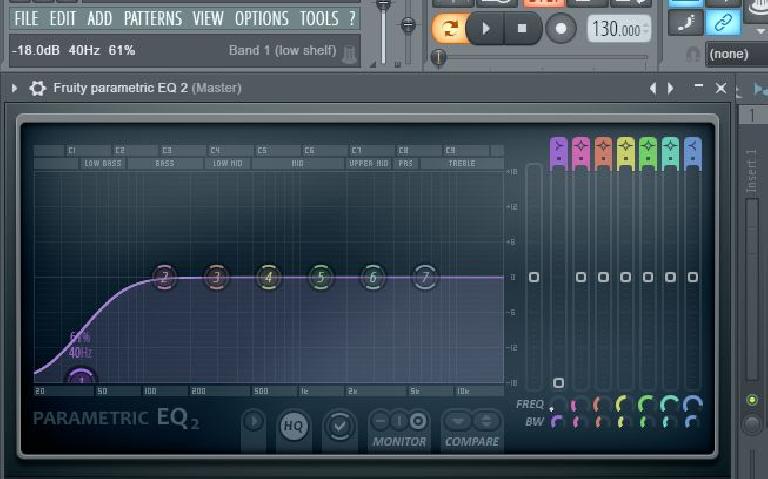
In FL Studio, there are several EQ plugins to choose from, each with its own unique features and interface. The most commonly used ones include:
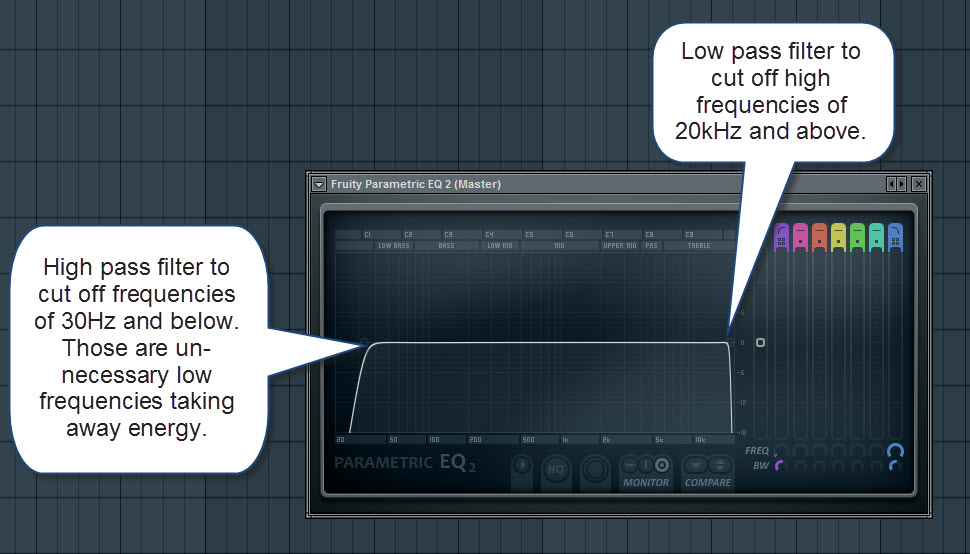
Fruity Parametric EQ 2: A versatile graphic equalizer with parametric controls for precise adjustments.
Fruity EQ 2: A simpler version of the Parametric EQ 2, perfect for quick adjustments.
Fruity Love Philter: An advanced filter plugin that includes EQ capabilities.
Credit: howtomakeelectronicmusic.com
Using EQ in FL Studio
When working with EQ in FL Studio, consider the following essential techniques:
Identify the problem frequencies: Listen carefully to your audio and identify any frequencies that are causing imbalance or issues in the mix.
Use spectrum analyzers: FL Studio offers real-time spectrum analyzers to visualize the frequency content of your audio, making it easier to identify problem areas.
Apply cuts and boosts: Using the EQ plugin of your choice, selectively cut or boost the identified frequencies to compensate for any imbalances.
Use Q and bandwidth controls: Adjusting the Q or bandwidth controls allows you to fine-tune the width of the frequency band being affected, giving you more precise control over the EQ adjustments.
Focus on subtle adjustments: Small, subtle EQ adjustments often yield better results than drastic changes. Keep your changes minimal to avoid negatively impacting the overall sound.
Experiment with different EQ plugins: FL Studio provides various EQ options, so don’t be afraid to try different plugins to find the one that best suits your needs and workflow.
Common EQ Applications
EQ can be used in various applications to enhance and shape your audio:
Application
Explanation
Mixing
EQ allows you to balance the different elements in a mix and ensure they sit well together.
Mastering
Mastering EQ helps enhance the overall tonal balance and clarity of a finished track.
Sound Design
EQ can be used creatively to shape and sculpt individual sounds or create special effects.
Frequently Asked Questions Of Using Eq In Fl Studio : Mastering Audio Quality
What Is Eq In Fl Studio?
Equalization (EQ) is a tool used to adjust the balance of frequencies within audio tracks.
How To Use Eq In Fl Studio?
Open the Mixer, select the track, insert a parametric EQ, and adjust the frequency bands.
Why Is Eq Important In Music Production?
EQ helps to remove unwanted frequencies, enhance clarity, and create a balanced mix.
What Are The Types Of Eq Available In Fl Studio?
FL Studio offers parametric EQ, graphic EQ, and linear phase EQ for precise audio shaping.
Conclusion
EQ is a powerful tool in FL Studio that allows you to shape and balance the frequency content of your audio. By understanding how to use EQ effectively and experimenting with different plugins, you can take your music production to the next level. Remember to keep your adjustments subtle and focus on achieving a balanced sound. Happy EQing!
Learn the essential steps for mixing music effectively. Start with understanding levels, panning, and EQ.
Mixing music is a crucial process in creating professional-quality audio tracks. As a music producer or enthusiast, mastering the art of mixing can significantly enhance the overall quality of your recordings. From balancing levels and adjusting panning to fine-tuning EQ settings and applying effects, each step plays a vital role in achieving a well-rounded mix.
By following the right techniques and utilizing the appropriate tools, you can effectively blend different elements of your music to create a cohesive and impactful sound. In this comprehensive guide, we will explore the key principles and strategies for mixing music like a pro, helping you take your music production skills to the next level.
Understanding The Basics Of Music Mixing
Fundamentals Of Mixing
Mixing music involves blending different audio tracks together to create a harmonious and balanced sound.
It includes adjusting levels, panning, adding effects, and more to enhance the overall quality of the music.
The Importance Of Equalization
Equalization is a vital aspect of music mixing, allowing you to adjust the frequency balance of individual tracks.
It enhances clarity, helps prevent frequencies from clashing, and ensures each instrument or vocal stands out.
“`
Do you need help with anything else?
Essential Tools For Music Mixing
Mixing music requires the right tools to achieve professional-quality results. Understanding the Essential Tools for Music Mixing is crucial to the success of any mix. In this guide, we will explore the key tools that every music mixer should have in their arsenal.
Digital Audio Workstation (daw)
A Digital Audio Workstation (DAW) is the central hub where all mixing takes place. It is a software program that allows you to record, edit, and mix audio tracks. Popular DAWs include Pro Tools, Logic Pro, and Ableton Live.
Plugins And Effects
Plugins and Effects are essential tools that enhance the sound of your tracks. Plugins are additional software components that can be added to your DAW to add effects such as reverb, delay, EQ, and compression. Effects, on the other hand, are built-in tools within the DAW that alter the audio signal.
Mastering Techniques For Polishing Your Mix
Dynamic Range And Compression
Enhancing your mix’s dynamic range is crucial for creating a balanced and impactful sound. Utilize compression to control the dynamic range of individual tracks and overall mix. Adjust the threshold, ratio, and attack/release settings to sculpt the dynamics and ensure every element sits well within the mix.
Adding Depth With Reverb And Delay
Reverb and delay are essential tools for adding space and depth to your mix. Experiment with different types of reverbs and delays to create a sense of spaciousness and ambiance in your mix. Adjust the decay time, pre-delay, and wet/dry mix to tailor the reverb and delay effects to each track.
Credit: training.npr.org
Understanding The Role Of Eq In Mixing
Unravel the significance of EQ in the art of music mixing with a comprehensive guide. Understand the pivotal role of EQ in balancing frequencies and shaping the overall sonic character of your mix. Mastering the intricacies of EQ empowers you to achieve professional-grade sound quality in your music productions.
Understanding the Role of EQ in Mixing
In the process of mixing music, equalization (EQ) plays a crucial role in shaping and transforming the sound of each individual instrument or element within a mix. EQ allows audio engineers to adjust the balance of frequencies, ensuring that each element sits well within the overall mix. This comprehensive guide will provide you with an in-depth understanding of the role of EQ in mixing, along with techniques for balancing frequencies and utilizing corrective and creative EQ.
Balancing Frequencies
When it comes to balancing frequencies in a mix, it’s important to ensure that each instrument or element has its own space within the frequency spectrum. This prevents certain elements from overpowering others, resulting in a well-balanced and pleasant mix. Here are some techniques to achieve frequency balance:
Identify the dominant frequencies: Use your ears and a spectrum analyzer to identify the prominent frequencies of each element. This will help you determine which frequencies need to be adjusted.
Address frequency clashes: If two or more elements are fighting for the same frequency range, use EQ to make subtle cuts or boosts to create separation.
Low-end management: The bass and kick drum are fundamental elements in most music genres. Use EQ to ensure they have their own space and don’t interfere with each other.
Notch filtering: If there are specific problem frequencies causing issues in the mix, notch filtering can be an effective technique. It involves making narrow cuts using a notch filter to eliminate unwanted resonances or harsh frequencies.
High-frequency clarity: Enhance the clarity and presence of vocal tracks, cymbals, and other high-frequency elements by adding a gentle boost to the higher frequencies.
Techniques For Corrective And Creative Eq
Corrective EQ involves addressing problematic frequencies or tonal imbalances in a mix, while creative EQ allows you to shape the overall sound and add character to individual elements. Here are some techniques for both:
Corrective EQ:
Remove muddiness: Use cuts in the lower midrange frequencies to reduce muddiness and improve clarity.
Reduce harshness: If a certain element sounds harsh or piercing, use EQ to make slight cuts around the offending frequencies.
Surgical EQ: For specific issues like resonances or unwanted noises, use surgical EQ techniques to make precise and narrow cuts to remove or reduce these problems.
Creative EQ:
Add warmth: Boosting the low midrange frequencies can add warmth and depth to instruments like guitars and vocals.
Brighten up: A gentle boost in the high-frequency range can add brightness and sparkle to elements like hi-hats and acoustic guitars.
Create unique sounds: Experiment with EQ to sculpt and shape the sound of individual elements, allowing you to create unique and interesting sonic textures.
Advanced Tips For Achieving Professional Sound
Discover professional sound mixing techniques that will elevate your music to the next level. Gain advanced insights on achieving a polished audio quality through expert tips and strategies. Elevate your music production with this comprehensive guide for achieving a professional sound.
When it comes to mixing music, understanding the advanced techniques can make all the difference in achieving a professional sound. In this section, we will explore two essential aspects of the mixing process that can help elevate your tracks to the next level: stereo imaging and automation.
Understanding Stereo Imaging
Stereo imaging refers to the spatial placement and distribution of sound within the stereo field. It determines how wide, narrow, or centered each instrument or element in your mix sounds. By mastering stereo imaging, you can create a sense of depth, space, and separation, enhancing the overall clarity and impact of your music.
Here are a few key strategies to optimize your stereo imaging:
Use panning: Place instruments or elements at varying positions between the left and right speakers to create a wide stereo image. This technique allows for better separation and prevents any muddiness in the mix.
Employ stereo wideners: Utilize plugins or effects that enhance the perceived width of certain elements. However, exercise caution to avoid excessive widening, which can lead to an unnatural and unfocused sound.
Consider center-channel focus: Keep important elements, such as lead vocals or center-focused instruments, prominent in the mix to maintain focus and prevent them from getting lost in the stereo field.
Utilizing Automation For Precision
Automation involves controlling the movement of various parameters throughout the mix to add dynamic changes and fine-tune individual elements. By strategically using automation, you can achieve precision and enhance the overall impact of your music.
Here are some ways to leverage automation effectively:
Volume automation: Adjust the volume levels of specific tracks, sections, or even individual notes to emphasize certain parts and maintain a cohesive balance throughout the song.
EQ automation: Modulate the equalization settings to sculpt the frequency balance of different instruments or vocals, ensuring they blend seamlessly and stand out at the right moments.
Effects automation: Create movement and transitions by automating parameters such as reverb, delay, or modulation effects. This adds depth and interest to your mix, keeping the listener engaged.
In conclusion, a solid understanding of stereo imaging and expert utilization of automation can take your music mixes to a whole new level of professionalism and sonic quality. By implementing these advanced techniques, you can achieve clarity, depth, and precision that will captivate your audience and make your tracks stand out among the rest.
Credit: www.avid.com
Frequently Asked Questions Of A Complete Guide For Mixing Music
What Is Music Mixing And Why Is It Important?
Music mixing is the process of blending different audio elements to create a balanced and polished final mix. It is important because it enhances the overall sound quality, improves clarity, and ensures that all elements can be heard clearly.
How Can I Improve My Music Mixing Skills?
To improve your music mixing skills, practice regularly, study the works of experienced mixers, experiment with different techniques and plugins, and seek feedback from others. It’s also important to trust your ears and develop a good understanding of EQ, compression, and other mixing tools.
What Are Some Common Issues In Music Mixing?
Some common issues in music mixing include improper balance between instruments, muddiness or lack of clarity, excessive or uneven volume levels, harshness in high frequencies, and a lack of overall cohesion. Identifying and addressing these issues can greatly improve the quality of your mixes.
Should I Mix My Own Music Or Hire A Professional?
Whether to mix your own music or hire a professional depends on your goals, budget, and skill level. If you have the time, patience, and desire to learn, mixing your own music can be a great way to develop your skills.
However, if you want a polished and industry-standard sound, hiring a professional mixer may be a better option.
Conclusion
So there you have it—a comprehensive guide to mixing music. With these tips and techniques, you can take your music production skills to the next level. Remember to trust your ears, experiment, and continue learning. By staying open-minded and dedicated, you’ll be able to create professional-sounding mixes that stand out.
For your first project, aim for around 5-7 songs to keep it cohesive and engaging. Having a modest number of songs allows you to focus on quality over quantity, capturing listeners’ attention effectively.
Planning your debut project with the optimal number of songs sets the tone for your artistic vision and helps you create a memorable music experience. It’s crucial to strike a balance between showcasing your talent and keeping your audience interested from start to finish.
By selecting the right number of songs, you can make a strong impact in the competitive music industry and leave a lasting impression on your listeners.
The Significance Of Song Quantity
When embarking on your first music project, the number of songs you release holds great significance. It’s vital to strike a balance between quality and quantity. By carefully selecting the optimal number of songs, you can make a substantial impact and leave a lasting impression on your audience.
The Significance of Song QuantitySetting the Tone In creating your first project, the number of songs sets the initial impression. Creating a Cohesive Experience Ensuring each track complements the others is crucial for audience engagement. Start with a Well-rounded Collection Consider 5-7 songs to showcase your range and talent effectively. Avoid Overwhelming Your Audience Too many songs can dilute the impact of your music. Quality Over Quantity Focus on creating a few exceptional tracks rather than quantity. Strive for a Balanced Mix Aim for a diverse selection that keeps listeners intrigued. Consider Your Audience’s Attention Span Shorter projects tend to resonate better with today’s listeners. Craft a Memorable Listening Journey Each song should flow seamlessly into the next for a satisfying experience.
Credit: en.wikipedia.org
Quality Over Quantity
Focus on creating a solid debut with fewer tracks that showcase quality over quantity. Aim for an optimal number of songs for your first project to make a lasting impact and engage listeners effectively. Prioritize excellence in each track to stand out in a crowded musical landscape.
Crafting Memorable Tracks
Embracing Artistic Freedom
Quality Over Quantity: Focus on creating a few exceptional songs rather than churning out many average ones.
When crafting your music project, it’s crucial to focus on quality over quantity.
By putting time and effort into each track, you can ensure that your music resonates with your audience.
Remember, empathizing with your listeners will help you create a more engaging and memorable experience for them.
Crafting Memorable Tracks: Each song should be a standout piece that showcases your unique style and creativity.
Embracing Artistic Freedom: Allow yourself the space to experiment and innovate without constraints.
Impacts On Project Length
When considering the optimal number of songs for your first music project, it’s crucial to understand the impacts on project length. The number of songs you include can directly affect the overall duration of your project, influencing various aspects such as production time, marketing efforts, and audience engagement.
Balancing Duration
One of the key aspects to consider when deciding on the number of songs for your first project is the balancing of duration. A shorter project with a limited number of songs can be more manageable in terms of production and promotion. On the other hand, a longer project with a larger song count may require more time and resources to bring to fruition. Balancing these aspects is crucial to ensure a realistic timeline and effective utilization of resources.
Consideration Of Audience
Another crucial factor to evaluate is the consideration of your audience. The length of your project can directly impact the attention span and interest of your listeners. Too many songs can overwhelm or exhaust the audience, while too few may leave them wanting more. Understanding your target audience is vital in determining the optimal number of songs that will resonate with them and keep them engaged throughout the project.
Variety In Musical Content
Explore the optimal number of songs for your first project, focusing on variety in musical content. Diversifying your tracks can engage listeners and showcase your range as an artist. Aim for a balanced mix of styles and genres to create a compelling debut album or EP.
Exploring Different Styles
When it comes to creating your first music project, experimenting with different styles can be key to capturing your audience’s attention. By exploring various musical genres, you can showcase your versatility as an artist and appeal to a wider range of listeners.
By incorporating different styles like pop, rock, hip-hop, or electronic into your project, you can create a truly unique and diverse listening experience for your audience. This not only keeps your music fresh and exciting but also allows you to tap into different demographics and reach new fans.
Imagine your first project as a canvas where you can paint with a rich palette of musical colors, each style adding a unique flavor to your overall sound. Diversifying your musical palette allows you to dig deeper into your artistic expression and push the boundaries of your creativity.
Experimenting With Diversity
Not only does experimenting with diversity give you the opportunity to explore different musical styles, but it also opens doors for collaboration and innovation. Mixing genres and blending sounds can lead to unexpected and powerful combinations that set your music apart from the rest.
By stepping out of your comfort zone and embracing diversity, you can broaden the horizons of your musical journey. Collaborating with artists from different genres, exploring new instruments, or incorporating unconventional sounds can add depth and excitement to your project.
Think about how artists like David Bowie, Prince, or Kendrick Lamar continuously pushed boundaries and experimented with diverse musical elements. It’s this willingness to take risks and explore uncharted territories that often leads to groundbreaking music that resonates with audiences on a profound level.
Remember, embracing diversity is about celebrating the melting pot of influences that have shaped you as an artist. It’s about letting your authenticity shine through and creating something that is uniquely yours.
Post-release Considerations
After releasing your first music project, consider the optimal number of songs carefully. Too few tracks may leave your audience wanting more, while too many can overwhelm. Finding the right balance will ensure a successful and satisfying debut.
Marketing And Promotion
After releasing your first project, it is crucial to shift your focus towards marketing and promotion. This is the time to create buzz and get your music out there to reach a wider audience. Utilize various marketing strategies to maximize the exposure of your songs. Consider the following:
Share your music on social media platforms such as Facebook, Instagram, and Twitter. Engage with your followers and encourage them to share your content.
Create eye-catching graphics and videos to promote your songs. Visual content can grab attention and increase the chances of your music being noticed.
Collaborate with other artists or influencers in your genre. This can help you tap into their existing fan base and gain new listeners.
Submit your music to online playlists and streaming platforms. Many platforms offer opportunities for independent artists to showcase their work.
Consider investing in paid advertising to reach a larger audience. Facebook Ads and Google AdWords are popular options that allow you to target specific demographics.
Feedback And Evaluation
Obtaining feedback and evaluating your first project is essential for growth and improvement. Feedback helps you understand how your music is resonating with listeners and what areas you can work on. Here are some ways you can gather feedback and evaluate your project:
Encourage your listeners to leave comments and reviews on your social media platforms, music streaming services, and website.
Reach out to industry professionals, such as music bloggers or reviewers, to get their honest opinions on your work.
Participate in online music communities and forums to connect with fellow musicians and receive constructive criticism.
Track your streaming and download numbers to gauge the popularity of your songs. This data can help you identify which tracks are resonating the most with your audience.
Analyze your social media engagement and website traffic to see if your promotion efforts are generating interest.
Remember, marketing and promotion, as well as receiving feedback, are ongoing processes. Continuously adapt your strategies and seek opportunities to connect with your audience. This will help you build a loyal fan base and pave the way for future projects.
Credit: www.synthesia.io
Credit: blog.groover.co
Frequently Asked Questions Of Optimal Number Of Songs For Your First Project
Q: How Many Songs Should Be In My First Music Project?
A: The optimal number of songs for your first music project depends on various factors, such as genre, length, and your target audience. Generally, it is recommended to have around 4 to 6 songs to showcase your talent and versatility without overwhelming listeners.
Q: Can I Have Too Many Songs In My First Project?
A: While it’s important to have enough songs to demonstrate your skills and style, having too many songs in your first project can be overwhelming for listeners. Stick to a manageable number of tracks that highlight your best work and leave listeners wanting more.
Q: Is It Better To Have A Shorter Or Longer Project For A Debut Release?
A: When it comes to the length of your debut release, quality often trumps quantity. It’s better to focus on creating a shorter project with high-quality songs that leave a lasting impression on listeners. A concise and impactful debut can help you make a strong impression in a competitive music industry.
Q: What Factors Should I Consider When Deciding The Number Of Songs For My Project?
A: When deciding the number of songs for your project, consider factors such as your genre, target audience’s preferences, attention span, and the time and resources available to you. Ensure that the final number of songs allows you to showcase your talent effectively without compromising quality.
Conclusion
The optimal number of songs for your first project depends on various factors such as your goals, resources, and target audience. It’s essential to strike a balance between quantity and quality to make a lasting impression. Consider the dynamics of the music industry and focus on creating a cohesive and impactful collection to leave a memorable mark.
Embrace creativity and strategic planning to maximize your project’s potential.
Mastering jazz music involves understanding chord progressions and improvisation techniques. Practice, theory, and experimentation are key elements.
Jazz music, with its rich history and diverse styles, has captivated audiences for generations. From the swing era to modern fusion, mastering this genre requires dedication and skill. In this guide, we will explore the fundamentals of jazz music, including scales, modes, and rhythmic patterns.
By delving into the techniques of jazz legends and applying them to your own playing, you can elevate your musicianship and unlock the true essence of this dynamic art form. Join us on a journey through the world of jazz music and discover how to master its complexities and create your unique sound.
The Evolution Of Jazz Music
Jazz emerged in the late 19th century in the United States, blending African and European musical traditions.
Rooted in blues and ragtime, jazz music emphasized improvisation and syncopated rhythms.
Early jazz pioneers like Louis Armstrong and Duke Ellington shaped the genre’s foundations.
Jazz grew in the 20th century, absorbing influences from Latin, soul, and funk music.
Miles Davis and John Coltrane revolutionized jazz with their avant-garde approaches.
Innovations in technologies like electric instruments and recordings further shaped jazz’s evolution.
Contemporary jazz artists combine traditional styles with electronic elements for a fresh sound.
Genres like fusion and smooth jazz continue to push the boundaries of jazz music.
Jazz festivals and online platforms provide platforms for modern-day jazz expression.
Key Elements Of Jazz
Jazz music is an intricate and captivating genre that thrives on improvisation, swing rhythm, and complex harmonic progressions. These key elements are fundamental to understanding and mastering the art of Jazz.
Improvisation
Improvisation is at the core of Jazz music, allowing musicians to spontaneously create melodies and solos. It encourages creative freedom and personal expression in every performance.
Swing Rhythm
Swing rhythm is a distinctive element of Jazz, characterized by its offbeat feel and syncopated patterns. It adds a dynamic energy and groove that is essential to the genre.
Harmonic Progressions
Harmonic progressions in Jazz are complex and sophisticated, often incorporating extended chords and altered tones. They provide a rich harmonic foundation for musicians to explore and expand upon.
Influential Jazz Musicians
Explore the influence of iconic jazz musicians and their mastery of the music genre. Discover the innovative techniques and unique styles that have shaped the evolution of jazz music. Gain insight into the creative genius and lasting impact of these legendary musicians.
Influential Jazz Musicians
Jazz music is a rich and diverse genre that has been shaped and revolutionized by numerous influential musicians. These artists have not only contributed to the growth and popularity of jazz music but have also left a lasting impact on music culture as a whole. Let’s take a closer look at a few of these iconic figures: Louis Armstrong, Miles Davis, and Ella Fitzgerald.
Louis Armstrong
Louis Armstrong, also known as Satchmo, was a pioneering jazz trumpeter and vocalist. His vibrant personality and distinctive voice set him apart as a significant force in the development of jazz. Armstrong’s improvisational skills and charisma on stage made him an enduring icon in the world of music.
Miles Davis
Miles Davis, a visionary trumpeter and composer, redefined the boundaries of jazz music. His innovative approach to improvisation and experimentation with different musical styles earned him a prominent place in the history of jazz. Davis’ groundbreaking albums continue to inspire and captivate audiences across the globe.
Ella Fitzgerald
Ella Fitzgerald, often referred to as the “First Lady of Song,” possessed an unmatched vocal talent and an impeccable sense of phrasing. Her contributions to jazz, particularly in the realm of scat singing, solidified her status as one of the most influential jazz vocalists of all time. Fitzgerald’s timeless recordings and live performances continue to serve as a source of inspiration for aspiring musicians.
These jazz icons have undoubtedly shaped the landscape of music and continue to influence countless artists in the modern era. Their contributions serve as a testament to the enduring power of jazz music and its ability to transcend generations.
Styles And Subgenres
Explore various styles and subgenres to master jazz music, encompassing swing, bebop, and fusion. Dive into the intricate complexities of each, honing your skills and understanding the rich tapestry of jazz.
Mastering jazz music involves understanding and appreciating the various styles and subgenres that make up this rich and vibrant genre. From the lively sounds of Dixieland Jazz to the complex melodies of Bebop and the fusion of different musical genres in Fusion Jazz, each style brings its own unique flavor to the world of jazz.
Dixieland Jazz
Dixieland Jazz, also known as Traditional Jazz, emerged in the early 20th century in New Orleans. With its lively and energetic rhythms, Dixieland Jazz became a popular style that captured the essence of the roaring twenties. The core instruments of a Dixieland Jazz band typically include the trumpet, trombone, clarinet, piano, banjo, drums, and double bass. The ensemble engages in improvisation, with each instrument taking turns to showcase their skills. Popular tunes like “When the Saints Go Marching In” and “Tiger Rag” are often associated with this style.
Bebop
Bebop, a style that gained popularity in the 1940s, is characterized by its fast tempo, complex melodies, and intricate improvisation. Often played in small ensembles, Bebop challenged the conventional norms of jazz by introducing innovative harmonies and unpredictable rhythms. This style allowed musicians to showcase their technical prowess and creativity through their solos. Notable figures like Charlie Parker, Dizzy Gillespie, and Thelonious Monk pushed the boundaries of jazz with their Bebop compositions and improvisational skills, leaving a lasting impact on the genre as a whole.
Fusion Jazz
Fusion Jazz, which emerged in the late 1960s and continued to evolve through the 1970s, is a genre that blends jazz with elements of rock, funk, and even electronic music. This fusion creates a unique and dynamic sound that appeals to a wider audience. Fusion Jazz often incorporates electric instruments such as guitars and synthesizers, while still maintaining the improvisatory nature of jazz. Notable fusion jazz musicians include Miles Davis, Herbie Hancock, and Chick Corea, who have played a significant role in shaping this genre and pushing the boundaries of jazz music.
Mastering Jazz Techniques
Jazz music is known for its improvisational nature, complex harmonies, and rich textures. To truly master the art of jazz, one must delve into various techniques that define this genre. In this blog post, we will explore three essential elements of mastering jazz techniques: developing phrasing, understanding modes, and exploring complex rhythms.
Developing Phrasing
Phrasing is the key to expressing the emotional depth and narrative in jazz music. It involves creating melodic phrases that flow seamlessly, allowing the musician to convey their unique musical personality. To develop phrasing skills, focus on the following:
Rhythm: Experiment with syncopated rhythms, accents, and off-beat notes to add complexity and interest to your melodies. Vary the lengths of your phrases to keep the listener engaged.
Dynamics: Utilize a range of dynamics, from soft whispers to powerful crescendos, to evoke different emotions and create tension and release within your phrases.
Articulation: Pay attention to the way you articulate each note to add nuances and shape your phrases. Experiment with legato, staccato, and various tonguing techniques.
Understanding Modes
Modes are a fundamental part of jazz improvisation. They provide a framework for exploring different harmonic and melodic possibilities. Here are some essential modes to understand:
Mode
Tonal Center
Characteristics
Ionian
Major scale
Bright and uplifting
Dorian
Minor scale with raised 6th
Cool and sophisticated
Mixolydian
Major scale with flat 7th
Bluesy and groovy
Lydian
Major scale with raised 4th
Dreamy and ethereal
By familiarizing yourself with these modes and their unique characteristics, you can effortlessly navigate through chord changes and infuse your improvisations with color and flavor.
Exploring Complex Rhythms
In jazz, rhythm is a driving force that adds excitement and unpredictability to the music. Aspiring jazz musicians should embrace complex rhythms and challenge themselves to incorporate them into their playing. Here are some ways to explore complex rhythms:
Polyrhythms: Experiment with layering different rhythmic patterns to create intricate and sophisticated rhythms. Develop independence between your hands and feet to add complexity to your playing.
Metric Modulations: Explore shifting rhythmic subdivisions within a piece to create a dynamic and evolving rhythmic landscape. This technique adds a sense of surprise and forward motion to your performance.
Syncopation: Embrace syncopated rhythms by accenting off-beat notes or emphasizing unexpected beats. This adds syncopation and groove to your playing, pushing the boundaries of traditional rhythmic patterns.
Mastering complex rhythms will unlock a world of rhythmic possibilities, enabling you to create captivating and engaging jazz performances.
Frequently Asked Questions On Mastering Jazz Music
What Are The Different Styles In Jazz Music?
Jazz music encompasses various styles such as swing, bebop, fusion, and cool jazz. Each style has its own distinct characteristics and influences, offering a rich and diverse listening experience for jazz enthusiasts.
How Can I Improve My Jazz Improvisation Skills?
To enhance your jazz improvisation skills, practice with backing tracks, transcribe solos of jazz legends, study music theory, and experiment with different scales and modes. Additionally, listening to and analyzing jazz recordings will help develop your improvisational vocabulary.
Who Are Some Influential Jazz Musicians?
Jazz has been shaped by countless influential musicians. Some notable figures include Louis Armstrong, Duke Ellington, Charlie Parker, Miles Davis, John Coltrane, and Ella Fitzgerald. Their contributions to jazz have had a lasting impact and continue to inspire aspiring musicians today.
Conclusion
In closing, jazz music is a diverse and captivating genre that offers endless opportunities for creativity and expression. Whether you’re a seasoned musician or a novice enthusiast, mastering jazz can be an enriching and fulfilling journey. By delving into its history and immersing yourself in its distinct rhythms and melodies, you can truly appreciate the artistry and innovation that jazz has to offer.
Embrace the challenges, nourish your passion, and let the soulful sounds of jazz inspire and invigorate you on your musical path.
Mastering and mixing are crucial steps in audio production for creating a polished and professional sound. By carefully adjusting levels, EQ, and effects, you can enhance the overall quality of your music and ensure it sounds great on all types of audio systems.
Mastering involves fine-tuning the final mix and preparing it for distribution, while mixing involves blending individual tracks to create a cohesive and balanced sound. Understanding these processes and developing your skills in mastering and mixing can greatly improve the quality of your music production.
Whether you’re a beginner or an experienced producer, learning how to master and mix effectively is essential for creating high-quality music that stands out.
The Basics Of Mastering And Mixing
Mastering and mixing are essential processes in the music production world. Understanding these basics is key for producing high-quality audio tracks.
Understanding Mastering And Mixing
Mastering involves enhancing the overall sound quality and ensuring consistency across all tracks in an album. Mixing, on the other hand, involves balancing the individual elements within a track.
Key Elements Of Mastering And Mixing
Equalization (EQ): Balancing frequencies to achieve clarity.
Compression: Controlling the dynamic range for a more polished sound.
Reverb and Delay: Adding space and depth to the audio.
Stereo Panning: Placing instruments in the stereo field for a balanced mix.
Setting Up Your Workspace
Optimizing Your Listening Environment
In a how-to on mastering and mixing, setting up your workspace is crucial.
Essential Equipment For Mastering And Mixing
Having the right gear is key to quality sound production. See the essential equipment below:
Studio monitors
High-quality headphones
Audio interface
Equalizer and compressor
Fundamentals Of Mastering
Mastering and mixing are essential components of music production that can greatly impact the final quality of a track. When it comes to mastering, it’s crucial to understand the fundamentals of this intricate process in order to achieve the best results. The fundamentals of mastering encompass crucial aspects such as balancing levels and dynamics, equalization, and stereo imaging.
Balancing Levels And Dynamics
The process of balancing levels and dynamics in mastering involves ensuring that the various elements of a track, such as vocals, instruments, and percussion, are at the appropriate volumes and maintain a cohesive dynamic range. Balancing levels allows for a harmonious blend of all the elements, preventing any individual component from overpowering the others, thereby achieving a balanced mix.
Equalization And Stereo Imaging
Equalization and stereo imaging play significant roles in the mastering process. Equalization enables the adjustment of the frequency spectrum, enhancing the tonal balance and addressing any discrepancies within the mix. Stereo imaging focuses on the spatial placement of audio elements, ensuring a wide and immersive soundstage.
Credit: www.upwork.com
Advanced Mixing Techniques
Advanced Mixing Techniques play a crucial role in taking your music production to the next level. By implementing these techniques, you can enhance the overall quality and impact of your mixes, making them sound professional and polished. In this blog post, we will explore two essential aspects of advanced mixing: the Creative Use of Effects and Automation, and Achieving Clarity and Depth in Mixes.
Creative Use Of Effects And Automation
The creative use of effects and automation allows you to add depth, texture, and movement to your mixes. When properly utilized, effects and automation can transform a mundane mix into a captivating auditory experience. Here are some practical tips to harness the power of effects and automation:
Experiment with different types of effects, such as reverb, delay, chorus, and distortion, to add character and personality to individual tracks.
Use automation to control the parameters of effects in real-time, creating dynamic changes throughout the mix. This technique can be especially effective in highlighting certain elements or creating dynamic build-ups and transitions.
Apply effects selectively, focusing on elements that require enhancement or emphasis. By using effects sparingly and purposefully, you can avoid overwhelming your mix and maintain clarity.
Consider unconventional uses of effects to push the boundaries of creativity. For example, try using a subtle amount of distortion on a vocal track to add grit and attitude, or apply reverse reverb to create an ethereal atmosphere.
Achieving Clarity And Depth In Mixes
Clarity and depth are essential elements for a well-balanced and engaging mix. To achieve these qualities, it is important to pay attention to the arrangement, sonic placement, and processing of individual tracks. Here are some techniques to help you achieve clarity and depth in your mixes:
Start by organizing your tracks and removing any unnecessary elements to ensure a clean and focused mix.
Use EQ to carve out space for each instrument in the frequency spectrum, ensuring they don’t clash or compete for attention.
Utilize panning to create width and separation between instruments. This technique can provide a sense of space and enhance the stereo image.
Experiment with different reverbs and delays to add depth and natural ambiance to your mix. Adjust the parameters to create a sense of distance and space, making your mix feel more immersive.
Consider using parallel processing techniques, such as parallel compression, to add punch and energy to individual tracks or the entire mix.
By mastering these advanced mixing techniques, you can elevate your mixes to a professional standard. Whether you’re aiming for a crisp and transparent sound or an immersive and textured experience, the creative use of effects and automation and achieving clarity and depth can be powerful tools in your arsenal.
Mastering Your Final Mix
Once you have completed the mixing process, it’s time to take your final mix to the next level through the mastering process. Mastering involves adding the final touches to your mix to ensure it sounds polished, professional, and ready for distribution and release.
Applying Limiting And Compression
When it comes to mastering, applying limiting and compression is crucial for achieving a well-balanced and cohesive final mix. Limiting helps control the dynamic range of your mix by preventing any peaks from exceeding a certain threshold. This ensures that your mix has a consistent volume level throughout. On the other hand, compression helps to even out the overall dynamics of your mix by reducing the volume of louder sounds and boosting the volume of softer sounds.
Preparing For Distribution And Release
Preparing your final mix for distribution and release involves a few essential steps to ensure that your music reaches your audience in the best possible quality. Firstly, it’s important to normalize your mix, which sets a specific target level to prevent it from being too quiet or too loud. Next, you may want to add some fade-ins and fade-outs to your mix, which provide a smooth transition between tracks or sections. Additionally, applying dithering to your mix helps reduce any unwanted artifacts or noise that may occur during the conversion process from a higher bit depth to a lower one. Lastly, it’s crucial to carefully check for any clicks, pops, or unwanted noises and remove them manually if necessary.
In conclusion, mastering your final mix is a crucial step in the music production process. It helps elevate the quality and cohesiveness of your mix, making it ready for distribution and release. By applying techniques like limiting, compression, and other essential steps, you can ensure that your music is presented in the best possible light, capturing the essence of your artistic vision.
Credit: www.facebook.com
Credit: mixingandmastering.com
Frequently Asked Questions On Mastering And Mixing
What Is The Difference Between Mastering And Mixing?
Mastering is the final stage in music production, where the individual tracks are optimized and balanced for overall sound quality and consistency. Mixing, on the other hand, involves blending the individual tracks together, adjusting levels, panning, and adding effects to create the desired sonic result.
Why Is Mastering Important In Music Production?
Mastering is important because it polishes the final mix, enhancing its overall loudness, clarity, and depth. It ensures that the music sounds great on various playback systems and is ready for distribution. Mastering also helps achieve a cohesive sound across different songs in an album or playlist.
Do I Need To Hire A Professional For Mastering And Mixing?
While it’s possible to learn and do basic mastering and mixing yourself, hiring a professional is recommended if you want a polished and industry-standard sound. Professionals have the expertise, specialized tools, and listening environment to achieve the best possible results and make your music stand out.
Can I Master And Mix My Music On My Own?
Yes, you can master and mix your own music if you have the necessary skills and equipment. However, it’s important to have a good understanding of music production principles, audio processing, and critical listening. It’s also crucial to invest in quality monitors or headphones, as accurate monitoring is key to achieving professional results.
Conclusion
Mastering and mixing are essential skills for creating high-quality music. By utilizing the right techniques and tools, you can elevate your audio production to the next level. Understanding the importance of balance, dynamics, and tonal accuracy will help you achieve professional-sounding results.
So, keep practicing, experimenting, and refining your skills to become a master of mastering and mixing.