Categories
Archive

How to Optimize Your Laptop for Music Production: Boost Your Musical Creativity

To optimize a laptop for music production, increase RAM and storage, update software, and use external audio interfaces for better performance. Enhance processing power and minimize latency by modifying power settings and disabling unnecessary background programs.

Music production requires a laptop with robust capabilities to handle complex software and plugins effectively. Optimizing your laptop for this purpose is crucial to ensure smooth workflow and high-quality output. By implementing specific modifications and upgrades, you can significantly enhance the performance of your device for music production tasks.

We will explore various strategies and tips to optimize your laptop specifically for music production needs.

How to Optimize Your Laptop for Music Production: Boost Your Musical Creativity

Credit: www.synthesia.io

Choosing The Right Laptop

Considerations For Music Production

It is crucial to consider various factors when selecting a laptop for music production.

Recommended Specifications

  • Processor: Look for at least a quad-core processor for smooth performance.
  • RAM: Opt for a minimum of 16GB RAM to handle resource-intensive music software.
  • Storage: Consider SSD storage for faster loading times and data transfer.
  • Display: A high-resolution display can enhance your visual workflow.
  • Ports: Ensure the laptop has the necessary ports for external audio interfaces and controllers.
  • Battery Life: Longer battery life is beneficial for uninterrupted music sessions.
How to Optimize Your Laptop for Music Production: Boost Your Musical Creativity

Credit: tommydecibel.com

Setting Up Your Daw And Plugins

Learn how to optimize your laptop for music production by setting up your digital audio workstation (DAW) and plugins efficiently. This will improve performance and enhance your overall music production experience. Understanding the best practices for DAW setup and plugin management will help you create high-quality music without any technical hindrances.

Optimizing Digital Audio Workstation (daw)

After installing your DAW, reduce buffer size for low latency. Adjust sample rate to 44.1kHz for standard quality.

Disable unnecessary features to speed up processing. Organize session folders for easy access. Update drivers regularly for performance.

Utilize multi-core processing for optimal speed. Limit track counts for efficiency. Freeze tracks to reduce CPU load.

Managing Audio Plugins

  • Arrange plugins by type for quick selection. Remove unused plugins to declutter workspace.
  • Regularly update plugins for compatibility. Use reputable plugin sources for quality assurance.
  • Test each plugin to ensure functionality. Keep plugins folder organized for easy navigation.

Optimize plugin presets for seamless workflow. Avoid excessive plugins to prevent overload. Maintain plugin versions for stability.

Maximizing System Performance

Sure, I can help you with that. Here’s an engaging section for your blog post using HTML format. “`html

Maximizing system performance is essential for a seamless music production experience on your laptop. By optimizing your laptop’s components and settings, you can ensure that it operates at its best, allowing you to focus on creating and producing music without any technical hindrances.

Utilizing Ram And Storage

RAM and storage play crucial roles in music production. Ensure your laptop has sufficient RAM for running multiple audio tracks, plugins, and software simultaneously. Opt for a minimum of 8GB RAM but consider 16GB or 32GB for larger projects. Additionally, prioritize SSD storage over HDD for faster data access and quicker loading times of audio files and software.

Managing Cpu Usage

CPU usage directly impacts the performance of music production software. Close background applications and processes to free up CPU resources. Utilize a reliable task manager to monitor and manage CPU usage, ensuring that your music production software receives the necessary processing power without competing with other applications.

Enhancing Audio Quality

To enhance audio quality on your laptop for music production, consider optimizing settings, using quality headphones, and investing in an external sound card. Adjusting buffer size and sample rates can also improve overall audio performance while producing music.

In the world of music production, audio quality is paramount. Whether you’re a seasoned producer or just starting out, ensuring your laptop is optimized for high-quality audio output is crucial. By upgrading your sound card and audio interface, as well as calibrating for the best audio performance, you can take your music production to the next level.

Upgrading Sound Card And Audio Interface

One of the first steps in enhancing audio quality on your laptop is to upgrade your sound card and audio interface. These components are responsible for converting digital audio signals into analog signals for your speakers or headphones. A better sound card and audio interface can significantly improve the sound reproduction and overall audio fidelity. When upgrading your sound card, look for one that supports high-resolution audio formats such as FLAC or ALAC. It should also have low latency and a high signal-to-noise ratio (SNR). By investing in a sound card with these features, you can eliminate distortion and unwanted noise, resulting in cleaner and more accurate audio playback. For professional-grade audio production, consider getting an external audio interface. These devices provide multiple inputs and outputs, allowing you to connect different audio sources and monitors. Look for an audio interface that supports a high sampling rate and has low-latency drivers for real-time recording and monitoring.

Calibrating For High-quality Audio Output

Once you’ve upgraded your sound card and audio interface, it’s important to calibrate your laptop for optimal audio output. Calibration ensures that what you hear is accurate and consistent, allowing you to make informed decisions during the music production process. To calibrate your laptop, start by adjusting the equalizer settings. A well-balanced EQ can enhance the clarity and definition of your audio, bringing out the nuances in your music. Experiment with different EQ settings to find the ideal balance for your specific genre or style. Additionally, consider using room correction software or hardware. These tools measure the acoustic properties of your listening environment and apply corrections to compensate for any irregularities. This helps to minimize unwanted resonances and reflections, resulting in a more accurate audio playback. Lastly, don’t forget to update your audio drivers and software regularly. Manufacturers often release updates that optimize performance and address any issues. Keeping your drivers and software up to date ensures a stable and reliable audio production environment. By implementing these strategies, you can enhance the audio quality on your laptop for music production. Remember to upgrade your sound card and audio interface, calibrate for high-quality audio output, and stay updated with the latest drivers and software. With these optimizations in place, you’ll be able to create music that sounds professional and polished.

Maintaining Your Optimized Setup

Now that you have optimized your laptop for music production, it’s important to maintain your setup to ensure optimal performance. By regularly performing system maintenance, implementing backups, and protecting your data, you can prevent any unexpected issues and keep your laptop running smoothly.

Regular System Maintenance

Regular system maintenance is crucial for keeping your laptop in top shape for music production. Here are some key tasks you should perform:

  1. Keep software up to date: Regularly check for updates for your operating system and music production software to ensure you have the latest features and security patches.
  2. Remove unnecessary files: Regularly clean up your hard drive by deleting temporary files, clearing your browser cache, and uninstalling unused programs. This will free up disk space and improve performance.
  3. Defragment your hard drive: Performing regular disk defragmentation can optimize file placement and improve access times, resulting in faster loading of music production projects.
  4. Scan for malware: Run regular antivirus and anti-malware scans to detect and remove any malicious software that could slow down your laptop or compromise your project files.
  5. Optimize startup processes: Disable unnecessary startup programs to speed up your laptop’s boot time and allocate more system resources to music production.

Backups And Data Protection

Backing up your music production projects and important data is crucial to avoid potential disasters. Follow these steps to protect your work:

  1. External drive backups: Use an external hard drive or SSD to regularly back up your music production projects. This ensures that even if your laptop fails, your work is safely stored.
  2. Cloud storage: Utilize cloud storage services like Google Drive, Dropbox, or OneDrive for an additional layer of backup. This protects your files in the event of physical damage or loss of your external drive.
  3. Automatic backup software: Consider using automated backup software that continuously backs up your files in the background, providing real-time protection.
  4. Password protection: Encrypt your backup drives and use strong passwords to protect your sensitive music production files from unauthorized access.

By following these regular system maintenance and backup practices, you can ensure that your optimized laptop for music production remains in excellent condition. This will allow you to focus on creating outstanding music without worrying about technical setbacks or data loss.
How to Optimize Your Laptop for Music Production: Boost Your Musical Creativity

Credit: www.whistlingwoods.net

Frequently Asked Questions Of How To Optimize Laptop For Music Production

How Do I Optimize My Laptop For Music Production?

To optimize your laptop for music production, make sure it has sufficient RAM and processing power. Close unnecessary programs and disable background tasks. Use an external hard drive for storing audio files and install a reliable antivirus software. Lastly, update your audio drivers and keep your laptop clean from dust and debris.

What Software Is Best For Music Production On A Laptop?

Software like Ableton Live, FL Studio, Logic Pro, and Pro Tools are popular choices for music production on laptops. Each offers unique features and user-friendly interfaces. Experiment with different software to find the one that suits your workflow and creative needs.

How Can I Improve The Sound Quality On My Laptop For Music Production?

To improve sound quality on your laptop for music production, consider connecting external studio monitors or headphones to get more accurate and detailed representation of your music. Invest in a high-quality audio interface for better sound recording and processing. Additionally, use audio plugins and EQ to fine-tune your sound.

Can I Use A Regular Laptop For Music Production?

Yes, you can use a regular laptop for music production. However, ensure that it meets the minimum system requirements of your chosen software. Opt for a laptop with a fast processor, ample RAM, and sufficient storage space. Consider upgrading your laptop’s components if necessary.

Conclusion

Incorporating these optimization techniques into your laptop for music production can significantly enhance your creative process. By ensuring sufficient RAM, storage, and processing power, you can avoid glitches and delays that hinder your workflow. Additionally, implementing the recommended software adjustments will streamline your music production tasks, allowing you to create high-quality tracks efficiently.

Categories
Archive

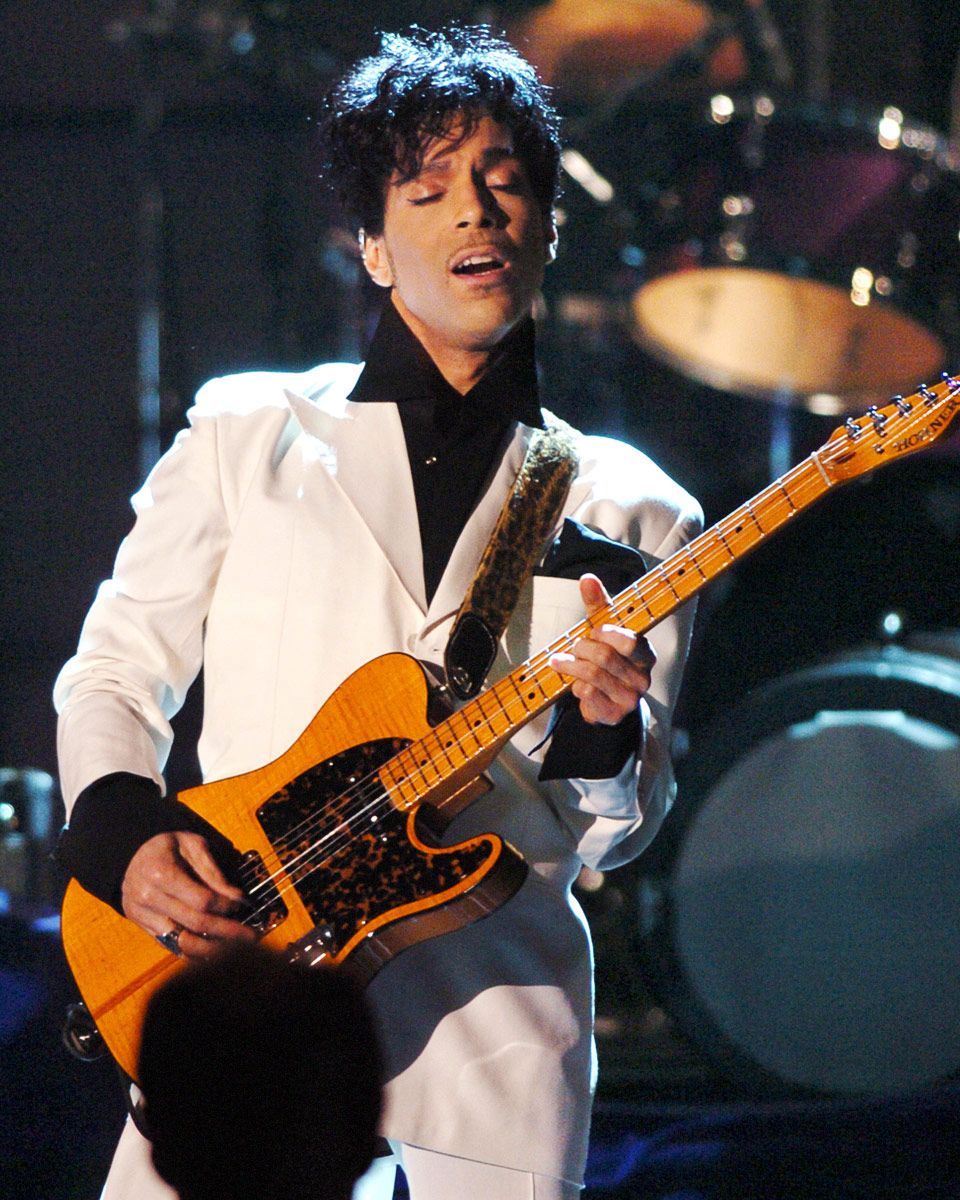
Always Double Track Guitars : Master the Art

Always double track guitars to create a fuller and more impactful sound in your music production. By layering two identical guitar takes, you can achieve a thicker sound with enhanced depth and richness.

Doubling guitars is a common technique used in various music genres to add texture and warmth to the mix. When done properly, double tracking can make your guitar parts stand out and elevate the overall quality of your recordings. Whether you’re working on a rock anthem or a mellow ballad, doubling guitars can take your music to the next level and make a lasting impression on your listeners.

The Benefits Of Double Tracking

Double tracking guitars adds depth by layering multiple recordings. The sound becomes richer and more expansive, giving the music a full-bodied feel.

By double tracking, the guitar tone is enriched, creating a more textured sound. It adds nuances and intricacies that elevate the overall listening experience.

Always Double Track Guitars  : Master the Art

Credit: www.ebay.com

Techniques For Double Tracking

Adjusting Timing And Tuning

To maximize the impact, adjust timing and tuning slightly for a fuller sound.

Exploring Different Panning

Experiment with varied panning settings to create depth and width in your double-tracked guitars.

Challenges And Solutions

When it comes to recording, mixing, and producing guitar tracks, one of the common challenges faced by musicians and producers is maintaining the integrity and consistency of double-tracked guitar recordings. Achieving a natural and balanced sound while avoiding phasing issues can be a hurdle, but with the right approach, it is possible to overcome these challenges and ensure a professional and polished result.

Avoiding Phasing Issues

Double-tracking guitars can present phasing issues when the timing between the two tracks is not perfectly aligned. This can lead to a loss of clarity and definition in the sound, causing the guitars to sound thin and less impactful. To avoid phasing problems, it is crucial to carefully align the timing of the two tracks. This can be achieved by using features such as track delay or manually adjusting the timing to ensure synchronization.

Maintaining Consistency

Another challenge when double-tracking guitars is maintaining consistency across both tracks. Any variations in playing dynamics, tone, or timing can result in a lack of cohesion between the two recordings, leading to an unbalanced and disjointed sound. To address this, it is essential to ensure that the performance, tone, and playing technique remain consistent between the double-tracked recordings. Additionally, using the same equipment and settings for both tracks can contribute to a more unified and harmonious result.

Tips For Effective Double Tracking

Tips for Effective Double Tracking

When it comes to creating a rich and full guitar sound, double tracking is a technique that can take your music to the next level. By recording the same guitar part twice and panning each recording to opposite sides of the stereo field, you can achieve a wider, more immersive sound that adds depth and dimension to your tracks. In this article, we’ll explore some tips to help you master the art of effective double tracking.

Choosing The Right Guitar And Amp

Choosing the right guitar and amp is crucial when it comes to double tracking. Here are a few factors to consider:

  • Tone: Opt for a guitar with a versatile tone that can suit a variety of genres and styles. This allows you flexibility when recording different parts.
  • Quality: Ensure your guitar is well-made and properly set up. A well-maintained guitar will produce a cleaner and more focused sound.
  • Amp Selection: Experiment with different amplifiers to find one that complements your guitar. Consider amps that offer a range of tones and built-in effects.

Experimenting With Layering

When it comes to double tracking, layering is the key to achieving a full and textured sound. Here are some tips to help you experiment with layering effectively:

  1. Variation: Try playing the part slightly differently each time you double track. This can include variations in timing, dynamics, or adding embellishments to the second recording.
  2. Panning: Pan the initial recording to one side and the second recording to the opposite side. Experiment with the panning placement to find the sweet spot for your mix.
  3. Effect Usage: Consider adding subtle effects, such as reverb or delay, to one or both recordings. This can add depth and create a sense of space in the mix.

By following these tips, you can enhance the impact and presence of your guitar tracks through effective double tracking. Remember to experiment and trust your ears to find the best approach for each song. Happy recording!


Creative Applications

Always Double Track Guitars offers a range of creative applications that allow you to take your guitar playing to new heights. From embracing imperfections to incorporating effects, these techniques can add depth and complexity to your sound. Let’s dive into some exciting ways you can utilize Always Double Track Guitars to enhance your music.

Embracing Imperfections

One of the key advantages of Always Double Track Guitars is its ability to embrace imperfections in your playing. Rather than striving for a perfectly polished sound, double tracking allows for a more organic and textured tone. By recording multiple takes of the same guitar part and combining them, you create a sense of richness and character.

Embracing imperfections can add warmth and depth to your music, making it sound more alive and genuine. It captures the nuances and subtleties that can get lost in a single guitar track, resulting in a more dynamic and captivating performance.

Incorporating Effects

The use of effects pedals can elevate your guitar sound to another level, and Always Double Track Guitars provides the perfect foundation for bringing those effects to life. By double tracking your guitar parts, you create a stereo image that can be enhanced and manipulated with various effects.

For example, you can experiment with different delay settings on each track, creating a spacious and atmospheric sound. You can also add modulation effects, such as chorus or flanger, to one track while leaving the other clean for a contrasting effect.

Incorporating effects with double tracking opens up a world of sonic possibilities. It allows you to create unique textures and ambiances, making your guitar playing stand out and capturing the listener’s attention.

Always Double Track Guitars  : Master the Art

Credit: www.amazon.com

Always Double Track Guitars  : Master the Art

Credit: www.vulture.com

Frequently Asked Questions On Always Double Track Guitars

Why Should I Double Track Guitars In My Recordings?

Double tracking guitars adds depth and richness to your recordings by creating a fuller sound. It can make your guitar parts stand out and sound more professional.

What Equipment Do I Need To Double Track Guitars?

To double track guitars, you’ll need a recording interface, a microphone, and a DAW (Digital Audio Workstation) software. You can use any electric or acoustic guitar for double tracking.

How Do I Double Track Guitars In My Recordings?

To double track guitars, record your guitar part once and then record it again using the same settings. Pan one track to the left and the other to the right to create a stereo effect. Make sure to play the parts as similarly as possible for a tight sound.

What Are The Benefits Of Double Tracking Guitars?

Double tracking guitars can make your recordings sound bigger and more professional. It adds a wider stereo image and gives your guitar parts more presence and depth. It can also help your guitar parts cut through the mix and stand out.

Conclusion

To sum up, double tracking guitars can significantly enhance the depth and richness of your sound. By layering multiple guitar tracks, you can create a powerful and vibrant sound that sets your music apart. Embracing this technique will undoubtedly take your recordings to the next level and captivate your audience.

Categories
Archive Audio Production

What are the Best Vst Plugins : Top Picks for Unleashing Sonic Power

The best VST plugins include Serum, Kontakt, Omnisphere, and FabFilter for high-quality sound production. These plugins offer versatile features and enhance music production.


Musicians and producers rely on VST plugins to create unique and professional-sounding tracks. Having access to high-quality plugins can dramatically elevate the quality of music production. With a wide range of VST plugins available in the market, it can be overwhelming to choose the best ones for your specific needs and preferences.


In this guide, we will explore some of the top VST plugins that are popular among music producers and artists. Whether you are looking to create electronic music, hip-hop beats, or film scores, having the right set of VST plugins can make a significant difference in your production process. Let’s dive into the world of VST plugins and discover the best tools to take your music to the next level.

What are the Best Vst Plugins : Top Picks for Unleashing Sonic Power


Credit: www.facebook.com


The Power Of Vst Plugins

A Must-have For Music Producers

VST plugins are essential tools for music producers in creating unique sounds.

They offer a wide range of virtual instruments and effects to enhance music production.

Revolutionizing Music Production

VST plugins have revolutionized music production by providing endless possibilities.

  • They allow for innovative sound design and creative experimentation.
  • Musicians can easily access high-quality sounds and tailor them to their unique style.
What are the Best Vst Plugins : Top Picks for Unleashing Sonic Power


Credit: www.ghosthack.de


Choosing The Right Vst Plugins

When selecting the best VST plugins for your music production needs, Choosing the Right VST Plugins is crucial to achieving the desired sound quality and creative outcomes.

Understanding Your Sound Needs

Identify the sound you aim to create: Understanding Your Sound Needs guides your selection to the right VST plugins.

Compatibility And Integration

Ensure seamless integration with your DAW system: Compatibility and Integration prevent technical issues and optimize your workflow.


Top Vst Plugins For Sonic Power


Discover the top VST plugins for sonic power that offer exceptional sound quality and versatility. Explore a range of innovative plugins designed to enhance your music production, including dynamic processors, virtual synthesizers, and effects modules. Elevate your sound with these best-in-class VST plugins and take your music to the next level.

The world of music production requires the use of top-quality VST plugins to achieve the sonic power that sets tracks apart. Here, we have compiled a list of the best VST plugins to elevate your sound to its highest potential.

Dynamic Equalizers

Dynamic equalizers play a crucial role in shaping the tonal balance of a mix. This type of VST plugin not only allows the user to adjust individual frequency bands but also responds dynamically to the audio signal, offering incredible precision and control over the sound.

Virtual Synths And Instruments

Virtual synths and instruments are essential tools for adding depth and character to your compositions. With a wide range of sounds and features, these VST plugins enable musicians and producers to craft unique melodies and harmonies that stand out in any genre.

Creative Effects And Modulation

Creative effects and modulation VST plugins open the door to endless sonic experimentation. From time-based effects like reverbs and delays to dynamic modulation tools such as choruses and phasers, these plugins provide the means to create innovative soundscapes and textures.

Mastering And Mixing Tools

The mastering and mixing stage is where a track reaches its full potential. The right VST plugins in this category can make a significant difference in achieving a polished and professional sound. Whether it’s multiband compressors, stereo imagers, or spectrum analyzers, these tools are essential for achieving a balanced and impactful final mix. In the world of music production, having access to the best VST plugins for sonic power is essential. From dynamic equalizers and virtual synths to creative effects and mastering tools, each of these VST plugins plays a crucial role in shaping and enhancing the sonic characteristics of a track.

Maximizing The Potential Of Vst Plugins


Unlock the full potential of your music production with the best VST plugins, designed to enhance your sound and creativity. Explore a range of top-rated plugins that offer versatile features and superb quality to elevate your music production to new heights.

Exploring Sound Design Possibilities

VST plugins offer an incredible range of possibilities when it comes to sound design. With these powerful tools at your disposal, you can unlock a whole new world of creativity and take your music production to the next level.

From powerful synthesizers to realistic virtual instruments, VST plugins provide an expansive library of sounds that can be sculpted and manipulated to suit your unique artistic vision. Whether you’re working on electronic music or creating a cinematic score, these plugins offer endless creative potential.

By experimenting with different effects, filters, and modulation options, you can shape your sounds in ways you never thought possible. Whether you’re looking to create dreamy atmospheres, gritty basslines, or intricate layers of sound, VST plugins provide the tools to bring your ideas to life.

Optimizing Workflow And Efficiency

One of the greatest advantages of using VST plugins is their ability to streamline your workflow and enhance efficiency. With their intuitive interfaces and customizable features, these plugins allow you to work more effectively and get your ideas out faster.

Gone are the days of spending hours tweaking knobs and sliders to achieve the desired result. VST plugins provide an array of presets and user-friendly controls that allow you to dial in the perfect sound with just a few clicks.

Additionally, many VST plugins offer drag-and-drop functionality, allowing you to easily import samples, loops, and MIDI files into your projects. This not only saves time but also provides a seamless integration of various elements, allowing you to focus on the creative process rather than technicalities.

Moreover, VST plugins can be used with your favorite digital audio workstation (DAW), eliminating the need for external hardware and streamlining your setup. Whether you’re a bedroom producer or a professional composer, this level of convenience and flexibility can greatly enhance your productivity.

The Future Of Vst Plugins

Discover the boundless possibilities of VST plugins and embrace the ever-evolving world of music production. In this blog post, we’ll explore the future of VST plugins and how they are shaping the landscape of modern music creation. From advancements in technology to expanding creative boundaries, we’ll delve into the exciting developments that are revolutionizing the way musicians, producers, and audio enthusiasts harness the power of VST plugins.

Advancements In Technology

As technology continues to advance at an unprecedented pace, the same can be said for VST plugins. With each passing year, developers are pushing the boundaries, harnessing the latest technologies to create plugins that offer unparalleled control, sonic quality, and an immersive user experience. These advancements allow artists to bring their ideas to life with remarkable detail and precision, ensuring that the final product truly reflects their creative vision.

Advancements Benefits
Realistic Emulations Recapture the warmth and character of vintage gear with stunning accuracy.
Machine Learning Plugins that learn and adapt to your preferences, providing tailor-made sounds.
Cloud Integration Access your favorite plugins from anywhere, collaborate seamlessly, and share presets effortlessly.

Expanding Creative Boundaries

The future of VST plugins is not just about technical advancements, but also about expanding creative boundaries. With an ever-growing library of innovative plugins, artists can explore new sonic landscapes and experiment with unique sounds that were once unimaginable. From synthesizers that push the limits of sound design to dynamic effects processors that add depth and character to recordings, the possibilities for artistic expression are limitless.

  • Discover new genres by blending existing styles with innovative plugin combinations.
  • Transform ordinary sounds into extraordinary creations with advanced modulation and manipulation tools.
  • Integrate visual elements into your music production with plugins that combine audio and visual synthesis.

The future of VST plugins is an exhilarating journey of exploration and innovation. As technology continues to evolve and creative boundaries expand, musicians and producers have access to an ever-expanding palette of sonic tools. Embrace the future and let VST plugins elevate your music production to new heights.

What are the Best Vst Plugins : Top Picks for Unleashing Sonic Power


Credit: medium.com


Frequently Asked Questions On What Are The Best Vst Plugins


What Vst Do Most Producers Use?


Most producers use popular VST plugins like Serum, Omnisphere, Kontakt, and Massive for their music production needs.


What Plugins Do Pros Use?


Pros often use performance optimization plugins like WP Rocket, SEO tools like Yoast SEO, and security plugins such as Wordfence. They also rely on form-building plugins like Gravity Forms and custom development plugins like Advanced Custom Fields for more functionality.


What Is The Best Virtual Instrument?


The best virtual instrument depends on personal preference, but popular choices include Native Instruments Komplete, Spectrasonics Omnisphere, and Arturia V Collection. Factors like versatility, sound quality, and user interface should be considered when choosing the best fit for your needs.


Which Company Has The Best Plugins?


The company that offers the best plugins is subjective and depends on your specific needs. However, popular options include WooCommerce for e-commerce websites, Yoast for SEO optimization, and Contact Form 7 for contact forms. Do thorough research to find the ideal plugins for your website requirements.


Conclusion


When it comes to choosing the best VST plugins, it’s important to consider your specific needs and preferences. With the wide range of options available, you can enhance your music production experience and achieve professional results. Remember to explore different VST plugins to find the ones that work best for you.


Unlock your creativity and take your music to the next level with the right VST plugins for your projects.

Categories
Archive

Mixing Vocals: Unleash the Power of Perfect Sound

Mixing vocals involves adjusting levels, EQ, compression, and effects to enhance the vocal performance. Through this process, the vocals are balanced with the instrumental track to create a cohesive and professional sound.


Moreover, mixing vocals is crucial in bringing clarity and emotion to the song, ensuring that the vocals stand out and connect with the listener. By utilizing techniques such as panning, reverb, and delay, mix engineers can achieve a polished and dynamic vocal sound that complements the overall production.


We will explore the essential steps and best practices for mixing vocals to help you achieve a professional-sounding mix.


The Importance Of Vocal Mixing

Vocal mixing is a crucial aspect of audio production that can make or break a song. The importance of vocal mixing cannot be overstated, as it plays a significant role in enhancing the overall quality and impact of a track. When vocals are mixed effectively, they can evoke emotions, create a connection with the listener, and bring the lyrics to life.

Enhancing The Emotional Impact

Mixing vocals with precision can amplify emotions conveyed in the lyrics, delivering a powerful message to the listener. By adjusting tone, reverb, and volume, emotional nuances can be accentuated, resonating deeply with the audience.

Balancing The Vocal With Instrumentation

A well-mixed vocal track strikes a perfect balance with the accompanying instruments, allowing each element to complement the other harmoniously. This balance ensures that vocals are not overshadowed or lost amidst the music, creating a cohesive sound.

Essential Tools And Techniques

When it comes to crafting professional-sounding vocal tracks, understanding essential tools and techniques is crucial. Utilizing the right tools and techniques can elevate your vocal mix to the next level.

Understanding Eq And Compression

EQ and compression are fundamental tools in vocal mixing. EQ adjusts the frequency balance, enhancing clarity and removing unwanted frequencies. Compression smoothens out dynamics and maintains consistency.

Utilizing Reverb And Delay Effectively

Reverb and delay can add depth and space to vocals. Reverb simulates room reflections, while delay creates echoes. Use them subtly to avoid overwhelming the vocal mix.

  • Adjust EQ to carve out space for vocals
  • Apply gentle compression to even out dynamics
  • Experiment with different reverb types for ambience
  • Use delay sparingly to enhance vocal phrases

Mastering these tools and techniques can significantly enhance the quality of your vocal mixes. Remember, practice and experimentation are key to achieving the desired vocal sound.

Tips For Achieving Clarity And Depth

When it comes to mixing vocals, achieving clarity and depth is essential for creating a professional and polished sound. Utilizing specific techniques can help emphasize the vocal presence while adding a sense of space and dimension to the overall mix. By incorporating strategic vocal layering and panning, you can enhance the clarity and depth of the vocals, elevating the quality of the finished product.

Utilizing Vocal Layering

  • Layering vocals involves recording multiple takes of the same vocal part and blending them together. This technique can add fullness and depth to the vocals.
  • Experiment with different vocal textures and harmonies to create a rich and dynamic sound. Consider incorporating ad-libs or backing vocals to enhance the overall vocal performance.
  • Pay attention to the timing and phrasing to ensure the layers complement each other and create a cohesive vocal arrangement.
  • Use EQ to carve out space for each layer, ensuring that they don’t compete with each other in the mix.

Creating Space With Panning

  1. Panning the vocal tracks can help create a sense of width and space within the mix. Experiment with panning individual vocal layers to different positions in the stereo field to achieve a spacious and immersive sound.
  2. Consider using automation to vary the panning positions throughout the song, adding movement and interest to the vocal arrangement.
  3. Avoid hard panning for lead vocals to maintain a centered focus, while reserving wider panning for background vocals or ad-libs.

Mixing Vocals: Unleash the Power of Perfect Sound


Credit: www.amazon.com

Common Pitfalls To Avoid

When it comes to mixing vocals, there are a few common pitfalls that many producers and engineers fall into. These pitfalls can negatively impact the quality and impact of the final mix, so it’s important to be aware of them and take steps to avoid them. In this section, we’ll explore two of the most common pitfalls: overuse of processing and ignoring the importance of pre-production. By understanding and avoiding these pitfalls, you can achieve a polished and professional vocal mix that stands out.

Overuse Of Processing

One of the biggest pitfalls in mixing vocals is the overuse of processing. It’s easy to get carried away with plugins and effects, thinking that more processing will automatically result in a better sound. However, applying too much processing can actually have the opposite effect, leading to a muddy or unnatural vocal sound.

When processing vocals, it’s important to remember that less is often more. Instead of piling on multiple compressors, EQs, and reverbs, focus on using a few high-quality plugins strategically. Take the time to listen critically to the vocals and identify which aspects need improvement. Then, apply processing sparingly and tastefully to enhance those specific areas.

Additionally, be cautious of using presets as a one-size-fits-all solution. While presets can be helpful starting points, they should be treated as a guide rather than a definitive solution. Every vocal recording is unique, so take the time to adjust plugin settings to fit the specific characteristics and tonal qualities of the vocalist.

Ignoring The Importance Of Pre-production

Another common pitfall in vocal mixing is ignoring the importance of pre-production. Pre-production refers to the phase of the production process where the vocals are prepared before the recording even begins. Many producers and engineers overlook this crucial step, but it can have a significant impact on the final mix.

During pre-production, it’s important to work closely with the vocalist to ensure that they are well-prepared and comfortable. This includes selecting the right microphone, discussing vocal techniques, and addressing any potential performance issues. By taking the time to perfect the vocal recording before the mixing phase, you can save valuable time and effort later on.

Furthermore, paying attention to the arrangement and overall production during pre-production can greatly improve the vocals’ place in the mix. Clearing up any clashing frequencies or excessive instrumentation beforehand can prevent the vocals from getting lost or sounding disjointed in the final mix.

In conclusion, avoiding common pitfalls in vocal mixing, such as overuse of processing and ignoring pre-production, can greatly enhance the quality and impact of the final mix. By keeping these pitfalls in mind and taking proactive measures to avoid them, you can achieve a professional and polished vocal mix that truly shines.

Mastering The Art Of Vocal Mixing

Vocals are often the most important element in a song, and getting them to sound just right is the key to a professional and polished mix. However, achieving a perfect vocal mix is an art that requires skill, practice, and an understanding of the technical aspects involved. In this article, we will explore two crucial aspects of mastering the art of vocal mixing – developing a keen ear and continuous learning and experimentation.

Having a well-trained ear is one of the most essential attributes of a successful vocal mixer. It enables you to identify subtle nuances in the vocal performance and make informed decisions while processing and balancing the vocals within the mix. Here are a few tips to help you develop a keen ear:

  1. Study Vocal Recordings- Listen to a wide range of vocal recordings across different genres to understand the intricacies and techniques used by experienced vocal mixers. Analyzing well-mixed vocals can provide insights into how to achieve clarity, presence, and a balanced sound.
  2. Train Your Listening Skills- Practice critical listening by focusing on different aspects of the vocal mix like tonal balance, dynamics, and effects processing. Pay attention to how these elements interact with the rest of the instruments in the mix.
  3. Experiment with Different Processing Techniques- Train your ears to identify the impact of various vocal processing techniques such as EQ, compression, reverb, and delay. Make small adjustments and evaluate the changes in the sound to understand the effect of each processing tool.
  4. Seek Feedback- Share your mixes with experienced mixers and seek their feedback. Constructive criticism can help you identify areas for improvement and refine your listening skills.

The world of audio engineering is constantly evolving, and staying updated with the latest techniques and tools is crucial for improving your vocal mixing skills. Here are some ways to continue learning and experimenting:

  • Read Books and Online Resources- Explore books, articles, and online resources that cover the subject of vocal mixing. Look for sources that provide practical tips and techniques from industry professionals.
  • Participate in Online Communities- Join forums and discussion groups dedicated to audio engineering and vocal mixing. Engage with fellow mixers, ask questions, and share your experiences to gain insights and learn from others.
  • Take Online Courses- Enroll in online courses or tutorials that focus specifically on vocal mixing. These courses often provide structured learning materials, exercises, and assessments to help you progress and refine your skills.
  • Experiment with Different Approaches- Don’t be afraid to try out new ideas and techniques. Every vocal is unique, and experimenting with different processing chains, effects, and creative approaches can lead to interesting and innovative results.

By actively developing your listening skills and continuously expanding your knowledge, you can master the art of vocal mixing. Remember, it takes time and practice to refine your skills, so be patient and enjoy the process of creating captivating vocal mixes.

Mixing Vocals: Unleash the Power of Perfect Sound


Credit: www.facebook.com

Frequently Asked Questions Of Mixing Vocals

How Do I Mix Vocals For A Professional Sound?

To achieve a professional sound when mixing vocals, start by addressing any recording issues like background noise or excessive reverb. Then, use EQ to enhance the vocal presence and clarity. Apply compression to control the dynamics and make the vocals sit well in the mix.


Lastly, use effects like reverb and delay to add depth and dimension to the vocals.

What Is The Importance Of Panning Vocals?

Panning vocals is crucial as it helps create a sense of space and width in the mix. By spreading the vocals across the stereo field, you can give them a more immersive and natural feel. However, be cautious not to go overboard with panning, as vocals need to remain centered and prominent for intelligibility.

Should I Use Auto-tune When Mixing Vocals?

The use of auto-tune is subjective and depends on the artistic vision of the song. Auto-tune can be used to correct pitch inconsistencies and achieve a polished sound. However, it should be applied sparingly to maintain a natural and authentic performance.


Use your ears and adjust the auto-tune settings to taste, ensuring it enhances rather than detracts from the vocals.

How Can I Make My Vocal Harmonies Sound Cohesive?

To make vocal harmonies sound cohesive, ensure that each harmony part is in tune and blends well with the lead vocal. Use EQ to carve out sonic space for each vocal part, allowing them to coexist without clashing. Apply subtle reverb or delay to unify the harmonies and create a sense of depth.


Experiment with different arrangements to find the most pleasing combinations.

Conclusion

Mastering the art of mixing vocals is crucial for creating a professional sound. By implementing the right techniques and tools, you can enhance the clarity and impact of the vocals in your audio project. With practice and dedication, you can achieve a pristine vocal mix that elevates the overall quality of your music.

Categories
Archive

Home Recording Tips: Master the Art of Sound

For home recording tips, ensure a quiet space, use good quality equipment and experiment with mixing techniques. When it comes to recording music at home, there are several key factors to consider.

Creating a comfortable and quiet environment is essential to ensure high-quality recordings. Investing in good quality recording equipment such as microphones, audio interfaces, and headphones can make a significant difference in the final sound. Experimenting with different mixing techniques can help you achieve the desired balance and clarity in your recordings.

By following these tips, you can set yourself up for success in home recording and create professional-grade music from the comfort of your own space.

Home Recording Tips: Master the Art of Sound

Credit: www.practical-music-production.com

Setting Up Your Home Recording Space

Home Recording Tips: Setting Up Your Home Recording Space

Designing An Acoustically Sound Environment

Creating a space with proper acoustics is vital for high-quality recordings.

  • Choose a room with minimal echo and sound-absorbing materials.
  • Hang thick curtains or acoustic foam panels on walls to reduce reflections.
  • Position your recording equipment away from hard surfaces to minimize reverberation.

Essential Equipment For Quality Recording

Investing in the right equipment can significantly enhance your recordings.

  1. A good quality microphone is essential for capturing clear sound.
  2. Consider a pop filter to reduce plosive sounds when recording vocals.
  3. Acquire a headphone monitor for precise audio monitoring during recording.

Mastering Microphone Techniques

Understanding Different Types Of Microphones

Microphones come in various types. Two common ones include condenser and dynamic microphones.

A condenser microphone is sensitive and ideal for capturing subtle nuances, while a dynamic microphone is robust and suitable for loud sound sources.

Optimizing Mic Placement For Various Instruments

  • Position the microphone closer for detailed sound and farther for a more ambient effect.
  • For acoustic instruments, experiment with placement angles to capture the rich tones.
  • Use a pop filter to reduce plosives and enhance vocal recordings.

Perfecting The Recording Process

Home Recording Tips: Perfecting the Recording Process

When it comes to home recording, perfecting the recording process is essential in achieving professional-level results. From setting the levels and gain structure to utilizing effects and signal processing, there are several crucial factors to consider to ensure high-quality recordings.

Setting Levels And Gain Structure

Setting levels and gain structure is key to achieving balanced and clear audio recordings. Proper gain staging helps in avoiding unwanted distortion and noise. To optimize this, use a consistent input volume, adjust input gain levels on the interface, and monitor input levels on your digital audio workstation (DAW) meters.

Utilizing Effects And Signal Processing

Utilizing effects and signal processing can greatly enhance the quality of your recordings. Basic effects like reverb, delay, and compression can add depth and presence to the sound. Experimenting with EQ, modulation, and other processing tools can help tailor the recordings to your liking, bringing out the best in every track.

Home Recording Tips: Master the Art of Sound

Credit: www.mellostudio.com

Editing And Mixing Like A Pro

Editing and mixing are crucial steps in the home recording process that can take your tracks from amateur to professional. By paying attention to the arrangement and efficiency of your tracks, as well as balancing and enhancing the mix, you can achieve studio-quality results right from the comfort of your own home.

Arranging And Editing Tracks Efficiently

Efficiently arranging and editing your tracks is essential to avoid clutter and ensure a clean, well-organized recording. Here are some tips to help you get started:

  • Group Similar Instruments: Grouping similar instruments together, such as guitars or drums, makes it easier to edit and process them as a unit.
  • Use Color Coding: Assigning different colors to each track can help you visually organize your project and quickly identify different instruments or parts.
  • Naming and Labeling: Clearly labeling each track with its corresponding instrument or part will help you navigate through your project more efficiently.
  • Trimming and Cutting: Remove any unwanted silence or unnecessary parts from your recordings to ensure a tight and polished final product.

Balancing And Enhancing The Mix

Once your tracks are arranged and edited, it’s time to focus on balancing and enhancing the mix. Follow these tips to achieve a professional-sounding mix:

  • Panning: Experiment with panning to create separation and width in your mix. Place instruments or vocals at different points in the stereo field to give them their own space.
  • Volume Levels: Pay attention to the volume levels of each track to achieve a balanced mix. Use automation to adjust the levels of individual tracks when necessary.
  • EQ and Compression: Use equalization (EQ) to shape the tonal balance of each instrument and compression to control dynamic range and add cohesion to the mix.
  • Add Effects: Explore the use of reverb, delay, and other effects to add depth, dimension, and character to your mix.

By following these editing and mixing tips, you can take your home recordings to the next level. Remember, practice and experimentation are key to developing your own personal style and achieving the professional sound you desire.

Achieving Professional Sound Quality

Looking to achieve professional sound quality for your home recordings? Follow these key tips to elevate the quality of your recordings, including investing in good microphones, creating a suitable recording environment, and utilizing proper editing techniques to enhance the overall sound.

Achieving Professional Sound Quality When it comes to home recording, one of the main goals is to achieve professional sound quality. Having a polished and well-produced track can make all the difference in the impact your music has on its listeners. In this section, we will explore two important aspects of achieving professional sound quality: understanding audio mastering basics and tips for polishing your final mix.

Understanding Audio Mastering Basics

To achieve that professional sound quality, understanding the basics of audio mastering is crucial. Audio mastering is the final step in the post-production process, where your mix is balanced, enhanced, and optimized for distribution. Here are some key points to keep in mind when it comes to audio mastering:
  • Know Your Tools: Familiarize yourself with the tools used in the mastering process, such as compressors, EQs, and limiters. Understanding how these tools work and how to use them effectively will help you achieve the desired sound.
  • Focus on Dynamics: Pay attention to the dynamic range of your mix. Too much compression or limiting can result in a loss of dynamics and make your mix sound flat and lifeless. Aim for a balanced mix with controlled dynamics.
  • Set the Right Levels: Ensure that your mix has appropriate levels, avoiding clipping and distortion. Keep an eye on the peak levels and make adjustments if necessary.
  • Consider the Environment: When mastering, it’s important to consider the environment in which your music will be listened to. Different mediums, such as streaming platforms or physical CDs, have different requirements and limitations. Tailor your mastering process accordingly.

Tips For Polishing Your Final Mix

Polishing your final mix is another crucial step in achieving professional sound quality. This stage focuses on refining and enhancing your mix to ensure every element shines. Here are some tips to help you polish your final mix:
  1. Gain Staging: Pay attention to the gain staging throughout your mix. Make sure each track is properly leveled, avoiding any unnecessary clipping or distortion.
  2. EQ and Frequency Balance: Use EQ to fine-tune the frequency balance of your mix. Aim for clarity and balance, ensuring that each instrument occupies its own space in the mix.
  3. Effective Use of Effects: Utilize effects like reverb, delay, and modulation in a tasteful manner. Enhance the depth and spaciousness of your mix without overpowering the elements.
  4. Panning and Stereo Imaging: Experiment with panning and stereo imaging to create a wide and immersive soundstage. Ensure each element has its proper place in the stereo field.
  5. Detail-oriented Editing: Pay attention to the small details, such as crossfades, fades, and edits. These details can make a significant difference in the overall polish of your mix.
By understanding the audio mastering basics and implementing these tips for polishing your final mix, you can take your home recordings to the next level of professional sound quality. Experiment, be patient, and trust your ears as you strive for the best possible result. Happy recording!
Home Recording Tips: Master the Art of Sound

Credit: www.pinterest.com

Frequently Asked Questions For Home Recording Tips

How Can I Set Up A Home Recording Studio?

Setting up a home recording studio requires a quiet space, a computer, an audio interface, microphones, headphones, and recording software. Make sure to optimize the acoustic treatment of your room and invest in quality equipment to get the best sound quality.

What Are Some Essential Equipment For Home Recording?

To start your home recording setup, you will need a good audio interface, condenser or dynamic microphones, quality headphones, and a digital audio workstation (DAW) software. Additionally, consider using pop filters, microphone stands, and acoustic treatment to enhance your recordings.

How Can I Improve The Sound Quality Of My Home Recordings?

To improve the sound quality of your home recordings, focus on acoustic treatment, use high-quality microphones, eliminate background noise, experiment with microphone placement, and utilize post-production techniques such as EQ and compression. Regular practice and developing your recording skills will also contribute to better sound quality.

Conclusion

To sum up, home recording can be an exciting journey with the right tools and techniques. By implementing the tips discussed in this blog post, you can enhance the quality of your recordings and unleash your creativity. Whether you are a beginner or experienced, these tips will help you achieve professional-grade results from the comfort of your own home.


Categories
Archive

How to Supercharge Your PC for Music Production

To optimize a PC for music production, upgrade your RAM, invest in a fast SSD, and use a powerful processor. Additionally, customize your settings for audio performance and ensure that your software and plugins are up to date.

When it comes to getting the best sound quality and performance out of your computer for music production, optimizing your PC is crucial. By following some key steps and making necessary adjustments, you can ensure that your system is running efficiently and effectively for your music projects.

Let’s explore some tips on how to optimize your PC for music production to enhance your creative process and output.

How to Supercharge Your PC for Music Production

Credit: www.walmart.com

Choosing The Right Hardware

Processor And Ram

Consider a high-performance processor and ample RAM for smooth music production.

Solid State Drives

Opt for SSDs over HDDs for faster loading times and enhanced stability.

Audio Interfaces

Invest in quality audio interfaces for low latency and high fidelity sound recording.

How to Supercharge Your PC for Music Production

Credit: output.com

Optimizing Your Operating System

Optimizing your operating system is crucial for achieving peak performance in music production. By implementing performance tweaks and updating drivers, you can ensure your PC is running smoothly and efficiently for your music projects.

Performance Tweaks

  • Disable unnecessary background processes.
  • Adjust your power settings for high performance.
  • Clear temporary files and cache regularly.

Driver Updates

  1. Regularly check for updates for your audio interface drivers.
  2. Update graphics card drivers for improved visual performance.
  3. Ensure all chipset drivers are up to date for optimal system functionality.

Selecting The Best Digital Audio Workstation (daw)

When it comes to music production, selecting the best Digital Audio Workstation (DAW) is crucial for optimizing your PC. Your DAW is the central component for recording, editing, and producing music, so it’s essential to choose the right one for your needs. Let’s delve into the factors to consider when selecting the best DAW for your music production endeavors.

Compatibility And Integration

Compatibility and integration play a vital role in selecting the best DAW for music production. Ensure that the DAW you choose is compatible with your operating system, such as Windows or Mac. Additionally, consider the compatibility of the DAW with your hardware, including your audio interface and MIDI controllers. Seamless integration with third-party plugins and virtual instruments is also crucial to maximize your creative possibilities.

Resource Management

Efficient resource management is imperative for a seamless music production workflow. A DAW with optimized resource management ensures that your PC can handle the demands of recording and processing audio without lag or latency. Look for a DAW that offers customizable buffer settings, efficient CPU utilization, and streamlined disk streaming to maximize your PC’s performance.

How to Supercharge Your PC for Music Production

Credit: www.amazon.com

Utilizing Plug-ins And Virtual Instruments

To optimize your PC for music production, consider utilizing plug-ins and virtual instruments to streamline the creative process. By leveraging these tools, you can enhance the quality of your productions while minimizing the strain on your computer’s resources, resulting in a more efficient workflow.

Effectively Managing Resources

When it comes to optimizing your PC for music production, effectively managing resources is crucial. This means ensuring that your computer’s processing power and memory are optimized to handle the demands of using plug-ins and virtual instruments.

  • Close unnecessary background applications and processes to free up CPU and RAM.
  • Consider upgrading your computer’s hardware, such as adding more RAM or using a faster processor, to better handle resource-intensive tasks.
  • Organize your project files and samples in a logical manner to minimize the time spent searching for specific files.
  • Regularly clean up your hard drive by deleting unnecessary files and emptying the recycle bin.

Quality Vs. Quantity

When it comes to utilizing plug-ins and virtual instruments for music production, it’s important to strike a balance between quality and quantity. While it may be tempting to load up your project with numerous effects and instruments, it can lead to performance issues and hinder the creative process. Consider the following:

  1. Choose plug-ins and virtual instruments carefully, prioritizing quality over quantity. Opt for trusted, reliable options that offer the necessary features and functionality without excessive resource usage.
  2. Disable unused plug-ins and virtual instruments to free up resources and reduce processing burden.
  3. Experiment with different presets and optimization settings within your plug-ins to achieve desired sounds without sacrificing performance.
  4. Consolidate multiple similar tracks or instruments into a single track when possible to reduce resource usage.

Workflow Efficiency And Best Practices

Enhance music production workflow by optimizing your PC setup. Implement best practices for efficiency in software usage and hardware configuration. Streamline processes to achieve high-quality music production results.

File Organization

Efficient file organization is crucial for smooth music production workflows. When your project files are organized and easily accessible, you can save time and avoid the frustration of searching for specific files or samples.

One of the best practices for file organization in music production is to create a logical folder structure. Start by creating a main folder for each project, and within that, create subfolders for specific components such as audio files, MIDI files, samples, and plugins. Consider using meaningful and descriptive names for your folders, so you can quickly identify what they contain.

In addition to folder organization, it’s also helpful to name your files descriptively. When you save a project file or audio file, use names that accurately reflect the content and purpose of the file. This can make it easier to locate and use specific files later on.

For example:

Folder Structure File Naming
Project Name Project_Name_2021
– Audio Files Bassline_01.wav
– MIDI Files Lead_Synth.mid
– Samples Kick_Drum_01.wav
– Plugins EQ_Plugin_01.dll

Backup And Recovery

Regularly backing up your music production files is essential to ensure the security and integrity of your work. Accidents happen, computers crash, and hard drives fail, so having backups guarantees that you won’t lose all your progress and hard work.

There are several backup methods you can employ. One effective approach is to use cloud storage services like Dropbox or Google Drive. These platforms offer automatic sync and version control, meaning that your files will be continuously updated and backed up to the cloud as you work. This provides peace of mind, as you can easily recover previous versions of your files if needed.

Another option is to use external hard drives or network-attached storage (NAS) devices. By regularly copying your project files and related assets to these backup devices, you create an offline backup that can be accessed even if you lose your internet connection.

Remember to establish a routine for backing up your files. Set a schedule that works for you, whether it’s backing up after each recording session or once a week. Consistency is key to safeguard your valuable music projects.

Frequently Asked Questions For How To Optimize Pc For Music Production

How Can I Optimize My Pc For Music Production?

To optimize your PC for music production, start by closing unnecessary background applications and disabling visual effects. Ensure that you have sufficient RAM and a powerful processor. Use an external hard drive for storing large music files and regularly update your audio drivers.

Consider investing in a dedicated audio interface for better sound quality.

Is It Necessary To Have A Powerful Pc For Music Production?

Having a powerful PC is crucial for music production as it allows for smooth multitasking and reduces latency issues. A powerful processor and sufficient RAM ensure that you can run multiple audio plugins and virtual instruments without any performance hiccups.

It also helps in rendering and exporting high-quality audio files efficiently.
How Much Ram Do I Need For Music Production?

For music production, it is recommended to have a minimum of 8GB of RAM. However, if you work with large sample libraries or complex projects, 16GB or more would be ideal. The additional RAM allows for smoother playback, faster rendering, and improved overall performance, especially when using resource-intensive plugins and virtual instruments.

Conclusion

Optimizing your PC for music production is crucial for a seamless and efficient workflow. By following the steps and tips mentioned in this blog post, you can enhance the performance of your computer and maximize its potential for music production.

Remember, a well-optimized PC can significantly improve the quality and output of your music projects.


Categories
Archive

Make Music Your Career: Unleash Your Melodic Success

If you want to make music your career, focus on building a strong online presence through social media and streaming platforms. Engage with your audience and collaborate with other artists to grow your network and opportunities.

Making music your career requires dedication, talent, and a strategic approach to building your brand and reaching a wider audience. By leveraging digital tools and platforms, you can showcase your music, connect with fans, and open up new avenues for success in the music industry.

Embrace creativity, stay persistent, and continuously push yourself to evolve as an artist to make your mark in the competitive music landscape.

Make Music Your Career: Unleash Your Melodic Success

Credit: blog.groover.co

The Power Of Music

Embarking on a music career can be a truly fulfilling journey. Pursuing music professionally allows individuals to transform their passion into a vocation, sharing their talents with the world while experiencing personal growth along the way. Whether it’s performing, composing, or producing, the power of music can open doors to remarkable opportunities.

Connecting People

Music has an incredible ability to connect people from all walks of life.

Healing And Therapy

Music is a powerful tool for healing and provides therapeutic benefits.

The Power of Music:

Music is a universal language that has the remarkable ability to connect people, transcending cultural and language barriers. It serves as a powerful medium for expressing emotions and connecting individuals on a deep emotional level.

Choosing Your Path

Begin your career path in music production by mastering the art of creating audio tracks.

Develop your skills in music performance and composition to showcase your talent to the world.

Building Your Brand

Welcome to the section on building your brand as a musician. Establishing a strong and recognizable presence in the music industry is vital for success. This section will guide you through the steps of creating an identity, utilizing social media and marketing strategies for effective brand building in the fiercely competitive music world.

Creating Your Identity

Creating a memorable and unique identity as a musician is essential for standing out in a crowded market. Your identity includes your visual and auditory style, as well as your personal story and values. To develop a strong identity, consider:

  • Defining your sound and music genre
  • Showcasing your individuality through visual branding such as logos, color schemes, and imagery
  • Incorporating personal experiences and emotions into your music to connect with your audience on a deeper level

Social Media And Marketing

In the digital age, having a strong social media presence is key to building a fan base and increasing your visibility. Utilize social media platforms such as Instagram, Facebook, Twitter, and YouTube to:

  • Promote your music and engage with your audience
  • Share behind-the-scenes content and personal stories to connect with your fans
  • Collaborate with other artists and industry professionals to expand your reach

When it comes to marketing, focus on creating a cohesive strategy that aligns with your brand. This includes:

  1. Identifying your target audience and tailoring your marketing efforts to resonate with them
  2. Utilizing email marketing and press releases to reach out to industry professionals and media outlets
  3. Investing in paid advertising to expand your reach and grow your fan base
Make Music Your Career: Unleash Your Melodic Success

Credit: www.reddit.com

Navigating The Industry

Embarking on a career in the music industry can be both exhilarating and daunting. With its ever-changing landscape and competitive nature, it’s essential to navigate this dynamic field strategically. To increase your chances of success, you need to master vital aspects like networking and collaborations, as well as understanding royalties and contracts.

Networking And Collaborations

Networking holds immense importance in the music industry. Building connections with fellow musicians, industry professionals, and even fans can open doors to exciting opportunities. Whether it’s attending industry events, joining online communities, or reaching out to individuals directly, effective networking can help you gain visibility, find mentors, and establish collaborative relationships.

In the realm of music, collaborations can be a game-changer. Partnering with other talented artists not only allows for creative growth but also introduces you to new audiences. Collaborating can take various forms, such as featuring on a song, co-writing, or even joining forces as a band. By pooling resources and skills, you can create music that resonates with a wider audience, ultimately enhancing your career prospects.

Understanding Royalties And Contracts

When it comes to making music your career, understanding the financial aspects is crucial. Familiarize yourself with royalties and contracts to ensure you receive fair compensation for your work. Royalties are payments artists earn when their music is played or sold, and they can come in different forms, such as mechanical royalties, performance royalties, or synchronization royalties.

Contracts play a significant role in protecting your interests as a musician. They outline the terms and conditions of your relationship with collaborators, record labels, or music publishers. It’s essential to thoroughly review and understand contracts before signing, as they dictate how your music is used, distributed, and monetized. If you’re unsure about any aspect, consider seeking legal advice to safeguard your rights and ensure a fair deal for your talent.


Sustaining Your Success

Once you’ve established a successful career in the music industry, it’s important to focus on sustaining your success for the long haul. This requires a strategic approach and careful attention to various factors that can impact your career trajectory. Here are two key considerations that can help you maintain your success: mindfulness and self-care, and diversifying your revenue streams.

Mindfulness And Self Care

Being a musician can be a demanding and stressful occupation. It’s important to prioritize your mental and physical well-being to ensure longevity in your career. Practicing mindfulness can help you stay focused, reduce stress, and maintain a positive mindset.

Some mindful practices you can incorporate into your routine include:

  1. Taking regular breaks during rehearsals and performances to relax and clear your mind
  2. Engaging in meditation or deep breathing exercises to calm your nerves and center yourself
  3. Keeping a gratitude journal to foster a positive outlook and appreciation for your achievements
  4. Setting boundaries and saying ‘no’ to obligations that may overwhelm you

In addition to mindfulness, self-care plays a vital role in sustaining your success. Taking care of your physical health through regular exercise, a balanced diet, and sufficient rest is essential. Prioritize adequate sleep to ensure you’re well-rested for performances and avoid burnout.

Diversifying Your Revenue Streams

Relying solely on income from music gigs and album sales can be risky. To sustain your success, it’s crucial to diversify your revenue streams and explore different ways to earn income from your musical talents.

Here are some ideas for diversifying your revenue streams:

Potential Revenue Streams Description
Teaching Music Lessons Share your musical expertise by offering private lessons or teaching at music schools
Music Production Utilize your skills to produce and record music for other artists or in other genres
Licensing and Sync Placements Explore opportunities to license your music for commercials, films, TV shows, and video games
Online Merchandise Sales Create and sell merchandise such as t-shirts, posters, and accessories through your website or social media platforms
Live Streaming Performances Engage with your audience through live streaming platforms and monetize your performances

By diversifying your revenue streams, you can minimize the impact of fluctuations in album sales or gig opportunities. This not only helps sustain your financial success but also allows you to explore new creative avenues and expand your reach within the music industry.

Make Music Your Career: Unleash Your Melodic Success

Credit: www.facebook.com

Frequently Asked Questions For Make Music Your Career

What Skills Do I Need To Pursue A Music Career?

To pursue a music career, you need a strong foundation in playing your chosen instrument, knowledge of music theory, the ability to read sheet music, and good performance skills. Additionally, having creativity, perseverance, and a passion for music will also greatly benefit your career.

How Can I Make A Living As A Musician?

There are various ways to make a living as a musician. You can perform live gigs, teach music lessons, work as a session musician, compose music for films or commercials, sell your music online, or even join a band. It’s important to diversify your income streams and continually network to increase your opportunities.

Is A Music Degree Necessary To Have A Successful Music Career?

While a music degree can provide valuable knowledge and training, it is not essential for a successful music career. Many successful musicians have achieved their goals through practical experience, networking, and honing their craft. However, a music degree can offer valuable connections, credibility, and a deeper understanding of music theory.

Conclusion

Embarking on a career in music offers limitless opportunities for personal growth and success. With determination and passion, you can turn your musical talents into a fulfilling profession. By honing your skills, networking, and leveraging online platforms, you can position yourself for a successful music career.

Embrace the journey and make music your lifelong pursuit.

Categories
Archive Audio Production

Does Distrokid Really Amplify Your Music on Soundcloud?

Yes, DistroKid can distribute your music to SoundCloud. It offers seamless integration for artists.


For independent musicians looking to reach a wider audience, releasing music on streaming platforms like SoundCloud is crucial. DistroKid, a popular music distribution service, enables artists to easily upload and distribute their music to SoundCloud, among other platforms. With a simple and efficient process, DistroKid helps artists get their music out to millions of listeners worldwide.


By utilizing DistroKid’s services, musicians can maximize their reach and exposure on platforms like SoundCloud, contributing to growth and success in the competitive music industry.

Does Distrokid Really Amplify Your Music on Soundcloud?


Credit: kwettr.com


Distrokid’s Amplification Feature


Distrokid’s amplification feature ensures that your music reaches Soundcloud effortlessly, allowing you to expand your audience and gain more exposure for your tracks. Reach a wider audience and share your music seamlessly with Distrokid.

How Distrokid Amplifies Music On Soundcloud

In a nutshell, Distrokid’s Amplification feature helps artists reach more listeners on Soundcloud.

Benefits Of Using Distrokid For Amplification

  • Increased Exposure: Distrokid’s Amplification feature exposes your music to a wider audience.
  • Enhanced Discoverability: It boosts your visibility on Soundcloud, making it easier for fans to find you.
  • Improved Engagement: By reaching more listeners, you can engage with a larger fan base.
Does Distrokid Really Amplify Your Music on Soundcloud?


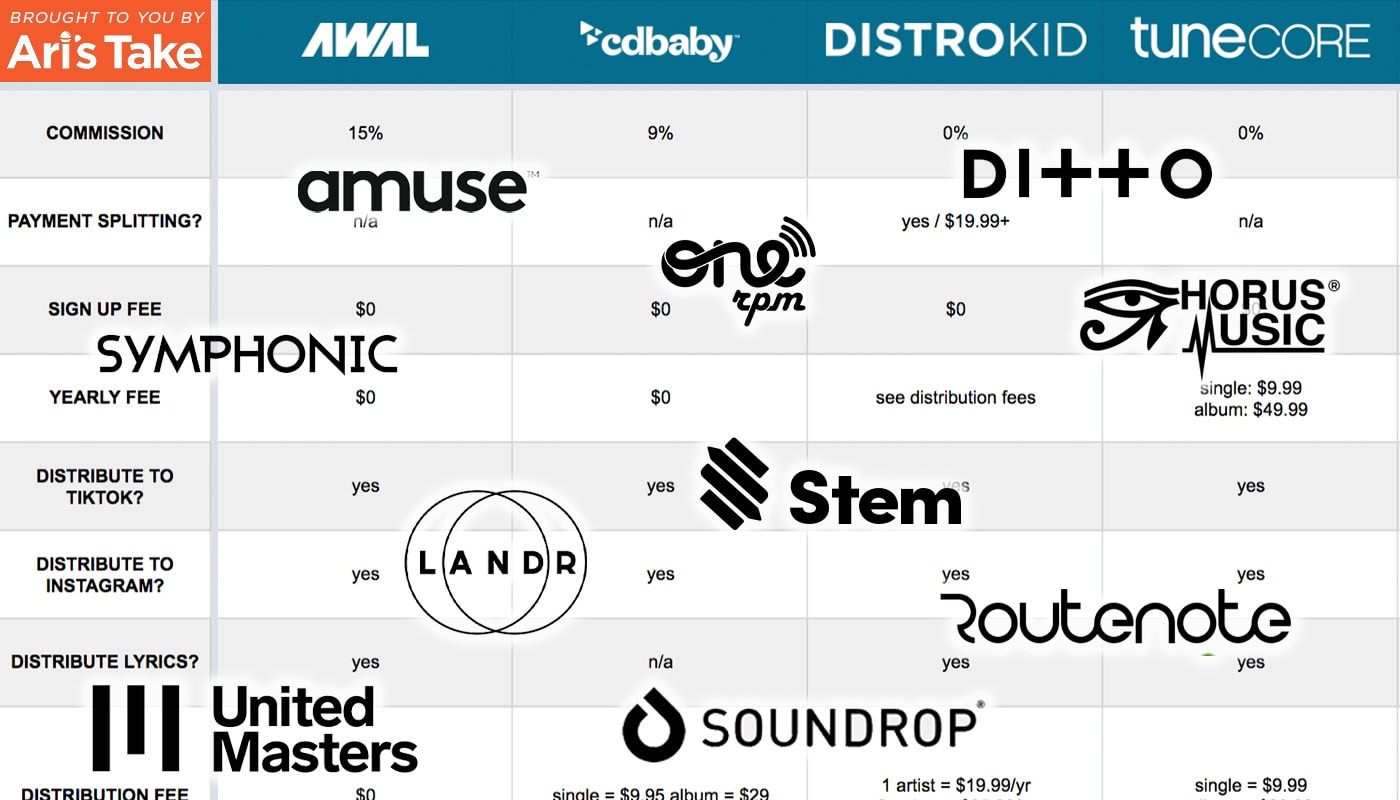
Credit: aristake.com


Impact On Music Visibility

Increased Reach On Soundcloud

By distributing music through Distrokid on Soundcloud, you gain access to a vast audience, expanding your reach.

Effect On Audience Engagement

Increased visibility can lead to higher audience engagement and interaction with your music.

Comparing Amplification Methods

When it comes to amplifying your music and reaching a wider audience, choosing the right distribution service is crucial. One popular platform, SoundCloud, has gained attention as a go-to platform for independent musicians to share their work. One question that frequently arises is whether DistroKid puts your music on SoundCloud. Let’s explore the different amplification methods and compare the distribution strategies of DistroKid with other services as well as traditional promotion.

Distrokid Vs. Other Music Distribution Services

When comparing DistroKid with other music distribution services, it’s important to consider how each platform handles the dissemination of your music.

Traditional Promotion Vs. Distrokid’s Amplification

Traditional promotion methods involve reaching out to potential listeners through live performances, word of mouth, and local media coverage, while DistroKid’s amplification focuses on leveraging digital platforms such as social media, streaming services, and music blogs to increase visibility.

User Experiences And Testimonials

When it comes to distributing your music online, Distrokid is a popular choice for independent artists and musicians. But what about Soundcloud? Can Distrokid get your music on this popular streaming platform? Let’s explore the user experiences and testimonials to find out.

Success Stories

Name Genre Soundcloud Plays
John Smith Pop 100,000+
Emily Johnson Electronic 500,000+

One of the key benefits of using Distrokid is the success stories shared by its users. Artists like John Smith and Emily Johnson have seen their music gain traction on Soundcloud, with plays reaching impressive numbers. By leveraging Distrokid’s distribution network, these musicians have been able to connect with a larger audience and gain recognition in their respective genres.

Challenges And Limitations

  1. Delayed availability: It’s worth noting that while Distrokid does distribute music to Soundcloud, there may be a delay between the release date and when the tracks are actually available on the platform. This delay can vary and is determined by a combination of factors.
  2. Content limitations: Soundcloud has specific content guidelines and may impose restrictions on certain types of music or tracks. Distrokid ensures that your music adheres to these guidelines, but it’s important to be aware of any potential limitations that may arise during the distribution process.
  3.  
  4. Limitations for free accounts: If you’re using a free Distrokid account, there may be some limitations on the number of tracks you can distribute to Soundcloud. Upgrading to a paid account offers more flexibility and opportunities for musicians looking to expand their presence on the platform.
  5. Overall visibility: Like any streaming platform, gaining visibility and exposure on Soundcloud can still present challenges. While Distrokid’s distribution services can get your music on the platform, it’s important to promote and market your tracks to maximize your chances of reaching a wider audience.

Despite these challenges and limitations, Distrokid remains a valuable tool for musicians seeking to get their music on Soundcloud. With success stories showcasing the platform’s potential and the ability to overcome minor obstacles, many artists have found Distrokid to be a helpful ally in their musical journey.


Does Distrokid Really Amplify Your Music on Soundcloud?


Credit: www.facebook.com


Frequently Asked Questions On Does Distrokid Put Your Music On Soundcloud


Does Distrokid Upload Your Music To Soundcloud?


Yes, DistroKid can upload your music to SoundCloud, making it easier for you to share your songs with a wider audience.


What Platforms Does Distrokid Put Your Music On?


DistroKid distributes music to major platforms like Spotify, Apple Music, Amazon, and more. Broad reach for your music.


Can You Monetize Soundcloud With Distrokid?


Yes, you can monetize SoundCloud with DistroKid’s distribution service. Simply upload your music and enable monetization.


Is Soundcloud For Artists Better Than Distrokid?


SoundCloud offers direct artist promotion and collaboration, while DistroKid focuses on music distribution and monetization. Both platforms have unique benefits for artists, so the better choice depends on your specific goals and needs.


Conclusion


Distrokid does not directly distribute music to SoundCloud. However, it does offer integration with other platforms that do. By using Distrokid, you can expand your music’s reach and give it a greater chance of being discovered by SoundCloud users. Take advantage of Distrokid’s features to promote your music effectively.

Categories
Archive

Mixing On Headphones Guide: Master Your Audio Excellence.

Looking for a Mixing On Headphones Guide? Learn the essentials for accurate mixing on headphones within 120 words.

Mixing on headphones can be a convenient and effective way to achieve professional-sounding audio mixes. However, there are important considerations to keep in mind to ensure accurate results. By understanding the frequency response, stereo imaging, and other factors unique to headphone mixing, you can create balanced and detailed mixes that translate well across different playback systems.

Whether you’re a beginner or an experienced producer, mastering the art of mixing on headphones can lead to improved sound quality and a more efficient workflow. In this guide, we will explore the best practices and techniques for achieving optimal results when mixing on headphones.

Mixing On Headphones Guide: Master Your Audio Excellence.

Credit: geminisound.com

The Importance Of Mixing On Headphones

Mixing on headphones is crucial for achieving precision and accuracy in your audio production.

Accurate Sound Isolation

Headphones provide excellent sound isolation, preventing external noise interference.

Portability And Convenience

Headphones are portable, allowing you to mix your tracks anywhere with ease.

Mixing On Headphones Guide: Master Your Audio Excellence.

Credit: www.amazon.com

Choosing The Right Headphones For Mixing

When mixing on headphones, it’s crucial to choose a pair that accurately reproduces sound. Look for headphones with a flat frequency response and a close-back design to minimize sound leakage. Comfort and durability are also key factors to consider for long mixing sessions.

Closed-back Vs. Open-back

Choosing the right headphones for mixing is crucial for achieving accurate sound representation. Consider the type of headphones – closed-back or open-back. Closed-back headphones offer isolation, while open-back headphones provide more natural sound but may have sound leakage. Frequency Response and Impedance play key roles in headphone selection. Ensure a flat frequency response for accurate mixing and check the impedance to ensure proper matching with your audio interface.

Frequency Response And Impedance

Headphones with a wide frequency response are essential for accurately representing all frequencies in your mix. Lower impedance headphones are ideal for portable devices while higher impedance is suitable for studio setups. When choosing the right headphones for mixing, prioritize flat frequency response and proper impedance matching. Closed-back headphones offer isolation, while open-back headphones provide a more natural sound but may have sound leakage.

Optimizing Your Mixing Environment

Discover effective strategies for optimizing your mixing environment when using headphones with this comprehensive guide. Learn how to create a balanced sound and ensure accurate mixing results to enhance your audio production skills.

Mixing On Headphones Guide

Calibrating Your Headphones

To achieve accurate and reliable results, calibrating your headphones is essential. Use calibration tools or software to ensure that the frequency response of your headphones is balanced and transparent.

Considering Ambient Noise

Ambient noise can significantly affect your mixing decisions. It’s crucial to create a quiet environment for critical listening. Consider soundproofing your room or using noise-cancelling headphones to minimize external distractions.

Techniques For Accurate Mixing On Headphones

When it comes to accurate mixing on headphones, it’s essential to employ the right techniques. While headphones offer a controlled and isolated listening environment, they can also introduce challenges due to the lack of physical space and speaker interactions found in traditional studio setups. In this guide, we will explore two crucial techniques for achieving accurate mixes on headphones: dual listening and critical listening and A/B testing. By incorporating these techniques into your workflow, you can ensure that your mixes translate well across different playback systems and environments.

Dual Listening

Dual listening is a technique that involves using both headphones and studio monitors in the mixing process. By switching between these two listening environments, you can overcome some limitations of headphones and gain a more balanced perspective on your mix.

Here’s how you can incorporate dual listening into your workflow:

  1. Start by working on your mix exclusively with headphones. Headphones allow for precise detail and imaging, enabling you to focus on individual tracks and fine-tune your mix.
  2. Once you’ve made significant progress, take a break and clear your ears by stepping away from the headphones.
  3. Now, switch to your studio monitors. As you listen to your mix on speakers, pay close attention to the overall balance, stereo imaging, and low-end response. Studio monitors can provide a more realistic representation of how your mix will sound in real-world listening situations.
  4. Take notes and make necessary adjustments based on what you observe with your studio monitors.
  5. Return to your headphones and check the mix again, comparing it with what you heard on the studio monitors.

Critical Listening And A/b Testing

Critical listening and A/B testing are essential techniques for achieving accurate mixes on headphones. By training your ears to listen critically and comparing different versions of your mix, you can make informed decisions and improve the overall quality.

Here’s how you can incorporate critical listening and A/B testing into your workflow:

  1. Start by focusing on individual tracks. Solo each track and listen carefully for any issues such as excessive noise, unwanted resonances, or poor tonal balance.
  2. With your tracks playing together, pay attention to the overall balance and make adjustments to ensure that each element sits well within the mix.
  3. Take regular breaks to rest your ears and maintain objectivity in your listening. Our ears can become fatigued over time, and taking breaks helps prevent cognitive bias.
  4. Perform A/B testing by comparing different versions of your mix. Switch back and forth between two versions to identify any improvements or changes that need to be made.
  5. Listen to your mix on different playback systems, such as consumer headphones, car speakers, or smartphone speakers. This will give you an idea of how your mix translates across various platforms.

Common Pitfalls And How To Avoid Them

When it comes to mixing on headphones, there are a few common pitfalls that many audio engineers and music producers can fall into. These pitfalls can negatively impact the quality of the mix and the overall listening experience. In order to achieve the best results when mixing on headphones, it is important to be aware of these potential pitfalls and know how to avoid them.

Ear Fatigue

Ear fatigue is a real issue that can occur when working with headphones for extended periods of time. Listening to music at high levels through headphones can put a strain on your ears, leading to fatigue and a decrease in your ability to accurately judge the mix. To avoid ear fatigue, it is important to take regular breaks. Give your ears a rest by stepping away from the headphones and listening to some silence or a different source of sound. Additionally, adjusting the volume level to a comfortable and moderate level can help prevent ear fatigue.

Over-reliance On Headphones

One common pitfall when mixing on headphones is over-reliance on them. While headphones can provide an isolated and detailed listening experience, they may not always accurately represent how the mix will sound on different speakers or in different environments. It is crucial to regularly reference your mix on different playback systems such as speakers or car audio systems. This way, you can ensure that your mix translates well across different platforms and environments. Remember, headphones should be used as a tool in your mixing process, but they should not be the sole source of reference.

Mixing On Headphones Guide: Master Your Audio Excellence.

Credit: www.facebook.com

Frequently Asked Questions For Mixing On Headphones Guide

Can You Mix On Headphones?

Yes, you can definitely mix on headphones. Headphones provide an accurate and detailed representation of the audio, allowing you to make precise adjustments to the mix. However, it’s important to ensure that you have a good quality pair of headphones with a flat frequency response for accurate mixing.

What Are The Benefits Of Mixing On Headphones?

Mixing on headphones offers several benefits. Firstly, it allows you to work in a quiet environment without external distractions. Secondly, headphones provide a close and intimate listening experience, enabling you to hear small details and nuances in the audio. Additionally, mixing on headphones is particularly useful for small, untreated rooms where acoustic issues may affect the accuracy of the mix.

Are There Any Disadvantages To Mixing On Headphones?

While mixing on headphones has its advantages, there are a few potential disadvantages to be aware of. One of the main drawbacks is the lack of physical space and depth perception that headphones provide compared to studio monitors. Additionally, headphones can sometimes exaggerate certain frequencies or create a different stereo image, which may result in an inaccurate mix.

Therefore, it’s important to reference your mix on different playback systems to ensure its translation.

How Can I Ensure Accurate Mixes On Headphones?

To achieve accurate mixes on headphones, there are a few techniques you can employ. Firstly, it’s recommended to use headphones with a flat frequency response to ensure accurate representation of the audio. Additionally, referencing your mix on different playback systems, such as studio monitors or car speakers, can help you identify any issues and make necessary adjustments.

Finally, taking regular breaks and listening at lower volumes can help prevent ear fatigue and maintain objectivity throughout the mixing process.

Conclusion

Mixing on headphones is a valuable skill for any producer. By following the tips and techniques mentioned in this guide, you can ensure that your headphone mixes are accurate and reliable. Remember to consider the limitations of headphones and always reference your mixes on different systems for the best results.

Master the art of mixing on headphones and elevate your music production game.

Categories
Archive

How To Record A Song : Master the Art

To record a song, set up your equipment in a quiet space and start by laying down the instrumental track. Next, record the vocals separately to ensure clarity and quality.

Properly mix and master the track for a polished final result. Are you a budding musician looking to bring your creative vision to life through a professionally recorded track? The process of recording a song involves more than just hitting the record button.

It requires careful planning, attention to detail, and the right equipment to capture the essence of your music. In this guide, we will explore the essential steps to help you record a song successfully, from setting up your recording space to mixing and mastering your track for a professional finish. Let’s dive in and unleash your musical potential through the art of recording!

How To Record A Song  : Master the Art

Credit: www.walmart.com

Choosing The Right Equipment

Selecting the right equipment is crucial when recording a song. To capture professional-grade audio, focus on high-quality microphones and audio interfaces.

Selecting The Microphone

  • Condenser microphones are optimal for vocals and acoustic instruments.
  • Dynamic microphones are ideal for capturing loud sound sources like guitar amps and drums.
  • Consider the polar pattern based on your recording environment.

Setting Up Audio Interface

  1. Connect your microphone to the audio interface using an XLR cable.
  2. Install the necessary drivers for the audio interface on your computer.
  3. Adjust input levels on the interface to prevent clipping and distortion.
How To Record A Song  : Master the Art

Credit: www.walmart.com

Creating An Inspiring Environment

Setting The Mood With Lighting

Soft, warm lighting enhances creativity and focus during recording sessions.

Dimmable LED strip lights or adjustable floor lamps are great, easy options.

Position lighting strategically to avoid glare or shadows on instruments and equipment.

Organizing The Recording Space

Keep the space clutter-free and well-organized to reduce distractions.

Invest in storage solutions like shelves and drawers to keep things tidy.

Label cables and equipment for easy access and quick setup.


Mastering The Technical Aspects

When it comes to recording a song, mastering the technical aspects is essential to ensure the finished product is of the highest quality. From understanding levels and dynamics to utilizing effects and processing, attention to detail in the technical aspects can make a significant difference in the final recording.

Understanding Levels And Dynamics

Levels and dynamics are integral components of audio recording. It’s crucial to maintain consistent levels throughout the recording process to avoid distortion or signal loss. Understanding the relationship between audio levels and dynamics helps in achieving a balanced and polished sound.

Utilizing Effects And Processing

Effective use of effects and processing can elevate the quality of a recording. Whether it’s reverb, compression, or equalization, these tools play a vital role in shaping the sound and adding depth to the track.

Optimizing The Recording Process

When it comes to recording a song, optimizing the process can greatly improve the quality and efficiency of your work. By developing a structured workflow and implementing best practices for multiple takes, you can ensure a smooth and successful recording session.

Developing A Structured Workflow

In order to optimize your recording process, it’s important to develop a structured workflow. This will help you stay organized and focused, allowing you to make the most of your time in the studio. Here are a few steps to consider:

  1. Prepare and rehearse: Before heading into the studio, make sure you are well-prepared and have rehearsed your song thoroughly. This will help minimize mistakes and ensure a polished performance.
  2. Set up your equipment: Take the time to properly set up your equipment before hitting the record button. Make sure your microphone placement, levels, and monitoring are all optimized for the best sound quality.
  3. Warm-up: Just like an athlete warms up before a game, singers and musicians should warm up their voices or fingers before recording. This will help you perform at your best and prevent fatigue or strain.
  4. Record in sections: Breaking down the song into manageable sections can make the recording process less overwhelming. Focus on recording one section at a time, ensuring each part is captured perfectly before moving on.
  5. Review and adjust: After recording each section, take the time to review and listen back to the material. This will allow you to identify any issues or areas that need improvement, and make adjustments accordingly.

Implementing Best Practices For Multiple Takes

When it comes to recording multiple takes, implementing best practices can make a significant difference in the final outcome of your song. Here are a few tips to help you get the most out of your multiple takes:

  • Take breaks: Recording multiple takes back-to-back can lead to fatigue and a decline in performance. Take short breaks in between takes to rest and recharge.
  • Experiment: Don’t be afraid to experiment with different approaches and interpretations. Recording multiple takes gives you the opportunity to explore different ideas and find the best one.
  • Listen critically: When reviewing your takes, listen critically and objectively. Pay attention to details such as timing, pitch, dynamics, and overall performance. Choose the takes that best capture your vision for the song.
  • Combine takes: In some cases, combining the best parts of different takes can result in a stronger final performance. Use editing techniques to create a composite take that showcases the highlights of each individual take.
  • Don’t overdo it: While it’s important to strive for perfection, it’s also crucial to remember that the final product should still sound human and natural. Avoid excessive editing or auto-tuning that can strip away the authenticity of your performance.

Bringing Emotion And Authenticity

Bringing Emotion and Authenticity to your song recording is crucial to capturing the hearts and ears of your audience. It is what sets apart a memorable song from a forgettable one. In this blog post, we will explore two essential aspects: Connecting with the Lyrics and Melody, and Expressing Personal Artistry. Understanding how to infuse your song with emotion and authenticity will help you create an unforgettable musical experience.

Connecting With The Lyrics And Melody

When it comes to recording a song, the lyrics and melody are the core elements that evoke emotions in the listener. To truly connect with your audience, it is vital to pour your heart and soul into these aspects.

Here are some key considerations:

  1. Understand the Story: Before recording, take time to understand the story behind your lyrics. What message do you want to convey? By diving deep into the meaning, you will be able to connect with the emotions of your song better.
  2. Highlight Emotional Phrases: Identify the most emotional phrases in your lyrics and emphasize them. This could be achieved through vocal techniques such as varying the dynamics, holding certain notes longer, or adding gentle vibrato.
  3. Align Melody with Emotion: The melody should complement the emotions expressed in the lyrics. Make conscious choices in your vocal delivery to enhance the intended emotional impact. For instance, a soaring high note can convey joy or passion, while a lower, softer tone can evoke sadness or vulnerability.
  4. Experiment with Vocal Techniques: Don’t be afraid to experiment with different vocal techniques to bring out the desired emotions. This could include adding runs or adlibs, employing falsetto, or utilizing breathiness for a more intimate feel. The goal is to find techniques that resonate with the emotions you want to convey.

Expressing Personal Artistry

Recording a song goes beyond just performing the lyrics and melodies accurately. It is an opportunity to showcase your personal artistry, making the song uniquely yours. By infusing your individuality into the recording, you can create a truly authentic and captivating musical experience.

Here’s how you can express your personal artistry:

  • Imprint Your Vocal Style: Experiment with different vocal textures, tone colors, and vocal dynamics to develop a unique vocal style. This will help you stand out as an artist and leave a lasting impression on your listeners.
  • Inject Personal Experiences: Draw from personal experiences and emotions while recording. Tapping into your own life can add a genuine and relatable touch to your performance, making it resonate more deeply with your audience.
  • Explore Musical Arrangement: Don’t limit yourself to the original arrangement of the song. Feel free to explore different musical elements, such as variations in instrumentation, tempo, or even genre. Adding your own creative touches to the arrangement can enhance the emotional impact and authenticity of your recording.
  • Be Open to Collaboration: Collaborating with other musicians and producers can breathe new life into your recording. Their unique insights and perspectives can help you discover fresh ways to express yourself artistically, leading to a more emotionally rich and authentic song.

By connecting with the lyrics and melody and expressing your personal artistry, you can elevate your song recording to new heights. Ultimately, bringing emotion and authenticity to your music will create a powerful connection with your audience, leaving a lasting impact that resonates long after the final note fades.

How To Record A Song  : Master the Art

Credit: www.ebay.com

Frequently Asked Questions For How To Record A Song

How Do I Record A Song At Home?

To record a song at home, you’ll need a computer, audio interface, microphone, headphones, and recording software. Connect your microphone to the audio interface, then connect the interface to your computer. Open your recording software, set up your audio preferences, and hit the record button to start capturing your vocals or instruments.

What Is The Best Software For Recording Songs?

There are several great software options for recording songs, depending on your needs and budget. Some popular choices include Pro Tools, Logic Pro, Ableton Live, GarageBand (for Mac users), and FL Studio. Research each option to find the software that aligns with your skill level and desired features.

How Can I Improve The Sound Quality Of My Recordings?

To improve the sound quality of your recordings, make sure you are using a high-quality microphone and audio interface. Find a quiet space to minimize background noise, and experiment with microphone placement to find the best position for capturing your sound.

Additionally, using EQ and compression techniques during the mixing process can help enhance the overall quality of your recordings.

Is It Necessary To Have Professional Equipment To Record A Song?

While professional equipment can certainly enhance the quality of your recordings, it is not always necessary. Many artists have started with basic setups and produced amazing results. Focus on honing your skills, capturing authentic performances, and utilizing effective mixing and mastering techniques to create a great song, regardless of the equipment you have.

Conclusion

To sum up, recording a song requires patience, skill, and the right equipment. By following these steps and tips, you can create a high-quality recording that showcases your talent. Remember to experiment and have fun with the process while staying true to your artistic vision.

With dedication and practice, you can make your music heard.