Compression meters show what a compressor is doing to your signal, and learning to read them makes setting a compressor faster and more accurate. Most units display some mix of input level, output level and gain reduction, using needles, LED ladders or on-screen bars. This guide explains each meter type, what the numbers mean, and how to use them without letting them replace your ears.
What Compression Meters Measure
There are three readings you will see on most compressors:
Input level: how hot the signal is before it reaches the gain stage. It helps you place the threshold.
Output level: the level leaving the unit after makeup gain. It helps you avoid clipping the next stage and match levels for a fair comparison.
Gain reduction: how many decibels the compressor is turning the signal down at any moment. This is the reading most engineers watch.
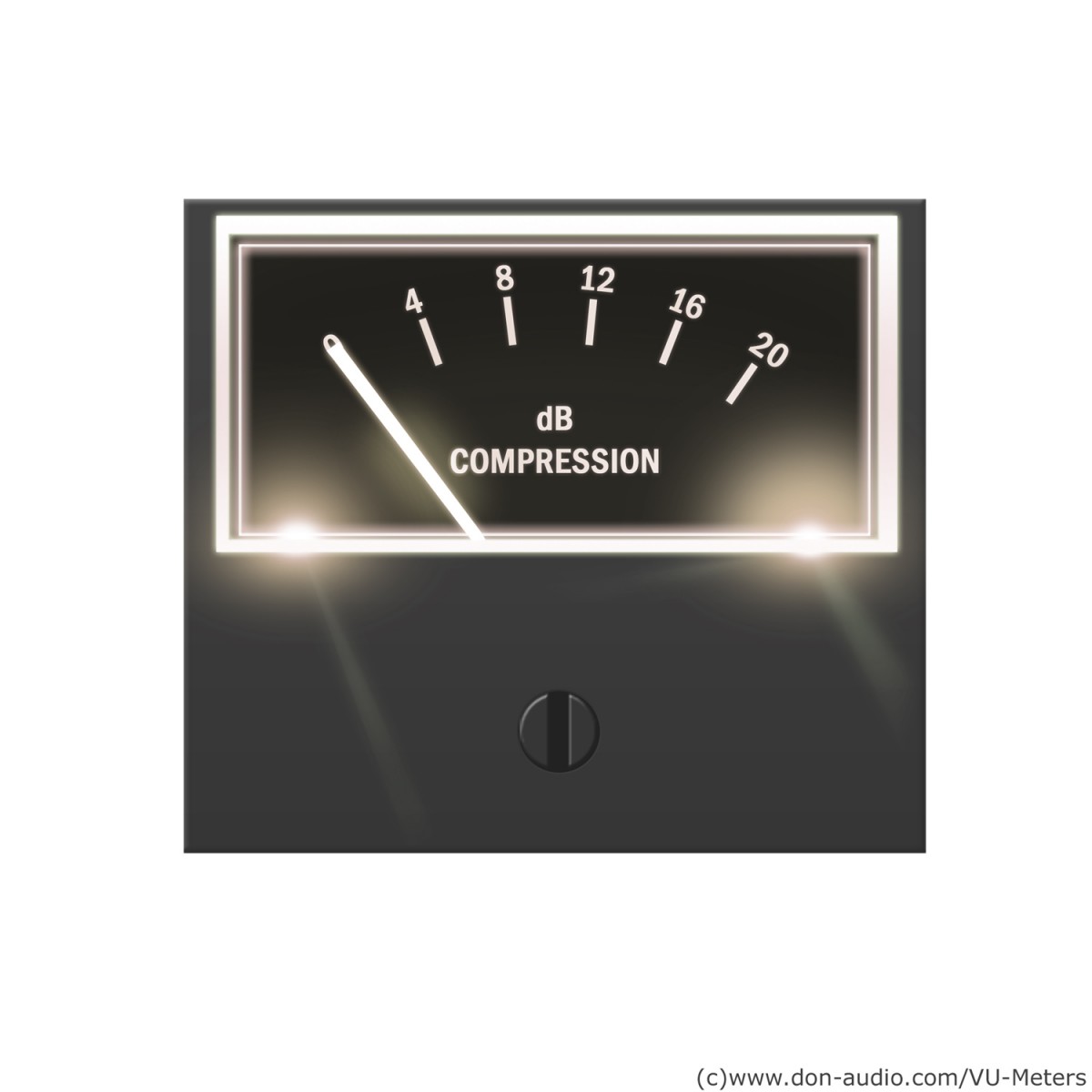
Gain reduction meters usually move in the opposite direction to level meters. On many hardware units the needle rests at 0 dB and swings left as the compressor works. On LED displays the bar often grows downward or from right to left. Either way, a reading of 4 dB means the signal is 4 dB quieter at that instant than it would be with the compressor bypassed.
Not all compression meters show all three readings at once. Some hardware units have a single switchable meter, so check which mode is selected before you trust the number.
VU Meters
The volume unit meter was standardised for broadcast and telephone use in the late 1930s. It uses a needle with deliberately slow ballistics, specified to take about 300 milliseconds to reach its reading. Because of that, a VU meter shows something close to average loudness rather than true peaks. The Wikipedia entry on VU meters covers the standard and its history in more detail.
On a compressor, a VU-style gain reduction needle gives a smooth, musical picture of how hard the unit is working. It will not show every short peak, so a fast transient can be reduced more than the needle suggests. This is why classic hardware with VU needles is often set by ear first and then checked against the meter.
PPM and Peak Meters
Peak programme meters were developed to show short peaks more accurately. They rise quickly, typically with an integration time of around 10 milliseconds or less depending on the standard, and fall back slowly so the eye can read them. Digital peak meters in DAWs go further and show the highest sample value. When you need to know whether something will clip, a peak reading is the one to trust.
LED Ladder Meters
Many compressors use a column of LEDs, each lit at a fixed step such as 1, 2, 3, 5, 7, 10 and 20 dB. These meters respond quickly and are easy to read at a glance, but their resolution is coarse. If two adjacent steps are 3 dB and 5 dB, you cannot tell the difference between 3.5 and 4.5 dB. Use them to judge the general amount and movement of compression, not exact numbers.
Plugin Compression Meters
Software compressors usually give the most detailed displays. Common features include:
Numeric peak hold: the largest gain reduction since playback began.
Scrolling history: a graph showing input, output and gain reduction over the last few seconds, which makes it easy to see whether the unit recovers between hits.
Transfer curve: a plot of input against output with a moving dot, which shows exactly where the signal sits relative to the threshold and knee.
Switchable ballistics: options to show peak, RMS or VU-style readings on the same meter.
Plugin emulations of vintage gear often copy the original needle behaviour, so a modelled VU meter will be as slow as the real one.
How to Read Compression Meters While Setting a Compressor
Watch the input meter and set the threshold so only the louder parts cross it.
Watch the gain reduction meter on the loudest section. For gentle control, aim for 2 to 4 dB on peaks; for obvious character, 6 to 10 dB or more.
Check the movement. The meter should rise on hits or loud words and fall back between them. A meter that stays pinned at one value usually means the release is too slow or the threshold too low.
Use the output meter and makeup gain to match bypassed and processed levels, then compare by ear.
What the Meter Movement Tells You
The shape of the movement is often more useful than the number. A needle that snaps up on each snare hit and returns smoothly shows a compressor working with the groove. A needle that jitters rapidly on a bass part suggests the release is short enough to follow the waveform, which can cause distortion. A meter that barely returns before the next phrase points to gain reduction stacking up, which flattens the dynamics more than you may want.
Different detection modes also change what you see. A compressor reacting to peaks will show quick, spiky readings, while an RMS detector shows slower, broader movement. Our article on peak vs RMS compression explains how each mode hears the signal.
Typical Gain Reduction Ranges
Mix bus glue: 1 to 3 dB.
Lead vocal levelling: 3 to 6 dB, sometimes split across two compressors.
Bass: 3 to 6 dB for steady notes.
Drum bus: 2 to 5 dB.
Parallel or room crush: 10 dB or more, blended in underneath the dry signal.
These are only guides. A sparse acoustic track may need far less, and an aggressive rock vocal may need more.
Common Metering Mistakes
Comparing numbers across different units. Meter ballistics and scales vary, so 4 dB on one compressor may not look like 4 dB on another.
Mixing with your eyes only. A healthy-looking meter does not guarantee a good sound.
Ignoring the output. Heavy makeup gain can clip the next plugin or converter even when the gain reduction looks reasonable.
Judging louder as better. Always level-match before deciding.
Final Thoughts
Compression meters are a map, not the destination. VU needles show the average feel, peak meters show what might clip, LED ladders give a fast overview, and plugin displays add history and transfer curves. Learn how your particular compressor’s meter behaves, use it to confirm what you hear, and you will set dynamics processing faster and with more confidence.
There are primarily five types of microphones: dynamic, condenser, ribbon, USB, and shotgun. Microphones are essential tools for recording and live performances.
In today’s market, various types of microphones are available for different purposes. It is crucial to understand each microphone’s unique characteristics and applications to make an informed choice. We will discuss the five primary types of microphones: dynamic, condenser, ribbon, USB, and shotgun.
We will delve into their differences, advantages, and disadvantages to provide a comprehensive overview of each type. By the end of this article, you will be equipped with the knowledge to find the best microphone for your specific needs.
Credit: en.wikipedia.org
Condenser Microphones
Condenser microphones are a popular type of microphone that use a thin, vibrating diaphragm to capture sound. These microphones can deliver a more detailed and responsive sound than other types of microphones and are often used in recording studios and for live performances.
Condenser microphones are also known as capacitor microphones and are a popular choice in professional recording studios. These microphones operate on the principle of capacitance by converting acoustic energy into electrical energy. They consist of a thin diaphragm made of conductive material, which converts the incoming sound waves into vibrations. These vibrations cause variation in the distance between the diaphragm and a stationary backplate, resulting in an electrical current that represents the audio signal.
Applications In Professional Recording Studios
Due to their ability to capture high-frequency sounds with accuracy, condenser microphones are widely used in professional recording studios. They are commonly used to record vocals, acoustic guitars, pianos, drums, and other instruments. They are also used for recording podcasts, voice-overs, and field recordings.
Advantages And Disadvantages Of Condenser Microphones
Advantages
Disadvantages
High sensitivity and frequency response.Produce studio-quality sound.Capable of capturing subtle nuances in sound.Low self-noise, resulting in low levels of background noise.
Require external power supply, which can be inconvenient.Can be fragile due to the thin diaphragm.May require a pop filter to prevent plosives and sibilance.Can be relatively expensive.
Overall, condenser microphones are ideal for professional recording purposes where high-quality sound is required. They are versatile and can be used for a wide range of applications. However, they may not be suitable for live performances due to their sensitivity to sound pressure levels and require careful handling in order to maintain their quality and performance.
Dynamic Microphones
Dynamic microphones are known for their robustness and versatility. They are commonly used for live performances, broadcasting, and recording loud sound sources such as drums and guitar amplifiers.
Dynamic microphones are commonly used in live performances and recording studios due to their versatility and rugged construction. They are designed to capture loud, high-pressure sound sources and produce a warm, natural sound.
How They Differ From Condenser Mics
While condenser microphones are more sensitive and offer a wider frequency response, dynamic microphones are more durable and less sensitive to humidity and temperature changes. Unlike condenser microphones that require external power, dynamic microphones generate their current from the movement of the diaphragm.
Ideal Situations For Their Use
Dynamic microphones are an excellent choice for recording or broadcasting vocals, electric guitars, drums, and bass guitar amplifiers. They are also ideal for outdoor sound reinforcement due to their ability to handle high sound levels without distortion. Their rugged construction makes them perfect for use in high-pressure environments, such as live concerts and outdoor events.
Conclusion
Dynamic microphones are a popular choice amongst sound engineers and music enthusiasts for their versatility and durability. Whether you’re recording a podcast, performing on stage, or capturing an outdoor event, a dynamic microphone is an ideal choice that can handle even the toughest environments.
Wireless Microphones
Wireless microphones have different types, including handheld, lapel, and headset. Each type offers versatility, freedom of movement, and excellent sound quality, making them ideal for various applications such as live music performances, seminars, and presentations.
Wireless microphones, also known as radio microphones, use radio waves to connect the transmitter to the receiver. Tech-savvy individuals usually prefer wireless microphones as they are the most convenient option for recording and performing live due to there being no cords to trip over or restrict movements.
Explanation Of How They Work
Wireless microphones will typically include two separate pieces of equipment: the transmitter and the receiver. The transmitter is the small device that a performer will attach to their clothes or hold in their hand. It converts the voice or instrument sound into a radio signal, which it sends out through an antenna. The radio signal is then collected by the receiver and converted back into an electrical signal that can be sent to a mixing desk or amplifier.
Their Advantages Over Wired Microphones
Wireless microphones have a range of advantages over wired microphones. Some of the most significant benefits of a wireless microphone are:
Freedom of movement
Flexibility in setup
No need for long cables
Less clutter
No tangling cords
Wireless microphones are a better option for individuals who want to record or perform without the restrictions of traditional wired microphones. The wireless system provides freedom of movement and reduces the risk of accidents on stage.
Code Sample
Wireless microphones require specific coding for connections and setting up. Here’s a sample code snippet for a wireless microphone setup:
In conclusion, wireless microphones provide flexibility and mobility to users, making them an excellent choice for live performances and recording studios. Wireless microphones can be expensive compared to wired microphones, but their advantages are worth the investment.
Credit: streamyard.com
Lavalier Microphones
A lavalier microphone is a small microphone that can be attached to clothing or hidden and used for a variety of applications. Sometimes referred to as a lapel mic, these types of microphones are popular in film, television, and theater productions, as well as in public speaking engagements, interviews, and other types of presentations.
Common Uses For Lavalier Mics
Due to their discreet nature and ability to capture high-quality audio, lavalier microphones have become a popular choice for a wide variety of applications. Here are a few common uses for these types of mics:
Interviews
Live performances
Speeches and presentations
Television and film production
Podcasting
Their Unique Design And Features
One of the unique features of lavalier microphones is their small size, which makes them ideal for discreet placement. They can be clipped onto lapels, ties, or collars, or even hidden under clothing for a more inconspicuous look. Some lavalier mics also feature omnidirectional pickup patterns, which means they can capture sound from all directions, making them ideal for recording multiple speakers or capturing ambient noise.
In addition to their discreet design, lavalier microphones also often come with a variety of accessories and features. For example, some models may come with windscreens to help reduce background noise or pops and clicks caused by breathing or speaking. Others may come with interchangeable cables or adapters to fit different types of audio equipment.
Ribbon Microphones
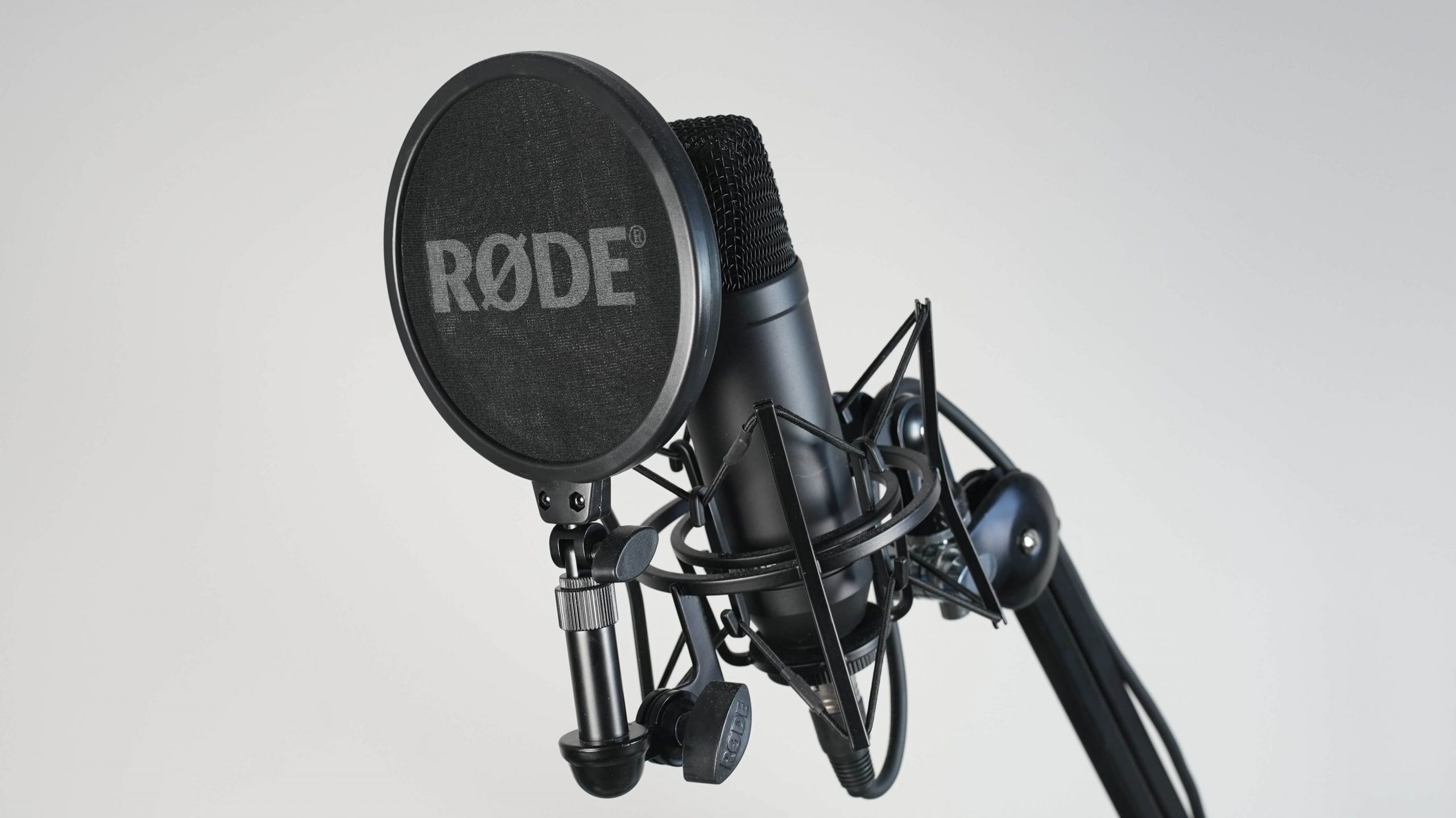
Ribbon microphones are one of several types of microphone available. They work by suspending a thin metal ribbon in a magnetic field which vibrates, picking up sound waves and converting them into electrical signals.
Ribbons microphones are a popular type of microphone used in various recording settings. They are known for their unique sound and ability to capture audio with great detail. Understanding how ribbon microphones work and the situations in which they are best employed can help you take full advantage of this type of microphone.
Explanation Of How They Work:
Ribbon microphones use a thin, metal ribbon suspended between two magnets to capture sound waves. When sound waves hit the ribbon, it vibrates and generates an electrical signal that is then sent through the mic cable. Unlike dynamic and condenser microphones, which rely on diaphragms, ribbon microphones work by manipulating magnetic fields. Because of this, they are highly sensitive and can capture subtle nuances in sound that other microphones may miss.
Examples Of Situations Where They Can Be Employed:
Ribbon microphones are widely used in both studio and live sound applications due to their warm, natural sound. They excel at capturing acoustic instruments such as violins, guitars, and pianos, as well as brass and woodwind instruments. They are also popular for use on drums, particularly for capturing the snare and toms. Additionally, ribbon microphones are often used for recording vocals, as their smooth, natural sound can provide a unique and desirable character to a singer’s voice. In conclusion, understanding the mechanics of ribbon microphones and the types of sounds they are best suited for can be incredibly helpful in choosing the right microphone for your recording needs. Whether you are a professional sound engineer or a musician looking to capture the perfect sound, a ribbon microphone can be a valuable addition to your recording setup.
Credit: www.gear4music.com
Usb Microphones
USB microphones come in different types such as dynamic, condenser, and ribbon microphones. Dynamic microphones are good for loud sounds like drums, while condenser microphones are great for capturing vocals and acoustic instruments in the studio. Ribbon microphones are perfect for soft and natural recordings.
How They Differ From Traditional Microphones
USB microphones are a type of microphone that connects directly to your computer or device through a USB port. They differ from traditional microphones in that they do not require an external amplifier or mixer to function. Instead, they have a built-in preamp and analog-to-digital converter, allowing them to convert acoustic sound waves into electrical signals that can be processed digitally. One advantage of USB microphones is that they tend to be more affordable than traditional microphones and can be easier to use for podcasting, streaming, and other digital content creation. They also come in a variety of shapes and sizes, from compact desktop models to large condenser microphones. However, USB microphones may not have the same level of audio quality or sensitivity as traditional microphones, especially for recording music or in professional studio settings. Additionally, they may be more prone to picking up background noise or interference from other electronic devices.
Examples Of Situations Where They Can Be Utilized
USB microphones can be a great choice for a variety of situations, including:
Podcasting: USB microphones are a popular choice for podcasters because they are easy to use and don’t require additional equipment.
Streaming: Whether you’re streaming video games, music, or other content, a USB microphone can help improve your audio quality and give your audience a better listening experience.
Remote work and meetings: With more people working from home, a USB microphone can be a valuable tool for virtual meetings and conference calls.
Voiceover work: USB microphones can also be a good choice for voiceover work, such as recording narration for videos or audio books.
Overall, USB microphones can offer a convenient and cost-effective alternative to traditional microphones in many situations. However, it’s important to consider your specific needs and requirements when choosing a microphone for your content creation or recording purposes.
Frequently Asked Questions For Types Of Microphone
What Are The 4 Main Types Of Microphones?
The four main types of microphones are dynamic, condenser, ribbon, and USB. Dynamic microphones are versatile and durable, while condenser microphones deliver high-quality sound. Ribbon microphones pick up subtle nuances, and USB microphones are easy to use for home recording and podcasting.
What Are The 3 Main Microphones?
The three main types of microphones are dynamic, condenser, and ribbon. Dynamic microphones are the most rugged and can handle high sound pressure levels. Condenser microphones are sensitive and can capture high-frequency sounds, while ribbon microphones have a unique warm sound quality and are often used for recording vocals and instruments.
What Are The 2 Most Common Microphones?
The two most common microphones are dynamic microphones and condenser microphones. Dynamic microphones are durable and versatile, making them ideal for live performances. Condenser microphones are highly sensitive and produce high-quality sound, making them great for studio recordings.
What Are The Different Types Of Dynamic Mics?
Dynamic microphones come in various types with different polar patterns and frequency responses. Some common types include cardioid, supercardioid, hypercardioid, and omnidirectional. Each type has its unique characteristics and is suitable for particular settings and applications.
Conclusion
To sum up, choosing the right microphone depends on what you’re using it for. If you’re recording music, a condenser mic is the best choice, while a dynamic mic is suitable for live performances. USB mics are great for podcasts and online streaming.
Whatever type of microphone you decide to use, be sure to follow proper recording techniques to get the best results. Remember, high-quality audio is essential for any successful recording.
The Dynamount X1 R is a highly versatile robotic microphone mount that can easily adjust to capture sound from any desired direction. With its advanced technology, it’s the perfect solution for broadcasters, podcasters, musicians and filmmakers who want to take their audio quality to the next level.
For those who are looking for an innovative solution to capture high-quality audio, the Dynamount X1 R is the perfect option. This state-of-the-art robotic microphone mount has been designed to cater to the needs of broadcasters, podcasters, musicians, and filmmakers who require precise audio adjustment.
The Dynamount X1 R is a game-changer in the industry, eliminating the need for manual microphone positioning and enabling users to capture sound from any direction with ease. In this review, we will explore the features of the Dynamount X1 R and how it can enhance your audio recording experience.
Credit: musictech.com
Credit: www.youtube.com
Frequently Asked Questions On Dynamount X1 R Review
What Is The Dynamount X1 R?
The Dynamount X1 R is a motorized microphone mount that allows for precise positioning and movement of your microphone during recording sessions.
How Does The Dynamount X1 R Work?
The Dynamount X1 R moves your microphone using a motorized system that can be controlled with the included remote or through a mobile app.
What Types Of Microphones Can Be Used With The Dynamount X1 R?
The Dynamount X1 R can accommodate most types of microphones, including large diaphragm condensers, ribbons, and dynamic microphones.
Is The Dynamount X1 R Easy To Install?
Yes, the Dynamount X1 R can be easily installed onto any mic stand or boom arm and comes with all necessary hardware.
Conclusion
After thoroughly examining the Dynamount X1 R, we can confidently say that it is a game-changer for audio recording. Its advanced technology allows for precise microphone positioning and complete freedom of movement, resulting in unparalleled sound quality. Additionally, its ease of use and compatibility make it accessible to both professionals and newcomers alike.
If you are serious about achieving the highest quality sound recordings, the Dynamount X1 R is a must-have for your toolkit.
Yes, you can mix on headphones. However, it is important to note that using headphones for mixing should not be your only reference point.
As an Amazon Associate I earn from qualifying purchases.
Headphones can offer a detailed and accurate sound, but they can also be prone to sound distortion and lack proper stereo imaging. When mixing on headphones, it is important to use high-quality headphones that offer accurate sound reproduction. Additionally, it is crucial to take frequent breaks and alternate between headphones and speakers to ensure a balanced mix.
Keep in mind that every device has a different frequency response, so it is important to test your mix on various sound systems to ensure it sounds good regardless of where it is played. Overall, headphones can be a helpful tool for mixing, but should not be the sole method of reference.
Advantages And Disadvantages Of Mixing On Headphones
Mixing on headphones offers the advantage of a more detailed and precise audio experience, especially in a noisy environment. However, it may result in an inaccurate representation of the sound, particularly in terms of stereo imaging and low-frequency response.
When it comes to mixing tracks, headphones have become an indispensable tool for music producers, audio engineers, and fans alike. Headphones offer unparalleled precision and isolation that allow mixing mistakes to be easily identified. But, is mixing on headphones as good as mixing on studio monitors? Let’s dive into some of the advantages and disadvantages of mixing on headphones.
Advantages
Portability: Mixing on headphones is convenient, easy to carry, and saves space, making it a popular option for mobile disc jockeys and other musicians who travel frequently.
Isolation and Precision: Headphones provide exceptional precision and clarity, making it easier to identify mixing errors such as background noise, fade-ins, and fadeouts, among others.
Affordability: Compared to studio monitors, headphones are an affordable alternative that produces quality sound to those working on a tight budget.
No Room Acoustics: Mixing on headphones eliminates the need for worrying about room acoustics, which is an important aspect to consider when mixing on studio monitors.
Disadvantages
Ear Fatigue and Hearing Damage: Extended periods of mixing on headphones can cause ear fatigue, ringing in the ears, and permanent hearing damage, which could be catastrophic for individuals who depend on their hearing for the job.
Limited Stereo Field: Most headphones offer a limited stereo field, which could lead to stereo errors, mixes that sound too wide or too narrow, and imprecise imaging.
Lack of Bass: Headphones often lack bass response, making it challenging to identify and adjust the bass frequencies during mixing.
Misrepresentation of Mid and High Frequencies: Some headphones tend to boost mid and high frequencies but under-represent low-frequency sounds, leading to inaccurate mixing results.
In conclusion, mixing on headphones has its advantages and disadvantages. While headphones are portable, affordable, and provide excellent isolation and precision in mixing, they have downsides such as limited stereo field, lack of bass, and misrepresentation of mid and high frequencies. Using headphones as a primary mixing tool isn’t ideal, but as a secondary tool, headphones are an excellent option for testing and proofing one’s mixes.
Credit: www.instagram.com
Selecting The Right Headphones For Mixing
When it comes to mixing music, selecting the right headphones is crucial. With the right headphones, you can create a well-balanced mix that sounds good on any device. However, with so many options in the market, selecting the right headphones can be overwhelming. In this article, we’ll discuss the three critical factors to consider when choosing the best headphones for mixing.
Frequency Response
When selecting headphones for mixing, the frequency response is one of the critical factors to consider. You need headphones that can produce a wide range of frequencies accurately. Generally, headphones with a flat frequency response are best for mixing. Flat frequency response allows you to hear every detail in the mix clearly.
Frequency Range
Ideal Response
Poor Response
Bass
20Hz – 200Hz
Less than 20Hz
Midrange
200Hz – 2kHz
Less than 200Hz or more than 2kHz
Treble
2kHz – 20kHz
Greater than 20kHz
Impedance
Impedance is the measure of the headphones’ resistance to the electrical signal, and it impacts the sound quality. For mixing, headphones with low impedance are the best option. Low impedance means that the headphones can receive more power and deliver a more precise sound. Headphones with high impedance are not suitable for mixing music as they require more power from the audio interface or mixer, which can lead to a distorted sound.
Open-back Vs Closed-back
The design of headphones differs, and this can have a significant impact on the sound quality. There are two types of headphone designs, closed-back and open-back, and the differences between them dictate their use in music production.
Open-back headphones allow air to flow through the ear cups, creating an open and natural sound that mimics studio monitors. However, due to their open design, they tend to leak sound, reducing their usability in noisy environments.
Closed-back headphones have a sealed design that prevents sound leakage and offers better isolation, making them more suitable for noisy environments. They also tend to have a bass-boosted sound, making them ideal for bass-heavy music genres like hip-hop and EDM. However, they may not provide the same level of detail clarity that open-back headphones provide.
Flat response headphones are best for mixing
Low impedance headphones offer precision in sound delivery
Open-back headphones deliver a natural sound but may leak sound
Closed-back headphones offer noise isolation and enhanced bass but with less detail clarity
Choosing the right headphones is crucial for creating a polished mix. With these factors in mind, you can select the headphones that best suit your needs and produce a well-balanced mix that sounds great on any device.
Mixing Techniques When Using Headphones
Mixing on headphones can be a challenge, but with the right techniques and tools, it is possible to achieve a good mix. It is important to consider factors such as the quality and type of headphones, the use of EQ and plugins, and reference tracks to ensure an accurate and balanced mix.
When it comes to mixing music, the use of headphones has become increasingly popular in recent years. While some may argue that using headphones isn’t the best way to mix, they can still be a useful tool, especially for those working in smaller spaces or on a tight budget. However, there are some things to keep in mind when mixing on headphones to ensure you get the best results. Here are some essential mixing techniques to consider when using headphones:
Gain Staging
One critical consideration when mixing with headphones is the gain staging. It’s crucial to make sure each track is at the correct volume level, so the mix is balanced. If one track is too loud, it can overpower the others and make the mix sound muddy. On the other hand, if one track is too soft, it can get lost in the mix. To achieve the right balance, it’s best to aim for a peak level of -6dB on each track and ensure the master track doesn’t go over 0dB.
Panning
Panning is another vital technique that can make a big difference when mixing on headphones. Proper panning placement can create a sense of space in a mix and prevent instruments from clashing. It’s essential to mix in mono at first to make sure instruments sound good together, then pan them to the right or left to create a balanced mix. A general rule of thumb when starting is to place the kick and bass in the center, the lead vocals in the center and slightly forward, and other instruments panned to create a stereo width and balance.
Eq And Frequency Balance
When using headphones for mixing, it’s crucial to pay attention to EQ and frequency balance. Headphones tend to accentuate certain frequencies, so it’s crucial to use reference tracks and mix in different environments to get an accurate balance. It’s essential to use high-quality headphones that allow for a flat frequency response, so the mix doesn’t sound too bass-heavy or treble-heavy. It’s also a good idea to use subtractive EQ to remove any unwanted frequencies and boost the right frequencies to create a balanced mix.
Reverb And Delay
Finally, when mixing on headphones, it’s crucial to pay attention to reverb and delay effects. These effects can add depth and space to a mix, but it’s essential to use them sparingly and in moderation when using headphones. It’s also important to choose the right type of reverb or delay based on the track and the genre of music you’re mixing. If you use too much reverb or delay, it can result in a muddy and washed-out mix, so it’s best to use them in small amounts to achieve a polished and balanced mix. In conclusion, while mixing on headphones may not be the ideal way to mix, it’s still a useful technique. By using the right techniques, such as gain staging, panning, EQ and frequency balance, and reverb and delay, you can achieve a quality mix on headphones. Remember to take your time, use reference tracks and mix in different environments, and you’ll be able to achieve the best possible results when mixing on headphones.
Avoiding Common Mistakes
When it comes to mixing music, many aspiring producers and engineers make the mistake of relying solely on headphones as their primary mixing tool. While headphones can be incredibly helpful in certain situations, they also have their limitations. In this article, we’ll explore the common mistakes to avoid when mixing on headphones.
Mixing Too Loudly
Mixing music at high volumes can be tempting, especially when wearing headphones. However, this can lead to ear fatigue and inaccurate mixing. When you mix at high volumes, you might miss certain frequencies, and the mix may not sound well balanced when played back on different systems. Therefore, it’s important to mix at moderate volumes and take regular breaks to avoid ear fatigue.
Neglecting The Mastering Process
Mastering is a crucial step in music production that should never be overlooked. This process involves adding finishing touches to a mix to enhance its clarity, loudness, and overall quality. Neglecting the mastering process can lead to a mix that sounds dull, lacks depth, and doesn’t stand out in a competitive music market.
However, it’s important to note that mastering on headphones alone can be challenging. Headphones tend to exaggerate certain frequencies and may not give you an accurate representation of the final master. In this case, it’s always best to have your mix/master checked by a professional audio engineer who has experience working with different systems and environments.
Using Only Headphones For Mixing
While headphones can be an excellent tool for mixing music, they should never replace studio monitors completely. Studio monitors provide a better representation of how your mix will sound in different environments, making it easier to achieve a well-balanced mix.
If you must mix on headphones, then it’s best to switch between different sets of headphones with different frequency responses. This will give you a better representation of how the mix will sound on different systems and help you avoid the common mistake of mixing for only one set of headphones.
Conclusion
While headphones can be an incredible tool for music production, they have their limitations. Avoiding the common mistakes outlined in this article can help you achieve a well-balanced mix that sounds great on different systems. Remember to mix at moderate volumes, never neglect the mastering process, and use headphones in conjunction with studio monitors to achieve the best possible results.
When It’s Appropriate To Mix On Headphones
When it comes to mixing music, many producers debate whether headphones are an appropriate tool. On one hand, headphones provide a more intimate listening experience, allowing you to hear every detail of your mix. On the other hand, they lack the spatial awareness provided by studio monitors, making it more difficult to create a balanced mix. So, when is it appropriate to mix on headphones? Let’s explore.
Mobile And Bedroom Producers
If you’re a mobile or bedroom producer, chances are you don’t have access to a professional recording studio or high-end equipment. As a result, you may find yourself relying on headphones for mixing due to noise limitations or lack of space. In this case, mixing on headphones can be a viable option.
However, it’s important to note that not all headphones are created equal. High-quality headphones with a flat frequency response, such as the Beyerdynamic DT 880 or Sennheiser HD 600, are a more suitable choice, as they provide a more accurate representation of your mix. In contrast, consumer-grade headphones with boosted bass or treble can give you an inaccurate representation and lead to flawed mixes.
Code Example:
Pros
Cons
More intimate listening experienceUseful for mobile and bedroom producersLess affected by room acoustics
Lacks spatial awarenessCan lead to fatigue and ear damageNot suitable for all genres (e.g. orchestral music)
Overall, mixing on headphones can be a useful tool in certain situations, such as when you don’t have access to a professional recording studio or when dealing with noise limitations. However, it’s important to use high-quality headphones and to be aware of the limitations they pose, ensuring you double-check your mixes on different systems such as studio monitors or your car speakers.
Credit: m.youtube.com
When It’s Not Appropriate To Mix On Headphones
Headphones are a necessary tool for every music producer or sound engineer; however, there are instances where using headphones is inappropriate.
Mixing For Large Sound Systems
One of the main reasons why mixing on headphones is not appropriate is because headphones are not capable of replicating the sound of large speakers. When mixing for large sound systems, such as a concert or festival, you need to ensure that your mix translates well onto large speakers. Using headphones can lead to a mix that sounds great on headphones but terrible on large sound systems, as the sound coming through the headphones is not a true representation of the sound that will be heard through the large speakers.
When Working In Acoustically Treated Rooms
Another reason why mixing on headphones might not be the best option is when working in acoustically treated rooms. Acoustically treated rooms have been designed to absorb and reflect sound in specific ways, which can impact how you hear your mix. In contrast, headphones provide a consistent listening environment, regardless of the room you are in. Therefore, it’s essential to ensure that your mix translates well both on headphones and in an acoustically treated room.
Despite these concerns, mixing on headphones does have its advantages, such as the ability to work in a quiet environment, the ability to isolate individual tracks, and the ability to focus on specific frequencies. However, it’s essential to keep in mind the limitations of headphones and ensure that your mix translates well on both headphones and large sound systems.
Credit: www.youtube.com
Frequently Asked Questions For Can You Mix On Headphones
Is It Ok To Mix In Headphones?
Yes, it is OK to mix in headphones. However, it is essential to keep in mind that headphones have a different sound signature than speakers so that it may affect the mix. Additionally, it is recommended to use high-quality headphones and check the mix on speakers as well.
Can You Mix A Song With Headphones?
Yes, you can mix a song with headphones. However, when compared to studio monitors, headphones may not provide accurate spatial imaging, making it hard to gauge the stereo field. Also, prolonged headphone usage may cause fatigue and misjudgment of certain sounds.
It’s recommended to use both headphones and monitors to get the best mix possible.
Is It Better To Mix With Or Without Headphones?
It is better to mix with headphones as they offer accurate sound representation and allow for more precise adjustments. However, it is also important to check the mix on other devices such as speakers and earbuds to ensure it translates well across various platforms.
Is It Better To Mix On Monitors Or Headphones?
It is generally better to mix on both monitors and headphones. Mixing on monitors can provide a more accurate representation of the sound, while mixing on headphones can help to reveal details that may not be as noticeable on monitors.
It is ideal to use both to achieve the best possible mix.
Conclusion
Overall, mixing on headphones can be effective if done correctly and with the right equipment. While it may not be as accurate as using studio monitors, it can be a useful tool for producers and engineers who don’t have access to a proper mixing space.
It is important to keep in mind the limitations of headphones and make adjustments accordingly. Ultimately, whether or not to mix on headphones is a matter of personal preference and the specific needs of each project. So, it’s worth experimenting with both methods to see which approach works best for you.
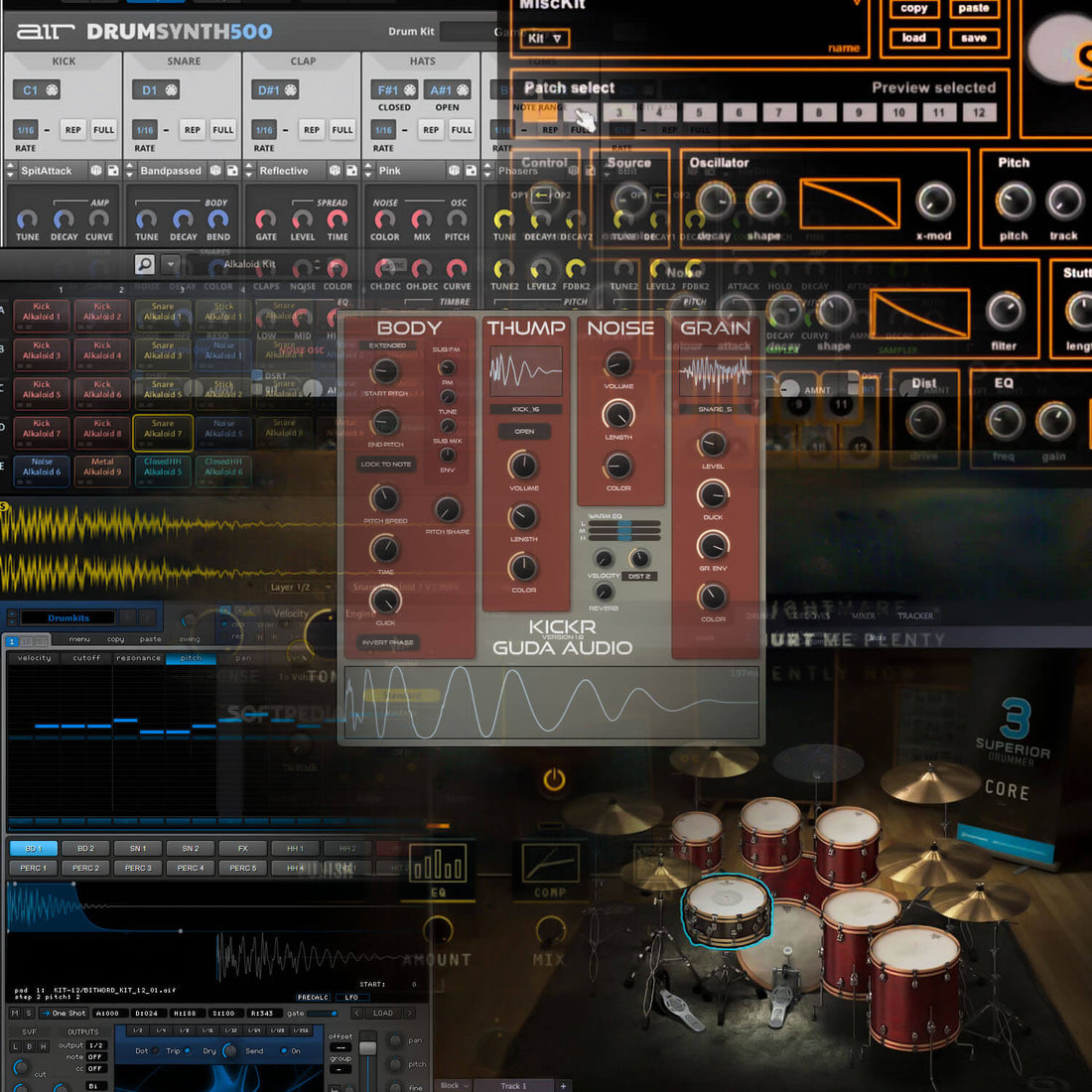
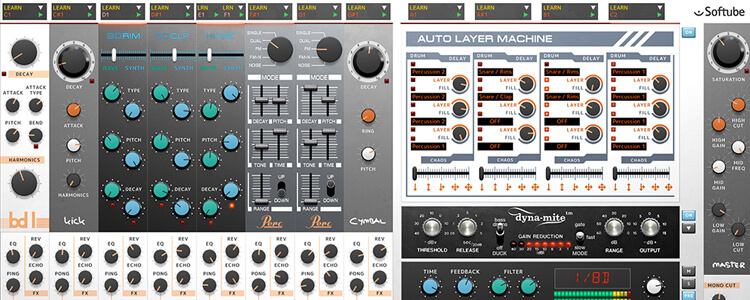
Some of the top best drum synth plugins include Superior Drummer 3 and Addictive Drums 2. These plugins offer a wide range of drum sounds and customization options, making them popular choices among musicians and producers.
Other options to consider include EZdrummer 2, Battery 4, and Steven Slate Drums 5. Drum synth plugins offer musicians and producers a convenient way to create and customize drum tracks for their music projects. These plugins provide users with a range of realistic drum sounds and the ability to tweak them to their liking.
This can save time and effort compared to recording live drums, making drum synth plugins a valuable tool for music production. We’ll take a closer look at some of the top best drum synth plugins available on the market today.
Credit: sound7.co.uk
Drum Synth Plugin #1
This top-ranked Drum Synth Plugin features cutting-edge technology to produce powerful and authentic-sounding drums. With a wide range of presets, customization options, and intuitive controls, it’s the perfect tool for producers and beat-makers of any genre.
Drum Synth Plugin #1 is a powerful tool that every drummer and music producer should consider using. With this plugin, you can create high-quality and realistic drum sounds that are perfect for any genre of music. Let’s dive into the features, pricing, and user interface of this amazing drum synth plugin.
Features
Drum Synth Plugin #1 comes with a variety of features to meet all your rhythm needs. It offers a vast collection of customizable drum kits, which you can use to create the perfect beats for your songs. Additionally, you can tune, mix, and shape drum sounds with the easy-to-use interface. This plugin also allows you to layer sounds, add effects, and adjust the velocity to create dynamic patterns. With its polyphonic capabilities, you can even play multiple drum sounds at once for complex arrangements. Overall, Drum Synth Plugin #1 is a versatile tool that enhances your music production experience.
Pricing
Drum Synth Plugin #1 is an affordable option for all music producers. It offers a subscription-based pricing model, allowing you to pay on a monthly or yearly basis. The monthly plan starts from $10, while the yearly plan costs $100, making it a cost-effective choice in the market. Additionally, Drum Synth Plugin #1 offers a free trial period to try out the features before you commit to the full version.
User Interface
The user interface of Drum Synth Plugin #1 is intuitive, making it easy to use for beginners and professionals. The simple layout and design of the interface allow you to access all the features efficiently without any confusion. It comes with a drag and drop feature, allowing you to create complex rhythms quickly. With its resizable interface, you can adjust the size of the plugin based on your screen resolution for better visibility. The interface also includes a comprehensive manual that provides an overview of all the features, making it easy to understand how to operate the plugin. In conclusion, Drum Synth Plugin #1 is a go-to plugin for every music producer looking for a reliable and versatile drum synth plugin. With its features, pricing, and user interface working together seamlessly, it is a good choice to boost up your music production skills.
Drum Synth Plugin #2
If you’re looking for a plugin that can deliver incredibly realistic and professional sounding drums, then Superior Drummer 3 is definitely a top contender. This drum synth plugin has become a favorite among producers, composers, and drummers alike. With its advanced features, intuitive user interface, and reasonable pricing, Superior Drummer 3 can definitely take your drum tracks to another level.
Features
Superior Drummer 3 boasts an enormous library of drum samples recorded with world-class gear in some of the best studios in the world. With over 230 GB of raw, unprocessed drum sounds, this plugin offers infinite possibilities for customizing your sounds. The plugin also features a built-in mixer with over 35 effects, allowing you to shape your drums to your heart’s content. Additionally, Superior Drummer 3 has a range of MIDI grooves and drum performances to help spark your creativity.
Pricing
Superior Drummer 3 is priced at $419. However, the plugin offers a range of expansion packs that give you access to even more drum sounds, making it a worthwhile investment for serious drum producers and composers.
User Interface
One of the standout features of Superior Drummer 3 is its user interface. The plugin is highly intuitive and easy to navigate, even for beginners. The built-in mixer is especially user-friendly, with an intuitive layout and drag-and-drop functionality. Overall, Superior Drummer 3 is a well-designed plugin that offers powerful features without sacrificing usability.
If you’re willing to invest in a drum synth plugin that can take your drum tracks to the next level, Superior Drummer 3 is definitely worth considering. Its extensive library of drum sounds, built-in mixer, and intuitive user interface make it a standout choice for drum producers and composers.
Drum Synth Plugin #3
If you are looking for an ultimate drum production software, Superior Drummer 3 is an excellent choice. It is a popular drum synth plugin among professional musicians, songwriters, and producers worldwide. Superior Drummer 3 comes with a vast library of drum samples, and it allows you to create realistic drum tracks with ease. Moreover, it offers an easy-to-use interface, making music production a breeze.
Features
Superior Drummer 3 is packed with a wide range of features that make it a top-notch drum synth plugin. Here are some of the salient features that make Superior Drummer 3 stand out:
Recorded with an impressive 11.1 surround sound
Comes with over 230GB of raw drum sound
Offers drum MIDI grooves ranging from basic rock to complex fusion
Comes with a built-in mixer with effects and drum processing options
Allows for easy customization and tweaking of drum sounds
Offers a humanizer function that adds natural timing variations
Compatible with all major DAWs and operating systems
With such an extensive range of features, Superior Drummer 3 enables users to create unique drum tracks that cater to their preferences.
Pricing
When it comes to pricing, Superior Drummer 3 is a bit on the expensive side, with a retail price of $419. However, considering the vast range of features and the high quality of the drum samples, it’s arguably worth every penny.
User Interface
The interface of Superior Drummer 3 is incredibly user-friendly and intuitive. It is divided into various sections, including the drum mixer, groove library, and drum kit graphics, making it easy to navigate through the plugin. It also offers several customization options, allowing users to adjust the size and layout of the interface to suit their preferences.
Pros
Cons
Offers an extensive drum sample library and MIDI groovesComes with a built-in mixer and processing optionsOffers a realistic drum sound with natural timing variationsCompatible with all major DAWs and operating systems
Expensive compared to other drum synth pluginsMay require a higher CPU usage when using large drum kitsDoes not offer a drag-and-drop function for MIDI grooves
In conclusion, Superior Drummer 3 is a top contender among the best drum synth plugins in the market. It offers a vast range of features, a user-friendly interface, and a realistic drum sound that is perfect for any music production project. Although its pricing may be a setback for some musicians, it is definitely a worthwhile investment for those who want to create professional-sounding drum tracks.
Drum Synth Plugin #4
If you’re on the lookout for the best drum synth plugins, you won’t want to miss out on Drum Synth Plugin #4. With its advanced sound customization tools and intuitive interface, this plugin is a must-have for any producer or musician looking to take their drum sound to the next level.
Drum Synth Plugin #4 is a powerful and versatile virtual instrument plugin designed to provide professional-grade drum sounds for music producers and audio engineers. This plugin combines advanced synthesis and sound design techniques to deliver a wide range of drum sounds that can be customized to fit any music genre or mix.
Features
The Drum Synth Plugin #4 comes packed with an impressive list of features that make it stand out from other drum synth plugins available in the market. Some of the features include:
Advanced synthesis engine
50 drum presets
Customizable parameters
MIDI learn function
Integrated effects (reverb, delay, distortion)
With these features, users can create unique and high-quality drum sounds that can be used in various music productions.
Pricing
The Drum Synth Plugin #4 is priced reasonably, making it accessible to music producers of all levels. It can be purchased from the plugin developer’s website for $99. There are also free demo versions available for users who want to test out the plugin before making a purchase.
User Interface
The user interface of the Drum Synth Plugin #4 is user-friendly, making it easy for beginners to use. The interface features a sleek and modern design with intuitive controls that allow users to tweak and customize sounds easily. The plugin can be used as a standalone application or as a plugin within a DAW, making it versatile for any production setup. In conclusion, the Drum Synth Plugin #4 is an essential tool for any music producer or audio engineer looking to create high-quality drum sounds. With its impressive features, reasonable pricing, and user-friendly interface, this plugin is undoubtedly worth checking out.
Drum Synth Plugin #5
Plugin #5 for the best drum synth plugins is an outstanding and versatile option for producing complex drum sounds. This synth plugin provides various customization options that allow for the creation of unique drum samples.
Drum Synth Plugin #5 is a top-quality plugin that has gained popularity among music producers for its superior sound quality and versatility. With its advanced features, intuitive user interface, and affordable pricing, it has become a favorite of many musicians worldwide.
Features
Drum Synth Plugin #5 offers a wide range of features that make it stand out from other drum synth plugins. Some of its notable features include:
Easy customization of drum sounds
Ability to create complex rhythms and patterns with ease
Efficient use of system resources
Flexible modulation options
Multiple audio outputs for routing flexibility
Supports multiple audio formats
Pricing
Pricing is always an important consideration when choosing a plugin, and Drum Synth Plugin #5 offers excellent value for its price. It comes in two packages: basic and advanced. The basic package is perfect for beginners, while the advanced package offers more advanced features for experienced producers.
Package
Price
Description
Basic
$50
Includes basic features and access to the plugin
Advanced
$100
Includes all features and access to support and updates
User Interface
The user interface of Drum Synth Plugin #5 is intuitive and easy to use, even for beginners. All the main features are easily accessible from the main window, and the interface is customizable to fit individual workflows. The plugin is compatible with most major DAWs and supports both Windows and macOS operating systems.
Credit: musictech.com
Factors To Consider When Choosing A Drum Synth Plugin
Drum synth plugins are all the rage in the music industry as they offer producers and musicians the flexibility of creating drum sounds from scratch that can be customized to their liking. However, with so many options available, choosing the right one can be a daunting task. Here are some factors to consider when selecting a drum synth plugin:
Sound Quality
The sound quality of the drum synth plugin is one of the most important factors to consider. A good drum synth plugin should be able to produce realistic and high-quality drum sounds that can match the sound of a real drum kit. It should also have a variety of effects that can enhance the sound and give the drums their unique character.
Compatibility
Compatibility is another crucial factor to consider when selecting a drum synth plugin. It should be compatible with your digital audio workstation (DAW) so that you can easily integrate it into your music production workflow. You should also check if the plugin is compatible with your computer’s operating system to avoid any compatibility issues.
Ease Of Use
The drum synth plugin you choose should be easy to use, even for beginners. It should have a user-friendly interface that allows you to access all the features without any difficulty. This will enable producers to focus on the music-making process, rather than struggling to understand the functionalities of the plugin.
Customization Options
A good drum synth plugin should also have a wide range of customization options. It should allow you to adjust different parameters such as pitch, sustain, decay, and more. This will enable you to create unique drum sounds that cater to the needs of your music production project.
Budget
Your budget is also a crucial factor to consider when selecting a drum synth plugin. Some plugins can be expensive, but there are also affordable options available. It’s essential to compare different options and choose the one that offers the best value for your money. Remember that cost does not always correspond with quality.
Credit: www.productionmusiclive.com
Frequently Asked Questions For Top Best Drum Synth Plugins
What Is The Best Drum Vst Plugin?
Superior Drummer 3 by Toontrack is regarded as one of the best drum VST plugins in the market. It has an enormous library of drum sounds, ranging from vintage to modern kits, and comes with a powerful built-in mixer. The plugin also features an intuitive interface and useful performance tools.
Can You Make Drum Sounds With A Synth?
Yes, it is possible to make drum sounds with a synthesizer. Synths are versatile and can produce various sounds, including drums, by using different waveforms, oscillators, filters, and envelopes. With the right settings and techniques, a synthesizer can replicate the sound of drum machines or create unique and unconventional drum sounds.
Does Reaper Have A Drum Machine?
Yes, Reaper has a built-in drum machine called ReaSamplomatic 5000. It allows users to create and edit drum beats using a variety of samples and patterns.
What Are The Best Free Synth Plugins?
Some of the best free synth plugins include Dexed, Helm, Charlatan, Synth1, and TyrellN6. These plugins offer a variety of sounds and features, allowing for creative freedom in music production without the cost of expensive equipment.
Conclusion
A drum synth plugin is an essential tool for any producer or musician looking to add an authentic, customizable drum sound to their tracks. The top drum synth plugins offer a vast range of features and parameters that can be fine-tuned to create unique drum sounds that fit any genre.
Investing in a high-quality drum synth plugin not only improves the quality of your music but also saves time in the production process. Choose the best option that suits your needs and take your drum tracks to new levels. Happy music making!
To record audio in Pro Tools, select a track and arm it for recording. Then, hit the record button and begin recording your audio.
Pro Tools is a popular digital audio workstation used by professionals for recording, editing, and mixing music and sound. To record audio in Pro Tools, you need to create a new track or select an existing one and arm it for recording.
Once you have your track ready, simply hit the record button and start recording your audio. Pro Tools offers various recording modes, including real-time and non-real-time recording, and you can also use external audio devices for recording. We’ll explore in detail how to record audio in Pro Tools and some tips and tricks to improve your recording quality.
Credit: www.protoolsproduction.com
Get Set Up
To record audio in Pro Tools, you need to first set up your equipment correctly. Make sure your microphone is connected and your input settings are configured in Pro Tools. This will ensure that your recordings sound clear and professional.
Setting up your audio inputs and tracks correctly is essential for recording high-quality audio in Pro Tools. In this article, we will guide you on how to get set up for recording audio in Pro Tools, including connecting your audio inputs and creating a new audio track.
Connect Your Audio Inputs
Before you start recording audio in Pro Tools, you need to make sure your audio inputs are connected correctly. Follow these steps to connect your audio inputs:
Plug in your microphone, guitar, or other audio source to your audio interface.
Connect your audio interface to your computer via USB or Firewire.
Launch Pro Tools and select “Setup” from the menu bar.
Select “I/O Setup” from the dropdown menu.
Click on the “Input” tab and create new audio paths for each of your audio inputs.
Assign the inputs to the appropriate channels on your audio interface.
Create A New Audio Track
Once your audio inputs are connected, you can create a new audio track in Pro Tools to start recording. Follow these steps to create a new audio track:
Click on the “Track” menu and select “New Track”.
Choose “Audio Track” from the dropdown menu.
Set your desired input in the “Input” section.
Select your desired track format and sample rate in the “Format” section.
Click “Create” to create a new audio track.
By following these simple steps, you can ensure that you are set up to record audio in Pro Tools. With the proper set up, you can begin recording high-quality audio for your projects.
Credit: obedia.com
Configure Your Settings
To record audio in Pro Tools, it is crucial to configure your settings properly, including selecting the correct input device and sample rate. This will prevent any unwanted noise or distortion and ensure clear and high-quality recordings.
Configure Your Settings: Before starting to record audio in Pro Tools, it is important to configure your settings to ensure that your recording session proceeds smoothly and without any errors. In this section, we’ll look at two important settings: Sample Rate and Bit Depth, and Recording File Type. Set Your Sample Rate And Bit Depth: When it comes to audio recording, sample rate and bit depth are two important factors that determine the quality of your audio recordings. Sample rate refers to the number of samples of audio taken per second, while bit depth refers to the number of bits of data that describe each sample. To set your sample rate and bit depth in Pro Tools, follow these steps: 1. Go to the Setup menu and select Playback Engine 2. Choose your desired sample rate and bit depth from the options available 3. Click OK to save your changes It is important to note that higher sample rates and bit depths will result in higher quality audio, but will also take up more storage space on your hard drive. Choose Your Recording File Type: Pro Tools allows you to choose from a variety of recording file types, including WAV, AIFF, and MP3. The file type you choose will depend on your intended use for the audio recording. To choose your recording file type in Pro Tools, follow these steps: 1. Go to the Setup menu and select Preferences 2. Click on the Audio tab 3. Select your desired file type from the options available 4. Click OK to save your changes It is important to note that WAV and AIFF are both lossless file types, meaning that they maintain the quality of your audio recording, while MP3 is a compressed file type that sacrifices some quality for a smaller file size. In conclusion, configuring your settings before recording audio in Pro Tools is a crucial step that must not be overlooked. By setting your sample rate and bit depth, and choosing your recording file type, you’ll ensure that your audio recording session is of high quality and goes without a hitch.
Set Your Levels
If you’re working with audio in Pro Tools, setting your levels is an important step to ensure that your recordings aren’t too quiet or too loud. Here’s how you can set your levels to record audio in Pro Tools.
Check Your Input Levels
Before you start recording, it’s important to ensure that your levels aren’t too high or too low. To check your input levels, follow these steps:
Select the track you want to record on
Click on the “Input” button in the Mix window
Make sure the “Gain” knob is at its default position (0dB)
Speak or play the loudest part of what you’re going to record
Watch the input meter and adjust your levels accordingly
Ensure that the highest peak is hitting between -12dB and -6dB on the meter
Adjust Your Preamp Gain
If your input levels are too low, you may need to adjust your preamp gain. Follow these steps:
Make sure your interface’s preamp is turned on
Speak or play the loudest part of what you’re going to record
Adjust the preamp gain until your levels are hitting between -12dB and -6dB on the meter
Once you’ve set your levels, you’re ready to start recording in Pro Tools. Remember to check your levels periodically as you record to ensure that they remain in the appropriate range.
Record Your Audio
If you want to create high-quality audio content, recording audio in Pro Tools can be an excellent option. Pro Tools is a versatile audio recording and editing software that is widely used in the music and audio recording industry. One of the main features of Pro Tools is its ability to record audio directly into the software. In this section, we will guide you on how to record audio in Pro Tools from start to finish.
Arm Your Track
The first step to recording audio in Pro Tools is to arm your track. Arming a track means you are enabling it to receive the audio you record. To arm a track, simply click on the “R” button on the track you want to record on. You can also arm multiple tracks at once by holding down the “Ctrl” key and clicking on the “R” buttons.
Press Record
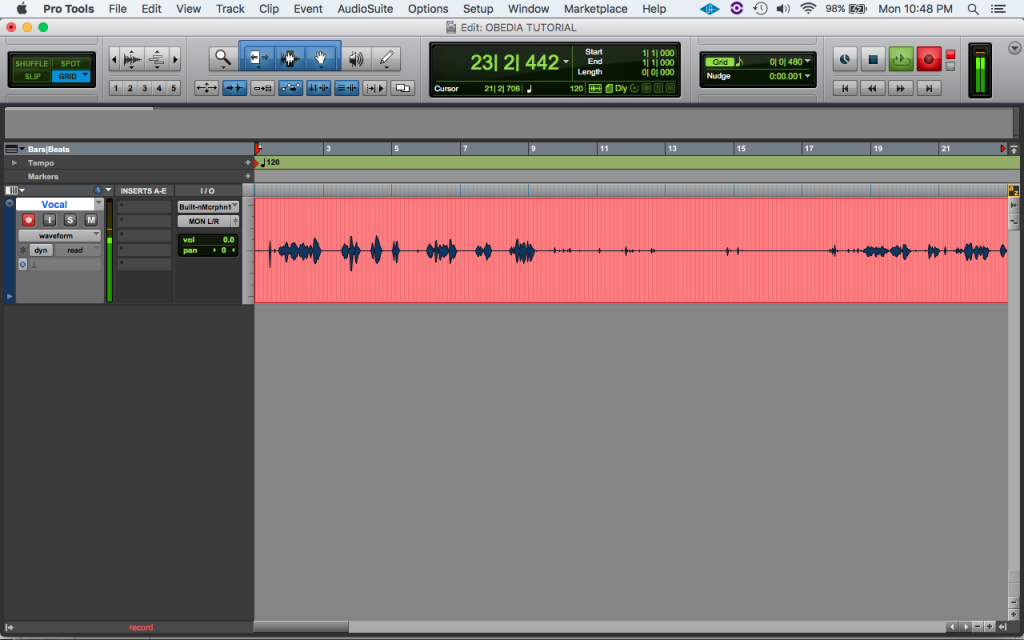
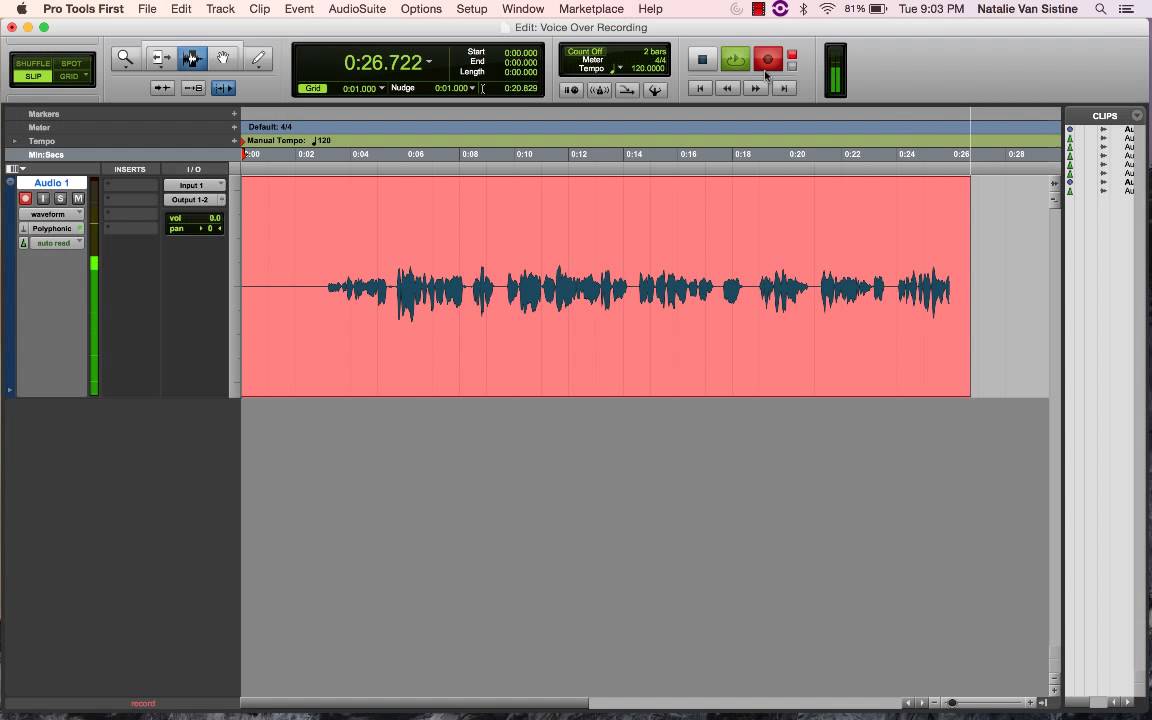
Once your track is armed, you can start to record audio. To begin recording audio, click on the red “Record” button located at the top of the screen or press the “command” and the space bar keys simultaneously. Pro Tools will then start recording your audio input, and you will see a waveform appear on the track view.
It is essential to monitor your recording levels while recording audio. If your levels are too low, you may end up with a weak recording, and if they are too high, it could result in clipping. You can adjust the recording levels by moving the input gain slider on your interface or in the Pro Tools mixer.
Once you’re done recording, click on the “Stop” button or press the space bar key to stop the recording sequence. Pro Tools will then automatically create a new audio clip of your recorded audio.
Record Audio in Pro Tools can be an enjoyable task as it is quite simple. By following the above steps, you can easily record audio in Pro Tools and create excellent quality audio content.
Monitor Your Recording
When it comes to recording audio, monitoring what you’re recording is just as crucial as the recording process itself. Pro Tools makes it easy to monitor your recording in real-time, so you can make sure you’re capturing the sound you want. Here’s how:
Listen To Your Input
Before you start recording, it’s important to listen to your input signal to make sure it’s not too loud or too quiet and has no unwanted noise. To do this, make sure your track is armed for recording, and click on the input monitoring button on the track. This will allow you to hear your audio input in real-time, and adjust your levels accordingly.
Use Headphone Cue Mix
Pro Tools allows you to set up a separate headphone cue mix, which is particularly useful when recording multiple sources or a live band. This allows you to give each performer their own mix that only they can hear, so they can hear themselves and any effects you’ve added to their channel. To set up a headphone cue mix, click on the ‘New Headphone Cue’ button on the track and set up your mix accordingly.
Monitoring your recording is a crucial step in the recording process, and with Pro Tools, it’s easy to do so. Listen to your input signal and use the headphone cue mix to ensure you’re capturing the best sound possible.
Edit Your Audio
Record audio in Pro Tools and bring professional quality to your sound editing. With the advanced features and user-friendly interface, you can easily edit your audio to perfection. Take your recordings to the next level with Pro Tools.
Edit Your Audio Once you have recorded your audio in Pro Tools, the next step is to edit it. Editing your audio is crucial for making it sound professional and polished, and Pro Tools provides a range of tools and features to help with this process. Here are some ways to edit your audio in Pro Tools. Trim The Start And End Point Trimming the start and end points of your audio is essential for removing any unwanted noise or silence at the beginning or end of a recording. To do this, select the audio clip in the Edit window and drag the start or end of the clip to the desired position. You can also use the Trim tool, which is located in the Edit window toolbar and allows you to trim the audio clip with precision. Normalize Your Audio Another way to enhance the quality of your audio is by normalizing it. Normalizing your audio ensures that the overall volume of your recording is consistent and that there are no sudden spikes or dips in volume. In Pro Tools, you can normalize your audio by selecting the audio clip and going to the Clip menu, then selecting Normalize. Pro Tools also allows you to adjust the threshold and peak levels for normalization to get the desired result. In conclusion, editing your audio in Pro Tools is an essential step to creating a professional and high-quality recording. By trimming the start and end points of your audio and normalizing the volume, you can enhance the overall sound quality and make your recording stand out. With the range of tools and features available in Pro Tools, you can achieve the perfect edit for your audio.
Export Your Audio
Once you have recorded your audio in Pro Tools, it’s time to export your file so that you can share it with others or use it in other projects. Exporting your audio is simple and only takes a few steps.
Save Your Recording
Before exporting your audio, make sure you save your recording. You don’t want to lose your hard work! To save your recording, simply click on File and then select Save (or Save As if you want to save a copy with a new name).
Choose Your Export Settings
Next, you need to choose your export settings. Pro Tools offers several options for exporting your audio, including file format, bit depth, and sample rate. You should choose the export settings that best suit your needs.
Here’s a breakdown of the export settings:
Setting
Description
File Format
The format in which your audio will be saved (e.g. MP3, WAV, AIFF).
Bit Depth
The number of bits of information in each sample of your audio (e.g. 16-bit, 24-bit).
Sample Rate
The number of samples of audio taken per second (e.g. 44100 Hz).
Once you have chosen your export settings, click on File and then select Export to begin the export process.
Overall, exporting your audio in Pro Tools is a straightforward process that will allow you to share your recordings with others and use them in various projects. So make sure you save your recording and choose the right export settings for your needs.
Credit: www.youtube.com
Additional Tips And Tricks
Learn how to record audio like a pro in Pro Tools with these additional tips and tricks. Achieve high-quality sound recordings by adjusting settings and using shortcuts to streamline your workflow.
Use Pre-roll To Set Up Your Recording:
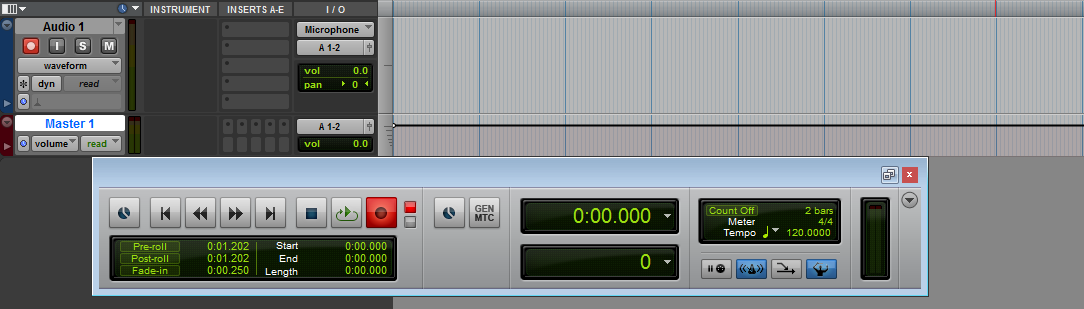
Before you start recording, use the pre-roll feature in Pro Tools to set up the recording. Pre-roll allows you to test the recording and ensure that everything is in place before the actual recording begins. With pre-roll, you can set the right tempo, level, and routing, and also make sure that any inserts or plug-ins are working properly. Using pre-roll also gives you a chance to make any necessary adjustments before the recording begins, which can save time and reduce errors.
Delete Unwanted Takes:
When recording in Pro Tools, you may need to make several takes before you get the perfect one. After you have finished recording, go through each take and listen to them carefully to determine which one is the best. Delete any unwanted takes to save space on your hard drive and to make it easier to find the right take when you need it. To delete a take, highlight it and press the delete key. Pro Tools will ask you to confirm the delete, so be sure that you have selected the right take before you delete it.
Use Fades:
When recording audio in Pro Tools, it is essential to use fades to avoid any unwanted clicks or pops at the beginning or end of each clip. A fade-in is used at the beginning of a clip to gradually bring the volume up to the desired level, while a fade-out is used to gradually reduce the volume at the end of a clip. To create a fade, simply highlight the clip and choose the fade-in or fade-out option from the menu. You can adjust the length and shape of the fade to suit your needs.
Save Your Work:
Always remember to save your work in Pro Tools. This is especially important if you are working on a large project and don’t want to lose any of your hard work. To save your work, choose “Save” from the “File” menu, or use the keyboard shortcut “Command+S” for Mac users or “Ctrl+S” for Windows users. It is also a good idea to save your work frequently, especially after making significant changes or completing a recording session.
Organize Your Sessions:
Keeping your Pro Tools sessions organized is essential, especially if you are working on a large project. Use folders to group similar tracks together, and color-code your tracks to make them easier to identify. You can also use markers to indicate important sections of your session, such as intro, verse, chorus, and outro. This will make it easier to navigate your session and find the sections you need quickly.
Frequently Asked Questions On Record Audio In Pro Tools
Where Is The Record Button On Pro Tools?
The record button in Pro Tools can be found at the bottom right-hand side of the Edit window. It’s a red circle button, which you can click to start and stop recording.
How Do I Create An Audio Track In Pro Tools?
To create an audio track in Pro Tools, go to the track menu and select “New” and then “Audio Track. ” Choose the input source and gain settings, name the track, and press “Create. ” You can now record or import audio onto the new track.
Do You Need An Audio Interface To Record In Pro Tools?
Yes, an audio interface is necessary to record in Pro Tools. Pro Tools needs a high-quality audio signal to work efficiently, and an audio interface helps to translate analog audio signals into digital signals that Pro Tools can work with.
How Do I Record Vocals On Audio Tool?
To record vocals on audio tool, follow these steps: 1. Connect your microphone to your computer. 2. Open the audio tool and create a new track. 3. Choose your microphone as the input source. 4. Hit the record button and start singing.
5. When finished, stop the recording and listen back to the track to make any necessary edits.
Conclusion
To sum up, recording audio in Pro Tools has never been easier. By following the steps outlined in this blog post, you can start recording high-quality audio in no time. With the right tools and techniques, you can take your audio recordings to the next level and produce professional-quality results.
So why wait? Start recording with Pro Tools today and take your audio projects to new heights.
Mixing hip hop ad libs is achieved by taking each ad lib and processing it separately before blending them with the main vocal track. To begin, each ad lib should be recorded and edited to remove any unnecessary background noise or breaths.
Once that’s done, you can use EQ, compression, and reverb to give the ad libs a cohesive sound. Then, blend the ad libs with the main vocal track, using automation to adjust their levels as necessary. Hip hop ad libs are a key factor in the genre’s sound and are often the element that sets a track apart.
Getting them right can be a bit tricky, though. Mixing ad libs requires a bit of extra attention to detail, but it’s worth the effort. This article will go over some tips for how to make sure your hip hop ad libs are mixed correctly to give your track the punch and energy it needs. Let’s dive in!
Credit: mixandmastermysong.com
Understanding The Concept Of Ad Libs
Mixing hip hop ad libs involves understanding the concept of Ad Libs and their role in enhancing the rhythm and flow of a track. Ad Libs usually come in the form of catchy, repeated phrases that add energy and depth to the music.
Learning to mix them effectively can help produce a professional and engaging hip hop track.
Credit: www.youtube.com
Preparation Before Mixing Ad Libs
Before mixing hip hop ad libs, it is important to have a prepared list of ad libs that will be used in the song. Organize them based on the timing and frequency of their use, and make sure they complement the main lyrics and melody.
Hip hop ad libs are an essential part of a hip hop track. They are spontaneous and energetic, and they add life to a song. The mixing of hip hop ad libs requires careful preparation to achieve the desired results. In this article, we will discuss how to mix hip hop ad libs by focusing on the subheading: Preparation before mixing Ad Libs.
Selecting Ad Libs
The first step in mixing hip hop ad libs is selecting the appropriate ad libs for your track. The selection of ad libs depends on the theme of your song. If your track is about love, you may want to choose ad libs that complement the theme. On the other hand, if your track is about money, you may want to choose ad libs that reinforce the lyrics. Ensure that the ad libs you choose enhance the overall feeling of your track.
Deciding The Placement Of Ad Libs
The placement of ad libs is crucial to their effectiveness in a song. You need to decide whether to place ad libs before or after a verse or chorus. Placing ad libs before a verse or chorus can create anticipation for the upcoming section. Whereas placing ad libs after a verse or chorus can create a feeling of satisfaction. Ensure that the placement of ad libs enhances the flow of your track.
Setting The Tempo Of Ad Lib Track
Setting the tempo of the ad lib track is essential to ensure that the ad libs complement the beat of the song. The tempo of the ad lib track must match the tempo of the instrumental track. Use a metronome to set the tempo of the ad lib track. Ensure that the tempo remains consistent throughout the track. In conclusion, the preparation before mixing hip hop ad libs is an important aspect of creating a successful hip hop track. The selection of ad libs, the placement of ad libs, and the tempo of the ad lib track are all crucial factors that contribute to the effectiveness of ad libs in a song. By following these steps, you can mix hip hop ad libs that enhance the flow and energy of your track.
Mixing Ad Libs
Mixing hip hop ad libs can elevate the impact of your tracks. In order to create a cohesive sound, make sure to properly balance the levels of your ad libs with the primary vocals and instrumentals. Keep experimenting until you find the perfect mix.
Ad libs are a crucial part of hip hop music, adding energy and excitement to the performance. Mixing ad libs involves creating depth and space within the track, allowing each element to sit in its own sonic space. In this section, we’ll explore different ways to mix ad libs that can help you achieve a polished and professional sound.
Adding Effects To Ad Libs
Effects can add character and depth to your ad libs, transforming them from basic vocal phrases to unique sonic elements. Some popular effects include delay, reverb, distortion, and chorus. Here are some steps to follow when adding effects to your ad libs:
Duplicate your ad lib track to create an effects channel.
Add your desired effect to the effects channel and adjust the settings to your liking.
Use automation to control the intensity of the effect at different points in the track.
Use EQ to filter out unwanted frequencies and ensure the effect sits well in the mix.
Panning Ad Libs
Panning ad libs can help create a sense of space within your track and make it easier for listeners to distinguish between different elements. Here are some tips for panning your ad libs:
Try panning ad libs to the opposite side of the lead vocal to create a sense of balance.
Experiment with panning ad libs at different levels to create a more dynamic mix.
Use automation to pan ad libs at different points in the track, bringing them in and out of focus as needed.
Mixing Different Ad Libs
Mixing different ad libs is all about finding the right balance between energy and clarity. Here are some tips for mixing different ad libs:
Choose ad libs that complement each other and don’t compete for the same frequency space.
Use EQ to cut out frequencies that clash and make it harder to distinguish between different ad libs.
Use automation to bring different ad libs in and out of focus as needed, helping each element shine when it’s most important.
Creating Variations In Ad Libs
Creating variations in your ad libs can help keep the track interesting and engaging. Here are some tips for creating variations in your ad libs:
Experiment with different melodies and rhythms for your ad libs.
Use automation to pitch shift and time stretch ad libs, creating new variations and textures.
Use different effects on different ad libs to create a sense of contrast.
Arranging Mixed Ad Libs In Hip Hop Tracks
Mixing ad libs in hip hop tracks can add a dynamic element to the music. To achieve the best result, consider grouping similar ad libs together, using effects to differentiate between them, and adjusting the EQ and volume levels for each track.
Hip Hop ad libs are the background vocals that add depth and emotion to the lead vocals. Ad libs are the perfect way to add excitement, personality, and dimension to any song. However, a good Hip Hop track requires careful planning and arrangement of these Ad Libs. In this section, we will discuss how to arrange mixed Ad Libs in Hip Hop tracks for a cohesive and impactful sound.
Considering The Mood Of The Song
Before arranging Ad Libs, it’s crucial to consider the mood of the song. The beat and lyrics of the song determine the emotion it conveys. For instance, a happy song will require a different arrangement of Ad Libs as compared to a sad song. Hence, it is crucial to match the mood of the Ad Libs to the song.
Exploring Different Arrangements
There are various ways to arrange Ad Libs in your Hip Hop track. You can either layer the Ad Libs over the lead vocals, or you can play them at different pitches or even different speeds. Experiment with different types of Ad Libs to create the ideal sound that complements your song.
Placing Ad Libs At Suitable Places
The placement of Ad Libs in a song is as crucial as arranging them. You would not want an Ad Lib that doesn’t fit with the beat/melody of the song. Therefore, it’s essential to place Ad Libs at suitable places in the song where they fit perfectly. An Ad Lib should never interfere with the lead vocals; instead, it should complement them.
Placement Tips:
Ad Libs should be placed during instrumental parts of the song
Ad Libs can be used to add emphasis to certain lyrics
Utilize Ad Libs in ways where they do not clash with the lead vocals
In conclusion, arranging mixed Ad Libs in Hip Hop tracks requires careful thought and planning. Consider the mood of the song and experiment with different arrangements until you find the perfect fit. Finally, place your Ad Libs at suitable places to complement the lead vocals. With these tips, you can create the perfect Hip Hop track with an impactful Ad Lib arrangement, setting you apart from the rest.
Mastering Ad Libs For Final Mixing
Learn how to master ad libs for final mixing in hip hop with this comprehensive guide. Discover techniques for layering, EQing, and panning to achieve a professional and dynamic sound.
Hip hop music is all about flow, and ad libs are an essential part of creating a fluid listening experience for the audience. Ad libs can add depth, texture, and spontaneity to a track. However, using them effectively can be challenging, especially when it comes to mixing. To ensure that your ad libs stand out in the final mix while maintaining the overall balance of the track, you need to master the art of ad lib mixing. In this post, we will discuss how to equalize, balance, and compress ad libs to get the perfect mix.
Equalizing Ad Libs
Equalization is an essential tool in mixing ad libs. It provides clarity and balance to the soundscape of your track. To equalize your ad libs, you need to:
Use a high-pass filter to remove unnecessary low frequencies.
Find the frequency ranges where your ad libs sound too harsh or too dull and cut or boost them around 2-4dB.
Compare each ad lib with the other elements in the mix to make sure it’s not clashing with other sounds.
Balancing Ad Libs In The Mix
Balancing ad libs in a mix is crucial to ensure that they don’t overpower the main vocal or other elements of the track. Here are some tips on balancing ad libs:
Pan ad libs to one side, creating more space for the lead vocal and other elements in the center.
Use volume automation to control ad libs at specific parts or phrases of the song.
Take breaks and listen to the track with fresh ears to ensure that the ad libs’ volume is balanced throughout the entire song.
Adding Compression To Ad Libs
Compression is another essential tool in ad lib mixing. It helps level out the dynamic range of sound and create a more consistent sound. However, you need to be careful not to over-compress ad libs. Here are the steps to compress ad libs:
Add a compressor to your ad lib track and set the ratio between 3:1 to 5:1.
Adjust the threshold so that the compressor only kicks in when the ad lib’s volume goes above a certain level.
Pick a fast attack time and a slow release time to ensure that the compressor only kicks in during the ad libs’ transient phase and lasts until the end of the sound’s decay.
Use makeup gain to bring up the volume of the compressed ad lib sound.
Conclusion
With the right approach, you can mix ad libs to make your tracks stand out more. Experiment with different equalization settings, volume automation, and compression techniques to get a sound that complements the song as a whole. Strive to ensure that no single ad lib overshadows the rest and that they all add value to the track without interfering with the central vocal. By mastering ad lib mixing, you will quickly improve your hip hop music production workflow and create better-sounding mixes.
Common Mistakes To Avoid While Mixing Ad Libs
When it comes to mixing ad libs in hip hop music, there are several common mistakes that amateur producers make. These mistakes can make the final track sound unprofessional. Therefore, it is essential to understand the common mistakes while mixing ad libs and ways to avoid them. This blog post highlights the common mistakes producers make and how to avoid them.
Adding Too Many Ad Libs
One of the most common mistakes when mixing ad libs is adding too many of them. When producers add too many ad libs, the final mix can sound cluttered. It can be tempting to add as many ad libs as possible, especially when trying to fill in empty spaces in the song. However, filling all the empty spaces with ad libs can make the track sound overproduced.
Pro tip: A good rule of thumb is to add the ad libs only where it feels necessary. For instance, adding ad libs on crucial parts of the song can add warmth and depth to the mix. However, avoid overdosing on ad libs as it will make the track sound cluttered.
Over-cluttering Ad Lib Mix
Another mistake that producers make while mixing ad libs is over-cluttering the ad lib mix. Adding too many ad libs can cause over-cluttering, making it difficult for the listener to differentiate between the ad libs and the main vocal tracks. This can make the song sound muddy, ultimately making the listener lose interest.
Pro tip: To avoid over-cluttering, try to strike a balance between the main vocal track and the ad libs. Mixing ad libs at a lower volume can help add texture and depth to the track without overpowering the main vocal. Also, consider panning the various ad libs to separate them in the mix. This way, you will make the ad libs more distinguishable.
Not Keeping Ad Libs In-sync With The Beat
The third common mistake that beginners make while mixing ad libs is not keeping them in-sync with the beat. Ad libs that aren’t in-sync will create a sense of disjointedness in the track, making it sound choppy and unprofessional.
Pro tip: The secret to a great ad-lib mix is to ensure that all ad libs are in-sync with the beat. You can do this by carefully listening to the timing and rhythm of the song, then adjusting the timing of the ad libs accordingly. You may also consider using a metronome to help guide you when positioning the adlibs.
When it comes to mixing ad libs, the key is to keep everything in balance. Avoid the common mistake of adding too many ad libs as it will make the track sound cluttered. Over-cluttering the ad lib mix will be detrimental to the overall quality of the track, and not keeping the ad libs in-sync with the beat can ruin the rhythm of the song. By avoiding these mistakes and following the pro tips highlighted above, you can mix ad-libs in hip hop music like a pro.
Credit: www.youtube.com
Frequently Asked Questions Of How To Mix Hip Hop Ad Libs
How Do You Mix Hip Hop Rap?
To mix hip hop rap, you need to have a good understanding of the genre and the tools involved. Start with setting up your equipment and establishing your levels. Use EQ and compression to enhance the sound and arrange your tracks in a cohesive way.
Don’t be afraid to experiment with effects and transitions to add interest and variety to your mix.
How To Do Ad-libs?
Ad-libs are spontaneous words or phrases added to a spoken or sung performance. To do ad-libs successfully, you can listen to the music and the lyrics carefully, and then improvise additional elements that fit well with them. This requires creativity, practice and the ability to think on your feet.
What Is Ad Lib In Hip Hop?
In hip hop music, ad lib refers to an improvised vocal delivery that is used to enhance the main verse or chorus. Ad libs often include sounds, phrases, or words that complement or contrast with the lyrics of the main vocals.
Ad libs are commonly used in hip hop to add energy and emphasis to the song.
How Do You Mix Rap Backing Vocals?
Mixing rap backing vocals requires proper use of EQ, compression, and reverb. The vocals should be panned slightly to either side to create a wider sound. It’s important to ensure that the backing vocals don’t overpower the lead vocals. Use volume automation to adjust the levels of the backing vocals throughout the song.
Conclusion
Overall, mixing hip hop ad libs require patience, creativity, and attention to detail. As much as these ad libs serve as embellishments to a track, it is essential to give them a space to shine. Remember to experiment with different effects, techniques, and approaches until you find the perfect mix.
Also, understand the importance of avoiding overusing ad libs and, instead, using them strategically to enhance the song’s overall vibe. In the end, whether you are an aspiring or professional music producer, perfecting your hip hop ad libs’ mixing techniques will set you apart and give your tracks the edge they need.
The compressor attack setting determines how quickly the compressor reacts to changes in audio levels. It is a crucial parameter in achieving the desired compression effect, as it governs the compressor’s response time.
When adjusting the attack setting, a shorter attack time reduces the transient levels and provides a more transparent compression effect. In contrast, a longer attack time allows transients to pass through undeflected, resulting in a more natural, dynamic sound. Achieving the perfect attack setting depends on the source material, and it’s a good idea to experiment with different attack times to achieve the best results.
In modern music production, compression is a critical tool for achieving a uniform sound across tracks. It helps to even out the levels of the audio signals by reducing the dynamic range, rendering a more balanced and controlled sound. However, it’s a double-edged sword that can quickly ruin the audio quality if utilized improperly. The attack setting is a vital component in compression, as it establishes the compressor’s response time to incoming audio levels. Therefore, musicians and producers must understand how the compressor attack setting works and how it affects different types of music. Experimentation with various attack times is crucial in achieving the perfect compression effect.
Credit: www.musicguymixing.com
Types Of Compressor Attack Setting
Compressor Attack Setting defines how fast the compressor begins to work once it detects a signal above the set threshold level. Its types include Slow, Fast, Auto, and Variable-Mu Attack setting.
When it comes to setting up a compressor for audio production, the attack setting is a crucial component. The attack setting determines how quickly the compressor responds to an increase in volume. There are three primary types of compressor attack settings: fast attack setting, slow attack setting, and auto attack setting.
Fast Attack Setting
The fast attack setting is ideal for compression tasks that require immediate response times. When working with percussive instruments such as drums or piano, a fast attack setting is necessary to accurately capture the nuances of the performance. By using a fast attack setting, the compressor can quickly clamp down on any quick transients and create a smooth, even sound.
Slow Attack Setting
A slow attack setting is typically used for tasks that require a smoother sound, such as vocals or guitar. By increasing the attack time, the compressor allows some of the initial transient to pass through before beginning to compress the signal. The result is a more natural sound that retains some of the original performance dynamics.
Auto Attack Setting
The auto attack setting is ideal for situations where both fast and slow attack times are needed. With this setting, the compressor detects the initial transient and automatically adjusts the attack time accordingly. This allows for more flexibility without having to constantly adjust the attack settings manually. In conclusion, choosing the right compressor attack setting is essential for achieving the desired sound quality in audio production. By understanding the different types of compressor attack settings and their applications, you can create a more polished and professional sound.
Factors Affecting Compressor Attack Setting
The compressor attack setting can be affected by several factors, including the type of source material, the desired sound, and the genre of music or audio being produced. It is important to consider these factors when adjusting the attack setting for optimal sound quality and clarity.
As we all know, compressor attack setting is a crucial aspect of any audio recording process. It involves controlling the dynamics of a sound by regulating the volume levels that are too loud and quiet. There are various factors that one should consider while making compressor attack settings. These are input source, genre of music, and personal preference. In this section, we will discuss each of these factors in detail in order to understand how they affect compressor attack setting.
Input Source
The input source is the most important factor in determining the compressor attack setting. The attack time should be adjusted according to the nature of the source. For instance, if the input source is a vocal track, you may need a quicker attack time as the vocals have various dynamic changes. On the other hand, if the input source is percussion, you may want to have a slower attack time as the hits are usually louder. Therefore, it is important to consider the input source while making compressor attack settings.
Genre Of Music
Another factor that affects compressor attack setting is the genre of music. Different music genres have different dynamic ranges. For instance, classical music has a wider dynamic range than pop music. Therefore, a different compressor attack setting will be selected for each genre of music. If your goal is to achieve a smooth and consistent sound, then you may need a compressor with a slower attack time while recording classical music. On the other hand, a quicker attack time will work better for pop and rock music.
Personal Preference
The last factor that we will discuss is personal preference. Everyone has their personal style of sound. Some people prefer the sound to be punchier, while others like it to be more laid-back. Therefore, it is important to consider your personal preference while making compressor attack settings. You should experiment with different attack time settings until you find a sound that you are happy with.
Conclusion
By considering these three factors, you can make the right compressor attack setting and produce a better sound. Remember that compressor attack setting depends on the input source, genre of music, and personal preference. It is important to experiment with different attack time settings until you find the right one.
Steps To Set Compressor Attack Setting
Setting your compressor attack is crucial for achieving the desired sound in audio production. To set it, start with a low threshold and adjust the attack time according to the material’s loudness and dynamics.
Steps to Set Compressor Attack Setting Compressor attack setting, also known as attack time, is a vital component of audio compression. The attack setting determines how quickly the compressor reduces the level of the audio signal after it exceeds the threshold. There are a few easy steps to set compressor attack setting that will optimize your audio production. Setting the Ratio The ratio is the amount of gain reduction applied to the audio signal above the threshold. Choose a ratio based on the dynamic range of the audio signal. For example, a vocal track typically requires a high ratio of 4:1 or 6:1 to limit peaks and enhance the overall sound. Adjusting Attack Time The attack time should be adjusted to ensure the compressor reacts quickly enough to reduce the level of the audio signal when it exceeds the threshold. For example, when working on a bass guitar, a shorter attack time of 20-30ms is recommended to handle the quick transients in the low frequencies. However, a longer attack time of 100ms or more is suitable for vocals and drums that require slower, smoother compression. Adjusting Release Time The release time determines how long it takes for the compressor to restore the gain after the audio signal falls below the threshold. A faster release time of around 100ms is recommended for instruments that require precise dynamics, such as drums and percussions. A slower release time of 500ms or more is better suited for vocals and instruments that need to be blended into the mix. In Conclusion Setting the compressor attack setting is essential to ensure that your audio sounds polished and professional. By choosing the correct ratio, adjusting the attack time, and release time, you can optimize your audio production and achieve the desired sound. Use this guide to help you set your compressor attack settings and elevate your audio production.
Common Mistakes In Compressor Attack Setting
Proper compressor attack setting is crucial to achieve the desired sound, yet many make common mistakes. These include incorrect attack time, using too much compression, not considering the source material, and neglecting to adjust the release time.
When it comes to compressing audio, the attack time is a crucial setting as it determines how quickly the compressor will start to operate on the audio signal. However, this setting can be a source of frustration for many audio engineers, especially for beginners. In this section, we will highlight some of the common mistakes in compressor attack setting and how to avoid them.
Over-compression
One of the most common mistakes in compressor attack setting is over-compression. This happens when the attack time is set too fast and the compressor reacts too quickly to the peaks in the audio signal. As a result, the compressed audio loses its dynamics, making it sound flat and lifeless. To avoid over-compression, it’s important to set the attack time according to the source material. For example, fast attack times are best suited to percussive sounds like drums and bass, whereas slower attack times work well for vocals and acoustic instruments.
Wrong Attack Time
Another mistake in compressor attack setting is choosing the wrong attack time. This happens when the attack time is too slow or too fast for the source material. A slow attack time can result in a loss of the initial transient of the audio signal, while a fast attack time can lead to distortion and an unnatural sound. To choose the right attack time, it’s important to listen to the source material and adjust the attack time until the compressor reacts in a natural and transparent way.
Wrong Release Time
The release time is another critical setting in compressor attack setting. It determines how quickly the compressor releases the gain reduction after the audio signal drops below the threshold. A wrong release time can result in pumping or breathing artifacts, where the background noise is amplified during quieter parts of the audio signal. To avoid this, it’s important to choose the right release time based on the source material and adjust it if necessary. In conclusion, the compressor attack setting is a critical part of audio compression, and it’s important to avoid the common mistakes mentioned above. By setting the attack time according to the source material, choosing the right attack time and release time, audio engineers can achieve transparent and natural compression that enhances the dynamics of the source material.
Examples Of Compressor Attack Setting In Different Music Genres
Different music genres demand various compressor attack settings to achieve the desired sound. For instance, the attack should be slow for jazz and fast for metal to compress the tracks effectively. Country styles generally require some natural-sounding dynamics.
Compressor attack is an essential component in music production, and it impacts the music genre in various ways. Different music genres have their unique compressor attack settings. Understanding each of them helps with music production, whether you’re a beginner or an experienced producer. Below are the compressor attack settings examples of different music genres-
Rock Music
Rock music is known for its high and dynamic levels of sound. Compressor attack settings in rock music are typically slow. The slow attack allows the initial transient through, while the compressor reduces the remainder of the signal’s level to provide a better perception of a powerful dynamic range. The slow attack also leaves the music sounding rich and strong, providing the listener with an unforgettable experience.
Electronic Music
Electronic music is famous for its energized sound, which is a mixture of compressors, different modulation effects, and sound design. The attack settings of compressors used in electronic music are usually very fast. A faster compressor attack setting in electronic music helps to create a tight and punchy sound, comprising fast and complex rhythmic elements not available in other genres.
Hip Hop Music
Hip-hop music comprises rap vocals with an emphasis on bass and drum instruments. For this genre, compressors’ attack settings are neither fast nor slow but medium. Medium attack settings help keep bass and drums instruments punchy and present in the mix. Hip-Hop is a genre that understands the importance of compression and use it well in music production. In conclusion, compressor attack settings are an essential part of music production. They help create the desired sound to carry the hit song’s message to the listeners. Each music genre – rock music, electronic music, and hip-hop music – has unique compressor attack settings that give musicians a detailed outline to work with in music production.
Credit: www.mixinglessons.com
Credit: majormixing.com
Frequently Asked Questions For Compressor Attack Setting
What Is The Attack Setting On A Compressor?
The attack setting on a compressor controls how fast the compressor starts to reduce the level of a signal that exceeds the threshold. It determines how quickly the compressor reacts to changes in signal levels and begins its compression. It is an important parameter in achieving a desired sound.
What Should The Attack And Release Settings Be For Mastering Compressor?
The attack and release settings for mastering compressor depend on the material. The attack setting should be fast enough to catch the initial peaks, while the release setting should be slow enough to avoid pumping. It’s best to experiment with different settings to find what works best for each individual track.
What Is The Average Compressor Attack Time?
The average compressor attack time refers to the duration it takes for a compressor to reach its maximum output level after turning it on. It can vary depending on the type of compressor, its size, and the pressure level required.
However, the average attack time is usually between 5 to 10 seconds.
What Are Good Compressor Settings?
Good compressor settings are dependent on the audio being compressed and the desired outcome. Some general guidelines include setting the threshold to reduce dynamic range, adjusting the attack and release times to control the speed of compression, adjusting the ratio to control the intensity, and adjusting the makeup gain to balance the compressed and uncompressed audio levels.
Experiment with different settings to find the best outcome for your audio.
Conclusion
Compressor attack setting is a crucial aspect of producing quality audio in the music industry. It is an intricate process that involves adjusting the compressor settings to achieve the desired output. The right settings can help increase the overall loudness while keeping the sound natural and dynamic.
Understanding the attack setting can be challenging, but mastering it is the key to producing professional sounding music. With the right techniques, you can shape and mold your sound to perfection. Always remember to experiment and find what works best for your particular sound.
So keep practicing and have fun with compressor attack setting!
Releasing music requires planning, production, distribution, and promotion. To release music, plan your release strategy, produce high-quality recordings, distribute your music on multiple platforms and promote your music to reach a wider audience.
Introducing your music to the world can be an exciting process, but it can also be a challenging one. The process of releasing music requires careful planning and execution to ensure that your music reaches the right audience at the right time.
With the growing number of artists and platforms available, it’s essential to have a solid release strategy in place before you hit the “release” button. We’ll take a look at the steps you need to take to release your music effectively, from recording and distribution to promotion and marketing. Whether you’re a new artist or an established one, these tips will help you get your music heard by the right people.
Choose Your Release Strategy
Releasing music has never been easier, but choosing the right strategy can make all the difference. Whether you’re a new artist or an established act, it’s important to consider your goals and audience when deciding on a release approach.
Single Release Strategy
A single release is an excellent option if you’re looking to maintain a steady stream of new content while building anticipation for an album release. With this strategy, you can release a single song at a time and create a buzz around each release. This approach also allows you to create a music video or lyric video to boost visibility and promote the song on social media platforms.
When you decide to release a single, make sure to promote it through your website, social media pages, and other online platforms. Also, consider partnering with established curators in your music genre to drive traffic and boost your visibility.
Album Release Strategy
Releasing an album is an excellent option if you have enough high-quality music to create a cohesive, entertaining, and engaging collection of tracks. This approach allows you to tell a musical story and showcase your full range of skills and talent.
When releasing an album, it’s essential to plan well in advance. Know your target audience and create a plan to promote the album effectively, set a release date, and work on perfecting your marketing strategies. You can also release singles ahead of the album release date to build anticipation, spark interest, and engage with your audience.
Final Words
Choosing the right release strategy is essential to the success of your music career. Whether you choose to release a single or an album, make sure to invest time in planning, preparing, and promoting your music. Remember that the key to building a dedicated fan base is to keep creating and releasing compelling, high-quality music that resonates with your audience.
Prepare Your Music Files
To successfully release your music, it is important to prepare your music files properly. This means ensuring that your audio files are in the appropriate format, have been properly mixed and mastered, and are free of any glitches or errors.
With properly prepared files, you can ensure that your music will sound its best and be ready for release on any platform.
Preparing your music files for release is a crucial step in the music release process. Without properly prepping your music files, it could result in low-quality sound, incorrect formatting, or distribution issues. In this guide, we will walk you through the essential steps to prepare your music files for a successful release.
Mixing And Mastering
Mixing and mastering are two crucial steps to ensure your music sounds its best. Mixing is the process of adjusting and combining individual tracks to create a final stereo mix. Mastering is the final processing step that ensures your songs have consistent volume, clarity, and tonal balance. When it comes to mixing, it’s important to make sure each track is levelled correctly. This helps to ensure that all the instruments and vocals are balanced and sitting in the right space in the mix. Mastering can help to give your tracks a more polished and professional sound.
Get Your Cover Artwork Ready
Before you release your music, you need to make sure your cover artwork is ready. Your artwork should be eye-catching, high-quality, and represent your music accurately. If you’re not a graphic designer, consider hiring one to create an eye-catching design for your release. Make sure your artwork meets the distribution service’s guidelines. Guidelines will differ depending on the platform you use to distribute your music. For example, Spotify requires a minimum size of 640px x 640px, while iTunes requires a minimum size of 1400px x 1400px.
Metadata
Metadata is the information that describes your music and helps it to be found and recognized online. It includes the artist name, album title, track titles, release date, genre, and more. Make sure your metadata is correct and up to date. This will help your music to be found by more people online. You should also double-check your spellings and punctuation to ensure everything is accurate. In conclusion, preparing your music files for release is crucial for a successful launch. Make sure that your mixing and mastering is on point, cover artwork is eye-catching, and metadata is accurate. With these important steps complete, you’re ready to launch your music to the world!
Select A Release Date
Selecting a release date for your music is crucial to its success. Consider factors like timing, market trends, and your audience’s preferences when choosing a date. A well-planned release can increase engagement and expand your fan base.
Choosing the right release date for your music is just as important as the music itself. A good release date can help maximize your publicity efforts and reach the right audience. Here are some factors to consider when selecting your music release date.
Consider Industry Best Practices
Industry best practices can help guide you in selecting a good release date for your music. It’s common to release music on Fridays to coincide with the start of the weekend when people have more time to relax and enjoy music. Another best practice is to release your music during the right season. For example, holiday music is typically released during the holiday season.
Avoid Conflicts With Other Releases
Avoid releasing your music during highly competitive periods when there are already other big releases. Your music could get lost in the noise, and you might not get the attention you deserve. Before selecting a release date, do some research on upcoming album releases by other artists in your genre.
Table: Examples of busy release periods
Period
Reason
November-December
Holiday Season
January-March
Grammy’s campaign and nomination period
Summer months
Concert season and festivals
Unordered list: Tips to avoid conflicts with other releases
Look for gaps in the release calendar and plan accordingly.
Avoid releasing your music on the same day or week of a big artist in your genre.
Consider releasing your music during a less competitive period to get more attention.
By considering industry best practices and avoiding conflicts with other releases, you can find the perfect date for your music release that will maximize its reach and publicity.
Credit: www.off-the-beat.com
Distribute Your Music
Releasing music can be daunting, but with the right approach, it can be a rewarding experience. To effectively distribute your music, you must first have a plan, identify your target audience, choose a distribution platform, optimize your online presence, and engage with your fans through various channels.
Distribute Your Music Once you have recorded your music, the next step is to distribute it to your target audience. Distribution can be done through digital platforms or physical distribution. Digital distribution is the most preferred way of releasing music as it is cost-effective, and you can reach a global audience in no time.
Digital Distribution
Digital distribution makes it easy for artists to upload their music to various streaming services, such as Spotify, iTunes, Amazon, and YouTube music. The process of digital distribution is straightforward. All you have to do is upload your tracks to a digital distributor who will distribute your music to different stores. There are several digital distribution platforms like DistroKid, TuneCore, and CD Baby, to mention a few. These platforms charge an annual or a one-time fee for distributing your music and keep a percentage of your royalties. Before choosing a digital distributor, it is essential to compare the distribution fees, royalty rates, and additional services they offer.
Physical Distribution
Physical distribution involves printing physical copies of your music and distributing them to different stores. While digital distribution has taken over the music industry, some artists still prefer physical distribution for their fans who love to own physical copies of their favorite music. Physical distribution involves manufacturing CDs, vinyl records, or cassettes that can be sold in record stores, online stores, or at live performances. Although physical distribution requires more effort and capital than digital distribution, it can still be profitable. It is essential to find the right distributor, depending on your music’s genre and target audience. You can work with independent distributors, major label distributors, or self-distribute your music. Independent distributors often specialize in specific genres and have strong relationships with record stores, making it easier to sell physical copies. In conclusion, choosing how to distribute your music is a crucial decision that can impact the success of your music career. By understanding the different distribution methods, you can make informed choices that align with your goals and budget.
Promote Your Release
Learn how to promote your music release with our expert tips and tricks. From social media strategies to building a fanbase, we’ll help you navigate the competitive world of music distribution and get your tracks heard by the right audience.
So, you’ve recorded and produced your music. Congratulations! But what’s next? To get your music out there, you need to promote your release. No matter how good your music is, it won’t go anywhere if people don’t know about it.
Use Social Media
One of the easiest and most effective ways to promote your release is through social media. With platforms like Facebook, Instagram, and Twitter, you can reach millions of people. Start by creating a profile for your music and sharing your release with your followers. Use relevant hashtags to increase your reach.
Partner With Influencers
Partnering with influencers can be a great way to get your music in front of a wider audience. Find influencers in your genre and reach out to them to collaborate. They can share your release on their social media channels and blog, which can help you reach an entirely new audience.
Create A Press Kit
A press kit can be a helpful tool in promoting your release to the media. Include a brief bio of your band, high-resolution photos, links to your social media profiles, and links to your music. You can also include a press release announcing your release and any upcoming shows or tours.
Submit To Music Blogs And Playlists
Submitting your music to music blogs and playlists can help you gain more exposure. Research music blogs and playlists that fit your genre and submit your release to them. Include a brief message about your music and a link to your release.
Organize A Release Show
To celebrate your release and generate buzz, organize a release show. This can be a great way to get your music in front of your local community. Partner with other bands and local venues to help promote the event. In conclusion, promoting your release is essential to get your music heard. By using social media, partnering with influencers, creating a press kit, submitting to music blogs and playlists, and organizing a release show, you can build momentum around your release and attract new fans.
Engage Your Fans
Releasing new music on various platforms can sometimes be an overwhelming experience, but engaging with fans can make it all worthwhile. Engaging with your fans is a crucial aspect of any successful album or single release and can make all the difference in reaching new audiences and creating loyal fans who can’t wait for the next release.
Host A Release Party
If you’re planning on releasing new music, it’s important to get people excited about it. One way to do this is by hosting a release party. This gives your fans a chance to get a sneak preview of the new music, and interact with you as the artist. Hosting a release party can be as simple as inviting a select group of fans to a listening party or as elaborate as a full-blown concert. The key is to make it fun and memorable for your fans.
Provide Unique Merchandise
Providing unique merchandise not only gives your fans something to cherish, but it also helps to spread the word about your new release. Your merch can feature your album name or artwork or even a unique catchphrase from one of your new songs. Make sure that the merchandise you’re providing is unique and high quality, as this will not only make your fans feel special but will also be a great way to promote your new release. Unique Merchandise IdeasT-shirtsHoodiesPostersStickers
Besides these, you could also try something new and unique like custom-made jewelry or accessories, limited edition vinyl, unique album art print, or even a handwritten note from the artist.
Tip: Always ensure that your merchandise aligns with your brand and the album being released; this gives a unique identity to the product.
Engaging with fans is an essential part of a successful music release. Hosting a release party and providing unique merchandise not only helps create a buzz about the new album but also makes your fans feel special.
Analyze Your Success
Releasing music can be a daunting task, but analyzing your success is crucial in determining the effectiveness of your approach. Evaluate your marketing strategies, social media engagement, and audience response to fine-tune your release plan for future success.
As an independent artist releasing music, it’s crucial to analyze your success to understand how your music is performing in the market. This analysis helps determine your next steps and decide where to focus your energy concerning promotional activities or future releases. In this section, we’ll discuss essential ways to analyze your success for your music release.
Track Sales And Streaming Numbers
One of the significant ways to analyze your success is by keeping track of your sales and streaming numbers. It helps to determine how well your music is doing in the market. There are many platforms that allow you to monitor your streaming and sales numbers, including Spotify, Apple Music, Tidal, and more. Detailed data analysis of these platforms helps you understand your audience’s preference, their listening habits, and what type of promotion or tour might help increase your fanbase.
Engage With Fans And Get Feedback
Engaging with your fans and getting feedback regarding your music release is another way for success analysis. Social media platforms, such as Instagram, Twitter, or Facebook, can help you interact with your followers and receive direct and indirect feedback. You can also create a survey or feedback form to get detailed insights. Understanding feedback may help you improve your music or develop new strategies for a successful release.
Collaborate With Industry Experts
Collaborating with industry experts can also help in analyzing your success. Industry experts can include anyone from music producers, marketers, or music PR firms. These experts have in-depth knowledge about what works best in the music industry. They can help you generate data-driven strategies to improve your music and create a more successful release. Additionally, working with experts can increase your chances of getting a favorable review, interviews, and features from major music publications.
Conclusion
Analyzing your success is essential as an independent artist. It helps you make informed decisions regarding your music career. By tracking your sales and streaming numbers, engaging with your fans, and getting feedback, and working with industry experts, you can generate an informed strategy to promote your music and develop your career.
Credit: recordingarts.com
Rinse And Repeat
To successfully release your music, it’s important to create a comprehensive plan that covers multiple aspects including promotion, distribution, and engagement with your audience. It’s also crucial to evaluate and learn from each release, constantly improving and refining your process.
Rinse and repeat this cycle to maximize the impact and reach of your music.
Releasing music is one of the most exciting steps in an artist’s career. But, it’s not just about putting your music out there once and forgetting about it. A successful music release strategy involves consistently putting out quality content and building a loyal fanbase. In this article, we’ll focus on the “rinse and repeat” approach to releasing music, emphasizing the importance of consistency and fan engagement.
Keep Releasing New Music
One of the most effective ways to keep your audience engaged is by consistently releasing new music. This doesn’t mean you should rush the creative process or compromise quality for quantity, but rather find a balance that works for you. Experiment with different release schedules – some artists prefer releasing a single every month, while others release an EP every quarter. Whatever your approach, make sure you prioritize quality over quantity and maintain a consistent release schedule.
Build Your Fanbase
A loyal fanbase can make or break an artist’s career. It’s essential to build relationships with your fans by engaging with them on social media, responding to comments and messages, and regularly releasing new content. Use your website and social media channels regularly to promote new releases and interact with your fans. Offer exclusive content and merchandise to your fans to show your appreciation for their support. Engaging with your fans is crucial to building a loyal following. Keep them involved in the creative process by sharing behind-the-scenes content, exclusive interviews, and live performances. Host interactive events such as Q&A sessions and virtual concerts, and encourage fans to share your music with their friends. Respond promptly to messages and comments, and use their feedback to improve your music and content.
Summary
To sum it up, releasing music is not a one-time event but a continual process. The “rinse and repeat” approach emphasizes the importance of consistently producing quality content and building a loyal fanbase. Keep your fans engaged through regular releases, fan interaction, and exclusive content. Remember – the key to success is not just about having great music but also establishing meaningful relationships with your fans.
Credit: www.youtube.com
Frequently Asked Questions For How To Release Music
How Should I Start Releasing Music?
To start releasing music, follow these guidelines: 1. Choose a platform like SoundCloud, Bandcamp, or YouTube. 2. Create accounts on social media for promo. 3. Develop a marketing plan. 4. Make high-quality recordings and artwork. 5. Finally, release your music and engage with your audience.
How Do I Release My New Song?
To release your new song, you can follow these steps: 1) Choose a distribution platform like iTunes, Spotify, or SoundCloud. 2) Upload your song with high-quality artwork, metadata, and relevant information about the track. 3) Promote your release through social media, email marketing, and networking.
4) Consider working with a PR agency or hiring a publicist to secure press coverage. 5) Analyze your release performance and adjust your strategy for future releases.
Is It Hard To Release Music?
Not necessarily hard, but it does require certain steps to be followed. You need to have original content, register with a distribution service, and ensure that all necessary licenses and permissions are obtained. Additionally, promotion and marketing efforts must be put in place to make your music visible to potential fans.
How Do I Release Music On Spotify?
To release music on Spotify, you need to sign up as an artist, verify your identity, and upload your music files. Take care to follow Spotify’s formatting guidelines to ensure your music sounds great on their platform. Finally, promote your music across social media to build a fanbase and increase your chances of being discovered.
Conclusion
To sum up, releasing music requires careful planning, organization, and a strong online presence. By following the steps outlined including creating a marketing plan, choosing a distributor, and promoting your music on various platforms, you can increase your chances of success in the music industry.
Remember to stay true to your unique sound and brand, and always prioritize connecting with your audience. With dedication and hard work, you can achieve your goals as a music artist.
Filtering the low end is the process of removing the unnecessary bass frequencies from audio recordings. Low end filtering is crucial to achieve a clear and balanced sound in a mix.
By removing the unwanted bass frequencies, it’s possible to remove the muddy and boomy aspects of a recording, which can obscure other frequencies and cause a lack of clarity. As a SEO friendly content writer expert, I understand that filtering out the low-end is a common practice among musicians, sound engineers, and producers.
However, it’s essential to understand how to do it properly for optimal results. I will discuss the various techniques for filtering the low end and provide tips on how to achieve a clear sound without compromising the overall quality of the recording. So, let’s dive into the world of low-end filtering and discover how to achieve a better mix!
Credit: blogs.qsc.com
Types Of Low-end Frequencies
Filtering the low end requires an understanding of the different types of low-end frequencies. These include sub-bass, bass, and low-mids. Proper filtering of these frequencies can improve the clarity and presence of a mix.
Low-end frequencies can be a double-edged sword: they can elevate the mix by adding warmth and intensity, but too much of them can make the mix murky and unbalanced. Filtering the low-end is, therefore, an essential process for any audio engineer. But before diving into different filtering techniques, it’s important to understand the types of low-end frequencies.
Sub-bass
Sub-bass is the lowest of the low-end frequencies and is typically below 60Hz. It’s the fundamental frequency of bass and is responsible for the depth and weight of the audio. Even though sub-bass isn’t always present in every track, it has an immense impact on the overall sound of the mix. Sub-bass can add more depth and character, but too much of it can overpower the mix.
Bass
The bass frequency range lies between 60-250Hz and is the harmonic foundation of the track. It’s where the kick and bass guitar reside, and too much of it can cause mud and a flabby sound. Proper filtering of the bass helps clarify these elements and adds punch and definition to the mix.
Low-midrange
Low-midrange frequencies are between 250Hz-500Hz and are crucial to the body and presence of instruments such as guitars and snare drums. Excessive low-midrange can result in a boxy and muddy mix, which is why it’s important to filter them with precision. In summary, understanding the different types of low-end frequencies is crucial in mastering the art of filtering. Sub-bass provides depth, while bass and low-midrange frequencies are responsible for punch and definition. Striking a balance between these elements is key to producing a clear and well-balanced mix.
Credit: www.youtube.com
Tools For Low-end Filtering
Filtering the low end is an important part of audio mixing. Use tools like high-pass filters, shelf filters, and notch filters to clean up your mix and make it sound professional. With careful attention to your low-end filtering, you can create a sharp and defined sound that will impress your listeners.
Tools for Low-End Filtering As an audio producer, achieving a cleaner and more refined low-end on your tracks is essential. This is where low-end filtering comes in, helping to ensure that the bass and kick drums sound prominent without any muddiness. But, what are the different tools for low-end filtering, and how can they help you achieve a polished sound? High-Pass Filter One of the most commonly used tools for low-end filtering is the high-pass filter. This tool allows you to filter out all frequencies below a specified cutoff point, typically between 20 to 80 Hz. Using this filter can help remove any unwanted low-frequency sounds in your mix, such as rumbling noise, air conditioners, or even a guitarist’s footsteps. Generally, the high-pass filter is applied to every track except for the bass and kick drum. Band-Pass Filter The band-pass filter is another tool used for low-end filtering, which works by filtering a specific range of frequencies. This tool allows you to isolate a specific frequency range, ensuring that the bass and kick drum sit well in the mix without interfering with other elements. You can use a band-pass filter to accentuate the fundamental frequency of the bass or kick drum, thereby increasing their presence in the mix. Notch Filter Finally, the notch filter is another effective tool for low-end filtering. This filter works by removing a specific frequency band, such as a hum from a guitar amp or background noise from a recording. As its name suggests, the notch filter creates a notch in the frequency spectrum, making it effective for removing specific frequencies without disrupting other elements in the mix. In conclusion, using the above low-end filtering tools can help you achieve a polished, well-balanced sound for your audio productions. By using high-pass, band-pass, and notch filters, you can remove unwanted low-frequency sounds, isolate specific frequency ranges, and remove specific frequencies that are interfering with other elements in the mix. So, use these tools wisely and create a great audio production.
Low-end Filtering Techniques For Different Genres
When it comes to music production, filtering the low end is one of the most crucial yet challenging tasks. The low frequencies can take up a lot of headroom and muddy up the mix if not filtered correctly. Luckily, there are various low-end filtering techniques that producers can use to clean up the mix and create a more defined sound.
Hip-hop
In hip-hop music production, the emphasis is on a tight and punchy low end. To achieve this, producers use high-pass filters to cut the low-end rumble and boost the fundamental bass frequencies. A low-cut filter removes the low frequencies, leaving space for the bass and kick to breathe. Moreover, low-shelf filters can be used to enhance the bass and add warmth to the mix.
Rock
Rock music production is all about aggression and drive. The low end plays a vital role in creating this energy, and producers often use low-cut filters to remove unwanted rumble and to create more headroom. They also use band-pass and notch filters to remove unwanted resonances and to create space for other instruments to shine. Boosting the mids can help make the bass sound more distinguishable and help it cut through the mix.
Edm
EDM music production is all about creating a powerful and full-sounding mix. Producers often use high-pass and low-pass filters to remove unwanted frequencies and create space for other instruments to breathe. Combining a high-pass filter with a low-shelf filter can enhance the bass and give it a more prominent presence. They also use band-pass filters to create more clarity in the mix and notch filters to remove specific resonances and avoid clashes between instruments.
Filtering the low end is essential for a clean and defined mix. By using different filtering techniques, producers can create unique sounds and bring out the best in their music. Understanding how filtering techniques can be used for different genres is crucial, and with the right filter settings, producers can take their music production skills to the next level.
Credit: en.wikipedia.org
Frequently Asked Questions For Filtering The Low End
What Is The Low End In Music?
The low end in music refers to the lower frequencies that create the bass or rhythm of a song. It’s produced by instruments like bass guitars, drums, and synthesizers. Low end adds depth and richness to sound, and is important in balancing the overall music mix.
What Does The Low-pass Filter Do?
A low-pass filter is an electronic circuit that allows low-frequency signals to pass through while blocking or attenuating high-frequency signals. It is commonly used in audio systems to remove high-pitched noise and improve sound clarity.
What Is Low Cut Filter?
A low cut filter is an audio effect that eliminates or reduces low-frequency sounds below a certain point. It is often used to remove unwanted noise, such as hum or rumble, from recordings or live performances. This filter is commonly found on audio equipment and editing software.
How Do You Balance A Low End Mix?
Balance a low end mix by adjusting the volume, EQ, and compression of low frequency instruments such as bass or kick drum to make sure they sit well in the mix without overpowering other elements. Use spectrum analyzers and reference tracks to guide your decisions.
Don’t be afraid to use high-pass filters or subtractive EQ to remove unwanted frequencies.
Conclusion
Eliminating the low-end frequencies can have a significant impact on the overall clarity of your music. The use of high-pass filters not only enhances the sound quality but also eliminates unwanted noise. Setting up appropriate filter settings can be time-consuming, but it is worth it for achieving a professional sound.
Filters have become an essential tool in music production, and understanding their usage can positively impact the final output of your music. Learn to master filtering techniques today, and watch your music transform into a masterpiece.