Categories
Archive

How To Mix Acoustic Guitars

To mix acoustic guitars, start by setting the levels and panning each guitar in the stereo field. Acoustic guitars are highly versatile instruments that can add depth, warmth, and texture to a song.

Mixing acoustic guitars requires a careful balance of levels and panning to achieve a cohesive sound. By blending the elements of each guitar track, you can create a rich and dynamic mix that provides a solid foundation for the rest of the instruments.

This process involves careful EQ, compression, and other techniques to sculpt the sound and minimize any unwanted noise or artifacts. With the right approach, you can create a professional-sounding mix that showcases the beauty and range of the acoustic guitar.

Types Of Acoustic Guitars

Are you struggling with how to mix acoustic guitars? One of the key things to consider is the type of guitar you are working with. There are two main types of acoustic guitars – steel-string and classical. Let’s take a closer look at each.

Steel-string

The steel-string guitar is most commonly used in popular music genres such as rock, pop, country, and folk. It has a brighter, richer, and louder tone that is achieved by steel strings and a larger body. A steel-string guitar also has a higher tension than a classical guitar, which can affect the way it is played and mixed.

  • Choose a mic that complements the tone of the guitar. A condenser mic is often a great choice for steel-string guitars, as it captures the brightness and detail of the sound.
  • Avoid placing the mic too close to the guitar, as this can produce an overly bright or harsh sound.
  • Consider using a stereo mic technique to capture the full width and depth of the guitar’s sound.
  • Use EQ to balance the frequency spectrum and enhance the guitar’s natural tone. Boosting the mid-range can help to cut through a mix, while reducing the low-end can create more clarity and definition.
  • Add a touch of reverb to create a sense of space and depth. Experiment with different types and settings to find a sound that complements the guitar and the song.

Classical

The classical guitar is commonly used in classical music, as well as flamenco, jazz, and some pop and rock styles. It has a softer, more delicate tone that is achieved by nylon strings and a smaller body. A classical guitar also has a lower tension than a steel-string guitar, which can affect the way it is played and mixed.

  • Consider using a mic that captures the warmth and richness of the guitar’s sound. A ribbon or dynamic mic is often a good choice for classical guitars.
  • Place the mic close to the guitar, but not too close, to capture the nuances and subtleties of the sound.
  • Experiment with different mic positions to find the sweet spot that captures the guitar’s full range and depth.
  • Use EQ to bring out the natural tones of the guitar. Boosting the low-end can enhance the warmth and depth of the sound, while cutting the high-end can reduce harshness and brightness.
  • Use reverb sparingly to enhance the sound, but not overpower it. A small amount of reverb can help to create a sense of space and depth, while too much can make the guitar sound distant and disconnected.
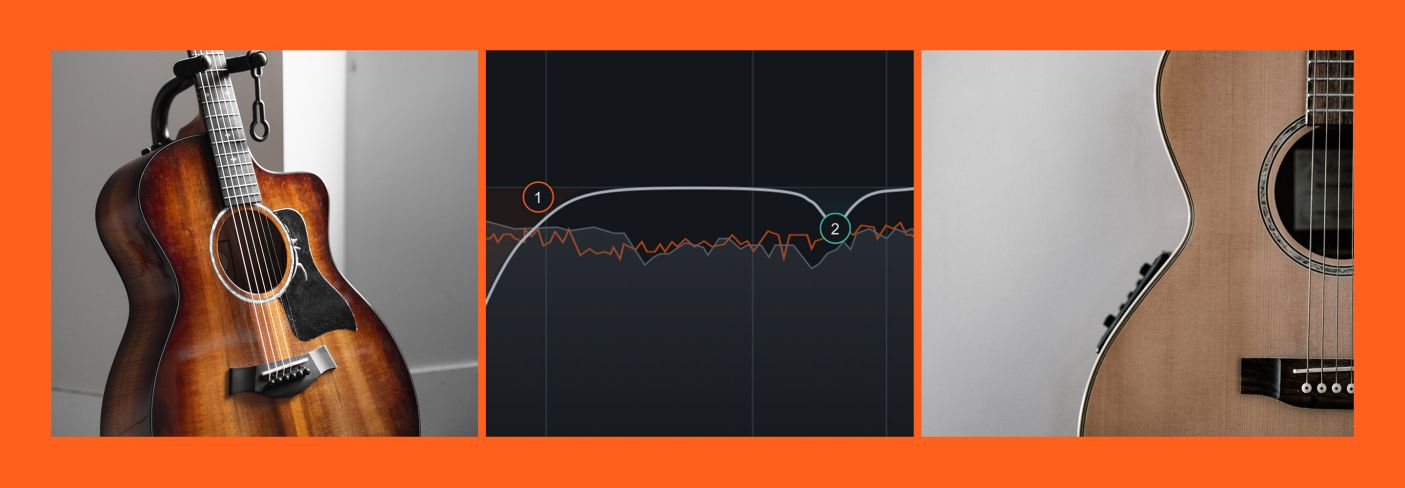
How To Mix Acoustic Guitars

Credit: www.izotope.com

Tools Needed For Mixing Acoustic Guitars

To mix acoustic guitars, you’ll need a few essential tools. A good microphone, high-quality audio interface, and sufficient cables and stands are all important components. Proper EQ and compression settings are also key to achieving a balanced and professional sound.

When it comes to mixing acoustic guitars, using the right set of tools is important to produce a professional sound. The following are some of the essential tools you will need for mixing your acoustic guitars:

Equalizer

Equalizers are an essential tool for any audio engineer who wants to bring out the best in their acoustic guitars. They allow you to boost or cut certain frequencies. The goal is to enhance the overall sound of the guitar, creating a clear, balanced sound. When using an equalizer, start by cutting frequencies that don’t complement the guitar or get in the way of other instruments. Conversely, boosting frequencies that bring out the best in the guitar, such as the low-end frequencies, gives it a warm and rich sound.

Compressor

Compressors reduce the dynamic range of the guitar. They help to reduce the volume of loud notes and increase the volume of quieter ones, producing a more even sound. In addition, compressors make the guitar sound more polished and professional. Setting the threshold correctly is vital when using a compressor. Start by setting the threshold to the highest point, and then gradually bring it down until the compressor is working. Too much compression can be detrimental to the overall sound.

Reverb

Reverb provides the guitar with a sense of space, creating the illusion of the sound occurring in a specific environment. Reverb can be used to give the guitar a natural warmth, or to create a sound that is drenched in echo, ideal for creating a sense of drama. When using reverb, start with a small room size and gradually increase it. Too much reverb can result in a muddy and cluttered sound.

Pan/eq

Panning and EQing are techniques that help to separate the guitar from other instruments in the mix. Panning involves placing the guitar sound in the stereo field. EQing involves adjusting the level of frequencies to create clarity in the sound. Using panning, you can place the guitar sound on either side of the stereo field, giving it a sense of space in the mix. EQing can be used to remove frequencies that clash with other instruments, making the guitar sound clearer.

Conclusion

Using the right set of tools is essential when mixing acoustic guitars. By using tools such as equalizers, compressors, reverb, and pan/eq techniques, you can create a polished, professional sound. It takes time and experience to figure out what works best for your particular style and sound, but with patience and practice, you’ll soon be able to create stunning mixes that showcase the beauty of the acoustic guitar.

Preparing Your Acoustic Guitar For Recording

Preparing your acoustic guitar for recording is crucial in achieving a great mix. To get the best sound, start by changing the strings, checking the intonation, and tuning the guitar. Experiment with mic placement and use EQ and compression to perfect the sound.

Preparing Your Acoustic Guitar for Recording: Before recording acoustic guitar, it’s vital to prepare it properly to achieve an excellent sound quality. Whether you’re a new or longtime player, it’s essential to go through the process of changing strings, tuning, setting up microphones, and ensuring the best recording environment to achieve the desired result. Here’s a step-by-step guide on how to prepare your guitar for recording. Changing Strings: Changing strings before recording your acoustic guitar is essential. The old strings can wear out or go out of tune, which could result in a dull, lifeless tone. Changing the strings will make a big difference to the sound quality and ensure the guitar sounds its best. Ensure that you go for strings made for acoustic guitars and choose the gauge that suits your playing style. Tighten the strings but not too much, or you risk breaking them. Tuning: Before recording acoustic guitar, make sure the strings are in tune. An out of tune guitar will result in a recording that sounds off and out of key. Grab a tuner, either a clip-on or an app, and ensure that every string is accurately tuned. Setting up Microphones: Setting up microphones for recording your acoustic guitar should be done with care. You want to capture the guitar’s sound, and for that, you need to position the microphone correctly. The most common way is to use two microphones (stereo style), one positioned at the soundhole and another pointed closer to the fretboard. The distance between the microphone and the guitar should be about one foot, and the mic should be adjusted to capture the optimal sound. With the mic in place, check the angle of the stand, and ensure that the mic is pointing where you want it to. It may take a little bit of adjustment to get it just right, but it’s worth the effort. Take your time and check the sound quality and adjust accordingly. In Conclusion: Preparing your acoustic guitar for recording requires attention to detail. Changing strings, tuning, setting up microphones correctly, and ensuring the right recording environment will improve the quality of the recording. With these tips, you can prepare your guitar for recording and capture the best sound quality possible. By following these steps, your acoustic guitar will sound incredible.

Eqing Your Acoustic Guitar

Equalization, or EQ for short, is the process of altering the frequency balance of a sound. EQing your acoustic guitar can help you achieve a more balanced and polished sound. In this section, we will discuss three techniques you can use to EQ your acoustic guitar: reducing muddiness, enhancing mid-range frequencies, and boosting highs.

Reducing Muddiness

Muddiness is a common problem when recording acoustic guitar. To reduce muddiness, you need to remove some of the low frequencies from the guitar sound. Start by cutting the low end of the EQ, around 100Hz to 200Hz. This will help remove any unwanted boominess or muddiness in the low end. If the guitar still sounds muddy, try cutting some of the mid-range frequencies around 500Hz to 700Hz.

Enhancing Mid-range Frequencies

The mid-range frequencies around 2kHz to 4kHz are essential for adding clarity, presence, and detail to your acoustic guitar sound. To enhance these frequencies, you can boost the EQ around 2kHz to 4kHz. However, be careful not to overdo it as it can make your guitar sound too harsh or brittle. Start with a small boost of 3dB and adjust accordingly to find the right balance.

Boosting Highs

Boosting the high end of the EQ, around 10kHz to 12kHz, can add sparkle and shine to your guitar sound. This is especially useful if you want to add some air and brightness to your recordings. However, be cautious not to overboost as it can create a harsh or piercing sound. Start with a small boost of 2dB to 3dB and adjust accordingly to get the right amount of brightness.

By using these EQing techniques, you can achieve a balanced and polished sound for your acoustic guitar recordings. Play around with different settings and find the right balance that works for you.

Using Compression On Acoustic Guitars

To achieve a balanced and full sound when mixing acoustic guitars, compression can be used as a tool to even out the dynamic range. By applying compression, the guitar’s sound becomes more consistent, making it easier to blend with other instruments in a mix.

Adding compression to an acoustic guitar can add depth and sustain to the sound, making it sound more polished and professional. Compression techniques help smooth out the transient peaks, creating a balanced tone. However, it’s important to remember that too much compression can kill the natural sound of the guitar. It’s all about finding the right balance. Here are some tips on how to use compression on acoustic guitars.

Setting Threshold And Ratio

Setting the threshold and ratio are important steps when compressing an acoustic guitar. The threshold controls the level at which the compression starts to take effect. The ratio then governs how much the signal is compressed once it crosses the threshold. Start with a moderate ratio of around 3:1 and adjust as needed. Setting the threshold and ratio too high can make the sound too squashed, while setting them too low may not have a noticeable effect.

Adding Sustain

One of the benefits of compression is that it can add sustain to the sound of an acoustic guitar. Sustain is the length of time a note can be heard after it’s been played. Adding too much sustain can lead to a muddier sound, so it’s important to find the right balance. Adjust the attack and release time to get the desired amount of sustain. The attack time determines how quickly the compressor reacts to the signal, while the release time sets how long it takes for the compressor to stop compressing the signal.

Tips For Compression On Acoustic Guitars

– Use a slow attack time to preserve the natural transient of the guitar’s sound. – Use a light compression ratio of around 2:1 to 4:1 for a natural sound. – Use parallel compression to maintain the natural sound of the guitar while still adding some compression. – Be wary of pumping, where the sound starts to pulse with the compressor. Adjust your settings accordingly to avoid this issue. By following these tips, you can effectively use compression to enhance the sound of acoustic guitars. Remember, subtlety is key. Don’t overdo it, and trust your ears to find the sweet spot.

Panning Your Acoustic Guitar

To achieve a well-mixed acoustic guitar sound, try panning. By placing the guitar tracks at different locations in the stereo spectrum, you can create more depth and interest in your mix. For example, panning two guitar tracks hard left and hard right while leaving the others centered can enhance the overall sound and make it more dynamic.

Creating Stereo Width

Panning your acoustic guitar is a crucial step in creating a well-balanced mix. By panning, you can determine the position and space of your guitar track in the stereo field. To create a wide stereo image, you can use panning along with some other techniques. One effective way to create stereo width is by recording two separate takes of your acoustic guitar and panning them hard left and right. This method works well if you have a sufficiently wide stereo field and a well-positioned microphone setup. By doing this, you can achieve a full and spacious sound that fills the entire area. If you only have one guitar track, you can create a stereo image by duplicating the track and slightly delaying one of them by a few milliseconds. After that, you can pan one track to the left and the other to the right. This technique is called the ‘Haas effect’.

Choosing A Pan Position

Choosing the right pan position for your acoustic guitar is essential. The panning position of your guitar will determine how it will be placed in relation to other instruments in your mix. If your guitar is playing a significant role in the track, you can pan it right in the center or slightly to either of the sides. However, if your guitar is playing a more supportive role in the track, it is best to pan it moderately. You can also pan your guitar based on its tonal characteristics. For instance, if your guitar has more low-end frequencies, you might want to pan it slightly to the right to avoid clashing with the bass. On the other hand, if your guitar has more high-end frequencies, you might want to pan it more to the left to avoid clashing with other instruments that occupy the high-end.

Summary

Panning your acoustic guitar is a critical step in achieving a pleasing and well-balanced mix. To create a wide stereo image, you can use a variety of techniques such as recording two separate guitar takes, duplicating the track, and applying the ‘Haas effect.’ Choosing the right pan position is equally important and should be based on the role and tonal characteristics of your guitar in the track.

Effects To Enhance Your Acoustic Guitar’s Sound

Enhance the sound of your acoustic guitar by mixing the right effects. Experiment with compression, EQ, reverb, and delay to find your desired tone. Use different effects for rhythm and lead parts to create a balanced mix.

If you’re looking to mix acoustic guitar recordings, it’s essential to know how to use effects to enhance the sound. Effects can add depth, space, and texture to the guitar tracks, ultimately creating a more engaging experience for the listener. In this post, we will focus on two specific effects – Delay and Reverb – that can transform your acoustic guitar tracks.

Delay

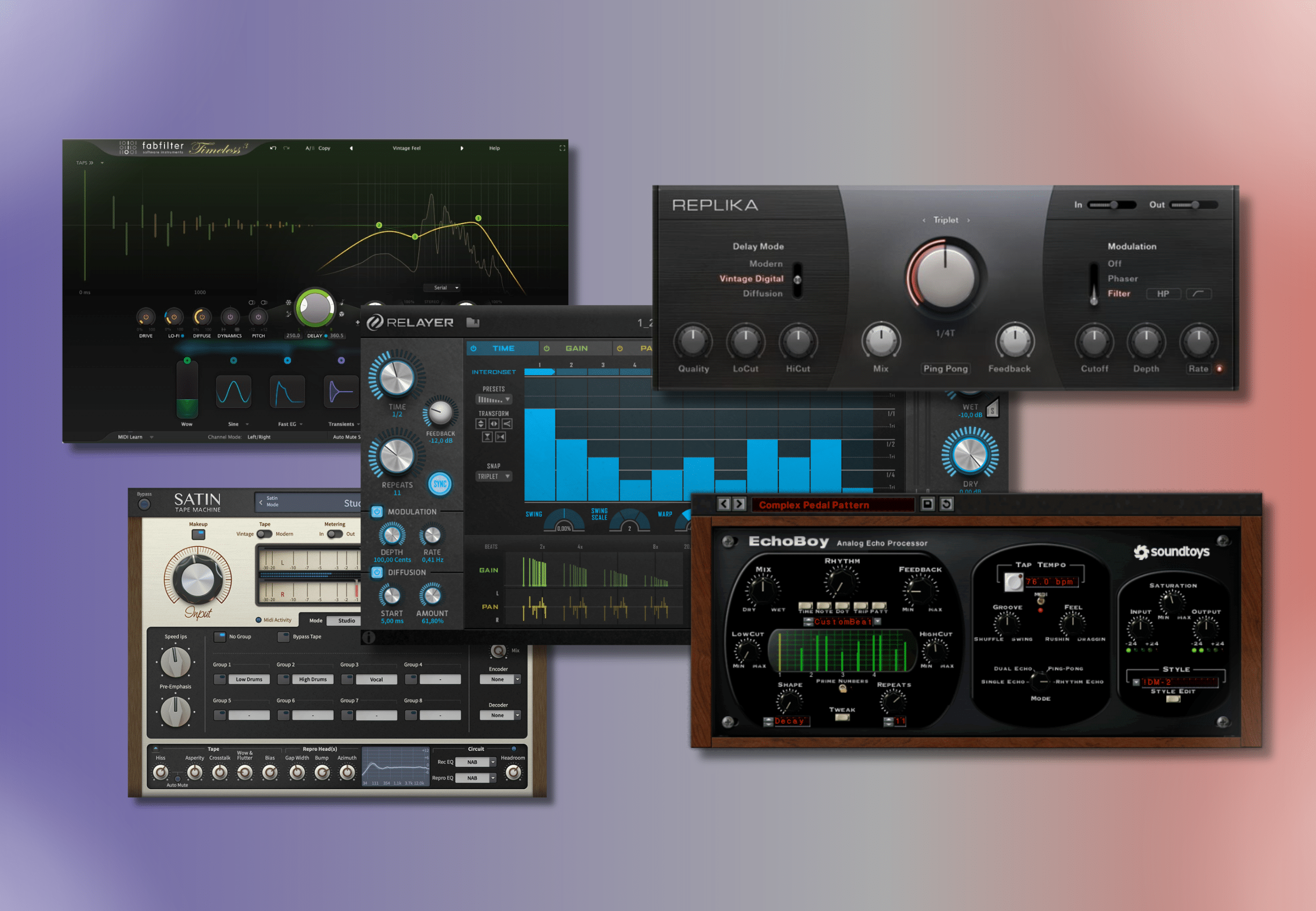
Delay is a crucial component that can add more depth to the guitar sound, making it more engaging for the listeners. It is a type of effect that adds repetitions, echoes, and decays to the original sound. When you apply delay to an acoustic guitar track, you create a more ambient sound that makes the track more complex. To apply delay, you can use either an analog, digital, or tape delay unit. Analog and tape delays provide a warmer sound with a bit of grit, while digital delay provides a cleaner sound. Usually, setting the delay time to around 400 – 600ms and adding a couple of repeats works perfectly for acoustic guitar tracks.

Reverb

Reverb is another effect that can enhance the sound of your acoustic guitar tracks. It is an effect that simulates the sound of a room or space, adding depth and space to the recording. With the right amount of reverb, you can give your tracks a more natural and polished sound. When it comes to using reverb, it’s essential to understand the different types of reverb. Plate reverb, spring reverb, and hall reverb are the primary types used in acoustic guitar tracks. Each type has its unique characteristics, and it’s up to you to choose the type that works best for your track. To apply reverb, you can use either a plugin or a hardware effect unit. Like delay, it’s essential to be careful when setting the amount of reverb to add. Too much reverb can create a muddy sound, making it challenging for the listener to hear the individual notes. In conclusion, using effects such as delay and reverb on your acoustic guitar tracks can take your recordings to the next level. Apply these effects using a subtle touch, and you’ll create tracks that sound more alive and engaging.

How To Mix Acoustic Guitars

Credit: www.soundonsound.com

Achieving A Professional Mix

Achieving a professional mix when it comes to acoustic guitars requires a few techniques. These include selecting the right microphone, EQing, panning, and using reverb and compression appropriately. It is essential to strike a balance between the guitar’s natural sound and the mix’s overall feel to create a cohesive sound.

Achieving a Professional Mix When mixing acoustic guitars, it’s important to achieve a professional sound. In order to achieve this, there are a few tips and tricks that you can use in your mixing process. Balancing your mix, making EQ adjustments, and using automation are all important parts of the process. By using these techniques, you can create a professional sound that will impress your listeners. Balancing Your Mix Balancing your mix is the first step in achieving a professional sound when mixing acoustic guitars. It’s important to make sure that each guitar part is heard clearly in the mix. This means adjusting the volume levels of each guitar so that they are balanced with each other. You may need to make adjustments throughout the mixing process as you add other instruments to the mix. Making EQ Adjustments EQ adjustments are an important part of the mixing process. EQ can help to shape the sound of the guitar so that it fits better in the mix. It’s important to use EQ in a way that enhances the natural sound of the guitar. Cutting any frequencies that are causing the guitar to sound muddy or harsh can help to clean up the mix. Boosting frequencies that bring out the natural tonality of the guitar can help it to stand out in the mix. Using Automation Automation is a powerful tool when mixing acoustic guitars. It can help to make sure that each guitar part is heard in the mix at the appropriate times. For example, you may want to automate the volume of a guitar part so that it’s louder during a solo section and quieter during a verse. This can help to make the guitar part more dynamic and interesting. Automation can also be used to create fades and other effects that help to shape the overall sound of the mix. In conclusion, achieving a professional mix when mixing acoustic guitars requires a combination of balancing your mix, making EQ adjustments, and using automation. By following these tips and techniques, you can create a mix that sounds polished and professional. Whether you’re mixing a single guitar track or multiple parts, these principles can be applied to any project to help you achieve the best possible sound.

How To Mix Acoustic Guitars

Credit: m.youtube.com

Frequently Asked Questions For How To Mix Acoustic Guitars

How Should You Mix An Acoustic Guitar?

To mix an acoustic guitar, follow these five guidelines – first, ensure that the guitar is well-miked; second, pan the mics hard left and right; third, make sure that the guitar is not too loud; fourth, adjust the EQ to remove unwanted frequencies; and fifth, add reverb to give the guitar a sense of space.

How Do You Mix Acoustic Guitar Strumming?

To mix acoustic guitar strumming, you need to record the guitar separately from other instruments and apply EQ, compression, reverb, and panning. EQ should be used to reduce unwanted frequencies and enhance the desired ones. Compression helps to even out the levels.

Reverb and panning give depth and separation to the sound. Adjust each effect until you get the desired sound and balance.

How Loud Should Acoustic Guitar Be In A Mix?

The ideal loudness of an acoustic guitar in a mix varies depending on the desired effect, genre, and arrangement. Generally, it should be balanced with other instruments and vocals to avoid overpowering the mix and causing distortion. It’s also important to consider the EQ, compression, and other effects to enhance its sound without compromising its natural tone.

Where Do You Pan An Acoustic Guitar In Mix?

Pan the acoustic guitar in the mix according to the natural recording position. Place it slightly to the left or right, around 10-20% away from the center. If there are other instruments, adjust the position accordingly, but avoid panning too far or it may affect the overall stereo image.

Conclusion

Mixing acoustic guitars require proper techniques, tools, and skills. By following the steps discussed in this post, you can achieve a professional-sounding mix that highlights the beauty and intricacies of acoustic guitar playing. Remember to experiment with different placements, EQ settings, and effects to find the perfect balance and clarity.

With practice and patience, you can create a cohesive and memorable mix that complements the song and captures the essence of the acoustic guitar.

Categories
Archive

Panning Cheatsheet

This panning cheatsheet gives you a fast starting point for placing every element of a mix in the stereo field. Panning is simply deciding where each sound sits between the left and right speakers. Done well, it creates space, separation and width. Done badly, it leaves a mix that feels lopsided, cluttered or narrow.

Why Panning Matters

Two sounds in the same frequency range compete when they sit in the same place. Moving them apart in the stereo field lets each be heard clearly without extra EQ. Panning also creates a sense of size and realism, like the layout of a band on a stage.

The Panning Cheatsheet

Use these positions as defaults, then adjust to suit the song.

Keep in the Center

  • Kick drum. It carries a lot of low-end energy and anchors the groove.
  • Bass and 808. Low frequencies are best kept mono for power and translation.
  • Snare. Usually center, sometimes slightly off for a live-kit feel.
  • Lead vocal. The focus of most songs belongs in the middle.
  • Main lead or hook. If it’s the star, keep it central or near center.

Slightly Off Center (10–30%)

  • Hi-hats. Often 10–30% to one side, matching a drummer’s perspective.
  • Toms. Spread from one side to the other across the fill.
  • Percussion such as shakers and tambourines. Place opposite the hi-hat for balance.

Wide (50–100%)

  • Double-tracked guitars. Hard left and hard right for a big, wide wall.
  • Backing vocals and harmonies. Spread in pairs to frame the lead.
  • Pads and stereo synths. Use their natural width rather than panning a mono source.
  • Overheads and room mics. Wide, matching the kit layout.

Effects

  • Reverb and delay returns. Usually stereo and wide, which adds depth around central elements.
  • Ping-pong delays. Bounce left and right to add movement.

The Balance Rule

Whatever you pan one way, balance with something of similar energy on the other side. If a rhythm guitar is panned 60% left, a keyboard part or second guitar at 60% right keeps the mix centered. Check your stereo meter or simply listen for whether the mix “leans.”

Panning Laws and Mono Compatibility

DAWs use a pan law to adjust the level of a sound as it moves from center to the sides. Different DAWs use different defaults, so a sound can seem slightly louder or quieter when panned. Always rebalance levels after panning.

Check your mix in mono regularly. Phone speakers, club systems and some smart speakers play in mono. Hard-panned elements should still be audible, and stereo-widened sounds shouldn’t disappear due to phase cancellation.

Panning Tips for Electronic Music

  • Keep the sub, kick and bass mono, usually below about 100–150 Hz.
  • Use stereo width on mid and high elements rather than on the low end.
  • Automate panning on fills, risers and percussion for movement.
  • Use contrast: a narrow verse makes a wide drop feel bigger.

For width beyond panning, read our guide to panning and stereo width and our tips on width, panning and reverb.

Common Panning Mistakes

  • Everything in the center. The mix sounds crowded and small.
  • Bass panned to one side. The low end loses power and feels unbalanced.
  • Too much hard panning. Leaves a “hole” in the middle, especially on headphones.
  • Panning in solo. Always set pan positions while listening to the full mix.

Panning on Headphones vs Speakers

Hard-panned sounds behave differently on headphones. On speakers, each ear hears both speakers, so the image blends naturally. On headphones, a sound panned fully left reaches only the left ear, which can feel unnatural and tiring over long listens.

If you mix mainly on headphones, check hard-panned parts carefully and consider pulling them in slightly, to around 70–80%. Crossfeed plugins or room-simulation tools can also give a more speaker-like picture. Always confirm on speakers or a second playback system before you finalize.

A Quick Panning Workflow

  1. Set a static balance with all faders and everything centered.
  2. Pan the core elements according to the cheatsheet.
  3. Balance left and right energy.
  4. Check in mono and adjust anything that disappears.
  5. Add automation for movement in the arrangement.

Panning Drums: Performer or Audience View?

When panning a drum kit, you need to choose a perspective. In the drummer’s perspective, the hi-hat sits on the left for a right-handed player, and the floor tom sits on the right. In the audience perspective, everything is mirrored. Neither is wrong, but stay consistent: the overheads, tom mics and hi-hat should all agree, or the kit will sound confused.

The same idea applies to other ensembles. Think about where players would stand on a stage, then use panning to recreate that picture. It makes mixes feel natural and easy to follow, even for listeners who never think about stereo placement.

Frequently Asked Questions

Should bass always be in the center?

In almost all modern mixes, yes. Centered low end gives more power and translates better on mono systems and in clubs.

What is LCR panning?

LCR panning means placing sounds only hard left, center or hard right. It creates clear separation and a wide mix, and it’s popular in rock and pop.

How do I know if my mix is balanced?

Use a stereo correlation or balance meter, and listen on headphones. If the mix feels like it leans to one side, rebalance the panned elements.

Is panning the same as stereo widening?

No. Panning moves a sound’s position, while stereo widening changes how wide a stereo sound appears. They work best together.

Categories
Archive

Top 3 Mixing Mistakes

1. The top three mixing mistakes are over-processing, poor EQ choices, and lack of balance.

2. Mixing a song can be a daunting task. Even experienced music producers struggle with getting their tracks to sound just right. There are numerous aspects to take into account such as levels, EQ, and compression. With so many tools at our disposal, it’s easy to overdo things.

The result is often an unbalanced and unrealistic mix. We’ll cover the top three mixing mistakes that you should avoid. By adhering to these guidelines, you’ll be well on your way to creating a polished and professional mix.

Mixing Mistake #1

Mixing music is an art that requires talent, skill, and experience. You need to have a keen ear, a precise sense of timing, and a good understanding of how different sounds work together to create a seamless and harmonious musical composition. Unfortunately, even the best mixing engineers can make mistakes, with some being more common than others.

Over-eqing Tracks

Over-EQing is one of the most common mixing mistakes that audio engineers make. It involves using too much equalization on a track, resulting in an unnatural dip or boost in certain frequency ranges. Over-EQing can have a negative impact on the overall sound quality of a mix, making it sound harsh, tinny, or distorted.

Causes Of Over-eqing

There are several reasons why audio engineers may fall into the trap of over-EQing, including:

  • Lack of experience or training in EQ techniques
  • Mixing in a less than ideal environment with poor acoustics
  • Using low-quality monitoring equipment
  • Mixing too quickly or without proper concentration

Solutions To Over-eqing

Thankfully, there are several steps you can take to avoid over-EQing and ensure that your mix sounds clean and well-balanced:

  • Take a break and come back to the mix with fresh ears and a clear mind
  • Use EQ sparingly and only when necessary
  • Listen to your mix in different environments and on different types of speakers
  • Get advice and feedback from other audio engineers if possible

By following these tips, you can avoid over-EQing and give your mix the best chance of sounding great.

Top 3 Mixing Mistakes

Credit: www.youtube.com

Mixing Mistake #2

Mixing Mistake #2 is neglecting the use of EQ to balance various frequency ranges. This results in a muddy or muffled sound. It’s important to use EQ to make sure each instrument has its own space in the mix.

Over-compression is a common issue that many amateur music enthusiasts face. Although compression is essential for balancing the dynamics of a track and making it sound polished and professional, too much compression can ruin the sound quality and make the music sound flat and lifeless. In this section, we will discuss the causes of over-compression and offer some solutions to help you avoid this common mixing mistake.

Causes Of Over-compression

There are several reasons why over-compression occurs in music production. Below are some common causes:

  • Lack of experience in using a compressor
  • Fear of losing the track’s “loudness” or presence in the mix
  • Trying to make every sound in the track sound “perfect”

Learning how a compressor works is essential to avoid over-compression. A compressor works by reducing the volume of sounds that exceed a set threshold. Applying too much compression will cause excessive volume reduction across the entire track and reduce the natural dynamics that make music sound interesting.

Solutions To Over-compression

Now that we know the causes of over-compression in music production, let’s look at some solutions to prevent it from happening:

  1. Gain staging: This is a pre-mixing technique that involves adjusting the gain level of individual tracks to achieve a balanced mix before applying compression. This ensures that the compressor only affects the sounds that need it, and minimizes the potential for over-compression.
  2. Using multiple compressors: Instead of applying one heavy compressor to the entire track, using several compressors in a row allows for more nuanced and gentle compression. This technique is known as multiband compression, and it helps avoid the problem of over-compression.
  3. Using your ears: The most important solution to avoid over-compression is to trust your ears. Listen to your track carefully and adjust the compression settings based on what sounds good. Remember, music production is an art, and there are no fixed rules.

In conclusion, over-compression is a common mixing mistake that occurs when the use of compression is not adequately understood or implemented. However, with experience and a better understanding of compression techniques, this issue can be avoided, leading to a balanced and professional-sounding mix.

Mixing Mistake #3

Mixing Mistake #3 is not paying attention to levels. Overloading your mix with too many sounds can lead to a muddy and indistinct final product. It’s important to keep an ear out for any clashes in frequencies and make adjustments accordingly.

Mixing music is an art that takes time and effort to master. It requires attention to detail and a good ear for sound. Although mixing is an essential part of music production, mistakes can happen, and they can affect the final result of a song. In this blog post, we are going to discuss the top 3 mixing mistakes and ways to avoid them. In this section, we will focus on Mixing Mistake #3, which is incorrect levels and pan.

Incorrect Levels And Pan

Mixing is all about achieving the right balance between the different tracks in a song. If the levels and pan are incorrect, the song may sound unbalanced, muddy, or harsh. Incorrect levels mean that some tracks may be louder than others, which can cause clashing and make the mix sound unprofessional. Pan, on the other hand, refers to the placement of different tracks in the stereo field. If panning is not done well, tracks may sound crowded, and the mix may lack depth.

Causes Of Incorrect Levels And Pan

Various factors can cause incorrect levels and pan in a mix. These include:

  • Using headphones that do not reproduce sound accurately
  • Mixing in a room with poor acoustics
  • Improper gain staging during recording
  • Using too many effects
  • Not paying attention to the EQ of the tracks

Solutions To Incorrect Levels And Pan

To avoid incorrect levels and pan in a mix, here are some solutions:

  1. Invest in good quality monitoring equipment
  2. Mix in a room with good acoustics or use room correction software
  3. Pay attention to gain staging during recording
  4. Use effects judiciously and in moderation
  5. Make sure each track has its space in the stereo field and is not fighting for attention with others
  6. Regularly check the levels using a reference track to ensure that they are within a reasonable range
  7. Use EQ to carve out space for each track in the mix and mitigate frequency clashes

Incorrect levels and pan are common mixing mistakes that can ruin the final result of a song. By investing in monitoring equipment, good recording practices and using EQ judiciously, you can avoid these mistakes and achieve a well-balanced and enjoyable mix.

Top 3 Mixing Mistakes

Credit: producelikeapro.com

Frequently Asked Questions On Top 3 Mixing Mistakes

What Are The Basic Mixing Rules?

The basic mixing rules include keeping tracks organized, using equalization and compression, setting appropriate levels and panning, using effects sparingly, and monitoring the mix on various speakers and headphones. Remember, the goal of mixing is to balance and enhance each element of a song, creating a cohesive and polished final product.

How Do You Know If Mixing Is Bad?

To determine if mixing is bad, check for any noticeable changes in color, texture, or odor. If there is any foaming, fizzing, or heat production, it is a sign of a chemical reaction and should be avoided. Additionally, mixing incompatible substances should be avoided as it can lead to dangerous reactions.

Always follow proper handling and storage instructions to ensure safe mixing practices.

What Is The Top Down Mixing Process?

The top-down mixing process involves adding the main ingredients first and then blending them with smaller ingredients. This technique is commonly used in the food and beverage industry to ensure even distribution and consistency of the product.

What To Consider When Mixing?

Consider the balance of the elements, the equipment being used, the environment, the intended listening context, and personal preferences when mixing. Keep sentences brief and SEO-friendly, and avoid starting with certain words or phrases. Strive for human-sounding writing that passes AI detection, and stay within a 50-word limit.

Conclusion

To avoid a compromising end result, it is essential to avoid these three mixing mistakes: overcompressing, improper gain-staging, and excessive EQing. Effective mixing takes time and practice, but being mindful of these common mistakes can save a lot of frustration.

Remember to only add processing when needed and maintain a well-balanced mix throughout the process. Keep the sound authentic and realistic and your listeners will keep coming back for more. Happy Mixing!

Categories
Archive

Acoustic Guitar Eq

Acoustic guitar EQ is the process of adjusting the frequencies of the guitar’s sound using an equalizer. Achieving the desired tonal quality can be done by cutting or boosting various frequencies, depending on the player’s preferences.

One way to do this is through the use of onboard or external EQ pedals that allow players to fine-tune their sound in real-time. EQ adjustments can also be made during the recording process to achieve optimal sound quality. As such, acoustic guitar EQ is an essential skill for any serious player or recording engineer.

This article will explore various tips and techniques to help you master the art of acoustic guitar EQ and achieve the perfect tone.

Types Of Guitar Eq

Acoustic guitar EQ can be adjusted using a few different types of EQ, including graphic EQ, parametric EQ, and semi-parametric EQ. Each type provides a unique way to manipulate the sound of the guitar to achieve the desired tone.

Acoustic guitars produce a range of frequencies from its body and strings, and the tone of the guitar can be manipulated using equalization (EQ). There are two types of guitar EQs, passive and active, each with its own properties and characteristics.

Passive Eq

Passive EQ is a simple and easy way to adjust the tone of your acoustic guitar. It is a basic circuit that uses a set of resistors, capacitors, and inductors to filter certain frequencies of the guitar’s signal. A passive EQ has fixed frequency bands, which means that the user cannot adjust them. Instead, its fixed frequencies are set according to the type of guitar and its sound.

Active Eq

Active EQ is more complex in design than a passive EQ, but its flexibility is far greater. It is an electronic and powered circuit that uses a preamp to boost the guitar signal, allowing for greater control over frequency responses. Active EQs typically have a wider range of frequency bands that can be adjusted, offering more precise control over the tone of the guitar. They can also be bypassed, allowing the guitar’s natural tone to be heard. In conclusion, the type of EQ used for an acoustic guitar relies on personal preferences and sound requirements. Passive EQs are simpler in design and offer a fixed range of frequencies for tone adjustments, while active EQs allow for greater control and flexibility. Ultimately, the right EQ choice comes down to the sound and tone that the guitarist wishes to achieve.

Acoustic Guitar Eq

Credit: www.pinterest.com

Factors To Consider Before Adjusting Eq On Acoustic Guitar

Before adjusting the EQ on your acoustic guitar, there are some crucial factors that you need to consider. These factors include your playing style, the genre of music you play, the type of guitar you use, and the room acoustics.

Properly adjusting the EQ will ensure that you achieve the desired sound output.

Acoustic guitars are iconic music instruments that produce warm and captivating sounds. However, every guitarist should understand that adjusting the EQ is not a one-size-fits-all process. It requires careful consideration of various factors. Below are some of the critical elements you should keep in mind before adjusting EQ on your acoustic guitar:

The Room You Are Playing In

The room’s acoustics have a significant impact on the sound your guitar produces. It is advisable to adjust the EQ to match the room’s acoustics you are playing in. For instance, if the room is spacious with high ceilings, it could lead to reverberation, and you may consider reducing the bass response by adjusting EQ.

The Type Of Acoustic Guitar You Own

Different acoustic guitars have unique sound characteristics that you should consider when adjusting EQ. For example, dreadnought guitars produce more bass, whereas parlor guitars produce more mid-range sound. Therefore, if you have a dreadnought guitar and want to reduce the bass, set your EQ to reduce low frequencies. On the other hand, if you have a parlor guitar and want to enhance mid-range sounds, increase the mid-range frequency with your EQ settings.

The Type Of Pickups On Your Acoustic Guitar

Pickups are essential components that amplify the natural sound of your acoustic guitar. There are mainly two types of pickups: piezo and magnetic pickups. Piezo pickups produce a brighter sound, while the magnetic pickups produce a warmer sound. Consider the type of pickups on your acoustic guitar when adjusting EQ. For example, reducing the high-frequency level can significantly improve the output sound of the piezo pickup.

In conclusion, the above factors are important for every guitarist to consider before adjusting EQ on their acoustic guitar. By considering these factors, you will achieve the perfect sound and performance that will satisfy you and your audience.

Eq Settings To Enhance The Tone Of Acoustic Guitar

Achieving the perfect tone for your acoustic guitar requires careful equalization settings. Adjusting the EQ settings on your guitar amp or mixing console can enhance the tone of your acoustic guitar and bring out its unique characteristics. With the right EQ settings, you can make your acoustic guitar sound warm, full and vibrant.

Acoustic guitars are popular among musicians and music enthusiasts alike, and for good reason. The warm, rich sound produced by an acoustic guitar is hard to replicate with any other instrument. However, even the best acoustic guitars may require some tonal adjustments to enhance their sound. That’s where EQ settings come into play. EQ (equalization) is a way to adjust the balance of frequencies produced by the guitar, resulting in a customized and more well-rounded sound. Here’s a breakdown of the main EQ settings for acoustic guitar:

Bass

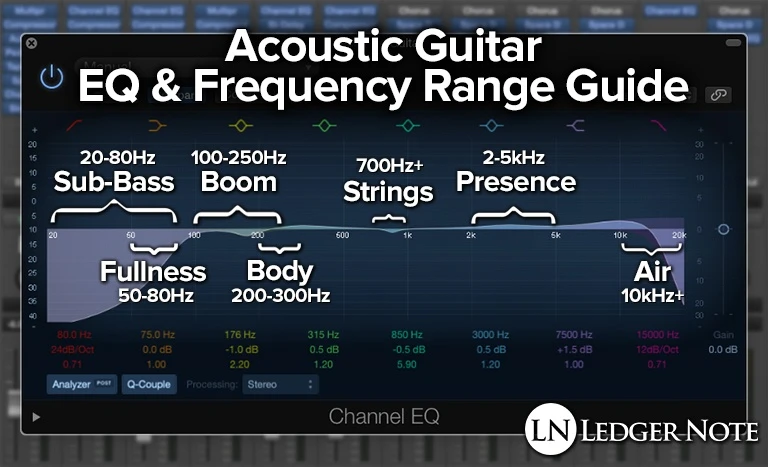
The bass frequency range of an acoustic guitar is typically between 60 Hz and 250 Hz. Adjusting the bass EQ on your guitar can help you achieve a fuller, warmer sound, particularly useful for fingerstyle playing or for playing with other instruments. However, too much bass can make your guitar sound muddy and indistinct. A general rule of thumb is to add a little bit of bass EQ, around 1-2 dB, and then adjust as needed.

Mids

The midrange frequencies of an acoustic guitar range from around 250 Hz to 2 kHz. This is where most of the guitar’s harmonics and overtone content reside. Adjusting the mids can help you achieve a more balanced tone, and is particularly useful for bringing out the sound of individual strings during fingerpicking. Too much midrange, however, can result in a harsh and nasal sound. A good starting point for mid EQ is around 2-3 dB.

Treble

The treble frequency range of an acoustic guitar is typically between 2 kHz and 5 kHz. This is where you will find the brighter, more shimmering components of the guitar’s sound. Adjusting the treble EQ can help you add clarity and definition to your sound, particularly useful for strumming or playing lead lines. However, too much treble can result in a brittle and thin sound. A good starting point for treble EQ is around 1-2 dB. In conclusion, EQ settings can help you achieve the perfect sound for your acoustic guitar. Remember to start with small adjustments and adjust incrementally until you find the sweet spot for your instrument and playing style. With a little tweaking, you can take your acoustic guitar playing to the next level and achieve a personalized and unique sound that reflects your individual style.

Acoustic Guitar Eq

Credit: www.harmonycentral.com

Eq Tips For Different Genres Of Music

Equalization (EQ) is a crucial tool for achieving the perfect guitar sound, and understanding how to use it can make a world of difference. Different genres of music require different eq settings, and setting the EQ correctly can take you from sounding flat and lifeless to full and rich. In this blog post, we will provide you with some tips on how to EQ your acoustic guitar based on some of the most popular genres.

Folk

In folk music, the guitar is often used to provide a rhythmic accompaniment to the singer. For this reason, it is important to boost the low and mid-frequencies to support the vocals. Additionally, a little boost in the high midrange can help bring out the guitar’s natural brightness.

Blues

The blues are all about soulful expression, and the guitar is central to this. To make your guitar sound bluesy, you can boost the low and mid-frequencies, while cutting a little from the high end to reduce the squeakiness. The trick is to strike a balance between the treble and bass, so the guitar doesn’t sound thin or dull.

Rock

In rock music, the guitar is featured prominently, and it generally needs to be quite loud. For this reason, many rock guitarists boost the midrange to cut through the busy mix. In addition, a little high-end boost can help make the guitar sound more aggressive and biting.

Country

Country music is known for its bright, twangy guitar sounds. To achieve this type of sound, you can boost the treble and cut the bass, while leaving the midrange flat. A little compression can also help even out the sound and make it more consistent.

Jazz

Jazz guitarists typically play with a clean sound, allowing the notes to ring out and sustain. To achieve this sound, you can cut the low frequencies and keep the midrange and high frequencies relatively flat. Some jazz guitarists also like to roll off the high end slightly to reduce harshness and add warmth.

With these eq tips for different genres of music, you can create a unique guitar sound that is tailored to your playing style and the songs you play. Remember, EQ is about finding the right balance, so take the time to experiment with different settings until you find what works best for you.

Acoustic Guitar Eq

Credit: ledgernote.com

Frequently Asked Questions Of Acoustic Guitar Eq

How Do You Set Eq On Acoustic Guitar?

To set EQ on an acoustic guitar, follow these steps: first, use a tuner to make sure each string is in tune. Next, adjust the bass frequencies by turning the bass knob, then mids with the mid knob, and finally, highs with the treble knob.

Make small adjustments and listen carefully to achieve the desired sound.

What Is The Best Eq Curve For Acoustic Guitar?

There are no fixed EQ curves that are considered to be the best for acoustic guitars as it depends on the guitar’s tone and the player’s preference. It’s recommended to start with a flat EQ curve and then adjust it according to the guitar’s sound and the player’s style.

What Is The Best Amp Eq Settings For Acoustic Guitar?

The best amp EQ settings for acoustic guitar depend on personal preference and the guitar’s tone. Generally, it’s recommended to keep the EQ balanced and avoid excessive bass or treble. Start with a flat EQ and adjust as needed for the desired sound.

Do I Need An Eq Pedal For Acoustic Guitar?

An EQ pedal can enhance the sound of your acoustic guitar by adjusting its frequencies. However, it is not necessary, especially if you’re happy with the tone of your guitar. You can still achieve great sound using other techniques like adjusting your playing style or microphone placement.

Conclusion

Proper EQing is essential to bring the best sound out of your acoustic guitar. In this blog, we have discussed the basics of acoustic guitar EQing and how you can use it to enhance the overall sound quality of your guitar.

Remember, there is no single best EQ setting that works for every guitar, but with practice and experimentation, you will find the perfect EQ setting that not only complements your guitar’s tone but also elevates your performance. Happy playing!

Categories
Archive

Top Stereo Width Plugins

Top stereo width plugins include Ozone Imager 2 and Waves S1 Stereo Imager, providing easy widening and narrowing of stereo images. These plugins are essential for mix engineers, mastering engineers, and producers looking to craft wide and dynamic stereo images.

Stereo width plugins are a crucial tool for music producers, mix engineers, and mastering engineers. They allow for easy manipulation and control of the stereo image, creating a wider or narrower sound field. With the growth of the music production industry, there are countless stereo width plugins available in the market.

However, finding the best plugins can be overwhelming and time-consuming. We will highlight the top stereo width plugins that are perfect for enhancing your audio productions. These plugins include Ozone Imager 2 and Waves S1 Stereo Imager, both offering easy and straightforward stereo manipulation.

Top Stereo Width Plugins

Credit: professionalcomposers.com

Top Stereo Width Plugins

If you are looking to enhance your audio productions and create a wide stereo field, using stereo width plugins can help achieve that goal. These plugins work by manipulating the stereo image of audio material, creating a wider or narrower soundstage. Here are some top stereo width plugins that can help take your audio productions to the next level.

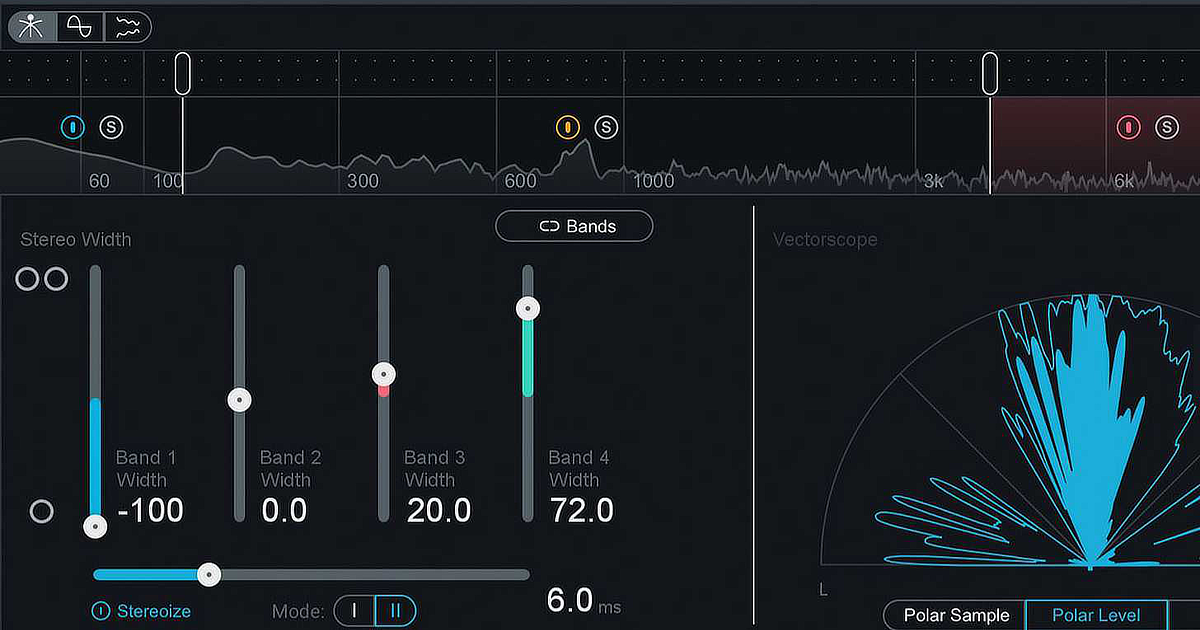
FabFilter Pro-Q 3 is a powerful equalizer plugin that includes a feature called ‘Stereo Width.’ This feature enables you to adjust the stereo width of each individual frequency band, giving you complete control over your stereo image. With its intuitive and user-friendly interface, this plugin is ideal for beginners and professionals alike.

Ozone Imager 2 is a free stereo widening plugin from iZotope that can help create a wider stereo image. This plugin features a ‘Width’ slider that allows you to increase or decrease the stereo width of your audio material. You can also adjust the ‘Stereoize’ slider to add a touch of stereo processing to mono recordings.

Waves S1 Stereo Imager is another powerful stereo widening plugin that offers precise control over the stereo image. This plugin features a ‘Shuffler’ knob that adjusts the timing differences between the left and right channels, creating a wider stereo image. The ‘Focus’ knob allows you to adjust the stereo separation in the mid and side components of the audio material.

iZotope Ozone 9 is a comprehensive mastering plugin that includes a stereo widening feature. With the ‘Stereoize II’ module, you can add stereo width to your audio material without affecting the mono compatibility. This plugin also features a ‘Stereo Width’ slider that allows you to adjust the overall stereo image of your mix.

Overall, these top stereo width plugins can help enhance your audio productions and add a wider stereo field to your mix. Whether you’re a beginner or a professional, using these plugins can help take your audio productions to the next level.

Top Stereo Width Plugins

Credit: www.production-expert.com

Fabfilter Pro-q 3

FabFilter Pro-Q 3 is a top-notch stereo width plugin that offers excellent sound quality and control over stereo sources. With its intuitive interface and versatile features, Pro-Q 3 is an ideal tool for professional audio producers and engineers looking to enhance the depth and spatial aspects of their mixes.

When it comes to audio mixing, one of the most critical aspects is stereo width. A good stereo width plugin can bring depth, dimensionality, and width to any track or mix. FabFilter Pro-Q 3 is a powerful plugin that is often considered one of the best stereo width plugins in the market. In this section, we will explore the features, pros, and cons of this popular plugin.

Features

Some of the key features of FabFilter Pro-Q 3 are:

  • Advanced Mid-Side processing for precise stereo width control
  • Linear-phase processing for transparent sound
  • Zero latency mode for real-time processing
  • Dynamic EQ feature for intricate frequency sculpting
  • Multiple filter shapes and slope options for customization
  • High-resolution spectrum analyzer with real-time spectrum grab

Pros

FabFilter Pro-Q 3 is widely loved by audio professionals for its exceptional sound quality, flexibility, and precision. Here are some of its pros:

  • Intuitive user interface that is easy to use and customize
  • Multiple filter shapes and slope options provide precise frequency control
  • Dynamic EQ feature enables intricate frequency sculpting
  • Advanced Mid-Side processing provides precise stereo width control
  • Linear-phase processing provides a transparent sound with minimal phase distortion
  • High-resolution spectrum analyzer with real-time spectrum grab allows for in-depth analysis

Cons

While FabFilter Pro-Q 3 is an incredible stereo width plugin, it does have some limitations. Here are some of its cons:

  • Expensive compared to some other stereo width plugins
  • Can be overwhelming for new users with limited audio mixing experience
  • May slow down older computers due to high processing demands

Overall, FabFilter Pro-Q 3 is an excellent stereo width plugin for advanced audio mixing professionals who prioritize sound quality and precision. While it may not be the best option for beginners, it is well worth the investment for professionals looking for a powerful and versatile audio mixing tool.

Ozone Imager 2

The Ozone Imager 2 is a popular stereo width plugin used in the mixing and mastering of tracks. Its wide range of features makes it an excellent tool for music producers and audio engineers to achieve the perfect stereo image for their mix.

Features

The Ozone Imager 2 is a powerful plugin that comes with many features to help you enhance the stereo image of your mix. Some of its key features include:

  • Standalone and plugin versions for VST, VST3, AU, and AAX formats
  • Ability to adjust stereo width, direction, and depth
  • Presets to help you get started quickly
  • Mono, stereo, and mid/side processing
  • Real-time waveform display

Pros

The Ozone Imager 2 has many pros that make it stand out from other stereo width plugins in the market. Some of its advantages include:

  • User-friendly interface for easy navigation and control
  • High-quality sound output that enhances your mix’s stereo image
  • Real-time waveform display that helps you visualize your audio processing changes
  • Ability to work with mono, stereo, and mid/side processing making it more versatile
  • Comes with presets for quick starting and achieving stereo width

Cons

The Ozone Imager 2 has a few drawbacks worth noting:

  • Costly compared to other stereo width plugins in the market
  • The standalone version does not offer as much functionality as the plugin version
  • May not be suitable for beginners who need a simple interface or a cheaper option

In conclusion, the Ozone Imager 2 is an excellent stereo width plugin that provides a range of features to help you create the perfect stereo image in your mix. Although it may be more expensive than other options in the market, its high-quality sound output, real-time waveform display, and ability to process mono, stereo, and mid/side signals make it a powerful tool for professional music production and audio engineering.

Top Stereo Width Plugins

Credit: theproaudiofiles.com

Waves S1 Stereo Imager

The Waves S1 Stereo Imager is one of the top stereo width plugins available in the market. It enhances the stereo signal, giving you a widened and more spacious audio experience.

The Waves S1 Stereo Imager is a popular stereo width plugin designed to enhance the stereo presence and imaging of audio recordings. This plugin is widely used by audio engineers and music producers around the world for its advanced features and intuitive user interface. In this blog post, we will look at the key features of the Waves S1 Stereo Imager plugin and highlight its pros and cons.

Features:

The Waves S1 Stereo Imager plugin comes packed with a range of features that make it a popular choice among music professionals. Some of its key features include:

  • Stereo Width Control: The Waves S1 Stereo Imager plugin allows you to adjust the stereo width of your audio recordings, giving you fine-grain control over the stereo image.
  • Mono Compatibility: The plugin also features a Mono Compatibility mode that ensures that your audio sounds great on all playback systems, even those that can’t play stereo sound.
  • Mix Control: The Mix control lets you balance the desired level of stereo separation by blending the original signal with the processed signal.
  • Phase Control: The Phase control enables users to invert the phase of their recordings, which can be helpful for aligning elements in mono or for correcting phase issues in stereo recordings.

Pros:

The Waves S1 Stereo Imager comes with a host of benefits, which includes:

  • Simple User Interface: The plugin features an intuitive and user-friendly interface, making it easy for beginners to understand and use it.
  • Advanced Functionality: The Waves S1 Stereo Imager plugin offers advanced functionality that can help audio professionals fine-tune their recordings to achieve the desired stereo image effect.
  • Compatibility: The plugin is available in formats that are compatible with most popular DAWs, including Ableton, Pro Tools, Cubase, and Logic Pro.
  • Reliable: The Waves S1 Stereo Imager plugin is a reliable tool for enhancing the stereo presence and imaging of audio recordings, which makes it a staple in any audio professional’s toolkit.

Cons:

While the Waves S1 Stereo Imager plugin has many benefits and features, there are a few potential drawbacks that users should be aware of, including:

  • Pricing: The plugin is relatively expensive compared to other stereo width plugins on the market.
  • Learning Curve: While the user interface is user-friendly, some of the plugin’s advanced features may require some learning to use effectively.
  • CPU Intensive: The plugin’s high processing power requirements may cause performance issues on lower-end computers.

In conclusion, the Waves S1 Stereo Imager is a powerful stereo width plugin that offers a range of advanced features and functionality. While it may come with a few drawbacks, its benefits and reliability make it an essential tool for any audio professional looking to enhance the stereo presence and imaging of their recordings.

Izotope Ozone 9

IZotope Ozone 9 is a versatile stereo width plugin that offers precise control over the stereo image of your mix. With features like Imager and Stereoize, you can widen or narrow your mix, adjust the stereo balance, and give your tracks a professional polish.

If you are looking for a stereo width plugin that can help enhance your music production, iZotope Ozone 9 is definitely worth considering. This powerful plugin offers a range of features that can help you elevate your tracks to the next level. Let’s take a closer look at what iZotope Ozone 9 has to offer:

Features

iZotope Ozone 9 comes with a range of features that are geared towards enhancing your music production. Some of the key features of this plugin include:

  • Intuitive and easy to use interface
  • Powerful stereo widening capabilities
  • Stereo independence feature for precise control over your stereo image
  • Mid/Side processing for enhanced spatial imaging
  • Multi-band options for precise control over frequency ranges

Pros

There are several pros to using iZotope Ozone 9 as your stereo width plugin of choice:

  • Easy to use: iZotope Ozone 9 comes with an intuitive interface that makes it easy to use, even for beginners.
  • Powerful stereo widening: With iZotope Ozone 9, you can achieve a wide stereo image without compromising the overall quality of your track.
  • Flexible controls: This plugin offers a range of controls that give you precise control over your stereo image.
  • Mid/Side processing: The mid/side processing feature allows you to achieve enhanced spatial imaging, resulting in a more immersive listening experience.

Cons

While iZotope Ozone 9 is a powerful plugin, there are a few cons to consider:

  • Price: iZotope Ozone 9 is not the cheapest stereo width plugin on the market, so it may not be suitable for those on a tight budget.
  • Learning curve: While the interface of iZotope Ozone 9 is intuitive, mastering all the features may take some time, especially for beginners.

In conclusion, iZotope Ozone 9 is a powerful stereo width plugin that offers a range of features that can help enhance your music production. While it may not be the cheapest option on the market and may require some time to master, the benefits it offers are definitely worth considering.

Frequently Asked Questions For Top Stereo Width Plugins

What Is The Best Stereo Imaging Plugin?

The best stereo imaging plugin is subjective and depends on personal preference and needs. However, some popular options include the Waves Center, iZotope Ozone Imager, and Brainworx bx_control V2. Ultimately, it’s important to experiment and find what works best for your specific project and workflow.

What Does Increasing Stereo Width Do?

Increasing stereo width expands the sound field creating a more immersive and spacious listening experience. It can make individual instruments or effects more prominent, creating a wider stereo image. However, excessive width can also lead to phase cancellation and mono compatibility issues.

How Do You Make A Stereo Wider?

To make a stereo wider, you can use a stereo widener plugin or effect. This works by adding a slight delay or modulation to one side of the audio signal, creating a wider stereo image. Experiment with the settings to find the perfect balance between width and clarity.

What Is Wide Stereo Sound?

Wide stereo sound is a type of audio that uses expanded stereo imaging to create a wider, more spacious soundstage. This type of sound can help create a more immersive and enjoyable audio experience for listeners.

Conclusion

The stereo width of your tracks can make or break your mixing and mastering decisions. Having the right plugin in your arsenal can enhance the depth and ambience of your music production. Our list of the top stereo width plugins includes various options to suit your style and budget.

Choose the one that works best for you and take your music to the next level. Don’t underestimate the power of stereo width in your next production.

Categories
Archive

Cd Master

CD Master is a software tool used for burning CDs. It allows users to create CDs with customized settings, including audio and data files, from their computers.

CD burning has become a popular and necessary task for a generation reliant on technology. It has become a means of sharing music and data on physical media, which can be played on older devices or in areas with poor internet connectivity.

CD Master is a software tool that allows users to create CDs with customized settings, including audio and data files, from their computers. This software is designed to provide users with the ability to burn their data onto CDs quickly and easily. With CD Master, anyone can produce their own CDs for personal or professional use, whether it be to distribute information, create a music album, or to provide backup data. This article will discuss the benefits of using CD Master and how to use it effectively.

How To Create A Cd Master?

The process of creating a CD master involves creating a digital version of your audio tracks, which is then used to create the final CD. This involves taking the highest quality versions of your audio tracks and organizing them into the correct sequence, before encoding them into a format that can be burned to the CD.

Creating a CD master is an important step in CD production. A CD master is a final version of the audio that will be used to duplicate CDs for distribution. In this article, we will take a look at the steps required to create a CD master, including preparing audio files, choosing software, importing audio files, arranging audio tracks, adjusting volume levels, adding track markers and burning the CD master. Preparing the Audio Files Before we begin creating the CD master, it is important to ensure that all audio files are in the correct format. Typically, CD masters require high-quality audio files in WAV, AIFF, or DDP format. Make sure that all audio files are properly labeled and organized, with no additional tracks or unwanted noise. Also, ensure that any edits or effects have been applied to the audio tracks. Choosing a CD Mastering Software There are several CD mastering software options available in the market. It is important to choose a software that is compatible with your computer system and offers the features you need. Popular options include WaveLab, Pro Tools, and Magix Samplitude. Importing Audio Files to CD Mastering Software Once you have selected a CD mastering software, it is time to import your audio files. Open your CD mastering software and import all of your audio tracks. Ensure that all tracks are properly labeled and organized, with the correct file format and sampling rate. Arranging the Audio Tracks After importing the audio files, you need to place them in the desired order. Arrange the tracks in a logical order that flows correctly, as you would like it heard in the final product. Most software presents the audio tracks in a waveform view, which makes it easy to drag and drop tracks to the desired location. Adjusting the Volume Levels Volume levels play a critical role in the quality of the CD master. You must ensure that all tracks are balanced, and there are no inconsistencies throughout the CD. Do not hesitate to listen to the audio multiple times to confirm that everything is okay. Adding Track Markers Track markers come in hand when the CD is played, and you need to jump to specific tracks. Add track markers to your CD master, ensuring that they are placed at the correct location. Burning the CD Master

The Final Step Is To Burn The Cd Master. Ensure That The Cd-writer Is Correctly Configured. Once Done, Burn The Cd Master And Test It On Different Devices To Ensure That It Is Functioning As Expected. as You Can See, Creating A Cd Master Is A Step-by-step Process That Requires Attention To Detail. By Following The Above Steps, You Will Create A High-quality Cd Master That Will Stand The Test Of Time.

Cd Master

Credit: www.promodiscs.co.uk

What To Consider During Cd Mastering?

CD mastering is the final process in music production, where the audio tracks are optimized for high-quality playback on CD. Before submitting the master for replication, it’s crucial to consider a few important factors to ensure the best possible outcome. Here’s what you need to consider during CD mastering:

Audio Levels And Dynamic Range

One of the most crucial aspects of CD mastering is setting appropriate audio levels and dynamic range. If your audio levels are too high, it can cause distortion or clipping, while setting levels too low can result in low volume and poor clarity. Dynamic range, on the other hand, refers to the difference between the loudest and softest parts of a track. Aim for a suitable dynamic range that enhances the listening experience but doesn’t sacrifice audio quality.

Equalization And Tonality

Equalization is used to balance the frequency spectrum of a track, ensuring each instrument and vocal is heard at the appropriate volume. Proper equalization can also help correct any frequency imbalances in the mix. Tonality refers to the overall feel of a track – make sure tonality is consistent throughout the entire record, to ensure a seamless transition between tracks.

Clarity And Punch

Clarity and punch are vital for a CD recording. Clarity ensures each sound is well-defined and clear, while punch helps create a dynamic, engaging sound. Make sure each instrument is correctly balanced and sitting well in the mix. Ensure the vocals are clear, and the bass is not overwhelming the other elements of the track.

Spacing And Transitions

The spacing between tracks and transitions from one song to the next is imperative to the overall feel of the CD. Ensure the spacing between tracks is consistent, providing the listener with the necessary pause to breathe and take in the track. Transitions should be smooth and seamless, blending into the next track with appropriate fade-ins and fade-outs.

Listening To The Master In Different Environments

Finally, when mastering a CD, it’s essential to listen to the master in different environments to ensure the audio quality doesn’t suffer during playback. Not all listeners will have access to high-end equipment, so check the CD on a variety of playback devices, including car stereos, speakers, and headphones. This will allow you to catch any anomalies early in the process, ensuring listeners will hear your tracks as intended.

Common Mistakes To Avoid During Cd Mastering

During CD mastering, there are common mistakes that you should avoid to ensure quality sound. Some of the common mistakes include using too much compression, over-limiting, and not properly balancing the EQ.

Common Mistakes to Avoid During CD Mastering CD mastering involves the process of preparing for the final version of a CD. It includes editing and enhancing the final audio and making sure it sounds great when played on various media platforms. However, it’s not as easy as it sounds, and if not done correctly, it can severely affect the quality of the music. In this blog post, we will discuss common mistakes people make during CD mastering and provide solutions to those issues. Following are the common mistakes to avoid. Over Compression Over Compression is the process of making the audio louder, and it is one of the most common mistakes people make during CD mastering. Many people think that compressing their CDs more will provide a good sound, but it can, in fact, compromise the quality of the music. To avoid over-compression, ensure that you don’t compress audio more than necessary. This way, you will maintain the clarity and high quality of the sound without any distortion. Over EQing Over EQing is another mistake musicians make during CD mastering. It is the process of tweaking an audio’s frequency to improve the sound quality, but it can affect the track’s natural sound if not done right. To avoid this error, be mindful of your EQ settings. Don’t try to adjust too many frequency bands at once, and make sure you’re not overdoing it. In this way, you will avoid unintentionally distorting the audio. Inappropriate Spacing Inappropriate spacing is a careless error people make during CD mastering, which can disrupt the overall listening experience. This mistake happens when there is either too much space between tracks or not enough of it. To fix this issue, make sure you have appropriate spacing between the tracks. Ensure that you have an equal gap between each track on your CD. This way, it will prevent your listeners from accidentally hearing the wrong song or feeling overwhelmed by too much silence. Ignoring Clipping and Distortion Clipping and distortion are two common problems that can arise when mastering CDs. They can happen when an audio’s volume is too high, causing it to clip or distort. To avoid this issue, make sure to keep an eye on the audio levels. Check your audio for distortion by looking at the waveform. If the waveform looks too extreme or spikes, this could be a sign of clipping. If you hear any clipping or distortion while previewing your tracks, adjust your levels until they’re balanced and clear. In conclusion, these are the common mistakes to avoid during CD mastering. By following the solutions provided above, you can overcome those issues without compromising audio quality. So, keep these simple tips in mind before processing your final CDs.

Cd Master

Credit: en.m.wikipedia.org

Benefits Of Using Professional Cd Mastering Services

Professional CD mastering services offer numerous benefits, such as the improvement in sound quality and the ability to ensure consistency across all tracks. By utilizing these services, you can enhance the listening experience for your audience and make sure your CD stands out.

Are you looking for high-quality CD mastering services? You are in the right place! Professional CD mastering services offer several benefits that can enhance the sound quality of your final product. In this post, we will discuss the benefits of using professional CD mastering services.

Access To High-end Equipment And Software

Professional CD mastering companies use top-of-the-line equipment and software to ensure high-quality results. They have access to specialized tools and technologies that can enhance the sound quality of your CD. They use different types of equalizers, compressors, and limiters to achieve the best possible results. By using professional CD mastering services, you can guarantee that your final product will have a professional and polished sound.

Expertise Of Professional Engineers

Professional CD mastering companies hire experienced and skilled engineers who know how to optimize the sound of your CD. These engineers have years of experience in the music industry and have worked with different genres and recording styles. They have a good ear for music and can identify any problems that need to be corrected. They can also suggest changes and adjustments to make your final product sound better.

Guarantee Of High-quality Results

Professional CD mastering services provide a guarantee of high-quality results. They use quality control processes to ensure that every CD they master meets their high standards of quality. They also provide a revision policy to ensure that you are satisfied with the final product. With professional CD mastering, you can be sure that your CD will sound its best.

Time And Cost Savings

By using professional CD mastering services, you can save time and money. The CD mastering process can be time-consuming and complex. Professional CD mastering companies have the experience and expertise to complete the process quickly and efficiently. They can also save you money by preventing costly mistakes that can occur when mastering your CD yourself. In conclusion, professional CD mastering services offer several benefits that can enhance the sound quality of your CD. They have the equipment, expertise, and guarantee of high-quality results to make your final product sound professional and polished. They can also save you time and money, allowing you to focus on other aspects of your project.

Cd Master

Credit: m.facebook.com

2026 Update: CD Master Specs at a Glance

An audio CD still follows the Red Book standard: 16-bit, 44.1 kHz stereo PCM, up to 99 tracks, with a minimum track length of 4 seconds. Replication plants generally ask for a DDP image rather than a burned disc. A DDP image is a folder containing the audio image plus the track timings, ISRC codes, the UPC/EAN code and CD-Text. Check your plant’s maximum running time before you finalise the running order.

Frequently Asked Questions Of Cd Master

What Is A Cd Master?

A CD master is the final version of a CD that is used for duplication. It is a digital file that contains all the data and information needed to produce copies of the CD. The CD master undergoes a strict quality control process to ensure that the copies are accurate and error-free.

How Loud Is A Cd Master?

There is no set loudness for a CD master. The level depends on the genre and the mastering engineer’s choices, and many engineers keep more dynamic range rather than mastering as loud as possible. The technical limit is that peaks must not exceed 0 dBFS.

What Is A Master Copy Cd?

A master copy CD is the original copy of a recording that is used to produce duplicates. It contains all the necessary data and information required to replicate the content on additional CDs. This is the first and most important step in creating and distributing large-scale CD quantities.

How Do I Make A Master Cd For Duplication?

Most replication plants want a DDP image rather than a burned disc, so check your plant’s requirements first. If you are making a physical master disc for duplication, follow these steps:

  1. Compile your finalized audio files onto a recordable CD.
  2. Ensure that the files are in the correct sequence and have been burned using professional-grade burning software.
  3. Verify the CD for errors and make sure it is visually flawless.
  4. Label the CD with clear information about contents, track listings and contact information.
  5. Create an additional backup copy of the master CD.
What format should a CD master be?

For replication, most plants want a DDP image of 16-bit, 44.1 kHz audio, the Red Book CD standard, with track IDs, ISRC codes and CD-Text included. Ask your plant which formats it accepts.

Conclusion

In summation, Cd Master is an excellent tool for recording, editing and mastering CDs. Its user-friendly interface and advanced features make it the perfect choice for any audio enthusiast or professional. With its ability to burn CDs in various formats and its advanced editing capabilities, Cd Master is a must-have for anyone looking to produce high-quality music or audio content.

So why wait? Get your hands on Cd Master today and take your audio production to the next level!

Categories
Archive

Favorite Delay Plugins

My favorite delay plugins are Soundtoys EchoBoy and Waves H-Delay. They provide an array of versatile options and rich-sounding delays, suitable for a wide range of genres and styles.

Whether you’re going for a vintage tape-style delay or a modern digital sound, these plugins offer top-notch quality and customization options. As a music producer, finding the right delay plugins can make a significant impact on the production quality. Delay effects can add space, depth, and character to a track while maintaining its coherence.

As such, it’s crucial to find the right plugins that can deliver unique sonic textures and enhance the overall mix. We’ll take a closer look at some of my favorite delay plugins and what sets them apart from the rest. From classic analog emulations to cutting-edge digital effects, these plugins offer something for everyone who wants to achieve a desirable delay effect in their productions.

Favorite Delay Plugins

Credit: lunacy.audio

Top Delay Plugins

Discover some of the top favorite delay plugins among music enthusiasts, offering unique soundscapes with rhythmic echoes. These powerful plugins are perfect for creating dreamy atmospheres and enhancing the overall production quality of tracks.

Delay plugins are essential tools for producers, mixing engineers, and sound designers. They add depth, space, and dimension to any audio source. In this post, we will look at the top delay plugins that you can use to enhance your music productions. Let’s get started. Valhalla Delay is a versatile plugin that offers a range of delay modes, including tape, bucket brigade, and digital. It features five different delay modes, each with its unique sound character. The plugin also has advanced modulation options, allowing you to create complex delay patterns easily. Valhalla Delay has a streamlined UI that makes it easy to use, and it’s CPU efficient, so you can use multiple instances without maxing out your computer’s resources. EchoBoy is a classic delay plugin that emulates the sound of iconic hardware delay units from the past. It offers a range of delay modes, including tape, BBD (bucket brigade device), and digital. EchoBoy’s UI is intuitive, and it has an extensive library of factory presets that are both practical and inspiring. The plugin also has a built-in EQ, saturation, and filtering options that enable you to shape the sound of your delays creatively. FabFilter Timeless is a powerful delay plugin that provides complete control over the sound of your delays. It features a range of delay modes, including tape, vintage, and pitch-shifting delays. The plugin also has a comprehensive modulation section that enables you to create complex and evolving delay patterns. Timeless’s UI is modern and intuitive, and it includes a visual feedback feature that shows you how different parameters affect the sound of the delay in real-time. In conclusion, these top delay plugins offer different features and sound character that can help you achieve a unique sound for your music productions. Whether you are a producer, mixing engineer, or a sound designer, having at least one of these plugins in your toolkit can take your productions to the next level.

Valhalla Delay

Valhalla Delay is a powerful audio tool that stands out among my favorite delay plugins. It offers unique features such as diffuse and ghost modes, perfect for creating atmospheric and spacious effects that enhance any audio project.

Valhalla Delay: A Unique Blend Of Vintage And Modern

Valhalla Delay is a plugin that combines the classic sound of tape delays with modern digital processing technology. This delay plugin is known for its versatility and unique sound, making it a favorite among producers, mixers, and sound designers. In this blog post, we’ll take a closer look at the features, pros and cons, and price of Valhalla Delay.

Features

Valhalla Delay offers a wide range of features that make it stand out from other delay plugins. These include:

  • Seven different delay modes, each with its own unique sound
  • Up to 20 seconds of delay time
  • High and low-pass filters for shaping the delay sound
  • Ducking mode for creating rhythmic delays that follow the track dynamics
  • Morphing between delay modes for creating unique and evolving sounds
  • Resizable user interface for easy viewing and control

Pros And Cons

Like any plugin, Valhalla Delay has its pros and cons. Here are a few to consider before making a purchase: Pros:

  • Offers a unique blend of vintage and modern delay sounds
  • Easy to use, even for beginners
  • Highly customizable with a wide range of control options
  • Affordable price compared to other high-end delay plugins

Cons:

  • May not be suitable for those looking for a strictly vintage or strictly modern delay sound
  • Requires a high CPU usage, which may cause issues on slower computers
  • No built-in presets, which may make it difficult for those who prefer a quicker workflow

Price

Valhalla Delay is available for purchase at a price of $50, which is a great value given the range of features and unique sound it offers. Additionally, it comes with a 30-day money-back guarantee, allowing users to try it out and see if it’s the right fit for their needs. Overall, Valhalla Delay is a powerful and unique delay plugin that offers a wide range of features and control options. While it may not be suitable for everyone, it’s certainly worth considering for those looking for a versatile and customizable delay plugin that offers a blend of vintage and modern sounds.

Soundtoys Echoboy

EchoBoy by Soundtoys is a favorite delay plugin among producers and musicians alike. Its diverse range of delay modes and customizable settings make it a go-to for adding depth and texture to tracks.

Soundtoys EchoBoy is a creative delay plugin that has gained immense popularity in the music industry. Its versatility makes it suitable for a wide range of genres, from rock to electronic music. EchoBoy is designed to give you the authentic sound of classic analog and digital delays. It comes packed with several features that make it stand out. Let’s dive deeper and explore the features, pros and cons, and the price of EchoBoy.

Features

EchoBoy is one of the most feature-rich delay plugins available in the market. Here are some of its most notable features:

  • 34 different echo styles to choose from, including tape, digital, and bucket brigade.
  • Five different modes: single echo, dual echo, ping-pong, rhythm mode, and reverse mode.
  • Analog-style saturation and other effects to add character to your delays.
  • Intuitive and user-friendly interface that makes it easy to create and tweak your delay sounds.

Pros And Cons

While EchoBoy is a fantastic plugin, it has its pros and cons. Let’s take a look at some of them:

  • One of the most significant advantages of EchoBoy is its versatility. It can be used in a wide range of genres, and the various echo styles give you a lot of options to work with.
  • The plugin is extremely easy to use. The interface is intuitive and user-friendly, making it enjoyable to create and tweak your sounds.
  • One potential downside of EchoBoy is its price. It’s a bit on the higher side, which might not be affordable for all musicians.
  • Some users might find the number of options and settings overwhelming, especially if they’re new to using delay plugins.

Price

EchoBoy is available for purchase at $199, which might be out of budget for some users. However, the plugin’s features and versatility make it a worthwhile investment for serious musicians and producers. Overall, Soundtoys EchoBoy is a fantastic delay plugin to add to your music production toolkit. Its versatility and ease of use make it a popular choice among musicians, and its various options and settings allow you to fine-tune your sound to your liking. While it might be a bit pricey, the investment is worth it for a plugin of this quality.

Favorite Delay Plugins

Credit: splice.com

Fabfilter Timeless

The FabFilter Timeless is one of the most popular delay plugins used by both amateur and professional musicians. It boasts a plethora of features, providing users with ultimate control over their sound. Let’s dive deeper into its features, pros and cons, and price.

Features

The FabFilter Timeless comes packed with features that allow for ultimate customization of your delay effects. Some of its most noteworthy features include:

  • Two delay lines with feedback, cross-feedback and phase inversion
  • Transparent delay time changes with tape delay and pitch shifting
  • Filters with various modes and slopes
  • Frequency-dependent left/right panning
  • Mid/side processing

Pros And Cons

As with any product, the FabFilter Timeless comes with both pros and cons to consider:

Pros

  • Easy to use interface
  • Packed with features for ultimate customization
  • Transparent delay time changes with pitch shifting and tape delay
  • Filters with various modes and slopes provide excellent sound shaping capabilities

Cons

  • Expensive compared to other delay plugins on the market
  • May not be suitable for beginners due to its complex features

Price

The FabFilter Timeless is on the pricier side compared to other delay plugins, with a cost of $129. However, for those looking for the ultimate customization and control over their delay effects, it’s worth the investment.

Favorite Delay Plugins

Credit: plus.pointblankmusicschool.com

Frequently Asked Questions On Favorite Delay Plugins

What Is The Best Delay Effect Vst?

The best delay effect VST is subjective and depends on your specific needs and preferences. Some popular options include Valhalla Delay, Soundtoys EchoBoy, and FabFilter Timeless 2. It’s important to consider factors such as interface, functionality, and sound quality when choosing a delay effect VST.

What Is The Best Vocal Delay?

The best vocal delay depends on your preference and needs. Some of the popular delay pedals include TC Electronic Flashback 2, Strymon Timeline, and Boss DD-500. Consider the features, sound quality, and price when choosing a vocal delay. Ultimately, it comes down to personal taste and experimentation.

What Are Delay Plugins?

Delay plugins are audio effects used in digital audio workstations to manipulate sound’s temporal characteristics, like echo or delay effects. These plugins are used to place sounds in different locations in time, create new textures, add harmonies, and more. Delay plugins are widely used in music production, sound design, and audio engineering.

What Is A Tape Delay Plugin?

A tape delay plugin is a digital tool that emulates the sounds and functions of an analog tape delay machine. It allows users to add echo and other time-based effects to audio recordings, creating a natural and organic sound.

Conclusion

With the wide variety of delay plugins available, it can be difficult to choose the right one. However, after experimenting and testing, we have found our top favorites. The right delay plugin can add depth and dimension to any track, enhancing the overall sound.

Consider trying out our favorites and see what they can do for your music. Remember to always experiment and have fun!

Categories
Archive

Free 808 Vst Instruments

Get access to free 808 VST instruments to enhance your music production creativity. These virtual sound modules can help you create stunning rhythmic patterns and soundscapes with their simulated drum sounds and effects.

Are you an aspiring music producer? Or maybe you’re already an established artist looking for ways to elevate your craft. Whatever your level of expertise, these free 808 VST instruments can give your music productions the boost it needs. With their wide range of drum and percussion sounds, you can experiment with different beats, rhythms, and textures to create unique tracks and enhance your sound.

Whether you prefer classic 808 sounds or modern variations, these instruments offer a variety of sonic options to choose from. Check out available free 808 VST instruments online and take your music production to the next level.

Free 808 Vst Instruments

Credit: bedroomproducersblog.com

Best 808 Vst Instruments

Discover the top free 808 VST instruments for creating heavy, bass-rich music. These plugins offer professional-grade sound quality and a range of advanced features that make it easier than ever to craft your perfect track.

If you are a music producer or beatmaker, you probably know how important the 808 bass sound is. Getting that perfect bass sound can be a challenge, but thanks to the best 808 VST instruments available in the market, it has become easier to create that perfect 808 bass sound. In this post, we will discuss the top 5 best 808 VST instruments.

808 Studio

When it comes to creating the perfect 808 bass sound, first on the list is 808 Studio. This VST plugin has been around for a long time and is the go-to plugin for many producers. It is loaded with a variety of bass sounds and comes with a clean interface. You can also tweak various settings to create your unique sound.

Trax

TRAX is another excellent VST instrument for 808 bass sounds. It has an intuitive interface, making it easy to adjust and mix the sound. TRAX has a vast library of sounds, including traditional 808 bass sounds, dubstep wobbles, and even sound effects. TRAX also includes a built-in sequencer that adds a whole new level of creativity to your music production.

Sublab

If you’re looking for a VST plugin that features both synthesized and acoustic 808 bass sounds, SubLab has got you covered. It is regarded as one of the best 808 VST plugins on the market because of its user-friendly interface and intuitive controls. SubLab has plenty of bass presets to choose from. You can also adjust the modulation, filtering, and distortion settings, and even add effects like reverb, delay, or compression to create your perfect sound.

808 Bass Module Iii

808 Bass Module III is yet another great VST instrument for producing 808 bass sounds. It features over 200 presets that are divided into several categories, including traditional 808 bass, hip hop, techno, and trap. It also has various sound shaping tools, including filters, envelopes, and LFOs, which allow you to adjust the sound to fit your specific style.

Izotope Iris 2

Izotope Iris 2 is more than just an 808 VST instrument. It is a powerful sound design tool that lets you create unique sounds from scratch. It features a vast library of samples and presets, including 808 bass sounds. With its advanced spectral filtering, modulation, and effects, you have the power to create a sound that nobody has heard. In conclusion, the 808 bass sound is an essential aspect of music production. With the best 808 VST instruments discussed above, you can create your perfect bass sound. These VST plugins provide you with limitless possibilities to create sounds that stand out from the crowd.

Free 808 Vst Instruments

Credit: audiolatry.com

Free 808 Vst Instruments

Credit: plugins4free.com

Frequently Asked Questions On Free 808 Vst Instruments

Is There A Vst For 808s?

Yes, there are several VST plugins available for 808s. These plugins can be used for producing electronic music and adding heavy bass to the tracks. Some popular VSTs for 808s include Serum, Massive, and Kontakt.

Where To Download Vst Instruments?

You can download VST instruments from various websites such as Splice, VST4Free, and Native Instruments. Ensure you only download from reputable sites to avoid malware and viruses.

What Are 808 Vst Instruments?

808 Vst instruments are virtual drum machines that emulate the iconic Roland TR-808 drum machine. They come as plugins you can use within a DAW to create music tracks.

Are There Any Free 808 Vst Instruments?

Yes, there are many free 808 Vst instruments available online. They offer a range of features and sounds that you can use to create music without spending any money on virtual drum machines.

Conclusion

After exploring several options, we have found some of the best free 808 VST instruments out there. Whether you are a seasoned musician or a beginner, these plugins are perfect for adding that extra punch to your music productions. The best part is, they are completely free! So why wait?

Download and start using them today to elevate your music to the next level. Happy producing!

Categories
Archive

How To Use Send Effects

To use Send Effects in audio production software, select the desired track and send it to a bus or auxiliary channel. This allows you to apply effects to multiple tracks at once.

Send Effects play a crucial role in audio production by making it possible to apply effects to multiple tracks at once. By sending a track to a bus or auxiliary channel, you create a path that allows you to apply effects to that track, as well as other tracks that are also sent to that same bus or channel.

This technique can save time and processing power, as you only need to apply the effect to one channel instead of multiple individual tracks. Additionally, using Send Effects can result in a more cohesive and polished mix, as all the tracks that are sent to the same bus or channel can have a similar sound or effect applied to them.

How To Use Send Effects

Credit: www.productionmusiclive.com

Setting Up A Send Effect

If you want to make your tracks sound more polished and professional, setting up a send effect is a great way to do so. Send effects are used to apply an effect uniformly to multiple tracks or individual instruments within a mix. In this guide, we will walk you through how to set up a send effect to add depth and dimension to your tracks.

Selecting A Send Channel

Before creating your send effect, you need to select a send channel to route the effect to. This channel will act as a bus that mixes all the effects from the individual tracks. Here’s how to select a send channel:

  1. Open your digital audio workstation (DAW) and load your project.
  2. Locate the mixer or routing section of your DAW where you can find the send channels.
  3. Choose an available channel where you want to route your send effect.
  4. Label it accordingly to avoid confusion, such as “Reverb Send” or “Delay Send”.

Creating The Send Effect

Now that you have selected your send channel, it’s time to create the send effect and apply it to individual tracks. Here’s how to do it:

  1. Select the track you want to add the send effect to.
  2. Locate the send section in the mixer or routing area.
  3. From the drop-down menu, choose the send channel you just created.
  4. Adjust the send level to determine how much of the effect you want to apply to the track.
  5. Insert your desired effect plugin into the send channel.
  6. Adjust the effect parameters to achieve the desired sound.
  7. Repeat steps 1-6 for each track you want to apply the send effect to.

By following these simple steps, you can add depth and cohesion to your tracks using send effects. Experiment with different effects and levels to achieve your desired sound.

Choosing The Right Send Effect

If you’re using Send Effects, one of the most critical steps is choosing the right one. There are many options, and each effect can drastically alter the sound you’re creating. To help you select the perfect effect, we’ve created this guide, where we’ll break down the different types of effects and provide some guidance on how to apply them.

Understanding Different Types Of Effects

Before you dive in and start applying different effects, you need to understand the various types and their uses. There are three main categories of effects: Time-based, Modulation, and Dynamics. Here are some examples of each:

Effect TypeExamples
Time-basedDelay, Reverb, Echo
ModulationChorus, Flanger, Phaser
DynamicsCompressor, Limiter, Gate

Time-based effects modify or create a sense of space when applied to the audio, while modulation effects alter the signal’s harmonic content. Finally, dynamics effects control how much a sound’s volume changes over time, which impacts the overall loudness and clarity.

Applying The Effect

Once you understand the different types of effects, it’s time to apply them. It’s helpful to keep in mind that too much of any effect can be a bad thing. To avoid overdoing it, start with the effect’s default settings and adjust gradually until you get the desired result.

If you’re not sure which effect to use, try a delay or reverb as these effects work well with most instruments. When applying the effects, pay attention to how they interact with the rest of the audio elements. If something’s not working, try changing the effect type, parameters, or removing it altogether.

Remember that the right effect can take a bland recording and turn it into a masterpiece, and the wrong one can make even the best audio sound terrible. Take your time when selecting and applying effects, and you’ll be rewarded with a fantastic final product.

Using Send Effects In A Mix

If you want to achieve a professional-sounding mix, you need to learn how to use send effects in a mix. Sending a track to an effect like reverb or delay can add depth, space and texture to your mix. However, it’s important to use send effects carefully as they can also affect the clarity of your mix.

Balancing The Dry/wet Mix

When using send effects, it’s crucial to balance the dry and wet mix. The dry signal is the original sound of your track, whereas the wet signal is the processed sound as it comes back from the effect. The goal is to blend these two signals seamlessly to achieve a cohesive sound.

You can adjust the balance of the dry and wet signal by increasing or decreasing the send level. The send level determines the amount of signal being sent to the effect. It’s important to make sure the volume of your wet signal is not overpowering the dry signal.

Automating Sends

A useful technique is to automate sends in your mix. This means that you can adjust the amount of effect on a track over time. For example, you may want a vocal to be dry during the verse, but gradually increase the reverb as the chorus comes in.

To automate sends, it’s important to enable automation on your send effects. This will allow you to create keyframes that adjust the send level at specific points in your song. By automating sends, you can add movement and dynamics to your mix.

In Conclusion

Using send effects in a mix can take your production to the next level. Remember to carefully balance the dry and wet mix and use automation to add interest to your mix. By mastering send effects, you can achieve a polished and professional sound.

How To Use Send Effects

Credit: support.apple.com

Common Mistakes To Avoid

Send effects are a great way to add depth and character to your audio mix. However, there are some common mistakes to avoid when using send effects. Preventing these mistakes, will help you create professional and polished mixes.

Using Too Many Send Effects

One of the most common mistakes when using send effects is using too many. It’s essential to keep in mind that send effects are meant to complement and add depth to your mix, not to fill it with unnecessary effects.

Having too many send effects can cause confusion, drowning the essential elements of your mix. It can also make it challenging to control each effect’s parameter and can lead to phase cancellation and cluttered audio.

Instead of using a send effect on everything, only apply the effect to tracks that need it. Listen to each element of your mix carefully and determine which ones can benefit from a send effect.

Overusing The Send Effect

Another common mistake is overusing the send effect. Applying too much effect can lead to an unnatural-sounding mix. It can also take away from the dynamics and balance of your mix.

The best way to avoid overusing the send effect is to control it precisely. You can try reducing the wet/dry mix to achieve a more subtle effect. Another option is to utilize automation to control the send effect’s intensity throughout the track.

Finally, it’s essential to trust your ears when using send effects. Listen to your mix critically and adjust the send effect accordingly. With practice, you’ll be able to discern when a send effect is appropriately used in a mix.

Tips And Tricks

Learn how to use send effects like a pro with these simple tips and tricks! Whether you’re new to audio mixing or a seasoned pro, you’ll find useful insights and techniques to help you create the perfect sound for your next project.

Tips and Tricks – How To Use Send Effects Using send effects is a great way to enhance the audio quality of your mix. By using parallel processing and creating unique sounds, you can take your tracks to the next level. Here are some tips and tricks on how to use send effects like a pro. Parallel Processing One great technique is parallel processing, also known as New York Compression. You can use this technique to add punch and dynamic to your sound. To do this, you need to route your track to a duplicate track and apply compression. By blending the compressed track with the original track, you can achieve a more dynamic and impactful sound. Creating Unique Sounds Another tip is to use sends to create unique sounds. By sending the original track to a reverb, delay or any other effect, you can create a unique sound that sits well in the mix. An essential point here is to ensure that you don’t over-use sends. Subtle use of effect sends is usually more effective than heavy-handed. Some other effective tips to use send effects are: – Use an EQ on your send effects to shape the sound. – Make sure reverb tails and delays don’t overlap in a busy mix. – Use automation on send effects to create smoother transitions between different sections of the song. Conclusion In conclusion, using sends is a powerful and flexible technique that can help you create a unique and polished sound. By using parallel processing and creating unique sounds, you can enhance the overall audio quality of your mix. By following some of these tips and tricks, you can take your production skills to the next level.

How To Use Send Effects

Credit: www.youtube.com

Frequently Asked Questions Of How To Use Send Effects

How Do You Use Reverb Sends?

Reverb sends are used in mixing to apply reverb to multiple tracks simultaneously. To use them, create a new channel with a reverb plugin, route the desired tracks to the new channel using send controls, adjust the amount of reverb with the send level, and fine-tune the reverb settings on the new channel.

This adds depth and space to your mix.

What Is The Difference Between Insert And Send Effects?

Insert effects are added directly to a track or channel, affecting the overall sound. Send effects are added to a separate send channel and blended with the original sound, allowing for greater control over the effect’s level and overall mix.

What Is The Difference Between Send And Return In Mixing?

Send refers to the audio signal being sent out of a certain track or channel to an effects processor or another device. Return, on the other hand, refers to the processed audio signal that is sent back to the mixing console to be blended or combined with the original audio signal.

What Is The Difference Between Insert And Send On Mixer?

Insert sends an audio signal directly to a channel’s audio path, while Send sends a copy of the audio signal to an auxiliary channel, allowing the user to adjust the volume and add effects separately. So, Insert affects the original signal, while Send affects a copy of the signal.

Conclusion

As you’ve learned, send effects offer a great way to enhance your audio tracks and add depth to your music projects. By carefully experimenting with different settings, you can create unique and professional sounding recordings that truly stand out. Remember to start with a plan, adjust your levels carefully, and don’t be afraid to try out new settings until you find the perfect fit.

With consistent practice, you’ll master send effects in no time and take your music to the next level. Happy mixing!

Categories
Archive

How To Make Sample Packs

To make sample packs, choose a theme, create a sample library, and customize the content. Sample packs are essential for producers to experiment with different sounds and inspirations.

Let’s explore how to make sample packs that meet the needs of producers, providing them with a valuable source of inspiration and creativity. Whether you specialize in music, sound design, visual effects, or game development, sample packs can help you save time while enhancing your productions.

We’ll explore the steps to create a successful sample pack and how to market it. Additionally, you’ll learn how to choose suitable sample pack software and design an effective branding strategy for your products. Let’s get started!

How To Make Sample Packs

Credit: www.productionmusiclive.com

Why Sample Packs Are Important

Sample packs are crucial for music producers and sound designers as they provide a collection of sounds that can be used to create a unique masterpiece. To make a sample pack, producers need to record various sounds, organize them into categories, and edit them to ensure they are of high quality.

Sample packs are a crucial part of any musician or producer’s toolkit. They are a collection of various sounds and samples organized to help upcoming talents understand the music industry and create tracks more professionally. In this article, we will discuss why sample packs are essential and how they can benefit you.

Building Customer Trust

When you offer quality sample packs, you successfully build trust with your customers. Trust is of paramount importance in the music industry, and if your customers don’t trust you, you can’t sell your products successfully. By offering premium quality sounds, you show your customers that you value their time, money, and effort. It is wise to offer some free samples, which are a great way to attract new customers.

Maximizing Revenue

Selling sample packs is an excellent way to maximize your revenue. The music industry is big on collaborations, and collaborating with other artists using your sample packs can bring in big bucks. You must provide various options to customers, including multiple pricing plans for your sample packs to maximize revenue.

Showcasing New Sounds

For any producer, showcasing their work is important to grow their clientele, and sample packs can help achieve this. Sample packs contain unique or rarely used sounds, which showcase a producer’s creativity and uniqueness. The more a producer showcases their uniqueness, the more likely it is for clients to seek their work.

Providing Value To Customers

Even if you have the most expensive and feature-rich sample pack in the market, customers will always prefer products that provide value for their money. Providing high-quality and quantity products is a surefire way to secure customer loyalty and retention. A sample pack that offers diversity, high-sound quality and a vast collection of samples is more appealing and valuable to customers. In conclusion, creating and providing sample packs is not only for making money, but it also provides opportunities to improve product quality, reach new customers, showcase creativity and help upcoming musicians and producers cultivate their skills.

How To Make Sample Packs

Credit: m.youtube.com

Identifying Your Target Audience

Identifying your target audience is essential when creating sample packs. Determine who your potential customers are and what they are looking for. This ensures your product meets the needs of your target market and helps to attract the right audience.

Before creating a sample pack, it is essential to identify your target audience. Knowing who they are, what they expect, and what they want can help you create something they will find valuable and ultimately lead them to choose your product over others. This segment will focus on Understanding Your Genre, Knowing Your Ideal Customer, and Researching Competitors to help you identify your target audience.

Understanding Your Genre

The first thing you need to do is understand the genre in which you want to create a sample pack. Understanding the genre helps you identify what is expected in the sample pack and what your potential customers are looking for. You can create something unique that stands out from the other sample packs in the market.

Knowing Your Ideal Customer

Knowing your ideal customer is crucial for creating a sample pack that resonates with them. Your ideal customer should be your focus while creating your sample pack. You can identify your ideal customer by examining their age, gender, interests, musical influences, and preferences. Once you have identified your ideal customer, you can create a sample pack that accurately meets their needs.

Researching Competitors

It is essential to research your industry competitors to understand what they are offering and what makes them unique. Analyze what they are providing in their sample packs, including sounds, loops, and other elements, and consider how you can create something unique that stands out from the crowd. By analyzing your competitors, you can create a sample pack that gives your ideal customer a better and more comprehensive experience. In conclusion, understanding your genre, knowing your ideal customer, and researching competitors will aid you in creating a sample pack that resonates with your target audience and sets you apart from your competitors. Now, you are ready to get started on your journey of creating a valuable and unique sample pack.

Creating Your Sample Pack

Learn how to create a sample pack with these easy steps. Start by deciding what products to include, design an attractive packaging and set a fair price. A sample pack is a great way to showcase your products and entice customers to make a purchase.

Creating Your Sample Pack When it comes to creating a sample pack, one of the most critical stages is deciding on the essential sounds that you want to include. In this guide, we’re going to walk you through creating your sample back, starting from choosing essential sounds to editing and mastering, and adding bonus content. H3: Choosing Essential Sounds Before you start creating your sample pack, you need to choose the essential sounds that you want to include. To do this, you must have a clear idea of the genre or sub-genre you’re targeting. For instance, if you’re creating a hip-hop sample pack, you’ll need to include sounds such as drum samples, bass samples, synth loops, and percussion loops. You may also want to include sound effects such as risers, impacts, and sweeps, depending on the direction you want to take. H3: Organizing Loops and One-Shots After choosing essential sounds, you need to organize them systematically based on their category or type. You can separate them into different folders based on their tempo or key. This process is essential to ensure that users can navigate through the sample pack easily and locate the sounds they’re looking for. You can also consider naming each file to reflect its category or genre, making it easier for consumers to recognize the sound. H3: Editing and Mastering After organizing your loops and one-shots, the next step is to edit and master them. Start by cleaning up any unnecessary noise in the samples, then proceed to adjust the levels of each sound. You can apply EQ, reverb, and other effects to make the samples sound more polished. You may also want to experiment with layering different sounds to produce new and unique samples. H3: Adding Bonus Content When you’re satisfied with the samples you’ve created, you can add bonus content to your sample pack. Bonus content can include MIDI files, presets, and other related resources that make the sample pack more appealing to users. You can also consider creating demo songs to give users an idea of how the samples can be incorporated into their production. The goal is to make your sample pack stand out among others in the market. In conclusion, creating a sample pack requires careful consideration of essential sounds, organizing loops and one-shots, editing and mastering, and adding bonus content. Following these steps will help you create a sample pack that is not only appealing to users but also helps elevate their productions.

Designing Your Pack Artwork And Branding

Designing your pack artwork and branding is crucial to making your sample packs stand out in a crowded market. Consider your target audience, choose colors and fonts that align with your brand, and create eye-catching designs that reflect your product’s unique qualities.

Successful artwork and branding help to establish your brand identity and make your sample packs attractive to potential buyers.

Designing Your Pack Artwork and Branding Designing the artwork for your sample pack is crucial as it is one of the first things potential customers will see. This is where branding comes into play. Branding your sample pack creates a visual identity for your product and helps it stand out from the crowd. Here are some tips for designing your pack artwork and branding. Creating Eye-Catching Artwork Your sample pack artwork should be visually appealing and eye-catching to grab the attention of potential customers. You can achieve this by incorporating bold and bright colors that complement one another. A simple and clean design is also effective, as it adds a level of professionalism to your product. Maintaining Consistent Branding Consistent branding is key to creating a strong identity for your sample pack. This includes using the same colors, fonts, and design elements throughout. By maintaining consistent branding, your sample pack will become easily recognizable to your audience and build trust with your potential customers. Choosing the Right Format Choosing the right format for your sample pack is crucial as it can affect the overall look and feel of the product. Common format options include 2×2 inch labels, 4×4 inch pouches, or 6×6 inch cardboard boxes. Consider the size of your product and your branding elements before choosing a format. In conclusion, designing a sample pack requires careful consideration of its pack artwork and branding. By creating eye-catching artwork, maintaining consistent branding, and choosing the right format, you can create a visually distinctive and professional product that will attract potential customers.

Marketing And Promotion

Looking to create sample packs for your marketing and promotional efforts? Consider including your best products, offering discounts and freebies, and showcasing unique features to entice potential customers. With the right approach, sample packs can be a powerful tool in driving sales and building brand recognition.

Creating sample packs is a great way to showcase your music production skills and reach a wider audience. However, before releasing your sample pack, strategic marketing and promotion are crucial to gain maximum exposure and generate sales. In this section, we will discuss some effective marketing strategies to promote your sample packs.

Strategic Release Timing

Choosing the right release date and time for your sample pack is important to maximize visibility and engagement. Consider the target audience and their preferred time zones when releasing your sample pack. Avoid scheduling your release during a major holiday or event to ensure maximum engagement. You can also offer pre-orders to capture early adopters and build anticipation for the upcoming release.

Social Media Advertising

Social media platforms like Facebook, Instagram, Twitter, and LinkedIn are a great way to reach your target audience with ads. Consider investing some budget for paid advertising to reach a wider audience. Use targeted keywords, attractive visuals, and engaging captions to drive more traction. You can also collaborate with social media influencers in the music industry to promote your sample pack to their followers.

Building A Launch Plan

Creating a launch plan is essential to ensure a successful release. Build a launch plan that includes tasks like setting up your website, creating a press release, designing marketing materials, and outlining your social media strategy. Make sure to cover all aspects of promotion in your launch plan and assign responsibilities to each member of your team to avoid confusion and ensure that everything runs smoothly.

By following these marketing strategies, you can effectively promote and sell your sample packs, gain exposure, and expand your audience. Remember to constantly analyze your results and make adjustments to your marketing plan as needed to ensure continued success.

Distributing And Selling Your Sample Pack

Now that you’ve created an amazing sample pack, it’s time to get it out there and start making sales. But how do you go about distributing and selling your sample pack? Below are some key strategies to consider.

Choosing The Right Platform

The first step in distributing and selling your sample pack is to find the right platform to showcase your product. There are a number of options, including:

PlatformDescription
WebsiteCreate a dedicated page on your website to sell your sample pack.
Online MarketplaceList your sample pack on a platform like Etsy or Amazon.
Social MediaPromote your sample pack on social media platforms like Facebook and Instagram.

Consider your audience and where they are most likely to shop when choosing the right platform.

Pricing Strategy

One of the most important factors to consider when selling your sample pack is pricing. You don’t want to price it too high that it becomes unaffordable to your target audience or too low that it undermines the value of your product. Below are some pricing strategies to consider:

  • Cost-plus pricing: Determine the cost of producing the sample pack and add a markup to cover your time and profit margin.
  • Competitive pricing: Research what other similar sample packs are priced at and price your product accordingly.
  • Value-based pricing: Set your price based on the perceived value of your product in the market.

Ultimately, the price you choose will depend on a variety of factors, including your target audience and competitive landscape.

Collaborating With Influencers

A great way to promote your sample pack is to collaborate with influencers in your niche. Influencers with large followings can help you gain exposure and credibility. Here are some tips for collaborating with influencers:

  1. Research influencers in your niche and their audience demographics.
  2. Reach out to influencers with a personalized pitch tailored to their interests and followers.
  3. Offer influencers a free sample pack in exchange for a review or feature on their platform.
  4. Track your collaboration results and adjust your approach as needed.

Partnering with influencers is a win-win for both you and the influencer, as they gain access to quality content for their audience and you get additional exposure and potential sales.

Engaging With Customers And Building Loyalty

Making sample packs is an effective way to engage with customers and build loyalty. By providing a selection of your products for customers to try, they can discover new favorites and become more invested in your brand. This can lead to repeat purchases and long-term loyalty.

Customers are the lifeblood of every business, and engaging with them is crucial to building customer loyalty. One way to achieve this is by making sample packs, allowing customers to try your products before they commit to making a purchase. Sample packs demonstrate confidence in your product and can help increase sales. Here are some ways to engage with your customers and build loyalty through sample pack distribution.

Providing Ongoing Support

Once your customers receive their sample packs, ensure that you provide ongoing support. This can be in the form of follow-up emails, phone calls, or a chatbot on your website. Providing support helps customers feel valued and demonstrates your commitment to their satisfaction, which can lead to long-term loyalty.

Creating A Community

Creating a community around your brand can be a powerful way to engage with your customers and build loyalty. Use your social media accounts and website to create a space where customers can share their experiences and interact with each other. By doing so, you create a sense of belonging and help customers feel connected to your brand.

Encouraging User Feedback

Encourage your customers to provide feedback on their sample pack experience. This not only helps you improve your product and service but also demonstrates to your customers that you value their opinions. Make it easy for customers to leave feedback by providing a feedback form or a link to review your product on sites such as Yelp or Google. In conclusion, providing ongoing support, creating a community, and encouraging user feedback are three ways to engage with customers and build loyalty through sample pack distribution. By doing so, you not only increase the likelihood of customers returning to your brand for future purchases but also foster a positive reputation in the industry.

How To Make Sample Packs

Credit: m.youtube.com

Analyzing Your Results And Planning For Future Packs

To make successful sample packs, it’s important to analyze your results and plan for the future. This includes evaluating customer feedback, determining which products were popular, and brainstorming new ideas for future packs. By doing so, you can improve your sample pack offerings and ensure customer satisfaction.

Once you have successfully launched your sample pack, it’s crucial to analyze the results to determine its effectiveness and to plan for future packs. Analyzing data can give you valuable insights into the effectiveness of your marketing strategy and help you develop a better understanding of your target audience. In this section, we will cover Measuring Sales and Engagement, Adjusting Your Strategy, and Developing your brand.

Measuring Sales And Engagement

To determine the success of your sample pack, you need to analyze sales and engagement data. Monitor your sales to gauge the level of interest in your product and calculate the conversion rate. In addition, you need to track engagement metrics, such as likes, shares, and comments. These metrics can give you an indication of how interested people are in your brand and the potential for future sales. Use Google Analytics or any other tools to analyze data from your website and social media pages.

Adjusting Your Strategy

If the results of your sample pack are not as expected, you need to adjust your marketing strategy. For example, you might need to reconsider your target audience or change the social media platform where you are advertising. It is essential to learn from your mistakes and make necessary improvements for future packs. Be open to feedback from customers, and make any necessary changes to your product or marketing strategy.

Developing Your Brand

Sample packs are an excellent opportunity to develop your brand identity. Use the results from your analysis to understand your target audience and develop your brand. Improve your packaging, product design and develop new products that meet the needs of your target audience. Ensure your branding is consistent across all marketing channels to create a lasting impression on your customers. In conclusion, analyzing and measuring your sample pack’s success is essential for understanding your target audience, improving your product, and planning for future packs. Use the data you have collected to make concrete decisions about your brand and key marketing strategies. Remember to be open to feedback, adjust your strategies when necessary, and consistently develop your brand. With diligence and hard work, you can create successful sample packs that continue to grow your business.

Frequently Asked Questions On How To Make Sample Packs

How Do You Make A Sample Packet?

To create a sample packet, choose the products you want to include, decide on appropriate packaging, and arrange the items in the packaging. Make sure to label the packet clearly and include instructions or information about the products. Additionally, you may want to consider including promotional materials or discounts to encourage future purchases.

How To Create And Sell Sample Packs?

To create and sell sample packs, you need to follow these steps: 1. Identify your audience and their needs. 2. Choose a platform to sell your sample packs. 3. Create original and high-quality content for your sample packs. 4. Price your sample packs appropriately.

5. Market your sample packs through social media and other digital channels.

What Should Be Included In A Sample Pack?

A sample pack should include a selection of your product offerings. This may include individual product samples, product catalogs, informational materials, and any promotional materials. The goal of the sample pack is to provide potential customers with a comprehensive overview of your offerings and to encourage them to make a purchase.

Do Sample Packs Make Money?

Yes, sample packs can make money for businesses as they allow customers to try out products before committing to a larger purchase. This helps build trust and encourages customers to buy more. Additionally, sample packs are a great marketing tool for expanding a business’ customer base and increasing brand awareness.

Conclusion

Creating sample packs is a great way to showcase your products and attract new customers. By following the steps outlined in this blog post, you can create high-quality and attractive sample packs that will captivate your audience. Remember to keep your branding consistent and your products organized, and offer value to your potential customers.

With these tips, you can successfully create sample packs that will help increase your brand recognition and sales. Start experimenting with different combinations of products and designs, and watch your business grow!