Categories
Archive

Using Delay in Ableton Live : Mastering the Technique

Delays are indispensable tools in music production, as they add depth, character, and dimension to your sound. Ableton Live offers a variety of delay effects that can take your tracks to the next level. In this comprehensive guide, we will explore how to effectively use delay within Ableton Live to enhance your music.

Understanding Delay

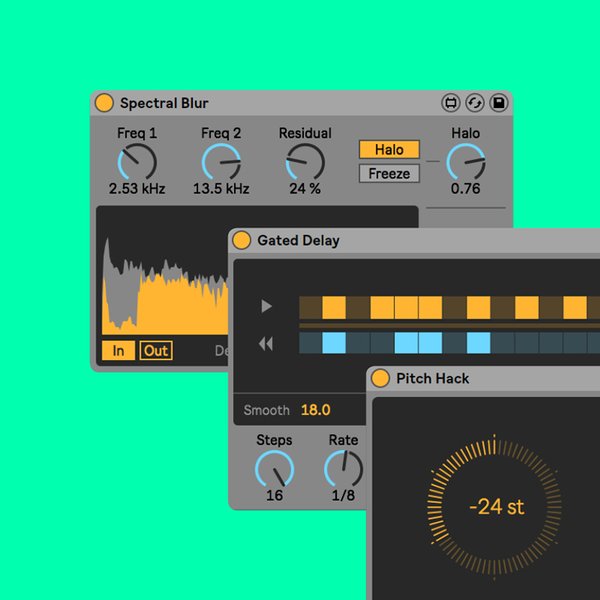
Delay is an audio effect that plays back an input signal after a specified amount of time. It can create echoes, repeats, and spatial effects that give your music a sense of space and movement. There are different types of delay effects, such as tape delay, analog delay, digital delay, and ping-pong delay, each offering unique characteristics.

Using Delay in Ableton Live  : Mastering the Technique

Credit: www.udemy.com

Applying Delay in Ableton Live

Ableton Live provides several built-in delay devices that are easy to use and versatile. Let’s discuss some of these devices:

1. Simple Delay

The Simple Delay device is a straightforward, no-frills delay effect. It allows you to adjust the delay time in milliseconds or sync it to the song’s tempo. You can also control the feedback, filter, and ping-pong settings to create interesting delay patterns or stereo effects.

2. Ping Pong Delay

The Ping Pong Delay effect bounces the delayed signal between the left and right channels, creating a mesmerizing stereo effect. You can adjust the delay time, feedback, and filter settings to add depth and movement to your tracks.

3. Grain Delay

The Grain Delay device is unique, as it allows you to manipulate the grains of the audio signal to create complex and granular delay effects. It offers control over parameters like delay time, pitch, spray, and randomization, enabling you to achieve experimental and unique sounds.

Credit: www.facebook.com

Advanced Delay Techniques

Once you have mastered the basics of using delay in Ableton Live, you can explore more advanced techniques to take your tracks to the next level:

1. Automated Delays

Use automation to change delay settings over time. This can help create dynamic and evolving delay patterns that add movement and interest to your music. Experiment with automating parameters like delay time, feedback, and filter frequency.

2. Parallel Processing

Parallel processing involves splitting the audio signal and sending it to multiple delay devices with different settings. This technique allows you to create rich and complex delay textures while retaining the clarity of the original sound. Be creative and experiment with different delay combinations.

3. Modulation And Filters

Introduce modulation and filtering to your delay effects to create interesting textures and movement. Modulating the delay time or adding filter sweeps can give your tracks a unique character and depth. Additionally, try experimenting with different filter types, such as low-pass, high-pass, and band-pass filters.

Best Practices for Using Delay

While using delay in Ableton Live, keep the following best practices in mind:

  • Start with subtle delay settings and gradually increase the intensity to avoid overwhelming your mix.
  • Avoid excessive feedback to prevent your delays from becoming too chaotic or prominent.
  • Consider the tempo of your song when setting the delay time. Syncing the delay time to the tempo can create rhythmic and synchronized effects.
  • Experiment with different delay types and settings to find the sound that best complements your music.
  • Listen to your delays in the context of your mix to ensure they enhance the overall arrangement and not overpower other elements.

In conclusion, delay is an essential tool for enhancing the depth and character of your music in Ableton Live. By understanding the different delay devices available and exploring advanced techniques, you can create captivating and unique delay effects. Remember to experiment, have fun, and let your creativity shine.

Frequently Asked Questions For Using Delay In Ableton Live : Mastering The Technique


What Is Delay In Ableton Live?


Delay is an audio effect in Ableton Live that produces an echo of the incoming signal.


How Can I Use Delay In Ableton Live?


You can use Delay in Ableton Live to create depth, space, and rhythmic effects in your music productions.


What Are The Different Types Of Delay In Ableton Live?


The different types of Delay in Ableton Live include simple delay, ping pong delay, and grain delay.


What Is The Parameter Modulation Feature In Delay?


Parameter modulation in Delay allows you to modulate the delay time, feedback, and filter frequency over time.

Categories
Archive

Using Automation in Ableton Live : Master Your Music Tech

Ableton Live is a powerful and versatile software that allows musicians, producers, and DJs to create, record, and perform music. One of the key features that sets Ableton Live apart from other digital audio workstations is its robust automation capabilities. Automation is the process of controlling various parameters over time, such as volume, panning, effects, and more, to bring life and movement to your music.

Why use automation?

Automation is an essential tool in music production as it enables you to add dynamic changes throughout your tracks. By automating different parameters, you can create builds, transitions, and intricate changes that enhance the overall musical experience. Automation allows you to breathe life into your compositions, making them more engaging and expressive.

Credit: www.amazon.com

Understanding automation lanes

In Ableton Live, automation is represented by automation lanes. These lanes are displayed below the track waveform and allow you to draw, edit, and manipulate automation data. Each parameter has its own dedicated automation lane, making it easy to control and modify specific aspects of your music.

Creating automation in Ableton Live

Creating automation in Ableton Live is a straightforward process. To get started, make sure the Arrangement View is selected. Right-click on the automation lane of the parameter you want to automate and select “Show Automation.” A new lane will appear, and you can either draw automation curves or record them in real-time.

Using Automation in Ableton Live  : Master Your Music Tech

Credit: www.linkedin.com

Types of automation

Ableton Live offers various types of automation that you can utilize to enhance your music productions.

Volume Automation

Automating the volume allows you to control the overall loudness of your tracks. By adjusting the volume level at different points in your song, you can create emphasis, build tension, or introduce delicate nuances.

Panning Automation

Panning automation changes the position of the sound in the stereo field, allowing you to create a sense of movement and space. By automating panning, you can make elements in your mix appear to move from left to right, creating an immersive listening experience.

Effect Automation

Ableton Live offers a wide range of effects that you can automate, such as filters, delays, reverbs, and more. Automating effects allows you to sculpt and shape your sounds over time, introducing unique textures and atmospheres to your tracks.

Parameter Modulation

In addition to automation, Ableton Live also provides parameter modulation capabilities. With modulation, you can create complex and evolving sounds by assigning parameters to various modulation sources, such as LFOs (low-frequency oscillators) or envelopes.

Tips and tricks for using automation effectively

  • Start with simple automation and gradually experiment with more complex techniques.
  • Use automation to create smooth transitions between different sections of your track.
  • Combine multiple automation lanes to create intricate and evolving changes.
  • Don’t be afraid to automate unconventional parameters to add unique character to your music.
  • Experiment with different automation shapes to achieve the desired effect.
  • Utilize Ableton Live’s automation recording feature for expressive and improvised performances.

Final thoughts

Automation is a powerful tool in Ableton Live that allows you to bring your music to life. By harnessing the capabilities of automation, you can create dynamic, expressive, and captivating compositions. Experiment with different automation techniques, and let your creativity guide you. Unlock the true potential of your music with Ableton Live’s automation features!

Frequently Asked Questions For Using Automation In Ableton Live : Master Your Music Tech


What Is Ableton Live Automation?


Ableton Live automation allows you to control mix, effects, and devices over time.


How Can I Use Automation In Ableton Live?


You can automate parameters by recording movements, drawing breakpoints, or using automation envelopes.


Why Is Automation Important In Music Production?


Automation adds dynamics and expression to your music, enhancing the overall quality.


Can I Automate Third-party Plugins In Ableton Live?


Yes, you can automate parameters of third-party plugins within Ableton Live.

Categories
Archive

Creating Percussion Sounds in Ableton Live: Master Your Beat

Are you a music enthusiast who loves experimenting with different sounds and beats? Look no further than Ableton Live, a powerful digital audio workstation that enables you to create unique and captivating percussion sounds. In this article, we will explore various techniques and tools that will help you unlock your creativity and take your percussion game to the next level.

1. Choosing the Right Samples

The foundation of any great percussion sound lies in the quality of the samples you use. Ableton Live offers a vast library of pre-recorded percussion samples that span multiple genres and styles. Take the time to explore the library and select samples that resonate with your desired sound. From traditional instruments to boisterous electronic beats, you’ll find an impressive selection to work with.

Credit: www.productionmusiclive.com

2. Layering and Processing

Layering percussion sounds can add depth and texture to your tracks. Experiment with blending different samples together to create a unique sound. Ableton Live provides a straightforward approach to layering by allowing you to stack multiple samples within a single drum rack. Once you’ve achieved the desired combination, you can further enhance the sounds using a variety of effects within Ableton Live’s extensive arsenal.

3. Applying Effects

Ableton Live offers a range of effects that can help transform your percussion sounds. From simple EQ adjustments to complex reverbs and delays, these effects allow you to sculpt your sound and add a professional touch. Experiment with different settings and parameters to find the perfect balance that complements your track.

4. Incorporating Automation

Automation is a powerful feature in Ableton Live that allows you to create dynamic and evolving percussion sounds. By automating parameters such as volume, panning, and filter cutoff, you can add movement and interest to your beats. Spend time experimenting with automation to bring your percussion patterns to life.

5. Sampling and Manipulating

Taking advantage of Ableton Live’s sampling capabilities can elevate your percussion sounds to new heights. Record and manipulate your own samples or import pre-recorded sounds into Ableton Live’s Simpler or Sampler devices. From there, you can chop, stretch, and pitch-shift the samples to create entirely unique percussion textures.

6. Utilizing MIDI Controllers

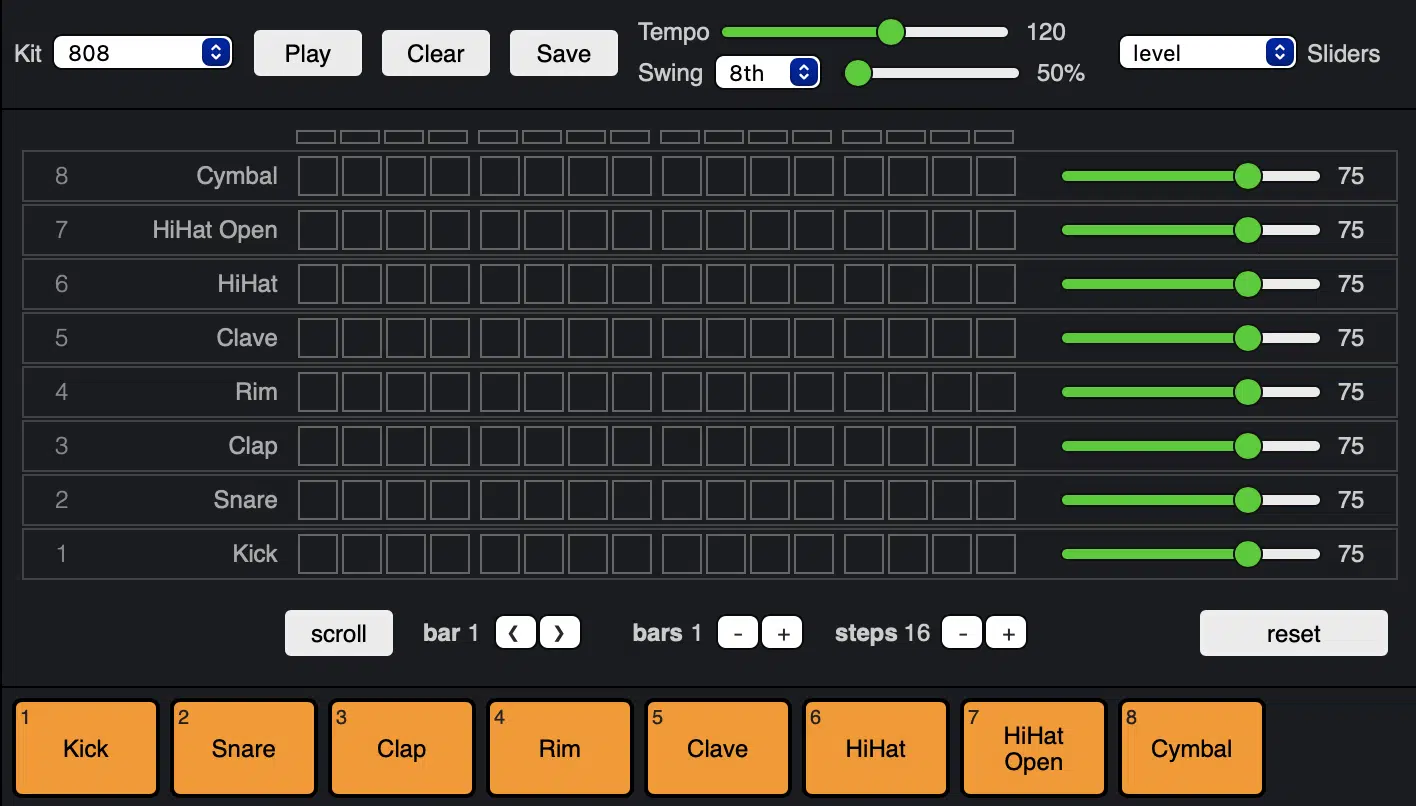
Ableton Live seamlessly integrates with MIDI controllers, providing a hands-on approach to creating percussion sounds. By connecting drum pads or MIDI keyboards, you can program beats in real-time, giving you more control and allowing for a more immersive creative process. Experiment with different MIDI controllers to find the one that suits your workflow.

7. Exploring Drum Synthesis

For the more adventurous music producers, Ableton Live offers a range of drum synthesis tools that enable you to design your own percussion sounds from scratch. From FM synthesis to physical modeling, these tools provide endless possibilities for creating unique and unconventional percussion textures.

Creating Percussion Sounds in Ableton Live: Master Your Beat

Credit: unison.audio

Frequently Asked Questions For Creating Percussion Sounds In Ableton Live: Master Your Beat


How To Create Percussion Sounds In Ableton Live?


To create percussion sounds in Ableton Live, use drum racks and experiment with different samples and effects.


What Are Some Techniques For Designing Unique Percussion Sounds?


Experiment with layering different sounds, manipulating parameters, and using unconventional samples for designing unique percussion sounds.


Why Is It Important To Have Unique Percussion Sounds In Music Production?


Unique percussion sounds can add character and depth to your music, helping it stand out and create a memorable listening experience.


What Are Some Essential Ableton Live Devices For Percussion Sound Design?


Ableton Live offers a range of devices such as Simpler, Drum Rack, and Impulse that are essential for percussion sound design.

Conclusion

With Ableton Live, the possibilities for creating unique and captivating percussion sounds are endless. By selecting the right samples, layering and processing, applying effects, incorporating automation, sampling and manipulating, utilizing MIDI controllers, and exploring drum synthesis, you’ll be well on your way to producing beats that stand out from the crowd. So, let your creativity soar and watch as your percussion creations take your music production to the next level!

Categories
Archive

Using the Operator Synthesizer in Ableton Live : Master the Art

When it comes to creating unique and complex sounds in your music productions, the Operator synthesizer in Ableton Live is an incredibly powerful tool. Whether you’re a beginner or an experienced producer, learning how to use the Operator can greatly enhance your sound design capabilities.

What is the Operator Synthesizer?

The Operator is a versatile FM synthesizer that is built into Ableton Live. FM stands for Frequency Modulation, and this synthesis technique allows for the creation of rich and evolving sounds by modulating one oscillator with another. The Operator consists of four oscillators, each capable of generating a wide range of waveforms, and a comprehensive modulation matrix that allows for complex sound manipulation.

Creating and Editing Sounds

When you open the Operator, you’ll be greeted with a streamlined interface that allows for quick and intuitive sound creation. Each of the four oscillators can be individually tuned, shaped, and modulated to create your desired sound. The modulation matrix offers a wide range of modulation options, including envelope generators, LFOs, and more. This allows for intricate sound design and the ability to create evolving and dynamic textures.

One of the key features of the Operator is its ability to create complex harmonic relationships. By modulating one oscillator with another, you can achieve a wide range of tones, from bell-like timbres to metallic and gritty textures. Experimenting with different modulation routings and parameters will unlock a world of sonic possibilities.

Credit: www.facebook.com

Sound Design Tips

Here are some sound design tips to get the most out of the Operator synthesizer:

  • Start with a simple waveform and gradually introduce modulation to add complexity.
  • Experiment with different modulation routings to create unique and evolving textures.
  • Use the built-in filters and effects in Ableton Live to further shape and sculpt your sound.
  • Try layering multiple instances of the Operator to create rich and lush sounds.
  • Don’t be afraid to experiment and push the boundaries of what the Operator can do.

By employing these sound design techniques, you’ll be able to create sounds that stand out and add a unique flavor to your music productions.

Using the Operator in a Musical Context

While the Operator is a powerful tool for sound design, it is also a great synthesizer for creating musical elements in your tracks. Whether you’re looking to create basslines, leads, pads, or even drum sounds, the Operator’s versatility makes it suitable for a wide range of musical applications.

When using the Operator in a musical context, it’s essential to pay attention to factors such as modulation depth, envelope settings, and the overall tonal balance of the sound. These parameters will help ensure that your sounds sit well in the mix and contribute to the overall musicality of your tracks.

Credit: www.mind-flux.com

Frequently Asked Questions For Using The Operator Synthesizer In Ableton Live : Master The Art


What Is Operator Synthesizer?


The Operator Synthesizer is a powerful digital synthesizer available in Ableton Live, designed for creating a wide range of sounds through digital frequency modulation.


How To Use Operator Synthesizer?


You can use Operator Synthesizer in Ableton Live by selecting it from the instrument rack, then adjusting parameters such as oscillators, filters, and envelopes to craft your desired sound.


What Are The Key Features Of Operator Synthesizer?


The Operator Synthesizer is known for its versatile sound design capabilities, offering advanced oscillator configurations, filter types, and modulation options for creating unique and dynamic sounds.


Can Operator Synthesizer Create Bass Sounds?


Yes, Operator Synthesizer is capable of producing deep and powerful bass sounds, thanks to its flexible oscillator and filter settings that allow for shaping low-end frequencies.

Conclusion

The Operator synthesizer in Ableton Live is a powerful tool for sound design and musical composition. By understanding its capabilities and exploring its features, you can unlock a world of sonic possibilities and take your music productions to new heights. So, dive in, experiment, and let your creativity soar with the Operator!

Categories
Archive

Using the Analog Synthesizer in Ableton Live: Master Your Sound

As an Amazon Associate I earn from qualifying purchases.

Ableton Live is a versatile digital audio workstation that offers a wide range of tools and features for music producers and enthusiasts. One particularly powerful tool in Ableton Live is the Analog Synthesizer. In this article, we will explore the capabilities of the Analog Synthesizer and provide tips for using it effectively in your tracks.

Credit: www.343labs.com

Introduction to the Analog Synthesizer

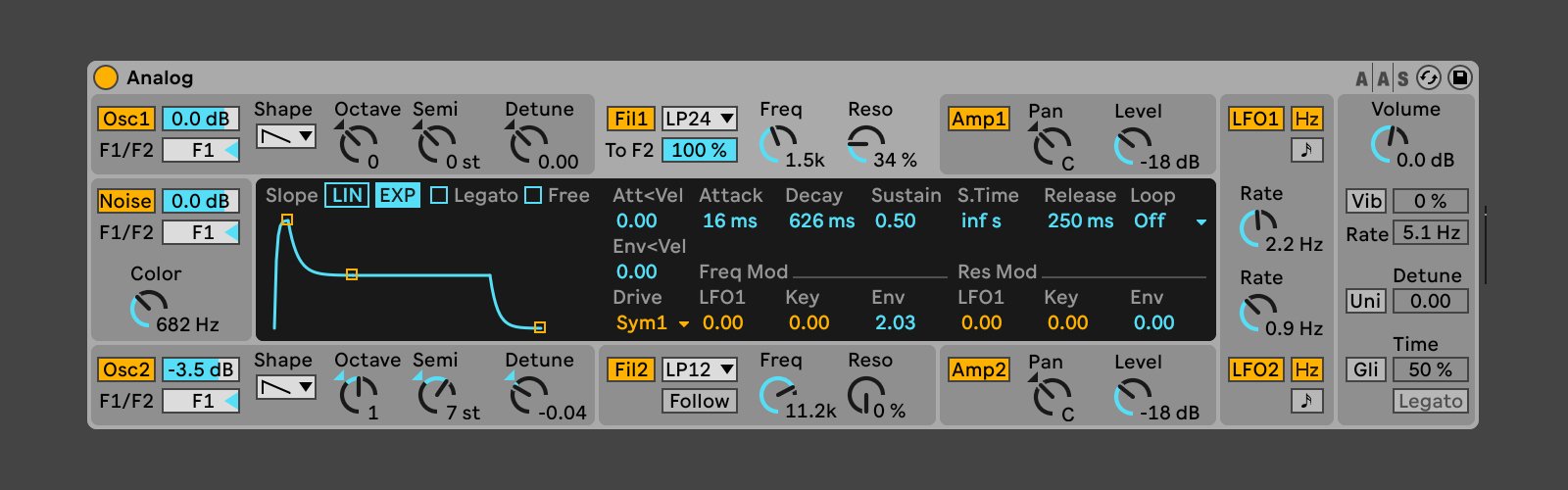
The Analog Synthesizer in Ableton Live is a virtual instrument that emulates the sound and functionality of classic analog synthesizers. It offers a vast array of possibilities for creating unique and textured sounds, giving your music that distinct analog warmth and character.

The Analog Synthesizer features a user-friendly interface that allows you to manipulate various parameters such as oscillators, filters, envelopes, and modulation sources. Whether you are new to synthesis or an experienced sound designer, the Analog Synthesizer provides a powerful and intuitive platform for crafting your sonic creations.

Getting Started with the Analog Synthesizer

After opening Ableton Live and creating a new MIDI track, you can easily add the Analog Synthesizer to your session by selecting it from the list of available instruments. Once added, you can start exploring its features and begin shaping your sounds.

Oscillators:

The oscillators in the Analog Synthesizer are the heart of your sound. They generate the basic waveform that serves as the foundation for your patches. You can choose from various waveforms such as sine, triangle, sawtooth, and square, each offering its own unique tonal characteristics. Experimenting with different combinations and detuning the oscillators can create rich and complex sounds.

Filters:

The filters in the Analog Synthesizer allow you to shape the frequency content of your sound. The low-pass, high-pass, and band-pass filters can be used to cut or boost specific frequency ranges, adding color and character to your patches. Automating the filter cutoff and resonance parameters can create dynamic and evolving timbres.

Envelopes:

Envelopes play a vital role in defining the shape and behavior of your sound over time. The Analog Synthesizer provides flexible envelope generators for controlling parameters such as volume, filter cutoff, and modulation intensity. By adjusting the attack, decay, sustain, and release stages, you can sculpt the envelope to match your desired sound characteristics.

Modulation:

Modulation adds movement and variation to your sounds. The Analog Synthesizer offers multiple modulation sources, including LFOs (Low-Frequency Oscillators) and envelope followers. By assigning these modulation sources to different parameters, such as oscillator pitch or filter cutoff, you can create evolving and animated sounds.

Using the Analog Synthesizer in Ableton Live: Master Your Sound

Credit: www.ableton.com

Tips for Using the Analog Synthesizer Effectively

Here are some tips that will help you make the most out of the Analog Synthesizer in Ableton Live:

  1. Experiment with different waveform combinations to add depth and complexity to your patches.
  2. Use automation to create evolving sounds by adjusting parameters such as filter cutoff and resonance over time.
  3. Utilize the modulation sources to add movement and variation to your sounds. Try assigning an LFO to oscillator pitch for subtle vibrato or use an envelope follower to modulate filter cutoff.
  4. Combine the Analog Synthesizer with other effects in Ableton Live, such as reverb or delay, to further enhance your sounds.
  5. Take advantage of the built-in presets for quick inspiration, or create your own library of personalized sounds to use in future projects.

Frequently Asked Questions Of Using The Analog Synthesizer In Ableton Live: Master Your Sound


How Does An Analog Synthesizer Work?


An analog synthesizer generates sound using electronic circuits to create and manipulate waveforms.


What Are The Advantages Of Using Analog Synthesizers?


Analog synthesizers offer rich, warm, and organic sounds with hands-on control for a unique sonic experience.


How Can I Integrate An Analog Synthesizer In Ableton Live?


You can integrate an analog synthesizer in Ableton Live using MIDI connectivity and audio interface for recording.


What Are The Popular Analog Synthesizers Used In Music Production?


Popular analog synthesizers used in music production include Moog Subsequent 37, Korg Minilogue, and Arturia MiniBrute.

Conclusion

The Analog Synthesizer in Ableton Live offers a powerful and intuitive platform for unleashing your creativity in sound design. With its versatile features and user-friendly interface, you can easily craft unique and expressive patches that bring your tracks to life. Experiment with the various parameters, explore different waveform combinations, and embrace the endless possibilities provided by the Analog Synthesizer. Happy synthesizing!

Categories
Archive

Using the Audio Effects in Ableton Live: Master Your Sound Creatively

When it comes to music production, having a versatile set of audio effects is essential. Ableton Live, a popular digital audio workstation, offers a wide range of built-in audio effects that can elevate your music to new heights. In this article, we will explore some of the most commonly used audio effects in Ableton Live and provide insights on how to incorporate them into your productions.

1. EQ Eight

EQ Eight is a powerful equalizer that allows you to shape the frequency response of your audio tracks. It features eight adjustable frequency bands and various filter types, including high-pass, low-pass, and bell filters. With EQ Eight, you can boost or cut specific frequencies to achieve a more balanced mix, remove unwanted noise, or add creative coloration to your sounds.

2. Compressor

The Compressor is a fundamental audio effect used to control dynamics and add punch to your tracks. It reduces the dynamic range of a sound by decreasing the volume of louder elements and increasing the volume of softer elements. Whether you’re looking to tighten up drums, even out vocal performances, or add sustain to a guitar solo, the Compressor is a go-to tool that can enhance the impact and clarity of your mix.

3. Reverb

Reverb is an indispensable effect for creating depth and ambience in your music. Ableton Live offers various reverb algorithms, including room, hall, plate, and more. By simulating the natural reverberation of different spaces, reverb can give your sounds a sense of space and realism. You can customize parameters such as decay time, pre-delay, and damping to achieve the desired reverb characteristics.

Credit: www.amazon.com

4. Delay

Delay is a time-based effect that produces repetitions of a sound with varying time intervals. It can be used to create echoes, rhythmic patterns, or subtle spatial effects. With Ableton Live’s versatile Delay effect, you can adjust parameters like feedback, filtering, and ping-pong mode to add depth, width, and movement to your tracks. Experimenting with different delay settings can open up a world of creative possibilities.

5. Chorus

Chorus is an effect that creates the illusion of multiple sources playing the same musical part. It thickens the sound by detuning and delaying the original signal, resulting in a wider and richer stereo image. Ableton Live’s Chorus effect offers controls for rate, depth, feedback, and more, allowing you to achieve subtle widening or lush modulated textures depending on your creative vision.

6. Distortion

If you’re looking to add some grit, warmth, or aggression to your sounds, Ableton Live’s Distortion effect is a great choice. It can emulate the characteristics of analog hardware or create entirely new tones. Adjust parameters such as drive, tone, and output level to achieve anything from subtle saturation to fully distorted sounds. Distortion is a versatile tool that can take your tracks from clean to dirty with just a few adjustments.

7. Filter

Ableton Live’s Filter effect allows you to shape the frequency content of your audio in real-time. By using low-pass, high-pass, band-pass, or notch filters, you can control the brightness, darkness, or presence of a sound. The Filter effect offers additional features like resonance, drive, and modulation to further sculpt your audio. It’s a powerful tool for sound design, creating filter sweeps, and adding movement to your tracks.

8. Auto Filter

Auto Filter is a variation of the Filter effect in Ableton Live, specifically designed for modulation and automation. It offers built-in LFOs (low-frequency oscillators) that can modulate the filter cutoff frequency, resulting in dynamic filter movements. Whether you’re aiming for subtle filter sweeps or radical filter modulation, the Auto Filter is a versatile tool that can add interest and movement to your sounds.

Using the Audio Effects in Ableton Live: Master Your Sound Creatively

Credit: www.ableton.com

Frequently Asked Questions On Using The Audio Effects In Ableton Live: Master Your Sound Creatively


What Are Some Popular Audio Effects In Ableton Live?


Popular audio effects in Ableton Live include reverb, delay, EQ, compression, chorus, and distortion.


How Can I Use Audio Effects To Enhance My Music Production?


Audio effects can be used to add depth, atmosphere, and texture to your music, enhancing the overall listening experience.


What Is The Purpose Of Using Audio Effects In Ableton Live?


Audio effects in Ableton Live help to modify and improve sound by adding creative and technical enhancements to the audio signal.


Can I Automate Audio Effects In Ableton Live?


Yes, you can automate audio effects in Ableton Live to create dynamic changes in the sound throughout your music production.

Conclusion

Ableton Live provides a wide range of audio effects that can help you shape and enhance your music in countless ways. Whether you’re a producer, mixer, or sound designer, mastering the proper use of these tools is crucial for achieving professional-sounding results. By experimenting with EQ Eight, Compressor, Reverb, Delay, Chorus, Distortion, Filter, and Auto Filter, you can unlock a whole new level of creativity and take your productions to the next level.

Categories
Archive

Introduction to Ableton Live : Master Music Production

Ableton Live is a powerful digital audio workstation (DAW) that has become a go-to tool for musicians, producers, and DJs around the world. Whether you’re a beginner or a seasoned professional, Ableton Live offers a wealth of features and tools that can take your music production to the next level. In this article, we will provide an overview of Ableton Live and discuss its key features.

The Interface

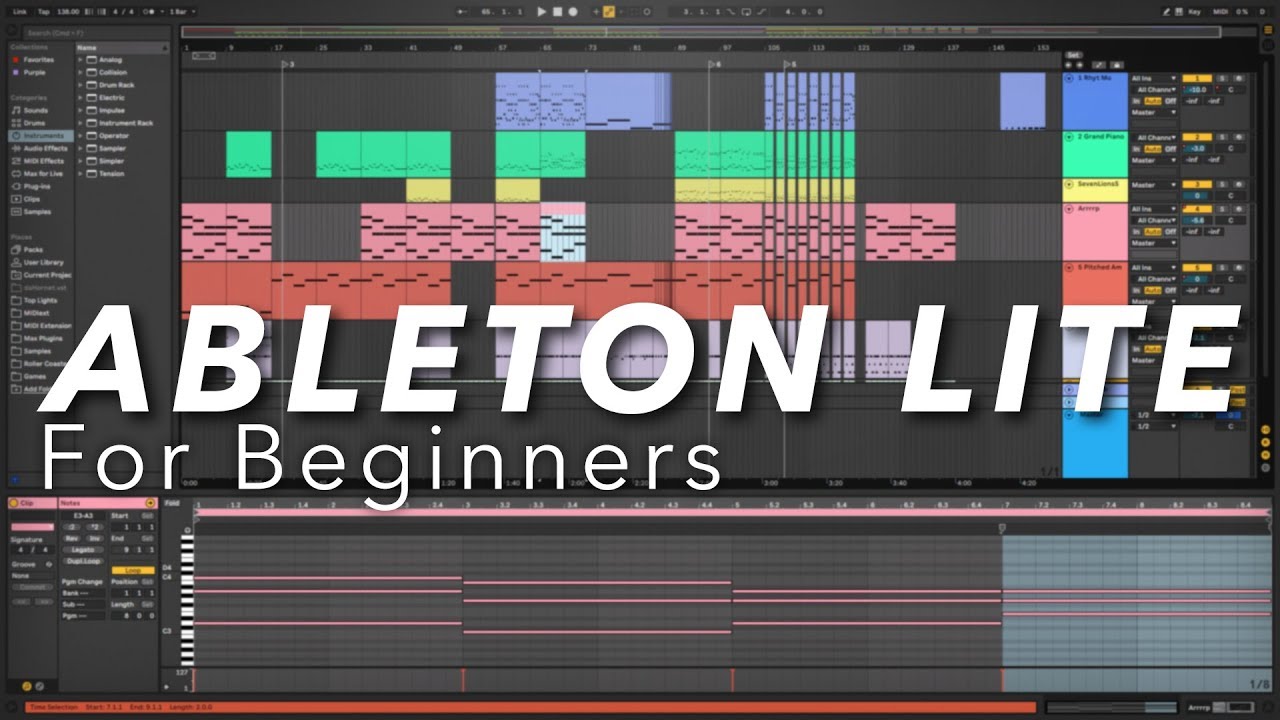
Ableton Live has a user-friendly and intuitive interface that allows users to easily navigate and access its various features. The main screen is divided into two views: Session View and Arrangement View.

The Session View is designed for live performances and improvisation. It uses a grid-based layout where you can trigger and arrange different clips of audio, MIDI, and effects. This allows for real-time manipulation and experimentation with your music.

The Arrangement View is more traditional and resembles a timeline. It is used for arranging and composing your tracks. Here, you can edit and sequence your clips, add automation, and fine-tune your music.

Clip-based Workflow

Ableton Live’s clip-based workflow is one of its standout features. Instead of working with traditional timelines and tracks, Live encourages users to work with clips. Clips are small pieces of audio or MIDI that can be triggered, looped, and manipulated.

Working with clips allows for a more flexible and creative approach to music production. You can easily experiment with different variations of a musical idea, trigger effects in real-time, and seamlessly arrange and rearrange your clips on the fly.

Furthermore, Live’s unique warping feature enables you to easily match the timing and tempo of different clips, making it a valuable tool for remixing and live performances.

Instruments and Effects

Ableton Live comes bundled with a wide range of virtual instruments and effects that cover a variety of musical styles and genres. From synthesizers and samplers to drum machines and guitar emulators, Live offers a vast collection of high-quality sounds and tools to enhance your music production.

Additionally, Live supports third-party VST and AU plugins, allowing you to expand your sonic possibilities even further. This means you can integrate your favorite plugins seamlessly into your Ableton Live workflow.

Max for Live Integration

Ableton Live also integrates with Max for Live, which is a visual programming environment that expands the functionality of Live. Max for Live allows users to create custom devices, effects, and instruments using a graphical interface.

Max for Live offers endless possibilities for sound design and experimentation. You can build your own unique instruments, create complex effects chains, and develop innovative performance setups.

Introduction to Ableton Live : Master Music Production

Credit: www.ableton.com

Workflow and Performance Enhancements

Ableton Live continually strives to improve its workflow, optimizing the user experience and enhancing performance. The latest versions of Live have introduced several features to streamline music production:

  • Group Tracks: Easily manage and organize multiple tracks by grouping them together.
  • Browser Collections: Create custom collections of your favorite sounds and devices for quick access.
  • Multiple MIDI Clip Editing: Edit multiple MIDI clips simultaneously, making it easier to work on complex compositions.
  • Automation Envelopes: Add and edit automation more easily with improved visualization and control.
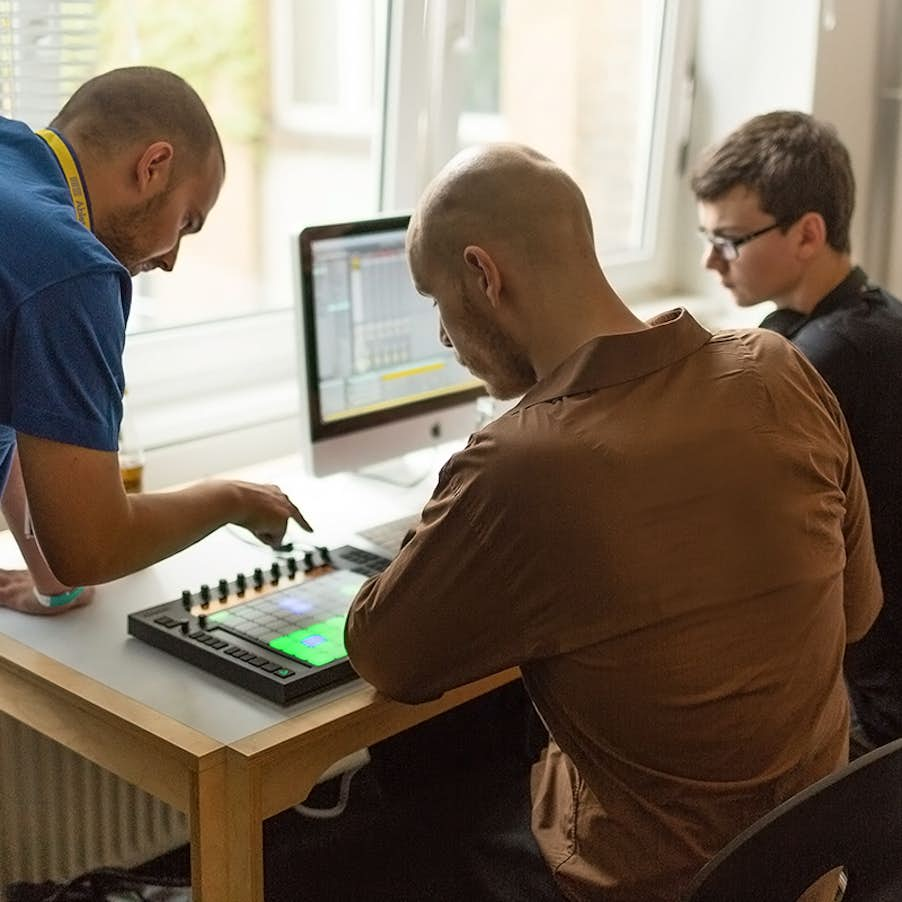
  • Push Integration: Ableton Push is a hardware controller specifically designed for Live, providing hands-on control of your music production.
Introduction to Ableton Live : Master Music Production

Credit: www.youtube.com

Frequently Asked Questions For Introduction To Ableton Live : Master Music Production


What Is Ableton Live Used For?


Ableton Live is a popular digital audio workstation used for music production, live performance, and DJing.


How To Use Midi In Ableton Live?


To use MIDI in Ableton Live, simply connect your MIDI controller, select the track, and start playing or recording your MIDI data.


What Are The Different Versions Of Ableton Live?


Ableton Live comes in three main versions: Intro, Standard, and Suite, each offering different features and capabilities.


Where To Find Ableton Live Tutorials?


You can find Ableton Live tutorials on various online platforms such as YouTube, music production websites, and official Ableton Live website.

Conclusion

Ableton Live is a versatile and powerful DAW that offers a unique and intuitive approach to music production. Its clip-based workflow, seamless integration of instruments and effects, and continuous updates and enhancements make it a popular choice for both beginners and professionals.

Whether you’re creating electronic music, recording live instruments, or performing live on stage, Ableton Live provides the tools and flexibility you need to bring your musical ideas to life.

Categories
Archive

Understanding Sampling in Ableton Live : Master the Essential Techniques

If you are a music producer or an aspiring musician, you have likely come across the term ‘sampling’ at some point. Sampling is a technique widely used in popular music production, and one of the most powerful tools to create unique and innovative sounds. In this article, we will break down the concept of sampling and explore how it is utilized in the popular software, Ableton Live.

What is Sampling?

At its core, sampling is the process of taking a small portion, or a ‘sample,’ of a pre-recorded audio track or sound and using it as an instrument or sound source in your own composition. This can involve anything from sampling a drum break from a classic recording to extracting a particular synth sound from a song in order to incorporate it into your own production.

Sampling has been prevalent in music production since the 1980s, when samplers became popular in hip-hop, electronic, and pop music. Since then, technology has advanced, and sampling has become much more accessible, with software like Ableton Live making it easier than ever to integrate samples into your own compositions.

Sampling in Ableton Live

Ableton Live is a powerful digital audio workstation (DAW) that provides a range of tools and features designed specifically for sampling. It offers a user-friendly interface and a comprehensive set of tools to manipulate samples, enabling producers to explore endless creative possibilities.

One of the key features of Ableton Live is its ability to slice and dice samples. This allows you to break down a larger audio file into smaller parts, which can then be rearranged, looped, or manipulated in various ways. This feature is particularly useful when working with drum loops or vocal phrases, as it allows for precise control over individual elements within a sample.

Ableton Live also offers a wide array of built-in effects and processors that can be applied to your samples. From EQ and compression to reverb and delay, these effects add depth and character to your samples, allowing you to shape and mold them into something entirely new.

Credit: blackoctopus-sound.com

Understanding Sampling in Ableton Live  : Master the Essential Techniques

Credit: blog.native-instruments.com

Using Samples in Ableton Live

Now that we have a basic understanding of sampling and its relation to Ableton Live, let’s explore some practical ways to use samples in your own productions.

1. Drum Sampling

Drum sampling is a popular technique used in various genres of music. By taking drum hits or loops from existing recordings or sample packs, you can construct unique drum patterns for your own tracks. Ableton Live’s slicing feature makes it easy to rearrange and manipulate drum samples, allowing you to create intricate rhythms and exciting variations.

2. Creating Melodies

Samples can also be used to create melodies. By taking short musical phrases or individual notes from existing recordings, you can create unique melodies that add depth and texture to your own compositions. Ableton Live’s warping feature allows you to adjust the pitch and timing of your samples, giving you even more creative control over your melodies.

3. Sound Design

Sampling is a powerful tool for sound design. By extracting unique sounds from existing recordings or field recordings, you can create your own library of custom sounds to use in your productions. Ableton Live’s built-in effects and processors offer endless possibilities for shaping and manipulating these samples, allowing you to create original and distinctive sounds.

Frequently Asked Questions On Understanding Sampling In Ableton Live : Master The Essential Techniques


What Is Sampling In Music Production?


Sampling is the process of taking a portion of a sound recording and reusing it in a different song or piece of music.


How Can I Use Sampling In Ableton Live?


In Ableton Live, you can use sampling to manipulate, chop, and rearrange audio clips to create unique sounds and compositions.


Why Is Sampling Important In Music Production?


Sampling is important as it allows producers to create new and innovative music by incorporating existing sounds in a creative way.


What Are The Benefits Of Sampling In Ableton Live?


Using sampling in Ableton Live enables you to experiment with different sounds, textures, and tones, expanding your creative possibilities.

Conclusion

Sampling is a fundamental technique in music production, and Ableton Live provides a comprehensive set of tools and features to help you explore the creative possibilities of sampling. Whether you are using samples for drum patterns, melodies, or sound design, Ableton Live’s intuitive interface and powerful features make it an ideal choice for incorporating samples into your own compositions.

With practice and experimentation, you can harness the power of sampling to produce unique and innovative music that stands out from the crowd. So, dive into the world of sampling in Ableton Live and let your creativity soar!

Categories
Archive

Using the Limiter in Ableton Live : Mastering Your Sound.

Ableton Live is a powerful digital audio workstation (DAW) that offers a wide range of tools and effects for music production. One essential tool in every producer’s toolkit is the Limiter. The Limiter is an audio effect used to control the dynamic range of a track by preventing the audio signal from exceeding a certain level, known as the “ceiling”. In this article, we will explore how to use the Limiter in Ableton Live to optimize the quality and loudness of your tracks.

Using the Limiter in Ableton Live : Mastering Your Sound.

Credit: musictech.com

Step 1: Adding the Limiter to a Track

To begin, open Ableton Live and create a new project. Select a track that you want to apply the Limiter to and navigate to the “Audio Effects” section of the sidebar. Locate the “Limiter” effect and drag it onto the track.

Using the Limiter in Ableton Live : Mastering Your Sound.

Credit: www.masteringthemix.com

Step 2: Adjusting the Parameters

Once the Limiter is added to the track, you can start adjusting the parameters to achieve the desired effect. The main parameters you need to focus on are:

Parameter Description
Threshold This determines the volume level at which the Limiter kicks in. Adjust the threshold according to the dynamics of your track. Lower values result in more limiting.
Gain This controls the amount of gain applied to the limited signal. Increase the gain to add more loudness to your track, but be careful not to introduce distortion.
Release The release time determines how quickly the Limiter stops applying gain reduction after the input level drops below the threshold. Longer release times can result in a more natural sound.

Step 3: Monitoring the Gain Reduction

It’s important to monitor the gain reduction meter while adjusting the parameters. The gain reduction meter displays the amount of gain being reduced by the Limiter. Aim for a moderate amount of gain reduction to achieve a balanced sound without sacrificing too much dynamics.

Step 4: Comparing Before and After

When working with the Limiter, it’s always a good idea to compare the sound before and after applying the effect. Toggle the Limiter on and off to hear the difference it makes to the overall loudness and dynamics of the track. Fine-tune the parameters until you achieve the desired result.

Step 5: Using the Limiter as a Mastering Tool

The Limiter is also commonly used as a mastering tool to ensure the final mix reaches an optimal loudness level. In this case, instead of adding the Limiter to individual tracks, you apply it to the master track. Adjust the parameters to achieve a balanced and loud final mix.

Remember, moderation is key when using the Limiter. It’s easy to over-compress your tracks and end up with a result that lacks dynamics and sounds unnatural. Use your ears and make small adjustments to preserve the integrity of your mix while achieving a professional sound.

By following these steps, you can effectively use the Limiter in Ableton Live to enhance the quality and loudness of your tracks. Experiment with different settings and find the sweet spot that works best for your music. With practice and a keen ear, you’ll be able to achieve polished and professional-sounding tracks.

Frequently Asked Questions Of Using The Limiter In Ableton Live : Mastering Your Sound.


What Is The Limiter In Ableton Live?


The Limiter in Ableton Live is a powerful audio effect used to prevent audio signals from exceeding a specified level.


How Does The Limiter Work In Ableton Live?


The Limiter works by setting a threshold level, preventing the audio signal from exceeding that point, and applying gain to boost the overall volume.


Is The Limiter Essential For Audio Production?


Yes, the Limiter is essential for controlling and maximizing the loudness of audio tracks in Ableton Live, ensuring a balanced and professional sound.


Can The Limiter Be Used For Mastering In Ableton Live?


Absolutely, the Limiter is commonly used in mastering to increase the loudness of a mix while preventing clipping and distortion.

Categories
Archive

Using the Midi Effects in Ableton Live: Master Midi Manipulation

When it comes to music production, Ableton Live is a powerful software that offers a wide range of features and tools. One of its standout features is the Midi Effects, which allow you to enhance and manipulate your MIDI tracks in creative ways. In this article, we will explore how to use the Midi Effects in Ableton Live to take your music production to the next level.

Midi Effects Overview

Before we delve into the specific Midi Effects in Ableton Live, let’s understand what Midi Effects are. Midi Effects are virtual devices within Ableton Live that can be inserted into your MIDI tracks to modify and shape the MIDI data in real-time.

These effects can be used to create complex melodies, harmonies, rhythmic patterns, and much more. They provide endless possibilities for experimentation and creativity, allowing you to add depth and complexity to your music.

Using the Midi Effects in Ableton Live: Master Midi Manipulation

Credit: www.ableton.com

Credit: www.amazon.com

Types of Midi Effects

Ableton Live offers a variety of Midi Effects that serve different purposes. Let’s take a look at some of the most commonly used Midi Effects:

Midi Effect Description
Arpeggiator Generates arpeggios based on the incoming MIDI notes.
Chord Transposes incoming MIDI notes to create chords.
Note Length Controls the duration of MIDI notes.
Random Introduces randomness to the MIDI data.
Scale Restricts incoming MIDI notes to a specific scale.

How to Use Midi Effects in Ableton Live

Now that we have an understanding of the Midi Effects available in Ableton Live, let’s explore how to use them effectively:

  1. Open Ableton Live and create a new MIDI track.
  2. Click on the “Midi Effects” category in the browser, and drag the desired Midi Effect onto the MIDI track.
  3. Adjust the parameters of the Midi Effect to achieve the desired effect. For example, in the Arpeggiator, you can choose the arpeggio pattern and adjust the rate, while in the Chord effect, you can choose the chord type and invert the chords.
  4. Experiment with different Midi Effects and their parameters to create unique sounds and melodies.
  5. Combine multiple Midi Effects to create complex and evolving compositions.

Tips for Using Midi Effects

Here are some tips to help you make the most out of the Midi Effects in Ableton Live:

  • Automate the parameters of the Midi Effects to introduce variations and add movement to your music.
  • Map the Midi Effect parameters to a MIDI controller for real-time control and performance.
  • Layer different Midi Effects to create intricate and layered textures.
  • Experiment with different combinations of Midi Effects to discover unexpected and unique results.
  • Save your favorite Midi Effect chains as presets for future use.

Frequently Asked Questions On Using The Midi Effects In Ableton Live: Master Midi Manipulation


What Are Midi Effects In Ableton Live?


MIDI effects are tools used to modify, process, or generate MIDI data within Ableton Live. They include devices like arpeggiators, chord plugins, and more.


How Can Midi Effects Enhance My Music Production?


MIDI effects can add creativity and complexity to your music by transforming the MIDI data of your tracks, enabling you to explore new musical ideas and create unique sounds.


What Are Some Popular Midi Effects Used In Ableton Live?


Common MIDI effects in Ableton Live include Arpeggiator, Chord, Scale, Note Length, Pitch, Random, and Velocity. Each effect offers unique ways to manipulate MIDI data.


Can Midi Effects Help In Creating Dynamic Melodies?


Yes, MIDI effects such as arpeggiators and scales can assist in creating dynamic and intricate melodies by automatically generating rhythmic patterns and harmonies.

Conclusion

The Midi Effects in Ableton Live offer a world of possibilities for enhancing and manipulating your MIDI tracks. Whether you want to create complex melodies, unique harmonies, or experiment with rhythmic patterns, the Midi Effects can help you achieve your musical vision. So, take some time to explore these effects, experiment with different combinations, and let your creativity soar!