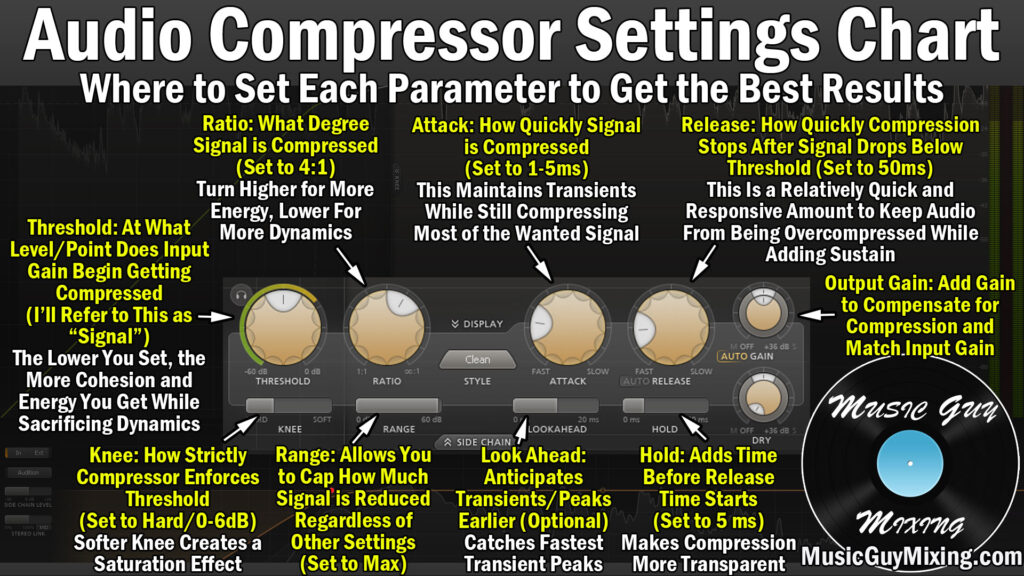
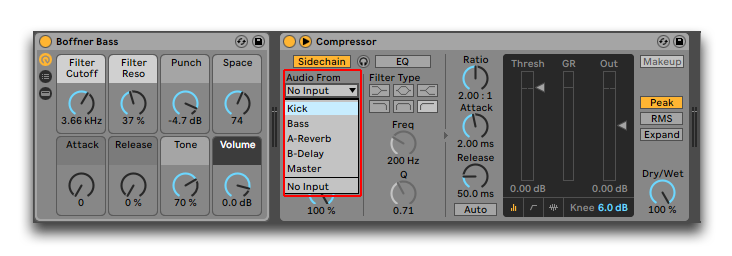
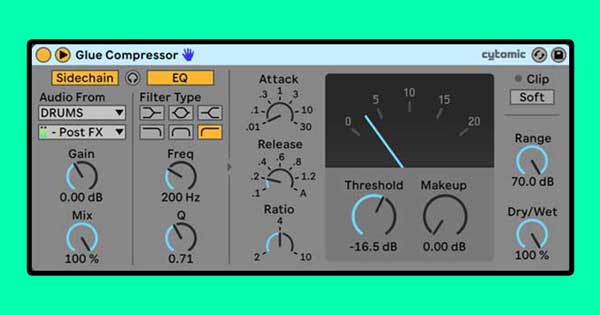
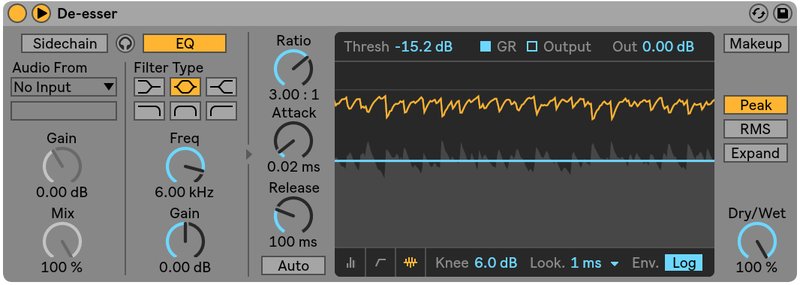
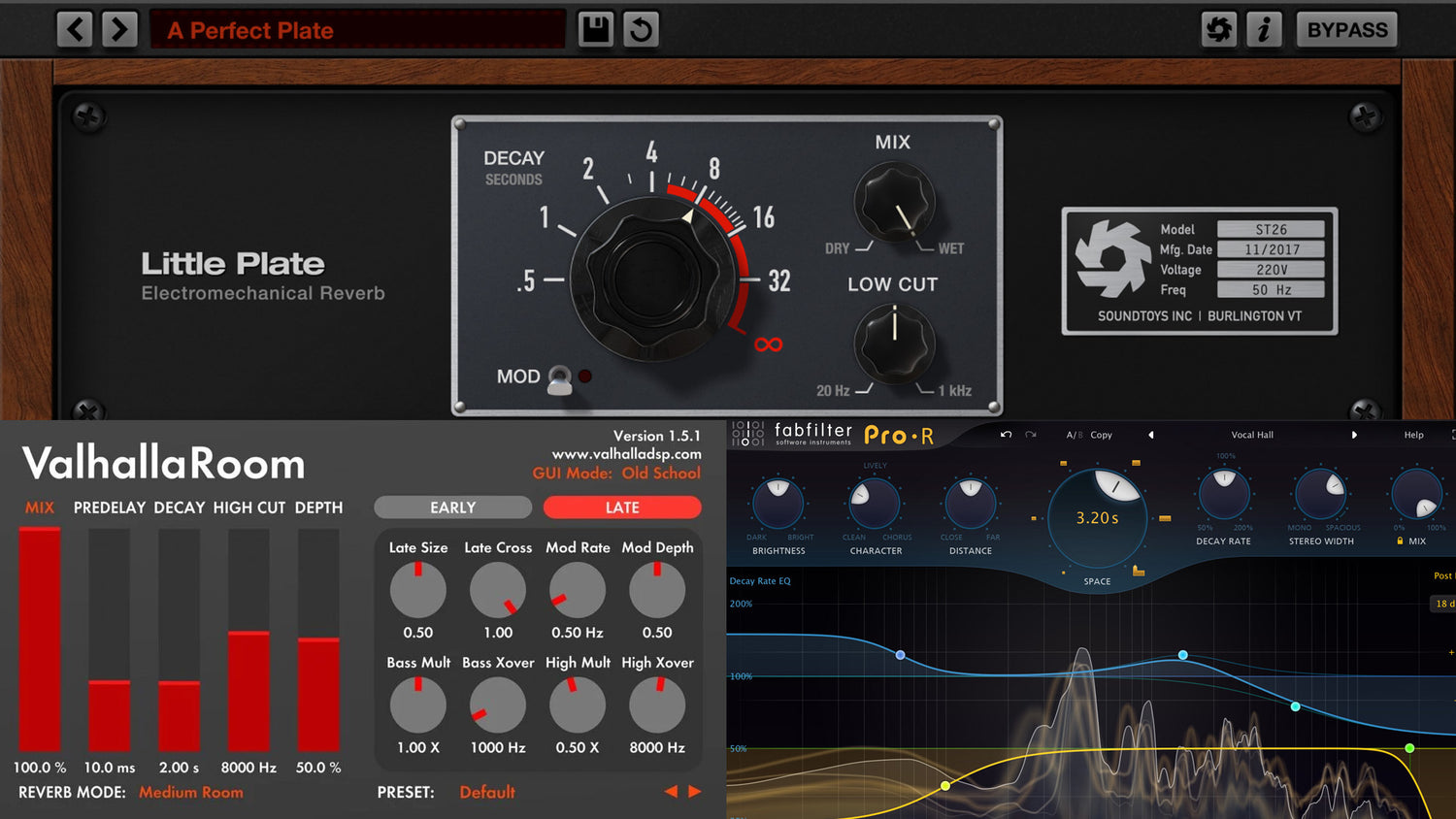
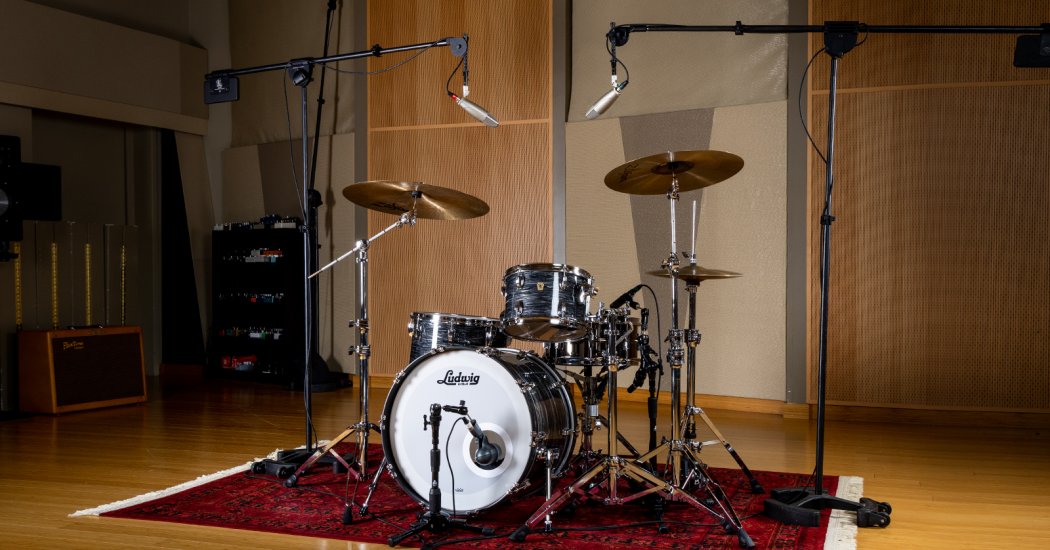
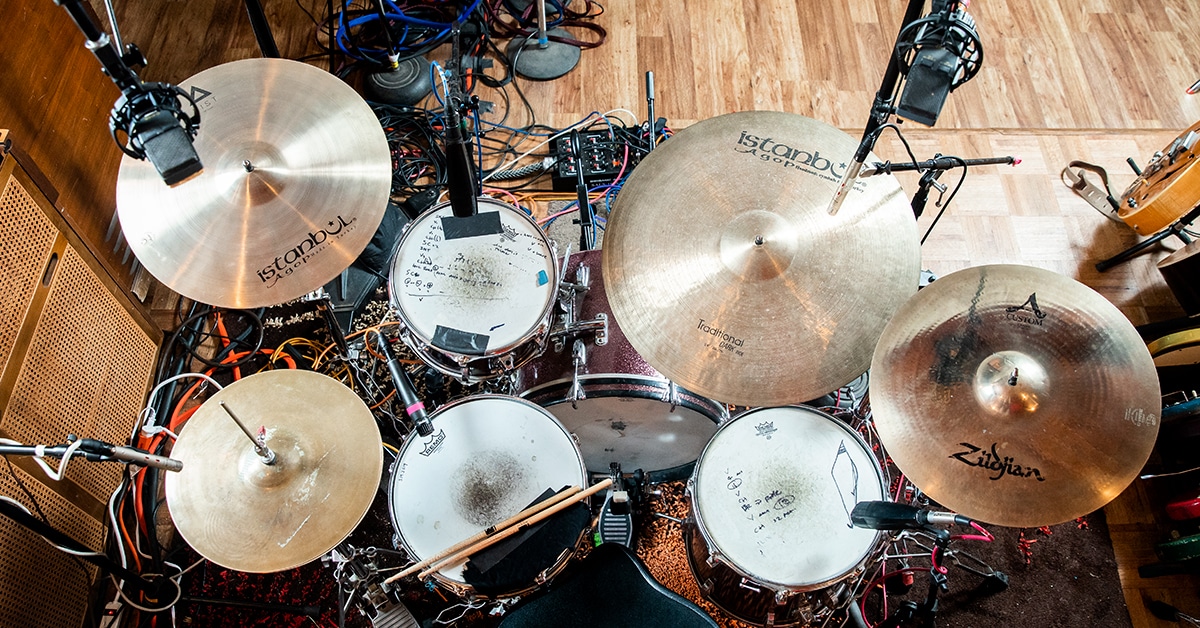
The compressor release setting decides how a track moves after every peak, and choosing it well is one of the quickest ways to make compression sound musical instead of obvious. This article focuses on practical choices: how to approach recovery time on vocals, drums, bass and buses, how to spot pumping, and how to use simple tempo maths as a starting point.
Why the Compressor Release Setting Matters
Once a loud note pulls the gain down, the processor needs time to return to unity. That recovery period colours everything that follows the transient: the sustain of a snare, the tail of a sung word, the decay of a piano chord. Set it in tune with the music and the part feels controlled yet alive. Set it badly and you hear one of two problems.
Because so much depends on it, the compressor release setting deserves as much attention as threshold and ratio. If recovery is too quick, the gain wobbles audibly and low notes can distort. If recovery is too slow, gain reduction never resets, the part sounds flat, and the next transient arrives already turned down.
For a broader primer on how a dynamics processor works, Sound On Sound’s long-running Compression Made Easy feature remains a solid reference.
Start With the Tempo
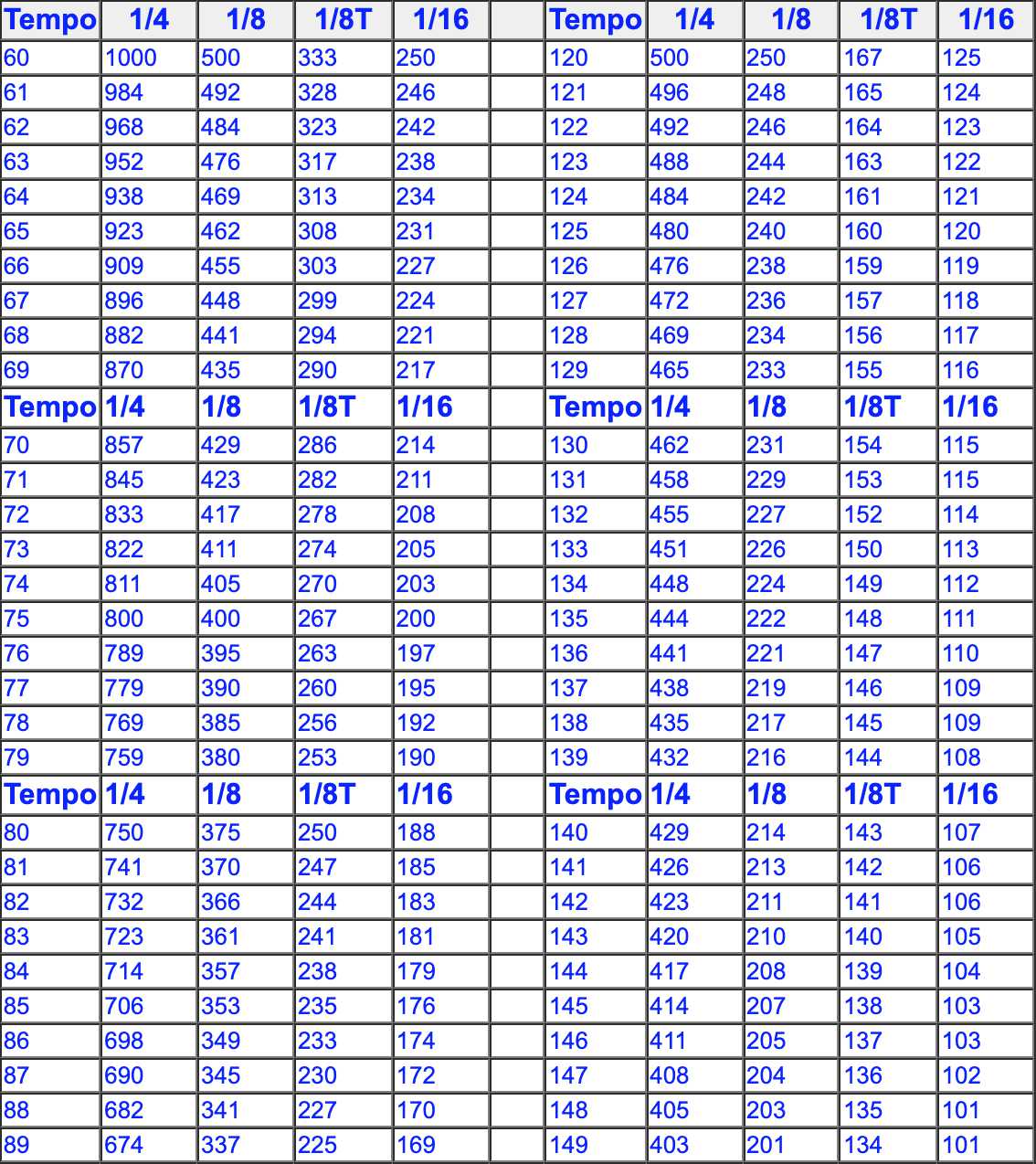
Recovery that lines up with the beat sounds natural, because the processor resets in time for the next accent. To find a starting value, divide 60,000 by the song’s BPM. That gives the length of one quarter note in milliseconds.
Choose the note value that matches the spacing of the hits you are controlling. A kick on every beat at 120 BPM suggests something under 500 ms; a hi-hat pattern in sixteenths suggests a shorter value. Remember that hardware and plugins define their time constants differently, so the number on the dial is a guide, not a guarantee.
Vocals
Singers move between soft and loud phrases, and the goal is usually to keep words intelligible without making breaths jump forward. Begin around 60 to 120 ms. If the end of each phrase seems to swell up, slow things down. If loud lines sound choked and the vocal never recovers between phrases, speed things up. Many engineers split the job between two units: a fast peak catcher doing 2 to 3 dB and a slower, smoother stage doing a few more. An auto or program-dependent mode is often a good fit here, since it handles short syllables and long held notes differently.
Drums
Drums reward careful timing because their hits are short and evenly spaced.
Kick: let the gain return just before the next kick. Too short on a long, sub-heavy kick can cause clicking or distortion.
Snare: a quicker recovery lifts the body and ring after the crack, giving a fatter sound. A slower one keeps the snare tighter.
Overheads: moderate values preserve cymbal decay. Very quick ones make cymbals wash and swell.
Drum bus: time it to the groove so the kit breathes; watch the meter return near zero between bars.
Bass
Low notes have long wavelengths. A 40 Hz cycle lasts 25 ms, so very short recovery times can track individual cycles and create harmonic distortion. For bass guitar and synth bass, start around 150 to 300 ms and shorten carefully while listening for grit. If you need tight note-to-note control, it may be better to use a slower attack and more ratio than an extremely quick recovery. Our guide on how to compress bass goes deeper into bass-specific settings.
Mix Bus and Group Buses
Bus processing should be gentle, usually 1 to 3 dB. Slower values, from about 300 ms upward, or an auto mode, let the whole mix move together without obvious ducking. A common approach is to set recovery so the meter bounces in time with the kick and snare, then back off until you cannot quite hear the processor working, only the cohesion it adds.
Spotting and Using Pumping
Pumping is the audible rise in level after each loud event as gain recovers. It is most noticeable on sustained sounds such as pads, reverbs and cymbals that sit under a loud kick. To check for it, listen to the quiet elements, not the trigger. If the pad or reverb tail swells after every kick and you did not want that, lengthen the recovery or lower the amount of gain reduction.
When you do want pumping, as in many dance and pop styles, set a fast attack, enough gain reduction to be clear, and a recovery that matches a quarter or eighth note. Sidechaining from the kick keeps the movement locked to the beat.
A Listening Routine That Works
Set ratio and threshold to get a clear amount of reduction, more than you plan to keep.
Sweep the recovery control from its slowest to its fastest position and note where the part sounds most alive.
Back off the threshold to a more reasonable amount and fine-tune.
Watch the gain reduction meter to confirm it resets between hits or phrases.
Bypass with matched output level and compare honestly.
Exaggerating first makes the effect easier to hear, and dialing back afterwards keeps the result subtle.
Save any compressor release setting you like as a user preset with a note about the tempo and source, so you have a head start on the next session. Over time you will build a personal library of starting points that suit your genre and your favourite processors, which is faster and more reliable than any generic chart.
Quick Reference
Use this compressor release setting list as a starting point only, then refine in the full mix.
Vocals: 60 to 120 ms or auto.
Kick: just shorter than the gap between kicks.
Snare: 50 to 120 ms.
Bass: 150 to 300 ms.
Drum bus: timed to the groove.
Mix bus: 300 ms or longer, or auto.
Final Thoughts
There is no universal compressor release setting. The right value depends on tempo, the length of the notes and how much movement the arrangement can handle. Use the tempo maths to get close, use the gain reduction meter to confirm the processor resets, and trust what you hear in the full mix to decide the last few milliseconds.
It is not possible to mix a song in 5 minutes, as it requires time and effort to properly balance all the elements of the track. However, there are some tips and tricks that can help speed up the mixing process without compromising on quality.
Mixing a song requires careful consideration of each individual element, such as vocals, instruments, and effects, and balancing them together to create a cohesive and polished final product. Although it may seem daunting, there are ways to streamline the process without sacrificing quality.
By starting with a clear vision for the mix, using appropriate tools and techniques, and being efficient with your time, you can achieve a great mix in a reasonable amount of time. We will explore some tips for mixing a song efficiently without compromising on quality.
Credit: minimalistbaker.com
Preparation
Prepare for a quick and efficient music mixing process with these easy steps. Start by setting up your workspace with all the necessary tools, followed by selecting the audio tracks to mix. Use a basic arrangement with stock plugins and adjust the levels until you achieve a balanced sound.
Are you in a hurry to mix your song but don’t have much time? Fret not! With the right approach, you can mix a song in as little as 5 minutes. The first step towards a successful mix is preparation. In this article, we’ll guide you on how to prepare for your 5-minute mix with ease.
Gather All Necessary Elements
To ensure a smooth and efficient mix, you need to gather all the necessary elements before diving in. This includes the audio files of the tracks you want to mix, your Digital Audio Workstation (DAW), and any necessary plugins you may need to use. Having all these elements within reach will help you save time and allow you to focus on the actual mix.
Organize Elements In Daw
Once you have all the necessary audio files, open your DAW and organize them properly. This means labeling each track accordingly, adjusting levels, and setting the panning positions – left, right, or center. You want to make sure that each track has its own space in the mix and nothing is conflicting with each other. Keep an eye on the stereo field so that you can create depth in your mix. Here is an example of how you can organize your audio tracks:
Track Name
Level
Pan
Vocals
-6dB
Center
Guitar
-10dB
Left – 20%
Bass
-12dB
Right – 30%
Drums
-8dB
Center
Ensure Each Heading Adheres To Html Syntax
It is important to ensure that each H3 heading adheres to HTML syntax. This means that each H3 heading should be enclosed in HTML tags, specifically
Adhering to HTML syntax not only helps search engines understand your content better, but it also helps with accessibility and readability for those who use assistive technology. In conclusion, preparation is key to a successful and speedy mix. Gather all necessary elements, organize them in your DAW, and ensure each H3 heading adheres to HTML syntax. These simple steps will help you set the foundation for your 5-minute mix and allow you to focus on the fun part – mixing your song!
Credit: www.amazon.com
Setting Levels
Setting levels is an important aspect of mixing a song, and doing it efficiently can save time. By setting levels quickly and accurately, you can achieve a well-balanced mix in just five minutes.
When mixing a song, the first and foremost step is to set the levels correctly. This process involves adjusting the volume levels of individual tracks to make sure they’re balanced and sit well together in the mix. The importance of setting levels cannot be overstated as it lays the foundation for the rest of the mixing process. In this blog post, we’ll discuss the various techniques involved in setting levels and how to do it efficiently.
Starting With Levels At A Nominal Level:
To ensure that the levels are consistent, it’s crucial to start mixing with all the faders set to the nominal level. The nominal level is usually marked at zero decibels (0dB) on the mixer. This ensures that each element in the mix is at the same starting point. To get the mix off to a good start, it’s essential to take time and ensure each part is starting with the same level. This step will simplify the entire mixing process, making it easier to adjust levels going forward.
Adjusting Each Element To Fit The Mix:
After starting with nominal levels, the next step is to adjust each element to fit the mix. It’s essential to identify which parts of the song need to stand out in the mix and which ones need to be supporting. Then, adjust the levels of each element accordingly. This process requires a trained ear and a deep understanding of the instrumentation of the song. EQ can also be used to make sure that each instrument occupies its respective frequency range in the mix without clashing with each other. There are several techniques involved in setting levels, and each of them is crucial in achieving a well-balanced mix. It is essential to take the time to get this stage right to lay a solid foundation for the remainder of the mixing process. With practice and patience, setting levels can be done in as little as five minutes, making the mixing process a lot easier and less time-consuming.
Eqing Elements
One essential aspect of mixing a song in 5 minutes is EQing elements. This involves adjusting the frequencies of instruments and vocals to create a balanced sound and remove any frequencies that clash. With proper EQing, the song can sound polished and professional.
Mixing a song in just 5 minutes may sound daunting, but it is possible with the right tools and techniques. One of the most crucial parts of mixing a track is equalizing or EQing the different elements to ensure they blend together seamlessly.
Sweeping For Problem Frequencies
The first step in EQing your mix is to sweep for any problem frequencies that might be present in the individual elements of the track. By using a parametric equalizer, you can pinpoint any troublesome frequencies and reduce them. Simply sweep through the frequency range while playing the track and listen carefully for any unpleasant resonances or noise. Once you have identified them, cut them using the EQ.
Cutting Unnecessary Frequencies
The next step is to cut any unnecessary frequencies that might be muddying up your mix. For instance, if there is too much low-end, you can cut some of the bass frequencies of non-bass-heavy elements such as drum tracks or guitars. Similarly, you can cut the harsh high-end frequencies of cymbals or hi-hats to make them sound more pleasant without compromising their overall sound.
Boosting Elements That Need To Stand Out
Lastly, you may want to boost certain elements to bring them forward in the mix. For instance, if you have a lead vocal that is getting drowned out in the mix, boosting the mid-range frequencies can make it sound more prominent without affecting the overall balance. Similarly, you can boost the high-end frequencies of a snare drum to make it more cutting. In conclusion, EQing elements is an essential part of mixing a song, and it can make a significant difference in how your mix sounds. By sweeping for problem frequencies, cutting unnecessary frequencies, and boosting the right elements, you can make your mix sound more professional in just a few minutes.
Compression
Compression is a vital tool in mixing a song in a short time. It plays a crucial role in controlling the dynamics of a track, making the quiet parts louder and reducing the level of loud parts. Thus, it helps even out the overall volume of a song, making it sound more polished and cohesive.
Applying A Compressor When Necessary
While mixing a song, it is crucial to decide which elements need compression. Applying compression to every track can make the song sound flat and lifeless, while not using it on any element can result in a track with inconsistent volume levels. Hence, it’s crucial to identify the elements that need compression.
Elements that often require compression:
Vocals
Drums
Bass
Adjusting Settings To Fit The Element
Once you have identified the elements that require compression, your next step is to ensure that the compressor settings fit the element. For example, the threshold level, ratio, and attack and release times for compressing vocals are different from those used to compress drums.
For compressing drums, a fast attack time and medium release time work well as it allows the drum’s transients to pass through while retaining the sustain and body of the drum.
For vocals, a slow attack time and medium to fast release time work best as it helps retain the natural dynamics of the vocal performance.
It’s also important to set the ratio appropriately. The higher the ratio, the more compression is applied, and vice versa. It’s ideal to start with a low ratio and increase gradually until you achieve the desired effect without overcompressing the element.
Mixing a song takes time and skill, but applying compression correctly is essential to achieve a professional sounding mix. By using compression to control the dynamic range of the track, a mix can sound more polished and cohesive, resulting in a better listening experience for the audience.
Effects And Panning
To achieve a good mix in a shorter time frame, it’s essential to focus on effects and panning. Experimenting with delays, reverbs, choruses, and other sound modifiers can create a more dynamic soundscape. Panning can also add depth and space to a song by placing different elements at various points in the stereo spectrum.
To mix a song in just 5 minutes, it is essential to have a clear understanding of effects and panning. These two components can make all the difference in creating an engaging mix that sounds professional and polished. Let’s delve deeper into how adding effects and panning elements can improve your mixing process.
Adding Reverb And Delay For Depth
Reverb and delay are two essential effects that can add depth and dimension to your mix. Adding them in moderation can create a sense of space and give the vocals a more natural sound. Reverb can also help to create a cohesive sound between instruments by emulating a shared space. You can experiment with different reverb settings until you find the perfect balance of metered and full reverb that complements the song’s genre and style. Similarly, delay can help to add emphasis to particular moments in the song, such as when transitioning from one section to another.
Panning Elements For Width
When mixing, it is essential to think about the stereo width of your track. Panning elements creates space between them, resulting in a more dynamic and captivating sound. Panning can be used to separate instruments and create a complete soundscape. For example, panning drums can add clarity and separation, allowing each sound to stand out better. You can experiment with different panning settings to create a sense of movement in your song. In conclusion, understanding how to use effects and panning can make all the difference in creating an engaging mix in just 5 minutes. By using reverb and delay effectively, you can add depth and dimension to your songs, while panning elements can create a dynamic soundscape. Experiment with different settings until you find the perfect balance to create a professional and polished sound that will impress your listeners.
Automation
Mixing music is an art of balancing elements in a song to create a pleasant and harmonious sound. While mixing, it is important to have a command over the technical aspects of music production like arrangement, equalization, compression, and automation. With automation, a mixer can control the levels and effects of tracks in a mix. Automation helps create dynamic movements in the mix and makes it more interesting to listen to. In this blog post, we will discuss how to automate a mix to create an engaging listening experience.
Automating Levels And Effects
Automation of tracks’ levels and effects can be done in the mixing stage. It allows the mixer to change the level of a track at certain points in a mix. It is also used to add effects like reverb, echo, and delay to tracks at certain points in the song. Automation can make parts of a mix disappear or stand out and can create more space in a mix.
For example, if there is a guitar solo in a song, the mixer can automate the level of the guitar track to make it more prominent during the solo. This gives the song a dynamic feel and keeps the listener engaged throughout the solo.
Creating Dynamic Movement
Automation can also be used to create dynamic movement in a mix. It can help a mixer create a sense of excitement or suspense within a song. For instance, the mixer can automate the panning of a track to create movement between the left and right channels. Similarly, the mixer can use automation to add a filter sweep to a track to create a transition between sections of a song.
By using automation in this way, the mixer can create a sense of space and dynamics within the mix that keeps the listener engaged throughout the song.
Conclusion
In conclusion, automation is a powerful tool for mixers to control levels and effects and create dynamic movement within a mix. By automating a mix, a mixer can create a more engaging and interesting listening experience. So, it is important to learn how to use automation effectively to produce high-quality mixes in a short period.
Final Touches And Exporting
To give your song that extra oomph, the final touches and exporting is crucial. From adding EQ and compression to adjusting levels and panning, taking these last few minutes to perfect your mix can make all the difference. Don’t forget to export in the right format for your desired platform.
Once you’ve made final adjustments to levels and effects, the next step is to export the final mix and share it with the world. Here, we’ll look at the steps involved in these final touches and how to export your mix.
Final Adjustments To Levels And Effects
Before exporting your mix, you’ll want to make sure all levels and effects are exactly where you want them. Here are some final adjustments you can make to bring your song together:
Take one last listen to your mix with fresh ears.
Adjust levels of each track with a focus on the overall balance of instruments, vocals and effects.
Trim any unnecessary silence or gaps at the beginning or ending of your song.
Apply EQ, compression, reverb or delay effects if necessary.
Eliminate harsh frequencies for an overall smoother and more cohesive sound.
Exporting The Final Mix
Once you’re satisfied with the final mix, it’s time to export your song. Here’s how to export a song in 5 minutes or less:
Select ‘Export’ or ‘Bounce’ option from your DAW or recording software.
Choose the file type (WAV, MP3, AIFF) and select the destination folder.
Assign file name, bit depth, sample rate, and export channel format
Check the exported file for any clipping, errors or glitches. Fix the issues if necessary.
Upload or share your final mix on different platforms such as Soundcloud, YouTube, iTunes, Spotify, etc.
Once you’ve followed these steps and exported your final mix, you’ve accomplished the finishing touches to your song. It’s ready for the world to hear!
Credit: www.homedepot.com
Frequently Asked Questions Of Mixing A Song In 5 Minutes
How Long Should It Take To Mix One Song?
Mixing one song can take anywhere from a few hours to a few days, depending on the complexity of the project and the experience of the mixer. It’s important to take the time needed to ensure the final product is of high quality and properly represents the artistic vision of the artist.
How Do You Mix Songs Easily?
To mix songs easily, make sure you have the necessary equipment and software. Familiarize yourself with the songs beforehand to determine the most appropriate mixing techniques. Follow a consistent structure, matching BPM and EQ, and use techniques like crossfading. Adjust volume levels, play with effects and transitions until the final outcome is satisfactory.
What Do You Mix First In A Song?
The first element of a song to mix depends on the genre, but generally, it’s the rhythm section – drums and bass. Other elements such as vocals, guitars, keyboards, and percussion are added gradually after ensuring they complement the beat’s foundation.
Start with the lowest frequency instruments and progressively move towards the highest-frequency until the mix reaches a harmonious balance.
How Hard Is It To Mix A Song?
Mixing a song can be difficult or easy depending on your skills and experience. For beginners, it can be challenging to balance different elements of the song and achieve a professional sound. However, with proper knowledge, practice, and tools, anyone can learn to mix a song effectively.
Conclusion
To sum it up, mixing a song in 5 minutes can be an efficient and creative way to approach music production. With the right tools and techniques, it’s possible to achieve a polished and professional sound in a short amount of time.
However, it’s important to remember that speed should never compromise quality. Experimentation and exploration can lead to unique and innovative results, so don’t be afraid to push the boundaries and try new things. Keep practicing and refining your skills, and you’ll be on your way to producing amazing music in no time.
To sidechain in Ableton, simply click on the “Audio Effect” tab, select “Compressor,” and then choose the track you want to sidechain from the “Sidechain” dropdown menu. Sidechaining is a popular production technique used to create a pumping or breathing effect in electronic dance music, making the kick drum stand out and the bassline duck in volume when the kick hits.
In Ableton, sidechaining is done through a compressor placed on the bassline track that is triggered by the kick drum track. This results in a dynamic, more balanced mix. Sidechaining is an indispensable tool in EDM, and with Ableton, it’s easy and straightforward.
We will guide you on how to sidechain in Ableton.
Setting Up Sidechain In Ableton
Set up sidechain compression in Ableton by selecting the audio track to compress and choosing the sidechain source. Adjust the compression settings to achieve the desired effect.
Are you looking for a way to make your tracks sound more dynamic and professional? Setting up sidechain in Ableton could be the solution you need! This powerful tool allows you to create a pumping effect by automatically lowering the volume of one track when another track plays. In this tutorial, we’ll walk you through the steps to set up sidechain in Ableton and achieve that desired dynamic sound you’re after.
Routing Audio Signals
The first step to setting up sidechain in Ableton is to route the audio signals. To do this, create two audio tracks: one for the sound you want to duck (usually the bassline), and another for the sound you want to pump (usually the kick drum). Then, route the output of the kick drum track to the input of the bassline track. This will create a sidechain input on the bassline track, allowing it to receive input from the kick drum track.
Setting Up The Compressor
Once you’ve routed the audio signals, the next step is to set up the compressor. Insert a compressor onto the bassline track, and then choose “sidechain” as the input source on the compressor. This means that the compressor will be triggered by the audio signals coming from the kick drum track.
Adjusting The Threshold And Ratio
After setting up the compressor, it’s time to adjust the threshold and ratio settings. The threshold determines the level at which the compressor starts to affect the sound, while the ratio determines how much the volume is lowered. Depending on the effect you want to achieve, you may need to play around with these settings until you get the perfect sound.
Choosing The Sidechain Source
The final step to setting up sidechain in Ableton is to choose the sidechain source. This is the track that will trigger the compressor on the bassline track. In most cases, this is the kick drum track, but you can experiment with other sounds to achieve different effects. In conclusion, setting up sidechain in Ableton is a powerful tool that can take your tracks to the next level. By routing audio signals, setting up the compressor, adjusting the threshold and ratio, and choosing the sidechain source, you can create a dynamic and professional sound that will impress your listeners. So go ahead and give it a try, and let us know how it works out for you!
Credit: www.productionmusiclive.com
Creating Sidechain Effects
Learn how to sidechain in Ableton and create sidechain effects that dynamically manipulate the volume of one track with another using compression techniques. Follow the step-by-step process and explore different possibilities for rhythmic, pumping sounds in your mix.
Creating Sidechain Effects Sidechain compression is a popular technique used in electronic music to manipulate the volume of certain elements in a mix. It involves using one audio signal to control the volume of another, resulting in the famous “pumping” effect commonly heard in dance music. In Ableton, creating sidechain effects is easy and can add a unique and dynamic element to your tracks. Let’s explore some techniques using the following H3 headings: Pumping Bass To create a pumping bass effect, start by adding a compressor to the track you want to sidechain. In the sidechain section of the compressor, select the track you want to use to control the compression, typically a kick drum or another bass-heavy sound. Adjust the threshold and ratio settings to achieve the desired effect, and experiment with attack and release times to fine-tune the pumping effect. Vocal Ducking Vocal ducking is a common technique used in pop music to create a clear and present vocal sound. Start by adding a compressor to the music track, then select the vocal track in the sidechain section. Adjust the threshold and ratio settings to compress the music track when the vocals are present, effectively “ducking” the music track to make room for the vocals. Experiment with attack and release times to achieve a natural and transparent ducking effect. Gated Synths Using sidechain compression on synthesized sounds can create interesting and dynamic textures. Try adding a gate effect to a synth track and select the kick drum as the sidechain source. This will open and close the gate in time with the kick, creating a rhythmic and pulsing effect. Experiment with different gate settings, such as release time and hold time, to create unique sounds. Creative Sidechain Techniques Sidechain compression doesn’t have to be limited to just volume control. Try experimenting with creative sidechain techniques, such as using a vocal sample to control a flanger effect on a guitar track or using a synth sound to modulate the pitch of another sound. The possibilities are endless, so don’t be afraid to experiment and push the boundaries of what’s possible with sidechain compression. In conclusion, sidechain compression is a powerful tool in the music producer’s arsenal. By experimenting with different techniques and sources, you can create unique and dynamic effects that add interest and excitement to your tracks. So give it a try and see what kind of creative sidechain effects you can come up with!
Using Third-party Plugins For Sidechaining
Sidechaining in Ableton can be easily accomplished by utilizing third-party plugins. These plugins allow users to create a powerful sidechain effect that pumps the sound of one instrument when another is playing. With careful selection and setup, third-party plugins can enhance the overall mix and add an extra level of musicality to the project.
Sidechaining is an essential technique in music production, and it is widely used in different genres to create danceable beats, pump up basslines, and enhance the overall mix. Ableton Live is a popular digital audio workstation (DAW) that comes with built-in sidechain functionality. However, using third-party plugins for sidechaining can provide more flexibility, control, and creative possibilities to producers and engineers.
Overview Of Third-party Plugins
Before diving into installing and setting up third-party plugins for sidechaining, it’s essential to understand what they are and how they work. Third-party plugins are software extensions that can be added to Ableton Live or any other DAW to expand their features and capabilities. There are various third-party plugins for sidechaining, and they come in different types and formats. Some are specifically designed for sidechaining, while others offer sidechain options as part of their functionalities. The most common types of third-party plugins for sidechaining are compressors, equalizers, and gates.
Installation And Setup
Installing third-party plugins for Ableton Live is a straightforward process. Most plugins come with an installer that guides you through the installation, or you can simply drag and drop the plugin file into the Ableton’s plugins folder. Once you have installed the plugin, you need to set it up for sidechaining. The setup process may vary depending on the plugin, but generally, you need to activate the sidechain input, select the source track, and adjust the sidechain parameters, such as threshold, ratio, and attack/release times.
Using External Sidechain Signals
One of the advantages of using third-party plugins for sidechaining is that you can use external audio signals as sidechain sources. This means that you can sidechain your track to any other track in your DAW or even to an external audio source, such as a microphone or a hardware synth. To use external sidechain signals, you need to select the appropriate input source in the plugin’s sidechain settings. You can also use sidechain routing options in Ableton Live to send audio from one track to another. In conclusion, using third-party plugins for sidechaining can significantly enhance your music production workflow and creativity. By installing and setting up third-party plugins, you can have more control and flexibility over your sidechain settings and use external audio sources as sidechain signals. Whether you are producing EDM, hip-hop, or any other genre, incorporating third-party plugins for sidechaining can help you achieve the desired sound and movement in your mix.
Credit: www.blackghostaudio.com
Troubleshooting Sidechain Issues
To overcome sidechain issues in Ableton, you need to ensure that the audio channels are routed correctly. Adjusting the compressor settings and threshold value may also help to fix any problems. Additionally, checking for conflicting plugins or plugins with latency issues can contribute to resolving any sidechain issues you may encounter.
If you’re experiencing issues with your sidechain in Ableton, don’t worry. Troubleshooting these issues can be quite simple. In this section of our guide, we’ll show you how to troubleshoot the three most common sidechain problems.
No Sound Or Signal
If your sidechain is not working at all, it’s possible that your routing is incorrect. Make sure your sidechain channel is receiving audio from the correct channel by checking the “Audio To” routing option in the sidechain plugin. Additionally, ensure that the sidechain audio source is on an “armed” and “record-enabled” track. If your audio signal is too weak, adjust the volume of the audio source accordingly. Be sure that both the audio source and the receiving track are not muted.
Artifacts Or Distortion
If your sidechain is creating unwanted distortion or artifacts in your signal, there are a few things you can do. First, adjust the attack and release settings on your compressor. A longer attack and release time can help to reduce unwanted pops or clicks in the audio. Next, check your threshold and ratio settings. Make sure they’re not set too aggressively, as this can cause unwanted distortion.
Unwanted Clicking Or Popping Sound
If your sidechain is making clicking or popping sounds during playback, there are a few possible solutions. Try increasing the buffer size in your audio preferences. This can reduce processing time and help to eliminate unwanted sounds. If you’re using a third-party plugin, try using a native Ableton plugin instead. Third-party plugins can sometimes cause compatibility issues with Ableton. In conclusion, troubleshooting your sidechain in Ableton doesn’t have to be difficult. With a little bit of know-how, you can quickly and easily solve any issues you may encounter.
Credit: www.ableton.com
Frequently Asked Questions Of How To Sidechain In Ableton
How Do I Sidechain Tracks In Ableton?
To sidechain tracks in Ableton, first insert a compressor on the track you want to sidechain. Next, click on the input section of the compressor and select the source track you want to sidechain to. Adjust the threshold and ratio settings to achieve the desired effect.
How Do I Set Up Sidechain?
To set up a sidechain, you need to follow these steps: 1. Choose a compatible blockchain platform and a sidechain solution that fits your needs. 2. Connect to the chosen platform through an API or node application. 3. Set up the sidechain using the instructions provided by the platform and solution.
4. Configure the sidechain to meet your specific requirements. 5. Test the sidechain to ensure it is working correctly before deploying it.
How Do I Sidechain Auto Filter In Ableton?
To sidechain auto filter in Ableton, add an auto filter effect to your track and click the small arrow on the device to access the sidechain menu. In the sidechain menu, select the track you want to use as the input for the sidechain.
Adjust the filter settings and routing as desired.
What Is Sidechaining In Audio?
Sidechaining in audio is a production technique that allows one audio signal to dynamically control another. It’s often used in music production to create pumping sounds, ducking effects, and more. When a sidechain is applied, the main audio track will be attenuated (or turned down) when the sidechain signal is active, resulting in the desired effect.
Conclusion
Learning how to sidechain in Ableton is a beneficial skill that can take your music production to the next level. It allows you to create dynamic and professional-sounding tracks by creating space for each element in the mix. By following the step-by-step process discussed in this blog post, you can easily implement sidechain compression in your projects.
Remember to experiment with different settings and techniques to find the perfect balance for your mix. Happy producing!
Midi drums can be humanized by adjusting their timing and velocity. Humanizing drum tracks makes them sound more natural and less robotic.
Drum programming technology has come a long way in recent years, with midi drums becoming a common part of modern music production. However, these programmed drums can often sound stiff and mechanical, lacking the natural human touch of live drumming.
This is where the process of humanizing midi drums comes in. By adjusting the timing and velocity of individual drum hits, producers can simulate the subtle variations and imperfections that make live drumming sound so authentic. We’ll take a look at different techniques for humanizing midi drums, from using swing and groove templates to manually adjusting velocity and timing. By the end, you’ll be able to add more life and character to your programmed drums, and take your productions to the next level.
Credit: www.soundonsound.com
Limitations Of Midi Drums
MIDI drums have some limitations in terms of replicating the natural feel of human drumming. Humanizing MIDI drums involves adding slight variations in velocity, timing and pitch to create a more organic and realistic sound.
Lack Of Human Feel
One major limitation of MIDI drums is the lack of human feel. MIDI drums are programmed, which means that they lack the variability of human drumming. Human drumming is never exactly the same from one performance to another, even when playing the same song. MIDI drums, on the other hand, are often programmed to repeat the same rhythm throughout a song. This can make MIDI drums sound robotic and lifeless.
Monotonous Sound
Another limitation of MIDI drums is the monotonous sound. MIDI drums have a very digital sound. They lack the warmth and depth of acoustic drums which can make them sound flat and one-dimensional. This can become particularly noticeable during slow or quiet sections of a song when the lack of variation in MIDI drums becomes more apparent. To make MIDI drums sound humanized, drummers and producers have to put in extra effort. They have to ensure that the beats are not mechanically programmed and sound more natural. They have to use editing techniques to add dynamics, variation, and velocity changes which can give MIDI drums a more organic feel. It is crucial to use dynamics, which will be achieved by programming the drums to sound louder or softer, use various velocities, a touch of flamming since the drums have to sound human and not robotic. Additionally, it’s best to use a humanizing feature to offset the patterns slightly and differentiate the hits to sound less repetitive. In conclusion, while MIDI drums offer several advantages such as being cost-effective, easy to use, and convenient, they still have their limitations. Lack of human feel and monotonous sound top the list of the downsides of using MIDI drums. However, with the help of technology, software, and edits, people can humanize MIDI drums to make them sound more natural and alleviate the limitations.
Techniques For Humanizing Midi Drums
Humanizing MIDI drums is the process of adding realistic touches to programmed drums. Techniques such as adjusting the velocity, adding swing, shifting the timing slightly, and using humanization plugins can help achieve a more natural sound.
MIDI drums have been a revolutionary tool for digital music production, but nothing beats the feel of a real drum kit played by a human. Fortunately, there are ways to make MIDI drums sound more natural and human-like. Here are some techniques for humanizing MIDI drums that can help you achieve a more authentic sound for your music.
Velocity And Timing Adjustments
When it comes to humanizing MIDI drums, adjusting the velocity and timing of the notes can make a big difference. Unlike programmed drums that have a consistent velocity and timing, human drummers naturally vary their playing. Increasing the velocity of specific drum hits, such as the snare, can make it sound more impactful, while reducing the velocity of cymbals can imitate the natural decay of the instrument. Timing adjustments can also make your drums sound more human-like by adjusting the placement of notes slightly ahead or behind the beat.
Addition Of Ghost Notes
Ghost notes are unaccented notes played on the snare drum between the accented notes. They add a level of complexity and feel to the drum pattern that can make the MIDI drums feel more realistic. Adding ghost notes can be achieved by duplicating certain snare hits, reducing their velocity, and adjusting their timing.
Usage Of Variable Hi-hat Pedals
The hi-hat pedal is another critical element that can make your MIDI drums sound more humanized. Unlike programmed Hi-hat notes, human drummers vary the amount of pressure they put on the pedal, creating different sounds and grooves with the instrument. To simulate this variation, you can use a variable hi-hat pedal that allows you to control the amount of open and closed hi-hat sound. With this, you can create different grooves by adjusting the pedal, leading to a more realistic sound. In conclusion, humanizing MIDI drums is essential to achieve an authentic and natural sound in digital music production. The techniques for humanizing MIDI drums mentioned above, including adjusting velocity and timing, adding ghost notes, and using variable hi-hat pedals are extremely effective and should be incorporated into your MIDI drum programming to make your drums sound more human-like.
Advanced Midi Drum Humanizing
Achieving a natural and human feel in MIDI drum programming can be challenging, but with advanced techniques like MIDI drum humanizing, it’s possible to add subtle variations to your patterns. This results in a more organic sound that mimics the performance of a human drummer, adding depth and nuance to your music production.
Drums are the backbone of any music production and MIDI drums offer the flexibility and convenience to create beats from scratch. However, humanizing these MIDI drums is essential to give them a natural feel and groove. In this blog post, we will explore advanced techniques to humanize MIDI drums, focusing specifically on accented and flam strokes, modulation with pitch bend, and incorporating MIDI controllers.
Accented And Flam Strokes
Accented and flam strokes can add a subtle but important touch of naturalness to MIDI drums. Accented strokes can be achieved by increasing the velocity of specific notes, while flam strokes are created by slightly delaying a note to create a double-hit effect. This technique can be manually applied, but there are also software tools, such as Logic Pro’s MIDI transform function, which can automate this process.
Modulation With Pitch Bend
Pitch bend is another technique that can add extra dynamics to MIDI drums. By subtly shifting the pitch of specific notes, the drums become more expressive and less rigid. For example, a slight pitch bend can simulate a drummer’s hit on a cymbal, creating a more realistic and human feel. This technique should be used sparingly, however, as too much pitch variation can quickly become overwhelming.
Incorporating Midi Controllers
MIDI controllers, such as knobs and faders, offer an easy way to add naturalness and variation to MIDI drums. For example, assigning a knob to control velocity allows for dynamic changes in a beat, making it sound more like a live performance. Additionally, assigning a fader to control a drum’s decay or reverb can add depth and realism to the sound. These controllers can be mapped in any DAW software, allowing for endless customization and creativity. In conclusion, applying the techniques of accented and flam strokes, pitch bend modulation, and MIDI controller incorporation, can greatly enhance the human feel and groove of MIDI drums. With these advanced tools, producers can create drum tracks that sound like they were performed by a live drummer, ultimately bringing more life and energy to their music production.
Credit: www.youtube.com
Real-world Examples
Midi drums are often associated with electronic and robotic sounds, but humanizing them can add a natural feel to music compositions. Real-world examples of this technique include adjusting the velocity of drum hits and incorporating slight variations in timing and rhythm to create a more organic sound.
If you’re a music producer, you know the struggle of making MIDI drums sound as human as possible. But, there are several tools available in the market that can help you achieve that goal. In this section, we’ll discuss two of the best options for humanizing MIDI drums – Virtual Session Drummer and Superior Drummer 3.
Virtual Session Drummer
Virtual Session Drummer is a plugin that offers realistic drum sounds with advanced MIDI mapping capabilities. It has a vast collection of drum kits, ranging from jazz to metal. But what sets it apart is its humanization feature. Virtual Session Drummer allows you to adjust the timing, velocity, and articulation of each drum hit, which makes it sound as if a drummer is playing it. This feature is especially helpful when you’re working with MIDI files and want to add a human touch to your drums.
Superior Drummer 3
Superior Drummer 3 is a popular virtual drumming software that offers a massive library of drum sounds and MIDI grooves. What’s unique about Superior Drummer 3 is its “Tracker” feature which allows you to import an audio file and convert its transients into MIDI notes. After importing the audio file, you can adjust the MIDI notes to your liking. This feature helps you humanize your MIDI drums without having to program them manually.
Conclusion
In conclusion, humanizing MIDI drums is essential to make them sound like a real drummer played them. Virtual Session Drummer and Superior Drummer 3 are two of the best tools available in the market that can help you achieve that goal. So, if you want to add a human touch to your MIDI drum tracks, these two plugins are definitely worth checking out.
Credit: www.productionmusiclive.com
Frequently Asked Questions For Humanizing Midi Drums
How Do You Humanize Midi Drums?
To humanize MIDI drums, focus on adding variation and imperfections to make it sound more like a real drummer. You can do this by adjusting the velocity of individual notes, adding subtle timing changes, and using different drum samples for each hit.
Additionally, adding fills and breaks, and adjusting the hi-hat and cymbal patterns can also make MIDI drums sound more human-like.
How Can I Make My Midi Drums More Realistic?
To make your MIDI drums sound more realistic, use dynamic levels, vary the velocity of each note, add subtle timing variations, and use humanization tools to introduce slight imperfections. Additionally, consider incorporating realistic drum samples and adding natural reverberation to the mix.
How Do You Humanize Midi Logic?
Humanizing MIDI logic involves adding natural variations to the sound. You can achieve this by fine-tuning the timing and velocity of notes, using varying amounts of expression, and adding imperfections. By doing so, you can create more organic and human-like sounds.
How Do You Humanize Midi Drums In Reaper?
To humanize MIDI drums in Reaper, you can use third-party plugins like Addictive Drums, EZDrummer, or SSD5. You can also adjust the velocity, add swing, and change the timing of individual notes. Additionally, try using different drum samples and experimenting with different grooves to replicate the feel of live drumming.
Conclusion
Midi drums have always played a vital role in the music industry, but they were perhaps seen as mechanical and lacking emotion. However, the rise of technology has allowed us to humanize these electronic instruments and bring them to life.
By adding subtle variations and imperfections to our midi tracks, we can now create music with a distinct human touch. This, in turn, has allowed for more infinite creative possibilities and made midi drums so much more than just a simple tool for making beats.
Suffice to say, humanizing midi drums is the way forward.
To finish your tracks efficiently, use a structured approach and focus on one element at a time. Start by cleaning up your arrangement, then refine your mix and work on the details of each sound within the mix.
Keep referencing other tracks to maintain perspective and use EQ and compression to polish your tracks to a professional standard. If you’re sitting in front of your computer with an unfinished track, it can feel impossible to know where to start.
However, there are some reliable tips and techniques you can use to finish your tracks efficiently. While it’s important to be creative and allow freedom during the creative process, structure and order will help you bring all the pieces together. In this guide, we’ll take a detailed look at some of the best practices for finishing tracks. From cleaning up your arrangement, to refining your mix, to polishing the smallest details, these tips will help you take your productions to the next level.
Credit: www.masteringmastering.co.uk
Find Your Inspiration
If you’re a musician or producer, you know how important it is to finish your tracks. But sometimes, it’s hard to find the motivation or inspiration to complete your work. That’s where finding your inspiration comes in.
Explore Different Genres
One way to find inspiration is to explore different genres. Don’t limit yourself to just one type of music. Listen to a variety of genres and take note of the elements that stand out to you. You may find inspiration in the way a certain genre uses drums, or the way a particular genre structures their songs. Take what you like from different genres and incorporate it into your own work.
Listen To New Music
Another way to find inspiration is to listen to new music. Sometimes, listening to the same artists or albums over and over again can lead to writer’s block. Expand your horizons and discover new artists and albums. You may find inspiration in a new sound or a unique production technique.
Tip:
Create a playlist of songs that inspire you and listen to it when you’re feeling stuck.
Collaborate With Others
Collaborating with other artists or producers can also help you find inspiration. Working with someone else can bring new ideas and perspectives to your work. It can also be helpful to get feedback from someone else who understands the creative process. Just make sure you collaborate with someone whose work you respect and admire.
Tip:
Attend local concerts and events to meet other musicians and potential collaborators.
Conclusion
By exploring different genres, listening to new music and collaborating with others, you can find the inspiration you need to finish your tracks. Don’t be afraid to try new things and take risks in your music. With the right inspiration, you can create something truly special.
Credit: m.facebook.com
Establish Your Workflow
To properly finish your tracks, it is crucial to establish a workflow. This allows you to stay organized, focused and productive throughout the music production process. By setting up a consistent workflow, you’ll be able to efficiently move through each step and ultimately complete your tracks with ease.
When it comes to music production, establishing a workflow is essential. It is the process of organizing your tasks in a way that allows you to work efficiently and create a finished product in the end. Having a solid workflow in place will help you to stay focused and minimize distractions. Here are some steps to establishing a workflow that works for you:
Set Specific Goals
Before starting your music production process, it is essential to set specific goals. Determine what you want to achieve with each session and set goals accordingly. These goals should be SMART (Specific, Measurable, Achievable, Relevant, and Time-bound). For example, if you’re producing an album, break down the process into smaller goals that will help you achieve the overarching goal. This way, you’ll have a clear direction and won’t be overwhelmed by the project’s scope.
Create A Routine
Establishing a routine is a crucial aspect of developing an effective workflow. It is essential to prioritize your music production time and create a routine around it. Determine your most productive hours and dedicate that time to music production. Creating a routine ensures that you get used to the process, and the flow becomes natural. Try experimenting with different routines until you find the one that works for you.
Table 1: Sample routine
Time
Task
9:00 – 10:00 AM
Organize samples and presets
10:00 – 12:00 PM
Work on sound design and melodies
1:00 – 2:30 PM
Edit and arrange track
3:00 – 5:00 PM
Mix and master track
Get Organized
Organization is a vital aspect of a successful workflow. Keep your workspace clean and tidy, organize your samples, and label everything. Organizing your files and samples properly will save you time and eliminate confusion. Create a system that works for you and stick to it.
Table 2: Sample Labeling System
Type
Label
Drums
Drum Loop – D#min – 128bpm
Instrument
Piano Chord – Gmaj7 – Long sustain
FX
Transition – Risers – Short
Stay Inspired
Inspiration is crucial to the music production process. It is essential to stay inspired throughout the process to maintain momentum. Listen to different genres of music, take breaks when necessary, and collaborate with other producers. Constantly seek new and exciting sounds and techniques to keep the inspiration flowing.
Table 3: Checklist for staying inspired
Listen to different genres of music
Watch tutorials and learn new techniques
Take breaks when necessary
Collaborate with other producers
Attend music-related events or shows
By establishing a workflow that is unique to you and your music production process, you can create a finished product that you can be proud of. Remember to set specific goals, create a routine, get organized, and stay inspired throughout the process.
Get Your Arrangement Right
Arrangement is a crucial part of music production, yet is often overlooked. It involves deciding how the different sections of your song should flow together to create a complete piece. A well-structured arrangement can make your track more memorable and keep your audience engaged throughout, while a poor one can make it seem disjointed and unprofessional.
Consider Song Structure
Before you begin arranging your track, it’s important to consider the structure that will best suit your genre and target audience. Different genres often have their own unique song structures. For example, typical pop song structures are often based around the verse-chorus-bridge structure, while electronic dance music (EDM) often has a more repetitive structure with the same chord progression throughout the song.
One way to determine the right structure for your track is to analyze other songs within your genre. Pay attention to the number and length of each section, as well as the order in which they appear.
Edit And Re-arrange Sections
Once you have a general idea of the structure for your track, it’s time to start editing and arranging your sections. Your goal should be to create a cohesive flow that builds tension and keeps your audience engaged.
Begin by listening through your track and identifying the different sections, such as the intro, verse, chorus, bridge, and outro. Then, consider how these sections fit together. Does the transition between different sections feel natural, or are there jarring changes in energy or pace?
You may need to make some changes to your sections to create a smooth transition. For example, you might repeat or extend a section, add a small transition section, or use effects to smooth out the change.
Finally, make sure that each section of your track has its own unique identity while still fitting into the overall structure. This could mean using different sounds, instruments, or melodies for each section but ensuring they are still recognizable as a part of the same song.
Conclusion
Getting your arrangement right is crucial if you want to create a well-structured and memorable track. By considering song structure, editing and re-arranging sections, and ensuring each part has its own identity, you can create a cohesive and engaging finished product.
Sound Design And Mixing
Sound design and mixing play crucial roles in making your tracks stand out from the rest. It involves creating a unique sound and making sure that all the different elements of your track work together harmoniously. Here are some tips to take your sound design and mixing skills to the next level:
Create A Unique Sound
The key to creating a unique sound is experimenting. Don’t be afraid to try new things and play around with different sounds and instruments. Start by layering different sounds on top of each other and see where it takes you. You never know what unique sounds you might come up with.
Another way to create a unique sound is by using unconventional methods for recording. For example, try recording the sound of your own voice or household objects and incorporating them into your track. This can add a personal touch to your music and make it stand out.
Utilize Eq And Effects
Once you have created a unique sound, it’s time to fine-tune it and polish it up. This is when EQ and effects come into play. EQ allows you to adjust the levels of different frequencies in your track, while effects like reverb and delay can add depth and texture.
When using EQ, it’s important to not overdo it and to make sure each instrument has its own space in the mix. Pay attention to frequencies that clash and adjust accordingly. Effects can help add dimension to your sound, but it’s important to not overuse them, as it can lead to a muddied sound.
Remember, good sound design and mixing can make or break your track. Take the time to experiment and fine-tune your sound until it’s the best it can be.
Finalize Your Master
If you’re a music producer, you know how important it is to finalize your track’s master in order to get the best sound quality possible. A well-mixed song isn’t considered finished until it has been mastered and the finalization process is crucial in determining how good your track will sound across various playback systems. The mastering process can either make or break your composition since it’s the final step in the production process before your music is released for the world to hear. In this post, we’ll focus on the finalization process of your master and different things you need to keep in mind to achieve a great sounding track.
Ensure Proper Levels And Balance
It is important to adjust the level of each track for your master mix to achieve the appropriate balance. This means you need to make sure every instrument, vocals, and sound effects are playing harmoniously and that the volume levels of each track are proportionate. For instance, the lead vocal should sound louder than the backing vocals but still blend perfectly in the mix. Adjusting the volume levels right will allow your listener to enjoy the musical elements in your song as intended.
Test On Different Audio Systems
Testing your track on different audio systems is equally important, especially if you want to make sure that your music sounds great on every device or platform where it will be played. Play your track on computer speakers, high-end studio monitors, earbuds, or headphones. you should also listen via your car’s audio system or any other device with speakers. Doing so will provide you an idea of how your track sounds on various playback systems, allowing you to make the necessary adjustments to fine-tune the final mix for maximum impact.
Credit: enemy906.bandcamp.com
Collaborate And Get Feedback
If you’ve been struggling to finish your tracks, one approach you can take is to collaborate with other producers and get feedback from them. Collaborating with other producers can help you get fresh ideas, new perspectives, and learn new techniques. Additionally, working with vocalists and instrumentalists can add layers to your tracks that you might not have been able to achieve otherwise.
Seek Out Other Producers’ Opinions
One way to collaborate with other producers is to seek out their opinions on your work. You could reach out to other producers through online forums or social media platforms, or even attend events and seminars where producers congregate. It’s important to be receptive to feedback and not take criticism personally. Remember that the goal is to learn and improve, and feedback is an essential part of that process.
Work With Vocalists And Instrumentalists
Working with vocalists and instrumentalists can be a great way to add another dimension to your tracks. You could recruit a vocalist to write and perform lyrics, or play an instrument such as guitar or saxophone to add more melody to your production. When working with vocalists and instrumentalists, it’s important to communicate your ideas clearly and be open to their creativity as well.
In conclusion, collaborating with other producers and seeking feedback, as well as working with vocalists and instrumentalists, are two effective ways to finish your tracks. By doing so, you’ll be able to learn new techniques, get fresh ideas, and add new layers to your productions. Remember to be open-minded, receptive to feedback, and communicate effectively when collaborating with others.
Plan For Release
To ensure that your tracks are finished and ready for release, it’s important to create a plan. Start by setting clear goals, establishing timelines, and organizing your workflow. Stay focused and avoid distractions to consistently make progress towards your finished product.
Releasing a music track is the end goal for any artist. Planning for release is vital to ensure the track reaches the right audience at the right time. A good release plan can help an artist gain more visibility, increase engagement with their fans, and ultimately generate revenue. One of the crucial steps in planning for release is to create a strategy for distribution.
Create A Strategy For Distribution
Once the track is complete, the next step is to decide on the distribution channels. An artist can either choose to distribute the track independently or through a digital music distribution company. Independent distribution can be cost-effective, but it requires more work in terms of promotion and marketing. On the other hand, partnering with a distribution company can provide access to a wider audience and more marketing resources.
Table: Pros and cons of independent and distribution through company.
Independent Distribution
Distribution through Company
Cost-effective
Access to a wider audience
Complete control over distribution
Better marketing resources
More work in terms of promotion and marketing
May require a fee or commission
Promote Your Finished Track
Promoting your finished track is equally important as finishing it. Promotion helps to create buzz around the track, showcase it to a larger audience, and ultimately make it more successful. Some strategies to promote your track include social media marketing, collaborations with other artists, live performances, and advertising. Further, it is essential to have a proper release schedule, especially when releasing multiple tracks.
Ordered List: Strategies for promoting finished tracks
Social media marketing
Collaborations with other artists
Live performances
Advertising
In conclusion, planning for release is the final yet vital step in finishing a music track. It can determine the success or failure of a track, making it essential to have a proper strategy in place for distribution and promotion. A thoughtful release plan combined with a well-executed promotion strategy can help artists take their music to the next level.
Stay Motivated And Keep Learning
Finishing a track can be a daunting task, especially if you have been working on it for a while. It’s easy to lose motivation when you are stuck in the same sound for a long time. However, staying motivated is the key to finishing your track successfully. One way to stay driven is by setting new challenges while also experimenting with new techniques that can help you to finish your tracks faster and in a better way.
Set New Challenges
Setting new and achievable challenges can keep you motivated. For example, if you usually create tracks in one genre, try experimenting with a new genre. This can help you to break out of your comfort zone and spice up your creativity. You can also set goals for finishing a specific part of a track within a stipulated time frame.
Experiment With New Techniques
Experimenting with new techniques can help you to develop your skills and finish your tracks faster. Trying out new techniques can give you new ideas and approaches to complete a track. For example, you can discover a new plugin that helps you to achieve a particular sound. However, it’s essential to note that it’s not always best to use all the techniques you come across. Instead, focus on those techniques that work for you, and try to refine your skills on them.
The music industry is ever-evolving, and to stay ahead, you must be open to new ideas, techniques, and approaches. Staying motivated and continuously learning new things can help you to keep up with the competition.
Frequently Asked Questions Of How To Finish You Tracks
How Do You Finish Composing A Song?
To finish composing a song, focus on the structure, theme, and flow. Once the melody and lyrics are complete, refine the transitions, add instrumentation or effects, and practice performing it. Consider feedback from others and make any necessary adjustments. Finally, record or perform the song with confidence and passion.
Why Can’t I Ever Finish Writing A Song?
Songwriting can be difficult, and not being able to finish a song is a common problem. There are many reasons why this may happen, such as running out of ideas or losing motivation. It’s important to keep working at it, take breaks, and try different approaches until you find what works for you.
How Do You Know When A Track Is Finished?
To know when a track is finished, trust your instincts and carefully listen to the mix. Check if you’ve incorporated all the essential elements such as beats, melody, and vocals. Finalize the ending with a fade-out or an appropriate outro.
Lastly, compare it to other similar tracks and make sure it stands out or matches the production standard.
How Do You Finish Your First Song?
To finish your first song, you should start with a clear idea or inspiration, establish a structure, and make revisions to refine the lyrics and melody. Collaborating with others and seeking feedback can also help you to complete and perfect your song.
Conclusion
Finally, finishing your tracks is all about perseverance, passion, and dedication. It can be a challenging and lengthy process, but it’s ultimately worth it when you hear your finished product. Remember to stay organized, take frequent breaks, and experiment with different techniques.
Above all, stay true to your own unique sound and style. Use these tips and strategies in combination with your own creativity to create tracks that you’re truly proud of.
Finalising a house track involves careful mixing, mastering, and ensuring the track sounds good across different sound systems. To finalise a house track, you need to have a good understanding of audio engineering and production techniques.
Creating a great house track is only half the battle; the other half is making sure it sounds great across different sound systems and environments. Finalising a track is a crucial step in this process, as it involves optimising your mix and mastering to ensure that your track is ready for release.
To finalise a house track, you need to have a good understanding of audio engineering and production techniques, as well as an ear for balance, dynamics, and clarity. We’ll take a closer look at the finalisation process and offer some tips and advice for getting the best possible results.
Choosing The Perfect Final Version
Finalising a house track is a crucial process. It’s important to choose the perfect final version by carefully listening to each component of the track, making any necessary adjustments, and trusting your instincts. Remember to keep the overall flow and energy of the track in mind.
Compare Different Versions
When you are finalizing a house track, it is essential to compare different versions to ensure that you are selecting the perfect version. Comparing different versions can be done by understanding the various elements that make up each version. Elements like the drum programming, the melody, vocal samples, and the bassline are among the critical components that must be evaluated to choose the perfect version.
Compare the different versions with the original idea to pick a version that matches the original plan.
Listen to each version of the house track on different sound systems to get a better understanding of each mix’s sound quality.
Identify the version that carries the emotion and energy you want to convey with your music.
Consider Feedback From Trusted Sources
When finalizing a house track, getting feedback from trusted and experienced sources is crucial. These sources can give constructive feedback on the house track, which can improve the track’s final version. It is essential to consider all feedback objectively and not take anything personally.
Seek feedback from people that understand house music and can provide expert feedback.
Be receptive to feedback, use constructive criticism to improve the track, and discard subjective feedback.
The perfect version of a house track may not come from the first mix; it may require multiple versions to achieve the right sound. Comparing different versions and considering feedback from trusted sources will ensure that you select the perfect version of your house track.
Refining The Mix
Crafting the final version of a house track requires refining the mix. This involves adjusting the levels, EQ, and compression on the various elements of the track until all the individual pieces fit together in a cohesive and balanced way.
It’s about creating the desired sound and atmosphere that can grab the listener’s attention and maintain it throughout the duration of the track.
Once you have all the elements of your house track in place, it’s time to refine the mix to ensure it sounds polished and professional. In this process, you’ll be making adjustments to the volume levels, cleaning up the mix and adding finishing touches to your track. Let’s dive into each of these steps in more detail.
Adjusting Volume Levels
The first step in refining your mix is to adjust the volume levels of each track. This is important as it ensures that no particular element overpowers the other, and the overall sound is balanced. You can adjust the volume levels by using EQ plugins or simply adjusting the faders in your DAW. It’s essential to have a reference track at hand to compare the volume levels and ensure the track is at a similar volume to professional tracks in the genre.
Cleaning Up The Mix
Once you have adjusted the volume levels, it’s time to clean up the mix. Cleaning up the mix involves removing any unwanted noise or frequencies that are causing the mix to sound cluttered. One way to do this is by using EQ plugins to remove unwanted frequencies. You can also use automation to remove any unwanted noise or sounds in specific parts of your track. Cleaning up the mix ensures that every element of the track is audible and fits well into the mix.
Adding Finishing Touches
Finally, it’s time to add the finishing touches to your track. This involves using in-built effects like reverb, delay, and stereo wideners to make the track sound polished. You can also use mastering plugins to ensure the track is well balanced and ready for distribution. It’s critical to keep the mastering levels in check and ensure they’re not too loud as this can lead to album issues when the track is distributed. Once you’re happy with the final mix, it’s time to call it a day and have your track distributed. In conclusion, refining the mix is the final step in producing a house track. Adjusting the volume levels, cleaning up the mix and adding finishing touches are essential elements to ensure your track sounds polished and ready for distribution. Remember to keep referencing other professional tracks for comparison and take breaks to refresh your ears during the refining process.
Polishing The Arrangement
Polishing the arrangement is a crucial step in finalising a house track. It involves adjusting the different elements of the song, such as the drums, bass, and synths, to create a cohesive and balanced sound. Attention to detail and a good ear for melody and rhythm are key in this process.
Finalizing a house track requires diligent polishing of its arrangement to ensure its success. As an artist, you should focus on making the right adjustments to the track and eliminating any unnecessary elements. This process involves trimming, building energy, and creating a cohesive flow that brings out the overall beauty of the track.
Trimming Unnecessary Elements
The first step in polishing your house track is trimming any unnecessary elements. It involves identifying the parts of the track that need removal or modification. This can be done by scrutinizing each section of the track and getting rid of the irrelevant elements. Check for any repetitive or non-essential parts that may dilute the overall quality of the track.
Building Energy
Building energy involves gradually increasing the intensity of the track. Start by analyzing the beat of the track and finding ways to increase its energy levels, making the listener more engaged. You can achieve this effect by adding elements such as drums, claps, or snares. It is essential to use this technique sparingly and gradually, allowing the energy levels to build until the peak when the song reaches its climax.
Creating A Cohesive Flow
The final step in polishing your house track is creating a cohesive flow that helps the listener to stay engaged. It involves ensuring all the elements of the track blend seamlessly to create one harmonious masterpiece. Check if the sound transitions are smooth, and each segment of the song flows elegantly into the next. Make the necessary modifications that help the listener stay immersed in the music. In summary, polishing the arrangement involves the elimination of unnecessary elements, building energy levels, and creating a seamless flow. By following these techniques, you can produce an outstanding house track that will leave your listeners asking for more.
Synthesizing The Sonic Landscape
To finalize a house track, synthesizing the sonic landscape is crucial. Carefully layering sounds, adjusting the mix, and mastering the track can create a polished final product that is ready for the dancefloor.
Producing a house track is not just about creating catchy beats and melodies. A great house track needs to have a well-crafted and cohesive sound. This is where synthesizing the sonic landscape comes in. It’s the process of taking all the individual sounds and parts of a track and blending them together in a harmonious way. Here are some essential steps that can help you synthesize the sonic landscape for your house track.
Layering Parts
Layering is a crucial aspect of synthesizing the sonic landscape. It involves combining different sounds and elements to create a richer and more intricate sound. Layering drums, synths, and other percussion instruments can add depth and a sense of excitement to your house track. However, you need to make sure that the layers are not competing with each other and that they all serve a purpose in the mix.
Enhancing Sonic Elements
Enhancing the sonic elements is about making sure that each sound in your track sounds its best. It’s essential to tweak the sounds until they fit perfectly in the mix. Some of the ways to enhance sonic elements include adjusting the EQ, adding effects, and fine-tuning the timing and pitch.
Balancing The Mix
Balancing is the process of ensuring that each sound is fitting perfectly in the mix and not overpowering any other element. This will require adjusting the volumes and panning. The goal is to create a balanced mix that allows all the sounds to be heard, and nothing is fighting for attention. In conclusion, synthesizing the sonic landscape involves layering parts, enhancing sonic elements and balancing the mix. These steps are essential to ensuring that your house track sounds cohesive, rich, and exciting. Take your time with each step and listen intently to the results until you achieve the desired sound.
Mastering The Final Mix
Mastering the final mix is essential in finalising a house track. It involves balancing the levels of each individual track, shaping the overall sound, and preparing the track for distribution. Working on the fine details can make a significant difference in the final product.
When it comes to finalizing a house track, mastering the final mix is crucial for making it sound polished and professional. It involves applying various processing techniques to enhance the overall sound quality, making it sound consistent across different playback systems. In this article, we’ll discuss some essential techniques for mastering the final mix, such as adjusting EQ, dynamic processing, and adding harmonic excitement.
Adjusting Eq
EQ adjustment is crucial for balancing the frequencies in the mix, ensuring that each instrument fits in its frequency range and doesn’t clash with other parts. This process involves cutting or boosting certain frequencies, such as reducing the muddy sound by cutting mid frequencies or adding sparkle with high frequencies. It’s important to listen to the mix in different playback systems and make adjustments accordingly until it sounds consistent.
Dynamic Processing
Dynamic processing involves manipulating the volume of different parts of the mix to ensure that the track sounds balanced and doesn’t have any unwanted volume spikes. It’s important to use appropriate tools, such as compressors, multi-band compressors, and limiters, to make the track sound polished and commercially competitive. This process also involves adding a touch of reverb to make the mix sound spacious.
Adding Harmonic Excitement
Adding harmonic excitement to the mix involves using various effects, such as saturation, distortion, or tape emulation, to bring out the warmth and richness of different parts of the mix. This process can also involve adding stereo width to make the mix sound immersive and balanced. However, it’s important not to overdo it, as it can lead to a harsh or unnatural sound. In conclusion, mastering the final mix is crucial for making a house track sound polished, professional, and commercially competitive. The techniques discussed in this article, such as adjusting EQ, dynamic processing, and adding harmonic excitement, are essential for making the track sound consistent and well-balanced. By applying these techniques wisely, you can ensure that your house track sounds the best it can be, no matter where it’s played.
Credit: www.facebook.com
Prepping For Distribution
Finalising a house track before distribution involves fine-tuning the EQ, levels and arrangement. A final mixdown and mastering process is also necessary to ensure the track is ready for release across various platforms.
Finalizing a house track is no easy feat, but once you’ve locked in the finishing touches, it’s time to prepare for distribution. When it comes to distribution, there are a few key steps you need to take to ensure that your track is ready for release. One crucial step is prepping your track with the necessary metadata, selecting the right file format and choosing the right distributor. In this post, we’ll dive into the details of each of these steps to help you get your track out there.
Adding Metadata
When it comes to distributing your house track, adding metadata is one of the most important steps. Metadata is essentially the information embedded within your track that tells distributors and listeners all the necessary details about your track. This information includes the title of your track, the artist name, the album name, and more. Adding metadata not only helps with the organization of your music library, but it also ensures that your track is easily identifiable and searchable. To add metadata to your track, you can use software such as iTunes or Windows Media Player. Once you’ve inputted all the necessary information, be sure to save the metadata onto your track. This way, when your track is uploaded to a distributor, all the necessary details will already be included.
Selecting The Right File Format
The next step to prepping your house track for distribution is selecting the right file format. Different distributors require different file formats, so it’s important to research which formats are accepted by the distributor you plan to use. Some common file formats include WAV, MP3, and AIFF. When selecting a file format, it’s important to consider the quality of your track. WAV files are typically considered the highest quality, but they also take up a lot of space. MP3 files are more compact, but their quality is not as high. AIFF files are similar to WAV files in terms of quality but are only compatible with Apple products. Choosing the right file format can make a big difference in how your track is received by your audience.
Choosing A Distributor
The final step in prepping your house track for distribution is choosing the right distributor. There are many different distributors to choose from, including TuneCore, DistroKid, and CD Baby. Each distributor has its own payment structure and set of services, so it’s important to research which one is the best fit for your needs. Once you’ve selected a distributor, you’ll need to create an account and upload your track and metadata. Be sure to follow the distributor’s guidelines for uploading and formatting your track. Once your track is uploaded, it should be reviewed and approved by the distributor before it’s made available for sale. In conclusion, prepping your house track for distribution is a crucial step in getting your music out there. Adding metadata, selecting the right file format, and choosing the right distributor are all important steps to take to ensure that your track is ready for release. By following these steps and doing your research, you can get your track out there and start building your audience.
Promoting Your Work
Finalising a house track requires attention to detail and a focus on promoting your work. Utilize social media and online communities to reach potential listeners and connect with other artists in the industry. Share your music on streaming platforms and consider collaborating with established producers to increase your exposure.
Promoting your work is an important step in ensuring that your house track gets the recognition it deserves. It can be challenging to stand out in a saturated music industry, but with the right tools and strategies, you can effectively promote your work to new audiences. In this section, we’ll discuss three essential ways to promote your work effectively – creating a press kit, building a social media presence, networking, and collaborating.
Creating A Press Kit
A press kit is a tool that contains promotional materials for your track, such as your biography, press releases, artist photos, and more. It’s an essential asset to have when promoting your work to music journalists, bloggers, and media outlets. Creating a press kit doesn’t have to be complicated, but it should be compelling, concise, and engaging. Be sure to showcase your unique qualities, such as your music style, accomplishments, and future goals. Include important contact information and social media handles, so it’s easy for journalists to follow up with you. You can create a press kit by using a free design tool like Canva, and once it’s done, you can send it out to different media outlets and journalists who might be interested in your work.
Building A Social Media Presence
Social media is an excellent platform to connect with fans and to showcase your music in a more personal way. Create accounts on various social media channels like Facebook, Instagram, Twitter, and Tik Tok, and regularly post updates, behind-the-scenes moments, and snippets of your music. The key is to engage with your followers, reply to comments, and posts tweets that let your fans know about any upcoming performances, new releases, or collaborations. Don’t forget to use relevant hashtags and tag people where appropriate to increase your reach and visibility on social media.
Networking And Collaborating
Networking and collaborating with other musicians and industry professionals can help you gain more exposure and connect with new audiences. It’s an excellent opportunity to learn from others, discover new collaborators, and showcase your skills. Attend music industry events, conferences, and festivals to meet new people and establish relationships. You can also collab with other artists, remix each other’s tracks, or produce tracks together. It not only supports each other’s careers but can also help you reach new fans and listeners. Finalizing your house track is just the beginning of your musical journey. Promoting your work should be taken seriously and requires effort, dedication, and perseverance. Creating a press kit, building a social media presence, networking, and collaborating are crucial steps that can increase your reach and engagement with your fans. By following these essential tips, you will be well on your way to making your music career a success.
Credit: m.youtube.com
Concluding Thoughts
Finalizing a house track is a crucial phase of music production. It represents the culmination of all the effort, creativity, and technical proficiency that goes into creating a piece of music. A strong finish can make the difference between a mediocre track and an absolute banger that resonates with listeners around the world. In this section, we will discuss the importance of a strong finish, creating a brand around your music, and the endless possibilities of music production.
The Importance Of A Strong Finish
A strong finish is essential if you want your track to leave a lasting impression on your audience. It’s the part of your track that will likely be repeated over and over again, so you need to make it memorable. You can achieve this by adding some unexpected elements or by introducing a catchy hook that will get stuck in people’s heads. Whatever you do, make sure that the final section of your track is as strong as the beginning.
Creating A Brand Around Your Music
Creating a brand around your music is vital if you want to establish yourself as a professional artist. Your brand should reflect your style, personality, and values, and it should be consistent across all your marketing materials. The first step towards building a solid brand is to create a unique name and logo that will distinguish you from other artists. You can then use social media platforms and other marketing channels to promote your music and engage with your audience.
The Endless Possibilities Of Music Production
Finally, one of the most exciting aspects of music production is the endless possibilities it offers. With the right tools and skills, you can create almost any sound you can imagine, experiment with different genres and styles, and push the boundaries of what is possible in music. Remember, there are no rules when it comes to music production, so don’t be afraid to explore and experiment until you find your unique sound.
Credit: doctormix.com
Frequently Asked Questions For Finalising A House Track
How Do You Finish A House Song?
To finish a house song, make sure that it has a clear intro, buildup, drop, and outro. Use appropriate effects like filters, risers, and impacts to create different sections. Make sure the melody, bassline, and drums fit together and use automation to add variety and keep the listener engaged.
Lastly, ensure that the song has a well-defined structure and conveys the intended mood and energy.
How Do You Structure A House Track?
To structure a house track, start with a strong beat, usually around 120-130 beats per minute. Create a catchy melody and build on it with layers of percussion and bass. Arrange the track with intro, verse, chorus, breakdown and build-up sections.
Ensure transitions are smooth and use effects to create interest. Finally, mix and master for a high-quality finish.
What Makes A Good House Track?
A good house track is one that has a solid beat, catchy melodies, and vocals that blend well into the music. The song should have different elements that come together to create a unique sound. It should be well-produced and arranged, with smooth transitions and build-ups.
Ultimately, the track should make people want to dance and keep them moving.
How Do You Arrange A Tech House Track?
To arrange a tech house track, start by choosing the right drum samples and percussion loops. Use synths and basslines to create the groove and build tension gradually. Implement vocal snippets, pads and effects to enhance the mix. Ensure that the track has a strong hook and structure.
Test and adjust until everything sounds great.
Conclusion
To finalize a house track, you need to be patient and persistent. Avoid the temptation of rushing the track before perfecting it. Always remember to perfect the mix before you master it. Integrate your signature sounds with high-quality samples and instruments to add depth and character to your track.
Remember, perfection is key. Fine-tune those details to take your house track to the next level. With these tips, you’ll be able to produce a mind-blowing track that will leave your fans wanting more.
The best reverb plugins are Valhalla Room, Audio Ease Altiverb, and Waves Abbey Road Studios. These plugins provide high-quality and versatile reverbs for music production and sound design.
Reverb is an essential mixing tool used by audio engineers for adding depth and emotion to music production. The right reverb can help to enhance the sound of a recording and add a sense of space to it. With so many reverb plugins available in the market today, it can be challenging to find the perfect one.
We’ll look at the top three reverb plugins that are trusted by audio professionals worldwide. These plugins offer unique sets of features and tools that allow for precise adjustments of room size, reverb decay, and other parameters, making them indispensable for producers and sound designers alike.
Credit: m.youtube.com
Benefits Of Using Reverb Plugins
Reverb plugins are essential for music production, adding a sense of depth and space to recordings. The best reverb plugins offer a range of customization options like pre-delay, decay time, and high/low-frequency damping, allowing producers to achieve the perfect sound.
Using reverb plugins can elevate any mix and give it a professional touch.
Improved Sound Quality
Reverb plugins are an essential tool in audio mixing and mastering. They help to create a unique sonic space for any type of audio recording, be it music, podcast, or video. With reverb plugins, you can add a sense of depth and ambiance to your recordings, which can transform an otherwise dull sound into something more interesting and engaging.
Using reverb plugins can help to blend the different elements of a mix together more seamlessly, helping to create a more cohesive sound. By utilizing the various settings and controls that reverb plugins offer, you can tailor the reverb to fit the particular needs of your recording, ensuring that it sounds just the way you want it to.
Easy To Use
Reverb plugins are incredibly easy to use, even for those who are just starting out in audio production. Most reverb plugins come with a user-friendly interface that is intuitive and straightforward to navigate. With just a few clicks, you can add reverb to your recording, adjust the parameters, and create the perfect sonic space for your project.
Additionally, most reverb plugins come with a range of presets that you can use as a starting point for your mix. This means that you don’t have to spend hours tweaking the settings to get the sound you’re looking for. Instead, you can simply select a preset and start making adjustments from there.
Cost-effective
Using reverb plugins is a cost-effective way to create high-quality recordings. Rather than having to invest in expensive hardware or outboard gear, you can achieve a professional sound using just your computer and a reverb plugin.
Most reverb plugins are also affordable, making them accessible to a wide range of users. This means that you can get access to high-quality reverb without breaking the bank.
By using reverb plugins, you can improve the sound quality of your recordings, create a unique sonic space, and do so in a way that is easy and cost-effective. Whether you’re a seasoned audio professional or just starting out, adding reverb plugins to your toolkit is a smart decision.
Credit: producelikeapro.com
Factors To Consider When Choosing A Reverb Plugin
Choosing the right reverb plugin is crucial in achieving a high-quality sound for your mix. With plenty of options available in the market, selecting the best one can be overwhelming. However, considering these factors will help you choose the right reverb plugin for your needs.
Plugin Type
The first factor to consider when selecting a reverb plugin is the type of plugin you want to use. There are various plugin types available, such as convolution, algorithmic, plate, and spring reverb. Convolution reverbs use impulse responses to mimic real-life spaces, while algorithmic reverbs create artificial spaces. Plate and spring reverbs, on the other hand, are vintage-style emulations of physical sound processors. Knowing the plugin type that suits your project is crucial in achieving the desired sound quality.
Compatibility
Another factor to consider when choosing a reverb plugin is compatibility. Ensure that the plugin you select is compatible with your DAW, operating system, and hardware. Incompatible plugins may cause compatibility issues or system crashes, leading to audio quality degradation. Make sure you check the plugin manufacturer’s requirements to ensure compatibility.
Price
The price of a reverb plugin is also an essential factor to consider. The price range of reverb plugins varies depending on the plugin type, features, and manufacturer. Some plugins might be costlier than others, but their quality may justify it. Similarly, some plugins might be cheaper, but the quality may not be up to par. Therefore, your budget and desired quality should guide you when choosing a reverb plugin.
Customization Options
Finally, you need to consider the customization options that a reverb plugin offers. Different plugins have varying customization options, such as pre-delay, decay time, reverb amount, and EQ settings. Plugins with plenty of customization options offer more flexibility and control, increasing the chances of achieving your desired sound.
Factors to Consider
Descriptions
Plugin Type
The type of plugin you need for the desired sound effect needed
Compatibility
Confirm if a plugin selected is compatible with your DAW, OS, and hardware
Price
Confirm if a plugin selected fits your budget and can offer the desired quality
Customization Options
Confirm if the plugins chosen offers plenty of customization options that allow for flexibility and control
Choosing the ideal reverb plugin can be overwhelming
Plugin type, compatibility, price, and customization options are vital factors to consider when selecting a reverb plugin
Convolution, algorithmic, plate, and spring reverbs are the available plugin types
Plugins have varying customization options such as pre-delay, decay time, reverb amount, and EQ settings
Ensure you check the plugin manufacturer’s requirement to know if they are compatible with your DAW, OS, and hardware
Quality justifies the cost of a plugin, and your budget should guide you when choosing a reverb plugin
Remember to consider plugin type, compatibility, price, and customization options when selecting a reverb plugin suitable for your project. Plugin manufacturers' requirements must be known to ensure compatibility with your hardware and operating system. Cheaper plugins might have low quality, while costly ones might justify their cost with exceptional quality. Choose a plugin with customization options that provide maximum control and flexibility.
Top 5 Reverb Plugins In 2021
Discover the top 5 reverb plugins for 2021 and take your audio production to new heights. From classic to modern styles, these plugins offer a range of features to create the perfect reverb sound for any project.
Reverb is an essential ingredient for creating a professional-sounding mix. It can give depth and space to sounds, simulating the acoustic environment. And in today’s music production field, plugins are the standard choice for reverb effects. But with so many reverb plugins available, it can be challenging to find the best one. Here are the top 5 reverb plugins for 2021 that stand out from the rest.
Fabfilter Pro-r
If you’re looking for a versatile reverb plugin, FabFilter Pro-R is an excellent choice. It offers a wide range of reverb styles, from small and tight rooms to large halls and plates. With its intuitive interface, it’s easy to get the precise sound you’re looking for.
Valhallaroom
ValhallaRoom is a highly-revered plugin among music producers. It provides high-quality reverb algorithms with a simple and straightforward interface. It also offers a wide range of reverb styles, making it an excellent choice for music producers who want quality and simplicity.
Waves Abbey Road Plates
The Waves Abbey Road Plates plugin simulates the reverb plates used at the Abbey Road Studios. It can add a warm, vintage sound to your mix, making it ideal for music genres, such as rock, pop, and soul. It’s a great choice if you’re looking to add a classic flavor to your mix.
Eventide Blackhole
Eventide Blackhole is a unique reverb plugin that offers a sound like no other. It creates a dark and mysterious atmosphere that can enhance any sound. If you’re looking for a plugin that can add a touch of uniqueness to your music production, Eventide Blackhole is an excellent choice.
Lexicon Pcm Native Reverb Bundle
The Lexicon PCM Native Reverb Bundle is a comprehensive set of plugins that simulate the sound of classic Lexicon reverb units. It offers a high level of customization, from subtle enhancements to dramatic sound shaping. With its powerful features, it’s an excellent choice for professional music producers. In conclusion, these are the top 5 reverb plugins in 2021 that you should consider adding to your plugin collection. Whether you’re looking for simplicity, versatility, or uniqueness, these plugins offer exceptional quality and features that can enhance any music production.
Comparison Of Top 5 Reverb Plugins
We’ve analyzed the top 5 reverb plugins and compiled a comparison of their features and capabilities. You’ll find detailed information on each plugin, as well as which ones are best suited for different applications and musical genres.
When it comes to music production, reverb plugins are essential to add space and depth to audio recordings. With so many reverb plugins available in the market, choosing the right one can be overwhelming. To help you make an informed decision, we have compared the top 5 reverb plugins based on their price, features, and ease of use.
Price
Before investing in a reverb plugin, it’s essential to consider its cost. The following table shows the price comparison of the top 5 reverb plugins:
Reverb Plugin
Price
Valhalla Room
$50
FabFilter Pro-R
$199
Lexicon PCM Native Reverb Bundle
$999
Waves H-Reverb
$349
Soundtoys Little Plate
$99
As shown in the table, Valhalla Room and Soundtoys Little Plate are the most affordable options while the Lexicon PCM Native Reverb Bundle is the most expensive.
Features
The features of a reverb plugin can greatly impact its performance and the overall sound quality of your mix. The following table compares the key features of the top 5 reverb plugins:
Reverb Plugin
Key Features
Valhalla Room
– Algorithmic reverb – High-quality room emulation – Color modes for added character
FabFilter Pro-R
– Six different room models – Decay Rate EQ – Early Reflections Filter
Lexicon PCM Native Reverb Bundle
– Seven legendary Lexicon reverbs – Over 200 versatile and finely crafted presets – Surround and post-production use
Waves H-Reverb
– Advanced control over reverb parameters – Impulse Response library with presets – Real-time spectrum analyzer
Soundtoys Little Plate
– Analog plate reverb sound – Simple to use with one knob interface – Modulation control for added depth and movement
As shown in the table, each reverb plugin offers unique features, and it’s essential to choose one that best suits your needs.
Ease Of Use
The ease of use of a reverb plugin is crucial for a smooth workflow. The following table shows the ease of use comparison of the top 5 reverb plugins:
Reverb Plugin
Ease of Use
Valhalla Room
Simple yet powerful interface that’s easy to navigate
FabFilter Pro-R
Intuitive interface and visual representation of reverb settings
Lexicon PCM Native Reverb Bundle
Complex interface that requires some learning curve
Waves H-Reverb
User-friendly interface with real-time visual feedback on parameters
Soundtoys Little Plate
Simple one-knob interface that’s easy to use
As shown in the table, each reverb plugin offers a different learning curve, and it’s essential to choose one that you can easily work with to achieve the desired sound. In conclusion, when it comes to the best reverb plugins, choosing the right one depends on your budget, needs, and preferences. You can use the above comparisons as a guide to help you make an informed decision that will enhance the quality of your productions.
Credit: roblate.com
Frequently Asked Questions Of Best Reverb Plugins
What Is The Best Reverb Plug In?
The best reverb plug-in depends on your needs and preferences. Some popular options are Valhalla Room, FabFilter Pro-R, Waves Abbey Road Plates, and SoundToys Little Plate. It’s important to try demos or read reviews to find the one that works best for you.
Which Reverb Is Best?
The “best” reverb depends on your personal preferences and needs. Some popular options include the Valhalla Room, Lexicon PCM Native Reverb Bundle, and Waves Abbey Road Chambers. It’s essential to experiment and find the reverb that works best for you.
What Style Reverb Is Best For Vocals?
The best style of reverb for vocals depends on the specific song. Plate reverb creates a natural, warm sound, while spring reverb adds a slightly metallic touch. Room reverb works well for live recordings, and hall reverb adds a grand feel.
Experiment to find the best fit.
Are All Reverb Plugins The Same?
No, all reverb plugins are not the same. There are various types, including plate, hall, room, and spring reverb, each with unique characteristics. Some plugins offer advanced features like EQ and modulation, while others are more basic. It’s important to choose a plugin that suits your specific needs and preferences.
Conclusion
To conclude, the best reverb plugins can make your music sound professional and polished. With so many options out there, it can be overwhelming to choose the right one. Whether you’re a beginner or a professional, there’s a reverb plugin out there for you.
With its unique features, ease of use, and top-notch quality, it’s time to add one to your music production arsenal. So, take your pick from our list of the best reverb plugins and get ready to take your music to the next level!
Drum recording involves the process of capturing the sound of drums using microphones and recording equipment. This is crucial for producing quality audio tracks and albums.
Recording drums is an essential part of music production for any aspiring musician, songwriter or producer. It is where the sound of the drums is captured and transformed into a professionally produced track. The process involves strategically positioning microphones around the drum kit to pick up each individual sound and create a cohesive mix.
The sound engineer then uses various techniques, such as EQ and compression, to enhance the sound and create the desired vibe. There are different approaches to drum recording, including close-miking, overhead miking, and room miking, each with its unique sound. With the right techniques and equipment, the drum recording process can result in a dynamic, powerful and polished track that captures the essence of the music.
Importance Of Drum Recording
Drum recording is crucial for producing high-quality music. It captures the nuances of the drummer’s unique style and adds depth to the overall sound of a track. A well-recorded drum sound can make all the difference in the success of a music project.
Drums are undoubtedly the backbone of a song, and they play a significant role in creating the foundation and the overall sound of a track. As a result, the drum recording process is crucial in capturing the clarity, depth, and dynamics that a drummer produces. A well-recorded drum track can make all the difference between a song that sounds amateur and one that sounds like it was professionally produced.
Creating The Foundation Of A Song
The drum set is all about rhythm and timing, and it is essential in laying down the backbone of a track. A well-recorded drum track enables other musicians to follow along and speak to the song’s rhythm and tempo. The drums are the core of any track and serve to create the foundation that everything else in the mix will be laid on top of.
Imparting A Unique Character To A Song
Each drum kit, drummer, and drum capture can bring a unique character to a song. The drum recording process involves capturing the performance and character of the drummer and the drum kit to produce a sound that is unique to that specific drummer’s playing style. A good recording engineer knows how to capture the nuances of the drummer and the drum kit, which can breathe life into a song and make it stand out from the rest.
Conclusion
A poorly recorded drum track can ruin what could have been a fantastic song, regardless of how good the rest of the recording is. In contrast, a well-recorded drum track can take an average song and turn it into a hit. The drum track is critical to the song’s overall structure, and when done right, it can impart a unique character that sets it apart from other tracks. Therefore, investing time and effort into recording drums correctly can make a world of difference in the quality of your music.
Credit: www.sweetwater.com
Key Factors That Influence Drum Sound
If you want to achieve the perfect drum sound, there are several factors that you should consider. From the room acoustics to the choice of cymbals, each component plays an essential role in creating a professional-grade recording. Let’s explore the key factors in detail:
Room Acoustics
The room acoustics are a crucial factor in determining the sound of your drums. The shape and size of the room, as well as the materials used in it, will contribute to the tone and quality of your recordings.
The following are some tips to help you optimize your room for drum recordings:
Choose a room that is the right size for your needs.
Use acoustic treatment to control the reflections and reverberation.
Place the drums in the optimal location within the room to achieve the desired sound.
Drum Tuning
The way you tune your drums can significantly impact their sound quality. Tuning refers to adjusting the tension of the drumheads to achieve the desired pitch and tone.
The following are some key aspects to consider when tuning your drums:
Ensure the drum is in good condition before starting to tune.
Use a drum key to tighten or loosen the tension rods.
Pay attention to the pitch and tone of each drum and make adjustments as necessary.
Choice Of Cymbals
Your choice of cymbals can make or break the sound of your drum recordings. The number of cymbals you use and the types of cymbals you select all play a critical role in achieving the desired sound.
Here are some tips to help you choose the right cymbals for your recording:
Experiment with different cymbals and their positioning to discover the sound you want to achieve.
Ensure that each cymbal complements the other cymbals in the set.
Consider investing in higher-quality cymbals for a more professional sound.
Conclusion:
By considering these key factors, you can create a professional-grade drum recording with a desirable sound. The room acoustics, drum tuning, and cymbals all contribute to the final result, and experimentation is key to finding the perfect combination for your unique sound.
Preparation For Drum Recording
Recording drums can be challenging, but with the right preparation, you can get excellent results. Here are some important steps to take before you begin drum recording:
Selecting The Right Drum Kit
Choosing the right drum kit is vital for a successful recording. Consider the style of music you are recording and select a kit that suits that style. Are you recording a heavy rock track or a softer ballad? You want to make sure the kit you choose matches the sound you’re aiming for. Also, ensure that the drums are in good condition and that the sizes and tuning of the drums match.
Auditioning The Drums
Before recording, it’s essential to audition the drums to ensure that they sound good. This step is crucial because it allows you to detect any tuning issues, rattles, or unwanted harmonics. Take some time to test each drum to hear how it sounds and make any necessary adjustments.
Setting Up The Microphones
Microphone placement is crucial when recording drums. The placement and number of microphones will depend on the sound you’re trying to achieve, the recording space acoustics, and the microphone types available. To get the best results, experiment with different microphone placements and listen to each arrangement carefully. Once you find a good set up, double-check that each microphone is correctly connected.
Summary
Taking the time to prepare for drum recording can improve the overall sound quality of your recordings. Remember to consider the music style, audition the drums, and experiment with microphone placement to get the best results.
Recording Techniques For Drums
To capture the true essence of a drum kit, employing the right recording techniques is crucial. Experimenting with mic placement and incorporating high-quality mics can yield exceptional results in drum recording. Whether in a professional studio or a home setup, following these techniques can take your drum recordings to the next level.
Drum recording is an art that requires technical skills, knowledge, and experience. Whether you are recording drums for a live performance, studio production, or YouTube video, the recording techniques used can make a big difference in the final sound quality and overall satisfaction.
Close-mic Recording
Close-mic drum recording involves placing microphones close to each drum in the kit. The result is a clear and crisp sound with every beat distinguished. To achieve this, use condenser microphones, dynamic microphones, or a combination of both and place them approximately 1-3 inches away from the drum.
Overhead Mic Recording
Overhead mic drum recording captures the overall sound of the kit. Place two microphones in an X-Y configuration above the kit at a height of around six feet to capture the sound of the cymbals, toms, and snare. Overhead mic recording creates a wide stereo sound and is suitable for creating a three-dimensional feel.
Room Mic Recording
Room mic drum recording involves placing microphones farther away from the kit and not close to individual drums but in the same room. A room mic is used to capture the overall sound of the drums, to create depth and spaciousness. In contrast to close-mic recording, room mic recording is suitable for creating ambiance, warmth, and a natural feel. Combining the techniques mentioned above can create a well-balanced drum sound. Experimenting with different positions, microphone types, and recording techniques can also create unique sounds that can make your drums stand out. Remember, the goal is to capture the drums’ natural sound and produce high-quality recordings that can be easily mixed and mastered.
Post-processing And Mixing Techniques
Achieving a great drum recording involves post-processing and mixing techniques. With proper EQing, compression, and room mic placement, you can create a balanced mix with punchy, dynamic drums that enhance the overall sound of your track.
Recording Drum Covers
Recording drum covers can be challenging, but it’s also a fun and rewarding experience for drummers who want to showcase their skills. Whether you’re recording a cover for your YouTube channel or for a friend, the goal is to capture the essence of the original recording while adding your personal flair to the performance.
Choosing The Right Song
The first step in recording a drum cover is choosing the right song to cover. You want to pick a song that you enjoy playing and that you’re comfortable performing. Keep in mind that some songs may be easier to record than others, especially if you have limited experience recording drums. It’s important to pick a song that showcases your strengths as a drummer and allows you to add your unique style to the performance.
Playing The Drums With The Click Track
When recording a drum cover, it’s important to play with a click track. This will ensure that your performance is in time with the original recording. It may take some time to get used to playing with a click track, but it’s an essential part of the recording process. Make sure that you practice playing with the click track before you start recording so that you’re comfortable with the tempo and feel of the song.
Using Headphones For Monitoring
Monitoring your recording is essential to ensure that you’re capturing the best possible performance. Using headphones will allow you to hear the click track and the recording as you play. This will help you stay in time with the song and make adjustments as needed. Make sure that you have a good-quality pair of headphones that will allow you to hear the nuances of your performance.
Drum Sampling Techniques
Discovering the right drum sampling techniques can truly make a difference in your drum recording. With the right setup, you can capture the perfect sound that is well-suited for your music, giving your audience an experience to remember.
Drum sampling involves recording and manipulating live drum sounds to create a customized beat. It’s a common practice in the music industry, primarily in electronic genres. Sampling techniques come in handy when there’s no access to a drum set or when sound replacement is required. Below are some drum sampling techniques that can help bring your beats to life.
Creating Custom Drum Samples
Custom drum samples allow for greater flexibility and freedom when it comes to drum production. The easiest way to create custom drum samples is by recording live drums and chopping the loops into individual hits. You can also use software instruments such as Native Instruments’ Battery and Ableton’s Drum Rack to create custom drum samples. Other methods include layering existing samples and editing them to fit the desired sound and pitch. It’s worth experimenting with different drum sounds before settling on the perfect one. Creating custom drum samples can bring an authentic and unique sound to your production.
Layering Drum Samples
Layering drum samples is when two or more sounds are combined to create a new, fuller sound. This technique is commonly used when creating drum loops. For instance, layering a kick drum sample with a bass drum sample can produce a powerful, punchy sound. To layer drum samples, start by selecting two or more samples that have compatible frequency spectrums. Then adjust the volume, pitch, and panning to achieve a cohesive blend. Layering can also be done with other percussion instruments such as snares, hi-hats, and cymbals.
Adding Effects To Drum Samples
Adding effects to drum samples can alter the sound and add depth to the overall mix. There are a variety of effects that can be used, such as reverb, delay, distortion, and compression. Reverb adds space and dimension to the drums, while distortion can add grit and intensity. Compression is a common effect used on drums to control the dynamics and sustain. It helps even out the volume levels of the individual hits and adds glue to the mix. When adding effects to drum samples, it’s important to use them tastefully and in moderation. Too much processing can ruin the natural sound of the drums.
Credit: www.guitarcenter.com
Credit: rolandcorp.com.au
Frequently Asked Questions For Drum Recording
What Is The Best Way To Record Drums?
The best way to record drums is by placing microphones on each drum, the snare and the cymbals. The microphones should be positioned properly to capture the sound of each drum. It is important to experiment with different microphone positions, and to use a quality audio interface and software.
Additionally, consider the acoustics of the room and use sound-absorbing materials to reduce unwanted reflections.
How Do You Record Drums Without Drum Mics?
To record drums without mics, place the drums in a room with good natural acoustics, which will create a natural reverb. Use overhead mics to capture the sound of the drums, ideally using a stereo pair. Make sure to position them correctly, equidistant from the snare drum and at a height that captures the cymbals.
You can also use a single room mic to capture the overall sound.
How Loud Should I Record Drums?
Keep the drums around 85-90 dB when recording. This level is loud enough to capture the sound properly, but not so loud as to overwhelm other instruments in the mix. Adjust the levels accordingly if you’re miking individual pieces of the drum kit.
It’s also important to use ear protection for both the drummer and audio engineer.
How Do Artists Record Drums?
Artists typically record drums by positioning microphones around the drum kit and setting up a mixing console to capture multiple channels of audio. The placement of the microphones and the mixing process are crucial in achieving a clean and balanced drum sound.
The drums are then usually mixed and edited using digital audio software to refine the overall recording.
Conclusion
Drum recording is a crucial aspect of music production that requires careful consideration. The choice of microphones, placement, and room acoustics can greatly impact the final outcome. By applying the tips discussed in this blog post, you can capture a high-quality drum sound that enhances your music and captivates your listeners.
Remember to experiment and trust your ears, as every recording situation is unique. With practice and patience, you can master the art of drum recording and achieve great results.
Waves Mastering Presets are pre-configured plug-ins designed for mastering audio tracks. These presets ensure the delivery of high-quality, professional-sounding audio productions.
Waves Mastering Presets are a set of pre-configured plug-ins that are used for ensuring high-quality audio production. These presets are designed to provide professional-sounding audio tracks that require minimum time and effort. Waves Mastering Presets consist of an extensive range of audio effects that are meticulously designed to ensure exceptional audio quality.
These presets work seamlessly on various types of audio material and come with different settings that cater to different music genres. With the use of Waves Mastering Presets, audio producers can process audio tracks and produce broadcast-ready audio in a limited time.
Credit: seandivine.com
Benefits Of Using Waves Mastering Presets
Using Waves Mastering Presets can significantly improve the quality and consistency of audio mastering. These presets provide a starting point for adjusting various settings and parameters, allowing users to achieve a professional sound without extensive knowledge of audio engineering.
Mastering is the final step in music production before the track is ready for release. It is a process that ensures the track sounds great on all platforms. Waves Mastering Presets are an easy way to achieve professional sound without spending countless hours tweaking settings. Here are some benefits of using Waves Mastering Presets:
Consistency In Sound
Using a Mastering Preset ensures that each track has the same sound quality. This is important when releasing an album or EP as it makes the tracks consistent. Consistency is also important when releasing singles as it creates a recognizable sound for your brand. Waves Mastering Presets are created by professional sound engineers, so you can be confident that the presets will provide excellent results.
Time-saving
Producing music is a time-consuming process, so any time-saving technique is greatly appreciated. Using a mastering preset can save you hours of tweaking and adjusting settings. Waves Mastering Presets allow you to simply select a preset, tweak a few parameters and you’re good to go. This feature is especially helpful for those with tight deadlines or limited resources.
Access To Professional Sound
Waves Mastering Presets provide access to professional sound without paying for the services of a mastering engineer. These presets are created by top mastering engineers with decades of experience and can be used by anyone. This feature is especially helpful for independent musicians who do not have the financial resources to hire a professional engineer.
Customization Options
Waves Mastering Presets provide a wide range of customization options. You can tweak the EQ, compressor, limiter, and other settings to achieve the desired sound. These customization options allow you to tailor the sound to your specific needs, ensuring that each track is unique. A master preset is a solid starting point, but customizing a preset can take your mix to the next level. In conclusion, using Waves Mastering Presets provide a professional sound without the need for an extensive background in mastering. Waves Mastering Presets allows you to produce consistent quality, saves time, access to professional sound, and customize your presets as per the requirement.
Credit: www.facebook.com
Popular Waves Mastering Presets
Popular Waves Mastering Presets are a must-have for anyone who wants to achieve professional-grade audio mastering. The presets are designed to work with Waves plugins, and users can easily adjust the settings to fit their specific needs. These presets are widely used and highly regarded in the music industry.
If you’re in the music production business, Waves plugins need no introduction. The brand has been around for more than 2 decades and has consistently provided exceptional audio processing tools. Among their many offerings, Waves Mastering Presets stand out as an essential resource for engineers, producers, and musicians alike. Here, we will explore some of the most popular Waves Mastering Presets and their features.
Abbey Road Collection
Designed in a collaboration between Waves and Abbey Road Studios, the Abbey Road Collection features an array of legendary plugin emulations of vintage equipment used at the studio. This preset pack includes the Waves PuigTec EQs, J37 Tape, and RS56 Passive EQ reproducing the iconic sound of The Beatles, Pink Floyd, and other classic artists. The compression, distortion, and harmonic generation plugins in the Abbey Road Collection can help give your mixes that warm analog sound.
Cla Classic Compressors
The Chris Lord-Alge (CLA) Classic Compressors bundle features four plugins (CLA-2A, CLA-3A, CLA-76 Blacky, and CLA-76 Bluey) emulating some of the most renowned vintage compressors ever made. These plugins consist of easy to use controls that allow you to add character and depth to your tracks. Whether you’re simulating the squashing of a vocal track or the pumping of a drum bus, CLA Classic Compressors can be a go-to solution.
Ssl G-master Buss Compressor
The SSL G-Master Buss Compressor is an emulation of the classic bus compressor used on SSL mixing consoles. The plugin provides a transparent and punchy compression sound, ideal for gluing tracks together in a mix. This mastering preset allows users to tweak the attack and release times, mix, and threshold levels to bring out the best characteristics in a mix.
L3-16 Multimaximizer
The L3-16 Multimaximizer is a precision limiter that can be used for maximum volume level in a mix. This preset pack features a collection of plugins including the L3-LL Multi, L3 MultiMaximizer, and L3 UltraMaximizer. The L3-16 Multimaximizer uses advanced dithering and noise shaping to prevent distortion while maximizing level. This preset pack can help achieve the desired loudness level without losing clarity in the mix. In conclusion, Waves Mastering Presets are widely popular among audio professionals. The Abbey Road Collection, CLA Classic Compressors, SSL G-Master Buss Compressor, and L3-16 Multimaximizer are just a few examples of the many presets available from Waves. Each preset pack provides unique features and is suited for specific purposes. Explore the possibilities and take your mixes to the next level!
How To Use Waves Mastering Presets
Learn how to take your audio to the next level with Waves Mastering Presets. By applying customized settings designed by top industry professionals, you can achieve a polished and professional sound for your music or audio projects with ease.
As a music producer or engineer, whether you’re a beginner or an expert, you may already be familiar with Waves Audio. Waves is a top audio software company that offers plugins, bundles, and other music production tools. One of their popular products is the Waves Mastering Presets. These presets allow you to quickly and easily master your track, giving it a polished and professional sound. In this post, we’ll take a closer look at how to use Waves Mastering Presets to take your music production to the next level.
Choosing The Right Preset For Your Track
When using Waves Mastering Presets, the first step is to choose the right preset for your track. Waves offers a wide range of presets to choose from, each specifically tailored to a particular genre or style. Some examples include Hip Hop Mastering, Pop Mastering, and EDM Mastering, just to name a few. Choosing the right preset can make a big difference in the overall sound of your track. For example, if you’re working on a hip hop or rap track, you would want to select a preset that emphasizes the low-end frequencies. On the other hand, if you’re working on an acoustic or folk track, you may want to select a preset that emphasizes the mid-range frequencies. Take some time to browse through the presets to find the one that best matches the style and sound of your track.
Adjusting Settings To Fit Your Track
Once you’ve chosen your preset, the next step is to adjust the settings to fit your track. The Waves Mastering Presets come with default settings, but these are just a starting point. Every track is unique and may require some tweaking to get the perfect sound. The most important settings to adjust are the threshold, ratio, attack, release, and output gain. The threshold determines the point at which the compressor kicks in. The ratio controls the amount of compression applied to the signal. The attack determines how quickly the compressor starts working, while the release determines how quickly it stops. Finally, the output gain controls the overall volume of the track. Experiment with these settings until you find the perfect balance for your track.
Customizing The Preset
While the Waves Mastering Presets are a great starting point, sometimes you may want to customize the preset to get a more unique and tailored sound. Luckily, Waves allows for a high degree of customization in their mastering plugins. You can adjust things like EQ, stereo width, and harmonic saturation to fine-tune your sound and make it stand out. For example, you may want to boost the highs to bring out the clarity in the vocals, or increase the stereo width to make the track sound more immersive. These customization options can take your track from sounding good to sounding great. In conclusion, using Waves Mastering Presets can be a powerful tool in your music production workflow. By choosing the right preset, adjusting the settings to fit your track, and customizing the preset as needed, you can quickly and easily master your track and take it to the next level. Start experimenting with Waves Mastering Presets today to see the difference they can make in your music production.
Tips For Mastering With Waves Presets
Mastering with Waves presets can be a game-changer for audio engineers. The key is to experiment with different presets and tweak them as needed to achieve the desired sound. Utilizing Waves presets can save time while still achieving professional-level results.
As a music producer or audio engineer, mastering is an essential step in the music production process. With Waves Mastering Presets, this step is made easier with a wide selection of presets to choose from, each designed to meet the needs of different genres of music. While using these presets, there are some useful tips to keep in mind in order to get the best results.
Use The Presets As A Starting Point
Waves mastering presets are designed to offer a starting point for your mastering process. They come with pre-set settings that you can tweak to fit the specific needs of your track. Therefore, it is important to use them as a starting point and make necessary adjustments to achieve a perfect mix.
Don’t Overuse The Settings
While using the Waves Mastering Presets, it is important to note that each setting has an impact on the overall output of your track. Overusing the settings may lead to a distorted or compressed sound, which may not be ideal for your mix. Therefore, it is important to use the settings in moderation to achieve the best results.
Listen With Fresh Ears
After using the Waves Mastering Presets and tweaking the settings, it is important to listen to your track with fresh ears. Taking some time away from the mix will give you a fresh perspective when you come back to it. This way, you can listen to the mix objectively and make necessary tweaks to ensure that it achieves the desired output.
Match The Preset With The Genre
The Waves Mastering Presets come with different settings that are tailored to suit different music genres. It is important to match the preset with the genre of your music. For example, if you’re working with an R&B track, it is advisable to select a preset that is best suited for the R&B genre. In conclusion, using Waves Mastering Presets is a great way to get a head start on the mastering process. However, it is important to use them wisely, listen with fresh ears and match them with the genre of your music. With these tips in mind, you can master your tracks to achieve the desired output.
Credit: www.youtube.com
Frequently Asked Questions On Waves Mastering Presets
What Is The Best Mastering Plugin For Waves?
Waves has several mastering plugins, each with its own strengths and features. The most popular and widely used ones are the Waves L3, L2, and the Abbey Road REDD Mastering Suite. Ultimately, the best mastering plugin for Waves depends on the individual user’s personal preference and specific mastering needs.
How Do You Master A Song With Waves?
To master a song with Waves, follow these steps: 1. Start with a high quality mix 2. Use Waves plugins to process the audio 3. Set appropriate levels and EQ 4. Utilize compression and limiting 5. Listen on different systems to ensure the final mix sounds consistent.
What Is The Most Popular Waves Plugin?
The most popular Waves plugin is the SSL G-Master Buss Compressor, which provides a legendary analog sound, precise control, and a sleek interface. It’s used by top engineers and producers for its ability to enhance mixes and create a polished final product.
What Is The Best Mastering Software?
Choosing the “best” mastering software is subjective and varies based on individual preferences. However, some of the most popular and highly rated mastering software include Ozone, FabFilter Pro-L 2, and T-Racks 5. Ultimately, the software you choose should fit your specific needs and workflow.
Conclusion
Mastering is a crucial element for any music producer to achieve a professional sound. With Waves Mastering Presets, you can simplify the process and achieve optimal results quickly. Whether you’re a beginner seeking a starting point or a professional looking to save time, these presets are a valuable resource for any producer.
With easy-to-use controls and exceptional sound quality, Waves Mastering Presets are the go-to choice for mastering your music. Start using them today and elevate your music to the next level.
To start learning a DAW, first choose an agile DAW and utilize video tutorials for orientation. Learning a Digital Audio Workstation (DAW) can seem daunting at first, but with the right resources, it can be an enjoyable and rewarding experience.
A DAW is a software program used for recording, editing, and producing audio. Popular options include Logic Pro X, Ableton Live, and FL Studio. Once you have chosen a DAW, begin with video tutorials to learn the basics, such as setting up audio and MIDI devices, creating tracks, and navigating the interface.
From there, continue to build your knowledge of the software by experimenting with different features and tools. With practice and persistence, you will become more proficient in using a DAW and confident in your ability to create high-quality audio.
Credit: www.youtube.com
Choose The Right Daw For You
If you want to start producing music, purchasing a digital audio workstation (DAW) is a necessary step. With so many options out there, it’s important to choose the right one for you. Consider the following factors:
Consider Your Music Production Needs
Think about the kind of music you want to make and your production style. Do you need MIDI sequencing capability or audio recording? Are you interested in live performance, DJing, or film score composition? Some DAWs are better suited for specific genres, so if you have a particular sound in mind, look into which platforms are most commonly used for that style.
Evaluate Your Computer’s Specs
Depending on the DAW you choose, you will need a computer with certain processing power, RAM, and storage capacity. Check the minimum and recommended system requirements for each DAW to ensure your computer can handle it. Keep in mind that larger and more complex projects will require more processing power and memory.
Once you’ve taken these factors into account, you’ll be better equipped to choose a DAW that fits your needs and budget. Some popular options include:
DAW
Price
Pros
Cons
Ableton Live
$99-$799
MIDI and audio capabilities, live performance mode
Steep learning curve
FL Studio
$99-$899
Easy to use interface, strong community support
Less advanced audio recording features
Logic Pro X
$199.99
High-quality plugins and instruments, intuitive workflow
Only compatible with Mac computers
Ultimately, the best DAW for you will depend on your individual needs and preferences. Take the time to do your research and try out different platforms before making a purchase.
Set Up Your Daw
To start learning about Digital Audio Workstation (DAW), the first step is to set it up properly. This involves installing and configuring your software, connecting your audio interface and speakers, and creating your first project. With a good understanding of your DAW, you can begin to explore its features and create music or audio that meets your needs.
If you’re new to the world of digital audio production, it may seem daunting or even overwhelming to dive into a digital audio workstation (DAW). However, setting up your DAW is the first step in beginning to work with audio files and creating your own music or other audio productions.
Download And Install Your Daw Software
To get started with your DAW, you must first download and install the software on your computer. There are many different DAW software options available on the market today, including both free and paid versions, so it’s important to research and choose the one that fits your needs and budget best. Once you have your DAW software, simply download the installer file from the manufacturer’s website and run it to begin the installation process. Follow the prompts and be sure to carefully read any instructions or agreements that appear.
Configure Your Audio Settings
After installing your DAW software, it’s important to configure your audio settings before beginning to work with audio files. This will ensure that your audio inputs and outputs are properly set up and working correctly. In your DAW software, navigate to the settings or preferences menu and locate the audio settings. From here, you can select your audio input and output devices, as well as adjust settings such as buffer size and sample rate. It’s important to note that different audio projects may require different audio settings, so be sure to adjust accordingly as needed.
Organize Your Workspace
Finally, it can be helpful to organize your workspace within your DAW software to optimize your workflow and increase productivity. This may include setting up templates for frequently used project types, creating shortcuts for commonly used tools, or customizing your toolbar or menu options. By taking the time to set up your workspace and familiarize yourself with your DAW software, you’ll be well on your way to creating your own audio productions.
Learn The Basics
If you’re new to digital audio workstations (DAWs) and want to learn how to create music, familiarizing yourself with the basics is essential. Before we jump into the more advanced techniques, let’s start with learning the fundamentals.
Familiarize Yourself With The Interface
After downloading and installing your DAW, take the time to get to know the interface. Click around, explore the menus, and read the documentation. Understanding the layout is vital, as it’ll make everything else you do in the program easier. Ensure you familiarize yourself with these core components:
Component
Description
Tracks
Where you record, edit, and mix audio and MIDI.
Transport bar
Controls playback, recording, and other essential functions.
Tools
For editing, trimming, and manipulating audio and MIDI.
Learn How To Create A Project
After familiarizing yourself with the interface, it’s time to create your project. Start by creating a new session/file and setting the appropriate preferences and settings related to sample rate, bit depth, file format, and so on. Ensure that your setup is optimized, your recording and processing chain is streamlined, and you have a reliable backup process.
Master Basic Editing Tools
Once you have your project set up and ready, it’s time to start editing. Here are the basic editing tools you need to master:
Selection tool – for selecting and moving audio or MIDI regions.
Trimming tool – for trimming and cutting audio or MIDI regions.
Drawing tool – for drawing and painting MIDI notes, automation and editing audio waveforms.
Zoom tool – for zooming in and out of audio or MIDI regions.
Loop tool – for creating and adjusting loops.
By mastering these tools, you’ll be able to cut, paste, move, and manipulate audio and MIDI with ease, allowing you to create polished and professional-sounding music.
By learning the basics of a DAW, you’ll be on your way to creating high-quality music in no time. Make sure to practice regularly, and keep experimenting with new techniques and plugins to enhance your music making process.
Credit: www.amazon.com
Get To Know Your Virtual Instruments
To start learning DAW, it’s essential to understand your virtual instruments. Knowing how to use them correctly will help you create better music and sound designs. Spend some time getting familiar with your virtual instruments and experimenting with different sounds to unlock your creativity.
Virtual instruments are central to digital audio workstation (DAW) software. They come in various forms, such as synthesizers, samplers, and drum machines, and are used to create and produce musical soundscapes. Getting to know your virtual instruments is crucial to unlocking the full potential of your DAW. Here are some tips to help you explore your DAW’s available instruments.
Explore Available Instruments
Before you start using your virtual instruments, it’s essential to know what’s available on your DAW. Many DAWs come with a range of virtual instruments, including basic ones like piano keyboards, drum kits, and bass guitars. More advanced software may include synthesizers, wavetable generators, and plug-ins for various instrument effects. Take the time to explore these instruments, experiment with presets, and understand how each virtual instrument works.
Learn How To Use The Piano Roll
The piano roll is a critical component of virtual instruments, and it allows you to create and edit MIDI sequences. MIDI (Musical Instrument Digital Interface) is a standard protocol for communicating between electronic devices used to generate and play music. The piano roll displays note information in rows, with pitch on the vertical axis and timing on the horizontal axis. To use the piano roll, select a virtual instrument, and open the MIDI editor. From here, you can input and edit notes, change their duration, and adjust their velocity.
Experiment With Effects And Settings
Most virtual instruments come with various effects, including reverb, delay, chorus, and distortion. Experimenting with these effects will help you create and manipulate different sounds. For example, adding reverb can give your track a sense of space, while adding distortion makes it gritty and raw. Try out different settings within each effect and build your knowledge of how they affect the sound of your instrument.
Conclusion
Learning your virtual instruments is crucial to mastering a DAW and creating high-quality music. By exploring all the instruments available, experimenting with effects and settings, and learning how to use the piano roll, you can create music that is unique and personalized. Taking your time and understanding each virtual instrument will ultimately allow you to maximize your DAW’s potential.
Record And Edit Audio
Learning how to use a Digital Audio Workstation (DAW) is crucial for recording and editing high-quality audio. It allows you to create, edit, and mix music tracks, and offers tools for sound manipulation and effects. There are plenty of online tutorials and courses to help you get started with learning a DAW.
Learning how to record and edit audio is an essential skill when it comes to producing music with a DAW. Whether you’re working on vocals or other instruments, understanding how to create a clean and polished sound is crucial. Here’s how to configure your audio interface before recording and editing, as well as tips for achieving the best sound for your tracks.
Configure Your Audio Interface
Before you start recording, it’s important to ensure that your audio interface is properly configured. This will ensure that your recordings have a strong signal and don’t contain any unwanted noise. To get started:
Ensure the input levels are set correctly
Make sure your interface is set to the appropriate sample rate and bit depth
Use balanced cables to reduce interference
Check the preamp levels to ensure you’re getting a strong and clear signal
Record And Edit Vocals And Other Instruments
Once your audio interface is set up correctly, it’s time to start recording and editing your tracks. Here are some tips to get started:
Start by recording a clean take. Make sure there are no unwanted background noises, and that the performer is clear and audible.
If necessary, use EQ to remove any unwanted frequencies. This can help make your recordings sound cleaner and clearer.
Use compression to even out the dynamic range of the recording. This can help prevent any sections from being too loud or too quiet.
Add effects like reverb or delay to give your tracks more depth and character.
When editing, make sure to listen carefully and focus on achieving a cohesive sound throughout your track.
By following these tips, you can achieve a professional-sounding track with clean recordings and polished editing. Whether you’re working on vocals or other instruments, these techniques will help you create a sound that stands out.
Learn Advanced Techniques
Are you ready to take your music production to the next level? Learning advanced techniques in Digital Audio Workstations (DAWs) is crucial. In this blog post, we will focus on tips to learn advanced DAW techniques, including studying mixing and mastering techniques and experimenting with effects plugins.
Study Mixing And Mastering Techniques
Mixing and mastering are essential aspects of music production that require precision and skill. To start, try creating a mix that sounds good on all sound systems. Once you have that, focus on enhancing the sound quality by adjusting levels, panning, and EQ. Additionally, learn to use compression, reverb, and delay to create a cohesive sound.
When it comes to mastering, it is crucial to know your target medium, such as streaming platforms or CDs. Mastering can be used to add volume, clarity, and balance to your tracks, ensuring that they sound professional on all mediums.
Experiment With Effects Plugins
Effects plugins are essential tools in music production. Experimenting with these tools can enhance your production skills and help you create unique and interesting sounds. Some popular plugins include:
Plugin
Functionality
Reverb
Adds space and depth to your tracks
Delay
Creates echoes and repeats of sounds
Compression
Reduces dynamic range and evens out volume levels
When experimenting with plugins, ensure that you are not overloading your mix with too many effects, and always keep in mind the intended sound and feel.
By following these tips, you can learn advanced DAW techniques and take your music production to the next level. So, start practicing, experiment with new approaches, and have fun creating unique sounds.
Practice Regularly And Seek Out Resources
If you want to learn any new skill, you need to devote time, practice regularly and look for relevant resources to supplement your learning. The same holds for learning a Digital Audio Workstation (DAW).
Create A Practice Routine
Learning a DAW requires a consistent practice routine. Set a realistic timeline for your learning goals and create a practice schedule that fits your daily routine.
Task
Day 1
Day 2
Day 3
Watch Tutorials
1 Hour
30 minutes
30 minutes
Practice
2 hours
2.5 hours
3 hours
Experiment
30 minutes
30 minutes
45 minutes
For instance, watch tutorials for an hour on Day 1, practice for two hours, then experiment for 30 minutes. As you get comfortable with the fundamentals, increase your practice time and reduce tutorial-watching time. Use a spreadsheet to monitor and improve your progress.
Find Online Tutorials And Communities
There are numerous online tutorials and communities designed explicitly for those seeking to learn a DAW, including YouTube channels, forums, and Facebook groups. These resources contain an assortment of free and paid content covering various aspects of the DAW program.
Look for tutorials that explicitly cover the area you may be struggling with
Follow social media accounts of DAW software makers to stay updated on new features and functionalities
Join Facebook groups or forums in which you can ask relevant questions and receive answers from other users who have more experience with the DAW program
When exploring these online tutorials and communities, be selective. Choose resources that align with your learning goals and style. Also, ensure you supplement your learning with printed materials, such as product manuals, newsletters, and online articles, as these often contain essential tips and tricks.
By devoting time to practice consistently and tapping into various resources, anyone can learn to use a DAW. The keys to success are persistence, discipline, and an open-minded approach to learning.
Credit: www.facebook.com
Frequently Asked Questions For How To Start Learning Daw
How Do I Get Started With A Daw?
To get started with a DAW, first choose one that suits your needs and budget. Learn the basic functions and tools, and experiment with different software settings. Take advantage of the tutorials and support materials provided by the DAW developer.
Practice, practice, practice! Eventually, you’ll develop your own workflow and style.
Can You Learn A Daw By Yourself?
Yes, you can learn a DAW (digital audio workstation) by yourself through online tutorials, video courses and practice. However, formal training or a mentor can speed up the learning process and provide deeper insights. Nevertheless, self-learning coupled with hands-on experience is still the most practical way for individuals to master a DAW.
What Daw Should A Beginner Use?
For beginners, a good digital audio workstation (DAW) is one that is user-friendly, has a clean interface, and offers good support. Some popular options include GarageBand, Audacity, and Ableton Live Lite. Ultimately, the best DAW for you will depend on your budget, the type of music you want to create, and your personal preferences.
It’s important to try out a few options before committing to one.
Are Daws Hard To Learn?
No, DAWs are not hard to learn. With the help of tutorials and practice, anyone can learn how to use them. It’s all about understanding the basics and gradually mastering the software. Additionally, some DAWs come with user-friendly interfaces, making them easier to use.
Conclusion
Learning how to use a Digital Audio Workstation (DAW) can feel overwhelming at first, but with dedication and the right resources, anyone can become proficient. Start with the basics, experiment fearlessly, and don’t be afraid to make mistakes. Use online tutorials, forums, and communities to expand your knowledge and connect with other aspiring music producers.
Keep practicing and building on your skills, and before you know it, you’ll be making professional-quality tracks that you can be proud of.