Ableton Live is a popular digital audio workstation (DAW) that offers a range of powerful features for music production. One of the key features that sets Ableton Live apart is its MIDI mapping function. This function allows users to assign MIDI controls, such as knobs, buttons, and sliders, to various parameters in their music projects. In this article, we will explore how to use the MIDI mapping function in Ableton Live to enhance your workflow and creativity.
Step 1: Setting up your MIDI controller
The first step in using the MIDI mapping function is to ensure that your MIDI controller is properly connected and recognized by Ableton Live. Connect your MIDI controller to your computer via USB or MIDI cables, and make sure it is powered on. Open Ableton Live and go to the preferences menu, select the “MIDI” tab, and choose your MIDI controller from the list of available devices. Enable the input and output options for your controller to establish a bi-directional connection.
Step 2: Identifying the parameters you want to control
Once your MIDI controller is set up, you need to identify the parameters within Ableton Live that you want to control. These could be anything from volume levels, filter cutoff frequencies, or effect parameters. Familiarize yourself with the different elements of your Ableton Live project and make a note of the parameters you wish to map to your MIDI controller.
Parameter
Description
Volume
Controls the level of audio output for a specific track or channel.
Pan
Adjusts the stereo position of the audio signal.
Filter Cutoff
Determines the frequency at which the filter attenuates the audio signal.
Effect Amount
Controls the intensity of an audio effect applied to a track or channel.
Step 3: Accessing the MIDI mapping mode
To start mapping MIDI controls to your desired parameters, you need to enable the MIDI mapping mode in Ableton Live. This can be done by clicking on the MIDI button located in the top right corner of the Ableton Live interface. Once enabled, the MIDI mapping mode will be active, and any MIDI input received from your controller will be recognized by Ableton Live for mapping.
Step 4: Mapping MIDI controls
With the MIDI mapping mode activated, you can now start mapping the controls on your MIDI controller to the desired parameters in Ableton Live. Simply click on the parameter you want to control, and then move the corresponding control on your MIDI controller. Ableton Live will automatically detect the MIDI signal and assign the control to the selected parameter. You can repeat this process for multiple parameters to create complex mappings.
Credit: pyramind.com
Step 5: Fine-tuning and editing mappings
Once you have mapped your MIDI controls, you may want to fine-tune and edit the mappings to suit your preferences. By clicking on the MIDI map button again, you can enter the MIDI mapping mode and make adjustments. To remove a mapping, simply right-click on the control in Ableton Live and select “Unmap.” This will remove the MIDI association and restore the parameter to its default state.
Credit: www.amazon.com
Step 6: Saving and recalling your MIDI mappings
After you have created your MIDI mappings, it is a good practice to save them for future use. Ableton Live allows you to save your MIDI mapping configurations as presets, which can be easily recalled whenever needed. To save a preset, go to the MIDI mapping menu and select “Save Mapping” or use the shortcut “Ctrl+S” (Windows) or “Cmd+S” (Mac). You can also load existing presets or create new ones to organize your MIDI mappings efficiently.
Frequently Asked Questions On Using The Midi Mapping Function In Ableton Live : Mastering Music Production
How Do I Use Midi Mapping In Ableton Live?
To use midi mapping in Ableton Live, first select the parameter you want to control, press Cmd+M, then move the MIDI controller knob or fader.
What Is The Purpose Of Midi Mapping In Ableton Live?
Midi mapping in Ableton Live allows you to control software parameters using an external MIDI controller, enhancing live performance and workflow efficiency.
Can I Assign Multiple Parameters To One Midi Controller?
Yes, you can assign multiple parameters to a single MIDI controller, enabling simultaneous control of different functions for seamless performance.
Are There Any Limitations To Midi Mapping In Ableton Live?
While midi mapping is a powerful tool, there are limitations on the number of parameters that can be mapped and the range of MIDI controllers supported.
Conclusion
The MIDI mapping function in Ableton Live is a powerful tool that enhances your music production workflow by giving you hands-on control over various parameters within your projects. By following the steps outlined in this article, you can easily set up your MIDI controller, identify the parameters you want to control, map your MIDI controls, and fine-tune the mappings to suit your needs. Take advantage of the MIDI mapping function in Ableton Live and unlock new levels of creativity and expressiveness in your music.
Remember to experiment with different mappings and explore how they affect your music. With practice, you’ll become adept at using the MIDI mapping function to create dynamic and engaging performances or studio recordings. Have fun exploring the possibilities of MIDI mapping in Ableton Live!
Ableton Live is a popular digital audio workstation (DAW) used by musicians, producers, and DJs for creating and performing music. One of the key features of Ableton Live is its powerful Midi editor, which allows users to create and edit Midi notes with ease. In this article, we will explore the various functionalities of the Midi editor in Ableton Live and how to make the most of this tool.
Getting Started with the Midi Editor
Once you have opened a Midi track in Ableton Live, you can access the Midi editor by clicking on the “MIDI” button located at the bottom of the arrangement view window. The Midi editor will open up, displaying a grid-like interface where you can create and manipulate Midi notes.
Credit: www.youtube.com
Creating and Editing Midi Notes
To create a Midi note, simply click and drag on the grid to draw the note of your desired length. You can adjust the start and end points of the note by dragging the edges, and change the pitch by dragging the note up or down. This allows for precise control over the timing and pitch of each individual note.
Additionally, the Midi editor provides a range of editing tools such as cutting, copying, pasting, and deleting Midi notes. These tools can be accessed from the toolbar located at the top of the Midi editor. When selecting multiple notes, you can also apply batch editing operations, making it efficient to manipulate large sections of Midi data.
Quantization and Groove
Ableton Live’s Midi editor also offers powerful quantization and groove features. Quantization allows you to align Midi notes to a specified grid, ensuring that they fall precisely on the beat. This is especially useful for tightening up performances and achieving a more polished sound.
The groove function, on the other hand, allows you to apply swing and groove patterns to Midi notes. By adjusting the timing and velocity of selected notes, you can introduce a human-like feel to your music, making it sound more organic and groovy.
Using Automation in the Midi Editor
In addition to creating and editing Midi notes, the Midi editor in Ableton Live also allows for automation. Automation is the process of controlling and manipulating various parameters over time. To automate a parameter, simply click on the automation button located next to the parameter you wish to manipulate, and draw in the desired automation curve using the pencil tool.
With the Midi editor’s automation features, you can add dynamic changes to your music, bringing it to life and adding depth and expression to your compositions.
Looping and Iterations
The ability to loop and iterate sections is another powerful feature of the Midi editor in Ableton Live. By highlighting a section of Midi notes, you can easily loop it to repeat and create variations. This allows for experimentation and exploration, helping you to find interesting musical ideas and develop them further.
Credit: www.soundonsound.com
Frequently Asked Questions For Using The Midi Editor In Ableton Live : Mastering Midi Magic
What Are The Main Features Of The Midi Editor In Ableton Live?
The Midi Editor in Ableton Live allows you to create, edit, and arrange MIDI data with precision and flexibility.
How Can I Navigate And Edit Midi Notes In The Midi Editor?
Using the Midi Editor, you can easily navigate and edit MIDI notes by selecting, moving, lengthening, shortening, and duplicating them.
Can I Quantize Midi Notes And Adjust Their Velocities In The Midi Editor?
Absolutely, the Midi Editor enables you to quantize MIDI notes to the grid and adjust their velocities for precise and polished performances.
Is It Possible To Create And Edit Midi Automation In The Midi Editor?
Yes, the Midi Editor offers the functionality to create and edit MIDI automation, allowing for detailed and dynamic control over your music.
Conclusion
The Midi editor in Ableton Live is a versatile and powerful tool for creating and editing Midi notes. With its intuitive interface, extensive editing capabilities, and integrated automation features, it enables musicians, producers, and DJs to craft intricate and expressive musical compositions. Whether you are a beginner or an experienced user, the Midi editor in Ableton Live offers endless possibilities to bring your creative ideas to life.
Distortion is a powerful audio effect that can add character, warmth, and edge to your productions. It is commonly used in various genres such as rock, metal, electronic, and hip-hop to give sounds a gritty and distorted quality. In this article, we will explore how to use distortion in the popular digital audio workstation (DAW), Ableton Live.
Overview of Distortion
Distortion is an audio processing technique that alters the shape of a sound wave by amplifying the signal beyond its normal limits. This results in the creation of harmonic overtones and the introduction of new frequencies, adding richness and complexity to the original audio source.
In Ableton Live, you can find distortion effects in the Audio Effects Rack section of the software. There are several distortion devices available, each offering unique sonic characteristics and controls:
Device
Description
Saturator
A versatile distortion unit offering a wide range of analog-style saturation effects.
Overdrive
Simulates the warm, gritty sound of overdriven guitar amplifiers.
Redux
Quantizes and bit-reduces the audio signal, creating lo-fi, digital distortion.
Credit: www.ableton.com
Using Distortion in Ableton Live
To apply distortion in Ableton Live, follow these steps:
Select the audio or MIDI track you wish to add distortion to.
Click on the “Audio Effects” category in the “Browser” panel on the left side of the screen.
Expand the “Audio Effects Rack” folder.
Drag and drop the desired distortion device onto the track.
Adjust the parameters of the distortion device to achieve your desired effect.
While each distortion device in Ableton Live has its own set of controls, there are some common parameters to keep in mind:
Drive: Controls the amount of distortion applied to the audio signal.
Tone: Adjusts the frequency response of the distorted signal, allowing you to shape its character.
Output Level: Sets the overall volume of the distorted signal.
Experimenting with these parameters will help you achieve different types of distortion, ranging from subtle saturation to extreme fuzziness.
Credit: www.amazon.com
Tips for Using Distortion Creatively
While distortion is often associated with guitars and aggressive music styles, it can be an effective tool in any genre. Here are some creative ways to use distortion in your music:
Layering: Apply distortion to specific elements of your mix, such as vocals or drums, to add grit and presence.
Sound Design: Use distortion to transform ordinary sounds into unique and interesting textures.
Automation: Automate the parameters of the distortion device over time to create dynamic and evolving sonic effects.
Parallel Processing: Blend the distorted signal with the original clean signal using parallel processing techniques to achieve a balanced mix.
Remember, the key to using distortion effectively is to use it tastefully and in moderation. It can enhance your music, but overusing it can result in a harsh and unpleasant listening experience.
Frequently Asked Questions For Using Distortion In Ableton Live: Boost Your Sound Quality
What Are The Basic Types Of Distortion Effects In Ableton Live?
The basic types of distortion effects in Ableton Live include overdrive, fuzz, and saturation. Each type adds its own unique tonal characteristics to the sound.
How Can Distortion Be Used To Enhance Audio In Ableton Live?
Distortion can be used to add warmth, richness, and character to audio in Ableton Live. It can also be used to create a gritty, edgy texture or to make sounds more aggressive and impactful.
What Are Some Recommended Distortion Plugins For Ableton Live?
Some recommended distortion plugins for Ableton Live include CamelCrusher, Audio Damage FuzzPlus 3, and Soundtoys Decapitator. Each plugin offers its own distinct features and sonic possibilities.
In What Ways Can Distortion Be Incorporated Into Music Production In Ableton Live?
Distortion can be incorporated into music production in Ableton Live by layering it subtly to add harmonics, by driving high-energy synth lines, or by adding depth and character to drums and percussion.
Conclusion
Distortion is a versatile audio effect that can add character and energy to your productions. Ableton Live provides a wide range of distortion devices, allowing you to shape your sound with precision. By experimenting with different parameters and applying distortion creatively, you can take your music to the next level.
So why wait? Start exploring the power of distortion in Ableton Live and unleash your creativity!
FL Studio is a powerful digital audio workstation used by music producers around the world. One of its notable features is the Step Sequencer, which allows users to easily create drum patterns, melodies, and basslines. In this article, we will explore the fundamentals of using the Step Sequencer in FL Studio.
Credit: www.productionmusiclive.com
Understanding the Step Sequencer
The Step Sequencer is a grid-based interface where you can create and arrange musical patterns. It consists of multiple channels, each representing a different instrument or sound. To access the Step Sequencer, simply click on the Step Sequencer icon in FL Studio’s toolbar.
Once you have the Step Sequencer open, you can start building your patterns. Each channel in the Step Sequencer represents a different sound or instrument, such as drums, synths, or bass. By default, the Step Sequencer contains 16 steps, representing a single bar of music.
Adding and Editing Patterns
To add a pattern to a channel, simply click on an empty slot in the Step Sequencer grid. This will create a blank pattern for that channel. You can then use your mouse to draw notes or steps on the grid, representing the rhythm and melody of your pattern.
Clicking on a step in the grid will activate it, while right-clicking will deactivate it. You can also adjust the velocity of each step by adjusting the corresponding knob in the Step Sequencer. Velocity determines the volume or intensity of a sound.
If you want to edit an existing pattern, simply click on the channel in the Step Sequencer. This will open the Piano Roll, where you can make detailed adjustments to the notes and arrangement of your pattern.
Credit: macprovideo.com
Arranging Patterns in the Playlist
Once you have created multiple patterns in the Step Sequencer, you can arrange them in the Playlist. The Playlist is where you can sequence the patterns and create a full song structure.
To add a pattern to the Playlist, simply drag and drop it from the Step Sequencer to an empty track. You can then arrange the patterns by dragging them horizontally in the Playlist, creating a unique arrangement for your track.
Additional Features and Tips
FL Studio’s Step Sequencer offers several additional features to enhance your music production workflow:
Copy and paste: You can easily duplicate patterns by selecting them and using the copy and paste commands.
Automation: FL Studio allows you to automate various parameters in the Step Sequencer, such as filter cutoff or effect parameters, to add movement and variation to your patterns.
Pattern length: You can change the length of individual patterns in the Step Sequencer to create complex rhythms and polyrhythms.
As you continue to use the Step Sequencer in FL Studio, remember to experiment, try different patterns, and explore the various features and possibilities. With practice and creativity, you’ll be able to create unique and captivating music using this powerful tool.
Frequently Asked Questions On Using The Step Sequencer In Fl Studio: Mastering The Beat Essentials
How Do I Access The Step Sequencer In Fl Studio?
To access the Step Sequencer in FL Studio, simply click on the Step Sequencer icon at the top of the interface.
What Is The Purpose Of The Step Sequencer In Fl Studio?
The Step Sequencer in FL Studio is used to create and arrange patterns of musical notes and rhythms for various instruments.
Can I Use The Step Sequencer For Different Instruments?
Yes, the Step Sequencer allows you to create and program patterns for a wide range of instruments and sounds within FL Studio.
Is It Possible To Adjust The Tempo In The Step Sequencer?
Absolutely, you can easily adjust the tempo within the Step Sequencer to achieve the desired speed for your music composition.
Equalization, commonly referred to as EQ, is a fundamental tool used in music production to shape and balance the frequency content of audio signals. In FL Studio, a popular digital audio workstation (DAW), the EQ capabilities are powerful and versatile, allowing users to enhance and refine their sounds with precision.
Credit: www.native-instruments.com
Understanding EQ
EQ works by selectively boosting or cutting specific frequencies in an audio signal. By manipulating the frequency spectrum, you can emphasize certain elements of a sound, reduce unwanted frequencies, or create an overall sense of balance. With FL Studio’s built-in EQ plugins, you have full control over these adjustments.
The EQ Effects in FL Studio
In FL Studio, there are several EQ plugins to choose from, each with its own unique features and interface. The most commonly used ones include:
Fruity Parametric EQ 2: A versatile graphic equalizer with parametric controls for precise adjustments.
Fruity EQ 2: A simpler version of the Parametric EQ 2, perfect for quick adjustments.
Fruity Love Philter: An advanced filter plugin that includes EQ capabilities.
Credit: howtomakeelectronicmusic.com
Using EQ in FL Studio
When working with EQ in FL Studio, consider the following essential techniques:
Identify the problem frequencies: Listen carefully to your audio and identify any frequencies that are causing imbalance or issues in the mix.
Use spectrum analyzers: FL Studio offers real-time spectrum analyzers to visualize the frequency content of your audio, making it easier to identify problem areas.
Apply cuts and boosts: Using the EQ plugin of your choice, selectively cut or boost the identified frequencies to compensate for any imbalances.
Use Q and bandwidth controls: Adjusting the Q or bandwidth controls allows you to fine-tune the width of the frequency band being affected, giving you more precise control over the EQ adjustments.
Focus on subtle adjustments: Small, subtle EQ adjustments often yield better results than drastic changes. Keep your changes minimal to avoid negatively impacting the overall sound.
Experiment with different EQ plugins: FL Studio provides various EQ options, so don’t be afraid to try different plugins to find the one that best suits your needs and workflow.
Common EQ Applications
EQ can be used in various applications to enhance and shape your audio:
Application
Explanation
Mixing
EQ allows you to balance the different elements in a mix and ensure they sit well together.
Mastering
Mastering EQ helps enhance the overall tonal balance and clarity of a finished track.
Sound Design
EQ can be used creatively to shape and sculpt individual sounds or create special effects.
Frequently Asked Questions Of Using Eq In Fl Studio : Mastering Audio Quality
What Is Eq In Fl Studio?
Equalization (EQ) is a tool used to adjust the balance of frequencies within audio tracks.
How To Use Eq In Fl Studio?
Open the Mixer, select the track, insert a parametric EQ, and adjust the frequency bands.
Why Is Eq Important In Music Production?
EQ helps to remove unwanted frequencies, enhance clarity, and create a balanced mix.
What Are The Types Of Eq Available In Fl Studio?
FL Studio offers parametric EQ, graphic EQ, and linear phase EQ for precise audio shaping.
Conclusion
EQ is a powerful tool in FL Studio that allows you to shape and balance the frequency content of your audio. By understanding how to use EQ effectively and experimenting with different plugins, you can take your music production to the next level. Remember to keep your adjustments subtle and focus on achieving a balanced sound. Happy EQing!
For your first project, aim for around 5-7 songs to keep it cohesive and engaging. Having a modest number of songs allows you to focus on quality over quantity, capturing listeners’ attention effectively.
Planning your debut project with the optimal number of songs sets the tone for your artistic vision and helps you create a memorable music experience. It’s crucial to strike a balance between showcasing your talent and keeping your audience interested from start to finish.
By selecting the right number of songs, you can make a strong impact in the competitive music industry and leave a lasting impression on your listeners.
The Significance Of Song Quantity
When embarking on your first music project, the number of songs you release holds great significance. It’s vital to strike a balance between quality and quantity. By carefully selecting the optimal number of songs, you can make a substantial impact and leave a lasting impression on your audience.
The Significance of Song QuantitySetting the Tone In creating your first project, the number of songs sets the initial impression. Creating a Cohesive Experience Ensuring each track complements the others is crucial for audience engagement. Start with a Well-rounded Collection Consider 5-7 songs to showcase your range and talent effectively. Avoid Overwhelming Your Audience Too many songs can dilute the impact of your music. Quality Over Quantity Focus on creating a few exceptional tracks rather than quantity. Strive for a Balanced Mix Aim for a diverse selection that keeps listeners intrigued. Consider Your Audience’s Attention Span Shorter projects tend to resonate better with today’s listeners. Craft a Memorable Listening Journey Each song should flow seamlessly into the next for a satisfying experience.
Credit: en.wikipedia.org
Quality Over Quantity
Focus on creating a solid debut with fewer tracks that showcase quality over quantity. Aim for an optimal number of songs for your first project to make a lasting impact and engage listeners effectively. Prioritize excellence in each track to stand out in a crowded musical landscape.
Crafting Memorable Tracks
Embracing Artistic Freedom
Quality Over Quantity: Focus on creating a few exceptional songs rather than churning out many average ones.
When crafting your music project, it’s crucial to focus on quality over quantity.
By putting time and effort into each track, you can ensure that your music resonates with your audience.
Remember, empathizing with your listeners will help you create a more engaging and memorable experience for them.
Crafting Memorable Tracks: Each song should be a standout piece that showcases your unique style and creativity.
Embracing Artistic Freedom: Allow yourself the space to experiment and innovate without constraints.
Impacts On Project Length
When considering the optimal number of songs for your first music project, it’s crucial to understand the impacts on project length. The number of songs you include can directly affect the overall duration of your project, influencing various aspects such as production time, marketing efforts, and audience engagement.
Balancing Duration
One of the key aspects to consider when deciding on the number of songs for your first project is the balancing of duration. A shorter project with a limited number of songs can be more manageable in terms of production and promotion. On the other hand, a longer project with a larger song count may require more time and resources to bring to fruition. Balancing these aspects is crucial to ensure a realistic timeline and effective utilization of resources.
Consideration Of Audience
Another crucial factor to evaluate is the consideration of your audience. The length of your project can directly impact the attention span and interest of your listeners. Too many songs can overwhelm or exhaust the audience, while too few may leave them wanting more. Understanding your target audience is vital in determining the optimal number of songs that will resonate with them and keep them engaged throughout the project.
Variety In Musical Content
Explore the optimal number of songs for your first project, focusing on variety in musical content. Diversifying your tracks can engage listeners and showcase your range as an artist. Aim for a balanced mix of styles and genres to create a compelling debut album or EP.
Exploring Different Styles
When it comes to creating your first music project, experimenting with different styles can be key to capturing your audience’s attention. By exploring various musical genres, you can showcase your versatility as an artist and appeal to a wider range of listeners.
By incorporating different styles like pop, rock, hip-hop, or electronic into your project, you can create a truly unique and diverse listening experience for your audience. This not only keeps your music fresh and exciting but also allows you to tap into different demographics and reach new fans.
Imagine your first project as a canvas where you can paint with a rich palette of musical colors, each style adding a unique flavor to your overall sound. Diversifying your musical palette allows you to dig deeper into your artistic expression and push the boundaries of your creativity.
Experimenting With Diversity
Not only does experimenting with diversity give you the opportunity to explore different musical styles, but it also opens doors for collaboration and innovation. Mixing genres and blending sounds can lead to unexpected and powerful combinations that set your music apart from the rest.
By stepping out of your comfort zone and embracing diversity, you can broaden the horizons of your musical journey. Collaborating with artists from different genres, exploring new instruments, or incorporating unconventional sounds can add depth and excitement to your project.
Think about how artists like David Bowie, Prince, or Kendrick Lamar continuously pushed boundaries and experimented with diverse musical elements. It’s this willingness to take risks and explore uncharted territories that often leads to groundbreaking music that resonates with audiences on a profound level.
Remember, embracing diversity is about celebrating the melting pot of influences that have shaped you as an artist. It’s about letting your authenticity shine through and creating something that is uniquely yours.
Post-release Considerations
After releasing your first music project, consider the optimal number of songs carefully. Too few tracks may leave your audience wanting more, while too many can overwhelm. Finding the right balance will ensure a successful and satisfying debut.
Marketing And Promotion
After releasing your first project, it is crucial to shift your focus towards marketing and promotion. This is the time to create buzz and get your music out there to reach a wider audience. Utilize various marketing strategies to maximize the exposure of your songs. Consider the following:
Share your music on social media platforms such as Facebook, Instagram, and Twitter. Engage with your followers and encourage them to share your content.
Create eye-catching graphics and videos to promote your songs. Visual content can grab attention and increase the chances of your music being noticed.
Collaborate with other artists or influencers in your genre. This can help you tap into their existing fan base and gain new listeners.
Submit your music to online playlists and streaming platforms. Many platforms offer opportunities for independent artists to showcase their work.
Consider investing in paid advertising to reach a larger audience. Facebook Ads and Google AdWords are popular options that allow you to target specific demographics.
Feedback And Evaluation
Obtaining feedback and evaluating your first project is essential for growth and improvement. Feedback helps you understand how your music is resonating with listeners and what areas you can work on. Here are some ways you can gather feedback and evaluate your project:
Encourage your listeners to leave comments and reviews on your social media platforms, music streaming services, and website.
Reach out to industry professionals, such as music bloggers or reviewers, to get their honest opinions on your work.
Participate in online music communities and forums to connect with fellow musicians and receive constructive criticism.
Track your streaming and download numbers to gauge the popularity of your songs. This data can help you identify which tracks are resonating the most with your audience.
Analyze your social media engagement and website traffic to see if your promotion efforts are generating interest.
Remember, marketing and promotion, as well as receiving feedback, are ongoing processes. Continuously adapt your strategies and seek opportunities to connect with your audience. This will help you build a loyal fan base and pave the way for future projects.
Credit: www.synthesia.io
Credit: blog.groover.co
Frequently Asked Questions Of Optimal Number Of Songs For Your First Project
Q: How Many Songs Should Be In My First Music Project?
A: The optimal number of songs for your first music project depends on various factors, such as genre, length, and your target audience. Generally, it is recommended to have around 4 to 6 songs to showcase your talent and versatility without overwhelming listeners.
Q: Can I Have Too Many Songs In My First Project?
A: While it’s important to have enough songs to demonstrate your skills and style, having too many songs in your first project can be overwhelming for listeners. Stick to a manageable number of tracks that highlight your best work and leave listeners wanting more.
Q: Is It Better To Have A Shorter Or Longer Project For A Debut Release?
A: When it comes to the length of your debut release, quality often trumps quantity. It’s better to focus on creating a shorter project with high-quality songs that leave a lasting impression on listeners. A concise and impactful debut can help you make a strong impression in a competitive music industry.
Q: What Factors Should I Consider When Deciding The Number Of Songs For My Project?
A: When deciding the number of songs for your project, consider factors such as your genre, target audience’s preferences, attention span, and the time and resources available to you. Ensure that the final number of songs allows you to showcase your talent effectively without compromising quality.
Conclusion
The optimal number of songs for your first project depends on various factors such as your goals, resources, and target audience. It’s essential to strike a balance between quantity and quality to make a lasting impression. Consider the dynamics of the music industry and focus on creating a cohesive and impactful collection to leave a memorable mark.
Embrace creativity and strategic planning to maximize your project’s potential.
To add artist and song name to a song, use music editing software or metadata editors. When it comes to organizing your music library, adding the artist’s name and song title to each track is essential for easy navigation and identification.
Including these details can enhance the overall music listening experience and help keep your collection well-organized. By following simple steps using music editing software or metadata editors, you can easily input this information to ensure each song is properly labeled.
This process not only benefits your own listening experience but also contributes to the overall functionality and organization of your music library.
Credit: grammy.com
Choosing The Right Metadata
Choosing the Right Metadata is crucial to properly identify and categorize your songs. Understanding the importance of correct metadata and choosing the right format is essential for effective organization and discoverability.
Understanding The Importance Of Correct Metadata
Metadata provides essential information about a song, including artist name, song title, album, and genre. Accurate metadata helps music platforms and search engines identify and display your songs correctly.
Choosing The Right Format For Metadata
Ensure metadata includes artist name and song title.
Select appropriate metadata fields to provide comprehensive details.
Use standard formats like ID3 tags for audio files.
Embedding Metadata In Audio Files
Using Metadata Editors
Metadata editors help in adding essential information to audio files such as artist name and song title.
Best Practices For Adding Metadata
Follow these best practices to ensure accurate and comprehensive metadata for your audio files:
Include relevant details like artist name, song title, album, and genre
Double-check for accuracy before saving the metadata
Use consistent formatting to maintain uniformity
Adding Metadata In Music Players
Adding metadata to your music files is essential for organizing, categorizing, and finding your favorite tunes with ease. Whether you’re using iTunes or Windows Media Player, adding artist and song names to your music library can help you keep your collection organized and accessible. Let’s delve into how you can add metadata in these popular music players.
Adding Metadata In Itunes
Follow these simple steps to add metadata to your music files in iTunes:
Open iTunes and select the song you want to edit.
Right-click on the song and choose “Get Info.”
In the Info tab, you can edit the song name, artist, album, genre, and other metadata fields. Make the necessary changes and click “OK” to save the changes.
Adding Metadata In Windows Media Player
If you’re using Windows Media Player, you can add metadata to your music files using the following steps:
Open Windows Media Player and go to the “Library” section.
Find the song for which you want to update the metadata, right-click on it, and select “Find album info.” Windows Media Player will attempt to find and add the correct metadata for the song.
If the automatic search doesn’t yield the desired results, you can manually edit the metadata by right-clicking on the song, selecting “Edit,” and making the necessary changes.
“` This is just an example to show you the HTML format. Let me know if you need further assistance!
Metadata For Online Platforms
When it comes to sharing your music on online platforms, it is crucial to ensure that you provide the right metadata for your songs. Metadata is the information that helps identify and organize your music, making it easier for users to discover and listen to your work. In this blog post, we will explore how to optimize metadata for streaming services and how to add metadata on social media platforms.
Optimizing Metadata For Streaming Services
Streaming services like Spotify, Apple Music, and Deezer rely heavily on metadata to categorize and recommend songs to their users. To ensure your music is effectively listed on these platforms, follow these optimization tips:
Use Descriptive Song Titles: Make sure your song titles reflect the content accurately and make it easy for users to understand what they are listening to. Avoid using generic or ambiguous titles.
Add Artist Name: Clearly state the artist or band name associated with the song. This will help establish your brand and make it easier for users to search for your music.
Include Album Information: If your songs are part of an album, provide accurate album titles and track numbers. This will provide context for listeners and make it easier for them to explore your full discography.
Genre Classification: Assign the most appropriate genre tags to your music. This will help in properly categorizing your songs and make them more discoverable to listeners who enjoy specific genres.
Add Release Date: Specify the release date of your song. This is especially important for new releases as it helps streaming platforms include your music in new release sections and promotions.
Adding Metadata On Social Media Platforms
In addition to streaming services, social media platforms like YouTube and SoundCloud allow you to add metadata to your songs. This not only helps organize your music but also enhances the discoverability. Follow these steps to add metadata on social media platforms:
Title: Choose a catchy and descriptive title for your song that catches the attention of potential listeners.
Description: Write a brief description of your song. Include relevant keywords that are commonly used to search for music of your genre and style.
Tags: Add relevant tags to your songs. These tags act as keywords and help surface your music in search results and related song recommendations.
Thumbnail: Upload an eye-catching thumbnail image for your song. This will make your song visually appealing and attract potential listeners.
Comments and Engagements: Encourage your audience to leave comments and engage with your music. This will increase the visibility of your songs and create a sense of community around your music.
The Benefits Of Accurate Metadata
Accurate metadata is vital for any song to be easily identified and categorized. It refers to the specific details attached to a music track, such as the artist name, song title, album name, genre, and more. These details may seem small, but they play a significant role in improving music organization and enhancing the user experience.
Improved Music Organization
Accurate metadata greatly contributes to improved music organization. By adding the artist and song name to a song, you ensure that it can be easily identified and grouped with other tracks by the same artist or within the same genre. This organization makes it easier for music enthusiasts to navigate their music libraries and find the songs they want quickly and effortlessly.
When your music library is properly organized, you can find songs more efficiently, saving you time and frustration. Moreover, accurate metadata allows music streaming platforms and music players to display the correct information for each track. This ensures a consistent and professional presentation of your music collection.
Enhanced User Experience
Accurate metadata is essential for creating an enhanced user experience. When users search for songs, they often look for specific artists or song titles. By including this information in the metadata, you make it easier for users to locate the songs they desire. This level of convenience helps to improve user satisfaction and encourages repeat experiences with your music library.
Additionally, accurate metadata enables music streaming platforms to provide personalized recommendations to users based on their listening history. When platforms have accurate information about the songs users enjoy, they can suggest similar tracks or artists that align with their tastes. This creates a more engaging and tailored listening experience, enhancing user satisfaction and loyalty.
To summarize, accurate metadata offers numerous benefits for both music organization and the user experience. By including the artist and song name in the metadata, you can improve music organization, making it easier for users to find specific tracks and create a seamless listening experience. So, ensure your music collection has accurate metadata to optimize its organization and provide an enhanced user experience.
Credit: thewritepractice.com
Frequently Asked Questions For How To Add Artist And Song Name To Song
How Do I Add Artist And Song Name To A Song?
To add an artist and song name to a song, you can use audio editing software like Audacity. Open the software, import the song file, and go to the metadata editor. Here, you can enter the artist and song name.
Save the changes, and your song will now display the correct details.
Can I Add Artist And Song Name To A Song On My Phone?
Yes, you can add artist and song name to a song on your phone. There are several apps available for both Android and iOS devices that allow you to edit the metadata of a song. Simply download a suitable app, import the song, and enter the artist and song name in the provided fields.
Why Is It Important To Add Artist And Song Name To A Song?
Adding the artist and song name to a song is important for organization and recognition purposes. It helps listeners identify the song and its creator, making it easier to find and attribute the right music. Additionally, having accurate metadata ensures that your music is correctly labeled in digital libraries and platforms.
What Is Metadata In Relation To Songs?
Metadata refers to the information embedded within a song file that provides details about the song, such as the artist, song name, album, track number, genre, and more. This data helps identify and categorize the song when it is played or shared, ensuring accurate information about the music is available to listeners.
Conclusion
Incorporating artist and song names into your music content enhances the user experience and boosts your SEO. By following the simple steps outlined in this post, you can ensure that your audience easily identifies the music you feature. Implementing these strategies will drive engagement and visibility for your content, allowing you to connect with a wider audience.
Getting your mixtape mastered can enhance sound quality and make it more professional. However, it’s not always necessary, especially for beginners or those on a budget.
Mastering can provide a more polished and consistent feel to your music, but it’s important to weigh the cost and benefits based on your goals and audience. Whether you decide to master your mixtape or not, the most crucial aspect is the quality of your music and how well it resonates with your target audience.
Ultimately, the decision to master your mixtape should align with your artistic vision and budget constraints.
The Importance Of Professional Audio Quality
The Importance of Professional Audio Quality cannot be overlooked when it comes to ensuring your mixtape stands out in a competitive music industry.
Enhancing The Listening Experience
Professional mastering enhances the clarity and balance of your mixtape.
It ensures each element of your music is heard with precision.
Setting A Professional Standard
Professional mastering sets your mixtape apart and signals a commitment to quality.
It elevates your music to industry-standard levels, making it radio-ready.
Credit: mmrmagazine.com
Understanding The Role Of Mastering
Mastering plays a crucial role in enhancing the overall quality and sonic consistency of a mixtape. It involves the final stage of audio production, where the audio tracks are refined to achieve a professional sound.
In mastering, the sound of each track is polished by adjusting levels, equalization, and compression to ensure a cohesive and balanced sonic output.
Mastering helps in balancing the levels of individual tracks and ensuring coherence across the entire mixtape, resulting in a seamless listening experience for the audience.
https://www.youtube.com/watch?v=ZHXD-BlKyL8
Benefits Of Professional Mastering
Optimizing Sound For Various Devices
Professional mastering ensures that your mixtape sounds great on all types of devices, from smartphones to high-end speakers. This process fine-tunes the audio to deliver a consistent and high-quality listening experience across different platforms and equipment.
Stand Out In A Crowded Market
By investing in professional mastering for your mixtape, you can distinguish your music from the competition. The attention to detail and overall polished sound achieved through mastering can elevate your mixtape, making it stand out and grab the listener’s attention in a saturated market.
Preparing For Distribution
Professional mastering is essential for preparing your mixtape for distribution. It ensures that the audio meets the industry standards and technical requirements, making it ready for streaming platforms, physical copies, and various distribution channels. This leads to better reception and accessibility for your music.
Credit: www.facebook.com
Factors To Consider Before Mastering
Before getting your mixtape mastered, it’s crucial to consider the quality of the original mix, the expertise of the mastering engineer, the goals for your music, and your budget. Evaluating these factors will help determine if mastering is the right choice for your mixtape.
Before taking the leap and getting your mixtape mastered, there are several factors that you should carefully consider. It’s important to evaluate the quality of the original recording, your budget and resources, as well as the expertise of the producer. Let’s take a closer look at each of these factors:
Quality Of The Original Recording
One of the key factors to consider before diving into the mastering process is the quality of your original recording. Keep in mind that mastering can enhance the overall sound and polish your mix, but it won’t be able to completely fix a poorly recorded track. If you’ve captured a clean and well-balanced recording, it can greatly benefit from the mastering stage.
Here are some aspects to consider regarding the quality of your original recording:
Is the recording free from background noise and distortion?
Are the vocals and instruments properly balanced?
Does the mix have sufficient dynamics and clarity?
If your original recording checks these boxes, then it’s likely a good candidate for mastering.
Budget And Resources
Another significant factor to contemplate is your budget and available resources. While mastering is an essential step in the music production process, it’s important to assess whether your financial resources align with the cost of professional mastering services. Remember, mastering studios and engineers come with a price tag.
Consider the following when evaluating your budget and resources:
Do you have the financial means to invest in professional mastering services?
Can you dedicate the necessary time and effort for self-mastering?
Are there online resources or plugins that fit within your budget?
By carefully considering your budget and available resources, you can make an informed decision about how to proceed with mastering your mixtape.
Producer’s Expertise
The expertise of the producer handling your mixtape can significantly impact the mastering process and the final outcome of your tracks. It’s crucial to assess the skills and experience of the producer before making any decisions.
Here are some aspects to keep in mind regarding the producer’s expertise:
Does the producer have a proven track record in mastering similar genres?
What is their level of experience and knowledge in audio engineering?
Can they effectively communicate and understand your artistic vision?
Choosing a producer who specializes in your genre and understands your artistic vision can help ensure your mixtape receives the utmost attention and care during the mastering process.
In conclusion, before deciding whether to get your mixtape mastered, it’s important to consider the quality of the original recording, your budget and resources, as well as the expertise of the producer. Taking these factors into account will help you make an informed decision that aligns with your goals and resources.
Choosing The Right Mastering Engineer
When it comes to getting your mixtape mastered, finding the right mastering engineer is crucial. The mastering engineer can make or break the final sound of your mixtape, polishing it to perfection and ensuring it translates well across different platforms and audio systems. Here are two important factors to consider when choosing the right mastering engineer: experience and portfolio, as well as communication and collaboration.
Experience And Portfolio
Experience is key when it comes to selecting a mastering engineer. Look for someone who has a proven track record in the music industry and has worked on projects similar to yours. A mastering engineer with experience knows how to bring out the best in your mixtape, enhancing the dynamics and clarity while maintaining its overall artistic vision. Don’t be afraid to ask for their portfolio or samples of their previous work. This will give you an idea of their expertise and the quality of their mastering.
Communication And Collaboration
Effective communication and collaboration with the mastering engineer are essential for achieving the desired outcome. A good mastering engineer should listen to your goals and vision for the mixtape and be open to your input and feedback throughout the process. They should be able to understand your musical style and preferences and adjust their techniques accordingly. Look for a mastering engineer who is responsive, easy to communicate with, and values your creative input. This collaboration will ensure that the final master meets your expectations.
Credit: mixingmonster.com
Frequently Asked Questions On Should You Get Your Mixtape Mastered
How Can Mastering Enhance The Quality Of Your Mixtape?
Mastering takes your mixtape to the next level by ensuring consistent volume levels, enhancing clarity, and adding professional polish. It can make a significant difference in the overall sound quality and make your mixtape stand out from the competition.
What Are The Benefits Of Getting Your Mixtape Professionally Mastered?
Professional mastering ensures that your mixtape sounds the best it can be across different playback systems. It improves the overall balance, clarity, and depth, and optimizes the sound for various formats and platforms. This helps your mixtape sound professional and appealing to listeners.
How Does Mastering Help In Achieving A Cohesive Sound For Your Mixtape?
Mastering brings all the songs on your mixtape together, ensuring they have a consistent sound and feel. It helps in adjusting the tonal balance, controlling the dynamics, and creating a seamless transition between tracks. This creates a cohesive and enjoyable listening experience for your audience.
Is It Possible To Master Your Mixtape Yourself?
While it is possible to attempt mastering your mixtape yourself, it requires specialized skills, experience, and knowledge of mastering techniques. Professional mastering engineers have a trained ear and access to advanced tools, resulting in a superior final product. Investing in professional mastering can ultimately save you time and ensure a high-quality result.
Conclusion
Mastering your mixtape can make a significant difference in the final product. It’s the finishing touch that can elevate the quality and make your music stand out. With professional mastering, you can ensure that your mixtape sounds polished and professional, leaving a lasting impression on your audience.
Ultimately, investing in mastering can be a crucial step towards achieving musical success.
To produce EDM songs for better mixing and mastering, focus on sound selection and clean arrangements. Pay attention to EQ, compression, and effects during the production process to achieve a polished end result.
Creating EDM music requires a good understanding of the genre’s elements, such as chord progressions, sound design, and arrangement. By following specific guidelines during the production stage, you can set yourself up for success in the mixing and mastering phases.
We will explore effective strategies for producing EDM songs that will result in a well-balanced and professional sound. By implementing these techniques, you can elevate your production quality and make the mixing and mastering process smoother and more efficient. Let’s dive in to discover how you can enhance your EDM production skills.
Choosing The Right Software And Tools
If you want to create high-quality EDM songs, selecting the right software and tools is crucial. This guide will help you make informed decisions when it comes to choosing the best digital audio workstation (DAW) and plugins for sound design.
Selecting The Ideal Digital Audio Workstation
When it comes to producing EDM tracks, the Digital Audio Workstation (DAW) you choose plays a significant role in the sound quality and overall production process.
Exploring Plugins For Sound Design
Plugins are essential tools that enhance sound quality in EDM production.
When selecting plugins, consider factors like compatibility and functionality.
Different plugins offer various features for sound manipulation and effects.
Understanding The Basics Of Edm Mixing
Ensuring that each element in the mix is clearly audible and positioned correctly is key. Adjust volume levels and pan appropriately to create a balanced soundstage.
Equalization helps sculpt the frequency spectrum of each instrument while compression evens out the dynamics. Use these tools judiciously.
Mastering Techniques For Edm
Mastering techniques play a crucial role in shaping the final sound of an EDM track. By understanding the dynamic range and loudness, as well as effectively utilizing limiters and multiband compression, producers can achieve professional-grade results in their EDM mixes.
Understanding Dynamic Range And Loudness
Dynamic range refers to the difference between the quietest and loudest parts of a song. For EDM tracks, it’s essential to strike a balance that allows impact while still maintaining clarity. Utilizing mastering tools to control the dynamic range ensures that the overall sound is punchy and full without sacrificing detail.
Utilizing Limiters And Multiband Compression
Limiters are essential for controlling the peak levels in an EDM mix. By setting a threshold, limiters prevent the signal from clipping, allowing for a louder and more impactful mix. Similarly, multiband compression enables precise control over different frequency ranges, ensuring that the mix remains balanced and powerful throughout.
Credit: shop.343labs.de
Creating Impactful Edm Mixes
Produce impactful EDM mixes by focusing on producing EDM songs for optimal mixing and mastering. Utilize effective techniques and software to enhance the overall sound quality and create dynamic and engaging mixes that resonate with the audience. Mastering the art of EDM production can elevate the impact and quality of your mixes.
Creating a powerful and impactful mix is essential for any EDM producer looking to make their songs stand out. The combination of unique synth sounds, powerful basslines, and energetic drum grooves can take your track to the next level. In this article, we will explore two crucial aspects of producing EDM songs for better mixing and mastering: layering and processing synth sounds, and crafting powerful basslines and drum grooves.
Layering And Processing Synth Sounds
In EDM music, synth sounds play a vital role in creating the signature sound and atmosphere of a track. However, using just one synth sound may not give your mix the depth and complexity it needs. Layering multiple synth sounds can add richness and character to your music. Here are some tips for layering and processing synth sounds:
Choose a combination of different synth sounds that complement each other.
Assign each synth sound to a separate track in your DAW for better control and manipulation.
Adjust the volume levels of each synth sound to prevent any overpowering or clashing frequencies.
Apply individual processing techniques such as EQ, compression, and reverb to each synth sound to enhance their sonic qualities.
Experiment with panning and stereo imaging to create a wide stereo field and spatial depth in your mix.
By layering and processing synth sounds effectively, you can create a sonic landscape that is both captivating and immersive.
Crafting Powerful Basslines And Drum Grooves
Powerful basslines and energetic drum grooves are the foundation of any EDM track. They provide the rhythm and drive that make listeners want to dance. To craft impactful basslines and drum grooves, consider the following techniques:
Choose the right sounds for your bassline and drums, ensuring they complement each other.
Use sidechain compression to give your bassline and kick drum a tighter and punchier sound.
Experiment with different rhythmic patterns and variations to create interest and energy in your drum grooves.
Add subtle fills, transitions, and variations to keep the momentum going throughout the track.
Remember, a well-crafted bassline and drum groove will not only make your track more engaging but also create a solid foundation for the other elements in your mix.
Refining Your Sound With Advanced Techniques
Producing electronic dance music (EDM) requires more than just a good beat and catchy melodies. To truly stand out from the crowd and create professional-sounding tracks, it’s essential to refine your sound using advanced techniques. These techniques go beyond the basics of mixing and mastering, allowing you to add movement, interest, depth, and width to your EDM songs. In this article, we will explore two important techniques that can take your sound to the next level: applying automation for movement and interest, and utilizing spatial effects for depth and width.
Applying Automation For Movement And Interest
Automation is a powerful tool that allows you to control various parameters of your music over time. By automating parameters such as volume, panning, filters, and effects, you can create dynamic and engaging EDM tracks that capture the listener’s attention. Here are a few ways you can use automation to add movement and interest to your songs:
Create build-ups and breakdowns by automating the volume and filters to gradually increase or decrease intensity.
Add excitement to your drops by automating the panning of certain elements, creating a sense of movement across the stereo spectrum.
Add variation to repetitive sections by automating effects such as delay or reverb, making each repetition slightly different and more interesting.
Experiment with automating the parameters of virtual instruments, like the filter cutoff or oscillator pitch, to create evolving and evolving sounds.
Utilizing Spatial Effects For Depth And Width
In EDM production, creating a sense of depth and width is crucial to achieving a professional and immersive sound. Spatial effects can help you achieve this by manipulating the stereo image of your mix. Here are a few spatial effects you can use to enhance the depth and width of your EDM tracks:
Reverb: Use reverb to create a sense of space and depth in your mix. Apply different amounts of reverb to different elements, placing them in a virtual acoustic environment.
Delay: Experimenting with delay settings can add depth and width to your mix. Try using short delay times to create stereo widening effects or longer delay times to add a sense of space.
Stereo Imaging: Utilize stereo imaging plugins to manipulate the placement and width of individual elements in the stereo field. This can create a more expansive and immersive sound.
Haas Effect: The Haas effect involves introducing a slight delay to the mono signal, creating the perception of width without the risk of phase cancellation. This effect can be useful for widening lead melodies or vocals.
By applying automation for movement and interest, and utilizing spatial effects for depth and width, you can take your EDM productions to new heights. These advanced techniques will help you stand out in a crowded music scene and deliver professional-sounding tracks that resonate with your audience. So start experimenting and refining your sound today!
Credit: www.blackghostaudio.com
Frequently Asked Questions Of Producing Edm Songs For Better Mixing And Mastering
Q: What Are Some Tips For Producing Edm Songs?
A: To produce EDM songs, focus on creating catchy melodies, using innovative sound design, and crafting engaging arrangements. Pay attention to layering and balancing the different elements in your mix, and make use of automation techniques to create dynamics. Don’t forget to experiment with different effects and plugins to add depth and texture to your tracks.
Q: How Can I Improve The Mixing Of My Edm Songs?
A: To improve the mixing of your EDM songs, start by ensuring that each element in the mix has its own space and is not clashing with other elements. Use EQ to carve out frequencies for each instrument, apply compression to control dynamics, and add reverb and delay to create depth and ambience.
Regularly reference your mix on different playback systems to ensure it translates well.
Q: What Are Some Tips For Mastering Edm Songs?
A: When mastering your EDM songs, aim to achieve a balanced frequency response, a loud but dynamic sound, and consistency across your tracks. Use EQ and compression to enhance the mix, apply stereo imaging techniques to widen the sound, and use a limiter to increase the overall loudness.
Don’t overdo the mastering process to avoid losing clarity and punch in your mix.
Conclusion
Incorporating these tips will greatly improve the overall quality of your EDM songs, making the mixing and mastering process more efficient. By focusing on aspects such as sound selection, arrangement, and frequency balance, you can ensure that your tracks sound professional and stand out in the competitive EDM scene.
Keep experimenting and refining your production skills to achieve the best results.
The best mics for recording rap vocals are the Shure SM7B and the Neumann U87. These mics provide optimal sound quality and clarity for rap performances.
For aspiring rappers or established artists looking to elevate their recording quality, choosing the right microphone is crucial. The Shure SM7B is known for its versatility and ability to capture dynamic vocals, making it a popular choice among rap artists.
On the other hand, the Neumann U87 offers unmatched clarity and depth, ideal for capturing the nuances and intricacies of rap vocals. Whether you’re spitting fiery bars or delivering smooth melodies, having the right microphone can make a significant difference in the quality of your recordings. By investing in top-notch mics like the Shure SM7B or Neumann U87, you can ensure that your rap vocals shine in the studio.
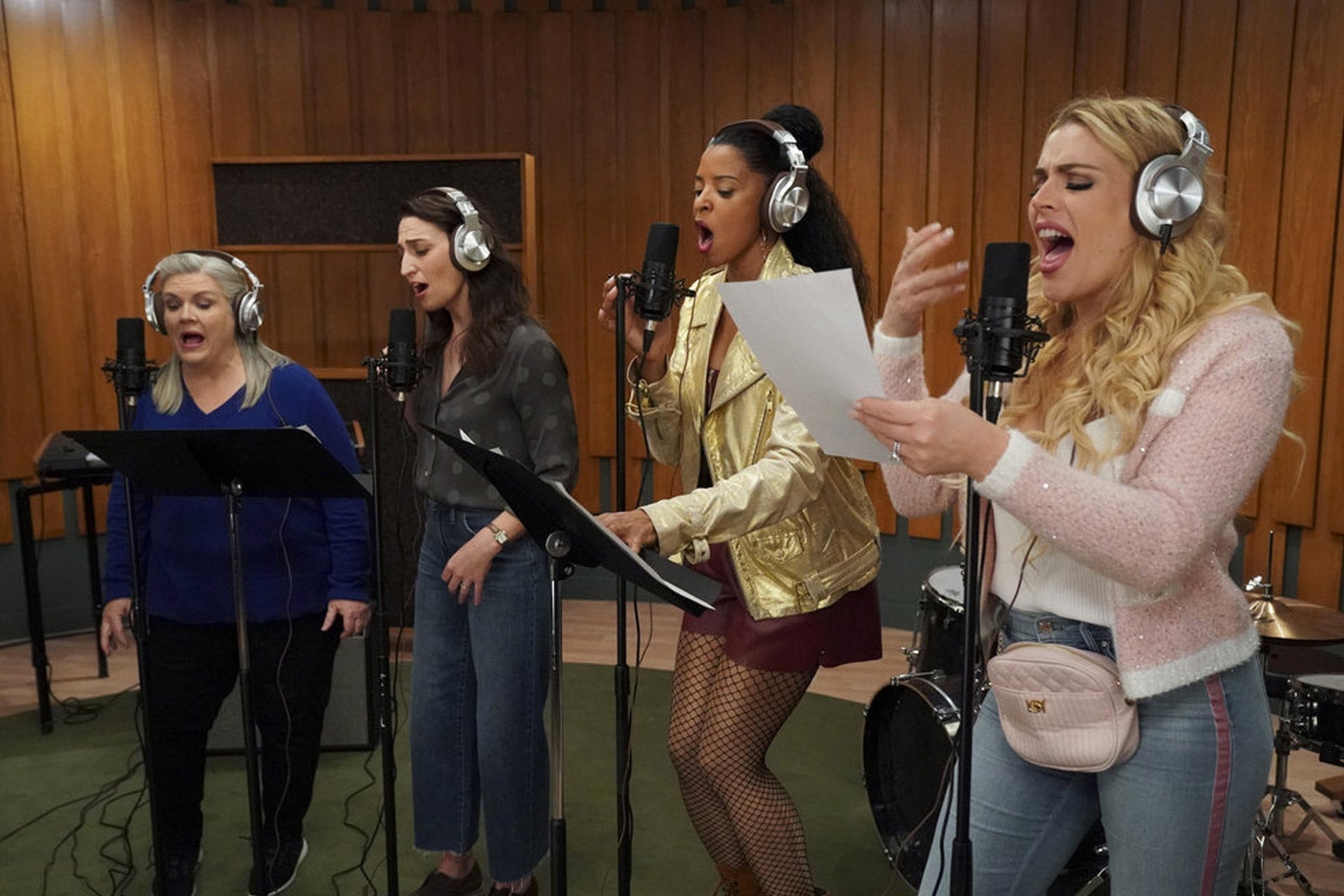
Credit: slate.com
Selecting The Right Microphone
When it comes to recording rap vocals, selecting the right microphone is crucial for capturing the artist’s unique tone and delivery.
The Importance Of Choosing The Right Mic
Choosing the right microphone can make all the difference in the clarity, depth, and overall quality of the rap vocals.
Factors To Consider When Selecting A Mic
Budget: Ensure the mic fits within your budget without compromising quality.
Microphone Type: Consider dynamic or condenser mics based on sound characteristics.
Polar Pattern: Cardioid pattern focuses on the vocals while minimizing background noise.
Frequency Response: Look for mics with a wide frequency response range for versatility.
Microphone Model
Best For
Shure SM7B
Warm and smooth vocals
Audio-Technica AT2020
Budget-friendly option with clear sound
Neumann TLM 102
High-end mic for professional-grade recordings
Top Microphones For Recording Rap Vocals
Rap vocals require top-quality microphones to capture the nuances of the artist’s voice. The right microphone can make or break the recording process.
Dynamic Microphones
Dynamic microphones are rugged and perfect for live performances. They can handle high sound levels and are great for emphasizing the clarity and punch in rap vocals.
Condenser Microphones
Condenser microphones are ideal for studio recordings due to their sensitivity and accuracy. They capture details and nuances in rap vocals with precision.
Ribbon Microphones
Ribbon microphones offer smooth and warm sound quality, making them a popular choice for rap vocals. They add a vintage touch to recordings.
Key Features To Look For In A Rap Vocal Mic
Rap vocals require a specific type of microphone that can capture the dynamic and powerful nature of the genre. When selecting a mic for recording rap vocals, there are several key features to consider to ensure the best sound quality possible. From sensitivity and frequency response to durability and versatility, the right mic can make a significant difference in the final recording.
Sensitivity And Frequency Response
Rap vocals demand a microphone with high sensitivity to capture the nuances of the artist’s delivery. Look for mics with a wide frequency response to capture both the low-end richness and the high-end clarity of rap vocals. A mic with a flat frequency response is essential to accurately reproduce the vocals without adding coloration or distortion that could affect the recording quality.
Durability And Build Quality
The physical build of the mic is crucial for withstanding the intense use typical in rap vocal recording sessions. Solid construction and quality materials ensure durability and longevity, while features such as shock mounts and internal pop filters can help to protect the microphone from damage caused by intense vocal performances.
Versatility And Adaptability
A rap vocal mic should be adaptable to different recording environments and performance styles. Look for a microphone that offers versatility in use, whether it’s for studio recording, live performances, or mobile setups. A flexible polar pattern allows the mic to adjust to various vocal techniques and can enhance the recording capabilities in diverse settings.
Credit: www.latimes.com
Comparative Analysis Of Leading Mic Models
Choosing the right microphone for recording rap vocals is crucial to capture the essence and power of the artist’s performance. With numerous options available in the market, it can be overwhelming to make a decision. That’s why we have prepared a comprehensive comparative analysis of four leading mic models to help you find the perfect match for your recording needs. In this section, we will take a closer look at the pros and cons of Model 1 vs. Model 2 and Model 3 vs. Model 4.
Model 1 Vs. Model 2
When it comes to recording rap vocals, Model 1 and Model 2 are two popular choices among artists and sound engineers. Let’s compare these two models based on their key features:
Model
Sensitivity
Polar Pattern
Frequency Range
Price
Model 1
High
Cardioid
20Hz-20kHz
$200
Model 2
Medium
Supercardioid
30Hz-20kHz
$300
As seen in the table, Model 1 offers higher sensitivity, making it ideal for capturing detailed nuances in rap vocals. On the other hand, Model 2 boasts a supercardioid polar pattern which effectively reduces background noise. The wider frequency range of Model 2 allows for better reproduction of low-end frequencies. However, it comes with a higher price tag compared to Model 1.
Model 3 Vs. Model 4
If you are looking for alternatives to Model 1 and Model 2, Model 3 and Model 4 are worth considering. Let’s compare these two models based on their key features:
Model
Sensitivity
Polar Pattern
Frequency Range
Price
Model 3
Medium
Bi-directional
20Hz-18kHz
$250
Model 4
High
Hypercardioid
30Hz-20kHz
$350
Model 3 offers a medium sensitivity level and a bi-directional polar pattern, making it suitable for recording rap vocals in a controlled studio environment. On the other hand, Model 4 provides higher sensitivity and a hypercardioid polar pattern, allowing for greater isolation of the vocal source. Its extended frequency range ensures a more accurate representation of the rap vocals. However, it comes with a higher price compared to Model 3.
Tips For Getting The Most Out Of Your Mic
When it comes to recording rap vocals, having the right microphone is crucial to achieving a professional sound. However, it’s not just about the mic itself—it’s also about how you use it. To help you make the most of your recording sessions, here are some tips that will improve the quality of your rap vocals.
Optimizing Mic Placement
Proper mic placement is essential for capturing the true essence of your rap vocals. When recording, position the microphone at a distance of about 6 to 8 inches from your mouth. This will ensure that you capture the nuances and details of your voice while minimizing any plosive sounds or unwanted background noise.
Additionally, experiment with microphone angles to find the sweet spot that flatters your voice the most. Tilting the microphone slightly upwards or downwards can make a noticeable difference in the recorded sound.
Utilizing Pop Filters And Shock Mounts
Pop filters and shock mounts are invaluable accessories that can greatly enhance the quality of your rap vocal recordings. Pop filters help minimize plosive sounds caused by hard consonant sounds like “p” and “b” that can create unwanted bursts of air hitting the microphone.
Shock mounts, on the other hand, isolate the microphone from vibrations and handling noise, resulting in cleaner recordings. They are especially useful when working in home studios or environments with less-than-ideal acoustics.
Understanding Eq And Compression For Rap Vocals
EQ (equalization) and compression play a significant role in shaping the sound of rap vocals and bringing them to the forefront in a mix. EQ allows you to adjust the frequency response of your vocals, emphasizing certain frequencies to enhance clarity or to reduce harshness.
Compression, on the other hand, helps control the dynamic range of your vocals, making sure that all the lines are audible and consistent in volume. It adds a sense of polish and professionalism to your recordings, helping your rap vocals sit perfectly in the mix.
To use EQ and compression effectively, start with subtle adjustments and make small tweaks as needed. It’s important to trust your ears and experiment with different settings until you achieve the desired results.
By implementing these tips, you can take your rap vocal recordings to the next level. Optimizing mic placement, utilizing pop filters and shock mounts, and understanding EQ and compression techniques will help you capture the essence and energy of your rap vocals with clarity and professionalism.
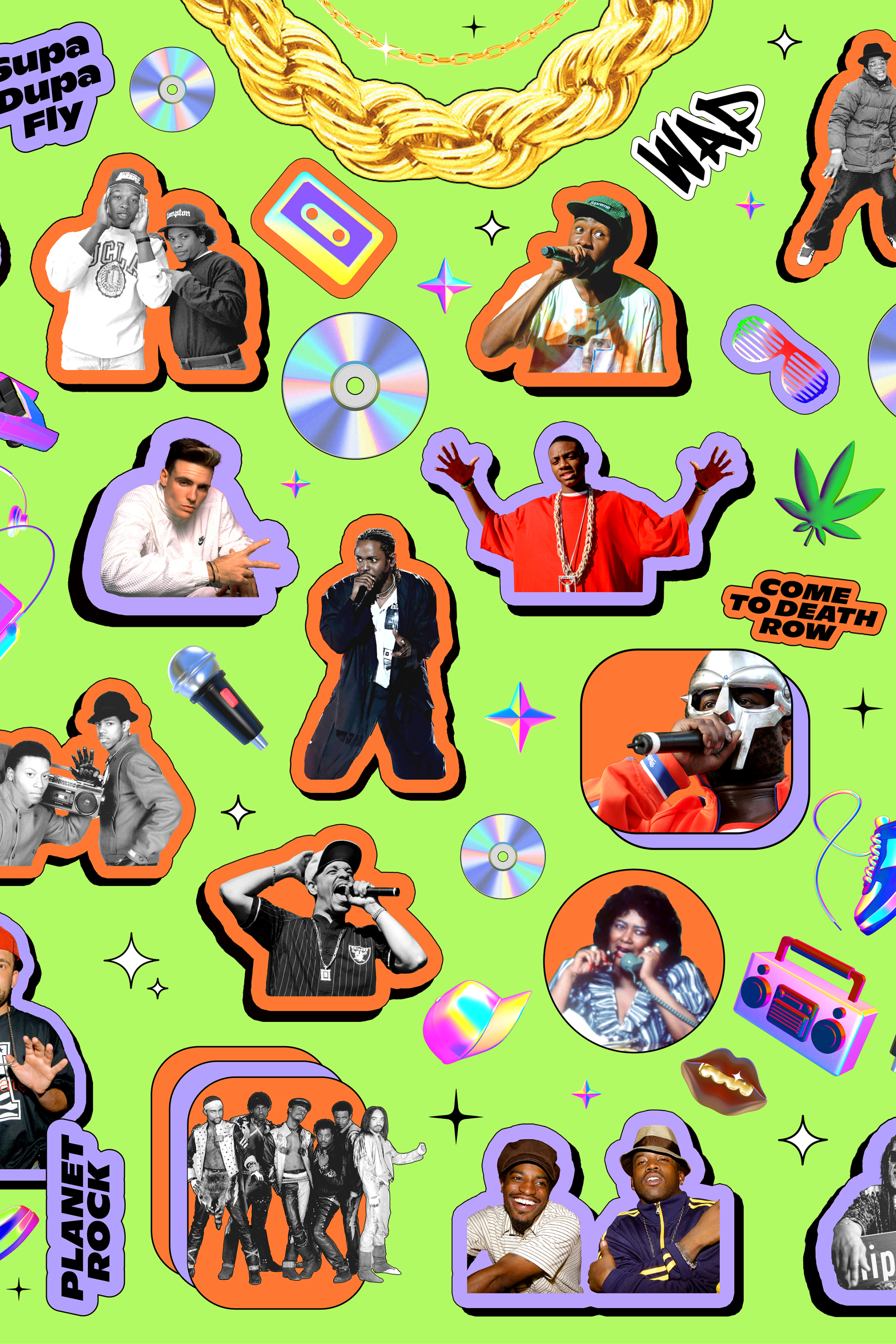
Credit: www.billboard.com
Frequently Asked Questions Of What Are The Best Mics For Recording Rap Vocals
What Are The Best Mics For Recording Rap Vocals?
When it comes to recording rap vocals, the best mics to consider are the Shure SM58, Audio-Technica AT2020, and Neumann U87. These microphones are known for their exceptional sound quality, durability, and versatility, making them perfect for capturing the unique tone and delivery of rap vocals.
Conclusion
Choosing the perfect mic for recording rap vocals can make a significant impact on the overall sound quality of your music. By considering factors such as microphone type, frequency response, and polar pattern, you can find the best mic to showcase your unique vocal style.
Experimenting with different options and seeking expert advice can help you find the mic that elevates your rap recordings to the next level.