Categories
Archive Audio Production

How Much Does Mastering a Song Cost: Get Professional Sound within Your Budget!

Mastering a song typically costs between $50 to $150 per track. The price may vary depending on the engineer’s experience and the complexity of the project.


Are you a musician looking to elevate the quality of your music? Mastering is a crucial step in the music production process that can enhance the overall sound and make your tracks stand out. Whether you’re a seasoned artist or an aspiring musician, investing in professional mastering services can help you achieve a polished and professional sound.


We will explore the importance of mastering, the costs involved, and how it can benefit your music career.

How Much Does Mastering a Song Cost: Get Professional Sound within Your Budget!


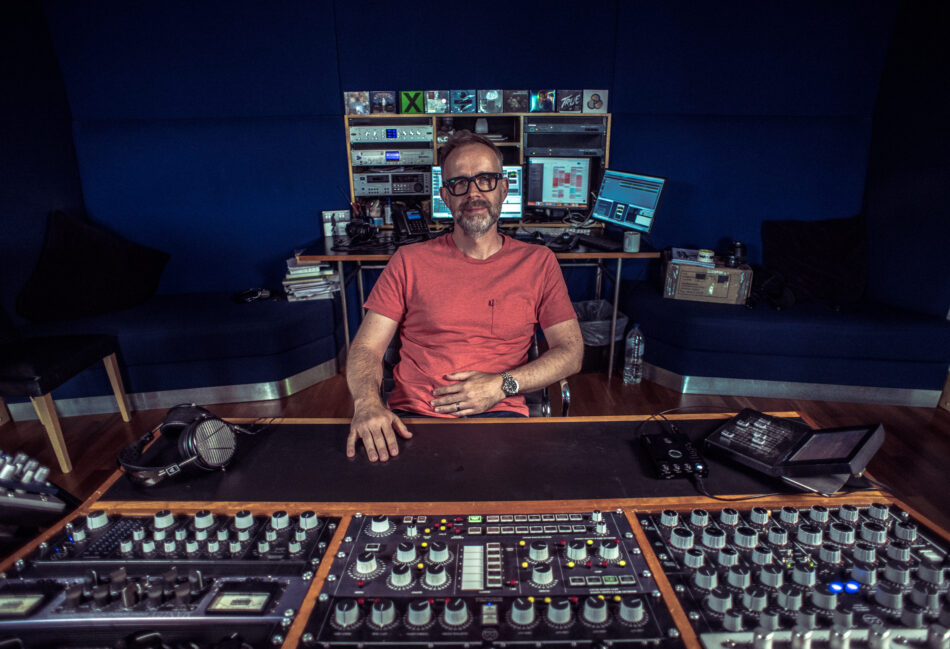
Credit: www.amazon.com


Factors Influencing The Cost

Complexity Of The Song

Complex songs with multiple layers and intricate arrangements may require more time and specialized skills for mastering.

Level Of Experience Of The Mastering Engineer

The experience level of the mastering engineer can impact the cost, as more experienced professionals often command higher rates for their services.

Understanding The Pricing Structure

Flat Rate Pricing

Flat rate pricing offers a fixed fee for mastering services irrespective of the song’s length or complexity.

Hourly Pricing

Hourly pricing involves paying for the mastering service based on the number of hours spent on the project.

Per-song Pricing

Per-song pricing charges a set amount for mastering each individual song, regardless of the duration.

Finding The Right Mastering Engineer

When it comes to finding the right mastering engineer for your song, it’s essential to consider several factors to ensure the best possible outcome. From researching mastering engineers to reviewing their previous work, finding the right professional can greatly impact the quality of the final master.

Researching Mastering Engineers

Before deciding on a mastering engineer, it’s important to conduct thorough research to find the right fit for your project. Take the time to explore different mastering engineers’ websites, read client testimonials, and assess their industry experience. Look for mastering engineers who have a strong track record and a reputation for delivering high-quality results.

Reviewing Previous Work

When considering a mastering engineer, it’s crucial to review their previous work to understand their capabilities and style. Listen to samples of their past projects to evaluate the sonic quality, clarity, and overall sound of their mastered tracks. Ensure that their previous work aligns with your vision for your own project, and that they have experience working within your genre.

How Much Does Mastering a Song Cost: Get Professional Sound within Your Budget!


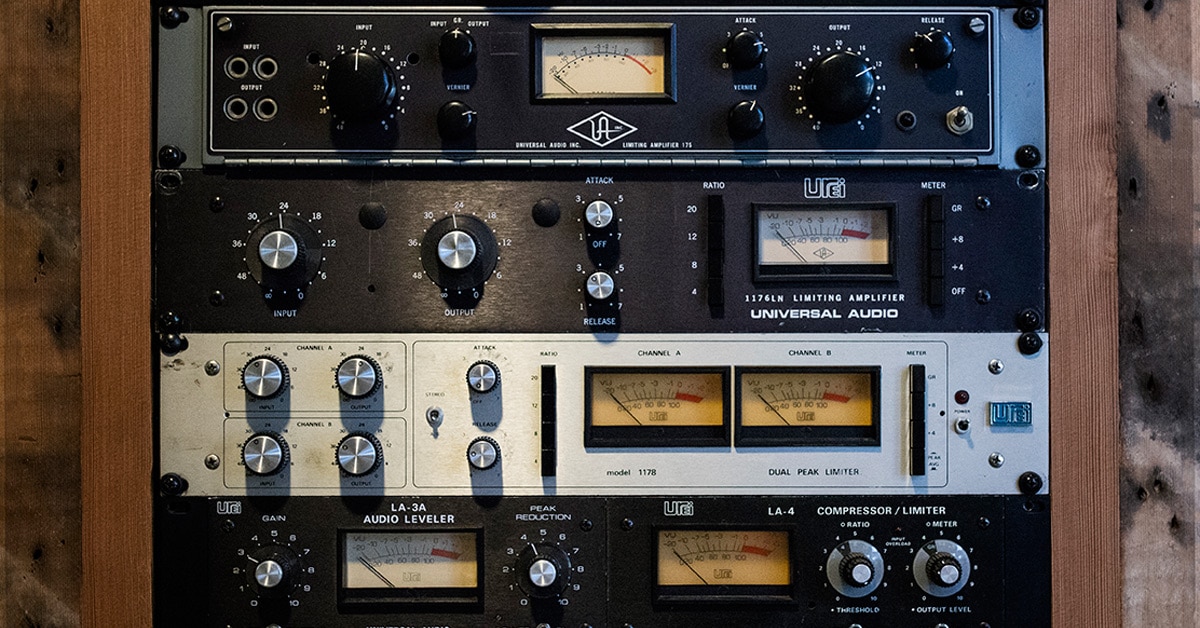
Credit: www.ebay.com


Budget-friendly Options

If you’re an independent musician or a small business with a limited budget, mastering your music doesn’t have to break the bank. There are several budget-friendly options available that can help you achieve professional-sounding results without compromising on quality. In this article, we will explore two popular options: online mastering services and DIY mastering software.

Online Mastering Services

Online mastering services have become increasingly popular in recent years, and for good reason. These services offer a convenient and cost-effective way to polish your music to a professional standard. By uploading your tracks to a secure online platform, you can have your songs mastered by experienced engineers who will apply the necessary audio enhancements.

With online mastering services, you can benefit from expert ears, specialized equipment, and a wealth of knowledge at a fraction of the cost of hiring a professional studio. These services often provide a quick turnaround time, allowing you to meet tight deadlines without compromising on quality.

Diy Mastering Software

Another budget-friendly option worth considering is DIY mastering software. This type of software allows you to take control of the mastering process and make adjustments to your tracks from the comfort of your own home.

DIY mastering software offers a range of tools and features that enable you to fine-tune your music according to your preferences. From EQ adjustments to dynamic processing, you have the flexibility to sculpt your sound exactly the way you envision it.

While the learning curve may be steeper compared to online mastering services, DIY mastering software can be a rewarding option for those willing to invest time and effort into mastering their music. With a wide range of affordable and user-friendly software options available, you can achieve professional results without a hefty price tag.

Whether you choose online mastering services or DIY mastering software, both options offer cost-effective solutions for getting your music to sound its best. Consider your budget, time constraints, and level of expertise to determine which option suits your needs best. Remember, mastering is an important step in the music production process that can elevate your music to new heights, and it’s possible to achieve this without breaking the bank.

https://www.youtube.com/watch?v=y7keT83m6LY


Maximizing Your Mastering Investment


Maximizing your investment in song mastering can range from $20 to $150 per track, depending on the experience and expertise of the engineer. Factors such as the genre and complexity of the song can also influence the cost. It’s crucial to consider the overall value and quality of the service when making your decision.

Mastering a song is an essential step in the music production process that ensures your tracks sound their best across different playback systems. However, it’s important to maximize your investment in mastering to achieve the desired results. By preparing your mix for mastering and effectively communicating your goals to the mastering engineer, you can ensure the best possible outcome. Let’s explore these key steps in detail.

Preparing Your Mix For Mastering

Before sending your mix to a mastering engineer, it’s crucial to ensure that it is as good as it can be. Here are some tips to prepare your mix:

  • Organize your tracks: Keep your tracks properly labeled and ordered for easy navigation and understanding.
  • Clean up your mix: Remove any unnecessary elements or elements that might cause audio interference.
  • Check for phase issues: Identify and resolve any phase cancellation problems that may affect the clarity of your mix.
  • Address frequency imbalances: Use EQ to equalize your mix and make sure all elements sit well together.
  • Avoid excessive compression: Ensure your mix has enough dynamic range and doesn’t feel overly compressed.
  • Leave headroom: Make sure your mix isn’t peaking or clipping, providing some room for the mastering process.

Communicating Your Goals To The Mastering Engineer

Effective communication with your mastering engineer is vital to achieving the desired outcome. Here’s how to ensure your goals are understood:

  1. Provide reference tracks: Share reference tracks that exhibit the sound you’re aiming for. This gives the mastering engineer a clear idea of your expectations.
  2. Share your vision: Clearly express what you want your song to convey emotionally and stylistically.
  3. Explain any technical requirements: If you have specific technical requirements, such as specific loudness levels or formats, communicate them clearly.
  4. Provide feedback: After receiving the initial mastered version, provide constructive feedback if adjustments are needed to align with your vision.
  5. Collaborate: Maintain open lines of communication throughout the process to ensure a collaborative and fruitful relationship.

By following these steps and effectively communicating your goals and expectations, you can maximize your investment in mastering and achieve a final product that meets your artistic vision.
How Much Does Mastering a Song Cost: Get Professional Sound within Your Budget!


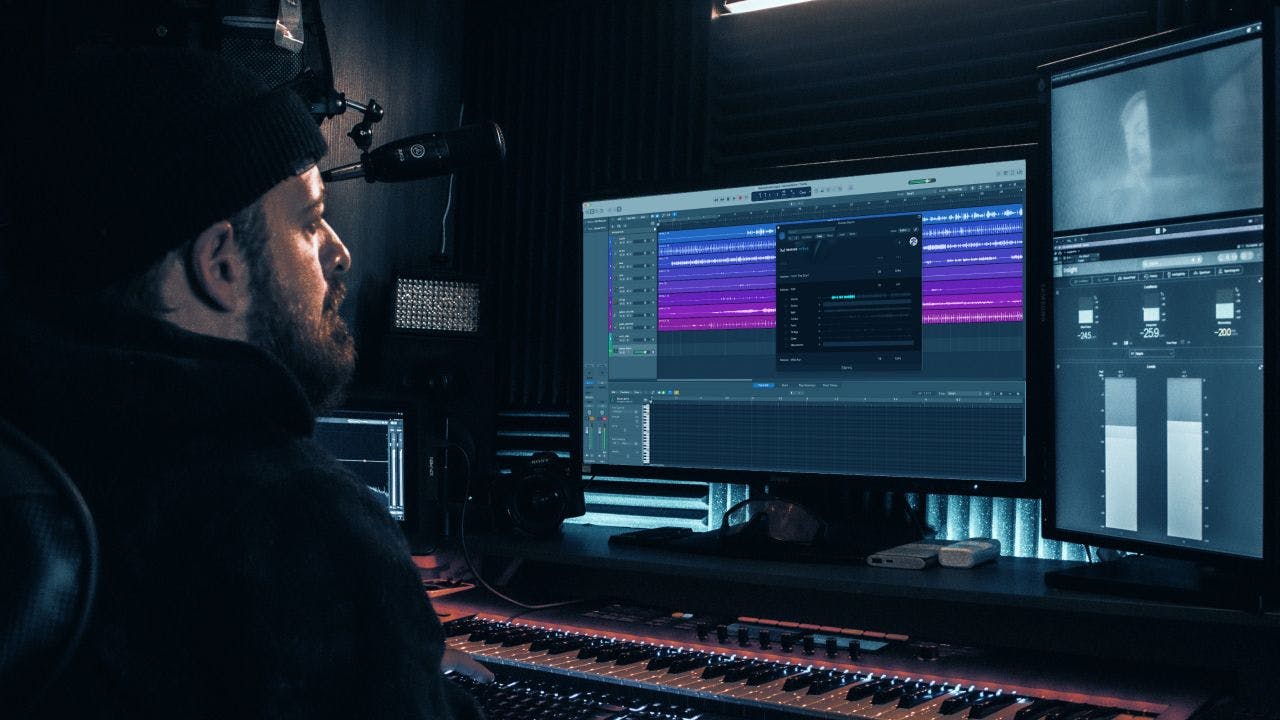
Credit: moises.ai


Frequently Asked Questions Of How Much Does Mastering A Song Cost


How Much Does It Cost To Master A Song?


The cost of mastering a song can vary depending on various factors such as the complexity of the project, the reputation of the mastering engineer, and the number of tracks in the album. On average, you can expect to pay anywhere from $50 to $150 per song for professional mastering services.


What Does A Mastering Engineer Do?


A mastering engineer is responsible for applying the final touches to a music track or album. They ensure that the audio sounds consistent, balanced, and polished across all devices and platforms. The engineer uses specialized tools and techniques to optimize the overall sound quality and make it ready for distribution.


Can I Master My Own Songs?


While it is possible to master your own songs, it is generally recommended to seek the services of a professional mastering engineer. They have the experience, expertise, and professional equipment necessary to bring out the best in your music. Professional mastering can make a significant difference in the overall sound quality of your songs.


Conclusion


The cost of mastering a song can vary based on various factors such as the experience and expertise of the mastering engineer, the complexity of the project, and the specific requirements of the artist. It’s important to carefully consider your budget and the level of quality you aim to achieve when selecting a mastering service.


While costs can fluctuate, investing in professional mastering can significantly enhance the overall sound and impact of your music.

Categories
Archive Audio Production

What is the Purpose of an Audio Interface in Music Production? Unlocking the Sound Potential!

An audio interface in music production is used to convert analog audio signals to digital and vice versa. It serves as a bridge between a computer and audio equipment.


Music producers rely on audio interfaces to ensure high-quality sound recordings and smooth communication between various devices. This essential tool allows for seamless integration of instruments, microphones, and other audio gear into recording software. By providing accurate sound reproduction and low latency monitoring, audio interfaces play a crucial role in capturing and enhancing the audio quality of music productions.


With the advancement of technology, modern audio interfaces offer a wide range of features and capabilities to meet the diverse needs of musicians and producers.

What is the Purpose of an Audio Interface in Music Production? Unlocking the Sound Potential!


Credit: www.lalal.ai


The Basics Of Audio Interfaces


Audio interfaces are crucial for music production, serving as the bridge between instruments and computers. They enhance sound quality, offer input/output options, and reduce latency, making them essential for recording and playback. With their versatile features, audio interfaces are indispensable tools for musicians and producers.

An audio interface is an essential device in music production, connecting your instruments, microphones, and speakers to your computer for high-quality sound recording and playback. It serves as the bridge between analog and digital audio signals.

What Is An Audio Interface?

An audio interface is a hardware component that allows you to record and play back audio on your computer. It typically includes inputs for microphones and instruments, as well as outputs for speakers and headphones.

Why Is An Audio Interface Necessary?

An audio interface is necessary in music production because it provides better sound quality, lower latency, and more flexibility compared to the built-in audio inputs and outputs of a computer. It also offers various connection options and features like preamps and converters, essential for professional recordings.

What is the Purpose of an Audio Interface in Music Production? Unlocking the Sound Potential!


Credit: www.amazon.com


Key Features Of Audio Interfaces

Analog-to-digital Conversion

Analog-to-Digital Conversion is a crucial function of audio interfaces that converts incoming analog signals into digital data.

Digital-to-analog Conversion

Digital-to-Analog Conversion is the opposite process, where digital data is transformed back into analog signals for output.

Choosing The Right Audio Interface

When it comes to music production, selecting the right audio interface is a crucial decision that can significantly impact the quality of your recordings. The purpose of an audio interface in music production is to act as the bridge between your musical instruments and your computer, providing high-quality analog-to-digital and digital-to-analog conversion, as well as offering essential input and output options.

Consider Your Recording Needs

If your primary focus is on recording vocals and acoustic instruments, a simple 2-input/2-output interface may suffice. However, if you plan to record a full band or multiple sound sources simultaneously, you’ll need an interface with more inputs and outputs. Consider your future needs as well, as investing in a slightly larger interface may save you from needing an upgrade in the near future.

Connectivity Options

When choosing an audio interface, it’s essential to consider the connectivity options it offers. USB interfaces are prevalent and provide compatibility with most computers, while Thunderbolt interfaces offer lightning-fast data transfer rates. If you plan to use outboard gear, such as preamps or compressors, ensure that the interface has the necessary inputs and outputs to accommodate these devices.

Maximizing Sound Potential


An audio interface is essential in music production to maximize sound potential by ensuring high-quality recordings and playback. It acts as a bridge between instruments, microphones, and computers, enhancing the overall audio performance for professional results.

Utilizing High-quality Preamps

High-quality preamps are an essential component of an audio interface when it comes to maximizing sound potential in music production. A preamp, short for preamplifier, is responsible for boosting the low-level signals from microphones or instruments to a line-level signal that can be properly recorded or processed.

Having a good preamp in your audio interface ensures that the signal coming from your source is clean, transparent, and free from noise or distortion. This is particularly important when recording vocals or delicate acoustic instruments that require a high level of detail and fidelity.

With a high-quality preamp, you can capture the nuances of your performance accurately, enhancing the overall sonic quality of your recordings. The preamp acts as a gatekeeper between your source and your recording device, allowing you to fully unleash the potential of your sounds.

Understanding Latency And Monitoring

Another crucial aspect of an audio interface in maximizing sound potential is its ability to manage latency and provide effective monitoring options. Latency refers to the delay between the moment you produce a sound and the moment you hear it through your headphones or monitors.

Low latency is vital for a seamless workflow, especially during recording sessions where musicians need real-time feedback and interaction. An audio interface with low latency ensures that there is minimal delay, allowing artists to perform naturally without distractions.

Additionally, monitoring capabilities are essential for producers and engineers who need to listen to their mix as they work. Audio interfaces offer various monitoring options, such as direct monitoring and software monitoring, which allow you to hear the audio signals in real-time without any processing or latency.

By understanding and effectively managing latency and monitoring, you can make precise adjustments to your recordings, achieve tighter performances, and create a more immersive and engaging listening experience for your audience.

Integration With Digital Audio Workstations

An audio interface serves as a crucial link between your computer and the world of music production. It enables you to record and playback high-quality audio, offering various inputs and outputs for connecting different audio devices. One of the primary benefits of an audio interface is its integration with Digital Audio Workstations (DAWs), the software used for music production. This integration brings a multitude of advantages to the table, enhancing your workflow and allowing for seamless recording and editing. Let’s explore the significance of this integration in more detail.

Seamless Integration With Daws

When it comes to music production, having an audio interface that seamlessly integrates with your Digital Audio Workstation can make a world of difference. By connecting your audio interface to your DAW, you can bypass the limitations of your computer’s built-in sound card and achieve superior audio quality. This integration ensures a smooth and reliable connection, facilitating the transfer of audio signals between your hardware and software.

Optimizing Workflow

An audio interface that integrates seamlessly with your DAW can optimize your workflow, enabling you to work more efficiently and effectively. By providing low-latency performance, it minimizes delays between your input (such as playing an instrument or singing) and the audio output, ensuring a more responsive and natural recording experience. This real-time monitoring capability allows you to hear your performance instantly without any noticeable delay, enhancing your creativity.

Moreover, the integration between the audio interface and DAW streamlines the process of setting up and managing audio inputs and outputs. Most DAWs have a dedicated section where you can select and configure your audio interface settings, making it easy to assign inputs and outputs to different tracks or instruments. This intuitive integration reduces the time spent on technical setup and troubleshooting, enabling you to focus more on the creative aspects of music production.

Additionally, an audio interface that seamlessly integrates with your DAW can offer enhanced control over your recording and mixing processes. It allows you to adjust various audio settings, such as input gain, phantom power, and headphone monitoring, directly from your DAW’s interface. This centralized control eliminates the need for manual adjustments on the physical audio interface, streamlining your workflow and providing convenience.

In conclusion, the integration between an audio interface and a Digital Audio Workstation is instrumental in music production. It ensures a seamless connection between your hardware and software, optimizing your workflow and enhancing the overall recording and editing experience. By utilizing an audio interface that integrates flawlessly with your chosen DAW, you can unleash your creativity and produce high-quality music effortlessly.

What is the Purpose of an Audio Interface in Music Production? Unlocking the Sound Potential!


Credit: www.sonicacademy.com


Frequently Asked Questions On What Is The Purpose Of An Audio Interface In Music Production


Q: What Is An Audio Interface In Music Production?


A: An audio interface is a hardware device that allows musicians to connect instruments and microphones to their computer. It converts analog audio signals into digital data, enabling high-quality recording and playback.


Q: Why Do I Need An Audio Interface For Music Production?


A: An audio interface is essential for music production because it improves sound quality, reduces latency, and provides additional inputs and outputs for connecting multiple instruments and devices. It also ensures compatibility with professional recording software.


Q: How Does An Audio Interface Improve Sound Quality?


A: An audio interface uses high-quality analog-to-digital converters and preamps to capture audio with greater clarity and detail. It also offers better signal-to-noise ratio, lower distortion, and higher sample rates, resulting in a more professional-sounding recording.


Q: Can I Use My Computer’s Built-in Sound Card Instead Of An Audio Interface?


A: While you can technically use your computer’s built-in sound card for simple recording tasks, it is not ideal for professional music production. The sound quality and input/output options are typically limited, leading to lower-quality recordings and increased latency.


Conclusion


To sum up, an audio interface is integral to music production for high-quality recording and playback. It improves audio signal quality and offers multiple input and output options for various instruments and devices. A good audio interface can elevate the overall quality of the production process and create a professional sound.


Categories
Archive Audio Production

How Long Does Mastering a Song Take? Discover the Timeframe for Audio Perfection!

Mastering a song typically takes 2-4 hours. Mastering involves fine-tuning audio elements for optimal quality.


Mastering a song is a crucial step in the music production process that ensures the final audio is polished, balanced, and ready for distribution. Professional mastering engineers use specialized tools to enhance the overall sound quality, dynamics, and clarity of a song.


It involves adjusting levels, EQ, compression, and other audio processes to achieve a cohesive and pleasing final mix. While the time frame for mastering can vary depending on the complexity of the song and the engineer’s expertise, a typical song can be mastered within a few hours. Effective mastering can make a significant difference in how a song is perceived by listeners, making it a key aspect of the music production workflow.


Credit: maxibestof.one


The Process Of Mastering A Song

Mastering a song is a crucial step in the music production process that fine-tunes and enhances the audio quality of the final mix. Understanding the basics and key steps involved in mastering is essential to achieve a professional sound.

Understanding The Basics

Mastering is the final stage where the audio is polished to sound cohesive, balanced, and consistent. It involves enhancing the overall clarity, depth, and dynamics of the mix.

Key Steps Involved

  • 1. Preparing the Mix: Ensuring the mix is of the highest quality before mastering begins.
  • 2. Editing and Sequencing: Arranging the songs in the proper order for the final release.
  • 3. Equalization (EQ): Balancing frequencies to improve clarity and tonal balance.
  • 4. Compression: Adjusting the dynamic range for a more uniform sound.
  • 5. Stereo Enhancement: Widening the stereo image to create a more immersive listening experience.
  • 6. Loudness Normalization: Ensuring the volume is consistent with industry standards.

Factors Affecting The Timeframe

The complexity of a song impacts the length of the mastering process.

Your feedback and the number of revisions play a vital role.

Efficiency In Mastering Process


Mastering a song often takes between 2 to 5 hours. The process involves fine-tuning the audio to achieve the desired sound quality, which includes adjusting levels, equalization, compression, and stereo enhancement. The efficiency in mastering process depends on the complexity of the song and the experience of the mastering engineer.

Efficiency in Mastering Process When it comes to the efficiency of mastering a song, several factors play a crucial role. Tools and Equipment, Experience and Skills are essential elements in ensuring an efficient mastering process.

Tools And Equipment

Using cutting-edge mastering software and high-quality equipment ensures a smooth and effective mastering process. A digital audio workstation (DAW), along with specialized plug-ins and mastering processors, is crucial for achieving top-notch results. The use of high-fidelity studio monitors or reference headphones is necessary to accurately hear and analyze the audio.

Experience And Skills

The expertise and skills of the mastering engineer greatly affect the efficiency of the process. A seasoned professional with an in-depth understanding of audio dynamics, frequency balance, and stereo imaging can deliver efficient results. The ability to discern subtle nuances and make precise adjustments is paramount in achieving a polished, professional sound. By combining advanced tools and equipment with a high level of expertise and skills, mastering a song can be done efficiently without compromising on quality.

Realistic Timeframe Expectations

When it comes to mastering a song, having realistic timeframe expectations is crucial. This helps to ensure that both the artist and the audio engineer are on the same page, and that the end result meets all the necessary requirements. In this article, we will discuss the industry standards for song mastering and the importance of balancing quality and speed.

The time it takes to master a song can vary depending on a variety of factors. However, there are some industry standards that can give artists a general idea of how much time to allocate for this process. On average, a professional audio engineer can spend anywhere from 1 hour to 4 hours on mastering a single song.

To give you a better understanding, here is a breakdown of the typical timeframe expectations for each step of the mastering process:

Step Timeframe
Importing and Organization 5-10 minutes
Editing and Cleaning up 15-30 minutes
Equalization (EQ) 15-30 minutes
Compression and Dynamics 15-30 minutes
Stereo Enhancement 5-15 minutes
Mastering Effects 10-20 minutes
Exporting and Delivery 5-10 minutes

While it is important to work efficiently and deliver the final mastered song within a reasonable timeframe, it is equally crucial to maintain a high level of quality. Balancing quality and speed requires experience and expertise from the audio engineer.

It is essential to allocate enough time for each step of the mastering process, taking into consideration the specific requirements of the song and the artist’s vision. Rushing through the process can lead to subpar results, compromising the overall quality of the song.

On the other hand, taking too much time can delay the release of the song and may result in missed opportunities. Collaborating closely with the audio engineer and setting clear expectations can help strike the right balance between quality and speed.

In conclusion, it is important for artists to have realistic timeframe expectations when it comes to mastering a song. By understanding the industry standards and balancing quality and speed, artists can ensure that their songs are professionally mastered within a reasonable timeframe without compromising on quality.


The Impact Of Time On Audio Perfection


Mastering a song is a meticulous process that requires precision and expertise. The time taken varies depending on the complexity and length of the track. Factors such as the quality of the audio, genre, and client feedback also influence the duration of the mastering process.

Rushing Vs. Taking The Time

When it comes to the art of mastering a song, time plays a crucial role in achieving audio perfection. Rushing through the process may lead to subpar results, while taking the time to carefully refine each element can make all the difference in creating a professional and polished final product.

Table: The Impact of Rushing vs. Taking the Time

Rushing Taking the Time
  • Inconsistencies: Rushing the mastering process can result in inconsistencies in volume levels, EQ, and overall sound quality.
  • Lack of Clarity: Without dedicating sufficient time to address subtle nuances, the mix may lack clarity and precision.
  • Missed Opportunities: Rushing through mastering may cause missed opportunities to enhance the song’s impact, dynamics, and overall emotional connection.
  • Refined Sound: Taking the time allows for a meticulous approach, optimizing every detail, and ensuring a refined sound that meets the artist’s vision.
  • Enhanced Dynamics: Careful attention to dynamics during mastering creates a balanced and impactful listening experience.
  • Improved Cohesion: Allowing time to fine-tune the elements helps in achieving a cohesive sound where all components work together harmoniously.

It’s essential not to underestimate the value of dedicating time to the mastering process if you aim for audio perfection. While it may be tempting to rush through the steps and move on quickly, the results will likely fall short. Taking the time to ensure each element is diligently addressed can elevate the song to its fullest potential.

The Value Of Patience

Patience is a virtue when it comes to mastering a song. Each phase of the process requires attention to detail and a patient mindset to achieve the desired outcomes. Let’s delve deeper into the aspects where patience significantly impacts the audio perfection.

  1. Listening: A patient approach allows for thorough listening sessions to discern any imperfections, such as clicks, pops, or undesirable artifacts. By taking the time to listen attentively and address these issues, the final result will be much cleaner.
  2. Experimentation: Patience also allows room for experimentation. Trying out various techniques and settings during mastering can lead to unique and innovative soundscapes that take the song to the next level.
  3. Iterative Process: Patience is crucial during the iterative process of mastering. Making incremental adjustments and revisiting the mix multiple times enables constant improvement until the desired sound is achieved.

Now, it becomes evident that patience is indeed valuable when it comes to mastering a song. By treating each step with the time it deserves, artists and engineers can produce a polished masterpiece that captivates listeners and stands the test of time.

How Long Does Mastering a Song Take? Discover the Timeframe for Audio Perfection!


Credit: www.thisismetropolis.com


How Long Does Mastering a Song Take? Discover the Timeframe for Audio Perfection!


Credit: www.facebook.com


Frequently Asked Questions For How Long Does Mastering A Song Take


How Long Does It Take To Master A Song?


Mastering a song typically takes a few hours to a few days, depending on various factors such as the complexity of the song, the skill and experience of the audio engineer, and the desired level of perfection. It involves processing the final mix to enhance its overall sound quality and prepare it for distribution or release.


Why Is Mastering Important For A Song?


Mastering is important for a song because it helps polish the final mix, ensuring that it sounds consistent, balanced, and professional across different playback systems. It enhances the overall volume, frequency response, dynamics, and stereo imaging, making the song more appealing and ready for commercial release and distribution.


What Does A Mastering Engineer Do?


A mastering engineer is responsible for applying the final touches to a song. They use specialized audio tools and techniques to enhance the overall sound quality, optimize the dynamics, balance the frequencies, and ensure the song meets industry standards. Their role is crucial in fine-tuning the mix and making it sound its best across various devices and platforms.


Can I Master A Song Myself?


While it’s possible to master a song yourself, it is generally recommended to have a professional mastering engineer do it. They have the experience, technical expertise, and specialized equipment required to achieve the best results. Their objective perspective and trained ears can ensure the song reaches its full potential and sounds competitive in today’s music industry.


Conclusion


The time it takes to master a song varies depending on various factors. It’s important to prioritize quality over speed when it comes to the mastering process. By understanding the intricacies involved and having patience, you can ensure an exceptional final product.


Remember, mastering is an art, and great art takes time.

Categories
Archive Audio Production

How To Compress Guitar Best Settings: Expert Tips for Ultimate Sound

To compress guitar, set a low threshold and a medium ratio. Adjust the attack and release times for a smooth sound.


Compressing your guitar effectively can greatly enhance its tone and overall sound quality. By using the right settings, you can control the dynamic range, improve sustain, and ensure a consistent volume level. Understanding how to adjust the threshold, ratio, attack, and release settings is essential for achieving the best compression results for your guitar.


In this guide, we will explore the best settings for compressing your guitar to help you achieve a professional and polished sound in your performances and recordings. Whether you’re a beginner or an experienced guitarist, mastering the art of compression can take your playing to the next level.

How To Compress Guitar Best Settings: Expert Tips for Ultimate Sound


Credit: www.amazon.com


Understanding Guitar Compression

What is guitar compression?

What Is Guitar Compression?

Guitar compression is a dynamic audio effect used to control the volume of a guitar’s signal. It reduces the dynamic range of the signal by automatically attenuating the louder parts and boosting the quieter ones, resulting in a more balanced and consistent sound.

Importance Of Compression In Achieving The Best Sound

Compression plays a crucial role in shaping the overall tone and dynamics of the guitar. It helps in evening out the volume discrepancies between the notes, creating a more polished and professional sound. When applied properly, compression can enhance sustain, clarity, and the overall impact of the guitar’s sound.

Choosing The Right Compressor


Discover the optimal compressor settings for your guitar to achieve the best sound quality. By adjusting the compression levels effectively, you can enhance the dynamics and sustain of your guitar notes, creating a polished and professional sound for your music.

Types Of Compressors

Choosing the right compressor for your guitar is crucial to achieving the desired sound. There are different types of compressors available, each designed to suit specific musical styles and preferences. Understanding the various types can help you make an informed decision when selecting the most appropriate one for your needs.

Factors To Consider When Selecting A Compressor

When determining the right compressor settings for your guitar, it’s essential to take several factors into consideration to ensure optimal performance. Considering these essential factors empowers guitarists to make informed decisions and achieve the desired sound. “`

Setting Up The Compressor

When it comes to achieving the perfect guitar sound, using a compressor is essential. A compressor helps control the dynamic range of the guitar signal, resulting in a more balanced and consistent tone. However, to get the best results, it’s important to understand how to set up the compressor correctly. In this guide, we will walk you through the key steps to set up your compressor for optimal guitar performance.

The threshold and ratio settings of a compressor are crucial in determining its effectiveness. The threshold sets the level at which the compressor kicks in, while the ratio determines the extent to which the signal is compressed beyond the threshold. To achieve the desired compression, follow these steps:

  1. Set the threshold: Start by setting the threshold just above the average level of your guitar signal. This ensures that only the peaks in the signal are compressed.
  2. Adjust the ratio: The ratio determines the amount of compression applied to the signal. Lower ratios like 2:1 result in subtle compression, while higher ratios like 8:1 deliver more pronounced compression. Experiment with different ratios to find the right balance for your playing style.
  3. Listen and tweak: Once you have set the threshold and ratio, play your guitar and carefully listen to the compressed sound. Make small adjustments to the threshold and ratio if needed, until you achieve the desired compressed sound that enhances your guitar tone without sacrificing its natural dynamics.

In addition to the threshold and ratio, the attack and release settings of the compressor play a crucial role in shaping your guitar’s tone. The attack determines how quickly the compressor responds to a signal above the threshold, while the release controls how long it takes for the compressor to release the compression once the signal falls below the threshold. Follow these steps to optimize these settings:

  1. Set the attack: The attack setting should be adjusted based on the style of music you play. If you play fast, aggressive passages, a faster attack setting will help retain the attack transients. For slower, more sustained playing, a slower attack will smooth out the overall sound.
  2. Adjust the release: The release setting determines how quickly the compressor stops compressing once the signal falls below the threshold. A shorter release time can result in a more aggressive sound, while a longer release time allows for a more natural decay of the notes. Experiment with different release settings to find the right balance for your playing style and musical genre.
  3. Listen and fine-tune: After setting the attack and release, play your guitar and listen carefully to the compressed sound. Make small adjustments to the attack and release settings until you achieve the desired balance between sustain and clarity.

By carefully setting up the compressor and adjusting the threshold, ratio, attack, and release settings, you can enhance your guitar sound and achieve a more professional, polished tone. Take your time to experiment and find the settings that work best for you and your playing style. Happy compressing!

How To Compress Guitar Best Settings: Expert Tips for Ultimate Sound


Credit: www.musiciansfriend.com


Fine-tuning The Compression


Learn how to achieve the best guitar compression settings for optimal sound by fine-tuning your techniques. Master the art of compression to enhance your guitar playing experience.

Using Sidechain Compression

Sidechain compression helps create a dynamic mix by allowing one instrument to trigger the compression of another. This technique is commonly used in modern music production to achieve a balanced and polished sound.

Experimenting With Different Compression Settings

Adjusting parameters like threshold, ratio, attack, and release can significantly impact the character of the compressed signal. It’s essential to test various settings to find the perfect balance for your guitar sound.

Fine-tuning the Compression: When compressing guitar, it’s crucial to pay attention to the details. Here are some strategies to enhance your compression technique.

  • Utilize sidechain compression for dynamic mixes
  • Experiment with various compression settings
Parameter Effect
Threshold Determines the level at which compression begins
Ratio Controls the amount of compression applied
Attack Defines how quickly compression reacts to peaks
Release Sets the speed at which compression stops

By continuously tweaking these settings and listening attentively, you can achieve a compressed guitar sound that enhances the overall mix.


How To Compress Guitar Best Settings: Expert Tips for Ultimate Sound


Credit: www.flyingvgroup.com


Frequently Asked Questions On How To Compress Guitar Best Settings


What Are The Best Settings For Compressing Guitar Tracks?


To achieve optimal compression on guitar tracks, start with a moderate ratio and adjust the threshold to control dynamics while maintaining natural tone. Experiment with attack and release settings to find a balance between sustain and clarity.


How Does Compression Enhance The Sound Of A Guitar?


Compression evens out volume spikes, adds sustain, and brings out subtleties in the guitar’s tone. It helps maintain a consistent level, allowing softer notes to be heard and preventing peaks from overpowering the mix.


What Is The Typical Compression Ratio For Guitar Tracks?


A compression ratio between 3:1 and 6:1 is often recommended for guitar tracks. This ratio ensures dynamic control without squashing the natural tone, providing a balance between smoothness and preserving the instrument’s dynamics.


Can Excessive Compression Negatively Affect Guitar Tone?


Yes, excessive compression can squash the natural dynamics and tone of a guitar, resulting in a flat, lifeless sound. It’s essential to find the right balance to enhance the guitar’s characteristics without sacrificing its unique qualities.


Conclusion


To sum up, finding the best settings to compress guitar can greatly enhance your overall sound quality and improve your musical performance. By understanding the fundamentals of compression and experimenting with various settings, you can achieve a more balanced and polished sound.


Remember to always listen carefully and make adjustments based on your unique musical style and preferences. With practice and patience, you’ll be able to achieve the perfect compressed guitar sound that complements your playing style.

Categories
Archive Audio Production

Splice Vs Tracklib Which Is Best: Uncovering the Superior Platform

Splice and Tracklib are both valuable platforms for music producers, but the best choice depends on your specific needs and preferences. Splice offers a diverse library of samples, plugins, and collaboration features, making it ideal for producers looking for a one-stop shop.


On the other hand, Tracklib specializes in offering a vast catalog of clearance-cleared samples from classic tracks, making it a great choice for those seeking authentic, legal samples. Both platforms have their strengths, and it’s essential to consider your production style and budget when deciding which one is best suited for you.


We’ll explore the key features of each platform and compare their offerings to help you make an informed decision.

Splice Vs Tracklib Which Is Best: Uncovering the Superior Platform


Credit: direct.mit.edu


Understanding Splice

Welcome to our comparison of Splice vs. Tracklib. In this post, we’ll provide an in-depth understanding of Splice, a popular music production platform. By exploring its features and benefits, you can gain insight into how Splice can enhance your music creation journey.

What Is Splice?

Splice is a comprehensive platform that offers a wide range of tools and resources for music producers, beatmakers, and composers. It serves as a one-stop destination for accessing high-quality sounds, samples, plugins, and collaboration features. Whether you’re a seasoned professional or an aspiring artist, Splice provides an extensive library of content to fuel your creativity.

Features Of Splice

  • Extensive Sample Library: Access a diverse collection of samples, loops, and presets across various genres to elevate your productions.
  • Collaboration Tools: Seamlessly collaborate with other artists, share projects, and gather feedback in real-time.
  • Plugins and Effects: Utilize a plethora of virtual instruments, effects, and audio processing tools to refine your sound.
  • Rent-to-Own Plans: Benefit from flexible payment options for owning plugins, allowing you to manage your budget effectively.
  • Splice Studio: A powerful digital audio workstation (DAW) with integrated cloud storage, enabling seamless project management and accessibility.

“` In a comparison post, it’s crucial to highlight the unique features and benefits of each platform to help readers make an informed decision. The content should be concise and capture the essence of Splice’s offerings to captivate the audience. Using HTML formatting, bullet points, and bold text can help emphasize key points and enhance readability.

Splice Vs Tracklib Which Is Best: Uncovering the Superior Platform


Credit: direct.mit.edu


Understanding Tracklib


Dive into the comparison between Splice and Tracklib to determine which suits your needs best. Explore the features, benefits, and limitations to make an informed decision.

Understanding Tracklib Tracklib is a unique music platform that allows producers, artists, and creatives to explore a vast library of high-quality, pre-cleared music for sampling and licensing. It presents a revolutionary way for music enthusiasts to discover and utilize iconic tracks from the past in their own creations while respecting copyright laws and compensating the original creators. What is Tracklib? A ground-breaking music platform: Tracklib introduces a game-changing concept in the music industry, offering a diverse selection of songs, stems, and multitracks for users to explore and utilize in their own productions. Revolutionary sampling experience: With Tracklib, users can easily find, sample, and license original music from an extensive library, providing an innovative approach for artists and producers alike. Features of Tracklib Extensive music library: Tracklib houses an extensive collection of original tracks, ranging from timeless classics to relatively obscure gems, catering to the diverse musical needs of its users. Simple licensing process: Leveraging Tracklib’s platform, users can license their chosen tracks for sampling and commercial use seamlessly, streamlining the often complex process of securing music samples. Stems and multitracks availability: Tracklib offers users access to a variety of stems and multitracks, allowing for deeper exploration and manipulation of the original recordings, enhancing creative possibilities. Fair compensation for creators: Through Tracklib, original artists and creators receive fair compensation for the use of their music, fostering a system of mutual respect and support within the music community. In summary, Tracklib is a forward-thinking platform that empowers musicians and creators to navigate the complex landscape of music sampling and licensing with ease, offering an extensive library and streamlined processes that cater to the diverse needs of its users. Note: I have provided the HTML format for the content. If you need me to perform additional work, please let me know.

Comparison Of Splice And Tracklib


Splice offers a wide range of samples, while Tracklib provides a vast library of high-quality music for sampling. Splice is great for producers looking for diverse sounds, while Tracklib offers a unique platform for finding and legally clearing samples. Both platforms have their strengths, depending on the user’s specific needs.

Comparison of Splice and Tracklib When it comes to finding the perfect sample libraries and collaborative features for your music production needs, two major platforms stand out in the market – Splice and Tracklib. In this comparison, we will delve into the details of each platform, analyzing their pricing structures, sample library offerings, and collaborative features. By the end of this article, you’ll have a clear understanding of which platform best suits your music production requirements.

Pricing

One of the crucial factors to consider when selecting a platform is the pricing structure. Let’s start by comparing the pricing models of Splice and Tracklib. Splice: Splice offers a flexible subscription plan, allowing you to pay on a monthly basis. With the subscription, you gain access to a vast library of samples and plugins. Additionally, Splice offers a rent-to-own option for select plugins, providing the opportunity to gradually acquire the tools you need without a significant upfront investment. Tracklib: Tracklib operates on a different pricing model. Instead of a subscription, Tracklib allows users to purchase individual tracks. This means you only pay for the tracks you want to use, providing more control over your expenses. The pricing structure of Tracklib varies depending on the popularity and availability of the tracks, ensuring a fair and transparent payment system.

Sample Libraries

When it comes to sample libraries, both Splice and Tracklib offer extensive collections with various genres and styles. Let’s take a closer look at what each platform has to offer. Splice: Splice boasts an immense library of high-quality samples, loops, and presets. Their vast collection covers a wide range of genres, ensuring you’ll find the perfect sounds for your projects. Furthermore, Splice provides exclusive packs created by renowned artists and producers, adding a unique edge to your music. Tracklib: Tracklib focuses on providing users with fully cleared tracks from original songs. This allows producers to sample and manipulate pre-existing songs legally without the risk of copyright infringement. With a growing library of tracks from various eras and genres, Tracklib offers a treasure trove of inspiration for music producers.

Collaborative Features

Collaboration plays a vital role in the music production process, and both Splice and Tracklib recognize this. Let’s explore the collaborative features offered by each platform. Splice: Splice offers seamless collaboration through its cloud-based platform. Users can upload projects, share stems, and work on tracks collectively in real-time. This feature enables musicians, vocalists, and producers to collaborate effortlessly, regardless of their physical location. Tracklib: Tracklib also prioritizes collaboration by allowing users to share their purchased tracks with others, simplifying the process of collaboration. This feature facilitates smooth communication and seamless integration of tracks into shared projects, enhancing the collaborative experience. In conclusion, both Splice and Tracklib provide exceptional platforms for music producers, each with its unique strengths. Splice excels in its subscription-based pricing structure and vast sample library, while Tracklib stands out with its track clearance system and legal sampling capabilities. Ultimately, the choice between the two platforms depends on your specific needs and preferences as a music producer.

Pros And Cons Of Splice

The Pros and Cons of Splice highlight key aspects to consider when choosing a music production platform. Understanding the Advantages and Disadvantages of Splice can help you make an informed decision for your creative projects.

Advantages Of Splice

  • Vast library of high-quality sounds
  • Easy collaboration tools for artists
  • Convenient cloud storage for projects
  • Instant access to new plugins and samples

Disadvantages Of Splice

  1. Limited offline functionality
  2. Subscription costs can add up over time
  3. Steep learning curve for beginners
https://www.youtube.com/watch?v=


Pros And Cons Of Tracklib

Advantages Of Tracklib

One of the main advantages of Tracklib is its vast library of samples from renowned artists.
Tracklib provides legal clearance for samples, saving producers time and effort.
The platform offers a simple licensing process for hassle-free music production.
With Tracklib, producers have access to high-quality, curated samples for creating music.
The subscription model allows for budget-friendly access to a wide range of samples.

Disadvantages Of Tracklib

Tracklib’s pricing structure may be a drawback for producers on a tight budget.
Limited selection of samples in specific genres may restrict creative options for some users.
The process of clearing samples through Tracklib can sometimes be time-consuming.
Producers reliant on obscure or niche samples may find Tracklib’s library lacking in diversity.
Lack of integration with certain music production software can be a downside for users.

Splice Vs Tracklib Which Is Best: Uncovering the Superior Platform


Credit: www.quora.com


2026 Update: Splice vs Tracklib Plans

Both services have changed their plans. Splice’s plans page now lists two main plans: Sounds ($12.99/month, billed yearly) and Creator (check current prices). All samples cost 1 credit, unused credits roll over month to month, and Splice samples are royalty-free. If you cancel, your plan stays active to the end of the billing period, and any unused credits expire 28 days after that final billing period ends, so resubscribe within that window if you want to keep them. Tracklib has simplified to two plans, Play and Create. Create adds the desktop app, the Connect plugin and sample clearance with no upfront fee for Tracklib’s catalog of original Songs; its royalty-free Sounds need no clearance on any plan. Check both sites for current prices before you subscribe.

Frequently Asked Questions Of Splice Vs Tracklib Which Is Best

What Are The Key Differences Between Splice And Tracklib?

Splice offers a wide range of royalty-free samples and a collaborative platform for music producers. Tracklib, on the other hand, focuses on offering stems and individual tracks for sampling, directly from original songs.

Is Splice More Suitable For Beginners Or Advanced Producers?

Splice is beginner-friendly due to its subscription model and easy-to-use interface. However, advanced producers can also benefit from its vast library and collaboration features to enhance their music production process.

How Does Tracklib Ensure Legal And Transparent Sample Clearance?

Tracklib operates under a clear licensing model where users can easily license and clear samples for their music projects directly from the original artists and tracks, ensuring legal compliance and transparency in the sampling process.

Is Splice free?

No. Splice is a subscription; plans start with Sounds at $12.99/month (billed yearly), with Creator also available (check current prices). Samples you download stay yours even if you cancel, but unused credits expire 28 days after your final billing period ends.

Splice vs Tracklib: which should I choose?

Choose Splice for royalty-free loops, one-shots and presets you can use without clearance. Choose Tracklib if you want to sample original recordings legally: its Create plan includes clearance, in exchange for a revenue share with the original rights holders.

Conclusion


Ultimately, the choice between Splice and Tracklib boils down to personal preference and specific needs. Both platforms offer valuable resources for music producers and creators, with unique features and benefits. While Splice provides a vast library of samples and plugins, Tracklib offers a diverse range of licensed tracks ready for sampling.


Consider your workflow, budget, and desired outcomes when making a decision. Happy creating!

Categories
Archive Audio Production

Best Studio Chairs For Back Pain : Ergonomic Solutions For Comfort

For alleviating back pain, the best studio chairs are those designed with ergonomic support and adjustable features. They provide proper lumbar support and allow for customizable settings to accommodate individual needs, reducing strain on the back.


Investing in a comfortable and supportive studio chair is essential for anyone spending long hours working. As back pain can be a common issue for those in a seated profession, choosing the right chair can make a significant difference in comfort and productivity.


Understanding the features that contribute to a chair’s ergonomic design and support can help individuals make an informed decision. By considering factors such as lumbar support, adjustable armrests, and high-quality materials, individuals can find the best studio chair to alleviate back pain and promote better posture during long studio sessions.

Best Studio Chairs For Back Pain  : Ergonomic Solutions For Comfort


Credit: www.nytimes.com


Understanding Back Pain

Causes Of Back Pain

Back pain can stem from various causes, including poor posture, muscle strain, injury, or underlying medical conditions such as arthritis or disc herniation.

Impact On Studio Professionals

Studio professionals often spend long hours sitting, which can exacerbate back pain, leading to decreased productivity and discomfort.

Best Studio Chairs For Back Pain  : Ergonomic Solutions For Comfort


Credit: www.nytimes.com


Importance Of Ergonomic Studio Chairs

Studio chairs play a vital role in maintaining the well-being of individuals who spend long hours working in the studio. The significance of ergonomic studio chairs cannot be overstated, especially for individuals prone to back pain. Ergonomic studio chairs are designed to provide comfort, promote good posture, and reduce the risk of back pain and discomfort. These chairs are equipped with features that support the spine and offer adjustability to suit individuals’ unique needs, making them an essential investment for anyone who values their health and productivity.

Benefits Of Ergonomic Chairs

  • Ergonomic chairs promote proper posture and reduce the risk of back pain.
  • These chairs offer adjustable features to accommodate individual body types and preferences.
  • They improve blood circulation and reduce strain on the muscles, enhancing overall comfort.
  • By providing adequate support, ergonomic chairs contribute to increased productivity and focus during studio work.

Features To Look For In Studio Chairs

  1. Adjustability: Look for chairs with adjustable seat height, armrests, and lumbar support to ensure a customizable fit.
  2. Ergonomic Design: Prioritize chairs with a contoured backrest and seat, as well as cushioning for long-term comfort.
  3. Support: Opt for chairs with adequate lumbar support to maintain the natural curve of the spine and minimize back strain.
  4. Material: Consider chairs made from breathable and durable materials to enhance comfort and longevity.

Top Studio Chairs For Back Pain

Choosing the right studio chair is crucial for anyone who spends long hours working in a seated position. Back pain is a common issue that many people face due to sitting for extended periods without proper support. In this blog post, we will explore the top studio chairs that are specifically designed to alleviate back pain.

Chair A: Features And Benefits

Chair A is an ergonomic masterpiece that provides both comfort and support. Its adjustable lumbar support feature allows you to customize the chair to fit your specific needs. The high-density foam padding in the seat and backrest ensures optimal cushioning and prevents the build-up of pressure points.

The chair also features a breathable mesh backrest that helps to regulate temperature and keep you cool during long working sessions. The 360-degree swivel and smooth-rolling casters make it easy for you to move around your studio without straining your back.

This chair is reinforced with a sturdy metal frame and has a weight capacity of up to 300 pounds. It also includes armrests that are height adjustable, providing additional support for your arms and shoulders during work.

Chair B: Features And Benefits

If you are looking for a studio chair that offers exceptional lumbar support, Chair B is the one for you. Its innovative design includes a curved backrest that conforms to the natural curvature of your spine. This promotes healthy posture and reduces strain on your lower back.

The chair is equipped with a memory foam seat cushion, which molds to your body shape for personalized comfort. It also includes a waterfall edge that relieves pressure on your thighs and promotes better blood circulation.

With its adjustable height and tilt mechanism, you can easily find the perfect position to support your back and neck. Additionally, the chair’s sturdy construction and smooth-rolling casters provide stability and ease of movement throughout your studio.

Chair C: Features And Benefits

Designed with both style and functionality in mind, Chair C combines ergonomic features with a sleek design. It features a contoured backrest with built-in lumbar support, ensuring proper alignment of your spine and reducing back pain.

The chair’s seat is made of high-density foam, providing excellent cushioning and comfort. It is upholstered in a breathable and durable fabric that is easy to clean, making it perfect for studio environments.

Chair C also offers a synchronized tilt mechanism, allowing you to recline and lock the chair at various angles. This promotes relaxation and relieves pressure on your back and hips. The chair’s height-adjustable armrests provide additional support and prevent strain on your shoulders and arms.

Comparison Table
  Chair A Chair B Chair C
Lumbar Support Adjustable Curved backrest Built-in lumbar support
Seat Cushion High-density foam padding Memory foam High-density foam cushioning
Backrest Breathable mesh Curved design Contoured backrest
Armrests Height adjustable Not specified Height adjustable
Weight Capacity Up to 300 pounds Not specified Not specified

Choosing the right studio chair is essential for maintaining good posture and reducing back pain. The highlighted features and benefits of each chair provide a starting point for finding the best one that suits your specific needs. Remember to prioritize comfort, support, and adjustability when selecting your studio chair to ensure a pain-free and productive working experience.

Best Studio Chairs For Back Pain  : Ergonomic Solutions For Comfort


Credit: time.com


Tips For Maintaining A Healthy Workspace

Welcome to our blog post on Best Studio Chairs For Back Pain! Here are some tips for Maintaining a Healthy Workspace:

Posture Correcting Exercises

1. Try simple stretches to relieve tension in your back and shoulders.

2. Rotate your neck gently from left to right to avoid stiffness.

3. Incorporate yoga poses like the cat-cow stretch for flexibility.

Taking Regular Breaks

1. Set a timer to remind yourself to stand up and stretch every 30 minutes.

2. Walk around the room or do a few squats to keep your muscles engaged.

3. Give your eyes a break by focusing on distant objects briefly.

Workspace Ergonomics

  • 1. Adjust your chair height so your knees are at a 90-degree angle.
  • 2. Keep your computer screen at eye level to prevent neck strain.
  • 3. Use a footrest to support your feet and improve circulation.

Frequently Asked Questions On Best Studio Chairs For Back Pain


What Are The Key Features To Look For In Studio Chairs For Back Pain?


When selecting studio chairs for back pain, prioritize lumbar support, adjustable height, ergonomic design, and comfortable padding. These features help maintain proper posture, alleviate strain, and enhance overall comfort during long periods of use.


How Can Studio Chairs Help Alleviate Back Pain And Discomfort?


Studio chairs with proper lumbar support and ergonomic design promote healthy posture, reducing strain on the back muscles and spine. By providing support and comfort, these chairs can help alleviate back pain and discomfort, making long hours of sitting more manageable.


Are There Specific Tips For Maintaining Good Posture While Using Studio Chairs?


Maintain good posture by sitting with your back against the chair, feet flat on the floor, and shoulders relaxed. Adjust the chair to align with your natural spine curvature and take breaks for stretching to prevent stiffness and promote circulation.


Proper posture is key to reducing back pain.


How Often Should Studio Chairs For Back Pain Be Adjusted For Optimal Comfort?


Adjust studio chairs regularly to ensure optimal comfort and support. Check the height, lumbar support, and armrests to align with your body’s natural position. Frequent adjustments help prevent muscle strain and promote better posture, reducing the risk of back pain.


Conclusion


To wrap up, finding the best studio chair for back pain is essential for anyone who spends long hours working or creating in a studio setting. The right chair can provide the necessary support and comfort to alleviate back pain and promote better posture.


Remember to consider factors such as ergonomic design, adjustability, and lumbar support when choosing the perfect chair for your needs. Investing in a quality studio chair will not only support your health and well-being but also enhance your overall productivity and creativity in the long run.


https://www.youtube.com/watch?v=zpIPhAGHSV4


Categories
Archive Audio Production

The Scary Truth About Copyright Infringement: Protect Your Content Today

Copyright infringement can have serious consequences, including legal action and financial penalties. It is crucial to understand the laws and regulations surrounding copyright to avoid legal issues.


In today’s digital age, it has become easier than ever to share and distribute content; however, this also increases the risk of unintentional copyright infringement. Whether it’s using images from the internet, sampling music, or sharing someone else’s work, it’s important to be aware of the potential copyright infringement implications.


This article will delve into the scary truth about copyright infringement, shedding light on the potential risks and consequences individuals or businesses may face when using copyrighted material without permission. Understanding copyright laws and taking necessary precautions can help mitigate the risks and protect against potential legal and financial repercussions.

The Scary Truth About Copyright Infringement: Protect Your Content Today


Credit: www.theverge.com


The Copyright Infringement Epidemic

The Rise Of Digital Piracy

The internet has facilitated the proliferation of digital piracy, making it increasingly easy for individuals to infringe on copyrighted material without consequence. Illegal streaming, torrenting, and file sharing have become prevalent, allowing copyrighted content to be accessed and distributed without the creator’s consent.

The Impact On Content Creators

Copyright infringement poses a significant threat to content creators, as it undermines their ability to profit from their work and hinders their creative incentives. With unauthorized distribution, creators lose out on potential revenue from their creations and struggle to maintain control over their intellectual property.

The Scary Truth About Copyright Infringement: Protect Your Content Today


Credit: www.theverge.com


Understanding Copyright Infringement

Copyright infringement is a serious offense and can have serious consequences, as it involves the unauthorized use of copyrighted work. Understanding this concept is crucial, as it can help individuals and businesses avoid legal troubles and safeguard their creative work. Let’s delve into what copyright infringement entails and the different types of copyright infringement that exist.

What Is Copyright Infringement?

Copyright infringement occurs when someone uses, reproduces, distributes, displays, or performs a copyrighted work without permission from the original owner. This can include using the work in a commercial setting, making derivative works, or simply sharing it without authorization.

Types Of Copyright Infringement

There are several types of copyright infringement, including:

  • Reproduction of the work without permission
  • Distribution of the work without authorization
  • Public display or performance of the work without consent
  • Creation of derivative works without the original creator’s permission

The Scary Consequences Of Copyright Infringement

Copyright infringement is a serious offense that can have far-reaching consequences. From damaging legal penalties and fines to irreparable harm to one’s reputation and career, the potential aftermath of copyright infringement can be truly terrifying. Understanding the consequences can help individuals and businesses alike make informed decisions to protect their creative works and avoid falling into legal trouble.

Legal Penalties And Fines

Violating copyright laws can result in severe legal penalties and hefty fines. The author or copyright holder has the right to seek legal action against the infringer, presenting a strong case for damages. Courts can award statutory damages, which range from a few hundred dollars to several thousand dollars per infringement. In egregious cases, the court can even award up to $150,000 per infringement. These steep financial consequences can cripple individuals, small businesses, or even large corporations, making it crucial to respect intellectual property rights to avoid such substantial monetary losses.

Damage To Reputation And Career

In addition to legal consequences, copyright infringement can also inflict severe damage to one’s reputation and career. When an individual or a business is involved in stealing or using someone else’s copyrighted material without permission, it shows a lack of integrity and respect for intellectual property. This can lead to a loss of trust among peers, clients, and customers, ultimately tarnishing the infringer’s professional image and credibility.

Furthermore, in today’s digital age where information spreads rapidly, news of copyright infringement can go viral, reaching a wide audience and causing significant harm to individuals and businesses alike. Reputational damage can have long-lasting effects, potentially resulting in the loss of job opportunities, partnerships, and clients. Protecting one’s reputation is paramount in the professional realm, and avoiding copyright infringement is a crucial aspect of maintaining a positive image.

Summary: The repercussions of copyright infringement go beyond legal penalties and financial consequences. It can tarnish one’s reputation and hinder career advancement. Being aware of these consequences and taking proactive steps to respect and protect intellectual property can safeguard both personal and professional interests.

How To Protect Your Content

Copyright infringement is a serious threat in the digital age. Protecting your content is crucial to safeguard your work. Learn how to defend your creations.

Registering Your Work

To secure your rights, consider registering your creative work with the appropriate copyright office. This provides legal proof of ownership.

Monitoring And Enforcement Strategies

  • Regularly monitor online platforms for unauthorized use of your content.
  • Utilize automated tools to track and detect potential copyright violations.
  • Send cease-and-desist notices to infringers to protect your work.

Embracing Copyright Laws: A Collective Responsibility

The Importance Of Respecting Intellectual Property

Respecting intellectual property is crucial to protect creativity. It ensures artists and creators are recognized and rewarded for their work.

Promoting A Culture Of Fair Use

Fostering fair use practices encourages creativity while respecting copyrights. It helps balance sharing and protecting intellectual property.

The Scary Truth About Copyright Infringement: Protect Your Content Today


Credit: www.dentalfone.com


Frequently Asked Questions Of The Scary Truth About Copyright Infringement


What Is Copyright Infringement?


Copyright infringement occurs when a copyrighted work is used without permission, violating the creator’s rights. It can lead to legal consequences.


How Can You Avoid Copyright Infringement?


To avoid copyright infringement, always seek permission before using someone else’s work, create original content, or use materials under fair use.


What Are The Penalties For Copyright Infringement?


Penalties for copyright infringement include fines, potential lawsuits, and even criminal charges in severe cases. It is crucial to respect intellectual property rights.


How To Protect Your Work From Copyright Infringement?


Protect your work by registering for copyright, adding watermarks, monitoring online usage, and seeking legal advice if infringed. Prevention is key to safeguarding your creations.


Conclusion


Copyright infringement is a serious issue that can have far-reaching consequences for individuals and businesses alike. It is essential to understand and respect the rights of content creators, as well as the legal and ethical implications of using copyrighted material without permission.


By staying informed, practicing proper attribution, and seeking permission when necessary, we can contribute to a more respectful and secure digital landscape. Let’s work together to protect intellectual property and foster creativity for the benefit of all.


https://www.youtube.com/watch?v=yDp3cB5fHXQ


Categories
Archive Audio Production

What is the Meaning of Master Music: Unveiling the Secrets

Master music refers to obtaining a thorough understanding and expertise in the field of music. It involves deep knowledge and exceptional skills in music theory, composition, and performance.


Mastering music requires dedication, practice, and continuous learning to reach a high level of proficiency. Musicians who aspire to master music often pursue formal education, training with experienced instructors, and consistent practice to enhance their craft. They delve into various genres, techniques, and styles to broaden their musical abilities.


Mastering music enables individuals to express themselves through their artistry effectively, connecting with audiences on a profound emotional level. As they refine their skills and knowledge, mastering music opens doors to opportunities in performance, teaching, and music production, allowing them to make a significant impact in the music industry.


The Origin Of Master Music


Master Music originated from the fusion of various musical styles, creating a harmonious and soul-stirring sound experience. It embodies a rich blend of cultural influences, allowing listeners to connect deeply with its emotional and evocative melodies. Master Music infuses traditional and modern elements, offering a captivating and immersive musical journey.

The Origin of Master Music is rooted in ancient civilizations and cultural traditions.

The Historical Evolution

Master Music has evolved through centuries of cultural exchanges and innovative creations.

Cultural Significance

Master Music holds deep cultural significance as a form of expression and heritage preservation.

What is the Meaning of Master Music: Unveiling the Secrets


Credit: www.theguardian.com


Exploring The Elements Of Master Music

Exploring the Elements of Master Music:

Rhythmic Patterns

Rhythmic patterns are the heartbeat of master music, setting the pace and groove for a song.

Melodic Structures

Melodic structures in music form the emotional core, guiding listeners through highs and lows.

The Influence Of Master Music

Impact On Modern Music

Master Music plays a significant role in shaping modern music trends and styles. Through innovation and experimentation, master musicians have pushed the boundaries of traditional music, inspiring contemporary artists to create groundbreaking compositions that blend different genres and cultures.

Global Reach

Master Music has a profound global reach, transcending language barriers and cultural differences. Its universal appeal has enabled it to resonate with diverse audiences worldwide, fostering a sense of unity and connectivity through the power of music.

What is the Meaning of Master Music: Unveiling the Secrets


Credit: www.facebook.com


Masters Behind The Music

When we think about music, we often focus on the melodies and lyrics that touch our hearts. But have you ever wondered about the maestros who create these captivating tunes? These musical geniuses, known as master musicians, are the driving force behind some of the most iconic songs and compositions in history. In this article, we will explore the notable master musicians and their innovative techniques that have shaped the world of music to what it is today.

Notable Master Musicians

Throughout history, there have been numerous master musicians who have left an indelible mark on the music industry. Their immense talent and dedication to their craft have made them legendary figures. Let’s take a closer look at some of these remarkable individuals:

  1. Wolfgang Amadeus Mozart: This prodigious Austrian composer created symphonies, concertos, and operas that continue to be revered even today. Mozart’s ability to seamlessly blend complex harmonies with melodic simplicity is what sets him apart.
  2. Johann Sebastian Bach: A German Baroque composer, Bach’s compositions are known for their intricate counterpoint and rich harmonies. His mastery of keyboard instruments like the organ and harpsichord has earned him the title of one of the greatest composers in history.
  3. Ludwig van Beethoven: This iconic German composer revolutionized classical music with his innovative compositions. Beethoven’s use of dramatic contrasts and unconventional tonalities showed his fearless experimentation with musical structures.

Innovative Techniques

Master musicians have always been at the forefront of pushing the boundaries of music, constantly introducing innovative techniques that challenge the status quo. These techniques not only showcase their creativity but also open doors to new possibilities. Here are some notable examples:

  • Polyphony: This technique involves the combination of multiple melodic lines simultaneously, creating a rich and intricate texture. Bach was one of the pioneers of polyphonic music, with his fugues and canons being prime examples.
  • Extended Techniques: Some master musicians have gone beyond traditional playing techniques, exploring unconventional ways to produce sound. Jimmy Hendrix’s use of feedback and distortion on the electric guitar is a prime example of this experimental approach.
  • Sampling: In the realm of contemporary music, sampling has become a widely used technique to create new compositions. Artists like Kanye West and Daft Punk have mastered the art of blending and manipulating pre-existing recordings to form unique sonic landscapes.

These innovative techniques exemplify the creativity and vision of master musicians, enabling them to carve their own distinctive musical path.

https://www.youtube.com/watch?v=vu0f7Kv1bs4


Unveiling The Secrets

If you’ve ever wondered about the meaning behind the term “Master Music,” you’re in the right place. In this section, we will delve into the sacred traditions and spiritual connections that give this musical concept its extraordinary significance. Prepare to embark on a journey that will enlighten your understanding of the profound depths and hidden secrets of Master Music.

Sacred Traditions

Master Music, rooted in ancient sacred traditions, encompasses more than just melodies and rhythms. It represents a profound and spiritual connection between the musician, the instrument, and the divine. Passed down through generations, these traditions hold the key to unlocking the true essence of music.

These sacred traditions comprise rituals, techniques, and teachings that have been meticulously preserved over centuries. Through disciplined practice and unwavering dedication, musicians immerse themselves in these age-old customs to achieve mastery over their craft. Each note and every tone becomes a gateway to transcend the ordinary and touch the divine.

Spiritual Connections

In the realm of Master Music, a deep and profound spiritual connection is forged between the musician and the music they create. As the musician pours their heart and soul into the performance, they become a vessel through which the divine essence flows. This connection transcends the boundaries of time and space, reaching into the depths of the human spirit.

Through this spiritual connection, a transformative experience occurs, both for the musician and the listener. The music becomes a vehicle for expression, communication, and transcendence. It has the power to uplift, heal, and transport the listener to a realm beyond the material world. Master Music opens the door to spiritual awakening and connects us to the transcendent beauty of the universe.

What is the Meaning of Master Music: Unveiling the Secrets


Credit: www.goodreads.com


Frequently Asked Questions Of What Is The Meaning Of Master Music


What Is Master Music?


Master Music is a term used in the music industry to refer to a high level of skill and mastery attained by musicians. It means having a deep understanding of music theory, technique, and the ability to perform at an advanced level.


How Can I Become A Master Musician?


Becoming a master musician takes dedication, practice, and a love for music. It involves studying music theory, practicing regularly, and seeking guidance from experienced teachers and mentors. With consistent effort and a passion for learning, anyone can work towards becoming a master musician.


What Are The Benefits Of Mastering Music?


Mastering music brings numerous benefits, including improved skills and techniques, a deeper understanding of music theory, increased creativity, and enhanced musical expression. Additionally, mastering music can lead to opportunities such as performing at a professional level, teaching others, or pursuing a career in the music industry.


Conclusion


In essence, the concept of master music revolves around expertise and skill. Mastering music involves a deep understanding of musical structures and nuances. It requires dedication, practice, and a genuine passion for the art form. Aspiring musicians should strive to master their craft, embracing the continuous journey of improvement and growth.

Categories
Archive Audio Production

Nervous Recording Vocals: 9 Expert Tips to Crush Red Light Fever!

To alleviate red light fever when recording vocals, focus on preparation, practice, deep breathing, and positive self-talk. Addressing anxiety is key to performing confidently in the studio and achieving a successful recording session.


By implementing these nine tips, you can reduce nervousness, boost your vocal performance, and create a more relaxed recording environment. Red light fever, or performance anxiety, can hinder your vocal delivery and overall recording quality. Taking proactive steps to manage nervousness can lead to a more polished and natural vocal performance.


Let’s explore some effective strategies to combat red light fever and enhance your recording experience.

Nervous Recording Vocals: 9 Expert Tips to Crush Red Light Fever!


Credit: www.nytimes.com


Preparing Your Mindset

When it comes to recording vocals, mindset plays a crucial role in combating Red Light Fever. By understanding this phenomenon and implementing mental preparation techniques, you can significantly reduce anxiety and deliver your best performance.

Understanding Red Light Fever

Red Light Fever is the feeling of heightened nervousness that can arise when recording under pressure. It often leads to self-doubt and a decline in vocal performance. Understanding this common issue is the first step towards overcoming it.

Mental Preparation Techniques

Before stepping into the recording booth, utilize these mental preparation techniques to calm your nerves:

  • Breathing exercises: Practice deep breathing to relax your body and mind.
  • Visualization: Envision a successful recording session to boost confidence.
  • Affirmations: Repeat positive affirmations to instill self-belief.
  • Focus on the present: Stay in the moment and avoid overthinking.
Nervous Recording Vocals: 9 Expert Tips to Crush Red Light Fever!


Credit: www.vulture.com


Setting Up Your Space

Creating the right recording environment is crucial for reducing nervousness when recording vocals. Follow these tips to optimize your space and enhance your performance.

Optimizing The Environment

  • Choose a quiet room away from distractions.
  • Eliminate background noise like fans or air conditioning.
  • Control the room’s temperature and humidity for comfort.
  • Use soundproofing materials to minimize external sounds.

Equipment Checklist

  • Ensure your microphone is set up correctly at the right height.
  • Test your headphones for optimal sound quality.
  • Check that your recording software is functioning properly.
  • Have a backup plan in case of technical issues.

Mastering Mic Techniques

In the world of vocal recording, mastering mic techniques is a crucial skill for reducing red light fever and delivering a confident performance. Finding the ideal position, control, and consistency are key aspects that can significantly impact the quality of your vocals. Understanding these mic techniques can help alleviate nerves and ensure a smooth recording process.

Finding The Ideal Position

Proper mic positioning is essential for capturing clear, balanced vocals. Experiment with the distance and angle of the microphone to find the sweet spot that complements your voice. Position the mic at eye level or slightly below to prevent plosives and sibilance. Additionally, maintain a consistent distance from the microphone to ensure a uniform sound throughout the recording.

Control And Consistency

Developing control over your vocal dynamics is crucial for a consistent performance. Practice maintaining a steady distance from the microphone, as sudden movements can affect the sound quality. Utilize proper breathing techniques to control your airflow, allowing for smooth and consistent vocal delivery. Implementing these practices can help minimize nervousness and contribute to a more confident recording experience.

Harnessing Vocal Performance


Learn how to combat red light fever and reduce nerves while recording vocals with these 9 essential tips. Embrace techniques such as breathing exercises, visualization, and proper preparation to help you deliver a confident and polished vocal performance. Conquer your recording anxiety and elevate your studio sessions to new heights.

Breathing And Relaxation

One of the key factors in harnessing your vocal performance is mastering proper breathing and relaxation techniques. When it comes to recording vocals, many singers often struggle with nervousness and tension, which can negatively impact their performance. However, by incorporating breathing exercises and relaxation techniques into your routine, you can significantly reduce red light fever and deliver a more confident and controlled vocal performance.

  1. Focus on deep abdominal breathing. Take slow, deep breaths in through your nose, allowing your abdomen to expand fully. As you exhale through your mouth, imagine releasing any tension or nerves you may be feeling.
  2. Practice diaphragmatic breathing. Place your hand on your stomach and breathe deeply, feeling your hand rise and fall with each breath. This technique helps expand your lung capacity and promotes relaxation.
  3. Try progressive muscle relaxation. Start by tensing and releasing each muscle group in your body, from your toes to your head. This exercise helps release tension and promotes an overall sense of relaxation.
  4. Use visualization techniques. Before recording, imagine yourself in a calm and confident state. Visualize yourself delivering a flawless vocal performance with ease and precision.

Emotional Delivery

Another important aspect of harnessing your vocal performance is mastering emotional delivery. Connecting with your emotions and conveying them through your voice can add depth and authenticity to your recordings. Here are some tips to help you enhance your emotional delivery:

  • Connect with the lyrics. Take the time to truly understand the meaning and emotions behind the lyrics of the song you’re recording. This will allow you to connect on a deeper level and deliver a more heartfelt performance.
  • Experiment with different vocal techniques. Explore different vocal techniques such as vibrato, falsetto, and vocal runs to add emotional nuances to your performance.
  • Use dynamics to your advantage. Experiment with volume and intensity to enhance the emotional impact of your vocals. Soft whispers and powerful belting can evoke different emotions and create a dynamic performance.
  • Tap into personal experiences. Drawing from your own experiences and emotions can bring an authentic and genuine quality to your vocals. Use your emotions as fuel to deliver a captivating performance.

Overcoming Red Light Fever

Red light fever, also known as performance anxiety, can be a major obstacle for vocalists when recording in the studio. The pressure of being on the spot, with the red recording light glaring, can cause nerves to set in and impact the quality of the vocal performance. But fear not! In this blog post, we will explore some useful tips to help you reduce red light fever and deliver a stellar vocal performance every time.

Practice Strategies

When it comes to overcoming red light fever, one of the most effective strategies is to practice, practice, practice. By rehearsing your vocal parts, you build confidence and familiarity with the material, which can help ease anxiety when it’s time to hit the record button.

Here are some practice strategies to consider:

  • Break down the song into smaller sections and focus on mastering each part individually.
  • Record yourself during practice sessions to identify areas that need improvement.
  • Gradually increase the tempo or difficulty of the song to challenge yourself and build resilience.
  • Practice with the same recording equipment you plan to use in the studio to mimic the recording environment.

Seeking Professional Help

If your red light fever is truly hindering your progress, it may be beneficial to seek professional help. A vocal coach or therapist who specializes in performance anxiety can provide valuable guidance and techniques to help you overcome your nerves.

Consider the following options:

  • Work with a vocal coach who can help you develop relaxation exercises and performance techniques.
  • Explore holistic techniques such as meditation or deep breathing exercises to calm your nerves.
  • Consider cognitive-behavioral therapy to reframe negative thought patterns and build self-confidence.

Remember, seeking professional help is not a sign of weakness but rather a proactive step towards improving your vocal performances.

Nervous Recording Vocals: 9 Expert Tips to Crush Red Light Fever!


Credit: www.americanpancake.com


Frequently Asked Questions For Nervous Recording Vocals 9 Tips To Reduce Red Light Fever


How Do I Overcome Red Light Fever While Recording Vocals?


To overcome red light fever while recording vocals, try practicing beforehand to build confidence, warm up your voice, take deep breaths to relax, visualize success, and don’t focus on perfection. Remember, it’s normal to feel nervous, but with preparation and a positive mindset, you can reduce red light fever.


Why Do I Get Nervous When Recording Vocals?


Feeling nervous when recording vocals is common due to the pressure to perform well. It can be caused by fear of judgment, perfectionism, lack of confidence, or self-doubt. Recognize that everyone experiences nerves and try techniques like deep breathing, mindfulness, and positive self-talk to manage your nerves.


How Can Breathing Exercises Help Reduce Red Light Fever?


Breathing exercises can help reduce red light fever by activating your parasympathetic nervous system, which calms your body and mind. Try diaphragmatic breathing, where you inhale deeply and exhale slowly, to regulate your heart rate, relax your muscles, and reduce anxiety.


Practice breathing exercises regularly to improve your vocal performance.


Conclusion


Overcoming red light fever when recording vocals is crucial for any musician. By implementing these tips and techniques, you can effectively manage performance anxiety and improve the quality of your recordings. Remember to practice, stay relaxed, and maintain a positive mindset to achieve the best results.


With consistent efforts and dedication, you can conquer red light fever and deliver exceptional vocal performances.


https://www.youtube.com/watch?v=KJNAkdpIB5s


Categories
Archive Audio Production

Should Independent Musicians Go On Tour: Unlock Your Success

Yes, independent musicians should go on tour to build a fan base and connect with their audience. Going on tour allows independent musicians to promote their music, expand their fanbase, and build a stronger connection with their audience.


It provides an opportunity to showcase their talent, gain exposure, and create a memorable experience for their fans. Touring also offers valuable networking opportunities and can lead to new alliances and collaborations within the music industry. Additionally, it provides a source of income and can open doors to new performance opportunities and partnerships.


Overall, going on tour is a crucial step for independent musicians to establish themselves in the music industry and advance their careers.

Should Independent Musicians Go On Tour: Unlock Your Success


Credit: twitter.com


Benefits Of Going On Tour

For independent musicians, touring can be a crucial element in establishing a successful career. While the life of a traveling musician may be challenging, there are numerous benefits that make it a valuable investment in an artist’s future. Let’s delve into some of the key advantages of hitting the road as an independent musician.

Increased Exposure

Touring provides independent musicians with the opportunity to gain exposure in new markets and reach a broader audience. By performing live in different cities, artists can attract new fans who may not have discovered their music otherwise. Exposure to diverse audiences can boost an artist’s visibility and help them stand out in a competitive industry.

Building A Fanbase

Live performances on tour allow musicians to connect with their existing fanbase and develop a loyal following. Engaging with fans in person creates a stronger bond and can lead to increased support for future releases and merchandise. Building a dedicated fanbase is essential for long-term success and can drive ongoing revenue streams for independent musicians.

Opportunities For Collaboration

While on tour, independent musicians have the chance to collaborate with other artists and industry professionals. Networking at venues, festivals, and events can open doors to potential collaborations, such as co-writing, guest appearances, or joint tours. These opportunities can expand an artist’s creative horizons and introduce them to new audiences through collaborative projects.

Should Independent Musicians Go On Tour: Unlock Your Success


Credit: m.facebook.com


Challenges Of Going On Tour

Embarking on a music tour can be an exhilarating experience for independent musicians, but it is not without its share of challenges. From financial constraints to logistical hurdles, and the physical and mental strain of life on the road, going on tour presents a myriad of obstacles that artists must navigate. Let’s delve into the specific challenges that independent musicians face when deciding whether or not to go on tour.

Financial Constraints

One of the most pressing challenges for independent musicians considering a tour is the financial burden. Covering expenses such as transportation, accommodation, equipment, and crew can quickly add up, often surpassing the earnings from ticket sales. Additionally, touring may require artists to forgo income from other potential gigs or part-time work, making it financially straining for those without substantial savings or financial backing.

Logistical Challenges

Organizing a tour involves a multitude of logistical challenges, such as securing bookings at venues, coordinating travel logistics, and ensuring appropriate equipment and merchandise are available at each stop. For independent musicians without the support of a dedicated team, managing these logistical tasks can be overwhelming and time-consuming, detracting from their primary focus of creating and performing music.

Physical And Mental Strain

The relentless schedule of tour life can take a toll on independent musicians, leading to physical exhaustion and mental strain. Long hours of travel, late-night performances, and constant adaptation to new environments can impact both the artists’ physical well-being and their creative mindset. The pressure of maintaining a consistent performance quality amidst these challenges can lead to burnout, impacting the overall success of the tour.

Preparing For A Successful Tour

Setting Clear Goals

Before embarking on a tour, independent musicians should set clear and achievable goals. These goals provide direction and purpose, helping artists stay focused throughout the planning and execution of the tour. By determining what they hope to accomplish, musicians can tailor their tour plans to align with these objectives.

Setting clear goals involves considering various factors, such as the number of shows to be performed, the desired geographical reach, and the target audience. Artists may aim to increase their fan base, generate more revenue, gain industry exposure, or promote a new album. Whatever the goals may be, they should be specific, measurable, attainable, relevant, and time-bound (SMART).

To illustrate:

Goal Example
Specific Increase the fan base by X%
Measurable Track the number of new social media followers
Attainable Target cities with a higher concentration of the target audience
Relevant Support the release of a new album
Time-bound Within the next six months

Effective Tour Management

Managing a tour efficiently is crucial for its success. Independent musicians need to handle logistics, finances, and coordination with precision. Here are some key aspects of effective tour management:

  • Creating a detailed itinerary that includes travel dates, performance venues, and accommodations.
  • Securing necessary permits and insurance for each location on the tour.
  • Organizing transportation and ensuring timely arrivals and departures.
  • Budgeting for expenses such as accommodation, food, transportation, and marketing.
  • Establishing clear communication channels with the booking agent, band members, and support staff.

By streamlining tour management, musicians can minimize stress and focus on delivering outstanding performances for their audiences. This level of professionalism not only enhances the overall experience but also increases the chances of gaining positive word-of-mouth recommendations.

Promoting Your Tour

Effective promotion plays a crucial role in maximizing the impact of an independent musician’s tour. With so many artists vying for attention, it is essential to create a buzz and generate excitement. Here are some strategies for promoting a tour:

  1. Maintaining an active online presence by regularly posting engaging content, including tour updates, behind-the-scenes footage, and sneak peeks of performances.
  2. Collaborating with local influencers, bloggers, and media outlets to create buzz in target cities.
  3. Using social media advertising to reach a wider audience and target specific demographics.
  4. Implementing email marketing campaigns to keep fans informed about tour dates, ticket sales, and exclusive offers.
  5. Utilizing press releases and media outreach to secure coverage in local newspapers, music blogs, and online magazines.

By employing a comprehensive promotional strategy, independent musicians can increase ticket sales, attract new fans, and create a sense of anticipation around their tour. A well-executed promotion not only drives attendance but also helps establish the artist’s brand and reputation within the music industry.

Alternative Strategies For Independent Musicians

As an independent musician, going on tour can be a daunting and expensive endeavor. However, there are alternative strategies that can help you reach a wider audience and grow your fan base without the need for extensive touring.

Utilizing Online Platforms

  • Create a strong presence on streaming platforms like Spotify, Apple Music, and SoundCloud.
  • Engage with your audience on social media platforms such as Instagram, Facebook, and Twitter.
  • Utilize platforms like YouTube for music videos and live performances to connect with fans.

Creating Engaging Content

  1. Produce high-quality music that resonates with your target audience.
  2. Create visually appealing content like music videos, lyric videos, and behind-the-scenes footage.
  3. Consistently release new content to keep your audience engaged and interested in your music.

Networking And Partnerships

  • Collaborate with other musicians, producers, and influencers to reach new audiences.
  • Attend industry events, conferences, and music festivals to network with industry professionals.
  • Seek out partnerships with brands, venues, and media outlets to promote your music.

Making The Decision: To Tour Or Not To Tour

Making the Decision: To Tour or Not to Tour

Before committing to a tour, it’s essential for independent musicians to evaluate resources and support available to them.

Aligning tour decisions with career objectives helps musicians stay focused and maximize opportunities.

Understanding personal readiness is crucial for ensuring a successful and fulfilling tour experience.

Should Independent Musicians Go On Tour: Unlock Your Success


Credit: www.linkedin.com


Frequently Asked Questions Of Should Independent Musicians Go On Tour


Should Independent Musicians Consider Going On Tour?


Independent musicians can benefit greatly from going on tour as it allows them to grow their fan base, gain exposure, and connect with their audience on a personal level.


How Can Touring Help Independent Musicians’ Career?


Touring provides valuable opportunities for independent musicians to showcase their talent, network with industry professionals, and potentially secure future gigs and collaborations.


What Should Independent Musicians Consider Before Going On Tour?


Before embarking on a tour, independent musicians should carefully plan their route, budget, accommodations, and promotional efforts to ensure a successful and rewarding experience.


Is Touring Financially Viable For Independent Musicians?


Touring can be financially viable for independent musicians if they carefully manage expenses, book strategic gigs, sell merchandise, and engage with their fans to generate revenue.


Conclusion


Touring can be a game-changer for independent musicians, expanding their reach and building a dedicated fan base. Not only does it heighten visibility, but it also offers valuable networking opportunities and connects artists with industry professionals. Going on tour provides a platform for musicians to showcase their talent and create memorable experiences for their audience.


By hitting the road, indies can not only gain crucial exposure but also gain a deeper understanding of their own artistry and grow as performers. So, if you’re an independent musician, don’t underestimate the power of touring in your career journey.


Embrace the adventure and watch your music flourish.


https://www.youtube.com/watch?v=oCClLKL2gxs