Categories
Archive

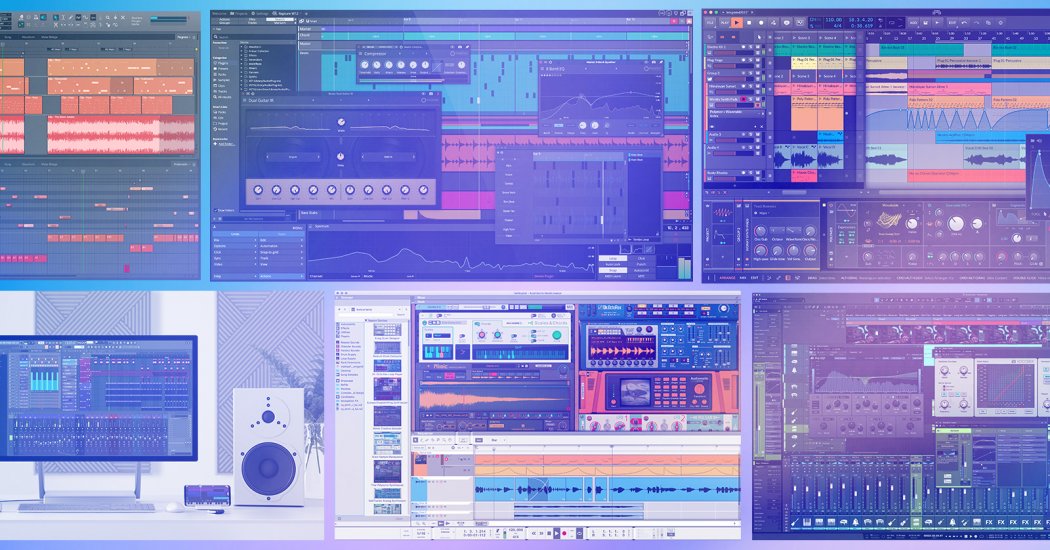
How to Make Your Own Sounds in Ableton: Unleash Creativity!

To make your own sounds in Ableton, start by exploring the built-in instruments and effects. Experiment with synthesizers, drum machines, and audio effects racks to craft unique sounds.

Creating your own sounds in Ableton Live is a rewarding experience that can set your music apart from the rest. This powerhouse DAW (Digital Audio Workstation) is equipped with a vast array of tools for sound design, from basic waveforms to complex modulation.

Musicians and producers can dive into the software’s synthesizers, such as Operator or Analog, to manipulate waveforms and filters. With drum machines like Impulse or the more advanced Drum Rack, beats become customizable down to the finest detail. Sound manipulation isn’t limited to instruments; using audio effect racks expands your sonic palette even further by adding depth, texture, and movement to your sounds. Understanding how to effectively utilize Ableton’s rich feature set is key to producing original audio content that resonates with your creative vision.

How to Make Your Own Sounds in Ableton: Unleash Creativity!

Credit: www.mind-flux.com

Introduction To Sound Creation In Ableton

Diving into the world of music production is thrilling, especially with tools like Ableton Live. This software offers an endless canvas to craft unique audio. Imagine painting with sound waves, shaping them to fit your vision perfectly. Through Ableton, you can transform your musical ideas into reality, adding that personal touch to your tracks. Let’s explore how you can harness the power of Ableton to create your very own sounds.

Why Create Your Own Sounds?

  • Originality: Adding a signature to your music makes it stand out.
  • Flexibility: Tailor sounds to fit your project perfectly.
  • Knowledge: Learning sound design sharpens your production skills.

The Potential Of Ableton Live

With Ableton Live, the potential for sound creation spans far and wide. The software equips you with everything needed to build sounds from the ground up. Ableton’s instrument rack teems with synthesizers, samplers, and effects, all at your fingertips. Manipulate waveforms, tweak filters, and employ modulation to breathe life into your sonic brainchild. Whether a pounding bass or a delicate melody, Ableton Live makes it possible.

Setting Up Your Workspace

Welcome to the ultimate guide for crafting your own unique sounds using Ableton! Setting up your workspace efficiently lays the foundation for a smooth sound design process. Creating the perfect environment is key. Let’s get your space ready!

Optimizing Ableton Preferences

Before diving into sound creation, adjust Ableton’s preferences for optimal performance. Go to Ableton’s Preferences menu to begin.

  • Audio Tab: Select your driver type and audio input/output device to ensure low latency.
  • CPU Load Meter: Enable this feature to monitor your CPU usage.
  • Default SR & Pitch Conversion: Set Sample Rate and Conversion Quality to get the best sound.

Remember to save these preferences for future sessions.

Essential Equipment For Sound Design

Your equipment is crucial for sound design. Here’s a list of what you’ll need:

Equipment Function
MIDI Controller Play and record notes.
Audio Interface Minimize latency.
Studio Monitors/Headphones Accurate sound feedback.
External Storage Save projects and samples.

Invest in quality gear to experience a significant difference in sound design.

Exploring Ableton’s Instruments

Creating unique sounds in Ableton Live is an adventure. This journey leads us through an impressive array of built-in instruments. Each one serves as your sonic paintbrush, ready to craft your next masterpiece. Let’s dive into the diverse world of Ableton’s synthesizers, samplers, and drum machines.

Synthesizers And Samplers

Ableton Live comes with a powerful set of synthesizers and samplers. These tools allow you to shape sound from scratch or manipulate existing samples.

  • Analog: Emulates classic analog synthesizers.
  • Operator: An FM synthesizer for dynamic sounds.
  • Wavetable: Offers intricate, evolving waveforms.
  • Sampler: A versatile sampling instrument.
  • Simpler: An easy-to-use sampler for quick edits.

Switch between these instruments to discover new textures and tones. The key to mastery lies in experimenting with their unique controls.

An Overview Of Drum Machines

Drum machines in Ableton Live provide a solid foundation for your tracks. They deliver a range of percussive sounds to drive rhythm and groove.

Drum Machine Features
Drum Rack Combine multiple drums and percussion in one kit.
Impulse Simple, effective 8-pad drum sampler.
Session Drums Multi-sampled acoustic drums for authentic beats.

Explore these machines to build beats from classic drum sounds or design entirely new percussive elements for your music.

Sound Shaping With Audio Effects

Sound shaping with audio effects is an art in Ableton Live. It lets you transform raw sounds into musical gems. With the right tools and techniques, custom sounds become your signature. Let’s dive into the world of EQ, filters, delays, and reverbs to unlock your sound design potential.

Using Eq And Filters

EQ and filters are key to carving out sonic space. In Ableton, these tools help in boosting or cutting frequencies. This adds clarity and punch to your sounds.

  • EQ Eight: Tweak multiple frequencies at once.
  • Auto Filter: Automate frequency sweeps for dynamic movements.
  • High-pass and low-pass filters clean up the mix.

Use Ableton’s EQ Three for live performances. It offers quick access to low, mid, and high frequencies. Boost or cut bands to make kicks thump or snares crack.

Creative Delays And Reverbs

Delays and reverbs add depth and space. Ableton’s arsenal includes tools to create vast soundscapes.

  1. Simple Delay: Sync it to the tempo for rhythmic echoes.
  2. Ping Pong Delay: Bounce sounds between left and right channels.
  3. Reverb: Place sounds in virtual spaces. From small rooms to grand halls.

Don’t forget to use automation. It helps in shaping delays and reverbs over time. This creates dynamic changes in your soundscape.

Effect Use for
Grain Delay Texture and atmosphere
Filter Delay Complex delay patterns
Convolution Reverb Realistic environmental effects

Layering Sounds For Depth

Creating rich, textured sounds in Ableton is an art. Layering sounds for depth transforms flat, single tracks into dynamic, full-bodied compositions. Let’s dive into the essential techniques to give your tracks that professional polish.

Techniques For Thickening Sounds

Ready to make your music sound huge? Here are some methods:

  • EQ Overlapping: Adjust the equalization (EQ) to make multiple sounds complement each other.
  • Compression: Use compression to even out levels and add punch.
  • Reverb and Delay: Apply these with moderation for a bigger soundscape without muddiness.
  • Harmonics: Add harmonic content with saturation for warmth and fullness.

The Art Of Sound Stacking

Sound stacking is about combining sounds wisely. Here’s how to do it:

  1. Select sounds that have different characteristics.
  2. Edit individual sounds to fit well together.
  3. Stack them in a way that highlights the best of each.
  4. Adjust volumes so no sound overpowers another.
  5. Group stacks together to process them as one unit.

This process creates a lush, cohesive sound palette for your tracks.

Recording External Sources

Creating your own sounds in Ableton isn’t just about digital tools. You can bring the outside world into your tracks. Record anything from city ambience to your pet’s purrs. Let’s dive into how you can enrich your music with external sources.

Incorporating Field Recordings

Incorporating Field Recordings

Capture the sounds that surround you and embed them into your project. Here’s how:

  • Choose a portable recorder for high-quality audio capture.
  • Explore your environment. Parks, urban settings, and nature can be goldmines of unique sounds.
  • Transfer your recordings into Ableton. Edit and warp them to fit your track.

Remember, even ambient noise can add depth to your music.

Integrating Hardware Synthesizers

Integrating Hardware Synthesizers

Hardware synthesizers offer rich sounds that can define your track. Here’s a simple process to integrate them:

  1. Connect your synthesizer’s output to your audio interface.
  2. Select the proper input channel in Ableton’s preferences.
  3. Record as you would a mic, capturing the raw synth sound.
  4. Shape the sound further using Ableton’s effects and processing tools.

This method generates unique audio that sets your music apart.

Manipulating Samples

Creating unique sounds in Ableton is exciting for any music producer.

Manipulating samples is a powerful way to craft original audio.

From twisting loops to playing with granules, options are endless.

Let’s dive into the art of sample manipulation!

Chopping And Looping

Chopping turns long samples into bite-sized pieces.

Looping makes these pieces repeat smoothly.

Use Ableton’s Simpler or Sampler to chop.

  • Load a sample into Simpler.
  • Select a section you like.
  • Adjust start and end points.
  • Trigger this new sound with your MIDI controller.

Looping is easy.

  1. Drag your chop into Arrangement View.
  2. Enable loop mode in the clip settings.
  3. Seamlessly blend the end into the start.

Granular Synthesis Basics

Granular Synthesis might sound technical.

It breaks sound into tiny grains.

You can then play these grains in new ways.

Ableton doesn’t have a granular synth built-in, but Max for Live does.

  • Get a Max for Live granular synth.
  • Load a sample into the device.
  • Change grain size, pitch, and spacing.
  • Create sounds never heard before!
How to Make Your Own Sounds in Ableton: Unleash Creativity!

Credit: www.facebook.com

Midi Effects And Automation

Transforming basic sounds into unique audio experiences defines modern music production. Ableton Live makes this incredibly easy, especially with the power of MIDI Effects and Automation. These tools help craft dynamic and personalized sounds that can set your tracks apart.

Creative Uses Of Midi Effects

MIDI Effects in Ableton serve as a playground for sound design. Think of them as the spices in a gourmet dish, adding distinct flavors and personality. Here’s how to add zest to your sounds:

  • Arpeggiator: Turns chords into rhythmically complex patterns.
  • Chord: Generates harmonies automatically from single notes.
  • Scale: Locks your MIDI to a specific musical scale; never hit a wrong note again.

Combine these effects, tweak their settings, and watch your MIDI transform in real-time. Unique sequences are right at your fingertips!

Automating Movement In Sounds

With Automation, you can breathe life into static sounds. Imagine your notes growing and evolving as your song progresses. Below is a simple guide to get you started:

  1. Select a Parameter: Choose a knob or slider to automate, like pitch or volume.
  2. Choose Your Range: Decide the highs and lows for your automation.
  3. Draw Your Curves: Use the pencil tool to create automation patterns.

Time your automation with rhythmic elements or transitions to make your sounds dance around the track. Experiment with different curves and timing to find what fits best.

Remember, there is no ‘one way’ to use MIDI effects and automation. Be bold, experiment, and you will surely make sounds that are entirely your own.

Mindful Experimentation

Welcome to the adventurous world of sound design in Ableton, where mindful experimentation is the key to unlocking your unique sonic landscapes. Transform the noise in your head into a symphony in the studio with intentional trial and error. Let’s dive into how you can harness this potent tool, refine your creativity, and craft sounds like a pro.

Embracing Happy Accidents

Discover beauty in the unexpected, where an ‘accident’ can lead to your next big sound. Allow these mishaps to guide your creativity.

  • Start by twisting knobs and pressing buttons without a plan.
  • Record everything, because mistakes can evolve into masterpieces.
  • Use built-in effects in unconventional ways to create surprising results.

Not every sound will be perfect, but every sound has potential.

Setting Limits For Focused Creativity

Limits can foster innovation. Choose a set of constraints to heighten your creative process.

  1. Pick a finite number of tools or effects.
  2. Limit your sound palette to specific synths or samples.
  3. Set a time boundary to make decisions quickly.

These constraints can turn scattered thoughts into cohesive outputs.

Finishing Touches

Now that you’ve crafted unique sounds in Ableton, it’s time for the final but crucial steps. The magic lies in refining your tracks with precision. To help them stand out, giving them a professional touch is key. With the right finishing touches, your creations will shine.

Mixing Considerations For Original Sounds

To ensure your sounds blend well, start with mixing. Balance is essential for clean and powerful tracks.

  • Use EQ (Equalization) to carve out space for each element.
  • Adjust levels and panning for a dynamic mix.
  • Apply compression carefully to enhance or tame dynamics.

Add effects like reverb or delay to create depth. Remember, less is often more, so be subtle!

Mastering And Exporting Your Creations

Mastering takes your track from good to great. It ensures consistency and loudness across various playback systems.

  1. Check the final mix balance once more before mastering.
  2. Use a limiter to achieve the desired loudness without distortion.

Export your track with the proper settings. Choose the right file format and bitrate. High-quality WAV or AIFF files are best for professional use.

With these steps, your tracks are now ready to impress listeners everywhere!

Collaboration And Community

Exploring the world of sound design in Ableton can be even more thrilling with friends and fellow creators. Collaboration and community are key to harnessing new ideas and expanding your musical palette. Sharing your creations and garnering feedback from other artists isn’t just fulfilling; it’s an essential step in the journey of sound exploration.

Sharing Sounds With Other Artists

Taking the plunge into sharing your sounds can spark engaging collaborations. Here’s how to start:

  • Upload your original sounds to cloud storage services or audio sharing platforms
  • Participate in forums or groups dedicated to Ableton users
  • Exchange project files with trusted producer friends for a fresh perspective

By sharing, you encourage creative exchange, leading to unique outcomes. Remember to respect copyright when sharing samples or project files.

Finding Inspiration In The Ableton Community

Joining the Ableton community puts a world of inspiration at your fingertips:

Community Resource Description
Ableton Forums Connect with users to discuss techniques and solutions.
Social Media Groups Facebook and Reddit have active Ableton communities for tips and support.
Meetups and Workshops Join local and online events for hands-on learning and networking.

Engaging with the community can lead to collaborative projects, learning opportunities, and even mentorship. Utilize these resources to fuel your sound design journey in Ableton.
How to Make Your Own Sounds in Ableton: Unleash Creativity!

Credit: recordingarts.com

Continuing The Sonic Adventure

Welcome to the next phase of your audio production journey with Ableton. ‘Continuing the Sonic Adventure’ isn’t just about mastering what you know; it’s about pushing boundaries and discovering the vast universe of sound that awaits. This section will guide you through further enhancing your sound-making prowess within Ableton, ensuring your creations stand out and tell a story. Let’s dive into expanding your toolkit and refining your craft.

Staying Updated With Ableton’s Tools

Ableton Live is an evolving platform, frequently updated with new features and enhancements. Keeping track of these updates is crucial for harnessing the full creative potential of the software. Here’s how to stay ahead:

  • Subscribe to Ableton newsletters.
  • Follow Ableton on social media for tips and updates.
  • Regularly visit the Ableton website for news and tutorials.
  • Participate in user forums and communities.
  • Explore new device packs and add-ons as they’re released.

Evolving Your Sound Design Skills

Improvement in sound design is an exciting, ongoing process. Understand your tools, experiment, and develop an ear for detail:

  1. Master Ableton’s synthesizers: Experiment with Operator, Analog, and Wavetable.

    Synth Features
    Operator Flexible FM synthesis
    Analog Warm, classic tones
    Wavetable Innovative sounds and textures
  2. Play with effects: Manipulate audio with reverb, delay, distortion, and more.
  3. Layer samples: Combine different sounds to design something unique.
  4. Use field recordings: Add real-world sounds to your digital palette.
  5. Revise and refine your tracks: Critical listening leads to quality output.

    // Pseudocode For Refinement Process listen(track) identifyAreasForImprovement() tweakEffects() adjustLevels() re-listen()

Continuous learning and application of new techniques will propel your sound design forward. Embrace change, welcome challenges, and stay curious. Your signature sound is within reach, and every step you take is a part of the sonic adventure that shapes it.

Frequently Asked Questions Of How To Make Your Own Sounds In Ableton

Can Beginners Create Sounds In Ableton?

Yes, beginners can create sounds in Ableton. The software offers user-friendly interfaces and ample tutorials to ease the learning curve. Even with no prior experience, new users can start experimenting and crafting basic sounds quickly.

What Tools Are Needed To Make Sounds In Ableton?

To make sounds in Ableton, you’ll need the Ableton Live software, a computer that meets the system requirements, and ideally a MIDI controller. Built-in instruments and effects within Ableton provide a robust toolkit for sound creation.

How To Synthesize Unique Sounds In Ableton?

Synthesizing unique sounds in Ableton involves using the software’s instruments like Operator or Analog. Experiment with different waveforms, envelopes, and modulation options. Twisting parameters and layering effects can yield novel sonic textures.

Is Sampling Important For Creating Sounds In Ableton?

Yes, sampling is a key technique in sound creation for Ableton users. It allows for manipulation and transformation of existing sounds into something entirely new, expanding the creative possibilities within your music production endeavors.

Conclusion

Unlock limitless sonic creativity with your newfound skills in Ableton. Craft original sounds that resonate with your unique musical style. Remember, practice and experimentation fuel mastery. Begin your journey to audible excellence today, and watch your productions transform. Step forth and let your sounds tell their story.



Categories
Archive

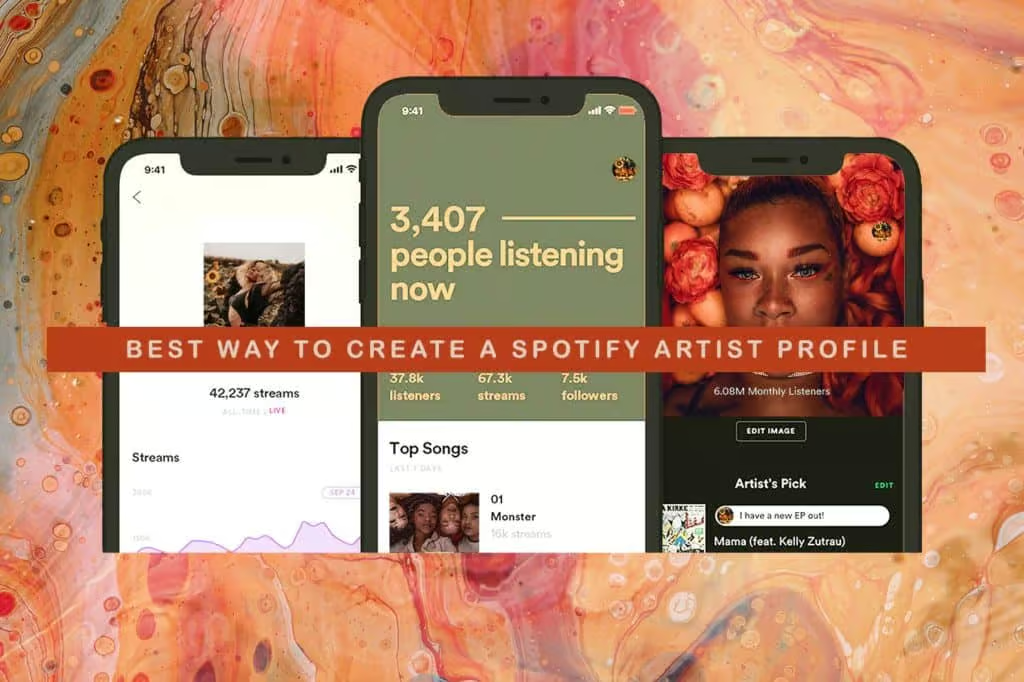
How To Use Spotify Playlists To Get More Fans: Boost Your Reach!

To use Spotify playlists for gaining more fans, actively curate engaging playlists and promote them online. Share your playlists on social media platforms to increase their visibility.


Spotify has become a powerhouse for music discovery, offering artists a dynamic platform to showcase their work and connect with fans. The strategic use of Spotify playlists can significantly boost an artist’s fan base by enhancing exposure. With millions of users curating and following playlists, your music stands a chance of reaching a global audience when included in popular collections.


Artists need to focus on creating compelling playlists that resonate with their brand and musical style, which encourages listeners to follow and share. This tactic not only increases your music’s reach but also establishes a stronger presence on one of the world’s leading music streaming services. Building relationships with playlist curators and leveraging promotional opportunities through the Spotify for Artists tool are key steps toward using playlists to expand your listener base.

How To Use Spotify Playlists To Get More Fans: Boost Your Reach!


Credit: blog.groover.co

Introduction To Spotify’s Influence


Boost Your Music Career with Spotify Playlists

Spotify reigns as a music giant with millions of tracks at your fingertips. It’s a game-changer for artists. This platform can skyrocket an unknown musician into a chart-topping sensation. Understanding Spotify’s ecosystem is vital for any music creator looking to expand their fanbase. Let’s explore the magic woven by playlists and how they can become your ladder to success.

The Power Of Playlists

Playlists are the heartbeat of Spotify. They’re more than just collections of songs; they’re pathways to new audiences. A feature on a popular playlist means exposure to millions of potential fans who are eager to discover their next favorite track. Think of playlists like modern-day radio stations, each one with its own flavor and fanbase.

Spotify’s Role In Music Discovery

Spotify isn’t just for listening; it’s for discovering. Its algorithms are like music matchmakers, connecting listeners to artists. When your music lands on a Spotify playlist, the platform’s discovery mechanism kicks into high gear, propelling your tunes into the spotlight. It’s a powerful tool for artists aiming to carve out their niche and grow their following.

Crafting Your Own Spotify Playlist

Spotify playlists stand as powerful tools to showcase musical taste. Playlists reach wider audiences. They also connect with fans on a deep, personal level. Crafting a playlist does more than just group songs. It shares a curated experience. It sparks engagement and grows your fanbase.

Selecting Tracks For Appeal

Start with understanding your audience. Think about their likes, moods, and activities. Aim for a blend of well-known hits and hidden gems. This approach keeps listeners intrigued and attached. Ensure a mix of:

  • Popular tracks: Songs with high streams
  • Underrated tunes: Quality tracks, less discovered
  • Your music: A few of your songs for exposure

Select tracks that flow. Cohesion keeps listeners. It encourages them to follow and share.

Organizing Your Playlist

Ordering songs shapes the listening journey. Aim for a vibe that transitions smoothly. An initial high energy song can captivate. Following with dynamic shifts maintains attention. Consider these steps:

  1. Start with an energetic track to grab attention
  2. Insert slower songs to create a narrative
  3. Use tempo changes to add excitement
  4. End with a memorable tune that lingers

Crafting a playlist is much like telling a story. It should have a clear beginning, middle, and end. The right structure makes it more likely for listeners to save and return to your playlist.

Remember to update your playlist regularly. Fresh content keeps it relevant. It gives people a reason to revisit. Regular updates show you’re active and engaged with your playlist.

Keep your playlist’s title, description, and image captivating. They should hint at the playlist’s mood and content. They should also include keywords for SEO.

Maximizing Playlist Exposure

Scaling your Spotify playlist’s reach can transform your music career. It’s about crafting the right message, sharing it creatively, and leveraging collaborations. Let’s dive into maximizing your Spotify playlist exposure to attract more fans.

Effective Use Of Social Media

Start by creating engaging content on platforms like Instagram, Twitter, and Facebook. Share your playlists with direct links to entice clicks. Use eye-catching graphics and compelling captions. Be consistent with your posts to keep your audience engaged. A great idea is to:

  • Create themed posts that relate to your playlist’s mood or genre.
  • Host live sessions discussing the songs and artists featured.
  • Interact with your followers by asking for their song suggestions.

Collaborating With Influencers

Influencer collaboration can elevate your playlist visibility. Identifying influencers who resonate with your music style is key. Reach out to them for shared efforts. Here’s how to approach collaboration:

  1. Shortlist influencers who engage with music similar to yours.
  2. Pitch a collaboration idea that benefits both parties.
  3. Create a unique hashtag for the campaign to track engagement.

Remember that authenticity shines through in all social media and influencer efforts.

How To Use Spotify Playlists To Get More Fans: Boost Your Reach!


Credit: dittomusic.com

Engaging With Your Audience

Engaging with your audience is key to expanding your music fan base on Spotify. It’s about forging a strong bond with listeners. This connection not only boosts your streams but can turn casual listeners into loyal fans. Your Spotify playlists are more than just collections of songs; they are tools to interact and grow your community. Use them to your advantage!

Encouraging Listener Interaction

To foster a vibrant community around your Spotify playlists, start with listener interaction. Make your fans feel like they are part of your musical journey. Here’s how you can encourage them:

  • Ask for song suggestions. Let fans feel involved by seeking their input on your next playlist update.
  • Share behind-the-scenes stories. Connect songs with personal anecdotes to deepen fan engagement.
  • Create themed playlists. Encourage fans to contribute to playlists for specific moods or occasions.
  • Organize contests. Excite fans with opportunities to feature their playlist ideas on your profile.

Personalizing Playlist Descriptions

Stand out by personalizing your playlist descriptions. This is your space to make a lasting impression. Let’s put your personality into words:

Tactic Impact
Inject your voice. Write as you speak to make descriptions feel more personal. Builds a genuine connection.
Use vivid imagery. Paint a picture of the playlist’s vibe. Enhances emotional appeal.
Tell a story. Link tracks with a narrative thread. Engages listeners more deeply.
Include fan shout-outs. Recognize fans who contribute to your playlists. Intensifies community feeling.

Remember, your playlists can be a powerful extension of your brand. Use these strategies to make them uniquely yours and engage your audience on a deeper level.

Leveraging Spotify’s Algorithm

Let’s dive into the intriguing world of Spotify’s algorithm— a powerful force that could be the ticket to amplifying your music reach. Understanding and using Spotify’s algorithm to your advantage can connect your tunes with countless new listeners. Ready to see how smart playlist strategies can turn the tide in your favor? Read on.

Understanding Spotify’s Music Algorithm

Spotify’s music algorithm acts like a matchmaker between songs and listeners. It analyzes listening habits, genre preferences, and countless other data points. To get noticed, your track must be on point.

  • Release music consistently to stay on the algorithm’s radar.
  • Encourage fans to save, share, and repeat your tracks.
  • Collaborate with artists in similar genres to cross-pollinate fan bases.

Every save, follow, and playlist add tells Spotify your music resonates with listeners. This feedback can boost your visibility on the platform.

Improving Your Playlist’s Discoverability

A well-curated playlist can work wonders for your visibility. Key pointers can elevate your playlist in the Spotify hierarchy. Here are smart tactics:

Tip Action Impact
Create a Catchy Title Include relevant keywords; avoid generic names Enhances searchability and appeal
Design an Eye-Catching Cover Use high-quality, unique images Attracts potential listeners
Curate with Care Mix popular with lesser-known tracks Increase playtime and engagement

Remember, Spotify favors playlists that keep listeners tuned in. Keep them up-to-date with fresh, relevant tunes. Aim for a diverse, dynamic selection that stands out.

Analyzing Listener Data

Analyzing Listener Data is a crucial step in using Spotify playlists to attract more fans. This data offers insights into who listens to your music and how they interact with it. By understanding listener behaviour, you can tailor your content to meet your audience’s preferences, helping to increase your fan base.

Interpreting Spotify Analytics

Spotify Analytics gives artists a glance into their music’s performance.

  • Streams: Count how often your songs are played.
  • Listeners: Show the number of people playing your tracks.
  • Followers: Reflect your growing fan base.

Look for trends in this data. High streams with low saves might suggest your track is catchy but not memorable.

Adapting To Audience Preferences

Adapt your content strategy to align with your audience’s tastes. Spot patterns in your analytics to understand what your listeners prefer.

Song Attributes Listener Feedback Action Plan
High Energy Tracks More Streams at Night Curate Playlists for Evening Listeners
Acoustic Versions High Saves Share More Acoustic Content

Remember to update your playlists with fan favorites and new finds that reflect their preferences.

Networking Within The Spotify Community

Spotify is not just a music streaming platform. It’s a social hub for artists and fans alike. For musicians looking to amplify their reach, effective networking within the Spotify community can create new fanbases. By engaging with playlist curators and music lovers, you raise your visibility. The secret sauce? Playlists. Let’s unpack how joining communities and befriending other curators can launch your music into the stratosphere.

Joining Playlist Exchange Forums

Delving into Spotify’s own Playlist Exchange is your first step. This forum allows you to share your playlists and discover others. Follow these simple tips:

  • Introduce yourself: Make sure to give a clear picture of your music style.
  • Share your playlists: Post them in the appropriate threads to reach the right audience.
  • Engage: Comment on other playlists, offer feedback, and suggest tracks. Brevity is key.

These forums are a goldmine for connecting with those who can help spread your sound.

Building Relationships With Other Playlist Curators

Fostering connections with playlist curators is crucial. Aim for authentic engagement:

  1. Research curators whose playlists resonate with your genre.
  2. Start a conversation. Compliment their playlist; authenticity shines.
  3. Propose a track exchange. Keep it relevant and respectful.

These relationships can lead to your music being featured on popular playlists, unlocking doors to legions of new listeners.


Continuous Playlist Improvement

Welcome to the world of Continuous Playlist Improvement, a crucial element for using Spotify playlists to gain more fans. A stellar playlist isn’t just about the initial curation; it’s about the art of keeping it fresh, relevant, and engaging over time.

Updating Your Playlist Content

To keep listeners coming back, regularly update your playlist. This signals active curation and can boost your playlist’s discoverability. Here are steps to keep your playlist exciting:

  • Assess tracks bi-weekly, ensuring they align with your playlist’s theme.
  • Remove songs that aren’t performing well or have been in the playlist for too long.
  • Add new, trending tracks to maintain freshness.
  • Promote emerging artists to give your playlist a unique edge.

Maintaining Engagement Over Time

It’s not just about the music; it’s about the community you build. Here’s how to maintain engagement:

  1. Interact with your listeners through playlist updates and comments.
  2. Encourage users to share the playlist, increasing its visibility.
  3. Connect your playlist to your social media to reach a wider audience.
  4. Consider creating themed series of playlists for different moods or seasons.

Remember, the goal is to keep fans invested by offering them a dynamic and interactive listening experience that has them hooked and coming back for more.

Success Stories

Discover the powerful impact of Spotify playlists through the experiences of artists who climbed the popularity ladder. Success on Spotify can seem elusive, but these stories shine a light on the transformative potential of a well-curated playlist.

Case Studies Of Successful Playlists

Real-world examples demonstrate the magic of playlist placement on Spotify. Here are tales of indie artists who soared to viral fame.

Artist Playlist Feature Outcome
Echo Dreamers New Indie Mix 10x stream boost
Melodic Rays Chill Tracks Featured on Radio
Sonic Journey Workout Hype Signed a record deal

Testimonials From Artists Who’ve Benefited

  • “Landing on a Spotify playlist was a game-changer. Our fan base skyrocketed overnight!” – The Chords

  • “Our streams doubled after featuring on a mood-based playlist. Unreal exposure!” – Harmony Grove

  • “We went from unknown to trending. All thanks to a summer hits playlist inclusion.” – Sunbeat

Conclusion: The Future Of Music Promotion On Spotify

The digital age has revolutionized the way artists connect with fans. As we gaze into the crystal ball of Spotify’s evolving platform, it’s clear that artists who harness the power of playlists will thrive. In this landscape, innovation and adaptability are key.

Embracing New Trends

Staying ahead means embracing the latest trends. Artists must explore new genres and curate playlists that reflect current listener preferences. Collaborations with influencers can skyrocket a song’s streams. Artists should keep an eye on Spotify’s algorithmic playlists like Discover Weekly. These are treasure troves for new fans.

  • Algorithm Exploration: Understand and use Spotify’s algorithms to your advantage.
  • Collaborative Playlists: Team up with other artists or influencers to reach wider audiences.
  • User-Curated vs. Spotify-Curated: Balance personal playlists with those generated by Spotify to maximize exposure.

Staying Adaptable And Engaged

Engagement is the currency on Spotify. Nimble artists swiftly respond to listener feedback. Artists should create interactive experiences. These might include playlist-related contests or virtual listening parties. The key is to build a community around your music, keeping fans engaged and coming back for more.

Engagement Strategy Description
Contests Drive interaction by hosting song contests.
Exclusive Content Offer sneak peeks or special versions of songs.
Feedback Loops Encourage and act on fan feedback.

As music promotion continues to evolve on Spotify, flexibility and innovation will be essential. Artists who recognize and adapt to these changes will stay at the forefront, captivating new audiences and keeping their fan base growing.

Frequently Asked Questions For How To Use Spotify Playlists To Get More Fans

How Do Spotify Playlists Increase Fan Engagement?

Spotify playlists help artists increase fan engagement by featuring their music alongside popular tracks. This placement can lead to new listeners discovering their work, potentially converting them into fans. Curated playlists also encourage repeat listens and shares on social media.

Can Spotify Playlists Boost An Artist’s Exposure?

Yes, being featured on a Spotify playlist can significantly boost an artist’s exposure. Playlists have a broad audience reach, which can introduce an artist to listeners worldwide. This can drive up stream counts and attract followers, growing an artist’s fan base.

What Are The Steps To Create A Spotify Playlist?

To create a Spotify playlist, open the Spotify app, click ‘Create Playlist,’ and give it a unique name. Add songs by searching for tracks or choosing from recommended songs. Customize with images and descriptions, then share your playlist to engage listeners and attract fans.

How Often Should I Update My Spotify Playlist?

Regular updates, ideally weekly or bi-weekly, keep a Spotify playlist fresh and engaging. Frequent updates encourage listeners to return, provide ongoing promotion for the featured artists, and maintain the playlist’s relevance, which can contribute to attracting more followers.

Conclusion

Harness the power of Spotify playlists effectively, and your fanbase could soar. Craft playlists with care, promote them creatively, and engage with your listeners consistently. By doing so, you’re not just sharing music; you’re building a community that resonates with your sound and your story.


Start curating, sharing, and connecting today for a more vibrant tomorrow.

Categories
Archive

The 4 Most Common Music Copyright Agreements: A Must-Know Guide

The four most common music copyright agreements are mechanical licenses, synchronization licenses, master licenses, and performance licenses. These agreements govern the reproduction, adaptation, recording, and public performance of music.


Understanding music copyright agreements is crucial for artists, producers, and content creators in the music industry. Navigating the complexities of these contracts ensures that all parties involved are fairly compensated and that their creative rights are protected. Mechanical licenses cover the audio-only reproduction of music, typically for physical or digital sale.


Synchronization licenses are necessary when music is paired with visual media, such as in movies or commercials. Master licenses grant permission to use a pre-recorded version of a song, whereas performance licenses are required for music played publicly, including on radio, in venues, or streamed online. Each agreement outlines specific terms for usage and distribution, which safeguard the economic rights of musicians and songwriters, and permit the legal dissemination of their work.


Introduction To Music Copyright Agreements

Introduction to Music Copyright Agreements shines light on the unseen scaffolds supporting creative melodies. Artists create; laws protect. This dance ensures that creators receive both credit and compensation for their work. Without a firm grasp of copyright agreements, even the most talented musicians might navigate the industry blindly, risking their art and income.

The Importance Of Knowing Your Rights

Musicians weave stories through sound; copyright law defends their narrative threads. Understanding these rights empowers artists. It guarantees protection and controls over their works, from radio play to online streaming. Knowledge shields against unauthorized use, ensuring artists reap rewards from their ingenuity.

  • Control over song distribution
  • Licensing deals aligning with artistic vision
  • Royalty collections sustaining creative careers

Navigating The Legal Landscape In Music

The legalities in music resemble a labyrinth. Tackling these complexities head-on demands vigilance. Contracts and agreements form the backbone of legal safety for artists. From sync licenses to recording contracts, these documents dictate the who, what, and how of music usage. Seasoned guidance simplifies this journey, clarifying terms and avoiding pitfalls.

Agreement Type Purpose Impact on Artist
Mechanical Licenses Music reproduction rights Royalties from sales
Performance Agreements Public performance rights Earnings from live venues
Sync Licenses Usage in visual media Control and payment for media use
Recording Contracts Record label artist agreements Career advancement potential

Mechanical Licenses

Mechanical Licenses are a cornerstone in the music industry, ensuring that composers and songwriters receive their due income. When a song plays on the radio, streams online, or sells as a physical copy, mechanical rights come into action. Dive into the world of mechanical licenses and discover how they safeguard musical works and enable profits.

Basics Of Mechanical Rights

Mechanical rights are legal permissions to reproduce and distribute a song. Without these rights, producing CDs, vinyl, or digital downloads would be impossible. Each time a song is duplicated, a mechanical royalty is due. Mechanical rights are essential for artists to thrive.

  • Mandatory for song reproduction
  • Trigger royalties with each copy
  • Controlled by copyright holders

How Mechanical Licenses Work For Artists And Writers

Mechanical licenses play a crucial role for artists and songwriters. They sign agreements with music publishers or licensing agencies to distribute their music. Every sale or stream leads to a royalty. This system helps creators get paid for their work.

  1. Song registration with a publishing entity
  2. Negotiation of mechanical rate per reproduction
  3. Royalties collected and paid out to rights owners

These licenses also empower collaboration. Cover versions or samples need mechanical licenses too. They grant the same protections, ensuring original creators earn from their music, no matter how it’s shared or sold.

Synchronization Licenses

Synchronization Licenses or “sync” licenses play a pivotal role in the music industry. They allow music to pair with visual media like films, TV shows, commercials, and video games. Understanding the intricacies of sync licenses ensures creators and rights holders properly manage and monetize their music alongside visual content.

Connecting Music With Visual Media

Sync licenses are essential when joining songs with visual elements. They ensure the legality of using tracks in various media. Creators seek the perfect song to enhance their visual stories, making this license a crucial step in creating impactful media experiences.

  • Music videos require synchronization between the song and the video.
  • Films use synced music to set the tone or mood.
  • Advertisements rely on music to create memorable commercials.
  • Video games integrate music to enrich gameplay.

The Synchronization Process And Negotiations

Obtaining a sync license involves a specific process with negotiations. The complexity of this process varies based on the music and media involved.

Step Action
1 Identify the right holder of the song.
2 Contact the holder for permission.
3 Negotiate terms and fees.
4 Finalize the agreement.

Fees for sync licenses vary based on factors like usage, duration, and exposure. The negotiation process can be complex and often requires legal expertise to ensure fair terms for both parties.

  1. Usage: How and where the music is used.
  2. Duration: Length of the music clip.
  3. Exposure: The expected reach of the visual media.

Performance Agreements

Artists and songwriters often wonder how their music translates into earnings when played live or broadcasted. Performance agreements are crucial contracts in the music industry. These contracts define how musicians get paid for live concerts and radio or TV broadcasts. Let’s dive into the intricacies of performance agreements and understand their importance.

Live And Broadcast Usage

Musicians sign performance agreements to earn money when their work is played. These agreements are negotiated with venues or broadcasters. The goal is to ensure fair compensation for artists during live events or when their music hits the airwaves.

  • Concerts: Musicians have agreements with event organizers. These agreements outline payments for live performances.
  • Radio Plays: Each time a song plays on the radio, artists earn. This is due to broadcast agreements.
  • TV Appearances: When music features on TV shows, artists receive payment. This is part of broadcast agreements as well.

Revenue Streams From Performances

Performance agreements open diverse revenue avenues for artists. Payments differ based on several factors. The size of the audience and the type of performance influence the revenue.

Type of Performance Revenue Example
Local Gigs Direct payments from smaller venues
Festivals Larger sums from event organizers
Radio Broadcast Performance royalties per play
Television Fees for using music on shows

Earnings from live shows are straightforward. Artists perform and get paid. Broadcast scenarios need a Rights Organization. This organization collects fees from broadcasters. Then, it pays artists their due royalties.

Master Use License

Understanding the Master Use License is key for any artist or producer looking to navigate the music industry’s legal landscape. This license is all about permission. It allows one to use a pre-existing piece of music, known as a master recording, in various forms of media. Securing a Master Use License is essential before reproducing or distributing someone else’s recorded song.

Master Recordings Control

The Master Use License is directly connected to the control of master recordings. The owner of the master recording—often a record label or artist—holds the rights to the original sound recording. This exclusive control means that anyone wishing to use the music in any commercial way must first obtain the owner’s explicit consent through a licensing agreement.

  • Without this license, using the music can lead to legal action.
  • The owner can set terms like duration, exclusivity, and territory.

Licensing For Reproduction And Distribution

When you obtain a Master Use License, you get the green light to reproduce and distribute the music. This can include:

  1. Using the song in a movie or TV show
  2. Incorporating the track in a commercial or video game
  3. Releasing a cover version of the song

The scope of the license can vary greatly. It can allow for anything from a one-time use in an indie film to a full-scale global advertising campaign. The terms are always up for negotiation, and fees will vary based on usage parameters.

Negotiating Copyright Agreements

Negotiating copyright agreements is a pivotal step for artists and music industry professionals. These agreements protect the rights of composers, musicians, record labels, and publishers. A well-negotiated contract ensures fair compensation and distribution of music. This section explores the essentials of negotiating music copyright agreements.

Common Terms And Clauses

In every copyright agreement, certain terms and clauses are critical. It’s important to understand these before signing.

  • Ownership Rights: Specifies who owns the music.
  • Royalties: Details how much and when you get paid.
  • Duration: Defines how long the agreement lasts.
  • Termination Rights: Explains how to end the agreement.

Other clauses may include rights to derivatives, sync rights for TV and movies, and performance rights. Each clause must serve your interests and career goals.

Seeking Legal Advice

It’s crucial to seek legal advice when reviewing a copyright agreement. Lawyers can help identify potential pitfalls and negotiate better terms.

Action Benefit
Review by a lawyer Ensures the agreement is fair and legal.
Negotiating May result in better compensation and rights.
Asking questions Clarifies any unclear terms in the agreement.

Understand that every contract is negotiable. Do not hesitate to ask for changes to terms that don’t favour your interests.

Copyright Infringement And Enforcement

Copyright Infringement and Enforcement is a vital topic for musicians, producers, and anyone involved in the music industry. Understanding these terms is crucial to protect music creations. In this section, we discuss recognizing infringements and legal measures to enforce copyright.

Recognizing And Responding To Infringements

Identifying an infringement involves knowing your rights. Any unauthorized use of protected music can be infringement. Quick action is essential. Follow these steps:

  1. Gather Evidence: Document the infringement with screenshots, URLs, and dates.
  2. Contact the Infringer: Send a cease and desist letter to stop the abuse.
  3. Seek Professional Help: Get in touch with a copyright lawyer for advice.
  4. File a Claim: Use DMCA takedowns or contact hosting services to remove content if necessary.

Legal Remedies And Protections

Several legal avenues are available to enforce copyright:

  • Copyright Registration: Register your work for stronger legal standing.
  • Litigation: File a lawsuit for serious cases of infringement.
  • Statutory Damages: Seek compensation for losses and punitive damages.
  • It’s important to act swiftly to minimize damage and uphold legal rights.

The 4 Most Common Music Copyright Agreements: A Must-Know Guide


Credit: store.nolo.com

The Role Of Collecting Societies

In the world of music, collecting societies play a key role. They exist to manage the rights of music creators and publishers. These societies license music on behalf of their members. They then collect and distribute royalties. This system is vital for ensuring artists and producers get paid for their work.

Collective Rights Management

Collective Rights Management is where collecting societies shine. These organizations track where and how music is used. This includes radio, TV, and online platforms. They negotiate agreements. This ensures fair compensation for the use of musical works.

  • Monitoring Usage: Societies keep tabs on music use across media.
  • Licensing: They issue licenses to music users, allowing legal use.
  • Collection of Fees: They collect fees from music users.
  • Distribution of Royalties: Royalties are paid to rights holders.

Benefits For Creators And Publishers

There are several Benefits for Creators and Publishers when it comes to collecting societies:

Benefit Description
Efficient Royalty Collection Societies streamline the process of collecting royalties.
Global Representation Musicians gain international representation for their works.
Legal Protection Collecting societies offer legal support against unauthorized use.
Focus on Art Artists can focus on creating music, leaving rights management to experts.

Adapting To The Digital Age

The music industry is changing. The rise of digital platforms has revolutionized how music finds its audience. In this fast-paced environment, understanding the most common music copyright agreements is critical. Adapting to the digital age means reimagining these agreements. Artists, producers, and labels must work in harmony with new technology. This ensures the fair distribution of revenues and the protection of rights in a digital world.

Emerging Technologies And Licensing

Music streaming services and digital downloads dominate the scene today. They require unique approaches to licensing. New technologies like blockchain and non-fungible tokens (NFTs) are now integral in tracking music ownership and usage. This supports artists and creators better. New music copyright agreements reflect these changes. They offer more flexible and transparent licensing terms.

  • Blockchain: This technology creates a secure and immutable ledger. It confirms ownership and licensing rights.
  • NFTs: Musicians and creators use NFTs to sell music directly. Fans own unique digital copies.
  • Micro-licensing: Short music clips find use in social media. New agreements cater to these micro-uses.

The Future Of Music Copyright Agreements

As the digital landscape evolves, so will the legal agreements that underpin the music industry. Expect to see copyright agreements that integrate with digital systems seamlessly. They may use algorithms to administer rights and payouts. This promises further empowerment for creators. The music copyright agreements of tomorrow will align with the artist’s and the audience’s needs.

Element Benefit
Automated Royalty Distribution Faster, error-free payments to artists
Real-Time Analytics Insightful data for decision-making
Smart Contracts Transparent, self-executing agreements

To conclude, emerging technologies open new doors. They shape how music is created, shared, and monetized. They even challenge the traditional legal frameworks. The music industry must embrace this change. This keeps the rights of all parties protected in the digital age.


Frequently Asked Questions For The 4 Most Common Music Copyright Agreements

What Are Music Copyright Agreements?

Music copyright agreements are legally binding contracts. They outline the rights, responsibilities, and royalties for music creators and users.

Types Of Music Copyright Contracts?

There are several types including synchronization, mechanical, performance, and master use licenses. Each governs different music usage rights.

How Does A Sync License Work?

A sync license permits the use of a song in audiovisual projects. It’s crucial for pairing music with commercials, films, or TV shows.

Can I Cover A Song Legally?

Covering a song legally requires a mechanical license. This agreement pays the original songwriters royalties.

Conclusion

Navigating music copyright agreements can be tricky. Understanding the core four is vital for artists and producers alike. Armed with this knowledge, you’re set to secure the rights and protections your music deserves. Remember, proper agreements are the bedrock of creative success and financial security in the industry.


Keep creating and protecting your work wisely.

Categories
Archive

There Was An Error When Closing The File Ableton Fixed: Quick Fix Guide

The “Error when closing the file” issue in Ableton can be resolved by updating to the latest version or resetting preferences. Users may encounter this error due to corrupted project files, outdated software, or configuration conflicts.


Ableton Live, the widely acclaimed digital audio workstation (DAW), is the go-to software for musicians and producers worldwide. Encountering errors like “There was an error when closing the file” can be a roadblock in the creative process. This error often points to issues within the software environment or project files themselves.


Addressing it promptly ensures that the creative flow remains uninterrupted, and the user can get back to producing music efficiently. By keeping the software up-to-date and checking system configurations, users can minimize occurrences of such errors, thereby maintaining a smooth production experience in Ableton Live.


Introduction To Ableton File Error

Ableton Live is a powerhouse for music creators, known for its robust features and seamless workflow. But sometimes, users face a dreaded hurdle: the error when closing a file. This glitch can disrupt the creative process, causing frustration and confusion. In essence, when this error pops up, saving progress becomes a tricky challenge, risking the loss of hard work and precious time.

Common Scenarios Triggering File Closing Error

Various triggers can lead to this save error. Some common scenarios include:

  • Insufficient User Permissions: Limited access can prevent file saving.
  • Corrupt Project Files: Damage to the project data may block closure.
  • Outdated Software: Running an older version of Ableton might cause issues.
  • Third-party Plug-ins: Conflicts with add-ons can lead to save errors.

Impact Of The Error On Music Production Workflow

Distracting and Disruptive: This error pulls artists away from their creative zone.

Time-Consuming: Fixing the error requires precious time, delaying projects.

Potential Data Loss: Unsaved changes might get lost if the error persists.

Accurately recognizing these triggers and understanding the impact they carry is vital for a smooth production experience. Producers need to address such errors swiftly to keep their workflow uninterrupted and their music projects safe.


Identifying The Error

Experiencing an error in Ableton can halt your creative flow. Identifying the error is the first step to a quick fix. Recognize what messages to watch for and when they’re likely to pop up. Let’s dive into understanding these Ableton hiccups.

Error Messages To Look Out For

Different messages may appear when there’s a hiccup with closing a file in Ableton. Here are common ones:

  • “Unexpected error occurred while closing.”
  • “Could not save the project.”
  • “The document could not be closed.”

Keep an eye out for these phrases. They suggest your work might not be saving properly.

When Does The Error Typically Occur?

Knowing when an error might strike helps you prepare. Common times include:

  • During project save operations – when you attempt to save your session.
  • While closing the program – particularly if the project hasn’t been saved.
  • When your system is under heavy load – too many tasks may overwhelm it.

Identify the patterns and stay ahead of errors.

Initial Quick Fixes

Experiencing the ‘There Was An Error When Closing The File’ message in Ableton Live can be frustrating. But don’t worry, quick fixes often solve the issue.

Let’s tackle common fixes to get Ableton back on track. Simple steps like restarting the program or updating can do wonders. Take a look below!

Restarting Ableton Live

First, close Ableton Live.

Then, wait a minute, and open it again.

This step can clear temporary glitches that cause errors.

Checking For Software Updates

  • Open Ableton Live.
  • Go to the Help menu.
  • Select Check for Updates.

Running the latest version prevents many known issues. Stay updated!

There Was An Error When Closing The File Ableton Fixed: Quick Fix Guide


Credit: www.reddit.com

File Management Solutions

Encountering an error when closing a file in Ableton can be frustrating. Crucial to avoiding this is good file management. This section covers key strategies for safe file handling and organization. These practices will help fix and prevent file closure errors in Ableton.

Proper file saving techniques

Proper File Saving Techniques

Saving your work correctly ensures no time spent on music production goes to waste. Learn how to save files in Ableton properly to avoid errors.

  • Use ‘Save Live Set As’ for new versions. This minimizes data loss risk.
  • Save frequently as you work. Shortcuts like Ctrl+S (Cmd+S on Mac) save time.
  • Choose proper file locations. Avoid saving to the desktop or temporary folders.
  • Backup your files regularly. Use external drives or cloud services for this purpose.

Organizing project files to prevent errors

Organizing Project Files To Prevent Errors

Well-organized project files reduce the risk of errors. Implement these tips to keep your Ableton projects tidy.

  • Create folders for each project. Label them clearly with the project name and date.
  • Keep all related files together. This includes samples, recordings, and presets.
  • Rename files logically. This helps you locate them quickly when needed.
  • Use ‘Collect All and Save’ in Ableton. It ensures all project components are in one folder.

System-level Troubleshooting

Ableton Live users have hit snags when closing files. Our focus forms on system-level solutions. These steps could turn the tide on that pesky error message.

Ensuring Compatible System Requirements

Your production journey should begin with confirming that your computer meets Ableton’s prescribed system specs. Compatibility reigns supreme when it comes to smooth operation.

OS Processor RAM Disk Space
Windows 10 or later / macOS X 10.13+ Intel® Core™ i5 processor or an AMD multi-core processor. 8 GB 3 GB free disk space on the system drive

Check the details against your setup to ensure your platform is primed for Ableton.

Update Drivers And Operating System

Out-of-date drivers or operating systems can lead to errors. Updating is essential for harmony between software and hardware.

  • Audio Interface Driver: Visit the manufacturer’s website for the latest version.
  • Graphics Driver: Use your system’s device manager or download directly from the GPU manufacturer.
  • Operating System: Check for updates in ‘Settings’ on Windows or ‘System Preferences’ on macOS.

Each update potentially clears glitches impeding Ableton’s performance.

Ableton Preferences Reset

Ableton users sometimes encounter file closing errors. A common solution: resetting Ableton Live preferences. This process can return the software to its default behavior. It often fixes glitches and errors that disrupt music production workflow. Below, find detailed instructions on how to reset preferences and steps to take afterward to maintain a smooth, error-free experience.

Steps To Reset Ableton Live Preferences

  1. Close Ableton Live to prepare for the reset process.
  2. Navigate to the preferences folder. Its location varies by operating system:
    • For Windows users, it’s typically found in C:Users[Username]AppDataRoamingAbletonLive x.x.xPreferences.
    • Mac users can find it under /Users/[Username]/Library/Preferences/Ableton/Live x.x.x/.
  3. Delete the Preferences.cfg file.
  4. Restart Ableton Live. It will create a new Preferences.cfg file.

Note: Always back up files before making changes to avoid data loss.

What To Do Post-reset To Avoid Future Errors

After resetting preferences, check these settings:

Setting Action
Audio Device Choose the correct driver and test for stable performance.
MIDI Settings Ensure devices are recognized and configured correctly.
Plug-ins Re-enable VSTs/AUs one at a time to pinpoint problematic ones.

Consider updating drivers and operating system to the latest versions. Regularly save and back up projects. Finally, keep your Ableton Live updated to access the latest fixes and enhancements.

Third-party Plug-ins And Vst Management

Ableton Live users often style their music with third-party plug-ins and VSTs. These tools add new sounds and effects. But they can cause errors. A common issue is ‘There was an error when closing the file’. Good plug-in management fixes this. Follow along to learn how.

Identifying Problematic Plug-ins

Spotting troublesome plug-ins is your first step.

  1. Start Ableton with no Third-party VSTs loaded.
  2. If no error, add plug-ins one by one.
  3. When the error appears, you found the culprit.

Keep a list of plug-ins that don’t work well. You may need to remove or update them.

Ensuring Compatibility And Updates For Vsts

Updates and compatibility checks keep VSTs running well.

Check your plug-ins:

  • Use only compatible plug-ins for your Ableton version.
  • Download the latest updates from the manufacturer’s site.
  • Run the VST’s dedicated update utility if available.

Regular plug-in maintenance avoids many errors. This keeps your music production smooth.

Advanced Solutions

Encountering an error when closing a file in Ableton Live can be frustrating. While basic troubleshooting works for many, some users may need advanced solutions. These steps address persistent issues potentially caused by deeper system or application conflicts.

Reinstalling Ableton Live

Sometimes, a clean installation is the key. It removes corrupt files and restores default settings. Here’s a guide to reinstall Ableton Live:

  1. Uninstall the current version of Ableton Live from your computer.
  2. Download the latest version from the official website.
  3. Install Ableton Live by following the on-screen instructions.
  4. Restart your computer to ensure changes take effect.

Reinstalling can refresh the software environment, clearing errors like the one encountered when closing files.

Contacting Support For Unresolved Issues

When all else fails, reaching out to Ableton support is a smart move. Provide them with:

  • Error messages and screenshots if possible.
  • Details about your computer’s operating system and hardware.
  • Recent changes you’ve made to your setup.
  • Steps you’ve already taken to fix the problem.

Ableton’s team can provide expert advice and tailored solutions. They ensure users get back to making music with minimal disruption.

Preventive Measures And Best Practices

Welcome to the essential guide on preventive measures and best practices to avoid the dreaded ‘There Was An Error When Closing The File’ message in Ableton Live. These steps are vital for any music producer looking to maintain a seamless workflow. Let’s jump right into keeping your sessions safe and sound!

Regular Backups And Versioning

Keeping your music projects secure starts with regular backups. Nothing is more heartbreaking than losing hours of work to unexpected errors. Adopt these habits to safeguard your creations:

  • Create daily backups of your projects.
  • Use external drives or cloud services for extra security.
  • Versioning tracks the progress and changes you make. It lets you go back to previous versions if needed.


File > Save Live Set As > Add Date/Version to File Name

Automate the process if you can. Software like Time Machine for Mac or File History on Windows can back up your files regularly.

Staying Informed About Updates And Bugs

No software is bug-free, and Ableton Live is no exception. To ensure a smoother experience:

  1. Always read patch notes for the latest updates.
  2. Check online forums and community boards for bug reports and fixes.
  3. Install updates as soon as they’re available.

By staying updated, you are less likely to encounter known issues, and you will be taking advantage of improvements and new features that can enhance your music production experience.

Action Reason
Update Regularly Fewer Bugs / Latest Features
Monitor Forums Community Insights
Read Patch Notes Stay Informed on Changes

Remember, taking these steps can not only prevent errors but also enhance your overall music production quality. Your creative workflow deserves the best defense strategy against potential data loss and software issues.

There Was An Error When Closing The File Ableton Fixed: Quick Fix Guide


Credit: www.whippedcreamsounds.com

Summary And Additional Resources

Experiencing an error when closing a file in Ableton can halt your creative flow. Our ‘Summary and Additional Resources’ section is here to ensure you conquer this hiccup effortlessly. Let’s dive into the essential fixes and discover where you can seek further assistance and connect with fellow Ableton users to keep your music production smooth and error-free.

Recap Of Fixes For The File Error Issue

Facing the file error in Ableton can be frustrating. You want a quick solution to get back to making music. Below is a recap of proven fixes:

  • Update Ableton Live: Ensure you have the latest version.
  • Check File Permissions: Modify permissions to allow full access.
  • Clean Up Disk Space: Free up your hard drive to prevent issues.
  • Reinstall Ableton: Sometimes a fresh install is the best fix.

Following these steps should resolve your file-saving concerns and improve your experience with Ableton Live.

Where To Find More Help And Community Forums

Don’t navigate these errors alone. There’s a wealth of resources available to help:

Resource How It Helps Location
Ableton Support Official assistance from the Ableton team ableton.com/support
User Forums Advice from experienced peers forum.ableton.com
Social Media Groups Real-time discussions and tips Facebook, Reddit

Reaching out to these platforms can provide solutions that are both insightful and practical.

Frequently Asked Questions On There Was An Error When Closing The File Ableton Fixed

Why Does Ableton Give File Closing Errors?

File closing errors in Ableton often happen due to issues with permissions, corrupt project files, or problems with external hardware. Ensure you have the proper write permissions, and check for software updates or hardware conflicts to resolve these errors.

How Can I Fix File Errors In Ableton?

To fix file errors in Ableton, try running the software as an administrator, checking for updates, or reinstalling Ableton. Also, consider removing any malfunctioning VST plugins and ensuring your file paths are correct and accessible.

What Causes Ableton To Not Close Files?

Ableton may not close files due to corrupted session data, conflicts with third-party plugins, or inadequate system resources. Closing other applications and freeing up RAM may help. Consistently save projects to prevent data loss.

Is There A Patch For Ableton File Closing Issues?

As of my knowledge cutoff in 2023, Ableton may release patches for known issues. Keep your software updated by downloading the latest version from the official website. This ensures that any known bugs, including file closing issues, are addressed.

Conclusion

Navigating Ableton’s file closure error can be frustrating. Our guide has aimed to equip you with practical fixes to resolve this annoyance efficiently. By applying the solutions discussed, you can return to creating music seamlessly. Remember, keeping Ableton up-to-date is key to preventing similar issues.


Happy music production!

Categories
Archive

What is Spotify Artist Radio?: Unveiling Audio Alchemy

Spotify Artist Radio is a feature within the Spotify platform that creates a station based on the music of a specific artist. It curates a playlist with tracks from that artist and related music.


Spotify has revolutionized the way we discover and enjoy music, with its Artist Radio feature playing a significant role. By selecting an artist you love, Spotify generates a personalized stream of songs tailored to your musical preferences. This seamless mix of the artist’s tracks and songs by similar artists ensures a continuous listening experience that helps you uncover new favorites while enjoying the tunes you already adore.


Ideal for both music aficionados and casual listeners, the Artist Radio function acts as your personal DJ, keeping the vibe going without interruption. It’s one of the many ways Spotify engages users and keeps them connected to an ever-evolving musical landscape.


Introduction To Spotify Artist Radio

Imagine a world where music flows seamlessly based on your taste. Spotify Artist Radio turns this dream into reality. It’s a personalized station with endless tracks from your favorite artists and others with a similar vibe. It’s your own musical journey, crafted just for you, with songs playing non-stop. This introduction explores the magical beginnings of personalized streaming and how Spotify revolutionizes the radio experience.

Beginnings Of Personalized Streaming

The concept of music tailored to your taste has a rich history. It started with mixtapes and grew with technology. Personalized streaming now lets algorithms create a unique listening experience. With every song you play, these algorithms learn more about what makes your feet tap.

Spotify’s Approach To Radio

Spotify Artist Radio digs into your music preferences. It builds a bridge between what you love and fresh tracks awaiting discovery. This radio feature stands out by blending your favorite artists’ sounds with new tunes, effortlessly. It’s like a friend who knows your music taste and always has great recommendations.


The Magic Behind Artist Radio

Have you ever wondered how Spotify seems to know exactly what you want to hear? The secret lies within their Artist Radio feature. It’s like a musical crystal ball, predicting songs you’ll love, based on your favorite artists. Balance curiosity and excitement as we dive into the world of algorithmic playlists and tailored tunes.

Algorithm At Play

Spotify’s Artist Radio isn’t just random; it’s a complex mix of technology and music know-how. An algorithm works tirelessly, scanning your music preferences and listening habits.

  • It examines the songs you play the most.
  • It spots patterns in genres and beats.
  • It pairs this data with songs from similar artists.

Together, these points create a playlist as unique as your own taste in music. Let’s peek at how this tech curates tracks especially for you.

Curating A Unique Listening Experience

Each Artist Radio station is a journey—an exclusive mix with your musical DNA as the blueprint.

Spotify considers more than your favorite tracks; it looks at what other listeners enjoy. The Artist Radio stitches together a playlist that includes:

Listening Elements What Spotify Does
Similar Artists Picks tracks from artists with a similar style.
New Releases Adds in fresh songs for a taste of the new.
Deep Cuts Incorporates lesser-known tracks for discovery.

The result is an ever-evolving soundtrack. Your Artist Radio morphs and grows with your musical journey. Dive in and let Spotify lead the way to your next favorite song.

Navigating Spotify’s Artist Radio

Imagine enjoying an endless mix of music tailored to your taste. Spotify’s Artist Radio offers just that. It crafts a personalized station with songs from similar artists, influenced by your chosen musician. This feature is perfect for discovering new tunes that resonate with your musical preferences.

Starting Your Musical Journey

Embarking on your musical adventure is simple.

  • Open Spotify and search for your favorite artist.
  • Click on the artist’s profile.
  • Look for the ‘Radio’ tab next to their top tracks.
  • Select ‘Go to Artist Radio’ to start streaming.

Spotify crafts a unique playlist combining the artist’s tracks with other similar music. The radio continuously evolves, adding new songs as your tastes develop.

Interacting With The Artist Radio

Interaction is key for a curated experience on Spotify’s Artist Radio.

  1. Use the thumbs up to ‘like’ a song. This tells Spotify to play more of that style.
  2. The thumbs down button removes a track from your station.
  3. Save any song you love to your personal playlists for easy access later.

Engage with your Artist Radio to fine-tune it to your liking, making it a reliable source for music you’ll love.

Benefits For Listeners

Spotify Artist Radio offers unique benefits for people who love music. Users enjoy endless streams of songs from their favorite artists. They also discover new tunes effortlessly. This service shapes a personal music experience. Let’s explore the advantages this feature provides.

Discovering New Music Seamlessly

Finding fresh sounds is thrilling. Spotify Artist Radio makes it simple. It’s like a music adventure where each track leads to another discovery. Listeners uncover hidden gems without searching for hours. Music lovers get a mix of familiar and new artists. It’s a surprise playlist, every time.

  • Never-ending variety: New songs keep playing.
  • Easy exploration: Just press play and find new favorites.
  • Smart suggestions: Spotify uses listening habits to suggest tracks.

Creating A Personally Tailored Soundtrack

Everyone loves music that speaks to them. Spotify Artist Radio curates playlists just for you. Your history, likes, and preferences shape this soundtrack. This personalized station evolves with your taste. Enjoy a soundtrack that fits every moment of your day.

  • Personal touch: Your likes craft the playlist.
  • Dynamic playlists: Songs change as your taste does.
  • All mood coverage: Music for every emotion and occasion.

Advantages For Artists

Spotify Artist Radio is a game changer for musicians. It turns Spotify into a powerful tool. Artists of all sizes can reap huge benefits. Think of it as your personal music wave, spreading your sounds across the ocean of listeners. It’s not just about playing your tunes. It’s a ladder for climbing the music charts.

Gaining Exposure And Fans

For artists, exposure is key. Spotify Artist Radio puts your music in the spotlight. Imagine having your tracks played alongside famous songs. Your sound reaches ears that may have never found you. This way, you don’t just get listeners; you earn fans.

  • Automatic playlisting of your music with similar genres
  • New listeners discover your tracks
  • Opportunity to be featured on various radios

Analytics And Feedback For Creators

Feedback powers growth. Spotify Artist Radio gives real-time insights. Artists like you can see who’s tuning in. You learn what works and what doesn’t.

Analytics Tool Benefits
Listener Demographics Understand your audience better
Track Performance See which songs are hits
Real-time Feedback Adapt quickly to listener trends

With this data, you tailor your music to fan taste. You also use this feedback to create even more engaging songs. It’s like having a compass that leads to musical success.

What is Spotify Artist Radio?: Unveiling Audio Alchemy


Credit: unitlondon.com

Spotify’s Competitive Edge In Streaming

Spotify leads the music streaming world for a reason. It offers unique features that others don’t. Users love its easy-to-use platform and the infinite music collection. Artist Radio is a crown jewel. It creates a personalized stream of songs. It’s for fans of a specific artist. Spotify adds songs that fit the style and vibe.

Comparison With Other Music Radio Services

Spotify stands out in the crowd. Other services like Pandora have their pros, but Spotify’s Artist Radio is different.

Feature Spotify Others
Personalization High Varies
Song Library Extensive Limited
User Control More interactive Less interactive

Innovative Features And User Engagement

Spotify knows how to keep users hooked. Its Artist Radio is a smart tool.

  • Daily Mixes: Tailored playlists for every mood
  • Discover Weekly: New music every week
  • Playlists: Endless with no repeats

Spotify engages users more. Interactivity is key. You can create, share, and enjoy endless mixes with ease.

Artist Radio’s Impact On The Music Industry

The music industry constantly evolves, and Spotify’s Artist Radio stands as a stark example of this continuous transformation. By offering personalized radio stations centered on individual artists, Spotify not only shifts how music lovers interact with their favorite tunes, but also how artists themselves approach the creation and distribution of their music.

Changing The Way We Discover Music

Spotify’s Artist Radio alters the landscape of musical discovery. Listeners now enjoy a seamless journey through an artist’s catalog, often stumbling upon new favorites. This feature leverages Spotify’s vast data, recommending songs with precision. Music fans dive deep into genres and subgenres, expanding their musical horizons with ease.

  • Endless Exploration: Tracks from similar artists weave into the radio, creating an unending mix.
  • Personalized Playlists: These radios adapt over time to match user preferences, offering a tailored experience.
  • Discovery for All: New and established artists gain exposure, connecting with potential fans around the globe.

Influence On Music Production And Release Strategies

Artist Radio not only touches listeners but also influences how artists create and release music. Data-driven insights shape the sound and strategy.

Area Impact
Production Artists analyze trends to craft songs that resonate with streaming audiences.
Release Timing Optimal drop times are chosen based on listener habits.
Marketing Campaigns target potential fans discovered through similar Artist Radios.

Artists now consider the digital ecosystem as part of their creative process. They fine-tune their music to fit into the streaming narrative. Spotify’s analytics provide a roadmap for success, guiding artists to meet listeners where they are most engaged.

Future Of Digital Music Curation

The Future of Digital Music Curation is transforming how we discover and enjoy new tunes. Spotify Artist Radio isn’t just a playlist; it represents the next wave in customized music enjoyment. By blending user preferences with complex algorithms, Spotify Artist Radio offers an endless stream of music tailored to your taste.

Technological Advances On The Horizon

The music industry is buzzing with the potential of upcoming tech. Innovative algorithms and artificial intelligence stand at the forefront of these advances. These technologies aim to enhance music discovery, making it a more personalized experience.

  • Machine Learning: Improves over time to fine-tune your music recommendations.
  • Smart Assistants: Use voice commands to discover new Artist Radios.
  • High-Fidelity Streaming: Offers studio-quality playback for the best sound.

Predicting Trends And Tailoring Experiences

Spotify’s analytical tools don’t just track what you listen to; they predict what you’ll love next. Anticipating music trends becomes effortless with data analytics.

Data Point Function
Listening History Creates a base for your music profile
User Engagement Identifies how you interact with tracks
Social Shares Links music preferences with your social circle

As the system learns your habits, the curation becomes more precise, leading to a deeply personalized listening experience.

Maximizing Your Artist Radio Experience

Maximizing Your Artist Radio Experience on Spotify is a journey into musical discovery. This personalized feature plays songs from various artists similar to the one you started with. It gives you an ever-evolving playlist based on your musical taste. Enhance your listening adventures or amplify your presence as an artist with targeted strategies for the best Spotify Artist Radio experience.

Tips For Listeners

For listeners eager to dive deeper into their favorite genres, here are ways to get the most from Artist Radio:

  • Start with your favorite. Choose an artist you love to kickstart a tailored radio stream.
  • Like and dislike songs. Use the thumbs up or down to refine your radio’s playlist.
  • Save favorites. Add songs you love to your personal playlists.
  • Discover new music. Artist Radio introduces you to tracks beyond your regular playlists.
  • Share the vibe. Send friends links to your Artist Radio for shared listening.

Strategies For Artists

Artists looking to maximize their reach can use these tactics:

  1. Engage your fanbase. Encourage fans to start a radio from your tracks.
  2. Update regularly. Keep releasing new music to stay relevant on radios.
  3. Share your radio. Promote your Artist Radio on social media and websites.
  4. Monitor your data. Use Spotify for Artists to see who’s tuning in.
  5. Cross-promote. Collaborate with similar artists to feature on each other’s radios.

Conclusion: The Essence Of Spotify Artist Radio

Spotify Artist Radio stands as a modern homage to traditional radio experiences. It adds a personal twist, tailoring music discoveries to individual tastes. It’s here where fans relive the anticipation of radio while enjoying sounds chosen just for them.

Recapturing The Magic Of Radio

Spotify Artist Radio breathes life into the classic radio concept. It picks up where old-school DJs left off. Listeners get a mix of familiar tunes and new ones. This blend rekindles the surprising element of radio’s golden days.

A look back to hit radio shows of the past:

  • Mix of chart-toppers with hidden gems
  • Music curated with the listener in mind
  • Seamless transitions between songs

Spotify replicates this experience, using algorithms and user data. It ensures every song resonates with the listener, creating a personalized soundtrack.

Embracing The Personalized Audio Journey

Personalization is the core of Spotify Artist Radio. Everyone’s audio journey is unique. Spotify honors this by crafting stations different for each user. It’s a music voyage that’s both personal and endless.

The personal touch of Spotify Artist Radio includes:

Feature Description
User Preferences Tailors selections to your likes
Discovery Introduces new artists and songs
Unlimited Skips Control what you listen to

Through its dynamic stations, Spotify ensures that the spirit of radio— discovery, nostalgia, and connection—thrives in the digital age. Spotify Artist Radio serves not merely as a listening platform. It’s an interactive journey shaped by each listener’s personal music narrative.


Frequently Asked Questions For What Is Spotify Artist Radio

What Is Spotify Artist Radio?

Spotify Artist Radio is a feature on Spotify that creates a personalized station. It includes songs by the selected artist and similar music by other artists. This is ideal for discovering new music tailored to your taste.

How To Start An Artist Radio On Spotify?

To start an Artist Radio on Spotify, go to the artist’s profile. Click on the ‘Radio’ tab or the ‘Go to Radio’ button. Spotify will automatically generate a playlist based on the artist’s style and influences.

Can You Save Spotify Artist Radios?

Yes, you can save Spotify Artist Radios by adding the radio playlist to your library. Simply click the ‘Follow’ button at the top of the Artist Radio playlist. This allows you to easily revisit and play it whenever you want.

Are Spotify Artist Radios Different For Each User?

Spotify Artist Radios are personalized for each user. They consider your listening history and preferences. This means two people may have different tracks in the same artist’s radio.

Conclusion

Spotify’s Artist Radio offers a personalized listening journey tailored to your tastes. It’s a gateway to new musical landscapes, fueled by your favorite artists. Dive in and let the algorithm curate a soundtrack that’s uniquely yours. Embrace the endless discovery; your next favorite song awaits.

Categories
Archive

Which One is Better Ableton or FL Studio? Ultimate Face-Off

Choosing between Ableton Live and FL Studio depends on your workflow and genre focus. Ableton excels in live performance and electronic music production, while FL Studio is praised for its intuitive pattern-based sequencing and comprehensive stock plugins.


Deciding on the right digital audio workstation (DAW) can be crucial for any music producer or live performer. Both Ableton Live and FL Studio are powerhouse tools, each with unique features that cater to different aspects of music production. Music creators often praise Ableton for its seamless live performance capabilities and its strong suit in handling electronic and experimental genres.


On the other hand, FL Studio is often recognized for its user-friendly interface, making it a favorite among new producers, as well as hip-hop and EDM creators. Each software has a loyal user base and an array of professional features that can take your music to the next level, so your personal preference in workflow and genre will largely dictate the better choice for your needs.

Which One is Better: Ableton or FL Studio? Ultimate Face-Off


Credit: www.sweetwater.com

Intro To The Titans: Ableton Vs Fl Studio

Welcome to the ultimate showdown in the digital audio workstation (DAW) arena ‘Intro to the Titans: Ableton vs FL Studio’. Steps into the ring two industry powerhouses: Ableton Live and FL Studio. Both have been instrumental in shaping the music production landscape, launching careers, and fueling creative expressions across genres. Join us as we unveil their strengths, differences, and impact on the music scene.

Initial Impressions

First encounters with a DAW can be daunting or inviting. Ableton Live boasts a streamlined interface, with its Session View providing an intuitive platform for improvisation and live performances. FL Studio, on the other hand, is often celebrated for its loop-based sequencer and easy grasp for newcomers with its pattern-based workflow.

Ableton Live FL Studio
Interface Streamlined, Intuitive Pattern-Based, User-Friendly
Workflow Nonlinear, Session View Linear, Pattern Sequencer
Best For Live Performance, Experimentation Beat Making, Beginners

Current Music Industry Impact

Both Ableton and FL Studio are vital cogs in today’s music production machinery. Ableton Live excels in live settings and is thus a favorite among performers. FL Studio’s user-friendly interface and robust features make it a go-to for beatmakers and producers, fostering innovation in hip hop and EDM. The preference often boils down to personal style and production needs.

  • Ableton Live: Preferred DAW for live artists and experimental producers.
  • FL Studio: Dominates the beat production scene, appealing to beginners and professionals alike.

A Deep Dive Into Ableton Live

Embarking on a musical journey often leads to a vital question: which software to choose? Ableton Live stands out in the digital audio workstation (DAW) landscape with its distinctive features. Geared towards both production and live performance, Ableton Live shines with its versatility.

Key Features

Ableton Live’s robust foundation springs from its various features.

  • Session View: A non-linear approach to music creation.
  • Warping: Seamless audio stretching and manipulation.
  • Automation: Precise control over parameters within clips.
  • Max for Live: Infuses customizable plugins and tools.

Ease Of Use And Workflow

A first glance at Ableton Live reveals a clean, intuitive interface.

  • Dual views catering to different stages of production.
  • Drag-and-drop functionality simplifies workflow.
  • Contextual info provides tips and tricks on-the-go.

Unique Tools And Integrations

What sets Ableton Live apart? Its arsenal of unique tools and integrations.

  • Built-in instruments and effects rival premium plugins.
  • Max for Live: Exponential potential for sound design.
  • Extensive MIDI controller support for seamless hardware integration.

Exploring The World Of Fl Studio

FL Studio shines as a powerhouse for electronic music production. Famous for its slick design and ease of use, learning curves bow down to its intuitiveness. Creators love its endless possibilities. Let’s dive into what makes FL Studio a go-to for many musicians and producers.

Signature Elements

Under the hood of FL Studio, you’ll find unique features setting it apart. It boasts:

  • Step Sequencer: For quick beat-making.
  • Piano Roll: For intricate note editing and control.
  • Mixer: With flexible routing and chains, sound shaping is limitless.

User Interface And Creativity

User-friendliness stands at the core of FL Studio’s UI. With its:

  1. Color-coded channel racks
  2. Drag-and-drop functionality
  3. Customizable layouts

Even beginners find expressing creativity effortless.

Expansion And Plugin Support

FL Studio’s flexibility shows in its expansion and plugin support:

  • Vast built-in plugin library
  • Support for VSTs, ensuring endless sound exploration
  • Free lifetime updates mean your setup grows with you

Whether you’re crafting beats, designing soundscapes, or composing melodies, FL Studio’s robust toolkit adapts to your evolving style and needs.

Performance And Efficiency Showdown

Welcome to the Performance and Efficiency Showdown between Ableton Live and FL Studio. These digital audio workstations (DAWs) are giants in the music production arena. We’re diving into how they manage CPU loads and latency, plus their suitability for live performances. Which will come out on top? Let’s break it down and see which DAW ensures a seamless creative process for producers.

Cpu Load And Latency

Both Ableton and FL Studio need to run smoothly to aid your music production. The CPU Load refers to how much of your computer’s processing power the software uses.

Ableton Live FL Studio
Moderate CPU usage Efficient CPU usage
Precise handling with simpler projects Handles complex projects with ease
Optimal with proper settings Optimized for various systems

Latency is the delay before a transfer of audio. It needs to be low for a good experience. Ableton Live offers built-in latency compensation. FL Studio has adjustable buffer lengths.

  • Ableton Live: Advanced latency management
  • FL Studio: Customizable for minimal delay

Live Performance Suitability

Live performance is where a DAW shows its true colors. Ableton Live is named for its onstage prowess. Its Session View lets you trigger clips on the fly. This makes it a powerhouse for live setups.

  • Session View for dynamic performance
  • Highly stable under pressure

FL Studio offers the Performance Mode. This feature allows for live triggering and clip manipulation. FL Studio is user-friendly but is less popular for stage performances.

  • Performance Mode designed for live use
  • Less commonly used in concert settings

Each DAW brings something special to the table. They cater to different aspects of performance and efficiency. Your choice might hinge on whether you are more studio-focused or stage-ready.

Pricing And Value For Money

Choosing between Ableton and FL Studio often comes down to cost. Both offer different versions, each with unique features. Knowing the pricing and value for money is essential when selecting a digital audio workstation (DAW). This will help you pick the right one for your music production needs without breaking the bank.

Investment Costs

Ableton and FL Studio both have tiered pricing structures. These allow users to buy according to their budget and needs.

  • Ableton Live Intro: Entry-level version suitable for beginners.
  • Ableton Live Standard: Includes more features than Intro for advanced users.
  • Ableton Live Suite: Complete package with all features and sounds.

Similarly, for FL Studio:

  • FL Studio Fruity: Basic edition for newcomers.
  • FL Studio Producer: More capabilities for serious producers.
  • FL Studio Signature: Adds more effects and instruments.

Ableton and FL Studio also offer demo versions. These demos let you try before you buy. Always check the latest prices on their websites. Sales and discounts can provide great value.

Long-term Value

Both DAWs are investments that grow with you. Think about your future needs and not just the present. Look at what each version offers and how it aligns with your goals.

Ableton FL Studio
Free Updates Limited to minor updates Life-time free updates
Community and Resources Vast Extensive
Expandability Yes, through Max for Live Yes, with plugins

FL Studio’s lifetime free updates give long-term value. Once you buy it, you own all future versions. Ableton charges for major updates. However, Ableton’s Suite version offers Max for Live. This feature brings endless creative possibilities.

Both DAWs come with support and educational materials. These enhance your skills and often outweigh initial costs. A community of users can also guide and inspire you. Your choice might be influenced by the style of music you want to make. Each DAW caters to different creative workflows.

The Community And Support Factor

The Community and Support Factor:
Choosing between Ableton and FL Studio often goes beyond software capabilities.
The community and support services available can heavily influence your user experience.
Let’s dive into the worlds of Ableton and FL Studio to see what community and support they offer.

Online Resources And Forums

Both Ableton and FL Studio boast a plethora of online resources ready to assist you on your music production journey.

  • Ableton offers:
    • An extensive knowledge base with tutorials.
    • Official Ableton forums for peer support.
    • Free project files from established artists.
  • FL Studio is known for:
    • A massive, active user forum for help and tips.
    • Countless YouTube tutorials, many from renowned producers.
    • Regular, community-driven beat-making contests.

The wealth of information ensures you’re never stuck without help for long.

Customer Support Services

Direct support from the developers can make a world of difference.

Service Ableton FL Studio
Email Support Yes, with detailed responses. Yes, known for quick replies.
Phone Support Limited to business hours. Not available.
Live Chat Not available. Yes, for instant help.

Ableton shines with in-depth email support, while FL Studio offers quick help through its live chat feature.

Success Stories And Industry Proponents

Exploring the high-tier terrain of digital audio workstations (DAWs) unleashes tales of musical grandeur. Ableton Live and FL Studio stand tall, their banners waving in the virtual winds of the music industry. Bursting with success stories, each DAW boasts an army of proponents formulating chart-topping hits and shaping the future of music.

Famous Ableton Users

Ableton Live has become the go-to canvas for many of music’s visionaries, known for its streamlined workflow and robust live performance capabilities. The software brims with features that make music creation feel intuitive, allowing artists to focus on innovation.

  • Deadmau5 – Legendary for progressive house tracks and spectacular live shows, Deadmau5 designs his sonic masterpieces using Ableton Live.
  • Diplo – This global superstar taps into Ableton’s power to forge his trademark beats, appealing to audiences worldwide.
  • Skrillex – The king of dubstep, Skrillex, harnesses Ableton’s prowess to deliver his earth-shattering drops and intricate sounds.

Fl Studio’s Championed Producers

FL Studio, with its rich palette of tools and hypnotic step sequencer, serves as the foundation for artists preferring a pattern-based approach. Renowned for its signature sound manipulation features, FL Studio excels in the hands of these maestros:

Producer Notable Works
Martin Garrix Animals, In the Name of Love
Metro Boomin Bad and Boujee, Congratulations
Avicii Levels, Wake Me Up

These epic tales paint a clear picture: choice of DAW intertwines with personal style and workflow preference. Whether opting for the live performance might of Ableton or the pattern-based precision of FL Studio, success stories abound, guiding new artists to their perfect DAW fit.


Personalizing The Experience: Which Suits You Best?

Welcome to the debate of the ages for producers and music enthusiasts alike – the classic showdown between Ableton and FL Studio. Each digital audio workstation has its strengths, but the best fit for you hinges on your personal production style and needs. Let’s break down the nuances of personalizing your music-making experience with these powerhouses.

Considering Music Genres

Your preferred music genre might steer you towards one platform over the other. Ableton, known for its stellar live performance features, is often the go-to choice for electronic and experimental composers. Its intuitive session view offers a playground for improvisation and live arrangement – perfect for DJs and live performers.

In contrast, FL Studio shines with its pattern-based sequencing, a favorite amongst hip-hop and EDM producers. It’s a powerhouse for beat-making and loop-creation, with an interface that makes intricate pattern and melody crafting a breeze.

Learning Curve And Skill Level

Add value to your music-making journey by selecting a DAW that aligns with your skill level. FL Studio is often praised for its user-friendly interface, making it a solid choice for beginners.

With a wide range of tutorials and a community willing to help, new users find FL Studio accessible and fun to explore.

Ableton’s deeper feature set caters to users with some experience. Its workflow is unique and may require a steeper learning curve. Yet, this complexity allows for greater customization, satisfying the hunger of the most seasoned music producers.

Conclusion: Making The Final Choice

Deciding between Ableton and FL Studio can shape your music production journey. Both offer unique features suitable for various needs and preferences.

Balanced Recap

Ableton Live stands out for live performance and workflow efficiency. Its Session View is unmatched for on-the-fly music creation.

FL Studio, famous for its piano roll and beat-making tools, is popular among producers who focus on electronic genres.

  • User Interface: FL Studio’s is more colorful and beginner-friendly.
  • Workflow: Ableton offers a slick, fast approach.
  • Stock Instruments/Effects: Both have a robust library, but your genre may tip the scales.
  • Price: FL Studio provides free lifetime updates, a major plus.

Looking Towards The Future

Predicting your future needs is key. Think long-term goals and project types.

Consideration Ableton FL Studio
Live Performances Excellent Good
Genre Flexibility Great Great
Software Updates Standard Free for Life
Community & Resources Extensive Extensive

Both DAWs evolve with the music industry. Your choice should align with where you see your music heading.

Which One is Better: Ableton or FL Studio? Ultimate Face-Off


Credit: www.production-expert.com

Frequently Asked Questions Of Which One Is Better Ableton Or Fl Studio

What Are The Key Differences Between Ableton And Fl Studio?

Ableton Live and FL Studio differ primarily in workflow and interface. Ableton’s Session View offers a unique approach to composition and live performance. Meanwhile, FL Studio’s pattern-based sequencing is favored for its simplicity and ease of use in beat-making. Both have robust feature sets tailored to different production styles.

Is Ableton Or Fl Studio More User-friendly For Beginners?

FL Studio is often considered more user-friendly for beginners due to its intuitive design and straightforward workflow. Its pattern-based approach simplifies beat creation, making it accessible for those starting out. However, user preference plays a significant role; some beginners may find Ableton’s layout and features more to their liking.

Which Daw Offers Better Value For Money?

Value for money is subjective and depends on the user’s needs. FL Studio offers lifetime free updates, which is a significant long-term saving. Ableton comes with different versions at varying price points, catering to different levels of producers. Consider which DAW’s features align better with your production goals when evaluating their value.

Can Ableton Live Integrate With Live Performances Better Than Fl Studio?

Ableton Live is widely recognized for its strengths in live performance integration. Its Session View enables DJs and performers to launch clips and loops in real-time, making it a preferred choice for on-stage use. FL Studio has made strides but is traditionally seen as more studio-centric.

Conclusion

Deciding between Ableton and FL Studio is a personal choice. Each offers distinct features catering to different production styles. Assess your needs, trial both platforms, and choose the one that resonates with your creative workflow. Your ultimate music production tool reflects your unique approach to crafting sounds.

Categories
Archive

What is Spotify Artist Uri? Unveil the Digital Key

A Spotify Artist URI is a unique identifier for artists on the Spotify platform. It allows users to locate and follow specific artists easily.


Spotify has become an integral tool for music enthusiasts, offering a vast library of songs and personalized playlists. As a music streaming giant, it not only caters to listeners but also provides artists with a platform to showcase their work.


The Spotify Artist URI serves as a digital fingerprint, directing users straight to an artist’s profile, where one can explore albums, latest releases, and artist-curated playlists. Crafting an engaging online presence is crucial for musicians, and the Spotify Artist URI is a key component in achieving this. It unlocks the potential for artists to gain followers, increase their streams, and engage with their audience on one of the most popular music streaming services worldwide. With a simple click, fans can save their favorite artist’s profile, ensuring they never miss a beat.

What is Spotify Artist Uri? Unveil the Digital Key


Credit: d4musicmarketing.com

The Essence Of Spotify Artist Uri

The Spotify Artist URI is a key to unlocking music on the popular streaming platform. It is a unique identifier. It links directly to an artist’s page. This simple code is essential for both artists and fans.

Defining Uri In The Context Of Spotify

A URI, or Uniform Resource Identifier, is a string of characters. It helps to identify a specific resource on the internet. In this case, Spotify uses URIs to distinguish between multiple artists. A Spotify Artist URI is exclusive to each artist. The URI contains a mixture of numbers and letters. It begins with ‘spotify:artist:’. It is not the same as a URL, which is longer and used for web pages.

The Significance Of Artist Uri For Musicians And Listeners

For musicians, the Spotify Artist URI is crucial. It allows easy sharing of their music. Promotional tools and widgets require the URI to feature songs or albums. It also helps in tracking listener statistics.

For listeners, the URI simplifies music exploration. It provides a direct link to their favorite artists. It bypasses the need for searching. Fans can save or share these URIs. It’s great for creating playlists and sharing recommendations.


Spotify’s Digital Ecosystem

Welcome to the intricate ecosystem of Spotify, a musical universe teeming with tracks, artists, and albums. At the core of Spotify’s digital environment lies a powerful framework allowing users to navigate through millions of songs with ease. Understand how Spotify’s intricate system organizes its vast collection of melodies, and learn about the vital role of Spotify URIs in the world of music streaming.

The Role Of Uris In Music Streaming

In Spotify’s world, each song has a unique identifier, known as a URI. URIs, or Uniform Resource Identifiers, are essential for connecting users to their desired tracks quickly. Think of them as the DNA for songs. Without URIs, finding a specific tune in the vast library would be like searching for a needle in a haystack.

URIs serve several key functions:

  • Allow instant access to tracks or albums
  • Enable seamless sharing of music with others
  • Power playlist creation and music curation

How Spotify Organizes Its Music Library

Behind every successful streaming service is a meticulously organized library. Spotify excels in this area by categorizing every piece of music within its platform. This system ensures users can find their favorite genres, artists, and albums with a few clicks or taps.

This code is a sample Spotify URI. It leads you straight to a particular song. The structure of Spotify’s library revolves around these precise codes.

Spotify organizes its music using various data:

Element Description
Artists Bands or singers who create music
Albums Collections of songs
Playlists Groups of songs chosen by users or Spotify
Genres Styles or categories of music

Obtaining A Spotify Artist Uri

Knowing your Spotify Artist URI opens a world of opportunities for music promotion and sharing. It’s a unique identifier for artists on Spotify, making it simpler for fans to find you. Let’s dig into how to obtain your very own Spotify Artist URI.

Steps To Locate An Artist Uri

If you already have music on Spotify, finding your URI is straightforward. Here’s what to do:

  1. Open the Spotify app or website.
  2. Navigate to your artist profile.
  3. Click the three dots under your artist name.
  4. Select ‘Share’ and then choose ‘Copy Spotify URI’.

Your Artist URI is now copied and ready to be pasted wherever you need it.

Creating A Spotify Artist Profile

To get a URI, you need a profile. Here’s the process to create one:

  1. Have your music ready for upload.
  2. Choose a digital music distributor.
  3. Upload your tracks to Spotify through the distributor.
  4. Wait for Spotify to process and display your music.

Once live, you’ll have an artist profile along with your unique Spotify Artist URI.

Uses Of Artist Uris

Spotify Artist URIs are unique codes. They help users find your music easily. Think of it as a direct line to your work. Let’s explore how Artist URIs benefit creators.

Promoting Music And Sharing Tracks

Artist URIs make sharing your music a breeze. Share your URI with fans and they’re one click away from your tunes. No searching needed! This ease boosts your music visibility.

With Artist URIs, creating playlists for fans is simple. Host your curated lists with personal favorites or inspirations. Keep listeners engaged with your musical journey.

  • Embed URIs in emails for direct updates.
  • Post on social media to reach a wide audience.
  • Use in press kits for industry professionals.

Integrating With Tools And Platforms

Integrate Artist URIs into various platforms. Enhance your presence across the digital landscape.

Working with music analytics tools? Input your Artist URI. Gain insights into your music’s performance. Track listens and grow.

For merch and ticket sales, link your Artist URI. Fans can listen as they browse. Create a seamless shopping experience.

Tool/Platform Use of Artist URI
Music Analytics Track performance data
Merch Stores Combine listening with shopping
Concert Listings Encourage music discovery

The Link Between Uri And Artist Success

Spotify’s Artist URI plays a crucial role in music success today. It acts as a digital fingerprint for musicians on the platform. This unique identifier ensures that fans find the correct artist. It also helps measure the impact of promotional efforts. With URI, success becomes traceable and strategies more effective.

Tracking Plays And Analytics

Understanding listener habits proves vital for artists. Spotify’s URI offers clear insights through plays and analytics data. This data becomes a guide to what fans love. Artists and managers use it to tailor their creative output and interactions.

  • Total plays: Reveals the song’s reach
  • Listener demographics: Highlights who loves the music
  • Trending tracks: Shows which songs gain traction

Leveraging Uri In Marketing Efforts

Smart marketing turns good music into a great success. URIs make sharing songs across channels seamless. Artists include them in social media, emails, and websites. This strategy enhances fan engagement and grows their listener base. One link bridges various platforms, directing listeners to tunes effortlessly.

  1. Integration with social media: Easy song sharing on profiles and stories
  2. Embedding in websites: Fans find music with a single click
  3. Email campaigns: Direct links drive streams

What is Spotify Artist Uri? Unveil the Digital Key


Credit: artists.sonomusic.co

Troubleshooting Common Artist Uri Issues

Spotify Artist URIs are unique identifiers for musicians and bands on the popular streaming platform. They help fans find your music with ease. Yet, sometimes URIs can cause confusion. Duplication or incorrect information can steer listeners in the wrong direction. Solve these mishaps promptly to ensure your music reaches your audience without a hitch.

Resolving Incorrect Or Duplicate Uris

Artist URI issues on Spotify can range from duplications to inaccuracies. Spot an incorrect URI? Act fast. Stumble upon a duplicate? Don’t worry. Here’s how to tackle these concerns:

  • Contact Spotify’s Artist Support. They help fix URI mix-ups.
  • Verify your identity. This ensures the right artist gets assistance.
  • Submit the correct details. Accurate information is crucial.
  • Be patient. Changes might take time to reflect.

Updating Uri Information

Keeping your Spotify Artist URI updated is vital. Fresh info leads to accurate listener data and better exposure. To update your URI information:

  1. Access your Spotify for Artists account. This is your control center.
  2. Locate the ‘Profile’ section. It’s where edits are made.
  3. Request changes for incorrect data. Precise details are key.
  4. Wait for confirmation. Spotify will notify upon completion.

Expanding Reach With Artist Uri

Artist URIs are unique Spotify codes. They help artists stand out. These codes make sharing music easy. They lead fans straight to artists’ Spotify profiles. A well-used URI can boost an artist’s visibility. It opens doors to new listeners. Let’s dive into how URIs can expand an artist’s reach.

Collaborations And Playlist Inclusions

Collaborations multiply followers. Feature on another artist’s track. Share URI links to each other’s followers. Mutual benefits await! Playlist inclusions put your songs in the spotlight. Send your URI to playlist creators. Watch your streams grow.

  • Connect with users following related artists.
  • Join popular playlists via your URI.

Engaging With Fans Through Uri

Artists connect with fans using their unique URI. Share it on social media or websites. Make it easy for fans to find you. Offer exclusive content through URI links. Fans will come back for more.

Action Result
Share URI Direct fan engagement
Offer Exclusives Boost fan loyalty

Encourage fans to share your URI. Create a community around your music. Your reach will grow naturally.

The Future Of Music Identification

Imagine a world where every song has a unique digital fingerprint. Spotify’s Artist URI is paving the way. It’s a code that identifies music creators on the platform. It makes finding and sharing your favorite tunes effortless. As technology advances, URI could become the universal standard for identifying any song instantly.

Innovations In Music Metadata

Music metadata has come a long way from simple album credits. Spotify’s Artist URI is a major leap in digital music. It holds key information about songs and artists. This includes names, genres, and release dates. With time, more data points may join the framework.

  • Genres
  • Moods
  • Beats per minute
  • Associated images

Metadata innovation is vital. It enhances how we discover, share, and connect with music. Artists can expect better visibility and recognition.

Predicting Changes In Streaming Technology

Streaming technology is ever-evolving. Spotify Artist URI sets the stage for exciting changes. Machine learning could enhance music metadata. It can predict listener preferences and enhance recommendations.

We may witness advanced features like:

Feature Description
Smart Playlists Playlists that adapt to your mood and activity in real-time.
Interactive Experiences Live events and immersive album releases exclusive to streaming platforms.

Future streaming will enable seamless integration across devices. It supports artist engagement and offers an unmatched user experience. Prepare for a world where music adapts to you, personally curated by advanced algorithms.

Frequently Asked Questions Of What Is Spotify Artist Uri

What Is A Spotify Artist Uri?

A Spotify Artist URI is a unique identifier assigned to artists on Spotify, working like a musical fingerprint. It allows users and apps to find specific artists without confusion, directing them to the artist’s profile and music catalog on the platform.

How Do You Find An Artist’s Spotify Uri?

To find an Artist’s Spotify URI, navigate to their Spotify profile, click on the three dots (‘. . . ‘) to access more options, and select ‘Share’. You will find the URI in the menu, which can be copied for use.

Can Spotify Uris Be Used In Playlists?

Yes, Spotify URIs can be used to add specific artists or tracks directly into playlists. They enable precise selection, avoiding mix-ups with other artists or songs with similar names.

Is Spotify Artist Uri The Same As A Link?

No, Spotify Artist URI isn’t a typical clickable link. Instead, it is used within Spotify’s system for accurate identification and linking to an artist’s page or a specific track.

Conclusion

Understanding your Spotify Artist URI is pivotal for managing your music career effectively. Embrace this unique identifier to streamline sharing, promoting, and tracking your work on the platform. Armed with this knowledge, leap forward into the streaming landscape and let your tunes resonate with a global audience—your next big break could be just a click away.

Categories
Archive

What Is Dithering: Mastering’s Secret for Audio Clarity

Dithering is a process used during audio mastering to minimize quantization errors. It’s essential for preserving audio quality when reducing bit depth.


Mastering audio is a critical step for achieving professional sound quality and dithering plays a pivotal role in this process. It introduces a low-level noise to the signal, masking the quantization errors that occur when converting higher bit depth recordings to standard 16-bit CD format.


This technique ensures that the end result remains smooth and more analog-like, even after bit depth reduction. By carefully adding this noise, mastering engineers can avoid the harshness and audibility of these errors, creating a more pleasing listening experience. Dithering’s importance in mastering cannot be overstated as it directly affects the integrity of the final audio product.

What Is Dithering: Mastering's Secret for Audio Clarity


Credit: unison.audio

Introduction To Dithering In Audio Mastering

Dithering plays a crucial role in the mastering phase of music production. It’s a technique that enhances the quality of sound when reducing the bit depth of audio tracks. Mastering engineers use dithering to preserve audio details and minimize distortion during digital conversion.

The Quest For Audio Clarity

High fidelity is the goal in audio mastering. Sound clarity makes the music stand out. Dithering is a hero in this quest. It adds controlled noise to mask undesirable artifacts. This process ensures that the final audio output is as clear as it can be.

Brief History Of Dithering In Music Production

The concept of dithering dates back to the analog era. Its adoption in digital formats has evolved significantly. Pioneers in digital audio discovered that dithering could counteract the harshness caused by quantization. The history of dithering is a tale of constant improvement, aiming for perfect sound replication.

The Science Behind Dithering

Dithering is a crucial process in mastering digital audio. It maintains sound quality when reducing bit depth. It’s like a final polish for your sound, ensuring it shines on all systems.

Understanding Digital Audio And Bit Depth

Digital audio uses ‘bits’ to capture sound. The ‘bit depth’ is like a paintbrush’s size. More ‘bits’ mean a more detailed sound, like a higher-resolution picture.

  • CD-quality audio has a bit depth of 16-bit.
  • Professional recordings often use 24-bit or higher.

When we convert high bit depth files to CD quality, we can lose details. This is where dithering steps in. Dithering adds a tiny amount of noise. This noise helps reduce distortion and keeps audio smooth.

Noise Shaping And Psychoacoustics

Dithering is more than just noise. It uses ‘noise shaping’. This means placing the noise where our ears can barely hear it.

Frequency Range Human Hearing Impact
Low Frequencies Easier to hear
High Frequencies Harder to hear, especially in music

This clever trick involves psychoacoustics, the science of how we hear. Dithering targets frequencies that don’t interfere much with the music. This hides the added noise.

By considering human hearing limits, dithering ensures a cleaner listening experience. It keeps those unwanted distortions from bit depth reduction away from your ears.

Types Of Dither

Dithering is an essential technique in audio mastering. It adds a gentle noise to a digital audio signal. This avoids distortion when reducing the bit depth of a track. Knowing the types of dither and their uses is vital. It ensures the best sound quality. Here’s a closer look at some common forms of dither.

Triangular Pdf Dither

Triangular Probability Density Function (PDF) dither is widely used. It works by distributing noise evenly across the frequency spectrum. This creates a more natural sound. Triangular PDF dither is great for general purposes. It is a go-to choice for many mastering engineers. Its uniform noise helps in maintaining audio integrity during bit depth reduction.

Gaussian Pdf Dither

Gaussian PDF dither takes a different approach. It generates noise with a probability curve. This is similar to natural acoustic noise. Gaussian PDF dither produces a warmer tone. It closely mimics the hiss of analog equipment. This type can be pleasing to the ear for certain musical styles.

Noise Shaping Variations

Noise shaping is more sophisticated. It manipulates the dithering noise to make it less audible. This process tailors the noise to the limitations of human hearing. The variations in noise shaping can greatly reduce perceived noise. This allows for a cleaner final product without altering the audio’s dynamic range.

Benefits of Noise Shaping:

  • Minimizes audible noise
  • Preserves audio quality at lower bit depths
  • Enhances listener experience

How Dithering Improves Audio Quality

Imagine sound as a beautiful painting. Dithering adds tiny dots of color to make this painting smoother. In the world of sound, it means clearer music with less distortion. Now let’s break down how dithering really enhances what we hear when listening to our favorite tunes.

Reducing Quantization Error

Dithering acts like a secret agent in the digital audio world. It sneaks into music files to tackle ‘quantization error’—a nasty gremlin that distorts sound. What does this mean? When audio is turned from analog to digital, sometimes the sound gets bumpy, not smooth.

Dithering scatters a gentle shower of noise to smooth out these bumps. Think of it as a magic wand that turns jagged edges into soft curves. This keeps the music sounding close to the original recording—a big win for audio buffs!

Preserving Low-level Signals

In quiet parts of songs, details can get lost. Dithering jumps in to make sure these whispers don’t vanish. It ensures that even the softest sounds are captured. When mastering audio, it’s like giving a microphone to the shyest voice in the room, making sure it’s heard loud and clear.

This process allows every part of the sound to come through, so you hear every pluck, tap, and breath in the music. Dithering guarantees the full experience, leaving no note behind.

Dithering In The Mastering Chain

Dithering is like a final polish for your audio masterpiece. In the mastering phase, it’s a crucial step. It helps maintain the audio’s quality when you convert it from a higher bit resolution to a lower one. It gently adds a sprinkle of noise to mask any unwanted sounds. Think of it as a skillful artist giving their painting subtle yet impactful final touches.

When to apply dither

When To Apply Dither

Apply dither during the final stage of mastering. Right before you convert your high-resolution audio to the format for CDs or digital platforms. Only use it once! Multiple instances can ruin the audio quality. Remember:

  • High resolution to low: Apply dither.
  • During edits or mixes: Skip dither.

Choosing the right dither settings

Choosing The Right Dither Settings

Settings matter. Choose them based on your audio. Each setting affects the noise level differently. Factor in:

Bit Depth Noise Shape Type
16, 24, or 32-bit A, B, C… 1, 2, 3…

Experiment and listen carefully. The right choice ensures optimal sound quality. Look for a setting that preserves the audio’s integrity without introducing noticeable noise.

What Is Dithering: Mastering's Secret for Audio Clarity


Credit: www.proaudiodesign.com

Myths And Misconceptions

Understanding dithering in audio mastering can be confusing. Many myths float around, muddying the waters. It’s vital to separate fact from fiction.

Debunking Common Dithering Myths

Myth: Dithering is unnecessary in modern music production.

Truth: Dithering remains essential, even with advanced technology. It ensures subtle detail during format conversion.

Myth: Dither always makes audio sound worse.

Truth: If applied correctly, dither can preserve quality. Without it, subtle distortions may occur in quieter sections.

Myth: Dither is just adding noise; it’s better to leave it out.

Truth: The noise added by dither is low-level and random. It masks quantization error, enhancing overall sound.

The Truth About Dither And Noise

Let’s tackle a key point: Dither adds a specific kind of noise. This noise is not your enemy. It’s finely tuned to work beneath the audio’s surface.

  • Subtle: The noise is generally inaudible during normal listening.
  • Purposeful: It prevents unwanted sounds called ‘quantization distortion.’ This distortion can happen when lowering bit depth.

Dither noise is so soft that it is rarely noticed. Yet, it’s strong enough to improve the quality of your final track.

The right dither can bring out clarity and depth in music. It makes the mastering process complete.

Listening Tests And Practical Examples

Exploring the nuances of dithering reveals its true worth in the mastering process. To understand dithering’s impact, listening tests and practical examples are crucial. Going beyond theory, we experience dithering firsthand. This helps discern the subtle changes it makes to an audio track.

Analyzing Dithering In Action

Imagine two paintings, one with a blend of minute colors, the other slightly blotchy. Dithering in audio acts similarly by adding low-level noise to minimize distortion. To witness this, consider these steps:

  • Select a quiet, mastered track.
  • Apply different dithering protocols.
  • Compare the original and dithered versions.

Notice how the noise floor behaves.

Critical Listening And A/b Testing

Sharp ears distinguish the finest details. Perform A/B testing with dithered and non-dithered tracks:

  1. Play the original track (A).
  2. Switch to the dithered track (B).
  3. Repeat and listen for texture and clarity.

Good headphones unveil intricacies.

Track Type Characteristics Noticed Listener Preference
Original Possible distortion at low levels Varies
Dithered Smoothed noise floor Varies

Dithering can be the defining touch that elevates your audio’s quality. When mastering, it plays a vital role in preserving sound integrity. Thus, attentive listening and practical examples cement its importance in the final product. Try it and hear the difference!

Best Practices For Producers And Engineers

Mastering is a critical phase in music production. A crucial aspect often discussed is dithering. Dithering adds low-level noise to a digital audio signal. This process masks quantization error when converting to a lower bit depth. Effective dithering practices ensure the highest sound quality.

Effective Dithering Techniques

Here are key techniques in applying dithering:

  • Select the correct dithering algorithm for the audio content.
  • Apply dithering once, during the final bit depth reduction.
  • Choose the appropriate dithering noise level; not too loud to be obtrusive, not too soft to be ineffective.
  • Do not process the signal further after dithering is applied.

Producers often use triangular or shaped dither. Shaped dither moves noise to frequency ranges less detectable by the human ear. Understanding the genre and distribution medium helps decide which technique to use.

Incorporating Dither Into The Workflow

Integrating dithering effectively into the mastering process involves the following steps:

  1. Mix down your track to the highest possible resolution.
  2. Carry out all audio processing, such as EQ and compression, before dithering.
  3. Add dither only during the encoding phase, converting your final master from high-resolution down to the target bit depth, like 16-bit for CD.

Remember, dithering is a once-and-done step. Use it as the very last stage of mastering. Automating the process within the mastering chain can prevent errors. Many digital audio workstations (DAWs) and mastering software offer built-in dithering tools to streamline this process.

Future Of Dithering And Advanced Techniques

The realm of audio mastering stands on the cusp of a technological renaissance. Dithering, a technique integral to the final touches in mastering, remains a vital component of this evolution. Understanding the future of dithering and the role of advanced techniques in this domain is crucial for those aiming to preserve audio integrity in the digital age. Let’s uncover the enhancements shaping this audio process.

Digital Audio Advancements

Modern systems transform the way we perceive digital audio. With every leap in processing power, dithering algorithms grow more sophisticated. Efficiency and precision set the bar higher for audio clarity, making dithering more relevant and critical to avoid quantization errors which can lead to distortion.

  • Higher bit-depth interfaces foster greater dynamic ranges, demanding more nuanced dithering.
  • Real-time dithering is now a reality with cutting-edge software applications.
  • Artificial Intelligence begins to play a role in optimizing dithering processes, ensuring the best possible sound.

Emerging Trends In Dither Technology

The future is bright for dither technology, with novel developments surfacing regularly. Innovation drives progress, bringing forth fresh ways to maintain audio fidelity through dithering.

Emerging Trend Impact on Dithering
Machine Learning Algorithms Customized dithering tailored to specific audio content.
Adaptive Noise-Shaping Spectral fine-tuning for more transparent dither.
High-Resolution Formats Enhanced dithering complementing the expanding dynamic range.

Embracing these advanced dithering techniques means giving listeners the most true-to-life audio experiences. As the digital soundscape grows, dithering secures its place as an essential mastering tool for pristine sound production.

Conclusion: Ensuring Optimal Sound

The mastering process gives your audio the final polish. Dithering plays a key role in this. It helps avoid unwanted noise when converting high-resolution recordings to standard formats. Ensuring optimal sound requires understanding and correctly applying dithering.

The Role Of Dithering In Mastering’s Future

Dithering will not fade away in audio mastering’s future. It adapts to new formats and remains important. High-resolution audio keeps growing, making dithering’s role crucial. This process ensures listeners enjoy clean, distortion-free sound regardless of the platform.

Final Tips For Mastering Audio Clarity

  • Choose the right dithering type based on your project.
  • Listen to your master on different systems to ensure consistency.
  • Keep levels in check to prevent digital clipping.
  • Use high-quality converters that complement your dithering technique.

Applying these tips will help maintain the clarity and quality of your audio. Remember that clarity in audio mastering can make or break the listener’s experience.


Frequently Asked Questions On What Is Dithering And How Important Is It When Mastering

What Exactly Is Dithering In Audio Processing?

Dithering in audio refers to adding low-level noise to a digital audio signal. It’s used during the conversion from a higher to a lower bit depth. Its purpose is to mask quantization error, which helps to maintain audio quality, especially in quieter sections.

Why Is Dithering Crucial In Audio Mastering?

Dithering during mastering is crucial as it preserves audio detail when reducing bit depth. Without dithering, you might hear distortion or artifacts, especially at low volumes. It ensures the final master sounds as intended on various playback systems.

How Does Dithering Improve Mastered Tracks?

Dithering improves mastered tracks by reducing quantization distortion. This makes for a smoother sound transition when converting digital files to their final format. It ensures subtle details and dynamics are preserved, enhancing the listening experience.

When Should You Apply Dithering In Mastering?

You should apply dithering only once during mastering, which is right before exporting the final audio file. If done at the correct stage, it prevents the accumulation of unnecessary noise and keeps the audio quality pristine.

Conclusion

To wrap up, mastering with dithering truly polishes audio tracks. It’s a subtle yet pivotal step for pristine sound quality. By reducing distortion and preserving details, dithering ensures listeners enjoy the best experience possible. Don’t overlook this crucial mastering process; it could be the defining factor in your audio production’s clarity.

Categories
Archive

Build A Team For Your Music Career: Unite & Conquer!

To build a team for your music career, start by identifying roles and finding passionate individuals. Focus on skills such as management, marketing, and production talent.


Building a team for your music career is essential as you navigate the complexities of the industry. By gathering a group of dedicated professionals, you can ensure that every aspect of your career gets the attention it deserves. A well-rounded team typically includes a manager to guide your career, a booking agent to secure live performances, a publicist to handle media relations, and a lawyer to manage contracts and legal issues.


Music production also demands skilled producers and sound engineers, while marketing experts can amplify your brand and online presence. Assembling a team that aligns with your artistic vision and professional goals can empower you to focus on your creativity while your team works to elevate and expand your reach in the music world.


Laying The Foundation For Your Music Squad

As you embark on your music career journey, building a solid team remains a cornerstone of success. Laying the foundation for your music squad can shape the trajectory of your endeavors. The right people provide support, insights, and expertise, allowing you to focus on your creativity.

The Importance Of Team Dynamics In Music

Harmony within a team transpires into success in the music industry. Bands like The Beatles and The Rolling Stones proved this. A cohesive unit amplifies creativity and manages the business side efficiently. Diverse talents unite, driving your music career forward, squarely hitting your goals.

Understanding individual strengths and weaknesses allows task allocation based on expertise. Regular meetings ensure everyone stays in sync. Positive team dynamics lead to effective collaboration and a support system through challenges.

Identifying Key Roles In Your Music Career Team

Your music career team is not a random assembly. It consists of key players who handle specific responsibilities:

  • Manager: The strategist who streamlines plans and focuses on growth opportunities.
  • Booking Agent: An expert in securing gigs that match your brand and audience.
  • Publicist: The voice behind your brand, ensuring your music reaches the masses.
  • Music Producer: The architect of your sound, fine-tuning your music for the audience.
  • Social Media Specialist: Connects you with fans and builds your online presence.
  • Merchandiser: Designs and sells your merchandise, adding revenue streams.

Charting a clear role for each team member sets the foundation for a seamless workflow. It reduces overlap and confusion, ensuring everyone knows their part. The structure of your team evolves as your career grows, so regular evaluations are necessary.


The Inner Circle: Starting With Core Members

Every music career has a beginning, and the right team can make all the difference.
Your inner circle should comprise a trio of experts who provide guidance, protection, and financial insight. Let’s meet these core members.

The Role Of A Personal Manager

A personal manager stands as your music career’s steering wheel. Key responsibilities include:

  • Guidance on career moves
  • Negotiation of contracts
  • Building connections

This professional should understand your vision and have the skills to push your career forward. A manager’s experience can open doors that might otherwise remain closed.

Why Every Musician Needs A Reliable Lawyer

Music law is complex. A reliable lawyer safeguards your interests. They handle:

  • Contract reviews to prevent unfair terms
  • Copyright protection for your music
  • Legal disputes resolution

Having a lawyer by your side ensures that your rights are always protected. This peace of mind is invaluable.

Financial Management: The Need For An Accountant

An accountant plays a critical role in your music career. Their expertise keeps finances in check and supports growth. Main tasks:

  1. Managing income and expenses
  2. Organizing tax documents
  3. Advising on financial decisions

An accountant with industry knowledge can help maximize your financial success and stability.

Expanding The Ensemble: Beyond The Basics

Every music career is a puzzle where each piece plays a vital role.

Understanding that each role is crucial, let’s explore how each team member can turn a solo act into a symphony of success.

Agent And Booking Partnerships

An agent is your music career’s compass, steering your ship to the right stages. They ensure your talent gets the attention it deserves.

Booking partnerships open doors to live gigs and shows. These partnerships can sky-rocket your exposure and fan base growth.

The Publicist: Crafting Your Image And Message

A publicist shapes your brand, crafting a public image that resonates. Their words turn your music into a story, enticing fans and media alike.

From interviews to press releases, they make sure the world hears your unique sound and story.

Social Media And Digital Presence Experts

Social media experts catapult your music into the digital realm. They navigate the ever-changing trends, making your tracks viral.

Digital presence is non-negotiable in this streaming age. A skilled team can turn streams into oceans of loyal listeners.

Creative Collaborators: Producers And Songwriters

Building a strong music career is not a solo journey. It involves collaboration with talented individuals who can enhance your musical identity. Two key players in this are producers and songwriters. They can turn raw talent into chart-topping hits. Getting the right mix of creativity and expertise is crucial. Read on to learn how to choose the right producer and how to foster creative synergy within a songwriting team.

Choosing The Right Producer For Your Sound

The producer plays a pivotal role in shaping your music’s sound. A great producer not only understands your vision but also adds their signature touch. Here are essential factors to consider:

  • Genre expertise: Does the producer have a track record in your genre?
  • Past projects: Analyze their previous work for quality and impact.
  • Studio environment: Is their studio equipped to bring your sound to life?
  • Chemistry: Are your personalities and work styles a match?

Always meet producers in person and discuss your vision. Listen to their suggestions and see how they elevate your ideas.

The Songwriting Team: Fostering Creative Synergy

A thriving songwriting team is like a well-oiled machine. Each member brings unique strength to the table. The aim is harmony in creativity. To foster this environment:

  1. Ensure everyone’s contributions are valued.
  2. Keep open communication to share ideas freely.
  3. Battle egos to maintain a balanced team dynamic.
  4. Set clear goals for each session to stay focused.

Successful songwriting comes from mutual respect and a shared vision. Building this synergy takes time, but the musical outcomes are worth it.

Hit The Stage: Working With Live Show And Tour Crew

As you step into the spotlight, your music career leads you to the thrilling world of live performances. The success of a show doesn’t just hinge on your talent; it relies heavily on a skilled live show and tour crew. They turn a performance from good to unforgettable. Let’s uncover the key players backstage who make the magic happen.

Sound Engineers And Roadies: The Unsung Heroes

Sound engineers and roadies work tirelessly behind the scenes. Their skills ensure every beat and note hit the mark. They set up equipment, manage sound checks, and keep the show running smoothly. Their role is critical:

  • Set up and test sound equipment before shows.
  • Monitor sound quality during the performance.
  • Pack up gear swiftly post-concert.

These experts handle unexpected challenges. They fix technical issues fast. They are your show’s backbone. Always thank them!

Harnessing The Power Of Merchandising

Merchandise is more than t-shirts and posters. It’s a connection to your fans. Selling merch can be a game-changer. Here’s how to power up your merch game:

Merch Type Benefits Tip
Apparel Walking billboards for your music. Offer a range of sizes.
Accessories Fans can use them daily. Think practical: keychains, hats.
Exclusive items Creates unique experiences. Sign items for extra value.

Keep your merch theme true to your brand. Engage with fans at your booth. Let them take home a piece of the show. Grow your presence, one sold item at a time.


Finding Talent: Recruitment And Networking

Building a successful music career often hinges on having a strong team. Discovering and persuading talented individuals to collaborate requires strategy. Recruitment and networking are key practices you must master. Let’s explore how to use modern tools and traditional methods to build your dream team.

Using Social Media For Team Building

Platforms like Twitter, Instagram, and LinkedIn can help you find industry professionals. Engage with content they share to get noticed. An impactful social media presence can attract potential team members. Consider these steps:

  • Create professional profiles to share your music journey.
  • Use hashtags relevant to the music industry to increase visibility.
  • Join music groups on Facebook and LinkedIn for direct connections.
  • Host live sessions to showcase your work and interact with viewers.
  • Share success stories and shoutouts to acknowledge existing team efforts.

Networking Events And Music Conferences

Face-to-face meetings can form stronger bonds than online interactions. Attend local gigs, showcases, and industry meetups to meet experts. Music conferences feature panels, workshops, and networking spaces. They help connect artists, producers, and other music professionals. Take these actions:

  1. Prepare business cards and digital portfolio for quick sharing.
  2. Plan meetings with key industry players in advance.
  3. Engage in discussions to demonstrate your knowledge and passion.
  4. Follow up after the event for lasting connections.

Remember, building a team is about quality, not quantity. Focus on cultivating meaningful relationships with talented individuals who share your vision.

Team Harmony: Managing Egos And Expectations

A music career is more than talent and hard work; it’s a collective effort. Harmony within your team can make or break your success. Balancing egos and expectations is vital. It’s like a band playing in sync. Each member’s unique strengths contribute to the rhythm of progress. But when egos clash and expectations misalign, the music turns into noise. Let’s explore ways to maintain balance and foster respect among your team players.

Conflict Resolution Within The Team

Disagreements are natural. The goal is to turn conflict into a positive force. Follow these steps for smooth conflict resolution:

  • Communicate: Encourage open, timely conversations about issues.
  • Understand: Listen to all sides. Try to grasp everyone’s perspective.
  • Compromise: Find common ground. Collaborate to satisfy all involved.
  • Resolve: Create solutions that propel the team forward.

The Balance Of Power And Mutual Respect

Power dynamics can shape your team’s interactions. Strive for a balanced structure where everyone feels valued. Ensure mutual respect is the foundation of your relationships. Here’s how:

Action Impact
Define Roles Clarify each member’s contribution to prevent power struggles.
Set Clear Goals Align the team towards a common vision to minimize conflict.
Give Credit Recognize efforts to boost morale and respect among peers.
Encourage Growth Support personal development to strengthen the team’s foundation.

Maintaining team harmony demands consistent effort. Prioritize transparent communication and respect. Embrace these principles to keep your team in tune and on track for success.

Sustainability And Growth Strategies

Building a team for a music career means planning for now and the future. A great team doesn’t just help an artist shine today. They make sure the artist grows over time. Teams need to think about how to stick around for many years. Let’s look at how they can do that.

Continuous Learning And Adaptation

Music changes fast. Your team must stay in the loop. They should always be learning. This keeps your music fresh and your fans excited.

  • Attend workshops to learn new skills.
  • Study trends to see what’s hot in music.
  • Try new technology to make cool sounds.

Stay open to change. This means trying new things. It’s okay to make mistakes. That’s how we get better.

Long-term Planning For Enduring Success

Big dreams need big plans. Set goals for one, five, even ten years ahead. Break these down into steps.

Time Goals
1 Year Release an album, play 20 shows
5 Years Win an award, tour internationally
10 Years Start a label, mentor new artists

Every step should aim to make your music career stronger. Work with your team to make sure everyone knows the plan. This will help your team stay focused on big goals.


Frequently Asked Questions Of Build A Team For Your Music Career

Who Should Be On Your Music Team?

A well-rounded music team typically includes a manager, booking agent, music producer, publicist, and a lawyer. Each brings a specialized skill set vital for navigating the industry, securing gigs, and protecting your work.

What Does A Music Manager Do?

A music manager guides the artist’s career, secures opportunities, negotiates contracts, and helps with branding and marketing strategies. They act as the liaison between the artist and industry professionals.

How To Find A Good Booking Agent?

Search for an agent with a solid reputation in your genre and a track record of successful shows. Networking, attending industry events, and getting referrals from fellow musicians can be effective strategies.

What Role Does A Publicist Play?

A publicist promotes your music, secures media coverage, and manages your public image. They craft press releases, pitch to media outlets, and help increase your visibility within the music scene.

Conclusion

Crafting a strong team can elevate your music career to new heights. Surround yourself with passion, expertise, and relentless support. As your journey unfolds, these allies will be invaluable. Embrace collaboration, and watch your artistic vision soar. Remember, the right ensemble behind you can turn your musical dreams into reality.

Categories
Archive

How Do I Claim an Artist Page on Spotify: A Step-by-Step Guide

To claim an artist page on Spotify, sign up for Spotify for Artists and follow the verification process. Once verified, you’ll have access to manage your page and music.


Establishing your presence on Spotify begins with claiming your artist page. Musicians can directly engage with their streaming audience through Spotify for Artists, an essential tool for promoting music and analyzing listener data. This portal empowers artists with the ability to control their profile, update bios, share playlists, and showcase their music in the best light possible.


By claiming your page, you’ll be able to make an impression on fans by customizing your image and story. This step is crucial for any artist aiming to maximize their visibility and impact on one of the world’s leading music streaming platforms. The process is straightforward, requiring just a few clicks to unlock the full potential of Spotify’s promotional features.


Introduction To Spotify Artist Pages

Spotify stands as a beacon in the digital music realm. The platform revolutionized how fans connect with music and artists. An important feature is the Spotify Artist Page. This page acts as a digital portfolio for musicians and bands, showcasing albums, singles, and playlists. Claiming your artist page is crucial. It unlocks a suite of tools designed to enhance your presence in the Spotify universe.

Importance Of Claiming Your Artist Page

Why claim your Spotify Artist Page? It’s simple. It’s about ownership, control, and connection. By claiming your page, you verify your identity as the artist. You gain access to personalizing your profile. This establishes a direct link to the millions of Spotify users. Your claimed page opens up metrics about your listeners. It helps you understand your audience.

Benefits For Musicians And Bands

Claiming your page does more than just confirm your identity on Spotify. It empowers you with data and tools. Here are a few perks musicians and bands enjoy:

  • Customize your profile image and bio to reflect your brand
  • Release music directly through Spotify for Artists
  • Access listener data, like demographics and song performance
  • Share playlists you’re featured in and promote tours
  • Use Spotify’s promotional tools to boost your tracks

All these benefits help you make informed decisions. They can skyrocket your music career on one of the world’s largest streaming platforms.

How Do I Claim an Artist Page on Spotify: A Step-by-Step Guide


Credit: songlifty.com

Prerequisites For Claiming Your Page

Before you can shine as an artist on Spotify, certain prerequisites are a must. Understanding and completing these steps are the keys to claiming your artist page. The process isn’t difficult. Start with the basics and move onward!

Requirements To Be Eligible

First things first, to claim your artist page, you must show you’re an artist with music on Spotify. You don’t need a huge following to start. You just need at least one song live on the platform. Once verified, your artist profile becomes your canvas. Personalize it and engage with fans. It’s simple, yet significant, to start your musical journey on Spotify.

Music Distribution Essentials

Your tracks need to be on Spotify for starters. This is where distributors come into play. Choose a reliable distributor to upload your music. They ensure your tunes reach Spotify and other platforms. Here’s a quick list of steps to follow:

  1. Work with a Spotify-approved distributor.
  2. Upload your original music through them.
  3. Confirm your music is live on Spotify.

You are set once your music is streaming. Fans can find you. Listeners can follow you. Your journey on Spotify officially begins.

Navigating Spotify For Artists

Are you an artist eager to take control of your Spotify presence?

Navigating Spotify for Artists is your first step towards that goal. This platform is essential for artists looking to manage their music and interact with their listeners. Let’s break down the process into simple, manageable parts.

Creating Your Account

The journey to claiming your artist page begins by creating a Spotify for Artists account. Follow these easy steps:

  • Visit the Spotify for Artists website.
  • Choose the ‘Sign Up’ option.
  • Log in with your existing Spotify account or create a new one.
  • Provide required information including your artist name.
  • Complete the signup process and await confirmation.

Accessing The Verification Portal

Once your account is set up, it’s time to verify your identity as an artist:

  1. Navigate to the verification section in your Spotify for Artists dashboard.
  2. Fill out the verification form with accurate information about your music and identity.
  3. Upload any necessary documentation to prove your identity and relationship to the music.
  4. Submit the form and patiently await verification.

Verification may take a few days. Spotify will inform you once they activate your verified artist profile.

How Do I Claim an Artist Page on Spotify: A Step-by-Step Guide


Credit: songlifty.com

The Verification Process

Claiming your Artist Page on Spotify is your passport to a global audience. Begin by verifying your identity as an artist. This unlocks tools to manage your presence. Let’s explore the steps involved.

Submitting necessary information

Submitting Necessary Information

Start by gathering essential details. Spotify requires specific information to confirm you’re the real deal. Enter this detail accurately to avoid delays.

  • Profile Details: Your artist name and bio are crucial.
  • Contact Information: Provide an email to stay updated.
  • Proof of Identity: Upload government-issued ID for verification.

Visit the official Spotify for Artists website and fill out their form. Attach your music files or links. Ensure your tracks represent your unique style.

Waiting period and what to expect

Waiting Period And What To Expect

After you submit, a waiting game begins. Spotify reviews applications carefully. Typically, this takes a few days. Patience here is your best friend.

Action What to Expect
Review Period Spotify will confirm authenticity. This step secures your artist brand.
Approval Notification You will receive an email. Watch your inbox for Spotify’s decision.

During this time, explore Spotify for Artists features. Familiarize yourself with analytics and promotional tools. Prepare to engage with listeners worldwide.

Optimizing Your Artist Profile

Once you’ve claimed your artist page on Spotify, it’s vital to make it shine. An optimized profile can attract new listeners and keep fans engaged. Here’s how to polish your Spotify presence to its brightest.

Best Practices For Your Profile Picture And Bio

Your profile picture is your first impression on Spotify. A great picture can grab attention and reflect your artist brand. Follow these guidelines:

  • Use high-resolution images to avoid pixelation.
  • Choose a current photo that reflects your latest look.
  • Make sure your face is visible, connecting you with listeners.
  • Avoid cluttered backgrounds; keep it simple and professional.

When it comes to your bio, storytelling is key.

  • Write a compelling narrative to engage fans.
  • Keep it updated with fresh information and milestones.
  • Include influences, accolades, and unique facts about your music.
  • Use clear, accessible language to connect with a broad audience.

Curating Your Discography

Your discography is a sonic journey through your artistry. Make sure each album and track is listed accurately. Pay attention to these points:

  1. Title your tracks and albums consistently to maintain a cohesive brand.
  2. Arrange songs thoughtfully to guide listeners through your work.
  3. Use high-quality audio files for the best listening experience.
  4. Regularly update your discography with new releases and hidden gems.

Remember, your music’s presentation on digital platforms speaks volumes. Keep it neat and true to your artistic vision.

Engaging With Your Audience

Claiming your Spotify Artist Page opens a new realm of possibilities. It’s a place where fans get to admire their favorite tracks and learn more about you. Engaging with your audience is crucial in growing your fanbase and keeping listeners hooked. Let’s explore how to maximize interaction and understand your listeners’ behavior using Spotify’s tools.

Using Spotify Analytics

Spotify for Artists gives you powerful analytics to understand your audience. This data is key to tailoring your engagement strategy.

  • Track plays over time to see which songs perform the best.
  • Discover listener demographics, including age, gender, and location.
  • Analyze playlists that feature your tracks to grow your network.

These insights help create a personalized experience for your fans, making each interaction count.

Crafting Playlists And Sharing Content

Creating playlists is a fun way to showcase your musical tastes and influence. Share playlists that inspire you, or feature your music alongside tracks from similar artists.

  • Regularly update playlists to keep content fresh.
  • Use descriptive titles and artwork for visibility.
  • Share your playlists across your social media platforms.

This not only engages fans but also encourages them to share your content, potentially increasing your reach.

Promoting Your Music On Spotify

Claiming your artist page on Spotify opens a world of opportunities for promotion. Spotify is a powerful platform for musicians around the globe. It helps you reach millions of listeners. Let’s delve into effective strategies to enhance your music’s presence on Spotify and how to leverage the platform’s own promotional tools.

Strategies For Increasing Streams

Crafting a strong Spotify strategy is key to increasing your music streams. Here are the top tactics:

  • Release music consistently to keep your audience engaged.
  • Design compelling playlist covers and write engaging descriptions.
  • Collaborate with other artists to tap into new fan bases.
  • Utilize Social media to drive traffic to your Spotify tracks.
  • Engage with your listeners by responding to comments and messages.

Leveraging Spotify’s Promotional Tools

Make the most out of Spotify’s built-in promotional tools:

Tool Description Benefits
Spotify for Artists Access analytics and manage your profile Insights into listener behavior
Spotify Ad Studio Create and manage ads on Spotify Target specific audiences
Spotify Codes Shareable codes for your music Easy sharing that drives listens
Spotify Pre-Save Let fans save music before release Builds anticipation & streams

Remember, engaging cover art, smart use of playlists, and an understanding of your analytics can skyrocket your Spotify success.

Solving Common Issues

Encountering snags while trying to claim your artist page on Spotify can be disheartening for both budding and established musicians. But fear not! Let’s troubleshoot common issues and guide you toward getting the support you need from Spotify to ensure your artist persona shines on the platform.

Troubleshooting Verification Hiccups

Verification on Spotify is your golden ticket to managing your artist profile. If this process goes awry, it’s crucial to:

  • Double-check the information you submitted for accuracy. Any mismatches can lead to delays or denials.
  • Ensure your music is already on Spotify. You can’t claim a profile without content.
  • Refresh your requests if you’ve waited over the expected response time.

Keep in mind that verification may take a few days, so patience plays a part in this process.

Getting Support From Spotify

Even with perfect following of processes, sometimes you still hit a wall. Here’s what you should do:

  1. Visit the Spotify for Artists help section. It has answers to many common concerns.
  2. If you’re still stuck, reach out through the ‘Contact Us’ form on their website.
  3. Connect with other artists through Spotify Community forums. They might have solutions too.

Spotify’s support team is responsive, and their community is active. You’re not alone on this journey!

Maintaining Your Artist Page

Once you claim your artist page on Spotify, keeping it updated is vital. A well-maintained artist page can attract more followers and keep fans engaged. Read on for tips on how to keep your Spotify artist page fresh and engaging.

Regular Updates And Profile Maintenance

Making regular updates is crucial for a lively Spotify presence.

  • Update your bio with recent achievements or releases.
  • Refresh profile and cover photos to reflect your current branding.
  • Ensure your discography is complete and up-to-date.
  • Add upcoming show dates to your events section.

Check your page weekly or bi-weekly. This way, fans always find something new. It also helps your page rank better in Spotify’s search results.

Staying Active And Engaging With Fans

Interaction with fans boosts your page’s visibility and creates a loyal fanbase.

  • Respond to comments and messages promptly.
  • Share exclusive content, like backstage photos or snippets of upcoming tracks.
  • Encourage fans to create and share playlists including your songs.
  • Regularly post updates about your music career.

Remember, an active Spotify page can make a huge difference. Keep your content personal and authentic, and always engage with your audience.


Frequently Asked Questions On How Do I Claim An Artist Page On Spotify

Who Can Claim An Artist Page On Spotify?

Anyone who releases music and has content on Spotify is eligible to claim their artist page. Record labels can’t claim pages, only individual artists or their representatives.

What Steps Are Involved In Claiming Your Spotify Artist Page?

To claim your artist page, visit Spotify for Artists website, search for your artist profile, and request access. Verification through the official process is required to manage your page.

How Long Does It Take To Claim Your Spotify Artist Page?

Claiming an artist page can take a few days. Spotify reviews each claim to ensure the person requesting access is the rightful artist or their manager.

Can You Customize Your Spotify Artist Profile After Claiming It?

Once claimed, artists can fully customize their profile. This includes profile images, bios, featured playlists, and promoting specific tracks or albums.

Conclusion

Wrapping up, claiming your artist page on Spotify is essential for managing your music career online. Follow the outlined steps to take control, and amplify your reach. Engage with fans, update your profile, and track progress to navigate the music industry with confidence.


Start your Spotify journey today.