Categories
Archive Gear

Guide To Music Compressors

A guide to music compressors: learn how to use them effectively. Compressors can help control volume and create unique soundscapes, but choosing the right compressor and understanding its settings is key to achieving optimal results.

Music compression is an essential tool for many recording artists, producers, and engineers. It offers a range of benefits like controlling the dynamic range of vocals or instruments and adding depth and character to your sound. However, compression can be a challenging concept to grasp, especially for novice musicians.

In this guide, we will dive deep into the world of music compressors. We’ll explore the different types of compressors, explain the various settings, and provide tips on how to use compressors effectively. By the end of this article, you’ll have a clear understanding of how compressors work and how to use them to take your music productions to the next level.

Introduction To Music Compressors

Music compressors are essential tools for audio engineers looking to balance track levels and enhance the sound of recordings. They work by reducing the dynamic range of a signal to create a more even sound. With this guide to music compressors, you can learn how to use them effectively in your own music production.

Music compressors are essential tools for music production, mastering, and mixing. As a beginner in music production, you might wonder what a compressor is and why it is so crucial. In this guide to music compressors, we will introduce you to the basics of compression and everything you need to know to get started with using a compressor in your music production.

What Is A Compressor?

A compressor is a signal processing tool that reduces the dynamic range of an audio signal. It does this by reducing the amplitude of louder sounds while leaving quieter sounds unaffected. A compressor consists of several parameters such as threshold, ratio, attack, release, and makeup gain that can be adjusted to achieve the desired level of compression.

Why Do You Need A Compressor?

A compressor is a crucial tool in music production as it helps to balance the dynamics in the audio signal, making the mix sound more polished and professional. When used correctly, compressors can bring out the most important parts of the mix, making them more audible while taming any loud or harsh sounds. It can also help to control the levels of individual tracks in a mix, making them fit better together and sound musical. If you are serious about music production, learning how to use a compressor is essential. It can help to take your music to the next level by improving the overall quality of the mix. Next, we will discuss the different types of compressors and when to use them.

Guide To Music Compressors

Credit: www.groove3.com

Types Of Compressors

A music compressor is an essential tool to enhance the sound quality of any audio production. There are two main types of compressors, the optical compressor and the electronic compressor. The optical compressor uses a photocell to control the audio signal, while electronic compressors use transistors to monitor the audio signal.

Analog Compressors

Analog compressors are the original types of compressors that preceded the digital compressors in the market. These compressors use analog circuitry that offers warm and vintage quality sounds, which make them suitable for various music genres such as rock, blues, and jazz. They are typically made up of analog components such as transistors, transformers, and tubes that cause the sound to saturate, making the audio come alive. Analog compressors make use of the VU meter to measure signal levels, and the knob controls are more straightforward, making them simpler to use. Some of the most popular models include FET compressors, optical compressors, tube compressors, and VCA compressors.

Digital Compressors

Digital compressors are a recent addition to the compressor market. They make use of digital signal processing and sampling to create a precise and clean sound that is ideal for today’s music genres such as EDM and Hip hop. They offer features such as multi-band processing, look-ahead limiting, and side-chain EQ, making them highly customizable and more versatile than their analog counterparts. Digital compressors are more convenient and compact since most of them are software-based, allowing them to be used directly in a DAW. They use LEDs to measure signal levels and have a digital display that makes it easier to set precise values. Popular digital compressor models include SSL Bus compressor, API 2500, Waves CLA-76, among others.

Which Type Of Compressor Should You Use?

Both analog and digital compressors have their unique features and benefits. Choosing whether to use an analog or digital compressor largely depends on the kind of sound you are looking to achieve, the genre of music you are working on, and your personal taste. If you want to achieve a classic and vintage sound, then an analog compressor would be the best option. On the other hand, if you want to achieve a clean and precise sound with modern processing features, then a digital compressor would be ideal. Some producers opt to use both types of compressors in their setup, making it possible to get the best of both worlds.

Conclusion

The type of compressor you choose to use in your setup largely depends on the kind of sound you want to achieve, the genre of music you are working on, and your personal taste. Understanding the difference between analog and digital compressors is crucial for every music producer or audio engineer. By knowing their unique features, you can choose the best equipment to use that will add value to your music.

How Do Compressors Work?

Compressors are essential tools for music producers and engineers. These devices work by reducing the dynamic range of a track, resulting in a more consistent and balanced mix. Compressors come in many shapes and sizes, but they all function by applying varying levels of gain reduction to a signal.

As a content writer, it’s important to understand the basics of music compressors. If you are writing a blog post about music compressors, it’s essential to cover how they work and what the various components of a compressor are. Here is a beginner-friendly guide to music compressors that explains how compressors work and their different components.

Threshold

The threshold is the first control found on a compressor. The threshold sets the volume level at which the compressor begins to reduce the volume of the audio signal. Once the audio signal reaches the threshold level, the compressor will kick in and start reducing the volume.

Ratio

The ratio determines how much the compressor will reduce the volume of the audio signal once it reaches the threshold. For example, if the ratio is set to 2:1, for every 2DB that enters the compressor, only 1DB will come out, which indicates that there’s a 50% volume reduction. The higher the ratio, the more severe the compression effect.

Attack & Release

Attack and release dictate how fast or slow the compressor starts working and when it stops reducing the volume level of the audio signal. Attack controls how fast the compressor starts compressing. The quick attack time is used for sounds with sharp, fast transients like drums. Release, on the other hand, controls how fast the compressor stops compressing once the audio signal drops below the threshold level.

Makeup Gain

The makeup gain is found on compressors and it’s used to increase the volume of the compressed signal with the same amount that the compressor has just reduced it by. This means that the sound does not lose volume after compressing it. It brings the overall volume back up after the sound has been compressed. In conclusion, understanding how music compressors work is essential for any content writer. The different components of a compressor, such as threshold, ratio, and attack and release, among others, provide you with various ways of compressing audio signals that can help you achieve some fantastic effects. By understanding these components, we hope that this beginner’s guide to music compressors will demonstrate how they can be used to improve music production.

Guide To Music Compressors

Credit: www.amazon.com

Understanding Compression Parameters

Music compressors are crucial tools for audio mastering. Understanding compression parameters such as threshold, ratio, attack, release, and makeup gain is vital to achieving the desired sound quality. With the right guide to music compressors, you can learn how to use them and enhance your audio production skills.

Threshold Explained

When it comes to understanding compression parameters, threshold is one of the most essential terms that we need to know. In simple terms, the threshold is the level at which the compressor begins to kick in and reduce the volume of the audio signal. For instance, if the threshold is set at -12dB, any audio parts that exceed that level will be compressed.

Ratio And Its Uses

The ratio is another important parameter to consider in music compression. This parameter defines the amount of compression applied to the audio signal once it passes the threshold. A ratio of 2:1 means for every 1dB over the threshold, the compressor will reduce the volume to 0.5dB.

Attack And Release Settings

Attack and Release are two critical parameters that control how fast the compressor will start compressing the audio signal and how quickly it’ll stop compressing it. The attack setting determines how long it takes the compressor to start reacting to the audio signal, and the release determines how long it takes the compressor to stop reacting to the audio signal.

Makeup Gain And How To Use It

Once you’ve compressed a signal, you may have to increase the volume to make up for the loss in loudness. This is where the makeup gain comes in. It allows you to boost the level of the compressed signal to match the original input level. It’s essential to adjust makeup gain correctly to avoid adding unwanted noise to the signal. In conclusion, understanding compression parameters is essential for creating polished and professional music productions. By paying attention to the threshold, ratio, attack, release, and makeup gain, you can achieve a compelling and cohesive sound.

Using Compression In Different Music Genres

Compression is an essential tool when it comes to mixing music tracks. From rock and pop to classical and jazz, all genres benefit from this technique. Music compressors can help shape and balance sounds, giving them more impact and clarity for a better listening experience.

Using Compression in Different Music Genres Compression is a crucial tool for music producers, as it helps polish the sound of a track, making it sound better and stand out. The same techniques, however, cannot be applied everywhere. Different music genres have different types of sounds, which require different treatments. In this article, we’ll explore how compression is used in Rock, Hip-hop, Electronic music, and Classical music.

Rock

Rock music is best known for its powerful, in-your-face sound. Compression in rock music is used to even out the volume of individual tracks, giving the sound a more coherent feel. A common trick is to apply heavy compression on drums and bass, which are the backbone of rock music. This way, the drums and bass can be heard over the electric guitar, and the overall sound is punchier.

Hip-hop

Hip-hop is a genre that relies heavily on the use of samples and beats. Compression is used to give the beat a tight, consistent sound. Hip-hop producers often use sidechain compression, which is a technique that ducks the volume of one track when another track is playing. This creates the distinctive pumping sound that is synonymous with hip-hop music.

Electronic Music

Electronic music encompasses a wide range of sub-genres, from ambient to techno to trance. Compression in electronic music is used to make the sound more dynamic and lively. Producers use sidechain compression to create a pulsing, rhythmic effect that is common in dance music. They also use compression to tame the transient peaks of synthesizers, giving them a smoother sound.

Classical Music

Classical music is all about dynamics. The use of compression in classical music is more subtle than in other genres. Compression is used to even out the volume of orchestral instruments, making sure that no instrument overshadows the others. It’s also used to control the peaks of solo instruments, such as a piano or violin. Classical music producers often use multi-band compression, which allows them to apply different compression settings to different frequency bands. In conclusion, compression is an essential tool for music production, and understanding how to use it in different music genres can take your tracks to the next level. Whether you’re producing rock music, hip-hop, electronic music, or classical music, compression can help shape the sound and give it character.

Famous Compressors And Their Characteristics

Discover the unique characteristics of some of the most famous compressors with our comprehensive Guide To Music Compressors. From the warm tones of the LA-2A to the versatile settings of the 1176, explore how these tools enhance the audio quality of your music production.

Compressors are essential studio tools for musicians, music producers, and sound engineers. They help control the dynamic range of audio, enabling engineers to manipulate a recording’s character. The choice of compressor can have a significant influence on the sound of a recording. Here, we’ll look at three famous compressors and what makes them so popular.

Ssl G Series

The SSL G Series is a popular compressor due to its versatility, and it’s been used on countless recordings. It’s a soft-knee compressor with four different ratios: 1.5:1, 2:1, 3:1, and 4:1. It also has an auto-release feature, which makes it easy for engineers to use. The SSL G Series is known for imparting a particular character on recordings. It has a subtle, yet present compression, which adds warmth and dimension to the sound. The compressor can be used across the mix bus, drums, bass, and vocals, and it’s great at bringing out the details in a recording.

La-2a

The LA-2A is an iconic vintage compressor. It’s a tube-based optical compressor, which means it uses an electro-optical attenuator to control gain reduction. The LA-2A has a fixed ratio of 3:1 and is well suited to vocals, bass, and guitars. The LA-2A is admired for its transparent compression, which brings out the natural character of the recording. It has a slow attack time, which allows transients to pass through, making it great for enhancing the sustain and presence of vocals. The LA-2A also adds warmth and color to the sound.

Dbx 160

The DBX 160 is a classic VCA compressor that’s been used on countless recordings. It has a fast attack time, making it great for drums, bass, and guitar. The compressor has both hard-knee and soft-knee modes, with ratios ranging from 1:1 to infinity:1. The DBX 160 is known for its punchy and aggressive compression. It’s great at controlling transients and adds a noticeable character to the sound. This compressor is ideal for adding excitement to a recording, and it works well on mix bus, drums, and bass. In conclusion, these famous compressors have distinct characteristics that make them stand out. Whether you’re looking for warmth, transparency, or punch, there’s a compressor out there that will suit your needs. Understanding the unique characteristics of each compressor is essential to using them effectively in the studio.

Setting Up A Compressor In Your Studio

Setting up a compressor in your studio can seem like a daunting task, but with a little bit of know-how, it can be a seamless process. By connecting your compressor to your recording chain, setting the gain stage, and knowing how to use the compressor while recording, you’ll be able to achieve a professional sound in no time.

Connecting The Compressor To Your Recording Chain

Connecting your compressor to your recording chain involves a few steps. First, you’ll need to decide where the compressor will fit in your signal chain. Typically, the compressor is placed after the preamp, but before any EQ or effects. Once you’ve determined the placement, connect your compressor using balanced cables to ensure optimal sound quality and reduce noise interference.

Gain Staging

Setting the gain stage is essential to ensure optimal signal quality. Begin by setting the input gain on your preamp to achieve the desired level. Next, adjust the threshold on the compressor to the appropriate level, typically around -20dB. From there, increase the gain reduction until the desired level of compression is achieved. Be sure to monitor your levels to avoid clipping and maintain a healthy signal-to-noise ratio.

How To Use A Compressor While Recording

Using a compressor while recording can help achieve a polished sound. Begin by setting your compressor to a ratio of 2:1 or 3:1. A lower ratio will result in less compression, while a higher ratio will result in more compression. Once you’ve set your ratio, adjust the attack and release times to your liking. Too fast of an attack can result in a distorted sound, while too slow of a release can result in a loss of dynamics. Additionally, be sure to adjust the makeup gain to achieve a consistent level.

Tips And Tricks For Using Compressors

Discover useful tips and tricks for using compressors in your music production. This guide to music compressors helps you understand how to achieve the desired level of sound and enhance your overall music mix. Learn about different compressor types, settings, and techniques to create brilliant musical compositions.

Compressors are essential tools for music production, helping to control the dynamics and balance of a mix. However, using compressors can be tricky, and knowing how to use them effectively takes practice. Here are some tips and tricks to help you get the most out of your compressors.

Parallel Compression

Also known as New York compression, parallel compression involves blending an uncompressed signal with a compressed signal. This technique helps to retain the original dynamics of the performance while adding sustain and density. Here’s how to set it up:

  1. Create two identical audio tracks.
  2. Apply heavy compression to one track.
  3. Leave the other track uncompressed.
  4. Adjust the levels to blend the compressed and uncompressed tracks to taste.

Sidechain Compression

Sidechain compression involves using an external signal to activate the compressor, creating a pumping, breathing effect. This technique is commonly used in EDM and dance music. Here’s how to set it up:

  1. Insert a compressor on the track you want to compress.
  2. Select the external signal you want to use to activate the compressor.
  3. Adjust the threshold, ratio, attack, and release settings to create the desired effect.
  4. Experiment with different external signals, such as a kick drum or bassline, to create different pumping patterns.

Mix Bus Compression

Mix bus compression involves applying compression to the entire mix, helping to glue the elements together and add cohesion. However, it’s essential to use mix bus compression sparingly, as too much compression can squash the dynamics and reduce the impact of the mix. Here’s how to set it up:

  1. Create a bus track and route all the individual tracks in your mix to it.
  2. Insert a compressor on the bus track.
  3. Adjust the threshold, ratio, attack, and release settings to control the dynamics of the mix.
  4. Use a gentle touch, aiming for no more than 2-3 dB of gain reduction.

Using these tips and tricks can help you get the most out of your compressors and take your mixes to the next level. Remember to experiment and adjust the settings to suit your particular track and mix.

Guide To Music Compressors

Credit: blog.bandlab.com

Frequently Asked Questions Of Guide To Music Compressors

What Are The Best Compressor Settings For Music?

The best compressor settings for music depend on the genre, goal, and individual tracks. Experiment with threshold, ratio, attack, and release controls, aiming for subtle compression that doesn’t squash the music. Use makeup gain to restore lost levels and balance.

Always listen to the tracks in context and make adjustments as needed.

Should I Eq Or Compressor First?

It depends on the specific sound you are trying to achieve. If you want to shape the overall tone of the sound, EQ should come first. If you want to control the volume and dynamic range, use the compressor first.

What Are The Different Types Of Compressors In Music?

The different types of compressors in music are analog compressors, digital compressors, tube compressors, optical compressors, and FET compressors. These tools help in controlling the dynamic range of audio or music recordings, making the sound more balanced and enhancing its clarity and loudness.

Which Compressor Should I Use?

The compressor you should use depends on your specific needs and requirements. Factors such as the type of project, budget, and size of the desired output should be considered. Some of the most commonly used compressors are reciprocating, rotary screw, and centrifugal compressors.

Consult an expert in the field to determine which one is best for you.

Conclusion

Music compressors are an essential tool in every producer’s arsenal. They can bring clarity and punch to vocals and instruments, while also controlling the dynamic range of the track. Understanding the different types of compressors and their settings is crucial to achieving a professional-sounding mix.

With this guide, you should be equipped to choose and use the right compressor for your music production needs. Keep experimenting and practicing with compressors, and you’ll be on your way to creating better, more polished tracks.

Categories
Archive

Analog Meets Digital

“Analog Meets Digital” refers to the combination of traditional and modern technology. It involves using both analog and digital components to create a more advanced and efficient system.

The integration of these technologies is becoming increasingly common in numerous industries, including the music and medical fields. In recent years, technological advancements have led to a fusion of old and new systems, resulting in the emergence of the concept Analog Meets Digital.

The use of analog components, which rely on physical signals, has its advantages, but in order to achieve greater accuracy and efficiency, digital technology has been introduced. This integration has not only improved the performance of existing systems but has also resulted in new products and processes. For instance, in the music industry, producers are now using analog equipment to record sounds, which they then modify using digital software. This blend of technology is also being used in the medical industry for precision diagnoses and treatment. Overall, the combination of analog and digital technology has created a more advanced and efficient system in various industries.

Analog Meets Digital

Credit: trendland.com

The Evolution Of Analog And Digital

The evolution of technology has brought the worlds of analog and digital together, changing the way we live and work. With the rise of digital technology, analog devices have become obsolete, but the warmth and character they once provided are still sought after by musicians and audiophiles.

The two worlds continue to coexist, offering different experiences for different purposes.

Analog and digital are two words that have dominated modern technology for decades, but it’s important to understand their evolution. The transition from analog to digital has drastically changed the way we receive, transmit, and store information. This evolution has revolutionized the world of communication and technology.

The Definition Of Analog

Analog refers to a continuous signal, where data is transmitted in its original form. It involves physical quantities that vary continuously over time. An example of an analog signal is a vinyl record playing music. The stylus needle reads the grooves on the vinyl and produces a sound wave that we hear as music.

The Definition Of Digital

On the other hand, digital refers to a signal that is made up of discrete values. Digital data is represented by numbers, which can be read and manipulated by computers. This means that digital signals have a finite number of distinct values that the data can take. An example of digital data is a song downloaded from iTunes.

Analog Vs. Digital

While analog and digital are different, they both have their strengths and weaknesses. Here are some differences between the two:

AnalogDigital
Continuous signalDiscrete signal
Less accurateMore accurate
Prone to interferenceLess prone to interference
Easier to understandMore complicated to understand

In conclusion, the evolution of analog and digital has transformed the way we communicate and use technology. While both have their advantages and disadvantages, digital technology has become increasingly dominant in today’s digital age. As technology continues to advance, it’s interesting to think about where it will take us next.

The Advantages And Disadvantages Of Analog And Digital

Analog and digital technologies both have their advantages and disadvantages. While analog offers a more natural and continuous signal, digital provides better accuracy and storage capabilities. The integration of these two technologies has led to improved performance in many fields.

Analog and digital are two technological worlds that are often compared. Analog is the traditional way of recording data by physical means, while digital technology uses computer-based systems for the same purpose. Both of these technologies have their own advantages and disadvantages, making them valuable in different fields. This blog post will explore the advantages and disadvantages of analog and digital technologies in detail.

Advantages Of Analog

Analog technology has its unique charm. It captures continuous signals and data, making it ideal for audio recordings, music production, and radio transmissions. Analog technology may offer the following advantages:

  • High-quality, warm sound: Analog recordings are said to have a more organic and warm sound, which makes them desirable in the music industry.
  • Simple to use: Analog devices often have fewer buttons and knobs, making them simpler to use.
  • No digital artifacts: Since there is no conversion of the signal, there is no chance of having digital artifacts.

Disadvantages Of Analog

Although analog technology has its charms, it has several disadvantages that could hinder its usage in the modern world. They could be:

  • Difficult to store data: Analog data is stored on physical media, such as tapes and vinyl records. This makes it harder to maintain and store data than digital data.
  • Prone to interference: Analog signals are sensitive and could be easily distorted by interference from the environment.
  • Quality loss in copying: Every copy of an analog recording loses some quality, which makes it not easy for mass production.

Advantages Of Digital

Digital technology is the modern way of recording data and is increasingly widespread. It offers numerous advantages compared to its analog counterpart. The following are some of the advantages of digital technologies:

  • Easily stored and retrieved: Digital data can be stored in tiny chips or easily accessible memory devices. This makes it easier to maintain and store data than analog data.
  • Higher quality recordings: Digital recordings produce clear sound without any background noise or distortion of signals.
  • Easy to copy: Digital copies are cheaper to produce and maintain as they do not lose any quality produced in the original.

Disadvantages Of Digital

However, digital technology also has a few disadvantages, which could hinder its usage. For instance:

  • Digital artifacts: During data compression, digital recordings could be distorted resulting in digital artifacts.
  • Less warmth: Digital recordings are often criticized as being too cold or sterile compared to their analog counterparts.
  • Security risk: As the data can be easily accessed and shared, digital technology has a significant security risk or concern than analog technology.

Both analog and digital technology have different strengths and weaknesses. Understanding these differences is important when choosing the right technology for specific applications. Analog technology is still fondly referred to by music enthusiasts, while digital technology is the go-to for modern recording techniques. Ultimately, embracing the advantages while mitigating the downsides of these technologies can lead to a better product and user experience.

When Analog Meets Digital

With the advent of technology, we are heading towards a world where everything from light bulbs to cars is connected to the internet. This integration between analog and digital technologies is known as analog-digital convergence. The concept behind this technology is to create a seamless experience for users by combining the best of both worlds.

The term analog-digital convergence is increasingly becoming popular due to its ability to improve the user experience. Whether it’s the use of sensors to track activity or wearable technology to monitor health, these applications are making our lives easier.

The use of analog-digital convergence can be seen in various industries like healthcare, education, and entertainment. One such example is the use of virtual reality (VR) in education. Students can experience and interact with the virtual environment, making it easier for them to understand complex concepts.

In healthcare, the integration of analog and digital technologies has led to better diagnosis and treatment. Sensors embedded in a patient’s body can provide real-time vital signs to doctors, ensuring timely interventions.

Another example is the use of augmented reality (AR) in the entertainment industry. It allows users to have an immersive experience by combining digital and real-world elements. These are just a few examples of how analog-digital convergence is transforming various industries.

Benefits of Analog-Digital Convergence
Improved user experience
Increased efficiency and productivity
Better data analysis
Real-time monitoring and alerts

In conclusion, analog-digital convergence is the future of technology. It is transforming the way we live, work, and entertain ourselves. With the increasing adoption of this technology, we can expect to see more innovative applications in the near future.

How Analog And Digital Work Together

Analog meets digital when converting signals, like from a traditional phone call to a digital stream. Analog records the gradient and digital turns it into binary code. Together, they create efficient communication that is easy to store and transport.

Analog and digital seem to be complete opposites of each other, but they can work together seamlessly to create some incredible technology. Understanding how these two types of signals work together is essential in understanding modern electronics. In this blog post, we will examine “How Analog And Digital Work Together” and consider the roles each of them plays. Let’s get started!

The Role Of Analog In Digital Devices

Analog signals refer to continuous signals that range over a range of values. Analog signals are natural and exist in the real world. Digital signals, on the other hand, are discrete and have only two possible values-0 and 1. The role that analog signals play in digital devices is crucial, as they provide input to the digital domain. Analog signals are first converted to digital signals through a process called analog-to-digital conversion (ADC). This process involves taking the analog input and sampling it at regular intervals to produce a digital representation of the signal. Without this process, digital devices would not be able to interact with the natural world, which could cause a lot of limitations on what digital devices could do.

The Role Of Digital In Analog Devices

Digital signals are ideal for long-distance communication since they are more immune to noise, unlike analog signals, which tend to change and distort over long distances. Digital signals are used to control many analog devices that we use every day, such as motor control, temperature control, and lighting control. In analog devices, digital signals control the accuracy and range of the analog device. A good example of this is a digital thermometer: it uses a digital signal to control a temperature sensor that gives an analog output. The digital signal ensures that the analog output is accurate and within a certain range.

Conclusion

The interaction between analog and digital signals can provide fantastic opportunities for many applications, including communication systems and control systems. Analog signals provide the physical world with input for digital devices, while digital signals help control the accuracy and range of analog devices. We cannot underestimate the importance of analog signals in the digital world.

Examples Of Analog And Digital Integration

Analog and digital integration is becoming increasingly common, with examples including the use of digital filters in audio equipment and digital-to-analog converters in mobile devices. The combination of these different technologies can offer improved performance and functionality for a range of applications.

Analog and digital technologies have been around for decades and are often considered entirely separate entities. However, more recently, they have begun to merge, and analog and digital integration is becoming increasingly common in modern technology. Here are a few examples of how this integration is taking place:

Hybrid Audio Amplifiers

Hybrid audio amplifiers are a relatively new technology that combines the sound quality of a traditional analog amplifier with the flexibility and precision of a digital counterpart. The analog stage of a hybrid amplifier provides a warm, natural sound that many people prefer, while the digital stage allows for easy adjustment of sound levels and other settings.

Digital Analog Watches

Digital analog watches are another example of how analog and digital technologies can be combined. These watches have traditional analog watch faces but also feature digital displays that provide additional information such as the date, time in different time zones, and even weather forecasts. With digital analog watches, wearers can have the style and elegance of a classic analog watch with the convenience of digital technology.

Analog-digital Oscilloscopes

Analog-digital oscilloscopes, which are commonly used in electronic engineering, offer the best of both analog and digital technologies. They provide the real-time waveform analysis capabilities of an analog oscilloscope while also enabling advanced digital signal processing and data analysis. Overall, the integration of analog and digital technologies is creating a more versatile and innovative range of products that combine the best of both worlds. Whether it’s in audio amplifiers, watches, or oscilloscopes, the blending of these two technologies is opening up new possibilities for creativity and functionality.

Analog Meets Digital

Credit: www.productionmusiclive.com

The Future Of Analog-digital Integration

With the ever-evolving digital world, analog technology has struggled to keep up. However, the future of technology lies in the integration of analog and digital technology, developing new systems that offer superior efficiency, accuracy and customization. As a result, the integration of these technologies would lead to more creative, useful and revolutionary solutions.

Analog and digital technologies have long coexisted, but now we are seeing an unprecedented integration of both in various aspects of our lives. The analog and digital worlds can complement each other to improve the overall experience for users. This integration of the two has a huge impact on how we live, work and play. Let’s take a deeper look into the emerging technologies and trends, challenges and opportunities of this integration.

Emerging Technologies And Trends

With the rapid advancements in technology, we are seeing new opportunities for integrating the analog and digital worlds. Some emerging technologies include:

  • Internet of Things (IoT)
  • Augmented Reality (AR)
  • Virtual Reality (VR)
  • Artificial Intelligence (AI)
  • 5G networks

IoT is one of the most significant emerging technologies that has enabled the integration of physical devices with sensors to connect them to the digital world. Augmented Reality (AR) and Virtual Reality (VR) are transforming various industries such as gaming, healthcare, and education. AI has empowered various industries such as finance, healthcare, retail, and e-commerce to improve their products and services.

Challenges And Opportunities

The integration of analog and digital also brings significant challenges and opportunities. One of the significant challenges is the cost of adopting new technologies. Businesses also need to bridge the gap of skill set between their workforce and the new technologies. The opportunities presented by the integration of analog and digital are limitless. With the availability of products and services available in the market, businesses can leverage the advantages of this integration. There are significant opportunities in the digital tools and devices for the healthcare industry, especially with the COVID-19 pandemic. Another opportunity is in digital marketing techniques, such as email campaigns, social media ads, and search engine optimization (SEO). In conclusion, the integration of analog and digital will shape the future of our lives. The emergence of new technologies, combined with the influx of data, has the potential to transform industries and provide countless new opportunities. While the challenges are real, they can be mitigated by focusing constantly on the advantages presented by the two technologies.

The Impact Of Analog-digital Integration On Business And Society

Analog meets digital: a significant shift in the business world impacting society. The integration of both worlds generates new opportunities for companies and society to leverage shared advantages and transform in unexpected ways.

As technology continues to advance rapidly, we’re experiencing an increasing number of instances in which analog meets digital. Analog-digital integration has an enormous impact on every facet of life, from personal to business and beyond. With the rise of digital tools and platforms, the distinction between analog and digital is beginning to blur, affecting our lifestyle, work, and economy.

The Changing Nature Of Work

The integration of analog and digital tools is changing the way we work. Today, remote work and virtual meetings are more common than ever before. The integration of digital platforms allows employees to work from virtually anywhere, making physical location less of a consideration for job opportunities. Moreover, digital tools are increasingly allowing individuals to work non-traditional hours which provides better work-life balance and assessment of productivity. For businesses, embracing analog-digital integration can reduce costs and increase flexibility. With the help of technology, employees can work more efficiently and effectively than ever before.

New Business Models And Opportunities

Analog-digital integration brings about new business models that were previously impossible or uneconomical. For example, the integration of physical brick-and-mortar stores with e-commerce platforms creates an omnichannel experience for customers that can result in higher revenue and customer satisfaction. Additionally, small businesses have greater access to tools that were previously the exclusive domain of larger businesses.

Social Implications

The increasing integration of analog and digital tools can have a profound effect on society. While the digital revolution has brought great benefits to society, it has also created unprecedented challenges such as cybercrime, data privacy risk, lack of digital equity, etc. Therefore, it’s important for society to recognize the potential risks and put safeguards in place. Also, digital integration has laid-off employees who had traditional skills and jobs during the digital revolution. To avoid these issues, there should be a collaborative solution to preserve traditional knowledge and upskill the professionals at risk while facilitating transition. Overall, analog-digital integration is creating new opportunities, changing how we work and communicate, and transforming our society. It is up to us to utilize the benefits of this integration while also managing the potential risks it poses.

Analog Meets Digital

Credit: www.productionmusiclive.com

Frequently Asked Questions On Analog Meets Digital

What’s The Difference Between Analog And Digital?

Analog and digital are two types of signals used to process and transmit information. Analog signals are continuous, while digital signals are discrete. Analog uses physical properties like sound waves, light waves, and electrical voltage. Digital, on the other hand, uses binary numbers to represent signals.

What Is The Difference Between Digital And Analog Recordings?

Digital recordings store sound in binary code as 0s and 1s. Analog recordings use physical waveforms to capture sound. Analog recording reproduces sound with more warmth and naturalness, while digital provides clearer, cleaner sound, wider dynamics, and more accuracy.

What Is An Example Of Analog?

An example of analog is an old-fashioned watch with hands that move around a dial to show the time instead of a digital display.

What Is The Difference Between Digital Video And Analog Video?

Analog video transmits signals that vary continuously, while digital video is a digitally-encoded representation of those signals, in 1s and 0s. Analog videos can suffer from noise and distortion, whereas digital videos are less prone to errors. Digital videos are also easier to edit and share due to their digital format.

Conclusion

As technology advances, it is important to remember the roots of analog processes. Analog meets digital in a harmonious, complementary way. While digital technology offers convenience and speed, analog processes provide depth and warmth. By integrating these two worlds together, we can create something truly unique and beautiful.

The possibilities are endless when we embrace the best of both worlds. Let’s continue to innovate and push the boundaries of what is possible in this exciting and dynamic age of technology.

Categories
Archive

Record Drums With One Mic

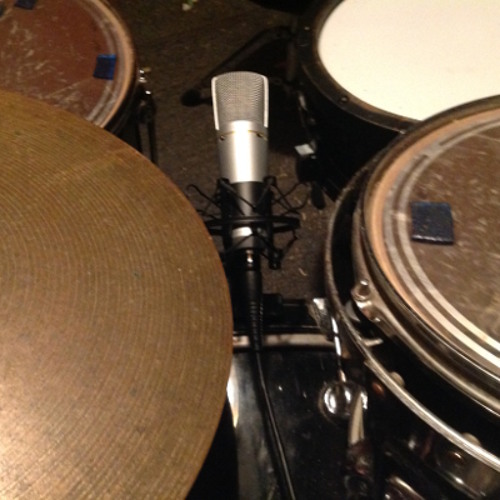
Recording drums with one microphone is possible; however, it requires proper placement and technique. To achieve a balanced sound, the microphone should be placed halfway between the kick drum and snare drum, and pointing towards the center of the kit.

In addition, the drummer should play evenly and adjust volume accordingly. Recording drums with one mic can be a challenging yet rewarding task for any home recording engineer looking to capture the genuine acoustic sound of the drums. While many professional studio drum recordings use multiple mics to achieve optimal sound production, one microphone can still produce a great sound by careful placement and technique.

Whether you’re an experienced drummer or a beginner, recording drums with one mic can test your drumming control and engineer skills, resulting in a unique, one-of-a-kind sound. We will discuss the best ways to record drums with one mic and achieve a balanced drum sound.

Record Drums With One Mic

Credit: soundcloud.com

Preparing For Recording

To record drums with one mic, it’s important to prepare the room and the drum set beforehand. Make sure the kit is tuned properly, set up the mic at a distance from the drummer’s perspective, and consider using acoustic panels to control any unwanted reflections.

Record Drums With One Mic

Credit: www.youtube.com

Techniques For Recording With One Mic

Recording drums can be a daunting task, especially if you don’t have a lot of microphones or recording equipment. However, with the right techniques, you can record an amazing drum sound with just one mic. In this post, we’ll explore some techniques for recording with one mic and how to get the best results.

The Overhead Technique

The overhead technique is a popular method for recording drums with a single mic. To use this technique, place the mic about 3 to 4 feet above the drum kit, pointed towards the center of the kit. This will capture the overall sound of the drums and cymbals. Since the mic is pointed downwards, it will also capture some of the room sound, giving you a more natural and ambient overall sound.

The Front Of Kit Technique

The front of kit technique involves placing the mic in front of the kit, about 1 to 3 feet away from the bass drum, pointed towards the snare drum. This technique will give you a more focused sound, with less room ambiance. You can experiment with moving the mic closer or further away from the kit to adjust the balance between the drums and cymbals.

The Room Mic Technique

The room mic technique involves placing the mic at a distance from the drum kit, usually 6 to 8 feet away, facing the kit. This technique captures a lot of room sound, giving you a more ambient and natural sound. To get the best results, make sure the room you’re recording in has a good sound and good acoustics.

Blending Multiple Techniques

While each of these techniques can be effective on their own, blending multiple techniques can give you an even better overall sound. For example, you could use the overhead and front of kit techniques together to capture both the overall sound and the focused sound of the drums. Or you could use the room mic technique along with one of the other two techniques to add more room sound to the mix.

TechniquePlacementSound Characteristics
Overhead3-4 feet above kit, pointed towards centerOverall sound, captures some room sound
Front of kit1-3 feet away from bass drum, pointed towards snareFocused sound, less room ambiance
Room mic6-8 feet away, facing kitAmbient, natural sound with a lot of room sound
  • Experiment with different mic positions and distances to find the best sound
  • Use headphones to monitor the sound while recording
  • Consider using a pop filter or windscreen to reduce plosives and other unwanted sounds
  • Make sure the gain level on your recording device is set correctly to avoid distortion

By using these techniques, you can record an amazing drum sound with just one mic. Whether you’re recording at home or in a professional studio, these techniques will help you get the best possible sound out of your drum kit.

Tips For Getting The Best Results

Recording drums with only one mic can be challenging, but with careful planning, you can achieve great results. Below are some tips to help you get the best results when recording drums with one mic.

Ensuring Proper Drum Tuning

Before you start recording, it’s crucial to ensure that the drums are tuned properly. A poorly tuned drum can overwhelm the mic, making it difficult to achieve clarity in the recording. Ensure that the drummer or a professional has tuned the drums accurately.

Using Proper Drumsticks And Mallets

The type of drumstick or mallet you use can affect the quality of the recording. For example, using wooden drumsticks may produce a brighter sound, while using nylon-tipped drumsticks may produce a more mellow sound. Experiment with different types of drumsticks to find the ones that work best with your mic and recording setup.

Considering The Drummer’s Playing Style

The drummer’s playing style can also affect the quality of the recording. For example, if the drummer hits the drums with a lot of force, it may overload the mic, making the recording sound distorted. Ensure that the drummer plays with the appropriate force and that the mic is placed in the right position to capture the sound accurately.

With these tips in mind, you can achieve great results when recording drums with only one mic. Remember to experiment with placement and techniques to find the perfect sound for your recording.

Mixing And Mastering The Recording

Record drums with just one mic and achieve a high-quality sound with proper mixing and mastering. The key is to position the mic in the right spot and adjust the placement for different drum components.

After having successfully recorded drums with just one microphone, the next step is mixing and mastering the recording. This step is crucial to ensure that the final mix sounds great and can be enjoyed by listeners. Here are some tips on how to mix and master a single mic drum recording.

Adjusting Sound Levels

The first step in mixing a single mic drum recording is to adjust the sound levels of each drum. Start with the kick drum and adjust its level to a suitable volume, then move to the snare and do the same. Next, listen for cymbals and toms and adjust their levels to create a balanced mix. Keep in mind that the volume of each drum should be adjusted according to its importance in the music.

Adding Effects And Plugins

After setting the basic levels, it’s time to add some effects and plugins to enhance the sound quality of the drum recording. You can start by adding some EQ to the kick, snare, and other drums to enhance their frequencies. Compression can also be used to bring out the dynamics of the drums. If required, you can add some reverb to create a sense of space and depth in the recording.

Mastering The Final Mix

Now that the mix sounds great, it’s time to start mastering the final mix. This process involves using tools such as a limiter, equalizer, and compressor to ensure that the mix sounds great across all listening devices. Some final touches include adjusting the volume of the mix, making sure it’s not too loud or too quiet, and making sure the drums sound cohesive with the other instruments in the mix. In conclusion, mixing and mastering a single mic drum recording may seem daunting, but it’s a great way to create a unique and authentic sound. By following these tips, you’ll be able to create a high-quality recording that sounds great across all listening devices.

Record Drums With One Mic

Credit: m.youtube.com

Frequently Asked Questions On Record Drums With One Mic

Can You Use 1 Mic To Record Drums?

Yes, you can use one mic to record drums, but the resulting sound quality may not be as desirable compared to using multiple mics. With one mic capturing all the sounds, it may be difficult to balance the mix and accurately capture each drum element.

However, it can still produce decent results for home recordings or demos.

How To Record Drums With One Sm57?

To record drums with one sm57, place it in front of the snare drum at a distance of 2-3 inches. Position the microphone at a 45-degree angle towards the center of the drumhead. Adjust the level to ensure there is no clipping.

Keep experimenting with positions and levels to get the perfect sound.

Can You Use One Overhead Mic For Drums?

Yes, you can use one overhead mic for drums. However, it may not capture all the nuances of the different drums and cymbals in the kit. It is better to use multiple mics to properly capture the individual sounds of each element in the drum kit.

Where Is The Best Mic Placement For One Mic Drum Recording?

The best mic placement for one mic drum recording is between the snare and the kick drum. This placement gives an overall balanced and authentic sound. Situate the mic a few inches above the drumhead and angled slightly towards the center of the kit.

Experimenting with placement can help you find the best sound for your recording.

Conclusion

To sum it up, recording drums with only one mic isn’t impossible, but it requires careful placement, acoustically suitable space, adjustments to the drummer’s technique, and post-processing enhancements. Whether you’re a home studio owner or a professional sound engineer, this technique offers convenience and cost-effectiveness, but it won’t replace the rich and dynamic sound of a multi-mic setup.

With these tips and tricks, you can experiment with different mic positions and find the sweet spot that works for your sound and style. Happy drumming!

Categories
Archive

How To Envision Your Sound

To envision your sound, examine your personal experiences and what you wish to convey through your music. This process should include identifying your musical inspirations and establishing a target audience.

As a musician, you aim to convey an experience through your music. Your sound should be a reflection of your artistic vision. But how can you identify your unique sound? Start by reviewing your life experiences, influences, and emotions. These factors can provide inspiration and insight into what type of sound you want to create.

Next, study other artists and explore various genres that pique your interest. By understanding and analyzing these different sounds, you can begin to create a style that genuinely reflects you as an artist. This process should include determining your target audience and whether your sound aligns with their musical preferences. By taking these steps, you can envision your sound and develop a genuine artistic identity that connects with your listeners.

How To Envision Your Sound

Credit: m.youtube.com

Get Inspired

Envisioning your sound is all about exploring new possibilities and getting inspired by things around you. Whether it’s a new genre, live music show, or your favorite artist, there are plenty of ways to feel motivated and start building your sound. In this article, we’ll discuss different ways you can get inspired and unleash your creative potential.

Explore Different Genres

To envision your sound, it’s essential to explore and experiment with different genres. Step out of your comfort zone and try to listen to genres that you’re unfamiliar with. This will allow you to discover new sounds, techniques, and styles that you can incorporate into your work. Moreover, you can learn about the history and evolution of various music genres and how they’ve influenced the current music landscape.

Here are some ways to explore different genres:

  • Use music streaming platforms like Spotify or Apple Music to discover new music. They have curated playlists and an algorithm that suggests music based on your listening history.
  • Attend music festivals that feature a diverse range of genres. This will help you experience different types of music in a live setting.
  • Listen to the local radio station that plays music outside your usual preferences. You might discover something new that you like.

Attend Live Music Shows

Live music shows are a great way to experience music in a different way and get motivated. Seeing a band or musician perform live can be inspiring and energizing. You can learn a lot by watching live performances and seeing how they engage with the audience and perform their music.

Here are some ways to attend live music shows:

  • Check out local venues in your city or town that host live music events.
  • Look for music festivals and events in your area and attend them.
  • Follow your favorite artists or bands on social media to stay updated on their touring schedule.

Listen To Your Favorite Artists

Your favorite artists can be a great source of inspiration and guidance. Listening to their music can help you understand their style, technique, and creative process. You can analyze their lyrics, chord progressions, and production techniques to learn from them and incorporate them into your work.

Here are some ways to listen to your favorite artists:

  • Create a playlist of your favorite songs and analyze them to understand their structure, melody, and harmony.
  • Watch interviews and documentaries of your favorite artists to learn about their creative process and inspiration.
  • Follow them on social media to stay updated on their new releases, collaborations, and insights.

By exploring different genres, attending live music shows, and listening to your favorite artists, you can get inspired and start envisioning your sound. Don’t be afraid to experiment, collaborate, and take risks in building your unique sound. Remember, music is all about expressing yourself and connecting with your audience.

Create Space

Create Space is the most adaptable and user-friendly digital audio workstation that can help you envision your sound. With its diverse range of tools for creating music, mixing, and mastering, it can help take your music to the next level.

Creating a space that inspires creativity is paramount when it comes to crafting a unique sound. Designing your workspace, integrating elements of nature, and arranging aesthetic components can significantly impact your sound production process. Here are some tips on how to create a space that allows you to envision your sound.

Design Your Workspace

Your workspace must be suitable for your work and your style. It should be a reflection of your personality and preferences. When designing your workspace, consider the following elements:

LightingProper lighting can create a particular ambiance and improve your productivity.
Color SchemeChoose colors that are relaxing, inspiring, or energizing, depending on your preference.
FurnitureInvest in comfortable furniture, such as chairs, desks, and sofas. Make sure they are ergonomic and functional.
Equipment and ToolsHave all the essential equipment and tools, such as headphones, microphones, monitors, and computers, to ensure a smooth workflow.

Integrate Nature

Incorporate natural elements to create a relaxing and stress-free environment that fosters creativity. Here are some ideas:

  • Plants – Add plants to your workspace to improve air quality and enhance mood. Choose plants that are easy to care for and complement your workspace’s color scheme.
  • Natural Light – Take advantage of natural light by placing your workspace near a window or using sheer curtains or blinds to let light in.
  • Nature Sounds – Play natural sounds, such as waterfalls or rain, to soothe and inspire you.

Arrange Aesthetic Elements

Aesthetic elements create an inspiring and aesthetically pleasing work environment. Consider the following:

  1. Artwork – Hang artwork that inspires you and complements your workspace’s color scheme.
  2. Texture – Add texture to your workspace using rugs, throw pillows, or textured wallpaper to create a cozy and inviting atmosphere.
  3. Decorative Items – Use decorative items, such as candles, sculptures, or figurines, to add personality to your workspace.

In conclusion, creating a space that inspires your creativity and vision is essential to developing a unique sound. Design your workspace, integrate natural elements, and arrange aesthetic components to achieve this goal. With these tips, you can create an inspiring space that fosters your sound production process.

Experiment With Sounds

If you want to create a unique and personal sound, one of the first steps is to experiment with different sounds. Let your creativity run wild and try out different instruments, software, and recording methods. Here are some ways to get started:

Experiment With Different Instruments

Whether you’re a seasoned musician or just starting, trying out different instruments can lead to new and interesting sounds. For example, a guitar or piano can be completely transformed with the use of effects pedals and software. Don’t be afraid to mix traditional and electronic instruments to create a completely new sound. You can even try out unique instruments such as a theremin, didgeridoo, or kalimba.

Try Out New Softwares

With the rise of technology, there are countless software options that can help you create and manipulate sounds. From digital audio workstations (DAWs) to virtual instruments and effects plugins, you can customize your sound to your liking. Take some time to explore different software options and experiment with their various settings and functions. Don’t forget to read reviews and watch tutorials to get the most out of each software.

Record Sounds With Your Phone

Your phone can be a powerful recording tool that you can use to capture everyday sounds. While you’re out and about, record sounds that you find interesting such as birds chirping, cars honking, or the sound of waves crashing at the beach. You can use these sounds in your music and manipulate them with effects to create unique textures and layers. Just make sure to ask for permission before recording in public spaces.

How To Envision Your Sound

Credit: m.youtube.com

Develop Your Techniques

Developing your techniques in music production requires envisioning your sound first. Consider the mood, genre, and message you want to convey with your music. Experiment with different tools and techniques to achieve your desired sound.

Develop Your Techniques: When you want to envision your sound, developing your techniques is crucial. It takes time and effort to master an instrument or become an expert in a particular genre of music. However, with consistent practice, you can refine your skillset and develop your sound. In this section, we’ll examine some techniques that can help you envision your sound and enhance your music-making process. Learn From Experts: One of the best ways to develop your techniques is to learn from experts. You can attend music schools, mix with seasoned musicians, and connect with music mentors. By learning from those who have already achieved success in the industry, you can gain insights into their techniques and learn from their experiences. You can watch their videos, attend their performances and follow their work to learn how they envision their sound and get better at your craft. Follow Online Tutorials: Another effective way to enhance your techniques is by following online tutorials. The internet has a wealth of information and resources that can help you become a better musician. You can watch tutorials, read blogs, and use various software programs to refine your techniques. You can also join online groups and forums where you can interact with other musicians and gain further insights. Practice, Practice, Practice: Finally, practice is the key to enhancing your techniques and envisioning your sound. You need to find time to practice every day, no matter how busy your schedule may be. You can practice with your instrument using specific techniques, experiment with new sounds, and apply what you’ve learned from experts and online tutorials. Playing with other musicians can also help you develop your techniques, as you can learn from their style and explore different genres together. In conclusion, developing your techniques is essential to envisioning your sound. By learning from experts, following online tutorials, and practicing consistently, you can enhance your techniques and develop your sound. Keep experimenting with new sounds, and don’t be afraid to take risks. With patience and perseverance, you can achieve your goals and become the musician you want to be.

Find Your Sound

Finding your sound is a crucial part of any musician’s journey. Your sound is uniquely you and sets you apart from other artists. To find your sound, you need to experiment, have an open mind, and trust your intuition. Here are three steps to help you find your sound:

Familiarize Yourself With Your Equipment

Whether you are a seasoned pro or a beginner, it’s important to familiarize yourself with your equipment. Understanding your instruments and the tools you use will help you create a sound that is uniquely yours. Take the time to learn about the different settings and features of your equipment. Experiment with different combinations to find the sound that resonates with you.

EquipmentFeatures to Learn
GuitarTone and volume knobs, pickups, effects pedals
DrumsTypes of cymbals, drumsticks, tuning, and drum heads
KeyboardTypes of keys, synthesizers, and various effects

Explore Different Sound Effects

Sound effects can take your music to the next level. They add texture, depth, and character to your sound. Explore different sound effects and try them out until you find the ones that work for you. Don’t be afraid to experiment with unconventional sounds. You never know what you may discover and how it can influence your sound.

  • Delay effects
  • Reverb effects
  • Chorus effects
  • Distortion effects
  • Wah-wah effects

Trust Your Intuition

When it comes to finding your sound, trust your intuition. Your instincts will lead you to create a sound that is unique to you. Don’t let external factors influence your creative process. Trust in your abilities and believe in your sound.

  1. Listen to your inner voice
  2. Don’t compare yourself to others
  3. Embrace your imperfections
  4. Experiment with different genres

Ultimately, finding your sound is an ongoing process. As you grow and evolve as a musician, your sound will change too. It’s essential to trust yourself and allow your creativity to guide you. The key is to be open-minded and patient with the process. Remember, your sound is unique, special, and something to be celebrated.

Collaborate With Others

To envision your sound, collaborating with others can bring fresh perspectives and ideas. Working with musicians, producers, and engineers can help you refine your sound and create a unique sonic identity. Listening to feedback and incorporating new ideas can also help you grow as an artist.

When it comes to creating your own music, working with others is an excellent way to refine your sound. Collaborating with other musicians can help you open your mind and broaden your creative horizons. Here are some ways to collaborate with others to envision your sound:

Join A Band Or Musical Group:

If you’re looking for a collaborative experience, joining a band or musical group is an excellent way to get started. Being part of a group allows you to bounce ideas off of others and get feedback on your work. This can help you fine-tune your sound and develop your skills as a musician.

Find Like-minded Musicians:

Finding other musicians who share your musical vision is a crucial step in creating your sound. Whether you’re looking for musicians to jam with or to form a band, there are plenty of resources available to help you connect with like-minded individuals. You can start by attending local music events or using online resources like Craigslist or Bandmix to find other musicians in your area.

Share Your Work With The Community:

Sharing your music with others is an essential part of the collaborative process. Whether it’s through local music festivals or online platforms like Soundcloud or Bandcamp, sharing your work can help you get feedback and connect with other musicians and fans. This can help you grow as a musician and further refine your sound. In conclusion, collaborating with others is an excellent way to envision your sound and refine your musical skills. By joining a band or musical group, finding like-minded musicians, and sharing your work with others, you can create a rich and rewarding collaborative experience that will help you grow as a musician.

Incorporate Your Personality

Bringing your own personality into your music is crucial to building a distinct sound. Envisioning your sound requires introspection and self-awareness, allowing you to create a unique style that resonates with your audience and sets you apart from the rest.

To stand out in the music industry, you need to find your distinct sound. Creating music that represents your personality and style can help you build a unique brand and attract loyal fans. Incorporating your personality is not as daunting as it may seem. Here are three ways to do it:

Write Personal Lyrics

Your lyrics play a crucial role in telling your story and expressing your emotions. To incorporate your personality, focus on writing lyrics that reflect your life experiences and speak to your audience. Avoid generic or overused phrases and instead use your personal experiences to create relatable content. Embrace your vulnerability and let your fans know the real you through your lyrics.

Infuse Your Unique Style

While it’s crucial to study your influences and learn from them, it’s also essential to infuse your unique style into your music. Experiment with different genres and sounds to create something new and fresh that reflects who you are as an artist. Incorporate your unique voice, instruments, and songwriting techniques to create a distinctive sound that sets you apart from the crowd.

Draw Inspiration From Your Life

One of the best ways to incorporate your personality into your music is by drawing inspiration from your life. Your life is a rich source of experiences that can inspire song ideas. Think about the people, places, and events that have shaped you and incorporate them into your music. Don’t be afraid to express yourself and let your experiences guide your songwriting process. Incorporating your personality into your music is key to building a loyal fan base and creating a unique brand. By writing personal lyrics, infusing your unique style, and drawing inspiration from your life experiences, you can create music that speaks to both you and your audience. So, embrace your individuality and start creating music that represents the real you.

Keep Evolving

Keep evolving – that’s the key to success when it comes to envisioning your sound! Don’t be afraid of change, and don’t get too comfortable with what you’re doing. If you want to stay relevant, you need to constantly try new things and keep exploring. In this section, we’ll explore some strategies that can help you keep evolving and find fresh inspiration for your music.

Stay Up-to-date With Music Trends

One of the most important things you can do to stay fresh and relevant is to keep up with the latest music trends. Whether it’s a new genre or a new production technique, staying in the loop will help you stay ahead of the competition. To keep up with trends, try attending music festivals or concerts, reading industry blogs and publications, and following key players on social media. You can also participate in online forums and communities where musicians discuss the latest trends and share new ideas.

Try New Approaches

If you want to evolve your sound, you need to be willing to try new approaches. This might mean experimenting with different genres or mixing styles that you wouldn’t normally combine. You can also try using new tools or software to create your music, or collaborate with other musicians to get fresh perspectives. Don’t be afraid to take risks and step outside of your comfort zone – you might just discover something amazing.

Keep Exploring

Finally, one of the best ways to keep evolving is to never stop exploring. This means staying curious and open to new experiences, and being willing to learn from everything around you. Whether it’s listening to new music, attending art exhibits, or traveling to new places, every new experience can give you fresh inspiration and new ideas. Keep an open mind and a hungry heart, and you’ll never run out of ideas for your music.

How To Envision Your Sound

Credit: m.facebook.com

Frequently Asked Questions For How To Envision Your Sound

How Do I Find My Music Sound?

To find your music sound, experiment with different styles and genres to see what resonates with you. Consider your personal influences and experiences, and focus on creating music that feels authentic to you. Seek feedback from others to refine your sound and continue to evolve and grow as an artist.

How Does Music Create Atmosphere?

Music creates atmosphere by setting the emotional tone of a space. It can evoke feelings of excitement, tension, relaxation, or joy depending on the genre, tempo, and volume. Music also has the ability to trigger memories and associations that contribute to the overall ambiance.

What Is Sound Envisioning And Why Is It Important?

Sound envisioning means creating a mental picture of how you want your music to sound in the end. It is essential
because it helps in focusing on the end goal, improving the quality of music, and communicating your vision with others.

How Can I Improve My Sound Envisioning Skills?

Improving sound envisioning skills requires regular practice, listening to music attentively, and paying attention to
details like melody, rhythm, and instruments used. It can also help to collaborate with other musicians and seek feedback.

Conclusion

To conclude, envisioning your sound can help you identify the musical style that feels most natural and authentic to you. By taking the time to explore your personal influences and musical tastes, you can create a unique sound that stands out in the crowded music industry.

Remember to be true to yourself and allow your passion to guide you in the creative process. With focus, dedication, and a willingness to experiment, you can turn your vision of music into a reality and make a lasting impact on the world.

Categories
Archive

Ultimate Auto Tune Tutorial

This Ultimate Auto Tune Tutorial will show you how to use Auto Tune to enhance your vocal recordings. In this tutorial, you will learn about the basics of Auto Tune, including how to set up Auto Tune in your DAW, how to adjust pitch and timing, and how to use different Auto Tune modes to achieve different types of effects.

Additionally, the tutorial will cover some tips and tricks for using Auto Tune effectively, as well as some common mistakes to avoid. Whether you’re a seasoned pro or a beginner, this tutorial will give you the knowledge and skills you need to improve your vocal recordings with Auto Tune.

Ultimate Auto Tune Tutorial

Credit: www.antarestech.com

Why Auto Tune Matters

Auto Tune has become a vital tool in music production, providing pitch correction and creating unique sounds. In this Ultimate Auto Tune Tutorial, you’ll learn the ins and outs of using Auto Tune in your own music, including different settings, techniques, and tips to enhance your vocals.

Auto-Tune is an audio processing tool that has been a game-changer in the music industry. Initially created as a pitch correcting tool, Auto Tune has become a common fixture in studios across the world. The tool can alter the intended pitch of a musical performance and transform it into something new which has become a defining characteristic of modern pop music. In this article, we will discuss the importance of Auto Tune in music production and how it can enhance your music.

How Auto Tune Can Enhance Your Music

Auto-Tune is a robust audio processor that can improve the quality and impact of your vocals. Here are some ways that Auto Tune can enhance your music:

Ways Auto Tune HelpsBenefits
1. Pitch CorrectionAuto Tune can help correct the pitch of off-key notes to improve the sound quality of a track.
2. Creativity and OriginalityThe tool can be used to create unique musical effects that add a distinctive flair to your music.
3. Time-SavingAuto Tune saves a considerable amount of time editing and re-recording vocals to correct pitch issues.
4. Consistency in performancesAuto Tune keeps pitches consistent between different vocal sections of the performance to create a polished sound.

Examples Of Popular Songs Using Auto Tune

Auto Tune has become a prevalent tool in music production over the last few decades; here are some of the most iconic songs that creatively use Auto-Tune:

  • 1. Cher – Belive
  • 2. Daft Punk – One More Time
  • 3. T-Pain – Buy U A Drank
  • 4. Destiny’s Child – Survivor
  • 5. Kanye West – Heartless

In conclusion, Auto-Tune is essential in modern music production and can be the difference between a mediocre and a successful track. By using Auto Tune to correct pitch issues, create new unique effects, maintain consistency, and save time, you can make your music stand out.

Basic Concepts Of Auto Tune

Are you someone who is looking to improve their music and sound quality? Auto tune is an impressive technology that can transform an average voice into a melodious and professional tune. Auto tune has been around for many years, and it has consistently proven to be effective in producing high-quality sound. In this ultimate auto tune tutorial, we will be discussing the basic concepts of auto tune, what pitch correction is, and how it works, as well as understanding how the auto tune interface works.

What Pitch Correction Is And How It Works

Pitch correction is a technique that helps correct or alter the pitch of a recorded sound. In simpler terms, it is the process of tuning the notes sung by a singer to keep them in the correct key. Many professional singers use auto tune to correct notes that may be out of tune. The pitch correction process is done using a computer program that measures the pitch of the recording and applies adjustments to the sound waves to align them with the proper key. This process can be done both manually or automatically, depending on the project. Auto tune technology can help save time during the recording process and achieve impressive pitch-corrected results.

How The Auto Tune Interface Works

The auto tune interface features several key components, including the pitch indicators and the retune speed. The pitch indicator helps in visualizing the notes and their movement in relation to the correct key or pitch. It displays the pitch as it moves, and it can help identify areas where corrections need to be made. The retune speed feature is used to adjust the speed at which corrections are made. A slow speed may be useful when correcting minor errors, while fast speed is better suited for more significant correction actions.

The auto tune tutorial above has covered the basic concepts of auto tune, including how pitch correction works and how the auto tune interface operates. Auto tune technology provides an excellent opportunity for singers and producers to develop impressive sound quality that their fans will enjoy. Follow the steps outlined above in this ultimate auto tune tutorial, and you’ll be on your way to creating professional and high-quality music.

Using Auto Tune In Practice

Auto Tune can be a powerful tool when used correctly in music production. In this ultimate tutorial, you will learn how to utilize Auto Tune to enhance your vocals, how to adjust settings, and tips for achieving the perfect pitch correction while avoiding an overly processed sound.

As a music producer or artist, you must have heard about Auto Tune, which is now seen as a must-have tool in any recording studio. Auto Tune is an audio processor that corrects pitch in vocal performances and has been widely used in music production for decades. In this post, we will explore how to use Auto Tune in practice, which includes setting up Auto Tune on your DAW, recording your vocals with Auto Tune, using Auto Tune for creative purposes, and using Auto Tune for live performances.

How To Set Up Auto Tune On Your Daw

Setting up Auto Tune on your Digital Audio Workstation (DAW) is quite easy. To use Auto Tune in your DAW, follow these steps:

  1. Install the Auto Tune software on your computer.
  2. Launch your DAW and create a new project.
  3. Insert the Auto Tune plugin on the vocal track.
  4. Set the desired key and scale of the song.
  5. Adjust the retune speed and other parameters based on your preference.

Recording Your Vocals With Auto Tune

Recording with Auto Tune allows you to fix the pitch of your vocals as you sing. Here is how to record your vocals with Auto Tune:

  • Open your DAW and select the Auto Tune plugin on the vocal track.
  • Set the key and scale of the song.
  • Set the retune speed and other parameters according to your preference.
  • Start recording and sing your song.
  • The Auto Tune plugin will automatically correct the pitch in real-time.

Using Auto Tune For Creative Purposes

Auto Tune is not just a correcting tool; it can also be used creatively to achieve unique vocal effects. Here are some ways to creatively use Auto Tune:

EffectDescription
Cher EffectUsed to replicate the iconic Cher sound in her hit song “Believe.”
T-Pain EffectUsed to create the robotic vocal effect popularized by T-Pain.
Vocoder EffectUsed to create a harmonizing effect on vocals.

Using Auto Tune For Live Performances

Auto Tune is not just limited to studio recordings. It can also be used for live performances. However, to use Auto Tune for live performances, you need a hardware processor such as Antares Auto-Tune Pro. Here’s how to use Auto Tune for live performances:

  1. Connect your microphone to the hardware processor.
  2. Connect the processor to your sound system.
  3. Set the desired key and scale.
  4. Adjust the retune speed and other parameters based on your preference.
  5. Sing into the microphone, and the processor will automatically correct the pitch in real-time.

Using Auto Tune in practice is an excellent way to improve your vocal performances and achieve unique effects in your music production. With the above guide, you should be able to set up and use Auto Tune in your recordings and live performances.

Advanced Auto Tune Techniques

This ultimate auto tune tutorial will teach you advanced techniques for tuning your car to its peak performance. With step-by-step instructions and expert tips, you’ll learn how to analyze data logs, adjust fuel and ignition tables, and optimize your engine for maximum power and efficiency.

Advanced Auto Tune Techniques are essential to create high-quality music productions that stand out from the rest. One of the most important aspects of using Auto Tune is mastering the advanced techniques that help take your music to the next level. This tutorial will cover all the essential advanced Auto Tune techniques to step up your game. You will learn how to manipulate formants, create harmonies, correct pitch drift, and generate special effects with Auto Tune. In this tutorial, we have structured the content into four sections, each focusing on a specific technique to help you achieve the desired results. H3: Manipulating Formants with Auto Tune Manipulating Formants with Auto Tune is one of the most advanced techniques for creating unique sounds. Auto Tune allows you to modify the formants of a vocal to produce a vast range of vocal timbres. You can use it to create robotic or deep bass sounds, making your voice sound like a completely different instrument altogether. You can manipulate formants by adjusting the retune speed or pitch, and by selecting the target note, among other things. It’s essential to experiment with different settings and find one that works best for your production. H3: Using Auto Tune to Create Harmonies Using Auto Tune to Create Harmonies is an excellent way to add depth and complexity to your music production. You can use Auto Tune to create harmonies in a few different ways. One of the most popular ways is to use the graph mode to create a harmony line that follows the lead vocal pitch. This technique involves duplicating the lead vocal track, setting the target note to the desired harmony, and adjusting the pitch to achieve the desired effect. You can also use the MIDI control mode to add multiple pitch-corrected harmonies, where you control each note’s timing and pitch. H3: Using Auto Tune to Correct Vibrato and Pitch Drift Using Auto Tune to Correct Vibrato and Pitch Drift is a game-changer for music producers and singers, as it ensures a pitch-perfect performance. Vibrato and pitch drift are common issues that can reduce the quality of a vocal recording. However, with Auto Tune, you can quickly correct these issues. By adjusting the target note, retune speed, and response time, you can correct vibrato and pitch drift, creating a smooth, polished sound. H3: Creating Special Effects with Auto Tune Creating Special Effects with Auto Tune enhances creativity by providing unique vocal effects. Auto Tune’s creative potential is infinite when it comes to special effects. Some examples include creating stuttering effects, glitching vocals, or even turning the vocal into something that sounds like an instrument. You can use the MIDI control mode to add different instrument effects, such as a guitar or a piano, to vocal tracks. You can also make use of the modulation section to create vocal effects such as bitcrushing or ring modulation. In conclusion, Advanced Auto Tune Techniques, including manipulating formants, creating harmonies, correcting pitch drift and vibrato, and creating special effects are essential to create music productions that stand out from the rest. By understanding and mastering these techniques, you can create unique sounds and enhance your creativity to produce a high-quality final product.

Troubleshooting Auto Tune

Auto Tune can be a powerful tool in achieving a polished and professional sound for your music. However, like any tool, it can encounter some problems that need to be addressed. In this section, we will discuss the common problems you might encounter when using Auto Tune as well as the solutions for overcoming these issues.

Common Problems You Might Encounter

One of the most common problems encountered when using Auto Tune is pitch detection issues. This can be caused by a variety of factors, including poor microphone quality, excessive background noise, and unstable vocal performances. In addition, Auto Tune may struggle when attempting to correct extreme pitch inaccuracies or when trying to correct multiple notes simultaneously.

Another issue that can arise with Auto Tune is the introduction of unwanted artifacts, such as robotic or metallic sounds. This can occur when Auto Tune is applied too heavily or when the pitch correction is exaggerated beyond the natural vocal range.

Solutions For Overcoming Auto Tune Issues

To overcome pitch detection issues, ensure that the microphone being used is of good quality and that excessive background noise is minimized. If pitch inaccuracies are extreme or multiple notes need to be adjusted, consider manually editing the pitch instead of relying solely on Auto Tune.

If unwanted artifacts are introduced, reduce the amount of pitch correction being applied or adjust the settings to create a more natural sound. It can also be helpful to use a gentle hand when applying Auto Tune, using it as a subtle enhancement rather than a heavy-handed tool.

Finally, a good rule of thumb when using Auto Tune is to use it sparingly and only when necessary. Not every vocal performance requires pitch correction, and sometimes imperfections can add character and authenticity to a recording.

Ultimate Auto Tune Tutorial

Credit: m.youtube.com

Alternative Pitch Correction Plugins

Looking for alternative pitch correction plugins to use in your auto-tune projects? Look no further! Our Ultimate Auto Tune Tutorial covers everything you need to know, including a breakdown of the best plugins out there. From Melodyne to Waves Tune, we’ve got you covered.

Introduction To Other Pitch Correction Options

If you’re a music producer or singer, you’re probably already familiar with Auto-Tune, the pitch correction tool that has become a standard in the music industry. But did you know that there are other pitch correction plugins that offer similar features? In this section, we’ll introduce you to some alternative pitch correction plugins that you might want to check out.

Comparison Of Auto Tune Alternatives

Here’s a quick comparison of some of the popular alternatives to Auto-Tune:

PluginDeveloperCompatibilityFeatures
MelodyneCelemonyWindows/Mac OS XPitch correction with Natural VibratoRhythm and timing correctionOffline editing
Waves TuneWaves AudioWindows/Mac OS XReal-time pitch correctionVocal tuning in any keyFormant correction
Antares Harmony EngineAntares Audio TechnologiesWindows/Mac OS XReal-time pitch and harmony generationAutomatic building of vocal harmoniesMulti-part harmony control

As you can see, each of these pitch correction plugins offers unique features that might suit your specific needs. It’s all about finding the one that works best for you and your music.

Auto Tune In Industry Trends

Auto-tune, a digital audio processor, has revolutionized the music industry over the past two decades. Its popularity can be attributed to its ability to tweak an artist’s vocal pitch and eliminate errors, enhancing the overall quality of music productions. Auto-tune can achieve an incredible amount of fine-tuning, recognized by many as an art form on its own. The Ultimate Auto Tune Tutorial is a comprehensive guide that will teach you how to use auto-tune like a pro.

How Auto Tune Is Used In Today’s Music Industry

Auto-tune has become an essential tool for today’s music industry. It is widely used across various genres, including pop, hip-hop, EDM, and more. Auto-tune helps artists achieve a perfect pitch, even when performing under challenging conditions such as live performances or when recovering from vocal surgery. It also helps achieve consistent and reliable performances in the studio, making it an indispensable tool for producers, audio engineers and recording artists.

Trends In Auto Tune Production

The use of auto-tune in music production continuously evolves with the constantly changing trends in the music industry. In the past, it was primarily used to correct pitch issues, but nowadays, artists are pushing their creativity boundaries by using it for artistic purposes. Some popular trends in auto-tuned productions include pitch shifting, robotic vocals, harmonizing, and using it to create unique and subtle audio effects in modern productions.

The Ultimate Auto Tune Tutorial is an essential resource for producers and artists looking to tap into this revolutionary audio processing technique fully. From mastering the basics to exploring the latest trends, the tutorial can help artists and producers produce stellar audio productions that stand out in the current music industry.

Ultimate Auto Tune Tutorial

Credit: www.youtube.com

Frequently Asked Questions Of Ultimate Auto Tune Tutorial

How Do You Use Auto-tune Perfectly?

To use Auto-Tune perfectly, follow these steps: 1. Begin with a strong vocal performance. 2. Set the key and scale correctly. 3. Adjust the “Retune Speed” and “Flex-Tune” settings to taste. 4. Tune individual notes manually if necessary. 5. Use pitch correction sparingly and creatively to enhance rather than replace the natural vocal performance.

What Auto-tune Do Professionals Use?

Professional musicians often use Antares Auto-Tune Pro, which provides advanced pitch correction and customizable settings to tweak vocal tracks to perfection. Other popular options include Celemony Melodyne and Waves Tune Real-Time, both of which offer similar features and compatibility with multiple platforms.

What Is The Auto-tune Technique?

Auto-Tune is a technique used in music production to correct pitch inaccuracies in a singer’s performance. This technology can detect off-key notes and adjust them to the correct pitch in real-time. It has become popular in the music industry and is used by many artists as a creative tool.

How Do I Set Up Auto-tune Unlimited?

To set up Auto-Tune Unlimited, you need to follow these simple steps: 1. Go to the Antares website and sign up for a subscription. 2. Download and install the Auto-Tune Unlimited software on your computer. 3. Launch the software and enter your subscription credentials.

4. Choose your preferred Auto-Tune version and start using the software. 5. Make sure you have a compatible DAW and follow the user manual for optimal performance.

Conclusion

To sum up, auto-tuning is an important aspect of modern music production, and with tools such as Antares Auto-Tune, it has become easier than ever to create pitch-perfect tracks. In this guide, we’ve covered the basics of auto-tuning, including the different types of tuning, popular software options, and tips for using it effectively.

With the right approach and some practice, you can take your music to new heights and explore new creative possibilities. Thanks for reading, and we wish you the best of luck in your auto-tuning endeavors!

Categories
Archive

Background Vocals

Background vocals are additional vocal tracks that support the lead vocal in a song. These vocals add depth and texture to the overall sound, and can be used to create harmony, counter-melodies, and call-and-response elements.

In modern music production, background vocals play a crucial role in enhancing the overall listening experience. Artists and producers use background vocals to give their songs a unique identity and make them stand out from the rest. The technique of layering different vocal tracks is a common practice in genres such as pop, R&B, and hip-hop.

When done correctly, background vocals can give a song a fuller sound and add emotional depth to the lyrics. We’ll explore the importance of background vocals in music production and how they’re used to create memorable songs.

Types Of Background Vocals

Background vocals are a crucial element to adding dimension and depth to a song. The types of background vocals can range from harmonies, ad-libs, to call-and-responses. Each type of background vocal serves a unique purpose in enhancing the overall sound of a musical piece.

Background vocals are an important aspect of any song, providing depth, texture, and emotion to the lyrics. They can range from simple harmonies to intricate counter melodies, giving the song a new dimension. Let’s dive into the types of background vocals that add flavor to any song:

Harmonies

Harmonies are the most common type of background vocal. They are created by singing notes that complement the melody line, enhancing the overall sound. They can be simple with just one additional note or complex with multiple harmonies interweaving together. Harmonies elevate the song and add an extra layer of depth that makes the melody stand out.

Ad-libs

Ad-libs are spontaneous ad hoc vocal parts added to a song that enhance the lyrics. They are usually not planned and arise naturally when the music is being created. Ad-libs are often used in rap or hip-hop music, but they’re also used in other genres. They allow the singer the chance to experiment with sound, tone, and pitch for dramatic effect. Ad-libs add a sense of spontaneity and originality to the song.

Counter Melodies

Counter melodies are a type of background vocal that creates an alternative melody to the song’s primary melody. It adds variety to the song and provides a new texture to the overall sound. Counter melodies are not in harmony with the main melody and require a skilled singer to execute them successfully. The result is a layered sound that creates an emotional impact to the listener. Background vocals are a fundamental aspect of any song. They add depth, texture, drama and emotional impact to the lyrics. They can range from simple harmonies to complex counter melodies, and at times are spontaneous ad-libs. By understanding the types of background vocals, singers and songwriters can create an authentic and personalized sound which elevates their song.

Background Vocals

Credit: producelikeapro.com

Tips For Recording Background Vocals

Background vocals can add depth, harmony, and texture to a song. They give the song an extra layer of emotion that the lead vocal alone may not be able to convey. Recording background vocals can be challenging because they need to fit seamlessly with the lead vocal while standing out in their own right. If you’re struggling with recording background vocals, these tips can help you achieve the sound you’re looking for.

Vocal Arrangement

Before recording background vocals, it’s essential to have a good vocal arrangement planned out. A well-arranged vocal track can make the difference between a good recording and a great one. Here are some tips:

  • Consider the melody of the lead vocal and find harmonies that work well with it. Try experimenting with different intervals to find what sounds right.
  • Think about the rhythm and timing of the background vocals. Are they going to be straight or syncopated? Will they be sung at the same time as the lead or slightly behind it?
  • Plan out the phrasing of the background vocals. Try repeating certain lyrics or adding new lyrics to create a call-and-response pattern.

Microphone Selection

The right microphone can make a huge difference in the quality of your background vocals. Here are some things to consider when choosing a microphone:

Microphone TypeUsage
Large diaphragm condenser microphoneGreat for capturing a full, warm sound for solo background vocals
Small diaphragm condenser microphoneGood for capturing high-frequency detail
Dynamic microphoneGreat for recording background vocals with a lot of dynamic range
Ribbon microphoneIdeal for adding a vintage feel to background vocals

Recording Techniques

The technique you use to record background vocals can affect the final sound in a significant way. Here are some tips to help you achieve the sound you’re looking for:

  1. Use a pop filter to prevent plosives (popping sounds) from the singer’s breath.
  2. Have the singer stand about six inches from the microphone to achieve a good balance between proximity effect and ambient sound.
  3. Consider recording each singer separately to achieve a cleaner sound.
  4. Use a reverb or delay effect to place the background vocals in the same acoustic space as the rest of the track.

How To Mix Background Vocals With Lead Vocals

When it comes to creating a professional-sounding track, mixing background vocals with lead vocals is a crucial step. Background vocals serve the purpose of filling out the sound of a track, while the lead vocals convey the message and story of the song. Getting the perfect mix of background and lead vocals can be a bit tricky, but by following a few essential techniques, you can create a well-balanced and engaging track. In this article, we will discuss how to mix background vocals with lead vocals focusing on adjusting levels, panning, and EQ.

Adjusting Levels

Adjusting levels is an essential part of creating a well-balanced track. The first step is to identify which background vocals are vital to the song and which ones are supporting. The supporting vocals should be adjusted to sit behind the lead vocals and not draw attention away from them. The best way to achieve this is to lower the volume of the supporting vocals and slightly raise the volume of the lead vocals. To make sure the vocals are mixed appropriately, play back the track at various volumes and adjust the levels until the vocals are balanced and prominent without overpowering each other.

Panning

Panning is a technique used to create a stereo image of the vocals. For example, the lead vocal should be panned in the center to create a strong presence and to take hold of the listener’s attention. The background vocals can be spread out in the stereo field by panning them to the sides. This technique enables the listener to differentiate between the two types of vocals and appreciate the full spectrum of the song. However, it is crucial to pan the vocals sparingly to avoid having an imbalanced mix.

Eq

Equalization is an essential tool to optimize the quality of the vocals’ frequencies. Adjusting the EQ can help the vocals not to clash with each other. For instance, the lead and the background vocals may occupy the same frequency range. They should be equalized to add more clarity and ensure that they complement each other. For instance, vocals panned in the center can be equalized to boost their mid frequencies, while those panned on the sides can have their high frequencies enhanced. EQing the main vocal slightly brighter than the background allows it to cut through the mix without obscuring the lyrics or harming the background vocals.

Conclusion

Knowing how to mix background vocals with lead vocals can be tough, but by adjusting levels, panning and EQing, you can produce a professional sound that can add value to your music. Ensure that you give each technique careful attention, and create a mix that delivers the right sound.

Background Vocals

Credit: carnegiecarnegie.org

The Evolution Of Background Vocals In Popular Music

Background vocals have been an integral part of popular music since its inception. Over the years, the role of background vocals has evolved, from simple harmonies to complex arrangements that add depth and texture to songs. In this blog post, we will explore the history of background vocals in popular music, from the early days to modern pop and hip hop.

The Early Days

In the early days of popular music, background vocals were mostly limited to simple harmonies that complemented the lead vocals. Gospel music was the first genre to extensively use background vocals, as it was primarily an a cappella form of music. The harmonies in gospel music added depth and emotion to the songs, and this technique was soon adopted by other genres, such as doo-wop. In doo-wop, background vocals were used to create intricate harmonies and counterpoints that served as a backdrop to the lead vocals.

The 60s And 70s

The 60s and 70s saw a major transformation in the role of background vocals in popular music. With the advent of multi-track recording, artists started experimenting with more complex arrangements that featured multiple layers of background vocals. The Beatles were one of the first bands to extensively use background vocals in their recordings. Their album, Sgt. Pepper’s Lonely Hearts Club Band, featured complex vocal arrangements that blended seamlessly with the music. Other artists, such as The Beach Boys, The Mamas & The Papas, and Simon & Garfunkel, also used background vocals to great effect, creating intricate harmonies and vocal textures that were a defining feature of their music.

Modern Pop And Hip Hop

Modern pop and hip hop have taken the use of background vocals to new heights. In these genres, background vocals are used not just for harmonies, but also for ad-libs, vocal chops, and vocal layering. Vocoders and auto-tune have made it possible to manipulate the sound of background vocals to create new and interesting textures. Artists like Beyoncé, Justin Timberlake, and Taylor Swift use background vocals to create intricate arrangements that add depth and complexity to their songs. In hip hop, background vocals are often used to add emphasis and energy to the lyrics, as well as for creating catchy hooks and choruses.

In conclusion, the evolution of background vocals in popular music reflects the changing tastes and preferences of audiences. From simple harmonies to complex arrangements, background vocals have played a crucial role in shaping the sound of popular music. As technology continues to evolve, we can expect to see even more innovative uses of background vocals in the years to come.

Background Vocals

Credit: bobbyowsinskiblog.com

Frequently Asked Questions For Background Vocals

What Are Background Vocals Called?

Background vocals are also known as backing vocals. They are additional vocals that support the lead vocal in a song. These vocals enrich and emphasize certain parts of the song, adding depth and harmony.

What Is The Background Vocals In A Song?

Background vocals in a song refer to the additional singing that supports the lead vocals and adds depth and harmony to the track. These vocals can be sung by other singers or by the same artist over the top of the main vocals.

They fill out the sound and enhance the overall quality of the song.

What Is The Purpose Of Background Vocals?

Background vocals add depth and dimension to a musical composition. They provide harmonic support to the main melody and enhance the overall sound of the track. Background vocals also accentuate emotions conveyed by the lyrics and make the song more memorable for listeners.

Are Background Vocals Necessary?

Background vocals can enhance a song’s overall sound and create a fuller, more dynamic listening experience. However, they are not always necessary and can sometimes distract from the main vocals. Ultimately, it depends on the artist’s style and preference.

Conclusion

After reading this article, it’s clear that background vocals play a crucial role in elevating the overall sound and emotion of a song. The techniques and tips discussed here can help you achieve the right balance and create a masterful track.

With practice and experimentation, you can hone your skills as a background vocalist and make a lasting impact on your audiences. Keep in mind that every song is unique, so it’s important to tailor your approach accordingly. Don’t be afraid to take risks and push boundaries – the results may surprise you.

For more background, see Backing vocalist on Wikipedia.

Categories
Archive

Plugins For Music Producers

Plugins for music producers can enhance the quality and creativity of their work. These plugins provide a range of tools and effects to manipulate audio, improve mixing and mastering, and add unique textures and sounds to productions.

As a music producer, the right plugins can make all the difference in taking your tracks to the next level. From EQs and compressors to reverbs and delays, there are countless options available to suit your specific needs and preferences.

Some popular plugins for music production include Serum, Kontakt, Omnisphere, and Waves. The key is to find a balance between selecting plugins that fit your workflow and style, while also experimenting with new ones to push your creativity. With the right plugins, music producers can achieve the professional sound and unique flair that sets their work apart.

Types Of Plugins

Music producers can benefit from various types of plugins, such as virtual instruments, effects, and mixing tools. These plugins can enhance the sound quality, creativity, and efficiency in music production.

Types of Plugins: Plugins are essential tools that multiplies the power of digital audio workstations (DAWs) and allows producers to create outstanding soundtracks. Typically, plugins are categorized into three main types: Virtual Instruments, Effects Plugins, and Utility Plugins. Virtual Instruments: Virtual Instruments are standalone software instruments that mimic real instruments. These plugins give producers access to an array of electronic and acoustic instrumental simulations. It’s possible to play a virtual instrument through a MIDI controller or keyboard attached to a computer. The following are examples of Virtual Instruments plugins: – Grand Piano: provides a range of piano sounds such as a grand, upright, or electric piano. – Omnisphere: a popular and versatile plugin that delivers exceptional sound design and synthesis capabilities. – Kontakt: a sampler designed with the flexibility of composing grand orchestras works, choir pieces, or EDM bangers in mind. Effects Plugins: Effects Plugins purpose is to shape and modify existing audio signals. Producers use these plugins to add spread, echo, or distortion, depending on the required effect. Effects plugins provide the producer with the possibility to hyper-customize their sounds. The following are examples of Effects Plugins: – Reverb: adds reverberation to the sound, defining the space and distance that the listener perceives it. – Delay: adds a delayed echo to the sound that provides a sense of space to the listener. – Distortion: adds harmonic excitement to the sound and can make it more aggressive or distorted if required. Utility Plugins: Utility Plugins are designed to help producers carry out different tasks and streamline workflows. They usually center around metering, tuning, and alignment for final outputs. Here are some examples of Utility Plugins: – EQ (Equalization): balances the frequencies on an individual track or a mix to ensure that they complement each other. – Compressor: reduces the dynamic range of a track and provides greater control over the loudness of a mix. – Mastering Plugins: these are plugins that are used to finalize the mix and add the final polish. Conclusion: The different types of plugins available to music producers provide a wide range of tools and possibilities for creating music. Whether it’s Virtual Instruments, Effects or Utility Plugins, these tools assist and guide producers to create unique and distinctive sounds. As a music lover, understanding the different categories of plugins available will go a long way in helping you to create better soundscapes.

Plugins For Music Producers

Credit: www.optoproductions.com

Top Plugins For Music Producers

Discover the top plugins for music producers to take your productions to another level. These exceptional plugins include VSTs, synths, virtual instruments, and more. Enhance your music production and unleash your creativity with these versatile plugins.

Plugins are an essential part of music production and can make a huge difference in the quality of sound. In today’s world, there are many plugins for music producers to choose from, making it overwhelming to pick the right one. We have compiled a list of the best plugins for music producers, from Native Instruments Komplete, Waves Audio Plugins, Izotope Plugins, Spectrasonics Omnisphere to FabFilter Plugins.

Native Instruments Komplete

Native Instruments Komplete is one of the most popular plugins among music producers. With over 65,000 sounds and more than 600GB of samples, it is a comprehensive package of high-quality sounds, synths, and instruments. It also includes popular software like Kontakt, Reaktor, and Guitar Rig, which can be used to create music across different genres. You can use sounds from Komplete in any digital audio workstation (DAW) like Ableton, Logic, or FL Studio.

Waves Audio Plugins

Waves Audio Plugins is another well-known plugin for music producers. The Waves Gold Bundle includes 42 plugins, and you can choose to buy individual plugins to suit your needs. Waves is acclaimed for its mastering plugins like the L3-LL Multimaximizer and the SSL G-Master Buss Compressor. Waves Audio Plugins is a bit on the expensive side, but the quality of sound makes it worth the investment.

Izotope Plugins

Izotope Plugins is one of the most popular plugins for mixing and mastering. Their Neutron 3 Advanced plugin is a go-to tool for music producers, providing a one-stop-shop for all your mixing needs. It analyzes your audio and offers suggestions for EQ, compression, and other settings. Izotope Plugins include popular software like RX 8, which is a must-have for audio restoration projects.

Spectrasonics Omnisphere

Spectrasonics Omnisphere is a virtual instrument plugin that’s widely used in music production. With over 14,000 sounds, it is a powerful tool for creating music across different genres. It includes sounds ranging from traditional instruments like pianos to electronic sounds like synths and pads. Omnisphere is known for its unique sounds and the ability to manipulate them.

Fabfilter Plugins

FabFilter Plugins is a collection of plugins for mixing and mastering. Their Pro-Q 3 equalizer plugin is one of the best in the market, providing a clear and precise sound. Their Pro-MB multiband compressor and the Pro-L 2 limiter are also popular among music producers. FabFilter Plugins are easy to use and provide a professional level of sound quality. In conclusion, Native Instruments Komplete, Waves Audio Plugins, Izotope Plugins, Spectrasonics Omnisphere, and FabFilter Plugins are top plugins for music producers. With these plugins in hand, music production becomes easier, faster, and more fun. They are essential tools in a music producer’s arsenal, regardless of the music genre.

How To Choose Plugins

When choosing plugins for music production, it’s important to consider their compatibility with your DAW, their quality, and their functionality. Take the time to research and read reviews from trusted sources before making a purchase, and consider whether each plugin is necessary for your specific needs and workflow.

When it comes to producing music, plugins are essential tools that can enhance workflow, creativity, and the overall quality of your music. With the plethora of plugins available in the market, selecting the best plugins that cater to your workflow can be daunting. It is imperative to understand what to look for in a plugin before making a purchase. This section will illustrate the critical factors to consider when choosing plugins.

Compatibility

The primary factor to consider when choosing plugins is compatibility. Compatibility issues can occur if your Digital Audio Workstation (DAW) and operating system (OS) are not compatible with a plugin. It is crucial to verify if a plugin is compatible with your DAW and OS before making a purchase. Most plugin developers provide compatibility information on their websites, making it easy for you to make an informed decision. You can also seek recommendations from your peers or consult with experts to ensure that you buy a plugin that works seamlessly with your DAW and OS.

Functionality

The functionality of a plugin is another critical factor to consider. It is essential to understand what a plugin does and how it does it. A plugin can either be a virtual instrument or effect. Virtual instruments generate sounds that create melodies, beats, or chords, while effects modify the sound of a recording. Understanding the type of plugins that best suit your workflow can help you narrow down your options. You can also consider the number of features a plugin offers and how they can aid your music production process.

Pricing

Pricing is a crucial factor to consider when choosing plugins. The cost of a plugin can vary, depending on several factors such as the features, reputation of the developer, and the market demand. It is essential to set a budget and identify plugins that fall within your budget. However, it is crucial to note that cheap plugins may compromise quality or functionality. Conversely, an expensive plugin does not always guarantee quality or functionality. You can also research alternative plugins that offer similar features at a fraction of the cost. In conclusion, choosing plugins is a crucial step in music production. Understanding compatibility, functionality, and pricing can help you make informed decisions that cater to your workflow and budget. By applying the factors discussed in this section, you can save time, money, and enhance the overall quality of your music production.

Plugins For Music Producers

Credit: plus.pointblankmusicschool.com

Plugins For Music Producers

Credit: thebasementxxx.com

Frequently Asked Questions Of Plugins For Music Producers

What Are The Best Plugins For Music Production?

The best plugins for music production are subjective and depend on personal preference. However, some popular choices include Native Instruments Komplete 13, Waves SSL E-Channel, Valhalla VintageVerb, and FabFilter Pro-Q 3.

What Are Plugins Used For In Music Production?

Plugins are software programs that are used in music production to enhance the creative process and functionality of digital audio workstations. These can be used for tasks such as adding effects, virtual instruments, equalization and compression to audio tracks.

Do Producers Use Plugins?

Yes, producers use plugins extensively in their production work. Plugins enhance the sound quality, provide creative effects and add depth to the tracks. These plugins help in achieving desired sound quality and make the track stand out. From EQs to reverb, compression to distortion, producers use plugins for a variety of purposes.

What Plugins Do Artists Use?

Artists commonly use plugins for graphic design, photo editing, and digital painting. Popular options include Adobe Photoshop, Illustrator, Lightroom, and Procreate. Additionally, some artists use plugins for 3D modeling, animation, and video editing, such as Blender and Final Cut Pro.

Conclusion

Plugins are a must-have for music producers who wish to take their craft to the next level. Using a combination of the right plugins can enhance the quality, efficiency, and creativity of your music production process. With thousands of plugins available on the market, selecting the right ones can be a daunting task.

However, armed with the knowledge provided by this blog post, you can now make informed decisions that will help you create better music. Try out new plugins and experiment with different combinations to unlock your full potential as a music producer.

Categories
Archive

Logic Pro X Vs Cubase

Logic Pro X is more user-friendly and has a better-integrated interface compared to Cubase. Both are popular music production software with unique features catering to different users’ needs.

Music production software has flooded the market, making it difficult to choose between them. Logic Pro X and Cubase are two music production software that stands out from the crowd. We will compare Logic Pro X vs. Cubase and determine which one is best suited for your needs.

Both software boasts of unique features that cater to specific user needs. Logic Pro X has more than 2800 instruments and effects, whereas Cubase shines in MIDI editing, audio recording, and mixing. Read on to find out more about their differences and which one is more suited to your style of music production.

Logic Pro X Vs Cubase

Credit: fixthephoto.com

Features And Interface

Logic Pro X and Cubase are both professional music production software with impressive features and interface. While Logic Pro X is popular among Mac users, Cubase offers more flexibility for both Mac and PC users with advanced MIDI and audio editing capabilities.

When it comes to music production software, Logic Pro X and Cubase are two of the most popular options available. Both offer a range of features and user-friendly interfaces that make music production accessible to both professionals and amateurs. However, there are some key differences between these two software options that users should be aware of before making a decision.

Differences In Features

While both Logic Pro X and Cubase offer comprehensive sets of features, they differ in some significant ways. One of the biggest differences is that Logic Pro X is only available on Mac, while Cubase is compatible with both Mac and Windows. Additionally, Logic Pro X has some unique features such as Flex Pitch, which allows users to manipulate the pitch of individual notes within an audio recording. On the other hand, Cubase offers some advanced features such as VST Connect, which allows users to collaborate with other musicians remotely in real-time. Cubase also has a more advanced audio warping feature than Logic Pro X, allowing for more precise timing adjustments.

Ui Of Logic Pro X

The Logic Pro X interface is designed with user-friendliness in mind. The main window is divided into different areas, each with its own set of tools and options. The interface is customizable so that users can choose which tools they want to use and where they want them to appear on the screen. The interface is also highly responsive and supports Retina displays. In addition to the main interface, Logic Pro X also offers a variety of specialized windows for different types of tasks. For example, there is a dedicated mixer window for adjusting levels and effects, a score editor for writing sheet music, and a drum machine designer for creating custom drum kits.

Ui Of Cubase

The Cubase interface is similarly customizable, allowing users to choose which elements they want to have on screen and where they want them to appear. The interface can also be scaled up or down to suit different screen sizes or user preferences. This makes it easy to switch between Mac and Windows operating systems as well as different types of computer monitors. One unique feature of the Cubase interface is the Channel Strip, which provides access to a wide range of mixing tools in a single window. This makes it easy to adjust levels, apply effects, and make other changes to audio tracks on the fly. Both Logic Pro X and Cubase have user-friendly interfaces that make it easy for musicians to focus on their creativity rather than the technical details of music production. However, each software has its own set of unique features and tools that make it ideal for different types of users. By comparing the features and interfaces of both software options, users can make an informed decision and select the option that best suits their needs.

Audio Editing

Logic Pro X and Cubase are both popular Digital Audio Workstations (DAW) used for audio editing by professionals. While Logic Pro X is mostly used by Mac users, Cubase is widely popular among Windows users. Both these DAWs offer a range of advanced editing features, making it challenging to choose one over the other.

Audio editing is a crucial part of the music production process. It’s where you can fine-tune each instrument, adjust timing, and create the perfect mix. Two of the most popular DAWs for audio editing are Logic Pro X and Cubase. In this article, we’ll explore the various tools for audio editing in both software and compare their workflow.

Tools For Audio Editing In Logic Pro X

Logic Pro X offers an extensive range of tools for audio editing. Here are some of its most notable features:

  • Flex Time – This tool allows you to adjust the timing of individual audio segments to fix timing issues or tighten up a groove.
  • Flex Pitch – With Flex Pitch, you can fine-tune the pitch of individual notes in audio recordings.
  • Quantize – Quantize allows you to snap MIDI and audio regions to a grid for a more accurate, robotic feel.
  • Smart Tempo – This feature automatically detects the tempo of your recording and adjusts it to match the project tempo, a handy tool for live recordings.
  • Audio to MIDI Conversion – Logic Pro X detects the pitch and timing of audio recordings and can convert it to MIDI data.

Tools For Audio Editing In Cubase

Cubase has a unique user interface and workflow that differentiates it from Logic Pro X. Here are some of the most popular tools for audio editing in Cubase:

  • Variaudio – This tool allows for pitch correction and advanced pitch shifting of individual notes.
  • Hitpoint Detection – Cubase can detect the hitpoints in an audio recording and quantize it based on those points.
  • Time Warp – Time Warp allows you to change the timing of individual audio segments to fix timing issues.
  • Audio Warp – Audio Warp can quantize and stretch audio recordings to match a project tempo, a handy feature for live recordings.
  • VariAudio 3 – This upgraded feature offers more natural-sounding pitch correction options and advanced tuning capabilities.

Workflow Comparison

The workflow in both Logic Pro X and Cubase is relatively similar and based on your personal preference. However, the overall look and feel of the two DAWs are different, and the tools for audio editing have different names. Here’s a quick comparison of the workflow between the two: In Logic Pro X, you will typically use the following order of operations:

  1. Flex Time for timing errors
  2. Flex Pitch for pitch adjustments
  3. Quantize MIDI and Regions

Meanwhile, in Cubase, the preferred order of operations is:

  1. Hitpoint Detection for quantizing
  2. Time Warp for timing adjustments
  3. Variaudio for pitch correction

Ultimately, both Logic Pro X and Cubase offer a fantastic range of tools for audio editing. It comes down to personal preference, workflow, and the type of music you want to create.

Midi Editing

Logic Pro X and Cubase are both excellent DAWs for MIDI editing. While Logic is known for its ease of use and intuitive interface, Cubase offers a more advanced set of editing tools and functions to enhance productivity and creativity.

If you have experience with composing digital music, the common software tools you may have heard before are Logic Pro X and Cubase. Both these music production software has their strengths and weakness. One important aspect of digital music production is MIDI editing. Let’s compare the two software in terms of their MIDI editing features.

Midi Features In Logic Pro X

Logic Pro X provides a user-friendly interface that comes packed with MIDI tools. The software has a vast range of advanced MIDI features to help create music. Users can comprehensively adjust and manipulate MIDI notes with the help of features like Smart Quantize and the Piano Roll Editor. The Flex Pitch feature enables users to change the pitch of individual audio notes with ease. Logic Pro X also offers a step sequencer that allows users to program beats and rhythms quickly.

Midi Features In Cubase

Cubase has gained popularity among music creators worldwide owing to its extensive MIDI editing capabilities. It enables fine-tuning of innumerable MIDI parameters using features such as Drum Editor, Score Editor, and the Logical Editor. In Cubase, users can manipulate several MIDI clips simultaneously. The software also has a powerful MIDI recording and editing suite that enables the tweaking of individual notes, volumes, and velocity.

Ease Of Use

When it comes to ease of use, both Logic Pro X and Cubase are relatively easy to use in their own way. Logic Pro X scores over Cubase in terms of workflow as it comes with a built-in comprehensive library of MIDI effects. However, Cubase covers a broader range of workflow as it is integrated better with other Steinberg products. Additionally, Cubase has a much more customizable workspace, allowing creators to adjust their user interface to their preferences. In conclusion, choosing between Logic Pro X and Cubase is merely a matter of preference, as both these software tools deliver powerful MIDI editing features. If you’re a music producer with a penchant for electronic music production, you’ll appreciate Logic Pro X’s built-in tools. On the other hand, if you’re a scoring editor or want to produce music in a professional studio setting and need a tool that offers excellent music composition and sound engineering capabilities, then Cubase is the way to go.

Virtual Instruments And Effects

Logic Pro X and Cubase are both popular software options for producing music with virtual instruments and effects. While Logic Pro X is renowned for its ease of use and compatibility with Apple products, Cubase boasts complex features and offers a wider range of instruments and effects.

Ultimately, the choice between these two programs depends on personal preference and the specific needs of the user.

Virtual Instruments And Effects Comparison: Logic Pro X Vs Cubase

When it comes to digital audio workstations (DAWs), Logic Pro X and Cubase are two of the most popular options on the market. Both are highly capable programs that offer a wide range of features and tools for music production. One crucial aspect of any DAW is the quality and variety of its virtual instruments and effects plugins. In this article, we’ll take a closer look at the virtual instruments and effects offered by Logic Pro X and Cubase, comparing the included options and highlighting additional plugins available for each program.

Comparison Of Included Virtual Instruments

When it comes to virtual instruments, both Logic Pro X and Cubase offer a wide variety of options, ranging from synths to orchestral instruments to drum machines. However, there are some key differences in the types of instruments included with each program. In Logic Pro X, users have access to over 70 virtual instruments, including several that are exclusive to the program, such as the popular Alchemy synth. Logic also includes a number of software instrument libraries, such as the Studio Strings and Retro Synth collections, which provide high-quality recordings of various instruments and sounds. Cubase, on the other hand, includes a more modest collection of virtual instruments. Its Halion Sonic SE software synthesizer offers a range of sounds and presets, but users may find themselves wanting more variety. However, Cubase’s included instrument library is expandable through the purchase of additional plugins, allowing users to tailor their setup to their specific needs.

Comparison Of Included Effects Plugins

In addition to virtual instruments, effects plugins are a crucial part of any music production setup. Both Logic Pro X and Cubase offer a variety of effects plugins, from EQs to compressors to reverbs. Logic Pro X’s effects plugin suite is both extensive and high-quality, with over 80 different plugins included. This library includes both classic analog emulations and modern digital effects, giving users a wide range of sonic possibilities. Cubase also includes a solid collection of effects plugins, including a range of EQs and dynamics processors. However, some users may find the selection a bit limited compared to Logic Pro X. As with virtual instruments, Cubase’s effects library can be expanded through the purchase of additional plugins.

Additional Virtual Instruments Available

While both Logic Pro X and Cubase offer a strong selection of built-in virtual instruments, there are many additional plugins available for each program that can greatly expand the sonic palette. For Logic Pro X, some popular third-party virtual instruments include Omnisphere, Kontakt, and Serum. These plugins offer a wealth of additional sounds and features that can take a user’s production to the next level. Cubase users have access to a range of additional instrument plugins as well, including the HALion and Groove Agent series. These plugins offer a level of customization and control that is not available with the built-in virtual instruments. Overall, when it comes to virtual instruments and effects, both Logic Pro X and Cubase offer plenty of options for users. While Logic Pro X’s included libraries are larger and more varied, Cubase provides the flexibility to tailor a setup to specific needs through the purchase of additional plugins. Ultimately, the choice between the two programs depends on the individual user’s needs and preferences.

Mixing And Mastering

Mixing and mastering are essential stages in music production, determining the quality of the final product. Logic Pro X and Cubase are two of the most renowned Digital Audio Workstations (DAW) that offer comprehensive features designed for audio mixing and mastering. In this section, we will compare the mixing and mastering tools available in Logic Pro X and Cubase to help you decide which one suits your music production needs.

Mixing Tools In Logic Pro X

Logic Pro X offers a range of powerful mixing tools that enable you to create high-quality mixes with ease. The DAW provides a customizable mixer interface, including channel strips, EQ, and dynamics processing. With Logic Pro X, you can easily adjust the gain, pan, and stereo width of each track to achieve the desired balance.

The mixer also offers a range of automation functionalities that enable you to control various mix parameters, including volume, pan, mute, and solo, among others. Logic Pro X allows you to use third-party plug-ins within the mixer interface, expanding the range of effects and processing options available.

Mixing Tools In Cubase

Cubase provides a comprehensive mixing environment that includes a customizable mixer interface with integrated channel strips, EQ, and dynamics processing. With Cubase, you can easily adjust the gain, pan, and stereo width of each track to achieve the desired balance.

The DAW also offers a range of automation functionalities that enable you to control various mix parameters such as volume, pan, mute, and solo, among others. Cubase allows you to use third-party plug-ins within the mixer interface, expanding the range of effects and processing options available.

Mastering Features Comparison

In addition to mixing tools, both Logic Pro X and Cubase offer advanced mastering functionality designed to enhance the overall quality of the final mix.

Logic Pro XCubase
Comes with a comprehensive range of mastering plug-ins including EQ, compressors, and limiters.Offers advanced loudness metering tools, making it easy to monitor and adjust the overall loudness of the final mix.
Allows you to use third-party plug-ins within the mastering environment, expanding the range of effects and processing options available.Provides a range of audio editing tools designed to help you make fine adjustments to the final mix, including EQ, dynamics processing, and stereo enhancement.

Ultimately, when it comes to choosing between Logic Pro X and Cubase for mixing and mastering, both DAWs provide robust tools and functionalities that can help you achieve great-sounding mixes. Your decision should depend on your personal preference, user experience, and the specific demands of your music production needs.

Logic Pro X Vs Cubase

Credit: m.youtube.com

Third Party Plugin Support

Logic Pro X and Cubase are two of the biggest DAW platforms in the market. Both software have excellent third-party plugin support, but they perform differently in terms of workflow and customization.

Supported Plugin Formats In Logic Pro X

Logic Pro X is a digital audio workstation software that natively supports Audio Units (AU) format plugins. It is a plugin format developed by Apple Inc. and is exclusively available for Mac OS. In addition to the native support for AU plugins, Logic Pro X also supports third-party plugins in VST and AAX formats. These plugins can be used for a variety of purposes, including instrument emulation, audio effects, and MIDI control. The software also supports MIDI-controlled plugins, MIDI effects, and MIDI processors.

Supported Plugin Formats In Cubase

Cubase is a digital audio workstation software developed by Steinberg. It supports VST plugin format, which is the most widely used format in the music industry and is supported by most digital audio workstation software. Cubase also supports VST3 and AU plugin formats, which ensures third-party plugins can be used easily. In addition to the plugin formats, Cubase also supports MIDI-controlled plugins, MIDI effects, and MIDI processors.

Ease Of Use

Logic Pro X offers effortless usability when it comes to loading and using third-party plugins. The process of scanning for new plugins and updates is automated, and the installation process is straightforward. The software eliminates the need for manual setup, which makes it easy for beginners to add plugins to their workflow. Cubase also makes installing and using third-party plugins a seamless process with its MediaBay feature. This feature provides an efficient browser for all types of media that includes filters to narrow down the search results. Cubase’s media bay feature ensures quick access to third-party plugins within the software. In conclusion, both Logic Pro X and Cubase have an excellent selection of third-party plugins, supporting various formats. Both software are popular choices for music producers, composers, and sound designers alike. However, the ease of use depends on the user’s preference and familiarity with the software, making it a personal choice.

Pricing And Availability

Logic Pro X and Cubase have different pricing and availability options. While Logic Pro X is exclusive to Mac users with a one-time fee, Cubase offers subscription-based plans that support both Windows and Mac. It’s essential to consider your operating system, budget, and feature requirements before choosing a DAW.

When it comes to choosing between Logic Pro X and Cubase, one of the essential factors that you need to consider is the pricing and availability of these two digital audio workstations. Both Logic Pro X and Cubase have their unique features and user interface, but the price difference and availability can make a difference in your choice.

Price Comparison

When it comes to price, Logic Pro X wins the race. It costs only $199, which is a one-time purchase fee. Logic Pro X also includes a range of virtual instruments, mix plugins, and sound effects, which makes it an excellent value for money. On the other hand, Cubase has different pricing plans that start at $99 and go as high as $579. The price variation depends on the features and plugins you want to use. However, if you want to get the most out of Cubase, you’ll have to purchase the higher-priced versions, which will cost you a pretty penny.

Availability Of Free Trial Versions

Trying out a piece of software before purchasing it is a must, especially if you’re on a budget. Both Logic Pro X and Cubase offer free trial versions. Logic Pro X comes with a 90-day free trial, which is more than enough time to explore all the features and capabilities fully. Cubase, on the other hand, offers a 30-day free trial, which is shorter but still provides ample time to test out the software.

Upgrade Options

If you’re planning to upgrade to a newer version of the software, it’s crucial to understand the upgrade options available. In the case of Logic Pro X, all future updates are free of cost. So, if you buy Logic Pro X once, you’ll receive free updates for life. On the other hand, Cubase requires paid updates, and the cost of these updates depends on the version you have. If you own the latest version of Cubase, the upgrade pricing is usually reasonable. However, if you’re using an older version, the upgrade cost can add up and become costly. In Conclusion, Logic Pro X has a reasonable price point, a more comprehensive range of plugins, and free future updates. In Contrast, Cubase has multiple pricing plans, a shorter free trial period, and upgrade pricing that can get expensive. Ultimately, it’s up to you to decide which DAW best suits your needs and budget.

Logic Pro X Vs Cubase

Credit: fixthephoto.com

Final Verdict

Logic Pro X and Cubase are both powerful and popular digital audio workstations used by music producers worldwide. While Logic Pro X is preferred for its intuitive design and easy-to-use interface, Cubase is known for its advanced features and flexibility.

The final verdict ultimately depends on the individual’s needs and preferences.

Which One To Choose?

If you are someone who wants a simple, beginner-friendly DAW to record music, Logic Pro X is the way to go. On the other hand, if you want a full-fledged DAW with advanced features for professional use, Cubase is the best bet. However, if you are already familiar with the interface of either one of the software, it could be a good idea to stick with it rather than starting anew.

Conclusion

Both Logic Pro X and Cubase offer superior, high-quality audio and are loved by professionals and amateur enthusiasts alike. While Logic Pro X stands out for its simplicity, Cubase has an edge in terms of its feature-packed modules. The choice depends entirely on the user’s requirement and level of expertise. Whether you choose Logic Pro X or Cubase, what truly matters is the music you make with it.

Frequently Asked Questions Of Logic Pro X Vs Cubase

Is Logic As Good As Cubase?

Both Logic and Cubase are highly capable music production software, highly appreciated by music producers. The choice of the software mostly relies on personal preferences based on Music production needs. However, keeping in mind their features, workflow, and interface, it is challenging to pinpoint which one is better.

Is Cubase Used By Professionals?

Yes, Cubase is used by countless professionals in the music industry. It is a popular Digital Audio Workstation (DAW) software that is known for its versatility, user-friendly interface, and advanced features. Many famous musicians, producers, and sound engineers rely on Cubase to create and record high-quality music.

What Is Better Than Cubase?

There is no single software that is universally better than Cubase. It ultimately depends on your specific needs and preferences. Some popular alternatives include Ableton Live, Logic Pro, Pro Tools, and Studio One.

Why Logic Pro Is The Best Daw?

Logic Pro is the best DAW because of its user-friendly interface, high-quality sound libraries, efficient workflow, and affordability compared to its competitors. With its powerful editing and mixing capabilities, Logic Pro is the go-to software for music producers, artists, and composers.

This DAW continues to evolve and provide top-notch features for both beginners and professionals.

Conclusion

After comparing Logic Pro X and Cubase, both DAWs are great options for music production. However, Logic Pro X is the better option for beginners due to its user-friendly interface and easy-to-learn features. On the other hand, Cubase offers more advanced features that appeal to professional producers.

Ultimately, it comes down to personal preference and the specific needs of the user. Regardless of which DAW is chosen, both Logic Pro X and Cubase can bring a musician’s composition to life.

Categories
Archive

Why Use Reverb

Producers use reverb to give recordings a sense of space. Reverb is used to enhance the sound quality of music recordings and live performances. It improves the overall tone of the music and provides a natural ambiance that makes the listener feel as though they are in the same physical space as the performers.

As a musician or producer, you want your music to stand out and sound its best. That’s where reverb comes in. Reverb is an audio effect that simulates the natural sound of an acoustic space, adding depth, dimension, and texture to your tracks.

Whether you’re recording in a studio or performing on stage, reverb can take your sound to the next level. We’ll take a closer look at what reverb is, how it works, and why it’s an essential tool for any musician or producer. So, let’s dive in!

Why Use Reverb

Credit: www.masteringthemix.com

Emulating Acoustic Spaces

If you’re new to audio production, you might be wondering why musicians and sound engineers rely so heavily on the use of reverb. One of the key reasons for this is because reverb can be used to emulate a variety of acoustic spaces, such as concert halls, recording studios, and even caves!

The Anatomy Of Reverb

Before we dive into how reverb can emulate different acoustic spaces, it’s important to understand the anatomy of reverb. Essentially, reverb is an effect that makes sound waves bounce around in an enclosed space before reaching the listener’s ears. This creates a sense of spatial depth and can make sounds feel more natural and lifelike.

Reverb can be created using a variety of different techniques, including digital signal processing, physical modeling, and convolution.

Convolution Reverb

Convolution reverb is a type of digital reverb that is particularly effective at emulating real-world acoustic spaces. This technique involves capturing the impulse response of a real-world acoustic space (such as a concert hall) and then using that impulse response to create a digital reverb effect.

This allows sound engineers to recreate the reverb of any space they can capture an impulse response from, which is incredibly powerful for both mixing and post-production work. For example, if you’re mixing a live recording of a band playing in a small club, you could use convolution reverb to make it sound like they’re playing in a massive concert hall.

Overall, emulating acoustic spaces with reverb is a powerful tool for musicians and sound engineers alike. Whether you’re trying to create a sense of space and depth in your recordings or recreate the reverb of a specific acoustic space, reverb is an essential tool that should be in every producer’s arsenal.

Why Use Reverb

Credit: neoclassical.kinglos.com

Using Reverb As A Mixing Tool

Reverb can enhance the sonic space in a mix. It can add depth, dimension and a sense of realism to any recording. By using varying amounts and types of reverb, a song can achieve a cohesive, professional sound.

As a mixing tool, reverb can be used to create depth, set the stage, and prioritize instruments in the mix. Reverb adds a sense of space and distance to your mix, making it sound more alive and organic. In this section, we will discuss how to use reverb in your mix effectively.

Creating Depth

Reverb can be used to create the illusion of space in your mix. By adding reverb to some elements in your mix, you can create a sense of distance between them and the listener. This technique is useful when you want your mix to have a more natural and organic feel.

Setting The Stage

One of the most effective ways to use reverb is to set the stage for your mix. By adding reverb to the main elements in your mix, such as the vocals or guitar, you can create a sense of size and space. This technique is great for creating an intimate or grandiose atmosphere in your mix, depending on your intentions.

Prioritizing Instruments With Reverb

Reverb can also be used to prioritize instruments in the mix. By adding more reverb to specific instruments, you can create a sense of space and distance, allowing them to stand out from the mix. This technique is useful when you want to emphasize a specific instrument, such as a lead guitar or a vocal track. To sum it up, reverb is a powerful tool for adding depth, setting the stage, and prioritizing instruments in your mix. Remember, the key is to use it in moderation and with intention. By understanding how reverb works, you can take your mixes to the next level and create the perfect ambiance for your music.

Special Reverb Techniques

Reverb is an essential tool for adding depth and atmosphere to audio recordings. Special reverb techniques can be used to create unique sonic textures and enhance the overall sound quality of a mix. By using reverb effectively, you can add a sense of space and dimensionality to your recordings.

Reverb is an essential effect in any audio production, whether it’s music or podcasts. It adds depth, creates the illusion of space, and enhances the overall audio quality. But did you know that there are special reverb techniques that can take your audio to the next level? In this blog post, we’ll be discussing some of the most popular special reverb techniques you can use to make your audio sound unique and professional.

Reverb Swells

Reverb swells are an incredible way to add a sense of drama to your audio. It involves gradually increasing the reverb on a track, building up to a crescendo. This technique works best on instruments like guitars or pianos, but you can also use it on vocals. The key is to start with a dry sound and gradually introduce the reverb, creating a slow rise in the audio. Reverb swells can be used for intros, outros, or as a transition between different parts of your audio production.

Reverse Reverb

Reverse reverb is a cool effect that creates a backwards-like sound. It involves recording a short section of audio and reversing it, adding reverb to the reversed sound, and then reversing it back to its original direction. This technique works well on vocals and creates an otherworldly effect in your audio. You can use it to add emphasis to specific words or phrases, or as a creative effect in your audio production.

Gated Reverb

Gated reverb is a technique that involves adding reverb to a track but cutting off the tail of the reverb using a noise gate. This technique works well on drums and creates a punchy, explosive sound. You’ll need to experiment with different settings to get the right balance of reverb and gate, but once you find the sweet spot, you’ll have a powerful and professional sound for your drums. Overall, special reverb techniques can add that extra touch of professionalism to your audio productions. Whether it’s reverb swells, reverse reverb, or gated reverb, each technique has its unique sound and purpose. By experimenting with these techniques, you can take your audio to the next level and create a unique and professional sound that your audience will love.

Choosing The Right Reverb

Choosing the right reverb can enhance the quality and richness of your audio, making it sound more natural and professional. Proper use of reverb can add depth and dimension to your recordings, making them more pleasing to the ear.

Choosing the right reverb is critical to making your mix sound professional and polished. With numerous options available on the market, selecting the right type of reverb can be challenging. In this article, we will examine some essential factors to consider when choosing the right reverb.

Room Size And Decay Time

When selecting a reverb, room size and decay time are critical factors to consider. A reverb with a long decay time is ideal for creating a large, spacious room sound, while a shorter decay time is suitable for simulating a smaller space. If you are working with a small room size, you may want to select a reverb with a shorter decay time to avoid overwhelming your mix. Conversely, if you are working with a larger space, a long decay time reverb can help fill the space.

Algorithmic Versus Convolution

Another critical factor to consider when choosing a reverb is whether it is algorithmic or convolution reverb. Algorithmic reverb generates a simulated echo and is often used for creating a virtual space. Convolution reverb, on the other hand, uses a real room impulse response to create a more real, natural-sounding reverb. Understanding the difference between the two types of reverb can help you select the appropriate type for the sound you are trying to produce.

Matching With The Genre And Style

Matching the genre and style of music is also essential when selecting the right reverb. For example, a long decay reverb is ideal for ambient music or ballads, while a shorter decay reverb works better for punk or rock music. The type of reverb you choose can also impact the overall feel of the track, so selecting the right reverb is crucial for enhancing the overall mood and tone. In conclusion, choosing the right reverb is a critical step in making your mix sound professional and polished. By considering factors such as room size, decay time, algorithmic versus convolution reverb, and genre and style, you can select the appropriate reverb for your track. The result will be a well-crafted mix with the right amount of reverb to make it sound professional and engaging.

Why Use Reverb

Credit: www.mixinglessons.com

Frequently Asked Questions On Why Use Reverb

Why Would You Use Reverb?

Reverb is used to create the illusion of a space in audio recordings. It adds depth and dimension to the sound, making it sound more natural and pleasing to the ear. It is often used in music production, film sound design and broadcasting to create a sense of immersion.

Does Reverb Make You Sound Better?

Reverb doesn’t necessarily make you sound better, but it can enhance the clarity of certain sounds, create ambiance, and add depth to your recording or performance. However, excessive reverb can be distracting and muddy the overall sound. Ultimately, it depends on the desired effect and the specific use case.

When Should You Not Use Reverb?

Reverb should not be used excessively or inappropriately such as in a small room with hard surfaces or when a dry, intimate sound is desired. It should also be avoided if it clashes with the genre or style of the music.

In addition, certain instruments or vocals may not benefit from reverb. Ultimately, the decision to use reverb should be made based on artistic choices and the desired effect.

Do I Need Reverb On Every Sound?

No, you don’t need reverb on every sound. Reverb can enhance and give dimension to sounds but it may not be suitable for all types of audio recordings. It’s important to use reverb judiciously and only when it adds value to the overall mix.

Conclusion

After examining the benefits and features of Reverb, it’s clear why musicians and producers turn to this platform for their audio needs. From its intuitive interface to its wide range of effects, Reverb provides a streamlined and efficient way to elevate your sound.

Whether you’re a professional recording artist or a beginner musician, Reverb offers a valuable and user-friendly tool for music production. Start exploring today and experience the difference that Reverb can make.

For more background, see Reverb effect on Wikipedia. You may also like our guide: How To Use Reverb On Vocals.

Categories
Archive

Vocal And Mastering Presets

Vocal and mastering presets refer to pre-configured settings in music production software that apply specific effects and settings to enhance vocals and improve the overall sound of a mix. With these presets, producers can quickly apply a variety of effects to their audio without having to manually adjust individual settings.

These presets can range from basic EQ and compression settings to more complex signal chains and dynamic processing. Ultimately, the use of vocal and mastering presets can significantly streamline and improve the music production process. We will delve deeper into the benefits of using vocal and mastering presets and how they can help you create better mixes.

Vocal And Mastering Presets

Credit: www.youtube.com

Benefits Of Using Vocal And Mastering Presets

Using vocal and mastering presets can greatly enhance the quality of your recordings and save time spent on manual adjustments. These presets are designed by experts to provide a professional touch to your music.

As a music producer, we all strive for the perfect sound in our recordings. In the pursuit of that goal, we can spend hours tweaking and fine-tuning each individual track to achieve the desired output. However, with the advancements in technology, the use of vocal and mastering presets has become a buzzworthy trend in the music industry. Let’s explore some benefits of using vocal and mastering presets.

Consistency In Sound

One of the most significant benefits of using vocal and mastering presets is the consistency they offer. These presets are pre-configured plugins that maintain a consistent sound throughout your recording. The presets allow you to achieve the same sound quality across multiple recordings, saving you the hassle of starting each song from scratch. This consistency helps you establish a signature sound that your fans will come to recognize, making you stand out from others.

Saves Time

Another significant benefit of using vocal and mastering presets is the amount of time they save. By using presets, you can bypass the lengthy process of adjusting each parameter in your plugins. The presets help you jump-start the mixing process, letting you focus on other aspects of your music production journey. With saved time, you can produce more music or delve into more creative experimentation.

Ease Of Use

Using vocal and mastering presets is generally effortless and easy to use. Even if you are a beginner, you can effortlessly achieve a professional-sounding mix right off the bat. The presets come pre-loaded with a plethora of customizable options that allow you to tweak and adjust the pre-configured sound settings to fit your unique needs. The flexibility of these presets helps you save time and still achieve a great sound quality. In conclusion, the use of vocal and mastering presets can be an excellent addition to your music production process. They guarantee consistency, save time, and offer ease of use, ultimately providing you with a means to effectively express yourself creatively. By saving time and producing more music with consistent quality, you can increase your productivity and improve the overall quality of your music output.

How To Use Vocal And Mastering Presets

Vocal and mastering presets are a great way to give your music a polished and professional sound without spending hours tweaking settings. These presets contain settings for various aspects of the vocal and mastering processes, including EQ, compression, and reverb. In this article, we’ll discuss how to use these presets effectively, including how to choose the right preset for your music and how to modify presets to suit your specific needs.

Choosing The Right Preset

When selecting a vocal or mastering preset, it’s important to consider the genre and style of your music. For example, if you’re creating a pop song, you may want a preset that emphasizes the high end to help the vocals cut through the mix. On the other hand, if you’re creating a folk song, you may want a more laidback and natural-sounding preset.

You should also consider the individual qualities of the singer’s voice. If they have a deep and rich voice, you may want to choose a preset that emphasizes the low end. If they have a high-pitched and airy voice, you may want a preset that boosts the mid-range frequencies.

Modifying The Preset

While presets can be a great starting point, they may not be perfect for every situation. Fortunately, most presets can be easily modified to suit your needs. For example, if you find that a preset is adding too much reverb, you can reduce the reverb level to make it sound more natural.

You may also want to adjust the EQ settings to better match the singer’s voice. For example, if the vocals are sounding muddy, you may want to cut the low end frequencies. Alternatively, if the vocals are sounding thin, you may want to boost the mid-range frequencies.

It’s important to remember that presets are meant to be a starting point. They are not a one-size-fits-all solution, and you may need to experiment with different presets and settings to find the right sound for your music.

In Conclusion

Vocal and mastering presets are a valuable tool for any music producer or engineer. By choosing the right preset and modifying it to suit your needs, you can give your music a professional and polished sound. Remember to experiment with different presets and settings to find the right sound for your music.

Top Vocal Presets For Different Genres

Discover the top vocal and mastering presets for different genres of music. With these carefully crafted presets, you can achieve professional-sounding vocals for your next track. Whether you’re producing hip-hop, pop, or EDM, these presets are a valuable tool for any producer.

As an artist, it is crucial to have the perfect sound for your music. One way to achieve this is by using vocal and mastering presets. They help to streamline the mixing process, ensure consistency, and boost the quality of your vocals. There are different kinds of presets available in the market, each suitable for a particular genre. In this post, we will explore the top vocal presets for different music styles like Pop, Hip Hop, R&B, EDM, and Rock.

Pop

Pop music is known for its catchy melodies, upbeat rhythms, and emotional lyrics. If you’re a pop artist, you need a vocal preset that captures those elements. The best pop vocal presets are those that enhance the brightness and clarity of your vocals. Some great vocal presets for pop music include:

  • Pop Sound Vocal Preset
  • Pop Vocal Assistant
  • Pop Vocals

Hip Hop

When it comes to Hip Hop, the vocals are just as important as the beats. Your vocals need to be crisp, clear, and perfectly blended with the instrumental. Hip Hop vocal presets should emphasize the depth and warmth of your voice. Here are the top vocal presets for Hip Hop:

  • Hip Hop Vocal Preset
  • Trap Vocal Effects
  • Urban Vocals

Rb

Smooth vocals, slow rhythms, and passionate lyrics – R&B is all about creating an emotional connection with your audience. To achieve this, you need vocal presets that enhance the richness and depth of your voice. Here are some of the best vocal presets for R&B:

  • R&B Vocal Preset
  • Soulful Vocals
  • Rhythm and Blues

Edm

EDM music is all about energy, rhythm, and soul. To match these elements, your vocals need to be powerful, punchy, and hypnotic. EDM vocal presets should emphasize the bass and treble of your voice. Here are some of the best vocal presets for EDM:

  • EDM Vocal Preset
  • Techno Vocals
  • Trance Voice Effect

Rock

Rock music is known for its raw energy, angst, and emotion. To capture this essence, your vocals need to be powerful, raw, and full of grit. Rock vocal presets should emphasize the distortion and depth of your voice. Here are some of the best vocal presets for rock music:

  • Rock Vocal Preset
  • Heavy Metal Vocals
  • Punk Rock Voice Effect

By choosing the right vocal presets, you can take your music to the next level. It’s important to experiment with different presets until you find the perfect one for your sound. With the above recommendations, you’re one step closer to achieving a professional vocal sound that suits your music genre.

Vocal And Mastering Presets

Credit: mixandmastermysong.com

Top Mastering Presets For Different Genres

As a musician or producer, it’s crucial to get the most out of your tracks and ensure they sound professional. One of the best ways to achieve this is by mastering your tracks. Mastering is the final stage in the music production process where you polish your tracks and make them sound their best. Applying mastering presets can make this process much easier and help you achieve the sound you’re looking for. Here are some of the best mastering presets for different music genres:

Pop

Pop music typically has a bright and polished sound, with crisp and punchy drums, bright vocals, and catchy melodies. A great mastering preset for pop music is Waves’ L3-LL Multimaximizer. This preset can help bring clarity to your vocals and make your drums pop. You can also use the Ozone 8 Mastering Suite from iZotope, which has several pop-specific mastering presets to choose from.

Hip Hop

Hip hop is characterized by its deep basslines, punchy drums, and clear and strong vocals. For mastering hip hop tracks, you can use the Waves SSL G-Master Buss Compressor, which is modeled after the classic SSL console. This preset can help bring out the low end in your tracks while adding some warmth and character. Another great option is the FabFilter Pro-L 2, which has a range of hip hop-specific presets to choose from.

Rb

R&B music is all about smooth vocals, warm and rich textures, and soulful melodies. To master R&B tracks, you can use the Waves API 2500 compressor, which can bring out the warmth and character of your tracks. You can also try the Ozone 8 Mastering Suite from iZotope, which has several R&B-specific presets to choose from.

Edm

EDM music is characterized by its high-energy beats, explosive drop sections, and bright and colorful soundscapes. A great mastering preset for EDM tracks is the Waves L3 Ultramaximizer, which can bring out the high-end frequencies and add clarity to your tracks. You can also try the FabFilter Pro-MB, which has several EDM-specific presets to choose from.

Rock

Rock music is all about power, energy, and attitude. To master rock tracks, you can use the Waves PuigChild 660 and 670 compressors, which can bring out the punchiness and character of your tracks. You can also try the Slate Digital FG-X Mastering Suite, which has several rock-specific presets to choose from.

How To Create Your Own Custom Presets

If you’ve been using vocal and mastering presets and feel like they’re not quite fitting your sound, it might be time to create your own custom presets. Creating your own presets can help you achieve more personalized and unique sounds that can make your music stand out in a competitive market. Here are some steps to help you get started:

Understanding The Basics Of Eq And Compression

Before you can create your custom presets, it’s essential to understand the basics of EQ and compression. EQ helps you balance the frequencies in your audio, while compression controls the dynamics of your sound. These two tools can help you craft the perfect sound for your genre.

When using EQ, make sure to listen to your audio carefully and adjust the frequencies to achieve the desired sound. Use compression to bring out the quieter elements of your sound and level out your audio for a smoother sound. Familiarize yourself with these tools to create custom presets that work for your music.

Experimenting With Different Settings

The key to creating custom presets is experimentation. Don’t be afraid to try different EQ and compression settings until you find what works best for your sound. Move the sliders back and forth and listen to how your sound changes with each adjustment. Take notes on what settings work best for specific instruments or genres. Exploring and being creative with your settings will help you achieve your desired sound.

Saving Your Custom Presets

Once you’ve found your perfect settings, it’s time to save your custom presets. Most plugins have a save button that allows you to save your settings for future use. Name your preset something easy to remember so that you can easily find it when you need it. Having your custom presets saved will help streamline your workflow, saving you time in the long run.

Remember, creating custom presets can take some time, but it’s worth it to achieve a more personalized and unique sound. Use these tips to help guide you through the process, and don’t be afraid to experiment and have fun!

Vocal And Mastering Presets

Credit: www.instagram.com

Common Misconceptions About Using Presets

As a music producer, you might have heard about vocal and mastering presets. These presets are pre-made settings that you can apply to your audio tracks to achieve a certain sound or effect. Although using presets can be beneficial and time-saving, some common misconceptions around them have led some producers to avoid using them entirely. In this blog, we will explore these misconceptions, debunk them, and show you why presets can be a useful tool for any music producer.

Presets Are Not One Size Fits All

One of the most common misconceptions is that presets are a one-size-fits-all solution for mixing and mastering. This is not entirely accurate. While presets can provide a starting point for your mixing and mastering process, every track is unique and requires a bespoke approach. Your music may have specific requirements that need to be addressed, including the sound, arrangement, dynamics, and instrumentation. Using a pre-made preset may not be enough to achieve the sound you want. Therefore, presets should be regarded as a tool, and not as a bring-all end-all solution.

Presets Do Not Eliminate The Need For Proper Mixing And Mastering

Another common misconception with presets is that they eliminate the need for proper mixing and mastering, but this is not true. While presets can provide a great starting point for the mixing and mastering process, it is important to keep in mind that they cannot replace proper mixing and mastering techniques. Good mixing and mastering require technical skills, a trained ear, and artistic judgment. Using presets can be a starting point, but you will need to tweak, adjust and customize the settings to achieve the desired sound. So, if you’re a beginner, presets can be a great way to get started, but it is always beneficial to learn proper mixing and mastering techniques.

In Conclusion

Vocal and mastering presets are a great tool for any music producer. They can provide efficiency and a great starting point for your mixing and mastering process. However, it is important to keep in mind that they are not a one-size-fits-all solution and cannot replace proper mixing and mastering techniques. Using presets can be a helpful tool to achieve unique sounds, but always remember to use your technical skills, artistic judgments, and trained ear to achieve the desired outcomes.

Frequently Asked Questions Of Vocal And Mastering Presets

Do Artists Use Vocal Presets?

Yes, some artists use vocal presets to enhance their recordings and achieve a specific sound or tone. These presets can be customized to fit the individual style of the artist and are commonly used across various genres. However, not all artists use presets as some prefer a more natural and authentic sound.

What Vocal Plugins Do Professionals Use?

Professionals use a variety of vocal plugins depending on their preference and needs. Some popular options among professionals include Antares Auto-Tune Pro, Waves Tune Real-Time, iZotope Nectar, and Melodyne. However, the choice ultimately depends on the type of project and desired outcome.

Does Garageband Have Vocal Presets?

Yes, GarageBand has a range of vocal presets to help enhance the quality of your recordings, including male and female voices, pop, rock and R&B settings, as well as auto-tune and distortion effects. These presets can be accessed within the software’s library of instrument and audio samples.

What Is A Vocal Chain Preset?

A vocal chain preset is a pre-designed combination of effects and plugins used to enhance a vocal recording. It can include compression, EQ, reverb, delay, and other effects that help shape the sound. These presets are readily available to apply to your vocal recordings and save you time in the mixing process.

Conclusion

To wrap things up, utilizing vocal and mastering presets can be a game-changer for music producers. These tools save valuable time and can help beginners and experts alike produce high-quality music tracks with ease. With the vast array of presets available nowadays, you can achieve the exact sound you’re looking for, no matter the genre.

Incorporate these presets into your music-making process, keep improving your skills, and watch your work stand out from the rest. Happy producing!