Categories
Archive

Spotify Streaming Royalties: Unlocking the Power of Payouts

Spotify pays artists between $0.003 and $0.005 per stream, depending on various factors. Artists receive royalties from Spotify based on the number of streams their songs generate.


Understanding how Spotify streaming royalties work is crucial for musicians to maximize their earnings. Many factors influence the amount artists receive for each stream, including their record label deals, distribution agreements, and the popularity of their music. By gaining insight into these factors, artists can make informed decisions to boost their streaming revenues and grow their music careers.


We will delve deeper into the complexities of Spotify streaming royalties and provide tips for artists to increase their earnings on the platform.


The Spotify Model

Spotify’s innovative streaming platform allows users to access millions of songs by paying a monthly subscription fee or listening to ads. This unique model has revolutionized the music industry.

How Spotify Pays Artists

Spotify pays artists based on the number of streams their songs garner. The total revenue generated is divided among rights holders, including record labels, publishers, and distributors.

Calculating Royalties

  • Spotify uses a complex formula to calculate royalties, taking into account factors such as the country of the listener, the type of subscription, and the artist’s share of plays.
  • Artists typically earn between $0.003 and $0.005 per stream, with popular artists commanding higher rates.
  • Direct deals between Spotify and artists or record labels can result in a higher payout per stream.

Royalty Rates

Understanding Different Rates

Spotify royalty rates vary based on the type of subscription and country.

Free tier streams yield lower rates compared to premium subscriptions.

  • Free tier: around $0.003 – $0.005 per stream
  • Premium: approximately $0.006 – $0.0084 per stream

Impact On Artists And Labels

Higher royalties from premium subscriptions benefit artists and labels.

However, lower rates for free tier streams may impact earnings significantly.

Challenges And Controversies

Spotify, the leading music streaming platform, has faced a slew of challenges and controversies regarding its streaming royalties. These issues have sparked debates and concerns within the music industry, raising questions about transparency, fairness, and the impact on artists.

Transparency Issues

One of the major challenges surrounding Spotify’s streaming royalties is the lack of transparency in the payment system. Despite the immense volume of streams, artists often find it difficult to understand how their royalties are calculated and distributed. This opacity has led to frustration and distrust among musicians, who are seeking more clarity and fairness in the payment process.

Artist Advocacy

Amidst the controversies, artist advocacy has emerged as a crucial issue, with many musicians pushing for better compensation and representation. There is a growing demand for platforms like Spotify to prioritize the welfare of artists and ensure that they receive a fair share of the streaming revenue. This advocacy has prompted discussions about the need for improved regulations and industry standards to protect the rights and livelihoods of musicians.

Emerging Solutions

As Spotify continues to dominate the streaming market, emerging solutions for fair distribution of royalties are gaining attention. Artists and rights holders are seeking equitable compensation amidst concerns over the platform’s payment model. With ongoing debates and efforts to revamp royalty structures, the industry is navigating towards innovative solutions to address these challenges.

Blockchain Technology

One of the most promising emerging solutions for fairer streaming royalties is blockchain technology. This decentralized system records transactions in a transparent and immutable manner, ensuring accuracy and accountability. By implementing blockchain, the music industry can create a more direct and efficient payment process, reducing the need for intermediaries and ensuring artists receive their rightful compensation.

It works like this: each song is treated as a smart contract on the blockchain, ensuring that every time it is played, a transaction is recorded. This allows for real-time tracking of streams and eliminates the possibility of manipulation or inaccurate reporting. Moreover, blockchain technology can enable instant and direct payments from listeners to artists, bypassing the convoluted royalty distribution process.

Direct Licensing

Another crucial solution to the Spotify streaming royalties dilemma is direct licensing. Rather than relying solely on the complex network of collecting societies and intermediaries, direct licensing allows artists and rightsholders to negotiate deals directly with streaming platforms. By cutting out the middlemen, artists can secure more favorable royalty rates and maintain greater control over their music.

Direct licensing also offers a way for artists to license their music to multiple platforms simultaneously, maximizing their income potential. This approach eliminates the exclusivity agreements often required by traditional record labels, giving artists the freedom to distribute their music widely and reach a larger audience.

The rise of direct licensing has been facilitated by digital distribution platforms, which empower artists to independently release their music without the need for a traditional label. This allows artists to retain ownership of their work and have a more direct relationship with their audience, while also ensuring they receive a fair share of the streaming revenues.

The Future Of Streaming Royalties

Streaming royalties have transformed the music industry in the digital age, offering both opportunities and challenges for artists and streaming platforms alike. As the streaming landscape continues to evolve, it is crucial to understand the shifting dynamics and potential reforms that may shape the future of streaming royalties.

Shifting Dynamics

The dynamics surrounding streaming royalties are constantly evolving, driven by various factors. One significant aspect is the increasing popularity and dominance of streaming platforms such as Spotify. With millions of users worldwide, these platforms have become the go-to destination for music consumption. However, this popularity brings into focus the inherent challenges of fair compensation for artists.

One challenge arises from the current pricing model used by streaming platforms, which pays artists on a per-stream basis. While this allows for easy access and affordability for consumers, it often leads to minimal earnings for artists, especially those with smaller audiences.

Additionally, the rise of independent artists and self-released music has further complicated the streaming royalty landscape. As independent artists bypass traditional record labels, they have more control over their music but face challenges in securing equitable compensation for their work.

Moreover, the impact of algorithmic playlists and curated content cannot be ignored. These features heavily influence what users listen to, impacting stream counts and subsequent royalties. This brings into question the notion of a level playing field for all artists, as popular playlists tend to favor more established acts.

Potential Reforms

To address the concerns associated with streaming royalties, there have been calls for potential reforms in the industry. These reforms aim to ensure fair compensation for artists while preserving the accessibility and convenience of streaming services.

One potential reform is the revision of the per-stream payment model. Critics argue that this model may not accurately reflect an artist’s true value and suggest alternative payment structures, such as a user-centric system. This system would allocate royalties based on the specific artists and songs that users listen to, rather than the overall stream count.

Another potential reform centers around greater transparency in royalty reporting. Artists have voiced concerns about the lack of clarity in streaming platforms’ reporting practices. Implementing standardized reporting frameworks would offer artists greater insight into their earnings and ensure accountability in the distribution of royalties.

Additionally, collective bargaining and fair trade practices within the music industry could play a significant role in securing fairer streaming royalties. By empowering artists to negotiate better deals with streaming platforms, collective bargaining can help address the power imbalance between artists and platforms.

Potential Reforms for Streaming Royalties
Reform Description
User-Centric Payment Model An alternative to the per-stream payment model, this system allocates royalties based on the specific artists and songs that users listen to.
Standardized Reporting Frameworks Implementing standardized reporting practices to provide artists with better insights into their earnings and ensure transparency.
Collective Bargaining Empowering artists to negotiate better deals with streaming platforms, addressing the power imbalance and ensuring fairer compensation.

As the streaming industry continues to evolve, it is crucial for all stakeholders to actively engage in discussions surrounding streaming royalties. The future of streaming royalties will depend on finding a balance between fair compensation for artists and the sustainability of streaming platforms, ultimately benefiting both creators and listeners alike.


Spotify Streaming Royalties: Unlocking the Power of Payouts


Credit: www.grizzlybeatz.com

Frequently Asked Questions Of Spotify Streaming Royalties

How Much Royalties From $1 Million Spotify Streams?

Royalties from $1 million Spotify streams vary, typically around $4,000 to $6,000. It depends on artist’s agreement and region.

How Much Does Spotify Pay For 1,000 Streams?

Spotify pays roughly $4 to $6 for 1,000 streams, depending on various factors.

How Much Does 1 Billion Spotify Streams Pay?

1 billion Spotify streams typically pay around $4-7 million to the rights holders. Factors such as country, subscription type, and royalty rates can influence the actual payment.

What Percentage Of Royalties Does Spotify Take?

Spotify takes a 30% cut from the royalties paid to artists and content creators.

Conclusion

The discussion around Spotify streaming royalties is complex but essential for both artists and music streaming platforms. Understanding the various factors that affect royalty payouts is crucial for all parties involved. As the music industry continues to evolve, finding a fair and sustainable approach to streaming royalties remains a key challenge.

Categories
Archive

What are the Best Headphones for Making Music

As an Amazon Associate I earn from qualifying purchases.

The Sony WH-1000XM4 and the Audio-Technica ATH-M50x are among the best headphones for music production. Professionals widely regard these models for their sound fidelity and comfort.


Creating music often requires headphones that deliver clarity, wide frequency range, and accurate sound reproduction, making the search for the perfect pair a critical task. Sony WH-1000XM4 stands out with its industry-leading noise cancellation technology and exceptional sound quality, which is essential for both music production and casual listening.


Audio-Technica’s ATH-M50x, renowned for its professional studio monitor headphones, offers an accurate and immersive listening experience. Both options provide long-wearing comfort, crucial for extensive studio sessions. Determining the best headphones can play a significant role not only in music production but also in the critical listening every producer and audiophile values greatly. The key lies in finding headphones that resonate with your personal needs and the technical demands of music creation.

What are the Best Headphones for Making Music: Top Studio Picks


Credit: www.pcworld.com


The Essential Role Of Headphones In Music Production

Headphones in music production are not just accessories; they are vital tools. They allow musicians to hear every note and beat with clarity. This helps to create and refine a perfect track. Without them, it’s almost impossible to achieve the best sound quality.

Critical Listening And Sound Isolation

Critical listening requires concentration on sound’s intricate details. Quality headphones aid in this process. They block out outside noise, so producers focus solely on music.

Headphones with excellent sound isolation let creators hear true audio. They ensure other sounds do not interfere. This is essential for making music that sounds great everywhere.

Flat Frequency Response For True Sounds

Headphones with a flat frequency response are crucial. They reproduce audio without altering it. This means that the bass, mids, and highs are all balanced.

Producers get to hear sounds as they are. This helps when mixing and mastering tracks. It ensures music sounds natural and true to the original recording.

  • Music production needs great headphones.
  • They help block out unwanted sounds.
  • Enables hearing the true quality of music.
  • Flat frequency response maintains sound integrity.


Traits Of High-quality Studio Headphones

Traits of High-Quality Studio Headphones guide music makers. The right headphones are a tool. They bring ideas to life. In the sea of options, certain traits stand tall. They define the best headphones for creating music.

Comfort And Durability For Long Sessions

Comfort matters in long studio sessions. A pair of headphones should feel good. It should not distract the artist.

  • Ear padding: Soft materials make a difference.
  • Weight: Lighter headphones reduce strain.
  • Headband: An adjustable headband is key for fitting different head sizes.

Durability means quality materials. It means headphones that last. Look for:

  • Metal components: They offer more strength than plastic.
  • Replaceable parts: Ear pads and cables that can be replaced extend the life of headphones.

Closed-back Vs. Open-back Designs

Closed-back and open-back designs serve different purposes.

Closed-Back Open-Back
Isolate sound. Spacious soundstage.
Good for recording. Good for mixing.
Prevent audio leakage. Allow natural audio bleed.

Choose based on need. Closed-back works well for recording. Open-back is best for mixing. Both should have:

  • Flat frequency response: This ensures natural sound.
  • Quality sound drivers: They provide clear audio.

Dynamic Vs. Planar Magnetic Drivers

Choosing the best headphones for making music starts with understanding what’s inside. Dynamic and Planar Magnetic drivers are the heart of your listening experience. They can change the game in music production. Let’s dive into what makes them different.

Understanding Driver Technology

Dynamic drivers are common and work like mini speakers. A coil moves in a magnetic field, making air vibrate to create sound. Planar Magnetic drivers, on the other hand, use a thin, electrically charged diaphragm. This sits between magnets. It creates a highly detailed sound.

Comparing Performance And Price

Aspect Dynamic Drivers Planar Magnetic Drivers
Bass Response Good punch Controlled and even
Price Range Wide variety Usually higher
Detail Sufficient for most Extremely detailed
Weight Lighter, comfortable Heavier due to magnets

Dynamic headphones excel in cost and comfort. They fit most budgets. Planar magnetic options serve up superior detail. They are often more expensive. They could weigh more too. Your music making needs decide the right pick.

Top Studio Headphones For Professional Audio Work

When creating music, the right headphones are as important as any instrument. For professionals in audio work, studio headphones deliver accurate sounds. This helps make precise adjustments ensuring high-quality production. Let’s explore some of the best options available.

Budget-friendly Yet Reliable Choices

Quality doesn’t always have to break the bank. Here is a list of headphones that offer professional sound on a budget:

  • Audio-Technica ATH-M20x: Great clarity and comfort.
  • Sennheiser HD 202 II: Balanced sound with durable design.
  • AKG K240 Studio: Semi-open design for natural sound.

These options prove that affordability and performance can go hand in hand.

Premium Picks For Unmatched Quality

For the ultimate sound experience, these premium headphones are worth the investment:

Model Features Type
Beyerdynamic DT 1990 Pro Open-back for spatial sound, detailed resolution. High-End
Shure SRH1540 Spacious soundstage with rich bass. Luxury
Audio-Technica ATH-R70x Neutral sound profile, open-back design. Professional

By investing in these premium choices, you ensure an exceptionally accurate audio experience.

Wireless Headphones: A Viable Option For Producers?

Music producers need the best tools for their craft. Choosing the right headphones is key. Many wonder if wireless headphones fit the bill. Let’s dive in and explore if they are up to the task.

Analyzing Latency And Connectivity Issues

Latency can disrupt the music-making process. It’s the delay from source to ears. Wireless headphones may introduce latency. This can affect producers who need real-time audio feedback.

  • Bluetooth technology: Earlier versions had noticeable lag.
  • Advancements: Modern wireless headphones have improved. They offer lower latency.
  • Codecs: They affect audio transmission. Look for aptX or AAC for better performance.
Wireless Headphone Feature Importance for Producers
Low Latency Codecs Ensures minimal delay
Reliable Connectivity Prevents signal drops

When Mobility Outweighs Wired Constraints

Mobility is vital in some music-making scenarios. Studios can be hectic. Wires can limit movement or cause accidents. A wireless set might be what you need.

Consider these points:

  • Battery life: Long sessions need headphones that won’t die mid-take.
  • Range: Move freely without losing connection.
  • Comfort: Wireless often means less bulk.

Wireless headphones offer unique benefits for music producers. They free you from physical ties. They allow creativity to flow in dynamic environments.

What are the Best Headphones for Making Music: Top Studio Picks


Credit: www.mellostudio.com


Iconic Studio Headphones And Their Legacy

Creating music often means listening for the finest details. Over years, certain headphones have become studio icons, treasured for their audio quality and durability. These fabled cans have helped artists and sound engineers to mold the soundscapes of countless legendary tracks.

Models That Shaped The Music Industry

Stalwarts in the industry have set the bar for what studio headphones should be. Notable models include:

  • Sennheiser HD 25 – These on-ear headphones offer crisp highs and booming lows.
  • Audio-Technica ATH-M50x – Known for their comfort and excellent sound isolation, ideal for long sessions.
  • Sony MDR-7506 – They deliver consistent audio. Many studios maintain these trusted companions for daily use.
  • Beyerdynamic DT 770 PRO – These closed-back headphones are praised for their spacious soundstage and detailed resolution.

These models have become synonymous with professional audio work, shaping the industry standard.

Classic Versus Contemporary Designs

Classic Designs Contemporary Designs
  • Pioneering sound quality
  • Durable build for heavy use
  • Time-tested by professionals
  • Advanced technology integration
  • Wireless capabilities for ease
  • Enhanced sound customization options

Classic headphones have established a legacy that stands strong even today. Their designs focus on simplicity and functionality. Contemporary designs merge these core values with modern features, such as Bluetooth connectivity and noise-cancellation. The essence of pure sound though, remains timeless in the quest for the perfect mix.


User Reviews And Testimonials

Choosing the best headphones for making music is crucial. Real user reviews and testimonials provide insights that specs alone can’t. They reflect actual experiences with sound quality, comfort, and durability.

Trusted Opinions From Industry Professionals

Experts in the music arena often share their top picks for headphones. Their seasoned ears catch nuances many miss. Professionals from recording studios to stage performers give us an honest take on which headphones stand out.

  • Clarity in sound: High-fidelity headphones like the Beyerdynamic DT 770 Pro get nods for studio mixing.
  • Comfort for long sessions: The Audio-Technica ATH-M50x ranks high for its plush ear cups.
  • Durability: Sennheiser HD 650’s robust build wins long-term fans.

Common Praise And Criticisms

User feedback often points to specific qualities. Musicians and producers alike weigh in. Below, a summary of their collective wisdom:

Headphone Model Praise Criticisms
Sony WH-1000XM4 Noise cancellation, Battery life Price, Weight
Akg K371 Balanced sound, Comfort Bass response, Non-removable cable
Shure SRH1540 Soundstage, Build quality Price, Bulky form factor

Countless reviews emphasize the need for comfort and quality over extended use. Balance in sound plays a pivotal role in production work. Light, cozy over-ear designs win for long studio hours. Yet, every user has unique needs. Some prefer the subtle details that open-back headphones provide. Others prioritize noise isolation for distraction-free sessions. Thus, personal trial becomes essential.

Integrating Headphones Into Your Studio Setup

Integrating headphones into your studio setup is a game-changer for music makers. High-quality headphones provide a personal sonic space. You can hear every detail. This is vital for making professional-grade music. Follow these steps to get the most out of your headphones.

Calibration And Matching With Monitors

Calibration ensures headphone output matches studio monitors. Here’s how to get the balance right:

  • Use reference tracks to compare sound across devices.
  • Adjust your headphone output to match your monitor levels.
  • Keep notes of volume settings for consistency.

With calibrated headphones, what you hear is what you get. This is crucial for mixing tracks.

Care And Maintenance For Longevity

Good headphones can last years with proper care. Here are tips to extend their life:

  1. Clean ear pads and headband regularly.
  2. Store in a dry place away from direct sunlight.
  3. Coil the cable without kinks to prevent damage.

Remember, well-maintained headphones mean better sound for longer. Treat them well, and they’ll serve your music creation needs throughout many sessions.

Frequently Asked Questions For What Are The Best Headphones For Making Music


What Are The Top Headphones For Studio Recording?


Studio recording demands headphones with flat frequency response. The Audio-Technica ATH-M50x and Beyerdynamic DT 770 Pro are top choices. They offer clear, accurate sound for precise monitoring during recording sessions.


How Do Noise-cancelling Headphones Benefit Producers?


Noise-cancelling headphones are essential for music producers. They block out external noise, allowing producers to focus on the mixing. Models like Sony WH-1000XM4 provide excellent noise cancellation for a distraction-free production environment.


Are Wireless Headphones Suitable For Music Production?


For music production, wired headphones are generally preferred due to lower latency. However, some wireless models like Sennheiser HD 450BT now offer low-latency codecs, making them suitable for casual music-making sessions.


What Headphones Do Djs Commonly Use?


DJs prefer headphones with robust build, swivel ear cups, and enhanced bass. The Pioneer HDJ-X10 is a popular choice, offering high durability and excellent sound isolation, ideal for loud club environments.


Conclusion


Selecting the right headphones is crucial for any music creator. Quality, comfort, and durability matter. Consult reviews, test different models, and consider your specific needs. Your ideal audio experience awaits—find headphones that elevate your music-making journey. Remember, the perfect pair can transform how you produce and enjoy sound.

Categories
Archive

How Long Does Distrokid Take to Upload? Discover the Fastest Process

**Distrokid typically takes 1-2 days to upload. Its fast service ensures quick distribution.


**

When you are eager to share your music with the world, every minute counts. Distrokid understands this urgency and provides a speedy upload process, allowing artists to get their work out quickly and efficiently. With a streamlined system and a focus on efficiency, Distrokid ensures that your music reaches your audience in no time.


In the fast-paced world of music distribution, having a platform that values speed and reliability can make all the difference in furthering your music career. Distrokid’s quick upload time enables artists to focus on what truly matters – creating and sharing their art with the world.

How Long Does Distrokid Take to Upload? Discover the Fastest Process


Credit: www.loststoriesacademy.com

The Distrokid Upload Process

Distrokid’s upload process usually takes only a few minutes to complete, allowing artists to get their music out to the world quickly. The platform’s efficient uploading system means that users can distribute their music to major streaming platforms in no time, making the process seamless and convenient.

Uploading Your Music

Getting started is as easy as:

  • Create a Distrokid account
  • Upload your music files
  • Add song details and cover art

Verification And Distribution

Once uploaded, Distrokid swiftly:

  1. Verifies your music files for quality
  2. Distributes your music to major platforms
  3. Provides quick verification and distribution

Uploading your music to Distrokid is a simple and swift process. With just a few clicks, you can get your music ready for distribution to major platforms.


Factors Affecting Upload Time

When uploading music to DistroKid, several factors can influence the time it takes. Understanding these can help you navigate the process more efficiently.

File Size And Format

Larger files may take longer to upload due to their size. Optimizing your file size can help expedite the process.

Verification Process

The verification process ensures accuracy before your music is live. This step may cause a slight delay in the upload time.

Optimizing The Upload Process

When it comes to uploading your music to Distrokid, timing is everything. Optimizing the upload process for your music is crucial to getting your tracks out to your audience as quickly and efficiently as possible. With Distrokid’s user-friendly platform, the upload process can be relatively quick, but there are a few key steps you can take to ensure the process goes smoothly.

Preparing Your Files

Before you begin the upload process, it’s important to make sure your music files are properly prepared. Ensure your tracks are in the correct format, such as WAV or MP3, and that they are properly labeled with the appropriate artist name, track title, and other relevant metadata. This will help streamline the upload process and prevent any potential delays in getting your music live on Distrokid.

Understanding Verification

Once your files are ready to go, it’s important to understand the verification process that Distrokid uses. Knowing what to expect during this stage can help you anticipate any potential hold-ups and address them proactively. Be sure to double-check your metadata and ensure that your files meet Distrokid’s requirements for quality and content. This will help expedite the verification process and get your music out to your fans without unnecessary delays.

How Long Does Distrokid Take to Upload? Discover the Fastest Process


Credit: m.youtube.com

Fast-tracking Your Distribution

When it comes to uploading music to DistroKid, you might be wondering how long the process takes. The good news is that DistroKid values efficiency and has implemented measures to ensure a seamless experience for artists. By utilizing preferred partners and adopting certain strategies, you can fast-track the distribution of your music.

Utilizing Preferred Partners

Partnerships play a crucial role in streamlining the distribution process. DistroKid has teamed up with major online platforms such as Spotify, Apple Music, and Amazon Music. By leveraging these partnerships, DistroKid can provide faster processing times for your music. When you upload your tracks through DistroKid, they are automatically distributed to these popular platforms, allowing you to reach a wider audience in no time.

Strategies For Efficiency

While DistroKid strives to optimize the uploading process, there are also strategies you can employ to ensure a swift distribution. Make sure your audio files meet the required specifications, such as formats and bitrates, to avoid any delays. Additionally, organizing your metadata beforehand, including track titles, artist names, and album artwork, can expedite the process further. By providing accurate and complete information, you enable DistroKid to distribute your music efficiently without encountering any roadblocks.

By taking advantage of DistroKid’s preferred partnerships and implementing efficiency strategies, you can significantly reduce the time it takes for your music to be uploaded and distributed. Don’t let long waiting times delay your music’s availability to your eager listeners. Fast-track your distribution with DistroKid’s streamlined process.

A Quick Guide To Successful Uploads

Uploading your music to DistroKid can be an exciting step in getting your tracks out into the world. But how long does it usually take for your content to go live on streaming platforms? In this guide, we’ll explore the upload process with DistroKid and provide you with best practices and troubleshooting tips to ensure your uploads are successful. So, let’s dive in!

Id=”best-practices”best Practices

When it comes to uploading your music on DistroKid, following these best practices can help streamline the process and increase the chances of a successful upload:

  • Before you start, make sure your audio files meet the platform’s requirements. Check the file format, sample rate, and bit depth to ensure compatibility.
  • It’s recommended to use lossless audio file formats, such as WAV or FLAC, for the highest quality sound during the conversion process.
  • Organize your music files and metadata properly. Ensure that each track includes the required information, such as artist name, song title, album name, and track numbers.
  • Double-check your song titles and avoid using special characters or unconventional spellings that could potentially cause issues during the upload process.
  • Upload your music during off-peak hours to potentially reduce processing times. This can help avoid any delays caused by high server loads.

Id=”troubleshooting-tips”troubleshooting Tips

Encountering issues during the upload process can be frustrating. Here are some troubleshooting tips to help you overcome common obstacles:

  1. Check the size of your audio files: Large files may take longer to upload. Consider compressing your files if they exceed the recommended size limit.
  2. Verify your internet connection: A stable and reliable internet connection is crucial for a smooth upload. Make sure you’re connected to a strong network before initiating the process.
  3. Clear your browser cache: Cached data on your browser can sometimes interfere with the upload process. Clearing your cache before attempting to upload can potentially resolve any issues.
  4. Disable any VPN or firewall: Virtual Private Networks (VPNs) or firewalls can sometimes restrict connectivity and hamper the upload process. Temporarily disabling them may help resolve the problem.
  5. Contact DistroKid support: If you’ve tried everything and still encounter difficulties, reaching out to DistroKid’s support team can provide you with the necessary assistance to troubleshoot the issue.

Remember, following best practices and utilizing troubleshooting tips can significantly improve your experience when uploading music with DistroKid. Now, let’s get your music out there and start making waves in the digital music sphere!

Frequently Asked Questions Of How Long Does Distrokid Take To Upload

Why Does Distrokid Take So Long To Upload?

DistroKid may take long due to high traffic volume. Uploading large files or slow internet can also cause delays.

How Long Does It Take For Distrokid To Release?

DistroKid typically releases music within 1-2 days upon submission, faster than most distributors.

Why Isn T My Song Uploading On Distrokid?

If your song isn’t uploading on DistroKid, check your file format and size. Ensure your internet connection is stable and try again. If the issue persists, contact DistroKid support for assistance.

How Long Does It Take For A Song To Upload To Spotify?

It typically takes 24-48 hours for a song to upload to Spotify.

Conclusion

Understanding how long DistroKid takes to upload is crucial for planning album releases. By considering the upload process and potential delays, musicians can better manage their release schedules. DistroKid’s efficient upload times and user-friendly interface make it a top choice for independent artists seeking a seamless distribution experience.

Categories
Archive

How Much Does a Music Keyboard Cost: A Buyer’s Guide

Light-up keys showing what a music keyboard cost can include

Music keyboards can vary in price from under $100 to over $3000. The cost depends on the brand, features, and quality.


Also, Music enthusiasts often ponder the cost of a music keyboard, understanding that this instrument is a core component for anyone keen on playing or composing music. Also, a wide range of keyboards caters to different skill levels, from beginner models, which are typically more affordable, to professional-grade instruments that come with a hefty price tag.

Related reading: How Many Keys are on a Music Keyboard and How to Fix Broken Keys on a Music Keyboard. For background, see the Wikipedia article on Electronic keyboard.


Moreover, aspiring musicians can find entry-level keyboards that offer basic functionality enough to start their journey. Meanwhile, seasoned professionals might look to invest in more sophisticated equipment with advanced features such as weighted keys, multiple voices, and recording capabilities. In addition, your budget and requirements will heavily dictate the kind of music keyboard you opt for, with options available at various price points to suit different needs.


Setting The Stage for Music Keyboard Cost

In addition, imagine creating beautiful tunes with the press of a button. For example, a music keyboard turns this dream into reality.

The Appeal Of Music Keyboards

Furthermore, Music keyboards bring melodies to life for beginners and pro musicians alike.

  • Additionally, versatility: They offer an array of sounds and rhythms.
  • Also, portability: Easy to carry compared to traditional pianos.
  • Moreover, learning Tools: Many come with built-in lessons for beginners.

Key Considerations Before Purchase for Music Keyboard Cost

In addition, Features and budget are crucial aspects to mull over.

Feature Why It Matters
Key Count More keys mean a wider range of notes.
Touch Sensitivity It affects the sound dynamics and expression.
Polyphony Refers to the number of notes a keyboard can produce simultaneously.
Connectivity USB and MIDI ports allow for more versatility.

Types Of Keyboards

When you start your musical journey, choosing the right keyboard is essential. As a result, Keyboards come in various shapes and forms. Each type serves different needs. Costs can vary greatly. Furthermore, from compact digital pianos to feature-rich workstations, musicians must know what they need. Let’s explore the types of keyboards and their costs.

Digital Pianos Vs. Synthesizers for Music Keyboard Cost

Additionally, Digital pianos aim to replicate the acoustic piano experience. However, they have weighted keys that feel like a real piano. They often focus on piano sounds. But, they can include other instruments too.

Also, Synthesizers are all about creating unique sounds. Then, they can mimic instruments or generate new sounds. Synths offer vast sound possibilities for those who like to experiment.

  • Moreover, Cost for Digital Pianos: Expect to spend between $400 – $2000+ based on features.
  • In addition, Cost for Synthesizers: Price ranges from $300 to $3000+, depending on the complexity and brand.

Workstations And Midi Controllers for Music Keyboard Cost

Furthermore, workstations are like the Swiss Army knife of keyboards. In short, they combine synthesizers, sequencers, and audio recording capabilities. Musicians use them to create and arrange music.

Additionally, MIDI controllers do not make sound on their own. Similarly, they control other musical devices or software. They are helpful for producers or composers who use computer-based setups.

Type Usage Cost Range
Workstations Music production and performance $500 – $4000+
MIDI Controllers Studio production and live setups $100 – $1000+

Price Ranges Explained for Music Keyboard Cost

Also, Music keyboards vary in price based on features and quality. Also, understanding the different price ranges helps in picking the ideal instrument, whether for a novice or a pro. Let’s explore what you can expect within various budget brackets.

Entry-level Instruments for Music Keyboard Cost

Moreover, for beginners, entry-level keyboards offer essential functions without a hefty price tag. In addition, Prices can range from $50 to $200 . These instruments usually include:

  • 61 keys: Enough for learning and practicing.
  • In addition, built-in speakers: No extra equipment needed.
  • Pre-recorded songs: Great for practice.

Furthermore, some popular brands for beginners are Casio and Yamaha, known for their affordable yet reliable models.

Mid-range Models for Music Keyboard Cost

Additionally, mid-range keyboards balance cost and features, suitable for serious learners or intermediate players. For example, expect prices between $200 to $600 . These typically come with:

  • 76 to 88 keys: Closer to a piano feel.
  • Touch sensitivity: Expressive playing.
  • Also, variety of voices: Explore different sounds.

Moreover, Models like Yamaha’s PSR series or Roland’s FP series are favorites in this category.

Professional Grade Keyboards

In addition, high-end keyboards cater to the seasoned musician. As a result, Price tags can climb from $600 to over $3000 . Professional keyboards boast:

  • Furthermore, full 88 keys: Weighted, for real piano touch.
  • Additionally, advanced features: More sounds, effects, and controls.
  • Also, durable build: Made for regular use.

Moreover, Brands like Nord and Korg offer some of the best in this range with cutting-edge technology.

Category Key Features Price Range
Entry-Level 61 keys, built-in speakers $50 – $200
Mid-Range 76-88 keys, touch sensitivity $200 – $600
Professional Full 88 weighted keys, advanced features $600 – $3000+


Determining Your Needs for Music Keyboard Cost

When hunting for the perfect music keyboard, one of the first steps is determining your needs. However, a keyboard that aligns with your goals enhances your learning and playing. Whether a beginner or a seasoned pianist, consider your skill level, how you’ll use the keyboard, and the amount of space you have.

Skill Level for Music Keyboard Cost

  • Furthermore, beginners : Look for keyboards with built-in lessons.
  • Additionally, intermediate players : Opt for touch-sensitive keys for expression.
  • Also, advanced musicians : Invest in weighted keys for an acoustic piano feel.

Intended Use in Music Keyboard Cost

  • Moreover, home practice : A basic keyboard fulfills the need.
  • In addition, performing artists : Choose a keyboard with diverse sounds and effects.
  • Furthermore, Studio recording : High-quality sound output is crucial.

Portability And Space

Additionally, your workspace defines the size of the keyboard to choose. Consider the following:

  • Also, small spaces : A compact, lightweight keyboard is ideal.
  • Moreover, regular transportation : Portability is key. Look for light models.
  • In addition, fixed location : Larger, full-size keyboards work well.

Features That Affect Cost

Furthermore, choosing the right music keyboard rests on features that dictate price.

Additionally, differences in keyboards lead to a wide range of prices.

Also, let’s dive into features most influential on cost.

Number Of Keys

Moreover, Music keyboards come in various sizes.

  • In addition, smaller keyboards have about 25 keys.
  • Full-size keyboards feature 88 keys.

Furthermore, more keys typically mean a higher cost.

Key Count Typical Use Price Range
25-32 Keys Portable, easy for beginners $
49-61 Keys Intermediate use, good for learners $$
76 Keys Advanced users, semi-professional $$$
88 Keys Professional, full range $$$$

Weighted Keys And Touch Sensitivity

Additionally, Keys that mimic a traditional piano carry a higher price tag.

Also, weighted keys have resistance, just like an acoustic piano.

Moreover, Touch-sensitive keys respond differently based on how you play them.

In addition, both features can enhance the playing experience.

  • Furthermore, unweighted keys – Less costly, lighter touch
  • Additionally, semi-weighted keys – Mid-range, some resistance
  • Also, fully weighted keys – Higher cost, realistic feel

Moreover, the greater the keyboard’s sensitivity, the more expressive the music.

Extra Features And Connectivity

In addition, Keyboards often offer a range of additional functions.

Furthermore, extra features can transform a simple keyboard into a creative hub.

  1. Built-in rhythms and songs
  2. Varying instrument sounds
  3. Recording capabilities
  4. Additionally, Digital effects like reverb and chorus

Connectivity is also crucial.

Also, USB/MIDI ports allow the keyboard to connect to computers and other devices.

These features add to the cost but expand the keyboard’s versatility.

Brands And Manufacturers

When shopping for a music keyboard, the vast sea of brands and manufacturers might overwhelm you. Then, choices vary from budget-friendly models to high-end professional keyboards. Different brands offer unique features and qualities, impacting the overall cost. Understanding what each brand provides helps in making an informed decision. Let’s delve into the world of popular brands and their offerings, comparing the quality and prices of their keyboards.

Popular Brands And Their Offerings

Several top brands dominate the market for music keyboards. In short, each one stands out with distinct characteristics and product ranges.

  • Yamaha: Known for versatility, offering options for beginners to professionals.
  • Casio: Provides affordable keyboards, great for starters.
  • Roland: Delivers innovative keyboards with superior sound quality.
  • Korg: Popular for synthesizers and high-end performance keyboards.
  • Nord: Specializes in keyboards for stage performance with exceptional sounds.

Comparing Quality And Prices for Music Keyboard Cost

Quality and price go hand in hand, but finding a balance is key.

Brand Entry-Level Price Mid-Range Price Professional Price
Yamaha $100-$300 $300-$800 $800-$3000+
Casio $50-$200 $200-$600 $600-$2000+
Roland $300-$500 $500-$1000 $1000-$5000+
Korg $200-$400 $400-$1000 $1000-$4000+
Nord $700-$1000 $1000-$3000 $3000-$5000+

Entry-level keyboards provide basic features suitable for beginners. Similarly, mid-range instruments offer better quality and functionality for experienced players. Professional keyboards come with advanced features and premium sounds, reflecting in their price. Choose the brand and range that aligns with your skill level and budgetary needs.

Additional Expenses

Exploring the hidden costs of owning a music keyboard unveils various expenses. Also, a keyboard’s price tag doesn’t cover the full spectrum of costs. Delve into the world of accessories, software, and maintenance. Prepare your budget for these additional yet essential expenses.

Accessories And Software

Accessories enrich your playing experience.

They are sometimes necessary.

  • Stands provide a stable playing surface.
  • Quality headphones allow for silent practice.
  • A sturdy case protects your keyboard on the go.
  • Sustain pedals and benches enhance comfort and control.

Software is crucial for advanced functionalities.

  • Learning software helps beginners progress faster.
  • Recording software is vital for artists to capture their creations.
  • Some keyboards require updates or expansions for new sounds.

Consider these aspects when budgeting for your keyboard. Costs can vary widely:

Accessory/Software Cost
Stands $20-$200
Headphones $25-$500+
Cases $30-$300
Sustain Pedals $15-$150

Maintenance And Repairs

Maintenance ensures longevity and optimal performance.

Cleaning your keyboard regularly is vital.

  • Use a soft cloth for the keys.
  • Keep liquids and dirt away to avoid damage.

Repairs might be necessary over time.

  1. Professional servicing can fix sticky keys or electronic issues.
  2. Warranty can cover some costs, but check the terms carefully.

Always turn to certified technicians for any repairs. In addition, non-expert fixes can lead to more harm.

Costs for maintenance and repairs can depend on:

Service Average Cost
Cleaning $0 – $50
Minor Repairs $50 – $150
Major Repairs $150+

Where To Buy

Finding the perfect music keyboard requires knowing where to shop. For example, your budget and preferences dictate the best place to purchase. Let’s explore the most common places to buy a music keyboard to help you make an informed decision.

Local Music Stores Vs. Online Shopping

Local music stores offer personal service and the chance to try keyboards. As a result, staff can guide you based on your needs. However, prices may be higher than online options. Online shopping, on the other hand, often provides more choices and better deals. You can compare prices easily and read customer reviews. Many online retailers offer free shipping, adding to the convenience.

Used Keyboards Market

For budget-conscious shoppers, the used market is worth considering. However, websites like eBay and Craigslist have listings from sellers across the country. Local classifieds or apps like Letgo are great for finding deals nearby. Always check the condition and ask for a trial before you buy a used keyboard to ensure it meets your expectations.

  • Inspect keys, chords, and other features.
  • Ask about the keyboard’s history and previous ownership.
  • Compare prices with new keyboards to gauge the deal.

Money-saving Tips

Everyone loves to save money, especially musicians looking to buy a new keyboard. Then, that’s why these ‘Money-Saving Tips’ can be a game-changer. Whether you’re a beginner or a pro, your budget matters. Let’s explore savvy ways to keep more cash in your pocket while finding the perfect music keyboard.

Buying Bundles for Music Keyboard Cost

One of the smartest moves is to look for keyboard bundles. In short, manufacturers often bundle keyboards with essential accessories. This means you get more for less. Here are options typically included in bundles:

  • Stands – To set up your keyboard securely
  • Benches – For comfortable playing sessions
  • Headphones – To practice without disturbing others
  • Learning Software – To help beginners get started

Bundles can cut costs significantly compared to buying items separately. Similarly, make sure each bundle item is something you’ll actually use.

Looking For Deals And Discounts for Music Keyboard Cost

Stores and online retailers offer deals and discounts regularly. Also, here are tips to find them:

  1. Sign up for retailer newsletters.
  2. Use price tracking tools for alerts on price drops.
  3. Shop during holiday sales like Black Friday or Cyber Monday.
  4. Check for open-box deals or refurbished items.
  5. Join musicians’ forums to learn about current promotions.

Remember to compare prices across multiple sites for the best deal. Always check the warranty and return policy when hunting for discounts.


Making The Purchase for Music Keyboard Cost

Welcome to ‘Making the Purchase’, an essential step towards owning your dream music keyboard. In addition, by now, you’ve probably pondered the various types and features of keyboards. It’s time to turn your research into action. This segment revolves around wisely choosing your instrument and ensuring you’ve ticked all the boxes before taking the plunge.

Evaluating Your Options for Music Keyboard Cost

Start with a list of must-have features. For example, Do you need weighted keys for a piano-like feel? Are built-in lessons crucial for your practice? Don’t forget to consider portability if you plan to gig regularly. Budgeting is also key. Keyboards range from under $100 for beginners to over $2000 for pros. Strike a balance between your needs and what you can afford.

  • Weighted keys: For a real piano touch.
  • Built-in lessons: To improve your skills.
  • Portability: Essential for musicians on the move.
  • Budget: Align your spending with goals and finances.

Consider top brands like Yamaha, Casio, and Roland. As a result, read user reviews and expert opinions. A comparison table helps highlight differences. See the example below:

Brand Model Key Features Price
Yamaha PSR-E273 61 keys, 400 voices $120
Casio CTK-2550 61 keys, 400 tones $110
Roland GO:KEYS 61 keys, Bluetooth audio $320

Final Checklist Before Buying

Ensure you’ve covered everything with a final checklist:

  1. Confirm keyboard size fits your space.
  2. Double-check the feature list.
  3. Review warranty and return policies.
  4. Look for bundle deals with stands or headphones.
  5. Decide on new or used based on budget.
  6. Check for included software or apps.
  7. Use secure payment options.
  8. Keep an eye out for free shipping offers.

When satisfied with your research and checklist completion, make your purchase! However, enjoy the melodies that await you and the music you’ll create.

After The Purchase

Congratulations on your new music keyboard purchase! Owning a keyboard unlocks a door to musical exploration, but there’s more to consider post-purchase. Then, this guide helps ease the transition from buying to playing, detailing necessary setup steps, and providing insight into learning resources.

Setting Up Your Keyboard

Begin by selecting the perfect spot for your new instrument. In short, ensure the area is free from excessive heat, moisture, and direct sunlight to protect your keyboard’s longevity. Proper setup is crucial for an enjoyable playing experience.

  • Assembly: Follow the manufacturer’s instructions to assemble the stand and place your keyboard securely.
  • Power: Connect to a reliable power source, or insert batteries if it’s a portable model.
  • Accessories: Attach any additional gear, like a sustain pedal or headphones.

Learning Resources And Next Steps in Music Keyboard Cost

With your keyboard set, start your musical journey with the right learning resources. Similarly, a blend of self-teaching and guided learning can be effective.

Many options are available for beginners and experienced players. Also, here’s a list to kick start your adventure:

  1. Instruction Books: Purchase beginner books focused on keyboard basics.
  2. Online Courses: Sign up for courses tailored to your skill level. Many are free or low-cost.
  3. YouTube Tutorials: Take advantage of free lessons and tips from expert players worldwide.
  4. Private Lessons: Consider hiring a tutor for personalized instruction and feedback.

Practice regularly, seek feedback, and set achievable goals. In addition, enjoy every note you play and every song you learn. Your musical path has just begun!


Frequently Asked Questions On How Much Does A Music Keyboard Cost


What’s The Average Price Of Music Keyboards?


The average price of music keyboards ranges from $50 to $1000. Entry-level keyboards are more budget-friendly, while professional models have higher price points due to advanced features and quality.


Are Expensive Music Keyboards Worth The Cost?


Expensive music keyboards often justify their cost with superior sound quality, sensitivity, and durability. For example, functionality like weighted keys and robust build cater to professional needs, making them a worthwhile investment.


How Do Keyboard Features Affect Price?


Features such as weighted keys, touch sensitivity, number of keys, built-in sounds, and connectivity options significantly affect a keyboard’s price. As a result, more advanced features typically lead to a higher price.


Can I Get A Good Quality Keyboard On A Budget?


Yes, good quality keyboards can be found on a budget. However, Brands offer models with essential features suitable for beginners to intermediate players without breaking the bank.


Conclusion


Navigating the diverse market of music keyboards reveals a spectrum of prices. Then, from budget-friendly options to high-end models, there is something for every musician. Your investment ultimately hinges on personal needs and the features you prioritize. Remember to balance cost with quality to find your perfect musical companion.


Categories
Archive

Can You Remove Reverb from a Recording? Definitive Tips

Yes, you can remove reverb from a recording, though the process can be complex. The effectiveness of the reverb removal depends on the tools and techniques used.


Removing reverb from audio recordings is a task often sought after by audio engineers and enthusiasts alike. Reverb, the acoustic phenomenon that occurs when sounds reflect off surfaces and blend with the original sound, can sometimes muddle recordings, especially when the effect is unintentional.


While no tool can eliminate reverb completely without affecting the audio quality, modern software offers algorithms designed to reduce reverb to cleaner levels. Advanced audio editing programs use various digital signal processing techniques that can diminish reflected sound waves and tighten the clarity of the audio. This process is appreciated in fields like podcasting, music production, and video editing, where clear sound is paramount. Success in eliminating undesired reverb largely relies on the skills of the operator and the quality of the recording.


The Challenge Of Reverb In Recordings

The Challenge of Reverb in Recordings can be a significant hurdle for audio professionals. Reverb, or the echo that you hear when sound bounces off surfaces, can muddy your recording. This can make the clarity and crispness of the original sound difficult to capture. Removing unwanted reverb requires specific tools and techniques. The goal is to achieve the high-quality audio that listeners expect.

Why Reverb Affects Sound Quality

Reverb distorts the original sound by adding extra noise. It impacts how we perceive clarity and tone. When sound waves reflect off surfaces, they create a complex set of echoes. These echoes reach the microphone at different times. This can cause recordings to lose their clean edges. As a result, voices may seem distant or music less sharp.

Common Sources Of Unwanted Reverb

Reverb might enter your recordings through various pathways. Here are some common sources:

  • Room Size and Shape: Large, empty spaces often cause more echo.
  • Hard Surfaces: Walls, ceilings, and floors can reflect sound.
  • Minimal Furnishings: Furnished rooms tend to absorb sound, reducing reverb.

Identifying and understanding reverb sources is the first step to managing them. With this knowledge, you can take steps to reduce or remove reverb. This ensures a clearer, more professional sound in your recordings.

Is Reverb Removal Truly Possible?

Wondering if reverb can be completely removed from a recording? Many say it’s difficult, but is it impossible? Let’s dive into the world of sound editing and discover the truths about reverb removal. Understanding what can and cannot be done might just change your approach to recording and mixing forever.

Myths Vs. Reality Of Sound Editing

A common misconception is that one can simply strip away reverb. Reverb is not a separate entity; it’s an integral component of the sound that reaches the microphone. Therefore, it’s tricky to eliminate without affecting other aspects of the recording.

  • Myth: Reverb can be removed like deleting a track.
  • Reality: Reverb intertwines with original sound.

Software tools can suppress reverb, but they require skillful hands. They don’t ‘delete’ but rather ‘reduce’ reverb to make the original sound clearer. Perfect removal is a myth; a talented sound engineer aims for clarity and balance.

Limitations Of Current Technology

Reverb removal technology has limitations. Identifying and isolating reverb within a recording can be complex. Technology excels at reducing mild to moderate reverb.

Technology Capabilities Limitations
Software plugins Reducing light reverb Struggle with dense reverb
AI-based tools Learning from data May alter original sound
Acoustic treatment Preventing reverb Not a removal method

Some tools boast advanced algorithms to target reverb. Yet, each recording is unique, making universal solutions ineffective. Not all reverb is the same and neither are the ways to handle it. A clear understanding of these limitations helps set realistic expectations for sound editing outcomes.

Basic Strategies For Minimizing Reverb

Stripping unwanted reverb from a recording can be a daunting task. But prevention is key. Here are effective strategies to tackle reverb before it takes hold of your audio.

Proper Room Acoustics

Room acoustics play a crucial role in audio quality. Sound reflection off walls and furniture adds reverb.

  • Use absorbent materials – Carpets, curtains, and foam panels soak up sound waves.
  • Arrange furniture wisely – Bookshelves and couches can disrupt sound paths.
  • Seal gaps – Ensure windows and doors are closed to prevent audio leakage.

Microphone Positioning And Selection

Microphone choice and positioning influence reverb levels. Choose the right mic and placement to capture crisp audio.

Mic Type Use Case Placement Tip
Dynamic Loud sources Close to the sound source
Condenser Detailed recording Avoid room corners and walls
Shotgun Isolate from ambient noise Aim directly at source
Can You Remove Reverb from a Recording? Definitive Tips


Credit: www.youtube.com


Advanced Software Solutions

Removing reverb from audio recordings can stump even seasoned audio engineers. Modern software solutions, however, now make it possible to clean up recordings with the click of a button. These advanced tools tap into cutting-edge technology, offering both accuracy and ease-of-use for professionals and hobbyists alike.

Popular Audio Editing Programs

There’s a diverse range of audio editing programs that promise reverb removal with varying degrees of effectiveness:

  • Audacity – A free, open-source option that includes basic de-reverb effects.
  • Adobe Audition – Offers professional tools known for their precision.
  • Pro Tools – Industry-standard software with advanced editing capabilities.
  • Logic Pro X – Favoured by music producers for its suite of effects and plugins.

Plug-ins And Digital Tools For Reverb Reduction

Tackling unwanted reverb can be simplified with the right plug-ins and digital tools. These specialized solutions target reverb directly:

Plug-in Description
iZotope RX Includes Dialogue De-reverb module to reduce unwanted reverb.
Waves Audio DeReverb Utilizes advanced algorithms for reverb reduction.
Accusonus ERA Bundle Offers a simple interface for quick reverb removal.
Altiverb Known for its vast library of reverb spaces and ability to reduce them.


Tips From Audio Professionals

Audio professionals possess the magic touch to make recordings shine. They hold the key to reducing unwanted reverb. Here lie secrets from sound experts to enhance your audio tracks.

Recording Techniques To Prevent Reverb

Stopping reverb starts with sound capture. Experts recommend specific strategies:

  • Choose the right space: Small rooms with soft surfaces work best.
  • Placement matters: Keep the microphone away from reflective surfaces.
  • Use absorbent materials: Install foam or blankets to soak up sound.
  • Direct the mic correctly: Aim it away from potential echo sources.

Selecting the right mic also plays a critical role. Cardioid mics are ideal as they focus on sound from the front.

Expert Post-production Advice

Banishing reverb doesn’t end with the recording. Here’s expert post-production advice:

  1. Edit with care: Use digital workstations to slice out reverb.
  2. Apply the right effects: EQ adjustments can suppress echo frequencies.
  3. Noise gates are handy: They close off when reverb seeps into silence.
  4. Reverb removal tools: Plug-ins specifically design to remove reverb are available.

Understand software features to manipulate tracks for a clearer sound.

Can You Remove Reverb from a Recording? Definitive Tips


Credit: mixedinkey.com


Step-by-step Guide To Reducing Reverb

Welcome to our Step-by-Step Guide to Reducing Reverb in your audio recordings! Reverb, while sometimes a desired effect, can often muddy your sound. This guide aims to clear the haze and bring forth crisp, clean audio.

Initial Assessment Of The Audio File

Start by listening to the recording. Identify the reverb type and intensity. This step dictates the tools you’ll need. Tools can include software plugins or audio editing programs. Take note of timestamps where reverb peaks.

Applying Eq And Noise Gates

EQ, or equalization, cuts frequencies that reverb often amplifies. Remove low-frequency rumble with a high-pass filter. Apply a notch filter to reduce specific problem frequencies.

Use a noise gate to silence parts without intentional audio. Set the threshold level just below the volume of your main sound. The gate will close on quieter, reverberant sounds, leaving the main audio intact.

  1. Import the audio file into your chosen software.
  2. Analyze for reverb-heavy sections with the initial assessment.
  3. Apply EQ to remove unwanted frequencies.
  4. Adjust the noise gate for a clean cutoff.
  5. Listen back and adjust settings if needed.

Success Stories: Before And After

Imagine a recording clear as a bell, free from the murky echo of reverb. Achieving pristine audio often feels like a quest for the Holy Grail for audio enthusiasts and producers alike. Yet, nestled within this challenge lies a trove of success stories—tales of soundscapes transformed from muffled echoes into crisp, clear audio. Let’s reveal the magic behind these auditory makeovers, from hopelessly reverberated to flawlessly articulated.

Case Studies Of Reverb Removal

Transformations in the audio realm work wonders. Let’s examine cases where tech lends us its power.

  • Podcast Pinnacle: A podcaster struggled with poor sound due to room echoes. A de-reverb plugin saved the show. Results: more subscribers!
  • Music Mastery: A home-recorded track drowned in reverb. Post-processing magic cut through the muddle, unveiling a hit song.
  • Interview Insights: A journalist’s interview was riddled with reverb, diminishing its impact. Clever software clarified the words, delivering a powerful story.

Real-life Examples And Testimonials

Source Issue Solution Outcome
Audio Engineer Live concert recording had too much echo. Advanced de-reverb software. Crisp audio ready for broadcast.
Videographer Wedding video marred by hall reverb. Digital audio correction. Heartfelt speeches preserved perfectly.
Voice Actor Home studio recordings weren’t passing auditions. Acoustic treatments and de-reverb tools. Lands leading roles with crystal-clear audio.

Testimonials speak volumes. Joe, a veteran podcaster, says: “I thought my show was doomed. Then I found a de-reverb tool. My podcast never sounded better!” Mary, an indie musician, tells a similar tale: “That reverb was ruining my songs. Post-editing, it’s like night and day. Total game-changer.”

Maintaining Naturalness In Sound

Maintaining Naturalness in Sound is crucial for any audio recording. Whether you’re a musician, podcaster, or filmmaker, you strive for clarity without losing the audio’s true essence. Reverb, while sometimes an artistic choice, can often be an unintended byproduct. Undesirable reverb can cloud the purity of sound, but caution is necessary. Removing too much reverb may leave sound flat and lifeless. It’s a delicate balance to strike.

Balancing Reverb Reduction With Authenticity

To preserve sound integrity, a balanced approach to reverb removal is essential. Audio professionals aim for a sound that feels both clean and genuine. The process involves:

  • Sophisticated software that can identify and isolate reverb.
  • Adjusting settings precisely to minimize loss of natural acoustics.
  • Preserving audio dynamics while dampening excessive ambient sound.

Audio restoration is a nuanced art. It requires a keen ear and a subtle hand. Vigilance ensures the essence of the original recording remains intact.

Listening Tests And Final Touches

Before finalizing any audio cleanup, thorough listening tests are imperative. These tests typically follow these steps:

  1. Listen to the audio on various devices and environments to gauge consistency.
  2. Make minor tweaks to ensure the sound is natural across platforms.
  3. Ensure all changes are subtle and complement the original recording.

This iterative process helps preserve audio textures and details that make sound authentic. With attentive ears, the final product resonates with its true character, ensuring quality and satisfaction.

Future Directions In Audio Restoration

Audio restoration continues to amaze with its rapid evolution. In tackling challenges like reverb removal, experts are eagerly turning toward future tech innovations. These innovations promise to refine restoration processes even further, offering clarity that was once believed unattainable. Emerging technologies and AI are at the forefront of this audio revolution, ensuring every note and word is crystal clear.

Emerging Technologies And Techniques

Bold strides in audio tech herald a new era in sound editing. Cutting-edge software and hardware come loaded with features for minimizing unwanted acoustic artifacts. Let’s explore what’s on the horizon:

  • Advanced Algorithms: New algorithms can detect and isolate reverb, making precise removal possible.
  • High-resolution Sound Processing: This ensures a more detailed audit of audio files for improved reverb correction.
  • Immersive Audio Enhancements: With virtual reality, audio restoration can extend to 3D environments.

The Role Of Artificial Intelligence In Sound Editing

Artificial Intelligence (AI) is changing the game in sound editing. It brings in machine learning capabilities that can adapt and improve over time. Here are some ways AI is advancing audio restoration:

AI Algorithms:

    They learn from vast amounts of data to identify patterns in noise and reverb.

Automated Sound Separation:

    AI accurately separates speech from background noise, including reverb.

Real-time Processing:

    AI tools offer instant reverb removal for live broadcasts and streaming.

By embracing these evolutions, the future of clean audio in recordings is not just a possibility—it’s inevitable.

Frequently Asked Questions Of Can You Remove Reverb From A Recording


Is It Possible To Completely Remove Reverb From Audio?


Yes, removing reverb from audio is possible using specialized software tools that utilize de-reverberation processes. However, the process may not be perfect and often depends on the quality and complexity of the recording.


What Tools Can Reduce Reverb In Recordings Effectively?


Tools like Izotope RX, Audacity’s noise reduction feature, and Acon Digital’s DeVerberate are effective for reducing reverb in audio recordings. They provide various settings to target and diminish unwanted reverb.


How Does Reverb Removal Software Typically Work?


Reverb removal software works by analyzing the audio for reverb characteristics then subtracting or reducing these elements. Advanced algorithms differentiate between direct sound and reflections, attenuating the latter.


Does Reverb Reduction Affect Audio Quality?


Reverb reduction can affect audio quality, potentially leading to a less natural sound or introducing artifacts. It’s a balance between removing reverb and maintaining audio fidelity.


Conclusion


Removing reverb from recordings is indeed possible, albeit challenging. Modern tools and techniques offer various solutions to achieve clearer audio. Precision and patience are key—as is the right software. Remember, practice enhances your audio editing skills to perfection. Embrace the learning curve, and your recordings will sound better than ever.

Categories
Archive

Free Transient Shapers : Enhance Your Sound with Powerful Plugins

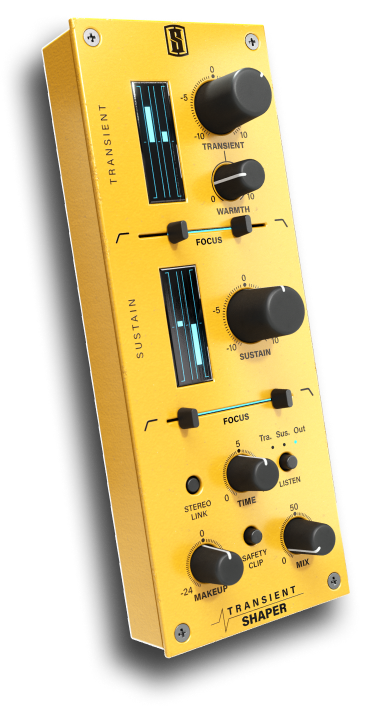
Free transient shapers enhance audio transient response, accentuating attack and sustain in sound dynamics. These tools manipulate the envelope of a sound to reshape its character.


Transient shaping plugins are widely utilized in music production to sharpen or soften percussive elements, vocals, and other instruments. They can add punch and clarity, tame excessive transient peaks, and creatively sculpt sounds with precision. With a user-friendly interface and customizable parameters, free transient shapers offer a cost-effective solution for producers and sound engineers seeking dynamic control in their mixes.


Whether refining drum tracks or adding presence to synth leads, these plugins provide versatile shaping tools for achieving professional-quality audio results.


The Basics Of Transient Shaping

The Basics of Transient Shaping

Transients in audio refer to the initial spike of sound that occurs at the onset of a waveform.

What Are Transients?

Transients give sounds their character and impact, such as the attack of a drum hit or the pluck of a guitar string.

The Role Of Transient Shapers In Audio Processing

Transient shapers are tools used to modify the characteristics of these initial sound transients.

Free Transient Shapers  : Enhance Your Sound with Powerful Plugins


Credit: slatedigital.com

Benefits Of Using Free Transient Shaper Plugins

The use of Free Transient Shaper Plugins offers numerous advantages for enhancing audio dynamics and shaping sounds with precision. Below, we delve into the key benefits of utilizing these tools.

Enhanced Control Over Audio Dynamics

Free transient shaper plugins provide users with the ability to adjust audio dynamics more effectively, allowing for greater flexibility in achieving the desired sound.

Ability To Shape Sound With Precision

With free transient shaper plugins, users can fine-tune audio elements to perfection, ensuring each sound is precisely tailored to the desired outcome.

Top Free Transient Shaper Plugins In The Market

Are you in search of free transient shaper plugins to enhance your music production? Look no further, as we’ve curated a list of the top free transient shaper plugins available in the market. These plugins are designed to help you shape the transients of your audio signals, allowing you to achieve greater control and precision in your sound manipulation.

Plugin A: Features And Functions

Plugin A is a powerful free transient shaper that offers a wide range of features and functions to cater to your audio shaping needs. With its intuitive interface and robust capabilities, Plugin A allows you to enhance the attack and sustain of your audio signals, giving them a more dynamic and impactful sound. The plugin also provides precise control over transient shaping, enabling you to achieve the desired impact and punch in your audio mixes.

Plugin B: User Interface And Capabilities

When it comes to user interface and capabilities, Plugin B stands out as a top-notch free transient shaper plugin. Its user-friendly interface makes it easy to manipulate transients, providing you with the tools to adjust attack and sustain with precision. Plugin B also comes equipped with advanced capabilities, allowing you to shape transients in a way that complements your creative vision and elevates your audio production.

Tips For Effective Use Of Free Transient Shaper Plugins

Free transient shaper plugins can be powerful tools for enhancing the dynamics of your audio recordings. These plugins allow you to manipulate the attack and sustain parameters of a sound, giving you greater control over its transient response. By understanding how to effectively use these plugins, you can bring out the desired elements in your audio and create more impactful and polished recordings. In this blog post, we will explore some tips for getting the most out of free transient shaper plugins.

Understanding Attack And Sustain Parameters

When using a transient shaper plugin, it’s essential to have a good grasp of the attack and sustain parameters. The attack parameter determines the initial onset of a sound, while the sustain parameter controls the length of the sound’s tail or decay. Here are some key points to consider:

  • Increasing the attack parameter can make a sound more punchy and pronounced.
  • Decreasing the attack parameter can soften the attack, giving the sound a smoother and more rounded quality.
  • Adjusting the sustain parameter allows you to control the duration and decay of the sound. Increasing the sustain can make a sound longer and more sustained, while decreasing it can give the sound a quicker release.

By experimenting with these parameters, you can shape the transients of your audio recordings to achieve the desired effects.

Creative Applications And Techniques

Free transient shaper plugins offer endless creative possibilities for sound design and mixing. Here are some innovative applications and techniques to explore:

  1. Enhancing drum sounds: Use the transient shaper to emphasize the attack of drums, making them punchier and more defined. Conversely, you can reduce the attack to create a more subdued and ambient drum sound.
  2. Fixing uneven performances: If you have a recording where certain notes or phrases stand out too much, a transient shaper can help by reducing the attack of those specific elements to achieve a more balanced sound.
  3. Adding sustain to plucked sounds: Transient shapers can be used creatively to extend the sustain of plucked instruments such as guitars or harps, giving them a more sustained and resonant quality.
  4. Shaping vocals: By adjusting the attack and sustain parameters, you can bring out or soften certain elements in vocal recordings. For example, increasing the attack can make consonants more prominent, while reducing it can smooth out harsh sibilance.

These are just a few examples of the many ways you can creatively use transient shaper plugins to enhance your audio recordings and add your own unique touch.

Conclusion: Elevating Your Audio Productions With Free Transient Shapers

Enhance your audio productions with free transient shapers for added punch and presence. Craft dynamic and impactful sounds by leveraging these tools to refine your audio elements, resulting in a professional and polished production. Elevate your music and audio projects with the transformative capabilities of free transient shapers.

Maximizing The Potential Of Transient Shaping

Transient shaping is a powerful tool that can take your audio productions to new heights. By controlling the attack and sustain of a sound, you can enhance its punch, make it cut through the mix, or even make it more subtle and smooth. Free transient shapers offer a cost-effective way to experiment with this technique and elevate your productions without breaking the bank. With these versatile plugins, you can shape the transients of individual tracks or the entire mix, giving you precise control over the dynamics of your audio. Let’s explore how you can maximize the potential of transient shaping with these free tools.

Exploring Boundless Sound Design Possibilities

Free transient shapers open up boundless sound design possibilities. Whether you’re working on music, podcasts, or any other audio project, these plugins provide you with the ability to sculpt the sounds to your liking. Whether you want to emphasize the attack of a drum hit, tighten up a bass line, or add more sustain to a vocal, transient shapers can help you achieve the desired effect. By manipulating the transients, you can create unique textures, shape the character of your sounds, and add a professional touch to your audio productions. The best part is that you can accomplish all of this using free plugins that are readily available online.

Not only do free transient shapers offer great sound design possibilities, but they also save you money. Instead of investing in expensive plugins, you can achieve similar results with these free alternatives. This provides a cost-effective solution for beginners, hobbyists, or those on a tight budget who still want to enhance their audio productions. So why not take advantage of these free tools and elevate your sound without having to spend a fortune?

In conclusion, free transient shapers hold immense potential for elevating your audio productions. From maximizing the potential of transient shaping to exploring endless sound design possibilities, these plugins offer a creative edge without putting a strain on your wallet. So go ahead, download these free tools, and start taking your audio productions to new heights today.

Free Transient Shapers  : Enhance Your Sound with Powerful Plugins


Credit: www.producerloops.com


Frequently Asked Questions Of Free Transient Shapers

Is Transient Shaper Free?

No, transient shaper is not free. It is a paid audio plugin used for shaping transients in sound.

Does Pro Tools Have A Transient Shaper?

Yes, Pro Tools does have a transient shaper to adjust the attack and release of audio signals.

What Is The Difference Between Transient Designer And Transient Shaper?

Transient designer and transient shaper are both audio tools used to manipulate transients in music. The primary difference lies in the level of control they offer. Transient designer typically provides more detailed control over individual transient elements, while transient shaper allows for broader shaping of the entire transient signal.

What Is The Difference Between Compressor And Transient Shaper?

A compressor reduces the dynamic range of a sound while a transient shaper emphasizes or softens the attack and sustain of a sound.

Conclusion

Incorporating transient shapers can enhance your audio production with unparalleled control and creativity. With the accessibility of free transient shaper plugins, sound shaping has never been easier. Experimenting with different transient shapers can unlock endless possibilities for your music. Take advantage of these tools to elevate your sound and stand out in the music industry.

Categories
Archive

Best Vocal Compressors: Unleash Your Voice with Power

When choosing the best vocal compressors, consider popular models like Universal Audio LA-2A and Waves CLA-2A. These compressors are renowned for their transparency and clarity, making them ideal for vocal processing.


The right vocal compressor can enhance the dynamics and tone of a singer’s performance, adding depth and richness to their sound. By utilizing advanced compression techniques, these compressors can control peaks, balance dynamics, and create a more polished vocal mix.


Whether you’re a professional audio engineer or a home studio enthusiast, investing in a high-quality vocal compressor can take your vocal recordings to the next level.

Best Vocal Compressors: Unleash Your Voice with Power


Credit: www.amazon.com

Choosing The Right Vocal Compressor

When selecting the best vocal compressors, it’s essential to consider factors such as the compression ratio, attack and release times, and overall sound quality. Look for compressors with transparent and smooth performance that can effectively control vocal dynamics without sacrificing natural tone.


Paying attention to these details will help you choose the right vocal compressor for professional and high-quality vocal recordings.

An Introduction To Vocal Compressors

Vocal compressors are essential tools for achieving that polished and professional sound in your recordings.

Key Features To Look For In A Vocal Compressor

1. Threshold and Ratio: Adjustable threshold levels for controlling when compression kicks in and ratio for the amount of compression applied.

2. Attack and Release: Adjustable attack time to determine how quickly the compressor reacts and release time for how long the compression continues.

3. Gain Reduction Meter: Visual representation of how much compression is being applied to the vocals.

4. Sidechain Capability: Allows you to route other audio signals to control the compression of vocals.

5. Warmth and Character: Some vocal compressors offer unique analog warmth and sonic character to enhance vocals.

6. Versatility: Look for a compressor that is versatile and can be used on various vocal styles and genres.

Top Vocal Compressors On The Market

Looking for the perfect vocal compressor to enhance your recordings? Let’s explore the top vocal compressors available in the market today.

Classic Analog Vocal Compressors

Classic analog vocal compressors offer warm and rich tones prized by many audio professionals.

  • Universal Audio 1176: Known for its fast attack and release times, ideal for capturing dynamic vocals.
  • Teletronix LA-2A: Renowned for its smooth and transparent sound, perfect for smoothing out vocal dynamics.
  • SSL G-Series Bus Compressor: Provides a punchy and solid sound, highly effective for shaping vocal tracks.

Modern Digital Vocal Compressors

Modern digital vocal compressors offer advanced features and pristine audio quality.

  1. Waves RCompressor: Versatile compressor with intuitive controls, great for both subtle and aggressive vocal shaping.
  2. FabFilter Pro-C 2: Offers precise control over compression parameters, allowing for fine-tuning vocal dynamics.
  3. CLA-76 Bluey: Modeled after the iconic hardware compressor, delivers a classic sound with modern flexibility.

Setting Up Your Vocal Compressor

When it comes to setting up your vocal compressor, understanding the key parameters and applying the correct settings can make a significant difference in achieving the desired vocal sound. Let’s delve into the essential aspects of setting up your vocal compressor, including understanding threshold and ratio, as well as applying attack and release settings.

Understanding Threshold And Ratio

The threshold determines the level at which the compressor starts to act. Setting a lower threshold means the compressor will engage with lower level signals, while a higher threshold will only kick in when the signal surpasses a certain level.

In terms of the ratio, it signifies how much compression is applied once the signal exceeds the threshold. A lower ratio such as 2:1 implies subtle compression, while a higher ratio like 8:1 indicates more aggressive compression. Adjust the ratio based on the vocal’s dynamic range and the desired level of control.

Applying Attack And Release Settings

The attack controls how fast the compressor responds to the signal once it exceeds the threshold. A quicker attack is suitable for taming sharp transients, while a slower attack can preserve the initial punch and impact of the vocals.

On the other hand, the release setting determines how long the compression continues after the signal drops below the threshold. A shorter release time can work well for maintaining a consistent level, whereas a longer release time is effective in preserving the natural dynamics of the vocals.

Techniques For Vocal Compression

Vocal compression is an essential tool for enhancing the quality and impact of vocal recordings. By controlling the dynamic range of a vocal track, compression helps to even out the volume levels and add that professional polish. In this article, we will explore two effective techniques for vocal compression: parallel compression for vocal depth and multiband compression for vocal clarity.

Parallel Compression For Vocal Depth

Parallel compression, also known as New York compression, is a powerful technique that can give your vocals incredible depth and presence. It involves blending a heavily compressed signal with the original unprocessed vocal track. By doing so, parallel compression helps to emphasize the subtleties and nuances of the vocals, while still maintaining their natural dynamics.

To apply parallel compression, follow these steps:

  1. Create a duplicate of the original vocal track.
  2. Apply heavy compression settings, such as a high ratio and a fast attack and release time, to the duplicated track.
  3. Blend the compressed track with the original track, adjusting the volume of the compressed track to achieve the desired level of vocal depth.

This technique works wonders for bringing out the details in a vocal performance and can make your vocals shine in the mix. Just remember to use your ears and find the right balance between the compressed and uncompressed signals.

Multiband Compression For Vocal Clarity

Multiband compression is another powerful tool that allows for precise control over the dynamics of a vocal track. Unlike traditional compression, which affects the entire frequency range, multiband compression enables you to compress different frequency bands independently.

When it comes to vocal clarity, multiband compression can be a game-changer. Here’s how to use it effectively:

  1. Identify the frequency ranges that need compression. For vocals, this is often in the low-mid and high-mid frequencies.
  2. Insert a multiband compressor plugin on the vocal track.
  3. Set up the compressor to target the specific frequency bands that require compression. Adjust the threshold and ratio settings to achieve the desired level of clarity.
  4. Experiment with the attack and release times to find the perfect balance between controlling excessive dynamics and preserving the natural performance of the vocals.

By applying multiband compression to the vocal track, you can effectively address frequency-specific issues and ensure that every word and syllable is clear and intelligible in the mix.

Common Mistakes To Avoid

In the world of audio production, vocal compressors play a crucial role in achieving that perfect and polished vocal sound. They help in controlling the dynamics of a vocal performance, making it sound more balanced and professional. However, just like any other audio tool, there are common mistakes that can occur when using vocal compressors. In this section, we will discuss some of these mistakes and how to avoid them.

Over-compressing The Vocal

Vocal compression is a delicate process that requires precision and subtlety. Over-compressing the vocal can lead to a loss of dynamics and a sterile-sounding performance. It’s important to strike a balance between controlling the dynamic range and maintaining the natural expressiveness of the vocals. Here are some tips to avoid over-compression:

  • Start by setting a low compression ratio, such as 2:1 or 3:1, and gradually increase it until the desired effect is achieved.
  • Pay attention to the attack and release settings of the compressor. Adjusting these can help preserve the transients and make the compression more transparent.
  • Use your ears as a guide. If the vocals sound lifeless and flat, it may be a sign of over-compression. Trust your instincts and make subtle adjustments until the vocals regain their natural character.

Ignoring Gain Staging

Gain staging is often an overlooked aspect of vocal compression, yet it can have a significant impact on the overall sound quality. Ignoring proper gain staging can result in a distorted or noisy vocal mix. Here are some tips to ensure your gain staging is optimal:

  1. Ensure a healthy signal level from the recording stage. Avoid recording vocals too softly, as this can introduce more noise when boosting the gain during mixing.
  2. Set the input gain of your compressor correctly. It’s important to find the sweet spot where the compressor reacts effectively without introducing unwanted artifacts or distortion.
  3. Pay attention to the output gain of the compressor. Adjust it to match the overall level of your mix, ensuring the vocals sit well in the context of the entire song.

By avoiding these common mistakes of over-compressing the vocal and ignoring proper gain staging, you can achieve clearer, more natural-sounding vocals that enhance your overall mix. Remember, subtlety and attention to detail are key when working with vocal compressors.


Frequently Asked Questions Of Best Vocal Compressors

What Is The Best Compressor For Vocals?

The best compressor for vocals is the Warm Audio WA-2A. It offers smooth compression and vintage sound, enhancing vocals.

What Type Of Compression Is Best For Vocals?

Opt for gentle compression to enhance vocal clarity while maintaining natural dynamics and emotion. Avoid over-compression for a more organic sound.

What Is The Best Compression Setting For Vocals?

For vocals, start with a moderate compression setting around 3:1 ratio and adjust to taste. Aim to smooth out dynamics without squashing the natural tone. Experiment with attack and release times for best results. Remember, every vocal is unique, so use your ears to guide you.

Does Compression Make Vocals Sound Better?

Compression can improve the sound of vocals by evening out the volume levels and adding clarity. It reduces loud peaks and enhances quieter parts, resulting in a smoother and more polished vocal sound. However, it’s important to use compression wisely and adjust the settings carefully to achieve the desired effect.

Conclusion

To sum up, finding the best vocal compressor can greatly improve the quality of your recordings. With the right tool and techniques, you can enhance your vocals and achieve a professional sound. Take your time to experiment and find the right compressor that suits your needs and style.


Happy compressing!

Categories
Archive

Exotic Piano Scales: Unlock the Power of Unique Melodies

Exotic piano scales add unique flavors and colors to music, creating a captivating and diverse sound palette. These scales are rich in culture and tradition, offering a creative way for musicians to express themselves and experiment with new sounds.


Whether you are looking to add a touch of intrigue to your compositions or expand your musical knowledge, exploring exotic piano scales can be a rewarding experience. We will delve into the world of exotic piano scales, discussing their origins, characteristics, and practical applications.


Join us on a journey to discover the beauty and complexity of these captivating musical elements.


Exploring Exotic Scales

Delve into the mystical world of Exotic Piano Scales and uncover the magic they bring to your musical compositions.

The Influence Of Exotic Scales

Exotic scales from different cultures add diversity and richness to your music, giving it a unique flair.

Benefits Of Using Exotic Scales

  • Enhances creativity in your compositions
  • Offers fresh sounds that captivate audiences
  • Expands your musical vocabulary and versatility

Dive into the enchanting world of exotic scales and elevate your musical journey!

Popular Exotic Scales


Pentatonic Scales

Perfect for beginners, pentatonic scales are simple and melodious, consisting of five notes.

Widely used in various genres, pentatonic scales create a captivating sound that resonates with listeners.

Hindustani Scales

Hindustani scales, rooted in Indian classical music, offer an intricate and rich tonal palette.

Featuring microtonal intervals, Hindustani scales provide a unique sound that enriches musical compositions.

Bebop Scales

Popular in jazz music, Bebop scales add complexity and flair to piano improvisations.

With their distinctive chromatic passing tones,Bebop scales enhance musical expressions.


Techniques For Implementing Exotic Scales

Implementing exotic scales in piano playing can add a unique and captivating aspect to your music. Here are some techniques for effectively using and incorporating exotic scales in your compositions and improvisations.

Incorporating Exotic Scales In Composition

When composing music, incorporating exotic scales can greatly enhance the depth and richness of your compositions. One effective technique is to start by familiarizing yourself with the specific intervals and unique tones of the exotic scale you want to use. Experiment with incorporating these different intervals and tones into your melody lines, harmonies, and chord progressions to create a distinct and captivating composition.

Improvisation With Exotic Scales

For improvisation, utilizing exotic scales can provide an exciting opportunity to explore new sounds and push creative boundaries. Begin by gaining a strong understanding of the scale’s structure and how it differs from traditional scales. When improvising with exotic scales, allow yourself the freedom to explore and experiment with the unique tonal qualities, using them to evoke different moods and emotions in your playing.


Challenging The Traditional Approaches

Explore the world of exotic piano scales and challenge traditional approaches to music. Discover unique melodies and harmonies that redefine the boundaries of traditional music theory. Embrace the richness of these scales to add depth and creativity to your musical compositions.

Breaking Away From Conventional Scales

Exotic piano scales are revolutionizing the world of music by challenging the traditional approaches to playing the instrument. These scales offer a fresh perspective, allowing musicians to explore uncharted territories and break free from the constraints of the familiar.

Piano learners often start with the basic major and minor scales, which provide a solid foundation for playing various genres of music. However, as they progress, many crave something different, something extraordinary that can set their playing apart from the rest.

That’s where exotic piano scales come into play. These unconventional scales introduce new patterns of tonality and intervals, igniting the imagination and pushing musicians to embrace the unexplored potential of their instrument.

By learning and incorporating exotic piano scales, musicians can add a touch of uniqueness to their compositions, performances, and improvisations. These scales challenge pianists to think outside the box, encouraging them to experiment with unfamiliar melodies and harmonies that evoke a sense of intrigue and fascination.

With exotic scales, the possibilities are endless. From the hauntingly beautiful sounds of the Hungarian minor scale to the mystical aura of the Persian scale, these musical treasures offer a world of inspiration waiting to be tapped into. They open up doors to new musical landscapes, where creativity knows no bounds.

Encouraging Creativity And Innovation

Exotic piano scales are not just about breaking away from traditional approaches; they also foster creativity and innovation. When pianists venture into these uncharted territories, they encounter new possibilities and perspectives that can breathe new life into their musical expression.

Playing with exotic scales nurtures creativity by pushing musicians to think beyond the conventional expectations of their instrument. As they explore the unique intervals and tonalities, new melodies and harmonies emerge, creating a fresh palette of musical colors.

Moreover, incorporating exotic scales can inspire pianists to approach their compositions and arrangements in innovative ways. By infusing their music with the flavors of these unconventional scales, musicians can captivate audiences with unexpected twists and turns, taking them on a sonic journey like no other.

Through experimentation with exotic piano scales, musicians are empowered to find their unique voice and stand out in an overcrowded musical landscape. It’s a chance to break free from the confines of conformity and embrace their individuality as artists.

So, dare to venture into exotic piano scales, and unlock the doors to a world of musical enchantment where tradition is challenged, creativity is nurtured, and innovation flourishes. Embrace the opportunity to explore the unexplored and create musical experiences that will captivate and inspire.

Utilizing Exotic Scales In Performance

When it comes to piano playing, there is no denying the significance of scales. They provide the building blocks for melody, harmony, and improvisation. While most pianists are familiar with major and minor scales, there exists a whole world of exotic scales waiting to be explored. Incorporating these unique scales into your performances not only enhances musical expressiveness but also creates truly unique soundscapes.

Enhancing Musical Expressiveness

Exotic scales add a new layer of emotion and depth to your musical performance. These scales, often derived from different ethnic traditions and cultures, possess a distinctive flavor that evokes a range of emotions. By incorporating these scales into your playing, you can captivate your audience with the richness and uniqueness of your musical expression.

Creating Unique Soundscapes

Utilizing exotic scales opens up a world of possibilities for creating unparalleled soundscapes on the piano. Each exotic scale carries its own set of intervals and tonal characteristics, allowing you to venture into uncharted musical territories. Whether it’s the haunting beauty of the Phrygian dominant scale or the enigmatic allure of the altered scale, these unique scales enable you to create musical landscapes that will fascinate and engage your listeners.

Moreover, by combining different exotic scales or blending them with more conventional scales, you can create complex and intricate musical textures. The juxtaposition of familiar and unfamiliar scales adds an element of surprise and intrigue to your performance, ensuring that each note resonates with a sense of curiosity and exploration.


Frequently Asked Questions Of Exotic Piano Scales

What Is The Most Beautiful Piano Scale?

The most beautiful piano scale is often considered to be the C major scale due to its simplicity and harmonic qualities.

What Are Exotic Scales?

Exotic scales are scales with unique intervals, adding distinct flavor and character to music.

What Is The Rarest Musical Scale?

The rarest musical scale is the Bohlen-Pierce scale, with non-traditional intervals and a unique harmonic structure. It is used in avant-garde and experimental music.

What Are The Mysterious Sounding Piano Scales?

Mysterious sounding piano scales include the Hungarian minor, diminished, and whole-tone scales. These scales create a distinct and intriguing atmosphere in music.

Conclusion

To sum up, exploring exotic piano scales can be a gratifying experience for musicians seeking to diversify their sound and enhance their creativity. By incorporating these unique scales into your music, you can add an intriguing dimension to your compositions and performances.


Embrace the richness of these unconventional scales and elevate your musical journey.

Categories
Archive

Best Vst Plugins : Boost Your Music Production with These Power Tools

Looking for the best VST plugins? Check out top-rated options like Serum, FabFilter, and Omnisphere for professional music production.


These plugins offer a wide range of features and versatility, making them popular choices among musicians and producers. With quality sound design capabilities and user-friendly interfaces, these VST plugins can enhance your productions and take your music to the next level.


Whether you’re a beginner or a seasoned pro, having access to quality VST plugins can help you create unique and professional-sounding tracks. We’ll explore the benefits of using these top VST plugins in your music production workflow.


The Power Of Vst Plugins

What Are Vst Plugins?

VST Plugins are digital tools used in music production for enhancing sound quality and creating unique effects.

How Vst Plugins Boost Music Production

VST Plugins offer a wide range of virtual instruments and effects to improve creativity and streamline workflows.

“`

Enhance sound quality and create unique effects with VST Plugins, digital tools in music production.

– VST Plugins: digital tools for enhancing sound quality and creating unique effects.
– Offer a wide range of virtual instruments and effects to improve creativity.

Streamline workflows and boost efficiency using VST Plugins, a must-have in modern music production.

Best Vst Plugins : Boost Your Music Production with These Power Tools


Credit: www.kuassa.com

Top Vst Plugins For Music Production

Virtual Instruments

Virtual instruments are essential for creating melodies and harmonies in your music production.

  • Xfer Serum: Widely acclaimed for its versatile sound design capabilities.
  • Kontakt by Native Instruments: Offers an extensive library of high-quality instrument samples.
  • Spectrasonics Omnisphere: Known for its lush pads and evolving textures.

Audio Effects

Audio effects can elevate your tracks by adding depth and richness to the sound.

  1. FabFilter Pro-Q 3: A top-notch equalizer for precise frequency shaping.
  2. Soundtoys Decapitator: Adds warmth and character to your audio with its saturation effects.
  3. ValhallaRoom reverb: Delivers lush and spacious reverb for a bigger sound.

Choosing The Right Vst Plugins

When it comes to music production, choosing the right VST (Virtual Studio Technology) plugins is crucial for achieving the desired sound and quality. With a plethora of options available in the market, it can be overwhelming to select the best VST plugins that cater to your specific production needs. In this section, we will outline the key considerations for choosing the right VST plugins to enhance your music production process.

Understanding Your Production Needs

Before delving into the world of VST plugins, it is essential to have a clear understanding of your production requirements. Whether you are looking to enhance your mix with high-quality effects, incorporate realistic instrument sounds, or streamline your workflow with versatile tools, identifying your specific production needs will guide your selection process.

Compatibility And Integration

Another crucial factor to consider when choosing VST plugins is their compatibility and integration with your digital audio workstation (DAW) or music production software. Ensure that the VST plugins you select are compatible with your existing setup and seamlessly integrate into your workflow to avoid any technical hiccups during production.

Optimizing Vst Plugin Workflow


Optimizing VST Plugin Workflow

When it comes to creating music digitally, having a reliable and efficient workflow is essential for any producer or musician. Optimizing your VST plugin workflow can help you save time, improve productivity, and unleash your creativity. In this article, we will explore some effective strategies to enhance your VST plugin workflow.

Organizing Your Plugin Library

One of the key aspects of optimizing your VST plugin workflow is organizing your plugin library. When you have a large collection of plugins, finding the right one for a specific task can become a time-consuming process. By organizing your plugin library, you can quickly locate the required tools and streamline your creative process.

To effectively organize your plugin library:

  • Group similar plugins together based on their functionality or category.
  • Create custom folders or subfolders to organize plugins based on your personal preferences.
  • Consider using plugin manager software that allows you to tag, categorize, and search for plugins easily.

Maximizing Efficiency In Mixing And Mastering

Efficiency is crucial when it comes to mixing and mastering your tracks. By maximizing efficiency in these stages, you can save time and achieve professional sound quality. Here are some techniques to optimize your VST plugin workflow in mixing and mastering:

  1. Utilize Templates: Create customizable templates with your preferred plugin chains, routing, and settings for different types of tracks. This allows you to start with a solid foundation and focus on the creative aspects rather than tedious setup every time.
  2. Batch Processing: When applying similar effects or adjustments to multiple tracks, consider using batch processing tools provided by some VST plugins. This allows you to save time by applying changes to multiple tracks simultaneously.
  3. Favor Quality over Quantity: Rather than having an excessive number of plugins loaded in your session, focus on selecting a few high-quality VST plugins that cater to your specific needs. This avoids unnecessary clutter and reduces processing load on your computer.

The Future Of Vst Plugins

The world of music production is ever-evolving, and VST plugins have played a significant role in shaping its landscape. As technology continues to advance at an unprecedented pace, it is only natural to wonder what the future holds for these powerful tools. In this blog post, we will explore the potential impact of emerging technologies on VST plugins and how they can revolutionize music production.

Emerging Technologies

With the rapid development of artificial intelligence (AI) and machine learning, the future of VST plugins looks promising. These technologies are making it possible to create plugins that can intelligently analyze audio and generate sounds in real-time. This means that musicians and producers can expect more advanced synthesizers, samplers, and effects that can mimic real instruments and push the boundaries of creativity.

Potential Impact On Music Production

The potential impact of these emerging technologies on music production is immense. Here are some key aspects to consider:

  1. Improved Sound Quality: AI-powered plugins can help eliminate audio artifacts and enhance the overall sound quality of recordings and mixes. This can result in more polished and professional-sounding music.
  2. Streamlined Workflow: With intelligent algorithms, plugins can automate repetitive tasks, allowing musicians to focus on their creativity. Time-consuming processes like tuning vocals or aligning drum tracks can be done effortlessly, saving valuable studio time.
  3. Creative Possibilities: With AI-generated sounds and effects, musicians can explore new sonic territories and experiment with unconventional techniques. This opens up a world of possibilities for creating unique and innovative compositions.
  4. Accessibility: As technology becomes more advanced, it becomes more accessible to a wider audience. This means that budding musicians and producers can benefit from the power of VST plugins, leveling the playing field and democratizing music production.

In conclusion, the future of VST plugins is bright and exciting. Emerging technologies like AI and machine learning are revolutionizing the music production landscape, offering improved sound quality, streamlined workflows, and endless creative possibilities. As these technologies continue to develop, musicians and producers can expect an even more immersive and innovative music production experience.

Best Vst Plugins : Boost Your Music Production with These Power Tools


Credit: www.production-expert.com


Frequently Asked Questions On Best Vst Plugins

Which Is The Best Vst Plugin?

The best VST plugin depends on your specific needs and preferences. Some popular options include Serum, Omnisphere, and Kontakt. It’s important to consider factors such as sound quality, ease of use, and compatibility with your music production software. Research and try different plugins to find the best fit for you.

What Vst Do Most Producers Use?

Most producers commonly use VST plugins like Serum, Omnisphere, Kontakt, and Sylenth for music production.

What Plugins Do Pros Use?

Professionals often use plugins like Yoast SEO, Elementor, and WP Rocket for website optimization and performance.

What Is Better Vst Or Vst3?

VST3 offers improved efficiency and stability compared to VST. It supports MIDI and sample-accurate automation.

Conclusion

With the vast selection of VST plugins available, you now have the tools to take your music production to the next level. By utilizing these top-quality plugins, you can enhance your creativity and achieve professional sounds with ease. Invest in the best VST plugins and elevate your music production game.

Categories
Archive

Analog Synth Plugins: Unlocking Limitless Sonic Power

Analog synth plugins are virtual tools that replicate the sound of vintage analog synthesizers accurately. These plugins provide a convenient and cost-effective way for musicians and producers to access classic analog synth sounds without needing the physical hardware.


With advancements in technology, analog synth plugins offer a wide range of customization options, effects, and features to enhance creativity and production efficiency. Whether you’re a beginner looking to experiment with analog synth sounds or a seasoned professional seeking high-quality virtual instruments, these plugins can elevate your music production experience to new heights.


We will explore the benefits and versatility of analog synth plugins in modern music production.


The History Of Analog Synths

Before diving into the world of analog synth plugins, let’s explore the intriguing history behind these iconic instruments.

Early Beginnings

Analog synths first emerged in the 1960s, revolutionizing music creation with their innovative technology.

  • The invention of the Moog synthesizer in 1964 paved the way for analog synths to shape the sound of popular music.
  • Artists like Kraftwerk and Pink Floyd embraced analog synths, defining the electronic music genre.
  • Analog synths gained popularity in the 1970s and 1980s, becoming integral to various music genres.

Influence On Music

Analog synths have had a profound impact on the music industry, pushing boundaries and inspiring creativity.

  1. They gave artists the freedom to experiment with sounds, leading to groundbreaking compositions.
  2. Analog synths influenced the development of techno, house, and other electronic music genres.
  3. Their warm, organic tones continue to be favored by musicians seeking unique sonic textures.

Analog Synth Plugins: Unlocking Limitless Sonic Power


Credit: www.amazon.com

The Evolution Of Analog Synth Plugins


The Evolution of Analog Synth Plugins

Analog synth plugins have undergone significant transformations over the years, mirroring the advancements in technology. Let’s delve into the evolution of analog synth plugins and explore how digital replication and technological advancements have shaped their development.

Digital Replication

Digital replication has revolutionized the world of analog synth plugins, allowing for authentic sounds to be recreated digitally with precision and accuracy.

Advancements In Technology

Advancements in technology have propelled analog synth plugins to new heights, enabling developers to simulate analog circuitry and capture the essence of classic hardware synths.

Benefits Of Analog Synth Plugins

Analog synth plugins have revolutionized the music industry, providing a wide range of sound possibilities for modern music production. The benefits of these plugins are numerous, offering music producers and creators various advantages when it comes to sound quality and versatility in sound design.

Authentic Sound Reproduction

Analog synth plugins are known for their ability to faithfully replicate the warm and organic sound of traditional analog synthesizers. With advancements in technology, these plugins can accurately emulate the nuances of voltage-controlled oscillators and analog filters, resulting in rich, textured sounds that are indistinguishable from their hardware counterparts.

Versatility In Sound Design

One of the key benefits of analog synth plugins is their flexibility in sound manipulation. These plugins offer a wide range of parameters and controls, allowing users to craft unique and customized sounds. From classic leads and basslines to intricate soundscapes and atmospheric textures, the versatility of these plugins empowers music creators to explore new sonic territories.

Tips For Using Analog Synth Plugins

Achieving the rich and warm sounds of analog synthesizers has become easier than ever with the advent of analog synth plugins. These powerful software instruments allow musicians and producers to recreate the vintage tones and textures of classic synthesizers, all within the convenience of their digital audio workstations. However, to fully harness the potential of analog synth plugins, it is crucial to understand some tips and techniques. In this article, we will dive into the world of analog synth plugins by exploring the key concepts of signal flow and modulation. Let’s get started!

Understanding Signal Flow

Signal flow is an essential concept in the world of analog synthesizers. It refers to the pathway that the audio signal takes from the oscillator (sound source) to the final output. Understanding signal flow is crucial in order to shape and manipulate your sound effectively.

When using analog synth plugins, it is important to grasp how the audio signal flows through different modules within the plugin. This includes the oscillators, filters, envelopes, and amplifiers. Familiarizing yourself with the layout and signal path of your chosen plugin will enable you to create more complex and dynamic sounds.

Visualizing the signal flow can help you make deliberate decisions on how to route the audio signal to achieve your desired sound. For example, applying modulation (which we will explore next) to different stages of the signal flow can result in unique and interesting sonic textures. Keep experimenting and experimenting for ultimate creativity!

Exploring Modulation

Modulation is a powerful tool that allows you to add movement, dynamics, and complexity to your sounds when using analog synth plugins. Understanding how to effectively use modulation will take your sonic creations to the next level.

Within analog synth plugins, you will typically find modulation sources such as LFOs (low-frequency oscillators) and envelopes. These modulation sources can be assigned to various parameters within the plugin, including oscillator pitch, filter cutoff, and amplifier level.

Increase the depth of your knowledge with the usage of modulation sources and assigned them to appropriate parameters.

Experimenting with different modulation settings and combinations will yield fascinating results. For instance, applying an LFO to the filter cutoff can create a pulsating and rhythmic effect, adding movement and interest to your sound. Be sure to explore the modulation options offered by your chosen plugin and let your creativity flow!

The Future Of Analog Synth Plugins

The future of analog synth plugins looks promising as technology continues to advance. These plugins now offer a high level of authenticity and sound quality, making them indispensable for both newcomers and seasoned musicians. With a growing demand for vintage sounds, analog synth plugins are set to play a crucial role in the future of music production.

Integration With Ai Technology

Analog synth plugins have come a long way, constantly pushing the boundaries of music production. The future of these plugins is even more exciting, with the integration of artificial intelligence (AI) technology.

AI technology is revolutionizing the music industry by enhancing the capabilities of analog synth plugins to create unique and innovative soundscapes. With AI algorithms analyzing and understanding patterns from vast amounts of musical data, these plugins are able to generate complex and organic sounds that were once only possible with physical analog synthesizers.

One of the remarkable features of AI-integrated analog synth plugins is their ability to learn from user input. As you experiment with different settings and tweak parameters, the plugin’s AI adapts to your preferences, generating customized sounds that complement your style. This level of personalization opens up a world of creative possibilities, allowing musicians to effortlessly sculpt their own sonic landscapes.

Expanding Creative Possibilities

The future of analog synth plugins goes beyond mere replication of classic analog hardware. These plugins are expanding creative possibilities, providing musicians with an extensive palette of sounds to experiment with.

By leveraging the power of advanced algorithms, designers can create virtual instruments that transcend the limitations of traditional synthesizers. From emulating vintage gear to crafting entirely new and unique sounds, analog synth plugins are versatile tools for musical exploration.

With their user-friendly interfaces, these plugins empower musicians of all skill levels to dive into the world of synthesis and indulge in sonic experimentation. Whether you are an experienced producer or just starting your musical journey, these plugins offer a gateway to uncharted musical territories.

Enhancing Workflow Efficiency

Analog synth plugins not only offer a vast array of creative possibilities but also enhance workflow efficiency for modern music producers. With their seamless integration into digital audio workstations (DAWs), these plugins streamline the production process.

Gone are the days of physically patching cables and tweaking knobs, as everything can now be manipulated digitally within the familiar environment of your DAW. This integration not only saves time but also offers greater flexibility, as parameters can be automated and recalled instantly.

Furthermore, analog synth plugins often come with extensive preset libraries, providing a wealth of sounds to kickstart your creative process. These presets, coupled with the ability to customize and tweak every aspect of the sound, allow you to quickly find your desired tone while still allowing room for experimentation and personalization.

In conclusion, the future of analog synth plugins is a promising one. With the integration of AI technology, these plugins are pushing the boundaries of creativity and empowering musicians to explore new sonic territories. By expanding creative possibilities and enhancing workflow efficiency, these plugins are revolutionizing the way music is produced and opening up a world of endless sonic exploration.


Frequently Asked Questions For Analog Synth Plugins

How Do You Get Analog Synth Sound?

To get analog synth sound, adjust oscillators, filters, and envelopes for warm, rich tones. Experiment with modulation and effects.

Does Deadmau5 Use Analog Synths?

Yes, Deadmau5 uses analog synths in his music production, adding warmth and character to his sound.

Are Analog Synths Still Used?

Yes, analog synths are still widely used in music production for their distinctive sound and tactile control. Many musicians and producers appreciate their warm, organic tones and the hands-on experience they provide. Additionally, analog synths continue to inspire creativity and experimentation in the studio.

Why Do Analog Synths Sound Better Than Digital?

Analog synths sound better than digital because they produce a warm and organic sound that is highly valued. The analog circuitry allows for subtle variations and rich harmonics that are hard to replicate digitally. This results in a more authentic and pleasing sound experience.

Conclusion

To sum up, analog synth plugins offer unique and authentic sound, making them a valuable addition to any music production setup. With their versatility and ability to recreate classic analog tones, these plugins provide endless creative possibilities for musicians and producers.


Explore the world of analog synthesis and enhance your musical creations with these powerful tools.