Categories
Archive

How Do I Make My Song Louder

To make your song louder, increase the volume and use compression techniques in the post-production phase. Achieving the perfect loudness level for your music is a common goal for many artists, producers and engineers.

By increasing the volume and using various compression techniques, you can add more energy and impact to your mix. However, simply turning up the volume may not always be the best solution. Techniques like compression and limiting can help maximise the sound level while also preserving the dynamic range and ensuring the clarity and balance of your mix.

We’ll explore some effective ways to make your song louder without sacrificing quality.

How Do I Make My Song Louder

Credit: m.youtube.com

Start With A Solid Mix

To make your song louder, start with a solid mix by balancing the levels of each instrument and vocal in the track. This will prevent the need for excessive mastering and allow for optimal loudness while still maintaining the clarity and balance of the overall sound.

When it comes to making your song louder, starting with a solid mix is crucial. The mix is the balance of all the individual elements in your song, including the levels, frequencies, and panning. If your mix is weak, no amount of mastering can make up for it. To ensure your mix is strong, be sure to:

  • Use high-quality samples and recordings
  • Keep the levels of each element in check
  • Make sure each element sits in its respective frequency range
  • Ensure there is space in the mix for each element to breathe

Use Compression To Control Levels

Compression is a mixing tool that can be used to control the levels of individual elements in a mix. When used correctly, compression can help bring out the quieter elements in your mix and tame the louder ones. Here are some tips for using compression to make your song louder:

  • Use a ratio of around 4:1 to start with
  • Set your threshold so that only the loudest parts of the element trigger the compressor
  • Adjust your attack and release times to suit the element and the song
  • Be careful not to over-compress, as this can suck the life out of your mix

Eq Can Help Elements Sit In The Mix

EQ is another mixing tool that can be used to help elements sit in the mix. By cutting or boosting certain frequencies, you can make space for other elements and bring out the best in each individual element. To use EQ effectively:

  • Start with subtractive EQ, cutting any frequencies that aren’t needed
  • Use broad cuts or boosts to avoid creating harsh or unnatural sounds
  • Try using EQ to carve out space in the mix for each element
  • Be careful not to boost too much, as this can lead to clipping or distortion

Don’t Overuse Reverb

Reverb can be a powerful mixing tool, but it’s important not to overuse it. Too much reverb can lead to a muddy, indistinct mix, so use it sparingly. Here are some tips for using reverb effectively:

  • Start with a small amount of reverb and increase it gradually
  • Try using different types of reverb to create depth in your mix
  • Use reverb to create a sense of space, not to cover up flaws in the mix
  • Remember that less is often more when it comes to reverb

By following these tips, you can make your song louder without sacrificing the quality of your mix. Remember to start with a solid mix, use compression and EQ effectively, and avoid overusing reverb.

Consider Mastering

To make your song louder, consider mastering it with appropriate equalization and compression techniques to achieve the desired level without losing clarity. Using a limiter can also help increase loudness without exceeding the maximum level and causing distortion. Proper usage of these techniques can enhance your audience’s listening experience and make your song stand out.

A Mastering Engineer Can Make Your Track Louder

If you’re finding that the levels on your tracks are uneven, it may be worth considering mastering. Mastering involves enhancing an audio mix and preparing it for distribution. The process involves adjusting the frequencies, compression, and overall levels of a track to ensure they are consistent. A mastering engineer can make your track louder while ensuring that it retains its dynamic range. Using professional equipment and software, they will enhance the quality and level of your track so that it sounds great across all devices and platforms.

Use A Limiter To Increase Overall Volume

One technique you can use to make your song louder is to use a limiter. A limiter ensures that the peak level of a track does not go beyond a certain point. By setting the limiter threshold just below the peak level, you can increase the overall gain of your track. However, be cautious not to overdo it as using too much compression can ruin the sound quality by reducing the dynamic range of your track. Another way to increase the overall volume of your track is to boost the low and high frequencies. Using a low-frequency boost can add warmth and punch to your track while a high-frequency boost can add clarity and brightness.

Be Cautious Of Over-compression

While it may be tempting to compress your track heavily to make it louder, it’s important to be cautious. Overcompression can lead to a loss of dynamic range and can make your track sound flat and lifeless. Each instrument should have its own EQ settings rather than piling them into one. Make sure to listen to your track at different volumes to ensure that it still sounds good. The goal is to achieve a consistent sound and volume throughout the track without sacrificing quality. In conclusion, making your song louder can be achieved through mastering, using a limiter, and being mindful of over-compression. When done correctly, these techniques can make your track sound great on all devices and platforms.

Focus On Individual Elements

To make your song louder, focus on individual elements such as vocals, drums, and bass. Adjust their levels and use plugins for compression, equalization, and limiting to achieve a balanced and dynamic mix. Don’t rely on the overall volume as it can lead to distortion and loss of clarity.

If you want to create a loud and powerful track, then you need to focus on individual elements. Here are a few ways to achieve that:

Check The Levels Of Individual Tracks

The first step towards making your song louder is to check the levels of individual tracks. Each track should have a consistent volume throughout the song. If you notice any inconsistencies, then adjust the levels accordingly. Use a meter to ensure that each track stays within the safe decibel levels.

Use Automation To Balance Individual Parts

Automation is a great way to balance out individual parts of your song. You can increase or decrease the volume of certain instruments during specific parts of the song. For example, you can lower the volume of the guitar during the verse and increase it during the chorus. By using automation, you can create a dynamic and powerful track.

Consider Soloing Elements To Ensure They Blend Well In The Mix

Soloing individual elements such as instruments and vocals is a great way to make sure they blend well in the mix. By listening to each part in isolation, you can identify any issues and make necessary adjustments. For example, you may need to equalize a certain instrument to make it sound better with the rest of the mix. Overall, focusing on individual elements is a great way to make your song louder and more impactful. By checking levels, using automation, and soloing elements, you can create a professional and dynamic mix that stands out.

Use Clipping With Caution

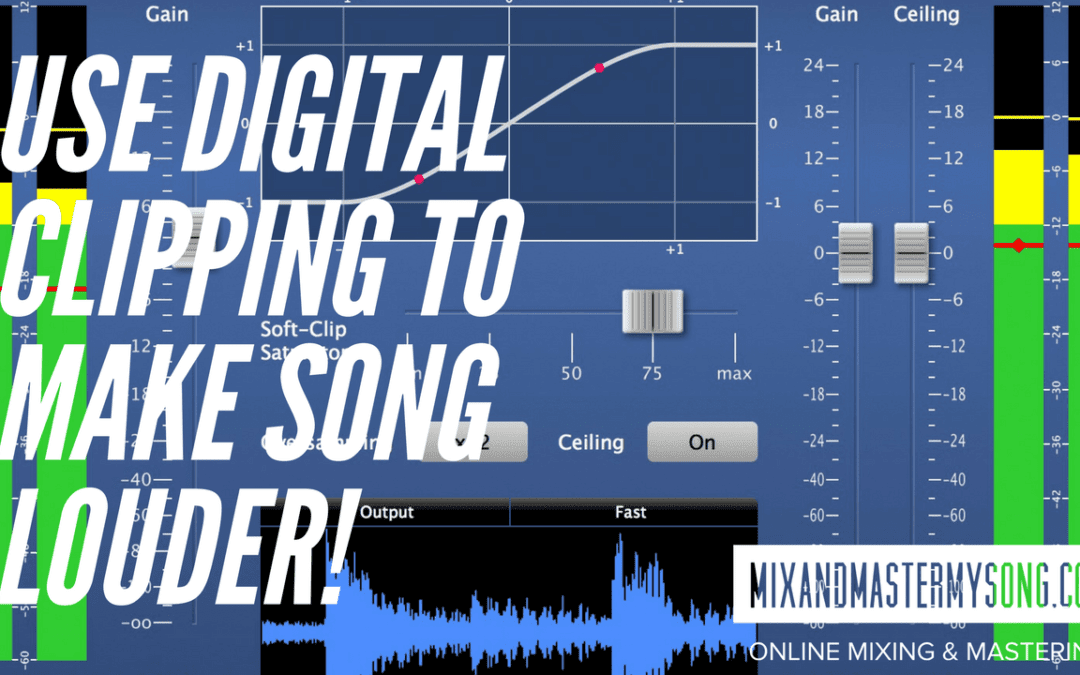
When it comes to making your song louder, it may be tempting to use clipping as a quick fix. However, it’s important to use this technique with caution as it can cause distortion and damage the quality of your audio.

Consider using other methods such as compression, limiting, and EQ adjustments for a cleaner and balanced sound.

Clipping Can Add Volume, But Also Distortion

Clipping is a method that can add volume to your music track, but it can also introduce distortion as well. This happens when the audio signal goes beyond its peak limit resulting in a distorted sound. It’s important to note that distortion is not always bad as some music genres use it purposely to achieve a unique sound.

Use A Clipper Plugin To Avoid Destructive Clipping

A clipper plugin is an essential tool for music producers who want to avoid destructive clipping. A clipper plugin helps to control the occurrence of clipping and prevents it from happening by acting as a safety net. This plugin monitors the signal and reduces the level when it reaches the threshold limit, effectively avoiding clipping.

Clean Up Unwanted Low-end Noise

Unwanted low-end noise can cause problems when making your song louder. The presence of low-end noise can make the song sound muddled and unclear, making it difficult for the listener to appreciate the track. To clean up unwanted low-end noise, you can use EQ, a tool that allows you to adjust the levels of specific frequencies. By reducing the low-end frequencies, you can make the track sound cleaner and clearer. In conclusion, using clipping with caution is crucial to making your song louder while avoiding distortion. A clipper plugin can help control the occurrence of clipping, while cleaning up unwanted low-end noise can make the song sound clearer and more appealing.

Use The Right Tools

To make your song louder, using the right tools is key. Utilize audio editing software with gain and compression features, and consider mastering your track to further enhance its volume and clarity.

Use The Right Tools:

When it comes to making your song louder, using the right tools is essential. With so many mastering plugins and software available, it can be overwhelming to choose the right one. However, fear not! We have rounded up some of the most effective tools to make your song louder and stand out from the crowd.

Consider Using Mastering Plugins:

Mastering plugins can help take your song to the next level. These plugins have features that allow you to adjust the levels and loudness of your song, giving it the extra boost it needs. Some popular mastering plugins include Waves, iZotope Ozone, and FabFilter Pro-MB. With plugins like these, you can ensure the final output of your song is polished and professional.

A Good Limiter Is Essential:

Loudness is all about finding the right balance between the loudest and quietest parts of the song. A good limiter is essential as it helps maintain a consistent volume level throughout the song. The key is to set the limiter at the right level without over-compressing the song. Some popular limiters include Waves L1, FabFilter Pro-L, and iZotope Ozone Limiter.

Plugins Like Ozone Can Help Adjust Levels And Loudness:

Plugins like iZotope Ozone are designed to make the mastering process easier for beginners. They offer a range of features that help adjust levels and loudness, without the need for extensive knowledge of audio engineering. With Ozone, you can use its Maximizer feature to increase the volume of your song while maintaining the overall quality. Additionally, Ozone provides EQ controls to adjust individual frequency levels to make your song sound fuller and more balanced. In conclusion, using the right tools is crucial in making your song louder. With mastering plugins, good limiters, and software like iZotope Ozone, you can take your song to the next level and give it that extra edge it needs to stand out.

How Do I Make My Song Louder

Credit: www.reddit.com

How Do I Make My Song Louder

Credit: mixandmastermysong.com

Frequently Asked Questions Of How Do I Make My Song Louder

What Makes Music Louder?

Music becomes louder when the sound waves created by the music have a higher amplitude. The volume of music can be increased by turning up the volume on the playback device, amplifying the sound waves with a speaker or adding more instruments to the mix.

Why Are My Songs Not Loud Enough?

Your songs may not be loud enough due to several reasons including improper mixing and mastering, low volume levels during recording, or playback device settings. Consult a professional mixing and mastering engineer for assistance in optimizing your audio levels and improving overall sound quality.

How Can I Increase The Loudness Of My Sound?

To increase the loudness of your sound, you can try adjusting the volume settings on your device or using external speakers with a higher wattage. You can also try using equalizer apps or adjusting the settings in your audio software to boost the volume.

Additionally, consider using noise-cancelling headphones which can improve the clarity of the sound and make it easier to hear at lower volumes.

How Can I Hear Music Louder?

To hear music louder, you can try turning up the volume on your device, using headphones or external speakers, adjusting your device’s sound settings, or using a sound amplifier. Just be careful not to damage your ears by setting the volume too high for extended periods of time.

Conclusion

Achieving a louder sound for your song is achievable with the right tools and techniques. Experimenting with your mix’s EQ and compression settings can do wonders to enhance your track’s volume. It is crucial to keep in mind that over-compressing can lead to distorted audio, so exercising caution and proper analysis from time to time will ensure that you strike the perfect balance between loudness and clarity.

With our guide and some creativity, you can ensure that your tracks stand out from the rest and make an impact on your audience.

Categories
Archive

Roland System-1 Review

The Roland System-1 offers a powerful synthesis engine and a user-friendly interface, making it a top choice for musicians of all skill levels. In this review, we will explore its key features, sound quality, and overall performance to help you make an informed purchasing decision.

Roland System-1 Review

Credit: ask.audio

Design And Build

When it comes to the Roland System-1, one of the most crucial aspects is its design and build. The physical appearance and build quality can greatly impact a user’s overall experience. Let’s delve into the design and build of the Roland System-1.

Physical Design

The Roland System-1 boasts a sleek and modern physical design that is appealing to the eye. Its compact size means it can easily fit into any studio or live setup without taking up too much space. The layout of the control knobs and buttons is intuitive, allowing for easy access and adjustments during performance or production.

Build Quality

Roland has always been synonymous with superior build quality, and the System-1 is no exception. The construction feels sturdy, and the materials used are of high quality. This ensures that the synthesizer can withstand the rigors of regular use, making it a reliable and durable tool for musicians and producers.

Sound Capabilities

Roland System-1 is a versatile synthesizer with impressive sound capabilities. Its sound options encompass a wide range of tones, allowing musicians to explore different sonic landscapes and genres.

Analog Modeling

Roland System-1 utilizes advanced analog modeling technology to recreate the classic sound of vintage synthesizers. Its modeling engine faithfully emulates the warmth, richness, and character of traditional analog circuitry, delivering authentic vintage tones.

Variety Of Tones

The System-1 offers a diverse selection of tones, ranging from fat, punchy bass sounds to lush, atmospheric pads. With its extensive sound-shaping capabilities, users can sculpt an array of tones to suit their musical preferences and creative vision.

User Interface

Controls Layout

The controls layout on the Roland System-1 is intuitive and user-friendly.

  • Knobs and sliders are well-positioned for quick adjustments.
  • Clear labeling makes it easy to understand each function.

Ease Of Use

The ease of use of the Roland System-1 is a standout feature for beginners and experienced users alike.

  1. Simple navigation through menus and settings.
  2. Logical layout promotes a smooth learning curve.

The user interface of the Roland System-1 is designed for effortless control and seamless operation.

Connectivity Options

Discover the versatile connectivity options of the Roland System-1 through its innovative design and seamless integration. Effortlessly connect to various devices for a personalized and immersive music production experience. Experience the power of connectivity with the Roland System-1 Review.

When it comes to the Roland System-1, one of its standout features is its impressive range of connectivity options. Whether you’re a beginner or a professional musician, the System-1 offers a variety of input and output ports as well as seamless software integration, making it a versatile and powerful instrument for any creative needs.

Input And Output Ports

The Roland System-1 is equipped with a comprehensive set of input and output ports that allow you to connect with other audio devices and expand your sonic possibilities. Here are some of the key ports you’ll find on the System-1:

  • USB Port: The USB port enables you to directly connect the System-1 to your computer, allowing for easy integration with your favorite DAW (Digital Audio Workstation) software.
  • MIDI In/Out: With MIDI input and output ports, you can seamlessly control the System-1 using an external MIDI controller or use the System-1 to control other MIDI devices.
  • AUDIO In/Out: The audio input and output ports enable you to connect the System-1 to external audio sources, such as a mixer or audio interface, for even more flexibility in your sound design and production.
  • CV/Gate Output: For modular enthusiasts, the System-1 features CV/Gate outputs that allow you to integrate the synth with your modular setup, opening up a world of creative possibilities.

Software Integration

In addition to its impressive hardware connectivity options, the Roland System-1 also offers seamless software integration, giving you access to a wide range of virtual instruments and sound libraries. By connecting the System-1 to your computer via USB, you can easily control and manipulate software synthesizers and effects using the synth’s intuitive controls.

One of the standout features of the System-1 is its compatibility with Roland’s own software, such as the System-1 Plug-Out Software Synthesizer. This powerful software allows you to extend the capabilities of your System-1 by loading different instrument models directly onto it, effectively turning the synth into a “plug-out” synthesizer.

Additionally, the System-1 is compatible with popular virtual instrument plugins and software synthesizers, giving you access to a vast library of sounds and effects to enhance your music production. Whether you prefer using hardware or software instruments, the System-1 seamlessly integrates with your preferred workflow.

In conclusion, the Roland System-1 offers extensive connectivity options, including versatile input and output ports and seamless software integration. Whether you want to connect with other audio devices, expand your sonic horizons, or seamlessly integrate with your preferred software, the System-1 delivers a powerful and flexible solution for all your musical needs.

Performance

The Roland System-1 is an incredibly versatile and powerful synthesizer with a performance capability that will blow you away. Whether you’re looking to create captivating live performances or produce professional-grade tracks in the studio, this synthesizer has got you covered.

Live Performance

When it comes to live performances, the Roland System-1 truly shines. Its intuitive interface and seamless integration with other gear make it the perfect companion for any stage. With its lightweight design and compact size, you can easily take it on the road and perform anywhere you please.

Equipped with an array of performance controls and a highly responsive keyboard, the System-1 allows you to effortlessly express your creativity and deliver captivating performances. Its wide selection of sounds, including classic tones and cutting-edge synth sounds, ensures that you’ll always have the perfect sonic palette to engage your audience.

With its advanced arpeggiator and step sequencer, you can create mesmerizing patterns and intricate rhythms on the fly. And with the ability to layer and stack multiple sounds, the possibilities for sonic exploration and experimentation are virtually endless.

Studio Applications

In addition to its unrivaled live performance capabilities, the Roland System-1 is also an excellent tool for studio applications. Whether you’re a seasoned producer or just starting out, this synthesizer offers a diverse range of features and functions that will elevate your production to new heights.

The System-1 seamlessly integrates with your favorite DAW (Digital Audio Workstation), allowing you to easily control and manipulate its parameters from within your production environment. Its versatile connectivity options, including USB and MIDI, ensure that you can effortlessly connect and sync the System-1 with your existing studio setup.

From lush pads to punchy basslines, the System-1 delivers remarkable sound quality and a rich sonic character. Its robust synthesis engine and extensive modulation options give you unprecedented control over your sound, allowing you to craft intricate and evolving textures with ease. Whether you’re creating electronic, pop, or cinematic music, the System-1 has the versatility to excel in any genre.

Furthermore, the System-1 is equipped with a powerful effects section, including delay, reverb, and distortion, enabling you to add depth and character to your productions without the need for additional external processors.

With its exceptional performance capabilities and its ability to seamlessly integrate into any live or studio setup, the Roland System-1 is a must-have synthesizer for any musician or producer looking to elevate their sound. Unleash your creativity and explore the endless sonic possibilities that this exceptional synthesizer has to offer.

Roland System-1 Review

Credit: www.synthtopia.com

Pros And Cons

Roland System-1 offers a mix of benefits and limitations, making it essential to understand both sides before making a purchase decision.

Advantages

  • Wide range of presets for versatile sound creation.
  • Intuitive interface suitable for beginners and professionals alike.
  • Compact and portable design ideal for studio or live performances.
  • High-quality build and durability for long-term use.

Limitations

  • Limited polyphony compared to some other synthesizers in the market.
  • Complex sound editing may require a learning curve for novice users.
  • Some users find the keybed to be less responsive than expected.
  • Limited connectivity options may restrict integration with other gear.
Roland System-1 Review

Credit: www.soundonsound.com

Frequently Asked Questions Of Roland System-1 Review

Is Roland System 1 Good?

Yes, the Roland System 1 is a good choice. It offers high-quality sound, versatile and easy-to-use controls, and a wide range of customization options. This synthesizer is suitable for both beginners and professional musicians looking for a powerful and innovative instrument.

What Is Roland System 1?

Roland System-1 is a versatile synthesizer known for its wide range of sounds and easy-to-use interface. With its analog modeling technology and extensive controls, it provides musicians with endless creative possibilities.

How Wide Is The Roland System 1?

The Roland System 1 is approximately 472mm wide, making it a compact and versatile synthesizer for various setups.

Is The Roland System-8 Good?

Yes, the Roland SYSTEM-8 is a versatile and high-quality synthesizer suitable for professional and amateur musicians. Its advanced features and exceptional sound quality make it a great choice for creating a wide range of music genres.

Conclusion

To sum up, the Roland System-1 impresses with its sound versatility and user-friendly interface. Its robust build and integration capabilities make it a top choice for musicians and producers alike. Overall, the System-1 offers a seamless experience for creating innovative music across various genres.

Categories
Archive

Yamaha Mx Review

This Yamaha MX review looks at Yamaha’s lightweight synthesizer series: the MX49, MX61 and MX88. The MX range packs a large library of sounds taken from Yamaha’s flagship MOTIF workstation into a portable, affordable keyboard that also works as a USB audio and MIDI interface and DAW controller. For gigging keyboardists and home producers who want one keyboard that does both, it’s a strong option.

Yamaha MX Overview

The MX series comes in three sizes:

  • MX49: 49 keys, very compact and light.
  • MX61: 61 keys, a good balance of range and portability.
  • MX88: 88 keys with Yamaha’s weighted GHS (Graded Hammer Standard) action, for players who want a piano feel.

The MX49 and MX61 use synth-action keys, which suit synth leads, pads and fast playing.

Sound Engine

The MX uses Yamaha’s AWM2 sample-based engine. It has 1,106 voices drawn from the MOTIF series plus 61 drum kits. The palette covers acoustic and electric pianos, organs, strings, brass, synths and drums.

  • Polyphony: 128 notes, enough for layered sounds and sustained playing.
  • Multitimbral: 16 parts, so it can act as a sound module for full arrangements from your DAW.
  • Arpeggiator: 999 arpeggio types for rhythmic patterns and grooves.
  • Performance modes: layer and split voices for live playing.

The piano and electric piano sounds are a highlight, and the MOTIF heritage shows in the strings and synth pads. It isn’t a deep synthesizer for sound design, since editing is limited, but as a playable sound library it delivers a lot.

Controls and Connectivity

The front panel is simple, with four assignable knobs for real-time control such as filter cutoff and resonance, plus category buttons to find sounds quickly. There are pitch and modulation wheels.

Connectivity includes:

  • USB to host: class-compliant, bidirectional audio and MIDI. The MX can send its sounds into your DAW as audio over USB, so you can record without a separate audio interface.
  • MIDI in and out (5-pin DIN) for controlling or being controlled by other hardware.
  • Stereo outputs and a headphone output.
  • Aux input for playing along with backing tracks.
  • Sustain and foot controller inputs.

DAW Integration

The MX can act as a remote controller for popular DAWs, with transport and parameter control from the front panel. It’s bundled with Cubase AI, which gives beginners a complete recording setup out of the box. Because the MX is class-compliant, it also works with iOS devices and other DAWs without special drivers.

If you’re deciding between a controller and a hardware synth, the MX sits nicely in between. Read our guide on whether to get a MIDI controller or a synth for more.

Build and Portability

The MX series is designed to be carried. The plastic chassis keeps weight low, and the MX49 and MX61 are easy to carry to rehearsals and gigs. The trade-off is a less premium feel than metal-bodied workstations. The MX88’s weighted action adds weight but gives a much more realistic piano touch.

Pros and Cons

Pros

  • Large library of MOTIF-derived sounds.
  • Built-in USB audio and MIDI interface.
  • Lightweight and portable.
  • DAW control and bundled Cubase AI.
  • Affordable for the sound quality.

Cons

  • Limited deep sound editing on the instrument.
  • Small display.
  • Plastic build is less robust than pro workstations.
  • No onboard sequencer or sampler.

Who Is the Yamaha MX For?

The MX is ideal for:

  • Gigging keyboardists who need quality sounds in a light package.
  • Home producers who want a keyboard, sound module and simple audio interface in one.
  • Students and beginners who want realistic sounds and a DAW bundle.

Sound designers who want deep synthesis, or producers who want an all-in-one workstation with sequencing, may prefer something like the Roland FA series.

Yamaha MX for Live Performance

On stage, the MX’s strengths are speed and weight. Category buttons let you jump between pianos, organs, strings and synths in a couple of presses. Layers and splits let you play a bass with your left hand and a pad or piano with your right.

The aux input is handy for small gigs or rehearsals: plug in a phone or laptop to play along with backing tracks through the same outputs. For larger shows, the MX can be driven by a laptop running backing tracks over USB, with the keyboard providing both sounds and control.

Yamaha MX in the Studio

In a home studio, the MX can replace several pieces of gear. As a controller, its keys and knobs play your software instruments. As a sound module, its 16 parts can play a full arrangement from your DAW. As an audio interface, it streams its own sound into your recording software over USB, which keeps a beginner setup simple.

Many producers use the MX’s pianos, electric pianos and strings as quick, good-quality sketch sounds, then replace or layer them with software instruments later in the production.

Verdict

The Yamaha MX series delivers an impressive amount of usable, professional-quality sound in a portable, affordable form. Its USB audio and MIDI integration makes it far more than a preset keyboard. It’s a smart pick for players who value great sounds and simplicity over deep editing.

Frequently Asked Questions

Does the Yamaha MX have weighted keys?

Only the MX88, which uses Yamaha’s GHS weighted action. The MX49 and MX61 have synth-action keys.

Can the Yamaha MX be used as an audio interface?

Yes, for its own sounds. It streams its internal sounds to your computer over USB audio, so you can record the keyboard without a separate interface.

Can I edit sounds on the Yamaha MX?

Basic edits are possible with the knobs and settings, and Yamaha provides editor software. It isn’t designed for deep synthesis, though.

Is the Yamaha MX good for beginners?

Yes. It’s easy to use, has great sounds and includes Cubase AI for recording.

Categories
Archive

Keith Mcmillen Softstep Review

The SoftStep by Keith McMillen is a highly-regarded foot controller that offers precise control and versatility for musicians and performers. With its compact design and customizable functionality, the SoftStep allows users to effortlessly navigate and manipulate their music software and hardware.

Its durable build and responsive pressure-sensitive pads make it a reliable and accurate tool for live performance and studio recording. Whether you’re a guitarist, keyboardist, or DJ, the SoftStep provides an intuitive and efficient way to enhance your musical expression and creativity.

In this review, we will delve into the features, performance, and overall user experience of the SoftStep, shedding light on why it’s favored by many professionals in the music industry.

Keith Mcmillen Softstep Review

Credit: mmusicmag.com

The Innovative Design Of Keith Mcmillen Softstep

Sleek And Portable Design

The Keith McMillen SoftStep boasts a sleek and portable design that makes it exceptionally convenient for musicians on the go. Its compact size allows for easy transportation, while its durable construction ensures that it can withstand the rigors of frequent travel and use. Whether you’re playing gigs across town or traveling to international performances, the SoftStep’s portable design makes it a reliable companion for every musician.

Durable Construction Materials

With a focus on durability, the SoftStep is constructed using high-quality materials that are built to last. The robust construction ensures that the device can endure regular use, heavy foot pressure, and the demands of live performances. This durability is especially important for musicians who depend on their equipment to deliver consistent performance, regardless of the environment or conditions.

Keith Mcmillen Softstep Review

Credit: www.gearjunkies.com

Functionality And Features

The Keith Mcmillen Softstep is a versatile foot controller with impressive functionality and features. It offers seamless integration with various software and allows users to control multiple parameters effortlessly. The Softstep is a game-changer for musicians and producers seeking a hands-free and intuitive performance experience.

Functionality and Features The Keith McMillen SoftStep is a versatile MIDI controller that offers an array of functions and features catering to the needs of musicians, producers, and live performers. Its sensitive pressure pads, customizable LED feedback, and seamless software integration make it a standout device in the market. Sensitive Pressure Pads The sensitive pressure pads of the SoftStep are engineered to detect the slightest touch, providing precise control over parameters such as volume, pitch, modulation, and effects. These pads offer unparalleled sensitivity, allowing for expressive and dynamic performances without the need for excessive force. Customizable LED Feedback The SoftStep’s LED feedback system enables users to customize the visual display of the controller to suit their preferences. Whether it’s assigning specific colors to different functions or creating visual cues for specific actions, the LED feedback enhances user experience and simplifies navigation during live performances. Versatile Software Integration The SoftStep integrates seamlessly with a variety of music production software, including Ableton Live, Pro Tools, and Logic Pro X. Its versatile software integration allows users to map the controller to their preferred applications, creating a personalized workflow that fits their specific production needs. In conclusion, the Keith McMillen SoftStep’s functionality and features, including its sensitive pressure pads, customizable LED feedback, and versatile software integration, position it as a powerful tool for musicians and performers seeking intuitive control and enhanced creativity in their music production and live setups.

Performance In Different Settings

Discover how the Keith McMillen Softstep performs in various settings.

Music Production And Recording

Effortlessly control music software for seamless production and recording sessions.

  • Intuitive design enhances workflow efficiency
  • Customizable features cater to individual production needs
  • Pressure-sensitive pads ensure precise control

Live Performance And Stage Use

Take your live performances to the next level with the Softstep’s dynamic capabilities.

  1. Responsive foot controller for on-stage flexibility
  2. Programmable functions adapt to diverse performance requirements
  3. Durable construction withstands the rigors of live shows

Effects In Gaming And Virtual Reality

Immerse yourself in gaming and VR experiences with the Softstep’s innovative features.

  • Enhanced gameplay through customizable controls
  • Seamless integration with virtual reality environments
  • Precision and accuracy for a competitive edge

User Experience And Ease Of Use

When it comes to the user experience and ease of use, the Keith Mcmillen Softstep is designed with simplicity and intuitiveness in mind. Its intuitive interface makes it easy for both beginners and experienced users to navigate through the pedal’s functions and settings.

Intuitive Interface

The Softstep’s intuitive interface ensures that you can start using the pedal right out of the box without any hassle. Its design and layout are user-friendly, allowing you to quickly locate and access the various features and functionalities. The pedal’s LED display provides clear visual feedback, keeping you informed about your current settings, making it a breeze to configure and control.

Learning Curve

The Softstep has a minimal learning curve, which means you can get up and running with it in no time. Whether you’re a professional musician or an amateur, you’ll find the pedal’s learning process smooth and straightforward. Its intuitive layout and responsive buttons ensure that you can easily memorize and master its functions, saving you time and frustration during performances or recording sessions.

Mappable Functions

One of the standout features of the Softstep is its mappable functions. With this pedal, you have the freedom to customize every aspect of your performance. Whether you want to trigger samples, control effects, or switch between presets, the Softstep’s mappable functions allow you to assign various actions to each of its buttons. This level of customization empowers you to create a personalized setup that perfectly suits your needs.

The ability to assign specific functions to individual buttons makes the Softstep a versatile tool for live performers, producers, and musicians alike. You can effortlessly switch between different modes and configurations, adapting your setup to match the requirements of your performance or recording session.

In conclusion, the Keith Mcmillen Softstep delivers a remarkable user experience and exceptional ease of use. Its intuitive interface, minimal learning curve, and extensive mappable functions make it a standout pedal in the market. Whether you’re a beginner or a seasoned musician, the Softstep offers a seamless and highly customizable musical experience.

Pros And Cons Of Keith Mcmillen Softstep

Keith McMillen SoftStep is a revolutionary device that offers musicians and performers a unique way to control their sound and effects. With its innovative design and customizable features, the SoftStep has gained popularity among musicians of all genres. However, like any other product, it also comes with its own set of advantages and limitations. In this article, we will explore the pros and cons of the Keith McMillen SoftStep, giving you a comprehensive understanding of what this device has to offer.

Advantages

1. Versatility:The SoftStep’s versatile design allows you to control a wide range of parameters, including volume, pitch, modulation, and more. Its pressure-sensitive pads can be assigned to trigger different functions, giving you full control over your performance.
2. Customizability:One of the standout features of the SoftStep is its customizability. You can easily create and edit presets using the included software, tailoring the device to your specific needs. This flexibility ensures that the SoftStep adapts to your unique playing style and workflow.
3. Durability:Constructed with high-quality materials, the SoftStep is built to withstand the rigors of live performances. Its robust design ensures long-term reliability, making it a suitable choice for busy musicians who are constantly on the move.
4. Compact and Lightweight:Weighing in at just a few pounds and with a compact footprint, the SoftStep is highly portable. Easily fitting into your gig bag, it can accompany you wherever your musical journey takes you, making it a convenient tool for touring musicians.
5. Intuitive Interface:The SoftStep’s user-friendly interface allows for seamless navigation and control. The LED indicators make it easy to see your current settings at a glance, enhancing your overall performance experience.

Limitations

  1. 1. Learning Curve: Mastering the full potential of the SoftStep may require a learning curve for some users. Understanding and utilizing all the device’s features and customization options may take time and practice.
  2. 2. Price: The Keith McMillen SoftStep falls into a higher price range compared to other MIDI foot controllers on the market. While it offers advanced capabilities, the cost may be prohibitive for musicians on a tight budget.
  3. 3. Simplified Display: The SoftStep’s display is relatively minimalistic, with a focus on functionality rather than visual aesthetics. While it provides the necessary information, some users may prefer a more visually appealing interface.
  4. 4. Software Compatibility: The SoftStep’s software may have compatibility limitations with certain operating systems or digital audio workstations (DAWs). It is crucial to ensure that your setup is compatible before making a purchase.

Comparing Keith Mcmillen Softstep To Competing Products

Keith McMillen SoftStep is a versatile foot controller that offers a range of innovative features, making it a standout product in its category. When compared to similar products in the market, the SoftStep sets itself apart in terms of functionality, build quality, and user experience.

Innovative Features

The SoftStep boasts unique features such as multiple touch-sensitive pads, LED backlighting for visual feedback, and customizable control options. These features make it a highly adaptable tool for musicians, producers, and other users seeking a hands-free control solution for their devices.

Price Comparison

Despite its advanced features, the Keith McMillen SoftStep remains competitively priced in comparison to other foot controllers with similar functionalities. The affordable price point of the SoftStep makes it an attractive choice for those looking for a quality foot controller without breaking the bank.

User Reviews

Feedback from satisfied users of the Keith McMillen SoftStep highlights its durability, ease of use, and versatility in various applications. The positive user reviews serve as a testament to the product’s quality and reliability, further solidifying its position as a top contender in the market.

Final Verdict And Recommendations

After thoroughly exploring the features of the Keith McMillen SoftStep, it’s time to deliver the final verdict and recommendations. Let’s delve into who would benefit most from the SoftStep and provide an overall assessment.

Who Would Benefit Most From Softstep?

If you’re a musician looking for intuitive foot control in your performances or a digital artist seeking a hands-free approach, the SoftStep is the ideal tool for you.

Overall Assessment

  • The SoftStep offers unparalleled versatility with its customizable foot switches and durable design.
  • Its compatibility with a wide range of software makes it a valuable asset for creative professionals.
  • Whether you’re a live performer, studio musician, or visual artist, the SoftStep enhances your workflow with precision and ease.
Keith Mcmillen Softstep Review

Credit: www.sweetwater.com

Frequently Asked Questions On Keith Mcmillen Softstep Review

What Makes The Keith Mcmillen Softstep Unique?

The Keith Mcmillen Softstep stands out for its durable build, customizable LED feedback, and versatile control options, making it a top choice for musicians and producers seeking hands-free performance solutions.

How Does The Softstep Enhance User Experience?

The Softstep offers intuitive programming software, pressure-sensitive pads, and USB connectivity for seamless integration with music production software, enhancing creativity and efficiency in live performances and studio setups.

Can The Softstep Be Used With Different Devices?

Yes, the Softstep is compatible with various devices, including computers, MIDI controllers, and iPad apps, providing flexibility for musicians, DJs, and performers across different platforms to utilize its functionality effectively.

Conclusion

To wrap up, the Keith McMillen SoftStep offers an impressive array of features and capabilities that make it a standout choice for musicians and performers. Its ergonomic design, customizable footswitches, and intuitive software make it easy to incorporate into any setup.

Whether you’re a professional musician or just starting out, the SoftStep will undoubtedly enhance your performance and creativity. Don’t miss out on this versatile and powerful foot controller!

Categories
Archive

Alesis Q Review

The Alesis Q is a versatile and affordable MIDI keyboard controller with plenty of features for music production. It offers a range of sensitive keys and intuitive controls for seamless integration with your DAW.

The Alesis Q stands out for its exceptional value, making it a compelling choice for both beginners and experienced musicians. For those seeking a reliable and budget-friendly MIDI controller, the Alesis Q is a compelling choice. Its compact design and comprehensive feature set make it an ideal option for music production enthusiasts.

With its wide range of functionalities and responsive keys, the Alesis Q is suitable for a variety of musical applications, from studio recording to live performances. This review will delve into the key aspects of the Alesis Q, highlighting its strengths and areas for consideration.

Alesis Q Review

Credit: musictech.com

Key Features

When considering the Alesis Q electronic drum kit, it’s essential to delve into its key features to understand what sets it apart. This in-depth Alesis Q review explores the sound quality, build and design, and connectivity options of this drum kit.

Sound Quality

The Alesis Q boasts impressive sound quality, with a vast range of 32 built-in drum kits, along with 230 individual sounds. Each sound is meticulously crafted to deliver a natural and expressive drumming experience. With the ability to adjust the pitch, reverb, and sensitivity of the sounds, users have complete control over their drumming tone and style.

Build And Design

Constructed with durability in mind, the Alesis Q features a sturdy design that can withstand rigorous drumming sessions. Its compact and portable structure makes it easy to transport, whether for gigs, rehearsals, or home practice. Additionally, the drum pads are responsive and velocity-sensitive, ensuring a true-to-life drumming experience.

Connectivity Options

The Alesis Q offers an array of connectivity options, including MIDI and USB ports, providing seamless integration with virtual instruments and recording software. This makes it an ideal choice for both live performances and studio recordings. Furthermore, the kit includes auxiliary inputs, allowing musicians to connect external devices such as smartphones or music players, enhancing versatility and creativity.

Alesis Q Review

Credit: www.sweetwater.com

Pros And Cons

If you’re in the market for a new electronic drum kit, the Alesis Q series is certainly worth considering. Like any product, it comes with its own set of advantages and limitations. In this article, we’ll break down the pros and cons of the Alesis Q for an informed purchasing decision.

Advantages

  • Highly affordable compared to other electronic drum kits
  • Compact and lightweight design, making it easy to transport
  • Wide range of built-in sounds and drum kits
  • Responsive pads provide a natural playing experience
  • Customizable settings for personalizing your sound

Limitations

  1. Limited number of trigger inputs, restricting expansion options
  2. Pad sensitivity may require adjustment for individual playing styles
  3. Some users may experience intermittent firmware issues

User Experience

The Alesis Q digital piano offers a rich user experience with its remarkable features and functionalities. Users have reported positive Performance Feedback and highlighted the Ease of Use of this instrument.

Performance Feedback

  • Users praise the Alesis Q for its authentic sound quality.
  • The responsive keys and dynamic range enhance the playing experience.
  • Smooth transition between tones is a standout feature for many users.

Ease Of Use

  1. The intuitive interface makes navigation seamless for beginners and experienced players alike.
  2. Quick access to different sounds and settings contributes to a hassle-free playing experience.
  3. Easy connectivity options enable users to integrate the piano with other devices effortlessly.

Price And Value

When it comes to choosing audio equipment, price and value are paramount considerations. In this Alesis Q review, we will delve into the aspects of price and value, enabling you to make an informed decision before investing in this product.

Cost Comparison

Let’s start by comparing the cost of the Alesis Q with similar products in the market. The Alesis Q stands out as a cost-effective option, especially when weighed against its competitors. When comparing prices, the Alesis Q provides significant value for money in terms of features and performance.

Value For Money

The Alesis Q offers remarkable value for money. With its competitive pricing and high-quality features, it provides an affordable yet reliable option for musicians and producers. When considering the value it brings to the table, the Alesis Q surpasses expectations, making it a worthwhile investment for audio enthusiasts.

Alternatives

While the Alesis Q is a powerful music production tool, it’s always good to explore some alternatives before making a purchase. Here, we will explore a few competing products in terms of features, affordability, and overall performance.

Competing Products Comparison

Let’s take a closer look at some alternatives to the Alesis Q:

ProductPriceFeaturesPerformance
Yamaha NP-32$399This compact keyboard offers 76 keys, USB connectivity, and 10 preset sounds.Excellent performance with a responsive touch and natural sound reproduction.
Korg B2N$499With 88 weighted keys, this piano features a wide range of sound options and MIDI compatibility.The B2N delivers a rich tone and impressive responsiveness, making it great for both beginners and professionals.
Roland FP-30$699This digital piano boasts 88 keys, Bluetooth connectivity, and a variety of built-in rhythms and effects.With its SuperNATURAL sound engine, the FP-30 delivers stunningly realistic sound and incredible expressiveness.

All of these alternatives offer unique features and come in different price ranges. Depending on your specific needs and budget, you can find a suitable alternative to the Alesis Q that meets your requirements.

Summing it Up

  • The Yamaha NP-32 is a compact keyboard with 76 keys, ideal for those on a budget.
  • The Korg B2N is a versatile piano with 88 weighted keys, catered towards beginners and professionals alike.
  • The Roland FP-30 is a feature-packed digital piano with Bluetooth connectivity and a SuperNATURAL sound engine.

Explore these alternatives and see which one aligns best with your musical aspirations and preferences.

Final Verdict

After thoroughly exploring the features and performance of the Alesis Q, it’s time to deliver the Final Verdict on this digital piano.

Recommendation

Alesis Q is a reliable option for both beginners and intermediate players seeking a budget-friendly, feature-rich digital piano.

Summary

Overall, the Alesis Q impresses with its versatile sound options and intuitive interface, making it a solid choice for musicians of varying skill levels.

Alesis Q Review

Credit: www.youtube.com

Frequently Asked Questions On Alesis Q Review

Is Alesis Q Mini Good?

Yes, the Alesis Q Mini is suitable for beginners and offers good features for its price.

Is Alesis A Good Midi?

Yes, Alesis is known for producing high-quality MIDI controllers suitable for both beginners and professionals.

Is Alesis Software Free?

No, Alesis software is not free.

What Are The Pros And Cons Of Alesis V25?

Pros of Alesis V25 include: compact size, velocity-sensitive keys, affordable price. Cons are: limited features, build quality concerns.

Conclusion

To summarize, the Alesis Q offers impressive features that enhance music production experiences. With its intuitive design and advanced capabilities, this keyboard stands out in the market. Overall, the Alesis Q is a valuable tool for musicians seeking quality and versatility in their performances.

Categories
Archive

Livid Instruments Base Review

The Livid Instruments Base is a versatile and intuitive MIDI controller designed for electronic music production. Its sleek design and robust build quality make it stand out.

With a range of assignable knobs, faders, and buttons, the Base offers seamless integration with popular music production software. It also features pressure-sensitive pads for dynamic drum programming and performance. The responsive touch-sensitive controls provide a fluid and tactile experience for musicians and producers.

Additionally, the Base’s customizable layout and extensive MIDI mapping capabilities make it a valuable tool for live performances and studio work. Whether you’re a seasoned professional or a beginner, the Livid Instruments Base offers a powerful and practical solution for creating and performing electronic music.

Livid Instruments Base Review

Credit: djworx.com

Design And Build Quality

The Livid Instruments Base is a feature-packed MIDI controller with a strong focus on design and build quality. In this review, we’ll delve into the intricate details of its construction and ergonomics to help you understand why the Base is a standout choice for music professionals and enthusiasts alike.

Material Used

The Base is meticulously crafted using high-quality materials, ensuring durability and longevity. Its sturdy chassis is constructed from aluminum, providing a robust foundation for extended use. The rubberized pads and knobs are designed to withstand frequent interaction, offering a tactile and responsive experience.

Ergonomic Design Features

Every aspect of the Base’s design is geared towards user comfort and efficiency. Its sleek and streamlined layout promotes intuitive navigation, allowing users to seamlessly interact with the controller without unnecessary strain. The strategically placed controls and ergonomic features cater to musicians’ needs, enhancing the overall creative process.

Key Features

Livid Instruments Base is a powerhouse MIDI controller, packed with cutting-edge features for an unparalleled music production experience. Let’s delve into the standout characteristics that set this controller apart.

Rgb Backlit Buttons

The Base is equipped with RGB backlit buttons that not only enhance visual appeal but also provide intuitive feedback during performances and studio sessions. These buttons offer customizable color options, allowing users to personalize the controller to their liking.

Pressure-sensitive Encoders

Featuring pressure-sensitive encoders, the Base enables precise control and modulation. This innovation empowers musicians to infuse their performances with dynamic nuances, elevating the creative potential of the controller.

Customizable Touch Faders

The Base boasts customizable touch faders, granting users the flexibility to adapt the controller to their specific workflow and preferences. These touch faders offer a seamless and responsive performance, making it an ideal tool for expressive music production.

Integration And Compatibility

Livid Instruments Base is known for its seamless integration with various software and unparalleled hardware compatibility.

Software Integration

The Livid Instruments Base is designed to work flawlessly with popular music production software like Ableton Live, Logic Pro, and more.

Hardware Compatibility

With its MIDI and USB connectivity options, the Livid Instruments Base can easily sync up with a wide range of MIDI controllers and other hardware devices.

Livid Instruments Base Review

Credit: djworx.com

Performance And Functionality

The Livid Instruments Base offers outstanding performance and functionality, making it an essential tool for any music production setup. Its innovative features and seamless operation contribute to an enhanced music creation experience.

Real-time Control

The Livid Base provides real-time control over various aspects of music production, allowing users to manipulate sound and effects with precision. The intuitive interface and responsive touch-sensitive pads enable musicians to express their creativity in a dynamic and fluid manner.

Seamless Workflow Enhancements

With the Livid Base, artists benefit from seamless workflow enhancements that streamline the music production process. The integration with popular digital audio workstations (DAWs) ensures effortless collaboration and compatibility, empowering users to focus on their artistic vision without being hindered by technical barriers.

User Experience

The user experience is crucial when it comes to choosing a musical instrument that not only meets your needs but also enhances your overall performance. In this section, we will delve into the user experience of Livid Instruments Base, focusing on ease of use and feedback from users.

Ease Of Use

The Livid Instruments Base is designed with user-friendly features, making it easy to navigate and operate. Its well-organized layout and intuitive controls ensure that even beginners can quickly get the hang of it, speeding up their learning process. Whether you are a seasoned musician or just starting out, the ease of use offered by Livid Instruments Base makes it a popular choice.

Feedback From Users

The Livid Instruments Base has garnered positive feedback from users, with many praising its seamless integration with music production software and its responsive controls. Users find the instrument to be highly versatile, allowing them to create a wide range of sounds and effects. Additionally, the sturdy build and high-quality materials used in its construction have been commended by users for its durability.

Here’s a quick summary of the user experience of Livid Instruments Base:

ProsCons
Intuitive controls for easy navigationSeamless integration with music production softwareHighly versatile for sound creationSturdy build for long-lasting durabilityMay have a learning curve for beginnersHigher price point compared to similar products

In conclusion, the Livid Instruments Base offers a user experience that is both intuitive and versatile, making it a top choice for musicians of all levels. Its ease of use and positive feedback from users highlight its value as a reliable musical instrument.

Livid Instruments Base Review

Credit: www.youtube.com

Pros And Cons

The Livid Instruments Base is a versatile piece of music production equipment that offers a unique set of features. Let’s delve into the Advantages and Drawbacks of the Livid Instruments Base.

Advantages Of Livid Instruments Base

  • Responsive and sensitive pads for dynamic performance.
  • Assignable knobs and faders for fine-tuning controls.
  • Robust build quality ensures durability for long-term use.

Drawbacks And Limitations

  1. Lack of built-in audio interface may require additional gear.
  2. Limited preset options compared to other controllers in its class.
  3. May have a steeper learning curve for beginners in music production.

Frequently Asked Questions For Livid Instruments Base Review

What Are The Key Features Of The Livid Instruments Base?

The Livid Instruments Base offers a range of impressive features. It boasts a durable construction, intuitive controls, and customizable LED buttons. Additionally, it supports various software applications and provides seamless integration with MIDI devices for unparalleled performance and creativity.

How Does The Livid Instruments Base Enhance Your Music Production Experience?

The Livid Instruments Base enhances your music production experience by providing a tactile and intuitive control surface. With its responsive pads and customizable buttons, you can easily trigger samples, control effects, and manipulate various parameters. This hands-on approach allows for a more expressive and dynamic performance, resulting in enhanced creativity and productivity.

Can I Use The Livid Instruments Base With Different Software Applications?

Absolutely! The Livid Instruments Base is compatible with various software applications, including Ableton Live, Bitwig Studio, and Traktor Pro, among others. Its versatile MIDI capabilities allow for seamless integration with your preferred software, giving you the freedom to create and perform using the tools you love.

Conclusion

The Livid Instruments Base is a game changer for music producers. Its versatile features and intuitive design make it a must-have for any creative setup. With its seamless integration and high performance, the Base is sure to elevate your music production experience.

Upgrade your studio with Livid Base today!

Categories
Archive

M-Audio Code Review

The M-Audio Code offers a versatile and intuitive experience with its semi-weighted keys and extensive control options. This makes it a popular choice among musicians and producers. The keyboard’s responsive pads, faders, and buttons provide seamless integration with digital audio workstations. Meanwhile, the backlit display enhances visibility in low-light settings.

Also, its extensive connectivity options and USB-powered design add to its convenience. Also, this makes it a practical choice for both studio and live performances. The thoughtful design and comprehensive features make the Code a reliable and efficient tool for music production and performance.

Related reading: Best Studio Monitor Controllers: Top Audio Mastery and Bounce Audio. For background, see the Wikipedia article on M-Audio.

Moreover, with its blend of practicality and performance, this controller is a competitive option in the crowded MIDI keyboard market.

Design And Build Quality for M-Audio Code

In addition, the M-Audio controller is a highly regarded MIDI keyboard controller known for its exceptional design and build quality. In addition, in this review, we’ll delve into the materials used, key layout, and quality to provide a comprehensive overview of its construction.

Materials Used

The M-Audio Code is constructed using premium materials that not only ensure durability but also contribute to its sleek aesthetic. The body is crafted from a combination of sturdy plastic and metal components. This blend of materials provides a robust structure while maintaining a lightweight feel. Furthermore, this makes it ideal for both studio and stage use.

Key Layout And Quality for M-Audio Code

Additionally, the key layout of this controller is thoughtfully designed to cater to the needs of both beginners and experienced musicians. The backlit keys not only enhance visibility in dimly lit environments but also add a touch of sophistication to the overall design. The key quality is exceptional, offering a responsive and satisfying playing experience. Each key is precisely engineered to deliver consistent performance, allowing for expressive playing across various musical genres.

M-Audio Code Review

Credit: ask.audio

Key Features for M-Audio Code

Also, the M-Audio controller is a premium keyboard controller built to cater to the precise needs of music producers, live performers, and studio musicians. However, this review focuses on the key features that set the Code apart.

Pads And Knobs Functionality for M-Audio Code

Moreover, this controller boasts 16 velocity-sensitive RGB backlit pads, offering responsive and intuitive triggering capabilities for drum programming and sample playback. These pads also feature four banks, expanding the creative potential to access an extensive library of sounds with ease.

In addition, its eight assignable, motorized faders and rotary knobs equip users with hands-on control over parameters within their DAW. Then, these controllers are both touch-sensitive and offer a satisfying tactile experience, elevating the precision and creativity in sound manipulation.

Integration With Daws for M-Audio Code

The M-Audio controller seamlessly integrates with popular digital audio workstations (DAWs) such as Ableton Live, Pro Tools, and Logic Pro X, eliminating the need for complex mapping processes. In short, this level of integration streamlines the workflow, allowing users to focus on the music-making process without the traditional barriers.

Furthermore, its comprehensive support for popular plugins and virtual instruments empowers users to manipulate various software instruments and effects within their DAW of choice, enhancing the creative possibilities and facilitating an immersive production experience.

Performance And Sound Quality for M-Audio Code

Additionally, the Code delivers exceptional performance and sound quality, providing an immersive and enjoyable listening experience. Similarly, its powerful features and excellent audio reproduction make it a top choice for music producers and enthusiasts looking to elevate their sound.

Key Responsiveness

The M-Audio Code MIDI controller excels in key responsiveness, offering smooth and precise action for optimal performance.

  • Durable keys withstand frequent use.
  • Responsive velocity-sensitive keys enhance dynamic playing.
  • Backlit pads for easy visibility in any environment.

Sound Output

Experience top-notch sound quality with the M-Audio Code, delivering crisp and clear audio output.

  • High-resolution audio for precise sound reproduction.
  • Robust sound engine for rich, immersive tones.
  • Seamless integration with music production software.

User Experience

When it comes to the M-Audio controller, the user experience is top-notch. Also, with its intuitive design and user-friendly interface, this MIDI controller offers a seamless experience for musicians of all skill levels.

Ease Of Use

The Code is incredibly easy to use, making it perfect for both beginners and experienced musicians. In addition, its straightforward layout and well-labeled controls allow users to navigate effortlessly and start creating music without any unnecessary hassle. Whether you’re a pianist, guitarist, or DJ, the Code’s streamlined design ensures a smooth and seamless user experience.

With an ergonomic keyboard and responsive drum pads, this controller provides a comfortable playing experience. For example, its keys have a nice touch feeling, allowing for smooth transitions between notes. And with the included assignable faders and knobs, musicians can easily control various parameters and make quick adjustments on the fly. The backlit buttons are a nice touch, enabling users to work in dimly lit environments without any difficulties.

Customization Options

One of the standout features of the M-Audio controller is its extensive customization options. As a result, this MIDI controller allows users to tailor their setup to their specific needs, providing a personalized user experience.

With the ability to assign functions to individual buttons and knobs, users can create custom mappings that suit their preferred workflow. However, whether you want to control virtual instruments, effects, or other MIDI-enabled software, the Code gives you the flexibility to configure it just the way you want.

Additionally, the Code comes with various pre-mapped templates for popular software applications. Then, this gives you a head start with your favorite DAW. This saves time and ensures a seamless integration with your existing setup.

In conclusion, the Code offers a fantastic user experience, thanks to its ease of use and comprehensive customization options. In short, whether you’re a beginner or a seasoned musician, this MIDI controller will enhance your creativity and make your music production process a breeze.

Comparison With Competitors

In this section, we will compare this controller with its competitors to give you a clear understanding of its strengths and weaknesses. Similarly, let’s explore what sets the M-Audio controller apart from the crowd.

Key Differences

When it comes to comparing the Code with its competitors, there are a few key differences that stand out:

  1. This controller offers a wider range of assignable controls compared to its competitors, giving you more flexibility and customization options.
  2. Unlike many of its competitors, the M-Audio controller features semi-weighted keys, providing a more realistic piano-like playing experience.
  3. With its durable build quality and robust construction, the Code stands out for its reliability, ensuring it can withstand the demands of heavy usage.
  4. The M-Audio Code comes with an intuitive control layout and user-friendly interface, making it easy for both beginners and experienced musicians to navigate and operate.

Pros And Cons

Pros:

  • The M-Audio Code offers excellent value for money, providing a wide range of features at an affordable price point.
  • The integration of backlit pads and dedicated transport controls makes the M-Audio Code ideal for live performances and studio sessions.
  • With its seamless compatibility with major DAWs, the M-Audio Code streamlines your workflow, saving you time and effort.
  • The inclusion of comprehensive software bundles, including virtual instruments and effects, adds even more value to the M-Audio Code package.
  • Featuring a compact and portable design, the M-Audio Code is perfect for musicians on the move, allowing you to create music wherever inspiration strikes.

Cons:

  • Some users have reported minor issues with the durability of the knobs and faders, although these problems are relatively rare.
  • The lack of aftertouch functionality may be a limitation for musicians seeking more advanced expression capabilities.
  • While the M-Audio Code offers a decent amount of customization options, it may not have the same level of configurability as some high-end MIDI controllers.
M-Audio Code Review

Credit: www.youtube.com

Price And Value For Money

The M-Audio Code is an impressive MIDI controller with a wide range of functionality. Also, its price and value for money are crucial factors for those considering this product.

Cost-efficiency

The M-Audio Code offers exceptional cost-efficiency, providing a versatile interface at a competitive price. Its durable construction and comprehensive feature set make it a long-term investment.

Additional Features

The additional features of the M-Audio Code further enhance its value for money. With 25, 49, or 61 full-size, velocity-sensitive keys, drum pads, assignable knobs, and faders, this controller offers tremendous flexibility for its price.

Final Verdict

The M-Audio Code series offers a feature-packed and versatile range of MIDI controllers that cater to the needs of music producers, DJs, and live performers. After our in-depth review, we’ve come to the final verdict on the M-Audio Code series.

Overall Assessment

With its responsive pads, semi-weighted keys, and comprehensive control options, the M-Audio Code series provides a seamless and intuitive user experience. Its robust build quality and integrated software compatibility make it a reliable and valuable asset for music production setups.

Recommendation

The M-Audio Code series is highly recommended for both aspiring and professional music creators seeking a flexible and high-performance MIDI controller. Its versatility and integration capabilities make it a worthy addition to any studio or live rig.

M-Audio Code Review

Credit: worshipleader.com

Frequently Asked Questions On M-audio Code Review

Who Manufactures M Audio?

M-Audio is manufactured by InMusic Brands, a leading company in the music technology industry. They design and produce a wide range of audio equipment, including MIDI controllers, audio interfaces, and studio monitors. InMusic Brands is known for their commitment to innovation and high-quality products.

What Is M Audio Code 49?

M-Audio Code 49 is a MIDI keyboard controller with 49 full-size, velocity-sensitive keys and a range of assignable controls for music production. It provides seamless integration with popular DAWs and offers a responsive and intuitive user interface for musicians and producers.

Where Is M Audio Based?

M-Audio is based in Cumberland, Rhode Island, USA.

What Are The Key Features Of The M-audio Code Keyboard Controller?

The M-Audio Code keyboard controller is known for its key features such as a built-in sequencer, backlit pads, assignable knobs, velocity-sensitive keys, and extensive DAW integration. It allows musicians and producers to have full control over their music production process.

Conclusion

To sum up, the M-Audio Code offers a stellar combination of functionality and performance. Its intuitive interface, extensive control options, and seamless integration make it a top choice for both beginner and professional music producers. With its responsive keys, versatile pads, and exceptional build quality, this MIDI controller delivers an unparalleled experience.

Whether you’re composing, recording, or performing live, the M-Audio Code is a reliable and powerful tool that will elevate your music production to new heights. Get your hands on this remarkable device and unlock your true creative potential today.

Categories
Archive

Alesisqx Review

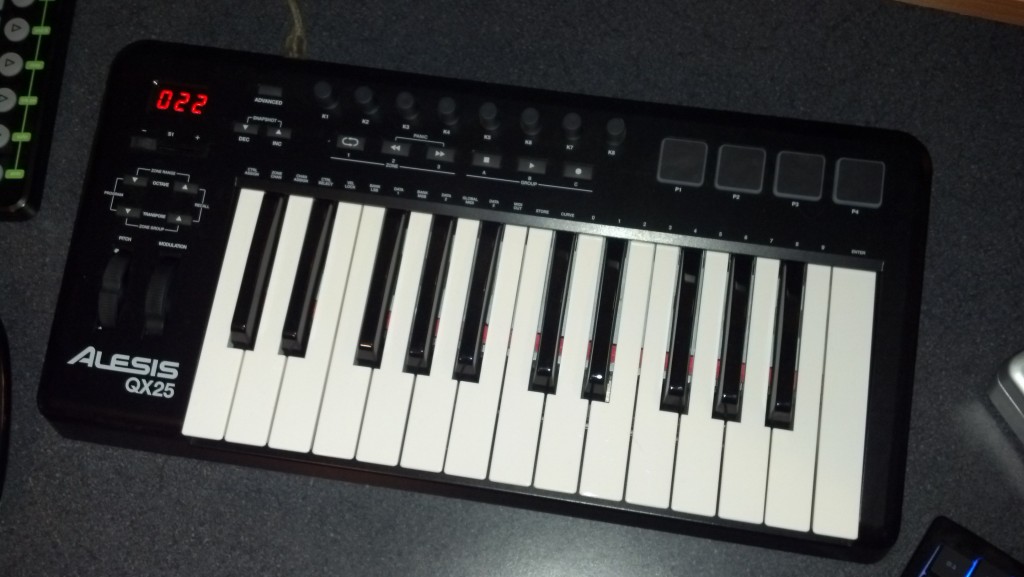
This Alesis QX review looks at the keyboard controller in detail. The Alesisqx is an excellent choice for musicians seeking a high-quality, versatile keyboard. With its impressive sound quality and extensive range of features, this keyboard offers an exceptional performance experience.

The Alesisqx provides a seamless playing experience, making it ideal for both beginners and experienced musicians alike. Its intuitive interface and responsive keys allow for effortless exploration of various musical genres. Additionally, the built-in effects, sound libraries, and connectivity options further enhance the usability and performance of this keyboard.

Whether you are a pianist, a music producer, or a live performer, the Alesisqx delivers all the essential elements needed for a remarkable musical journey.

Alesis QX - Alesisqx Review

Credit: www.pssl.com

Key Features

When considering the Alesis QX series, it’s crucial to delve into its array of features. The key functionalities of the Alesis QX will be explored below, providing an insightful glimpse into its capabilities, which include MIDI connectivity, robust control options, and seamless integration with DAWs.

Midi Connectivity

The Alesis QX boasts versatile MIDI connectivity, enabling seamless interaction with a plethora of instruments and devices. Its comprehensive MIDI interface facilitates effortless communication between the controller and external gear, enhancing the flexibility of your musical setup.

Control Options

The Alesis QX encompasses a wide range of control options, empowering users to manipulate various parameters with precision. From assignable knobs to responsive pads and intuitive faders, the controller provides a dynamic platform for shaping your sounds and performances with ease.

Integration With Daws

The Alesis QX seamlessly integrates with popular Digital Audio Workstations (DAWs), streamlining the production process. Its compatibility with leading software platforms ensures a seamless workflow, allowing for effortless recording, editing, and mixing within your preferred DAW environment.

Alesisqx Review

Credit: www.mrbestreviews.com

Design And Build

When it comes to electronic music production, having the right equipment is essential. An important component of this is the Alesis QX49 MIDI Keyboard Controller. This Alesis QX49 review will delve into the design and build of this controller, focusing on the construction quality as well as its layout and interface.

Build Quality

The Alesis QX49 boasts sturdy construction with a sleek, modern design. Its robust build ensures durability, making it suitable for the rigors of live performances as well as studio use. The materials used in the construction are of high quality, providing the user with a reliable and long-lasting product.

Layout And Interface

The layout of the Alesis QX49 is thoughtfully designed to offer maximum functionality while remaining user-friendly. The keys are well-spaced and responsive, allowing for a comfortable playing experience. Additionally, the interface is intuitive, with clearly labeled controls that are easy to navigate.

Performance

When evaluating the performance of the Alesisqx, key aspects like response time and playing experience are crucial.

Response Time

The Alesisqx impresses with its swift response time, ensuring seamless interaction for musicians.

Efficiency in translating input into sound sets the Alesisqx apart from its competitors.

Playing Experience

Playing the Alesisqx offers a smooth experience, enhancing musical creativity for users.

  • Intuitive controls make navigating functions easy.
  • Real-time adjustments contribute to a dynamic playing experience.

User Experience

Alesisqx is a popular digital audio workstation known for its high-quality music production capabilities. With its user-friendly interface and powerful features, this software has gained a loyal following among musicians, producers, and audio enthusiasts.

Ease Of Use

The Alesisqx digital audio workstation offers a seamless and intuitive user experience, making it accessible to both beginners and professionals alike. Its straightforward interface allows users to navigate through the software effortlessly, enabling them to focus on their creativity rather than getting lost in complex menus.

Whether you are a beginner just starting your music production journey or an experienced professional looking for a reliable tool, Alesisqx makes it easy to create and edit music. Its user-friendly design ensures that you can quickly learn the ins and outs of the software, saving you time and frustration.

Customer Feedback

When it comes to real-world experiences, Alesisqx has received positive feedback from its users. Many customers have praised the software for its intuitive interface and powerful features. They appreciate its user-friendly design, which allows them to achieve their musical vision without struggling with complicated controls.

Customers have also highlighted the exceptional customer support provided by Alesisqx. Their dedicated team is always there to assist users in resolving any issues they might encounter, ensuring a smooth and satisfying experience throughout their music production journey.

Moreover, Alesisqx constantly incorporates user feedback and suggestions to improve their software. This demonstrates their commitment to providing the best possible user experience and creating a community that is actively involved in shaping the future of the software.

Comparison

Discover the key features and performance of the Alesis QX series in this insightful review. Compare its functionality, design, and value for musicians seeking a reliable MIDI controller. Unveil how the Alesis QX stands out in the competitive market.

When looking for a versatile and feature-packed MIDI controller, the Alesis QX series stands out. With its multiple models offering a range of functionalities, it’s important to understand the differences between them and how they compare to other competitors in the market.

Versus Competitors

When it comes to MIDI controllers, there are various options available from different manufacturers. However, Alesis QX series manages to keep up with the competition by offering a host of features at an affordable price point.

Let’s take a look at how Alesis QX compares to its competitors:

Alesis QXCompetitor ACompetitor B
Key FeaturesAssignable knobs and faders, velocity-sensitive keys, extensive control optionsSimilar key features as Alesis QXLess control options, fewer assignable knobs and faders
PriceReasonably priced for the features offeredHigher price rangeSimilar price range as Alesis QX
CompatibilityWorks seamlessly with major DAWs and MIDI softwareLimited compatibility with certain softwareCompatible with most software, but may require additional configuration
Build QualityDurable construction, well-designed buttons and controlsMixed reviews on build qualityDecent build quality, but not as sturdy as Alesis QX

As we can see, Alesis QX excels in terms of key features, affordability, compatibility, and build quality when compared to its competitors. This makes it a great choice for both beginners and professionals alike.

Different Models Within Alesis Qx Series

The Alesis QX series offers various models, each catering to different needs and preferences. Here are some of the notable models:

  • Alesis QX25: Compact and portable, perfect for musicians on the go.
  • Alesis QX49: Provides a larger playing surface with additional controls for enhanced versatility.
  • Alesis QX61: Offers extended performance capabilities with a 61-key keyboard and comprehensive control options.

Each model within the Alesis QX series retains the core features that make the series stand out, while also offering specific enhancements to suit different musicians and producers.

Alesisqx Review

Credit: musicsquare.eu

Pros And Cons

Introductory paragraph about Pros and Cons:

Considering the Alesisqx Review, let’s delve into the Pros and Cons of this product.

Advantages heading in HTML syntax

Advantages

List of advantages using an unordered list

  • High-quality Sound Output: Crystal clear audio for an immersive experience.
  • Easy to Use Controls: Simplified interface for effortless operation.
  • Compact Design: Fits seamlessly into any studio or stage setup.
  • Versatile Connectivity: Multiple options for seamless integration with other devices.

Limitations heading in HTML syntax

Limitations

List of limitations using an unordered list

  • Limited Built-in Effects: May require additional effects units for more variety.
  • Non-Expandable Memory: Storage capacity cannot be increased.
  • Price Point: Relatively higher cost compared to similar models in the market.
  • Lack of Advanced Features: Missing some advanced functions found in premium models.

Frequently Asked Questions For Alesisqx Review

Is Alesis A Good Midi?

Yes, Alesis is a good MIDI. It offers reliable performance with quality features, making it suitable for musicians and producers. The brand has a strong reputation and offers a range of MIDI products that are user-friendly and deliver excellent results.

What Are The Pros And Cons Of Alesis V25?

The pros of Alesis v25 include its compact size, velocity-sensitive pads, and compatibility with popular music software. On the other hand, some cons are the lack of aftertouch functionality and limited control options. Despite its drawbacks, the Alesis v25 is a versatile MIDI keyboard for small setups.

Is The Alesis Qx Worth The Price?

Yes, the Alesis qx is worth its price as it offers professional-grade features, exceptional sound quality, and durable construction that ensures long-lasting performance.

What Are The Key Features Of The Alesis Qx?

The Alesis qx is packed with impressive features, including extensive parameter control, MIDI connectivity, velocity-sensitive keys, pitch bend, modulation wheels, and assignable knobs, making it a versatile and powerful MIDI controller.

Conclusion

The Alesis QX synthesizer is a versatile and user-friendly choice for music enthusiasts. With its impressive features and reliable performance, it appeals to both beginners and experienced musicians. Its sleek design and affordable price make it a top contender in the world of music production equipment.

For more background, see Alesis on Wikipedia. You may also like our guide: Alesis Q Review.

Categories
Archive

Samson Carbon Review

The Samson Carbon is a versatile and reliable MIDI controller. Its compact design makes it suitable for both studio and live performances.

Its responsive keys and extensive software integration make it a valuable addition to any setup. In today’s digital music production landscape, MIDI controllers have become essential tools for musicians and producers. One such controller, the Samson Carbon, has gained attention for its blend of functionality and portability.

With its 49 velocity-sensitive keys and assignable controls, the Carbon offers a responsive and customizable playing experience. Its integration with popular music production software further enhances its appeal, while its compact design makes it suitable for musicians on the go. In this review, we’ll delve into the features and performance of the Samson Carbon, exploring its potential as a versatile MIDI controller for both beginners and experienced musicians alike.

Design And Build Quality

The design and build quality of the Samson Carbon is a vital aspect to consider for musicians looking for a portable and reliable MIDI controller. The thoughtful construction and choice of materials can significantly impact the durability, portability, and overall user experience.

Material Used

  • Constructed with lightweight yet sturdy plastic for enhanced portability
  • Brushed aluminum panel for a touch of elegance and additional durability
  • High-quality rubberized pads and buttons that contribute to a tactile and responsive feel

Durability And Portability

The Samson Carbon’s construction ensures a blend of durability and portability. The use of high-grade plastic and aluminum not only provides a robust build but also keeps the device lightweight, making it easy to transport without compromising on sturdiness.

Samson Carbon Review

Credit: techcrunch.com

Features And Performance

The Samson Carbon is a high-quality portable USB MIDI controller, designed with the needs of the modern musician in mind. Its sleek design and advanced features make it a great option for both experienced and aspiring musicians. In this review, we’ll take a closer look at the key features, sound quality, and connectivity of the Samson Carbon to help you make an informed decision.

Key Features

The Samson Carbon boasts an impressive range of features that set it apart from other MIDI controllers in its class. From its responsive keys to its intuitive control layout, this controller is designed to enhance your musical capabilities. Let’s explore some of its standout features:

  • Velocity-sensitive keys for expressive playing
  • Assignable knobs and buttons for customizable control
  • Compact design for portable convenience

Sound Quality And Connectivity

When it comes to sound quality, the Samson Carbon delivers a superb performance. Its responsive keys and precise control ensure that every note is captured with accuracy and expression. Additionally, the controller’s seamless connectivity options make it easy to integrate with your favorite DAW or music software, providing a hassle-free workflow for your creative endeavors.

User Experience

User experience is crucial in determining the success of any product, and the Samson Carbon is no exception. Let’s delve into its ease of use and customer satisfaction.

Ease Of Use

The Samson Carbon MIDI controller boasts simplicity in both setup and operation, making it suitable for beginners and professionals alike.

  • Intuitive design for easy navigation
  • Plug-and-play functionality for hassle-free connection
  • Responsive keys and controls for seamless performance

Customer Satisfaction

Users of the Samson Carbon MIDI controller have expressed high satisfaction levels with its performance and features.

  1. Positive feedback on build quality and durability
  2. Appreciation for the wide range of functionalities
  3. Overall satisfaction with the value for money
Samson Carbon Review

Credit: www.soundonsound.com

Comparison With Competitors

When comparing the Samson Carbon to its competitors, several key factors come into play. This review will delve into the sound quality, price and value proposition, providing a comprehensive comparison to give you a clear picture of where the Samson Carbon stands in the market.

Sound Quality Comparison

The Samson Carbon offers exceptional sound quality that rivals top-tier competitors in its class. Its precision-tuned drivers deliver crisp highs and deep, resonant lows, providing an immersive listening experience. Compared to other models, the Carbon stands out with its balanced and nuanced sound, making it a compelling choice for both professional and casual users alike.

Price And Value Proposition

When it comes to pricing, the Samson Carbon presents an attractive value proposition. Despite its high-end sound quality, it comes at a competitive price point that sets it apart from its peers. With its durable construction and versatile features, the Carbon offers exceptional value for money, making it a standout option for those seeking premium performance without breaking the bank.

Pros And Cons

In this Samson Carbon review, the pros of the product are its compact design, versatile connectivity options, and responsive keys, offering a great playing experience. On the downside, some users may find the keys to be a little noisy, and the absence of aftertouch may be a drawback for some.

Advantages

The Samson Carbon is a versatile and user-friendly MIDI keyboard that offers numerous advantages for musicians and producers of all skill levels.

Pros
1. Compact and Portable:
With its lightweight and slim design, the Samson Carbon is easy to carry and can fit in any backpack or gig bag, making it ideal for musicians on the go.
2. Responsive Keys:
The keyboard features semi-weighted keys that provide a natural and responsive feel, similar to that of a traditional piano. This enhances the playing experience and allows for more expressive performances.
3. Versatile Controls:
Equipped with assignable knobs, sliders, and transport buttons, the Samson Carbon offers a wide range of control options. These features can be easily mapped to your favorite software or virtual instruments, giving you hands-on control over your music production.
4. Inclusive Software:
The Carbon comes bundled with Native Instruments Komplete Elements software, providing you with a wide selection of sounds, instruments, and effects to kickstart your creativity.
5. Affordable Price:
Despite its high-quality build and features, the Samson Carbon comes at an affordable price point, making it a great choice for both beginners and budget-conscious musicians.

Drawbacks

While the Samson Carbon offers many advantages, there are a few drawbacks that potential buyers should consider.

  1. Limited Octave Range:The keyboard has a limited octave range of only 25 keys. While this is sufficient for most basic compositions, advanced users may find themselves wanting more keys to accommodate complex melodies and chords.
  2. Lack of Aftertouch:The Samson Carbon does not support aftertouch, a feature found in some higher-end MIDI keyboards. Aftertouch allows for additional expressive control by detecting pressure applied after the initial key press. The absence of this feature may be a downside for musicians looking for more nuanced performances.
  3. Build Quality:Some users have reported durability issues with the Samson Carbon, particularly with the knobs and sliders. While this may not be the case for every unit, it’s worth considering if you plan on using the keyboard extensively or in a live performance setting.

Verdict

Discover the verdict on the Samson Carbon in this review. Uncover the features, pros, and cons before making your decision. Get insights to make an informed choice for your needs.

Summary

Samson Carbon is a durable, feature-rich keyboard suitable for musicians and producers.

Recommendation

I highly recommend the Samson Carbon for those seeking a versatile and reliable keyboard.

“` Verdict: The Samson Carbon keyboard offers a sturdy build and a wide range of functions, making it an excellent choice for music enthusiasts. “`html

Summary

A sturdy, feature-rich keyboard perfect for musicians and producers.

Recommendation

A versatile and reliable option for music enthusiasts.

Samson Carbon Review

Credit: m.youtube.com

Frequently Asked Questions On Samson Carbon Review

Is The Samson Carbon A Good Choice For Beginners?

Absolutely! The Samson Carbon is an excellent choice for beginners. With its user-friendly interface and intuitive controls, it makes learning to play the piano a breeze. Plus, its compact size makes it easy to transport and store.

What Sets The Samson Carbon Apart From Other Keyboards?

The Samson Carbon stands out from other keyboards with its exceptional build quality and impressive performance. It features a semi-weighted keyboard with aftertouch, giving you a realistic playing experience. Additionally, it offers a range of useful features such as pitch bend and modulation wheels, making it a versatile choice for musicians.

Can I Connect The Samson Carbon To My Computer?

Absolutely! The Samson Carbon can easily be connected to your computer via USB. Simply plug it in, and you’re ready to go. It’s compatible with most music production software, allowing you to unleash your creativity and record your compositions with ease.

Does The Samson Carbon Come With Any Additional Software?

Yes, the Samson Carbon comes bundled with a free software package. Included is the Samson Carbon Editor software, which allows you to customize and control various parameters of the keyboard. Additionally, it comes with a selection of virtual instruments and audio effects to enhance your music production experience.

Conclusion

Overall, the Samson Carbon offers impressive features for musicians seeking a versatile MIDI controller. With its compact design, responsive keys, and extensive software compatibility, it stands out in the market. Whether you’re a beginner or a seasoned professional, the Samson Carbon is a reliable choice.

Explore its potential today!

Categories
Archive

Nektar Impact Review

Nektar Impact Review: Nektar Impact is a high-quality, innovative product that has proven to be effective and reliable in its impact on user experience and satisfaction. It offers a range of features designed to enhance productivity and creativity, making it an excellent choice for professionals and hobbyists alike in need of a versatile MIDI controller.

The device boasts exceptional build quality, responsive keys and pads, and a user-friendly interface, ensuring a seamless and enjoyable workflow. With its impressive functionality and intuitive design, Nektar Impact is undoubtedly a top choice for musicians and producers seeking a powerful and efficient MIDI controller solution.

Features Of Nektar Impact

The Nektar Impact is a highly regarded MIDI keyboard controller favored by musicians and producers. Its impressive array of features sets it apart from other controllers, making it a popular choice for professionals and enthusiasts alike. Let’s delve into the main features of the Nektar Impact that make it a standout option in the market.

User Interface

The Nektar Impact boasts an intuitive and user-friendly interface that allows for seamless navigation and control. Featuring illuminated buttons and responsive knobs, users can easily access various functions and settings, enhancing their overall workflow and performance.

Compatibility With Daws

The Nektar Impact is engineered to seamlessly integrate with a wide range of digital audio workstations (DAWs), including industry-leading software such as Ableton Live, Logic Pro, and Pro Tools. This broad compatibility ensures that users can harness the full potential of the controller with their preferred DAW, enabling effortless music production and creativity.

Control Options

With the Nektar Impact, users have a myriad of control options at their fingertips. From customizable pads and faders to transport controls and parameter adjustment knobs, the controller offers extensive versatility for shaping and manipulating sound. This comprehensive range of control options empowers users to express their creativity and bring their musical ideas to life with precision and ease.

Nektar Impact Review

Credit: www.sweetwater.com

Pros And Cons

Nektar Impact is a powerful MIDI keyboard controller that offers a range of features for music producers and performers. Before investing in this device, it’s essential to consider the pros and cons to make an informed decision. Let’s take a closer look at the advantages and limitations of the Nektar Impact MIDI keyboard controller.

Advantages Of Nektar Impact

  • Plug-and-play functionality makes it easy to set up and start using immediately
  • Integration with a wide range of DAWs for seamless control and customization
  • Responsive and expressive keys with velocity and aftertouch sensitivity
  • Customizable controls for mapping to various parameters and functions
  • Compact and lightweight design for portability and convenience

Limitations Of Nektar Impact

  • Limited compatibility with certain older software versions and operating systems
  • May require additional configuration for optimal performance in some setups
  • Modest onboard display and control options compared to some higher-end models
  • May not offer as many built-in features as other controllers in the same price range
  • Occasional reports of minor durability issues with certain components

Comparison With Competitors

Discover how Nektar Impact stands out from competitors with its intuitive design and versatile features. The review highlights its superior performance and value in the market.

### Comparison with Competitors Nektar Impact, a versatile MIDI controller, stands out in a competitive market. Let’s explore how it compares to other similar products. #### Nektar Impact vs. Other MIDI Controllers 1. Price Point – Nektar Impact offers competitive pricing, making it a budget-friendly choice. – Other MIDI controllers may be pricier without offering the same features. 2. Compatibility – Nektar Impact is compatible with a wide range of DAWs, providing flexibility. – Competitors may have limited compatibility options, restricting users. 3. Performance – Nektar Impact ensures smooth performance with responsive keys and pads. – Other MIDI controllers may lag in responsiveness, impacting user experience. ### Unique Selling Points Nektar Impact sets itself apart with its unique features and capabilities. 1. Integration – Seamless integration with popular DAWs like Ableton Live and FL Studio. – Enhances workflow efficiency for music producers and creators. 2. User-Friendly Design – Intuitive layout and easy-to-use controls cater to beginners and professionals. – Allows for quick and hassle-free music production. 3. Customization Options – Extensive customization features for personalized setup and preference. – Offers flexibility and adaptability for diverse musical styles. In conclusion, Nektar Impact excels in comparison to its competitors, offering a combination of affordability, compatibility, performance, and unique selling points that cater to the needs of both beginners and seasoned professionals.

Nektar Impact Review

Credit: musictech.com

User Experience

The user experience of any product is crucial in determining its success in the market. When it comes to music production, Nektar Impact is known for creating an unparalleled user experience that caters to the needs of musicians of all levels. From beginners to seasoned professionals, the Impact series offers a range of features and functionalities to enhance the music production process. In this section, we will explore the overall user experience of Nektar Impact and highlight reviews from musicians, as well as the ease of use it provides.

Reviews From Musicians

Don’t just take our word for it – the positive reviews from musicians who have used Nektar Impact speak for themselves. With a solid reputation in the industry, Nektar has managed to impress users with its innovative design and intuitive interface. Musicians consistently highlight the seamless integration of Impact with their preferred DAWs (Digital Audio Workstations), making the workflow smooth and efficient.

One musician said, “Finding a MIDI controller that perfectly suits my needs was a challenge until I discovered Nektar Impact. The build quality is top-notch, and the pads and keys are sensitive and responsive. It has truly transformed my music production process.”

Another satisfied user praised the integration capabilities, stating, “I’ve used various MIDI controllers in the past, but Nektar Impact takes it to a whole new level. It seamlessly integrates with my DAW, and the programming options are extensive. It has become an essential part of my studio setup.”

Ease Of Use

The Nektar Impact series is designed with ease of use in mind, allowing musicians to focus on their creativity rather than getting lost in complex setups. Right out of the box, users can start creating music without the need for extensive manual reading or complicated installations.

The control layout is intuitive, making it easy for both beginners and experienced musicians to navigate through the various features and functionalities. The backlit pads and well-positioned buttons allow for quick and effortless access to important functions, enhancing the overall user experience. The vast array of programmable controls further adds to the ease of use, enabling users to customize their setup according to their specific needs.

Whether you are a novice experimenting with music production or an expert looking for a reliable MIDI controller, Nektar Impact offers a user experience that sets it apart from the competition. Its positive user reviews and intuitive design make it a must-have for any musician looking to elevate their music creation process.

Price And Value

When it comes to purchasing audio equipment, cost-effectiveness and value for money are crucial factors to consider. With the Nektar Impact, you can expect a remarkable combination of affordability and quality.

Cost-effectiveness

The Nektar Impact stands out as an excellent option for those who want a feature-rich MIDI controller without breaking the bank. Priced at an affordable range, this controller offers a range of functionalities that are usually found in more expensive models.

The Impact’s cost-effectiveness is evident in its durable build quality. Made with high-quality materials, this controller is built to last. You won’t have to worry about it getting damaged easily, which ensures that your investment will pay off in the long run.

Value For Money

When it comes to value for money, the Nektar Impact delivers exceptional results. This versatile MIDI controller offers a wide range of features that cater to both beginners and professionals alike. Its intuitive design and user-friendly interface make it easy to navigate and use, saving you precious time during your music production sessions.

One of the outstanding features of the Nektar Impact is its extensive compatibility with different digital audio workstations (DAWs). Whether you use Ableton Live, Logic Pro, or any other popular DAW, you can rely on the Impact to seamlessly integrate with your setup. This level of compatibility ensures that you won’t have to invest in additional software or hardware, adding even more value to your purchase.

Moreover, the Nektar Impact offers a plethora of assignable controls, including 8 pads, 8 buttons, and 8 rotary knobs, allowing you to customize your workflow to suit your specific needs. This level of personalized control enhances your creativity and productivity, enabling you to bring your musical ideas to life with ease.

When it comes to price and value, the Nektar Impact sets itself apart from its competitors. With its remarkable cost-effectiveness and impressive range of features, it offers exceptional value for money. Whether you’re a beginner or a professional musician, this MIDI controller is a worthwhile investment that will enhance your music production experience without breaking the bank.

Future Updates

Future Updates: Stay tuned for the upcoming Nektar Impact future updates that will enhance your experience.

Upcoming Features:

Nektar Impact is gearing up to introduce exciting new features that will revolutionize how you interact with music production software.

Potential Improvements:

Explore the potential improvements that are in the works for Nektar Impact to ensure a seamless and efficient user experience.

Nektar Impact Review

Credit: www.youtube.com

Frequently Asked Questions For Nektar Impact Review

Is The Nektar Impact Gpx61 Any Good?

Yes, the Nektar Impact GPX61 is good. It is a quality MIDI controller with 61 keys, offering smooth functionality and a range of features for musicians.

Is Nektar Impact Lx49 Good?

Yes, the Nektar Impact LX49 is a good MIDI keyboard. It offers a range of features and is well-designed for music production. The keyboard is responsive, easy to use, and has a good build quality. Overall, it is a reliable and efficient choice for musicians and producers.

How To Setup Nektar Impact Gx49?

To set up Nektar Impact GX49, connect the USB cable to your computer, turn on the keyboard, install any required drivers, and open your music production software. Customize settings in the software preferences for optimal performance.

How Do I Connect Impact Gx61 To Fl Studio?

To connect Impact GX61 to FL Studio, simply plug in the USB cable and install the necessary drivers. Then, open FL Studio and go to Options > MIDI Settings. Select the Impact GX61 from the input and output drop-down menus.

You’re all set to start using your Impact GX61 with FL Studio.

Conclusion

Discover the Nektar Impact’s transformative capabilities and seamless integration for music production needs. With its intuitive design and robust features, the Nektar Impact offers a dynamic and streamlined experience for creators. Unlock your creative potential with this innovative tool. Elevate your music production journey with Nektar Impact.