Categories
Archive

Unlock Your Musical Journey: How to Make a Spotify Artist Account

To create a Spotify artist account, visit the Spotify for Artists website and click on “Sign Up.” Enter your information and verify your account through email.


Are you a musician or band looking to expand your reach and connect with new listeners? Setting up a Spotify artist account is a crucial step in promoting your music and building your presence in the digital music world. By creating an account on Spotify for Artists, you gain access to valuable tools and resources that can help you manage your music, engage with fans, track your performance metrics, and more.


In this guide, we will walk you through the process of setting up your own Spotify artist account, so you can start sharing your music with a global audience. Let’s get started!

Unlock Your Musical Journey: How to Make a Spotify Artist Account


Credit: spotifyinsider.com


Setting Up Your Profile


To set up your Spotify artist account, navigate to Spotify for Artists and click “Get Access. ” You’ll need to claim your artist profile, verify your identity, and personalize your profile with photos and a bio. This will help you engage with your fans and promote your music effectively.

Setting Up Your Profile Creating Your Account

Creating Your Account

Create a Spotify artist account by heading to Spotify for Artists website.

Click on “Sign Up” and follow the prompts to register.

Provide your email address, create a strong password, and choose a username.

Optimizing Your Profile

Optimizing Your Profile

Add a profile picture that represents your brand or music.

Write a compelling bio highlighting your music style and background.

Include links to your social media profiles and website, if applicable.

Select a genre and mood for your music to help users discover your tracks.

Upload your best songs and albums with eye-catching cover art.

Engage with your audience by responding to comments and messages.

Uploading Your Music


To create a Spotify Artist Account for uploading your music, visit the Spotify for Artists website and sign up using your email. Once verified, customize your profile with images, bio, and links to your social media to engage with your audience and enhance your visibility on the platform.

Understanding The Requirements

To upload your music on Spotify, there are some essential requirements to keep in mind: – Ensure your music meets Spotify’s content guidelines. – Have all necessary rights to the music you are uploading. – Prepare your music files in the required format.

Uploading Process

The uploading process on Spotify involves the following steps: 1. Log in to your Spotify for Artists account. 2. Click on the ‘Music’ tab to begin uploading your tracks. 3. Select the songs you want to upload from your device. 4. Fill in relevant details like track title, release date, and genre. 5. Review the information to ensure accuracy. 6. Hit the ‘Submit’ button to upload your music. Once you have followed these steps, your music will be available for streaming on Spotify.

Promoting Your Music

Promoting your music is essential for gaining exposure and building a fan base. Utilizing social media and engaging with your audience are two powerful ways to increase your visibility and connect with fans.

Utilizing Social Media

Social media is an invaluable tool for reaching your audience and growing your fan base. Platforms like Instagram, Facebook, Twitter, and TikTok provide opportunities to share your music, engage with fans, and attract new listeners. Regularly post updates, behind-the-scenes content, and teasers for upcoming releases to keep your audience engaged and connected.

Engaging With Your Audience

Engaging with your audience is crucial for building a dedicated fan base. Respond to comments, direct messages, and mentions on social media to show appreciation for your fans’ support. Keep them in the loop about your upcoming shows, new music releases, and personal milestones to make them feel like an integral part of your journey.

Unlock Your Musical Journey: How to Make a Spotify Artist Account


Credit: m.facebook.com


Understanding Spotify Analytics


Gain insights with Spotify analytics by creating a Spotify Artist account. Track your performance, audience demographics, and engagement to optimize your music strategy. Harness the power of data to grow your presence and connect with your fans effectively.

Interpreting Data

Understanding Spotify analytics is crucial for artists looking to make the most of their music career. Through Spotify’s analytics dashboard, artists gain valuable insights into their listeners, tracks, playlists, and more.

When it comes to interpreting data, it’s essential to pay attention to several key metrics. The first one to consider is the number of streams. This tells you how many times your songs have been played, giving you an idea of your music’s popularity.

Another important metric is the number of listeners. This shows how many unique individuals have listened to your music. It helps you gauge your reach and see if your fan base is growing.

Besides streams and listeners, Spotify analytics provides data on followers, playlist placement, and engagement. Understanding these numbers can help you tailor your music promotion strategies and target niche audiences more effectively.

Moreover, Spotify analytics allows you to analyze your listeners’ demographics. Knowing where your fans are located and their age, gender, and interests can help you create personalized content and plan targeted marketing campaigns.

Overall, interpreting data from Spotify analytics empowers artists to make data-driven decisions and understand their audience better.

Utilizing Insights

Once you have interpreted the data from Spotify analytics, it’s time to utilize these insights to enhance your music career. Here are some ways you can use the data to your advantage:

  1. Identify popular tracks: Reviewing the streams and listener count for each of your songs can help you identify your most popular tracks. This information can guide you in deciding which songs to prioritize in your promotional efforts and live performances.
  2. Discover target markets: Analyzing the listeners’ demographics will give you an understanding of where your music resonates the most. This can help you plan tours and promotions in specific regions or target advertising campaigns to reach the right audience.
  3. Collaborate strategically: Spotify analytics can provide valuable information on playlist placements and follower growth. You can use this data to identify potential collaboration opportunities with other artists and curators in your genre.
  4. Engage with your audience: Monitoring engagement metrics like saves, shares, and playlist additions will show you how well your music resonates with your listeners. Engaging with your audience based on these insights can help build a loyal fan base and strengthen your connection with them.

By utilizing the insights gained from Spotify analytics, artists can make informed decisions and optimize their strategies to reach the right audience, increase their popularity, and ultimately advance their music career.

Monetizing Your Music


To monetize your music, creating a Spotify artist account is crucial for reaching a wider audience and earning royalties. Registering your music on Spotify allows for seamless streaming and income generation from your work, making it an essential platform for artists to leverage in today’s digital landscape.

Exploring Revenue Streams

Once you have created your Spotify Artist account and uploaded your music, it’s time to start monetizing your music. As an artist, it is essential to explore various revenue streams to maximize your earnings and reach a wider audience.

Maximizing Earnings

1. Promotion and Marketing

To maximize your earnings on Spotify, it is crucial to focus on promotion and marketing. Utilize social media platforms, such as Instagram and Twitter, to engage with your fans and build a loyal following. Regularly share updates about your music, upcoming events, and collaborations. Collaborate with influencers and other artists to expand your reach and gain exposure. Remember to include a link to your Spotify Artist profile in your posts to drive traffic to your music.

2. Playlist Placement

Getting your music featured on popular playlists is a great way to increase your streams and exposure. Pitch your tracks to Spotify’s editorial team or independent playlist curators who have a substantial following. Remember to select playlists that align with your genre and target audience. Getting your music placed on influential playlists can significantly boost your streams and help you grow your fanbase.

3. Perform Live

Performing live shows is another excellent way to monetize your music. Book shows at local venues, festivals, and events to showcase your talent and connect with your fans. Consider offering merchandise, such as t-shirts, CDs, or digital downloads, at your live shows to generate additional income. Don’t forget to mention your Spotify Artist account during your performances to encourage fans to stream your music online.

4. Collaborate with Brands

Collaborating with brands can provide an extra source of income as a Spotify Artist. Many brands are looking to partner with musicians to create promotional content or endorse their products. Look for brand collaborations that align with your values and musical style. Be sure to negotiate fair compensation for your work and maintain artistic integrity throughout the partnership.

5. Music Licensing

Consider licensing your music for use in films, commercials, and television shows. Music supervisors are constantly seeking new tracks to enhance their visual projects, offering an opportunity for you to earn royalties. Register with music licensing websites or work with a music licensing agency to increase your chances of securing licensing deals.

6. Merchandise Sales

Creating and selling merchandise is an effective way to generate income as a Spotify Artist. Design and sell merchandise such as t-shirts, hats, posters, or even limited edition physical copies of your music. Promote your merchandise through your social media platforms and during live performances to encourage fans to support your music and style. In conclusion, as a Spotify Artist, exploring different revenue streams is essential to maximize your earnings. By focusing on promotion and marketing, playlist placement, live performances, brand collaborations, music licensing, and merchandise sales, you can ensure that your music is not only heard but also monetized effectively. Keep experimenting with different strategies and adapt as needed to thrive as an independent artist in the ever-evolving music industry.

Unlock Your Musical Journey: How to Make a Spotify Artist Account


Credit: jassbianchi.com


Frequently Asked Questions On How To Make Spotify Artist Account


How Do I Create A Spotify Artist Account?


To create a Spotify artist account, go to the Spotify for Artists website and click on “Sign Up” or “Get Access. ” Follow the prompts to fill out your profile, verify your identity, and provide your music. Once approved, you can start managing your artist account and sharing your music with Spotify users.


How Do I Get Access To Spotify For Artists?


To get access to Spotify for Artists, follow these steps: 1. Go to the Spotify for Artists website. 2. Click on “Get Access” and log in to your Spotify account. 3. Verify your artist identity by selecting your music and providing necessary information.


4. Submit your profile and wait for Spotify to review your request. 5. Once approved, you’ll have access to Spotify for Artists’ tools and analytics.


How Do I Claim Myself As An Artist On Spotify?


To claim yourself as an artist on Spotify, use Spotify for Artists or a music distributor. Verify your identity then access your profile. Update your bio, photos, and music. Promote your music and engage with fans. Keep your profile updated for success.


How Do I Claim My Artist Profile On Spotify?


To claim your artist profile on Spotify, visit Spotify for Artists website and sign up. Verify your identity and submit your music for consideration.


Conclusion


Setting up a Spotify Artist Account is crucial for success in the music industry. By following these simple steps, you can create your profile and start sharing your music with the world. Utilize the platform’s features to engage with fans and promote your music effectively.


Get started today and watch your career soar on Spotify.
 

Categories
Archive

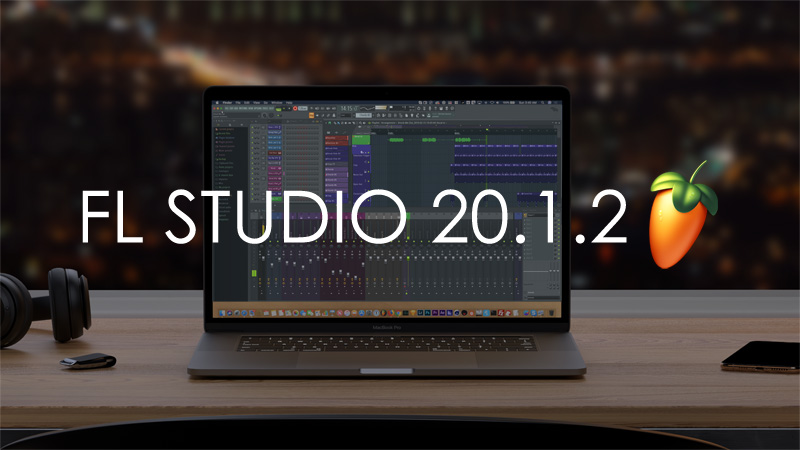
How to Unlock Fl Studio from Demo Mode: Your Ultimate Guide

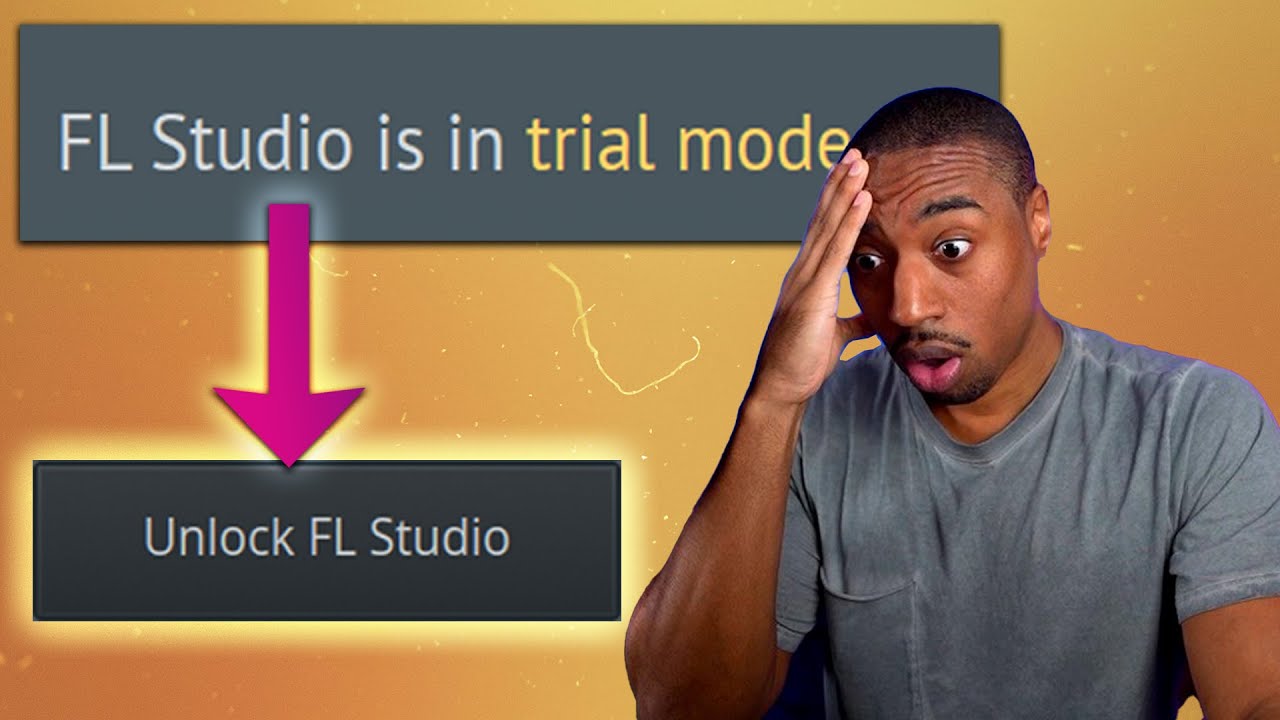
To unlock FL Studio from demo mode, purchase a license key from the official FL Studio website. Activating the key will grant you full access to all features.


FL Studio is a powerful digital audio workstation used by music producers worldwide. However, in demo mode, users are limited in their capabilities. By obtaining a license key from the official website, you can unlock the full potential of FL Studio.


This will allow you to access all features and tools, enabling you to create high-quality music projects without any restrictions. Follow the simple steps to unlock FL Studio and take your music production skills to the next level.


Understanding Fl Studio Demo Mode

What Is Fl Studio Demo Mode?

FL Studio Demo Mode is a free trial version of the popular music production software, providing users with limited access.

It allows you to explore the features and functionalities of FL Studio before making a purchase.

Limitations Of Demo Mode

  • Save: Unable to save projects
  • Export: Cannot export audio files
  • Plugins: Limited access to certain plugins
  • Time: Time limitations on how long you can use the software
How to Unlock Fl Studio from Demo Mode: Your Ultimate Guide


Credit: m.youtube.com


Purchasing Fl Studio License

Purchasing a FL Studio license is the key to unlocking the full potential of this powerful digital audio workstation. When you buy a license, you can say goodbye to the limitations of the demo mode and enjoy all the features FL Studio has to offer.

Types Of Fl Studio Licenses

There are various types of FL Studio licenses available to cater to different user needs. Here are some common options:

  • Fruity Edition
  • Producer Edition
  • Signature Bundle
  • All Plugins Bundle

Benefits Of Purchasing License

Unlocking FL Studio with a license comes with a multitude of benefits that enhance your music production experience:

  1. Access to all features and updates
  2. No restrictions on project saving
  3. Future-proof your software investment
  4. Support from the FL Studio team

Purchasing an FL Studio license not only grants you full access to the software but also ensures you receive continuous updates and support.

Unlocking Fl Studio From Demo Mode

Welcome to our guide on unlocking FL Studio from demo mode. FL Studio, also known as FruityLoops, is a powerful digital audio workstation used by many musicians and producers. The demo version of FL Studio allows users to test its functionality but comes with limitations including the inability to save projects. To access the full range of features, you can unlock FL Studio by entering a valid license key. In this tutorial, we’ll walk you through the process of unlocking FL Studio from demo mode.

Accessing Registration Information

Before unlocking FL Studio, you’ll need to have your registration information ready. This includes your username and password associated with your FL Studio account. If you have not yet created an account, you can do so on the official Image-Line website. Once you have your account details, you can proceed to the next step of entering the license key.

Entering License Key

Once logged into your FL Studio account, you can obtain your license key from the ‘My Licenses’ section. Upon receiving your license key, launch the FL Studio application and navigate to the ‘Help’ menu. Click on ‘About’ and then select ‘Unlock FL Studio’. A window will appear prompting you to enter your license key. Enter the license key accurately and click ‘Unlock’ to validate the key. You will now have full access to all the features of FL Studio.

How to Unlock Fl Studio from Demo Mode: Your Ultimate Guide


Credit: uxcam.com


Troubleshooting Demo Mode Issues

Unlocking FL Studio from demo mode can be a frustrating experience for music producers and enthusiasts alike. The demo version may restrict access to certain features or limit the time you can use the software. Fortunately, with a few troubleshooting techniques, you can overcome common problems and get the most out of FL Studio. In this section, we will discuss some of the issues you may encounter while trying to unlock FL Studio from demo mode and how to address them.

Common Problems

When trying to unlock FL Studio from demo mode, you might encounter a few issues that can hinder your workflow. Here are some of the most common problems:

Problem Solution
The registration code is not working Make sure you are entering the correct registration code. Double-check for any typos or errors. If the problem persists, contact the FL Studio support team for assistance.
FL Studio is crashing or freezing This could be due to compatibility issues or conflicts with other software on your computer. Check that your system meets the minimum requirements and update FL Studio to the latest version. If the problem continues, try disabling any third-party plugins or seeking technical support.
The unlock process is taking longer than expected Unlocking FL Studio can require some time, especially if you have a large number of plugins or samples. Be patient and let the process complete. If it takes excessively long or seems stuck, try restarting your computer and relaunching FL Studio.

Seeking Technical Support

While troubleshooting on your own can resolve many issues, sometimes you may need additional assistance. If you have tried the suggested solutions and are still unable to unlock FL Studio from demo mode, seeking technical support is your best course of action. Here are some steps to follow when seeking help:

  1. Visit the official FL Studio website and navigate to their support page.
  2. Search their knowledge base or FAQ section for possible solutions to your problem.
  3. If you can’t find a solution, reach out to their support team via email or live chat.
  4. Provide a detailed description of the issue, including any error messages or steps you have already taken.
  5. Be patient and courteous while waiting for a response. The support team will try their best to assist you.

Remember, unlocking FL Studio from demo mode requires following the correct procedures and troubleshooting any problems that may arise. By understanding common issues and seeking technical support when necessary, you can successfully unlock FL Studio and unleash your creativity in the world of music production.

Maximizing Fl Studio Features


Discover how to unlock FL Studio from demo mode and maximize its powerful features. Unleash your creativity with simple steps that will allow you to fully utilize this versatile software, taking your music production to the next level.

Exploring Advanced Tools

In order to maximize the features of FL Studio, it is essential to explore the advanced tools that the software has to offer. These tools can take your music production to the next level and allow you to create professional-quality tracks.

One of the advanced tools worth exploring is the Mixer. The Mixer is a powerful tool that allows you to control and balance the different elements of your track, such as adjusting the volume levels, adding effects, and panning the sound. It gives you complete control over the audio, allowing you to achieve the perfect mix.

Another advanced tool within FL Studio is the Piano Roll. The Piano Roll is where you can create melodies, chords, and intricate patterns. It provides a visual representation of the musical notes and allows you to edit and manipulate them with ease. With the Piano Roll, you can unleash your creativity and compose complex melodies with precision.

Additionally, FL Studio offers a wide range of advanced synthesis and sampling tools. These tools give you the ability to create unique sounds from scratch or manipulate existing ones. Experimenting with the different synthesis methods and effects can result in innovative and captivating soundscapes.

Optimizing Workflow

A key aspect of maximizing FL Studio’s features is optimizing your workflow. By streamlining your production process, you can work more efficiently and effectively, allowing your creativity to flow seamlessly.

To optimize your workflow, consider utilizing keyboard shortcuts. FL Studio offers a multitude of shortcuts that can drastically speed up your workflow. Memorizing and utilizing these shortcuts can save you valuable time and mouse clicks, allowing you to focus more on your music and less on technical tasks.

Skill Keyboard Shortcut
Play/Pause Spacebar
Undo Ctrl + Z
Create Automation Clip Alt + A

Furthermore, organizing your project files and utilizing templates can streamline your workflow. Creating templates with your preferred settings and effects chains can save you time when starting a new project. Additionally, organizing your sample libraries and presets can make it easier to find the sounds you need when composing.

Lastly, taking advantage of FL Studio’s performance mode can optimize your workflow, especially during live performances. Performance mode allows you to trigger clips, patterns, and effects on the fly, giving you the ability to improvise and create dynamic performances.

  • Utilize keyboard shortcuts to speed up your workflow
  • Create templates to save time when starting new projects
  • Organize your sample libraries and presets for easy access
  • Take advantage of FL Studio’s performance mode for live performances
How to Unlock Fl Studio from Demo Mode: Your Ultimate Guide


Credit: www.schoolofmotion.com


Frequently Asked Questions For How To Unlock Fl Studio From Demo Mode


How Do I Unlock Fl Studio Demo Mode For Free?


To unlock FL Studio demo mode for free, simply purchase the full version license key.


Why Is My Fl Studio Still In Trial Mode?


FL Studio may still be in trial mode if your license is not activated. Contact support for assistance.


Why Can’t I Unlock My Fl Studio?


If you can’t unlock FL Studio, ensure your license is valid and entered correctly. Contact support for further assistance.


How Do I Unlock Fl Studio After Purchase?


After purchasing FL Studio, follow these steps to unlock it: 1. Open the software and go to the Help menu. 2. Click on “Unlock FL Studio. ” 3. Enter your registration code, which you should have received after purchase. 4.


Click on “Unlock with file. ” 5. Locate the file or folder containing your registration information, and select it. FL Studio will now be unlocked and ready to use.


Conclusion


Unlocking FL Studio from demo mode is a simple process that can unleash your creativity. By following these steps, you can enjoy the full features of FL Studio and create music without limitations. With the freedom to explore all its tools, you are ready to take your music production to the next level.


Categories
Archive

Fl Studio Mac : Unleash Your Music Creativity with Fl Studio Mac

FL Studio for Mac is a popular digital audio workstation used for music production. It offers a user-friendly interface with powerful tools.


An essential tool for music producers, FL Studio Mac provides a seamless experience for creating, recording, editing, and arranging music. With a wide range of features and plugins, it caters to both beginners and professionals in the music industry. Whether you’re composing beats, mixing tracks, or mastering your final product, FL Studio Mac offers a versatile platform for all your music production needs.


Its intuitive design and innovative tools make it a top choice for musicians looking to bring their creative visions to life.


Credit: m.facebook.com


Features Of Fl Studio Mac

FL Studio Mac is a powerful software that comes with a range of impressive features designed to enhance your music production experience. Let’s delve into some of the standout features that make FL Studio Mac a top choice for musicians and producers.

User Interface And Workflow

The user interface of FL Studio Mac is intuitive and user-friendly, making it easy for beginners and professionals alike to navigate through the software.

Innovative Music Production Tools

FL Studio Mac offers a wide array of innovative music production tools, including a powerful mixer, advanced MIDI editing capabilities, and a variety of virtual instruments and effects.

Integration With Mac Os

FL Studio Mac seamlessly integrates with the Mac OS, providing a smooth and optimized user experience for Mac users. This ensures compatibility and performance efficiency.

Fl Studio Mac  : Unleash Your Music Creativity with Fl Studio Mac


Credit: www.image-line.com


Getting Started With Fl Studio Mac

Starting your music production journey with FL Studio Mac is an exciting endeavor. In this guide, we will walk you through the essential steps to help you download, install, and set up FL Studio on your Mac.

Downloading And Installing Fl Studio

  1. Visit the official FL Studio website.
  2. Find the Mac version of FL Studio and click on the download button.
  3. Once downloaded, open the installer file and follow the on-screen instructions to install FL Studio on your Mac.

Setting Up Your Workspace

Setting up your workspace in FL Studio Mac is crucial for a productive music production session.

  1. Launch FL Studio on your Mac.
  2. Customize your workspace by adjusting the layout, size, and placement of windows.
  3. Set up audio inputs and outputs to ensure proper sound recording and playback.


Exploring Fl Studio Mac’s Tools And Functions

When it comes to music production on Mac, FL Studio is undoubtedly one of the most popular choices. With its powerful set of tools and functions, FL Studio Mac offers a comprehensive platform for creating, mixing, and performing music. In this blog post, we will explore the diverse features of FL Studio Mac and how it can elevate your music production experience.

Creating Beats And Melodies

FL Studio Mac provides a versatile environment for crafting beats and melodies, offering a wide array of instruments and sound libraries. From drum sequencing to intricate melodies, the software’s intuitive interface empowers users to unleash their creativity.

Mixing And Mastering Your Tracks

With its robust mixing and mastering capabilities, FL Studio Mac enables users to fine-tune their tracks to achieve professional-grade sound quality. The software’s extensive range of audio effects and signal processing tools allows for meticulous control over every aspect of the mix.

Live Performance Capabilities

Beyond the realm of studio production, FL Studio Mac is equipped with features tailored for live performances. Its performance mode seamlessly integrates with MIDI controllers, offering a dynamic platform for live improvisation and interaction with the audience.

Expanding Your Skills With Fl Studio Mac


Expand your skills with FL Studio Mac and unlock your creative potential. With its intuitive interface and powerful features, FL Studio Mac is the perfect tool for music production and audio editing on the Mac platform. Whether you’re a beginner or a pro, FL Studio Mac has everything you need to take your music to the next level.

FL Studio Mac is a powerful digital audio workstation that has become increasingly popular among music producers and artists. With its Mac compatibility, it has opened up a world of possibilities for Mac users to explore their creativity and take their music production skills to the next level. In this article, we will delve into the various ways in which you can expand your skills with FL Studio Mac, from advanced production techniques to collaboration and sharing options.

Advanced Production Techniques

One of the key features of FL Studio Mac is its extensive range of advanced production techniques. Whether you are an experienced producer or just starting out, FL Studio Mac offers a wealth of tools and capabilities to enhance your music production process. With its intuitive interface and comprehensive set of features, you can experiment with advanced techniques such as:

  • Granular synthesis
  • Time stretching and pitch shifting
  • Multi-track recording and editing
  • Automation and modulation
  • Advanced MIDI and audio routing

These advanced production techniques allow you to push the boundaries of your creativity and explore new musical possibilities. With FL Studio Mac, you can achieve professional-grade results, whether you are producing electronic music, hip-hop beats, or any other genre.

Collaboration And Sharing Options

Another exciting aspect of FL Studio Mac is its collaboration and sharing options. In today’s digital age, collaboration has become essential for artists and producers to reach a wider audience and expand their networks. FL Studio Mac facilitates collaboration with its built-in features that make it easy to collaborate with other producers and artists:

  1. Project sharing: FL Studio Mac allows you to share your projects with other FL Studio users, making it easy to collaborate on music production projects.
  2. Plugin compatibility: FL Studio Mac supports a wide range of third-party plugins, enabling collaboration with artists using different software and plugins.
  3. Online communities: FL Studio Mac has a vibrant online community where you can connect with fellow producers, share your work, and collaborate on new projects.

These collaboration and sharing options empower you to expand your network, gain new insights and perspectives, and create music that goes beyond your individual capabilities.

FL Studio Mac is a game-changer for Mac users interested in music production. Its advanced production techniques and collaboration features make it a powerful tool for expanding your skills and exploring new musical horizons. Whether you are a beginner or an experienced producer, FL Studio Mac has something to offer. So go ahead, dive into the world of FL Studio Mac, and unlock your creative potential!

Fl Studio Mac  : Unleash Your Music Creativity with Fl Studio Mac


Credit: www.morningdewmedia.com


Frequently Asked Questions For Fl Studio Mac


Is Fl Studio Available For Mac?


Yes, FL Studio is available for Mac. It offers a fully functional Mac version.


How Well Does Fl Studio Run On Mac?


FL Studio runs well on Mac, offering smooth performance for music production tasks. Its compatibility on Mac systems is commendable.


Can I Get Fl Studio For Free?


Unfortunately, you cannot get FL Studio for free. It is a paid software product.


How To Install Fl Studio Mac Free?


To install FL Studio on Mac for free, visit the official website. Download the installer and follow the on-screen instructions for installation.


Conclusion


To sum up, FL Studio for Mac is a versatile music production software tailored for the creative needs of Mac users. With its user-friendly interface and extensive features, it offers a seamless experience for music production. From MIDI capabilities to advanced audio editing, FL Studio for Mac is a game-changer for music enthusiasts.


Get your creative juices flowing and elevate your music with FL Studio for Mac.

Categories
Archive

Frank Eq Vst Plugin: The Ultimate Analog Equalizer

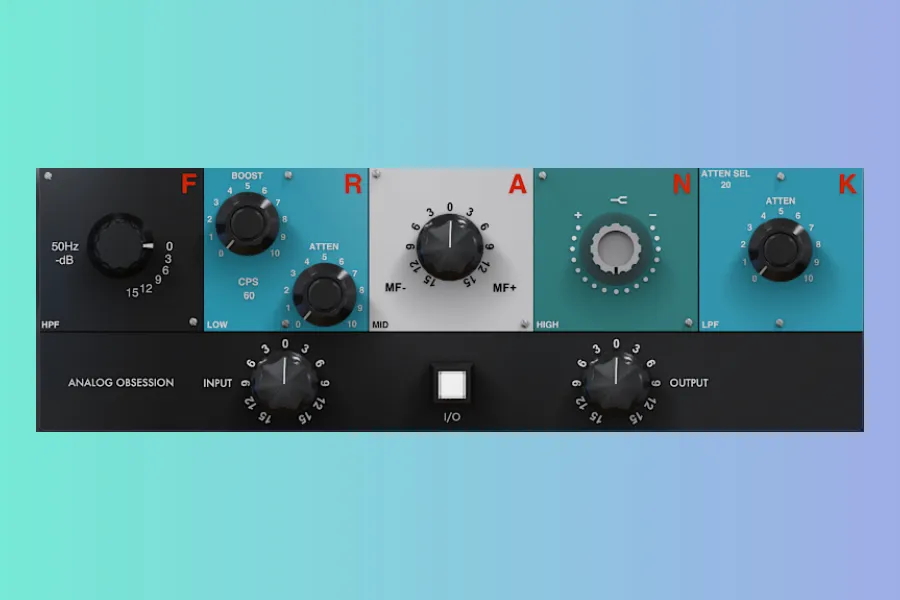
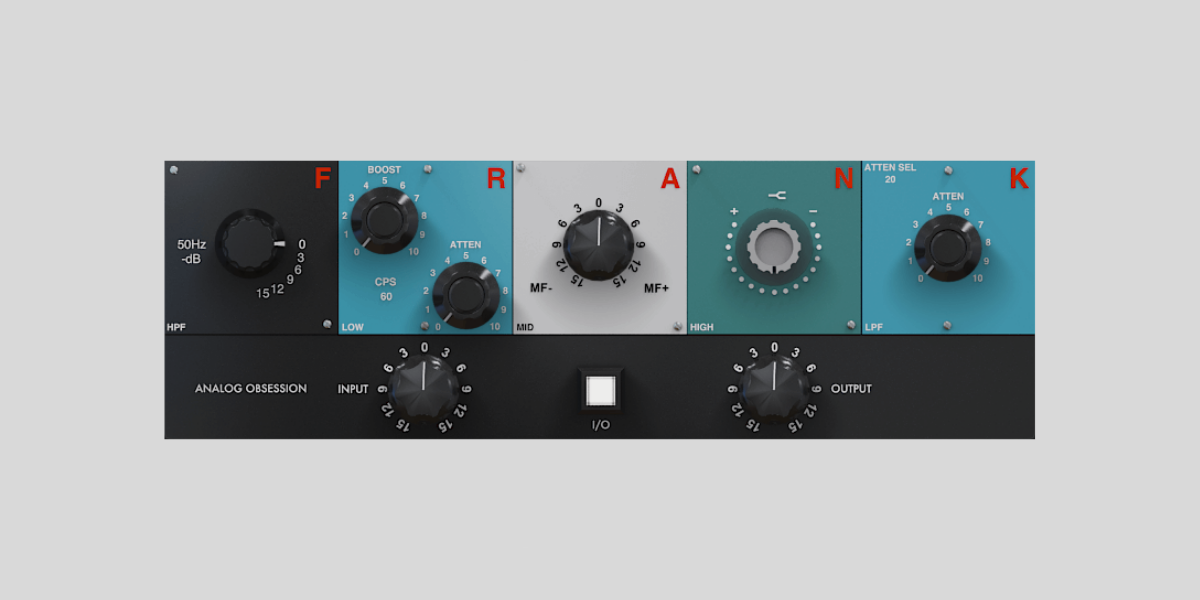
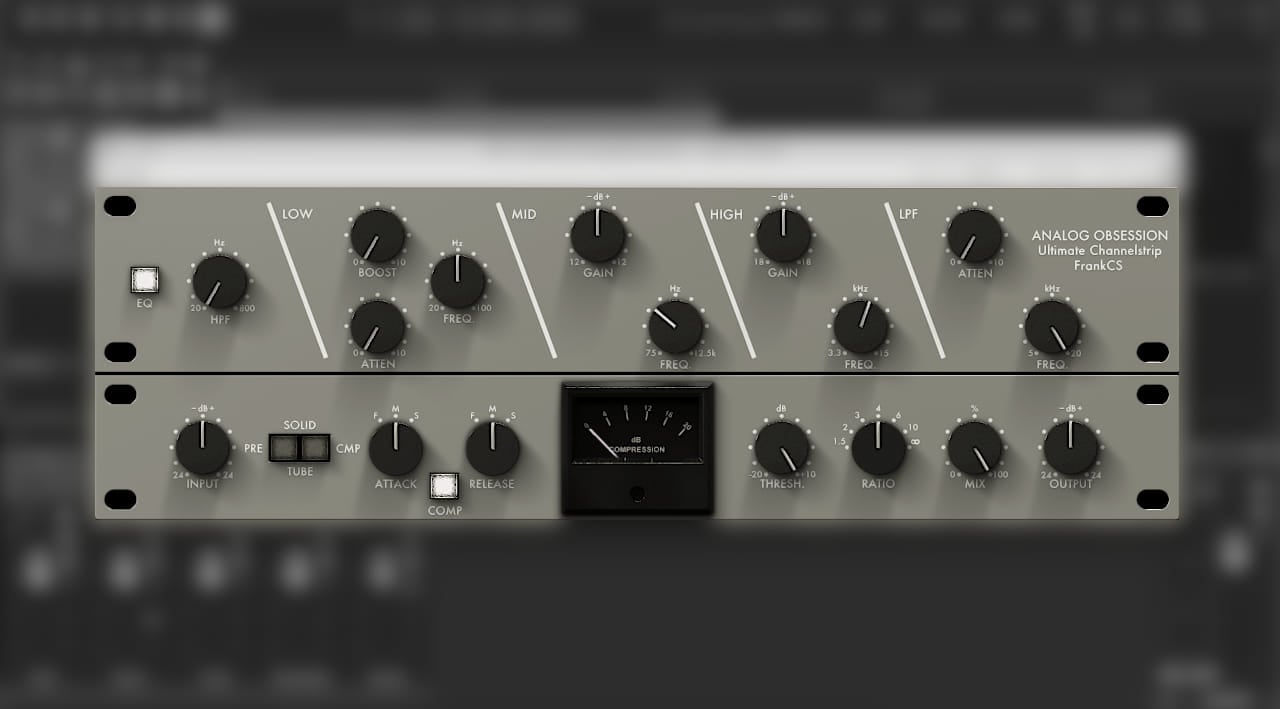
Frank EQ VST Plugin is a free analog equalizer by Analog Obsession, known for its high-quality sound and user-friendly interface. With a range of features and capabilities, it has become a popular choice among music producers and audio engineers.


You can download and start using this versatile plugin to enhance and shape your audio recordings with precision. Analog Obsession’s Frank EQ VST Plugin offers a wide array of analog EQ models, providing users with a professional-grade tool for shaping and enhancing audio.


Whether you’re working on music production, sound design, or mixing, Frank’s intuitive design and powerful features make it a valuable addition to your plugin library. This free VST plugin has garnered positive reviews for its authenticity and functionality, making it a go-to choice for many in the music production community.

Frank Eq Vst Plugin: The Ultimate Analog Equalizer


Credit: www.noizefield.com


Features

The Frank EQ VST Plugin offers a variety of robust features that enhance your audio production workflow. Let’s dive into the key features of this powerful plugin.

Interface And Controls

The interface of the Frank EQ VST Plugin is user-friendly and intuitive, making it easy to navigate for both beginners and advanced users. With sleek design elements and well-labeled controls, you can effortlessly adjust parameters to achieve your desired sound.

Sound Quality And Processing

One of the standout features of the Frank EQ VST Plugin is its exceptional sound quality and precise processing capabilities. The plugin delivers rich, analog-like tones and allows for detailed audio manipulation, ensuring that your tracks sound professional and polished.

User Experience


Frank Eq Vst Plugin is a free and powerful analog equalizer plugin that offers a “best-of” selection of EQs. It provides high-quality sound and versatile options for users to enhance their audio production experience. Get the ultimate FRANK EQ plugin for free and take your music to the next level.

Demo Videos And Tutorials

User Feedback And Reviews

User Experience: Frank Eq Vst Plugin offers a seamless user experience, making it easy for both beginners and experienced producers to enhance their audio projects effortlessly.

Demo Videos And Tutorials

Discover the power of Frank Eq Vst Plugin through engaging demo videos and tutorials that walk you through its features step by step.

User Feedback And Reviews

Users rave about Frank Eq Vst Plugin for its intuitive interface and exceptional sound quality. It has garnered positive reviews across online platforms, solidifying its reputation as a must-have tool for audio professionals.

Comparisons

Similar Commercial Plugins

When compared to other commercial plugins, Frank EQ VST plugin stands out due to its exceptional analog sound quality and comprehensive set of features. While some commercial plugins may offer similar functionalities, Frank EQ provides a unique sonic character that sets it apart from the competition.

Custom Chain Using Other Plugins

For users looking to create a custom signal processing chain, Frank EQ VST plugin offers seamless integration with other popular plugins. Whether it’s pairing Frank EQ with a specific compressor or utilizing it within a complex routing setup, the plugin’s flexibility allows users to tailor their processing chain to meet their exact requirements.

Frank Eq Vst Plugin: The Ultimate Analog Equalizer


Credit: bedroomproducersblog.com


Availability


The Frank EQ VST Plugin is widely available for download from various platforms, including Bedroom Producers Blog and Audio Plugins for Free. The plugin is praised for its analog sound and versatility, making it a popular choice among music producers.


Analog Obsession has created a powerful tool for enhancing audio quality.

Free Downloads And Installation

free download. Yes, you heard it right – no need to spend a penny to enjoy the exceptional features of this plugin. Whether you are a professional music producer or a hobbyist looking to enhance your tracks, Frank EQ has got you covered. Installing Frank EQ is a breeze. Simply visit the official website of Analog Obsession and navigate to the download page. Once you’ve downloaded the plugin, follow the instructions for your specific digital audio workstation (DAW) to install it. Whether you use Ableton Live, FL Studio, Pro Tools, or any other popular DAW, you can rest assured that Frank EQ is compatible with them all.

Compatibility And Support

Frank EQ is designed to seamlessly integrate into your existing workflow, regardless of your preferred DAW. This plugin is compatible with both Mac and Windows operating systems, so you can use it on your preferred platform without any compatibility issues. Analog Obsession is known for its quality plugins, and Frank EQ is no exception. Should you encounter any technical issues or have any questions regarding the plugin, you can rely on their excellent customer support. They are dedicated to providing timely assistance to their users, ensuring that you have a smooth experience with Frank EQ. In conclusion, the availability of the Frank EQ VST plugin as a free download, its effortless installation process, and its compatibility with various DAWs make it a must-have for any music producer. Enhance your tracks with the “best-of” analog EQs offered by Frank EQ and experience the difference it makes in your music production journey.


Frank Eq Vst Plugin: The Ultimate Analog Equalizer


Credit: bedroomproducersblog.com


Frequently Asked Questions For Frank Eq Vst Plugin


What Is The Frank Eq Vst Plugin?


The Frank EQ VST Plugin is a free analog equalizer plugin developed by Analog Obsession. It offers a collection of the best analog EQs and provides high-quality sound for audio production.


How To Download The Frank Eq Vst Plugin For Free?


To download the Frank EQ VST Plugin for free, visit the Analog Obsession website and search for the plugin. Click on the download link and follow the instructions to install it on your computer.


What Makes The Frank Eq Vst Plugin Unique?


The Frank EQ VST Plugin stands out as the ultimate analog equalizer due to its combination of the best EQs in one plugin. It offers a wide range of controls and delivers high-quality, vintage sound for audio professionals and enthusiasts.


Can The Frank Eq Vst Plugin Be Used As A Channel Strip?


Yes, the Frank EQ VST Plugin can be used as a channel strip. It provides a comprehensive set of EQ controls that can be applied individually or as a part of the signal chain to shape the sound effectively.


Conclusion


The Frank EQ VST plugin offers high-quality analog equalization for a variety of audio applications. With its user-friendly interface and powerful sound shaping capabilities, it is a valuable addition to any producer’s toolkit. Download and experience the exceptional sound of the Frank EQ VST plugin today.

Categories
Archive

Fl Studio Mobile Apk : Unlock Your Musical Creativity

Fl Studio Mobile Apk is a powerful music production app for creating and editing music on your mobile device. With its user-friendly interface and extensive features, it is a popular choice for music enthusiasts.


Its wide range of instruments, effects, and editing tools allow users to create professional-quality tracks on-the-go. Fl Studio Mobile Apk provides a comprehensive platform for music production, enabling users to compose, arrange, record, and mix their music with ease. Whether you are a beginner or experienced musician, this app offers a convenient way to unleash your creativity and produce high-quality music wherever you are.


Its versatile functionality and intuitive design make it a top choice for mobile music production.

Fl Studio Mobile Apk  : Unlock Your Musical Creativity


Credit: in.pinterest.com


Explore Fl Studio Mobile

When diving into the realm of music production on-the-go, FL Studio Mobile Apk stands out as one of the premier tools available. Let’s take a closer look at what this mobile music-making application has to offer under the hood.

Features

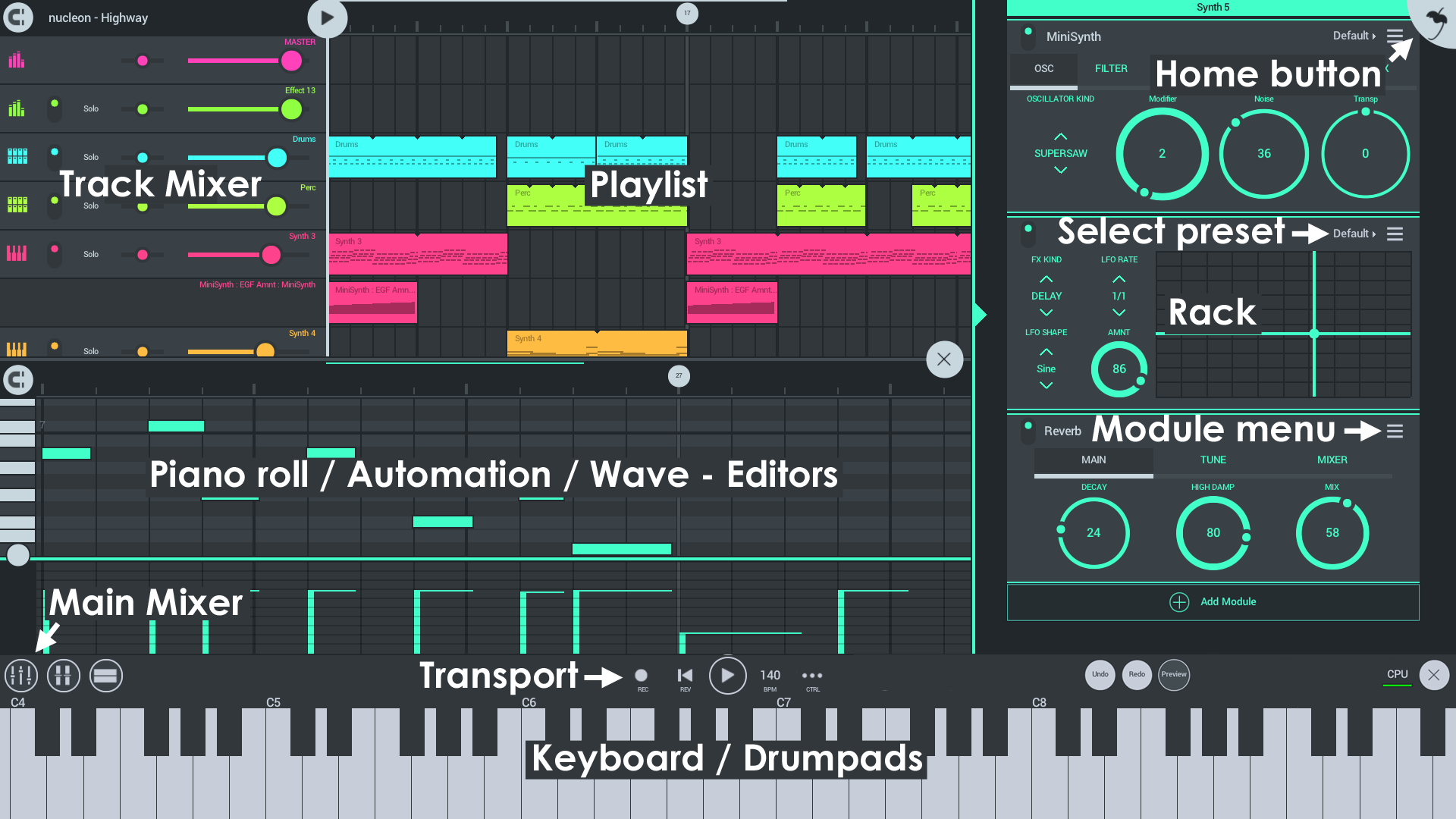
FL Studio Mobile Apk boasts a myriad of features that cater to both beginners and seasoned music producers. Here are some key highlights:

  • Intuitive user interface for ease of use.
  • Diverse range of instruments and effects for creative freedom.
  • Seamless integration with cloud storage for easy access to your projects.
  • High-quality audio output for professional-sounding tracks.

Interface

The interface of FL Studio Mobile Apk is designed to streamline your music production process. Here’s how the interface facilitates a smooth workflow:

  1. Sleek design that keeps everything within reach.
  2. Easy navigation between instruments and settings.
  3. Responsive controls for precise editing and mixing.
Fl Studio Mobile Apk  : Unlock Your Musical Creativity


Credit: www.youtube.com


Create Music Anywhere


Create music on the go with the FL Studio Mobile Apk. This powerful app allows you to unleash your creativity anywhere, with its easy-to-use interface and a wide range of features to help you produce professional-quality music. Get started on your musical journey today!

On-the-go Music Production

With Fl Studio Mobile Apk, you can unleash your musical creativity anywhere, anytime.

Integration With Other Devices

Connect your Fl Studio Mobile to other devices for a seamless music production experience.

Create Music Anywhere: Make beats on-the-go with Fl Studio Mobile Apk.

Benefits:

  • Create music anywhere, anytime
  • Easy integration with other devices

Features:

  1. Intuitive interface
  2. Advanced audio effects
  3. Real-time recording capabilities

Unlock Your Creative Potential

Fl Studio Mobile Apk is a powerful music creation tool that allows you to unleash your creativity and bring your musical ideas to life, right from your mobile device. Whether you’re an aspiring musician, a seasoned producer, or simply someone who loves making music, this innovative app provides an array of features and functionalities to unlock your creative potential. Let’s explore how Fl Studio Mobile Apk can ignite your musical inspiration and take your creativity to new heights.

Innovative Tools

With Fl Studio Mobile Apk, you have access to a plethora of innovative tools that enable you to compose, arrange, and mix your music with ease. The app’s intuitive interface and robust features make it seamless to craft melodies, program beats, and manipulate sounds, ensuring that your creative process remains smooth and efficient. From virtual instruments and synthesizers to audio recording and editing capabilities, Fl Studio Mobile Apk equips you with the necessary tools to bring your musical visions to fruition.

Limitless Possibilities

When it comes to creative expression, Fl Studio Mobile Apk offers limitless possibilities. Whether you’re on the go or in the studio, the app empowers you to explore various musical genres, experiment with different sound textures, and push the boundaries of your compositions. The ability to seamlessly integrate with external MIDI controllers and hardware further expands the horizons of what you can achieve, providing a seamless workflow that caters to your creative exploration and innovation.

Collaborate And Share

If you are someone who loves creating music with others or sharing your creations with the world, then Fl Studio Mobile Apk is the perfect app for you. This popular music production software makes it incredibly easy to collaborate with other musicians and share your work on social media platforms.

Seamless Collaboration

The Fl Studio Mobile Apk ensures a seamless collaboration experience, allowing you to work together with other musicians in real-time, regardless of where they are in the world. With features like cloud syncing and real-time project sharing, you can easily collaborate with your bandmates or other artists, no matter if they’re in a different city or country.

By simply sharing your project file, you and your collaborators can work on the same music project simultaneously, making edits, adding new elements, and refining the overall sound. The app automatically syncs the changes made by each team member, making the collaboration process smooth and efficient.

Social Sharing

With Fl Studio Mobile Apk, sharing your music creations on social media platforms is just a few clicks away. The app integrates seamlessly with popular social media platforms like Instagram, SoundCloud, and YouTube, allowing you to showcase your talent to a wider audience.

Once you have finished composing, mixing, and mastering your track, you can easily export it in various formats, such as MP3 or WAV. This flexibility ensures that your music can be shared across different platforms and enjoyed by a diverse audience.

With the help of Fl Studio Mobile Apk’s built-in social sharing features, you can effortlessly promote your music, gain recognition, and even connect with other like-minded musicians and producers. The app empowers you to take your music career to new heights by leveraging the power of social media.


Fl Studio Mobile Apk  : Unlock Your Musical Creativity


Credit: www.image-line.com


Frequently Asked Questions On Fl Studio Mobile Apk


What Is Fl Studio Mobile Apk?


FL Studio Mobile APK is a mobile version of the popular FL Studio software designed for creating music on Android devices. It offers a wide range of features and tools to compose, edit, and mix your music right on your smartphone or tablet.


How Do I Download Fl Studio Mobile Apk?


To download FL Studio Mobile APK, you need to visit a trusted source or the official website of the app. Look for the download link, click on it, and follow the instructions to install the app on your Android device.


Make sure to enable installation from unknown sources in your device settings.


What Features Does Fl Studio Mobile Apk Offer?


FL Studio Mobile APK provides a variety of features for music production on your Android device. This includes a step sequencer, piano roll editor, mixer, instrument presets, effects, and more. You can create and edit melodies, beats, and loops, record vocals, and export your projects in different formats.


Can I Use Fl Studio Mobile Apk On Iphone?


No, FL Studio Mobile APK is specifically designed for Android devices. However, there is a separate version of the app available for iOS devices, called FL Studio Mobile. You can find it on the App Store and enjoy similar features and functionality on your iPhone or iPad.


Conclusion


FL Studio Mobile Apk offers a convenient and powerful solution for music production on-the-go. With its user-friendly interface and extensive features, it provides a seamless experience for both beginners and experienced producers. The app’s flexibility and high-quality output make it a valuable tool for musicians and creators.


Unlock your creativity and produce professional-quality music with FL Studio Mobile Apk.

Categories
Archive

Fl Studio 21 : Unlock Your Creativity

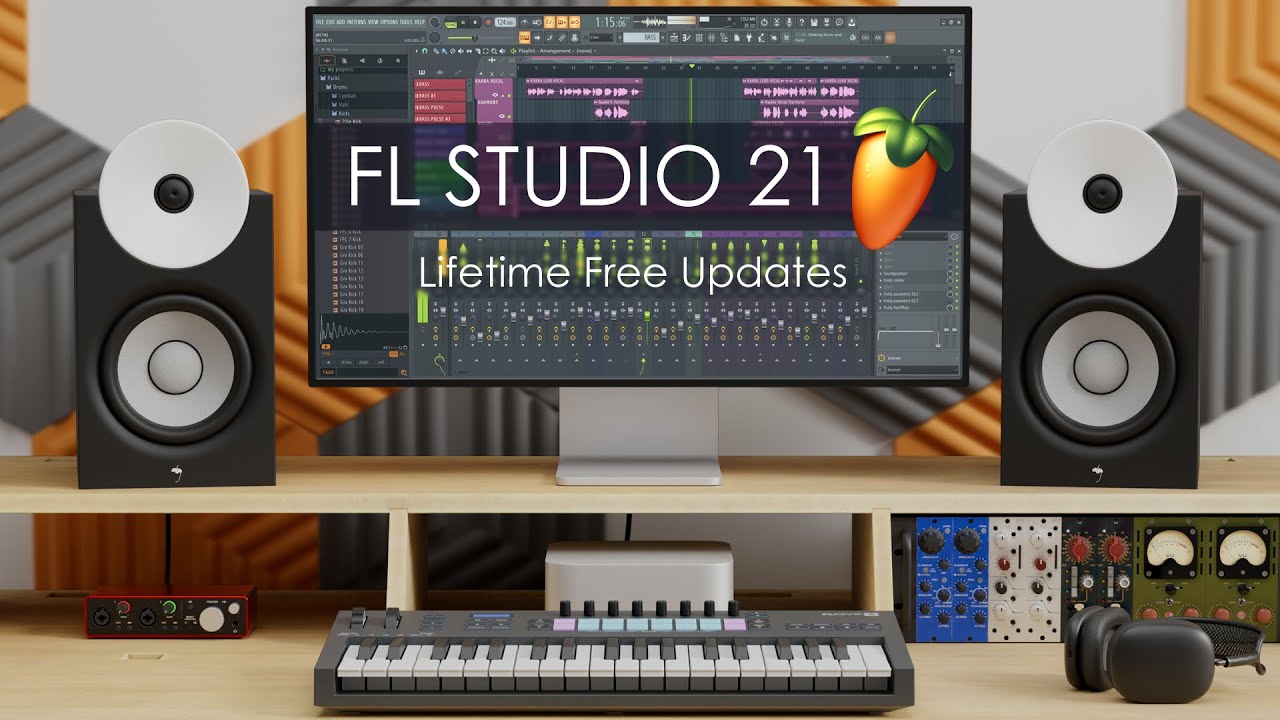
FL Studio 21 is a music production software that offers advanced features for music creators. It is known for its intuitive interface and versatile tools.


With FL Studio 21, users can compose, arrange, mix, and master their music with ease. Music producers and enthusiasts who are looking for a comprehensive software to bring their musical ideas to life turn to FL Studio 21. Whether you are a beginner or a seasoned professional, this software provides a wide range of functions to cater to your musical needs.


With its user-friendly design and powerful capabilities, FL Studio 21 is a top choice for anyone serious about music production.

Fl Studio 21  : Unlock Your Creativity


Credit: m.youtube.com


Discover Fl Studio 21

Unveil the latest innovations with FL Studio 21. Dive into the realm of music production with remarkable tools and features.

New Features

Experience cutting-edge functionalities designed to elevate your music creation. From enhanced performance to advanced tools, FL Studio 21 is a game-changer.

Improved User Interface

  • Seamless navigation with a sleek and intuitive design.
  • Enhanced workflow efficiency for optimal productivity.
  • Customizable interface to suit individual preferences.

Mastering Fl Studio 21


Mastering FL Studio 21 is crucial for music producers looking to enhance their skills. The latest version offers advanced features for seamless music production and mixing. With its user-friendly interface and powerful tools, FL Studio 21 provides a versatile platform for creating professional-quality tracks.

Understanding The Workspace

FL Studio 21 offers an intuitive workspace where you can __explore__ and create music effortlessly.

Utilizing Advanced Tools

Dive deeper into FL Studio 21’s __advanced__ tools to enhance your music production __skills__ and creativity.


Unlocking Creativity

Fl Studio 21 is a powerful digital audio workstation that empowers artists to unleash their creativity and bring their musical visions to life. With a wide array of innovative features and tools, Fl Studio 21 makes the process of music production both seamless and inspiring.

Exploring Composition Tools

Fl Studio 21 provides an extensive range of composition tools that enable musicians to experiment with melodies, harmonies, and rhythms. The intuitive piano roll feature allows users to effortlessly create and edit musical patterns, while the step sequencer offers a versatile platform for designing intricate beats and loops.

Additionally, the powerful chord and scale tools in Fl Studio 21 simplify the process of harmonization, making it easier for artists to explore different tonalities and create captivating musical arrangements.

Using Effects And Plugins

Fl Studio 21 offers a diverse collection of high-quality effects and plugins that can greatly enhance the sonic character of compositions. With an extensive library of virtual instruments, synthesizers, and audio processors, musicians have the flexibility to sculpt and refine their sounds with precision.

From classic reverb and delay effects to cutting-edge modulation and distortion plugins, Fl Studio 21 equips artists with a myriad of sonic possibilities, allowing them to push the boundaries of creativity and craft truly unique musical expressions.

Fl Studio 21  : Unlock Your Creativity


Credit: www.westenddj.co.uk


Collaboration And Sharing

One of the key benefits of Fl Studio 21 is its advanced collaboration and sharing features, which make it easy for musicians and producers to work together and share their creations with the world. Whether you’re a solo artist looking to collaborate with others or a music enthusiast who wants to share your creations with a wider audience, Fl Studio 21 has got you covered.

Utilizing Collaboration Features

With Fl Studio 21, collaborating with other musicians has never been easier. The software offers a range of features that allow you to seamlessly work on projects together, no matter where you and your collaborators are located. The real-time collaboration feature lets you and your collaborators work on the same project simultaneously, making it effortless to exchange ideas and create music together.

Additionally, the “FL Studio Collaborative Projects” feature enables you to invite others to work on your project. So, if you have a specific idea in mind but need assistance in bringing it to life, you can easily invite other artists to contribute their expertise. This feature streamlines the collaboration process and ensures a smoother workflow for everyone involved.

Sharing Your Creations

Once you’ve finished creating your masterpiece in Fl Studio 21, you’ll want to share it with the world. Luckily, the software offers multiple options for sharing your creations. Whether you prefer to upload your music to popular streaming platforms like SoundCloud or export it as a high-quality audio file, Fl Studio 21 provides the necessary tools to help you get your music out there.

Furthermore, Fl Studio 21 allows you to easily share your projects with others who may not have the software installed. By exporting your project as a Zip file, you can include all the necessary files and samples, making it effortless for others to navigate and explore your project. This feature is particularly useful when collaborating with artists who may not be familiar with Fl Studio 21, as it eliminates any compatibility issues and ensures a seamless sharing experience.

Fl Studio 21’s collaboration and sharing features empower musicians and producers to connect, collaborate, and share their music effortlessly. Whether you’re working on a project with another artist or wanting to showcase your creations to the world, the flexibility and convenience of Fl Studio 21’s collaboration and sharing tools will undoubtedly enhance your musical journey.

Taking Your Music Further

Are you looking to take your music production skills to the next level? With FL Studio 21, you can unlock a world of advanced techniques, live performance capabilities, and recording options that will elevate your music to new heights. In this blog post, we will explore how FL Studio 21 can help you take your music further with its innovative features and user-friendly interface.

Advanced Techniques

FL Studio 21 offers a whole range of advanced techniques that allow you to explore your creativity and push the boundaries of your music production. Whether you’re a beginner or an experienced producer, FL Studio 21 has something for everyone.

One of the standout features of FL Studio 21 is its powerful mixer that allows you to fine-tune your tracks with precision. With the ability to add effects, EQ your sounds, and adjust levels, you have full control over the sound of your music. Plus, with the intuitive interface, you can easily navigate through your tracks and make adjustments on the fly.

Another advanced technique available in FL Studio 21 is the ability to use automation to bring your music to life. Whether it’s automating volume changes, panning effects, or plugin parameters, automation allows you to add movement and dynamics to your tracks. With FL Studio 21’s user-friendly automation features, you can easily create complex and dynamic musical arrangements.

Live Performance And Recording

FL Studio 21 is not just a studio tool – it’s also a powerful live performance and recording solution. With its seamless integration with MIDI controllers and external hardware, you can take your music from the studio to the stage with ease.

When it comes to live performance, FL Studio 21 offers an intuitive and customizable Performance Mode. This mode allows you to trigger patterns, launch clips, and control effects in real-time, giving you the freedom to improvise and create on the spot. Whether you’re performing solo or with a band, FL Studio 21 has you covered.

In addition to live performance, FL Studio 21 also excels in recording capabilities. With its multi-track recording functionality, you can easily capture your musical ideas and turn them into fully-fledged productions. Whether you’re recording vocals, instruments, or external MIDI devices, FL Studio 21 offers a seamless and professional recording experience.

In conclusion, FL Studio 21 is a powerhouse music production software that can take your music further than ever before. With its advanced techniques, live performance capabilities, and recording options, FL Studio 21 empowers you to unleash your creativity and create music that stands out from the crowd. Whether you’re a beginner or a seasoned pro, FL Studio 21 is the perfect tool to elevate your music to new heights.

Fl Studio 21  : Unlock Your Creativity


Credit: www.image-line.com


Frequently Asked Questions On Fl Studio 21


Will Fl Studio 21 Be Free?


FL Studio 21 is not free; it requires a paid license for full access.


Will There Be A Fl Studio 21?


FL Studio 21 release is not confirmed yet. Stay updated on the official FL Studio website for announcements.


Is Fl Studio 21 Worth It?


Yes, FL Studio 21 is worth it for its versatile features, user-friendly interface, and frequent updates. It offers a wide range of tools for music production, making it a valuable investment for beginners and professionals alike.


Is Fl Studio 21 Safe?


Yes, FL Studio 21 is safe to use. It is a reliable digital audio workstation that has been extensively tested for security.


Conclusion


FL Studio 21 offers users a comprehensive and user-friendly platform for creating and manipulating music. Its intuitive interface and powerful features make it an ideal choice for both beginners and experienced users. With its array of tools and extensive library of sounds, FL Studio 21 empowers musicians to bring their creative visions to life.

Categories
Archive

How to Update FL Studio: Expert Tips for Optimal Performance

To update FL Studio, open the software and go to ‘Help’ tab, then click on ‘Check for updates’. Make sure to download and install the latest version for optimal performance.


FL Studio is a popular digital audio workstation used by music producers worldwide. Regularly updating the software ensures access to new features, bug fixes, and improved stability. This easy process can be done quickly to keep your FL Studio up to date.


Stay ahead of the curve and make the most out of your music production experience by following these simple steps to update FL Studio.

How to Update FL Studio: Expert Tips for Optimal Performance


Credit: www.sweetwater.com


Understanding Fl Studio Updates


To update FL Studio, open the program and navigate to the “Options” menu. Next, click on “Manage Plugins” and then “Check for updates” to ensure you have the latest version. Finally, follow the prompts to download and install any available updates to keep your software current and running smoothly.

Importance Of Updating

Regular updates in FL Studio keep the software up-to-date.

  • Enhances features and adds new functionalities.
  • Fixes bugs and improves stability.

How Updates Improve Performance

FL Studio updates optimize the software’s performance.

Increases efficiency and responsiveness of the program.

  • Enhances workflow and user experience.
  • Ensures compatibility with the latest systems.

Preparing For The Update

Backing Up Projects

Create a backup of all your current projects by saving them in a separate folder.

Checking System Requirements

Ensure that your computer meets the minimum system requirements specified by FL Studio.

Executing The Update

Updating your FL Studio is crucial to ensure you have access to the latest features and improvements. Follow these steps for a seamless update process.

Downloading The Latest Version

To begin, visit the Image-Line website to acquire the latest version of FL Studio. Navigate to the downloads section and select the appropriate installer for your operating system. Click the download button and save the file to a location you can easily access.

Installation Process

Once the download is complete, locate the installer file and double-click to initiate the installation. Follow the prompts displayed on the screen, ensuring you read each step carefully before proceeding. Select your preferred installation location and complete the installation process. After successful installation, launch the updated FL Studio and enjoy the latest enhancements.

Optimizing Fl Studio Performance


To optimize FL Studio performance, updating the software regularly is crucial for improved functionality and enhanced user experience. Keeping FL Studio updated ensures access to the latest features, bug fixes, and performance enhancements, ensuring a smooth and efficient music production process.

Customizing Settings

Customizing the settings in FL Studio can significantly improve performance and enhance your overall workflow. By tailoring the software to your specific needs, you can eliminate unnecessary features and focus on what matters to you. Here are some key settings that you should consider customizing:

  1. Audio settings: In the audio settings menu, you can optimize the audio buffer length to reduce latency and ensure smooth playback. Adjusting the sample rate and audio device settings can also help eliminate any potential audio issues.
  2. UI settings: FL Studio offers a range of customization options for its user interface. You can resize and reposition windows, change color schemes, and even create custom layouts that suit your workflow. Experiment with different configurations to find the setup that works best for you.
  3. Keyboard shortcuts: Familiarize yourself with FL Studio’s extensive list of keyboard shortcuts. By assigning shortcuts to frequently used functions, you can save time and streamline your workflow. Take the time to learn these shortcuts and customize them to match your preferences.

Utilizing New Features

FL Studio regularly releases updates packed with new features and enhancements. By taking advantage of these updates, you can optimize performance and access exciting new tools. Here are some new features you should be aware of:

  • Performance mode: FL Studio’s performance mode allows you to trigger and manipulate audio clips in real-time. This feature can greatly enhance your live performances and improvisations. Explore the various parameters and effects available in performance mode to craft unique and dynamic sounds.
  • Time signature support: FL Studio now supports different time signatures, allowing you to create music in unconventional meters. This feature opens up new possibilities for experimentation and creativity.
  • Improved mixer routing: The latest updates have introduced improvements to the mixer routing system in FL Studio. Take advantage of this feature to create complex track arrangements and achieve a professional mix.

In conclusion, optimizing FL Studio performance involves customizing settings and utilizing new features to enhance your workflow, reduce latency, and access the latest tools. By taking the time to customize your settings and keep up with the latest updates, you can elevate your music production experience and achieve outstanding results.

Troubleshooting Update Issues

When it comes to updating FL Studio, it’s not uncommon to encounter a few hurdles along the way. However, with a little troubleshooting, you can quickly resolve any update issues you might face. This section will cover some of the most common problems users encounter during the update process and provide guidelines for seeking support if needed.

Common Problems

If you’re experiencing issues while updating FL Studio, you’re not alone. Here are some of the most common problems that users encounter:

  1. Installation errors
  2. Unable to download update files
  3. Conflict with antivirus software
  4. Update getting stuck or freezing
  5. Software crashing after the update

Seeking Support

When you encounter a problem during the FL Studio update, rest assured that help is available. Here’s what you can do to seek support:

  1. Check the official resources: The first step is to visit the official FL Studio website and check their Knowledge Base, FAQs, and forums. There’s a good chance that someone else has experienced a similar issue and found a solution.
  2. Contact the support team: If you can’t find a solution on the official resources, don’t hesitate to contact FL Studio’s support team. They have dedicated experts who can help you troubleshoot and resolve your issue.
  3. Engage with the community: Another way to seek support is to reach out to the vibrant FL Studio community. There are several online forums and social media groups where you can connect with fellow users and share your problem. You might find that someone has encountered the same issue and can offer valuable insight or workaround.

Remember, when seeking support, it’s important to provide as much detail as possible about your issue. Include error messages, screenshots, and any steps you’ve already taken to resolve the problem. This will help the support team or community members understand the situation better and provide you with more targeted solutions.

How to Update FL Studio: Expert Tips for Optimal Performance


Credit: www.sweetwater.com


How to Update FL Studio: Expert Tips for Optimal Performance


Credit: m.youtube.com


Frequently Asked Questions For How To Update Fl Studio


How Can I Update My Fl Studio?


To update FL Studio, open the software and go to “Help” menu. Click on “Check for updates” to see available updates. Download and install the latest version directly from the FL Studio website.


How To Upgrade Fl Studio For Free?


To upgrade FL Studio for free, visit the official website and check for any ongoing promotions or discounts. You can also join the FL Studio forum or follow their social media for announcements about free upgrades. Keep an eye out for special offers and release updates.


Does Fl Studio Come With Free Updates?


Yes, FL Studio does come with free updates.


Do I Need To Uninstall Fl Studio Before Installing New Version?


No, you do not need to uninstall FL Studio before installing a new version.


Conclusion


Updating FL Studio is essential for accessing new features and improvements. By following these simple steps, you can stay up-to-date with the latest version, ensuring a seamless music production experience. Keep your software current to maximize creativity and productivity. Stay tuned for more useful tips and tricks!


Categories
Archive

How to Export Stems in FL Studio: Boost Your Music Production Workflow

To export stems in FL Studio, go to the File menu and select “Export” then choose “Stems.” FL Studio makes it simple to export stems for your project.


FL Studio is a powerful digital audio workstation that allows music producers and artists to create and manipulate sounds with ease. One essential feature is the ability to export stems, which are individual tracks within a project, so they can be used in other software or shared with collaborators.


Exporting stems in FL Studio is a straightforward process that can help streamline your workflow and enhance your music production experience. In this guide, we will walk you through the steps to export stems in FL Studio effectively. Let’s dive in and learn how to export stems in FL Studio for your music projects.

How to Export Stems in FL Studio: Boost Your Music Production Workflow


Credit: www.millionheadpro.com


Benefits Of Exporting Stems

Exporting stems in FL Studio offers a range of advantages, facilitating better control over the mixing process and creating collaboration opportunities.

Better Mixing Control

Exporting stems enables finer adjustments to individual elements, enhancing the overall mix quality. You can fine-tune each track independently, adjusting levels, effects, and EQ settings with precision.

Collaboration Opportunities

  • Sharing stems with collaborators allows for seamless teamwork.
  • It simplifies the process of integrating various contributions into the final project.

Preparing Your Project For Stem Export

Preparing Your Project for Stem Export is crucial for efficient workflow and maintaining audio quality. Each step ensures a smooth export process.

Organizing Tracks And Effects

Before exporting stems, organize your tracks and effects in Fl Studio to streamline the stem export process. Group similar tracks together.

Setting The Correct Levels

Adjust individual track levels to ensure all elements are balanced and no track is overpowering. Use volume faders to fine-tune levels.

Step-by-step Guide To Exporting Stems

Are you looking to export your tracks from FL Studio as stems? In this step-by-step guide, we’ll walk you through the process of exporting stems in FL Studio, allowing you to have full control and flexibility over your individual tracks. Let’s get started with the simple yet essential process of exporting your stems from FL Studio.

Selecting The Export Settings

Before exporting stems, it’s important to ensure that the export settings are configured correctly. Open FL Studio and go to the File menu. Select “Export” and then click on “WAV file”. Make sure to choose the “Split mixer tracks” option to export each track as a separate stem.

Naming And Saving The Stems

Once the export settings are selected, it’s time to name and save your stems. FL Studio will prompt you to choose a location to save your stems. Create a new folder for your stems and give each exported stem a clear and descriptive name to help organize the files effectively.

How to Export Stems in FL Studio: Boost Your Music Production Workflow


Credit: www.mixmasters.net


Optimizing Workflow With Stem Exporting

Fl Studio is a powerful digital audio workstation that allows producers and musicians to create high-quality music. One of the key features that sets Fl Studio apart is its ability to export stems. Stem exporting is the process of exporting individual audio tracks, or stems, from a project, which can then be used for various purposes such as remixing, mastering, or collaboration.

Exporting stems in Fl Studio provides an efficient workflow in post-production. By exporting each track separately, you have more control over the final mix. You can fine-tune the volume, effects, and other parameters of each stem to achieve the desired sound. This level of control allows you to focus on individual elements of the mix and make adjustments as needed, resulting in a polished and professional-sounding track.

Another advantage of stem exporting in Fl Studio is the flexibility it offers for future changes. By exporting stems, you create a backup of your project’s individual tracks. This means that if you decide to make changes or revisions later on, you can do so without starting from scratch. You can easily remix or rearrange the stems, add new elements, or remove existing ones, all while retaining the quality and integrity of the original project.

In conclusion, stem exporting in Fl Studio not only optimizes your workflow in post-production by providing efficiency and control over the mix but also offers the flexibility to make future changes without the need to start from scratch. Whether you are a producer, musician, or sound engineer, incorporating stem exporting into your Fl Studio workflow can greatly enhance your music production process.


Advanced Tips For Stem Exporting

When it comes to exporting stems in FL Studio, there are a few advanced techniques that can take your productions to the next level. In this section, we will explore some essential tips for stem exporting that will enhance your workflow, improve flexibility, and help you achieve professional-sounding mixes.

Using Stem Busses For Flexibility

One effective way to maintain flexibility during the stem exporting process is to utilize stem busses. Stem busses allow you to group related channels together, making it easier to apply processing and affect multiple elements collectively with just a few adjustments. This technique can be particularly useful when you want to create separate stems for individual sections of your track, such as drums, bass, vocals, and more.

By using stem busses, you can add specific effects or apply mixing techniques to the grouped channels, ultimately achieving a more cohesive and polished sound. To create a stem bus, simply select the desired channels, right-click, and choose “Route to this track only” from the drop-down menu. This will create a new mixer track that you can then use to route the audio from the selected channels.

Including Reference Tracks

Another crucial tip when exporting stems is to include reference tracks. These are professionally mixed and mastered songs that have a similar style or sound to what you are aiming to achieve. Including a reference track in your stem export allows you to compare the quality, balance, and dynamics of your mix to that of a professional production.

By listening to your mix alongside a reference track, you can identify any areas that need improvement and make necessary adjustments before finalizing your stems. This can help ensure that your stems translate well across different playback systems and sound consistent with other commercial releases in your genre. To include a reference track, simply import it into your FL Studio project and route it to a separate mixer track, allowing for easy A/B comparison.

Remember, using stem busses and including reference tracks are just two of many advanced techniques for stem exporting in FL Studio. Incorporating these tips into your workflow will not only save you time but also result in professional-sounding stems that can elevate your productions to new heights.

How to Export Stems in FL Studio: Boost Your Music Production Workflow


Credit: articles.roland.com


Frequently Asked Questions On How To Export Stems In Fl Studio


How Do I Export Audio Stems From Fl Studio?


To export audio stems from FL Studio, go to the File menu, select Export, then pick the option for “Stems. ” Choose the tracks you want to export, adjust settings if needed, and click Start. Save the stems in your preferred location.


How Do I Export Stem?


To export a stem, go to your software’s settings menu and select the option to export stems. Choose the stem you want to export and follow the on-screen instructions to save it to your desired location.


How Do I Export Selected Parts In Fl Studio?


To export selected parts in FL Studio, highlight the parts, go to File, select Export, then choose the desired format.


Can You Export From Fl Studio?


Yes, FL Studio allows you to export your projects into various audio file formats such as MP3, WAV, and more.


Conclusion


Learning how to export stems in FL Studio is essential for any music producer. It enables you to collaborate effectively and maintain the quality of your music throughout the production process. By following the steps outlined in this guide, you can easily export stems and take your music production to the next level.

Categories
Archive

Music Related Musicians Jobs : Unlock Lucrative Opportunities

Music related musicians jobs involve performing live, recording songs, touring, and collaborating with other artists, offering a rewarding and creative career opportunity. Musicians can work as solo artists, band members, session musicians, or songwriters, showcasing their talent and passion for music across various platforms.


The job demands dedication, practice, and commitment to perfecting their craft, whether it be playing an instrument, singing, or composing melodies and lyrics. With the rise of digital music platforms and streaming services, musicians have the opportunity to reach a global audience and build a fan base online, opening up new avenues for success and recognition in the music industry.


The Role Of A Musician

Skills And Talent

Musician jobs require strong musical skills such as playing instruments, singing, and composing.

  • Attention to detail and precision are crucial for a musician.
  • A knack for creativity and expression enhances a musician’s artistry.
  • Adaptability to various genres and styles is essential for a versatile musician.

Educational Background

While a formal education is beneficial, musicians can also excel through practical experience.

  1. Music theory knowledge can be obtained through formal music education.
  2. Hands-on training and mentorship can enhance a musician’s practical skills.
  3. Experimentation and continuous learning help musicians evolve in their craft.
Music Related Musicians Jobs  : Unlock Lucrative Opportunities


Credit: www.projectcasting.com


Job Opportunities In The Music Industry

Exploring various job opportunities in the music industry can be an exciting journey for music enthusiasts. From performing live on stage to creating captivating compositions, the world of music offers a diverse range of career options.

Performing Musician

Becoming a Performing Musician involves showcasing musical talents on stage or in studio settings. It requires skill, dedication, and a passion for live performances.

Music Composer Or Arranger

Music Composers and Arrangers are responsible for creating original music pieces and arranging existing compositions. They play a crucial role in shaping the overall sound of a musical piece.

Music Teacher

Music Teachers impart their knowledge and expertise to students, helping them develop musical skills and appreciation. Teaching music can be a rewarding career for those passionate about education and music.

Music Producer

Music Producers oversee the production process of music recordings, working closely with artists to achieve the desired sound. They play a key role in shaping the final musical product.

Sound Engineer

Sound Engineers are responsible for capturing, mixing, and mastering audio recordings to achieve the highest quality sound. Their technical expertise is essential in the music production process.

Career Growth And Income Potential

When it comes to pursuing a career in the music industry, there are various job opportunities that offer promising career growth and income potential. Whether you are a musician, music producer, or working in music education, there are avenues for gaining experience, understanding potential earnings, and advancing your career.

Gaining Experience

Aspiring musicians can gain valuable experience by performing at local venues, collaborating with other artists, and participating in music workshops and classes. Building a strong portfolio of performances and projects is essential for progressing in the music industry.

Potential Earnings

Music-related jobs offer a wide range of potential earnings based on factors such as experience, expertise, and the specific niche within the industry. Musicians have the opportunity to earn income through live performances, royalties, music licensing, and merchandise sales. Music producers and educators also have the potential to earn competitive salaries based on their skill level and the demands of the market.

Music Related Musicians Jobs  : Unlock Lucrative Opportunities


Credit: artsoundz.stck.me


Challenges Faced By Musicians

In the world of music, pursuing a career as a musician can be both rewarding and challenging. While the passion for music and the desire to connect with an audience drive many musicians, they also face various challenges along the way. From intense competition to financial instability, musicians often have to navigate through hurdles to succeed in their careers.

Competition

The music industry is highly competitive, with numerous talented individuals vying for limited opportunities. The abundance of aspiring musicians, coupled with the ever-evolving tastes and preferences of audiences, create a challenging landscape. Aspiring musicians need to constantly refine their skills, push their boundaries, and stand out from the crowd to secure bookings, contracts, or recognition. With the advent of social media and digital platforms, the competition has only intensified as musicians strive to capture the attention of listeners worldwide.

Financial Instability

Financial stability is another significant challenge faced by musicians. Many musicians struggle with inconsistent income streams, relying on gig payments, album sales, merchandise sales, and royalties to make a living. Establishing a steady income flow can be difficult, especially for those starting their careers. Additionally, the unpredictable nature of the music industry means that even established musicians may experience periods of financial uncertainty. In such instances, diversifying revenue streams, seeking sponsorship or endorsements, and exploring other related avenues like teaching or session work can be essential in ensuring financial stability.

In conclusion, musicians face numerous challenges that require dedication, resilience, and adaptability. Despite the intense competition and financial instability, their unwavering passion for music and the drive to connect with audiences motivate them to overcome these obstacles to achieve success in their careers.

Tips For Succeeding In The Music Industry

The music industry is highly competitive, but with the right strategies, you can increase your chances of success. Whether you’re a musician, producer, or aspiring music industry professional, these tips will help you navigate the challenges and stand out in the crowd.

Networking

In the music industry, networking is crucial for finding opportunities and building valuable connections. Here are some tips to help you network effectively:

  1. Attend industry events and conferences to meet like-minded individuals and industry experts.
  2. Join online communities and forums dedicated to music where you can connect with professionals from different sectors.
  3. Reach out to musicians, producers, and industry professionals through social media platforms like LinkedIn and Twitter.
  4. Collaborate with other musicians or artists to expand your network and gain exposure to new audiences.
  5. Build relationships through genuine interactions, offering support and assistance whenever possible.

Diversifying Skills

In a rapidly evolving industry, it’s essential to diversify your skills to stay competitive and adapt to changing trends. Here are some ways you can expand your skillset:

  • Learn to play multiple instruments to increase your versatility as a musician.
  • Acquire knowledge in music production and recording techniques to be self-sufficient in creating your own music.
  • Develop skills in songwriting and composition, allowing you to generate original and unique content.
  • Gain a basic understanding of music marketing, promotion, and distribution to effectively navigate the business side of the industry.
  • Stay updated on the latest technology and software used in the music industry to enhance your production capabilities.

By diversifying your skills, you can increase your value and open up new opportunities within the music industry.

Music Related Musicians Jobs  : Unlock Lucrative Opportunities


Credit: www.modern-musician.com


Frequently Asked Questions On Music Related Musicians Jobs


Are There Any Job Opportunities For Musicians In The Music Industry?


Yes, there are various job opportunities for musicians in the music industry. Musicians can find work as performers, session musicians, music teachers, composers, arrangers, music producers, and more. The music industry offers diverse career paths for talented individuals who are passionate about music.


What Skills And Qualifications Are Important For Musicians Seeking Jobs?


Musicians should have strong musical skills, including proficiency in playing musical instruments and sight-reading music. They should also have a deep understanding of music theory, composition, and arrangement. In addition, good communication skills, teamwork abilities, and a professional attitude are essential for success in the music industry.


How Can Musicians Find Gigs And Performance Opportunities?


Musicians can find gigs and performance opportunities by networking, attending music industry events, and showcasing their talent through live performances. They can also use online platforms, such as social media, music streaming sites, and music industry job boards to connect with potential gig opportunities and reach a wider audience.


Is It Necessary For Musicians To Have A Formal Music Education?


While a formal music education can offer a strong foundation and enhance musicians’ skills, it is not always necessary to have one. Many successful musicians have achieved success through self-education, practice, and real-world experience. What matters most is a musician’s talent, dedication, and continuous learning to develop their craft.


Conclusion


The diversity of music-related jobs offers various opportunities for musicians to pursue their passion while making a living. Whether it’s performing, teaching, composing, or producing, there are ample options to explore in the music industry. By leveraging their skills and adapting to the evolving industry landscape, musicians can carve out fulfilling careers.


Categories
Archive

How To Build A DJ Website: The Ultimate Guide

To build a DJ website, choose a reliable website builder and select a theme that suits your style. Customize your site with high-quality images, music samples, and a booking form to engage your audience.


Your website should be user-friendly, visually appealing, and mobile responsive to attract potential clients. Promote your site through social media and search engine optimization techniques to increase traffic and bookings for your DJ services. Connecting with your audience through a well-designed website can help you showcase your talent and grow your DJ business effectively.


Choosing The Right Platform

When it comes to building your DJ website, selecting the proper platform is essential for a successful online presence. Considerations for Platform Choice should be clear and optimized. Let’s take a look at various aspects to keep in mind.

Considerations For Platform Choice

  • Ease of Use: Select a platform with user-friendly interfaces.
  • Customization Options: Ensure flexibility for unique branding.
  • SEO Capabilities: Opt for platforms that support SEO features.
  • Mobile Responsiveness: Choose a platform that is mobile-friendly for wider reach.

Comparing Website Builders

Platform Key Features
WordPress Highly customizable and offers a wide range of plugins.
Squarespace Great design templates with easy drag-and-drop functionality.
Wix Intuitive platform suitable for beginners with powerful design tools.

By comparing Website Builders, you can find the best fit for your DJ website needs. Choose wisely to ensure a strong online presence for your music career.


Credit: www.netflix.com


Crafting A Compelling Design

Crafting a Compelling Design is crucial for a DJ website to stand out and attract visitors.

Creating A Visual Identity

A distinctive visual identity with a unique logo and cohesive color scheme enhances brand recognition.

Optimizing For User Experience

Simple navigation and clear call-to-action buttons improve user engagement and satisfaction.

Essential Content And Features

When creating a DJ website, it’s essential to include specific content and features to showcase your work effectively and make it easy for potential clients to reach out to you. From showcasing your work to incorporating booking and contact forms, each element plays a crucial role in engaging your audience and converting visitors into clients.

Showcasing Your Work

One key element of your DJ website is showcasing your work – your music, mixes, performances, and any collaborations. To effectively showcase your work, consider including:

  • A gallery section showcasing past events and performances
  • Audio and video samples of your music and mixes, organized in a visually appealing manner
  • Photo albums from various events and gigs, highlighting your dynamic presence

Incorporating Booking And Contact Forms

Facilitating easy booking and contact is crucial for turning website visitors into clients. Incorporate booking and contact forms on your website to streamline the enquiry process for potential clients. These forms should include:

  • A straightforward booking form with fields for event details, date, and venue
  • A contact form with fields for name, email, and message, making it easy for people to reach out to you
  • Integration of these forms with your email or CRM system for efficient follow-ups
How To Build A DJ Website: The Ultimate Guide


Credit: pirate.com


Mastering Seo And Online Visibility


Want to boost your DJ website’s online visibility? Mastering SEO can help you rank higher in search results, increasing your website’s visibility and attracting more potential clients. A well-optimized website with relevant keywords and quality content can significantly improve your online presence and drive more traffic to your DJ website.

Optimizing For Search Engines

When it comes to building a successful DJ website, optimizing it for search engines is crucial for improving your online visibility. To make your website easily discoverable by search engines such as Google, Bing, and Yahoo, you need to implement effective SEO strategies:

  1. Keyword Research: Conduct thorough keyword research to identify the most relevant and high-ranking keywords in the DJ industry. Incorporate these keywords strategically throughout your website’s content, metadata, headings, and URLs.
  2. On-Page Optimization: Optimize your web pages by including keyword-rich title tags, meta descriptions, and alt text for images. Ensure your content is well-structured, organized with headings, and utilizes appropriate HTML tags.
  3. Quality Content: Publish high-quality content on your DJ website that is informative, relevant, and engaging. This will not only attract and retain visitors but also help improve your search engine rankings.
  4. Website Speed: Optimize your website’s loading speed to improve user experience and search engine rankings. Compress images, minimize code, and utilize caching techniques to enhance your site’s performance.

Leveraging Social Media

In addition to implementing SEO strategies, leveraging social media platforms can significantly enhance your DJ website’s online visibility. Here are some effective ways to take advantage of social media:

  • Create Profiles: Establish a presence on popular social media platforms such as Facebook, Instagram, Twitter, and YouTube. Ensure your profiles are complete, including relevant keywords and a link to your website.
  • Promote Your Website: Regularly share links to your website’s content, events, and mixes on your social media platforms. Encourage your followers to visit and explore your site.
  • Engage with the Audience: Interact with your followers through comments, messages, and engaging posts. Respond to their inquiries, thank them for their support, and provide valuable insights to build a strong online community.
  • Collaborate with Influencers: Connect and collaborate with influential DJs and music industry professionals on social media. By mutually promoting each other’s content, you can expand your reach and drive more traffic to your website.

Launching And Maintaining Your Site

Testing And Deployment

Before you officially launch your DJ website, it’s crucial to thoroughly test and deploy it to ensure a smooth user experience. Testing helps identify any potential glitches, errors, or broken links that could hinder site performance. Once you’ve completed the necessary testing, follow these steps to deploy your site and make it accessible to the public:

  1. Choose a reliable web hosting service that fits your budget and website requirements.
  2. Upload your website files to the hosting server using an FTP client or file manager provided by your hosting provider.
  3. Check if your domain name is connected correctly to your hosting server. Make sure visitors can access your site using your preferred URL.
  4. Configure any necessary security measures, such as SSL certificates, to protect your website and users’ information.
  5. Test your website across different devices, browsers, and screen sizes to ensure responsiveness and compatibility.
  6. Optimize your website’s load time by compressing images, minimizing CSS and JavaScript files, and implementing caching techniques.
  7. Monitor your website traffic using tools like Google Analytics to gather valuable insights and make data-driven decisions.

Ongoing Maintenance

Launching your DJ website is only the beginning. To keep it running smoothly and maintain a strong online presence, you need to prioritize ongoing maintenance. Regularly check for updates and perform the following tasks:

  • Regularly update your website’s content to keep it fresh and relevant. Add new mixes, event updates, playlists, and blog posts to engage your audience.
  • Keep your plugins, themes, and CMS up to date to ensure optimal performance and security.
  • Regularly review and optimize your website’s SEO to improve search engine rankings and attract more organic traffic.
  • Monitor and reply to comments, messages, and inquiries from your audience to build strong connections and provide excellent customer service.
  • Backup your website regularly to prevent data loss in case of any unforeseen events.
  • Regularly check for broken links and fix them promptly to improve user experience.
  • Stay updated with the latest trends and technologies in web design and DJ services to stay ahead of your competition.
How To Build A DJ Website: The Ultimate Guide


Credit: www.wildapricot.com


Frequently Asked Questions Of How To Build A Dj Website


How Can I Build A Professional Dj Website?


Building a professional DJ website requires selecting a good domain name, choosing a website builder, designing an attractive layout, adding relevant content and images, integrating social media links, and optimizing for SEO. Hiring a professional web developer can also be a great option.


What Are The Essential Features Of A Dj Website?


Essential features of a DJ website include a clean and easy-to-navigate layout, an about section highlighting your experience and style, a portfolio showcasing your best work, a music player for samples, a booking/contact form, and links to your social media profiles.


How Can I Optimize My Dj Website For Search Engines?


To optimize your DJ website for search engines, focus on using relevant keywords in your website content, meta tags, and URLs. Create unique and informative page titles and meta descriptions. Make sure your website is mobile-friendly, loads quickly, and has high-quality backlinks from authoritative sources.


Regularly update your content to keep it fresh.


Conclusion


In building a DJ website, focus on creating a user-friendly and visually appealing platform. Implement SEO strategies to optimize search engine rankings and attract more visitors. Utilize social media integration to connect with a broader audience and showcase your work.


With consistent updates and engaging content, your website will stand out in the competitive online market.