Categories
Archive Audio Production

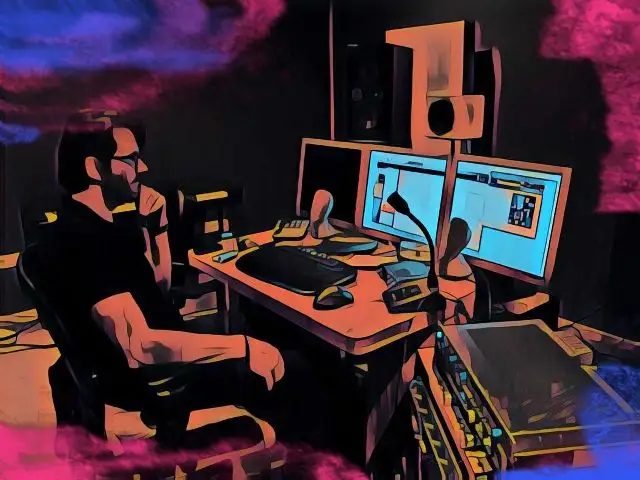
Can You Record With Open Back Headphones? Unleash Your Creativity!

Yes, you can record with open back headphones but be mindful of potential sound leakage. Using open back headphones for recording can result in sound bleeding into the microphone.


This may impact the quality of the recording, especially in environments where background noise is a concern. Open back headphones are popular for their natural sound reproduction and spacious soundstage, making them preferred by many audiophiles and recording professionals. However, when using them for recording purposes, it is essential to consider the potential drawbacks related to sound leakage.


Understanding how open back headphones affect audio recording can help you make informed decisions when selecting equipment for your recording needs. Let’s delve deeper into the pros and cons of using open back headphones for recording.


Benefits Of Recording With Open Back Headphones

Improved Natural Sound

Open-back headphones provide a wider soundstage for improved natural sound quality during recording sessions.

Reduced Ear Fatigue

With open-back headphones, you experience reduced ear fatigue due to better airflow and less pressure on the ears.

Can You Record With Open Back Headphones? Unleash Your Creativity!


Credit: www.ebay.com


Considerations For Recording With Open Back Headphones

Open back headphones tend to leak sound, which can be picked up by microphones during recording sessions.

For recording purposes, choose a quiet environment to minimize external noise interference when using open back headphones.

Best Practices For Recording With Open Back Headphones

When recording with open back headphones, it’s crucial to follow certain best practices to ensure optimal sound quality and performance. From selecting the right environment to setting proper recording levels, paying attention to these details can make a significant difference in your recording experience.

Selecting The Right Environment

When choosing your recording environment, opt for a space with minimal noise and distractions. Consider a room with sound-absorbing materials or utilize acoustic panels to minimize reverberation. Position yourself away from any potential external noises, such as traffic or household appliances. Make sure the room is well-ventilated to prevent overheating while recording for extended periods.

Setting Proper Recording Levels

To achieve optimal recordings with open back headphones, it’s essential to set the proper recording levels. Avoid overloading the recording input by adjusting the gain levels appropriately. Maintain a balanced signal-to-noise ratio to capture clean and accurate audio. Regularly monitor and adjust the levels during the recording process to prevent clipping or distortion.

Matching Open Back Headphones With Recording Equipment

Matching open back headphones with recording equipment is essential to ensure optimal sound quality and accurate monitoring during the recording process. Open back headphones are known for their natural and spacious sound reproduction, making them a popular choice among audio professionals and musicians. However, not all recording equipment may be compatible with these headphones. In this article, we will explore the factors to consider when choosing audio interfaces that are compatible with open back headphones, as well as tips for optimizing sound quality.

Choosing Compatible Audio Interfaces

When using open back headphones for recording, it is crucial to select an audio interface that can adequately drive them. The audio interface serves as the bridge between your computer and the headphones, converting digital audio signals into analog signals that can be listened to through the headphones.

Here are some key factors to consider when choosing a compatible audio interface:

  1. Output Power: Open back headphones typically have higher impedance compared to closed-back headphones. Therefore, it is important to choose an audio interface that can deliver enough power to drive the headphones effectively. Look for an interface with a high output power rating to ensure optimal performance.
  2. Headphone Outputs: Check if the audio interface provides dedicated headphone outputs or if it offers a separate headphone amplifier. Dedicated headphone outputs are often preferred as they are specifically designed to drive headphones effectively and provide a clean and accurate sound reproduction.
  3. Impedance Matching: Match the impedance of your open back headphones with the appropriate output impedance of the audio interface. This compatibility ensures proper power distribution to the headphones and can prevent issues such as weak audio or distortion.

Optimizing Sound Quality

While open back headphones offer a natural and detailed sound, there are additional steps you can take to optimize the sound quality during recording:

  • Room Acoustics: Pay attention to the acoustic properties of your recording environment. Make sure it is well-treated with acoustic treatment panels to minimize reflections and ensure an accurate representation of the sound.
  • Positioning: Properly position your open back headphones on your head to achieve the best sound quality. Ensuring a good seal around your ears can enhance the low-frequency response and overall listening experience.
  • EQ and Mixing: Use equalization and proper mixing techniques to balance the sound and achieve the desired tonal characteristics. Experiment with different EQ settings to achieve a mix that translates well across different playback systems.
  • Monitoring Level: Keep the monitoring level at an appropriate volume to prevent ear fatigue and accurately judge the audio quality. Listening at excessively high volumes for prolonged periods can negatively impact your hearing and perception of the mix.

By following these guidelines, you can ensure a seamless integration between your open back headphones and recording equipment, resulting in accurate monitoring and high-quality recordings. Take the time to choose a compatible audio interface and optimize your sound quality for an enhanced recording experience.

Exploring Creative Possibilities With Open Back Headphones

Open back headphones offer a unique auditory experience that can enhance your creative pursuits. Unlike closed-back headphones, which provide isolation and are ideal for privacy, open back headphones have perforated ear cups that allow sound to pass in and out. This not only creates a more natural sound but also results in several artistic advantages. In this article, we will explore the ways in which open back headphones can expand your creative horizons.

Enhanced Spatial Awareness

One of the key benefits of using open back headphones is the enhanced spatial awareness they provide. With their design, these headphones allow sound to escape freely, creating a more immersive listening experience. When recording with open back headphones, you can better perceive the depth and positioning of the sounds, almost as if you were in a live studio environment.

Whether you are a musician, sound engineer, or filmmaker, this greater perception of space can be invaluable. It allows you to accurately assess the positioning of each instrument or sound effect, resulting in a more precise mix. By using open back headphones during recording and editing sessions, you can create a sonic landscape that feels open and three-dimensional.

Inspired Artistic Expression

Besides the technical advantages, open back headphones also contribute to inspired artistic expression. The natural sound reproduction offered by these headphones allows you to hear every nuance and detail in your audio recordings. This level of clarity unlocks new creative possibilities, enabling you to make more precise artistic decisions.

For musicians, open back headphones can reveal subtle tonal variations in each instrument, enabling you to fine-tune your performance or production. Sound designers can fully appreciate the intricate layers and textures within their creations, leading to richer and more immersive experiences for the audience. Filmmakers can benefit as well, as the realistic sound imaging provided by open back headphones allows for more accurate and impactful storytelling through audio.

In conclusion, open back headphones are not limited to merely providing realistic sound reproduction. They offer a multitude of creative advantages, from enhanced spatial awareness to inspired artistic expression. Whether you are a musician, sound engineer, or filmmaker, integrating open back headphones into your workflow can elevate your creative endeavors to new heights.

Can You Record With Open Back Headphones? Unleash Your Creativity!


Credit: us.creative.com


Can You Record With Open Back Headphones? Unleash Your Creativity!


Credit: www.amazon.com


Frequently Asked Questions For Can You Record With Open Back Headphones


Can You Use Open Back Headphones For Recording?


Yes, open back headphones can be used for recording. They offer a more natural and spacious sound, which can be beneficial for achieving accurate recordings. However, they also have drawbacks like sound leakage, so it’s important to consider your recording environment and intended use before choosing open back headphones.


What Are The Advantages Of Using Open Back Headphones For Recording?


Using open back headphones for recording provides several advantages. They offer a wider soundstage, making it easier to identify subtle details in the audio. Additionally, open back headphones tend to have a more accurate and natural representation of sound, making them ideal for critical listening and audio editing.


Are There Any Disadvantages To Using Open Back Headphones For Recording?


While open back headphones have their advantages, they also come with some disadvantages. One major drawback is sound leakage. Since the headphones allow sound to escape through the back, they can be disruptive to others nearby and potentially impact the accuracy of your recordings.


Consider the recording environment and your specific needs before choosing open back headphones.


Can I Use Open Back Headphones For Professional Recording?


Yes, open back headphones can be used for professional recording. However, it’s important to consider the specific requirements of your recording setup. If sound leakage is a concern or if you need isolation from external noise, closed back headphones may be a better choice.


Ultimately, the decision should be based on the specific needs and preferences of your recording workflow.


Conclusion


Open-back headphones can be used for recording, but with certain considerations. The leakage of sound and lack of isolation may affect the recording quality. However, the natural sound and comfortable design make them a popular choice for some recording professionals.


It’s crucial to weigh the pros and cons before using open-back headphones for recording.
 

https://www.youtube.com/watch?v=JtQDlH2wQBY


Categories
Archive Audio Production

Best Way to Mix Music: Master the Art with These Proven Techniques

To mix music effectively, use a digital audio workstation and adjust levels, add effects, and blend tracks. Creating smooth transitions between songs while maintaining consistent volume and EQ settings is key.


Music mixing is a crucial component of producing high-quality tracks and requires precision and skill. By following best practices and experimenting with different techniques, you can enhance the overall sound and quality of your music. Whether you are a professional music producer or a beginner looking to improve your mixing skills, implementing these tips will help you achieve a polished and professional sound in your recordings.


Let’s delve deeper into the process of mixing music and explore the essential steps and strategies to elevate your music production game.


Understanding The Basics

When diving into the world of music mixing, it’s crucial to start with the foundational principles. Understanding the basics sets the stage for honing your skills and creating high-quality mixes. Let’s explore the fundamental concepts and essential equipment needed to kickstart your music mixing journey.

Music Mixing Fundamentals

  • Mixing involves blending different audio tracks to create a cohesive sound.
  • Balancing levels, panning positions, and applying effects are key aspects of mixing.
  • EQ adjustments help fine-tune the frequency balance of individual tracks.
  • Compression evens out volume levels and adds dynamics to the mix.

Equipment And Software Essentials

Equipment Software
Quality studio monitors Digital Audio Workstation (DAW) like Ableton Live or Pro Tools
Headphones for detailed listening Virtual Instruments for creating sounds
Audio Interface for connecting instruments Plugins for adding effects

By grasping the music mixing fundamentals and having the right equipment and software at your disposal, you’re well-equipped to embark on your mixing adventures.

Setting Up Your Workspace

Introductory paragraph Optimizing Your Studio Space H3 heading

Optimizing Your Studio Space

Essential Gear Setup H3 heading

Essential Gear Setup

List of essential gear setup

  • Quality headphones for accurate monitoring
  • Studio monitors for clear sound reproduction
  • Audio interface for connecting your instruments
  • Microphone for recording vocals and instruments
  • Comfortable chair and desk for extended sessions

Mastering The Mixing Techniques

Mastering the mixing techniques is essential for creating high-quality music. It requires a deep understanding of various elements such as balancing levels, panning, equalization, and compression. Let’s delve into these aspects in more detail:

Balancing Levels And Panning

Balancing levels involves adjusting the volume of individual tracks to ensure they blend harmoniously. Panning determines the placement of audio within the stereo field, creating a sense of space and depth within the mix.

Understanding Equalization And Compression

Equalization allows you to sculpt the frequency content of each track, enhancing clarity and removing unwanted frequencies. Compression helps control the dynamic range of audio, ensuring a consistent and polished sound.

Best Way to Mix Music: Master the Art with These Proven Techniques


Credit: emastered.com


Adding Creative Elements


Enhance your music mixes by incorporating creative elements such as unique sound effects, vocal samples, and dynamic transitions. Experimenting with different textures and rhythms can elevate the overall composition to a new level, capturing the attention of your audience and leaving a lasting impression.

Incorporating Effects And Automation

When it comes to mixing music, adding creative elements plays a crucial role in giving your tracks that professional and polished sound. One way to achieve this is by incorporating effects and automation. These techniques allow you to add depth, texture, and movement to your mix, enhancing the overall listening experience. Effects such as reverb, delay, and chorus can make your mix sound more spacious, adding a sense of depth and realism. By applying these effects to specific elements in your mix, you can create a sense of ambiance and make your tracks sound more immersive. For example, adding reverb to vocals can give them a larger-than-life presence, while applying delay to a guitar solo can create a sense of space and atmosphere. Automation is another powerful tool for adding creative elements to your mix. It allows you to control various parameters such as volume, panning, and effects levels over time. By automating these elements, you can create dynamic and engaging musical moments. For instance, you can automate the volume of a vocal track to make it more expressive during certain parts of the song, or automate the panning of a synth to create a sweeping stereo effect.

Layering And Texturing Sounds

Layering and texturing sounds is another effective way to add creativity and richness to your mix. This technique involves combining multiple sounds or instruments to create a complex and intricate sonic landscape. By layering different sounds, you can create a fuller and more textured mix. For example, layering multiple guitar tracks can make your mix sound bigger and more powerful. You can also layer different synth patches to create unique and interesting sounds that stand out in the mix. Texturing sounds involves adding subtle variations and nuances to your individual tracks. This can be done through techniques such as using different articulations, adding effects, or applying modulation. By doing so, you can add depth and character to your mix, making it more engaging and compelling for the listener. In conclusion, adding creative elements to your mix is essential for creating a professional and captivating sound. By incorporating effects and automation, as well as layering and texturing sounds, you can take your mix to the next level and make it stand out from the crowd. So don’t be afraid to experiment and let your creativity shine through in your music production.

Finalizing Your Mix

When it comes to mixing music, finalizing your mix is a crucial step in achieving a professional-sounding result that will captivate your listeners. To ensure your mix is cohesive and provides clarity to every element, there are two important factors to consider: achieving cohesiveness and clarity, and preparing for different listening environments.

Achieving Cohesiveness And Clarity

One essential aspect of finalizing your mix is achieving cohesiveness and clarity. This means making sure that all the individual tracks in your mix blend together seamlessly while still maintaining clarity and distinction. Here are a few tips to help you achieve this:

  • Use EQ to carve out space for each instrument or vocal, ensuring they have their own frequencies to shine through. For instance, you can reduce the low frequencies of a guitar to make room for the bass.
  • Apply subtle compression to even out the dynamic range of each track, making sure that no elements overpower others.
  • Add reverb and delay to create depth and space in your mix, but be careful not to overdo it as it can make the mix sound washed out.
  • Pay attention to the panning of each track to provide a sense of space and give your mix a three-dimensional feel.

Preparing For Different Listening Environments

Another important consideration when finalizing your mix is ensuring it sounds great in different listening environments. Your mix may sound fantastic in your studio, but it may not translate well when played on different devices or in different spaces. Here are a few steps you can take to prepare:

  1. Listen to your mix on different devices such as headphones, car speakers, and portable speakers to check how it translates across different setups.
  2. Pay attention to the overall volume of your mix and make adjustments if necessary. Aim for a balanced volume level that is not too quiet or too loud.
  3. Consider using reference tracks that you are familiar with, and compare your mix to them. This will help you identify any discrepancies and make necessary adjustments.
  4. Take breaks during the mixing process to give your ears a rest. Fatigue can lead to poor decisions, so it’s important to freshen up your listening perspective.
Best Way to Mix Music: Master the Art with These Proven Techniques


Credit: blog.daisie.com


Best Way to Mix Music: Master the Art with These Proven Techniques


Credit: soundoracle.net


Frequently Asked Questions Of Best Way To Mix Music


How Can I Mix Music Like A Pro?


To mix music like a pro, focus on the balance of different elements, use EQ to enhance clarity, apply compression to control dynamics, experiment with panning for a wider sound, and utilize effects tastefully. Practice and listen critically to refine your skills and achieve professional-sounding mixes.


What Software Do Professional Music Producers Use To Mix Music?


Professional music producers often use industry-standard software like Ableton Live, Pro Tools, Logic Pro X, and FL Studio for mixing music. These software offer advanced features and tools that allow producers to manipulate and enhance the audio, resulting in high-quality and polished mixes.


Is It Necessary To Have Expensive Studio Equipment For Music Mixing?


While having expensive studio equipment can certainly enhance the mixing process, it is not necessary to achieve professional results. With the right knowledge, skills, and a decent set of headphones or studio monitors, you can achieve great mixes even on a tight budget.


Focus on honing your skills and utilizing the tools you have effectively.


Conclusion


Finding the best way to mix music can make a world of difference in the quality of your productions. By understanding the principles of balance, EQ, and dynamics, you can transform your tracks into professional-sounding masterpieces. With the right tools and techniques, you can create a unique and captivating sonic experience for your audience.


https://www.youtube.com/watch?v=_bKfqYA4-jo


Categories
Archive Audio Production

Stop Click Pops and Prevent Interface from Popping: The Ultimate Guide

Want to stop click pops and prevent your audio interface from popping? Clicks, pops and crackles during playback or recording are some of the most common problems in home studios. The good news is that they usually have a clear cause, such as buffer settings, CPU load, drivers or cables, and most can be fixed in minutes once you know where to look.

What Causes Clicks and Pops?

Most clicks and pops fall into two groups:

  • Performance dropouts. Your computer can’t process audio fast enough, so tiny gaps occur in the audio stream. These sound like crackles that get worse as your session grows.
  • Audio content problems. Clicks are baked into the audio itself, often from edits that cut a waveform away from a zero crossing, or from abrupt starts and stops.

Hardware issues, such as faulty cables, ground loops or USB power problems, can also cause pops and noise.

Fix 1: Increase the Buffer Size

The buffer size controls how much audio your computer processes at once. Small buffers give low latency but stress the CPU. Large buffers give the CPU more time but add latency.

  • Recording: use a lower buffer (for example 64–128 samples) for low latency, and keep the session light.
  • Mixing: raise the buffer (for example 512–1024 samples or more) to prevent dropouts with many plugins.

Learn more about this trade-off in our article on what latency is in audio.

Fix 2: Use the Right Driver

On Windows, use your interface manufacturer’s ASIO driver rather than generic drivers, which usually perform worse. Download the current driver and firmware from the manufacturer’s website. On macOS, most interfaces use Core Audio, but some still need a manufacturer driver or control software.

Fix 3: Match Sample Rates

If your DAW project, interface and operating system run at different sample rates, you may get clicks, pitch problems or distortion. Set them all to the same rate, such as 44.1 kHz or 48 kHz.

Fix 4: Reduce CPU Load

  • Freeze or bounce heavy instrument tracks.
  • Disable plugins you aren’t using.
  • Avoid look-ahead and high-latency plugins while recording.
  • Close other applications, browser tabs and background apps.
  • Check your DAW’s CPU or performance meter to find heavy tracks.

Fix 5: Optimize Your Computer

  • Set your power plan to high performance, and plug laptops into mains power.
  • Turn off Wi-Fi and Bluetooth during recording if they cause interference.
  • Disable CPU-heavy background tasks like antivirus scans and cloud syncing during sessions.
  • On Windows, a DPC latency checker can identify drivers causing audio dropouts.

Fix 6: Check USB Connections and Power

  • Connect the interface directly to the computer, not through an unpowered hub.
  • Try a different USB port and a known-good cable.
  • Use the interface’s power supply if it has one, rather than bus power.

Fix 7: Fix Clicks in Your Audio Edits

If clicks happen at the same spot every time, they’re probably in the audio itself. Add short fades (a few milliseconds) to the start and end of clips, crossfade between edits, and cut on zero crossings. Many DAWs can apply automatic fades to all clips.

Fix 8: Address Ground Loops and Noise

Hums, buzzes and pops when touching gear can point to ground loops or faulty cables. Use balanced cables where possible, power your gear from the same outlet, and check for damaged leads.

How to Troubleshoot Step by Step

  1. Does it happen in an empty project? If yes, suspect drivers, settings or hardware.
  2. Does it get worse as you add plugins? If yes, raise the buffer or reduce CPU load.
  3. Does it happen at the same spot each time? If yes, fix the audio edits.
  4. Does it happen only with one interface or cable? If yes, swap hardware to isolate the problem.

If your interface is the weak link, see our guide on how to choose an audio interface.

Recording Settings That Prevent Pops

Recording sessions need the lowest practical latency, which makes them most vulnerable to dropouts. Before you record, disable heavy plugins on the master and other tracks, or freeze those tracks. Monitor through your interface’s direct monitoring if it has one, so you can raise the buffer without hearing delay. After recording, raise the buffer again for editing and mixing.

Keep Your System Up to Date, Carefully

Driver, firmware and DAW updates often fix audio bugs, but major operating system updates can also break compatibility. Check your interface manufacturer’s support page before upgrading your operating system. Avoid updating in the middle of an important project, and back up your sessions before any major change.

When It Might Be Hardware

If you’ve tried every software fix, test your interface on another computer. If the pops follow the interface, contact the manufacturer. If they stay with the computer, the problem is likely its drivers, USB controller or overall performance.

Frequently Asked Questions

Why does my audio interface crackle?

Usually because the buffer size is too small for your CPU load, the driver isn’t optimal, or sample rates don’t match.

Will a bigger buffer fix clicks?

Often, yes. A larger buffer gives your computer more time to process audio, which reduces dropouts, though it adds latency.

Can a USB hub cause pops?

Yes. Unpowered hubs and shared bandwidth can cause dropouts. Connect directly to the computer when possible.

How do I remove a click already recorded?

Add a short fade or crossfade, cut at a zero crossing, or use a de-click tool in your DAW or an audio repair plugin.

Categories
Archive Audio Production

Master the Beat: The Ultimate Guide to Creating Drum Tracks for Non-Drummers

To create drum tracks as a non-drummer, use drum software with pre-made loops or program beats manually. Incorporate variations for a dynamic rhythm.


Creating drum tracks can seem daunting for non-drummers. However, with the right tools and techniques, you can produce professional-quality beats that enhance your music. By following this complete guide, you’ll learn how to use drum software effectively, craft engaging rhythms, and optimize your tracks for an impactful sound.


Whether you’re a beginner or a seasoned musician, mastering the art of creating drum tracks will elevate your music production skills and captivate your listeners from the very first beat. Let’s dive in and discover the secrets to crafting compelling drum tracks, even without prior drumming experience.


Drum Track Basics

Drum Track Basics:

Choosing The Right Software

First Step is picking the perfect software for creating drum tracks.

Understanding Drum Patterns

Next, comprehension of different drum patterns is essential for quality tracks.

Building Your Drum Kit

When it comes to Building Your Drum Kit, selecting the right virtual drum samples is crucial. Creating a realistic drum sound is a key element in producing professional-quality drum tracks. Let’s explore how you can achieve this effectively.

Selecting Virtual Drum Samples

Virtual drum samples are the digital representation of actual drum sounds. They play a significant role in crafting your drum tracks. Choose samples that resonate with the genre or style you are aiming for. Consider elements such as quality, variety, and compatibility with your music software.

Creating A Realistic Drum Sound

To achieve a realistic drum sound, focus on the nuances of a live drum kit. Adjust parameters such as velocity, timing, and accents to mimic a human drummer. Experiment with different articulations to enhance the authenticity of your drum tracks.

By diligently selecting virtual drum samples and fine-tuning the sound to replicate live drums, you can elevate your drum tracks to a professional standard.

Crafting Grooves And Fills

When it comes to creating drum tracks, mastering the art of crafting grooves and fills can make your music stand out. This section will explore different rhythmic styles and ways to incorporate dynamic fills, giving your drum tracks the depth and energy they need.

Exploring Different Rhythmic Styles

Understanding rhythmic styles is crucial for creating engaging drum tracks. Here are some popular rhythmic styles to consider:

  • Funk: Characterized by syncopated rhythms and a strong emphasis on the 16th note.
  • Rock: Typically features a driving backbeat and powerful, consistent rhythm.
  • Latin: Incorporates a variety of rhythmic patterns, including bossa nova, samba, and more.
  • Jazz: Known for its complex, swing-based rhythms and improvisational nature.

Incorporating Dynamic Fills

Dynamic fills add excitement and variation to your drum tracks. Consider these tips for incorporating fills:

  1. Fill Placement: Experiment with placing fills at the end of phrases or before transitions to create impact.
  2. Fill Length: Vary the length of fills, from short, snappy bursts to longer, more intricate patterns.
  3. Dynamic Fill Types: Explore using drum rudiments, such as the flam, drag, or paradiddle, to add complexity and flair to your tracks.

Master the Beat: The Ultimate Guide to Creating Drum Tracks for Non-Drummers


Credit: m.youtube.com


Polishing Your Drum Tracks


Enhance your drum tracks with these simple tips for non-drummers. Learn how to fine-tune and polish your recordings to achieve professional-sounding results. Master the art of creating dynamic and engaging drum tracks without a drummer’s expertise.

Mixing And Processing Techniques

To truly polish your drum tracks, you need to master the art of mixing and processing. This involves fine-tuning the individual drum elements and making them sit perfectly in the mix. Here are some essential techniques to help you achieve a professional sound:

1. EQing: Use equalization to shape the drum sound. Cut unwanted frequencies with a high-pass filter and boost the desirable ones. For example, you can enhance the attack of a kick drum by boosting the mid-range frequencies around 2-4 kHz.

2. Compression: Apply compression to control the dynamic range of the drums. This helps to even out the levels and make them sound more cohesive. Experiment with different attack and release settings to find the perfect balance.

3. Reverb and Delay: Add depth and spaciousness to your drum tracks by using reverb and delay effects. A subtle amount of reverb can create a natural ambience, while delay can add a sense of movement and excitement.

4. Panning: Spread out the drums across the stereo field to give them a sense of width. For example, you can pan the hi-hats slightly to the left, the snare drum slightly to the right, and keep the kick drum centered for a balanced mix.

Adding Human Feel To Drum Programming

To make your programmed drum tracks sound more organic and realistic, it’s important to add a human feel. Here are a few techniques to achieve this:

1. Velocity Variation: Adjust the velocity of each drum hit to mimic the natural dynamics of a human drummer. Lighter hits should have a lower velocity, while harder hits should have a higher velocity.

2. Timing Variation: Humanize the timing of your drum programming by slightly adjusting the placement of each hit. Avoid robotic perfection and introduce subtle timing variations to emulate the nuances of live drumming.

3. Ghost Notes and Fills: Incorporate ghost notes and fills to add complexity and excitement to your drum tracks. Ghost notes are soft, subtle hits that occur between the main beats, while fills are short bursts of drumming that lead into different sections of a song.

4. Swinging the Groove: Embrace swing and shuffle rhythms to inject groove into your drum programming. Experiment with different swing settings to find the right amount of swing that enhances the overall feel of the track.

https://www.youtube.com/watch?v=zIjoCgeRXBQ


Advanced Tips And Tricks

Now that you have mastered the basics of creating drum tracks, it’s time to dive into some advanced tips and tricks to take your drumming skills to the next level. In this section, we will explore two essential techniques: utilizing drum fill libraries and experimenting with odd time signatures.

Utilizing Drum Fill Libraries

Drum fills play a vital role in adding excitement and variation to your drum tracks. However, coming up with unique and creative fills can be challenging, especially for non-drummers. That’s where drum fill libraries come to the rescue! These libraries are a treasure trove of pre-recorded fills that you can use in your compositions.

When using drum fill libraries, it’s essential to choose fills that complement the style and tempo of your track. Whether you’re playing rock, jazz, or electronic music, there is a wide range of fill libraries available for every genre. Experiment with different fills to find the ones that best fit your composition.

Another important aspect to consider is the timing of the fill. The placement of a fill can significantly impact the overall groove and feel of your drum track. Incorporate fills at the end of phrases, before a chorus or bridge, or during instrumental breaks to add dynamic energy to your arrangement.

Remember, while drum fill libraries are incredible resources, it’s crucial to use them with moderation. Overusing fills can make your drum tracks sound predictable or cluttered. Use them strategically to enhance specific sections of your song and maintain a cohesive rhythm throughout.

Experimenting With Odd Time Signatures

If you’re ready to take your drumming skills to new levels of complexity and challenge, experimenting with odd time signatures is the way to go. Unlike the typical 4/4 time signature, odd time signatures introduce unconventional rhythmic patterns that can create unique and intriguing grooves.

For starters, try practicing in 5/4 or 7/8 time signatures. These time signatures have odd numbers of beats per measure, which can feel initially unfamiliar but offer exciting possibilities for rhythmic exploration. Break free from the traditional constraints and let your creativity flow.

Example: Popular Odd Time Signatures
Time Signature Beats per Measure Example Songs
5/4 5 “Take Five” – Dave Brubeck, “Living Colour” – Cult of Personality
7/8 7 “Money” – Pink Floyd, “Tom Sawyer” – Rush

Mastering odd time signatures requires practice and patience. Start by counting the beats and familiarizing yourself with the feel of each time signature. Once you feel comfortable, experiment with different drum patterns and accents to create intricate rhythmic textures.

  1. Practice exercises:
    • Play steady quarter or eighth notes on the hi-hat while accenting different beats on the snare and kick drums.
    • Try polyrhythmic patterns by playing two different time signatures simultaneously, such as 7/8 on the hi-hat and 4/4 on the bass drum.

Don’t be afraid to make mistakes and push your boundaries as you explore odd time signatures. Embrace the challenge and discover new rhythmic possibilities that will set your drum tracks apart from the rest.

Master the Beat: The Ultimate Guide to Creating Drum Tracks for Non-Drummers


Credit: www.amazon.com


Master the Beat: The Ultimate Guide to Creating Drum Tracks for Non-Drummers


Credit: www.drumeo.com


Frequently Asked Questions Of How To Create Drum Tracks Complete Guide For Non Drummers


What Are The Essential Drum Tracks For Beginners?


Drum tracks for beginners should focus on basic beats like rock and pop. Start with simple rhythms to build a solid foundation and gradually progress to more complex patterns.


How Can Non-drummers Create Drum Tracks?


Non-drummers can create drum tracks using software programs or drum machine apps. These tools offer pre-recorded drum loops and the ability to customize beats to suit the song’s tempo, style, and feel.


Are There Any Free Resources For Creating Drum Tracks?


Yes, there are free resources available for creating drum tracks. Websites and apps like GarageBand, Hydrogen, and Loopcloud offer free drum samples, loops, and virtual drum kits that can be used to compose drum tracks for non-drummers.


Conclusion


Creating drum tracks as a non-drummer is achievable with the right tools and techniques. By following the steps outlined in this guide and practicing consistently, anyone can craft impressive drum tracks for their music projects. Embracing creativity and experimentation is key to achieving great results.


So, don’t hesitate to dive in and start honing your drum track creation skills today!

Categories
Archive Audio Production

How To Effortlessly Import Mp3 Into Reaper: A Step-by-Step Guide

To import MP3 files into Reaper, simply drag and drop the files directly into the software interface. Reaper supports MP3 file format for easy importing and editing.


This process allows you to quickly add your MP3 tracks to your project for seamless audio production. Reaper’s user-friendly interface makes importing MP3 files a straightforward task, enabling you to focus on creating high-quality audio content. By following these simple steps, you can efficiently work with MP3 files in Reaper and enhance your audio editing workflow.


Whether you are a beginner or a seasoned audio engineer, Reaper provides a robust platform for handling MP3 files with ease.


Setting Up Your Project

Setting Up Your Project:

Choosing The Right Project Settings

  • Launch Reaper and create a new project.
  • Click on ‘Options’ and select ‘Project Settings’.
  • Ensure the sample rate and bit depth match your audio files.

Setting Up Your Tracks

  1. Add a new track by clicking on the ‘+’ icon.
  2. Name your track and assign it an input source.
  3. Adjust the track settings, such as volume and pan.
Task Steps
Create a new project Options > Project Settings
Add a new track Click on the ‘+’ icon

Ensure your project settings and tracks are properly configured before importing your MP3 files into Reaper.

How To Effortlessly Import Mp3 Into Reaper: A Step-by-Step Guide


Credit: www.capcut.com


Importing Mp3 Files

Locating Your Mp3 Files

Locate your Mp3 files by navigating to the designated folder on your device.

Click on the folder containing the Mp3 files you wish to import into Reaper.

Importing Mp3 Into Reaper

Open Reaper and create a new project or navigate to an existing project.

Click on ‘File’ in the menu bar and select ‘Import’ to open the file browser.

Choose the Mp3 files you want to import and click ‘Open’ to add them to your project.

Your Mp3 files are now successfully imported into Reaper for further editing and manipulation.

Adjusting Mp3 Tracks

Adjusting Mp3 tracks in Reaper gives you the flexibility to manipulate and fine-tune your audio files to suit your specific requirements. Whether you want to edit, enhance, or optimize your Mp3 tracks, Reaper provides a range of tools and features to help you achieve the desired results.

Editing Features In Reaper

Reaper offers an array of editing features that allow you to make precise adjustments to your Mp3 tracks. You can easily trim, split, and rearrange audio segments, ensuring seamless transitions and a polished final product. The intuitive interface and customizable hotkeys make the editing process efficient and user-friendly.

Enhancing Audio Quality

With Reaper, you can enhance the audio quality of your Mp3 tracks by utilizing built-in effects such as EQ, compression, and reverb. These tools enable you to enrich the sound, correct imperfections, and create a professional-grade audio output. Additionally, Reaper’s real-time audio processing capabilities ensure that your enhancements are applied seamlessly and in high-quality.

How To Effortlessly Import Mp3 Into Reaper: A Step-by-Step Guide


Credit: www.ac3filter.net


Using Plugins And Effects

The process of importing Mp3 files into Reaper becomes even more powerful and dynamic when you take advantage of plugins and effects. Plugins allow you to enhance and customize your Mp3 tracks, while effects add layers of creativity and depth to your audio. In this section, we will explore how to add plugins to your Mp3 tracks and apply audio effects to take your audio editing to the next level.

Adding Plugins To Your Mp3 Tracks

Reaper offers a wide range of plugins that can be easily added to your Mp3 tracks to enhance their sound and quality. Here’s a step-by-step guide on how to do it:

  1. Open Reaper and select the Mp3 track you want to add a plugin to.
  2. Navigate to the “FX” button on the track control panel and click on it.
  3. A window will appear featuring a list of available plugins. Scroll through the options and choose the one that best suits your needs.
  4. Click on the selected plugin to activate it, and a new window will open where you can adjust its settings.
  5. Experiment with the different parameters and settings of the plugin to achieve the desired sound. Don’t hesitate to try different combinations to unleash your creativity.
  6. Once you’re satisfied with the plugin settings, click “OK” to apply it to your Mp3 track.

Applying Audio Effects

Applying audio effects can transform your Mp3 tracks and give them a professional touch. Here’s how you can apply audio effects in Reaper:

  1. Select the Mp3 track you want to apply the effect to.
  2. Click on the “FX” button on the track control panel.
  3. In the plugin window that appears, click on the “Add” button to browse through the available audio effects.
  4. Choose the desired effect from the list and click “OK”.
  5. Adjust the settings of the effect to achieve the desired sound. Each effect will have its own unique parameters that you can tweak to perfection.
  6. Once you’re happy with the effect settings, click “OK” to apply it to your Mp3 track.

By adding plugins and applying audio effects, you can unlock a whole new world of possibilities in your Mp3 editing journey. Take your time to explore the various plugins and effects available in Reaper, and don’t be afraid to experiment and push the boundaries of your creativity. Your Mp3 tracks will thank you!

Exporting Your Project

After spending hours crafting your masterpiece in Reaper, it’s time to share your hard work with the world by exporting your project. This final step allows you to save your project as an MP3 file, making it easily accessible to others.

Preparing For Export

Before you export your project, it’s important to make a few preparations to ensure the best possible outcome. Follow these steps:

  1. Review Your Project: Take a moment to listen through your project from start to finish. Make note of any areas that may need adjustments or edits before exporting.
  2. Arrange Tracks: Organize your tracks in a logical order, ensuring that they flow seamlessly. Use folders and color coding to keep your project well-structured.
  3. Trim Silence and Unused Content: Remove any unnecessary silence or unused audio content to optimize your final export. This will help eliminate any unnecessary file size and keep your project concise.
  4. Mixing and Mastering: Ensure that your project is mixed and mastered to your desired sound levels. Use audio effects and plugins to polish your audio and create a professional-grade output.

Choosing The Right Export Settings

Now that you’ve prepared your project, it’s time to choose the right export settings. To do this, follow these steps:

  1. Select the Regions: Decide whether you want to export the entire project or specific selected regions. Highlight the desired regions on the timeline before proceeding to the next step.
  2. Go to the File Menu: Click on the “File” menu at the top of the Reaper interface.
  3. Choose Export: From the drop-down menu, select “Export” to open the export options window.
  4. Format Selection: In the export options window, choose the MP3 format as your desired file format. Reaper supports a wide range of file formats, but for easy compatibility, MP3 is highly recommended.
  5. Bitrate and Encoding: Select a suitable bitrate for your export. Higher bitrates offer better quality but result in larger file sizes. Choose a balance that suits your needs. Reaper provides various encoding options for MP3, such as Constant Bitrate (CBR) or Variable Bitrate (VBR), which affects the audio quality further.
  6. Destination and Filename: Specify the destination folder for the exported file and provide a meaningful filename. Choose a location that is easily accessible to you and your intended audience.
  7. Additional Export Options: If desired, you can explore additional export options such as metadata tagging, dithering, and normalization to enhance the exported file’s properties.
  8. Start Export: Once you’ve made your selections, click the “Export” or “Start” button to begin exporting your project as an MP3 file.

By following these steps, you can easily export your project in Reaper and share it with others. Remember to choose the best export settings and take the necessary preparations to ensure optimal results. Whether you’re sharing your music, podcast, or any other audio project, Reaper makes it simple to convert your work into a universally accessible MP3 format.

How To Effortlessly Import Mp3 Into Reaper: A Step-by-Step Guide


Credit: tammy.ai


Frequently Asked Questions For How To Import Mp3 Into Reaper


How Do I Import Mp3 Files Into Reaper?


To import MP3 files into Reaper, go to the File menu and select “Import” or use the shortcut Ctrl + Shift + I. Browse for the MP3 file on your computer and select it. Click on “Open” to import the file into your Reaper project.


Can I Drag And Drop Mp3 Files Into Reaper?


Yes, you can simply drag and drop MP3 files directly into the Reaper timeline or track view. Locate the MP3 file on your computer, click and hold on the file, then drag it into the Reaper interface and release the mouse button to import the file.


How Can I Convert Audio Files To Mp3 Format For Reaper?


To convert audio files to MP3 format for Reaper, you can use various audio conversion software or online tools. Simply select the audio file you want to convert, choose MP3 as the output format, and click on the convert button.


Once converted, your MP3 file can be easily imported into Reaper.


Conclusion


Importing MP3 files into Reaper is a straightforward process that can enhance your music production experience. By following these simple steps, you can seamlessly integrate your audio files and unlock a world of creative possibilities. With Reaper’s intuitive interface and powerful features, you’ll be well-equipped to bring your musical vision to life.


https://www.youtube.com/watch?v=9N9O-fOOgTM


Categories
Archive Audio Production

How to Mix Music Properly: Unlock the Secrets of Professional Sound

To mix music properly, focus on levels, panning, EQ, effects, and dynamics for a balanced sound. Use reference tracks for guidance.


When it comes to mixing music, achieving a polished and professional sound requires attention to detail and a good understanding of both the technical and creative aspects of the process. Mixing involves blending the individual elements of a track – such as vocals, instruments, and effects – to create a cohesive and balanced sound.


By using tools like volume levels, stereo panning, equalization (EQ), effects processing, and dynamic processing, you can enhance the clarity, depth, and overall quality of the mix. Utilizing reference tracks can also help you compare your mix to professionally mixed songs and make informed decisions to improve your own work. In this guide, we will explore some essential tips and techniques to help you mix music properly and elevate your sound to the next level.


Setting The Stage

Setting the stage is crucial for achieving a professional sound in music mixing. This phase lays the foundation for a seamless and cohesive final product that captures the essence of the music.

Professional Sound Defined

To achieve a professional sound in music mixing is to create a polished and balanced audio experience that captivates the listener. This entails attention to detail in every element of the mix.

The Importance Of Proper Mixing

  • Proper mixing enhances the clarity and impact of each instrument and vocal track.
  • It ensures that the various elements of the song are well-balanced and complement each other.
  • Effective mixing can bring out the emotions and dynamics of the music, engaging the audience on a deeper level.

A well-mixed track can make a significant difference in how the audience perceives and connects with the music, highlighting the importance of proper mixing techniques.

How to Mix Music Properly: Unlock the Secrets of Professional Sound


Credit: www.izotope.com


Essential Tools

Essential Tools: To properly mix music, you need the right tools. Understanding how to use EQ and dynamics, as well as knowing how to effectively utilize effects and processing, are crucial.

Understanding Eq And Dynamics:

EQ allows you to adjust the frequency balance of different tracks. Dynamics control the overall volume and manage the sound’s intensity.

Utilizing Effects And Processing:

Effects such as reverb and delay add depth to your mix. Processing involves compression, which smoothens out the dynamics of your tracks.

https://www.youtube.com/watch?v=bApTxO2a4ac


Crafting The Mix


Learn how to properly mix music with the “Crafting the Mix” guide, covering essential techniques for achieving a professional sound. From balancing levels to utilizing effects, this resource provides valuable insights and tips for creating a polished, cohesive mix. Whether you’re a beginner or seasoned producer, this guide offers actionable advice to elevate your music production skills.

Crafting the Mix Balancing Levels and Panning When crafting a mix, ensuring that balancing levels and panning are done accurately is crucial. Balancing levels refers to adjusting the volume of each track to make sure they blend well together, while panning controls the placement of the sound within the stereo field. Creating Depth and Space Another important aspect of crafting a mix is creating depth and space. Using techniques such as reverb, delay, and EQ, you can give your mix a sense of depth and space, helping each element find its place within the mix. Balancing Levels and Panning First, focus on balancing the levels of individual tracks. Use the faders on your mixing console or within your digital audio workstation to adjust the volumes. Pay attention to how each track fits into the overall mix, aiming for clarity and balance. When it comes to panning, experiment with placing different instruments and sounds in the stereo field. This can create a sense of space and separation, making the mix more dynamic and engaging for the listener. Creating Depth and Space To create depth and space, start by using reverb and delay effects. These can give the impression of distance, with reverb adding a sense of room size and delay creating echoes and reflections. By adjusting the parameters of these effects, you can tailor the spatial qualities of each track. Additionally, utilize EQ to carve out space for each instrument in the frequency spectrum. By removing unwanted frequencies and emphasizing the desirable ones, you can give each track its own sonic space, contributing to a more cohesive and spacious mix. Crafting a Mix requires attention to detail, as each element plays a crucial role in the overall sound. By mastering the art of balancing levels and panning and creating depth and space, you can elevate your mixes to a professional standard.

How to Mix Music Properly: Unlock the Secrets of Professional Sound


Credit: lexiconpro.com


Refining The Sound

Once you have your basic mix done, it’s time to refine the sound and make it shine. This phase is crucial in ensuring your music sounds professional and polished. In this section, we’ll focus on two essential aspects of refining the sound: the listening environment and reference tracks.

Listening Environment

Before diving into the specifics of refining your mix, it’s important to set up an optimal listening environment. The way you hear the music can greatly impact how you perceive and make adjustments to it. Here are some key factors to consider:

  • Choose a quiet and acoustically balanced room for your studio setup. Avoid rooms with excessive reverb, as this can distort your perception of the mix.
  • Position your speakers or headphones at the correct height and distance to create an accurate stereo image.
  • Use acoustic treatment to minimize reflections and echoes in your room. Absorbing panels and bass traps can greatly improve the clarity of your listening environment.

By optimizing your listening environment, you’ll be able to make more precise decisions when refining your mix.

Reference Tracks

One effective way to refine your mix is by using reference tracks. These are professionally mixed and mastered songs in a similar genre to yours that you can compare your mix to. Here’s how you can use reference tracks effectively:

  1. Select a few high-quality reference tracks that embody the sound and style you want to achieve.
  2. Import these tracks into your project and play them alongside your mix. Take note of the differences in levels, tonal balance, and overall clarity.
  3. Listen carefully to how the instruments and vocals are placed in the stereo field. Pay attention to the depth and width of the mix.
  4. Make adjustments to your mix based on what you hear in the reference tracks. Aim to match the overall tonal balance and level of detail.

Using reference tracks as a guide helps you to identify any areas that need improvement in your mix. It provides a benchmark for the quality and professional sound you’re aiming to achieve.

By focusing on creating an optimal listening environment and using reference tracks effectively, you can refine your mix to a whole new level of quality and ensure it stands out in the competitive world of music production.

Mastering The Mix

Mastering is the final step in the music production process. It is the stage where the individual tracks of a song are brought together and polished to sound cohesive, balanced, and ready for distribution. One crucial aspect of mastering is mixing, which involves adjusting the levels, dynamics, and frequencies of each track to ensure they work together harmoniously.

Before you start mastering your mix, it’s important to prepare it adequately for distribution. This involves several key steps:

  1. Organize your tracks: Make sure all the audio files are properly labeled and organized in your project. This will save you time and confusion when you start mastering.
  2. Check for silence: Remove any unwanted silence at the beginning or end of each track. This will make the transitions between songs or sections smoother.
  3. Normalize the volumes: Adjust the overall volume of each track to ensure they have a consistent loudness level. This will prevent any sudden jumps or drops in volume when the songs are played back-to-back.

While it’s possible to master your own mixes, getting professional feedback can significantly improve the final outcome. Consider the following:

  • Work with an audio engineer: Collaborating with an experienced audio engineer or mastering professional can provide valuable insights and help you achieve a polished and industry-standard sound.
  • Use reference tracks: Listen to well-mixed and mastered songs similar to your music. Analyze the dynamics, tonal balance, and stereo imaging to get an idea of what your mix should strive for.
  • Ask for feedback: Share your mix with trusted individuals, such as fellow musicians or producers, and ask for their feedback. They may identify areas that need improvement or offer suggestions for enhancing the overall sound quality.

How to Mix Music Properly: Unlock the Secrets of Professional Sound


Credit: www.amazon.com


Frequently Asked Questions On How To Mix Music Properly


How Do I Mix Music Properly?


To mix music properly, start by organizing your tracks, adjusting levels, and panning instruments. Use EQ to balance frequencies, apply compression to control dynamics, and add reverb or delay for depth. Finally, check your mix in different listening environments and make necessary adjustments.


What Tools Do I Need For Proper Music Mixing?


To mix music properly, you’ll need a Digital Audio Workstation (DAW) like Pro Tools, Ableton Live, or Logic Pro. DAWs provide essential tools like EQ, compression, and reverb. Additionally, having high-quality studio monitors, headphones, and an audio interface will help you achieve accurate and detailed mixes.


How Can I Achieve Clarity In My Mix?


To achieve clarity in your mix, make sure each instrument has its own space in the frequency spectrum. Use EQ to cut unnecessary frequencies, and consider using sidechain compression to create space for the most important elements. Additionally, pay attention to stereo width and ensure each instrument is well-balanced and distinct.


Why Is Gain Staging Important In Music Mixing?


Gain staging is important in music mixing to ensure optimal signal flow and prevent distortion. By carefully setting levels throughout your mix, from individual tracks to the master bus, you maintain a healthy signal-to-noise ratio and avoid clipping. Proper gain staging allows you to retain clarity and dynamics in your mix.


Conclusion


To wrap up, mastering the art of mixing music properly takes time and dedication. By following the tips and techniques mentioned in this blog post, you can elevate the quality of your music productions. Remember, practice makes perfect, so continue to hone your skills and trust your ears.


With patience and experience, you can achieve professional-sounding mixes that resonate with your audience. Happy mixing!

Categories
Archive Audio Production

How To Make A Hip Hop Beat: Unleash Your Creative Power

To make a hip hop beat, start with a catchy melody and lay down a solid drum pattern. Experiment with different sounds and effects to create a unique vibe for your beat.


Understanding the basic elements of hip hop production, such as drum patterns, sampling, and mixing techniques, will help you craft a professional-sounding beat. By keeping the energy high and adding your personal touch, you can create a beat that stands out in the hip hop genre.


Let your creativity flow and don’t be afraid to try new things to make your hip hop beat truly shine.

How To Make A Hip Hop Beat: Unleash Your Creative Power


Credit: www.amazon.com


Finding Inspiration

Making a hip-hop beat starts with finding inspiration. This crucial step sets the tone for your music creation process.

Exploring Different Music Genres

  • Listen to various music genres to expand your creative horizon.
  • Blend elements from different genres to create a unique sound.

Drawing From Personal Experiences

  1. Reflect on your life experiences for authenticity in your music.
  2. Channel emotions and memories into your beats for depth.
  3. Tell stories through your music to connect with listeners.

Setting The Mood

Setting the Mood:

Making a hip hop beat is a creative process that requires the right environment to foster inspiration and innovation.

Creating A Conducive Environment

  • Choose a quiet and clutter-free space with good lighting.
  • Set up your equipment in an organized and accessible manner.
  • Play some of your favorite tracks to get in the musical mindset.

Embracing Creativity

  1. Experiment with different sounds and rhythms.
  2. Don’t be afraid to think outside the box and try new techniques.
  3. Allow yourself to get lost in the music and let your creativity flow.

Laying Down The Foundation

When it comes to crafting a compelling hip hop beat, laying down the foundation is crucial. This initial step sets the tone for the entire composition, creating the rhythm and groove that will form the backbone of the track. In this guide, we’re going to explore the essential elements of laying down the foundation for a captivating hip hop beat. From selecting the right drum kit to crafting an irresistible rhythm, we’ll cover everything you need to know to create an attention-grabbing beat that will make heads nod and feet tap.

Selecting The Right Drum Kit

One of the first steps in laying down the foundation for a hip hop beat is selecting the right drum kit. Choosing a high-quality drum kit with a diverse range of sounds is essential for creating a unique and impactful beat. Look for kits that offer a variety of kicks, snares, hi-hats, and percussion sounds to provide versatility and flexibility in your composition. By selecting a carefully curated drum kit, you can ensure that your beat has the foundational elements it needs to stand out and make an impression.

Crafting An Irresistible Rhythm

Once you have the right drum kit selected, it’s time to focus on crafting an irresistible rhythm. Experimenting with different patterns and sequences can help you find the perfect groove for your beat. Pay attention to the placement of each drum sound to create a dynamic and engaging rhythm that will drive the energy of the track. By layering different drum sounds and experimenting with various rhythms, you can create a beat that captivates the listener and keeps them hooked from start to finish.

How To Make A Hip Hop Beat: Unleash Your Creative Power


Credit: soundoracle.net


Melody And Harmony


Discover the art of creating a captivating hip hop beat using melody and harmony. By blending varied musical elements and experimenting with rhythm patterns, you can craft a unique composition that stands out. Embrace your creativity and let the music flow to create an unforgettable hip hop beat.

Choosing The Perfect Sounds

When it comes to making a hip hop beat, choosing the right sounds is crucial. You want to create a melody that grabs the listener’s attention and keeps them hooked. Start by selecting a drum kit that has the right punch and texture for your beat. Look for kicks, snares, hi-hats, and percussion that complement each other and create a cohesive sound. Experiment with different samples and don’t be afraid to layer sounds to add depth.

Crafting Catchy Melodies

Crafting a catchy melody is the key to making a hip hop beat that stands out. Start by finding the right scale for your song. The most common scales used in hip hop are major and minor scales, but don’t be afraid to experiment with other scales as well. Once you have the scale, start playing around with different chords and progressions. Create a chord progression that has a nice flow and complements the rhythm of your drums. Remember, simplicity is key in hip hop melodies, so don’t overcomplicate things.

Ensuring Each Heading Adheres To Html Syntax

` tags. For example, to create a heading that says “Choosing the perfect sounds,” you would write `

Choosing The Perfect Sounds

`. This tells the browser that the text inside the tags is a level 3 heading and should be displayed as such. Make sure to close the tags properly with the `/` before the `h3`, like this “, to avoid any errors.

https://www.youtube.com/watch?v=VKI605D0apc


Mixing And Mastering


Achieving a professional sound in hip hop requires meticulous mixing and mastering. To craft a top-notch beat, focus on balancing elements like drums, vocals, and melodies for a crisp, polished finish that captivates listeners. Mastering techniques enhance overall clarity and depth in the final track.

Enhancing Sound Quality

Mixing and mastering play a crucial role in the overall sound quality of a hip hop beat. When it comes to enhancing sound quality, there are several steps you can take to make your beat stand out. One key aspect is EQing, which involves balancing the frequencies of different elements in the mix. By adjusting the EQ settings, you can ensure that each instrument and sound occupies its own space in the frequency spectrum.

Another way to enhance sound quality is through the use of compression. Compression helps to control the dynamics of the track, making sure that no element is too loud or too soft. This can help to create a more balanced and polished sound. Additionally, adding effects such as reverb and delay can add depth and dimension to your beat, making it more captivating to the listener.

Lastly, don’t forget the importance of good recording techniques. Ensure that your instruments and vocals are recorded at the right levels, free from any unwanted background noise. This will give you a solid foundation to work with during the mixing and mastering process.

Balancing The Elements

When it comes to mixing and mastering a hip hop beat, balancing the elements is crucial. Each instrument and sound should have its own space and contribute to the overall groove and feel of the beat. To achieve this, it’s important to carefully adjust the volume levels of each element.

One way to balance the elements is by using panning. This technique allows you to position instruments and sounds in the stereo field, creating a sense of width and separation. For example, you can pan the hi-hats slightly to the left and the snare slightly to the right, giving your beat a more immersive and dynamic sound.

Another aspect to consider is the use of levels. You want to ensure that no element is overpowering or getting lost in the mix. By adjusting the levels, you can create a cohesive and well-balanced beat that keeps the listener engaged from start to finish. Remember to trust your ears and make subtle adjustments until you achieve the desired balance.

In conclusion, mixing and mastering are essential steps in creating a professional hip hop beat. By enhancing sound quality and balancing the elements, you can take your beat to the next level and captivate your audience. Apply these techniques and unleash the full potential of your music!

How To Make A Hip Hop Beat: Unleash Your Creative Power


Credit: www.facebook.com


Frequently Asked Questions For How To Make A Hip Hop Beat


Can I Make A Hip Hop Beat Without Any Musical Experience?


Absolutely! You don’t need any prior musical experience to make a hip hop beat. There are plenty of user-friendly software and online tools available that simplify the beat-making process. With some creativity and experimentation, you can create impressive beats regardless of your musical background.


What Equipment Do I Need To Make A Hip Hop Beat?


To create a hip hop beat, you’ll need a computer or laptop with music production software (such as FL Studio or Ableton Live), good quality speakers or headphones, and a MIDI keyboard or controller. These essential tools will provide you with the necessary elements to start making your own unique beats.


How Can I Find Inspiration For Hip Hop Beats?


Inspiration for hip hop beats can be found everywhere. Listen to a wide variety of music genres, attend concerts and live performances, and explore new artists. Digging into music history, understanding different styles and rhythms, and paying attention to current trends can ignite your creativity and help you craft fresh and innovative hip hop beats.


Conclusion


Making a hip hop beat is an intricate art form that requires both technical and creative skills. By following the process outlined in this post, you can create your own unique beats that resonate with your audience. Remember to experiment and stay true to your individual style to make your mark in the hip hop music world.

Categories
Archive Audio Production

Recording Vocals: Sit or Stand for Better Performances?

It is generally better to record vocals standing to have better breath support and vocal projection. However, sitting can also work well for some singers, especially those with physical limitations.


Recording vocals can be a crucial part of music production, as the quality of the vocals can make or break a song. One common debate among recording artists is whether it is better to record vocals sitting or standing. This decision can impact the overall sound and performance of the vocals.


Understanding the pros and cons of each option can help singers and producers make an informed choice that suits their needs and preferences. We will explore the benefits and drawbacks of recording vocals sitting versus standing, and provide tips for getting the best vocal recordings in either position.


Benefits Of Sitting During Vocal Recording

Sitting during vocal recording offers several advantages that can enhance the quality of your performance and the overall recording process. Here, we dive into the key benefits of opting to record vocals while sitting down.

Improved Support And Stability

Sitting provides better support for your posture, which is crucial for maintaining consistent vocal quality.

Enhanced Breath Control

Sitting encourages proper breathing techniques, allowing for improved breath control while singing.


Benefits Of Standing During Vocal Recording

When it comes to recording vocals, choosing whether to sit or stand can impact the quality of your performance. Let’s explore the benefits of standing during vocal recording.

Increased Energy And Projection

  • Standing allows for better breath control.
  • Engaging core muscles boosts vocal power.
  • Heightened energy leads to more dynamic vocals.

Facilitates Natural Body Movement

  • Standing encourages natural vocal posture.
  • Freedom of movement enhances vocal expression.
  • Physical engagement improves vocal clarity.

Considerations For Choosing Sitting Or Standing


When recording vocals, it’s important to consider whether sitting or standing is better for the performance. Factors to take into account include comfort, breath control, and overall vocal performance. Experimenting with both options can help determine the best approach for optimum results.

Considerations for Choosing Sitting or Standing There are several factors to consider when deciding whether to record vocals sitting or standing. This decision can significantly impact the quality of the performance, so it’s important to weigh the pros and cons of each option. Two crucial considerations are physical comfort and health and emotional comfort and confidence, which can heavily influence the overall vocal delivery and recording experience. Physical Comfort and Health When it comes to physical comfort and health, singers and recording artists should prioritize their well-being during the recording process. Sitting for extended periods can lead to back pain and muscle tension, while standing for too long can cause fatigue and discomfort. It’s essential to find a balance that allows for proper posture and reduces the risk of physical strain. Emotional Comfort and Confidence Emotional comfort and confidence play a significant role in vocal performance. Some singers may feel more relaxed and in control while sitting, providing a stable foundation for expressing emotions through their vocals. On the other hand, standing can convey a sense of energy and dynamism, empowering singers to deliver a more powerful and engaging performance. In conclusion, the decision to record vocals sitting or standing should take into account both the physical well-being and the emotional state of the performer. By carefully considering these factors, artists can optimize their recording experience and deliver their best performances.

Tips For Optimal Vocal Performances


When deciding whether to record vocals sitting or standing, consider factors like energy levels and breath control. Standing can help with projecting vocals, while sitting may promote relaxation and stability. Experiment to find what works best for your vocal performance.

Positioning Of Microphone

When recording vocals, the positioning of the microphone plays a crucial role in capturing the best sound quality. Placing the microphone at the correct height and distance from the vocalist can significantly impact the overall performance. Here are some tips to help you optimize the positioning of your microphone:

  • Ensure that the microphone is positioned at the same level as your mouth to capture the vocals directly.
  • Place the microphone approximately six to eight inches away from your mouth to avoid distorting the sound.
  • Adjust the microphone angle slightly downward to prevent excessive plosives or popping sounds.
  • Use a pop filter between the microphone and the vocalist to reduce the impact of plosives.

Effective Warm-up Techniques

Before diving into recording vocals, it’s essential to warm up your vocal cords to achieve optimal performance. Here are some effective warm-up techniques to get your voice ready:

  1. Start with gentle humming exercises to warm up your vocal cords.
  2. Perform lip trills or rolls to help relax your vocal muscles and improve breath control.
  3. Engage in vocal sirens or slides, gradually transitioning between different vocal registers.
  4. Practice tongue twisters to improve diction and articulation.
  5. Do gentle stretches to release tension in your neck, shoulders, and jaw.
  6. Stay hydrated by drinking warm water to keep your vocal cords lubricated.

Remember, a well-warmed-up voice is more flexible, controlled, and less prone to strain during recording sessions.

Implementing these tips during your vocal recording sessions can help you achieve the best sound quality and performance. By optimizing the positioning of your microphone and warming up your voice effectively, you can set the stage for an exceptional vocal recording experience.

Adapting Recording Style To Different Genres


For recording vocals, deciding between sitting and standing can impact the performance based on the genre. Standing often allows for more energy and better breath control, ideal for genres like rock or pop. Conversely, sitting promotes relaxation and precision, suitable for intimate acoustic or jazz recordings.

Situation-dependent Vocal Delivery

When it comes to recording vocals, the choice between sitting or standing can greatly impact the final result. However, it’s essential to consider the genre of the music being recorded. Adapting your recording style to different genres can enhance the overall performance and ensure the vocals are captured in the best possible way.

Effect Of Performance Style On Body Posture

The performance style of a vocalist can have a significant impact on their body posture during recording sessions. When standing, the body is naturally more upright, allowing for better breath support and projection. This is well-suited for genres that require a powerful and dynamic vocal delivery, such as rock or pop.

On the other hand, sitting can be beneficial for genres that prioritize a more intimate and controlled vocal performance, like jazz or acoustic music. Sitting encourages a relaxed posture, helping the vocalist focus on subtleties and nuances in their delivery.

It’s important to note that the impact of body posture on vocal performance can vary from person to person. Some vocalists may find it easier to maintain consistent pitch and tone while standing, while others may feel more comfortable and in control while sitting.

Therefore, the choice between sitting and standing should ultimately be determined by the vocalist’s personal preference and what best suits their unique style and vocal abilities.

Recording Vocals: Sit or Stand for Better Performances?


Credit: www.soundonsound.com


Frequently Asked Questions On Recording Vocals Sitting Or Standing Which Is Better


Is It Better To Record Vocals Sitting Or Standing?


Recording vocals sitting or standing is a personal preference and depends on the individual’s comfort and performance style. Some singers find standing allows for better breath control and posture, while others prefer sitting for a more relaxed and focused approach.


Experiment with both positions to find what works best for you.


What Are The Benefits Of Recording Vocals While Sitting?


Recording vocals while sitting can provide more stability and control over your performance. Sitting allows you to focus on your breath control, posture, and microphone technique, resulting in a more consistent and controlled vocal performance. It can also be more comfortable for longer recording sessions.


What Are The Advantages Of Recording Vocals While Standing?


Recording vocals while standing can offer a sense of freedom and energy in your performance. Standing allows you to use your body and movement to enhance your delivery and expressiveness. It can also help you project your voice and engage with the music, resulting in a more dynamic and emotive vocal performance.


Conclusion


Choosing to record vocals while standing or sitting ultimately depends on individual preference and the specific requirements of the recording session. Both approaches offer unique advantages and it’s essential for each artist to experiment and find what works best for them.


Comfort and performance should be the primary considerations when making this decision.


https://www.youtube.com/watch?v=sfzy45BwgYg


Categories
Archive Audio Production

A Good Mix Vs A Poor Mix Difference: Unveiling the Power of the Perfect Blend

A good mix combines elements effectively, while a poor mix lacks harmony and balance. In the world of mixing, understanding the difference between a good mix and a poor mix is crucial for creating high-quality results.


A good mix involves blending all ingredients harmoniously, resulting in a balanced and cohesive flavor profile. On the other hand, a poor mix often results in clashing or overpowering flavors, ultimately leading to a disjointed and unappealing final product. By mastering the art of creating a good mix, whether in cooking, music production, or other areas, you can elevate your outcomes and provide an enjoyable experience for your audience or consumers.

A Good Mix Vs A Poor Mix Difference: Unveiling the Power of the Perfect Blend


Credit: www.nytimes.com


The Importance Of Mixing

Key Role In Music Production

Mixing plays a crucial role in music production by blending individual tracks into a cohesive and balanced sound.

Impact On Final Product

Effective mixing influences the final product by refining the audio quality and enhancing the overall listening experience.

Mixing helps to create depth, clarity, and emotion in the music.

It allows different elements to shine and ensures a well-rounded sound.

Whether it’s a good mix or a poor one, the difference lies in the skill and attention to detail during the mixing process.

Characteristics Of A Good Mix

A Good Mix is essential for creating high-quality audio content. Characteristics of a Good Mix include Balance, Clarity, and Depth.

Balance

  • Each element in the mix should have its place and contribute harmoniously.
  • Ensure that no single element overpowers the others.
  • Proper adjustment of volume levels is crucial for achieving balance.

Clarity

  • All individual sounds should be distinctly audible.
  • Eliminate any muddiness or overlapping frequencies that can obscure clarity.
  • Clear separation of instruments and vocals enhances overall clarity.

Depth

  • Create a sense of space by utilizing techniques like panning and reverb.
  • Depth adds dimension to the mix and enhances the listening experience.
  • Ensure that the mix has both a foreground and background to create depth.
https://www.youtube.com/watch?v=QiBmQuz9yr4


Signs Of A Poor Mix

When it comes to music production, achieving a good mix is crucial for the overall quality and impact of the final product. Conversely, a poor mix can significantly detract from the listening experience, potentially leading to a loss of audience engagement. Understanding the signs of a poor mix is essential for producers and engineers to rectify any issues and deliver a polished end result.

Muddiness

One common sign of a poor mix is muddiness. This occurs when the low-frequency elements in the mix, such as kick drums and basslines, clash and overlap, resulting in a muddled sound that lacks clarity and definition. It can make the overall mix sound muffled and indistinct, compromising the impact of the music.

Frequency Conflicts

Another indicator of a poor mix is frequency conflicts. When different instruments or elements are competing for space within the same frequency range, it can lead to muddiness and masking, making it difficult for each individual element to stand out and be heard clearly in the mix.

Lack Of Dynamics

Furthermore, a poor mix may exhibit a lack of dynamics. This means that the volume levels of the various elements in the mix do not vary sufficiently, resulting in a monotonous and flat sound. Without adequate dynamics, the music can sound lifeless and uninspiring, failing to captivate the listener.

A Good Mix Vs A Poor Mix Difference: Unveiling the Power of the Perfect Blend


Credit: www.zdnet.com


Techniques For Achieving A Good Mix

When it comes to creating a well-balanced and professional-sounding mix, mastering various audio mixing techniques is crucial. Achieving a good mix involves cleverly manipulating elements like equalization, panning, and compression. By understanding and implementing these techniques effectively, you can take your recordings from sounding unpolished to clear, dynamic, and captivating. In this post, we will delve deeper into each of these techniques to help you achieve a good mix that will leave your listeners enthralled.

Equalization

Equalization, or EQ, is one of the most fundamental tools in audio mixing. It allows you to adjust the frequency balance of individual tracks and shape the overall sound of your mix. By targeting specific frequencies, you can enhance or reduce certain elements, such as emphasizing the warmth of a bass guitar or reducing harshness in a vocal track.

To achieve a good mix using EQ, follow these steps:

  1. Listeactively to each track and identify any frequency imbalances.
  2. Use a graphic equalizer or parametric EQ to adjust the levels of different frequencies on each track.
  3. Take care not to overdo it or make drastic changes, as subtlety is key.
  4. Regularly refer to reference tracks to ensure your mix maintains a natural and balanced sound.

Panning

Panning is the process of placing different audio sources in the stereo field. By strategically positioning each element, you create a sense of space and width in your mix, enabling each instrument or sound to be heard distinctly. Proper panning can make your mix sound immersive and three-dimensional.

Here are some guidelines for achieving a good mix through panning:

  • Ensure that each instrument has its own defined space in the stereo field.
  • Avoid panning everything hard left or right, as this can result in an unbalanced mix.
  • Experiment with subtle panning adjustments to find the ideal placement for each element.
  • Consider using automation to create movement and interest within your mix.

Compression

Compression is a powerful tool that controls the dynamic range of your mix. Dynamic range refers to the difference between the softest and loudest parts of a song. By using compression, you can even out these differences, making the quieter parts more audible while preventing the louder parts from overpowering the mix.

To achieve a balanced mix through compression:

  1. Ensure that you have a clear understanding of how compression works and its impact on the sound.
  2. Use compression to control the levels of individual tracks or groups of tracks.
  3. Avoid excessive compression that results in a lifeless or unnatural sound.
  4. Regularly adjust the threshold, ratio, attack, and release settings to find the optimal balance.

By employing these techniques with skill and finesse, you can transform your mix from ordinary to extraordinary. Whether you’re working on your own music or mixing for others, a good mix will set your recordings apart, leaving a lasting impression on your audience.

Professional Mix Vs Amateur Mix

A well-executed mix can be the difference between a lackluster song and one that captivates listeners, taking them on a sonic journey. When it comes to mixing, there is a stark contrast between a professional mix and an amateur mix. In this article, we will explore two aspects that set them apart: attention to detail and the use of reference tracks. Let’s delve into what makes a professional mix stand out.

Attention To Detail

A professional mix is characterized by the meticulous attention to detail bestowed upon it. Mixing engineers with exceptional skill pay careful attention to every aspect of the mix, ensuring that each element occupies its rightful place in the sonic spectrum. From balancing levels to fine-tuning EQ, compression, and effects, no detail is overlooked. Professional mixers are like conductors, orchestrating a harmonious blend of instruments and vocals to create a polished and cohesive sound. With their acute ears and discipline, they eliminate any imperfections that may hinder the listener’s experience.

Use Of Reference Tracks

The use of reference tracks serves as a cornerstone in the professional mix process. An experienced mixing engineer understands the importance of benchmarking against well-mixed songs in similar genres. By carefully selecting reference tracks, they establish a sonic target to strive for, ensuring that their mix achieves the desired balance, tonality, and dynamics. Reference tracks provide invaluable insight into the characteristics that make a song shine in a specific style. Whether it’s the clarity of the vocals, the punchiness of the drums, or the warmth of the bass, referencing helps professionals craft a mix that meets industry standards and satisfies discerning listeners.

When comparing a professional mix to an amateur mix, it becomes evident that the former is a product of expertise, experience, and an unwavering commitment to sonic excellence. Attention to detail and the use of reference tracks are just two facets of the professional mix that contribute to its standout quality. Aspiring mixers can gain insight from this distinction, striving to elevate their own mixes to achieve the same level of professionalism.

A Good Mix Vs A Poor Mix Difference: Unveiling the Power of the Perfect Blend


Credit: www.instyle.com


Frequently Asked Questions For A Good Mix Vs A Poor Mix Difference


What Is The Difference Between A Good Mix And A Poor Mix?


A good mix refers to a well-balanced combination of ingredients in a recipe, while a poor mix lacks proper proportions or ingredients. A good mix results in a flavorful and harmonious outcome, while a poor mix can result in blandness or an unpalatable taste.


How Does A Good Mix Enhance A Dish?


A good mix enhances a dish by bringing out the flavors of each ingredient, creating a delicious and well-rounded taste. The right combination of flavors and textures in a good mix elevates the dish, making it more enjoyable and satisfying.


What Are The Consequences Of A Poor Mix?


A poor mix in a dish can lead to a range of consequences, including an imbalance of flavors, uneven cooking, or a lack of cohesion. This can result in a disappointing taste, texture, or appearance that fails to meet expectations.


How Can You Improve A Poor Mix?


To improve a poor mix, consider adjusting the proportions of ingredients, adding complementary flavors, or reevaluating the cooking techniques used. It also helps to taste and adjust the seasoning as needed, ensuring a more balanced and enjoyable final result.


Conclusion


The difference between a good mix and a poor mix is evident in its final outcome. By understanding the crucial elements of composition, level adjustments, and sound quality, you can enhance the overall production. With attention to detail and a strong foundation, achieving an exceptional mix is within reach.

Categories
Archive Audio Production

How Long To Learn Mixing Mastering: Unlock the Skill Expertise

Learning mixing and mastering can take several months to a few years, depending on dedication and practice. Timeframes vary for each individual.


Mastering the art of mixing and mastering requires time, effort, and a commitment to continuous learning. Many factors contribute to the learning process, such as previous experience, technical aptitude, and exposure to different music genres. Setting realistic goals and consistently honing your skills through practice and experimentation are key to mastering this craft.


By dedicating the necessary time and effort, you can improve your mixing and mastering skills and achieve professional-level results.

How Long To Learn Mixing Mastering: Unlock the Skill Expertise


Credit: m.facebook.com


The Fundamentals Of Mixing And Mastering

Mixing and mastering are essential components of producing high-quality audio. Understanding the fundamentals of mixing and mastering is crucial for any aspiring music producer or artist.

The Basics Of Mixing

  • Mixing combines individual tracks into a cohesive and balanced audio mix.
  • It involves adjusting levels, panning, equalization, and effects to create a polished sound.
  • Each element must occupy its space, ensuring clarity and depth in the overall mix.

Understanding Mastering

  1. Mastering is the final step in the audio production process.
  2. It involves optimizing the mix for various playback systems and formats.
  3. Mastering enhances the overall sound quality, ensuring consistency and cohesiveness.

Mastering the basics of mixing and mastering is a journey that requires practice and dedication. By mastering these skills, you can elevate the quality of your music productions and create a professional sound that stands out.

The Learning Curve


Discovering how to mix and master music is a unique journey for each individual. Learning times can vary, depending on the complexity of the project and the skills you want to acquire. Dedication and practice play significant roles in the learning process.

The Learning Curve: Learning mixing and mastering involves different levels of expertise and time investment for proficiency.

Different Levels of Expertise:

– Novice: Foundation of basic concepts. – Intermediate: Refinement of skills. – Advanced: Mastery of techniques.

Time Investment for Proficiency:

– Novice: 3-6 months for basics. – Intermediate: 6-12 months for refinement. – Advanced: Continuous learning for mastery.

Effective Learning Strategies

Learning mixing and mastering requires effective strategies that encompass hands-on practice and gaining technical knowledge. By focusing on these key areas, you can accelerate your learning process and enhance your abilities in the realm of audio production.

Hands-on Practice

Practical experience is crucial for mastering the art of mixing and mastering. Setting aside dedicated time for hands-on practice allows you to refine your skills and develop an intuitive understanding of audio editing techniques. By actively engaging with the tools and processes involved, you acquire a deeper grasp of how to manipulate sound elements for the desired effect.

Gaining Technical Knowledge

Acquiring technical knowledge is fundamental to mastering the intricacies of mixing and mastering. Understanding the functionality of various audio software, effects, and equipment empowers you to make informed decisions during the mixing and mastering process. By delving into the technical aspects, you can unleash your creativity and achieve professional-quality results.

How Long To Learn Mixing Mastering: Unlock the Skill Expertise


Credit: www.heightsplatform.com


Utilizing Resources And Tools


Learn how to master mixing audio effectively using a range of resources and tools. The time it takes to grasp these techniques varies based on your dedication and practice routine. Dive into tutorials, practice sessions, and seek feedback to accelerate your learning curve.

Learning the art of mixing and mastering can be a time-consuming process, but with the right resources and tools at your disposal, you can expedite your learning journey. In this section, we will explore two essential aspects of this process: software and hardware options, as well as learning from industry professionals.

Software And Hardware Options

When it comes to mixing and mastering, having the right software and hardware options is crucial. Here are some recommendations:

  • Digital Audio Workstations (DAWs): DAWs like Ableton Live, Logic Pro, and Pro Tools are widely used in the music production industry. These powerful tools allow you to manipulate and mix multiple audio tracks with ease.
  • Plugins: Plugins are software extensions that provide additional functionalities for your DAW. With plugins, you can enhance the quality of your mix and add creative effects. Popular plugin options include Waves, FabFilter, and iZotope.
  • Monitoring System: Investing in a good pair of studio monitors or headphones is essential for accurate mixing and mastering. Look for options like KRK Rokit, Yamaha HS series, or Sony MDR headphones.

Learning From Industry Professionals

One of the most effective ways to expedite your learning process is by learning from industry professionals. Here are some resources to consider:

  1. Online Courses: Many platforms offer online courses specifically tailored to mixing and mastering. Platforms such as Udemy, Coursera, and LinkedIn Learning provide comprehensive courses taught by industry professionals.
  2. YouTube Channels: YouTube is a treasure trove of free educational content. Look for channels like Pensado’s Place, Recording Revolution, and Mix With The Masters, where experienced professionals share tips, techniques, and tutorials.
  3. Mentorship: Finding a mentor who is already established in the industry can greatly accelerate your learning. They can offer guidance, provide feedback on your work, and share industry insights that you wouldn’t find elsewhere.

By utilizing these resources and tools, you can enhance your mixing and mastering skills and speed up your learning process. Remember, practice and experimentation are essential components of the journey, so dive in, get your hands dirty, and continuously strive for improvement.

https://www.youtube.com/watch?v=YEorsfZe4vU


Overcoming Challenges And Pitfalls


Embarking on the journey of mastering mixing can vary greatly in duration. Overcoming challenges and pitfalls involves dedication and consistent practice. The timeline to learn mixing and mastering ultimately depends on individual commitment and learning pace.

Common Mistakes To Avoid

When learning the art of mixing and mastering, it’s important to be aware of common mistakes that can hinder your progress. By avoiding these pitfalls, you can accelerate your learning process and achieve better results in less time.

One common mistake is relying too heavily on presets. While presets can be a useful starting point, they should not be your sole reliance. Experimenting and developing your own settings will allow you to create a unique sound that sets you apart from others.

Another mistake to avoid is not paying attention to the fundamentals. Understanding concepts such as EQ, compression, and reverb will help you make informed decisions during the mixing and mastering process. Taking the time to learn and apply these basics will greatly improve your ability to create professional-sounding tracks.

It’s also important to avoid over-processing. It can be tempting to add a multitude of effects to every element of a mix, but this can lead to muddiness and a loss of clarity. Keeping things simple and focusing on enhancing the natural qualities of the elements in your mix will yield better results.

Lastly, make sure to avoid rushing through the process. Mixing and mastering take time and patience. It’s important to give yourself the necessary time to listen critically, make adjustments, and refine your work. Remember, practice makes perfect, and the more you invest in your craft, the better your results will be.

Developing A Unique Style

While it’s important to learn the technical aspects of mixing and mastering, it’s equally crucial to develop a unique style that sets you apart. Having a distinctive sound will make your work stand out and attract clients and listeners who appreciate your individuality.

One way to develop your own style is by studying and analyzing the work of professionals in your preferred genre. Pay attention to their use of EQ, compression, and other techniques, and try to identify the elements that make their mixes unique. By understanding what works well in their projects, you can incorporate similar ideas into your own work while adding your personal touch.

Experimentation is another key component of developing a unique style. Don’t be afraid to try unconventional techniques, explore different effects, and push the boundaries of traditional mixing and mastering. This will allow you to discover new sounds and approaches that may become your signature.

It’s also crucial to trust your instincts and follow your creative intuition. Don’t be swayed solely by what is popular or what others say is “correct.” Stay true to yourself and your vision, and don’t be afraid to take risks. Embrace mistakes as learning opportunities and use them to refine and evolve your own style.

How Long To Learn Mixing Mastering: Unlock the Skill Expertise


Credit: www.timelessrecordingstudio.com


Frequently Asked Questions Of How Long To Learn Mixing Mastering


How Long Does It Take To Learn Mixing And Mastering?


Learning mixing and mastering can take anywhere from a few months to several years, depending on the level of skill you want to achieve. It requires practice, experimentation, and constant learning to master the technical and creative aspects of the process.


What Skills Are Needed To Learn Mixing And Mastering?


To learn mixing and mastering, you need a solid foundation in sound engineering, music theory, and technical proficiency with audio editing software. Along with these skills, having a good ear for detail, patience, and the ability to make critical listening judgments are essential for achieving professional-quality results.


Are There Any Prerequisites To Learning Mixing And Mastering?


While there are no strict prerequisites, it is helpful to have a basic understanding of music production concepts, such as recording techniques, signal flow, and audio processing. Familiarity with digital audio workstations (DAWs) and plugins is also beneficial in order to effectively apply the techniques in the mixing and mastering process.


Conclusion


Learning mixing and mastering takes time and practice. Don’t rush the process; focus on constant improvement. Embrace mistakes and keep experimenting with different techniques. Stay patient and persistent, as mastering these skills doesn’t happen overnight. With dedication and commitment, anyone can achieve proficiency in mixing and mastering.