Categories
Archive Audio Production

How to Start Mixing Your Own Music: A Step-by-Step Guide

To start mixing your own music, invest in quality headphones and a Digital Audio Workstation (DAW). Experiment, practice, and seek feedback to improve your skills.


Mixing takes time and dedication, but with practice and patience, you can create professional-sounding tracks. Whether you’re a beginner or seasoned musician, mixing your own music allows you full creative control over your sound. With the right tools and knowledge, you can enhance the quality of your music and bring your unique artistic vision to life.


Mixing your own music is a rewarding process that can lead to growth as an artist and a deeper connection to your music.

How to Start Mixing Your Own Music: A Step-by-Step Guide


Credit: www.amazon.com


Choosing Your Daw

Researching Available Digital Audio Workstations

To get started, research available DAWs to find one that suits your needs.

Evaluating Features And Compatibility

Check features and make sure the DAW is compatible with your operating system.

How to Start Mixing Your Own Music: A Step-by-Step Guide


Credit: www.airtime.pro


Setting Up Your Studio

When it comes to mixing your own music, setting up your studio is crucial. Selecting the right equipment and optimizing your workspace can make a significant difference.

Selecting The Right Equipment

Choose a reliable audio interface, studio monitors, and a quality microphone. Prioritize high-quality headphones and a powerful computer.

Optimizing Your Workspace

  • Place your desk in the center of the room for balanced acoustics.
  • Invest in acoustic treatment like sound panels and bass traps for better sound quality.
  • Ensure proper cable management to avoid clutter and interference.

A dedicated studio chair and proper lighting are essential for long hours of productive work.

Understanding Basic Mixing Concepts


Explore the fundamental aspects of mixing music to kickstart your music production journey. Learn basic mixing concepts and techniques to enhance the sound quality of your tracks effectively. Master the art of balancing different audio elements to create professional-sounding music compositions.

Understanding basic mixing concepts is crucial for anyone looking to start mixing their own music. Whether you’re a beginner or an experienced musician, grasping essential concepts is vital to achieve a well-balanced and professional sound. In this section, we will delve into two fundamental elements of mixing: balancing levels and panning and exploring EQ and dynamics. Understanding these concepts will set a solid foundation for your journey into mixing music.

Balancing Levels And Panning

When it comes to balancing levels, it’s important to ensure that no single instrument or sound overpowers the others. A balance should be struck to ensure that each element can be heard clearly within the mix. Panning, on the other hand, refers to the placement of individual sounds within the stereo field. This can create a sense of space and depth within the mix, making it more engaging for the listener.

Exploring Eq And Dynamics

EQ (equalization) is a vital tool in mixing that allows you to adjust the frequency balance of individual tracks. This involves cutting or boosting specific frequencies to enhance the overall clarity and tonal balance of the mix. Dynamics, on the other hand, involve controlling the volume levels of individual tracks over time. This can include using techniques such as compression to ensure that the dynamic range of the mix is controlled and consistent. Understanding these basic concepts will lay a solid foundation for your journey into mixing music, allowing you to create professional-sounding mixes that captivate your audience.

Importing And Organizing Your Tracks

When it comes to mixing your own music, importing and organizing your tracks is a crucial first step in the process. It sets the foundation for an efficient and seamless mixing workflow, allowing you to focus on the creative aspects of your music.

Preparing Audio Files For Mixing

Before diving into the mixing process, it’s important to ensure that your audio files are well-prepared. This involves checking for any potential issues such as clipping, background noise, or inconsistent levels. By addressing these issues beforehand, you can prevent them from affecting the overall quality of your mix.

Creating An Efficient Session Layout

An organized session layout can greatly enhance your mixing experience. By naming and color-coding your tracks according to their respective instruments or vocal parts, you can easily navigate through your session and make adjustments with precision. Moreover, arranging your tracks in a logical order based on the song structure can streamline the mixing process and improve your overall efficiency.

Starting Your Mix

When you first dive into the world of mixing your own music, it can be overwhelming. But fear not! Follow these steps to get your mix off to a great start.

Setting Initial Levels And Panning

Before you dive into applying effects and making adjustments, it’s essential to set your initial levels and panning. This will create a solid foundation for your mix and help you achieve clarity and balance in your sound.

  • Begin by setting the volume levels for each track in your project. This can be done by adjusting the faders or virtual volume knobs in your software.
  • Listen to each track individually and make sure it sits comfortably in the mix. Adjust the volume accordingly to achieve a balanced sound.
  • Once the levels are set, it’s time to think about panning. Panning refers to the placement of instruments and sounds in the stereo field.
  • Experiment with panning different tracks to different positions—try placing some sounds more to the left or right to create a sense of space and depth.
  • Remember, the goal is not to pan everything hard left or right, but rather to create a balanced and cohesive mix where each element has its own space.

Applying Basic Eq And Compression

After you’ve set your initial levels and panning, it’s time to dive into the world of EQ and compression, two fundamental tools for shaping the sound of your mix.

  • Start by applying basic EQ to each track. An EQ allows you to boost or cut certain frequencies, which can help you enhance the presence or remove unwanted elements from your mix.
  • Listen carefully to each track and identify any frequency imbalances or problematic elements. Use the EQ to make adjustments until you achieve a pleasing and balanced sound.
  • Next, move on to compression. Compression helps control the dynamic range of your tracks, ensuring that quieter elements are brought up and louder elements are tamed.
  • Apply gentle compression to each track, adjusting the threshold, ratio, attack, and release settings to achieve the desired effect. This will help create a more consistent and polished sound in your mix.
  • Remember to use compression sparingly and always trust your ears. The goal is to achieve a natural and transparent compression that enhances the overall mix.

By setting your initial levels and panning, as well as applying basic EQ and compression, you’re off to a great start in mixing your own music. Stay tuned for more tips and techniques to take your mixes to the next level!

How to Start Mixing Your Own Music: A Step-by-Step Guide


Credit: news.miami.edu


Frequently Asked Questions Of How To Start Mixing Your Own Music


What Do I Need To Start Mixing Music?


To start mixing music, you need a computer, audio software like Ableton or Logic Pro, headphones, and a midi controller.


How Do I Mix My Own Music?


To mix your own music, use a digital audio workstation (DAW) to arrange and adjust tracks. Adjust volumes, panning, and effects. Pay attention to EQ, compression, and reverb. Experiment and listen critically. Practice and seek feedback for improvement.


Is It Hard To Mix Music?


Mixing music can be challenging, but with some practice and knowledge of audio engineering techniques, it becomes easier. Attention to detail, understanding of different tracks, and using the right tools are key to achieving a professional mix.


What Do I Need To Know Before Mixing Music?


Before mixing music, you should keep these 5 things in mind: 1. Be concise and limit sentences to 20 words. 2. Write in an SEO friendly and unique style without plagiarism. 3. Avoid certain phrases and passive voice. 4. Maintain a human-like writing style that passes AI detection.


5. Answer within 50 words.


Conclusion


Mixing your own music is an exciting journey. With the right tools and techniques, you can create professional-sounding tracks from the comfort of your own home. Whether you’re a beginner or experienced musician, taking the time to experiment and learn is key to honing your skills.


Embrace the process and have fun as you bring your musical visions to life.


Categories
Archive Audio Production

How Long Does Distrokid Take to Upload to Spotify? Discover Quick Upload Times

Distrokid typically takes 1-2 days to upload music to Spotify. This process can vary.


Are you an aspiring musician eager to get your music on Spotify through Distrokid? Understanding the timeline for this upload process is crucial to planning your music release strategy. Distrokid, a popular digital distribution service, simplifies the process of getting your music on major platforms like Spotify, Apple Music, and more.


Spotify, being one of the largest music streaming platforms globally, provides a vast opportunity for artists to reach a broader audience. By partnering with Distrokid, you can efficiently distribute your music and potentially gain exposure to millions of listeners on Spotify. Let’s delve deeper into the timeline and considerations when using Distrokid to upload your music to Spotify.

How Long Does Distrokid Take to Upload to Spotify? Discover Quick Upload Times


Credit: www.productionmusiclive.com


Fast Upload Times

Uploading your music quickly and efficiently to Spotify is crucial for today’s digital music distribution. With Distrokid, the process is streamlined and hassle-free, ensuring your work reaches your audience in record time.

Efficient Processing

Distrokid boasts impressive efficiency in processing your music files for upload. The platform’s advanced algorithms ensure swift conversion of your tracks into Spotify-compatible formats.

Seamless Integration

Experience seamless integration with Spotify through Distrokid. The platform allows for direct connection to your Spotify artist profile, enabling your music to go live swiftly without any intermediary steps.

Factors Affecting Upload Times

When uploading music from DistroKid to Spotify, several factors can influence how long the process takes. Understanding these factors can help you manage your expectations and optimize the upload process for faster results.

File Size And Format

The file size of your music directly impacts the upload time. Large files take longer to transfer, so consider compressing your audio files without compromising quality. Maintaining an optimal file size can speed up the upload process significantly.

Metadata Accuracy

Ensuring the accuracy of your metadata is essential for a smooth upload to Spotify. Double-check that all information such as track titles, artists, album art, and genre is correct before initiating the upload. Inaccurate metadata can cause delays in the verification process, ultimately affecting the time it takes for your music to be available on Spotify.

Tips For Expedited Upload

Optimizing Audio Files

Before uploading your music to DistroKid for distribution to Spotify, it’s crucial to ensure that your audio files are optimized for a smooth and speedy upload process. Optimize your audio files by exporting them in the recommended file format and bit rate to minimize upload times. Additionally, you can use a reputable audio editing software to compress the audio files without compromising their quality, which will further expedite the upload process.

Thorough Metadata Entry

Another essential aspect of expediting your upload to Spotify through DistroKid is entering thorough metadata for your music. This includes completing all fields accurately and ensuring that the information is consistent across all platforms and services. By providing comprehensive and accurate metadata, you can streamline the distribution process and reduce the risk of delays or errors.

Real-time Comparison

When it comes to uploading your music to Spotify, you want the process to be fast and seamless. This is where DistroKid enters the picture. DistroKid is known for its efficient and quick upload process, but how does it compare to other platforms? Let’s dive into a real-time comparison to find out.

Distrokid Vs. Other Platforms

When evaluating the upload speed of DistroKid, it’s essential to compare it to other popular distribution platforms. Here’s a breakdown:

Platform Upload Time
DistroKid Within minutes
Platform A Hours
Platform B 1-2 days
Platform C Up to a week

DistroKid clearly stands out with its near-instantaneous upload process, ensuring minimal waiting time for your music to go live on Spotify. This rapid turnaround gives you the advantage of reaching your audience sooner.

User Experiences

It’s not just about the upload time; user experiences also play a crucial role in selecting a distribution platform. Let’s take a look at what users have to say about their experience with DistroKid:

  • Easy to Use: Users appreciate DistroKid’s intuitive interface, making it simple to navigate through the upload process.
  • Reliability: Many artists praise DistroKid for its reliability and consistent performance, ensuring their music reaches listeners without any hiccups.
  • Affordability: DistroKid’s transparent pricing structure, with no additional fees per release, is a hit among independent musicians.

These positive user experiences further validate DistroKid as a reliable and user-friendly platform for uploading music to Spotify.

Maximizing Spotify Exposure

Once your music is uploaded to Spotify through DistroKid, it’s important to maximize your exposure on the platform to reach a wider audience and increase your chances of getting discovered. With millions of users and countless artists vying for attention, implementing effective promotional and marketing strategies becomes crucial. In this section, we’ll explore two key aspects of maximizing your Spotify exposure: playlist pitching and promotional strategies.

Playlist Pitching

Playlist pitching is one of the most effective ways to get your music heard by more Spotify users. By getting your tracks featured in popular playlists or gaining placements in genre-specific playlists, you can significantly boost your exposure and potentially attract new fans. Here are some tips to consider when pitching your music to playlists:

  • Research relevant playlists: Identify playlists that align with your music genre and target audience. Look for curators who are open to submissions and study their playlist’s vibe and content.
  • Craft a compelling pitch: When reaching out to playlist curators, personalize your message and highlight why your track would be a great fit for their audience. Be concise, engaging, and include any notable achievements or unique aspects of your music.
  • Build relationships with curators: Engage with curators by following them on social media, sharing their playlists, and providing feedback on their selections. Building genuine connections can increase your chances of getting noticed in the future.

Promotional Strategies

In addition to playlist pitching, implementing effective promotional strategies can help you stand out among the vast sea of artists on Spotify. Here are some strategies to consider:

  1. Leverage social media: Utilize platforms like Instagram, Twitter, and Facebook to engage with your existing fan base and attract new listeners. Share updates, behind-the-scenes content, teasers, and exclusive previews to build anticipation for your music.
  2. Collaborate with influencers: Identify influential bloggers, YouTubers, or Instagram personalities who have a large following in your genre. Collaborating with them through features, interviews, or content collaborations can expose your music to their audience.
  3. Engage in active networking: Attend industry events, join online communities or forums, and network with fellow artists, producers, and industry professionals. Building connections can create opportunities for cross-promotion and collaboration.
  4. Run targeted ads: Consider investing in targeted advertising campaigns on platforms like Facebook Ads or Instagram Ads. With precise audience targeting, you can reach potential listeners who are likely to enjoy your music.
How Long Does Distrokid Take to Upload to Spotify? Discover Quick Upload Times


Credit: www.production-expert.com


How Long Does Distrokid Take to Upload to Spotify? Discover Quick Upload Times


Credit: www.wikihow.com


Frequently Asked Questions On How Long Does Distrokid Take To Upload To Spotify


How Long Does It Take For A Song To Upload To Spotify?


It usually takes a few days for a song to upload to Spotify.


Why Is My Distrokid Upload Taking So Long?


DistroKid uploads may take time due to high traffic or server issues. Try again later.


Why Isn T My Song Showing Up On Spotify Distrokid?


Your song may not show up on DistroKid due to processing delays. Contact DistroKid support for assistance.


How Long Does Distrokid Take To Get On Spotify Reddit?


DistroKid generally takes 1-3 days for music to get on Spotify. This can depend on the completion of verification.


Conclusion


DistroKid’s uploading time to Spotify is typically fast, taking a few days at most. The process includes verification and distribution, enhancing visibility and accessibility. With DistroKid, artists can efficiently share their music with the world. Overall, DistroKid’s efficient platform provides a seamless experience for releasing music on Spotify.


Categories
Archive

Best Sidechain Compression Plugins : Elevate Your Sound

For the best sidechain compression plugins, look into Waves C1 Sidechain or FabFilter Pro-C 2. These plugins offer advanced features for precise control over your sidechain compression.


Sidechain compression is a powerful tool used in music production to create rhythmic effects and mix elements seamlessly. By applying sidechain compression, you can achieve a polished and professional sound in your tracks. Whether you’re working on electronic dance music, hip-hop, or any other genre, sidechain compression plugins can enhance the dynamics and groove of your mixes.


We will explore the top sidechain compression plugins available and how they can elevate your production quality.


Credit: www.linkedin.com


Top Sidechain Compression Plugins

Top Sidechain Compression Plugins: Sidechain compression is a vital tool in modern music production, allowing you to create dynamic mixes with punch and clarity. Here, we explore two top sidechain compression plugins that offer exceptional features and benefits.

Plugin 1: Features And Benefits

  • Plugin Name: XYZ Sidechain Compressor
  • Features:
Feature Benefit
Advanced sidechain settings Allows precise control over ducking and pumping effects
Multiple compression modes Offers versatility for various musical genres
Visual feedback display Aids in visualizing the compression process

Plugin 2: Features And Benefits

  • Plugin Name: ABC Sidechain Compressor Pro
  • Features:
Feature Benefit
User-friendly interface Makes sidechain compression easy for beginners and professionals
Sidechain EQ filtering Allows for precise frequency shaping in the sidechain signal
Real-time waveform visualization Provides instant feedback on compression settings
Best Sidechain Compression Plugins : Elevate Your Sound


Credit: www.threebodytech.com


How To Choose The Right Sidechain Compression Plugin

When selecting a sidechain compression plugin, it’s crucial to consider your specific needs and preferences. Here’s a guide to help you choose the perfect plugin that suits your workflow:

Understanding Your Needs

Identify the specific requirements you have for your mixing and mastering process.

  • Clarity: Ensure the plugin offers clear visualization of sidechain parameters.
  • Customization: Look for plugins that allow you to tailor settings to your liking.
  • Compatibility: Verify that the plugin integrates seamlessly with your DAW.

Compatibility And Integration

Ensure the sidechain compression plugin you choose is compatible with your digital audio workstation (DAW).

Plugin Supported DAWs
Plugin A Pro Tools, Logic Pro, Ableton Live
Plugin B FL Studio, Cubase, Studio One

Check for seamless integration with your existing plugins and software to enhance your workflow.


Tips For Using Sidechain Compression Effectively

Sidechain compression is a powerful tool for adding dynamics and energy to your mixes. However, using it effectively requires a keen understanding of its parameters and the sound you’re trying to achieve. Here are some essential tips for making the most out of sidechain compression.

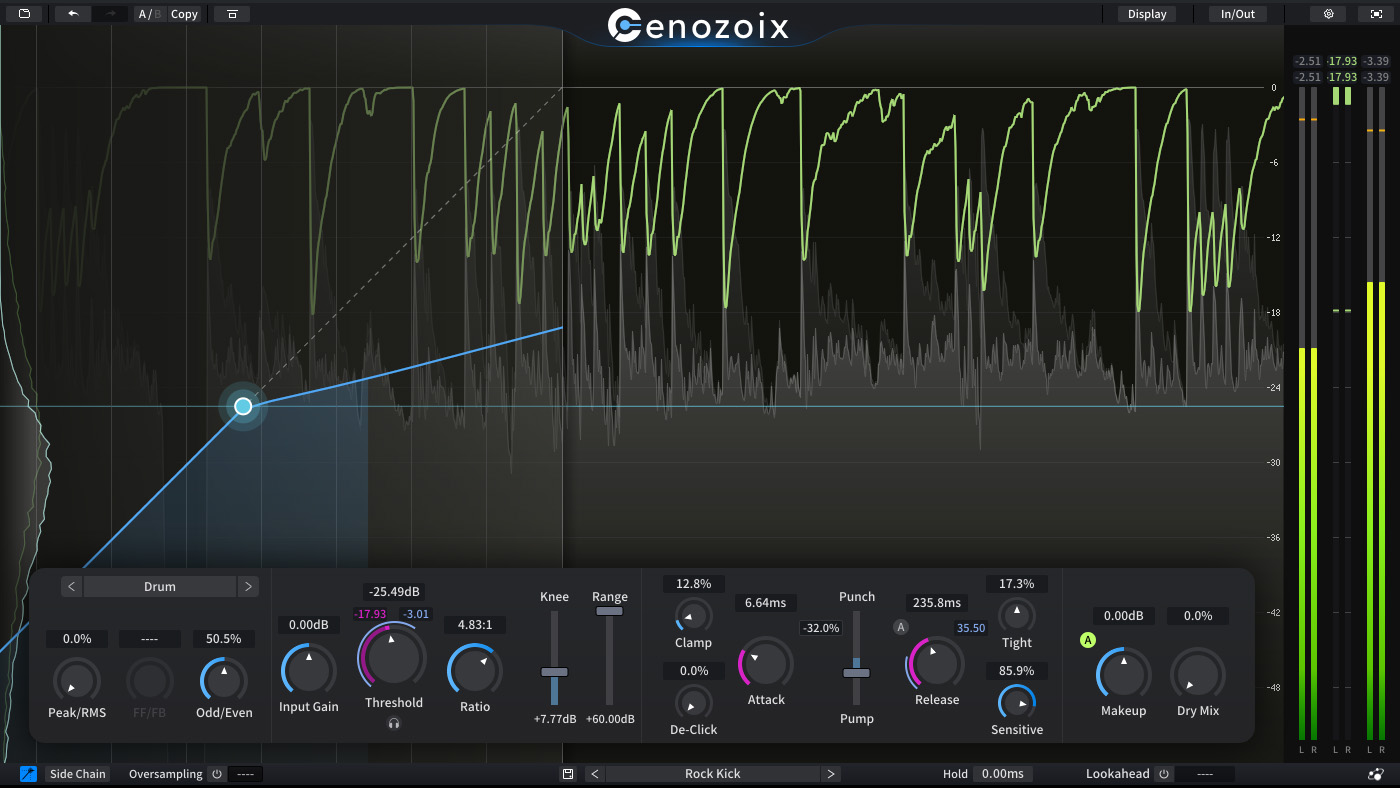
Setting Proper Thresholds

One of the critical aspects of using sidechain compression effectively is setting the proper thresholds. Ensure that the threshold is set correctly to trigger the compression when the desired input signal level is reached. This allows for precise control over when and how the compression is applied, creating a more natural and transparent effect.

Creative Sidechain Techniques

Aside from traditional applications, sidechain compression can be used in innovative ways to achieve unique and creative effects. Experiment with unconventional source signals, such as rhythmic patterns or ambient textures, to create dynamic and exciting mix elements. Explore different sidechain sources, like noise gates or transient shapers, to add depth and movement to your tracks.

Best Sidechain Compression Plugins : Elevate Your Sound


Credit: mixedinkey.com


Frequently Asked Questions For Best Sidechain Compression Plugins


What Is The Best Sidechain Plugin?


The best sidechain plugin depends on personal preference and what you need. Popular options include Wavesfactory Trackspacer and Xfer Records LFO Tool. Experiment and find what works best for your music production.


What Is The Best Compressor Setting For Sidechain?


The best compressor setting for sidechain is a fast attack time and a medium release time. Adjust the threshold and ratio according to the desired effect. Experiment to find the balance that works for your specific audio, ensuring the kick drum or key element cuts through the mix without overpowering other sounds.


What Is The Best Lfo Tool For Sidechaining?


The best LFO tool for sidechaining is Xfer Records LFO Tool. It offers precise control and ease of use for sidechaining effects. With its versatile features, it’s a popular choice among music producers for creating dynamic and rhythmic effects in their tracks.


Is Sidechain Compression Necessary?


Sidechain compression is not necessary but can be useful for controlling dynamics and achieving a cleaner mix.


Conclusion


In a nutshell, sidechain compression plugins are powerful tools for achieving professional-level audio mixes. With their ability to carve out space for certain elements within a mix, these plugins offer enhanced control and clarity. Whether you’re a seasoned producer or just starting out, incorporating these plugins into your workflow can elevate your sound and bring a new level of depth to your music.

Categories
Archive Audio Production

Do Professionals Use FL Studio? Discover the Secret Power Behind Professional Music Production!

Professionals commonly use FL Studio for music production due to its versatility and advanced features. FL Studio is a popular choice among many professional music producers for its user-friendly interface and wide range of functions.


The software offers various tools and plugins that cater to different music genres, making it suitable for professionals in the industry. Additionally, FL Studio provides regular updates and support, ensuring that professionals can create high-quality music efficiently. Its compatibility with both Windows and Mac systems further enhances its appeal to a wide range of users.


We will explore why professionals opt for FL Studio and how it benefits their music production workflow.

Do Professionals Use FL Studio? Discover the Secret Power Behind Professional Music Production!


Credit: www.mellostudio.com


The Rise Of Fl Studio In Professional Music Production


FL Studio has gained popularity as a professional music production tool. Many professionals now use it for its versatile features and intuitive interface. From renowned artists to sound engineers, FL Studio has become a trusted choice in the music industry.

Introduction To Fl Studio

Experts in the music industry are increasingly turning to FL Studio for music production.

Fl Studio In The Music Industry

FL Studio offers a user-friendly interface, making it popular among professional music producers. With its powerful features and plugins, FL Studio has become a go-to choice for industry professionals. Many acclaimed artists use FL Studio to create chart-topping hits, showcasing its versatility and quality. In the modern music landscape, FL Studio has solidified its position as a top tool for music production.

Key Features That Attract Professionals

User-friendly Interface

FL Studio offers a user-friendly interface that allows professionals to navigate seamlessly.

Advanced Production Tools

Professionals are drawn to FL Studio for its advanced production tools that enhance creativity.

Success Stories Of Professional Fl Studio Users


Discover the success stories of professional music producers who utilize FL Studio to create chart-topping hits. Explore how industry experts leverage the software’s innovative features to produce high-quality tracks and stay ahead in the music production game.

Success Stories of Professional FL Studio Users Renowned Artists Professional FL Studio users are not limited to bedroom producers; some of the biggest names in the music industry have achieved great success using FL Studio. Renowned artists such as Avicii, Afrojack, and Deadmau5 have all used FL Studio extensively in their music production. Their ability to create chart-topping hits and command large audiences proves that FL Studio can be a powerful tool in the hands of skilled professionals. Top Producers In the realm of top producers, it’s no surprise that many use FL Studio to create their acclaimed tracks. Top producers such as Martin Garrix, Porter Robinson, and Madeon are known for their exceptional music production skills, and they attribute much of their success to FL Studio. These professionals have achieved widespread recognition and commercial success, demonstrating that FL Studio is a valuable asset in the arsenal of music production tools. In summary, some of the music industry’s most accomplished professionals have leveraged FL Studio to achieve significant success. With renowned artists and top producers alike demonstrating the power of FL Studio in advancing their careers, it’s clear that this software is a prevalent and influential force in the world of music production.

Do Professionals Use FL Studio? Discover the Secret Power Behind Professional Music Production!


Credit: www.udemy.com


Challenges And Criticisms

While FL Studio has gained popularity amongst amateur music producers, it still faces certain challenges and criticisms when it comes to professional use. These challenges range from perception in the industry to technical limitations.

Perception In The Industry

The perception of FL Studio in the music industry has been a subject of debate. Many professionals still view it as a beginner’s software, lacking the complexity and sophistication of other digital audio workstations (DAWs). This perception can deter some professionals from considering FL Studio as a viable option for their music production needs.

However, it is important to note that the perception of FL Studio has been gradually changing over time. With its continuous development, improvement, and a growing user base, professionals are starting to acknowledge its capabilities and see past the stigma.

Technical Limitations

FL Studio, like any other software, is not without its technical limitations. These limitations can present challenges for professionals who require advanced features and functionalities in their music production workflow.

One of the main criticisms of FL Studio is its lack of support for high track counts compared to some other industry-standard DAWs. This can be a disadvantage for professionals working on large-scale projects that require intricate layering and complex arrangements. However, for the majority of music producers, especially those working on smaller-scale projects, this limitation may not be a significant concern.

Another technical limitation of FL Studio is its plugin stability. Some professionals have reported experiencing occasional crashes or instability when using certain third-party plugins within FL Studio. While this issue can be frustrating, it is worth noting that software updates and improvements are continuously addressing and resolving these concerns.

Despite these technical limitations, FL Studio has proven to be a versatile and capable software choice for many professionals, offering a wide range of features for music production, mixing, and mastering.

Tips For Professional-level Production In Fl Studio

FL Studio is a powerful digital audio workstation that has gained popularity among music producers of all levels. But does it have what it takes for professional-level production? The answer is a resounding yes! Many professionals in the music industry rely on FL Studio to create hit tracks and achieve their desired sound. In this blog post, we will explore some essential tips for professional-level production in FL Studio, including workflow optimization and effective integration of plugins.

Workflow Optimization

When it comes to producing high-quality music efficiently, workflow optimization is key. Here are some tips to help you streamline your production process in FL Studio:

  1. Organize your project files using folders: When working on a complex project, it’s essential to keep your files organized. Creating folders for different elements such as drums, synths, and vocals can save you valuable time when searching for specific samples or sounds.
  2. Utilize keyboard shortcuts: FL Studio offers a wide range of keyboard shortcuts that can significantly speed up your workflow. By familiarizing yourself with these shortcuts and incorporating them into your production process, you can navigate through the software more swiftly and efficiently.
  3. Create custom templates: If you find yourself using similar settings or effects in multiple projects, consider creating custom templates. These templates can include predefined mixer settings, plugin chains, and other elements specific to your production style, allowing you to start new projects with a solid foundation.
  4. Take advantage of FL Studio’s playlist and pattern features: The playlist and pattern features in FL Studio are powerful tools for arranging and sequencing your tracks. Learning how to effectively utilize these features can help you visualize your music structure and make song arrangements more intuitive and efficient.

Effective Integration Of Plugins

FL Studio offers an extensive library of plugins and effects that can enhance your music production. Here are some tips for effectively integrating these plugins into your workflow:

  1. Experiment with different plugins: FL Studio provides a wide range of plugins for various purposes, including synthesizers, equalizers, compressors, and more. Take the time to explore different plugins and experiment with their settings to find the ones that best suit your desired sound.
  2. Master the use of stock plugins: While third-party plugins can bring additional functionalities and unique sounds to your production, don’t overlook the power of FL Studio’s stock plugins. Mastering these plugins and understanding their capabilities can save you time and money while still achieving professional-grade results.
  3. Create plugin presets: If you have specific plugin settings that you frequently use, consider saving them as presets. This way, you can easily apply these settings to different tracks or projects, maintaining consistency throughout your productions.
  4. Learn sidechain compression: Sidechain compression is a technique commonly used in professional music production to create that pumping effect often heard in electronic and dance music. FL Studio has built-in tools that allow you to apply sidechain compression to your tracks seamlessly.

By implementing these tips for professional-level production in FL Studio, you can elevate your music production skills and produce tracks that stand out in the industry. Remember to practice, experiment, and refine your techniques continuously to achieve the best results. Whether you are a professional or aspiring producer, FL Studio is a powerful tool that can help you bring your musical vision to life.

Do Professionals Use FL Studio? Discover the Secret Power Behind Professional Music Production!


Credit: www.antarestech.com


Frequently Asked Questions Of Do Professionals Use Fl Studio


Do Any Professional Producers Use Fl Studio?


Yes, many professional producers use FL Studio due to its versatility and wide range of features.


Is Fl Studio Good For Professionals?


Yes, FL Studio is a professional-grade music production software widely used by industry experts. Its advanced features and flexibility make it an excellent choice for professionals.


Do Any Professional Engineers Use Fl Studio?


Yes, some professional engineers do use FL Studio for music production.


Can You Make Professional Music With Fl Studio?


Yes, FL Studio is a professional music production software used by many musicians. It offers a wide range of tools and features to create high-quality music.


Conclusion


FL Studio is a valuable tool for many music professionals. Its user-friendly interface and extensive features make it a popular choice for music production. The diverse range of users, from beginners to professionals, showcases its versatility and effectiveness. As technology evolves, FL Studio continues to cement its place as a top choice in the music industry.


Categories
Archive Audio Production

Where to Buy Vst Plugins: Discover the Best Deals and Unleash Your Musical Creativity

You can buy VST plugins from reputable websites like Plugin Boutique and official plugin developers. Plugin Boutique is a popular online marketplace for VST plugins, offering a wide selection for all your music production needs.


With a user-friendly interface and secure transactions, you can easily browse and purchase VST plugins with confidence. Official developer websites also provide direct access to authentic plugins, ensuring quality and support for your productions. Whether you’re looking for virtual instruments, effects, or sound libraries, these platforms offer a diverse range of options to enhance your music creation process.


Make informed decisions and elevate your sound with trusted sources for VST plugins.


Unlocking Your Musical Creativity

Unlock your musical creativity by exploring a world of endless possibilities with VST plugins.

Best Places To Purchase Vst Plugins

Discover top online platforms to buy premium VST plugins for your music production needs.

  • Official VST Websites: Directly purchase from developers for authenticity.
  • Online Marketplaces: Explore a variety of plugins from trusted sources.
  • Specialized Music Stores: Find unique plugins tailored to your specific genres.

Finding The Right Deals

Get the best value for your money while shopping for VST plugins.

Tip Benefit
Check for Sales Save money on high-quality plugins during promotional periods.
Bundles and Discounts Maximize savings by purchasing plugin bundles or taking advantage of discounts.
Free Trials Test out plugins before buying to ensure they meet your creative needs.
Where to Buy Vst Plugins: Discover the Best Deals and Unleash Your Musical Creativity


Credit: www.facebook.com


Understanding Vst Plugins

VST (Virtual Studio Technology) plugins play a crucial role in modern music production. Let’s delve into the essential aspects of VST plugins to unravel their significance and impact.

What Are Vst Plugins?

VST plugins are software tools that integrate with Digital Audio Workstations (DAWs) to enhance music production. These plugins provide a wide range of virtual instruments, effects, and processors to create, shape, and manipulate sounds seamlessly.

The Role Of Vst Plugins In Music Production

VST plugins expand the creative possibilities for music producers by offering a diverse array of synthesizers, samplers, equalizers, compressors, reverbs, and more. They empower artists to craft unique sounds and textures, elevating the quality and depth of their music compositions.


Exploring Marketplace Options

When it comes to purchasing VST plugins, exploring marketplace options is the key to finding the best deals and the most diverse selection. There are various avenues to explore when it comes to finding and purchasing VST plugins, from online retailers to specialized music stores. Each platform offers its own unique advantages, ensuring that music producers have a variety of options to consider when expanding their plugin collections.

Online Retailers

Online retailers are a popular choice for purchasing VST plugins due to their convenience and wide selection. Platforms such as Splice and Plugin Boutique offer a vast array of plugins from various developers, allowing users to browse and purchase plugins at their own pace. Additionally, these retailers often provide frequent sales, discounts, and loyalty programs, making it easier for producers to expand their plugin libraries without breaking the bank.

Specialized Music Stores

Specialized music stores, both online and brick-and-mortar, cater specifically to the needs of music producers and offer a curated selection of high-quality VST plugins. Stores like Sweetwater and Guitar Center provide a hands-on shopping experience, allowing customers to test out plugins before making a purchase. This personalized approach can be invaluable for producers who prioritize the physical interaction with the plugins before committing to a purchase.

Where to Buy Vst Plugins: Discover the Best Deals and Unleash Your Musical Creativity


Credit: community.native-instruments.com


Evaluating Deals And Discounts

When it comes to purchasing VST plugins, it’s important to make sure you’re getting the best value for your money. Evaluating deals and discounts can help you save some extra cash while still getting high-quality plugins for your music production needs.

Comparing Prices

One of the first steps in evaluating deals and discounts is comparing prices. Take the time to research and compare prices from different vendors to ensure you’re getting the best deal. Make a list of the plugins you’re interested in and the prices they are offered at various online marketplaces.

Here is an example of a table that can assist you in comparing prices:

Plugin Name Vendor A Vendor B Vendor C
Plugin 1 $99 $89 $95
Plugin 2 $129 $119 $125
Plugin 3 $79 $85 $75

Once you have the prices, compare them to see which vendor offers the best price for the plugins you need. Remember to consider other factors such as the reputation of the vendor and user reviews to ensure you’re also getting high-quality plugins.

Seasonal Promotions

Another way to evaluate deals and discounts is to take advantage of seasonal promotions. Many vendors offer special discounts or bundle deals during certain holidays or events. Keep an eye out for these promotions as they can offer significant savings.

Here are some examples of seasonal promotions you might come across:

  1. Black Friday and Cyber Monday deals
  2. Christmas and New Year discounts
  3. Summer sales
  4. Anniversary specials

By planning your purchases around these seasonal promotions, you can maximize your savings while still getting the VST plugins you need.

Maximizing Your Investment

When it comes to purchasing VST plugins, choosing the right ones can greatly enhance your music production workflow. However, it’s important to maximize your investment by making smart purchasing decisions. By following these tips and utilizing free trials and demos, you can ensure that the plugins you buy meet your needs and add value to your music production.

Tips For Smart Purchasing

Before you click that ‘buy’ button, consider these helpful tips to make sure you’re making a wise investment:

  1. Do your research: Take the time to research different plugins and read reviews from trusted sources. Look for plugins that have a good reputation and positive customer feedback. This will help you make an informed decision and avoid wasting money on plugins that don’t meet your expectations.
  2. Consider your needs: Think about the type of music you produce and the specific features you require. Look for plugins that will complement your workflow and fill any gaps in your current setup. Remember, purchasing a plugin just because it’s popular or trendy may not be the best decision for your music production goals.
  3. Set a budget: It’s easy to get carried away when purchasing plugins, especially with the vast array of options available. Before you start shopping, set a budget for yourself. Determine how much you’re willing to spend and stick to it. This will help you avoid overspending and regretting your purchase later on.
  4. Consider bundle deals: Many plugin developers offer bundle deals where you can get multiple plugins at a discounted price. If you’re looking to expand your plugin collection, bundling can be a cost-effective option. Just make sure the bundled plugins are ones you actually need and will use.
  5. Check for product updates and support: Software updates and customer support are crucial when it comes to plugins. Before making a purchase, check if the developer regularly updates their plugins to fix bugs, improve performance, and add new features. Also, look for support options such as online documentation, forums, and responsive customer service.

Utilizing Free Trials And Demos

Purchasing a plugin without testing it first can be risky. Many developers offer free trials or demos of their plugins, allowing you to try them out before committing to a purchase. Take advantage of these opportunities to explore the plugin’s features, user interface, and compatibility with your DAW. During the trial period, experiment with the plugin and see if it meets your expectations and enhances your workflow. This way, you can make an informed decision and ensure that the plugin is worth your investment.

In conclusion, maximizing your investment when purchasing VST plugins is essential for efficient music production. By following the tips for smart purchasing and utilizing free trials and demos, you can choose the right plugins that align with your needs and enhance your music production workflow. Happy plugin shopping!

Where to Buy Vst Plugins: Discover the Best Deals and Unleash Your Musical Creativity


Credit: www.discountmags.com


Frequently Asked Questions For Where To Buy Vst Plugins


Where Can I Get Vst Plugins?


You can get VST plugins from online marketplaces such as Plugin Boutique, Splice, or KVR Audio. These platforms offer a wide range of plugins for music production and are easy to access.


Is Plugin Boutique Legal?


Yes, Plugin Boutique is legal, offering legitimate plugins for music production and audio software enthusiasts.


How Do I Find My Vst Plugins?


To find your VST plugins, open your DAW software and check the plugin folder settings. Scan for plugins if necessary.


What Vst Do Most Producers Use?


Most producers use popular VSTs like Serum, Omnisphere, and Kontakt. These VSTs offer versatile sound design and high-quality presets.


Conclusion


Finding high-quality VST plugins requires thorough research and consideration. By purchasing directly from the manufacturer or trusted online retailers, you can ensure authenticity and reliability. Remember to read reviews, compare prices, and verify compatibility with your DAW before making a purchase.


Happy plugin hunting!

Categories
Archive Audio Production

Best Vst Plugins for Sounds : Unlock the Power of Audio Excellence

For top-quality sound production, consider popular VST plugins like Serum, Omnisphere, Kontakt, and iZotope. These plugins offer versatile sound options and high-quality effects for music production.


Dive into a world of endless creativity and innovation with these essential tools in your arsenal. Discover new dimensions of sound design and production by incorporating these VST plugins into your workflow. From lush pads to powerful bass and intricate textures, these plugins offer a wide range of possibilities to enhance your music projects.


Elevate your production game with the best VST plugins that cater to all your sound needs. Unleash your creativity and take your music to the next level with these industry-leading tools at your fingertips.

Best Vst Plugins for Sounds : Unlock the Power of Audio Excellence


Credit: www.kvraudio.com


Exploring Different Types Of Vst Plugins

Exploring Different Types of VST Plugins:

Synthesizers

VST synthesizers are powerful tools for creating a wide range of sounds.

Effects

Enhance your music with VST effects plugins, adding depth and dimension to your tracks.

Samplers

Use VST samplers to manipulate and create unique sounds, perfect for experimenting with samples.

Best Vst Plugins for Sounds : Unlock the Power of Audio Excellence


Credit: medium.com


Top Vst Plugins For Synthesizers

Discover the top VST plugins for synthesizers to elevate your sound production game.

Analog Emulation

Recreate classic analog warmth with these cutting-edge VST plugins.

Wavetable Synthesis

Explore a universe of sound design possibilities with these innovative wavetable synthesis plugins.

Enhance Your Sound With Vst Effects Plugins

Reverbs And Delays

When it comes to adding depth and spatial effects to your music, reverbs and delays play a critical role. With VST plugins, you can easily enhance your sound quality by incorporating realistic and immersive reverbs and delays. These plugins provide a wide array of customizable parameters, allowing you to achieve the perfect ambiance and echo effects for your tracks. Whether you prefer natural room reverbs or ethereal, dreamlike delays, the best VST plugins offer a versatile range of options to elevate your soundscapes.

Eq And Compression

Enhancing your sound also involves refining the tonal balance and dynamics of your audio. VST EQ and compression plugins are indispensable tools for achieving professional-level sound quality. With precise control over frequency bands and dynamic range, EQ plugins enable you to sculpt your audio frequencies with precision. On the other hand, compression plugins allow you to regulate the dynamic range of your tracks, ensuring a consistent and polished sound. These VST effects plugins empower you to shape, refine, and elevate the overall sonic character of your music.

Best Vst Plugins for Sounds : Unlock the Power of Audio Excellence


Credit: www.amazon.com


Revolutionize Your Music With Samplers

Samplers are the game-changers when it comes to producing high-quality and unique sounds for your music. Whether you are a professional producer or an aspiring musician, incorporating the right VST plugins for samplers can take your music to the next level. In this blog post, we will explore the best sampler plugins that can help you revolutionize your music production.

Drum Sampling

When it comes to creating captivating beats, drum sampling plugins are a must-have in your toolkit. These plugins allow you to sample and manipulate different drum sounds, giving your rhythm section a professional sound and groove. With a vast array of drum samples and customizable parameters, you can create unique arrangements and rhythms that will make your music stand out.

Instrument Sampling

Instrument sampling plugins are invaluable when it comes to adding realistic and high-quality instrument sounds to your tracks. Whether you need authentic pianos, strings, brass, or even exotic instruments, these plugins offer a wide range of samples that can be tweaked and modified to fit your musical vision. With advanced features like velocity sensitivity and articulation controls, you can achieve lifelike performances that will captivate your audience.

If you’re looking to take your music production to new heights, investing in top-notch sampler plugins is a no-brainer. These plugins provide endless creative possibilities, allowing you to explore and experiment with different sounds, textures, and rhythms. With their intuitive interfaces and powerful features, samplers empower you to create music that resonates with your audience.

Whether you are a producer of electronic music, film composer, or simply a music enthusiast looking to enhance your projects, incorporating the best VST plugins for samplers will undoubtedly revolutionize your music. So, don’t wait any longer, invest in these powerful tools, and unlock your full musical potential.


Choosing The Right Vst Plugins For Your Style

When it comes to creating high-quality music, choosing the right VST (Virtual Studio Technology) plugins is essential. The right plugins can help you achieve the desired sound and elevate your music production or audio recording and mixing to the next level. In this post, we will explore the best VST plugins for different styles of music production, focusing on electronic music production and audio recording and mixing. So, let’s dive in and find the perfect plugins for your unique style!

Electronic Music Production

If you’re passionate about electronic music production, having the right VST plugins in your arsenal is crucial. These plugins can help you design unique sounds, create atmospheric textures, and add that sparkling touch to your tracks. Here are some must-have VST plugins for electronic music production:

  • 1. Serum: A powerful wavetable synthesizer that allows you to create and manipulate various sounds with ease. It offers a wide range of presets and customizable parameters, making it a favorite among electronic music producers.
  • 2. Massive: Another popular synthesizer known for its versatility and extensive sound-shaping capabilities. With its intuitive interface and vast library of presets, you can experiment and create complex sounds effortlessly.
  • 3. Sylenth1: A classic analog-style synthesizer that offers warm and rich sounds. It’s known for its easy-to-use interface and wide range of presets, making it an ideal choice for both beginners and professionals.

Audio Recording And Mixing

For those involved in audio recording and mixing, having the right VST plugins can make all the difference in achieving professional-sounding results. These plugins can enhance your recordings, add effects, and improve the overall mix. Here are some recommended VST plugins for audio recording and mixing:

  • 1. FabFilter Pro-Q3: A powerful equalizer plugin that allows precise control over frequencies. It offers a range of filter types, dynamic EQ capabilities, and an intuitive user interface, making it a favorite among audio engineers.
  • 2. Waves SSL E-Channel: Emulating the legendary SSL console, this plugin offers exceptional channel strip processing. It provides high-quality EQ, compression, and gating capabilities, giving your recordings that professional studio sound.
  • 3. iZotope Ozone 9: A comprehensive mastering plugin that brings your mixes to life. It offers a suite of tools for EQ, dynamic processing, stereo imaging, and more. With its intelligent AI features, it helps you achieve polished and radio-ready results.

Remember, the choice of VST plugins ultimately depends on your personal preferences and the style of music you create. Experimenting with different plugins is key to discovering your unique sound. So go ahead, explore, and find the perfect VST plugins that will take your music production or audio recording and mixing to new heights!

Frequently Asked Questions Of Best Vst Plugins For Sounds


What Vst Has The Best Sounds?


The “best” VST for sounds varies based on personal taste and project needs. Popular options include Serum, Omnisphere, and Kontakt. Each has its unique library of high-quality sounds, making them top choices for many music producers and sound designers.


What Vst Do Most Producers Use?


Most producers commonly use popular VST plugins like Serum, Massive, Omnisphere, Kontakt, and Sylenth for music production.


What Is The Best Vst For Soundscapes?


The best VST for soundscapes is Spectrasonics Omnisphere due to its vast range of high-quality sounds.


What Plugins Do Pros Use?


Pros use a variety of plugins, including SEO tools, performance enhancers, and security solutions. Popular choices include Yoast SEO, W3 Total Cache, and Wordfence Security. Ultimately, the best plugins depend on the specific needs and goals of each professional website.


Conclusion


Incorporating the best VST plugins into your sound production can elevate your music to the next level. These tools offer a wide range of sounds and effects, allowing you to experiment and create unique compositions. With the right plugins, you can enhance your music production and stand out in the competitive music industry.

Categories
Archive Audio Production

How Do You Make Money on Distrokid : Insider Secrets Revealed

To make money on DistroKid, artists earn royalties from streaming and downloads of their music. DistroKid is a popular digital music distribution service that allows independent musicians to upload and sell their music on various streaming platforms like Spotify, Apple Music, and Amazon Music.


By monetizing their music through DistroKid, artists can generate income from streams, downloads, and other revenue sources. This platform provides artists with a user-friendly interface to manage their music catalog and earnings, offering transparent royalty reports and timely payments. With the ability to keep 100% of their royalties, DistroKid empowers independent artists to monetize their creativity and reach a global audience, making it an essential tool in the digital music landscape.


Credit: news.yahoo.com


Getting Started With Distrokid

Unleash your music career with DistroKid by following a simple onboarding process. We make it easy to get started and begin earning money from your music.

Creating An Account

Sign up for DistroKid by visiting the official website and clicking on the ‘Create Account’ button. Fill in your details and verify your email to complete the registration process.

Uploading Your Music

To upload your music, log in to your DistroKid account and navigate to the ‘Upload’ section. Follow the instructions to select your tracks, add metadata, and choose your release date. Hit ‘Upload’ to start distributing your music to major streaming platforms.

Understanding Royalties And Payments

Welcome to the world of DistroKid, where understanding royalties and payments is key to maximizing your music earnings.

Royalty Distribution

DistroKid ensures fair royalty distribution based on streaming and downloads of your music.

  • Royalties are calculated based on the usage of your tracks on various platforms.
  • Earn money each time your music is streamed or downloaded by fans.

Payment Methods

DistroKid offers multiple convenient payment methods for artists to receive their royalties.

  1. Choose to receive payments through PayPal for quick and secure transactions.
  2. Bank transfers are also available for seamless fund transfers worldwide.

Maximizing Your Earnings

Earning money through your music on DistroKid is a straightforward process, but there are specific tactics and strategies you can utilize to maximize your earnings. By effectively promoting your music and taking full advantage of DistroKid’s features, you can ensure that you’re earning the most from your musical endeavors.

Promoting Your Music

When it comes to earning money on DistroKid, promoting your music is essential. Utilize social media platforms such as Instagram, Facebook, and Twitter to engage with your audience and promote your latest releases. Additionally, consider creating engaging content such as lyric videos, behind-the-scenes footage, and live performances to generate excitement and interest in your music.

Utilizing Distrokid Features

DistroKid offers a range of features that can help you maximize your earnings. Take advantage of their customizable hyperfollow pages to encourage fans to pre-save and pre-order your music, providing a boost to your streams and sales upon release. Additionally, consider utilizing their YouTube Money feature, which allows you to earn revenue from user-generated content using your music on YouTube.

By leveraging these promotional strategies and utilizing DistroKid’s features to their full potential, you can ensure that you are maximizing your earnings on the platform.

How Do You Make Money on Distrokid  : Insider Secrets Revealed


Credit: m.youtube.com


Navigating Distrokid’s Tools

Insider Tips For Success

When it comes to making money on DistroKid, navigating through the various tools the platform offers is crucial. These tools provide valuable insights and analytics that can help you make informed decisions about your music career. In this section, we will explore some insider tips for success when using DistroKid’s analytics.

Using Analytics

Analytics is a powerful tool that allows you to track the performance of your music across different platforms and gain a deeper understanding of your audience. By leveraging this information, you can make data-driven decisions and optimize your strategy for maximum revenue.

Here are a few key ways you can use DistroKid’s analytics:

  1. Track streaming numbers: Keep a close eye on the number of streams your songs are receiving on various platforms. This helps you identify which tracks are performing well and which ones may need more promotion.
  2. Identify popular platforms: By analyzing the platform-specific data, you can identify which platforms are generating the most revenue for you. This allows you to prioritize your efforts and focus on the platforms that matter the most.
  3. Discover geographical trends: DistroKid’s analytics provide insights into the geographical regions where your music is being listened to the most. This information can be valuable when planning tours or targeting promotions in specific areas.
  4. Monitor playlist placements: DistroKid’s analytics show you if your songs have been added to playlists, giving you an indication of how your music is resonating with curators and listeners alike. This can help you understand which playlists have the most impact on your popularity.

By regularly checking your analytics on DistroKid, you can better understand your audience and tailor your marketing efforts accordingly. By leveraging these insights, you can take your music career to new heights.

Exclusive Strategies For Success

If you’re an independent musician looking to monetize your music on DistroKid, there are a few exclusive strategies you can employ to increase your chances of success. In this blog post, we’ll explore two key strategies: collaborations and cross-promotion, as well as building a devoted fanbase.

Collaborations And Cross-promotion

Collaborations and cross-promotion are powerful tools that can amplify your reach and help you make money on DistroKid. By teaming up with other artists with similar styles or target audiences, you can expand your listener base and create a buzz around your music.

To effectively collaborate, consider these steps:

  1. Identify potential collaborators: Look for artists whose sound complements yours and aligns with your genre or niche. Research the artists’ discography and fan base to ensure a good fit.
  2. Reach out: Send a personalized, professional email or direct message to the artist, expressing your interest in collaborating and outlining the potential benefits for both parties.
  3. Create synergy: Work together to produce a track that showcases the strengths of both artists. Ensure it is a seamless blend of your unique styles, which will captivate your existing fans and attract new ones.
  4. Cross-promote: Leverage each other’s platforms by promoting the collaboration through social media posts, newsletters, and website features. This cross-promotional effort will expose your music to a wider audience and increase your potential for generating revenue on DistroKid.

Building A Fanbase

In addition to collaborations, building a devoted fanbase is crucial to making money on DistroKid. These loyal supporters will not only stream and purchase your music but also engage with your content and become brand advocates.

Consider using the following strategies:

  • Create captivating content: Regularly release high-quality music, engaging videos, and compelling behind-the-scenes footage to keep your fans entertained and connected.
  • Utilize social media: Actively engage with your audience on platforms like Instagram, Twitter, and TikTok. Respond to comments, participate in trending challenges, and share snippets of unreleased music to build anticipation.
  • Offer exclusive perks: Reward your fans with exclusive content, merchandise discounts, pre-release access, or VIP experiences. These incentives encourage fan loyalty and motivate them to support your music financially on DistroKid.
  • Engage with your fans: Regularly communicate with your fans through social media, newsletters, and live streams. Respond to messages, ask for feedback, and make your supporters feel valued and involved in your musical journey.

By implementing these exclusive strategies – collaborating with other artists and building a strong fanbase – you’ll be on your way to monetizing your music successfully on DistroKid. Get ready to reach more ears, gather a dedicated following, and increase your earnings as an independent musician.

How Do You Make Money on Distrokid  : Insider Secrets Revealed


Credit: musically.com


Frequently Asked Questions Of How Do You Make Money On Distrokid


How Do You Get Paid From Distrokid?


You get paid from DistroKid through direct deposit to your bank account or via PayPal.


How Much Does Distrokid Pay For 1,000 Streams?


DistroKid pays approximately $4 per 1,000 streams to artists on their platform.


How Many Streams Does It Take To Make $1000?


To make $1000, an artist needs around 250,000 streams on popular music platforms like Spotify.


How Much Does Spotify Pay Per 1,000 Streams?


Spotify pays between $3 to $5 per 1,000 streams. The payment varies based on location and type of subscription.


Conclusion


Distrokid offers a viable platform for artists to monetize their music. By leveraging its distribution and marketing tools, musicians can generate revenue and reach wider audiences. The platform’s user-friendly interface and comprehensive features make it an attractive option for independent artists looking to profit from their music.


With Distrokid, the potential for earning money from music is within reach.


Categories
Archive Audio Production

How Many People Use Youtube to Listen to Music: Surprising Statistics Revealed

Millions of people use YouTube for listening to music, making it an immensely popular platform. YouTube has become a leading choice for music consumption globally due to its vast library and user-friendly interface.


The platform allows users to easily discover new songs, create playlists, and access music from various genres and languages. Music enthusiasts, both young and old, turn to YouTube for their musical fix, with many artists leveraging the platform to share their music and engage with fans.


The ease of access and diverse content offerings on YouTube have solidified its position as a go-to destination for music lovers worldwide, revolutionizing the way people consume music in the digital era.

How Many People Use Youtube to Listen to Music: Surprising Statistics Revealed


Credit: www.bloomberg.com


The Popularity Of Youtube For Music

Youtube As A Music Platform

YouTube has become a leading platform for music consumption due to its vast library.

Growth In Music Consumption On Youtube

Music consumption on YouTube has seen a significant uptrend in recent years.

How Many People Use Youtube to Listen to Music: Surprising Statistics Revealed


Credit: www.telegraph.co.uk


User Demographics

Understanding the demographics of music listeners on YouTube can provide valuable insights into the platform’s popularity.

Age And Gender Distribution

YouTube attracts a diverse audience in terms of age and gender.

  • Age: Music listeners on YouTube span across all age groups, with a significant presence among younger demographics under 35.
  • Gender: Both male and female users engage with music content on YouTube, contributing to its broad appeal.

Global Reach Of Music Listeners On Youtube

YouTube’s influence extends globally, reaching music enthusiasts across different continents.

Region Percentage of Music Listeners
North America 39%
Europe 30%
Asia 22%
Latin America 7%
Africa 2%
Oceania 2%

These statistics reflect the widespread use of YouTube as a primary platform for music consumption worldwide.


Impact On Music Industry

The impact of Youtube on the music industry has been significant and far-reaching. With millions of users using Youtube as a platform to discover and listen to music, it has revolutionized the way people consume and engage with music, thereby influencing the entire music industry. Let’s delve into some of the key areas where Youtube has made a substantial impact.

Changing Trends In Music Consumption

Youtube has played a pivotal role in changing the landscape of music consumption. With the rise of streaming services, more and more people are turning to Youtube as their primary source of music listening. The convenience of accessing a vast library of music with just a few clicks has led to a surge in users gravitating towards utilizing Youtube as a go-to platform for music consumption. This shift in consumer behavior has undoubtedly reshaped the way music is accessed and enjoyed, posing both challenges and opportunities for the music industry.

Influence On Music Discoveries And Fan Engagement

Youtube has not only changed the way people consume music but has also had a profound impact on music discoveries and fan engagement. With its recommendation algorithms and personalized playlists, Youtube has become a powerful tool for introducing users to new music and artists. This has enabled emerging artists to gain exposure and reach a wider audience, ultimately altering the traditional dynamics of music discovery. Moreover, the platform has facilitated direct engagement between artists and their fans, fostering a more intimate and direct connection that transcends traditional boundaries.

Challenges And Opportunities

With over 2 billion logged-in monthly users, it is no surprise that YouTube has become one of the top platforms for music consumption. As music streaming has become increasingly popular, both challenges and opportunities have arisen for artists and content creators. In this article, we will discuss two key areas: copyright and monetization issues, and collaboration and promotion for artists.

Copyright And Monetization Issues

When it comes to using YouTube as a music platform, copyright and monetization present significant challenges for both artists and content creators. As a content creator, it is crucial to navigate the complex world of copyright laws to avoid any infringement. YouTube’s Content ID system helps monitor and protect copyrighted works, ensuring that artists’ intellectual property rights are respected.

On the flip side, artists must also consider monetization opportunities. YouTube’s Partner Program allows artists to earn revenue from their music through advertising and other means. However, understanding the intricacies of revenue sharing and maximizing earnings is essential for artists to make the most out of their YouTube presence.

In summary:

Challenges Opportunities
  • Navigating copyright laws
  • Protecting intellectual property
  • Earning revenue through advertising
  • Maximizing monetization opportunities

Collaboration And Promotion For Artists

One of the key advantages of using YouTube as a music platform is the ability to collaborate and promote music to a massive audience. Artists can collaborate with other musicians, creatives, and even YouTubers to reach new fans and expand their reach. Collaborative projects not only introduce artists to new audiences but also provide opportunities to cross-pollinate fanbases, ultimately boosting exposure and engagement.

YouTube’s sharing and embedding features also make it easy for artists to promote their music across various channels and platforms. By creating engaging video content and utilizing effective promotion strategies, artists can gain traction, increase followers, and drive traffic to their other social media channels and websites for further engagement.

In summary:

Collaboration Promotion
  • Collaborating with other musicians
  • Expanding fan base through collaborations
  • Utilizing sharing and embedding features
  • Promoting music on multiple channels

As YouTube continues to dominate the music streaming landscape, understanding and addressing these challenges while capitalizing on the opportunities is crucial for artists, content creators, and the industry as a whole. By navigating copyright issues, maximizing monetization, collaborating with fellow musicians, and promoting content effectively, artists can thrive in the digital age of music consumption.

The Future Of Music On Youtube

YouTube has transformed the way people consume music, becoming one of the most popular platforms for music streaming. But how will the future of music on YouTube shape up? Let’s explore the evolution of music content on YouTube and make some predictions for music consumption in the coming years.

Evolution Of Music Content On Youtube

Over the years, YouTube has seen a significant evolution in terms of the diversity and quality of music content available. Initially, it was primarily a platform for user-generated content, with individuals uploading their own music covers and homemade music videos. This allowed aspiring musicians to showcase their talent to a broad audience and gain exposure. In recent times, however, established artists and music labels have recognized the platform’s potential and are releasing official music videos and audio tracks on YouTube.

YouTube’s vast library now encompasses a wide range of genres and styles, making it a go-to destination for music enthusiasts worldwide. The curated playlists, live performances, and artist interviews further enhance the appeal of the platform, creating a holistic music experience for users.

Forecast And Predictions For Music Consumption

The future of music consumption on YouTube appears promising. The platform’s massive user base and extensive music catalog make it a formidable competitor to other streaming services. With the continuous advancements in technology and internet infrastructure, we can expect the following trends to shape the future:

  1. Increased streaming quality: As internet speeds improve globally, the streaming quality on YouTube will continue to enhance, providing users with a seamless and high-definition music experience.
  2. Enhanced personalization: YouTube’s algorithms are becoming increasingly sophisticated, allowing for better personalized recommendations. Users can expect tailor-made music suggestions based on their listening habits and preferences.
  3. Leveraging virtual reality and augmented reality: Virtual reality (VR) and augmented reality (AR) technologies are rapidly progressing. In the future, we might witness music videos and live performances in VR, immersing viewers in a whole new dimension of music.
  4. Engagement with fan communities: YouTube provides a platform for artists to engage directly with their fan communities. In the future, we can expect more interactive features, live chats, and virtual meet-ups, strengthening the bond between artists and their fans.

In conclusion, the future of music on YouTube is brimming with possibilities. It will continue to shape and evolve the way we consume music, offering a diverse range of content and personalized experiences. Whether you are an avid music lover or an aspiring artist, YouTube will undoubtedly remain a vital hub for all things music.

How Many People Use Youtube to Listen to Music: Surprising Statistics Revealed


Credit: www.hollywoodreporter.com


Frequently Asked Questions On How Many People Use Youtube To Listen To Music


How Many People Listen To Music On Youtube?


Millions of people listen to music on YouTube daily. It’s one of the most popular platforms for music streaming. With its vast library and user-friendly interface, YouTube attracts a large and diverse audience for music consumption.


What Percent Of People Use Youtube Music?


Around 30% of people use YouTube Music, making it a popular choice for music streaming services.


How Many Users Can Use Youtube Music?


YouTube Music allows multiple users to use a single account, but only one user can stream at a time.


What Is The #1 Music App?


The #1 music app is subjective based on user preferences, with popular options including Spotify, Apple Music, and Amazon Music. Factors such as music collection, personalized recommendations, and user interface play a role in determining the best music app for individual users.


Conclusion


YouTube’s significant user base for music consumption indicates its influential role in the music industry. The platform’s accessibility and diverse content cater to a global audience. As user preferences continue to shift towards digital platforms, YouTube’s vital position as a music streaming service is apparent.


Embracing the platform’s potential can amplify music marketing strategies for artists and record labels.

Categories
Archive

How to Get Better at Mixing Music : Master the Art

To get better at mixing music, practice regularly and study tutorials from industry professionals. Developing a solid understanding of audio equipment and mastering different techniques can also greatly improve your mixing skills.


Music mixing is both an art and a science, blending technical knowledge with creative intuition. By honing your skills in this craft, you can elevate your music productions to a professional level. Whether you are a beginner or an experienced music producer, continuous learning and experimentation are key to enhancing your mixing abilities.


This guide explores effective strategies to help you improve your mixing skills and create high-quality audio recordings that stand out in the competitive music industry. Let’s dive into actionable tips and techniques that will take your mixing expertise to the next level.


Understanding The Basics Of Mixing Music

Music mixing is a crucial aspect of producing high-quality soundtracks. By understanding the basics of mixing music, you can enhance the overall quality of your music compositions. Let’s delve into the key elements that can help you improve your mixing skills.

Importance Of Mixing Music

Mixing music is essential as it balances various elements to create a cohesive and harmonious audio experience. It involves blending different tracks and instruments to eliminate clutter and enhance clarity.

Basic Components Of Mixing Music

Equalization: Adjusting frequencies for a balanced sound. Panning: Placing instruments at different points in the stereo field. Compression: Controlling dynamic range for a consistent volume. Reverb & Delay: Adding depth and space to the music.

How to Get Better at Mixing Music  : Master the Art


Credit: www.amazon.com


Setting Up Your Mixing Environment


When setting up your mixing environment, ensure it is well-organized and has proper acoustics and lighting. Position your equipment ergonomically to optimize workflow and minimize fatigue. Implement soundproofing and invest in quality monitors to enhance your mixing experience.

Choosing The Right Equipment

Optimizing Your Workspace

Setting up your mixing environment is crucial for enhancing your music mixing skills. Choosing the Right Equipment is the first step to ensure high-quality sound output. Start with a reliable computer, professional-grade headphones, and studio monitors. Consider a digital audio workstation for seamless mixing.

Choosing The Right Equipment

Studio monitors, headphones, and DAW are essential. Consider factors like sound quality and compatibility.

Optimizing Your Workspace

Create an environment with minimal noise and distractions. Position monitors at ear level for accurate sound. Use acoustic treatment like foam panels to minimize echo and enhance sound clarity.

Optimizing Your Workspace

Maintain a clutter-free and organized workspace. Incorporate proper lighting and comfortable seating. Use acoustic treatments for improved sound quality.


Mastering Essential Mixing Techniques

Becoming proficient in mixing music requires mastering essential techniques that lay the foundation for producing high-quality and balanced sound. Understanding how to balance levels and panning as well as grasping the nuances of equalization and frequency are critical components of mastering the art of mixing music.

Balancing Levels And Panning

Balancing levels involves adjusting the volume of individual tracks to ensure they complement each other and prevent any one element from overpowering the rest. Panning, on the other hand, determines the placement of sound within the stereo field, creating a sense of depth and space in the mix.

Understanding Equalization And Frequency

Equalization, often referred to as EQ, allows for the manipulation of the frequency content within each track, enabling you to sculpt the tonal balance and remove unwanted frequencies. Understanding frequency is crucial as it determines the pitch and timbre of a sound, and knowing how to manipulate it is essential for achieving clarity and separation in your mix.

How to Get Better at Mixing Music  : Master the Art


Credit: www.facebook.com


Exploring Advanced Mixing Strategies

When it comes to mixing music, there are always new strategies and techniques to explore that can take your mixes to the next level. In this section, we will delve into advanced mixing strategies that will help you enhance your sound and create professional-quality mixes.

Utilizing Effects And Automation

To achieve a polished and dynamic mix, it is crucial to make effective use of effects and automation. By incorporating effects such as reverb, delay, and chorus, you can add depth and character to individual tracks, making them stand out in the mix. Moreover, automation allows you to control volume, panning, and parameters over time, allowing for seamless transitions and added interest.

Creating Spatial Depth And Dimension

Creating spatial depth and dimension in your mix is essential for a professional sound. By using techniques like panning, you can position elements within the stereo field, making the mix sound wider and more immersive. Additionally, using EQ and reverb can create a sense of space, making the listener feel like they are in the room with the instruments.

A great way to achieve spatial depth is by using the ‘Haas effect’, which involves delaying one stereo channel slightly to create the perception of depth and width. This technique can add an extra dimension to your mix and enhance the overall listening experience.

Furthermore, utilizing binaural panning, a technique that takes advantage of the way our ears perceive sound, can result in a realistic and three-dimensional mix. By carefully placing sounds in the stereo field with the help of plugins or panning automation, you can create a sense of space and depth that immerses the listener.

Key Points Key Benefits
Use effects like reverb and delay to add depth and character to tracks Enhances overall sound and adds interest
Automation allows for seamless transitions and precise control over elements Creates dynamic and polished mixes
Utilize panning, EQ, and reverb to create spatial depth and dimension Makes the mix more immersive and professional-sounding
Experiment with the Haas effect for added depth and width Enhances the listening experience and adds dimension to the mix
Consider binaural panning to create a realistic and three-dimensional mix Immerses the listener and adds realism to the sound

By utilizing these advanced mixing strategies, you can elevate your mixes and bring them to a professional level. Experiment with different techniques and find what works best for your music. Remember, practice makes perfect, so keep refining your skills and never stop exploring new ways to improve your mixing abilities.

Refining Your Mixing Skills

When it comes to music production, one of the most crucial skills to master is mixing. The art of blending different audio elements to create a cohesive and balanced final product can elevate your tracks to a professional level. To refine your mixing skills and take your music to the next level, there are two key areas you should focus on: practicing critical listening and seeking feedback and collaboration.

Practicing Critical Listening

In order to improve your mixing abilities, it is essential to develop a keen sense of critical listening. This involves actively analyzing and evaluating various aspects of your audio, including frequency balance, panning, dynamics, and spatial effects. By training your ears to identify and diagnose issues in your mix, you will be able to make informed decisions and apply the necessary adjustments. Here are some tips to help you hone your critical listening skills:

  • Listen to a wide variety of music genres and styles to expose yourself to different mixing techniques.
  • Use high-quality studio monitors or headphones that accurately represent sound across the frequency spectrum.
  • Make use of reference tracks to compare your mix to professionally produced songs, focusing on elements such as clarity, depth, and balance.
  • Take breaks during long mixing sessions to refresh your ears and prevent listener fatigue.
  • Experiment with soloing individual tracks or frequency ranges to isolate and examine specific elements of your mix.

Seeking Feedback And Collaboration

No matter how skilled you become as a mixer, there is always room for improvement and new perspectives. Seeking feedback and collaborating with others can provide valuable insights and help you discover new techniques. Here are some ways to actively seek feedback and collaborations:

  1. Join online communities or forums where you can share your work with fellow musicians and producers, exchange feedback, and participate in mixing challenges.
  2. Consider working with a mentor or taking part in workshops or courses that offer personalized feedback and guidance.
  3. Invite other musicians, producers, or audio engineers to collaborate on your projects, as their ideas and input can bring fresh creativity and expertise to your mix.
  4. Attend music production events, such as conferences and showcases, where you can connect with industry professionals and gain valuable feedback.

By practicing critical listening and actively seeking feedback and collaboration, you will continually refine your mixing skills and cultivate a unique and professional sound. Remember to always be open to learning and exploring new techniques, as the art of mixing is a never-ending journey.

How to Get Better at Mixing Music  : Master the Art


Credit: www.bmi.com


Frequently Asked Questions Of How To Get Better At Mixing Music


How Can I Get Better At Sound Mixing?


To improve sound mixing, practice regularly, experiment with different techniques, and listen critically to your work. Utilize online tutorials and courses for guidance and stay updated on industry trends. Networking with experienced professionals can also provide valuable insights and feedback.


How Can I Mix Songs Better?


To mix songs better, adjust volume levels, EQ frequencies, and pan instruments for a balanced sound. Use effects and automation creatively. Practice and listen critically for improvement.


How Long Does It Take To Get Good At Mixing?


It varies based on practice and dedication, but generally takes months to years. Daily practice and learning from experience are key.


Is It Hard To Mix Music?


Mixing music can be challenging, but with practice and knowledge of audio engineering techniques, it becomes easier. It requires attention to detail, understanding of different instruments and vocals, and mastering the software used. Overall, while it may have a learning curve, it is not unachievable.


Conclusion


Mastering the art of mixing music takes time and dedication, but the results are worth it. By understanding the principles of mixing, practicing consistently, and seeking feedback, you can enhance your skillset. Remember to trust your instincts and allow room for experimentation.


Keep evolving and refining your techniques to achieve the best mix possible.

Categories
Archive Audio Production

Find the Best Locations for VST Plugins on Mac

VST plugins on Mac are typically located in the VST plugins folder within the audio software. When you install a new VST plugin on your Mac, the plugin files will be placed in the appropriate directory for your digital audio workstation to access them seamlessly.


Finding these plugins is essential for enhancing your music production workflow and accessing a wide range of virtual instruments and effects. By understanding where the VST plugins are stored on your Mac, you can easily manage and organize your plugins to create professional-quality music tracks efficiently.


Let’s explore the process of locating and working with VST plugins on your Mac system in more detail.

Find the Best Locations for VST Plugins on Mac


Credit: www.image-line.com


Choosing The Right Locations For Vst Plugins

Understanding Vst Plugins

VST plugins are essential tools for music production on Mac systems.

The Importance Of Choosing The Right Location

Organizing VST plugins in the correct locations ensures smooth functionality.

Built-in And Custom Vst Plugin Locations On Mac

Explore where VST Plugins are located on Mac, focusing on Built-in and Custom VST Plugin Locations.

Built-in Locations For Vst Plugins

By default, VST plugins are placed in specific system folders on Mac.

  • System-wide VST plugins reside in the Library folder on the Macintosh HD.
  • User-specific VST plugins are located in the Library folder within the user’s Home directory.

Creating Custom Locations For Vst Plugins

Customizing VST plugin locations on Mac can enhance organization and accessibility.

  1. Establish a dedicated folder for VST plugins anywhere on your Mac.
  2. Configure your music production software to recognize this custom folder.
  3. Ensure the new VST plugin location is updated in your software’s preferences.

Managing Vst Plugin Locations On Mac

Managing VST Plugin Locations on Mac involves understanding how to move VST plugins to different locations and organizing them effectively. By knowing how to do this, you can optimize your workflow and keep your VST plugins organized for seamless access.

Moving Vst Plugins To Different Locations

To move VST plugins to different locations on your Mac, follow these simple steps:

  1. Create a new folder in your desired location for organizing the VST plugins.
  2. Locate the VST plugin files in their current location on your Mac.
  3. Copy the VST plugin files from their current location and paste them into the newly created folder.
  4. Open your digital audio workstation (DAW) and configure the plugin settings to point to the new location of the VST plugins.

By following these steps, you can easily move your VST plugins to different locations on your Mac without disrupting their functionality within your DAW.

Organizing Vst Plugins Effectively

Effectively organizing your VST plugins on Mac can enhance your productivity and creativity. Consider the following tips for organizing your VST plugins:

  • Use descriptive folder names to categorize your VST plugins based on their type or function.
  • Create subfolders within your main VST plugin folder to further classify plugins by manufacturer or specific use.
  • Utilize tagging or labeling features within your DAW to easily search for and access specific VST plugins.
  • Regularly review and clean up unused or outdated VST plugins to keep your collection streamlined and efficient.

By implementing these organizational strategies, you can maintain a well-structured and easily accessible library of VST plugins on your Mac, enabling you to focus on your music production without unnecessary clutter.

Find the Best Locations for VST Plugins on Mac


Credit: www.productionmusiclive.com


Troubleshooting Vst Plugin Location Issues On Mac

One of the most frustrating issues for Mac users who rely on VST plugins is when they can’t locate their plugins. Whether you’re a music producer, sound engineer, or simply an enthusiast, this problem can halt your creative workflow and leave you scratching your head. But fear not! In this article, we’ll explore the common causes behind missing VST plugin errors on Mac and provide you with simple solutions to get your plugins back on track.

Resolving Missing Plugin Errors

When you open your favorite digital audio workstation (DAW) or audio editing software and discover that it can’t find your beloved VST plugins, it’s important to take a calm and systematic approach to troubleshoot this issue. Here are some steps you can follow to resolve missing plugin errors:

  1. Verify Plugin Installation: Double-check if you’ve correctly installed the plugins on your Mac. Ensure they are located in the appropriate VST plugin folder, as specified by your DAW or software.
  2. Check Plugin Compatibility: Before blaming your Mac or software, check the plugin’s compatibility with your operating system and DAW. Some plugins may not have support for newer macOS versions, causing them to be incompatible.
  3. Rescan Plugins: Depending on your DAW or software, you might need to manually rescan for plugins. This action prompts the program to search for any new plugins or re-establish connections with missing ones. Look for the plugin rescan option in your software’s preferences or settings.
  4. Repair or Reinstall: If a specific plugin continues to remain elusive despite your best efforts, consider repairing or reinstalling it. Some plugins have built-in repair options, while others may require a complete reinstallation process. Refer to the plugin’s documentation for instructions.
  5. Seek Support: When all else fails, don’t hesitate to seek support from the plugin developer or software manufacturer. They have likely encountered this issue before and can provide specialized guidance to help you resolve the missing plugin error.

Dealing With Compatibility Problems

Compatibility problems can be a significant roadblock for Mac users, as not all VST plugins are designed to work seamlessly across different software versions and operating systems. To overcome compatibility issues, consider the following steps:

  1. Update Your Software: Keep your DAW or audio editing software up to date with the latest software updates. These updates often include bug fixes and new features that improve compatibility with various plugins.
  2. Plugin Updates: Regularly check for plugin updates and install them if available. Developers often release updates to address compatibility issues and improve performance.
  3. Virtualization Options: If you’re still encountering compatibility hurdles, consider using virtualization software. Programs like WineBottler or Parallels Desktop enable you to run Windows-based VST plugins on your Mac. This workaround can be useful if a specific plugin is only available for Windows.


Optimizing Vst Plugin Performance On Mac


To optimize VST plugin performance on Mac, locate the VST plugin folder in the system’s audio software. Once found, move the VST plugins to this folder to ensure efficient and seamless operation within the DAW. Regularly updating the plugins and clearing unnecessary ones can also help maintain Mac’s VST performance.

Optimizing System Settings For Vst Plugins

When it comes to optimizing VST plugin performance on your Mac, tweaking the system settings can make a significant difference. By making a few adjustments, you can ensure that your VST plugins run smoothly and deliver the best sound quality possible.

To optimize system settings for VST plugins, follow these simple steps:

  1. Maintain Sufficient System Resources: Close unnecessary applications and processes that hog system resources to free up memory and processing power for your VST plugins.
  2. Update macOS: Keep your macOS up to date to ensure compatibility with the latest VST plugin versions and fix any underlying performance issues.
  3. Enable Low-Latency Mode: If your DAW (Digital Audio Workstation) supports it, enable low-latency mode to reduce the audio processing delay, resulting in a more responsive and real-time experience.
  4. Allocate Sufficient Disk Space: Ensure that you have ample disk space for your VST plugin libraries and sound libraries to prevent any performance issues or system slowdowns due to lack of storage.
  5. Disable Unnecessary Background Services: Disable any unnecessary background services, such as automatic software updates or cloud syncing, to minimize system resources consumed by non-essential tasks.

Maximizing Efficiency For Better Sound Production

Maximizing efficiency is crucial for achieving top-notch sound production with your VST plugins on Mac. By following these tips, you can enhance your workflow and maximize the potential of your VST plugins:

  • Organize Your Plugin Library: Arrange your VST plugins in a structured manner to easily locate and access them during your creative process.
  • Use the Proper Plugin Format: Ensure that you are using the correct plugin format (VST, AU, or AAX) for your DAW. Using the optimal format improves compatibility and avoids performance issues.
  • Monitor CPU Usage: Keep an eye on your CPU usage while using VST plugins. If there are instances of heavy CPU load, consider freezing or bouncing tracks to minimize CPU strain.
  • Adjust Buffer Size: Fine-tune your buffer size settings based on your system capabilities and project requirements. Lower buffer sizes reduce latency but increase CPU usage, while higher buffer sizes increase latency but decrease CPU usage.
  • Consider External Audio Processors: If your Mac’s processing power is limited, offloading some audio processing to external audio processors can alleviate the strain on your system and optimize the performance of your VST plugins.

Find the Best Locations for VST Plugins on Mac


Credit: www.sweetwater.com


Frequently Asked Questions For Where Are Vst Plugins On Mac


How Do I Find My Plug-ins On My Mac?


To find your Plug-Ins on a Mac, open Finder, go to Applications, find the Plug-Ins folder, and view your installed Plug-Ins.


How Do I Access Vst Plug-ins?


To access VST Plug-Ins, open your music production software and navigate to the plug-ins section. Click on “Add Plug-In” or a similar option and select the VST Plug-In from the list. Adjust settings as needed and start using the plug-in in your project.


Where Are My Plug-ins On Mac Ableton?


To locate your plug-ins in Mac Ableton, go to Preferences > Plug-Ins, and verify the correct folder path. Ensure your plug-ins are in the designated folder for Ableton to recognize them. If the issue persists, rescan your plug-ins in the same section of preferences.


What Is Vst On A Mac?


VST on a Mac is a plugin format used for audio software. It allows users to add virtual instruments and effects to their digital audio workstation. The VST (Virtual Studio Technology) format is widely supported and offers a wide range of options for music production on Mac computers.


Conclusion


Finding VST plugins on Mac is essential for music production. Utilizing reliable sources and understanding installation processes ensure a seamless experience. Remember to keep your plugins organized and updated for optimal performance. With these tips, you can enhance your music production on Mac with ease.