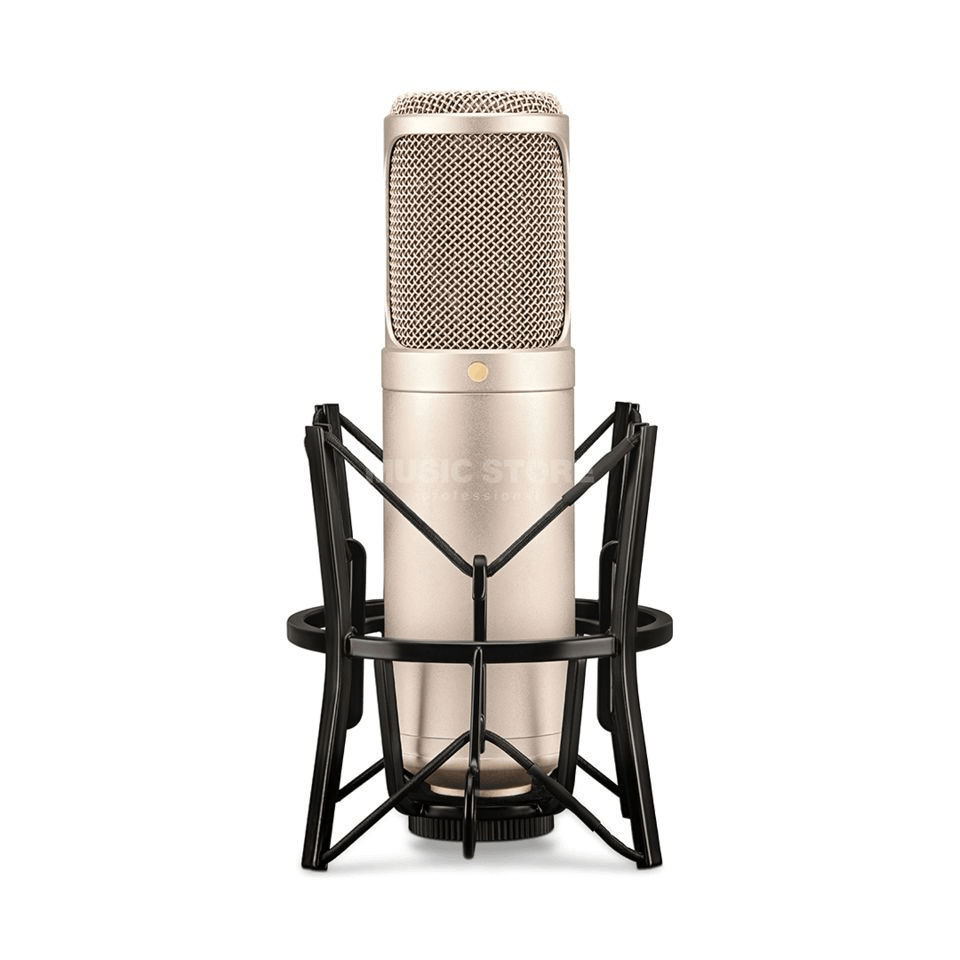
Basic vocal reverb effects add depth and dimension to a singer’s voice, creating a natural, spacious sound in a recording or live performance. Reverb simulates the effect of a singer’s voice being heard in a large, reflective space, adding character to the sound.
Vocal reverb effects are essential for any singer looking to add depth and dimension to their sound. Reverb is a critical tool in creating a natural, spacious recording or live performance, simulating the sensation of singing in a large, reflective room.
By using various reverb settings, singers can add character and distinctive qualities to their voice, whether they want to create a warm, natural sound or a bright, angelic tone. In this blog post, we’ll explore the different types of reverb effects and how singers can best incorporate them into their music.
Credit: www.izotope.com
Types Of Reverb
Reverb is a crucial effect that helps add depth, dimension, and space to vocal recordings. There are different types of reverb that you can use to create different moods and textures. It’s important to understand these types of reverb to use them effectively in your vocal recordings.
Spring Reverb
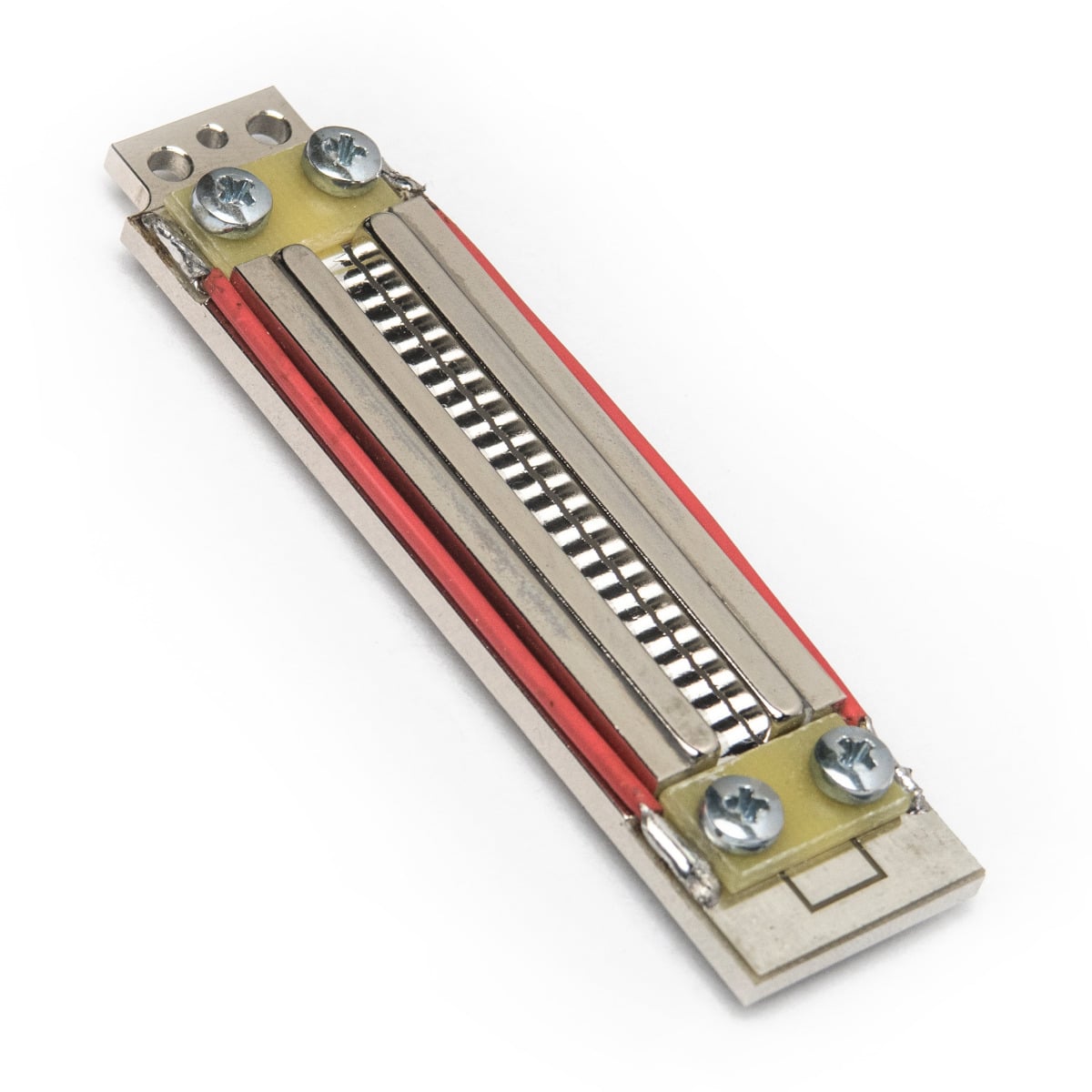
Spring reverb was first used in guitar amps and is used in many classic recordings. It’s an analog effect that uses a spring to create a reverberant sound. This type of reverb has a distinct sound and is characterized by a boingy, metallic sound.
Plate Reverb
A plate reverb is a type of mechanical reverb that uses a thin metal plate to create the effect. Plate reverb has a smoother and more natural sound than spring reverb and is well-suited for vocals. It can be adjusted to create a wide range of effects, from subtle warmth to a more pronounced, echoey sound.
Hall Reverb
Hall reverb is a simulation of the reverb that occurs in a large room or concert hall. This type of reverb is often used in classical music productions and adds depth and space to vocal recordings. It has a distinctive sound characterized by a long decay with a rich and natural tone.
Room Reverb
Room reverb is a simulation of the reverb that occurs in a smaller, more confined space. It has a shorter decay time than hall reverb and can be used to create a more intimate sound. Room reverb is great for adding a natural-sounding ambience to vocal recordings and creating a sense of space.
Using Reverb With Vocals
Adding reverb effects to vocals can enhance the overall sound of a mix and create a more spacious and professional feel. Basic vocal reverb effects can be achieved through adjusting parameters such as decay time, pre-delay, and wet/dry mix.
When it comes to achieving a professional-sounding vocal track, using reverb is a crucial step. Reverb adds space and depth to your vocals, making them sound like they were recorded in a more natural environment. In this section, we will discuss the basics of using reverb with vocals.
Setting Up The Reverb
The first step in using reverb with vocals is setting up your reverb effect. Most digital audio workstations (DAWs) come with built-in reverb plugins, or you can use third-party plugins. Create a new reverb track and add your chosen reverb plugin. You can also use a reverb bus and send your vocal track to it.
Adjusting The Reverb Time
The reverb time is the length of the reverb tail. A longer reverb time will make your vocals sound like they were recorded in a bigger room or space, while a shorter reverb time will give a tighter and more focused sound. Adjusting the reverb time will depend on the type of song and the style you want to achieve.
Using Eq To Enhance The Reverb
Equalization (EQ) can also be applied to the reverb to enhance the desired sound. Use a high-pass filter on the reverb to cut out any unwanted low-end frequencies that may muddy up the mix. You can also use a low-pass filter to reduce any harsh or bright frequencies. Adjusting the EQ of the reverb can give it a more natural and polished sound.
Adding Depth With Delay
Delay can be used to add depth and movement to your vocals. Create a new delay track and set the delay time to match the tempo of your song. Adjust the feedback, mix and volume levels to create a desired effect. Using a delay effect can also add a sense of space and dimension to your vocals. In conclusion, using reverb with vocals is a crucial step to achieving a professional-sounding vocal track. By setting up the reverb, adjusting the reverb time, using EQ to enhance the reverb, and adding depth with delay, you can create space and depth to make your vocals stand out.
Common Reverb Mistakes To Avoid
Vocal reverb is an effect that can add depth and dimension to your vocals, making them sound fuller and more professional. However, using reverb improperly can quickly turn your otherwise great-sounding vocals into a mess. Here are some common reverb mistakes to avoid when applying reverb effects to your vocals.
Using Too Much Reverb
Too much of anything can be harmful, and the same applies to reverb. Using too much reverb can make your vocals sound washed out and distant, which can make it difficult for your listeners to understand the lyrics. Instead, use reverb sparingly and find the right balance between wet (reverb) and dry (no reverb) signals.
Not Adjusting The Reverb Time
Reverb time refers to the length of time it takes for the reverb to decay. Not adjusting the reverb time can lead to muddy and distorted vocals. Longer reverb times are ideal for ballads or slow songs, while shorter reverb times work well for fast-paced tracks or songs with heavy instrumentals.
Forgetting To Eq The Reverb
Applying EQ to the reverb helps to ensure that it doesn’t clash with the vocal frequency range, making it sound more natural and not overpowering. Neglecting to EQ the reverb can make the vocals sound muffled and unbalanced. It’s important to listen to the vocals and adjust the reverb EQ until you find the right balance.
Using The Wrong Type Of Reverb
Not all types of reverb are created equal, and using the wrong one can have disastrous effects on your vocals. For instance, a plate reverb might sound great on guitars but may not be suitable for vocals. Conversely, a hall reverb might be too spacious for guitar and can leave it sounding thin. Choose the right type of reverb for the vocals, considering the mood and tone of the song.
By avoiding these common reverb mistakes, you’ll be able to add the right amount of reverb effect to your vocals, making them sound fuller and professional, and enhances the overall track.
Credit: www.izotope.com
Famous Tracks With Great Vocal Reverb
Vocal reverb is an essential part of any song that features vocals. It can give depth, dimension, and continuity to the vocals, making them sound fuller and richer. However, it’s important to use it in moderation as too much reverb can make the vocals sound distant and muddy. Some of the most famous tracks of all time have used vocal reverb to great effect and here are some examples:
Example Track 1
The first track that comes to mind when discussing great vocal reverb is “Yesterday” by The Beatles. It features a lush reverb effect that gives Paul McCartney’s vocals a dreamy, ethereal quality. The reverb also adds a sense of nostalgia, fitting perfectly with the song’s introspective lyrics.
Example Track 2
Another great track that showcases the power of vocal reverb is “Unchained Melody” by The Righteous Brothers. The song is legendary for its soaring vocals and the reverb adds to the grandeur of the performance, making it even more emotional and impactful. The reverb also mimics the sound of a large concert hall, adding to the sense of drama and spectacle.
Example Track 3
The final track that we’ll discuss is “God Only Knows” by The Beach Boys. This song is famous for its beautiful harmonies and intricate vocal arrangements, and the reverb plays a crucial role in giving them a sense of space and dimension. The vocals sound as though they were recorded in a vast cathedral, adding to the song’s sense of grandeur and majesty.
These tracks are just a few examples of the incredible power of vocal reverb. When used correctly, it can add depth, emotion, and richness to any vocal performance, elevating it to new heights of musical beauty.
Credit: www.amazon.com
Frequently Asked Questions On Basic Vocal Reverb Effects
What Is The Best Reverb Effect For Vocals?
The best reverb effect for vocals is subjective and depends on personal preference. Some popular options include: Lexicon PCM Native Reverb Plug-in, Valhalla VintageVerb, Waves IR1 Convolution Reverb, and Soundtoys Little Plate.
What Are The Effects Of Reverb Vocals?
Reverb vocals add depth and space to a track, making it sound livelier. It can create a sense of intimacy or detachment, depending on the amount and type of reverb used. Reverb also helps to blend vocals with backing tracks, resulting in a more cohesive and polished sound.
What Are The Basic Vocal Effects?
There are several basic vocal effects that singers can use to add variation to their performances. These include vibrato, falsetto, growling, screaming, and breathiness.
What Are The Basics Of Reverb?
Reverb is the name given to the effect of sound waves reflecting off surfaces in an enclosed space. It has two main components: the early reflections which come from surfaces close to the sound source, and the later reflections which are more diffused and come from further away.
Reverb can be added artificially using reverb plugins and hardware units during the mixing process. Understanding the basics of reverb is important for creating a natural, balanced sound.
Conclusion
Vocal reverb effects play a significant role in adding color, depth, and dimension to your recordings. By understanding the different types of reverb effects and their respective settings, you can easily achieve a professional-sounding result. Remember that reverb is a powerful tool that can make or break your vocal tracks, so always experiment and find the perfect balance that suits your tastes.
With these tips in mind, you’ll be able to add some reverb to your vocals like a pro.
Pro Tools First Grid Mode is a feature that allows you to sync audio and MIDI clips to a specified tempo. With Grid Mode enabled, users can easily manipulate audio and MIDI clips to match the rhythm of their project.
Pro Tools First is a popular digital audio workstation that offers a variety of features and tools to help users create professional-quality music. One of its most useful features is the Grid Mode, which allows you to sync audio and MIDI clips to a specific tempo.
This feature is especially helpful for users who want to create music that is consistent in pace and rhythm. We will delve deeper into Pro Tools First Grid Mode, how it works, and how you can use it to create your own music. So, if you’re a music producer or audio engineer looking to improve your workflow, keep reading!
Activating Grid Mode In Pro Tools First
Pro Tools First Grid mode allows you to edit audio files according to the rhythm of the song or recording. It allows you to snap audio clips to a specific grid, making it easier to make precise edits. Activating Grid Mode in Pro Tools First is easy, and you can use it for rhythm-based editing.
Step-by-step Guide:
Open your Pro Tools First project file.
Select the Track containing your audio file that you want to edit.
Click on the Edit Window to activate it.
Look for the Grid Mode option, which is located at the top of the Edit Window.
Click on the Grid Mode option to activate it.
Select a grid value from the Grid Value menu. This value determines how much the audio clips will snap to the grid. You can choose between whole notes, half-notes, quarter-notes, eighth-notes, sixteenth-notes, and thirty-second notes.
You can also adjust the tempo of the grid and make it match the tempo of the song or recording.
You are now ready to edit your audio files using Grid mode.
Using Grid Mode For Rhythm-based Editing:
Grid mode is ideal for rhythm-based editing as it allows you to snap audio clips to the beat of the song or recording. You can easily move, trim, cut, and paste audio clips while maintaining the rhythm of the song.
For instance, if you want to clean up a drum track, you can use Grid mode to line up the snare hits with the grid. This will allow you to make precise edits and tighten up the track. Similarly, you can use Grid mode to align vocal tracks, guitars, or any other instrument that needs to be in rhythm with the song.
In conclusion, activating Grid mode in Pro Tools First is a simple process that allows you to edit audio files according to the rhythm of the song. Using Grid mode for rhythm-based editing ensures that your audio clips stay in sync with the song or recording, making your edits more accurate and precise.
Credit: www.mixinglessons.com
Benefits Of Grid Mode In Pro Tools First
As a beginner in music production, it’s essential to have an easy-to-use editing tool that can help you create precise rhythmic patterns. This is where Pro Tools First Grid Mode comes into play, allowing you to edit audio with precision, set rhythmic patterns, and simplify the editing process.
Precision Editing:
With Pro Tools First Grid Mode, you can edit your music with extreme precision, ensuring that every beat is aligned with precision. Grid mode helps you create accurate and consistent edits that can help improve the overall sound quality of your music. The grid lines in grid mode provide reference points for audio editing, making sure every clip is in time with the rhythm.
Ability To Set Rhythmic Patterns:
Grid mode in Pro Tools First gives you the ability to set rhythmic patterns that match the tempo of your music. The rhythm you set determines the timing of your clips, ensuring that they match the beat. By using the grid lines, you can match the rhythm of your audio clips with the beat, making your music sound more consistent and professional.
Ease Of Use For Beginners:
Pro Tools First Grid Mode is incredibly easy to use, even for beginners. It simplifies the editing process by providing clear reference points, easing your work in creating complex rhythmic sections. With a simple click and drag, you can seamlessly align your audio clips with the beat and create an impressive sound. It helps make sound production more accessible for beginners, allowing them to create professional-quality music in minutes.
Overall, the Pro Tools First Grid Mode is an essential tool for music production industry professionals and beginners alike. It can help you edit your music with precision, set rhythmic patterns, and make editing easier. It’s an incredibly user-friendly tool that can help you improve your sound quality, making your music sound more professional than ever before.
Tips For Using Grid Mode In Pro Tools First
Learn how to maximize your efficiency in Pro Tools First by utilizing the Grid Mode. This powerful feature allows you to quickly and precisely arrange your audio components according to your desired timing and rhythm, resulting in a smoother workflow and a more polished finished product.
Tips for using Grid Mode in Pro Tools First Pro Tools First is widely considered a powerhouse in music production software. One of the features that make it popular among musicians and producers is Grid Mode, which allows for accurate timing adjustments to align musical elements flawlessly. Below are some useful tips for using Grid Mode in Pro Tools First to elevate your productions. Zooming in for precise edits To make precise edits, zooming in is crucial. Simply press the “Z” key on your keyboard to activate the zoom tool and click and drag across the section you want to edit. The waveform will be magnified, allowing you to visualize and edit on a sample-by-sample level. It’s a valuable tool when you need to hand-align beats for a tight rhythmic feel. Utilising snap settings Snap settings can help you move each beat into place without the need for manual adjustment on each individual track. To ensure accurate snaps, open the Snap to Grid button (magnet icon) on the top toolbar and select the note-value that fits your track’s timing. When you move your cursor, it will automatically snap elements to the grid lines for the set note-value. Avoid over-reliance by disengaging snap mode to make adjustments to the rhythmic feel when necessary. Respecting the original groove, ensuring each When using Grid Mode, it’s important to ensure your timing adjustments don’t alter the rhythmic feel of the original recording. By maintaining a natural feel, you’ll have a more human performance that grooves with its intended energy. To achieve this, consider slowing down the playback to identify the natural rhythm of the track’s groove. When you come around to lining up audio elements, adjusting snaps and editing to grid lines, you could produce a tight and refined version of the initial recording while maintaining the feel of the original groove. Utilise Grid Mode to perfect the timing of vocal samples, guitar plucks, drum hits, and other audio elements. While it may take some practice to get the hang of it, with this feature, you’ll be able to produce a perfect rhythmic and refined tune that’s all of your own.
Credit: www.vennaudio.com
Advanced Techniques With Grid Mode
Pro Tools First users can elevate their editing game with the help of Grid Mode. This advanced technique allows for seamless audio alignment and manipulation for a more polished final product.
Pro Tools First Grid Mode is a powerful tool for musicians and producers who want to create complex and intricate patterns. With advanced techniques, you can produce music with incredible precision and accuracy to take your music production to the next level. In this post, we’ll focus on some advanced techniques with Grid Mode, namely changing time signature mid-session, combining Grid Mode with MIDI editing, and creating complex patterns.
Changing Time Signature Mid-session
Changing the time signature is never an easy task, and it becomes even harder when you want to do it in the middle of a session. With Grid Mode, you can change the time signature of your session with ease. Simply locate the time signature ruler at the top of the screen and click it. Then, select the new time signature that you want. Pro Tools First Grid Mode will perform the change automatically, without affecting your existing MIDI or audio recordings. It is a simple but powerful feature that can save you time and effort.
Combining Grid Mode With Midi Editing
When it comes to MIDI editing, Grid Mode is a fantastic tool that helps you align and snap your MIDI notes with incredible precision. You can also take advantage of the other MIDI editing features in Pro Tools First, such as the ability to move, cut, and copy MIDI notes within your session. When you combine Grid Mode with MIDI editing, you get a comprehensive set of editing tools that can help you achieve the results you want.
Creating Complex Patterns, Ensuring Each
With Grid Mode, you can create complex patterns with ease. Start by defining the tempo and time signature of your session. Then, use the Grid Mode to snap your MIDI notes align to the beat or grid. You can also use Grid Mode to create complex polyrhythms by setting different grid values for different instruments. Creating complex rhythms becomes easy when you use Pro Tools First Grid Mode. In conclusion, Pro Tools First Grid Mode is a powerful tool for music producers and musicians. By taking advantage of its advanced features like changing time signature mid-session, combining Grid Mode with MIDI editing, and creating complex patterns, you can produce music with incredible precision and accuracy. With Grid Mode, you can focus on your creativity and let the tool do the work.
Troubleshooting Grid Mode In Pro Tools First
To troubleshoot the Grid mode in Pro Tools First, first ensure you have the right edition for your needs and that it has been upgraded with the necessary updates. Then, adjust the Beat Grid’s position to match tempo changes and audio fluctuations to keep your tracks in sync with the desired tempo.
Finally, use the Grid mode to quantize your beats and align them with the bars and beats of your track.
If you are new to Pro Tools First and its Grid Mode, you might encounter some challenges while trying to use it. But worry not; in this post, we will explore troubleshooting tips to help you overcome any hurdles that come your way.
Common Issues And Solutions
Here are some typical problems you may encounter while using Grid Mode in Pro Tools First and solutions to resolve them.
Problem
Solution
No audio is playing
Ensure that the audio track is not muted. You can also check if your computer’s sound settings are okay
Grid is not working as expected
Check the snap and grid settings on the Edit window of Pro Tools First and adjust them accordingly.
Grid lines are not visible
Ensure that the view grid option is selected on the Edit window toolbar.
Resetting Grid Mode Preferences
If you are still having issues with Grid Mode in Pro Tools First despite trying the solutions above, you may want to reset Grid Mode preferences. Here is how to do it:
Press and hold the left Shift + Left Option + Left Control keys while opening Pro Tools First
Continue holding the keys until the Prompt window appears
Click “OK” and release the keys
Pro Tools will open with default preferences.
Conclusion
Grid Mode in Pro Tools First is a fantastic tool that enables you to be more precise when editing audio files. However, you may experience some challenges using it. The common issues and solutions highlighted above will help you overcome these obstacles, and if all fails, resetting Grid Mode preferences might help.
Credit: www.amazon.com
Frequently Asked Questions On Pro Tools First Grid Mode
How Do I Turn On Grid Mode In Pro Tools?
To turn on grid mode in Pro Tools, simply go to the View menu and select “Edit Window Grid” or “Mix Window Grid,” depending on the window you’re working in. You can also use the keyboard shortcut Command+2 on a Mac or Control+2 on a PC.
This will enable the grid mode in Pro Tools.
Why Can’t I See The Grid In Pro Tools?
To view the grid in Pro Tools, press the “Option+Command+G” keys on a Mac, or “Alt+Control+G” on a PC. If the grid is still not visible, go to the “View” menu and select “Edit Window Views,” then check the box next to “Grid” to enable it.
What Is The Shortcut For Grid Mode In Pro Tools?
The shortcut key for Grid mode in Pro Tools is the “Command” key for Mac or “Ctrl” key for Windows along with the “G” key.
How Do I Turn Off Snap To Grid In Pro Tools?
To turn off snap to grid in Pro Tools, go to the “Options” menu and select “Preferences. ” Under the “Editing” tab, uncheck the “Grid” option under “Operations. ” You can also toggle snap to grid on and off using the “S” key on your keyboard.
Conclusion
Pro Tools First Grid Mode is a powerful tool that offers great flexibility in audio editing. With its intuitive interface and easy-to-grasp layout, this software helps users achieve their goals with greater precision and efficiency. For beginners and hobbyists, this is a great way to get started without breaking the bank.
And for professionals, it’s a valuable addition to your existing toolkit. Whether you’re recording, mixing or mastering, Grid Mode is definitely a feature worth exploring. So go ahead and give it a spin – you won’t be disappointed!
A ribbon microphone is a type of microphone that uses a thin piece of metal suspended between two magnets to capture sound. It is known for its natural and warm sound, making it popular in recording studios and for live performances.
Ribbon microphones have been around for over 90 years and have a unique design that sets them apart from other microphones. They work by using a long, thin piece of metal called a ribbon that is suspended between two magnets.
When sound waves hit the ribbon, it vibrates and produces an electrical signal that can be amplified and recorded. One of the main advantages of ribbon microphones is their ability to capture high-frequency sounds with great detail, which makes them ideal for recording instruments such as violins, acoustic guitars, and cymbals. They are also known for producing a warm, natural sound that is highly sought after in professional recording environments. However, because of their delicate nature, they require careful handling and storage to maintain their performance.
Credit: www.bumblebeepro.com
What Is A Ribbon Microphone?
If you are wondering what a ribbon microphone is, then you are in the right place. A ribbon microphone is a type of microphone that uses a thin metal ribbon suspended in a magnetic field to pick up sound waves. This microphone is known for its warm, vintage sound and is widely used in the music recording industry.
Understanding The Technology
The technology behind ribbon microphones is relatively simple. Sound waves cause the ribbon to vibrate, which creates a small electrical current that is then amplified by the microphone. The ribbon is suspended between the poles of a magnetic field and is made of a thin sheet of aluminum or other metal that is lightweight and flexible enough to vibrate with the sound waves.
Ribbon microphones are known for their figure-eight polar pattern. This means that they pick up sound from the front and back of the microphone while rejecting sound from the sides. This makes them great for recording vocals, acoustic instruments, and other sound sources where you want to capture the natural sound of the room.
A Brief History Of Ribbon Microphones
Ribbon microphones have been around since the 1920s and were originally used in the movie industry for sound recording. They were some of the first microphones to be used for radio and television broadcasting because of their ability to capture sound in a natural way.
One of the most famous ribbon microphones is the RCA 44, which was introduced in the late 1930s. This microphone was used on many famous recordings including Frank Sinatra, Bing Crosby, and Elvis Presley. Today, ribbon microphones are still prized for their warm, natural sound and are used by many musicians and recording engineers around the world.
Advantages Of A Ribbon Microphone
Ribbon microphones have several advantages over other types of microphones, including a natural and warm sound, accurate transient response, and the ability to capture subtle nuances in vocal and instrument performances. These characteristics make them a popular choice for recording studios and live performances alike.
Ribbon microphones are highly sought after in the audio recording industry due to their unique and impressive features. They offer many advantages over their counterparts, such as dynamic and condenser microphones. Here are some advantages of a ribbon microphone.
Natural Sound Reproduction
One of the most significant advantages of a ribbon microphone is its ability to reproduce natural sounds. The ribbon technology used in these microphones allows them to capture sound in a way that closely mimics the natural way it is heard by the human ear. The result is a warm, detailed, and natural representation of the sound, making it perfect for recording acoustic instruments like guitar, drums, vocals, and brass.
Versatility In Recording Situations
Another advantage of a ribbon microphone is its versatility in recording situations. These microphones are excellent for use in both studio and live settings, making them a favorite of many musicians, sound engineers, and producers. Their ability to capture natural sound makes them perfect for recording live sessions, and their durability allows them to withstand the rigors of touring. They are also great for use as drum overheads or in capturing room ambience, and their unidirectional nature means they can pick up sound from a specific direction, reducing background noise. Ribbons microphones are made for professionals and enthusiasts who need high-quality audio recordings. With natural sound reproduction and versatility in recording situations like live sessions or studio recordings, these mics might be what you need to take your recordings to the next level.
Disadvantages Of A Ribbon Microphone
Ribbon microphones have become increasingly popular in recording studios due to their rich, warm sound and ability to capture detailed audio. However, these microphones also come with their fair share of drawbacks. Let’s take a closer look at some of the main disadvantages of a ribbon microphone.
Durability And Fragility Concerns
One of the biggest concerns with ribbon microphones is their fragility. These microphones consist of a thin metal ribbon that can easily break or become damaged if mishandled. Unlike other microphones, ribbon microphones are not suited for rough situations or high-pressure sound environments.
Moreover, ribbon microphones are not known for their durability and can easily suffer from wear and tear over time. Factors such as humidity and temperature changes can impact their performance and make them more delicate.
Limited Frequency Response
Another disadvantage of ribbon microphones is their limited frequency response. These microphones are known for their warm, natural sound, which some people find appealing. However, due to their design, they may not capture the full frequency range of certain instruments or voices accurately. This can result in a muddier or less defined sound, which is not ideal for certain recording situations.
Additionally, ribbon microphones tend to exhibit more proximity effect than other microphone types, meaning that the closer they are to the sound source, the more bass they emphasize. This can be useful for certain applications, but it can also result in a boomy sound that may not always be desirable.
Disadvantages of a Ribbon Microphone
Durability and Fragility Concerns
Ribbon microphones are delicate, not suited for rough situations, and easily suffer from wear and tear over time.
Limited Frequency Response
Ribbon microphones have a warm, natural sound but may not capture the full frequency range of certain instruments or voices accurately. They also tend to exhibit more proximity effect than other microphone types.
Ribbon microphones are delicate and can easily break or become damaged if mishandled.
Factors such as humidity and temperature changes can impact their performance and make them more fragile over time.
Ribbon microphones have a limited frequency response and may not capture the full range of certain instruments or voices accurately.
They tend to exhibit more proximity effect than other microphone types, which can result in a boomy sound that may not always be desirable.
Ribbon Microphone Vs. Other Microphone Types
When it comes to microphones, there are different types available. Each has its own set of features and benefits. The ribbon microphone is one such type that has been around for decades. Although it may not be as popular today as other types, it still holds a special place in the recording industry due to its unique sound quality and design.
Dynamic Vs. Ribbon Microphones
Dynamic microphones are commonly used for live performances and recording instruments such as drums and electric guitars. They are durable, affordable, and can handle high sound pressure levels. On the other hand, ribbon microphones are more sensitive and delicate in design. They excel at capturing the nuances of acoustic instruments such as strings and woodwinds. They are also known for their smooth and warm sound quality, making them a popular choice for vocal recordings.
Condenser Vs. Ribbon Microphones
Condenser microphones are another popular type used in recording studios. They are known for their high sensitivity and ability to capture detailed sound. While ribbon microphones are also sensitive, they differ in their design. They don’t require an external power source like condenser mics, making them more versatile and easy to use. Ribbon microphones also offer a natural and detailed sound with less unwanted noise and distortion, making them ideal for acoustic recordings.
In Conclusion
Overall, ribbon microphones differ from other types of microphones in their design and sound quality. They are more delicate in construction but offer a unique and natural sound that can enhance any recording. They may not be suitable for all recording situations, but they remain a top choice for musicians and recording engineers who prefer a warm and natural sound in their recordings.
How To Use A Ribbon Microphone
To use a ribbon microphone, plug it into a preamp or mixer that supplies phantom power. Position it close to the sound source for the best audio quality. Avoid subjecting it to strong winds or excessive vibrations.
If you’re looking for a microphone that can capture a warm and natural sound, a ribbon microphone might be just what you need. But how do you use one properly to get the best results? Proper placement and use of the right preamp and impedance considerations are key.
Proper Placement And Distance
Proper placement and distance are crucial when using a ribbon microphone. With a directional pick-up pattern and a high sensitivity to sound waves, even small changes in placement can have a significant impact on the audio recording. Here are some tips for proper ribbon microphone placement:
Start with the microphone around 6-12 inches from the sound source to capture a full-bodied sound.
If you want more low-end, move the microphone closer to the sound source.
If you want more air and space in the recording, move the microphone away from the sound source.
Always use a pop-filter between the microphone and the sound source to minimize plosives and wind noise.
Preamp And Impedance Considerations
When it comes to ribbon microphones, preamp and impedance considerations are important factors to keep in mind. Ribbon microphones require a high-gain preamp that can handle their low output levels, so always check the preamp’s gain range before use. Additionally, the impedance of the preamp can have a significant impact on the sound quality. Ribbon microphones have a low output impedance, so preamps with a low input impedance can cause a mismatch, resulting in a loss of signal. To avoid this, use a preamp with an input impedance of at least 1,200 ohms. If you’re not sure, check the manufacturer specifications of both the microphone and preamp to ensure compatibility. Overall, using a ribbon microphone can result in a warm and natural sound, but proper usage and placement are crucial. Keep in mind the tips outlined here for proper placement and preamp and impedance considerations, and you’ll be well on your way to capturing great audio recordings.
Credit: www.micandmod.com
Famous Recordings Utilizing Ribbon Microphones
Ribbon microphones have been used in many famous recordings throughout history, like the RCA 44 which was featured in Elvis Presley’s ‘Jailhouse Rock’. These mics are known for producing a warm, natural sound that captures every detail of the performance.
Ribbon microphones have been a staple in the music recording industry for decades. Their unique sound and character make them a favorite among musicians and producers alike. There have been countless famous recordings that have utilized ribbon microphones to achieve a signature sound. In this article, we’ll highlight some of the most notable recordings that have used ribbon microphones and how they helped shape the character and uniqueness of the tracks.
Classic Rock And Roll Recordings
Ribbon microphones have been a key element in some of rock and roll’s most iconic recordings. One of the most notable examples is The Rolling Stones’ “Brown Sugar”. The opening riff was recorded using a ribbon microphone, emphasizing the grit and rawness of the guitar sound. Another classic rock song, Led Zeppelin’s “Whole Lotta Love”, also features the distinct sound of a ribbon microphone capturing the explosive guitar riffs and bluesy vocals. The Smashing Pumpkins’ “Siamese Dream” album also famously relies on ribbon microphones, delivering a warm and intimate sound to the layered guitars.
Modern And Alternative Recordings
Ribbon microphones are not just confined to classic rock and roll recordings. In fact, they are still widely used today across different genres, including alternative and modern music. For example, Radiohead’s critically acclaimed “In Rainbows” album heavily relied on ribbon microphones to capture the atmospheric and intimate sound of the tracks. Billie Eilish, who has taken the music industry by storm in recent years, also has her unique sound partly attributed to the use of ribbon microphones for vocals. In addition, Bon Iver’s haunting and atmospheric “For Emma, Forever Ago” album famously utilized ribbon microphones to capture the intimate vocals and acoustic guitars. Ribbon microphones have played a vital role in shaping the sound and character of some of the most iconic recordings in music history. From classic rock and roll to modern and alternative music, ribbon microphones continue to deliver a unique sound that producers and musicians alike strive to achieve.
Top Ribbon Microphone Models
If you’re looking for a warm, natural sound for your vocals or instruments, a ribbon microphone is the perfect choice. With its delicate and subtle sound, it’s no wonder that ribbon microphones are becoming increasingly popular among artists and sound engineers alike.
Cost-effective Options For Home Studio Use
For those who are just starting out with their home studio or looking for a cost-effective option, the Rode NTR and Cascade Fat Head II are great choices. These microphones are perfect for bringing out the warmth in vocals and guitar, and their affordable price tag makes them a popular choice among hobbyists.
Microphone
Price
Rode NTR
$799
Cascade Fat Head II
$349
Professional-grade Models For Studio And Live Performances
For professional-grade ribbon microphones, the Royer R-121 and AEA R44 are highly recommended. These microphones are perfect for recording a range of instruments, from drums to brass instruments, and are ideal for use in a professional studio or live performance setting. The Royer R-121 is known for its high SPL handling and smooth frequency response, while the AEA R44 is famous for its classic vintage sound and stellar build quality.
Microphone
Price
Royer R-121
$1,295
AEA R44
$3,995
Whichever ribbon microphone you choose, you can be sure that it will bring out the warmth and natural sound in your recordings or live performances. So go ahead and add one to your collection today!
Credit: www.amazon.com
Conclusion And Final Thoughts
After examining the benefits and drawbacks of ribbon microphones, it’s clear that they are a valuable tool for recording studios and sound engineers. Their unique sound profile and sensitivity make them ideal for capturing delicate and nuanced audio sources. However, they may not be the right choice for every application, and buyers should carefully consider their intended use before making a purchase.
The Timeless Appeal Of Ribbon Microphones
Ribbon microphones are an excellent choice for recording a wide range of sound sources. Due to their natural sound and ability to capture all the nuances of an audio signal, they have become a favorite among recording engineers and artists alike. Whether you are recording vocals, acoustic guitar, brass instruments, or drums, a ribbon microphone can add warmth, depth, and character to your recordings. One of the main reasons why ribbon microphones have a timeless appeal is that they are incredibly durable and reliable. Unlike other types of microphones, they are not as susceptible to damage or wear and tear. They can last for many years if treated properly and stored in a safe and dry place. Another reason for their popularity is that they offer a unique and distinct sound. Due to their design, ribbon microphones produce a natural and smooth sound that is often described as warm, vintage, and intimate. They can pick up subtle changes in the sound and reproduce them faithfully, resulting in a recording that is rich and dynamic.
Where To Purchase And How To Care For Your Ribbon Microphone
If you are looking to purchase a ribbon microphone, there are several reputable brands to choose from. Some of the popular brands include Royer, AEA, and Cascade. You can purchase them online or from your local music store. Before making a purchase, it’s always a good idea to do some research and read reviews from other customers to ensure that you are getting the best quality for your money. When it comes to caring for your ribbon microphone, it’s essential to handle it with care. Ribbon microphones are delicate and can be damaged easily if dropped or mishandled. Always store your microphone in a protective case or bag when not in use. Also, avoid exposing it to extreme temperatures or humidity, as this can damage the delicate ribbon element. In conclusion, ribbon microphones are an excellent choice for anyone looking to record high-quality audio. They offer a unique and natural sound that is highly sought after in the recording industry. Whether you are a professional recording engineer or a hobbyist musician, investing in a high-quality ribbon microphone is a decision you won’t regret.
Frequently Asked Questions On Ribbon Microphone
What Are Ribbon Mics Used For?
Ribbon mics are used primarily for capturing natural and warm sound in music recordings. They excel at picking up delicate nuances in sounds like vocals, acoustic guitars, and strings. Ribbon mics have become more popular in recent years for their superior ability to capture sound in a music recording.
Are Ribbon Mics Better Than Condenser?
Both ribbon and condenser mics have their own strengths and weaknesses. Ribbon mics are known for their warm, vintage sound and are excellent for recording acoustic instruments, while condenser mics are versatile and better for capturing the nuances of vocals and high-frequencies.
Ultimately, it depends on the sound you’re looking for and the type of recording you’re doing.
What Not To Do With A Ribbon Mic?
Be careful not to expose your ribbon mic to moisture or humidity, as this can damage the ribbon. Additionally, avoid using phantom power with ribbon mics, as it can also cause damage. Handling the microphone roughly or dropping it can also harm the delicate ribbon.
Finally, do not use ribbon mics with extremely loud sources, as they may not be able to handle the high sound pressure levels.
What Is The Weakness Of A Ribbon Mic?
The weakness of a ribbon mic is its fragility and sensitivity. It can be damaged by excessive vibration or wind pressure, and its output level is lower than other types of microphones. However, it offers a unique and warm sound that is favored by many recording artists.
Conclusion
Overall, a ribbon microphone is a versatile and unique tool for recording various types of sound. Its delicate design and precise sensitivity offer a warm and natural sound that cannot be replicated by other types of microphones. While it may require extra care and maintenance, the quality of the sound it produces makes it a valuable investment for any studio or home recording setup.
By understanding how to properly use and maintain the ribbon microphone, you can elevate your recordings to a new level of audio excellence.
Reverb is an effect that manipulates the sound’s reflections to add depth and spaciousness to music or audio recordings. This effect can be achieved through the use of electronic devices called reverb units, which produce simulated sound reflections.
Reverb is a crucial effect in music production and audio engineering. It creates a sense of space and ambience, making a recording sound more natural and lifelike. There are various types of reverb effects, including hall, plate, spring, and room reverb.
Each type has a unique sound and can be used to achieve different effects. Additionally, reverb can also be used creatively to create unique sonic textures and effects. Understanding and implementing reverb effectively is an essential skill for any audio professional.
What Are Reverbs Effects?
Reverb effects add depth and space to audio recordings. By mimicking the natural echo of a physical space, reverb effects can make audio sound more realistic, immersive, and professional.
The Definition
Reverbs are popular effects used to create the illusion of space in audio recordings. Simply put, reverb effects are sound reflections that occur naturally in an environment. These sound reflections are captured using microphones during a recording session and then processed to create a sense of space in the recording.
The Purpose
The purpose of using reverb effects in audio recordings is to add depth and realism to the sound. It can also help to improve the clarity of the audio and provide a more natural sound to it. It is important to use the correct reverb effects in audio recordings as it greatly impacts the overall feel and tone of the audio. It can also help to enhance the mood and emotion of the audio. There are several types of reverb effects that can be used in audio recordings, including:
Plate reverb: This type of reverb effect creates a bright and smooth sound, making it suitable for vocals and acoustic instruments.
Hall reverb: This type of reverb effect creates a spacious sound, making it ideal for orchestral recordings and live performances.
Room reverb: This type of reverb effect creates a natural sound that effectively simulates small rooms or chambers, making it suitable for pop, rock and jazz recordings.
Spring reverb: This type of reverb effect creates a vintage sound and is commonly used in guitar amplifiers.
Conclusion
Reverb effects are an essential tool for any audio producer as they add depth and realism to audio recordings. They are versatile and can be used in a variety of genres, making it a popular effect among audio professionals. When used correctly, it can greatly enhance the overall quality of the audio recording.
Types Of Reverb Effects
Reverb effects are used to create a sense of space and depth in music production. There are many types of reverb effects, including hall, plate, spring, and room reverbs. Each type of reverb offers a unique sound and can be manipulated to achieve the desired effect in a mix.
Reverb effects are widely used in music production to add depth and create the illusion of space. A reverb effect simulates the natural reverberation of a sound in an acoustic environment, such as a concert hall, studio room, or cathedral. There are several types of reverb effects, each with its own unique sound and characteristics.
Spring Reverb
Spring Reverb is a type of mechanical reverb that uses a spring to create the reverb effect. This type of reverb was commonly used in guitar amplifiers in the 1960s and 1970s. Spring reverb has a distinctive sound that is characterized by a metallic twang and a splashy decay. The sound of spring reverb is often associated with surf rock and other genres of music from that era.
Digital Reverb
Digital reverb is a type of reverb effect that is generated by digital signal processing. Unlike analog reverb, which uses physical components like springs or plates, digital reverb uses algorithms to simulate the sound of natural reverb. This type of reverb is precise, flexible, and can be adjusted to emulate different acoustic spaces. Digital reverb is commonly used in recording studios and live performances.
Plate Reverb
Plate Reverb is a type of mechanical reverb that uses a large metal plate to create the reverb effect. The plate is suspended within a frame, with a transducer (pickup) and a speaker on either side. When a sound is played through the transducer, it causes the plate to vibrate, creating a reverb effect. Plate reverb has a smooth, warm sound that is often used in vocal recordings and ballads.
Hall Reverb
Hall reverb is a type of reverb effect that simulates the sound of a large, reflective space such as a concert hall. Hall reverb has a long decay time and a rich, full sound that can add depth and dimension to a mix. Hall reverb is often used in orchestral recordings, choirs, and other music that requires a grand, expansive sound.
Chamber Reverb
Chamber reverb is a type of reverb effect that simulates the sound of a small, enclosed space such as a studio chamber. The chamber is often designed to have a specific sound, such as a warm, intimate tone. Chamber reverb is commonly used in vocal recordings and acoustic instruments, where a natural, organic sound is desired.
How Reverb Effects Work
When we listen to music or speeches, we often feel a sense of depth and roominess in the sound. This space is created by reverb effects, which mimic the natural reflections and absorptions of sound waves that occur in different environments. Understanding how these effects work can help you get the most out of your audio recordings, whether you’re a musician, podcaster, or sound engineer.
Sound Reflection And Absorption
The first important aspect of reverb effects is sound reflection and absorption. When sound waves bounce off surfaces like walls, floors, and ceilings, they create reflections that can be heard as echoes. The size, shape, and material of these surfaces can affect the character and timing of the reflections. For example, a large flat surface will produce a longer reverb time than a small irregular surface.
On the other hand, when sound waves pass through materials like foam, fabric, or air, they lose energy and intensity. This is called sound absorption, and it can be controlled by using specific types of materials in a room or adding absorptive panels to a recording space. Balancing reflection and absorption is critical to creating a natural and pleasing reverb effect.
Diffusion
Another important factor in reverb effects is diffusion. This refers to the even spread of reflections throughout a space, rather than clustering in certain areas. Diffused reverb can create a sense of envelopment and immersion that enhances the listening experience. One way to diffuse reverb is by using multiple sound sources, such as stereo microphones or room mics, to capture different angles and dimensions of the sound.
Pre-delay And Decay Time Parameters
Two main parameters of reverb effects are pre-delay time and decay time. Pre-delay time is the gap between the direct sound of the source and the first reflections. This can be adjusted to create a sense of distance or closeness to the sound source. Decay time is the length of time it takes for the reflections to fade away. This can be controlled to create a shorter or longer reverb effect. Understanding how to manipulate these parameters can greatly affect the overall sound and feel of a recording.
For instance, a longer pre-delay time can make an instrument or voice sound like it’s in a large hall, while a shorter pre-delay can create a more intimate and immediate sound. Similarly, a shorter decay time can make a sound appear tighter and drier, while a longer decay time can create a lush and ambient effect.
Parameters
In addition to pre-delay and decay time, there are various other parameters that can be adjusted in reverb effects, such as high and low frequency EQ, modulation, diffusion, and more. These parameters can help tailor the sound to fit specific genres or styles of music, as well as to achieve different creative effects.
Overall, understanding how reverb effects work is essential for achieving high-quality audio recordings that sound natural and immersive. By adjusting parameters like pre-delay and decay time, as well as balancing sound reflection and absorption, you can create a wide range of sounds and atmospheres that capture the essence of any performance or environment.
Credit: robertkeeley.com
Applying Reverb Effects
One of the most important effects in any music production is reverb. It brings any sound to life by giving it a sense of space and depth. Applying reverb to different instruments can create a unique sound that is both interesting and captivating. Here are some tips on how to apply reverb effects to different instruments:
Vocals
Reverb can make a huge difference to the overall sound of vocals. If you want to create a sense of intimacy, use a subtle reverb with a short decay time. On the other hand, if you want to create a sense of space or grandeur, use a long decay time with a medium reverb mix. It’s important not to overdo the reverb on vocals, as it can make them sound muddy or too distant.
Guitars
Applying reverb to guitars can create a sense of space and depth, which can be especially effective for solos. If you’re looking for a warm, natural reverb, try a spring reverb effect. For a more modern sound, try a hall reverb effect. Experimenting with different reverb types and settings can make a huge difference to the overall sound of your guitar tracks.
Drums
Reverb is essential when mixing drums, as it can help create a cohesive and natural sound. Applying a short decay time with a low mix can give drums punch and energy, while a longer decay time with a higher mix can create a more ambient and spacious sound. It’s important to apply reverb to each drum element (such as snare, kick, and toms) separately to avoid muddiness and ensure clarity.
Synths
Synths can benefit greatly from reverb effects, especially when creating pads and atmospheric sounds. Applying a long decay time with a high mix can create a sense of space and depth, while a short decay time with a low mix can add a subtle sense of presence. Experimenting with different types of reverb (such as plate, hall, and chamber) can help you find the perfect sound for your synth tracks.
In conclusion, applying reverb effects can greatly enhance the sound of any instrument. By experimenting with different settings and types of reverb, you can create a unique and captivating sound that will keep your listeners engaged.
Mixing With Reverb Effects
Mixing with reverb effects can add depth and space to your audio production, creating a more natural and immersive experience for the listener. It is important to experiment with various types of reverb and adjust the parameters to achieve the desired effect.
Reverb is an essential audio effect used in music production to create the illusion of different acoustic spaces. By adding reverb to a track, you can make it sound like it was recorded in a large auditorium, a small room, or even a staircase. Mixing with reverb effects adds depth and dimension to your tracks, making them sound polished and professional. In this post, we’ll cover the art of balancing, creating depth and space, avoiding clutter, and panning and EQing to help you master the technique of mixing with reverb.
The Art Of Balancing
One of the most critical skills in mixing with reverb effects is balancing. You don’t want your reverb to be too loud or too subtle. If it’s too loud, it can muddy up the track and make it harder to hear the instruments. If it’s too subtle, it won’t add any depth or dimension to the track. The key is to strike a balance between the dry and wet sounds. The dry sound is the direct sound source, such as a singer’s voice. The wet sound is the reverb effect added to that sound. You need to ensure that both the dry and wet sounds are heard without overpowering each other.
Creating Depth And Space
Reverb effects have the power to create depth and space in your tracks. You can use reverb to make it seem like a sound is coming from a distance or a different room altogether. By adjusting the reverb time and decay, you can create different levels of depth and space. If you want a sound to appear close, use a short reverb time with a quick decay. If you want a sound to appear far away, use a long reverb time with a slow decay. Reverb effects create different perspectives, and when used correctly, they can add a lot of interest to your mix.
Avoiding Clutter
While reverb effects are excellent for adding depth and space, they can also add clutter to your mix. Too much reverb can make it difficult to distinguish between different instruments or parts of a song. It can make the mix sound muddy and jumbled. To avoid this, you need to be selective about which parts of the song get reverb. For example, you might add reverb to the vocals to create a sense of space, but not to the bass or drums, which could cause the mix to sound cluttered.
Panning And Eqing
Panning and EQing are key components of mixing with reverb. Panning allows you to place sounds in different parts of the stereo field. You can use panning to create a sense of movement by panning sounds from left to right or vice versa. EQing helps you to shape the sound of individual instruments. By using EQ, you can avoid frequency clashes between instruments and make sure that each instrument is heard clearly. When you combine panning and EQing with reverb effects, you can create intricate and captivating mixes that sound amazing. Overall, mixing with reverb effects takes practice and skill. It requires a good ear for balance and a deep understanding of how to use reverb effects to create depth and space without cluttering the mix. By following these techniques and experimenting with different settings, you can achieve a professional-sounding mix that stands out from the crowd.
Credit: www.amazon.com
Dos And Don’ts Of Using Reverb Effects
Using reverb effects can greatly enhance your audio recordings, but it’s important to use them correctly. Do experiment with different settings and types of reverb, but avoid overdoing it and muffling your sound. Be mindful of the space you’re recording in and the genre of music you’re working with.
Reverb is a vital tool in music production, and it can give your track the necessary depth and space. However, it can also make your mix sound cluttered and muddled if used incorrectly. In this section, we will discuss some dos and don’ts of using reverb effects to help you make the most of this essential tool.
Using Reverbs For The Right Reasons
One of the most common mistakes when working with reverb is applying it just for the sake of adding space. Keep in mind that reverb is used to emulate natural acoustic environments and enhance the depth of a track. So, make sure that you are using it for the right reasons and not just to fill up the mix.
Consider The Genre And Style Of The Music
Different genres have different production standards, and it’s essential to consider this when applying reverb to your mix. For example, a large hall reverb might be suitable for a classical piece, but not necessarily for a modern pop song. Consider the style and intended vibe of your music and choose a reverb that complements it.
Avoiding Overuse And Muddiness
Applying too much reverb can result in a muddy mix with no clarity. This can make it difficult for the listener to distinguish between different instruments and parts. To avoid this, experiment with different levels of reverb and find the sweet spot where it sounds natural and doesn’t interfere with other elements in the mix.
Using High-quality Reverb Plugins
Using a high-quality reverb plugin is crucial to achieving a professional-sounding mix. Low-quality reverbs can make your mix sound artificial, while high-quality ones can bring warmth and character to your track. Invest in high-quality reverb plugins and experiment with them to find the perfect one for your mix. In summary, using reverb effects in music production can elevate your mix and provide a sense of space and depth. However, using it carelessly and without any consideration can lead to a cluttered and muddled mix. Keep these dos and don’ts in mind when working with reverb, and you’ll be on the path to producing a professional-sounding track.
Famous Songs And Artists That Use Reverb Effects
Reverb effects have been used in music for decades to add depth and dimension to sound. Famous artists like The Beatles, Pink Floyd, and Fleetwood Mac are just a few who have incorporated various kinds of reverbs into their hit songs, making them sound fuller and more interesting to listen to.
Reverb effects are commonly used in music production to give a sense of space and depth to the sound. It is a common technique used by many well-known artists in their hit songs. In this section, we will explore some of the famous songs and artists that have used reverb effects to achieve the desired sound.
The Beatles’ ‘hey Jude’
One of the most popular and iconic songs of all time, the Beatles’ ‘Hey Jude’ is a wonderful example of how reverb effects can enhance a track. The song features a lot of reverb on the vocals, drums, and guitars. The result is a spacious sound that feels like it’s coming from a large concert hall. The use of reverb in ‘Hey Jude’ is a classic example of how it can elevate a song to the next level.
U2’s ‘with Or Without You’
U2’s hit song ‘With or Without You’ features prominent use of reverb on the lead guitar. The effect gives the guitar a shimmering quality that makes it stand out in the mix. The reverb also adds depth to the track, creating a sense of space that lets the listener really immerse themselves in the music.
Adele’s ‘hello’
Adele’s powerhouse vocal performance in ‘Hello’ is complemented by the clever use of reverb effects. The opening lines of the song feature a lot of reverb, which creates a sense of distance and longing. This effect helps to set the tone for the rest of the song and adds to the emotional impact of Adele’s vocals.
Pink Floyd’s ‘comfortably Numb’
Pink Floyd’s ‘Comfortably Numb’ is a masterclass in the use of reverb effects. The entire song has a dreamy, ethereal quality that is created by the extensive use of reverb on the guitars and vocals. The effect gives the track a sense of otherworldliness that perfectly matches the lyrics. In conclusion, reverb effects have been used by many famous artists to create some of the most iconic songs of all time. From the Beatles to Pink Floyd, the clever use of reverb can take a good song and elevate it to something truly special.
Credit: lexiconpro.com
Frequently Asked Questions For Reverbs Effects
What Is Reverb Type Effect?
Reverb type effect is a sound effect that creates the impression of sound echoing in a space such as a room or a hall. It is produced by adding delay and feedback to an audio signal, creating the illusion of sound reflecting off surfaces.
Reverb is commonly used in music production to add depth and dimension to audio recordings, simulating the natural acoustics of different environments.
What Are The 5 Types Of Reverb?
The five types of reverb are room, hall, plate, spring, and chamber. Each type creates a distinct sound that can be used to enhance or complement a piece of music or audio.
What Is The Reverberation Sound Effect?
Reverberation sound effect is the sound produced when sound waves reflect off surfaces and create a series of decayed echoes. It adds depth and richness to audio, creating the impression of space and distance. In music production, engineers can manipulate this effect for artistic and aesthetic purposes.
What Is A Reverb Example?
An example of a reverb is the sound of a person’s voice echoing in a large empty room. Reverb is a sound effect that simulates the reflection of sound waves. It adds depth and space to an audio recording.
Conclusion
Reverbs effects are a crucial component of sound design. They can bring life to a dull and bland recording, add depth and texture to the mix, and create a sense of space and atmosphere. Using reverbs in the right way can elevate your music productions to new heights.
Therefore, it’s crucial to select the right reverb type and tweak the parameters to achieve the desired result. Experiment with different reverb plugins and settings to find your unique sound signature. Happy mixing and keep the creativity flowing!
A mic preamp is an audio device that boosts the low-level signals from microphones to line-level signals that can be further processed by audio equipment. Mic preamps are essential for recording studios, live sound reinforcement, and broadcasting.
They improve the dynamic range, noise floor, and frequency response of microphones, resulting in cleaner and more professional-sounding audio. Mic preamps come in various types, ranging from standalone units to built-in circuitry in mixing consoles, audio interfaces, and digital recorders.
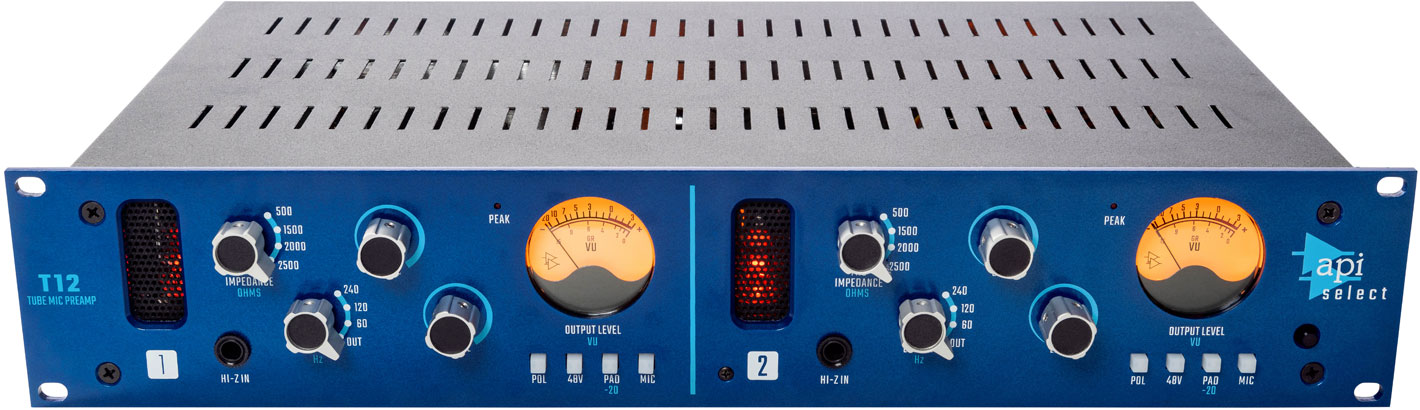
They can be tube-based or solid-state, with different input and output configurations, gain levels, impedance settings, and features such as phantom power, phase inversion, and filters. Choosing the right mic preamp depends on factors such as the type of microphone, the recording environment, the desired tonality, and the budget. A quality mic preamp can be a valuable investment for any audio enthusiast or professional.
Credit: www.amazon.com
What Is A Mic Preamp?
A mic preamp is an essential component of any professional recording studio setup. It is used to amplify and modify the low-level signal produced by a microphone, preparing it to be recorded or processed. Without a high-quality mic preamp, recorded sound can be muddy, noisy, or otherwise degraded.
Explanation Of Mic Preamp
A microphone preamp is an essential tool for any recording setup. It is a device that amplifies the low-level signal generated by a microphone, bringing it up to a level that can be recorded or used for live sound reinforcement. Mic preamps come in a variety of shapes and sizes, from standalone units designed to be used with external microphones, to preamp modules built into mixing consoles and audio interfaces.
How It Works?
A mic preamp works by taking the low-level signal produced by a microphone and boosting it to a higher level that can be used with other audio equipment. This signal boost not only amplifies the signal but also shapes its tonal characteristics. The mic preamp accomplishes this by applying gain to the signal, which increases the voltage level of the signal. It also applies a certain amount of equalization, or “EQ,” to the signal, which can shape its tonal balance to some extent. Most mic preamps offer a few basic controls, such as gain, output level, and high-pass filtering. Some may also offer EQ controls or other signal processing features.
Types Of Mic Preamps
There are two main types of mic preamps: Solid-State and Tube. Solid-state mic preamps use transistors and other solid-state components to amplify the signal. They tend to produce a clean and clear sound, with low noise and distortion. Tube mic preamps, on the other hand, use vacuum tubes to amplify the signal. They tend to produce a warmer, more colored sound, with some harmonic distortion that can be pleasing to the ear. In conclusion, a mic preamp is an essential tool for anyone looking to record or amplify sound. It can help you get the best possible sound from your microphone, and make sure that your recordings or live performances sound as good as possible.
Importance Of A Mic Preamp
If you want to record high-quality audio, a mic preamp is an essential component that you should have in your recording setup. A mic preamp is responsible for boosting the microphone’s signal level and helping it sound better by providing clarity and warmth to the sound. It also helps in preventing distortion, which can often ruin a recording.
Clarity And Warmth
One of the major benefits of using a mic preamp is that it provides clarity and warmth to the sound. When you record a voice or instrument, the signal that comes out of the microphone is generally weak and unbalanced. A good mic preamp can enhance the signal and add warmth to the sound so that it sounds more natural and pleasant to the ears. It can also help reduce noise and other unwanted artifacts that can detract from the quality of your recording.
Preventing Distortion
Distortion is a common problem that can occur when recording audio, especially if the signal level is too high. A mic preamp can help prevent distortion by providing an appropriate amount of gain to the microphone signal. With the right amount of gain, the signal remains clean and clear, and distortion is kept to a minimum. This is particularly important when recording vocals or other instruments with a wide dynamic range.
Overall, a mic preamp is an important tool that can help you achieve professional-sounding recordings. By providing clarity and warmth to the sound, and preventing distortion, it can help you capture audio that is rich, full, and natural-sounding. Investing in a high-quality mic preamp is definitely worth considering for anyone serious about recording.
Types Of Mic Preamp
Mic preamps are essential for capturing and amplifying the signal from a microphone. There are various types of mic preamps, including tube, solid-state, and hybrid models. Each type has its unique characteristics and tonal qualities, making them useful in different recording situations.
If you’re a musician or a recording engineer, you must have heard the term ‘mic preamp.’ Mic preamp or microphone preamplifier is the device that amplifies the signal from a microphone before it goes into a recording interface or mixer. Choosing the right mic preamp can make a significant difference in the quality of your recordings. There are primarily three types of mic preamps- tube preamps, solid-state preamps, and hybrid preamps. Let’s take a closer look at each of them.
Tube Preamps
Tube preamps or valve preamps use vacuum tubes to amplify the signal. They add warmth and harmonic distortion to the sound, producing a pleasant, vintage tone. They are perfect for recording vocals, guitars, basses, and other acoustic instruments. However, tube preamps are expensive, produce a lot of heat, and require regular maintenance. Here are some advantages and disadvantages of tube preamps: Advantages:
Warm, vintage sound.
Smooth and musical distortion.
Great for recording acoustic instruments.
Disadvantages:
Expensive to purchase and maintain.
Produce a lot of heat.
Require regular maintenance.
Solid-state Preamps
Solid-state preamps or transistor preamps use transistors instead of vacuum tubes to amplify the signal. They produce a clean, transparent tone without any distortion. They are ideal for recording electric guitars, drums, and other instruments that require a flat, uncolored sound. Solid-state preamps are affordable, reliable, and require less maintenance than tube preamps. Here are some advantages and disadvantages of solid-state preamps: Advantages:
Reasonably priced.
Reliable and durable.
Great for recording electric instruments.
Disadvantages:
Can sound sterile or too clean.
Lack the warmth and character of tube preamps.
Hybrid Preamps
Hybrid preamps combine the best of both worlds- the warmth and character of tube preamps and the transparency and reliability of solid-state preamps. They use a tube circuit in the input stage and a solid-state circuit in the output stage. They offer a wide range of tonal options, allowing you to dial in the perfect sound for your recording. However, hybrid preamps are expensive and may require more maintenance than solid-state preamps. Here are some advantages and disadvantages of hybrid preamps: Advantages:
The best of both worlds- warm and transparent sound.
Flexible tonal options.
Great for recording a variety of instruments.
Disadvantages:
Expensive to purchase and maintain.
May require more maintenance than solid-state preamps.
Choosing the right mic preamp depends on your personal preference, budget, and recording needs. Tube preamps are great for recording acoustic instruments, while solid-state preamps are ideal for recording electric instruments. Hybrid preamps offer the best of both worlds but come at a higher price and require more maintenance. Whichever mic preamp you choose, make sure it suits your style and helps you to achieve the sound you want.
Credit: www.apiaudio.com
Buying A Mic Preamp
A mic preamp is a crucial device for recording high-quality audio. Whether you are a professional musician, podcaster or YouTuber, investing in a good mic preamp can make a significant difference to the sound quality of your recordings. However, with so many options available in the market, selecting the right one can be daunting. In this article, we will provide you with some guidance on buying a mic preamp.
Features To Consider
Before purchasing a mic preamp, it’s essential to keep the following features in mind:
Feature
Explanation
Gain
Gain is the amount of amplification a preamp provides to the microphone’s signal. Look for a preamp with high amplification if you are recording low-output microphones.
Noise
Noise is an unwanted part of any recording. Look for a mic preamp that has low noise levels.
Impedance
Impedance refers to the resistance that the input of a preamp applies to the microphone’s output. Different microphones have different impedance levels. Ensure that the preamp’s impedance matches your microphone’s output.
Connectivity
Make sure the preamp you choose has the appropriate connectivity options for your recording setup.
Budget Options
Here are a few budget-friendly mic preamps that offer excellent quality:
ART Tube MP – A popular choice for budget-conscious users, the ART Tube MP provides warm and rich tube tone.
Focusrite Scarlett Solo – The Scarlett Solo is an affordable option with a high-quality preamp, providing low noise levels and high gain.
PreSonus AudioBox USB 96 – With two mic preamps, the AudioBox USB 96 is an ideal choice for recording vocals or instruments.
Remember, when it comes to audio equipment, quality should be the top priority. Always do your research and invest in gear that best suits your recording needs and budget.
Top Mic Preamps In The Market
The market offers a plethora of top-notch mic preamps that deliver exceptional sound quality. These preamps come with advanced features that help enhance the performance of your microphone, making it perfect for recording, streaming, or live performances.
Top Mic Preamps in the Market Mic preamps are crucial to capturing high-quality audio, whether you’re a musician, podcaster, or video content creator. Investing in a top-quality mic preamp can make a significant difference in the sound quality of your recordings. In this post, we’ve narrowed down the top three mic preamps in the market, that not only offer excellent sound quality but also value for money.
Product 1: Focusrite Scarlett Octopre
The Focusrite Scarlett OctoPre is an eight-channel mic preamp with exceptional sound quality. This mic preamp is known for its clarity and transparency, thanks to its 24-bit/192kHz A-D converter. The Scarlett OctoPre also offers a range of connectivity options, including ADAT, analog, and S/PDIF inputs/outputs, making it a versatile option for any recording setup. Furthermore, this preamp is designed to be used with the Focusrite Control software, where you can easily configure settings such as phase and low-cut filtering.
Product 2: Universal Audio Solo 610
The Universal Audio Solo 610 is a classic tube mic preamp that has been used in many studios worldwide. This mic preamp offers a warm and vintage sound that is perfect for recording vocals, guitars, and drums. The Solo 610 features a 610 tube preamp and a impedance transformer that contributes to its signature sound. Moreover, this preamp also comes with an adjustable gain control and a switchable high-pass filter.
Product 3: Audient Asp800
The Audient ASP800 is an eight-channel mic preamp that boasts a clean and detailed sound. This preamp features the world-renowned Audient console mic preamp and Burr-Brown converters, providing you with an audio quality similar to high-end recording studios. The ASP800 also has two JFET D.I. inputs, allowing you to connect instruments such as guitars and basses. Additionally, this preamp comes with two discrete headphone amplifiers, making it an ideal option for recording sessions with multiple musicians. Overall, investing in a top-quality mic preamp can make a significant difference in the audio quality of your recordings. Each of the mic preamps mentioned above is exceptional in its ways, offering unique advantages to users based on their individual needs. Choose the one that aligns with your recording setup and budget to ensure your recordings sound the best they can be.
Setting Up A Mic Preamp
Setting up a mic preamp requires connecting it to your audio interface or mixer, adjusting the gain level, and monitoring the sound. It enhances the quality and clarity of your recordings by boosting the signal of your microphone before it reaches your recording device.
When it comes to setting up a microphone preamp, the process might appear to be daunting. Nevertheless, it is an essential process that enables you to produce pleasing sounds. A mic preamp amplifies the weak signals from the microphone and converts them into a line-level signal, which you can record or transmit to another device. In this article, we will guide you through the process of setting up your microphone preamp.
Connecting To Equipment
The initial step in setting up a mic preamp is to connect it to your equipment. You should plug in your microphone XLR cable into your preamp’s input. After that, you need to connect the preamp output to your audio interface. Often, mic preamps have either analog or digital outputs. If it is an analog output, it requires a ¼ inch TRS or XLR cable. For digital output, you need to connect it to your interface with the provided USB or S/PDIF cable.
Adjusting The Settings
Next, you should adjust the settings of your microphone preamp. Before you connect your preamp to an active speaker or start recording, you need to first ensure that the gain, impedance, and phantom power settings are correct. Most mic preamps use phantom power to power microphones that need an external power source. Usually, you turn on phantom power on the preamp itself or from the audio interface. Additionally, ensure that the gain is high enough to capture the sound without any distortion. More so, set the impedance of your preamp to match your microphone’s impedance, which ensures that there is no loss of signal.
Tips For Setting Up A Mic Preamp
Here are some tips that will assist you in setting up your mic preamp.
Always read the manual before setting up your preamp. This will give you insights into the essentials things to do.
Avoid placing your mic preamp near other electrical devices to avoid interference.
Before recording or transmitting sounds, ensure to do a test recording to check for any interference or distortions.
Do not overload the preamp’s input as this can result in distortion.
In conclusion, setting up your mic preamp might seem like an intricate task but is relatively simple. Once you connect and adjust the settings, your mic preamp should start giving you the desired level of amplification. By following the tips mentioned above, your preamp’s setup should work seamlessly, and you will be able to produce excellent sounds.
Maintaining Your Mic Preamp
Maintaining your mic preamp is essential for ensuring high-quality audio recording. Regularly cleaning and checking for loose connections can prevent unwanted noise and distortion. A well-maintained mic preamp can prolong the lifespan of your equipment and enhance the overall sound of your recordings.
Maintaining Your Mic Preamp A mic preamp plays an essential role in any audio recording, amplifying the signal from the microphone to a level that can be manipulated by other equipment. To ensure that your mic preamp continues to work correctly, it is crucial to maintain it properly. This section will look at cleaning tips and troubleshooting issues that can occur with mic preamps. Cleaning Tips Regular cleaning of your mic preamp can help keep it free of dust and debris that can build up over time and cause issues. To clean your mic preamp, follow these simple steps: 1. Turn off and unplug the mic preamp before cleaning. 2. Use a soft, dry cloth to wipe down the exterior of the preamp. 3. Use a clean, soft-bristled brush to gently clean the knobs and switches. Be careful not to use too much force, as this can cause damage. 4. If there is grime or dirt build-up, use a small amount of rubbing alcohol on a cloth to gently clean these areas. 5. Allow the preamp to dry completely before plugging it back in and using it again. Troubleshooting Issues Even with proper maintenance, mic preamp issues can still occur. Here are a few common issues and troubleshooting steps: 1. No sound coming from the mic – Check to make sure that the mic is connected properly and that your preamp is turned on and set to the correct input. Also, ensure that the phantom power is turned on if your mic requires it. 2. Distorted or noisy sound – This issue can be caused by a faulty or dirty preamp or cable. Try cleaning the preamp, cable, and connectors. If the issue persists, test your equipment using different cables and microphones to determine if it is a problem with the preamp or another piece of equipment. 3. Preamp not powering on – Check that the power supply is connected correctly. If the issue continues, test the power supply with a different device to determine if it is faulty. By following these tips and troubleshooting steps, you’ll be able to maintain your mic preamp for optimal performance and high-quality audio recordings.
Credit: www.amazon.com
Frequently Asked Questions For Mic Preamp
What Does A Mic Preamp Do?
A mic preamp amplifies the signal coming from a microphone to a level that can be recorded or processed by other audio equipment. It provides gain and increases the overall level of the audio signal, which improves the clarity and quality of the recording.
Do I Really Need A Mic Preamp?
Yes, if you want to achieve professional sound quality, it is highly recommended to use a mic preamp. It boosts the low-level signal from your microphone to a line-level signal, which prevents noise and distortion and produces a clear and vibrant sound recording.
What Type Of Microphone Needs A Pre Amp?
A dynamic microphone or a ribbon microphone typically needs a preamp to produce adequate output levels. This is because they have weaker signals than condenser microphones and require amplification before going into a mixer or recording device.
Is Preamp Necessary For Vocals?
Yes, a preamp is necessary for vocals as it amplifies the signal from the microphone and improves its overall sound quality. Without a preamp, the vocals may sound weak and lack clarity. A good preamp can add warmth and depth to the vocals and make them stand out in a mix.
Conclusion
To sum up, choosing the right mic preamp is essential for achieving high-quality recordings. The preamp can make a significant difference in the sound of your vocals and instruments. It’s important to consider factors such as impedance, gain, and noise level when selecting a mic preamp.
By understanding these key aspects, you can make an informed decision and create professional-level recordings. Remember to shop around and read reviews to ensure you choose a mic preamp that meets your needs and budget. Happy recording!
A condenser microphone is a type of microphone that uses a capacitor to convert sound waves into an electrical signal. It is widely used for professional recording, broadcasting, and live sound reinforcement applications due to its high sensitivity and clarity in capturing sound.
With its advanced technology, a condenser microphone has become an essential tool for musicians, podcasters, and sound engineers. Unlike other types of microphones that use a magnet and coil to convert sound waves into electrical signals, a condenser microphone uses a thin diaphragm and a charged capacitor to achieve high sound quality and sensitivity.
It can capture sound with greater detail and accuracy, making it perfect for recording vocals, acoustic instruments, and other sound sources that require precision. We’ll dive deeper into the features and benefits of a condenser microphone, and explore its various applications in the music and entertainment industry.
Credit: www.hollyland.com
Types Of Condenser Microphones
Condenser microphones come in various types, including large-diaphragm, small-diaphragm, and electret condensers. These microphones are active, requiring DC power to operate, and are commonly used for recording vocals and acoustic instruments due to their clarity and sensitivity.
Types of Condenser Microphones When it comes to picking the right microphone for recording purposes, sound engineers and music producers have a lot of options. However, one type of microphone that is widely popular in the field of music production, broadcasting, and podcasting is the condenser microphone. These microphones are known for their sharp and clear sound quality, ability to capture even the slightest nuances of the sound and are also the preferred microphones for studio recordings. In this section, we will talk about the types of condenser microphones. Large Diaphragm Large diaphragm condenser microphones are one of the most commonly used mics in the studio. Their diaphragm size is typically 1 inch or larger. Due to their larger surface area, they capture more sound waves and have a broader frequency response range, which makes them ideal for recording vocals and larger instruments such as drums, bass, and guitar amps. They have a lower self-noise level, which means they can capture quieter sounds without producing noise interference. Small Diaphragm Small Diaphragm condenser microphones are often used for recording acoustic instruments such as violin, piano, and horns. These microphones have a smaller diaphragm size, typically less than 1 inch, which allows them to pick up high-frequency sounds with exceptional detail. Smaller diaphragm mics have a flatter frequency response compared to larger diaphragm microphones, which makes them suitable for recording classical music and other genres where an accurate representation of the sound is necessary. Tube Condenser Tube condenser microphones use vacuum tubes to amplify the sound. They produce a warm, rich, and full-bodied sound and add a subtle analog distortion that many producers and engineers find desirable. Tube mics are typically more expensive than other types of condenser, but they are worth the investment for vocal recordings, large jazz ensembles, and other music genres where warmth and harmonics are essential. In conclusion, each type of condenser microphone has its own unique characteristics, and the choice largely depends on the recording situation and what type of sound is desired. Understanding the differences between them can help sound engineers and music producers select the right microphone for their needs.
Credit: www.amazon.com
How Condenser Microphones Work
Condenser microphones work by translating sound waves into electrical signals through a vibrating diaphragm and charged metal backplate. The diaphragm is sensitive to variations in air pressure, capturing the nuances of the sound and producing higher-quality audio than other types of microphones.
Condenser microphones have been around for over a century. They continue to be widely used today for both professional and personal purposes. But, have you ever wondered how they actually work? In this section, we will discuss the inner workings of condenser microphones, focusing specifically on the diaphragm and backplate, as well as Electret condenser vs. True condenser microphones.
Diaphragm And Backplate
At the core of a condenser microphone are two key components: the diaphragm and backplate. The diaphragm is a thin, flexible membrane that vibrates in response to sound waves, while the backplate is a stationary metal plate with an electric charge. The diaphragm and backplate are placed in close proximity to each other, with a small gap between them. When sound waves reach the diaphragm, it vibrates back and forth, causing the distance between the diaphragm and backplate to change. As the distance changes, the capacitance between the two components also changes. This variation in capacitance results in an electrical signal that is an exact replica of the sound waves that caused the vibration in the first place.
Electret Condenser Vs. True Condenser
There are two main types of condenser microphones: Electret condenser and True condenser. Electret condenser microphones utilize a special material called an electret, which has a permanent electrical charge. This eliminates the need for an external power source to supply the backplate with an electrical charge. Electret condenser microphones are often less expensive and more compact than true condenser microphones. True condenser microphones, on the other hand, require an external power source, typically in the form of phantom power, to supply the backplate with an electrical charge. This results in a more robust and precise signal, making true condenser microphones the preferred choice for professional audio recording studios. In conclusion, condenser microphones are an essential tool for many different audio applications. Understanding the inner workings of these microphones can help you choose the best microphone for your specific needs. Whether you choose an electret or true condenser microphone, it’s important to consider factors like sound quality, price, and convenience before making a decision.
Choosing The Right Condenser Microphone
Choosing the right condenser microphone can be a challenge for beginners. It’s important to consider factors such as polar patterns, frequency response and sensitivity when selecting the right microphone for your recording needs. Researching and comparing different options can help you make an informed decision.
When it comes to selecting the right condenser microphone, it’s important to consider several factors that can heavily influence your final decision. A condenser microphone can make a significant difference in the quality of sound you produce, whether recording vocals, instruments, podcasts, or other types of audio content. In this article, we’ll explore the essential factors to consider when selecting the most suitable condenser microphone for your needs.
Frequency Response
The frequency response is a crucial factor to consider when choosing a condenser microphone. It refers to the range of frequencies that a microphone is capable of capturing. If you’re recording vocals or instruments with different ranges of frequencies, you’ll need a microphone that can capture a wide range of frequencies. A microphone with a frequency response of 20Hz-20kHz is ideal for most recording applications. However, if you’re recording vocals, you may prefer a microphone with a frequency response of 80Hz-15kHz to reduce low-frequency noise.
Polar Pattern
The polar pattern of a microphone refers to the directional sensitivity of a microphone. There are three primary polar patterns to consider when choosing a condenser microphone, including cardioid, omnidirectional, and figure-eight. If you’re recording from a single source, such as a singer or an instrument, a cardioid polar pattern is ideal as it is directional and captures sound from the front of the microphone while rejecting sound from the sides and back. On the other hand, if you’re recording ambient sound or group vocals, an omnidirectional polar pattern is preferred as it captures sound from all directions equally.
Sensitivity And Spl Handling
The sensitivity of a microphone refers to the amount of sound pressure that it can convert into an electrical signal. The higher the sensitivity, the lower the sound pressure required to create a louder recording. If you’re recording louder sound sources, such as drums or electric guitars, you’ll need a microphone with a higher SPL handling capacity. A microphone with a sensitivity of 10-20mV/Pa and an SPL handling capacity of at least 140dB is ideal for louder sound sources. In conclusion, selecting the right condenser microphone requires careful consideration of various factors, including frequency response, polar pattern, sensitivity, and SPL handling. By choosing the most suitable microphone for your recording needs, you can ensure that your audio content stands out with the highest quality sound.
Applications Of Condenser Microphones
Condenser microphones are widely used in professional audio recording, live sound reinforcement, and broadcasting for their high sensitivity and frequency response. They can capture the nuances of acoustic instruments, vocals, and room ambience with exceptional clarity and detail.
Condenser microphones have become a popular choice for recording audio due to their ability to pick up sound with high sensitivity and accuracy. They are used in studios, live performances, and even for podcasting and voiceover. Let’s dive into each application and see how condenser microphones have contributed to enhancing the quality of audio recorded in each of these areas.
Studio Recording
In studio recording, condenser microphones are the preferred choice for capturing audio with precision and clarity. These microphones are commonly used for recording vocals, acoustic guitars, pianos, drums, and other acoustic instruments. The sensitivity and accuracy of condenser microphones make them ideal for picking up subtle nuances in sound, resulting in a more natural and realistic sound for recorded audio.
Live Performances
Condenser microphones are also used in live performances, especially for capturing the sound of choirs, instrumental ensembles, and orchestras. They are typically placed in front of the performers to capture the sound accurately, regardless of the distance or position of the performer from the microphone. Condenser microphones are also used for recording sound effects in theater productions, providing a natural and realistic sound.
Podcasting And Voiceover
Condenser microphones have revolutionized the way podcasting and voiceovers are produced, enabling professionals to record high-quality audio without the need for a professional recording studio. These microphones are perfect for recording podcasts, interviews, audiobooks, and even voiceovers for videos. With their exceptional accuracy and ability to render crisp vocals, condenser microphones ensure a professional sound quality. In conclusion, the applications of condenser microphones are diverse, with their high sensitivity and accuracy making them a preferred choice for recording audio for different purposes. Whether it’s for studio recording, live performances, or podcasting, condenser microphones have helped to enhance the quality of audio and revolutionize the way we produce and record sound.
Setting Up And Using A Condenser Microphone
Setting up and using a condenser microphone requires proper attention to detail. Begin by selecting the right type of microphone, then invest in a quality preamp and audio interface to ensure optimal results. Additionally, be sure to follow proper recording techniques such as mic positioning and gain adjustments to achieve professional-grade sound.
As a content creator, owning a high-quality microphone is essential in ensuring your audience hears you loud and clear. One popular option among podcasters, voice-over artists, and musicians is the condenser microphone. With its ability to capture detail and clarity in sound, these mics are a great investment. In this article, we will discuss the importance of setting up and using a condenser microphone. We will delve into the three main factors to consider when setting up your condenser mic: phantom power, distance and positioning, and the use of pop filters and wind screens.
Phantom Power
Before starting any recording, ensure that you have the necessary power supply for your microphone. Most condenser microphones require phantom power to operate. This power can be supplied by either a mixer, an audio interface, or an external power supply. When using a mixer or interface, ensure that phantom power is turned on during the recording process. Failure to supply your mic with the appropriate phantom power will result in a weak or non-existent signal.
Distance And Positioning
Proper distance and positioning of your condenser mic are vital in producing high-quality sound. Place the microphone at least 6 inches away from your mouth to avoid popping sounds, but still close enough to capture the detail in the sound. Position the mic at a 45-degree angle and slightly below your mouth. This technique will capture the fundamental frequencies of your voice or instrument while minimizing the capture of unnecessary breath and mouth noise. Adjust the positioning until you find the “sweet spot” that captures the best sound.
Pop Filters And Wind Screens
Pop filters and wind screens are essential accessories when using a condenser mic. Pop filters minimize or eliminate the popping sounds that occur when air hits the microphone’s diaphragm. Wind screens help reduce wind noise, rustling sounds, or breath sounds during outdoor recordings. Invest in a good quality pop filter and wind screen to ensure your recording stays clear and concise. In conclusion, having a professional setup that includes a high-quality condenser microphone is essential for recording high-quality audio. Remember to consider the necessary phantom power, distance and positioning, and the use of pop filters and wind screens when setting up and using your condenser microphone. By following these simple steps, you can achieve clear and concise recordings that will make your content stand out.
Maintaining And Troubleshooting A Condenser Microphone
Maintaining and troubleshooting a condenser microphone is crucial to ensure good audio quality. Regular cleaning and care, checking for loose connections, and adjusting the polar pattern can solve many issues. It’s important to properly handle and store the microphone to avoid damaging it.
Maintaining and Troubleshooting a Condenser Microphone Condenser microphones are popular in recording studios and live audio performances because of their clear and accurate sound reproduction. However, like any other equipment, these microphones require proper maintenance and troubleshooting to ensure continued optimal performance. In this section, we’ll discuss the essential tips for maintaining and troubleshooting a condenser microphone. Cleaning the Microphone Regular cleaning is vital for a condenser microphone, particularly if it’s frequently being used. Dirt, dust, and debris can obstruct the microphone’s diaphragm, leading to poor sound quality and low output levels. Here are some cleaning tips: – Use a clean, damp cloth to wipe the microphone body gently. – Avoid getting moisture on the microphone’s diaphragm as it may damage the microphone’s electronics. – Use an air blower to remove dust and dirt from the grille of the microphone. Storage and Handling How you store and handle a condenser microphone is essential in maintaining its optimal performance. These are some storage and handling tips: – Always store your microphone in a dry and cool place and avoid exposure to direct sunlight and moisture. – Transport your microphone in a hard case or a protective bag to prevent damage due to accidental bumps or drops. – Use a pop filter or windscreen to avoid harsh sounds and ensure you’re recording the voice without any plosives or harsh sounds. Common Issues and Fixes Despite proper maintenance, there may still be problems with your condenser microphone. Before sending it for repair or replacement, there are some common issues that you can fix: – Low output level: Check the microphone’s cable and connector for any damage or aging. Replace them if necessary. – Distorted sound: Check if the microphone’s diaphragm is damaged or clogged with dirt and debris. Clean it gently with a soft brush or replace it if it’s damaged. – Noisy signal: Check the microphone’s cables and connectors for looseness or damage. If they’re loose, tighten them, or replace them if they’re damaged. – Interference: Check if there are other electronic devices close to the microphone. Move the microphone to a different location or switch off other electronic devices that may cause interference. In conclusion, maintaining and troubleshooting a condenser microphone can seem daunting at first, but with proper care and attention, your microphone will continue to deliver excellent sound quality for years to come. Remember always to clean the microphone regularly, handle it with care, and troubleshoot common issues before seeking professional assistance.
Credit: www.amazon.com
Frequently Asked Questions On Condenser Microphone
What Is A Condenser Mic Used For?
A condenser microphone is mainly used for recording high-quality audio such as music, vocals, podcasts, and voice-overs. It is preferred by professionals for its sensitivity, clarity, and ability to pick up a vast range of sound frequencies. The mic uses a capacitor for its mechanism and requires a power source.
What Is The Difference Between A Condenser Microphone And A Regular Microphone?
A condenser microphone is more sensitive and produces a higher-quality sound than a regular microphone. It uses an electrically charged diaphragm that converts sound waves into an electrical signal. A regular microphone, on the other hand, uses a magnetic diaphragm to create an electrical signal.
Condenser microphones are popular in studio and professional settings, while regular microphones are more commonly used in everyday situations.
What Are The Disadvantages Of A Condenser Microphone?
Condenser microphones can be costly and require an external power source such as batteries or phantom power. They are also more sensitive to handling noise and environmental factors such as humidity. Additionally, they can be prone to distortion when recording loud sounds and may pick up unwanted background noise.
Does A Condenser Mic Make You Sound Better?
Yes, a condenser mic can make you sound better due to its ability to capture a wider frequency range and produce a more detailed and accurate sound. It is also more sensitive to subtle nuances in the voice or instrument being recorded.
However, the overall quality of sound also depends on other factors such as the person’s technique and the quality of the recording equipment.
Conclusion
A condenser microphone is an essential tool for any audio professional or enthusiast. With its superior sensitivity and ability to capture sound with clarity, it is the preferred option for recording vocals, instruments, and even ambient noises. Investing in a quality condenser microphone can greatly enhance the overall quality of your audio recordings, making it a worthwhile investment for any serious audio producer.
By understanding the different types of condenser microphones and their various applications, you can ensure that you make the right choice when selecting a condenser microphone that meets your needs.
Yes, you can mix on headphones. However, it is important to note that using headphones for mixing should not be your only reference point.
As an Amazon Associate I earn from qualifying purchases.
Headphones can offer a detailed and accurate sound, but they can also be prone to sound distortion and lack proper stereo imaging. When mixing on headphones, it is important to use high-quality headphones that offer accurate sound reproduction. Additionally, it is crucial to take frequent breaks and alternate between headphones and speakers to ensure a balanced mix.
Keep in mind that every device has a different frequency response, so it is important to test your mix on various sound systems to ensure it sounds good regardless of where it is played. Overall, headphones can be a helpful tool for mixing, but should not be the sole method of reference.
Advantages And Disadvantages Of Mixing On Headphones
Mixing on headphones offers the advantage of a more detailed and precise audio experience, especially in a noisy environment. However, it may result in an inaccurate representation of the sound, particularly in terms of stereo imaging and low-frequency response.
When it comes to mixing tracks, headphones have become an indispensable tool for music producers, audio engineers, and fans alike. Headphones offer unparalleled precision and isolation that allow mixing mistakes to be easily identified. But, is mixing on headphones as good as mixing on studio monitors? Let’s dive into some of the advantages and disadvantages of mixing on headphones.
Advantages
Portability: Mixing on headphones is convenient, easy to carry, and saves space, making it a popular option for mobile disc jockeys and other musicians who travel frequently.
Isolation and Precision: Headphones provide exceptional precision and clarity, making it easier to identify mixing errors such as background noise, fade-ins, and fadeouts, among others.
Affordability: Compared to studio monitors, headphones are an affordable alternative that produces quality sound to those working on a tight budget.
No Room Acoustics: Mixing on headphones eliminates the need for worrying about room acoustics, which is an important aspect to consider when mixing on studio monitors.
Disadvantages
Ear Fatigue and Hearing Damage: Extended periods of mixing on headphones can cause ear fatigue, ringing in the ears, and permanent hearing damage, which could be catastrophic for individuals who depend on their hearing for the job.
Limited Stereo Field: Most headphones offer a limited stereo field, which could lead to stereo errors, mixes that sound too wide or too narrow, and imprecise imaging.
Lack of Bass: Headphones often lack bass response, making it challenging to identify and adjust the bass frequencies during mixing.
Misrepresentation of Mid and High Frequencies: Some headphones tend to boost mid and high frequencies but under-represent low-frequency sounds, leading to inaccurate mixing results.
In conclusion, mixing on headphones has its advantages and disadvantages. While headphones are portable, affordable, and provide excellent isolation and precision in mixing, they have downsides such as limited stereo field, lack of bass, and misrepresentation of mid and high frequencies. Using headphones as a primary mixing tool isn’t ideal, but as a secondary tool, headphones are an excellent option for testing and proofing one’s mixes.
Credit: www.instagram.com
Selecting The Right Headphones For Mixing
When it comes to mixing music, selecting the right headphones is crucial. With the right headphones, you can create a well-balanced mix that sounds good on any device. However, with so many options in the market, selecting the right headphones can be overwhelming. In this article, we’ll discuss the three critical factors to consider when choosing the best headphones for mixing.
Frequency Response
When selecting headphones for mixing, the frequency response is one of the critical factors to consider. You need headphones that can produce a wide range of frequencies accurately. Generally, headphones with a flat frequency response are best for mixing. Flat frequency response allows you to hear every detail in the mix clearly.
Frequency Range
Ideal Response
Poor Response
Bass
20Hz – 200Hz
Less than 20Hz
Midrange
200Hz – 2kHz
Less than 200Hz or more than 2kHz
Treble
2kHz – 20kHz
Greater than 20kHz
Impedance
Impedance is the measure of the headphones’ resistance to the electrical signal, and it impacts the sound quality. For mixing, headphones with low impedance are the best option. Low impedance means that the headphones can receive more power and deliver a more precise sound. Headphones with high impedance are not suitable for mixing music as they require more power from the audio interface or mixer, which can lead to a distorted sound.
Open-back Vs Closed-back
The design of headphones differs, and this can have a significant impact on the sound quality. There are two types of headphone designs, closed-back and open-back, and the differences between them dictate their use in music production.
Open-back headphones allow air to flow through the ear cups, creating an open and natural sound that mimics studio monitors. However, due to their open design, they tend to leak sound, reducing their usability in noisy environments.
Closed-back headphones have a sealed design that prevents sound leakage and offers better isolation, making them more suitable for noisy environments. They also tend to have a bass-boosted sound, making them ideal for bass-heavy music genres like hip-hop and EDM. However, they may not provide the same level of detail clarity that open-back headphones provide.
Flat response headphones are best for mixing
Low impedance headphones offer precision in sound delivery
Open-back headphones deliver a natural sound but may leak sound
Closed-back headphones offer noise isolation and enhanced bass but with less detail clarity
Choosing the right headphones is crucial for creating a polished mix. With these factors in mind, you can select the headphones that best suit your needs and produce a well-balanced mix that sounds great on any device.
Mixing Techniques When Using Headphones
Mixing on headphones can be a challenge, but with the right techniques and tools, it is possible to achieve a good mix. It is important to consider factors such as the quality and type of headphones, the use of EQ and plugins, and reference tracks to ensure an accurate and balanced mix.
When it comes to mixing music, the use of headphones has become increasingly popular in recent years. While some may argue that using headphones isn’t the best way to mix, they can still be a useful tool, especially for those working in smaller spaces or on a tight budget. However, there are some things to keep in mind when mixing on headphones to ensure you get the best results. Here are some essential mixing techniques to consider when using headphones:
Gain Staging
One critical consideration when mixing with headphones is the gain staging. It’s crucial to make sure each track is at the correct volume level, so the mix is balanced. If one track is too loud, it can overpower the others and make the mix sound muddy. On the other hand, if one track is too soft, it can get lost in the mix. To achieve the right balance, it’s best to aim for a peak level of -6dB on each track and ensure the master track doesn’t go over 0dB.
Panning
Panning is another vital technique that can make a big difference when mixing on headphones. Proper panning placement can create a sense of space in a mix and prevent instruments from clashing. It’s essential to mix in mono at first to make sure instruments sound good together, then pan them to the right or left to create a balanced mix. A general rule of thumb when starting is to place the kick and bass in the center, the lead vocals in the center and slightly forward, and other instruments panned to create a stereo width and balance.
Eq And Frequency Balance
When using headphones for mixing, it’s crucial to pay attention to EQ and frequency balance. Headphones tend to accentuate certain frequencies, so it’s crucial to use reference tracks and mix in different environments to get an accurate balance. It’s essential to use high-quality headphones that allow for a flat frequency response, so the mix doesn’t sound too bass-heavy or treble-heavy. It’s also a good idea to use subtractive EQ to remove any unwanted frequencies and boost the right frequencies to create a balanced mix.
Reverb And Delay
Finally, when mixing on headphones, it’s crucial to pay attention to reverb and delay effects. These effects can add depth and space to a mix, but it’s essential to use them sparingly and in moderation when using headphones. It’s also important to choose the right type of reverb or delay based on the track and the genre of music you’re mixing. If you use too much reverb or delay, it can result in a muddy and washed-out mix, so it’s best to use them in small amounts to achieve a polished and balanced mix. In conclusion, while mixing on headphones may not be the ideal way to mix, it’s still a useful technique. By using the right techniques, such as gain staging, panning, EQ and frequency balance, and reverb and delay, you can achieve a quality mix on headphones. Remember to take your time, use reference tracks and mix in different environments, and you’ll be able to achieve the best possible results when mixing on headphones.
Avoiding Common Mistakes
When it comes to mixing music, many aspiring producers and engineers make the mistake of relying solely on headphones as their primary mixing tool. While headphones can be incredibly helpful in certain situations, they also have their limitations. In this article, we’ll explore the common mistakes to avoid when mixing on headphones.
Mixing Too Loudly
Mixing music at high volumes can be tempting, especially when wearing headphones. However, this can lead to ear fatigue and inaccurate mixing. When you mix at high volumes, you might miss certain frequencies, and the mix may not sound well balanced when played back on different systems. Therefore, it’s important to mix at moderate volumes and take regular breaks to avoid ear fatigue.
Neglecting The Mastering Process
Mastering is a crucial step in music production that should never be overlooked. This process involves adding finishing touches to a mix to enhance its clarity, loudness, and overall quality. Neglecting the mastering process can lead to a mix that sounds dull, lacks depth, and doesn’t stand out in a competitive music market.
However, it’s important to note that mastering on headphones alone can be challenging. Headphones tend to exaggerate certain frequencies and may not give you an accurate representation of the final master. In this case, it’s always best to have your mix/master checked by a professional audio engineer who has experience working with different systems and environments.
Using Only Headphones For Mixing
While headphones can be an excellent tool for mixing music, they should never replace studio monitors completely. Studio monitors provide a better representation of how your mix will sound in different environments, making it easier to achieve a well-balanced mix.
If you must mix on headphones, then it’s best to switch between different sets of headphones with different frequency responses. This will give you a better representation of how the mix will sound on different systems and help you avoid the common mistake of mixing for only one set of headphones.
Conclusion
While headphones can be an incredible tool for music production, they have their limitations. Avoiding the common mistakes outlined in this article can help you achieve a well-balanced mix that sounds great on different systems. Remember to mix at moderate volumes, never neglect the mastering process, and use headphones in conjunction with studio monitors to achieve the best possible results.
When It’s Appropriate To Mix On Headphones
When it comes to mixing music, many producers debate whether headphones are an appropriate tool. On one hand, headphones provide a more intimate listening experience, allowing you to hear every detail of your mix. On the other hand, they lack the spatial awareness provided by studio monitors, making it more difficult to create a balanced mix. So, when is it appropriate to mix on headphones? Let’s explore.
Mobile And Bedroom Producers
If you’re a mobile or bedroom producer, chances are you don’t have access to a professional recording studio or high-end equipment. As a result, you may find yourself relying on headphones for mixing due to noise limitations or lack of space. In this case, mixing on headphones can be a viable option.
However, it’s important to note that not all headphones are created equal. High-quality headphones with a flat frequency response, such as the Beyerdynamic DT 880 or Sennheiser HD 600, are a more suitable choice, as they provide a more accurate representation of your mix. In contrast, consumer-grade headphones with boosted bass or treble can give you an inaccurate representation and lead to flawed mixes.
Code Example:
Pros
Cons
More intimate listening experienceUseful for mobile and bedroom producersLess affected by room acoustics
Lacks spatial awarenessCan lead to fatigue and ear damageNot suitable for all genres (e.g. orchestral music)
Overall, mixing on headphones can be a useful tool in certain situations, such as when you don’t have access to a professional recording studio or when dealing with noise limitations. However, it’s important to use high-quality headphones and to be aware of the limitations they pose, ensuring you double-check your mixes on different systems such as studio monitors or your car speakers.
Credit: m.youtube.com
When It’s Not Appropriate To Mix On Headphones
Headphones are a necessary tool for every music producer or sound engineer; however, there are instances where using headphones is inappropriate.
Mixing For Large Sound Systems
One of the main reasons why mixing on headphones is not appropriate is because headphones are not capable of replicating the sound of large speakers. When mixing for large sound systems, such as a concert or festival, you need to ensure that your mix translates well onto large speakers. Using headphones can lead to a mix that sounds great on headphones but terrible on large sound systems, as the sound coming through the headphones is not a true representation of the sound that will be heard through the large speakers.
When Working In Acoustically Treated Rooms
Another reason why mixing on headphones might not be the best option is when working in acoustically treated rooms. Acoustically treated rooms have been designed to absorb and reflect sound in specific ways, which can impact how you hear your mix. In contrast, headphones provide a consistent listening environment, regardless of the room you are in. Therefore, it’s essential to ensure that your mix translates well both on headphones and in an acoustically treated room.
Despite these concerns, mixing on headphones does have its advantages, such as the ability to work in a quiet environment, the ability to isolate individual tracks, and the ability to focus on specific frequencies. However, it’s essential to keep in mind the limitations of headphones and ensure that your mix translates well on both headphones and large sound systems.
Credit: www.youtube.com
Frequently Asked Questions For Can You Mix On Headphones
Is It Ok To Mix In Headphones?
Yes, it is OK to mix in headphones. However, it is essential to keep in mind that headphones have a different sound signature than speakers so that it may affect the mix. Additionally, it is recommended to use high-quality headphones and check the mix on speakers as well.
Can You Mix A Song With Headphones?
Yes, you can mix a song with headphones. However, when compared to studio monitors, headphones may not provide accurate spatial imaging, making it hard to gauge the stereo field. Also, prolonged headphone usage may cause fatigue and misjudgment of certain sounds.
It’s recommended to use both headphones and monitors to get the best mix possible.
Is It Better To Mix With Or Without Headphones?
It is better to mix with headphones as they offer accurate sound representation and allow for more precise adjustments. However, it is also important to check the mix on other devices such as speakers and earbuds to ensure it translates well across various platforms.
Is It Better To Mix On Monitors Or Headphones?
It is generally better to mix on both monitors and headphones. Mixing on monitors can provide a more accurate representation of the sound, while mixing on headphones can help to reveal details that may not be as noticeable on monitors.
It is ideal to use both to achieve the best possible mix.
Conclusion
Overall, mixing on headphones can be effective if done correctly and with the right equipment. While it may not be as accurate as using studio monitors, it can be a useful tool for producers and engineers who don’t have access to a proper mixing space.
It is important to keep in mind the limitations of headphones and make adjustments accordingly. Ultimately, whether or not to mix on headphones is a matter of personal preference and the specific needs of each project. So, it’s worth experimenting with both methods to see which approach works best for you.