Categories
Archive

10 SEO Tips for Musicians: Boost Your Online Presence Today!

Optimize your website for SEO by using relevant keywords and metadata. Create engaging content and promote it through social media to reach a larger audience.

In today’s digital age, having a strong online presence is vital for musicians to attract fans and showcase their music. By implementing effective SEO strategies, musicians can increase their visibility on search engines and connect with their target audience. We will discuss ten essential SEO tips that every musician should follow to improve their online presence and reach more fans.

Whether you are a solo artist, band, or music producer, understanding and implementing these SEO tips can help you grow your music career and expand your fan base.

Optimizing Your Website

Optimizing Your Website is vital for musicians to improve their online presence and reach a wider audience. By focusing on Mobile-Friendly Design and Keyword Optimization, musicians can enhance their website’s visibility and engagement.

Mobile-friendly Design

Ensure your website is responsive and adjusts smoothly to all devices, providing a seamless user experience.

Keyword Optimization

Include relevant keywords in your website content, meta tags, and headings to enhance search engine visibility.

Creating Quality Content

Creating quality content is essential for SEO success. Focus on engaging material that resonates with your audience.

Blogging For Seo

Regularly update your blog with fresh content. Include relevant keywords in your blog posts to boost SEO.

Visual Media And Seo

  • Incorporate images and videos to make your content more visually appealing and engaging.
  • Optimize your media files by adding descriptive alt text and appropriate keywords.

Social Media Strategies

In today’s digital age, social media has become an indispensable tool for musicians to connect with their audience, build a fanbase, and enhance their online presence. Utilizing the right social media strategies can significantly impact a musician’s search engine optimization (SEO) efforts. Here are some essential tips for musicians to amplify their SEO through effective social media strategies.

Engagement And Interaction

Engaging with your audience on social media is essential for growing your fan base and boosting your SEO. Respond to comments, messages, and mentions promptly to show your followers that you value their interaction.

Hashtags And Tagging

Utilize relevant hashtags to make your posts more discoverable to users interested in your genre or music style. Additionally, tag other musicians, industry influencers, or venues when relevant to expand your reach and attract new followers.

10 SEO Tips for Musicians: Boost Your Online Presence Today!

Credit: bandzoogle.com

Local Seo Tactics

Improve your online presence with 10 local SEO tactics tailored for musicians. Utilize keyword-rich content, Google My Business, and local directory listings to enhance your visibility in the local music scene. Engage with your audience, harness social media, and optimize for mobile to attract more local fans and opportunities for gigs.

Google My Business

One of the most crucial aspects of local SEO for musicians is creating and optimizing your Google My Business (GMB) listing. GMB is a powerful tool that allows you to manage your online presence on Google, making it easier for potential fans to find you. When creating your GMB listing, ensure that you provide accurate and up-to-date information about your music, including your band name, genre, location, contact details, and a compelling description. Be sure to choose the most relevant category for your music, as this will help Google understand your business better and rank you higher in local search results.

Local Citations

Local citations are mentions of your music business information on other websites, directories, and social media platforms. These mentions typically include your band name, address, phone number, and website URL. Local citations not only help potential fans discover your music but also improve your online visibility and credibility. When building local citations, ensure that your information is consistent across all platforms. This means using the same format for your band name, address, and phone number. Consistency is key to Google, as it helps the search engine verify the legitimacy of your business and increases your chances of ranking higher in local search results.


Building Backlinks

The success of a musician’s website is greatly influenced by its visibility on search engine results pages. Building backlinks is crucial for improving search engine optimization (SEO) and increasing organic traffic to your website. Backlinks, also known as inbound links, are links from external websites that redirect to your website. They not only drive traffic but also signal to search engines that your website is reputable and trustworthy.

Guest Blogging

Guest blogging is an effective way to build backlinks and expand your online presence. By writing high-quality content for other music-related websites, you can include a link back to your own website in your author bio or within the body of the article. When choosing guest blogging opportunities, make sure the websites are relevant to your music genre or industry. This will help you reach your target audience and improve the chances of attracting valuable traffic to your website.

Directory Listings

Listing your website in online directories is another great way to build backlinks and increase visibility. Music-specific directories or local business directories can provide valuable backlinks that drive targeted traffic to your website. Ensure that you choose directories that have a good reputation and high domain authority. Additionally, make sure your listing information is consistent across all directories to avoid confusion and improve your website’s credibility.

In addition to guest blogging and directory listings, there are other effective strategies to build backlinks, such as:

  • Collaborating with other musicians or music-related websites for cross-promotion
  • Creating shareable and engaging content that naturally attracts linking from other websites
  • Participating in industry forums and discussions, including a link back to your website in your forum signature
  • Reaching out to music bloggers or influencers to request reviews or features that include a backlink

Remember, the quality of the backlinks is more important than the quantity. Focus on obtaining backlinks from authoritative and relevant websites, as search engines value these links higher. Building backlinks takes time and effort, but with a consistent and strategic approach, you can significantly improve your SEO and drive more organic traffic to your musician website.
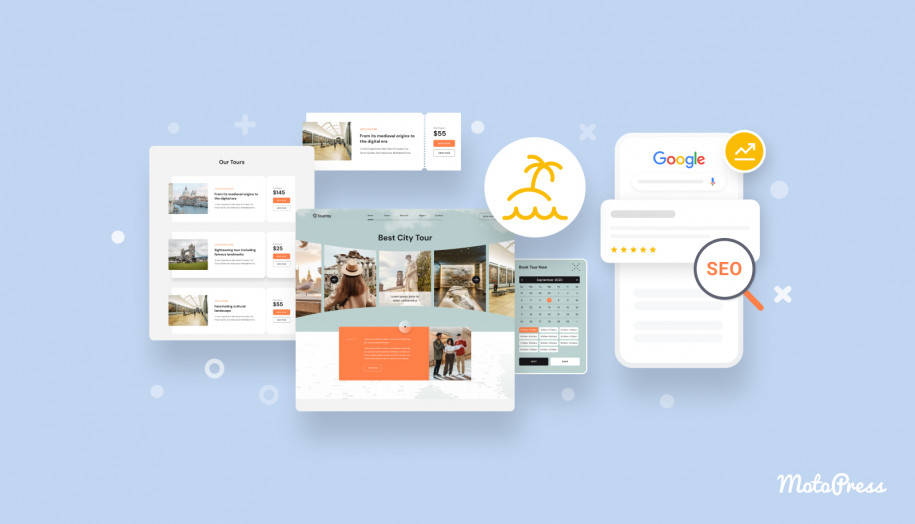
10 SEO Tips for Musicians: Boost Your Online Presence Today!

Credit: motopress.com

10 SEO Tips for Musicians: Boost Your Online Presence Today!

Credit: www.pcmag.com

Frequently Asked Questions On 10 Seo Tips For Musicians

What Are Some Essential Seo Tips For Musicians?

Optimize your website with relevant keywords, create high-quality content, build backlinks from reputable websites, use social media to promote your music, and ensure your website is mobile-friendly.

How Can Musicians Improve Their Website’s Seo?

Improve your website’s loading speed, optimize title tags and meta descriptions, use alt tags for your images, have a clear site structure, and regularly update your website with fresh content.

Is It Important For Musicians To Have A Blog?

Yes, having a blog can help musicians engage with their audience, provide valuable content, and improve their website’s SEO by regularly publishing new and relevant articles.

How Can Musicians Optimize Their Social Media Profiles For Seo?

Use relevant keywords in your social media page names, bio, and posts, include links to your website, engage with your audience, and regularly post high-quality and shareable content.

Conclusion

Incorporating these SEO tips can greatly enhance a musician’s online presence and visibility. By optimizing their website, creating engaging content, and leveraging the power of social media, musicians can attract more fans and reach wider audiences. Implementing these strategies will ultimately improve their rankings on search engines, leading to greater exposure and potential success in the digital age.
Categories
Archive

Run Vst Plugins Standalone: Effortlessly Unlock Their Full Potential

To run VST plugins standalone, you can use a VST host application or a digital audio workstation. This allows you to use VST plugins without a host DAW.

Are you looking to enhance your music production experience by incorporating VST plugins into your workflow? Running VST plugins standalone opens up a world of possibilities for creating and manipulating sounds. Whether you are a music producer, sound designer, or composer, the flexibility of running VST plugins without a host application gives you more creative control and freedom.

We will explore the benefits of running VST plugins standalone and how you can integrate them into your music production setup. Let’s dive in and discover the endless possibilities that standalone VST plugins can offer!

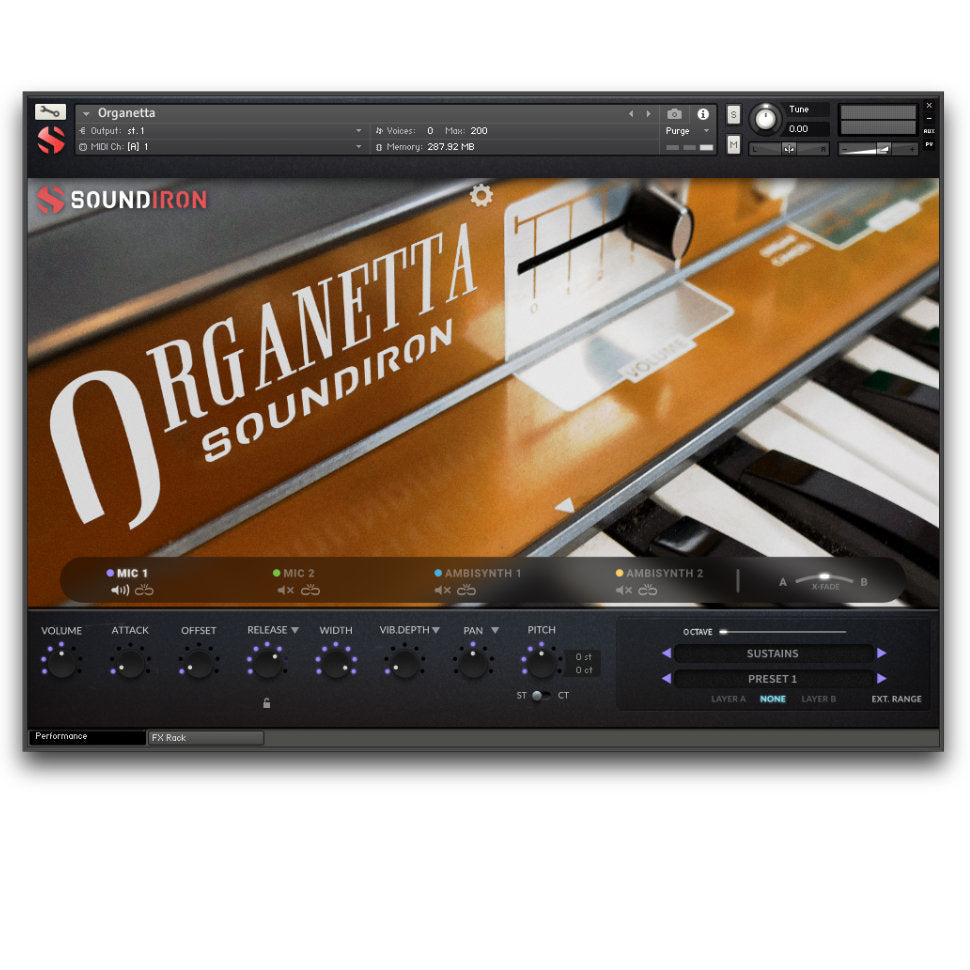
Run Vst Plugins Standalone: Effortlessly Unlock Their Full Potential

Credit: soundiron.com

The Benefits Of Running Vst Plugins Standalone

Increased Workflow Efficiency

Running VST plugins standalone leads to faster workflows and easier access to essential tools.

Portability And Flexibility

Experience the freedom of using VST plugins without being tied to a specific DAW or system.

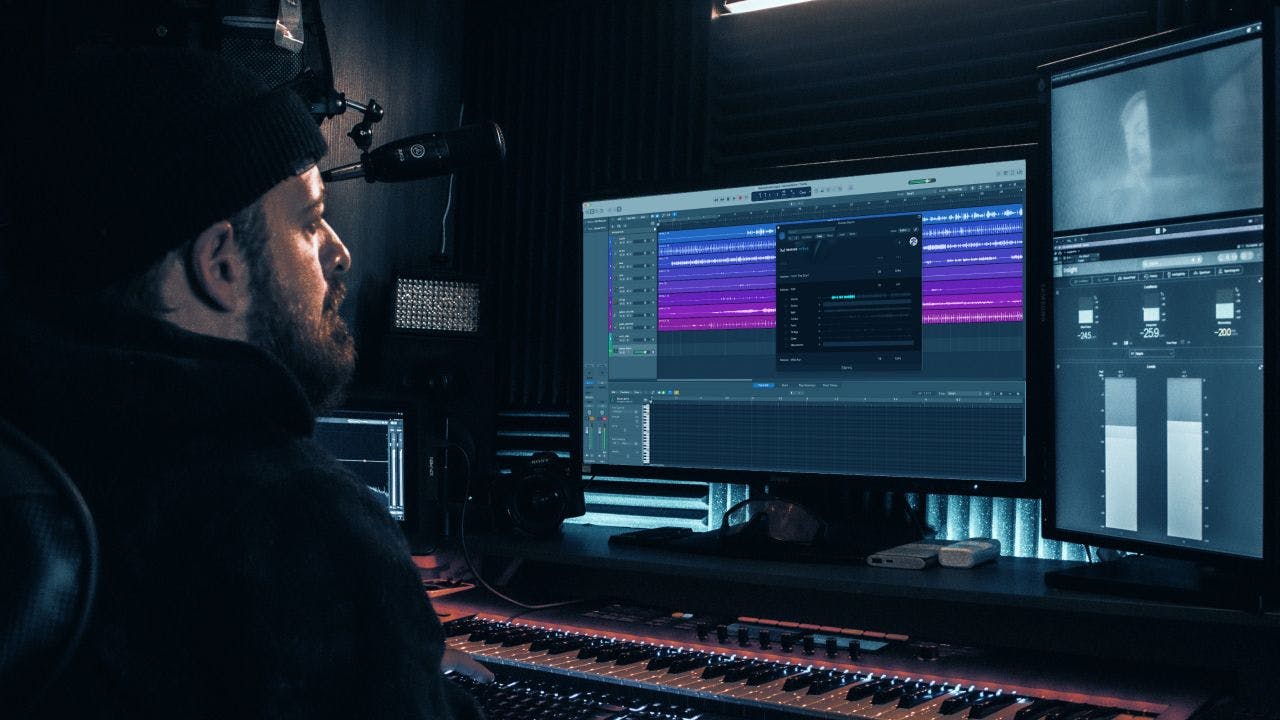
Run Vst Plugins Standalone: Effortlessly Unlock Their Full Potential

Credit: moises.ai

Choosing The Right Tools To Run Vst Plugins Standalone

Choosing the Right Tools to Run VST Plugins Standalone:

Standalone Host Software

Standalone host software enables running VST plugins independently without a digital audio workstation.

Hardware Options For Standalone Vst Plugin Use

Hardware options, such as audio interfaces or dedicated portable devices, support standalone VST plugin usage.


Optimizing Performance And Compatibility

When running VST plugins standalone, optimizing performance and ensuring compatibility are crucial. By understanding the system requirements and implementing optimization techniques, you can enhance the performance and compatibility of your VST plugins.

System Requirements And Optimization

To achieve optimal performance when running VST plugins standalone, it’s essential to meet the necessary system requirements. This includes having a powerful processor, an adequate amount of RAM, and sufficient storage space. Furthermore, optimizing your system by closing unnecessary background processes and updating device drivers can significantly improve performance.

Ensuring Compatibility With Standalone Operation

When using VST plugins in standalone mode, it’s important to ensure compatibility with your operating system and digital audio workstation. Verifying that the plugins are compatible with your specific setup, including hardware and software configurations, can prevent potential compatibility issues. Additionally, staying updated with the latest plugin versions and ensuring they are compatible with your system is crucial for smooth standalone operation.

Exploring Creative Possibilities

Run Vst Plugins Standalone opens up a whole new world of creative possibilities for musicians and producers. With its seamless integration with other devices and the ability to utilize standalone mode for live performances, this software provides endless opportunities to push the boundaries of musical innovation.

Seamless Integration With Other Devices

One of the standout features of Run Vst Plugins Standalone is its seamless integration with other devices. Whether you are using a MIDI controller, a digital audio workstation, or any other hardware or software, this plugin effortlessly syncs up with your setup.

In HTML format, the code for this subheading would be:

“`html

Seamless Integration With Other Devices

“`

Utilizing Standalone Mode For Live Performances

Another exciting aspect of Run Vst Plugins Standalone is its ability to operate in standalone mode. This means that you can use the software without any other external devices or software, making it perfect for live performances. Simply load up your favorite plugins, set up your MIDI mappings, and you’re ready to go.

In HTML format, the code for this subheading would be:

“`html

Utilizing Standalone Mode For Live Performances

“`

With the freedom to explore new sounds and experiment with different combinations of plugins, Run Vst Plugins Standalone empowers musicians and producers to take their performances to the next level. Whether you’re in the studio or on stage, this software provides the tools you need to unlock your creativity and deliver unforgettable musical experiences.

Maximizing The Potential Of Your Vst Plugins

When it comes to music production and audio engineering, VST plugins have revolutionized the way professionals create and manipulate sound. These virtual instruments and effects provide endless possibilities, allowing musicians to shape and mould their tracks with great precision. However, many users are not aware that they can unleash the true power of their VST plugins by running them standalone. In this article, we will explore how you can maximize the potential of your VST plugins and take your music production to the next level.

Unlocking Advanced Features

Running your VST plugins standalone opens up a whole new world of advanced features and customization options. When used within a digital audio workstation (DAW), plugins are often limited by the host software, restricting access to certain features and parameters. By running your VST plugins standalone, you gain full control over every aspect of the plugin, allowing you to explore its hidden capabilities and unlock advanced functionalities. Whether it’s tweaking the oscillators of a synthesizer or fine-tuning the parameters of an audio effect, standalone operation empowers you to push your creativity to the limits.

Harnessing The Full Power Of Vst Instruments And Effects

One of the main advantages of running VST plugins standalone is the ability to harness the full power of VST instruments and effects. When integrated into a DAW, plugins may consume significant CPU and memory resources, especially when dealing with complex projects. By running your plugins standalone, you can allocate the necessary resources specifically to the plugin, ensuring optimal performance and reducing the risk of any audio artifacts or system crashes. This enables you to create more intricate and resource-demanding audio projects without compromising on quality or stability.

In addition to resource management, standalone operation allows you to take advantage of the standalone versions of VST instruments and effects. These versions often come with additional features, intuitive interfaces, and enhanced workflows that are specifically designed for standalone use. Whether you are performing live on stage or working on your tracks in a non-linear fashion, the standalone versions of your VST plugins offer a seamless and efficient workflow, enabling you to focus on your music without any distractions.

With the ability to unlock advanced features and harness the full power of your VST plugins, running them standalone is a game-changer for any music producer or audio engineer. By breaking free from the limitations imposed by DAWs and tapping into the standalone capabilities of your plugins, you can explore new sonic territories and elevate your sound to unprecedented heights. So, take the leap and discover the vast potential that awaits you when you run VST plugins standalone.

Run Vst Plugins Standalone: Effortlessly Unlock Their Full Potential

Credit: www.thempcstore.com

Frequently Asked Questions On Run Vst Plugins Standalone

Can Vst Plugins Be Used Without A Daw?

Yes, VST plugins can be used standalone without a DAW. Some VST plugins have standalone versions that allow you to use them as standalone applications without needing a digital audio workstation (DAW). This is particularly useful for live performances or quick audio editing tasks.

How Do I Run Vst Plugins Without A Daw?

To run VST plugins without a DAW, you can use a standalone VST host software. These applications provide a platform for running VST plugins without the need for a digital audio workstation. Simply open the standalone host software, load your desired VST plugin, and start using it without the complexity of a full DAW setup.

What Are The Benefits Of Running Vst Plugins Standalone?

Running VST plugins standalone offers several benefits. Firstly, it provides a simpler and more focused environment for using individual plugins. It is also useful for quick sound tweaking, live performances, or when you only need the functionality of a specific plugin without the overhead of a full DAW.

Standalone VST plugins can also be used on computers that may not have a DAW installed.

Can Standalone Vst Plugins Be Used With A Daw?

Yes, standalone VST plugins can also be used with a DAW if needed. Some standalone VST plugins can operate as plugins within a digital audio workstation. This allows you to access the standalone plugin’s functionality directly within your DAW, giving you the flexibility to switch between standalone and plugin mode as required.

Conclusion

Running VST plugins standalone offers flexibility and creativity for music producers. By understanding the advantages and limitations, you can effectively integrate these plugins into your workflow. With the right resources and knowledge, you can enhance your music production experience and achieve your desired results.

Explore and experiment with standalone VST plugins to unlock your full potential as a music creator.

Categories
Archive

Best Free Online Mastering: Unlock Your Music’s Full Potential

Looking for the best free online mastering service? LANDR and Aria Mastering are popular choices.


LANDR offers an automated mastering tool that uses AI technology to enhance your music tracks. Aria Mastering provides professional-grade mastering services at no cost, giving you access to industry-standard tools and features. Both platforms deliver high-quality results and can help you achieve a polished sound for your music projects.


Whether you are a beginner or a professional musician, these free online mastering services can elevate the quality of your music production. Start using these tools today to take your music to the next level without breaking the bank.


The Importance Of Mastering

Enhancing Sound Quality

Mastering is essential for amplifying sound quality by refining audio elements.

It fine-tunes frequencies and levels to ensure a polished and professional sound.

Creating A Cohesive Sound

Mastering aids in crafting a unified and cohesive audio experience.

It harmonizes tracks to maintain consistency and flow throughout a project.


Credit: www.udemy.com

Benefits Of Free Online Mastering

Discover the advantages of free online mastering, offering professional-quality audio enhancements without the cost. These platforms provide accessible tools to enhance the sound, optimize tracks, and prepare them for distribution, making it easier for musicians and producers to achieve a polished and professional finish.

The Benefits of Free Online Mastering

Accessibility And Affordability

Learning And Experimentation

Top Free Online Mastering Platforms

If you are an upcoming musician or a seasoned music producer on a budget, you can still achieve professional sound quality without breaking the bank. With the plethora of free online mastering platforms available, you can now fine-tune and enhance your music tracks without the need for expensive software or equipment. Let’s take a look at some of the top free online mastering platforms that can help you refine your music to perfection.

Platform A

Platform A offers a user-friendly interface and a wide range of mastering tools that allow you to polish your tracks effortlessly. With its intuitive controls and real-time preview features, platform A makes it simple for you to apply various effects and adjustments to your music. The platform also provides helpful tutorials and guides to assist you in mastering your tracks effectively.

Platform B

Platform B stands out with its advanced algorithms and AI-powered mastering capabilities. It enables you to analyze and enhance the dynamics, clarity, and overall balance of your music tracks. With an extensive library of preset mastering styles, you can easily experiment with different sound treatments to achieve the desired audio quality for your music.

Platform C

For musicians seeking a comprehensive mastering platform, Platform C offers a diverse set of mastering tools and effects to refine their music. The platform’s interactive interface allows you to fine-tune the EQ, compression, and stereo imaging of your tracks. Moreover, Platform C provides real-time metering and visualization to help you make precise adjustments to your music.

Tips For Successful Online Mastering

Mastering is a crucial process in music production that ensures your tracks sound polished and professional. While hiring a professional mastering engineer is the ideal option, not everyone has the budget for it. That’s where online mastering tools come in handy. In this article, we will discuss some essential tips for successful online mastering, including understanding basic concepts and utilizing tools effectively.

Understanding Basic Concepts

Before diving into online mastering, it’s important to understand some basic concepts to achieve the best results. Here are a few key points to keep in mind:

  1. Dynamic Range: Maintaining a good dynamic range ensures that your music sounds balanced and impactful. Avoid over-compressing or limiting your tracks, as it can lead to a loss of dynamics and excitement.
  2. Equalization: Proper EQing helps to shape the tonal balance of your tracks. Pay attention to the frequency range of each instrument and make subtle adjustments to enhance clarity and separation.
  3. Stereo Imaging: Creating a wide and spacious stereo image can add depth and dimension to your tracks. Experiment with panning, stereo wideners, and imaging plugins to achieve a pleasing sonic landscape.

Utilizing Tools Effectively

With the advancements in technology, there are numerous online mastering tools available to assist you in the process. Here are some effective ways to make the most out of these tools:

  • Reference Tracks: Select a few professionally mastered songs in a similar genre as your own tracks to use as references. A/B comparing your mix with high-quality reference tracks will help you identify areas for improvement and achieve a more commercial sound.
  • Mastering Plugins: Utilize a combination of EQ, compression, saturation, and other mastering plugins to shape the final sound of your tracks. Take the time to experiment with different settings and combinations to find what works best for each individual song.
  • Headroom: Leave enough headroom during the mix to avoid clipping and distortion. Aim for a peak level around -3 dBFS to allow enough room for mastering processing without compromising the audio quality.

Remember, online mastering tools can be a valuable asset, but they should never replace the expertise and experience of a professional mastering engineer. If you have the resources, it’s highly recommended to have your tracks professionally mastered. However, if you’re on a tight budget, following these tips will help you achieve satisfactory results with online mastering tools.

Conclusion And Next Steps

Discover the top free online mastering platforms for enhancing your music. Take your tracks to the next level with professional sound quality and step closer towards mastering perfection. Unlock unlimited potential for your audio productions with these cutting-edge mastering tools.

Taking Your Music To The Next Level

Now that you are aware of the best free online mastering tools available, it is time to take your music to the next level. By harnessing the power of these tools, you can enhance the sound quality of your tracks and give them that professional touch. Here are some steps you can take to get started:

  1. Choose the right tool: Depending on your specific needs and preferences, explore the various options mentioned in this blog post. Consider factors such as user-friendliness, features, and compatibility with your operating system.
  2. Experiment and learn: Once you have selected a tool, don’t hesitate to experiment with different settings and techniques. Take the time to understand how each parameter affects the overall sound of your track. Learning through trial and error will help you develop a better understanding of the mastering process.
  3. Refer to tutorials: To further enhance your mastering skills, seek out online tutorials or guides that provide step-by-step instructions. You will find numerous resources available that can walk you through the process and help you achieve the desired results.
  4. Share and seek feedback: Once you have mastered your tracks, don’t hesitate to share them with others. Share them with fellow musicians, friends or family members, and seek feedback. Constructive criticism can help you identify areas for improvement and refine your mastering skills.

Exploring Further Resources

In addition to the free online mastering tools discussed in this post, there are several other resources you can explore to further enhance your music production journey. Here are some suggestions:

  • Online communities: Join online communities and forums dedicated to music production. Engaging with like-minded individuals can provide you with valuable insights, tips, and tricks.
  • Online courses: Consider enrolling in online courses or workshops that focus on audio mastering. These resources often provide in-depth knowledge and hands-on practice to refine your skills.
  • Professional mastering services: If you are looking for a more polished and refined sound, consider utilizing professional mastering services. Although these services require an investment, they can significantly enhance the overall quality of your tracks.
  • Stay updated: Keep abreast of the latest trends and advancements in the music production industry. Regularly reading blogs, articles, and watching videos related to audio mastering will help you stay informed and continue to grow as a musician.

Best Free Online Mastering: Unlock Your Music's Full Potential


Credit: bookauthority.org

Frequently Asked Questions Of Best Free Online Mastering

What Are Some Popular Free Online Mastering Tools?

Some popular free online mastering tools include LANDR, CloudBounce, and BandLab. These tools allow you to enhance the sound quality of your audio tracks, apply EQ adjustments, and add final touches to your music before releasing it.

Can I Achieve Professional-quality Results With Free Online Mastering?

While free online mastering tools can provide decent results, they may not offer the same level of precision and customization as paid professional mastering services. However, with careful use and some experimentation, you can still achieve impressive results with free tools.

How Do I Choose The Best Free Online Mastering Tool For My Needs?

When choosing a free online mastering tool, consider factors such as the available features, ease of use, and user reviews. It’s also important to try out different tools to find one that aligns with your specific audio mastering requirements and workflow.

Conclusion

The best free online mastering platforms discussed offer a range of features to enhance audio quality. With their intuitive interfaces and impressive tools, these platforms provide an accessible solution for musicians and producers. By taking advantage of these resources, individuals can elevate their sound without the need for expensive software.

Categories
Archive

Spotify Landing Pages : Boost Conversion with Irresistible Power Words

Spotify landing pages serve as entry points for visitors, designed to convert them into users. These pages are essential for showcasing Spotify’s features, driving brand engagement, and increasing user acquisition.

By incorporating compelling visuals, clear calls-to-action, and personalized messaging, Spotify landing pages effectively drive user conversions and enhance the overall user experience on the platform. When optimized with relevant keywords and user-friendly design elements, these landing pages can boost organic search traffic and improve brand visibility across various digital channels.

In this competitive digital landscape, creating impactful Spotify landing pages is crucial for attracting and retaining users, ultimately leading to increased brand success and market share.

Spotify Landing Pages  : Boost Conversion with Irresistible Power Words

Credit: unbounce.com

The Power Of Words

Words have the power to evoke emotions and persuade action on Spotify landing pages. Harnessing the right language can create a lasting impact on the audience, driving engagement and conversions.

Emotional Impact

Choosing words that resonate emotionally with the audience can trigger a personal connection and enhance the overall user experience on your landing page.

Influence Of Persuasive Language

Utilizing persuasive language can motivate users to take a desired action, such as clicking on a playlist or following an artist, leading to increased engagement and loyalty.

Understanding Your Audience

When creating Spotify landing pages, Consumer Behavior Analysis is crucial to tailor the content to your audience.

Consumer Behavior Analysis

By analyzing consumer behavior, understand what appeals to your audience on Spotify landing pages.

Targeting Specific Demographics

Dive deeper into specific demographics to craft landing pages tailored to different audience segments.

Crafting Compelling Copy

Crafting compelling copy for Spotify landing pages is crucial for driving conversions and engaging with your audience. A well-crafted message that resonates with your target audience can make all the difference when it comes to encouraging them to take action. Here are some essential strategies for leveraging the power of persuasive language on your landing pages.

Utilizing Benefit-oriented Language

Using benefit-oriented language on your Spotify landing page can resonate more effectively with your audience. To do this, focus on highlighting the specific advantages that users will gain from the service. For example, instead of simply stating that Spotify offers a vast music library, emphasize the benefit by highlighting the phrase “Access Unlimited Music Selection” to convey the value clearly.

Creating A Sense Of Urgency

Incorporating a sense of urgency in your copy can prompt users to act quickly. Phrases like “Limited Time Offer” or “Act Now for Exclusive Benefits” can encourage visitors to take immediate action, increasing the likelihood of conversion. By conveying a sense of scarcity, you can effectively drive user engagement.

Optimizing For Engagement

Discover how Spotify’s optimized landing pages are designed to enhance user engagement. By strategically curating content and incorporating compelling visuals, Spotify aims to captivate visitors and encourage them to explore the platform. With a focus on user interaction and seamless navigation, these landing pages are tailored to create an immersive experience for music enthusiasts.

Implementing Call-to-action Phrases

Implementing effective call-to-action (CTA) phrases is crucial in optimizing engagement on your Spotify landing pages. A well-crafted CTA can encourage your audience to take the desired action, whether it’s signing up for a premium subscription, following an artist, or exploring a new playlist. Using clear and concise language, make sure your CTA stands out and shows the value that users will gain by taking action. Some examples of compelling CTAs for Spotify landing pages include: 1. Sign up now and unlock an endless world of music. 2. Join our community and discover your next favorite artist. 3. Start your free trial today and enjoy ad-free listening. Remember to place your CTAs strategically throughout the landing page, ensuring they are easily noticeable and accessible. By implementing persuasive call-to-action phrases, you can drive higher engagement and conversions on your Spotify landing pages.

Leveraging Social Proof

When it comes to optimizing engagement on Spotify landing pages, leveraging social proof can be highly effective. Social proof refers to the influence that the actions and opinions of others have on our own behavior. By showcasing positive reviews, testimonials, or user-generated content on your landing pages, you can establish trust and credibility. Displaying the number of followers, plays, or likes an artist or playlist has received can also serve as social proof. People often rely on the popularity and approval of others when making decisions. By highlighting the popularity and positive feedback associated with your Spotify content, you can increase the engagement and interest of potential users. Utilize social proof to reassure visitors that they are making the right choice by engaging with your Spotify landing pages. By integrating positive reviews, testimonials, and metrics that demonstrate the popularity of your content, you can boost engagement and conversions. Implementing effective call-to-action phrases and leveraging social proof are two essential strategies for optimizing engagement on your Spotify landing pages. By crafting compelling CTAs and showcasing positive reviews and testimonials, you can encourage users to take action and establish trust. Incorporate these strategies into your landing page design and content to drive higher engagement and ultimately achieve your business goals on Spotify.

Testing And Iterating

When it comes to creating effective landing pages on Spotify, testing and iterating are essential for success. By continuously analyzing user behavior and feedback, you can optimize your landing pages to drive more conversions and engagement with your content.

A/b Testing Strategies

A/B testing is a powerful technique that allows you to compare two versions of a landing page to determine which one performs better. It involves randomly splitting your audience into two groups and showing them different variations of your landing page. By analyzing the data and metrics, you can identify the elements that resonate most with your audience and improve the overall performance of your landing pages.

Here are a few effective A/B testing strategies to consider:

  1. Testing different headline variations to find out which language resonates best with your target audience.
  2. Trying out different call-to-action (CTA) buttons to see which ones drive more clicks and conversions.
  3. Experimenting with color schemes and design layouts to create a visually appealing and user-friendly landing page.
  4. Testing various social proof elements, such as customer testimonials or user ratings, to establish credibility and trust.

Refining Language Based On Data

Language plays a crucial role in connecting with your audience and persuading them to take action. By refining the language on your landing pages based on data and insights, you can create a more compelling and engaging experience for your visitors.

Here are some tips for refining your language based on data:

  • Analyze user feedback and comments to understand their pain points and preferences.
  • Use keywords and phrases that are frequently used by your target audience to improve search engine visibility.
  • Highlight the benefits and unique selling points of your content or product using clear and concise language.
  • Personalize the language by addressing the user directly, using pronouns like “you” and “your.”

Remember, testing and iterating is an ongoing process. Continuously monitor the performance of your landing pages and make data-driven adjustments to ensure they are optimized for maximum engagement and conversion rates.

Spotify Landing Pages  : Boost Conversion with Irresistible Power Words

Credit: marketingpowerups.com

Spotify Landing Pages  : Boost Conversion with Irresistible Power Words

Credit: fastercapital.com

Frequently Asked Questions For Spotify Landing Pages

What Are Spotify Landing Pages?

Spotify landing pages are web pages specifically designed to promote artists, albums, songs, or playlists on the Spotify platform. They provide a focused space for artists to showcase their music, engage with fans, and drive listeners to their content.

How Can I Create A Spotify Landing Page?

To create a Spotify landing page, you need to be a verified artist on the platform. After verification, access your Spotify for Artists account, go to the Profile tab, and click on “Create a landing page. ” From there, you can customize the page with images, text, and links to your music and social media profiles.

Why Should I Use Spotify Landing Pages?

Spotify landing pages offer several benefits to artists. They provide a centralized hub to promote and share your music, increase discoverability, drive engagement, and direct listeners to specific songs, albums, or playlists. They also allow you to connect with your audience, share updates, and showcase your unique brand and style.

Can I Customize My Spotify Landing Page?

Yes, you can customize your Spotify landing page to align with your brand and musical style. You can upload header images, profile pictures, and a biography. Additionally, you can add links to your social media profiles, upcoming events, merchandise, and other relevant content to enhance your page’s appeal and functionality.

Conclusion

To sum up, the impact of Spotify landing pages on user experience and conversion rates cannot be overstated. The strategic use of compelling visuals and persuasive copy has the potential to significantly enhance marketing efforts. By understanding the best practices for optimizing landing pages, businesses can effectively drive engagement and achieve their conversion goals.


Categories
Archive

How To Masterfully Mix Lead Rap Vocals: Insider Secrets

To mix lead rap vocals, adjust EQ, compression, reverb, and delay for a clear, dynamic sound. Utilize automation to enhance certain phrases or words for impact and emotion.

Mixing rap vocals involves creating a balance between the lead vocal and the backing track to ensure the vocals cut through the mix while maintaining clarity and presence. By following specific techniques and using the right tools, you can achieve professional-sounding rap vocal mixes that elevate the overall quality of your music production.

We will explore the essential steps and best practices for effectively mixing lead rap vocals to help you achieve a polished and engaging sound.

How To Masterfully Mix Lead Rap Vocals: Insider Secrets

Credit: www.businessinsider.com

Choosing The Right Microphone

When it comes to mixing lead rap vocals, selecting the appropriate microphone is crucial for achieving a professional sound.

Understanding Microphone Types

Dynamic: Durable and versatile for various vocal styles.

Condenser: Delivers a more detailed and sensitive sound, ideal for capturing nuances in rap vocals.

Ribbon: Offers a smooth, vintage sound that can add warmth to rap vocals.

Matching Microphone To Vocal Tone

  • Bright Vocals: Consider a condenser mic for clarity.
  • Warm Vocals: Opt for a dynamic or ribbon mic to enhance richness.
  • Neutral Vocals: Experiment with different mics to find the best match.

Setting Up The Recording Environment

To achieve a polished mix for lead rap vocals, setting up the recording environment is crucial. Start by selecting the right mic and creating a soundproof space. Control room acoustics and use pop filters to minimize plosive sounds. Experiment with mic positioning and proper gain staging to capture the best vocal performance.

Setting Up the Recording Environment for Mixing Lead Rap Vocals

Creating A Soundproof Space

To prevent external noises from interfering, ensure your recording space is soundproofed.

  • Use sound-absorbing materials like foam panels or acoustic curtains.
  • Seal any gaps or leaks that may allow sound to enter.
  • Consider using a reflection filter for the microphone.

Optimizing Room Acoustics

Improve the acoustics of your room to enhance sound quality.

  1. Place bass traps in the corners to reduce low-frequency resonance.
  2. Add diffusers and absorbers strategically to minimize reflections.
  3. Position the vocalist and microphone in the optimal spots to capture the best sound.

Applying Audio Processing Techniques

In the process of mixing lead rap vocals, applying audio processing techniques plays a crucial role in achieving a balanced, polished sound. By utilizing various processing tools such as EQ and compression, you can enhance the clarity, presence, and overall impact of the vocal performance, resulting in a professional and captivating sound.

Utilizing Eq For Clarity

EQ serves as a powerful tool for shaping the tonal characteristics of lead rap vocals. By boosting the high frequencies, you can bring clarity and presence to the vocals, making them stand out in the mix. On the contrary, reducing muddy or boxy frequencies can clean up the vocal sound, allowing it to cut through the instrumental elements with precision.

Implementing Compression For Balance

Compression plays a vital role in achieving a balanced and consistent vocal performance. By applying light compression, you can smooth out the dynamics, ensuring that the softer phrases are audible while preventing the louder parts from peaking. Moreover, optimal compression settings help maintain a uniform vocal level throughout the song, enhancing its cohesiveness within the mix.

Optimizing Vocal Effects

When mixing rap vocals, it’s crucial to optimize the vocal effects to enhance the overall sound and create a professional and polished presentation. Here, we’ll explore different techniques to optimize vocal effects such as experimenting with reverb and delay, as well as enhancing depth with chorus and flanger.

Experimenting With Reverb And Delay

Reverb and delay are powerful tools that can bring dimension and depth to rap vocals. However, it’s essential to strike the right balance to avoid overwhelming the mix. Here are some tips to help you experiment effectively:

  • Start with subtle settings and gradually increase the effect to find the sweet spot.
  • Consider the vibe and style of the track when choosing reverb and delay settings. A shorter reverb time may work well for fast-paced rap verses, while longer decay times can add a sense of space to choruses.
  • Experiment with different types of reverb, such as plate, hall, or room, to find the one that complements the vocals and the overall mix.
  • Adjust the delay time to match the tempo of the track, ensuring the delay effect syncs nicely without detracting from the vocal performance.

Enhancing Depth With Chorus And Flanger

Chorus and flanger effects can enhance the depth and texture of rap vocals, giving them a fuller and more captivating presence. Here’s how you can make the most of these effects:

  1. Apply chorus subtly to add width and thickness to the vocal, but be cautious not to overdo it, as excessive chorus can make the vocals sound unnatural.
  2. Experiment with different chorus settings, adjusting the rate and depth to match the desired effect. A slower rate and shallow depth can provide a gentle widening, while a faster rate and deeper depth can create a more pronounced effect.
  3. Flanger can add a touch of movement and vibrancy to the vocals. Use it sparingly to avoid overwhelming the mix.
  4. Try combining chorus and flanger effects subtly to create a unique and captivating vocal sound. However, be mindful of not compromising the clarity and intelligibility of the lyrics.

By optimizing vocal effects through careful experimentation and finding the right balance, you can elevate the quality of rap vocals and bring your mixes to life. Remember to trust your ears, be mindful of the overall mix, and refine the effects until they enhance the vocals without overpowering them.


Mixing Vocals In The Context Of The Beat

One of the essential aspects of creating a professional-sounding rap song is effectively mixing the lead vocals with the instrumentation. When done right, it can help bring out the energy and emotion of the vocals, allowing them to seamlessly blend into the beat. In this article, we will explore two crucial factors in achieving this balance: balancing lead vocals with instrumentation and ensuring vocal intelligibility.

Balancing Lead Vocals With Instrumentation

When mixing lead vocals in the context of the beat, finding the right balance between the vocals and the instrumental elements is key. You want the vocals to stand out without overpowering other elements, such as the drums, bass, or melodies. Here are a few tips to help you achieve this:

  1. Start by setting the vocal levels: Begin by adjusting the volume of the lead vocals so that they sit comfortably in the mix. Experiment with different levels until you find a balance where the vocals are audible but don’t overshadow the instrumental elements.
  2. Consider the frequency spectrum: Pay attention to the frequency range of the vocals and the instrumental elements. Make sure they are not clashing or competing for the same space. For example, you might want to EQ the instrumental elements to carve out space for the vocals, allowing them to cut through the mix.
  3. Use panning and stereo imaging: To create separation between the vocals and the instrumentation, consider panning some of the instrumental elements to different positions in the stereo field. This technique can help widen the overall mix and give the vocals more room to shine.
  4. Implement subtle automation: During different sections of the song, the vocals may need to be emphasized or pulled back to maintain a cohesive balance. Use volume automation to ensure the lead vocals maintain their prominence throughout the track.

Ensuring Vocal Intelligibility

Aside from balancing the lead vocals with the instrumentation, it’s crucial to ensure the vocals remain clear and intelligible to the listener. After all, the lyrics and delivery are at the heart of any rap song. Here are a few techniques to enhance vocal intelligibility:

  • Apply proper equalization: Use EQ to enhance the clarity and presence of the vocals. Reduce any muddiness or harshness in the vocal frequencies to ensure a smooth and pleasant listening experience.
  • Utilize dynamic processing: Apply compression and limiting to even out the dynamic range of the vocals. This helps to control any sudden jumps in volume and ensures a consistent level throughout the performance.
  • Consider adding effects strategically: Use effects such as reverb and delay to add depth and space to the vocals. However, be cautious not to overdo it, as excessive effects can make the vocals sound muddy or distant.
  • Perform thorough vocal editing: Edit and clean up any imperfections in the vocal recordings. Remove background noise, pops, clicks, and any unwanted breaths or mouth noises.

By paying careful attention to balancing the lead vocals with the instrumentation and ensuring vocal intelligibility, you can elevate the overall quality and impact of your rap song. Experiment with these techniques and trust your ears to find the perfect mix that brings your vocals to life.

How To Masterfully Mix Lead Rap Vocals: Insider Secrets

Credit: issuu.com

How To Masterfully Mix Lead Rap Vocals: Insider Secrets

Credit: www.rollingstone.com

Frequently Asked Questions On How To Mix Lead Rap Vocals

What Is The Importance Of Mixing Lead Rap Vocals?

Mixing lead rap vocals is crucial to ensure that the vocals are clear, balanced, and fit well with the instrumental. It helps in creating a professional sound and enhances the overall impact and emotion of the song.

How Do I Prepare My Vocals For Mixing?

Before mixing vocals, it’s essential to clean up any background noise or unwanted artifacts using noise reduction techniques. Additionally, ensure that the vocal tracks are properly recorded, edited, and organized, making it easier to work with them during the mixing process.

What Are Some Key Techniques For Mixing Lead Rap Vocals?

Some important techniques for mixing lead rap vocals include adjusting the volume levels, applying equalization to enhance certain frequencies, using dynamic processing like compression to control the vocal’s dynamics, adding effects like reverb or delay to create depth, and ensuring that the vocals sit well in the overall mix.

How Can I Make My Lead Rap Vocals Stand Out In The Mix?

To make lead rap vocals stand out, consider using techniques like panning to give the vocals a wider stereo image, adding subtle harmonies or vocal doubles to create depth, and using automation to emphasize important lyrics or sections. It’s also crucial to ensure that the vocals are well balanced with the instrumental elements.

Conclusion

Mastering the art of mixing lead rap vocals is crucial for producing high-quality tracks. By following these techniques, you can bring out the best in the artist’s performance and create a dynamic sound that captivates listeners. With careful attention to detail and ongoing practice, you can elevate your mixing skills and make a lasting impact in the music industry.

Categories
Archive

Get Your Song Professionally Mixed: Elevate Your Sound Quality

Need a professionally mixed song? Hire a skilled and experienced audio engineer for top-notch results.

Elevate your music with professional mixing services that bring out the best in your tracks. In today’s competitive music industry, having a well-mixed song is essential to stand out and captivate your audience. A professional mix can enhance the overall sound quality, balance the instruments and vocals, and make your music sound polished and professional.

Whether you’re a solo artist, band, or producer, investing in professional mixing services can take your music to the next level and help you achieve a professional sound that will impress listeners and industry professionals alike. Let’s explore how you can get your song professionally mixed to achieve a professional and high-quality sound.

Get Your Song Professionally Mixed: Elevate Your Sound Quality

Credit: www.fiverr.com

The Importance Of Professional Mixing

Effective mixing is paramount for a song to reach its full potential. In the music industry, professional mixing plays a crucial role in ensuring a polished and high-quality end product.

Enhancing Audio Quality

Professional mixing helps enhance audio quality by refining the sound elements in a song. It involves adjusting levels, equalization, and effects to make sure each instrument and vocal track blend harmoniously.

Balancing Instrumentation And Vocals

Balancing instrumentation and vocals is a key aspect of professional mixing. It involves fine-tuning the volume and placement of each element to create a cohesive and well-rounded sound.

Key Elements Of Professional Mixing

Equalization And Frequency Balancing

Adjusting frequencies in the music to create a balanced sound.

Dynamic Range Compression

Regulates loudness variations in the song for a consistent level.

Choosing The Right Professional Mixing Service

When it comes to getting a song professionally mixed, choosing the right professional mixing service is crucial for ensuring that your music sounds its best. With so many options available, it can be overwhelming to decide which service to go with. To help make the decision easier, consider focusing on two key factors: experience and portfolio, and communication and collaboration.

Experience And Portfolio

A professional mixing service’s experience and portfolio are essential factors to consider when making your decision. Look for a service that has a proven track record of successfully mixing a variety of genres and delivering high-quality results. Their portfolio should showcase their versatility and ability to bring out the best in different types of music.

Communication And Collaboration

Effective communication and collaboration are vital when working with a professional mixing service. You want to ensure that they understand your vision for the song and are open to collaborating with you to achieve the desired sound. Look for a service that is responsive, attentive, and values your input throughout the mixing process.

Get Your Song Professionally Mixed: Elevate Your Sound Quality

Credit: www.upwork.com

Benefits Of Professional Mixing

Experience the transformative benefits of having your song professionally mixed by industry experts. Professional mixing elevates the overall sound quality, enhances musical elements, and ensures a polished, radio-ready final product. Take your music to the next level and impress your audience with a professional mix that captivates and resonates.

When it comes to creating a captivating song, professional mixing plays a crucial role in elevating the overall sound quality and giving your music a competitive edge. Let’s explore the significant benefits that professional mixing can bring to your songs.

Enhanced Sound Quality

One of the primary benefits of professional mixing is the enhancement it brings to the sound quality of your song. Skilled audio engineers possess in-depth knowledge of acoustics, audio equipment, and sound manipulation techniques, allowing them to transform your raw tracks into a well-balanced masterpiece.

Through strategic equalization, they can effectively control the frequency balance of each instrument, ensuring that every element of the song has its rightful place in the mix. This creates a sonic landscape where every instrument can be clearly heard and appreciated, resulting in a polished and professional sound.

Additionally, professional mixing involves expert spatial manipulation, allowing the audio engineer to create a three-dimensional soundstage. By skillfully placing instruments and vocals within the stereo field, they bring depth and dimension to your song, immersing the listener in an engaging sonic experience.

Competitive Advantage

In today’s music industry, standing out among a sea of talented artists is a challenging task. However, opting for professional mixing gives you a competitive advantage that can set your music far above the rest. Skilled audio engineers understand the current trends and standards of various genres, enabling them to create a mix that aligns with what listeners expect.

Moreover, professional mixing ensures that your song achieves a level of sonic clarity and punch that catches the listener’s attention right from the first note. With the right balance, powerful dynamics, and clean audio, your music will be ready to captivate audiences across various platforms.

Furthermore, the industry-leading tools and techniques employed during professional mixing unleash the full potential of your music, allowing it to compete against the professionally produced tracks played on the radio or streaming services. This advantage helps you gain recognition, attract a wider audience, and ultimately increase your chances of success in the music industry.


Tips For Preparing Your Song For Professional Mixing

Prepare your song for professional mixing by organizing tracks, cleaning up audio, and providing reference tracks for the mixer. Ensure all elements are clearly labeled and consolidated to streamline the mixing process and achieve optimal results. It’s essential to communicate your vision and preferences effectively to the mixer to guarantee a successful outcome.

Preparing your song for professional mixing is essential to ensure that you get the best results from your collaboration with a mixing engineer. By taking a few extra steps before handing over your tracks, you can greatly enhance the final outcome of your song. In this blog post, we will discuss two important tips to help you prepare your song effectively.

Clean Up Your Tracks

Before sending your tracks to a mixing engineer, it’s important to clean them up to avoid any distractions or unwanted noise that could affect the quality of the final mix. Take the time to go through each individual track and remove any pops, clicks, or hisses. This can be done using audio editing software or plugins specifically designed for noise removal. Additionally, make sure that there are no audio gaps or glitches between your regions or clips. Keeping your tracks organized and free from any unwanted artifacts will make the mixing process smoother and more efficient.

Make Notes On Your Preferences

When outsourcing your mixing to a professional, it’s crucial to communicate your preferences and vision for the final mix. To ensure that your expectations are met, make detailed notes regarding the overall sound you’re aiming for, specific elements you want to highlight or minimize, and any creative ideas you have in mind. Outline your desired balance between instruments, vocals, and other elements, and be sure to mention any specific effects or techniques you’d like to be used. Providing clear directions and preferences will help the mixing engineer understand your vision and deliver a mix that aligns with your artistic goals. Here is a quick checklist to help you prepare your song for professional mixing:
  • Clean up your tracks by removing any unwanted noises.
  • Check for audio gaps or glitches between regions or clips.
  • Make detailed notes on your preferences and desired overall sound.
  • Outline specific elements to highlight or minimize in the mix.
  • Communicate your desired balance between instruments, vocals, and other elements.
  • Mention any specific effects or techniques you’d like to be used.
By following these tips, you’ll be well-prepared to hand over your song to a professional mixing engineer, ensuring that they have all the necessary information and clean tracks to deliver a high-quality and satisfactory final mix. Don’t underestimate the importance of proper preparation in achieving the best results for your music.
Get Your Song Professionally Mixed: Elevate Your Sound Quality

Credit: www.facebook.com

Frequently Asked Questions On Get A Song Professionally Mixed

What Is The Process Of Professionally Mixing A Song?

Professionally mixing a song involves adjusting levels, adding effects, and balancing the audio to create a polished and cohesive sound. It includes tasks like EQ, compression, reverb, and panning to enhance the overall quality and clarity of the music.

Why Should I Get My Song Professionally Mixed?

Getting your song professionally mixed ensures that it sounds its best. A professional mix can make your music stand out by improving the balance, clarity, and overall impact of the audio. It can also enhance the listener’s experience and increase the chances of your song being well-received.

How Long Does It Take To Get A Song Professionally Mixed?

The time it takes to professionally mix a song can vary depending on several factors, such as the complexity of the music, the number of tracks, and the experience of the mixing engineer. On average, it can range from a few hours to a few days.

How Much Does It Cost To Get A Song Professionally Mixed?

The cost of professional music mixing can vary depending on factors such as the length and complexity of the song, the reputation and expertise of the mixing engineer, and other additional services required. It is recommended to contact a few professionals and get quotes to determine the cost for your specific needs.

Conclusion

Professional song mixing is crucial for a polished, radio-ready sound. By investing in professional mixing services, artists can elevate their music to new heights, captivate their audience, and stand out in a competitive industry. Take your music to the next level with expert song mixing services!

Categories
Archive

Before You Submit Your Song: Unlock Your Musical Success

Before you submit your song, ensure it is mixed and mastered at a professional level to stand out among competitors. This will improve your chances of getting noticed by industry professionals and listeners alike.

Submitting a polished and high-quality song gives you a competitive edge in the music industry. With the rise of digital music platforms, the music market is saturated, making it crucial to present your best work. Effective mixing and mastering can make your song sound professional and appealing to a wider audience.

Take the time to perfect your music production before submitting to increase your chances of success in the competitive music industry.

Before You Submit Your Song: Unlock Your Musical Success

Credit: www.indieonthemove.com

Setting The Stage For Success

Crafting Memorable Melodies

Crafting melodies that linger in the mind is crucial for a song’s success. Melodies should be catchy and easy to remember.

Perfecting Lyric Writing

Writing lyrics that resonate with listeners is essential. Lyrics should evoke emotions and connect with the audience.

Polishing Your Sound

Focus on optimizing the arrangement of instruments in your song.

Experiment with different combinations to achieve a harmonious blend.

Employ various recording methods to capture the best sound quality.

Experiment with mic placements and acoustic settings for optimal results.

Building Your Brand

Building Your Brand is an essential step in becoming a successful musician. To stand out in the competitive music industry, you need to establish a strong and unique identity that resonates with your audience. This requires a focused effort on Creating a Strong Online Presence and Developing a Unique Image.

Creating A Strong Online Presence

Having a strong online presence is crucial for reaching a wider audience and engaging with your fans. Start by creating a professional website that showcases your music, provides information about upcoming shows, and offers merchandise for sale. Utilize social media platforms such as Facebook, Instagram, and Twitter to connect with your fans, share behind-the-scenes content, and promote your music. Regularly engage with your audience by responding to comments and messages, and consider starting a blog to share your journey as an artist.

Developing A Unique Image

Your image as a musician is a powerful tool for capturing the attention of potential fans and creating a lasting impression. Consider your style of dress, stage presence, and overall aesthetic to reflect your music and personality. Developing a unique image involves aligning your visual identity with your music, whether it be through fashion choices, artwork, or stage design. This cohesive approach will help you stand out and make a memorable impact on your audience.

Before You Submit Your Song: Unlock Your Musical Success

Credit: grahamenglish.com

Navigating The Music Industry

Navigating the Music Industry

If you’re an aspiring musician or songwriter, navigating the music industry can feel like a daunting task. From understanding copyright and royalties to building a network and collaborating with others, there’s a lot to consider. In this blog post, we’ll explore some essential aspects of the music industry that you should be aware of before you submit your songs.

Understanding Copyright And Royalties

When it comes to your music, understanding copyright and royalties is crucial. Copyright protects your original work from being copied or used without your permission. It gives you exclusive rights to distribute, reproduce, perform, and display your music. Moreover, it ensures that you are credited and compensated for your creativity.

Additionally, royalties play a significant role in the music industry. Royalties are the payments made to songwriters, composers, and performers when their music is played on various platforms like radio, streaming services, or at live performances. Understanding how royalties work is essential in ensuring you receive fair compensation for your hard work and talent.

Networking And Collaboration

Building a strong network and collaborating with others is a key aspect of success in the music industry. Networking allows you to connect with industry professionals, such as producers, managers, and fellow musicians, who can help you navigate the industry and create opportunities. Collaborating with other artists can also help you expand your creative horizons and reach a wider audience.

When networking, attending events, conferences, and music festivals can provide valuable opportunities to meet industry insiders. Furthermore, online platforms and social media are fantastic tools for connecting with like-minded individuals and promoting your work. Remember, building relationships takes time, so be patient and proactive in pursuing connections.

Conclusion

Before you submit your song to the music industry, it’s crucial to navigate the process effectively. Understanding copyright and royalties will protect and compensate you for your work, while networking and collaboration will help you grow and succeed in the industry. By keeping these essential aspects in mind, you’ll be better prepared to make your mark and achieve your musical aspirations.


Preparing For The Submission Process

When it comes to submitting your song, preparation is key. Taking the time to get organized and plan your approach can greatly increase your chances of success. In this section, we will explore two important aspects of preparing for the submission process: selecting the right platforms and developing effective promotional strategies.

Selecting The Right Platforms

Before submitting your song, it’s crucial to determine the platforms that are the best fit for your music. Consider your target audience and the genre of your song. Are you aiming for a mainstream audience, or is your sound more niche? Research different platforms to find out where your music would be most likely to resonate.

Here are a few popular platforms to consider:

Platform Target Audience Features
Spotify Mainstream audience Playlist placement, personalized recommendations
SoundCloud Emerging artists and indie music fans User comments, easy sharing options
Bandcamp Fans of independent musicians Direct sales, artist-friendly features

Remember, it’s important to prioritize quality over quantity. Instead of spreading yourself thin across multiple platforms, focus on a select few where you can engage with your target audience effectively.

Promotional Strategies

Once you have chosen the platforms to submit your song to, it’s time to develop a strong promotional strategy. Getting your music noticed requires more than just uploading it and hoping for the best. Here are some proven strategies to help increase your chances of success:

  • Build a strong online presence: Create a website and social media profiles dedicated to your music. Connect with your fans and engage with the online music community.
  • Reach out to bloggers and influencers: Research influential music bloggers and social media influencers who align with your genre. Send them personalized emails introducing your music and requesting a feature or review.
  • Collaborate with other artists: Partnering with other musicians can expose your music to new audiences. Look for artists who share a similar sound or style and explore opportunities for collaboration.
  • Utilize email marketing: Build an email list of fans and send regular updates about your music, upcoming shows, and new releases. Email marketing can help nurture your fan base and keep them engaged.
  • Run targeted ads: Invest in targeted online advertising to reach your desired audience. Platforms like Facebook Ads and Google AdWords allow you to define specific demographics and interests for optimum results.

By implementing these promotional strategies and constantly refining your approach, you can maximize the visibility and reach of your music.

Before You Submit Your Song: Unlock Your Musical Success

Credit: www.raddaconnect.com

Frequently Asked Questions On Before You Submit Your Song

How Can I Submit My Song For Consideration?

To submit your song for consideration, you can usually visit the artist’s website or their preferred music platform. Look for a submission form or contact information to send your song directly to the artist or their team.

What Format Should My Song Be In When Submitting?

When submitting your song, it’s best to provide it in a widely acceptable format, such as MP3 or WAV. This ensures compatibility across different devices and platforms. Avoid unusual formats that may cause issues during the review process.

Are There Any Guidelines For Song Submissions?

Yes, most artists or music platforms have specific guidelines for song submissions. These may include requirements for genre, length, or content. Familiarize yourself with these guidelines to increase your chances of getting your song considered.

How Long Does It Typically Take To Hear Back About My Submission?

The response time for song submissions can vary depending on the artist or music platform. It’s best to be patient and give them adequate time to review your song. If there’s a specified response time mentioned on their website, make sure to note it.

Conclusion

It’s crucial to take the time to prepare your song for submission. By following these steps, you can ensure that your song is in top shape before you send it off. Remember to focus on the quality of your content and target the right audience for the best results.

Good luck on your musical journey!

Categories
Archive

Audacity Overview: Unleash the Power of this Dynamic Audio Editing Software

Audacity is a free, open-source, cross-platform audio software for recording and editing sound. It offers robust features for producing high-quality audio content.

Audacity’s user-friendly interface makes it popular among beginners and professionals alike. With its ability to record live audio, digitize recordings, and apply various effects and filters, Audacity is a versatile tool for content creators, podcasters, musicians, and educators. Whether you are editing music tracks, creating podcasts, or enhancing audio recordings, Audacity provides a comprehensive platform for all your audio editing needs.

Its extensive range of editing tools, plugins, and multitrack capabilities make it a preferred choice for many users in the audio production industry. Start creating your masterpieces with Audacity today!

Audacity Overview: Unleash the Power of this Dynamic Audio Editing Software

Credit: www.amazon.com

Features Of Audacity

Audacity is a versatile audio editing software that offers a variety of features to users. Let’s delve into the key aspects that make Audacity stand out.

Audio Recording

  • Audacity allows users to record audio from various sources like microphones and audio interfaces.
  • The software enables real-time recording and monitoring of audio input for precise control.

Editing Capabilities

  • Audacity provides a user-friendly interface for editing audio tracks with ease.
  • Features like cut, copy, paste, and delete enable efficient audio editing.

Effects And Plugins

  • Audacity offers a wide range of built-in audio effects such as reverb, equalization, and noise reduction.
  • Users can also install third-party plugins to enhance the effects library.

Getting Started With Audacity

Getting Started with Audacity is a simple process that allows you to dive into the world of audio editing quickly.

Installation

Installing Audacity is straightforward. Visit the official website, download the software, and follow the on-screen instructions.

Interface Overview

Once installed, the Audacity interface may seem overwhelming at first but is user-friendly and intuitive.


Advanced Techniques

Advanced Techniques in Audacity allow users to leverage powerful features and take their audio editing to the next level. From multitrack editing to noise reduction and time-stretching and pitch-shifting, mastering these techniques can enhance the quality and creativity of your audio projects.

Multitrack Editing

Multitrack editing in Audacity enables users to work with multiple audio tracks simultaneously, making it easier to mix and arrange audio elements. Users can adjust volume, panning, and apply various effects to individual tracks, allowing for more control and creativity in audio production.

Noise Reduction

Audacity’s noise reduction feature allows users to effectively remove unwanted background noise from recordings, resulting in cleaner and more professional-sounding audio. This can greatly improve the overall quality of the final product, especially for podcasters, musicians, and audio engineers.

Time-stretching And Pitch-shifting

With Audacity, users can manipulate the tempo and pitch of audio tracks using the time-stretching and pitch-shifting tools. This allows for creative manipulation of audio elements, such as altering the speed of a song or adjusting the pitch of a vocal track, opening up a world of possibilities for experimentation and innovation.

Audacity Overview: Unleash the Power of this Dynamic Audio Editing Software

Credit: www.amazon.com

Tips And Tricks

In this section, we will explore some useful tips and tricks to enhance your experience with Audacity. From time-saving keyboard shortcuts to managing multiple tracks efficiently, these techniques will help you become a power user of this audio editing software.


Keyboard Shortcuts

Mastering keyboard shortcuts can significantly speed up your workflow in Audacity. Refer to the table below for some of the most commonly used shortcuts:

Shortcut Description
Ctrl + N Create a new project
Ctrl + O Open an existing project
Ctrl + S Save the current project
Ctrl + Z Undo the last action
Ctrl + Shift + Z Redo the previously undone action
Ctrl + A Select the entire audio track

Working With Multiple Tracks

Audacity allows you to work with multiple tracks simultaneously, enabling you to create professional and intricate audio compositions. Here are some tips for managing multiple tracks:

  1. Label your tracks: Give your tracks descriptive names to easily identify them in the project. This will save you time when navigating through numerous tracks.
  2. Use solo and mute: When working with multiple tracks, you can solo or mute individual tracks to focus on specific sections or cut down on unnecessary audio playback.
  3. Grouping tracks: Group related tracks together to keep them organized. To do this, select the tracks, right-click, and choose the “Group” option.
  4. Adjust track height: Customize track height to fit more tracks on your screen. Hover over the bottom edge of the track and click and drag it up or down to resize.
  5. Time shifting: Move tracks forward or backward in time by selecting the time shift tool and dragging the track left or right. This is useful for aligning different audio elements.

By applying these tips and tricks, you can optimize your workflow in Audacity, saving time and creating impressive audio projects with ease.

Audacity Overview: Unleash the Power of this Dynamic Audio Editing Software

Credit: www.nepal.ubuy.com

Frequently Asked Questions For Audacity Overview

What Is Audacity And What Is It Used For?

Audacity is a free and open-source audio editing software. It is used to record, edit, and enhance audio files. With Audacity, you can cut, copy, paste, and delete audio sections, apply various effects, adjust pitch and tempo, and much more.

It is widely used by podcasters, musicians, and audio enthusiasts.

Can Audacity Be Used On Windows And Mac?

Yes, Audacity is compatible with both Windows and Mac operating systems. It works seamlessly on Windows XP, Vista, 7, 8, and 10, as well as on macOS 10. 7 and later versions. Whether you have a Windows PC or a Mac, you can easily install and use Audacity for all your audio editing needs.

Is Audacity Difficult To Learn For Beginners?

Audacity has a user-friendly interface and a straightforward approach to audio editing. While it may take some time to get familiar with all its features, there are plenty of tutorials, guides, and online resources available to help beginners. With a little practice, anyone can learn the basics of Audacity and start editing their audio files.

How Can I Install Audacity On My Computer?

To install Audacity, visit the official website and download the installer for your operating system. Run the installer file and follow the on-screen instructions to complete the installation. Once installed, you can launch Audacity and start using it immediately. Make sure to check for any updates regularly to ensure you have the latest version.

Conclusion

To sum up, Audacity is a powerful, user-friendly audio editing software perfect for beginners and professionals alike. With its multitude of features and free availability, it provides a versatile platform for creating high-quality audio projects. So, whether you’re a podcaster, musician, or sound engineer, Audacity has got you covered.

Start editing and creating today!

Categories
Archive

Live Recording Tips Tricks: Master the Art with Powerful Techniques

To achieve optimal live recording results, consider proper microphone placement and room acoustics. These elements significantly impact audio quality.

Live recording is a dynamic process that involves capturing the energy and essence of a performance in real-time. Whether working in a studio or on location, implementing the right techniques can make a significant difference in the final product. From choosing the right equipment to setting appropriate levels, attention to detail is key in live recording.

Understanding how different factors influence the sound and being prepared for unforeseen challenges can help ensure a successful recording session. By following some essential tips and tricks, you can enhance the overall quality and impact of your live recordings.

Choosing The Right Location

When it comes to live recording, selecting the ideal location is crucial for capturing high-quality audio. Here are some key factors to consider:

Considering Acoustic Environment

  • Assess the acoustics: Choose a space with balanced reverberation to prevent sound distortion.
  • Opt for a spacious area: Ensure the room offers enough space for instruments and equipment.
  • Avoid reflective surfaces: Stay away from areas with hard walls or floors that can cause echo.

Managing Background Noise

  1. Minimize external sounds: Select a location away from traffic or other loud disturbances.
  2. Use soundproofing techniques: Consider adding carpets, curtains, or acoustic panels to reduce noise interference.
  3. Set up in a quiet time: Plan your recording sessions during times when background noise is minimal.

Choosing a suitable location sets the foundation for a successful live recording, ensuring optimal audio quality and minimal distractions.

Live Recording Tips Tricks: Master the Art with Powerful Techniques

Credit: www.theguardian.com

Selecting The Best Equipment

When it comes to live recording, selecting the best equipment is crucial for achieving professional audio quality. Here, we will discuss Microphones and Their Placement as well as Audio Interfaces and Recorders.

Microphones And Their Placement

  • Choose a high-quality microphone suitable for your recording environment.
  • Position the microphone strategically for optimal sound capture.
  • Utilize microphone shock mounts to prevent unwanted vibrations.

Audio Interfaces And Recorders

  1. Select an audio interface that offers multiple inputs and outputs.
  2. Ensure the recorder has features like phantom power and high-resolution audio.
  3. Check for portability and ease of use when selecting your equipment.

Setting Up For Success

Optimizing Recording Levels

One key factor in setting up for success in live recording is optimizing recording levels. Before starting the recording session, ensure that the levels are properly set to capture the best sound without clipping or distortion. Utilize a sound meter to monitor and adjust the levels during the performance.

Creating A Comfortable Environment For Performers

Another crucial aspect for success in live recording is creating a comfortable environment for performers. This includes providing adequate space, ensuring proper lighting, and maintaining a suitable temperature. Additionally, utilizing comfortable seating and offering refreshments can help maintain a relaxed and focused atmosphere during the recording process.

Live Recording Tips Tricks: Master the Art with Powerful Techniques

Credit: www.linearity.io

Optimizing The Recording Process

Enhance your live recording process with effective optimization. Follow these tips and tricks to achieve high-quality recordings that capture the energy and emotion of a live performance. Implementing these strategies can significantly improve the overall sound and impact of your live recordings, ensuring a memorable listening experience for your audience.

Utilizing Soundchecks Effectively

One of the key elements to optimizing the recording process is effectively utilizing soundchecks. Soundchecks allow you to fine-tune the various aspects of the audio setup before capturing the live performance. By following some essential tips and tricks during soundchecks, you can ensure a smooth recording process and achieve high-quality results.

  • Select a suitable location: Find a space that offers minimal background noise and is acoustically favorable for recording. This will help reduce unwanted audio interference and ensure clarity in the recordings.
  • Check all equipment: Thoroughly test all the equipment involved, such as microphones, cables, and instruments, to identify any technical issues early on. This allows you to make necessary adjustments or replacements before recording begins.
  • Set appropriate levels: Balance the input levels of each instrument and microphone to avoid distortions or inconsistencies in the recording. Use a sound meter to measure the decibel levels and ensure they are well within the acceptable range.
  • Adjust equalization (EQ): Use an equalizer to fine-tune the frequency response of each instrument and vocal. By adjusting the EQ settings, you can enhance the overall tonal balance and eliminate any unwanted resonances or harshness.

Implementing Multitrack Recording Techniques

Another valuable technique for optimizing the recording process is implementing multitrack recording. Multitrack recording allows you to capture each instrument and vocal separately on individual tracks, giving you greater control over the mixing process and improving the overall quality of the final mix. Here are a few tips to effectively implement multitrack recording:

  1. Assign individual tracks: Allocate separate tracks for each instrument, vocal, and any other audio source. This ensures that each element can be edited and mixed independently, allowing for greater flexibility during post-production.
  2. Use headphones: Have the musicians wear headphones during the recording session to minimize bleed between tracks. This prevents sound leakage from one track to another, resulting in cleaner, more isolated recordings.
  3. Record multiple takes: Encourage the musicians to record multiple takes of their parts. This gives you more options during the mixing stage, allowing you to choose the best performances for each track and create a polished final product.
  4. Manage track levels: Keep a close eye on the volume levels of each track to avoid clipping and ensure a balanced mix. Adjust the levels as needed to maintain consistent audio throughout the recording.

Post-production Techniques

Discover essential post-production techniques for optimizing live recording quality with expert tips and tricks. Enhance audio clarity and balance for professional results in your recordings. Apply advanced editing methods to refine live performances for a polished final product.

Mixing And Mastering Approaches

Mixing

When it comes to live recording post-production, mixing plays a crucial role in creating a balanced and professional sound. Mixing involves adjusting the levels, panning, and adding effects to individual tracks to ensure they fit together harmoniously. To achieve the best results:

  1. Start by organizing your tracks into logical groups, such as drums, vocals, guitars, etc. This will make the mixing process more efficient.
  2. Use EQ (equalization) to enhance the clarity and presence of each instrument. Carefully adjust the frequencies to ensure they don’t clash and occupy their sonic space.
  3. Panning allows you to position different instruments in the stereo field. Experiment with panning to create a balanced and immersive listening experience.
  4. Adding effects such as reverb, delay, and compression can add depth, space, and polish to your mix. Adjusting the parameters subtly can make a big difference without overpowering the original sound.

Mastering

Once you’re satisfied with the mix, mastering takes your recording to the next level by enhancing its overall sound quality and ensuring consistency across different playback systems. To successfully master your live recording:

  • Start by normalizing the overall volume of your mix to ensure it peaks at an optimal level without distortion.
  • Use a multi-band compressor to control and balance the dynamics of your mix. This will help you achieve a more consistent sound throughout the recording.
  • Apply subtle EQ adjustments to refine the tonal balance and make your mix sound fuller and more polished.
  • Add a limiter to prevent the mix from exceeding a certain volume threshold and to give it the necessary loudness for a captivating listening experience.

Utilizing Editing Software For Enhancements

Editing software can be a powerful tool in post-production to enhance the quality of your live recordings. Here are some useful techniques:

  1. Trimming and cutting: Remove any unwanted noise, pauses, or mistakes to ensure a seamless and professional final product.
  2. Noise reduction: Use noise reduction plugins or tools to minimize background noise and improve the overall clarity of your recording.
  3. Time alignment: Adjust the timing of individual tracks or sections to improve the tightness and synchronization of the performance.
  4. Adding effects and automation: Experiment with various effects like chorus, delay, or automation to add depth and creativity to your recording. But remember, moderation is key!
Live Recording Tips Tricks: Master the Art with Powerful Techniques

Credit: www.facultyfocus.com

Frequently Asked Questions For Live Recording Tips Tricks

What Are Some Live Recording Tips For Beginners?

Live recording tips for beginners include practicing beforehand, using proper equipment, setting up a good recording environment, and optimizing microphone placement.

How Can I Improve The Sound Quality Of Live Recordings?

To improve the sound quality of live recordings, consider factors such as microphone selection, soundproofing the recording area, using compression and equalization techniques, and adjusting input levels properly.

What Are Some Common Mistakes To Avoid During Live Recording Sessions?

Common mistakes to avoid during live recording sessions include clipping audio levels, not monitoring the recording, inadequate preparation, poor microphone technique, and forgetting to backup recordings.

How Can I Capture A Live Performance Without Any Technical Glitches?

To capture a live performance without technical glitches, ensure all equipment is properly set up and tested, use reliable power sources, have backup equipment on hand, and consider using a multitrack recording setup to address any potential issues.

Conclusion

To wrap it up, these live recording tips and tricks are essential for producing high-quality recordings. By implementing these techniques, you can enhance the overall sound and ensure a smooth recording process. Remember to experiment, practice, and stay creative while utilizing these tips to take your live recordings to the next level.

Embrace the journey of live recording, and let your creativity shine through!


Categories
Archive

License Music Without Selling : Unlock Your Creative Potential

To license music without selling, you can offer it for commercial use through music licensing platforms. By doing so, you can earn royalties from businesses using your music.

Music licensing offers a way for musicians to profit from their work without giving up ownership. This allows artists to retain control over their music while still earning income. Licensing music for commercial use can be a lucrative opportunity for both emerging and established musicians alike.

When you decide to license your music, it is important to understand the terms and conditions of the licensing agreement. By licensing your music smartly, you can maximize your earnings and exposure in the music industry. In this guide, we will explore the benefits of licensing music without selling, how to get started, and tips for successful music licensing agreements.

Unlocking Creative Potential

Unlocking Creative Potential Through Licensing Music

Embracing Creative Freedom

A world of possibilities opens up when you choose to license music without selling your soul. Embrace your artistic freedom and break free from limitations.

  • Explore diverse genres
  • Experiment with new styles
  • Express your unique vision

Finding Your Unique Sound

Discover the essence of your musical identity by delving into the realm of licensed music. Uncover your distinct sound that sets you apart from the crowd.

  1. Listen to various artists
  2. Draw inspiration from different cultures
  3. Cultivate your signature style
License Music Without Selling : Unlock Your Creative Potential

Credit: www.productionmusiclive.com

Licensing Music

Licensing music is a crucial aspect of the music industry that allows creators to obtain the legal right to use music in various applications without selling ownership. Understanding Licensing can help artists and businesses navigate the process of legally using music while Benefits of Licensing Music can showcase the advantages of obtaining proper licenses.

Understanding Licensing

Licensing music involves granting permission for the use of copyrighted music for specific purposes, such as commercial use in advertisements, films, or public performances. This process ensures that the creators are compensated for their work and that the users adhere to legal requirements.

Benefits Of Licensing Music

1. Legal Protection: Licensing music provides legal protection for both the creators and users, minimizing the risk of copyright infringement.

2. Access to Quality Content: By licensing music, individuals and businesses can access a wide range of high-quality music to enhance their projects.

3. Professionalism: Properly licensing music adds a level of professionalism to projects, making them more marketable and appealing to audiences.

Methods Of Licensing

When it comes to licensing music, there are several methods available for individuals and businesses to obtain the rights to use music without selling. Here, we will explore two common methods of licensing music: Royalty-Free Music and Creative Commons Licensing.

Royalty-free Music

Royalty-free music refers to a type of music licensing that allows the purchaser to pay for the music license only once and to use the music for as long as desired. The purchaser does not have to pay any additional royalties or licensing fees for each use.

Royalty-free music is a cost-effective option and provides flexibility in usage. Businesses, creators, and individuals can use royalty-free music for various purposes, such as background music for videos, podcasts, commercials, and more.

Creative Commons Licensing

Creative Commons licenses provide an alternative to traditional copyright, allowing creators to specify the permissions they grant for the use of their work. There are several types of Creative Commons licenses, each with different conditions, such as attribution, non-commercial use, and share-alike requirements.

These licenses allow creators to share their work with flexibility, enabling others to use, remix, and distribute the work within the specified conditions. Creative Commons licensed music is often used by content creators, educators, and artists seeking music with specific usage rights.

License Music Without Selling : Unlock Your Creative Potential

Credit: www.vox.com

Avoiding Common Pitfalls

In the world of music licensing, there are several common pitfalls that artists and content creators must be aware of. These pitfalls can lead to legal issues and potential financial loss if not navigated carefully. In this section, we will explore these common pitfalls and provide tips on how to avoid them.

Legal Considerations

When it comes to license music without selling, it is crucial to understand the legal considerations that come along with it. Ignoring these considerations can result in copyright infringement and legal consequences.

Here are a few legal considerations to keep in mind:

  1. Copyright Ownership: Ensure that you have the legal rights to use the music you want to license. Make sure you have obtained the appropriate licenses or permissions from the copyright owner.
  2. Royalty Payments: Understand the payment structure associated with the license you choose. Some licenses require upfront payments, while others require royalties based on usage or sales.

By addressing these legal considerations, you can ensure that you are on the right side of the law when licensing music without selling.

Choosing The Right License

Choosing the right license is crucial when it comes to license music without selling. The license you select will determine the terms and conditions under which you can use the music.

Consider the following factors when choosing a license:

  • Intended Use: Determine whether you plan to use the music for personal, commercial, or non-profit purposes. Different licenses may have restrictions on how the music can be used.
  • License Type: Familiarize yourself with the various types of licenses available. Creative Commons licenses, for example, offer different levels of permissions and restrictions.
  • License Duration: Understand how long the license is valid and whether it needs to be renewed or extended. Some licenses may have limitations on the duration of use.

By carefully considering these factors, you can choose the right license that aligns with your intended use and offers the necessary permissions while avoiding common pitfalls.


Promoting Your Work

Once you have licensed your music without selling it, the next step is to promote your work to reach a wider audience. Building your brand and leveraging social media are two effective strategies you can use to get your music noticed. By following these techniques, you can increase your visibility and gain more recognition in the music industry.

Building Your Brand

Building your brand is crucial for establishing a strong presence in the music industry. Having a recognizable brand helps you stand out from the competition and makes it easier for people to find and connect with your music. Here are some key strategies to build your brand:

  1. Create a memorable logo and design elements that represent your music style and personality.
  2. Develop a consistent visual identity across all your online platforms, including your website, social media profiles, and album covers.
  3. Write a compelling artist bio that reflects your unique story and musical journey.
  4. Engage with your fans regularly by responding to comments, messages, and emails.

By focusing on these branding strategies, you can establish a strong and recognizable identity in the music industry, which will help you attract more listeners and opportunities.

Leveraging Social Media

Social media platforms have become a powerful tool for musicians to promote their work and connect with fans. Here are some effective ways to leverage social media for music promotion:

  • Create profiles on popular platforms like Facebook, Instagram, Twitter, and YouTube.
  • Regularly share updates about your music, upcoming releases, and live performances on your social media channels.
  • Engage with your audience by posting behind-the-scenes content, live videos, and sneak peeks.
  • Collaborate with influencers, bloggers, and other artists in your genre to expand your reach.
  • Promote your music using targeted ads on social media platforms to reach potential fans.

Through social media, you can reach a global audience, interact with your fans directly, and create a loyal following for your music.

License Music Without Selling : Unlock Your Creative Potential

Credit: slidenest.com

Frequently Asked Questions On License Music Without Selling

How Can I License Music Without Selling My Soul?

You can license music without selling your soul by signing up for a royalty-free music platform. These platforms allow you to legally use and pay for music without giving up your artistic integrity. It’s a win-win for both musicians and content creators.

Where Can I Find Affordable Music License Options?

There are many websites that offer affordable music license options, such as Epidemic Sound, Artlist, or PremiumBeat. These platforms provide a wide range of quality music tracks at reasonable prices, allowing you to find the perfect sound for your project without breaking the bank.

What Are The Advantages Of Licensing Music Instead Of Using Copyrighted Material?

Licensing music instead of using copyrighted material has several advantages. Firstly, it ensures that you are legally using the music, avoiding any potential legal issues. Secondly, it supports the artists and composers, as they receive royalties for their work. Lastly, it allows you to customize and personalize your content with unique music that enhances the overall impact.

Conclusion

Licensing music without selling rights provides flexibility and freedom for content creators. By using platforms like Musicbed, Artlist, or Epidemic Sound, creators can access high-quality music for their projects while retaining full control over their content. This approach ensures a win-win situation for both the creators and the musicians.