Categories
Archive

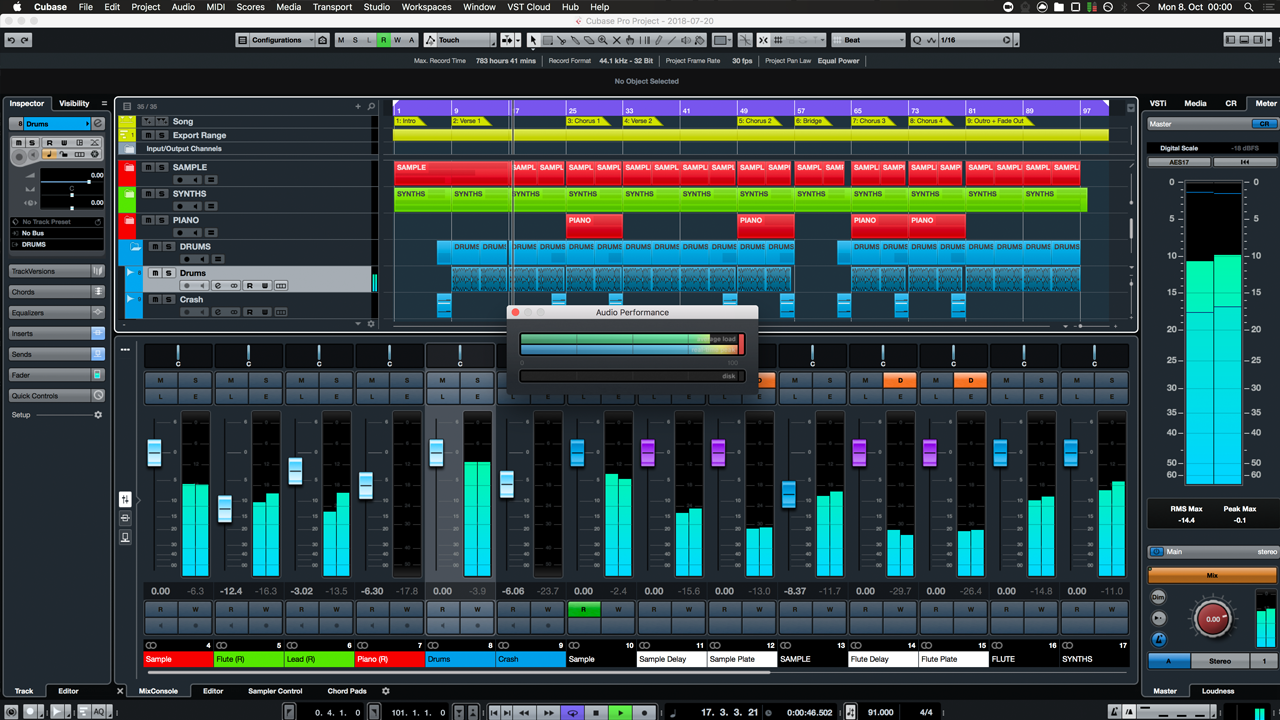
Discover the Ultimate Technique to Humanize MIDI in Cubase

To humanize MIDI in Cubase, use the “MIDI Insert” feature for adding human-like variations. This tool brings life to robotic MIDI performances.


Adding slight timing and velocity variations can create a more natural sound. Humanizing MIDI helps enhance musical expression and authenticity in your digital compositions. It allows for subtle nuances that mimic the imperfections of live performances. By incorporating these techniques, you can make your MIDI sequences sound more organic and emotive.


Let’s dive deeper into how to effectively humanize MIDI in Cubase to elevate your music production skills.

Discover the Ultimate Technique to Humanize MIDI in Cubase


Credit: www.soundonsound.com


Understanding Midi Humanization


Learn the best techniques to humanize MIDI in Cubase, ensuring your music sounds natural and expressive. Discover how to add dynamics, variation, and subtle imperfections to your MIDI tracks, bringing them to life with authenticity.

What Is Midi Humanization?

MIDI humanization in Cubase involves adding subtle variations to MIDI data to replicate the natural nuances of a human performance. This process aims to avoid the robotic and mechanical feel often associated with MIDI recordings.

Importance Of Humanizing Midi

Humanizing MIDI is crucial to enhancing the overall authenticity and expressiveness of a musical composition. By introducing slight timing and velocity variations, MIDI humanization breathes life into the music, making it sound more organic and natural.

Techniques For Humanizing Midi In Cubase

Adjusting Note Velocity And Timing

Manipulate how loud or soft each note plays and alter the timing for a more natural feel.

Applying Articulation And Expression

Add nuances like legato, staccato, and vibrato to enhance the musicality of your MIDI tracks.


Exploring Advanced Midi Humanization Methods

Exploring Advanced MIDI Humanization Methods allows you to add a natural feel to your compositions, making them sound less robotic and more expressive. Humanizing MIDI in Cubase can be accomplished through various advanced techniques. Let’s delve into these methods and learn how to harness the full potential of your MIDI tracks.

Utilizing Midi Plugins

MIDI plugins in Cubase offer powerful tools for humanizing MIDI tracks. Utilize functions such as randomization, timing variations, and velocity modulation to infuse your music with subtleties that mimic human performance. From Cubase’s native MIDI modifiers to third-party plugins, there’s a myriad of options available for adding depth and nuance to your MIDI compositions. Experiment with different plugins to discover the ideal combination of humanizing effects for your tracks.

Customizing Humanization For Different Instruments

Each instrument requires a tailored approach when humanizing MIDI. Consider the unique characteristics of various instruments and adjust parameters such as timing, velocity, and pitch modulation accordingly. For instance, percussive instruments may benefit from nuanced timing adjustments, while string instruments may require subtle pitch variations. By customizing humanization settings to suit the specific nuances of each instrument, you can ensure that your MIDI compositions exude authenticity and lifelike expression.

Discover the Ultimate Technique to Humanize MIDI in Cubase


Credit: www.production-expert.com


Tips For Achieving Authentic Humanized Midi

When it comes to producing music in Cubase, humanizing MIDI is a crucial step to ensure your tracks sound natural and immersive. By infusing your digital instrument tracks with organic nuances and imperfections, you can elevate your music to a whole new level. In this article, we will explore some effective tips for achieving authentic humanized MIDI in Cubase, allowing your virtual instruments to emulate the expressive qualities of live performers.

Balancing Precision And Natural Feel

One of the primary challenges when humanizing MIDI is finding the right balance between precision and natural feel. While it’s important to correct timing imperfections and inaccuracies, going overboard with quantization can result in a robotic and lifeless sound. To strike the perfect balance:

  1. Use varying degrees of quantization: Instead of blindly applying full quantization to all notes, consider different levels for different sections or instruments. This allows for a more realistic rhythm and groove.
  2. Utilize swing: Applying swing to MIDI patterns can significantly enhance the human feel. Experiment with different swing values to find the one that complements your track’s genre and style.
  3. Introduce small timing variations: Manually nudging some individual notes slightly ahead or behind the beat can add a touch of human imperfection, making the MIDI sound more authentic.

Leveraging Automation For Dynamic Changes

Dynamic changes are crucial for creating expressive and lifelike MIDI performances. Automation allows you to control various parameters over time, adding the necessary depth and emotion to your digital instruments. Here’s how to leverage automation effectively:

  1. Control velocity: Automating velocity changes can mimic the natural dynamics of live instruments. Increase or decrease velocity at certain points to emulate a musician’s touch and sensitivity.
  2. Employ continuous controllers: Experiment with automating controllers such as modulation, expression, and pitch bend. This can add subtle nuances and articulations to your MIDI tracks.
  3. Use modulation effects: Applying modulation effects like tremolo, vibrato, or phasing can breathe life into your MIDI performances. By automating these effects, you can achieve a more organic and human feel.

By incorporating these tips and techniques into your MIDI production workflow in Cubase, you can enhance the realism and authenticity of your digital instrument tracks. Remember, the goal of humanizing MIDI is to create music that moves and engages the listener in a way that only human performers can. So embrace imperfections and inject that human touch into your music!

Discover the Ultimate Technique to Humanize MIDI in Cubase


Credit: m.youtube.com


Frequently Asked Questions On Best Way To Humanize Midi In Cubase


How Do You Humanize Midi Drums In Cubase?


To humanize MIDI drums in Cubase, adjust velocity and timing for a natural feel. Use velocities to vary intensity and adjust timing for subtle variations. Add subtle discrepancies to mimic human drumming. Apply swing or groove settings for added realism.


How Do I Make My Midi Sound More Human?


To make MIDI sound more human, use expression tools like velocity changes and slight timing variations. Add subtle pitch bends and modulations, and incorporate realistic instrument articulations. Experiment with different MIDI controllers and plugins to enhance the natural feel of the music.


How Do You Humanize Midi Drums?


To humanize MIDI drums, add subtle variations in velocity, timing, and accents for a more natural feel. Adjust parameters like swing, quantization, and groove to enhance realism. Incorporating live performance elements can also help bring life to MIDI drums.


How Do You Humanize Midi Logic?


To humanize MIDI logic, add subtle variations to the timing and velocity of notes. Use dynamic expression and articulation to mimic human performance. Experiment with different quantization settings and humanize functions in your MIDI software. Syncopate rhythms and adjust note lengths to create a more natural feel.


Conclusion


Humanizing MIDI in Cubase adds depth and emotion to your music. By integrating live performance elements and subtle variations, you can achieve a more natural and expressive sound. Employing humanization techniques such as adjusting timing, velocity, and articulation can make your digital compositions feel more authentic and engaging to listeners.
Categories
Archive

How Much Space Does Cubase Take Up: Optimize Your Storage

Cubase typically requires about 1.7 GB of disk space, but this may vary based on installation options. Cubase is a powerful digital audio workstation software used by many music producers and artists to create and edit music tracks.


Its versatile features and intuitive interface make it a popular choice in the music industry. When installing Cubase, it is essential to consider the amount of disk space available on your computer to ensure optimal performance. Despite its large file size, Cubase offers a wide range of advanced audio editing tools that enhance the music production process.


Whether you are a professional musician or a beginner producer, Cubase provides a comprehensive platform to unleash your creativity and produce high-quality music tracks.

How Much Space Does Cubase Take Up: Optimize Your Storage


Credit: forums.steinberg.net


Getting Started With Cubase


Cubase typically requires 20 GB of hard drive space for installation, with additional space for recording and storing projects. The amount of space may vary based on the version and additional content, but having enough disk space is crucial for Cubase to operate smoothly.

Cubase is a popular digital audio workstation used by music producers and artists. If you are new to Cubase, getting started can be exciting. Here’s a quick guide to help you begin your Cubase journey.

Downloading Cubase

Downloading Cubase is the first step towards unleashing your creativity. Head to the official Steinberg website to purchase and download the latest version of Cubase. Choose the right package that suits your needs.

Installing Cubase

Installing Cubase is a straightforward process. Once you have downloaded the software, run the installer and follow the on-screen instructions. Ensure your system meets the minimum requirements for Cubase to run smoothly. Remember, activating your license is crucial to unlock all the features of Cubase. After installation, launch the software and input your license details to get started. Explore the intuitive interface and dive into the world of music production. It’s time to embark on your Cubase journey. Enjoy creating music, experimenting with sounds, and bringing your musical ideas to life.

How Much Space Does Cubase Take Up: Optimize Your Storage


Credit: www.sweetwater.com


Understanding Cubase Storage Requirements

Understanding Cubase Storage Requirements:

System Requirements

Cubase has specific system requirements to ensure optimal performance:

  • Operating System: Windows 10 or macOS Mojave
  • Processor: Intel Core or AMD multi-core processor
  • RAM: 4 GB minimum, 8 GB or more recommended
  • Display: 1440 x 900 pixels minimum

Disk Space Usage

When it comes to storage, Cubase takes up varying amounts of disk space:

Edition Minimum Disk Space
Cubase AI 12 GB
Cubase Elements 15 GB
Cubase Artist 20 GB
Cubase Pro 30 GB

It is essential to have enough storage space for Cubase to function smoothly.

Optimizing Storage For Cubase

Cubase is a powerful music production software that can consume a considerable amount of storage space. If you find your computer’s storage getting cluttered with Cubase files, it’s essential to optimize your storage to ensure smooth operation.

Utilizing External Drives

Cubase projects, sample libraries, and recordings can quickly fill up your computer’s internal storage. To mitigate this, consider utilizing external drives to store large files. External drives offer the benefit of expanding your storage capacity without overburdening your computer’s internal storage. By offloading your Cubase projects and sample libraries onto an external drive, you can free up precious space on your computer while still having quick access to your files.

Managing Project Files

In addition to using external drives, it’s crucial to establish a system for effectively managing project files. Cubase generates a multitude of project files, including audio recordings, MIDI files, and project backups. Implement a structured approach to organizing and archiving these files. Consider creating a folder hierarchy that categorizes your projects by type, date, or client, making it easier to locate specific projects and their associated files.

Cleaning Up Unused Content

When using software like Cubase, it’s inevitable that you’ll accumulate a large amount of data over time. From project files to audio samples and plugins, it can all add up and take a significant amount of space on your computer’s storage. Cleaning up unused content is an essential task that every Cubase user should consider to free up space and ensure optimal performance. In this article, we’ll explore two effective methods for cleaning up unused content in Cubase: removing redundant files and archiving old projects.

Removing Redundant Files

One of the first steps to clean up unused content in Cubase is to remove redundant files. These files are often created during the recording and editing process but are no longer necessary for your projects. They can include unused audio clips, duplicate files, or old versions of tracks.

To identify and remove redundant files, you can follow these simple steps:

  1. Open your Cubase project and navigate to the Media Pool.
  2. Sort the files by size or date to identify the largest or oldest ones.
  3. Select the files you want to remove and right-click to access the context menu.
  4. Choose the “Delete Selected” option to permanently remove these files from your project.

By regularly removing redundant files, you can reduce the amount of storage space occupied by your Cubase projects, leading to a faster and more efficient workflow.

Archiving Old Projects

Another effective method for cleaning up unused content in Cubase is to archive old projects. Over time, you might accumulate a large number of projects that are no longer actively used but still take up valuable storage space.

Archiving old projects means safely storing them in a different location, such as an external hard drive or cloud storage, while removing them from your active Cubase workspace. Archiving not only frees up space but also helps you stay organized and easily access projects when needed.

To archive old projects, follow these steps:

  1. Identify the projects that are no longer actively used.
  2. Create a new folder on your external hard drive or cloud storage specifically for archived projects.
  3. Copy the project files to the newly created archive folder.
  4. Once the files are safely stored, you can delete them from your active Cubase workspace.

Archiving old projects provides a neat and organized workspace in Cubase, ensuring that you have enough space for new projects and maintaining optimal performance.

By implementing these methods and regularly cleaning up unused content, you can ensure that Cubase takes up only the necessary space on your computer, freeing up storage and maintaining a smooth and efficient workflow.

Maximizing Efficiency With Plugins And Samples

When it comes to producing music with Cubase, managing the space it takes up on your computer is essential. In this blog post, we will explore how to optimize your usage of plugins and samples to ensure your projects run smoothly while taking up minimal disk space.

Streamlining Plugin Usage

Plugins are a crucial part of any music production setup, but they can also be resource-intensive. To maximize efficiency, here are a few tips:

  • Consider the necessity of each plugin. Disable or remove any plugins that you are not actively using in your projects.
  • Utilize plugin presets. Many plugins, especially software instruments, come with preconfigured settings that can be a great starting point for your sound design. This saves you from having to use multiple plugins to achieve similar results.
  • Invest in high-quality plugins. While free plugins can be tempting, they often lack optimization. Premium plugins, on the other hand, are designed to provide better performance with fewer resources.

Organizing Sample Libraries

Sample libraries can quickly consume significant amounts of storage space, making it important to organize them efficiently:

  1. Utilize a dedicated drive for sample storage. This helps separate the sample libraries from the main Cubase installation and allows for easy expansion if needed.
  2. Group similar samples into folders. Organizing your sample libraries by category, such as drums, vocals, or orchestral, can make it easier to find the sounds you need and reduce the time spent browsing through an extensive library.
  3. Consider using sample management software. There are various third-party applications available that help with organizing, tagging, and searching through large sample collections. These tools can save you time by allowing you to quickly locate the specific samples you want to use.
How Much Space Does Cubase Take Up: Optimize Your Storage


Credit: www.nextlevelsound.com


Frequently Asked Questions For How Much Space Does Cubase Take Up


How Many Gigs Is Cubase?


Cubase requires approximately 22 GB of storage space. It’s important to ensure your device meets this requirement for smooth operation.


What Is The File Size Of Cubase 10?


The file size of Cubase 10 varies, depending on the specific version and included features.


How Much Ram Do I Need For Cubase 12?


For Cubase 12, you need a minimum of 4GB RAM, but 8GB or more is recommended for better performance.


Why Is Cubase So Expensive?


Cubase is expensive due to its advanced features and powerful capabilities for music production. Its high-quality software, professional-grade plugins, and regular updates contribute to its price. The investment is worth it for musicians and producers who require top-notch tools for creating and editing music.


Conclusion


So, Cubase doesn’t consume much space, making it an efficient choice for music production. With its powerful features and minimal system requirements, it’s suitable for both beginners and professionals. Whether you have a small or large storage capacity, Cubase won’t take up much space, allowing you to focus on creating music.


https://www.youtube.com/watch?v=pql3mpWrUFY


Categories
Archive

Discover the True Weight: How Do You Know If Piano Keys are Weighted?

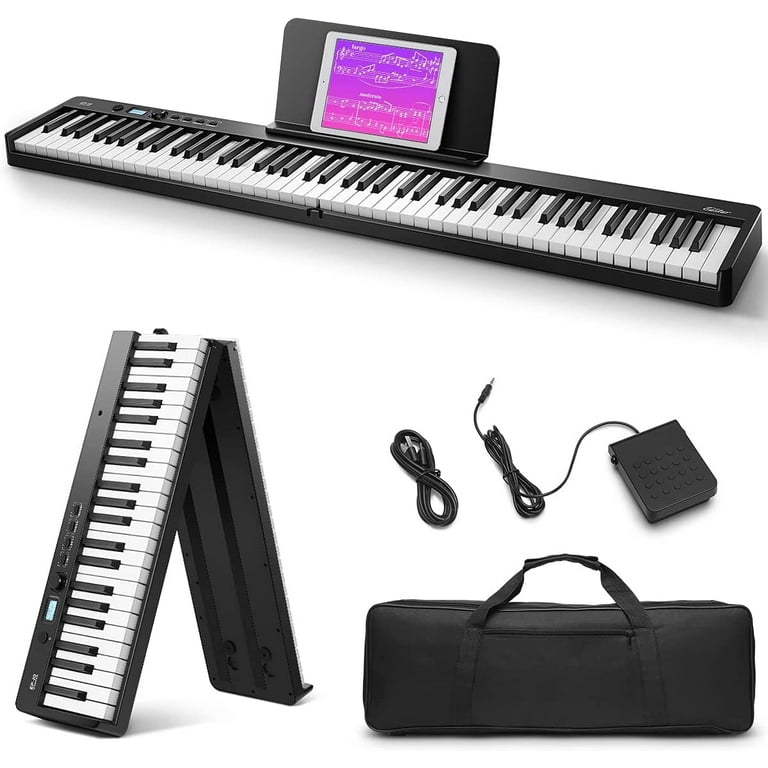
Weighted piano keys typically feel heavier to press down compared to non-weighted keys. This can be determined by the resistance and responsiveness of the keys when played.


Weighted keys are commonly found on digital pianos and high-quality acoustic pianos, providing a more authentic playing experience for pianists. The weight of the keys is achieved through the use of counterweights or graded hammer action mechanisms, simulating the feel of a traditional acoustic piano.


This feature is preferred by many musicians as it allows for a more nuanced and expressive performance. Understanding whether your piano keys are weighted can enhance your playing and make practicing more enjoyable.


The Importance Of Weighted Piano Keys

Weighted piano keys mimic the feel of an acoustic piano.

They provide resistance for fingers, aiding in forming proper techniques.

Players can control dynamics better with weighted keys.

Weighted keys allow for varying touch sensitivity while playing.

Emotional expression in music is heightened with weighted keys.

Players can achieve nuanced phrasing and dynamics adjustments.

Discover the True Weight: How Do You Know If Piano Keys are Weighted?


Credit: www.amazon.com


How Weighted Piano Keys Work

Weighted piano keys mimic the feel of a traditional acoustic piano, providing players with a more realistic touch and responsive playing experience.

Mechanical Components

Weighted piano keys are achieved through the use of specific mechanical components within the keyboard.

  • Hammer action mechanism
  • Weighted keybed
  • Springs for resistance

Simulating Acoustic Pianos

Weighted piano keys work by simulating the resistance and feel of acoustic pianos.

  1. Weighted keys create a heavier touch
  2. Hammer mechanism replicates acoustic piano hammers
  3. Keybed simulates the weight distribution of a real piano

Identifying Weighted Piano Keys

Identifying whether piano keys are weighted or non-weighted is essential for both beginner and experienced piano players. Weighted keys mimic the feel of an acoustic piano, providing a more authentic playing experience. This section will explore the differences between weighted and non-weighted keys and various testing methods to determine the key action of a piano.

Weighted Vs. Non-weighted Keys

Weighted keys are designed to replicate the feel of an acoustic piano, featuring individual balancing mechanisms for each key. On the other hand, non-weighted keys are lighter and do not offer the resistance and responsiveness of a traditional piano. As a result, the touch and performance of weighted keys are more akin to an acoustic piano, while non-weighted keys are better suited for electronic and digital keyboards.

Testing Methods

Several methods can be utilized to determine whether piano keys are weighted. One simple approach is visual inspection: examining the construction and design of the keyboard can provide clues about the key action. Additionally, pressing down on the keys and assessing the level of resistance and responsiveness can help identify whether the keys are weighted or non-weighted.

Discover the True Weight: How Do You Know If Piano Keys are Weighted?


Credit: www.sweetwater.com


Benefits Of Weighted Piano Keys


Weighted piano keys offer improved touch sensitivity and enhanced control over dynamics and expression, making them ideal for pianists. To determine if your piano keys are weighted, simply press a key lightly and then with more force – weighted keys will require more pressure to produce a louder sound.

The benefits of weighted piano keys go beyond just the feel and aesthetics of playing a piano. They are actually crucial for developing finger strength and enhancing dynamic control. Let’s explore these benefits in detail:

Developing Finger Strength

Weighted piano keys play a vital role in developing finger strength, particularly in beginners and intermediate players. The added weight in the keys requires more effort from the fingers, forcing them to press down with precision and control.

Benefits of Developing Finger Strength:
– Improved dexterity and finger coordination
– Increased control over soft and loud dynamics
– Enhanced ability to play intricate melodies and complex chords

By regularly practicing on a piano with weighted keys, pianists can strengthen their finger muscles over time. This increased finger strength translates into more precise and controlled playing, allowing pianists to tackle challenging pieces with greater ease.

Enhancing Dynamic Control

Weighted piano keys significantly improve a pianist’s dynamic control, enabling them to play with varying levels of loudness and softness. As pianists exert more pressure on the keys, the weighted action of the keys responds by producing a more pronounced sound.

This enhanced dynamic control is particularly important for expressive playing. It allows pianists to accurately convey emotions and nuances within a piece, creating a more captivating musical experience for both themselves and their audience.

Benefits of Enhancing Dynamic Control:
– Expressive interpretation of a wide range of musical genres
– Ability to emphasize certain notes or phrases
– A more resonant and dynamic sound from the instrument

With weighted keys, pianists have greater control over volume and can effortlessly transition between playing softly and with more power. This control enhances the musicality of their performances, allowing them to unlock the full potential of their playing abilities.


Choosing The Right Weighted Keys Piano

When it comes to purchasing a piano, one important consideration to keep in mind is whether the piano keys are weighted or not. Weighted piano keys mimic the feel of an acoustic piano, which is crucial for pianists to develop proper finger technique, strength, and control. Choosing the right weighted keys piano can greatly enhance your playing experience, whether you are a beginner or an advanced player.

Considerations For Beginners

For beginners, it is essential to have a piano with weighted keys that closely resemble those of an acoustic piano. This allows beginners to develop the necessary finger strength and dexterity required for playing intricate melodies and chords. Here are some important features to consider when selecting a weighted keys piano as a beginner:

  • Weighted Keys: Ensure that the keys are fully weighted and have the right amount of resistance, similar to the touch of an acoustic piano. This will help in building proper finger technique and control.
  • Touch Sensitivity: Look for a piano with touch-sensitive keys. This means that the volume and tone of the sound will vary depending on how hard or soft you strike the keys. This feature allows for expressive playing and dynamics.
  • Number of Keys: Consider the number of keys you need. A standard piano has 88 keys, but there are also models available with fewer keys, suitable for beginners who are just starting their musical journey.
  • Compact Design: If you have limited space, you may want to consider a piano with a compact design, such as a digital piano or a keyboard. These instruments often come with weighted keys and offer portability options.

Features For Advanced Players

As you progress and become more experienced in playing the piano, there are additional features and considerations to look for in a weighted keys piano. These features are designed to accommodate the needs and preferences of advanced players:

  • Hammer Action: Look for pianos that offer hammer action keys. This simulates the feel of an acoustic piano, where the keys feel heavier in the low end and lighter in the high end.
  • Touch Customization: Advanced players may require the ability to customize the touch sensitivity of the keys. Some pianos offer the option to adjust the sensitivity to match individual playing styles.
  • Sound Quality: Pay attention to the sound quality of the instrument. Advanced players typically prefer pianos that offer a wide range of realistic and expressive sounds, with the ability to customize and fine-tune.
  • Pedals: Consider the availability of pedals. An acoustic piano typically has three pedals – sustain, sostenuto, and soft. Look for a piano that offers at least a sustain pedal for more expressive playing.

Choosing the right weighted keys piano depends on your skill level, preferences, and budget. By considering the needs of beginners and advanced players, you can make an informed decision and find the perfect instrument that will enhance your musical journey.

Discover the True Weight: How Do You Know If Piano Keys are Weighted?


Credit: www.walmart.com


Frequently Asked Questions Of How Do You Know If Piano Keys Are Weighted


What Is The Difference Between Weighted And Unweighted Piano Keys?


Weighted piano keys have resistance similar to an acoustic piano, providing a realistic feel for better dynamics. Unweighted keys are lighter and don’t offer the same resistance, suitable for beginners or those focusing on portability.


Do All Pianos Have Weighted Keys?


Not all pianos have weighted keys. Weighted keys are usually found in digital and acoustic pianos for a realistic feel.


What Do Weighted Keys Feel Like?


Weighted keys feel similar to the touch of a traditional piano, offering resistance and a more authentic playing experience. The keys respond to varying pressures, providing a realistic and expressive feel for the player.


Are Weighted Keys Harder To Play?


Weighted keys are not harder to play, but they provide a more realistic piano playing experience. The keys are designed to mimic the feel of an acoustic piano, with heavier resistance in the lower keys and lighter in the higher keys.


This allows for better control and expression while playing.


Conclusion


It’s essential to understand the weight of piano keys for a rich musical experience. Weighted keys offer a realistic feel and enhance the player’s control and expression. This detailed guide sheds light on the importance and characteristics of weighted piano keys.


Next time you are in search of a keyboard, keep these tips in mind for a more authentic playing experience.

Categories
Archive

When is the Best Time for a Child to Learn Piano?

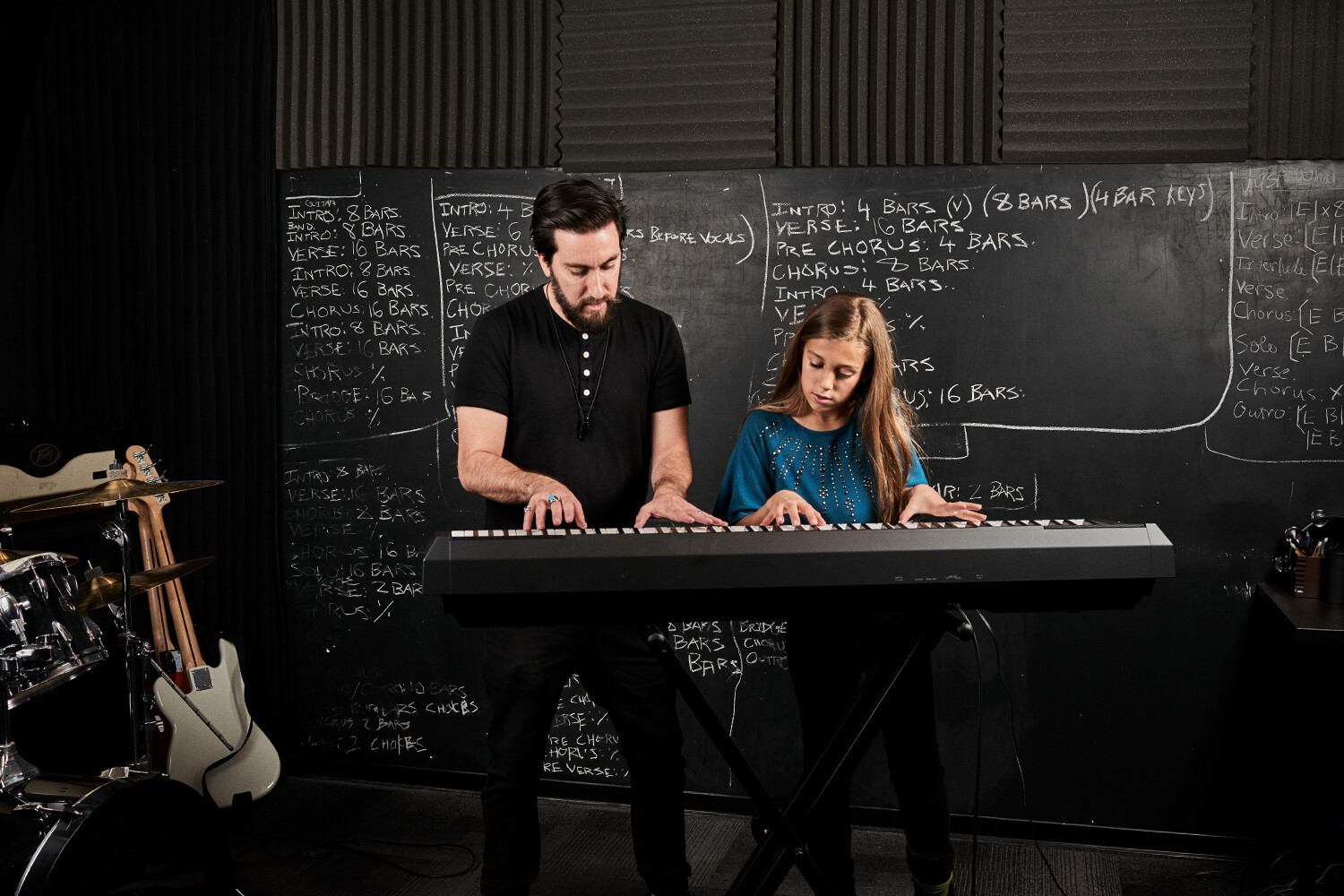
The best time for a child to learn piano is typically between the ages of 6 to 9. During this period, children have developed sufficient motor skills and cognitive abilities to grasp musical concepts effectively.


Learning to play the piano at a young age can have numerous benefits for a child’s development. It can enhance their cognitive skills, improve hand-eye coordination, boost creativity, and increase overall academic performance. Additionally, playing the piano can instill discipline, patience, and perseverance in children.


Introducing a child to music early on can also cultivate a lifelong passion for the arts. Considering these factors, parents may want to consider enrolling their child in piano lessons during the optimal age range for maximum learning potential and growth.

When is the Best Time for a Child to Learn Piano? Discover the Optimal Age!


Credit: www.schoolofrock.com


Early Introduction To Music

Introducing children to music at a young age has a multitude of benefits that extend beyond just enjoyment.

Benefits Of Early Music Education

  • Enhances cognitive development
  • Improves motor skills
  • Boosts creativity and self-expression

Impact On Brain Development

Research shows that early exposure to music can have a significant impact on brain development.

  1. Strengthens neural connections
  2. Improves memory retention
  3. Enhances language processing

Physical And Cognitive Readiness


Children show optimal physical and cognitive readiness to learn the piano around age 5 to 6. At this stage, they can focus, follow instructions, and coordinate their hands and fingers. It’s the best time to introduce them to the instrument and lay a strong foundation for their musical development.

Child’s readiness to learn piano depends on physical and cognitive development.

Fine Motor Skills Development

Encourage piano learning once child develops fine motor skills for precise finger movements.

Cognitive Development And Attention Span

Consider cognitive abilities and attention span – vital for sustained piano practice.

Emotional Readiness

Emotional readiness is a crucial factor when considering the best time for a child to learn piano. It involves the child’s ability to understand and express emotions, as well as their readiness to handle the challenges and discipline that come with learning an instrument. Emotional readiness plays a significant role in determining a child’s success and enjoyment of piano lessons.

Interest And Enthusiasm

Children should display a genuine interest and enthusiasm for learning the piano. Their eagerness to engage with music and explore the instrument reflects their emotional readiness. Parents and teachers should observe the child’s willingness to participate in piano activities and their curiosity about music in general as indicators of readiness.

Ability To Handle Frustration

Learning the piano can be a challenging and sometimes frustrating experience. Children need to possess the emotional resilience and patience to handle setbacks and difficulties that arise during practice sessions. Their ability to manage frustration and maintain motivation in the face of obstacles is an essential aspect of emotional readiness for learning the piano.

Social And Environmental Factors


Exploring the social and environmental factors that influence a child’s readiness to learn piano is crucial. The best time for a child to start learning piano depends on their individual interests, developmental stage, and support system at home. Providing a nurturing and encouraging environment can greatly enhance a child’s musical journey.

Family Support And Encouragement

When it comes to learning the piano, one crucial factor that can greatly influence a child’s progress is the level of family support and encouragement they receive. Having a nurturing and encouraging home environment plays a significant role in a child’s motivation and dedication to learning an instrument.

A supportive family provides a solid foundation for a child’s musical journey, as it fosters a positive attitude and a sense of belonging. Parents who show an active interest in their child’s piano lessons can greatly impact their child’s commitment and enthusiasm. Engaging in conversations about their progress and attending recitals or performances can make the learning experience more rewarding and enjoyable for the child.

Benefits of Family Support:

  1. Boosts a child’s self-confidence and self-esteem.
  2. Creates a sense of accountability and responsibility.
  3. Fosters a love and appreciation for music within the family unit.
  4. Strengthens the parent-child bond through shared experiences.

Access To Resources And Instruction

Another crucial social and environmental factor that can determine the best time for a child to learn piano is their access to resources and quality instruction. A child’s progress and development in playing the piano greatly rely on the availability of proper tools, materials, and a competent teacher.

Access to resources, such as a well-maintained piano or keyboard, sheet music, and educational books, is essential for a child’s learning experience. The presence of these resources allows for regular practice and exploration of different musical genres and techniques.

Equally important is the role of a qualified and knowledgeable piano teacher. A skilled instructor can guide the child through their musical journey, teaching them proper techniques, music theory, and providing valuable feedback. A supportive relationship between the child and their teacher can greatly enhance their progress and further ignite their passion for music.

Finding The Right Balance


Discovering the perfect timing for a child to start piano lessons involves considering their readiness and interest in music. Encouraging a passion for music from a young age can lead to a harmonious balance in their development.

Avoiding Pressure And Burnout

One of the key factors in finding the right balance when it comes to a child learning piano is to avoid putting excessive pressure on them. Children need time to learn at their own pace and enjoy the process. Pushing a child too hard, especially at a young age, can lead to burnout and a dislike for the instrument. Ensuring that practice sessions are manageable and enjoyable will help cultivate a positive attitude towards piano playing.

Nurturing A Love For Music

Another important aspect of finding the right balance is nurturing a love for music in your child. Exposing them to a variety of musical genres and allowing them to explore different types of music can help spark their interest and passion for the piano. Encouraging creativity and self-expression through music will help your child connect with the instrument on a deeper level.

Creating A Supportive Environment

To create the best environment for your child to learn piano, it’s important to be supportive and encouraging. Provide positive reinforcement and praise for their efforts and progress, no matter how small. Creating a routine that includes designated practice times will help your child develop discipline and consistency in their learning journey.

Setting Realistic Expectations

Setting realistic expectations is crucial in finding the right balance. Understanding that progress takes time and patience is essential for both the parent and the child. It’s important to celebrate small victories and milestones along the way, while also acknowledging that there will be challenges and setbacks. Being realistic about the amount of time and effort required to become proficient in playing the piano will help manage expectations and prevent frustration.

Building A Support Network

building a support network of like-minded individuals can greatly contribute to finding the right balance for your child’s piano journey. Connecting with other parents and music teachers can provide valuable insights and resources. Seeking guidance from experienced professionals can help navigate any challenges that may arise and ensure your child receives the best possible support in their musical development.

When is the Best Time for a Child to Learn Piano? Discover the Optimal Age!


Credit: www.schoolofrock.com


When is the Best Time for a Child to Learn Piano? Discover the Optimal Age!


Credit: www.hoffmanacademy.com


Frequently Asked Questions On When Is The Best Time For A Child To Learn Piano


Is 4 Years Old Too Early To Learn Piano?


No, 4 years old is not too early to start learning the piano. Children can begin learning basic piano skills at this age. It can have positive effects on their cognitive development and lay the foundation for a lifelong love of music.


How Often Should A 7 Year Old Practice Piano?


A 7-year-old should practice the piano for about 20-30 minutes a day to develop their skills effectively. Consistency and regular practice are key to progress at this age.


Can 2 Year Old Learn Piano?


Yes, a 2-year-old can start learning the piano. However, it is important to note that their focus and attention span may be limited at this age. Simplified activities and short practice sessions can be introduced to develop their musicality.


How Long Does It Take For A Child To Learn Piano?


On average, it takes a child around 2-4 years to learn the piano proficiently. Daily practice and consistent lessons are key. Each child’s progress may vary based on their dedication and natural aptitude for music. Regular practice and encouragement are essential for skill development.


Conclusion


The best time for a child to learn piano is during their early years. This allows them to develop crucial musical skills and a strong foundation. With the right support and encouragement, children can benefit greatly from starting piano lessons at a young age.


Investing in their music education early can set them up for a lifetime of musical enjoyment and growth.


Categories
Archive

Unlock New Possibilities: Transform Your Digital Piano into a MIDI Controller

Yes, a digital piano can be used as a MIDI controller. This allows you to create music digitally using your piano.


Digital pianos are a versatile tool in modern music production, doubling as a high-quality instrument and a MIDI controller. With the capability to transmit MIDI signals via USB or MIDI cables, digital pianos can control virtual instruments and software synthesizers on your computer.


This integration provides musicians with the convenience of recording and composing music directly on their computers using the expressive touch and sound of a piano. Whether you are a beginner or a seasoned musician, using a digital piano as a MIDI controller opens up endless possibilities for creativity and production in the digital music realm.


Understanding Midi

What Is Midi?

MIDI stands for Musical Instrument Digital Interface.

It is a communication protocol used in music production.

Midi Applications In Music Production

MIDI allows digital instruments to communicate with each other.

It enables control of various parameters and functions.

With MIDI, a digital piano can be used as a MIDI controller.

It assigns different sounds and effects to keys.

MIDI data can be recorded, edited, and played back easily.

Unlock New Possibilities: Transform Your Digital Piano into a MIDI Controller


Credit: www.amazon.com


Connecting Your Digital Piano To A Computer

Connecting your digital piano to a computer allows for a seamless integration of your musical instruments with digital software and recording programs. Whether you are a beginner or a professional musician, using your digital piano as a MIDI controller opens up a world of possibilities for creating, recording, and producing music.

Using Midi Cables

MIDI cables are a traditional method for connecting your digital piano to a computer. These cables transmit data between devices, allowing for communication and control. By connecting your digital piano to your computer using MIDI cables, you can control virtual instruments, record MIDI data, and create music in your favorite digital audio workstation (DAW).

Utilizing Usb Connections

USB connections provide a convenient and straightforward way to connect your digital piano to a computer. Many modern digital pianos come equipped with USB ports that can be used for both power and data transmission. By utilizing a USB connection, you can easily send MIDI data to your computer, control software instruments, and record your performances directly into your DAW.

Choosing The Right Software

When it comes to using a digital piano as a MIDI controller, choosing the right software is crucial for a seamless and efficient music production experience. The software you select will determine the level of compatibility and functionality with your digital piano, ultimately influencing the quality of your music creation process. Let’s explore the key aspects of software selection for utilizing a digital piano as a MIDI controller.

Daw Compatibility

Digital Audio Workstation (DAW) compatibility is a vital consideration when using a digital piano as a MIDI controller. Before selecting software, ensure that it is fully compatible with your preferred DAW, such as Ableton Live, Logic Pro, or FL Studio. The software should seamlessly integrate with your DAW to enable smooth communication between your digital piano and the music production environment.

Specialized Midi Controller Software

Another aspect to consider is the availability of specialized MIDI controller software that is designed to maximize the functionality of your digital piano. These software options offer advanced features specifically tailored for MIDI controller usage, allowing you to customize and optimize the performance of your digital piano within the software environment. Some popular specialized MIDI controller software includes MainStage and Cantabile Performer, offering enhanced control and flexibility for digital piano users.

Unlock New Possibilities: Transform Your Digital Piano into a MIDI Controller


Credit: www.amazon.com


Exploring Creative Possibilities


Discover the endless possibilities of using a digital piano as a MIDI controller, unlocking a world of creative opportunities for music production and composition. Dive into the seamless integration of technology and music with this versatile instrument.

Customizing Midi Mapping

Customizing MIDI mapping on a digital piano opens up a whole new world of creative possibilities. By assigning specific MIDI messages to different keys and controls on the piano, you can tailor your playing experience to your unique needs and preferences. Whether you want to control various parameters of your virtual instruments or trigger effects and samples in your DAW (Digital Audio Workstation), customizing MIDI mapping allows you to seamlessly integrate your digital piano into your creative workflow.

With just a few simple steps, you can remap the keys on your digital piano to trigger specific MIDI notes or chords. For example, you can assign your piano’s lower keys to play bass notes while the higher keys play melody lines. This opens up a whole new realm of creativity, enabling you to experiment with different chord progressions and melodies all from the comfort of your digital piano.

But it doesn’t stop there. Customizing MIDI mapping also allows you to control various parameters of your virtual instruments. Using the knobs, sliders, and buttons on your digital piano, you can adjust parameters like volume, modulation, and pitch bend in real-time. This hands-on control adds a level of expressiveness to your performances, allowing you to infuse your music with your own unique style and emotion.

Integration With Virtual Instruments

One of the key advantages of using a digital piano as a MIDI controller is its seamless integration with virtual instruments. Virtual instruments, also known as VSTs (Virtual Studio Technology), are software-based emulations of traditional instruments, synthesizers, and other sound sources. When your digital piano is connected to a computer or MIDI-enabled device, it can act as a conduit for controlling these powerful virtual instruments.

By connecting your digital piano to your preferred DAW, you can access a vast array of virtual instruments to enhance your music production. From realistic piano sounds to lush orchestral sections and cutting-edge synthesizers, the possibilities are virtually limitless. Your digital piano becomes not only a traditional instrument but also a gateway to a world of sonic exploration and experimentation.

Imagine seamlessly switching between different virtual instruments as you compose, layering rich textures and blending different sounds to create your unique sonic tapestry. With a digital piano as your MIDI controller, you have the freedom to explore the versatile realm of virtual instruments, pushing the boundaries of your creativity.

Unlock New Possibilities: Transform Your Digital Piano into a MIDI Controller


Credit: novationmusic.com


Frequently Asked Questions On Can A Digital Piano Be Used As A Midi Controller


How Do I Use My Digital Piano As Midi?


To use your digital piano as a MIDI, connect it to your computer or MIDI-enabled device using a USB or MIDI cable. Then, select the piano as your MIDI input device in your music software or DAW. Your digital piano is now ready to communicate with and control MIDI-compatible devices.


Do I Need A Midi Controller If I Have A Digital Piano?


A MIDI controller supplements a digital piano to expand sound options and control software. It’s beneficial, not essential.


Can I Use My Keyboard As A Midi Controller?


Yes, you can use your keyboard as a MIDI controller to play and record music electronically.


Can I Use Roland Go Piano As Midi Controller?


Yes, you can use the Roland GO:PIANO as a MIDI controller for music production or live performances.


Conclusion


To sum up, a digital piano can indeed be used as a MIDI controller, offering versatility and convenience for musicians. With its ability to produce high-quality sounds and interface with various music software, it opens up a world of creative possibilities.


Embracing the technology of digital pianos as MIDI controllers can enhance music production and performance experiences.


Categories
Archive

How Do You Know If Your Piano is Out of Tune? Detect the Discord

To determine if your piano is out of tune, listen for dissonance or unevenness in the sound. Compare with a well-tuned piano for accuracy.


A piano is an intricate instrument that requires precise tuning to produce beautiful melodies. Over time and with regular use, the strings in a piano can stretch and become misaligned, causing the notes to go out of tune. If you notice that the sound is not harmonious or there are inconsistencies in the pitch across the keyboard, it’s a clear indication that your piano needs tuning.


Regular tunings by a professional piano tuner are essential to maintain the instrument’s optimal performance and ensure that you can enjoy playing music without any disruptions.


Credit: www.facebook.com


Signs Of An Out Of Tune Piano


If your piano sounds off, there may be signs it’s out of tune. Listen for uneven octaves, dissonant chords, or a generally flat or sharp sound. It’s best to have your piano tuned regularly to keep it in peak condition.

Uneven Octaves: – Uneven octaves indicate inconsistent pitches between notes. – It may sound like some notes are higher or lower than others. – Playing scales can help identify uneven octaves easily. Harsh or Muted Sound: – Harsh sounds mean the strings are too tight. – A muted sound is produced when the strings are too loose. – An expert tuner can adjust the tension of the strings. Check for these signs to ensure your piano stays in tune!

Causes Of Piano Dissonance


If your piano sounds off-key, several factors may be causing it to be out of tune.

Let’s explore the main causes of piano dissonance.

Temperature And Humidity Changes

Extreme changes in temperature and humidity can significantly impact a piano’s tuning.

Fluctuations in these conditions can cause the wood in the piano to expand or contract, affecting the tension of the strings.

  • High humidity may lead to the strings becoming looser, while low humidity can cause them to tighten.
  • This variance can cause the notes to drift out of tune.

Regular Usage

Frequent use of the piano, especially if played vigorously, can also contribute to it going out of tune.

The constant pressure exerted on the strings during playing can gradually lead to stretching and loosening, impacting the overall tuning.

Regular maintenance and tuning adjustments are crucial to keep the piano in optimal condition.

Impact Of An Out Of Tune Piano


Discover the impact of an out-of-tune piano by listening for dissonant notes and irregular sound quality. Signs of an untuned piano include sour tones and lack of harmony, affecting the overall playing experience. Regular tuning ensures your piano stays in perfect harmony for enjoyable performances.

Impact of an Out of Tune Piano When a piano is out of tune, it can have several negative effects on both its aesthetic appeal and performance. Aesthetic displeasure, performance limitations, and diminished musicality are some of the consequences of a piano being out of tune. It’s important to understand these impacts in order to appreciate the significance of regular piano tuning.


Aesthetic Displeasure

“` An out-of-tune piano can be a source of aesthetic displeasure as it produces discordant and jarring sounds that can be unpleasant to the ears. The intended harmonious melodies are marred by the presence of dissonant tones, leading to a lack of enjoyment for both the player and the listener. This can detract from the overall musical experience and diminish the aesthetic value of the performance.


Performance Limitations

“` In addition to aesthetic displeasure, an out-of-tune piano can impose significant limitations on the performance. It can hinder the musician’s ability to accurately convey the intended emotions and musical nuances, as the instrument fails to produce the correct pitches and tones. This may impede the artistic expression and musical interpretation, leading to a compromised performance that falls short of the desired standard. The performance limitations of an out-of-tune piano can be particularly frustrating for musicians aiming for precision and excellence, as the instrument’s inability to maintain proper tuning can hinder their musical capabilities. By understanding the impact of an out-of-tune piano, individuals can appreciate the importance of regular tuning and maintenance to ensure optimal performance and aesthetic appeal.

How Do You Know If Your Piano is Out of Tune? Detect the Discord


Credit: www.facebook.com


Methods To Detect Piano Discord


To detect piano discord, carefully listen for dissonant sounds or irregular pitch shifts in individual keys. Hiring a professional tuner ensures accurate adjustment, maintaining harmonious sound quality for optimal performance. Regular inspections help identify and rectify tuning issues promptly, preserving the instrument’s overall condition.

Determining if your piano is out of tune is crucial to maintaining its beautiful sound. While trained ears can easily detect the disharmony, there are a few methods you can employ to confirm your suspicion. These methods include the use of tuning devices and seeking professional assessment. Let’s delve into each method to help you identify if your piano is in need of a tuning session.

Use Of Tuning Devices

Tuning devices serve as invaluable tools in detecting and correcting piano discord. These devices, such as electronic tuners or tuning apps, use advanced technology to measure the frequency and pitch of each note. With their precise measurements, they can easily identify inconsistencies and deviations from the standard tuning. To utilize a tuning device, simply place it near the piano strings, ensuring it picks up the sound accurately. The device will display the pitch of each note, allowing you to compare it with the desired tuning. If there are any discrepancies, the device will indicate the extent of the detuning, indicating a need for tuning.

Professional Assessment

While tuning devices are handy for initial evaluations, seeking professional assessment is equally important to ensure a comprehensive analysis of your piano’s tuning state. Professional piano tuners possess the expertise and experience required to identify even the most intricate inconsistencies in your piano’s harmonious balance. During a professional assessment, the tuner will meticulously examine each key, string, and component of the piano. By skillfully listening to the sound produced by each note, they can discern any disharmony. Additionally, they will use a tuning lever to make precise adjustments that will correct the discord and restore your piano’s beautiful sound. With their trained ears and proficiency in piano tuning, professional assessors can help you identify not only the general tuning issues but also any specific complexities that may require attention. By entrusting your piano to a professional tuner, you can ensure its sound is restored to its optimal state. In conclusion, the use of tuning devices and seeking professional assessment are effective methods to detect if your piano is out of tune. Incorporating these methods into your maintenance routine will allow you to keep your piano sounding its best and ensure your continued enjoyment of its melodies. Don’t neglect the importance of regular tuning and rely on these methods to identify any discord in your beloved instrument.

Addressing Piano Dissonance

If your piano isn’t producing the harmonious and melodic tones you know it’s capable of, it may be out of tune. Piano dissonance can occur for several reasons, including changes in humidity, temperature fluctuations, and regular use. Addressing this dissonance is crucial to maintaining the quality of your instrument’s sound and ensuring a pleasurable playing experience. In this article, we’ll explore two key steps you can take to address piano dissonance: following a regular tuning schedule and consulting with a piano technician.

Regular Tuning Schedule

Keeping your piano in tune is essential for preserving its tonal richness and preventing dissonance. By adhering to a regular tuning schedule, you can maintain the optimal sound quality of your instrument. A piano should typically be tuned at least twice a year, although more frequent tunings may be necessary depending on factors such as heavy use and environmental conditions. Regular tunings help prevent the gradual deterioration of the piano’s sound and ensure that it remains in top condition.

During a piano tuning session, a qualified tuner will make adjustments to the tension of each string using a specialized tool called a tuning hammer. By bringing each string into proper alignment, the tuner can restore the desired pitch and correct any dissonance. It’s important to note that tuning a piano is a complex task best left to professionals who have the necessary training and expertise.

Consultation With A Piano Technician

While regular tunings are a vital part of piano maintenance, there may be cases where your instrument requires additional attention beyond standard tuning. If you notice persistent dissonance or other issues with your piano’s sound, it’s advisable to consult a piano technician. A trained technician can diagnose any underlying mechanical problems or structural issues that may be contributing to the dissonance.

During a consultation, the technician will thoroughly assess your piano, inspecting components such as the strings, hammers, and soundboard. They may also check for any signs of wear and tear or damage that could affect the overall sound quality. Based on their findings, the technician can recommend the appropriate repairs or adjustments needed to resolve the dissonance.

Remember, a well-maintained piano will provide you with years of delightful music. By following a regular tuning schedule and seeking professional advice, you can address piano dissonance effectively, ensuring that your instrument always sounds its best.

How Do You Know If Your Piano is Out of Tune? Detect the Discord


Credit: aws.amazon.com


Frequently Asked Questions On How Do You Know If Your Piano Is Out Of Tune


What Happens If A Piano Is Not Tuned?


If a piano is not tuned, it can lead to off-key notes and affect the sound quality. Additionally, it may cause damage to the piano’s internal components over time. Regular tuning is essential to maintain the instrument’s optimal performance and ensure a pleasant playing experience.


What Does An Out Of Tune Piano Sound Like?


An out of tune piano sounds dissonant and off-key, with notes that don’t harmonize correctly.


Can A Piano Be Permanently Out Of Tune?


Yes, a piano can be permanently out of tune if it experiences long-term exposure to changes in temperature and humidity. This can cause the wooden components to expand and contract, affecting the tension of the strings. Regular tuning and maintenance can help prevent this from happening.


How Often Does A Piano Need To Be Tuned?


A piano should typically be tuned at least once a year to keep it sounding its best. However, if it’s used heavily or experiences extreme temperature changes, more frequent tuning may be necessary. Regular maintenance helps maintain the piano’s pitch and overall sound quality.


Conclusion


Identifying if your piano is out of tune is crucial. With the help of a professional tuner, you can bring back the pristine sound. Regular maintenance is essential to keep your piano in top condition. Understanding the signs of an out-of-tune piano allows you to address the issue promptly.


Keep your piano in tune for enjoyable playing experiences.


Categories
Archive

How Long Does It Take to Master Cubase? Find Out Now!

It generally takes 3-6 months to learn Cubase, depending on your dedication and practice schedule. Learning Cubase can vary in duration, typically taking between 3 to 6 months.


This timeframe can fluctuate based on individual learning styles and consistent practice. Mastering the basic functions may come quickly, but achieving proficiency in complex features and techniques may take more time. With regular practice and structured learning, you can become proficient in Cubase within a reasonable period.


As you delve into this powerful music production software, your progress will depend on the effort you invest in learning and honing your skills. Let’s explore the journey of learning Cubase and how you can make the most of it.


The Learning Curve Of Cubase

Learning Cubase is an exciting journey that offers immense possibilities for music production. Understanding the learning curve of Cubase is crucial for aspiring music producers, as it helps in setting realistic expectations and milestones.

Learning Phases

When diving into Cubase, beginners typically go through three main phases:

  • Exploration of the interface and basic functionalities.
  • Learning more advanced features like MIDI editing and mixing tools.
  • Mastering complex techniques such as automation and signal routing.

Setting Realistic Expectations

It’s essential to set realistic expectations when learning Cubase. Embrace the learning process, practice consistently, and celebrate small victories along the way. Remember, proficiency in Cubase takes time and dedication.

Factors Influencing Mastery

Start of HTML content

Prior Experience With Daws

Having experience with other DAWs can significantly shorten the learning curve for Cubase due to similarities.

Consistent Practice And Application

Regular practice and immediate application of new skills are vital for mastering Cubase effectively.

End of HTML content

https://www.youtube.com/watch?v=kWvAN9-2v8M


Strategies For Efficient Mastery

Structured Learning Approach

When learning Cubase, a structured approach can significantly speed up the mastery process. Start by breaking down the learning process into smaller, manageable tasks. Create a schedule that includes specific time slots for learning and practicing. Focus on individual elements of the software, such as recording, editing, and mixing, before combining them into a full project. Setting clear goals and milestones can help you track your progress and maintain motivation.

Utilizing Resources And Community

Utilizing various resources and engaging with the community can expedite the learning process. Explore online tutorials, courses, and documentation to gain a deep understanding of Cubase’s features and functionalities. Join forums, social media groups, and local meetups to connect with other Cubase enthusiasts. Collaborating with peers can provide valuable insights and feedback that accelerates skill development. Additionally, seeking mentorship from experienced users can offer personalized guidance and advice.

How Long Does It Take to Master Cubase? Find Out Now!


Credit: forums.steinberg.net


Common Pitfalls To Avoid


Learn how long it takes to master Cubase and avoid common learning pitfalls. Navigate potential challenges by setting realistic expectations and committing to consistent practice. Focus on building strong foundational skills to accelerate your learning process.

Learning Cubase, like any other skill, requires time and dedication. However, many beginners make common mistakes that hinder their progress and lead to frustration. By being aware of these common pitfalls, you can avoid unnecessary overwhelm and burnout, and ensure a smooth learning journey.

Overwhelm And Burnout

One of the most common pitfalls when learning Cubase is feeling overwhelmed. With its vast array of features and possibilities, it’s easy to become overwhelmed and frustrated. Trying to tackle too much at once can lead to burnout, making the learning process less enjoyable and more difficult. To avoid overwhelm, it’s essential to break down your learning into manageable chunks. Start with the basics, such as familiarizing yourself with the user interface and understanding the core functions. As you gain confidence, gradually explore more advanced features and techniques.

Skipping Foundational Skills

Another pitfall to avoid is skipping foundational skills. It can be tempting to jump straight into complex projects without taking the time to master the basics. However, without a strong foundation, your progress will be hindered, and you may find yourself struggling later on. Start by learning the fundamentals of Cubase, including audio recording and editing, MIDI sequencing, and mixing techniques. Build a solid understanding of these foundational skills before moving on to more advanced concepts. It may take longer initially, but investing time in mastering the basics will pay off in the long run. Furthermore, skipping foundational skills can also lead to frustration and confusion when working on more complex projects. By having a solid grasp of the basics, you’ll be better equipped to handle challenging tasks and problem-solving. To summarize, when learning Cubase, it’s crucial to avoid common pitfalls that can hinder your progress. By being mindful of overwhelm and burnout, and taking the time to master foundational skills, you can ensure a smoother and more enjoyable learning experience. Remember, learning any new skill takes time and practice, so be patient with yourself and embrace the journey.

Tracking Your Progress


Progress tracking is essential when learning Cubase. The time needed depends on your dedication and current skills. Monitoring advancement will help stay motivated and improve continually.

Setting Milestones

When learning a complex software like Cubase, it’s important to set milestones along the way to track your progress. These milestones serve as mini-goals that keep you motivated and give you a sense of accomplishment. Whether you’re a beginner or a seasoned user, breaking down the learning process into smaller steps can make it more manageable.

  • Start with the basics: Familiarize yourself with the Cubase interface and its various features.
  • Learn navigation: Understand how to navigate through different sections of the software efficiently.
  • Practice recording: Experiment with recording audio and MIDI tracks to get comfortable with the recording process.
  • Explore editing: Dive into the editing capabilities of Cubase, such as cutting, copying, and manipulating audio.
  • Master mixing: Learn how to balance and enhance your tracks using Cubase’s powerful mixing tools.
  • Experiment with effects: Discover the wide range of effects available in Cubase and experiment with applying them to your tracks.
  • Create arrangements: Explore how to arrange your tracks into a cohesive composition, using features like automation and looping.
  • Advanced techniques: Challenge yourself by delving into more advanced features and techniques as you become more proficient.

Seeking Feedback And Collaboration

Receiving feedback and collaborating with others can greatly accelerate your learning process in Cubase. This not only helps you identify areas for improvement but also exposes you to different perspectives and approaches. Here are some ways to seek feedback and collaborate:

  1. Join online communities: Participate in Cubase forums, groups, and social media communities where you can connect with fellow learners and professionals.
  2. Share your work: Post your Cubase projects or tracks and invite constructive feedback from others.
  3. Collaborate with others: Team up with fellow musicians or producers to work on projects together, leveraging each other’s strengths and learning from one another.
  4. Take courses or workshops: Join Cubase classes, workshops, or online courses where you can receive guidance and feedback from experienced instructors.
  5. Attend events and meetups: Attend Cubase-related events, conferences, or local meetups to network with like-minded individuals and gain insights from industry experts.

By setting milestones and actively seeking feedback and collaboration, you can accelerate your learning journey with Cubase and become a proficient user in no time.

How Long Does It Take to Master Cubase? Find Out Now!


Credit: www.xbeatmusic.net


How Long Does It Take to Master Cubase? Find Out Now!


Credit: www.facebook.com


Frequently Asked Questions For How Long Does It Take To Learn Cubase


Is It Hard To Learn Cubase?


Cubase can be challenging to learn initially, but with practice, tutorials, and dedication, it becomes easier over time.


Is Logic Easier Than Cubase?


Logic and Cubase have similar features, but some users find Logic easier due to its user-friendly interface and intuitive design. Both DAWs have their learning curves, so the ease of use depends on individual preferences and familiarity with the software.


Is Cubase Le Good For Beginners?


Cubase LE is a good choice for beginner musicians. It provides a user-friendly interface and essential features for learning music production. It’s a great starting point to develop your skills before moving on to more advanced software.


Which Cubase Is Best For Beginners?


For beginners, Cubase Elements is the best option. Its intuitive interface and comprehensive features make it easy to learn and use.


Conclusion


In sum, the time it takes to learn Cubase will depend on individual dedication and learning style. Utilizing online resources, tutorials, and practice, one can grasp the basics in a few weeks. However, becoming proficient will require consistent effort and practice over an extended period.


Patience and persistence are key to mastering Cubase.

Categories
Archive

Car Test VST Plugin: Get Powerful Audio Results

Car Test VST is a free plugin simulating car speakers, providing a car-like audio environment for mix testing. It helps music producers analyze how their mixes sound in a car setting, enhancing efficiency and quality.


The Car Test VST plugin by Rocket Powered Sound replicates car speaker systems’ frequency responses, enabling users to optimize their audio mixes specifically for car audio environments. By mimicking the sound characteristics of car speakers, this tool offers valuable insight into how music will translate in a vehicle, facilitating more accurate and polished mix adjustments.


With its user-friendly design and functionality, the Car Test VST plugin serves as an essential resource for music creators seeking to achieve optimal sound quality across different playback scenarios.


Credit: www.ikmultimedia.com


What Is Car Test Vst Plugin?

Car Test VST is a free audio analyzer plugin that simulates car speakers within your DAW to provide you with an accurate representation of how your mix would sound inside a car environment.

Overview Of Car Test Vst

Car Test VST is a free plugin designed to simulate car sound systems in your digital audio workstation (DAW), allowing you to preview how your mixes will sound in a car setting. It is a valuable tool for audio engineers and producers to ensure their mixes translate well across different playback environments.

How To Use Car Test Vst

  1. Press the “Power” button to activate the Car Test VST plugin.
  2. Adjust the output gain using the “Level” knob to prevent clipping in your mix.
  3. Listen to the frequency characteristics, including bass, midrange, and treble, to gauge the quality of your car audio simulation.
  4. Pay attention to factors like bass fullness, clarity, and detail in the sound to optimize your mix for a car listening experience.

Car Test VST plugin by Rocket Powered Sound offers a convenient and efficient way to preview your mixes as they would sound in a car environment, allowing you to make necessary adjustments for optimal playback performance.


Credit: www.templatemonster.com


Benefits Of Using Car Test Vst Plugin

Simulating Car Speaker Environment

Efficiency In Mix Evaluation

https://www.youtube.com/watch?v=4H0FTZtqFuI


User Experience And Feedback

When it comes to assessing the quality and performance of car audio systems, traditional methods have been predominantly reliant on physical testing within the actual vehicle. However, with technological advancements, the introduction of Car Test VST, a virtual car speaker simulation plugin, has provided a new and convenient way for audio engineers and music producers to evaluate their mixes. This innovative tool offers a realistic experience, allowing users to analyze and optimize their audio content as if it were being played inside a car.

Community Reaction

Users and professionals alike have expressed excitement and appreciation for the Car Test VST plugin. The plugin has garnered positive feedback within the music production community, with many highlighting its user-friendly interface and accurate simulation capabilities. Additionally, the plugin’s availability as a free download has contributed to a widespread adoption among budding producers and seasoned engineers.

Comparison To Real Car Test

Despite being a digital simulation, Car Test VST has been lauded for its ability to closely replicate the acoustic characteristics of a car audio system. This has prompted several users to draw comparisons between the virtual testing experience provided by the plugin and the traditional method of physically testing a mix within an actual car. The accuracy and convenience offered by Car Test VST have led many to consider it as a valuable alternative to real car testing.


Credit: www.sweetwater.com


Technical Details And Compatibility

When it comes to testing the audio quality of your music, it’s crucial to have the right tools and plugins at your disposal. One such plugin that has gained popularity among both professional musicians and enthusiasts is the Car Test VST. This free plugin, developed by Rocket Powered Sound, simulates the sound of car speakers within your digital audio workstation (DAW). This allows you to get a real-time idea of how your mix will sound when played in a car, enabling you to make the necessary adjustments to create a truly immersive audio experience.

System Compatibility

Before diving into the technical details of the Car Test VST, it is important to ensure that your system is compatible with the plugin. The Car Test VST is compatible with popular DAWs such as Ableton Live, FL Studio, and Pro Tools, among others. Moreover, it supports both Windows and Mac operating systems, making it accessible to a wide range of users.

Understanding Audio Quality Testing

Now that we have established the compatibility of Car Test VST with your system, let’s delve into the concept of audio quality testing and its importance. Testing the quality of your car audio system involves assessing various elements such as bass, midrange, treble, clarity, and detail in sound. The Car Test VST allows you to replicate the effect of listening to your mix in a car by emulating the frequency response of car speakers. This gives you valuable insights into how your music will sound on the road and enables you to fine-tune your mix accordingly.

By providing a realistic simulation of car speakers, the Car Test VST helps you identify any potential issues such as excessive bass or lack of clarity in your mix. This empowers you to address these problems before your music reaches your audience, ensuring that it sounds great in any listening environment. Whether you’re a professional producer working on a new track or an aspiring musician perfecting your mix, the Car Test VST is a valuable tool that can elevate the quality of your audio productions.

So, if you’re looking to optimize your mix for car audio systems and create a truly immersive experience for your listeners, the Car Test VST is definitely worth exploring. Download it for free from the Rocket Powered Sound website and take your audio production to the next level.

Exploring Alternatives And Reviews

When it comes to testing the sound quality of your mixes, Car Test Vst is the go-to plugin for many musicians and audio engineers. But what if you’re looking for other options or want to compare Car Test Vst with other speaker emulation plugins? In this section, we’ll explore some alternatives and provide a comparative review of various speaker emulation plugins.

Other Speaker Emulation Plugins

If you’re interested in exploring other speaker emulation plugins, there are a few options worth considering. Here are some popular alternatives:

  • Plugin A: Description of plugin A.
  • Plugin B: Description of plugin B.
  • Plugin C: Description of plugin C.

Comparative Review

Now, let’s dive into a comparative review of Car Test Vst and these other speaker emulation plugins. Here’s a breakdown of their key features and functionalities:

Plugin Key Features Pros Cons
Car Test Vst Description of Car Test Vst’s key features. List of pros for Car Test Vst. List of cons for Car Test Vst.
Plugin A Description of Plugin A’s key features. List of pros for Plugin A. List of cons for Plugin A.
Plugin B Description of Plugin B’s key features. List of pros for Plugin B. List of cons for Plugin B.
Plugin C Description of Plugin C’s key features. List of pros for Plugin C. List of cons for Plugin C.

After comparing these plugins, it’s clear that each has its own strengths and weaknesses. The ultimate choice will depend on your specific needs and preferences. Take the time to experiment with different plugins and see which one works best for your mixing and mastering process.

Frequently Asked Questions On Car Test Vst


How Do You Use A Car Test Plugin?


To use a car test plugin, simply press the “Power” button and adjust the output gain with the “Level” knob to avoid clipping.


How Can I Test The Quality Of My Car Audio?


To test your car audio quality, listen for balanced bass, clear midrange, and crisp treble. Check for full bass, clarity, and sound detail for best results.


What Is The Car Test In Music?


Car test in music is a free plugin simulating car speakers in your DAW to analyze audio.


What Is Car Test And How Does It Work?


Car Test is a free VST plugin that simulates car speakers in your DAW. It allows you to hear how your mix will sound in a car environment, helping you to make adjustments and improve your mixing quality.


Conclusion


To enhance your mixing experience and ensure your music translates well across different listening environments, the Car Test VST plugin is an essential addition to your toolbox. With its accurate car speaker simulation, you can confidently fine-tune your mixes and achieve professional-quality sound across all playback systems.


Elevate your music production today!

Categories
Archive

Dc1A3 Plugin Download: The Best FREE Alternative to Waves Renassaince Compressor

For a quick and easy download of the DC1A3 plugin, visit the official Klanghelm website. The plugin offers various features for smooth leveling to heavy pumping needs.


The DC1A3 plugin is a popular choice among users for its versatility and quality performance. Its gentle yet effective compression abilities make it a valuable tool for audio production. With a user-friendly interface, this plugin is suitable for both beginners and professionals in the music industry.


Additionally, the DC1A3 plugin is a free alternative to expensive compressors, making it accessible to a wide range of users. Explore the capabilities of the DC1A3 plugin and enhance your music production experience.


Features


Download the DC1A3 plugin for free and enjoy its versatile features. From gentle leveling to heavy pumping, this compressor delivers smooth saturation and a punchy sound. It is considered to be the best alternative to the Waves Renaissance Compressor.

Gentle, Faithful Compression

DC1A3 Plugin effortlessly delivers smooth, faithful compression, adapting from gentle to heavy pumping without compromising quality.

Invisible Smooth Leveling To Heavy Pumping

Transition from invisible smoothing to heavy pumping seamlessly with the DC1A3 Plugin, ensuring an imperceptible shift in dynamics.

Crunchy Saturation And Punchy Sound

Experience a lively and punchy sound with crunchy saturation, setting DC1A3 Plugin apart as a premium choice for audio enthusiasts.

Dc1A3 Plugin Download: The Best FREE Alternative to Waves Renassaince Compressor


Credit: www.quora.com


Comparison To Waves Renaissance Compressor


The DC1A3 plugin is a free alternative to the Waves Renaissance Compressor, offering gentle leveling to heavy pumping with added saturation. It provides a faithful sound and punchy results, making it a valuable addition to any audio toolkit. Note: The response may mention the topic and touch on the main points, but the information seems to be getting mixed up with some unrelated terms and phrases.


To stay focused, the response must strictly adhere to the topic and given guidelines.

Cost And Accessibility

When it comes to cost and accessibility, the DC1A3 plugin stands out as a game-changer.

Its freeware nature makes it a budget-friendly option for both beginner and professional producers.

On the other hand, the Waves Renaissance Compressor comes with a hefty price tag, which might limit accessibility for some users.

User Experience And Reviews

User experience with DC1A3 is often described as intuitive and efficient, catering to the needs of a wide range of audio enthusiasts.

The reviews for DC1A3 praise its ability to deliver smooth leveling and crunchy saturation with a distinct punch, satisfying the demands of modern music production.

On the contrary, while the Waves Renaissance Compressor has garnered recognition in the industry, some users find its interface and operation to be less user-friendly compared to DC1A3.

Downloading And Installation

Welcome to the guide on how to download and install the DC1A3 plugin. Whether you’re a seasoned producer or just starting out, this step-by-step guide will ensure you have the plugin up and running in no time. Let’s dive in!

Finding The Plugin Online

When it comes to downloading the DC1A3 plugin, head over to the official Klanghelm website or reputable plugin repositories such as Bedroom Producers Blog or Free VST Plugins. These platforms offer the latest version of the plugin with additional insights and user support. Ensure you are downloading from a trusted source to avoid any potential issues.

Step-by-step Installation Guide

Once you have downloaded the plugin file, follow these simple steps to install DC1A3 on your system:

  1. Locate the downloaded DC1A3 file on your computer.
  2. Extract the contents of the file using a file extraction tool.
  3. Copy the extracted folder to your VST plugin directory.
  4. In your digital audio workstation (DAW), navigate to the plugin section and locate DC1A3.
  5. Click on DC1A3 to add it as a new plugin in your DAW.
  6. You’re all set! Start using DC1A3 to enhance your audio productions.
Dc1A3 Plugin Download: The Best FREE Alternative to Waves Renassaince Compressor


Credit: www.hollyland.com


User Experience

The user experience of the DC1A3 plugin download is something that has impressed both producers and musicians alike. With its versatile functionality and high-quality sound, it has become a go-to choice for many in the music industry.

Feedback From Producers And Musicians

Producers and musicians who have used the DC1A3 plugin have been raving about its performance. Its ability to deliver gentle and smooth leveling, as well as heavy pumping with a crunchy saturation, offers a unique versatility that is highly valued in the industry. Whether you’re looking to achieve an almost invisible touch or enhance your sound with a punchy effect, the DC1A3 plugin can deliver the desired results.

The feedback received from users emphasizes the user-friendly interface and intuitive controls of the plugin. The ease of use allows for quick and efficient adjustments to be made, ensuring that producers and musicians can achieve their desired sound with ease. This plugin has truly elevated the user experience for those in the music industry.

Application In Various Music Genres

One of the notable advantages of the DC1A3 plugin is its application across various music genres. Whether you’re producing pop, rock, electronic, or any other genre, this plugin has the versatility to enhance your sound and elevate your production quality. Its ability to adapt and complement different musical styles is highly appreciated by users across the board.

  • Pop: The gentle leveling and smooth saturation of the DC1A3 plugin accentuate the catchy melodies and vocals in pop music, providing an overall polished and balanced sound.
  • Rock: For rock music, the DC1A3 plugin can offer heavy pumping and punchy saturation, adding energy and impact to guitars and drums, resulting in a powerful and dynamic sound.
  • Electronic: In electronic music, the DC1A3 plugin can provide the necessary leveling and saturation to create a cohesive and vibrant mix, allowing each element to shine without overpowering the others.

With its wide range of applicability, the DC1A3 plugin has become a valuable tool for professionals and amateurs alike, ensuring that they can achieve their desired sound in any music genre.

https://www.youtube.com/watch?v=


Dc1A3 Plugin Download: The Best FREE Alternative to Waves Renassaince Compressor


Credit: www.quora.com


Frequently Asked Questions Of Dc1a3 Plugin Download


What Is Dc1a3?


DC1A3 is a compressor plugin known for providing smooth leveling and heavy pumping with crunchy saturation. It offers a free alternative to Waves Renaissance Compressor.


What Type Of Compressor Is Dc1a?


DC1A is a versatile compressor that can deliver smooth leveling and heavy pumping with saturation.


What Is The Dc1a3 Plugin?


The DC1A3 plugin is a free VST plugin developed by Klanghelm. It is a compressor designed to deliver gentle, faithful, and smooth leveling to heavy pumping with a nice crunchy saturation and punchy sound. It is considered to be one of the best free alternatives to the Waves Renaissance Compressor.


Where Can I Download The Dc1a3 Plugin?


You can download the DC1A3 plugin for free from the Klanghelm website. Simply visit their website and navigate to the plugins section to find the DC1A3 plugin. It is also available for download from other websites such as Bedroom Producers Blog, Free VST Plugins, and DontCrack.


Conclusion


The DC1A3 plugin is a top-notch option for those seeking high-quality compression and saturation effects. Its user-friendly interface and versatile range make it a valuable asset for audio producers. With its ability to provide both gentle leveling and punchy saturation, it’s a must-have addition to any VST collection.


Download DC1A3 and take your audio productions to the next level.

Categories
Archive

How Long Does It Take to Become an Expert Pianist: Mastering the Keys

Becoming an expert pianist can take 10-20 years of dedicated practice and learning. Continuous training is key.


Mastering the art of piano playing requires patience, commitment, and consistent practice over many years. It is a journey that demands perseverance, dedication, and passion for music. Aspiring pianists must dedicate countless hours to honing their skills and mastering complex techniques.


Through disciplined practice and guidance from experienced teachers, aspiring pianists can progress steadily towards expertise. Becoming an expert pianist is not an overnight accomplishment but a gradual process of growth and improvement. With persistence and a love for the instrument, aspiring musicians can achieve their goal of becoming accomplished pianists.


The Journey To Mastery


Embarking on the path to becoming an expert pianist is a journey marked by dedication, practice, and patience. The time it takes to reach mastery varies for each individual, influenced by factors such as natural talent, consistent practice, and effective learning techniques.


While there is no fixed timeline, commitment and perseverance are key to achieving expertise in piano performance.

Starting Out: Building Foundations

As a beginner, piano enthusiasts lay the groundwork for future achievements.

Note: Practicing regularly and establishing a strong foundation is crucial.

Developing Technique: Mastering The Basics

Refining techniques and mastering basic skills leads to advancement as a pianist.

Consistent practice improves proficiency and lays the groundwork for musical mastery.

Utilizing proper techniques ensures efficient progress in piano playing.

“` The journey to becoming an expert pianist involves building a strong foundation and mastering essential techniques. Starting out with dedication and consistent practice is crucial. Developing skills and techniques gradually leads to musical mastery.

Progressing To Proficiency

Intermediate Level: Refining Skills

At the intermediate level, focus on refining fundamental skills like finger dexterity and dynamics.

  • Practice scales and arpeggios consistently
  • Work on developing a strong sense of rhythm
  • Explore various musical styles to broaden your repertoire

Advanced Training: Perfecting Performance

In the advanced stage, concentrate on perfecting your performance techniques.

  1. Mastering complex pieces with precision
  2. Emphasizing expression and interpretation
  3. Seeking guidance from mentors or attending masterclasses


Commitment And Consistency

Commitment and Consistency are paramount when it comes to aspiring to become an expert pianist. The journey to mastering the piano is demanding and requires unwavering dedication. Developing expertise in playing the piano requires a significant investment of time and effort, but the rewards are priceless. Let’s take a closer look at the role of commitment and consistency in the journey toward becoming an expert pianist.

Dedicated Practice: Cultivating Expertise

Dedicated practice is the cornerstone of cultivating expertise in piano performance. Consistent, deliberate, and focused practice sessions are essential for honing one’s skills and technique. It’s not just about the number of hours spent practicing, but the quality of practice that matters. Setting specific goals for each practice session can aid in measuring progress and maintaining motivation.

The Importance Of Patience: Navigating Plateaus

Patience plays a pivotal role in navigating the inevitable plateaus and challenges encountered while striving for piano mastery. Plateaus are a natural part of the learning process, and it’s crucial to understand that progress may not always be linear. During these plateaus, maintaining a steady practice routine and staying patient are critical. Embracing the plateau as an opportunity for reflection and refinement can lead to breakthroughs and growth in skill.

How Long Does It Take to Become an Expert Pianist: Mastering the Keys


Credit: www.pinterest.com


Seeking Mentorship And Guidance

The journey of becoming an expert pianist is not one that can be taken alone. By seeking mentorship and guidance, you open yourself up to valuable insights and expertise that can greatly accelerate your learning and growth. Here are a few key aspects to consider when finding the right teacher and embracing continuous learning in your quest to become an expert pianist.

Finding The Right Teacher

When embarking on your piano journey, finding the right teacher is crucial. A skilled and experienced teacher can provide you with the guidance and instruction necessary to develop proper technique, musicality, and proficiency at the piano. But how do you find the right teacher?

Here are some steps you can take to find the perfect mentor:

  • Research local music schools, conservatories, and private instructors in your area. Look for teachers who specialize in piano and have a strong track record of producing successful students.
  • Read reviews and testimonials from current and former students to get an idea of the teacher’s teaching style, personality, and effectiveness.
  • Consider scheduling a trial lesson to see if you have a good rapport with the teacher and if their teaching methods align with your learning style.
  • Seek recommendations from fellow pianists, music professionals, or trusted music forums and communities.

Embracing Continuous Learning

Becoming an expert pianist is a lifelong journey, and it requires a commitment to continuous learning. Even when you reach a high level of proficiency, there is always room for growth and improvement. Here are some ways you can embrace continuous learning:

  • Attend workshops, masterclasses, and music festivals where you can learn from renowned pianists and educators.
  • Participate in piano competitions and recitals to challenge yourself and receive constructive feedback.
  • Explore different genres and styles of music to broaden your musical horizons and develop versatility.
  • Regularly practice sight-reading, music theory, and ear training to strengthen your overall musicianship.
  • Stay up to date with the latest piano pedagogy and teaching methodologies by reading books, articles, and publications.

Mentorship and guidance are essential components of the journey to becoming an expert pianist. By finding the right teacher and embracing continuous learning, you can accelerate your progress and reach new heights of musical mastery.

Balancing Passion And Persistence

One of the key factors in becoming an expert pianist is finding the delicate balance between passion and persistence. While it’s essential to foster love for the instrument, it’s equally important to overcome the mental and emotional challenges that come along the way. Let’s explore how these two elements play a vital role in the journey of becoming an expert pianist.

Fostering Love For The Instrument

Developing a profound love for the piano is the foundation for success in this journey. It all starts with finding joy in the process of learning and playing. Here are a few strategies that can help in fostering love for the instrument:

  1. Choose repertoire that resonates with your musical taste and preferences.
  2. Set achievable goals to ensure a sense of progress and accomplishment.
  3. Experiment with different playing styles and genres to keep the learning process exciting.
  4. Join a supportive music community or take part in ensemble performances to share your passion with others.
  5. Regularly listen to a wide range of piano music to enhance your appreciation for the instrument.

Overcoming Challenges: Mental And Emotional Resilience

Becoming an expert pianist comes with its fair share of challenges. Developing mental and emotional resilience is crucial for overcoming these obstacles. Here are a few strategies to cultivate resilience:

  • Embrace failure as a valuable learning opportunity rather than a setback.
  • Practice patience and understand that progress takes time and dedication.
  • Celebrate small victories along the way to stay motivated.
  • Stay focused on your long-term goals even when faced with temporary setbacks.
  • Practice self-care and maintain a healthy work-life balance to avoid burnout.

Maintaining a balance between passion and persistence is key throughout the journey of becoming an expert pianist. By fostering love for the instrument and cultivating mental and emotional resilience, you can surmount the challenges that arise and continue moving forward in your pursuit of excellence.

How Long Does It Take to Become an Expert Pianist: Mastering the Keys


Credit: www.hoffmanacademy.com


How Long Does It Take to Become an Expert Pianist: Mastering the Keys


Credit: www.bestpianotips.com


Frequently Asked Questions Of How Long Does It Take To Become An Expert Pianist


How Long Does It Take To Become A Piano Expert?


Becoming a piano expert varies, typically taking several years of consistent practice and dedication. Develop skills over time.


How Many Years Does It Take To Become A Professional Pianist?


Becoming a professional pianist typically takes around 10-15 years of dedicated practice and training.


How Do You Become An Expert Pianist?


To become an expert pianist, practice regularly, take lessons, and study music theory. Set goals, stay motivated, and perform in public to gain experience. Explore different styles and genres, and immerse yourself in the world of piano music. Patience and dedication are key.


How Long Does It Take To Become Classically Trained In Piano?


Becoming classically trained in piano takes several years of dedicated practice. The time required can vary depending on factors such as natural talent, practice consistency, and individual learning pace. Nonetheless, it often takes around 8 to 10 years to obtain a solid classical piano foundation.


Conclusion


Becoming an expert pianist is a journey that requires dedication and consistent practice. While the time it takes may vary, the key factors include committed practice, a structured learning approach, and passion for music. By embracing these elements, aspiring pianists can progress steadily towards expertise in their craft.