How many songs on an EP? Under the guideline most distributors use, an EP has 4 to 6 tracks with a total running time under 30 minutes, or 1 to 3 tracks where at least one runs 10 minutes or longer. Fewer, shorter tracks make a single, and 7 or more tracks or 30+ minutes usually make an album. Add your track lengths to the free song length and release cost calculator and it tells you which format your release falls into.
Single, EP or album: the common guideline
Format
Tracks
Length rule
Single
1–3
Each track under 10 minutes and total under 30 minutes
EP
4–6
Total under 30 minutes
EP (long tracks)
1–3
At least one track 10 minutes or longer, total under 30 minutes
Album
7+
Or any release running 30 minutes or longer
This guideline is widely used by stores and distributors, but each distributor applies its own rules. Always check your distributor’s help pages before you upload, because a release that is labelled wrongly may be reclassified or sent back.
Why the label matters
How stores display it. The format appears next to the release on artist pages and in search.
Release planning. Some artists release several singles first and then collect them on an EP or album. Knowing the rules helps you plan which tracks go where.
Listener expectations. An EP signals a short, focused collection; an album suggests a fuller statement.
List each track with its length in minutes and seconds (m:ss).
Read the total runtime, the average track length and the start time of each track.
Check the format label: single, EP or album, under the common distributor guideline.
If you are close to a boundary, try moving a track, adding an interlude or trimming an outro and see how the label changes.
Worked examples
Three tracks of about 3:30 each. Total about 10:30, every track under 10 minutes: a single.
Five tracks totalling about 18 minutes. An EP.
Two tracks, one of them a 12-minute ambient piece. Because one track is 10 minutes or longer, this is an EP rather than a single.
Six tracks totalling 31 minutes. Only six tracks, but over 30 minutes, so it is normally treated as an album.
Seven short tracks totalling 20 minutes. Seven tracks, so normally an album.
How many songs should your EP have?
The rules give a range; the right number depends on your goal.
Four tracks keep a tight, focused release and leave room to put the best song first.
Five or six tracks give a fuller picture of your sound while staying short enough to hear in one sitting.
Quality over count. A shorter release of strong songs usually serves a new artist better than padding with weaker tracks.
Sequence matters as much as count. Open with a track that represents the release, vary tempo and energy, and end on something that leaves listeners wanting more. The calculator’s track start times help you see how the running order flows.
EP or album: which should you release?
An EP is often the better choice for an artist still building an audience. It takes less time and money to finish, it is easier for a new listener to hear all the way through, and it lets you release again sooner. An album makes more sense when you have a body of songs that belong together, an audience waiting for a bigger statement, or a story that needs more room. If you are unsure, finish the strongest four to six songs first; you can always release them as an EP and keep the rest for later.
Budgeting the release
The same tool has a cost section. Fill in your own figures for distribution, mixing, mastering, artwork, ISRC and UPC codes, marketing and anything else, and it shows the total budget, the cost per track and roughly how many streams it would take to break even. The numbers already in the boxes are examples only, so replace them with your real quotes. Per-stream payouts vary by platform, country and deal, so use the rate from your own statements if you have one; our royalty calculator helps you explore earnings.
More tracks usually means more mixing and mastering work, so the cost section is a useful reality check when deciding between an EP and an album.
Before you upload
Once the format is settled, work through the release tasks: final masters, artwork, metadata and credits, codes and a release date with enough lead time for pitching. Our guide to releasing music walks through the process, and the release checklist builder gives you a printable to-do list.
Common mistakes
Assuming four tracks always make an EP. If they run 30 minutes or more, most stores will treat the release as an album.
Forgetting the 10-minute rule. One long track can turn a single into an EP.
Not checking the distributor’s rules. The guideline is common, not universal.
Padding to reach a format. Add tracks because they are good, not to hit a number.
Leaving example costs in the budget. Use your own quotes.
FAQ
How long can a single be?
Under the common guideline, 1 to 3 tracks, each under 10 minutes, with a total under 30 minutes.
How many songs make an album?
Seven or more tracks, or any release that runs 30 minutes or longer, is normally treated as an album.
Can an EP have 3 songs?
Yes, if at least one track runs 10 minutes or longer and the total stays under 30 minutes. Otherwise three short tracks count as a single.
Is my data saved or sent anywhere?
No. The calculator runs in your browser and nothing is uploaded.
Here is how to find the key of a song: collect the notes you hear in the melody, bass and chords, compare them with the major and minor scales that contain them, and then decide which note feels like home. The free key and scale finder does the comparison for you: tap the notes you hear and it ranks the most likely keys, shows the full scale and lists any notes that fall outside it.
What “key” actually means
A key is a set of seven notes (a scale) plus a home note, called the tonic, that the music keeps resolving to. C major uses C, D, E, F, G, A and B, with C as home. A minor uses exactly the same seven notes, but A feels like home. That is why finding a key always has two parts: which notes and which note is home.
Knowing the key lets you write parts that fit, choose samples that will not clash, tune vocals to the right scale, and talk to other musicians quickly.
Step 1: Find the home note
Play the song and hum one note that feels like it could end the song. This is usually:
the last note of the melody, or the last bass note;
the root of the first or last chord;
the note the chorus keeps landing on.
Find that note on a keyboard, a guitar or an online piano by matching it until the two sound the same. This is your best guess for the tonic. Keep it in mind, but do not lock it in yet.
Step 2: Collect the notes you hear
Next, work out the other notes in the song. The bass line is a good place to start because it is usually simple and clear. Then add notes from the main melody and the chords.
Open the key and scale finder and tap each note as you find it. You do not need to enter them in order, and repeating a note does not count twice. After three notes the tool starts suggesting keys; five to seven distinct notes give a much more reliable answer.
Step 3: Read the ranked keys
The finder compares your notes with all 36 major, natural minor and harmonic minor scales. Keys that contain the most of your notes rank highest, with a bonus when the tonic chord and your chosen home note are in the set. For each suggestion you see the full scale and the notes you entered that sit outside it.
If the top result contains every note you entered, you are almost certainly in that key or its relative major or minor.
Step 4: Choose between major and its relative minor
Every major key shares its notes with one minor key. The finder will often show both near the top, because the notes alone cannot separate them. Use your ears and the home note:
Relative pair
Shared notes
Major if home is…
Minor if home is…
C major / A minor
C D E F G A B
C
A
G major / E minor
G A B C D E F#
G
E
F major / D minor
F G A Bb C D E
F
D
D major / B minor
D E F# G A B C#
D
B
Set the home note in the finder and it will favour the matching key. A song that sounds bright and settled on the home chord is usually major; a darker, heavier resolution usually points to minor.
Step 5: Handle notes that do not fit
Real songs borrow notes from outside their key all the time. The finder still shows the closest match and lists the outside notes, so you can judge whether they are passing colour or a sign that you have the wrong key.
A raised seventh in a minor key, such as G# in A minor, usually points to harmonic minor. The finder includes harmonic minor scales for this reason.
One odd note in a single chord is often a borrowed chord and does not change the key.
Several outside notes in one section may mean the song modulates. Find the key of each section separately.
Worked example
Say the bass line uses A, C, D and E, the melody adds G and B, and the song keeps resolving to A. Entering A, B, C, D, E and G gives C major and A minor as the top matches, because both contain all six notes. Setting the home note to A puts A minor first. If a chorus chord adds G#, the finder lists G# as an outside note for A natural minor and ranks A harmonic minor highly, which tells you the song uses the raised seventh on that chord.
When you have a recording instead
Working by ear trains your hearing and works on any song, but if you have the audio file, our BPM and key finder analyses the file in your browser and estimates both the tempo and the key. Use it as a starting point and confirm the result by ear, especially on songs with heavy distortion, lots of drums or key changes.
What to do once you know the key
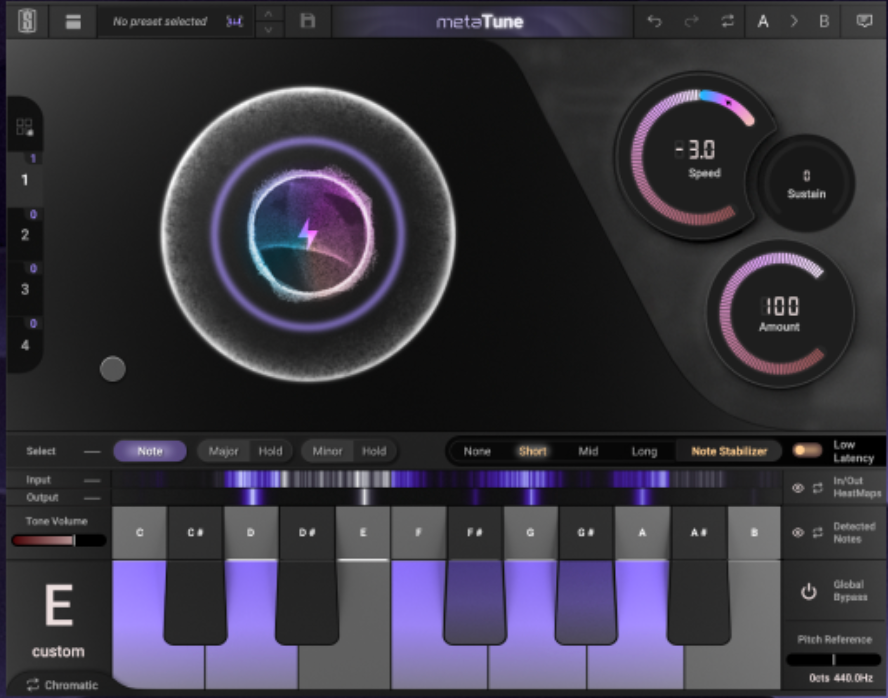
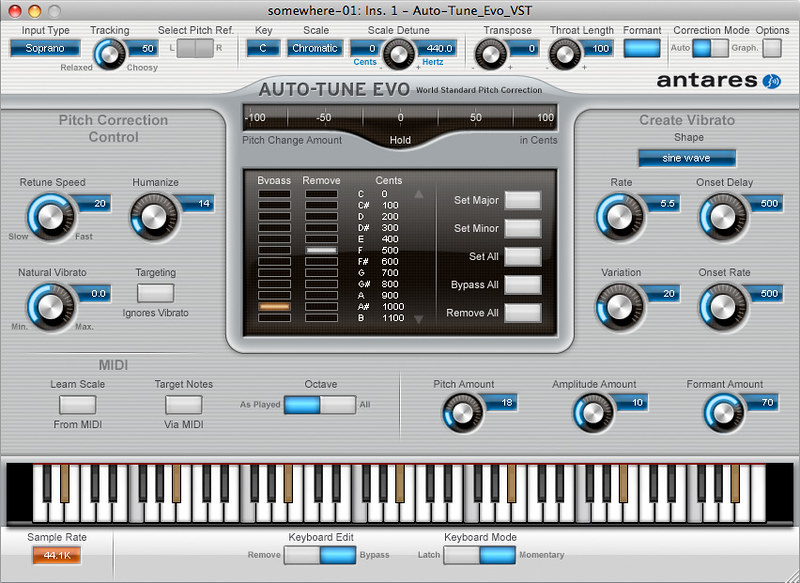
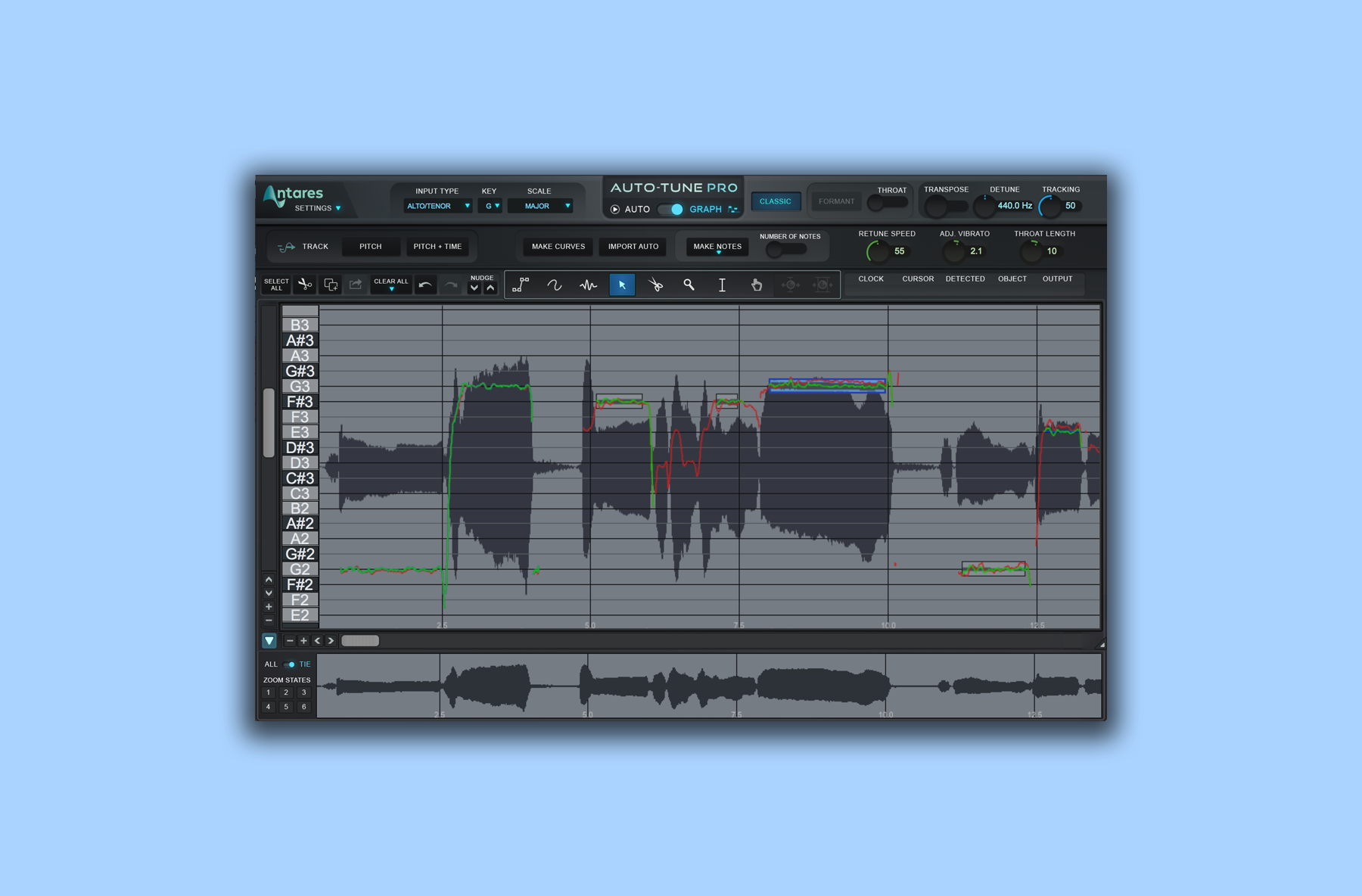
Set the scale in your vocal tuner or MIDI scale tool so new parts stay in key. Our vocal tuner helps you check sung pitch.
What is A440 tuning? It is the standard pitch reference in which the A above middle C (A4) vibrates at 440 Hz, and every other note is tuned relative to it. Most tuners, instruments, sample libraries and recordings assume A440, so matching it keeps you in tune with the rest of the world. To hear the reference, play A440 or any other note in the free online tone generator.
Why a pitch standard exists
A note name like “A” does not describe a fixed sound on its own. Without an agreed reference, two instruments can both play an A that sounds noticeably different. A pitch standard fixes one note to a frequency so pianos, guitars, synths and orchestras can play together. A440 was adopted as an international standard and is described in ISO 16; it is the default in almost every electronic tuner and DAW.
How the other notes are calculated
Modern Western music uses twelve-tone equal temperament. Each octave doubles the frequency, and the octave is split into twelve equal semitone steps, so each semitone multiplies the frequency by the twelfth root of two (about 1.0595). Starting from A4 = 440 Hz:
A440 is the common default, but you will meet other references:
A442 and A443. Some orchestras tune slightly higher for a brighter sound. If you record with an orchestra or a piano tuned this way, set your tuner and virtual instruments to match.
A432. This places A about 32 cents lower than A440. Some musicians prefer it, but there is no scientific evidence that it sounds better or has special effects on the listener. It only matters that everyone on a recording uses the same reference.
Historical pitch. Early-music ensembles often use lower references, such as A415, to match period instruments.
In the tone generator you can change the A4 reference to 442 Hz, 432 Hz or any value, and every note updates to that tuning.
How to tune to A440 with a tone generator
Turn your speakers or headphones down first, then raise the level gently. Pure tones can be tiring, especially on headphones.
Choose the A440 preset, or select the note you want to match.
Play your instrument’s note at the same time and listen for a slow wobble, called beating. Beating means the two pitches are slightly different.
Adjust the instrument until the wobble slows and disappears.
For a guitar, play the Low E preset (82.41 Hz), tune that string, then work through A2, D3, G3, B3 and E4.
The tool fades every tone in and out, caps the output well below full scale and stops after five minutes or when you switch tabs, so it is safe to leave a reference running while you tune.
Other uses for a tone generator
Checking speakers and headphones. Sweep through low frequencies to hear where your monitors stop producing bass, or find rattles in the room.
Ear training. Play a reference and sing or hum the note, then check whether you landed on it. Our guide on ear training for audio engineers builds on this.
Tuning samples. Play the tonic of your song as a sine tone and tune a kick, 808 or vocal chop until it sits with it.
Testing your hearing range. The upper limit of what you can hear drops with age and noise exposure. For a structured check, use our online hearing test.
Does tuning reference matter in a DAW?
Inside a DAW most synths and samplers follow a master tune setting, usually A440 by default. If you record a live instrument tuned to something else, either retune the instrument or change the master tune so the virtual instruments match. Mismatched references produce parts that sound slightly sour together even when every note is “right”. A sung vocal can be checked against the reference with our vocal tuner.
Cents, beating and how close is close enough
Tuning differences are measured in cents. One cent is a hundredth of a semitone, so an octave contains 1,200 cents. Small offsets are hard to hear on a single note but become obvious when two notes play together, because the slight difference in frequency creates beating: a regular pulse in volume. The beat rate equals the difference between the two frequencies, so a note at 441 Hz played against 440 Hz pulses once per second. As you get closer, the pulse slows, and when it stops the two pitches match.
The tone generator’s fine-tune slider moves a note in cents, which is useful for matching an instrument that is consistently a little sharp or flat, such as an old piano you cannot retune before a session. Set the generator to the instrument’s pitch, then tune the rest of the band to that reference.
Common mistakes
Starting a tone at high volume. Always begin low, especially on headphones.
Mixing references on one session. A piano at A442 and a synth at A440 will clash.
Tuning by octave confusion. Make sure you are matching the same octave, or a clean octave above or below.
Expecting A432 to fix a mix. Changing the reference does not improve tone or balance; arrangement and mixing do.
FAQ
What is A440?
It is the standard tuning pitch in which the A above middle C vibrates at 440 Hz. Most instruments and tuners use it.
What frequency is middle C at A440?
About 261.63 Hz.
Is A432 better than A440?
There is no scientific evidence that it sounds better. Use whatever your band, orchestra or recording uses.
Why can’t I hear very low or very high tones?
Small speakers and laptop drivers cannot reproduce deep bass, and our hearing of very high frequencies drops with age.
Eiosis Air Eq provides users with a high-quality equalizer plugin that enhances audio mixing capabilities. The software is ideal for audio engineers seeking to add depth and clarity to their work.
The Eiosis Air Eq Review highlights its superior sound quality and advanced features that make it stand out from the competition. This equalizer plugin offers several options, including an AI-assisted plugin that simplifies the mixing process while preserving the original sound quality.
With a well-designed user interface, the Eiosis Air Eq plugin provides a user-friendly mixing experience, complete with an intuitive layout and robust controls. Audio engineers and music producers looking for an equalizer plugin to improve their audio mixing skills should not hesitate to check out Eiosis Air Eq.
Key Features
When it comes to producing music, having the right tools and equipment can make all the difference. That’s where the Eiosis Air EQ comes in. This powerful and versatile EQ plugin is designed to help musicians and producers fine-tune their mixes with unparalleled precision and flexibility. In this review, we’ll take a closer look at the key features of the Eiosis Air EQ and see how they can help take your music to the next level.
Ease Of Use
The first thing you’ll notice about the Eiosis Air EQ is how easy it is to use. The interface is clean and intuitive, with clear labeling for each control and a helpful user manual to guide you through the basics. Even if you’re new to EQ plugins, you’ll be able to start using the Eiosis Air EQ in no time.
Advanced Eq Controls
While the Eiosis Air EQ is easy to use, it’s also highly customizable. You’ll have access to a wide range of advanced EQ controls, including band filters, a high pass filter, a low pass filter, a high shelf filter, and a low shelf filter. You can even adjust the Q factor of each band to fine-tune the frequency response to your liking.
Realistic Analog Sound
One of the biggest advantages of the Eiosis Air EQ is its ability to replicate the sound of classic analog EQs. Thanks to its innovative algorithms and high-quality processing, the Eiosis Air EQ is able to recreate the warmth and character of vintage gear. Whether you’re looking to add some warmth to a digital recording or emulate the sound of a classic mixing console, the Eiosis Air EQ has got you covered.
Credit: m.youtube.com
User Interface
The Eiosis Air EQ is a dynamic equalizer plugin designed to offer high-quality sound processing. As with any plugin, the user interface plays a crucial role in providing a seamless user experience. Below is an overview of the user interface of the Eiosis Air EQ.
Controls Overview
As soon as you open the plugin, you will be presented with a visual display of the frequency spectrum. The interface of the Eiosis Air EQ is clean and straightforward, featuring button and knob-style controls that are easy to locate and operate.
Control
Description
Mode Switch
A toggle switch to change modes between Bell, Lowshelf, and Highshelf EQ
Frequency
A knob control to adjust the frequency band
Bandwidth
A knob control to adjust the bandwidth of the frequency band
Gain
A knob control to adjust the gain of the selected frequency band
Input and Output Meters
Enable you to measure input and output level accurately and audibly
Visual Design
The visual design of the Eiosis Air EQ is intuitive. The plugin uses colors to represent different frequency ranges, making it easy for the user to identify regions of interest or concern. The layout and design of the interface are geared towards speeding up workflow by offering an intuitive control system that is both comfortable to use and protected from visual clutter.
Colors associated with different frequency ranges make it simple to distinguish between areas of interest or concern
Displays comprehensive information about input and output levels
Overall, the user interface of the Eiosis Air EQ delivers seamless and intuitive control over musical sound processing, combining ease of use with precision, while making it possible to create and sculpt sound for any type of production.
Sound Quality
Eiosis Air EQ, a digital equalizer, provides excellent sound quality in music production. With its precise and transparent sound processing, users can achieve a polished and professional sound in their tracks.
Test Results
Eiosis Air EQ is considered one of the best equalizers in the market, but it’s the sound quality that makes it exceptional. The sound quality has been tested and reviewed extensively, and the results speak for themselves. The Air EQ has exceptional clarity, high resolution, and can bring out the subtlest details in your audio. The designers of Eiosis Air EQ have taken a unique approach to sound quality. Rather than using traditional methods, they have introduced a new algorithm that provides a warm and inviting sound. The EQ has an even frequency response, allowing you to make adjustments without altering the original sound.
User Reviews
The user reviews for Eiosis Air EQ all point towards an incredible sound quality. The EQ has been praised for being able to bring out the best in any source material. Users have also found that it is excellent at removing unwanted frequencies, with some stating it to be the most versatile EQ in the market. A particular feature that sets the Air EQ apart from others is its harmonic control. This function adds a certain warmth to the sound while keeping it natural and unprocessed. Users have been blown away by the amount of control they have over their audio with the air EQ. In summary, the Eiosis Air EQ has proven that it’s not just a fancy interface and a bunch of features that make a good EQ. The sound quality is spectacular, offering a clarity and resolution unheard of in other equalizers. If you’re looking for an EQ that enhances your audio while keeping it natural, Eiosis Air EQ is the perfect tool.
Credit: www.musicradar.com
Compatibility
Compatibility plays a vital role in Eiosis Air EQ Review. The plugin’s compatibility with different DAWs and operating systems makes it a perfect choice for professionals and music enthusiasts. With its advanced features, it creates a seamless workflow and enhances the overall sound quality.
If you are looking for a versatile and reliable EQ plugin, Eiosis’ Air EQ is a great option. One of the factors that make it stand out is its compatibility with different DAWs and operating systems. In this section, we will explore the plugin’s support for various DAWs, as well as its system requirements.
Daw Support
Eiosis Air EQ supports a wide range of DAWs, including popular options such as Pro Tools, Logic Pro, Cubase, and Ableton Live. It also works seamlessly with Studio One, FL Studio, and other major recording software.
System Requirements
Before you install Eiosis Air EQ, it’s essential to ensure that your computer meets the minimum system requirements. The plugin is compatible with both Mac and Windows operating systems and requires a 64-bit CPU. Here are the specific requirements for each OS:
Mac
OS X 10.7 or higher
Intel CPU only (minimum 2 GHz recommended)
4 GB RAM (8 GB recommended)
Minimum screen resolution 1280 x 800 px
Compatible with AU, VST, AAX Native, and RTAS plugin formats
Windows
Windows 7 (SP1) or higher (64-bit)
Intel-compatible CPU with SSE2 instruction set (minimum 2 GHz recommended)
4 GB RAM (8 GB recommended)
Minimum screen resolution 1280 x 800 px
Compatible with VST, AAX Native, and RTAS plugin formats
Whether you are a professional producer or an aspiring artist, Eiosis Air EQ is a must-have tool for music production. Its compatibility with different DAWs and operating systems makes it a flexible and convenient option, while its advanced features and intuitive interface ensure a seamless workflow.
Price And Value
The Eiosis Air EQ plugin provides excellent value for those seeking precision in their mix. With its smooth and transparent sound, it is considered as an affordable alternative to some of the more expensive EQ plugins.
Price Comparison With Competing Eq Plugins
It’s always important to consider the cost of any software before purchasing it, especially when it comes to plugins. Eiosis Air EQ is a high-end equalizer plugin, but is it worth the investment? When compared to other competing EQ plugins, the price of Eiosis Air EQ can seem a little steep at first glance. However, it’s important to note that the value of this plugin is unmatched by many of its competitors.
Value For Money
In terms of value for money, Eiosis Air EQ is a great investment for any music producer or audio engineer looking for a powerful equalizer plugin. While the initial cost might seem high, the advanced features and high-quality sound make it well worth the investment. One notable feature of Eiosis Air EQ is its ability to analyze and balance the harmonic content of your audio in real-time. This is a unique feature that sets it apart from other EQ plugins on the market. Additionally, Eiosis Air EQ is incredibly efficient and takes up very little CPU power, making it a great choice for those working on larger projects. Overall, while the price of Eiosis Air EQ may initially seem high, the value it offers is unmatched by many other competing EQ plugins. Its advanced features, high-quality sound, and efficiency make it a great investment for any music producer or audio engineer.
Credit: ask.video
Frequently Asked Questions Of Eiosis Air Eq Review
What Is Air Eq?
Air EQ is a system that monitors and regulates air quality. It measures factors such as temperature, humidity, and air pollution levels to ensure healthy air for occupants of a space. By collecting data on these factors, Air EQ can help reduce allergies, improve sleep, and increase overall well-being.
What Is Eiosis Air Eq?
Eiosis Air EQ is a high-end digital equalizer plugin that provides accurate and transparent sound processing for mixing and mastering. Its unique features like natural phase mode, intuitive GUI, and advanced filtering options make it a preferred choice among professionals.
How Does Eiosis Air Eq Compare To Other Eq Plugins?
Eiosis Air EQ stands out from other EQ plugins with its unique features of natural phase mode and linear phase mode. It provides transparent sound processing with a high level of precision, making it one of the best EQ plugins for mixing and mastering.
How Can I Use Eiosis Air Eq In My Music Production Workflow?
Eiosis Air EQ can be used in your music production workflow for precise sound shaping in mixing and mastering. With its intuitive GUI, advanced filtering options, and natural phase mode, you can achieve accurate and transparent sound processing and enhance the overall quality of your music.
Conclusion
The Eiosis Air Eq is a powerful tool for any sound engineer or music producer looking to elevate their mixing game. Its accurate and intuitive sound processing capabilities ensure a balance of clarity, depth, and warmth to your tracks. With its customizable features and top-notch sound quality, the Eiosis Air Eq is definitely a must-have in any audio arsenal.
Get ready to take your music to new heights with the Eiosis Air Eq!
Colour coding your tracks is a practical technique to easily identify and organize information in any project. By assigning specific colours to specific elements, users can quickly recognize patterns, focus on important information, and optimize their workflow.
Colour coding can be used in various areas, from project management and data analysis to music production and creative writing. Its benefits include easy identification of different types of information, increased productivity, and enhanced creativity. Whether you’re working on a personal project or a team project, colour coding can help you stay on top of your game.
We’ll explore the different ways you can use colour coding to boost your productivity and efficiency.
Credit: www.makeuseof.com
Why Colour Coding Matters
Colour coding your tracks is crucial for organization and efficiency in any project. By assigning distinct colours to each track, it becomes easier to quickly identify and make adjustments as needed, saving both time and frustration in the long run.
Colour coding plays an essential role in organizing your work, whether it’s in personal or professional life. With so much data and content to manage, it’s easy to get overwhelmed and confused. By assigning colours to your tracks, you can reduce clutter and streamline the workflow, saving time and boosting productivity. This simple yet effective technique helps you identify and differentiate between tracks, making it easier to track progress, manage workload, and stay on top of things.
Benefits Of Colour Coding
Colour coding provides several benefits that help you stay organized and focused. Here are some of them:
Benefits
Explanation
Better Organization
Colour coding helps you organize your tracks by grouping them based on priority, project, type, or status.
Increased Visibility
Colour-coding tracks helps you identify them quicker, allowing you to manage them more efficiently.
Reduced Errors
Colour coding reduces human error by providing a visual cue to identify a track, making it less likely to make mistakes.
Better Collaboration
If you’re working with a team, colour coding can help everyone quickly see who is doing what and which tracks need their attention.
Impact On Workflow And Productivity
Colour coding has a significant impact on workflow and productivity. Here’s how:
Less Time Wasted: When you have a lot of tracks, it’s easy to lose track of what’s due, and when. Colour coding helps you identify what needs doing urgently and which can wait until later.
Reduced Stress Levels: Colour coding makes it easier to manage your workload, which can reduce stress levels by providing a sense of control. You’ll have the satisfaction of completing tasks and ticking them off your list, knowing you’re on top of things.
Improved Focus: By colour coding your tracks, you’ll be able to see which tasks are more important and prioritize them accordingly. This will improve your focus on the work that matters most and increase your productivity.
Better Decision-Making: Colour coding provides a visual representation of your workload, enabling you to make informed decisions quickly and effectively. You’ll be able to see what’s working and what’s not, and whether you need to adjust how you’re working.
In conclusion, colour coding your tracks is a simple yet effective way to manage your workload and improve productivity. By assigning colours to your tracks based on priority, project, type, or status, you’ll be able to make better use of your time, reduce stress levels, and stay on top of things. Give it a try and see how it works for you!
Credit: vi-control.net
Different Methods Of Colour Coding
Colour coding your tracks can help you stay organized and keep your workflow efficient. There are different methods of colour coding you can utilize such as by mood, genre or instrument to easily identify sections and elements in your project.
Different Methods of Colour Coding Colour coding is an efficient way to visually organize your tracks and make them easier to find. There are different methods of colour coding that you can use to make your tracks stand out. In this blog post, we will be discussing three methods of colour coding, namely Colour Coding by Category, Colour Coding by Priority, and Colour Coding by Progress. Additionally, you can also use labels and icons to make your tracks even more visually appealing. Colour Coding by Category Colour coding by category is a straightforward method of colour coding your tracks. You can assign a unique colour to each category and then colour code the respective tracks. For instance, if you have multiple projects that you’re working on, you can use different colours to represent each project. This way, you can easily identify which tracks belong to which project. Colour Coding by Priority Colour coding by priority involves assigning colours based on the priority level of your tracks. You can assign a high priority track a red colour, a medium priority track a yellow colour, and a low priority track a green colour. This way, you can visually differentiate between high, medium, and low priority tracks and prioritize your work accordingly. Colour Coding by Progress Colour coding by progress involves assigning colours based on the progress level of your tracks. For instance, you can use green for completed tracks, orange for tracks that are in progress, and red for tracks that are overdue. This way, you can easily track the progress of your work and stay on top of your deadlines. Using Labels and Icons Using labels and icons is another way to make your tracks visually appealing and easy to find. You can use labels to add additional information to your tracks, such as due dates or project names. You can also use icons to represent different types of tracks, such as meetings, phone calls, or emails. In conclusion, colour coding your tracks can be an effective way to stay organized and productive. By using one of the above methods, you can easily differentiate between different types of tracks and prioritize your work accordingly. Additionally, using labels and icons can make your tracks even more visually appealing and easy to find.
Tips For Effective Colour Coding
Colour coding is an effective way to organise your tracks for improved workflow. Choose colours that are easily distinguishable and assign them to specific types of tracks such as drums, vocals or instruments. This will save time when navigating your project and make editing more efficient.
Colour coding has made things easier for people by helping them differentiate between things quickly. With the advent of technology, colour coding has become even more essential. Be it in a software application or a playlist on a music streaming platform, colour-coding can make your life easier. However, in order to make the best of colour-coding, you need to keep certain things in mind. Below are some tips that would help you effectively colour code your tracks.
Choose Colours Wisely
The choice of colours plays an essential role when it comes to colour coding your tracks. You don’t want to use colours that don’t convey the intended message or have an entirely different meaning. Colours like red, yellow, and green are universally accepted and understood by the majority of people. Moreover, it’s always best to use bright colours that stand out.
Keep It Simple
Keep in mind that the primary aim of colour coding is to make it simple and easy for people to understand. So, avoid complicating the colour system by using too many colours or shades that could confuse the user. Remember, simplicity is the key!
Be Consistent
Consistency is crucial when it comes to colour-coding. You should ensure that to stay organized that you have a standard set of colours and stick to them throughout. Using different colours for the same task could lead to confusion and create an unnecessary mess.
Track Colour
Task
Red
Critical tasks or urgent deadlines
Yellow
Tasks that are near their deadlines
Green
Tasks that are completed
Use Colour-blind Friendly Options
Not everyone sees colours in the same way; some people struggle with differences in colour and require additional support. It is necessary to use colour-blind friendly options while colour coding. There are several websites available that could help you create proper colourblind-compatible schemes. Additionally, you could try using different patterns and shapes with the colours to make it easier to distinguish. In conclusion, colour coding tracks can change the way you work or interact with anything that requires organization. Using the tips above will not only help you achieve an organized and efficient work approach, but it will also make it simple for anyone to understand. Remember, simplicity is key, and consistency is crucial.
Tools And Apps For Colour Coding
Colour coding your tracks is a simple yet effective way of organising your projects. Tools and apps such as Trello and Asana allow you to add colours to your tasks, helping you visually identify priorities and deadlines at a glance.
Tools and Apps for Colour Coding Colour coding your tracks is a great way to organize and prioritize tasks, making it easier to manage and work on them. While the concept is simple, you need the right tools and apps to make it work. Here are some excellent tools and apps you can use for colour coding your tracks. Spreadsheets Spreadsheets are some of the most versatile tools you can use for colour coding. They are useful for tracking tasks, deadlines, and progress. Google Sheets is a great option because it lets you share with others easily. All you have to do is create a column for each track and use the fill tool to colour code task boxes. It’s that simple. Project Management Software If you have a more significant project with multiple tasks, using a project management software can make colour coding easier. Trello is an excellent option because it lets you create boards and move tasks from one list to another. You can also use coloured labels to show priority, deadlines or status of the task. Focus and Time-Tracking Apps Time is a precious commodity, and every moment counts. If you need to track time for each task, then using a time-tracking app is useful. Boosted is one such app that lets you track your time and color code your tracks at the same time. Done helps users manage their time more efficiently by breaking down tasks into shorter sessions. It lets you color code each session to keep track of progress. Browser Extensions If you use the internet a lot for work, then browser extensions can keep you organized. The Chrome extension ‘Tabs Outliner’ is useful for keeping track of open tabs, and you can quickly access any tab at any time. ‘OneTab’ is a simple yet effective extension for consolidating tabs into one. Using the colour coding feature, it lets you highlight important tabs and sort them by priority. Wrapping Up Using tools and apps to colour code your tracks helps you become more efficient and productive. Whether you prefer spreadsheets, project management software, time-tracking apps or browser extensions, there are many options available to choose from. Just be sure to pick the right one that fits your requirements and helps you achieve your goals.
Credit: www.reddit.com
Frequently Asked Questions For Colour Coding Your Tracks
How Do You Color Code Tracks In Daw?
To color code tracks in a DAW, locate the track header, right-click on it and select “Color” or “Track Color” option. A panel will appear with various color options, choose the color you want and click on it. The selected track header’s color will change accordingly.
What Is The Color Coding Method?
The color coding method is a system of color-coding items or information to make it easier to identify and organize them. Different colors are assigned to different categories, making it simpler to keep track of information and find what you need quickly.
What Is Color Coding In Music Production?
Color coding in music production is the practice of assigning a specific color to a track or element to aid in organization and identification. This helps producers and engineers quickly identify different parts of a project and make adjustments easier.
What Colors To Use For Color Coding?
Choose colors that are easy to distinguish from each other, such as red, blue, green, yellow, and purple. Stick to around 5-8 distinct colors to avoid confusion. Consider using color palettes for inspiration, and make sure to test the colors against various backgrounds and lighting conditions.
Conclusion
Colour-coding your tracks is a great way to stay organized and save time during your music production process. By assigning specific colors to different types of tracks and sounds, you can easily navigate your project and make necessary adjustments without getting lost in a sea of similar-looking tracks.
Plus, with the tips and tricks outlined in this post, you’ll be well on your way to creating a visually appealing and efficient workspace for your music-making endeavors. So don’t be afraid to experiment with colour-coding and see how it can elevate your music production game.
The key components of a home studio include a computer, audio interface, microphone, and studio monitors. A home studio can be a great option for musicians and content creators who want to record high-quality audio without the expense of a traditional recording studio.
With the advancement of technology, creating high-quality audio recordings from the comfort of your home has become more accessible than ever before. Whether you’re a musician, podcaster, or content creator, having a home studio can provide you with the flexibility and convenience to create high-quality recordings without breaking the bank.
However, setting up a home studio can be overwhelming, especially if you’re just starting out. We will explore the essential components you need to build a home studio from scratch. By the end of this article, you will have a clear understanding of the equipment you need to create professional-quality recordings from your home.
Computer
The Computer:
A computer is the heart of a home recording studio, and it serves as the central hub for all recording and production activity. When selecting a computer for home studio use, there are three critical components to consider: processor, RAM, and storage.
Processor:
The processor is the brain of the computer, and it determines how quickly the computer can perform tasks. For a home recording studio, a multi-core processor is recommended, as it can handle multiple tasks at once without slowing down. A processor with a clock speed of at least 2.5 GHz is an excellent starting point, but faster is always better.
Ram:
RAM, or Random Access Memory, is the temporary memory used by the computer to run programs and perform tasks. For a home recording studio, a minimum of 8 GB of RAM is necessary, but 16 GB or more is recommended for larger projects with multiple tracks and effects.
Storage:
Storage is where the computer stores all the data, including the operating system, software, and files. For a home recording studio, an SSD (Solid State Drive) is highly recommended for storing the operating system and software. This will significantly improve the computer’s performance and speed. Additionally, an HDD (Hard Disc Drive) can be used for storage of project files and samples. A minimum of 500 GB of storage is necessary, but 1 TB or more is recommended for larger projects.
Credit: www.youtube.com
Digital Audio Workstation (daw)
For any music producer, the digital audio workstation (DAW) is the heart of their home studio. A DAW is a software application that allows you to record, edit, and mix multiple tracks of audio and MIDI, in a single interface.
Overview
A DAW integrates all the necessary tools and features for creating professional-quality recordings, such as virtual instruments, MIDI sequencing, audio effects processing, and a mixing console. It enables you to produce music from scratch, record and edit live performances or samples, sequence drum grooves, and much more.
Popular Daws
Choosing the DAW that suits your needs can be a daunting task, given the vast array of options available in the market. However, some of the most popular DAWs used by professionals and beginners alike include:
DAW
Platform
Price
Ableton Live
Windows, macOS
$99-$749
Logic Pro X
macOS
$199.99
Pro Tools
Windows, macOS
$29.99/month or $299/year
FL Studio
Windows, macOS
$99-$899
Cubase
Windows, macOS
$99-$579.99
Features To Consider
When selecting a DAW, there are a few features to consider beyond the price tag. Here are a few:
Compatibility: While most DAWs work on both Windows and Mac, double-check to ensure that your computer meets the minimum system requirements.
User interface: A clean and intuitive interface can save valuable mixing time. Spend some time exploring different DAWs before making a final decision.
Workflow: A DAW that matches your workflow style and creative process can make recording and mixing feel smoother, and more enjoyable.
Integration: Check to see if the DAW integrates with other plugins or software you use. For example, some DAWs better integrate with certain audio interfaces, while others work well with third-party plugins.
Support and community: Technical issues can happen with any software. Make sure the DAW offers reliable customer support, and has a helpful community, forum, or online tutorial database.
Selecting the right DAW can make a significant difference in the quality and creativity of your music production. Take time to research different options and find the one that works for you.
Midi Controller
A MIDI controller is an essential component for any home studio setup. It allows musicians to control their music digitally and helps them create various sounds and effects by playing and tweaking instruments on the controller. Invest in a reliable MIDI controller to elevate your production game.
A MIDI (Musical Instrument Digital Interface) controller is an essential component for any musician or producer who wants to create music in a home studio. With a MIDI controller, you can play virtual instruments, tweak settings, and record MIDI data in your DAW (Digital Audio Workstation). In this article, we’ll explore what MIDI is, different types of MIDI controllers, and how to choose the right one.
What Is Midi?
MIDI is a protocol that allows electronic musical instruments, computers, and other devices to communicate with each other. It was developed in the early 1980s to standardize the way electronic instruments exchanged information. MIDI messages are simply a series of data that tell a device what to do, such as play a note on a virtual instrument, change a parameter value, or start/stop recording in your DAW.
Different Types Of Midi Controllers
There are different types of MIDI controllers available on the market, each with its own unique features and functions. The most common types of MIDI controllers are:
Type
Description
Keyboard controllers
These are MIDI controllers that resemble traditional keyboards and allow you to play virtual instruments as if you were playing a real piano or synthesizer. They come in various sizes, from mini keyboards to full-size synthesizers.
Pad controllers
Pad controllers are popular among electronic music producers and beatmakers. They consist of a grid of pads that can be used to trigger drum samples, play chords, or create rhythmic patterns.
Knob/Fader controllers
These MIDI controllers feature knobs, sliders, and buttons that can be used to control the parameters of virtual instruments or effects. They are often used for live performances or studio productions.
How To Choose The Right Midi Controller
Choosing the right MIDI controller depends on your personal needs and preferences. Here are some factors you should consider when selecting a MIDI controller:
Intended use: Will you be using the MIDI controller for playing virtual instruments, composing, or live performances?
Size and portability: Do you need a compact and portable controller or a larger one with more keys and controls?
Number of keys/pads/faders: Depending on the type of music you create, you may need a MIDI controller with more or fewer keys, pads, or faders.
Compatibility: Make sure the MIDI controller is compatible with your DAW and operating system.
Budget: MIDI controllers are available at different price points, so determine how much you’re willing to spend.
In conclusion, a MIDI controller is an essential component of any home studio setup, helping you to create and record music more efficiently. By understanding what MIDI is, the different types of MIDI controllers available, and how to choose the right one, you can make an informed decision and get the best value for your money.
Audio Interface
An audio interface is one of the key components for setting up a home studio. It connects your computer to speakers and microphones, enabling you to record and produce high-quality music and podcasts.
An audio interface is an essential component of a home recording studio. It is used to convert analog sound signals into digital signals that can be processed by your computer. The audio interface functions as the bridge between your studio monitors, microphones, and other audio gear to your computer. The quality of the audio interface can make all the difference in the recording quality of your productions. There are various types of audio interfaces available on the market. The most common types are USB, FireWire, and Thunderbolt. USB audio interfaces are the most affordable and widely used. FireWire and Thunderbolt interfaces are more expensive, but they offer faster transfer speeds and lower latency.
Usb Audio Interfaces
USB audio interfaces are the most common type of audio interface used in home recording studios. They are very affordable and easy to use. They generally offer two or more input channels and low-latency performance.
Firewire Audio Interfaces
FireWire audio interfaces are designed for users who require more input and output channels, and lower latency performance. They are more expensive than USB interfaces, but they offer faster transfer speeds and better performance.
Thunderbolt Audio Interfaces
Thunderbolt audio interfaces are the most advanced type of audio interface available on the market. They offer the fastest transfer speeds and lower latencies compared to USB and FireWire interfaces. Thunderbolt interfaces are compatible with Mac computers and high-end PC workstations. When choosing an audio interface, there are several factors to consider such as the number of input and output channels, the quality of the microphone preamps, the sample rate and resolution, and the compatibility with your computer’s operating system.
Consideration
Description
Input/Output Channels
Choose an interface with enough input and output channels to match your recording needs.
Microphone Preamps
High-quality microphone preamps are essential for recording professional-grade audio.
Sample Rate and Resolution
Higher sample rates and resolutions offer better sound quality, but require more processing power from your computer.
Compatibility
Be sure to choose an interface that is compatible with your computer’s operating system and software applications.
Choose an audio interface that suits your needs and budget to ensure that your home recording studio produces high-quality recordings that meet the demands of your clients.
Microphones
Microphones are one of the key components of any home studio setup. They play a crucial role in capturing high-quality audio for recordings. From dynamic to condenser microphones, there are many options available to suit different needs and preferences.
Overview
Microphones are one of the essential components of a home studio setup. They capture audio signals from a source and convert them into an electrical current that can be recorded. The quality of the microphone impacts the overall sound quality of the recording, and therefore, choosing the right type of microphone is important. In this article, we will discuss the types of microphones that home studio owners can choose from and the factors to consider when selecting a microphone.
Types Of Microphones
There are three main types of microphones available for home studio setups: Dynamic, Condenser, and Ribbon microphones.
Dynamic microphones
Dynamic microphones are perfect for recording loud sounds, and they can handle high sound pressure levels. They have a simple design, and they are inexpensive. You can use them for recording vocals, guitar amps, drums, and other loud instruments.
Condenser microphones
Condenser microphones are more sensitive and have a wider frequency response than dynamic microphones. They are great for recording lower volume sounds and are commonly used in recording studios for vocals, acoustic guitars, pianos, and other low-level instruments.
Ribbon microphones
Ribbon microphones are the most expensive type of microphone available, and they have a unique sound signature. They are often used in professional studios for recording instruments like saxophones and brass instruments.
Considerations For Choosing Microphones
There are several factors to consider when choosing a microphone for a home studio. Here are some key considerations:
Unidirectional vs. omnidirectional: Unidirectional microphones capture sound from a specific direction while omnidirectional microphones capture sound from all directions. Choose the microphone that suits your recording needs.
Frequency response: Look for a microphone with a wide frequency response to capture a range of low and high notes.
Sensitivity: Microphone sensitivity is important for recording low-sound-level instruments or vocals.
Polar pattern: The polar pattern of a microphone determines how it captures sound. Cardioid microphones are unidirectional, while omnidirectional microphones capture sound from all directions.
Budget: Microphone prices vary, so consider your budget when selecting a microphone.
Conclusion
In conclusion, selecting the right microphone for your home studio setup is essential for achieving high-quality sound recordings. With the wide variety of microphones available, home studio owners need to consider their recording needs and budget when making a purchase. Dynamic microphones are suitable for loud instruments, while condenser microphones are more sensitive and ideal for lower sound levels. Ribbon microphones are high-end, with unique sound signatures that are popular for professional recording. Consider the above factors when choosing a microphone, and you’ll be on your way to achieving fantastic sound recordings.
Studio Monitors
Studio monitors are essential components of any home studio setup. They are designed to reproduce neutral and accurate sound, allowing you to hear your recordings and mixes accurately. These speakers come in various sizes and price ranges, making it easy to find the perfect pair for your needs.
Studio monitors are an important component of a home recording studio, as they help ensure accurate playback of your recordings. With so many options available on the market, choosing the right studio monitors can be overwhelming. In this article, we will discuss the importance of monitors, types of monitors, and features to consider when choosing monitors.
Importance Of Monitors
Studio monitors are designed to accurately reproduce audio without coloring the sound. Unlike Hi-Fi speakers, which are designed to enhance the sound to make it more appealing, monitors are engineered to provide a flat frequency response. Accurate monitoring is critical for mixing and mastering your recordings. If the monitors are not accurately reproducing the audio, then you are likely to make incorrect mixing decisions, resulting in a subpar final product.
Types Of Monitors
There are two types of monitors: active and passive. Active monitors have a built-in amplifier, while passive monitors require an external amplifier to power them. Active monitors are generally more convenient to use and are a popular choice for home studios. Another consideration is the size of the monitors. The larger the monitors, the more accurately they will reproduce low-frequency sounds. However, larger monitors can be more expensive and require more space.
Features To Consider When Choosing Monitors
When choosing monitors, there are several features to consider:
Frequency Response: Look for monitors with a flat frequency response to ensure accurate audio reproduction.
SPL: Sound pressure level, or SPL, is the volume output of the monitors. Make sure the SPL is appropriate for your needs.
Placement: Consider where you will place the monitors in your home studio. Some monitors are designed to be placed near walls, while others require more space for optimal performance.
Price: Monitors can range from a few hundred dollars to several thousand. Determine your budget before making a purchase.
Choosing the right studio monitors is crucial for the success of your home recording studio. By considering the importance of accurate monitoring, the type of monitor that suits your needs, and the features to consider, you can make an informed decision and purchase the right monitors for your home studio.
Acoustic Treatment
Proper acoustic treatment is a crucial component of any home studio setup. It helps to control sound reflections and improve room acoustics for a clearer and more accurate audio recording.
Why Is Acoustic Treatment Important?
Acoustic treatment is crucial in creating a professional-sounding recording in a home studio. Sound waves bouncing off walls, ceilings, and floors create echoes, which can result in distorted and muddy sound recordings. Acoustic treatment helps to reduce reflections and absorb sound waves, providing a more accurate portrayal of the original sound.
Types Of Acoustic Treatment
There are several types of acoustic treatment, including acoustic panels, bass traps, diffusers, and soundproofing materials. Acoustic panels come in different shapes and sizes and are designed to absorb sound waves at different frequencies. Bass traps focus on absorbing low-frequency sound waves, which are typically harder to control than higher frequencies. Diffusers scatter sound waves around a room, creating a more balanced sound. Soundproofing materials are useful in reducing sound transmission between rooms.
How To Set Up Acoustic Treatment In A Home Studio
Setting up acoustic treatment in a home studio involves identifying the problem areas and selecting appropriate treatment options. To determine the problem areas, clap your hands or speak loudly in the room and listen for echoes. Then place acoustic panels on the walls and ceilings, focusing on the areas with the most reflections. Bass traps should be placed in the corners of the room, where low-frequency waves tend to gather. Diffusers are most effective when placed on the rear wall of the room. Soundproofing materials should be used on doors and windows to reduce external noise. In conclusion, acoustic treatment is an essential component in establishing a professional-quality home studio. It helps to create a clearer and more accurate representation of sound recordings. By following the guidelines outlined in this post, you can set up your home studio with the proper acoustic treatment and achieve outstanding results.
Credit: m.youtube.com
Cables And Accessories
Key components for a home studio setup are cables and accessories. They’re essential for connecting audio interfaces, microphones, and headphones to your computer. Having the right cables and accessories can make a huge difference in the sound quality of your recordings.
When it comes to setting up a home studio, it’s essential to have the right cables and accessories to ensure smooth operations. These components enhance the performance of your equipment and ensure that your recordings are of high quality. In this article, we’ll explore the essential cables and accessories, the brands to consider, and other useful accessories to have in your studio.
Essential Cables And Accessories
The following are the necessary cables and accessories for your home studio:
Instrument Cables – Essential for connecting your electric guitar or bass to your amplifier.
Microphone Cables – Necessary for connecting your microphones to your mixer or audio interface.
Speaker Cables – Required for connecting your studio monitors to your amplifier or audio interface.
Headphone Extension Cables – Useful for giving yourself more mobility when tracking or monitoring.
Power Strip – Essential for supplying power to all of your equipment.
Brands To Consider
When shopping for cables and accessories, it’s crucial to invest in high-quality products that can stand up to wear and tear. Here are some brands to consider:
Brand
Products
Price Range
Monster
Cables, power strips, surge protectors
$$
Hosa Technology
Cables, adapters, audio interfaces
$
Mogami
Cables, patch bays, snakes
$$$
Other Useful Accessories
In addition to the essential cables and accessories, the following items can enhance your home studio performance:
Pop Filter – Reduces popping sounds when recording vocals.
Amp Isolation Stand – Prevents vibrations from your amplifier from interfering with microphone recordings.
Acoustic Treatment – Improves the sound quality of your recording environment by reducing reflections, echoes and improving sound isolation.
Shock Mount – Reduces noise and vibrations from your microphone and isolates it from mechanical noise.
Cable Organizer – Helps keep your cables neat and organized and minimizes tripping hazards.
With the above cables and accessories, you’re sure to have a home studio that produces professional-quality recordings. Ensure to invest in high-quality cables and accessories from reputable brands to guarantee a durable and efficient setup.
Credit: www.mixinglessons.com
Frequently Asked Questions For Key Home Studio Components
What Things Do I Need For A Home Studio?
For a home studio, you need a computer or laptop, recording software, an audio interface, microphones, headphones, and monitors or speakers. Additionally, you may also need soundproofing materials, cables, and various accessories.
What Is Needed To Set Up A Home Studio?
To set up a home studio, you’ll need a computer, audio interface, microphone, headphones, and recording software. A pop filter and microphone stand may also be useful. Make sure to choose high-quality equipment that suits your needs and budget.
What Equipment Is Needed To Start A Studio?
To start a studio, you need basic essentials such as cameras, lenses, lighting, tripods, backdrops, monitor, computer, editing software, and audio equipment. The type and quality of equipment needed depend on the type of studio, budget, and requirements. Research and choose the suitable equipment for your studio setup.
What Does A Music Studio Need?
To set up a music studio, you will need quality recording equipment such as microphones, mixers, and monitors. Soundproofing and acoustic treatment are essential to achieve clear sound. A computer with a digital audio workstation software and MIDI controller will be required for music production.
Finally, instruments such as guitars and keyboards can add versatility to your studio setup.
Conclusion
Overall, the key components of a home studio largely depend on the type of content that will be produced. A recording studio for music may require different equipment than a podcasting or YouTube home setup. However, regardless of the type of content, having a solid foundation with quality microphones, interface, headphones and software are essential.
Investing in good equipment may be costly, but will ultimately play a pivotal role in the quality and professionalism of the final product. By following these guidelines, creators can confidently produce content that stands out and captivates audiences.
Mixdown preparation is the process of getting audio tracks ready for final mixing. This involves editing, cleaning up tracks, and adjusting levels and effects to achieve the desired sound.
Mixdown preparation is an essential process that ensures high-quality output for any audio project. The purpose of mixdown preparation is to get all the individual audio tracks in a project ready for the final mixing phase. This process involves editing and cleaning up tracks, adjusting levels, and adding effects to achieve the desired sound.
Doing this allows for a smoother and more efficient mixing process, saving time and effort in the long run. We’ll explore the various steps involved in mixdown preparation and some tips to help you achieve outstanding results.
Preparing For A Mixdown
Preparing for a mixdown is a crucial step in producing top-quality audio tracks. Before starting, it’s essential to check the technical aspects such as the levels, EQ, and compression, along with making sure the original source tracks are well-organized and labeled.
Finally, creating a detailed checklist covering all the essential steps will help ensure a successful mixdown.
Preparing for a Mixdown Mixdown preparation is essential for ensuring that your final mix sounds as polished and professional as possible. By taking the time to clean up your workspace, organize your tracks, and balance your levels, you can dramatically improve the overall quality of your mix. In this post, we’ll explore each of these steps in detail, so you can feel confident in your ability to prepare for a successful mixdown. Cleaning up your Workspace Before you get started with your mixdown, it’s important to take a few minutes to clean up your workspace. This means closing any unnecessary applications, freeing up system resources, and tidying up your desktop. By doing so, you’ll be able to focus all of your attention on the task at hand. If your workspace is cluttered and disorganized, you may find yourself becoming easily distracted or overwhelmed, which can negatively impact your mix. Organizing your Tracks Once you’ve cleaned up your workspace, it’s time to organize your tracks. This means labeling each track with a clear and concise name, grouping similar tracks together, and color-coding them for easy identification. By doing so, you’ll be able to quickly and easily locate the tracks you need, which can save you time and reduce the stress of searching through a sea of audio clips. Balancing your Levels Finally, it’s important to balance your levels before starting your mixdown. This means adjusting the volume of each individual track so that they sit comfortably within the mix. You’ll want to pay attention to both the volume and panning of each track, as well as any reverb or delay effects that may be affecting the overall sound. By doing so, you’ll be able to achieve a balanced and cohesive mix that sounds great across all playback systems. In conclusion, by following these simple steps to prepare for your mixdown, you’ll be well on your way to producing a high-quality, professional-sounding mix. Whether you’re a beginner or an experienced producer, taking the time to clean up your workspace, organize your tracks, and balance your levels can make all the difference. So don’t rush through the preparation process – take your time, work methodically, and enjoy the process!
Eq And Dynamics Processing
When it comes to mixdown preparation, EQ and dynamics processing are an essential part of the process. EQ helps to balance the frequency content of each track in the mix, while dynamics processing helps to control the volume and intensity of different parts of the track. In this section, we will cover the basics of EQ and dynamics processing, providing actionable tips on how to use these tools effectively.
Eqing Your Tracks
EQing your tracks is an important step in the mixdown process, as it helps to balance the frequency content of each track to ensure clarity and separation in the mix. Here are some tips on how to EQ your tracks:
Start by cutting unwanted frequencies rather than boosting. Boosting can lead to a muddy mix.
Use high-pass filters to remove low-frequency content from non-bass tracks to prevent buildup and muddiness in the mix.
Aim to remove any harsh frequencies in the mid-range to help with clarity in vocals and guitar tracks.
Use low-pass filters to remove high-frequency content from non-treble tracks to prevent harshness in the mix.
Use EQ to create separation between tracks in the same frequency range. For example, EQing the snare drum to cut the low frequencies will create separation from the kick drum.
Working With Compression
Using compression is a way to control the dynamic range of a track, ensuring that the volume is consistent throughout the track. Here are some tips on how to use compression effectively:
Start with a low ratio to ensure that the track isn’t overcompressed.
Use compression to tame any peaks in the track, rather than to boost the volume overall.
Consider using parallel compression to retain the dynamics while still controlling the overall volume of the track.
Use sidechain compression to create space for certain elements, such as the vocals or kick drum.
Ensure that the release time is set appropriately to ensure that the compression isn’t affecting subsequent notes.
Using De-essers And Gates
De-essers and gates are dynamic processors used to control specific elements of a track. Here are some tips on how to use them:
Use a de-esser to control any harshness or sibilance in the vocals.
Use a gate to control any unwanted noise, such as guitar amp hum or background noise in a vocal recording.
Use the attack and release time to ensure that the gate is opening and closing appropriately for the desired effect.
Be careful not to overuse these processors, as they can lead to unnatural-sounding recordings if used excessively.
Adding Depth And Space
When it comes to mixing music, adding depth and space is crucial to creating a professional and engaging sound. By implementing a variety of tools and techniques, you can ensure that your mix is dynamic and immersive. In this article, we will explore the different methods for creating a sense of depth and space in your mixdown preparation process.
Creating A Sense Of Depth With Reverb
One of the easiest and most effective ways to add depth to your mix is by using reverb. Reverb is a sound effect that gives the impression that a sound is being played in a large and spacious room. By adding reverb to certain instruments or tracks in your mix, you can create a sense of space and distance between them.
However, it’s important to be careful not to overuse reverb, as it can quickly muddy up your mix. Make sure to adjust the decay time and wet/dry mix to find the perfect balance.
Using Delay And Echo For Depth And Space
Delay and echo are similar effects that are used to create a sense of space and distance in a mix. Delay produces a repeating echo of the original sound, while echo produces a series of echos that gradually fade out. Both are great for creating depth and space between tracks, especially when used in conjunction with reverb.
When using delay and echo, be sure to adjust the timing and feedback settings to achieve the desired effect. Too much delay or feedback can quickly clutter up your mix, so it’s important to find the right balance.
Panning And Stereo Imaging
Panning and stereo imaging are important techniques for creating a wide and immersive mix. By panning tracks to the left or right, you can create a sense of space between them and increase the perceived width of the mix. Similarly, by adjusting the stereo imaging of tracks, you can add depth and dimension to your mix.
It’s important to note that excessive panning or stereo imaging can result in an unbalanced mix, so make sure to use these techniques sparingly and with purpose.
Conclusion
By utilizing these techniques and tools, you can create a mix that is dynamic, immersive, and engaging. However, it’s important to use these methods sparingly and with purpose, as overusing them can quickly lead to a cluttered and unbalanced mix. Take the time to experiment and find the perfect balance for your mix, and you’ll be well on your way to creating a professional and engaging sound.
Credit: www.audiomixingmastering.com
Working With Transitions
For effective mixdown preparation, it’s important to work with transitions. This involves ensuring that audio transitions between different sections are smooth and coherent, without jarring cuts or sudden changes in volume or tone. Attention to detail in this area can significantly enhance the overall quality of a mix.
Smooth transitions are the key to producing a polished mixdown. The transitional phase is where the transitions between sections, tracks, instruments and vocals are meticulously fine-tuned, ensuring a pleasing and professional sound. In this post, we will discuss how to handle transitions properly in mixdown preparation, including fading and crossfading tracks, handling vocal and instrumental transitions, and achieving seamless transitions to ensure a smooth listening experience.
Ensuring Smooth Transitions Between Sections
To ensure smooth transitions between sections, it is essential to decide on the structure of the song during the pre-production phase. Throughout the mixdown process, ensure that each section transitions smoothly to the next. To do this effectively, try to identify the key elements that lead up to the next section and ensure that they are present in the current section. Using reference tracks is also useful for identifying how other professional producers transition between sections.
Fading And Crossfading Tracks
Fading and crossfading tracks are essential techniques to soften transitions between tracks. Fading is simply lowering the volume of a track over time to gradually fade it out or bringing up the volume of a track gradually to fade it in. Crossfading involves the overlapping of two tracks where one track fades out as the other track fades in. By utilizing fade and crossfade techniques, the transition between tracks is seamless.
Handling Vocal And Instrumental Transitions
When it comes to vocals and instrumental transitions, it is best to consider each placement by the composer or producer, ensuring they blend cohesively. For example, a sudden vocal entrance after an instrumental section without an effective transition may sound abrupt and unnatural. In such instances, a transitional section such as a short instrumental break, a reverse cymbal or a symbol swell could be applied to smoothen out the transitions. In conclusion, smooth transitions between sections, tracks, instruments and vocals are paramount in producing a polished Mixdown. By following the techniques discussed above, producers and composers can achieve a professional sound that their listeners can enjoy.
Automation And Final Touches
In mixdown preparation, automation and final touches are essential steps to achieve a professional sound. Using automation, you can create smooth transitions and add emphasis to certain elements in the mix. Final touches such as EQ and compression can help polish the overall sound and make it ready for mastering.
After the mix has been arranged and balanced, it’s time to add that final finesse to the production. Automation and final touches play an imperative role in making your mix sound cohesive, vibrant, and professional. This step involves adding subtle movements to keep the listeners engaged and applying supported processing to emphasize the mix’s various elements. Here are steps to help you achieve automation and final touches seamlessly.
Adding Automation For Movement And Energy
Automation is a magical tool that can bring a mix to life. The trick is to be precise when applying automation to give the track a sense of direction, create momentum, and give the listener an amazing experience. Consider subtle volume and panning automation on instrument sections that need to pop out or come back in, thus creating a sense of tension and release. Adding filter and reverb automation on vocals can also create that sense of movement and energy to your tracks. By doing this, you’ll give the production more variation, ensuring it doesn’t get boring for the listener.
Applying Final Processing And Bouncing To A Stereo File
After crafting the automation, it’s time to apply your final touches to your mixdown. Start by EQing on individual elements to correct any frequency buildups, remove unneeded low-end information, and ensure each sound has its space without causing sonic overlaps. You can then add final compression, saturation, and limiting processing on the master bus and the individual tracks to glue them together and level inconsistencies. Ensure your final mix sounds clear, robust, and balanced across all playback systems. Once satisfied, bounce to a stereo audio file. Ensure the track’s peak level is below -0.3dBFS and export to 24bit/44.1khz or 48khz.
Preparing For Mastering
When all processing is done, it’s time to get your track ready for mastering. Ensure you have accurately labeled the file details such as track name, artist, and start and end points. Always deliver an unmastered mix, as mastering should never be applied to an already mastered track. Send your exported stereo mix to a mastering engineer for the best end result. With these steps, you’re sure to have a mixdown that stands out from the rest.
Credit: audioservices.studio
Frequently Asked Questions Of Mixdown Preparation
How To Do A Proper Mix Down?
To do a proper mix down, start by organizing your tracks, setting levels, and using EQ and compression to balance and enhance the sound. Use effects sparingly and make sure to listen to the mix on different systems. Continuously make adjustments until the mix sounds clear and cohesive, then bounce it down and finalize any minor tweaks.
How Long Does A Mixdown Take?
The length of time it takes to complete a mixdown can vary depending on several factors such as the size and complexity of the project, the experience of the engineer, and the number of tracks involved. However, an average mixdown takes between 2-4 hours to complete.
Should I Mixdown Before Mastering?
Yes, it is recommended to mixdown before mastering. Mixing is the process of combining all individual tracks of a song into a stereo audio track, while mastering is the final step of preparing the mix for distribution. Mixing gives more control over the sonic balance and creates a better foundation for mastering.
What Level Should I Mix Down Before Mastering?
Mixing down before mastering should be done at the highest possible level without clipping. This is typically around -6dB to -3dB, but ultimately depends on the dynamic range of the mix.
Conclusion
Mixdown preparation is an essential step in the process of producing a high-quality audio track. By following the guidelines mentioned you can ensure that your mixdown will be optimized for sound quality, volume, and clarity. Remember to check your levels, use EQ and compression effectively, and choose your effects carefully.
With proper mixdown preparation, your music will sound polished and professional. Keep these tips in mind and take your music production to the next level!
Music producers oversee the entire process of creating a song or album, from start to finish. They work with artists to develop and refine their sound, while also handling the technical aspects of recording, mixing, and mastering the final product.
Music producers play a vital role in the music industry by taking an artist’s vision and bringing it to life. They are responsible for guiding the creative direction of a project, while also managing the technical side of recording and editing.
Producers often collaborate with musicians and songwriters to arrange and refine music, deciding on everything from instrumentation and vocal styles to tempo and mood. With their extensive knowledge of recording technology and music theory, producers can help artists achieve the sound they’re looking for, whether that’s a polished pop track or a raw, experimental album. Additionally, they are responsible for overseeing the mixing and mastering process, ensuring that the final product is up to industry standards.
Credit: soundroyalties.com
The Role Of A Music Producer
A music producer oversees the entire process of creating a song or album, including studio recordings, mixing and mastering. They ensure the artist’s vision is fulfilled and help shape the sound of the final product.
Defining A Music Producer
A music producer is an individual responsible for overseeing the entire process of creating a song or album. A producer’s role is multifaceted and includes tasks such as selecting songs, finding suitable artists, and overseeing recording sessions. They work closely with songwriters, musicians, and sound engineers to bring a creative vision to life while ensuring that their project is on budget and on time.
Tasks Performed By Producers
Music producers are responsible for a wide range of tasks throughout the music production process. Some of these tasks are:
Conceptualizing: A producer comes up with ideas for the sound and feel of a project, which may involve working with artists and songwriters to develop a concept for their music.
Selecting: A music producer selects songs, musicians, vocalists, and studio engineers who are suitable to bring their project to fruition.
Overseeing: A producer guides the entire creative process from pre-production to mixing and mastering the final product, ensuring that everything is up to their high standards.
Finding Talent: A producer identifies undiscovered talent in artists, singers and musicians and serves as their mentor, giving feedback and direction throughout the recording process.
Budgeting: The producer manages the budget by hiring studio musicians and engineers and renting recording studios.
In a nutshell, a music producer is a crucial member of any musical project who brings their creative vision to life, guides the recording process, and oversees the budget.
Types Of Producers
Music production has several types of producers, each with different roles in the music production process. Understanding the different types of producers is crucial for a successful music production project. Here are the four types of producers:
Executive Producer
The executive producer is the highest-ranking producer involved in a music production project. They are responsible for overseeing the entire production process. They are responsible for selecting the songs, the musicians, and the producers. They also supervise the mixing and mastering of the final product. The executive producer is involved in every step of the process and makes important decisions that impact the project’s final outcome.
Record Producer
The record producer works directly with the artist and musicians to create the sound of the album or song. They are responsible for selecting the right musical style, instruments, and sounds that will help the artist express their vision. They help the artists during the recording sessions, encouraging them to give their best performances. They are also responsible for selecting the best takes and editing them together into a final version of the song or album.
Mixing Engineer
The mixing engineer works with the various tracks recorded during the production process to create a final stereo mix, balancing and adjusting the relative levels of each track to create a cohesive and impactful sound. They also add the effects and perform small edits to the tracks as necessary. The mixing engineer is an essential member of the production team, as they can make a significant impact on the sound of the final product.
Mastering Engineer
The mastering engineer works with the final stereo mix to optimize it for distribution and consumption on different types of media, such as CD, vinyl, or digital streaming platforms. They ensure that the tracks are consistent in volume across the entire album and that the sound quality is top-notch. They also add any finishing touches, such as fades or spacing, to ensure that the tracks flow well into each other. The mastering engineer is the final stage in the production process, and their work is crucial for ensuring that the final product is ready for public consumption.
The Importance Of A Producer In Music
Music producers play a crucial role in shaping the sound of an artist. They are responsible for providing creative input, managing recording sessions and budgets, and ensuring that the final product meets the artist’s vision. Without a producer, many crucial aspects of the music-making process could fall through the cracks, leaving the finished product lacking the polish and direction it needs to succeed. Here’s a closer look at some of the most critical roles a music producer plays in the creation of a song.
Shaping The Sound Of The Artist
A music producer’s primary responsibility is to help artists achieve the sound they want. Producers work closely with artists to brainstorm ideas, select instruments, and find the right tone for each song. They help artists to shape the music and to find the right balance between the various elements of the composition. They also help artists to develop their style, so that they can create a cohesive body of work that reflects their unique voice. Whether an artist wants to create a minimalist acoustic track or a heavily produced pop hit, a producer can help them achieve their goals.
Providing Creative Input
Music producers are often highly skilled musicians themselves. They can contribute valuable creative input to the production and recording process. Producers may suggest new arrangements, song structures, or instrument additions that help to enhance a song’s overall sound. They also help artists to refine their performances and to capture the emotion and energy of the song in a compelling way. Ultimately, a producer’s creative input can help to take a song from good to great.
Managing Recording Sessions And Budgets
Music production involves a lot of moving parts, and it’s essential to keep things organized and on track. Producers help to manage recording sessions, making sure that everything runs smoothly and efficiently. They also keep an eye on budgets, making sure that resources are used effectively and that the finished product is delivered on time and on budget. This kind of hands-on management ensures that the production process is streamlined and that each element of the song is given the attention it deserves.
In conclusion,
Music producers are an essential part of the music industry. They help artists to achieve their sound, provide valuable creative input, and manage recording sessions and budgets. Without producers, many of the songs we know and love would never have come to fruition. Whether you’re an artist or a fan, it’s worth taking a moment to appreciate the role that producers play in the creation of music.
Credit: www.liveabout.com
Famous Music Producers
Music producers are the behind-the-scenes masterminds who oversee the entire production process of a recording. They collaborate with artists, sound engineers, and record label executives to create and shape the final sound of a song or an entire album. Without them, some of the most successful hits of our time might never have existed.
Music producers are the masterminds behind hit songs, transforming them from a mere melody and lyrics to a complete musical arrangement. They work with singers and songwriters, helping them discover their unique sound and creating music that resonates with their listeners. Some of the most successful music producers have become household names. Let’s take a look at some of the most famous music producers of all time and what makes them stand out from the rest.
Pharrell Williams
Pharrell Williams is an American singer, songwriter, and record producer. He has produced some of the world’s most popular tunes and worked with the biggest names in the music industry. His unique sound and creativity have made him a household name. He is known for his innovative approach to music production, blending various genres and creating hit records.
Dr. Dre
Dr. Dre is an American record producer, rapper, and entrepreneur. He is one of the most successful music producers of all time, having sold over 50 million albums worldwide. He has worked with some of the biggest names in the music industry, including Eminem, Snoop Dogg, and 50 Cent. Dr. Dre is known for his ability to spot and nurture new talent, as well as his innovative approach to music production.
Max Martin
Max Martin is a Swedish songwriter, record producer, and singer. He has written and produced some of the world’s most successful songs, including “Baby One More Time” for Britney Spears, “I Want It That Way” for the Backstreet Boys, and “Shake It Off” for Taylor Swift. He has won numerous awards for his work and is considered one of the world’s greatest songwriters.
Rick Rubin
Rick Rubin is an American record producer and co-founder of Def Jam Recordings. He has produced some of the most iconic albums of all time, including “Blood Sugar Sex Magik” by the Red Hot Chili Peppers, “The Black Album” by Jay-Z, and “Californication” by the Red Hot Chili Peppers. He is known for his ability to bring out the best in artists and create music that stands the test of time. In conclusion, music producers play a vital role in shaping the music industry. They are the creative minds behind hit songs and are responsible for discovering and nurturing new talent. The four music producers we have discussed – Pharrell Williams, Dr. Dre, Max Martin, and Rick Rubin – are just a few of the most successful and innovative music producers of all time. Their legacy will continue to influence the music industry for generations to come.
Becoming A Music Producer
Music producers are responsible for overseeing the creative process of recording, mixing, and mastering tracks. Their duties may vary depending on the project, but they are usually involved with selecting and coaching musicians, arranging music, and ensuring the final product meets industry standards.
If you’re passionate about music and can’t get enough of it, becoming a music producer might be the perfect career for you. Music producers are responsible for creating and overseeing the recording process for music albums, singles, and other audio pieces. They bring together all the different elements that go into making a song, from the instruments to the vocals, and ensure that everything is working together harmoniously.
Required Skills And Education
Becoming a music producer typically requires a combination of education and experience. While there is no set educational path to becoming a music producer, a degree or diploma in music production, audio engineering, or a related field can be helpful. Music producers must have a good ear for music, knowledge of different instruments and music genres, and technical skills in recording, mixing, and mastering audio. Attention to detail, time management, and budgeting skills are also important for ensuring the success of a production.
Building A Network
Networking is a crucial part of becoming a successful music producer. Building relationships with musicians, other producers, engineers, and industry professionals can help you find work and build credibility in the field. Attend concerts, gigs, and music festivals in your area to connect with other music enthusiasts. Utilize social media and online music forums to connect with other producers and industry professionals.
Gaining Hands-on Experience
Gaining hands-on experience is crucial for becoming a music producer. Consider interning or working as an assistant to a more experienced producer to gain industry insights and skills. It’s also important to develop a good ear for music by practicing listening skills and analyzing different audio tracks. In conclusion, becoming a music producer requires a combination of education, experience, and networking skills. By developing technical skills, building a network of industry contacts, and gaining hands-on experience, you can set yourself up for a successful career in music production.
Credit: www.youtube.com
Challenges Music Producers Face
Music producers face challenges such as meeting deadlines, keeping up with the latest technology, and collaborating with difficult artists. They also have to balance creative vision with commercial appeal and handle the business aspects of their work. Overall, music production requires a combination of technical, creative, and interpersonal skills.
Music production is the cornerstone of the music industry. It involves a broad range of tasks, including recording, mixing, and mastering, to deliver high-quality music that meets the needs of listeners. While music production might seem like a romantic and creative profession, it comes with several hurdles that music producers have to face.
Meeting The Demands Of Clients
Clients’ needs vary from one project to another. A music producer must be flexible enough to meet these demands. In some cases, producers have to produce music that they dislike or disagree with. Hence, they have to put their personal feelings aside and deliver music that fits the clients’ briefs. To achieve this, producers have to be attentive and detail-oriented in their work to ensure they capture the clients’ vision.
Pressure Of Tight Deadlines And Budgets
Music production is time and money-intensive. Music producers have to work within tight deadlines to ensure they deliver music on time. Moreover, budgets for production are not always big, and music producers have to learn to work with the resources provided efficiently. This pressure can lead to burnout, and music producers have to find ways to overcome this by managing their schedules and resources effectively.
Dealing With Creative Differences, Ensuring Each Heading Adheres To Html Syntax
Music production is a collaborative effort, and it’s not uncommon for creative differences to arise between producers, artists, and labels. Music producers have to find a balance between pleasing the artists and keeping the labels happy. Additionally, music producers have to ensure that the final product is of high quality and meets industry standards. This involves technical skills and knowledge of various tools used in music production. Music producers are also responsible for adhering to industry standards when it comes to HTML syntax, ensuring that their outputs are readily usable in different platforms and websites. In conclusion, music production is as challenging as it is rewarding. The challenges mentioned above are just a few of many that music producers face. Successful music producers must be talented, flexible, and resourceful, able to deliver high-quality music that meets their clients’ needs.
Future Of Music Production
As technology continues to evolve, the future of music production is set to take on an exciting new dimension. Innovative tools and platforms, in combination with emerging trends, are paving the way for a new era of music creators and producers. In this article, we will explore the future of music production with a focus on innovative technologies set to revolutionize the industry as well as emerging trends and opportunities awaiting music producers and creators.
Innovative Technologies Set To Revolutionize Music Production
The world of music production is on the cusp of exciting technological developments that promise to revolutionize the industry. Below are some of the innovative technologies that will change the way music is produced and consumed.
Artificial Intelligence (AI) – AI technology promises to revolutionize music creation and production by enabling music producers to create original compositions swiftly and efficiently.
Virtual and Augmented Reality (VR & AR) – VR and AR are not only transforming the way audiences consume music but also the way producers are creating and performing music experiences. VR technology provides immersive experiences for music videos, while AR provides interactive experiences where users can interact with virtual musicians.
Blockchain technology – Blockchain technology, best known in the cryptocurrency world, is making waves in the music industry too. With blockchain, music producers and creators can protect intellectual property rights and ensure proper payment for their work.
Emerging Trends And Opportunities
The evolving landscape of the music industry is presenting exciting trends and opportunities for music producers and creators. Below are some emerging trends and opportunities that music producers can leverage to succeed.
Trends
Opportunities
Increased focus on live streaming and virtual performances
Collaboration with VR and AR developers to create immersive experiences
Growing popularity of music streaming platforms
Developing skills in digital marketing to increase visibility and reach on these platforms
Increase in demand for personalized and niche content
Developing expertise in a niche genre and catering to specific audiences to build a loyal fanbase
In conclusion, the future of music production is set to be an exciting one. As the industry continues to evolve, music producers and creators need to embrace innovative technologies and emerging trends to succeed. By staying ahead of the curve, music producers can create original and engaging content that transcends traditional music experiences.
Frequently Asked Questions Of What Do Music Producers Do
What Does A Music Producer Actually Do?
A music producer oversees and manages the recording, mixing and mastering of music tracks. They work with artists to help them bring their creative vision to life, and ensure that the final product meets industry standards. They may also be responsible for selecting session musicians, arranging songs, and providing creative input.
Do Music Producers Make The Beat?
Yes, music producers typically make beats. They use various equipment and software to create instrumental tracks for songs. The producer’s job is to oversee the recording process and ensure that the beat matches the overall vision of the song.
Do Music Producers Get Paid Well?
Yes, music producers can get paid well if they are successful in the industry, have a good reputation and produce hit records. The amount they get paid varies, but top producers can earn millions of dollars per year.
Why Are Producers So Important In Music?
Producers are incredibly important in music because they oversee the entire creative process, including recording, mixing, and mastering. They work closely with artists to bring out the best in their music, ensuring that every detail is perfect. Producers can also help with things like songwriting and arranging, making them an essential part of the music-making process.
Without producers, many of our favorite songs and albums simply wouldn’t exist.
Conclusion
Music producers are the invisible architects behind every song that we hear today. They work tirelessly to make sure that all the musical elements are fused together harmoniously. Their job is not limited to the technical aspects of music production, as they are also responsible for bringing out the best performance from the artists.
Music producers have become the backbone of the music industry and continue to shape the sound we hear in popular music today. Their hard work and dedication have made them the unsung heroes of the music world, and it’s impossible to picture the industry without them.
So the next time you hear your favorite song playing, take a moment to appreciate the work of the music producer who made it all possible.
The best auto tune plugins are Antares Auto-Tune Pro and Waves Tune. These plugins are the industry standard for professional auto tuning.
Auto tune plugins are essential tools for music producers and artists who want to achieve pitch-perfect vocals in their recordings. There are many auto tune plugins available in the market, but Antares Auto-Tune Pro and Waves Tune stand out as the industry standard.
Antares Auto-Tune Pro comes with a range of advanced features, including real-time MIDI control, Humanize function, and Flex-Tune technology, making it a popular choice for professional producers. Waves Tune, on the other hand, is a precise pitch correction plugin that offers a smooth and natural-sounding result. Both plugins provide excellent results, and the choice mainly depends on the user’s preferences and workflow.
Credit: www.thevvsacademy.com
Most Popular Auto Tune Plugins
Auto tune plugins have revolutionized the music industry. Some of the most popular auto tune plugins in the market include Antares Autotune, Waves Tune Real-Time, and Melodyne. These plugins have powerful features that allow for precise control over pitch correction and vocal effects.
Auto-tune plugins have become an essential tool for music producers and sound engineers. Auto-tune plugins help to correct pitch and keep the vocals in tune. In this article, we will explore the most popular auto-tune plugins.
Antares Auto-tune Pro
Antares Auto-Tune Pro is one of the most popular and widely used auto-tune plugins in the music industry. It offers a variety of features that make it stand out from other plugins. With its advanced features, you can adjust the pitch and timing of vocals with precision. The Flex-Tune feature helps to correct pitch inaccuracies and adjust pitch transitions in real-time.
Waves Tune Real-time
Waves Tune Real-Time is another popular auto-tune plugin that is used by music producers and sound engineers. It offers intuitive and easy-to-use controls that help to correct pitch and timing issues. The plugin comes with a wide range of presets that can be used to get the desired vocal effect.
Melodyne 5
Melodyne 5 is a popular auto-tune plugin that offers advanced features for pitch and timing correction. With its DNA (Direct Note Access) technology, you can isolate and edit individual notes within polyphonic audio recordings. The plugin offers a variety of tools to correct pitch and timing issues, including pitch shifting, time stretching, and more. In conclusion, these are some of the most popular auto-tune plugins that are used by music producers and sound engineers worldwide. Each of these plugins offers unique features and controls that make them desirable for different scenarios. It is essential to choose the right auto-tune plugin that suits your needs and preferences.
Credit: producelikeapro.com
Cost-effective Auto Tune Plugins
Get seamless tuning experience without breaking the bank with these cost-effective Auto Tune plugins. These plugins offer a range of features and compatibility to make your music sound flawless without overspending.
Auto-tune plugins can be quite costly, especially if you’re just starting out and looking to experiment with your vocals. However, there are plenty of cost-effective options available, which don’t compromise on quality. Here are our top three picks for affordable auto-tune plugins:
Gsnap
GSnap is a free auto-tune plugin, which is compatible with both Windows and Mac. Developed by Graham Yeadon, this plugin offers real-time pitch correction, harmonization and can also be used for a variety of special effects. It is simple and easy to use, making it a favorite among beginners.
Mautopitch
MAutoPitch by MeldaProduction, is a versatile auto-tune plugin that works as a pitch correction, pitch-shifting, and harmonization tool. While it does cost $59, it is still a great choice for those on a budget. It comes with the added benefit of being able to make fine adjustments to the pitch and timing of the audio, which can make all the difference in the final product.
Kerovee
KeroVee is another free auto-tune plugin that runs on both Mac and Windows. It includes pitch correction, formant shifting, and a few extra effects like delay and chorus. Although it’s quite limited in comparison to other plugins, it’s perfect for those on a tight budget or those who are just starting to experiment with auto-tune. Conclusion: In conclusion, there are plenty of affordable auto-tune plugins available, which offer a range of features and functionality. Whether you’re a beginner or a professional, these cost-effective options will help you achieve the desired pitch and sound without breaking the bank.
Benefits Of Using Auto Tune Plugins
Auto tune plugins can help singers and music producers achieve the perfect pitch and tone in their recordings. It saves time and effort by automatically correcting off-key or flat notes, making the editing process much smoother. Some of the best auto tune plugins in the market include Antares Auto-Tune, Waves Tune Real-Time, and Melodyne.
Auto-Tune plugins have been around for a while, saving musicians countless hours in the recording studio and minimizing the pressure of having to hit every note perfectly. Over the years, these tools have become more advanced, offering more features and functionalities to producers and music enthusiasts. Here are some of the benefits of using Auto-Tune plugins:
Correcting Pitch
Auto-Tune plugins are widely used for correcting pitch. Pitch correction tools in these plugins can detect the pitch of the input audio and make small adjustments to the pitch to correct any inaccuracies. This feature makes it possible to polish recordings, making them sound more professional. With just a few adjustments, music producers can remove any unwanted pitch issues or vocal quirks and make your audio sound perfectly balanced.
Saving Time
Using Auto-Tune plugins can save significant amounts of time during the recording process. Since pitch correction is automated, producers can quickly apply the necessary corrections to the recording in real-time. Auto-Tune plugins are also helpful when dealing with a tight deadline, as they can help improve your music’s quality without having to spend more time in the studio.
Creating Unique Sounds
Auto-Tune plugins offer a range of creative functions, making it possible for music producers to make unique sounds with their recordings. By using the pitch correction tools creatively, producers can create robotic voices, formant-shifting, and other unique effects that give their music a distinctive edge over others. Producers can also use Auto-Tune plugins to create harmonies and backing vocals with minimal efforts. In conclusion, Auto-Tune plugins are a must-have tool for any music producer or enthusiast looking to take their music production to the next level. These plugins offer numerous benefits, such as correcting pitch, saving time, and creating unique sounds that make recordings sound more professional and polished. With different Auto-Tune plugins to choose from in the market, music producers have endless creative possibilities at their fingertips.
Credit: plus.pointblankmusicschool.com
What To Look For In An Auto Tune Plugin
Choosing the best auto tune plugin for your needs can be overwhelming. Look for real-time pitch correction, versatile customization options, compatibility with your DAW, and user-friendly interface. A good auto tune plugin can enhance your vocals and take your music to the next level.
If you are a music producer or singer, you know how important it is to have high-quality tunes. Auto-tune plugins are a game-changer in the music production world, as they allow you to fine-tune your tunes to perfection. However, choosing the right auto-tune plugin can be a daunting task, especially with so many options available in the market. It is essential to know what to look for in an auto-tune plugin before deciding which one to buy. In this post, we’ll explore the three essential factors to consider when choosing an auto-tune plugin: compatibility, ease of use, and customization options.
Compatibility
Compatibility is one of the most critical factors to consider when choosing an auto-tune plugin. It is crucial to ensure that the plugin is compatible with your DAW (Digital Audio Workstation) because not all plugins work with all DAWs. Before buying an auto-tune plugin, check the plugin’s compatibility with your DAW and the system requirements. Ensure that your computer has the required RAM and processing speed to run the plugin efficiently. Also, make sure that the plugin is compatible with your operating system.
Ease Of Use
Another factor to consider when choosing an auto-tune plugin is ease of use. The plugin should be user-friendly and easy to navigate, even for beginners. It should have a simple and intuitive interface, and the controls should be easily accessible. The plugin should also come with a user manual or tutorial videos to guide users on how to use the plugin. A plugin that is easy to use saves time and enables music producers to focus on creating music.
Customization Options
The customization options offered by an auto-tune plugin are also essential. The plugin should allow for fine-tuning of the settings to achieve the desired sound. Look for a plugin that allows you to adjust parameters such as the key, scale, vibrato, and formant. It should also have different modes for different genres of music, such as pop, rock, or classical. The ability to customize settings gives you more control over the sound and ensures that you can achieve your desired sound. In conclusion, choosing the right auto-tune plugin is critical in music production. When selecting an auto-tune plugin, consider factors such as compatibility, ease of use, and customization options. These three elements will guide you towards selecting a plugin that is perfect for your music production needs.
Frequently Asked Questions Of Best Auto Tune Plugins
What Is The Most Used Autotune Plugin?
The most used autotune plugin is Antares Autotune. It has been the industry standard for pitch correction for over two decades and is used by many popular artists.
What Autotune Do Professionals Use?
Auto-Tune Pro and Melodyne are some of the popular autotune plugins used by professionals in the music industry. These plugins are known for their accuracy and versatility in pitch correction and other vocal effects.
What Is The Best Autotune For Pc?
The Antares Auto-Tune Pro is regarded as the best autotune for PC. It offers real-time pitch correction software designed for professional use. With its advanced features and easy-to-use interface, it is the perfect tool for achieving the perfect pitch in any recording or live performance.
Is There A Free Auto-tune Plugin?
Yes, there are free auto-tune plugins available. Some popular ones include Graillon Free, MAutoPitch, and GSnap. These plugins can be easily downloaded from their respective websites and used in music production software.
Conclusion
To sum it up, these plugins are an essential tool for any music producer looking to achieve flawless pitch and sound quality in their tracks. Whether you’re a beginner or a seasoned professional, the best auto tune plugins are worth the investment to take your music to the next level.
With the help of these plugins, you can improve your vocal performances and save time in the studio, allowing you to focus on the creative aspects of your music. Don’t hesitate to try out these amazing plugins and see the difference they can make in your music production journey.
To beat Writer’s Block, try taking a break or changing your environment. Now, writing can be a challenging and daunting task, especially when you’ve run out of ideas or hit a wall.
A creative block is a common phenomenon and nothing to worry about. The key is to find a way to push past it. There are several strategies you can try, ranging from taking a break, changing your surroundings, breaking the task into smaller steps, to using prompts or challenging yourself.
We will explore some effective tips to help you overcome writer’s block and unleash your creativity.
Credit: contentatscale.ai
Causes Of Writer’s Block
Writer’s block can hit the best writers when they least expect it. Writing requires you to have a wide range of skills, and sometimes you might experience some setbacks. It’s normal for writers to experience a drought in creativity, and it’s essential to know how to beat writer’s block. One of the primary steps in overcoming writer’s block is understanding its root cause. There are several reasons why you might face writer’s block. This post will examine some of the common ones and how to overcome them.
Fear Of Failure Or Rejection
Fear of failure or rejection is a common cause of writer’s block. Many writers worry about failing or being criticized for their work. This fear can be paralyzing, and it can prevent you from writing altogether. To overcome this, you need to change your mindset. Realize that no one is perfect, and even the most successful writers receive rejections. Embrace the possibility of failure and keep writing. Remember, practice makes perfect.
Perfectionism
Perfectionism is another common cause of writer’s block. Some writers set high standards for themselves and expect their work to be perfect. As a result, they spend a lot of time editing and revising their work, leading to a lack of progress in their writing. To overcome perfectionism, try to set realistic goals for yourself. Write without worrying about making mistakes. You can always edit your work later.
Lack Of Inspiration
Lack of inspiration is another significant cause of writer’s block. Sometimes, writers struggle to come up with ideas or find themselves with a creative block. To overcome this, try to take a break from writing and engage in activities that inspire you. This could be reading a book, watching a movie, or listening to music. You could also try changing your writing environment or output. Sometimes, a change of scenery could help spark inspiration.
Distractions
Distractions are another common cause of writer’s block. Distractions could come in the form of social media, email notifications, or other interruptions. To combat distractions, create a conducive writing environment. Turn off your phone notifications, close unnecessary tabs on your computer, and let your family members know that you need uninterrupted time to write. If the distraction persists, try changing your writing location to eliminate any potential distractions.
Overworking
Overworking is another significant cause of writer’s block. It’s easy to get caught up in the writing process, leading to exhaustion and burnout. It’s essential to take regular breaks and allow your mind to recharge. Take a walk, stretch, or engage in other non-writing activities to give your brain time to rest.
Stress And Fatigue
Stress and fatigue can also cause writer’s block. When you’re stressed and tired, you might find it challenging to focus on writing. Finding ways to manage stress, such as meditation or yoga, can help you regain your focus. Getting enough rest and taking care of your physical health can also help alleviate stress and reduce fatigue.
Understanding the causes of writer’s block is the first step towards overcoming it. With a little effort and persistence, you can beat writer’s block and continue producing high-quality work.
Credit: www.imagineforest.com
Methods To Overcome Writer’s Block
Overcoming writer’s block can be challenging, but there are various methods that writers can use to beat it. Strategies like taking a break, setting a writing routine, and jotting down notes can help you keep the words flowing.
As a writer, it’s only natural to experience writer’s block, which can be incredibly frustrating. Writer’s block is a condition when writers are unable to produce new writing, ideas, or even complete old writings. It can be caused by various factors such as personal troubles, lack of inspiration, or even environmental factors. Nonetheless, it is a hurdle that one can overcome by knowing the right methods to implement. In this article, we will discuss various tried-and-tested methods to overcome writer’s block.
Change Your Writing Environment
One of the most obvious methods to overcome writer’s block is to change your writing environment. A simple change of scenery can go a long way in providing the necessary inspiration to write. It can be as simple as moving from your usual writing spot to a different room, or even going to a coffee shop or park. A change in environment can reinvigorate your mind, boost creativity, and unlock new ideas.
Take A Break And Do Something Else
Another effective method of overcoming writer’s block is by taking a break and engaging in other activities. As much as writing is essential, sometimes taking a break and engaging in other activities can help combat writer’s block. Activities such as listening to music, taking a walk, or even working on a different project can provide the necessary rejuvenation to spark creativity.
Freewrite
Freewriting is a method that entails writing without any intention of making sense. The primary aim of freewriting is to get your ideas flowing. By allowing yourself the freedom to write without the pressure of perfection, you may find that your brain will tap into your creativity, and new ideas will flow. It is an excellent method to start your writing process, and it can easily help you overcome writer’s block.
Set A Writing Goal
Setting a writing goal is another method that can assist you in overcoming writer’s block. It can be as simple as writing a paragraph every day or completing a specific writing target within a week. By setting a goal, you’ll have something to strive towards, and it will help keep you focused and on track.
Create An Outline
Creating an outline is an efficient method of overcoming writer’s block. An overview is a roadmap that provides a clear direction for your writing, and it can provide a sense of direction and purpose, making it easier to overcome writer’s block. When you feel stuck, it’s time to review your outline, reminding yourself of your ideas and the direction you want your writing to take.
Collaborate With Other Writers
Collaborating with other writers is a method that can help you overcome writer’s block. Sometimes, brainstorming with someone else can set off a new chain of thought and inspire you to keep going. Moreover, the feedback from a critique partner can help give you a fresh perspective on your topic or plot.
Read Or Watch Something Inspiring
Sometimes the best way to get rid of writer’s block is to find inspiration in the work of other writers. Pick up a book in your favorite genre, or watch a movie or TV show that explores similar themes to what you’re writing. Refreshing yourself with someone else’s creative work can inspire you to keep going and provide the necessary motivation.
Find A Writing Community
Writing communities are an excellent way to overcome writer’s block. In these communities, you can find people who share your struggle and offer support. You can also share your work, get feedback, or even take writing challenges to reinvigorate your writing spark. Joining a writing community can provide the necessary sense of connection and accountability to take your writing to a new level. In conclusion, writer’s block is an obstacle that every writer faces at some point in their writing journey. However, implementing these methods can help you overcome this block and keep your ideas flowing. Changing your writing environment, taking a break and doing something else, freewriting, setting a writing goal, creating an outline, collaborating with other writers, reading or watching something inspiring, and finding a writing community are excellent methods that can help you reboot your love for writing.
Prevent Writer’s Block From Happening
Beating writer’s block is possible with these 6 guidelines: avoid overused words and phrases, keep sentences brief, write in a human-like, unique and SEO-friendly style, vary opening phrases, skip the conclusion paragraph, and aim for natural writing that passes AI detection.
Introductory Paragraph Writer’s block is a common problem that most writers face at some point in their writing journey. It can be frustrating to sit in front of a blank page with no idea what to write. However, preventing writer’s block from happening can be achieved with a few useful tips and tricks. This post will explore some of the effective ways to avoid writer’s block and increase your productivity. Regular Writing Routine Establishing a regular writing routine can help prevent writer’s block. Consistency is the key to developing a habit. By setting aside a specific time every day, you will train your mind to be ready to write during that time. Having a routine also helps to create a sense of familiarity, which can make it easier to get started. Stick to your routine even on days when you don’t feel like writing. Don’t Edit While Writing Editing your work while writing can slow down your progress and cause writer’s block. The drafting stage is the time to focus on getting your thoughts down on paper. Leave the editing for later, as it is a separate process. Give yourself permission to write without worrying about grammar, punctuation, or spelling. Just keep writing until you complete your task. Manage Expectations Setting unrealistic expectations can lead to writer’s block. Don’t put too much pressure on yourself to produce a masterful piece of writing. Remember, writing is a process, and it takes time to develop and refine your skills. Recognize your limitations and create realistic goals that you can achieve. This mindset will help you avoid stress and prevent writer’s block. Keep a Notebook Keeping a notebook with you can come in handy when you need to jot down some ideas. Inspiration often strikes when you least expect it. Writing down your thoughts in a notebook can help you avoid writer’s block. Having a notebook handy also allows you to organize your ideas and come back to them later for inspiration. Celebrate Small Achievements Celebrate small achievements along the way to motivate yourself to keep writing. Completing a task, even a small one, can give you a sense of accomplishment and boost your confidence. Take pride in every milestone, whether it’s finishing a page or completing a chapter. Celebrate your progress and use it as a motivating factor to prevent writer’s block. Get Enough Sleep Sleep is essential for your health, and it can also affect your writing productivity. Lack of sleep can lead to fatigue, decreased focus, and increased stress, which can trigger writer’s block. Ensure you get enough sleep each night to refresh your mind and body for the next day’s writing. A well-rested mind is more alert and capable of writing. Take Breaks Regularly Taking breaks regularly helps to prevent writer’s block. Sitting in front of a computer screen for extended periods can cause mental fatigue. Take breaks every hour or so to stretch, move around or do something that makes you happy. This helps to recharge your batteries and makes you more productive when you get back to writing. Deal with Distractions Distractions can be detrimental to your writing process. Eliminate anything that may distract you, such as loud music or social media notifications. Ensure that you have a quiet workspace where you can focus and concentrate on your writing. This helps to prevent writer’s block by maintaining your focus and productivity. Exercise and Eat Well Taking care of your physical health can also impact your writing. Ensuring you eat healthily and exercise regularly will improve your energy levels and boost your mental clarity. A healthy body supports a healthy mind, which can help to prevent writer’s block and improve your writing productivity. Table The following table summarizes the strategies mentioned above for preventing writer’s block. | Strategies for Preventing Writer’s Block | |:—————————————:| | Regular Writing Routine | | Don’t Edit While Writing | | Manage Expectations | | Keep a Notebook | | Celebrate Small Achievements | | Get Enough Sleep | | Take Breaks Regularly | | Deal with Distractions | | Exercise and Eat Well | In conclusion, preventing writer’s block is possible by implementing effective strategies. Developing a consistent writing routine, avoiding editing during drafting, managing expectations, keeping a notebook, celebrating small achievements, getting enough sleep, taking breaks regularly, dealing with distractions, and maintaining a healthy lifestyle can all contribute to improving your writing productivity and preventing writer’s block. By implementing these tips, you can stay motivated and produce quality writing content.
Credit: www.nonprofitcopywriter.com
Frequently Asked Questions For How To Beat Writers Block
What Is The Fastest Way To Cure Writer’s Block?
One of the fastest ways to cure writer’s block is to take a break and engage in a different creative activity, such as drawing or listening to music. You can also try freewriting or brainstorming ideas. Sometimes changing your writing environment or routine can also help get the creative juices flowing again.
How Do I Bypass Writer Block?
To bypass writer’s block, try these tips: take a break, do something physical, change your environment, brainstorm, and write garbage. Essentially, it’s about removing the self-imposed pressure to produce perfect content and starting to write. Don’t worry about grammar, structure, or flow, just write.
Eventually, you’ll find your way back into the creative flow.
What Is The Right Strategy To Overcome Writer’s Block?
To overcome writer’s block, you should try some of the following strategies: free writing, setting goals, taking a break, changing your environment, or trying a new writing method. Any of these options could help jumpstart your creativity and inspire you to continue writing.
Why Am I Having Bad Writers Block?
You may be experiencing writer’s block due to various factors such as stress, anxiety, lack of motivation, or simply not having enough ideas. Try taking a break, changing up your routine, asking for feedback, and experimenting with different writing techniques to overcome it.
Conclusion
With these practical tips and tricks, you can effectively beat writer’s block. It’s important to take care of yourself and your mental health first and foremost. Remember to take breaks, change your surroundings, and prioritize your agenda. Avoid perfectionism, and don’t be afraid to make mistakes.
Just write what you feel and let your creativity flow. These methods will ultimately help enhance your productivity and sharpen your writing skills. So, go ahead, start writing, and beat writer’s block like a pro!


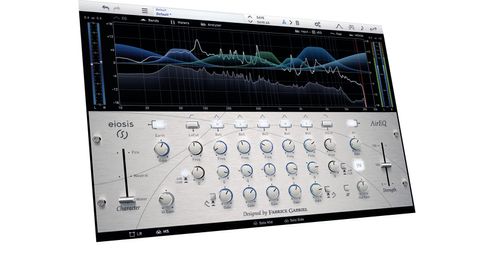
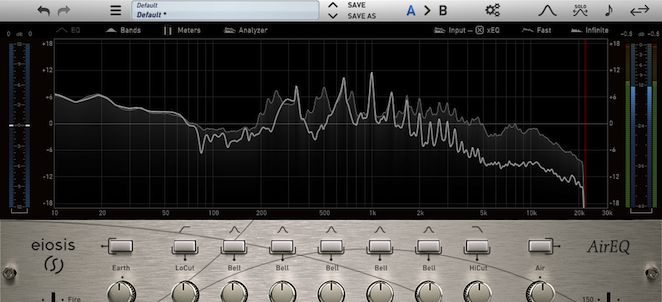
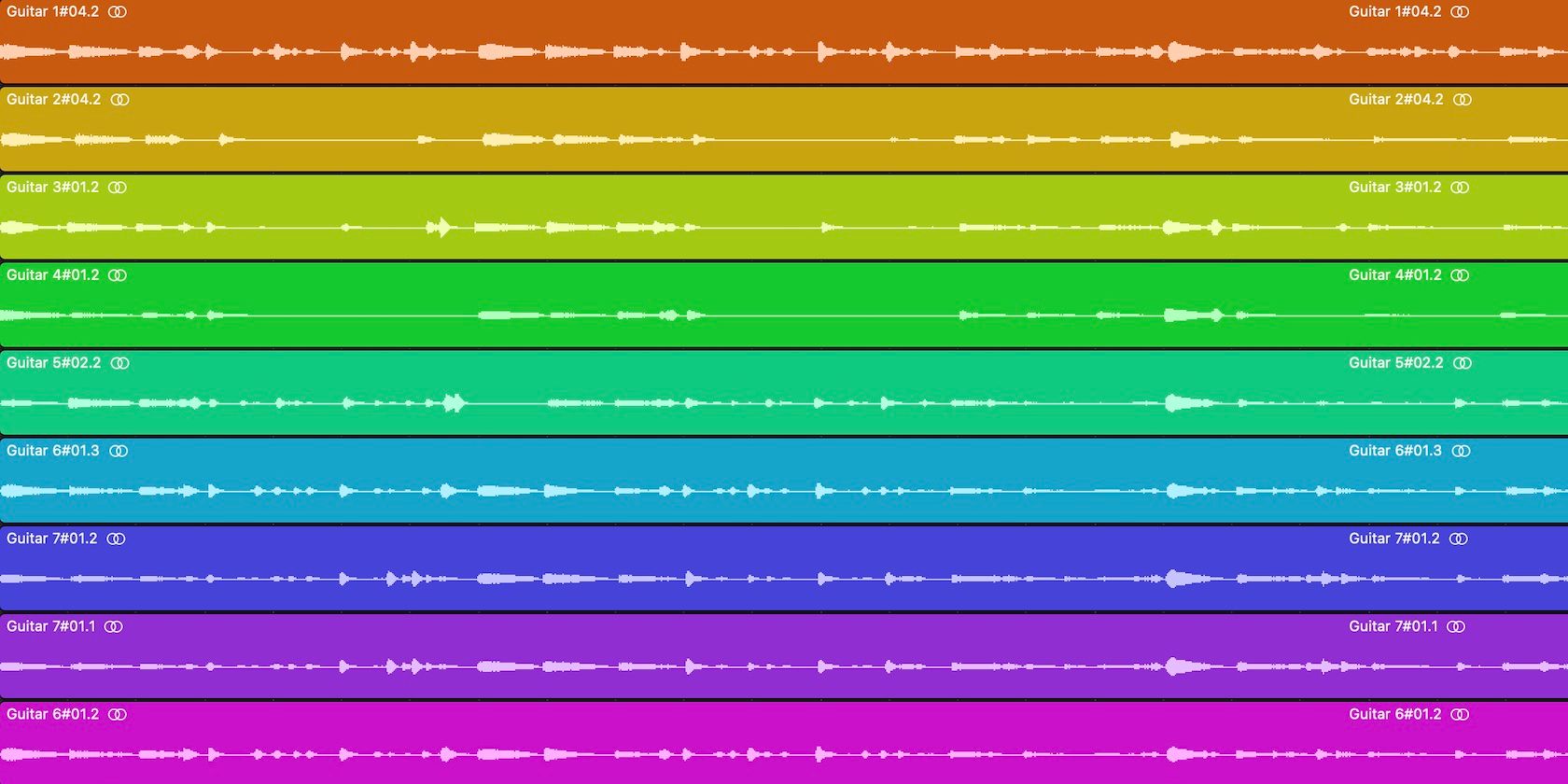


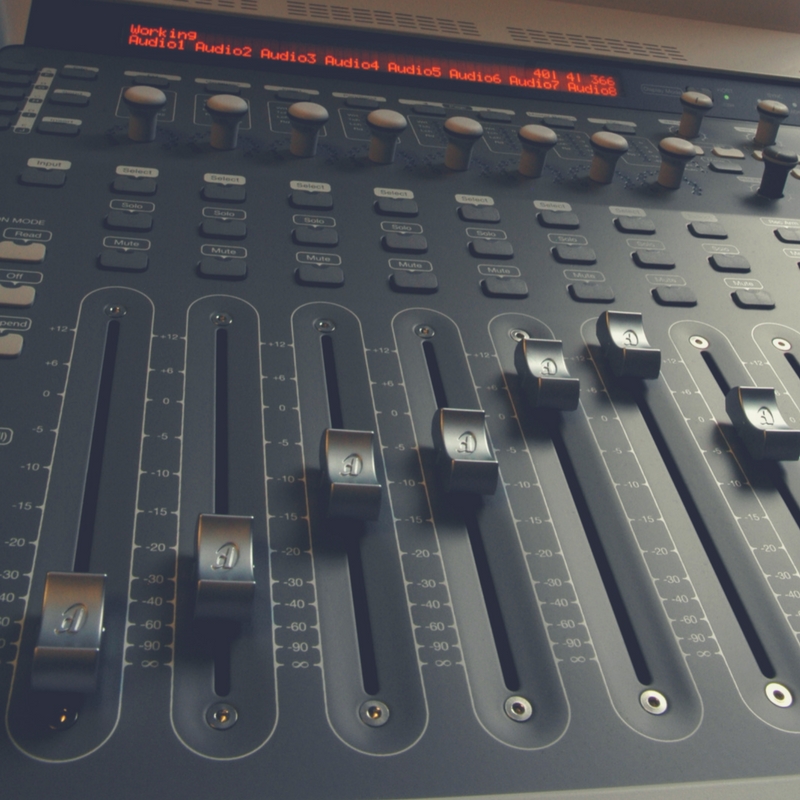

:max_bytes(150000):strip_icc()/record-producer-music-indsutry-career-profile-2460641-ac2b880754fa4cd19235ae7d199b8166.png)